

It is common for Etsy sellers to have their Etsy listing photos cropped in thumbnails, which results in the disappearance of important details. Thumbnail cropping may continue to chop off text, edges, or main product features even if you upload the perfect pixel size. This is because size alone is not sufficient, the real point is clever composition and making use of a well-thought-out safe area on Etsy layout.
This article will show you how Etsy's thumbnail system works, how to design within the safe area, and make your product completely visible on all devices. You'll get hands-on instructions to prevent cropped images and make thumbnails that are clearer, clickable, and that get you more buyers.
Part 1. Why Etsy Listing Photos Get Cropped and What Size Works
Etsy listing photos feature in many locations like search results, shop grids, favorites, and mobile screens. Each location has a different aspect ratio, which is why even your perfectly sized image can be cropped. On desktop, Etsy often shows a wider preview. But it can be very misleading because on mobile the same photo could be closely cropped cutting off even the corners or parts of the text.
So even if you use the recommended dimensions and ask yourself what the size of Etsy listing photos is, merely size doesn't guarantee that the entire image will be visible. The major problem is the automatic thumbnail cropping on Etsy, which puts the focus on the center of the image.
In this way, the safe area concept becomes a must-have. By positioning your main product and any text within this center-safe zone, you will be able to protect the image in all placements, search, shop grid, and mobile, thereby making sure that your product is always fully visible and clickable.
1.1. Common Thumbnail-Cropping Mistakes on Etsy
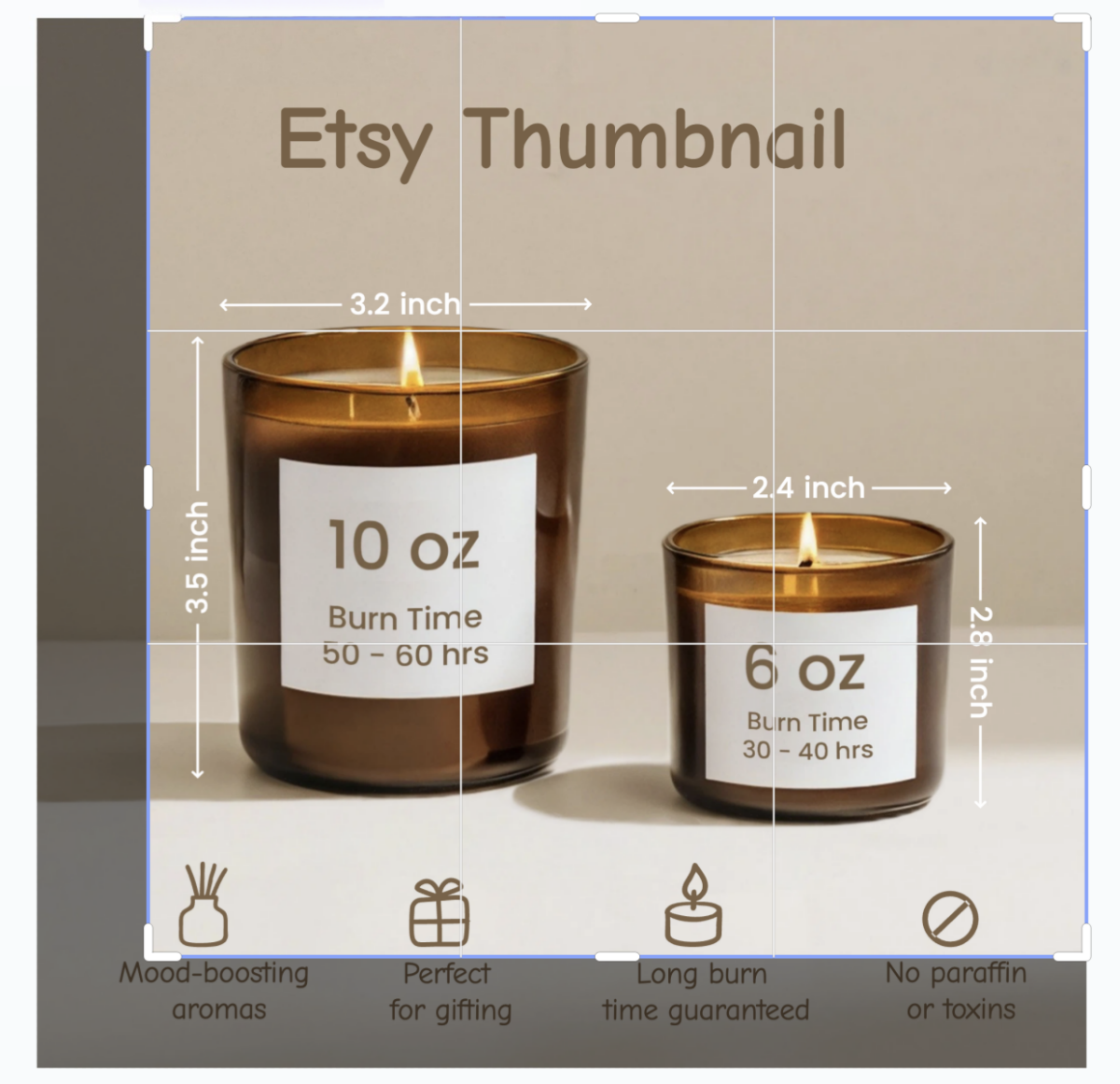
Lots of sellers accidentally make image photos on Etsy listings that guarantee certain parts of the photo will be cut off. Below you will find the most frequent errors:
- Subject placed too near the edges: When a product is touching a top, bottom, or side, Etsy's auto-cropping is very likely to remove the most important parts of the scene.
- Text or logos in corners placement: Corners are the first areas where texts or logos get cropped since Etsy frequently crops the edges to make square thumbnails.
- Busy or distracting backgrounds: Auto-centering and cropping by Etsy's system get confused by cluttered backgrounds, leading to the main product being less visible in thumbnails.
- Long, horizontal compositions: Photos in wide format will be trimmed in most cases, causing the length of the product (e.g., banner or sign) to be partially hidden.
- Subject too small in the frame: If the product does not take up much space, it will become very small in the search thumbnail and won't be able to attract attention.
By staying away from these patterns, your thumbnail should remain clear, nicely centered, and completely visible on all devices.
Part 2. Safe Area Rules to Keep Your Main Product Visible
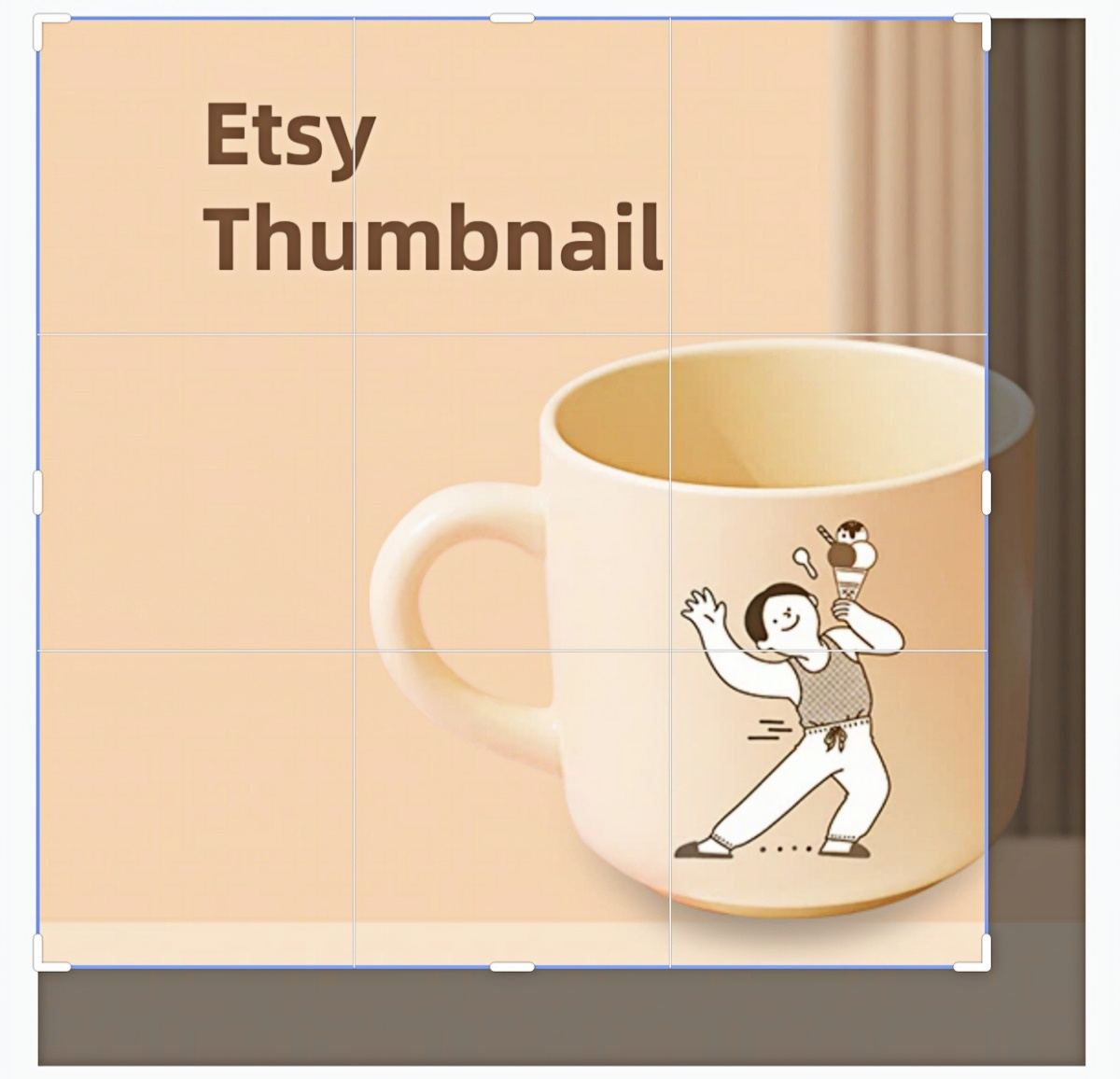
Many potential buyers never view the full version of a listing image, so cropping is unavoidable to some extent on Etsy thumbnails. However, you can minimize unwanted cropping and keep your product photos crisp on all devices by designing with a crop-safe composition using these safe-area rules that allow your main product to remain fully visible in Etsy's square thumbnails:
- Use a center-weighted composition: Keep the main product in the middle of the frame. Centering is a must as Etsy's auto-crop prioritizes the center, so this way you protect the most important details of your visual.
- Leave generous margins on all sides: Don't put your product or text too close to the edges.
- Focus on one clear focal point: One single, dominant subject makes your thumbnail not only easier to read at small sizes but also prevents confusion in the crowded search results.
- Design for instant recognition: Etsy thumbnails are very small, so simple angles, uncluttered backgrounds, and bold shapes are what you should choose.
- Avoid tiny or overly detailed elements: At a thumbnail size, fine details mostly get lost. So instead, focus on emphasizing the product's strongest visual features.
Implementing these safe-area rules will keep your Etsy listing images sharp, visible, and efficacious, resulting in increased clicks and higher conversions.
2.1. Subject Size, Margins, and Text Placement
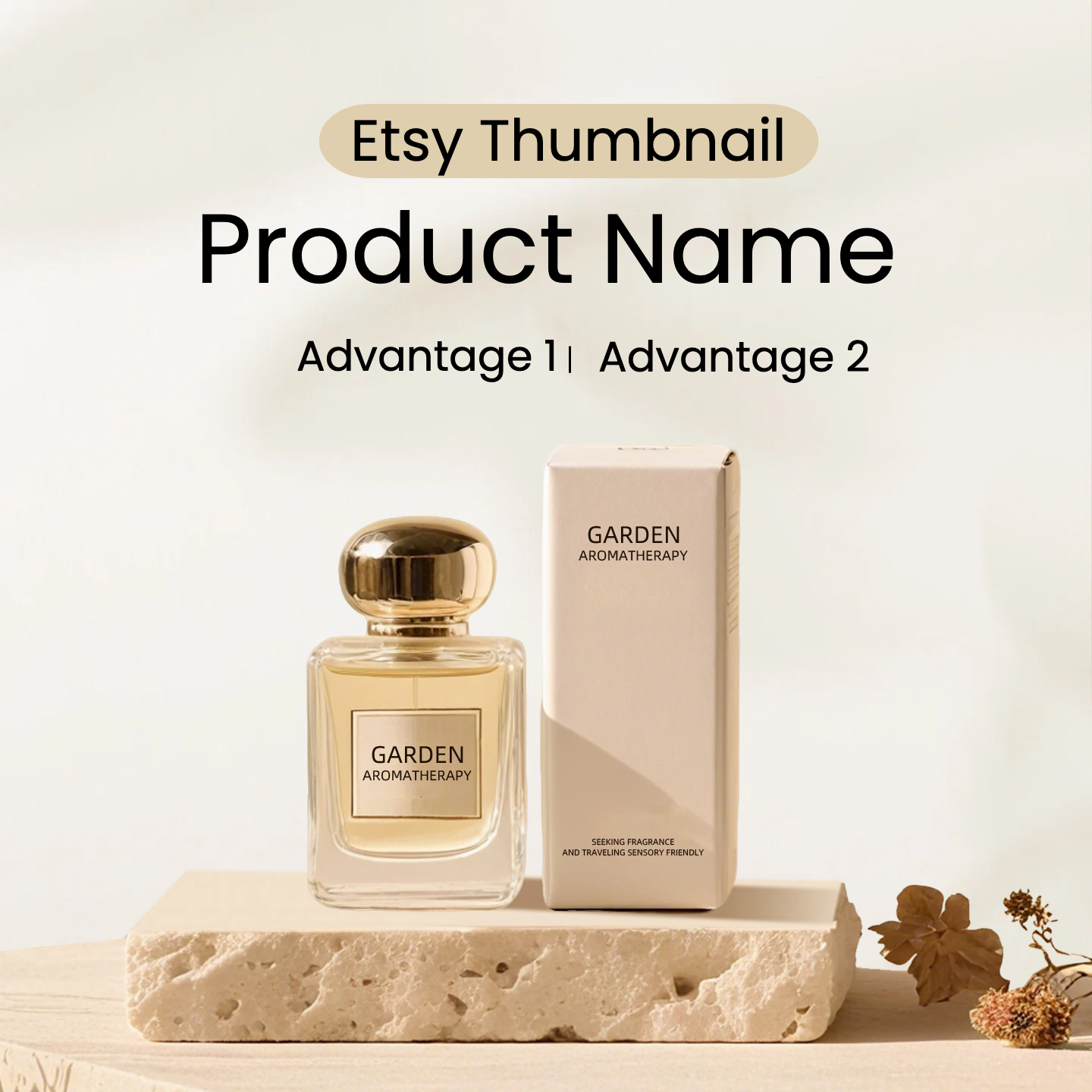
To maintain the visibility of your photos for your Etsy listings across thumbnail views, make sure you comply with these composition rules that are quite simple yet effective:
Subject size: occupies 60 to 80% of the image area
This guarantees that your product will be sufficiently large in very small thumbnails and, at the same time, will not be too close to the edges.
Minimum margin buffer: maintain 10 to 15% free space all around
This protective cushion eliminates the risk of your product being cropped by Etsy's automatic cropping feature. It's better to have more margin than less.
Safe text placement: always align it in the center
If you add text, put it right in the middle with a clean bar, card, or subtle overlay. Don't use corners and edges; those are the areas that will most likely get cropped.
Do not use tall or wide edge-heavy layouts
Layouts that feature main design elements on the top or bottom are going to be hidden first when your listing is shown in a square thumbnail frame.
Following these rules, your Etsy listing images will look neat, easy to read, and totally visible where the buyers see them.
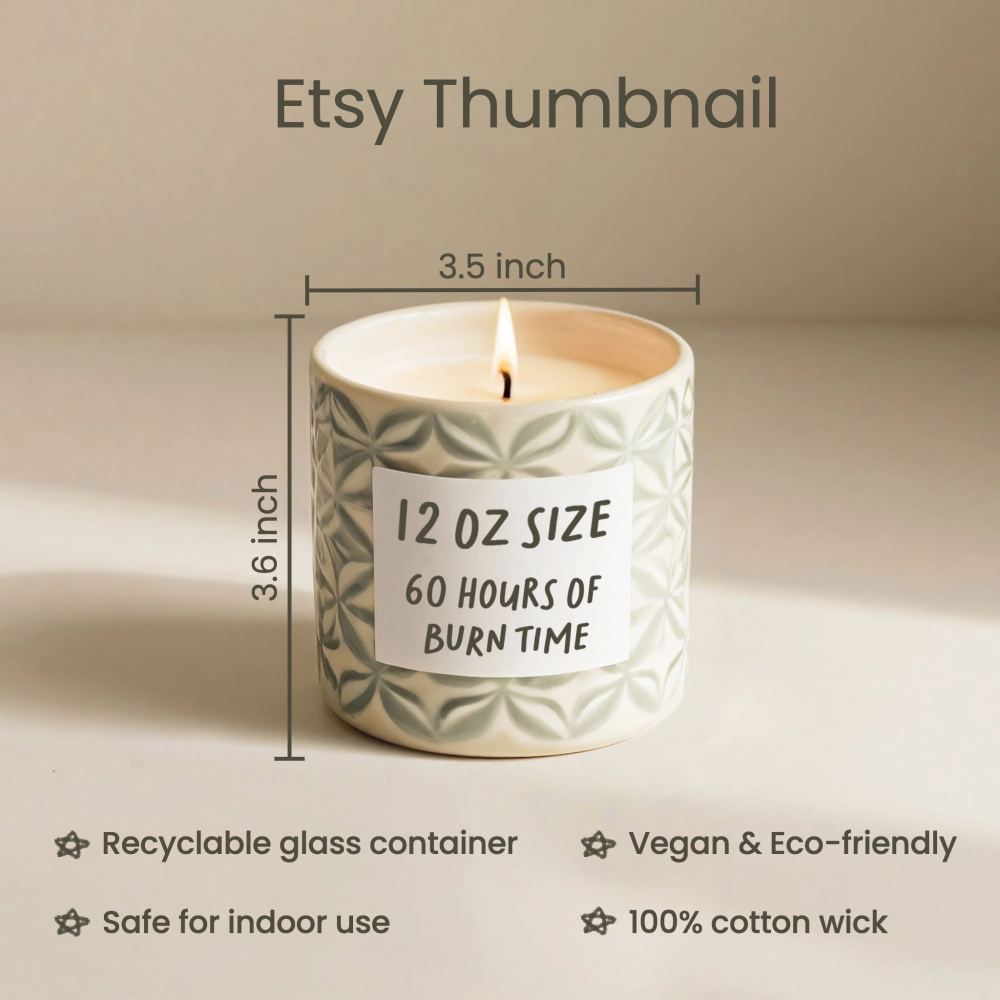
2.2. Background and Contrast Choices for Clear Thumbnails
Your background and contrast choices should make your product stand out immediately to get a strong thumbnail clarity. Since Etsy thumbnails are quite small, the shape of your product should be clear briefly. Here's a step-by-step guide to help you get the best thumbnail clarity from your Etsy listing photos:
- A plain white or light neutral, or softly textured background will make your product's outline clear and sharp.
- Soft shadows under the object will visually anchor it and add a sense of depth.
- Props are a great way to show off your product, but they should never compete with it. Keep props small and do not place them near the edges of the photo.
- To make the shape and details of your product instantly recognizable, the background should be contrasted with the main color of the product.
- When a product and the background have similar colors, the product's shape will disappear when viewed as a thumbnail, and this will decrease the possibility of a click-through.
If your original background is messy or the product edges are not well-defined, using the Designkit AI Product Photography Generator will be a strong method to clean and improve your pictures. It can clean backgrounds instantly, enhancing light and sharpening edges, thus giving professional and crop-safe images that are suitable for Etsy thumbnails.
Part 3. Optimal Etsy Listing Photo Size for Sharp, Crop-Resistant Thumbnails
Knowing what size are Etsy listing photos is crucial for creating sharp, crop-resistant thumbnails. For optimum outcome, the minimum width of the photos should be at least 2000 pixels. Besides, a square or near-square aspect ratio (1:1) is preferably used.
This guarantees that the product will be clear and readable even with the search results, shop grid, and mobile thumbnail.
To get the most out of your product within the safe area, the main product should be in the center, and the edges should not be filled. Correct pixel size, aspect ratio, and safe-area planning altogether contribute to preventing cropping from concealing the significant product details.
Test your pictures: When you put your pictures up, you should always verify your Etsy listing photos in different placements, desktop, mobile search results, and shop grids, to make sure that nothing is being cut off and your product is still completely visible. Change the composition if you need to until your thumbnail is perfect for all views.
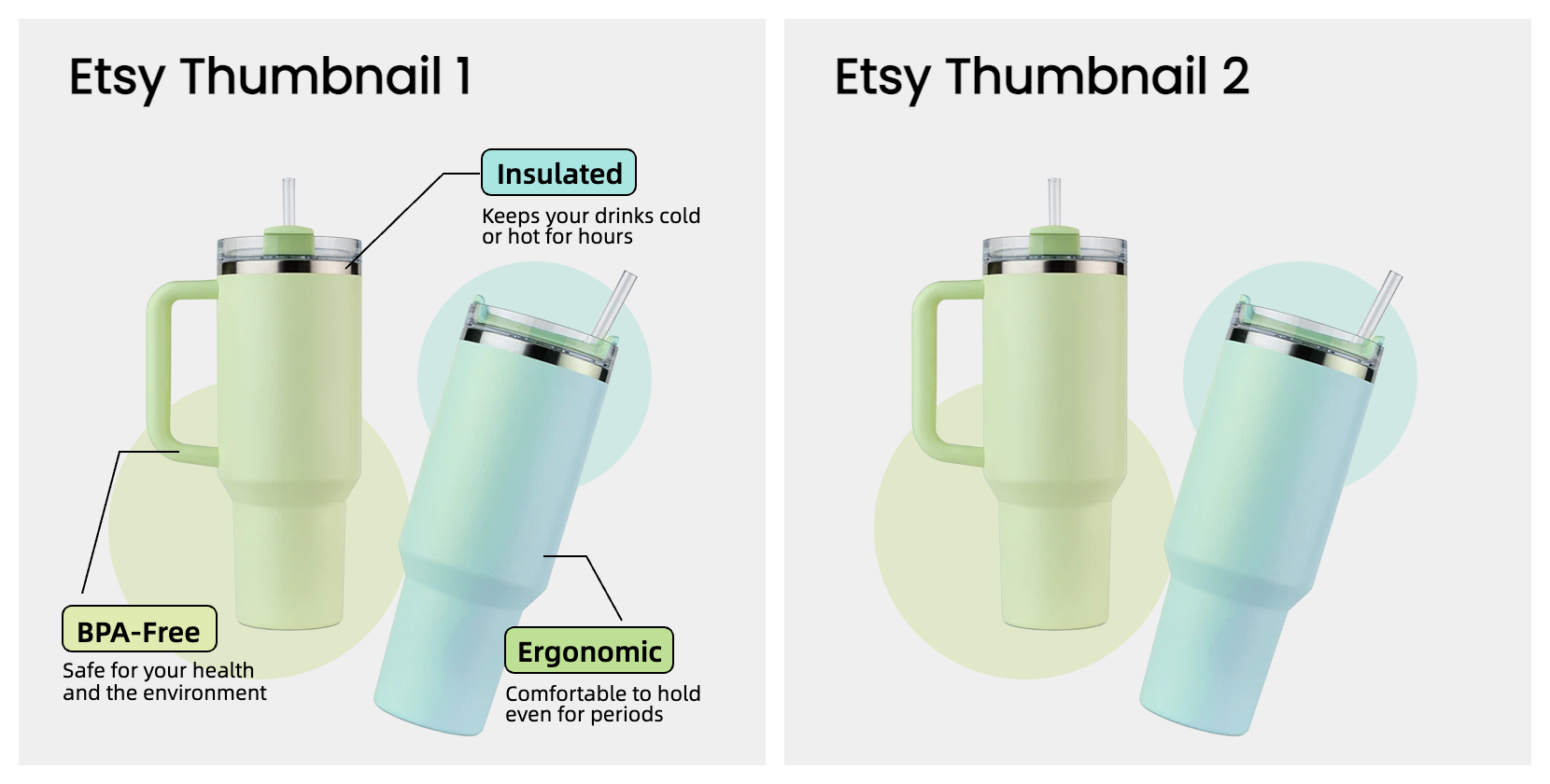
3.1. Make Two Hero-Image Versions and Pick the Better Thumbnail
A simple A/B workflow is an effective way to determine which hero image Etsy is most suitable for your listing:
- Version A: Make the focal point larger so it takes up most of the frame.
- Version B: Place the product with more space around it for a visually clean presentation.
Look at both versions and select the one that not only avoids cuts but also guarantees an immediate product identification even in small images.
Bonus tip: The Designkit AI Product Listing Images Generator can be your shot to roll out tons of hero-image versions in no time. Without you having to undo and redo your design, it can morph layouts, beautify backgrounds, and generate platform-ready images automatically.
3.2. Export and Upload Checks to Avoid Soft Thumbnails
Even if you have designed the most perfect Etsy listing photos, an incorrect export can still result in blurred or soft thumbnails. The best way to do it is:
- Don't over-compress- keep details sharp while balancing file size.
- Every saving over the existing file will reduce the quality.
- This helps ensure colors are displayed consistently across different devices and web browsers.
- Make sure it is big enough to show details clearly, but still under Etsy's upload limit to avoid slow loading time.
- After you have uploaded, check your photos in the mobile search results and shop grid to make sure no cropping or blurriness. This is very important because Etsy thumbnails very often shrink differently on desktop vs. mobile.
These tips will help you keep your images sharp, and your customers will be able to see your product at its best. Figuring out what size Etsy listing photos is only the first step- proper export and testing are what really make them effective.
Part 4. Designkit Workflow for Etsy Listing Photos
Follow this step-by-step guide to create crop-safe Etsy listing photos using Designkit. This workflow ensures your product remains clear, centered, and fully visible across thumbnails, search results, and mobile views.
4.1. Designkit Workflow for Etsy Listing Photos (Step-by-Step Guide)
Step 1. Upload Your Product Image
Start by uploading your original product photo into Designkit. Make sure the image is high-resolution to maintain quality after editing and resizing.
Step 2. Enter Your Prompt
Describe your desired scene, background, or style using a simple prompt.
For example: “minimalist white background with soft shadows” or “lifestyle setting with natural lighting.”
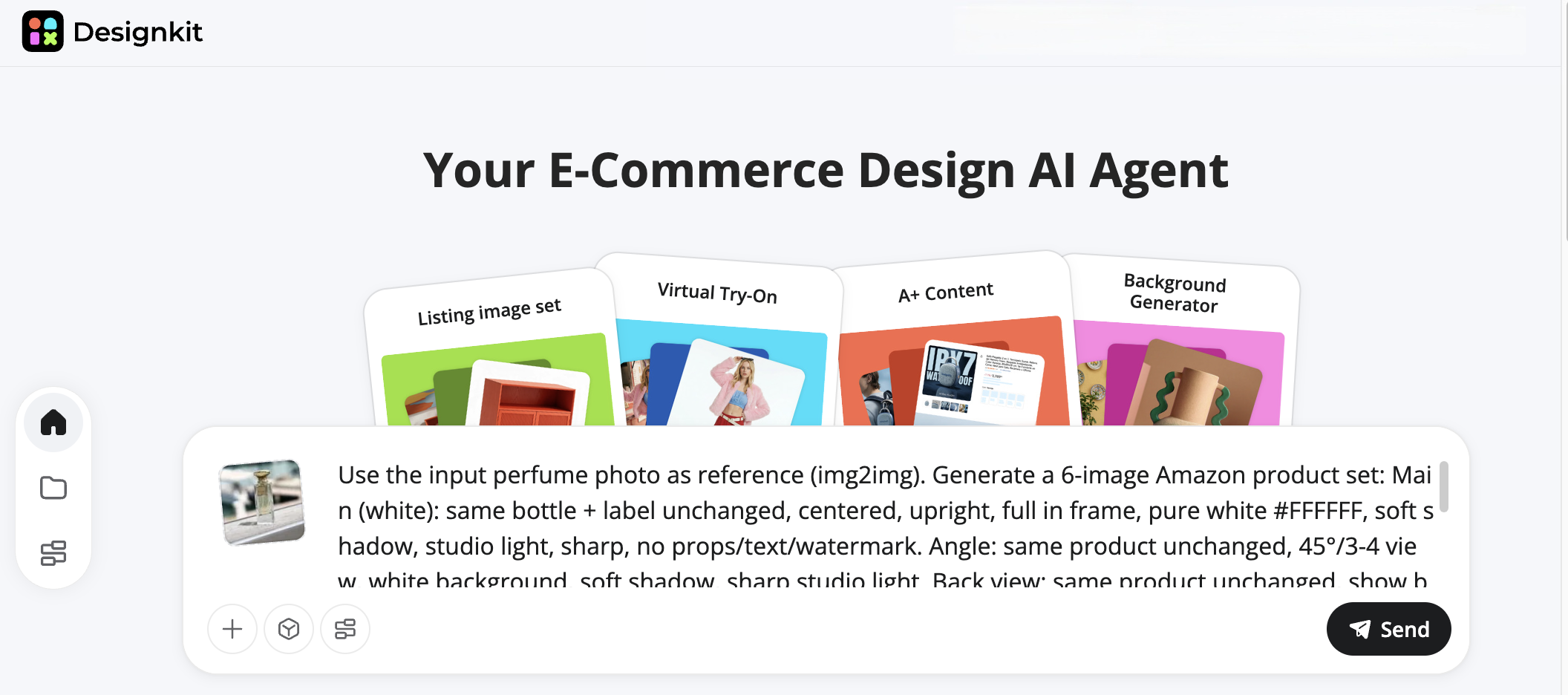
Step 3. Choose Your Listing Photo Type
Select the type of Etsy listing image you want to generate, such as:
- Main thumbnail image
- Lifestyle product photo
- Detail or close-up shot
- Infographic-style listing image
Designkit AI Product Photography Generator that helps you clean the background by eliminating distractions, adjusting the lighting, and creating fresh, uncluttered backdrops, which lead to better thumbnail clarity.
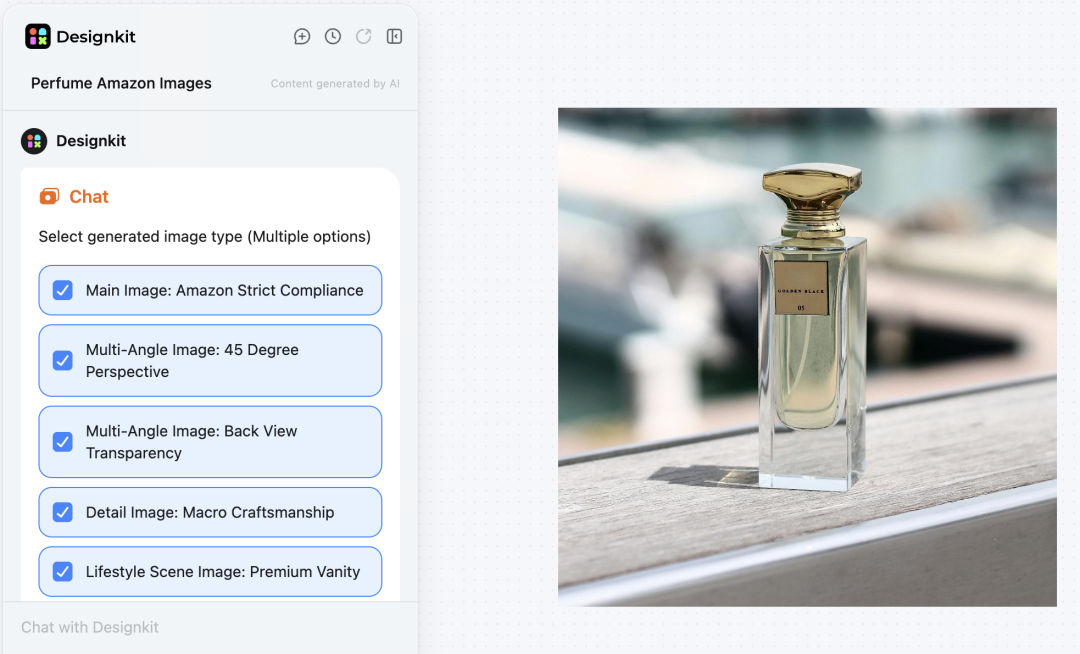
Step 4. Generate Your Listing Photos
Click generate and let Designkit create multiple optimized versions of your product images.
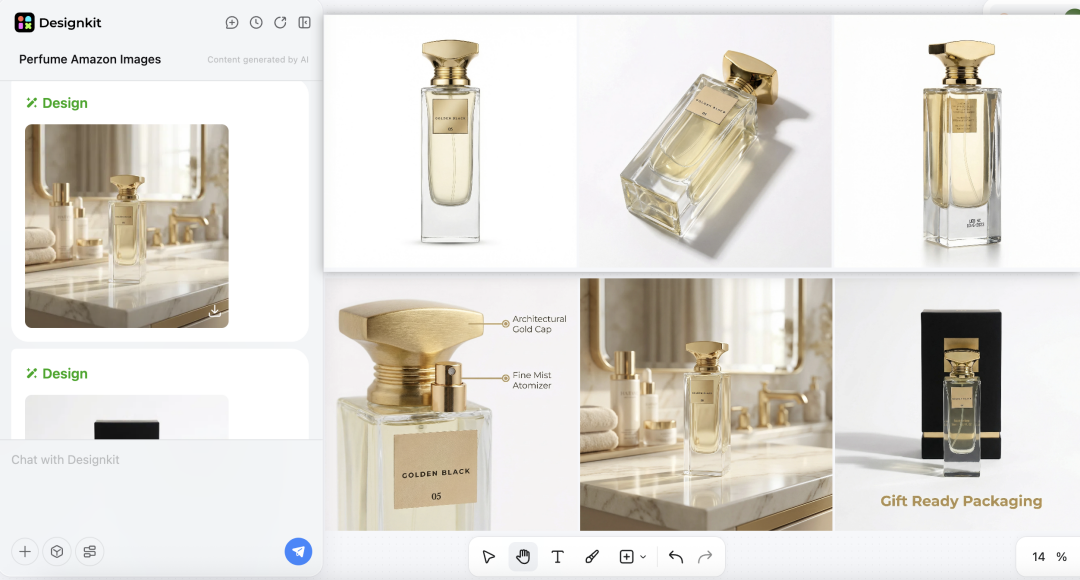
Step 6. Check thumbnails
Look at your images as if they were Etsy search results, shop grid, and mobile view. Make sure your product can still be seen completely and is the only one instantly recognizable in all thumbnail placements.
Step 7. Standardized templates for cross-market reuse
Keep your layout as crop-safe templates. Then with the help of Designkit Amazon Listing Images Generator, you can do the same for other platforms like Amazon, thus achieving consistent square crops and professional results across all marketplaces.
This method, following the steps one by one, will help keep your professional activities of listing photos on Etsy, crop-safe and ready for both thumbnails and multiple e-commerce platforms.
4.2. AI Composition Fixes for Off-Center Products and Tight Crops
Even finely shot Etsy listing photos might be having some issues like off-center subjects, tight cropping, or cluttered backgrounds. However, you can easily resolve these problems by extending the canvas and adding additional space around your product, repositioning it so that it is perfectly within the safe area, removing any distracting props or background elements, and enhancing a product's edge contrast to make it very recognizable even at small thumbnail sizes.
Optional AI tools such as Designkit AI Product Photography Generator or AI Product Listing Images Generator can greatly speed up these types of edits, automatically centering subjects, cleaning backgrounds, and composition adjustment without the need for rebuilding layouts manually.
4.3. Build a Reusable Safe-Area Template Library
To save time and improve efficiency, it is a good idea to make yourself 2-3 reusable Etsy templates. This way you are always certain that your product shapes are correct, that your margins are the same, and that you follow the "safe area" rules. Templates such as these not only ensure crop-safe composition for various listings but also enable batch uploads without any concern of trimming by accident.
On Designkit, you have the option of saving such uniform layouts so that newly added products will automatically have the same safe area. It is therefore very easy to create high-quality, well-lit, and fully visible photos of your Etsy listings for your whole shop.
Conclusion
Photo optimization for Etsy thumbnails is not just about uploading the right pixel size. After learning how thumbnails crop and what the safe area is, using clear backgrounds, and viewing mobile and shop-grid, you can rest assured that your products always remain visible and clickable.
Use Designkit to remove backgrounds, create layout variants, and prepare crop-safe templates, so you can get your work done quicker and keep it consistent. If you stick to these tips, your thumbnails will be clearer, engagement will be boosted, and more buyers will discover your Etsy shop.
Frequently Asked Questions
What size are Etsy listing photos?
Why do Etsy thumbnails crop my images?
Thumbnails on Etsy are automatically cropped for different placements like search results, shop grids, and mobile screens. The most common reason is that you put the main part of the picture too close to the edges or corners.
Where should I place text or logos on Etsy listing photos?
The best way is to put the text or logos right in the center of the safe area. The edges and corners should be avoided as these parts often get cropped in thumbnails.
You May Also Like

Halloween Marketing Ideas to Boost Sales and Engagement
Kling Motion Control: When to Use It for Product Clips (2026)
Halloween Poster Ideas for Parties, Sales and Social Posts
TikTok Carousel: How to Create and Post Photo Carousels
2026 Nail Color Trends: Top Shades and Styles

Local Business Marketing: Ideas, Priorities and Ways to Get Local Customers

Social Media Audit: How to Review Performance and Find What Works
Social Media Content Planner: Plan & Schedule Posts

Best AI Ad Generators in 2026: Tools for Creating Better Ads
Motion Graphics: Types, Examples and Creation Guide
How to Build a Personal Brand: A Strategic Guide
Seedance vs Kling: Which AI Video Model Fits Product Clips?
Seedream vs GPT Image: Which Fits Ecommerce Product Photos? (2026)

How to Create a YouTube Channel for Your Business in 2026

Seedream 5.0 AI Review for Ecommerce Product Images

How to Use Google Veo 3.1 for Ecommerce Product Video
Nano Banana 2.1 Review: Features, Release Date & What’s New
Remove.bg Shutting Down Dec 1, 2026: What Users Are Saying
Amazon Individual vs Professional Selling Plan

How to Create an Amazon Seller Account: Requirements and Steps
Amazon Product Video Requirements: Specs & Upload
Amazon Brand Registry Requirements: Trademark, Account & Cost

Amazon Global Selling: How to Open Multiple Marketplaces
How to Make an Event on Facebook: Complete Setup Guide (2026)
Amazon Sponsored Brands: What They Are and When to Use Them

Amazon Sponsored Products: How to Launch Your First Campaign

Amazon Vine Program for Sellers: Get Early Product Reviews

7 Best Remove.bg Alternatives in 2026: Free & Paid Tools
Amazon A+ Content Dimensions: Module Image Sizes
Print-On-Demand Designs: Create, Prepare, and Preview Your Work

T-Shirt Design Size Guide: Placement, Dimensions, & DPI

Amazon A+ Content: What It Is and What to Build First
Is Print on Demand Profitable in 2026? Products and Niches
Amazon Brand Registry Application: How to Submit and Pass Review
How to Ship to Amazon FBA: Your First Shipment

What Is Amazon FBA? Should Beginners Use It in 2026

GPT Image 2 Prompts for Product Photos (Copy-Paste Examples)

How to List a Product on Amazon: Materials Checklist for First Listings

How to Get Ungated on Amazon: Restricted Category Approval Steps

Kling vs Veo for Product Video & UGC Ads (2026)

Nano Banana vs Midjourney for Product Photos and Campaign Visuals (2026)
Amazon Backend Keywords: Title, Bullets & Search Terms

How to Sell on Poshmark: A Complete Beginner's Guide

Zeely Reviews 2026: Features, Pricing, Pros, Cons & Alternatives
Instagram Carousel: What It Is, How to Post & Create One

What Is A/B Testing? A Practical Guide to Running Better Experiments

Best Time to Post on Instagram in 2026: Data & Tips
How to Get Verified on Instagram: Complete Guide

TikTok Monetization in 2026: Requirements & Ways to Earn

Instagram Desktop Posting Guide: Upload Posts, Stories & Reels
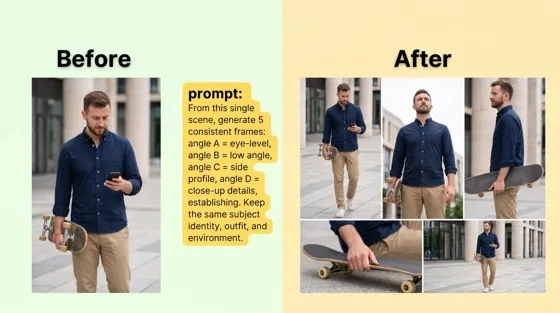
Nano Banana Prompts: 20+ Examples for Better AI Images

YouTube Shorts Monetization Requirements & Rules 2026

Hair Color Ideas 2026: Trending Shades & Virtual Try On

How to Write an Instagram Bio: Examples, Tips & Ideas

How Much Does YouTube Pay Per View? 1K, 100K & 1M Views

How to Make Money on Snapchat: 7 Ways to Earn

How to Get More Followers on Instagram in 2026

Best Time to Post on TikTok in 2026 for More Views
How to Repost on Instagram in 2026: A Simple Guide

Ideogram AI Review 2026: Features, Pricing & Alternatives

PixVerse AI Review 2026: Is It Worth Using for AI Videos?
Free Mac Photo Editor: 5 Tools Compared for Mac Users
How to Crop a Photo Into a Circle Online (Keep Quality)

Create TikTok Ads From One Photo: An AI Product Launch Kit
How to Make an Image Transparent Online (AI Guide)
Pixlr Background Remover Review 2026: Features, Pricing & Alternatives

How to Fix Overexposed Photos: Recover Highlights Fast

How to Animate a Picture with AI: Easy Step-by-Step Guide
OpenArt AI Review 2026: Features, Pricing & Alternatives
Best AI Headshot Generator: 9 Tools Compared for 2026
Best Stencil Maker Tools 2026: Turn Photos Into Stencils
Pixelbin Watermark Remover Review: Image & Video Results Tested
How to Make a Sticker on iPhone: Easy Step by Step Guide

Best AI Logo Generator in 2026: 10 Tools Compared
How to Turn a Photo Into a Cartoon: A Beginner-Friendly Guide

How to Write a Video Script: Structure, Tips & Examples

Depop vs Poshmark: Which Is Better for Selling in 2026?
Landscape vs Portrait: Key Differences & Best Uses in 2026

How to Create an Amazon Storefront: 4-Step Guide for New Sellers

How to Remove Watermark From Photo: AI, Photoshop & More

How to Sell Books on Amazon in 2026: Beginner Guide
How to Fix Pixelated Photos: Photoshop, AI Tools & Tips
Bing Image Creator: How It Works, Features, Uses & Alternatives

Best Products to Sell on Amazon: 10 Ideas for Beginners
How to Remove People from Photos with AI: A Step-by-Step Guide

What Is B-Roll? Meaning, Examples, and How to Use It
How to Increase Image Resolution: AI, Photoshop & PPI
How to Add Text to a Photo: 8 Tips for Better Results

How to Sell on Amazon in 2026: A Complete Seller Guide
How to Fix Grainy Photos: Easy Ways to Clear Images

How to Make a TikTok Video: A Step-by-Step Guide 2026

How to Make an Instagram Post: Step by Step Creation Guide

Social Media Copywriting: Tips, Examples & Best Practices

Creative Profile Picture Ideas for Every Style and Platform
Evoto AI Review 2026: Features, Pricing, Pros & Cons
Pixlr Photo Editor Review: Features, Pricing & Alternatives
Best AI Image Extender Tools in 2026: Expand Photos with AI
How to Make a Collage on iPhone: Easy Guide for 2026

What Are AI Fruits? The Trend, the Formats, and How to Make One
How to Sharpen an Image in Photoshop (Smart Sharpen and Unsharp Mask)

Seedance 2.5 Review: What Changed in ByteDance's New Model
Best Image Background Remover Tools in 2026: AI Tools Compared
How to Make Transparent Background in Paint: Step-by-Step Guide
How to Resize an Image: Best Methods, Tools & Quality Tips

LTX Studio Review: Features, Pricing & AI Filmmaking Guide
Best AI Image Generator Tools in 2026: Top AI Platforms Compared

Remove.bg Review 2026: Features, Pricing & Is It Worth It?

MiniMax H3: Features, Benchmarks, Pricing, and How to Use It

Luminar Neo Photo Editor Review 2026: AI Features, Price & Pros
How to Post Multiple Photos on Instagram (2026 Guide)
25 Facebook Cover Photo Ideas for Personal & Business Pages

What Is a PFP? Meaning, Examples & How to Create One

Multichannel Marketing Guide: Strategy, Tools & Examples
How to Create Digital Products That Sell in 2026

How to Make a Slideshow for Facebook: Photos, Music & Tips 2026

HeyGen vs Arcads: Which AI Video Tool Wins in 2026?

AI Product Photography: 7 Best Tools for Ecommerce in 2026
Can You Edit an Instagram Post After Posting?

Cyber Monday Marketing Ideas & Strategies (2026 Guide)
Black Friday Marketing Ideas for Ecommerce Brands (2026)
11 Best Canva Alternatives in 2026 for AI Design & Marketing
Instagram Marketing Guide: Strategies, Tips & AI Tools in 2026

8 Best Midjourney Alternatives in 2026: Features, Pricing & Comparison
Influencer Marketing Guide: Strategy, Campaigns & Creator Tips
How to Restore Old Photos: AI Tools, Tips & Best Methods

Arcads AI Review 2026: Features, Pricing, Pros, Cons & Alternatives

Pixelcut AI Review 2026: Features, Pricing, Pros, Cons & Alternatives

What Is a Hero Image? Definition, Examples & Design Tips
How to Apply Watermark to Photos: Methods, Tips & AI Tools
How to Remove a Background in Illustrator: 4 Easy Methods
How to Change Background Color on Instagram Story (Easy Guide)

Pippit AI Review 2026: Features, Pricing, Pros & Cons
8 Best AI Poster Generators in 2026: Create Posters Faster with AI
10 Best AI Image Enhancers in 2026: Tested & Compared
10 Best AI Image Editors in 2026: Features, Pricing & Comparison
7 Best AI Background Changer in 2026: Remove & Replace Photo Backgrounds
Luminar Neo vs Lightroom: Features, Pricing & Comparison 2026
Kittl Review 2026: Is It Worth It? Features & Pricing

15 Best Things to Sell on Etsy in 2026 (Listing Tips Included)
WooCommerce vs Shopify 2026: Pricing, Features & Which Is Better

How to Sell on Facebook Marketplace: Beginner Guide (2026)
How to Use Pinterest for Business: Strategy, Tips & Growth Guide

How to Sell on Etsy in 2026: Setup, Listings & Growth Tips

What Is a Target Audience? Types, Examples & How to Find Yours
How to Make a Blurry Image Clear: 5 AI & Manual Ways

TikTok Marketing Guide 2026: Strategies, Ideas & AI Tools
How to Remove Background on iPhone: 5 Easy Methods (2026)
Photoroom Background Remover Review 2026: Features & Alternatives
How to Remove Background in Canva: A Step-by-Step Guide
How to Remove Background in GIMP: Beginner-Friendly Guide

How to Celebrate National Dog Day 2026: Date & Easy Ideas

Funny Dog Memes to Try: Doge Meaning and 10 Original Ideas
Back to School Checklist 2026: Supplies, Timeline, and Planning
Recraft AI Review 2026: Features, Pricing, Pros, Cons & Alternatives
How to Make an Image Transparent in Google Slides: Opacity & Background Removal

VanceAI Photo Enhancer Review: Features, Pricing & Alternatives in 2026
Vibe Marketing Explained: Strategy, Examples & AI Tools
How to Sell on Depop: Beginner Guide to Getting Your First Sale
What Does Emojify Mean? Text, Photos, & Emoji Art Explained

Back to School Ad: 7 Creative Ideas for Better Campaign Results

Top 7 Back-to-School Sales Ideas to Boost Retail Sales (2026)
Top 8 Online Background Removers for Ecommerce Photos (2026)
How to Remove Background in Photoshop: 7 Easy Methods
6 Best AI Image Upscalers 2026: Tools Tested & Compared

Luma vs Seedance (2026): Ray 3.2 or Seedance 2.0?

15 Simple Self-Care Ideas for Busy Schedules and Daily Life

Celebrate International Cat Day 2026: Date & 10 Fun Ideas

Project Indigo Review: Is It Better Than iPhone Camera?

How to Match Makeup by Undertone: Virtual Lipstick and Foundation Try-On

Chic Outfit Ideas for Every Occasion: 15 Stylish Looks & Tips
How Big Is an 8x10 Photo? Size, Pixels & Frame Guide
How Big Is a 4x6 Photo? Dimensions, Pixels & Printing Tips
Picsart AI Review: Features, Pricing, Pros, Cons & Alternatives
Lovart AI Review: AI Design Agent Features, Pricing & Alternatives
Fotor AI Image Generator Review: Features, Pricing & Alternatives

How to Add Emoji to Photo Online for Free

Online Advertising Guide: Types, Costs & Examples (2026)

Facebook Advertising Guide: Costs, Strategy & Tools 2026

What Are E-commerce Ads? Examples, Strategy & Tools (2026)
Where to Sell Handmade Items Online (2026): Etsy, Amazon, or Shopify?

Shopify vs Amazon (2026): Brand Store or Marketplace FBA?
Amazon Handmade vs Etsy (2026): Which Is Better for Makers?
Etsy vs eBay (2026): Handmade, Vintage, or Secondhand?

Selling on Amazon vs eBay (2026): Fees, Profit & Where to Sell
What Is Brand Awareness? Examples, Strategies & Tools 2026

10 Best Online Selling Platforms (2026): Pick by What You Sell
Shopify vs Etsy (2026): Which Is Better for Handmade Sellers?

Wedding Dress Styles for Every Body Type: A Practical Guide for 2026
Emoji Wallpaper Ideas & How to Make One Online (2026)

YouTube Automation Step-by-Step AI Guide for Beginners
What Is Brand Identity? Examples, Elements & Strategy

Creatify AI Reviews: Features, Pricing & Alternatives (2026)
Minimalist Poster Design: How to Make a Clean Poster (2026)
What Are Satisfying Videos? Types, Tips & How to Make (2026)

How to Find a Product by Image: 7 Methods That Work (2026)
How to Make a Custom Poster That Is Ready to Print

Gemini Omni Review: Real Tests, Pros & Limitations for Video Generation
How to Generate Product Videos from Images with AI (2026 Guide)
Instagram Image Size Guide 2026: Post, Reel, Story & Carousel Specs

AI Marketing Agent: How It Works, Benefits & E-Commerce Examples

Aesthetic Poster Ideas: Find Your Style and Create Printable Art
How to Create a Product Launch Video with AI: A Step-by-Step Guide
LinkedIn Image Size Guide: Profile, Post & Banner Dimensions
YouTube Profile Image Size: Best Dimensions & Safe Area 2026
What Is Personalized Advertising? Examples & How It Works
How to Build a Shopify Store That Actually Converts Visitors

What Is a Brand Video? Types, Examples & How to Create One

How to Create a Complete World Cup Product Listing Image Set

20 FIFA World Cup Merchandise Ideas That Fans Actually Buy
AI Product Demo vs Live Demo: Which Gets More SaaS Sign-Ups?

How to Create Amazon Summer Sale Posters and Banners with AI

Amazon Summer Sale 2026: Listing Design Trends & Product Image Ideas
How to Create AI Product Promotion Videos in Minutes (Step-by-Step)

Best AI Product Video Ad Generators for Ecommerce in 2026

Father's Day Gift Ideas: Personalized Card, Poster and Video

Father's Day Card Ideas: Messages, Printable and Personalized Cards

Amazon Marketing Guide 2026: Strategies, Tips & Tools
Local Advertising: Strategies, Examples & Tools (2026)

What Is Branded Content? Examples, Strategy & Tools 2026
What Is Performance Marketing? Strategies & Examples 2026

Inbound Marketing: Strategies, Examples & Tools (2026)

How to Boost Ecommerce Sales: Proven Strategies That Work
How to Add Video to eBay Listing: Step-by-Step Seller Guide

Ecommerce Video Ads: 7 Strategies That Drive Higher Conversions

7 Best AI Virtual Makeup Try-On Tools for Realistic Results in 2026

AI Virtual Makeup Try-On: Boost Beauty E-Commerce Sales in 2026

Free Online Glasses Try-On Tools: See Yourself in Glasses Instantly

Top Virtual Ring Try-On Tools for Engagement and Wedding Rings in 2026

How to Try Shoes On Virtually: A Step-by-Step Guide

Best Virtual Shoe Try-On Tools for Ecommerce: 2026 Guide

How to Try On Wigs and Bangs Virtually to Find Your Perfect Style

How to Photograph Shoes for Your Ecommerce Store in 2026
Short Form Video Marketing for E-commerce: AI Video Guide

What Is Video Marketing? E-commerce Guide & Strategies 2026

Create Model Outfit Photos Instantly With AI Outfit Generator

Best AI Virtual Try-On Clothes Tools for Any Body Type
How to Edit Amazon Product Photos That Boost Sales Fast

Product Photography Ideas: Creative Tips & Techniques for Better Shots

Product Photography Pricing 2026: Full Cost Guide by Type

Google Veo 4 Explained: Features, AI Video Creation & What’s New

How to Try On Clothes Online with AI for Better Fit & Style

Virtual Nose Ring Try On Online Before Your Piercing

White Background Product Photography Guide & Tips 2026

Product Photography Starter Package: Gear Checklist 2026

How to Try Makeup Online with AI and Virtual Makeup Try-On Apps (2026)

How to Use Virtual Earring Try-On for a Flattering Look in 2026

How to Try On Engagement Rings Online with AI in 2026

Scale Your Jewelry Brand with Virtual Jewelry Try-On Solutions

How to Try Hairstyles on Your Face Online (Step-by-Step Guide)

Best Virtual Hairstyle Try-On Tools Online for Realistic Previews 2026

How to Use a Free AI Hairstyle Generator to Find Your Perfect Look

Virtual Hair Color Try-On Guide for Every Skin Tone (2026)

Virtual Wedding Dress Try-On Online for Brides in 2026

How to Choose the Right Sunglasses for Your Face Shape Online

How Accurate Is Virtual Glasses Try-On? AI vs AR Compared

Best Virtual Try-On Glasses Apps in 2026 (Free & Paid Tools)

How AI Virtual Try-On Is Transforming Eyewear Ecommerce

5 Best Virtual Try-On Glasses Tools for Ecommerce and Consumers 2026

How to Try On Glasses Online with AI in 2026 (Easy Guide)

How to Create Jewelry Photos with AI Models That Drive Sales in 2026

Shopify Product Photography Guide with Tips & Setup

AI-Generated Fashion Models: Technology, Brand Adoption & Trends

How to Batch Generate 100+ AI Clothing Model Photos Fast

7 Best AI Fashion Model Generators for Ecommerce in 2026

Amazon Main Image Requirements: Size, Guidelines & Tips

Shopify Image Size 2026: Complete Guide and Tips for Better Product Display

Studio Product Photography vs AI Product Photography in 2026

7 Product Photography Mistakes That Hurt Ecommerce Sales

AI Clothing Model Photos for E-Commerce: Platform Rules & Best Practices

How AI Virtual Try-On Helps Fashion Brands Boost Sales & Reduce Returns

AI Fashion Models vs Real Models: Which Is Better for Brands?

Best Free AI Fashion Model Generators for Real Product Photos

Virtual Outfit Try-On Guide: Plan Outfits Before You Buy

GPT Image 2 Review: Features, Prompts & E-commerce Use Cases

What Is an AI Clothing Model Generator? Full Guide for Sellers

Change Outfit Colors Online for Outfit Preview with AI Clothes Color Changer

Virtual Try-On Technology in 2026: How It Works & Key Trends

How to Create Amazon Infographics: Boost Sales with Compelling Visuals

10 Best Virtual Try-On Apps & Tools for Online Shopping in 2026

How to Create AI Fashion Models: Complete Step-by-Step Guide

How to Use AI Fashion Models for E-Commerce Product Photos: A Complete 2026 Guide

How to Virtually Try On Clothes Online: A Complete Guide

How to Create Outdoor Product Scenes Without a Photoshoot Using AI
GPT-Image-2 for Ecommerce Product Images: What It Means for Online Stores

Optimize Etsy Images for Mobile: Listing Photos That Convert

Amazon 7-Image Listing Strategy: Boost Sales by Optimizing Every Image

Happy Horse 1.0: The AI Video Model E-Commerce Sellers Need to Know About

Etsy Thumbnail Optimization: Keep Your Product Fully Visible

AI UGC for Ecommerce in 2026: Text-to-Video, Image-to-Video & Reference Replication Guide

The Etsy Thumbnail Formula That Drives More Clicks and Sales

HappyHorse AI Review: Features, Benchmarks & How to Use It

How to Create Pro Amazon Listing Photos Without a Studio

10 High-Converting Lifestyle Product Images for Amazon Listings

How to Automate Your E-commerce Visuals with OpenClaw Workflow

Top 5 AI Tools to Generate Amazon Product Listing Images in 2026

How to Turn One Photo into 10 Etsy Listing Images Fast: Batch Workflow

Etsy Listing Photo Size Guide (2026): Mobile, Desktop & Shop View Specs

Turn White Background Images into Lifestyle Amazon Listings

Fix Etsy Image Cropping: Optimize Listing Photos for Every Device

Amazon Listing Images: Essential Shot List & Optimization Guide

How to Create Lifestyle Product Images Without a Studio

Seedance 3.0 Predictions: Will AI Video Enter the Feature Film Era?
Grok AI vs ChatGPT: Features, Pricing & Best Choice (2026)
How to Use Grok AI: Features, Tips & Best Prompts (2026 Guide)
Sora Is Shutting Down? Best AI Video Alternatives for Creators in 2026

Lifestyle Product Photography Trends 2026: Authentic Looks at Scale

How to Master Lifestyle Product Photography in 2026

Amazon Listing Images Guide 2026: 7-Slot Strategy & Requirements

360 Product Photography Guide 2026: Setup, Shoot and Workflow

Beginner's Guide to Generate Product Photos from Different Angles

AI Product Photography: Create Ecommerce Images Without a Photoshoot

How to Create Realistic AI Product Photos: Step-by-Step Pro Guide

Keep AI Product Images Consistent Across SKUs: Lighting, Color, Background
Seedance 2.0 for Ecommerce: Create AI Product Videos in Minutes
Seedance 2.0 Review: Features, Improvements, Pricing & How It Works (2026)

How to Scale E-commerce with a Product Image Generator

How to Use AI for Spring Product Photography: 2026 Amazon Guide

How to Create a Budget Home Product Photography Setup with AI

How to Achieve Professional Product Photography Standards in 2026

How to Take Product Photos with Phone: Pro Guide for Amazon & AI
6 Best AI Product Image Generators in 2026

Amazon Photography Service vs. AI Generator: Best Choice for Sales

What Is Product Photography? Angles, Lighting & Editing Guide

Amazon Spring Sale 2026: Create High-Converting Listing Images (Guide)

AI Agents Transform Amazon Product Photography in 2026

Amazon Photoshoot in 2026: Do You Still Need a Studio?

11 Must-Have Tools for Amazon Product Photography in 2026

2026 Amazon Image Trends Shaping Seller Success and Conversions

Amazon Product Photography Requirements & Best Practices 2026
Make every product image ready to sell
Designkit is an all-in-one AI platform for ecommerce visuals. Create product photos, AI videos, virtual try-ons, and Amazon listing images in seconds. Generate HD backgrounds, batch edit photos, and scale your brand with studio-quality content.


