
Consistent Brand-Style AI Product Images: Keep Lighting, Color, and Background Uniform Across SKUs

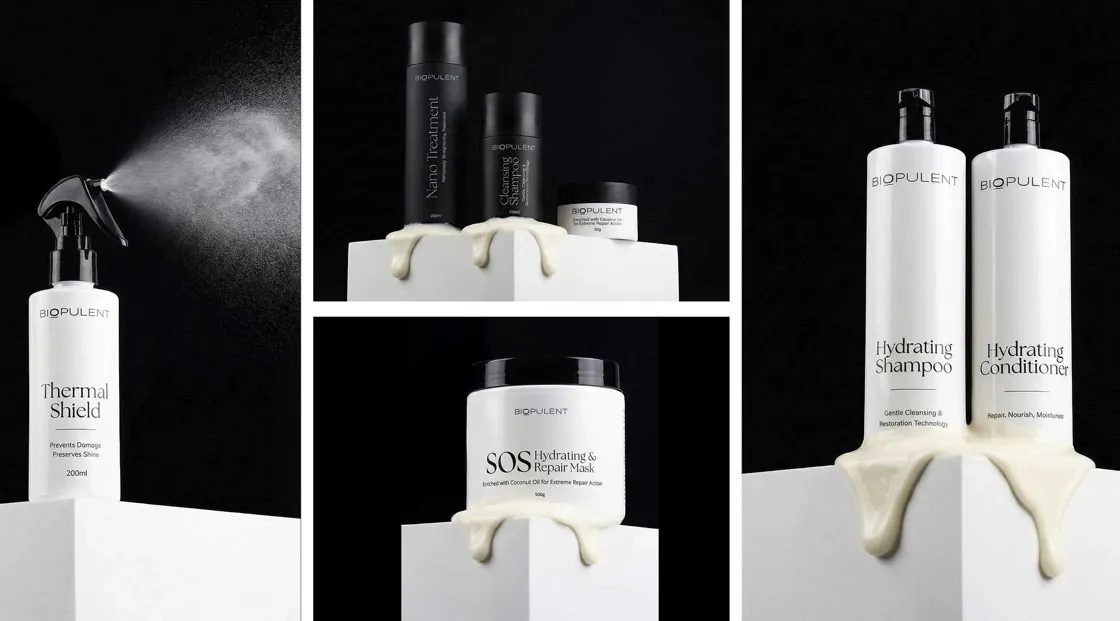
Producing AI-generated images for a single product is a piece of cake. However, displaying different product variations on a webpage simultaneously complicates matters. Problems such as different light sources, changing backgrounds, as well as color differences may cause a sense of inconsistency, and less professionalism in the brand's image.
What brands need to do to fix this is establish a system that would regularly create images rather than generating images as a one-off. This guide gives detailed instructions on how to achieve consistency in AI-generated product images by means of setting up clear AI visual rules, using a templated workflow, and performing simple QA checks that ensure every SKU has the same lighting, color, and background style. Platforms like Designkit make this process easier by automatically analyzing products, matching scenes, and optimizing lighting to produce studio-quality visuals from simple product photos.
Part 1. Why Consistent AI Product Images Matter for E-Commerce Brands
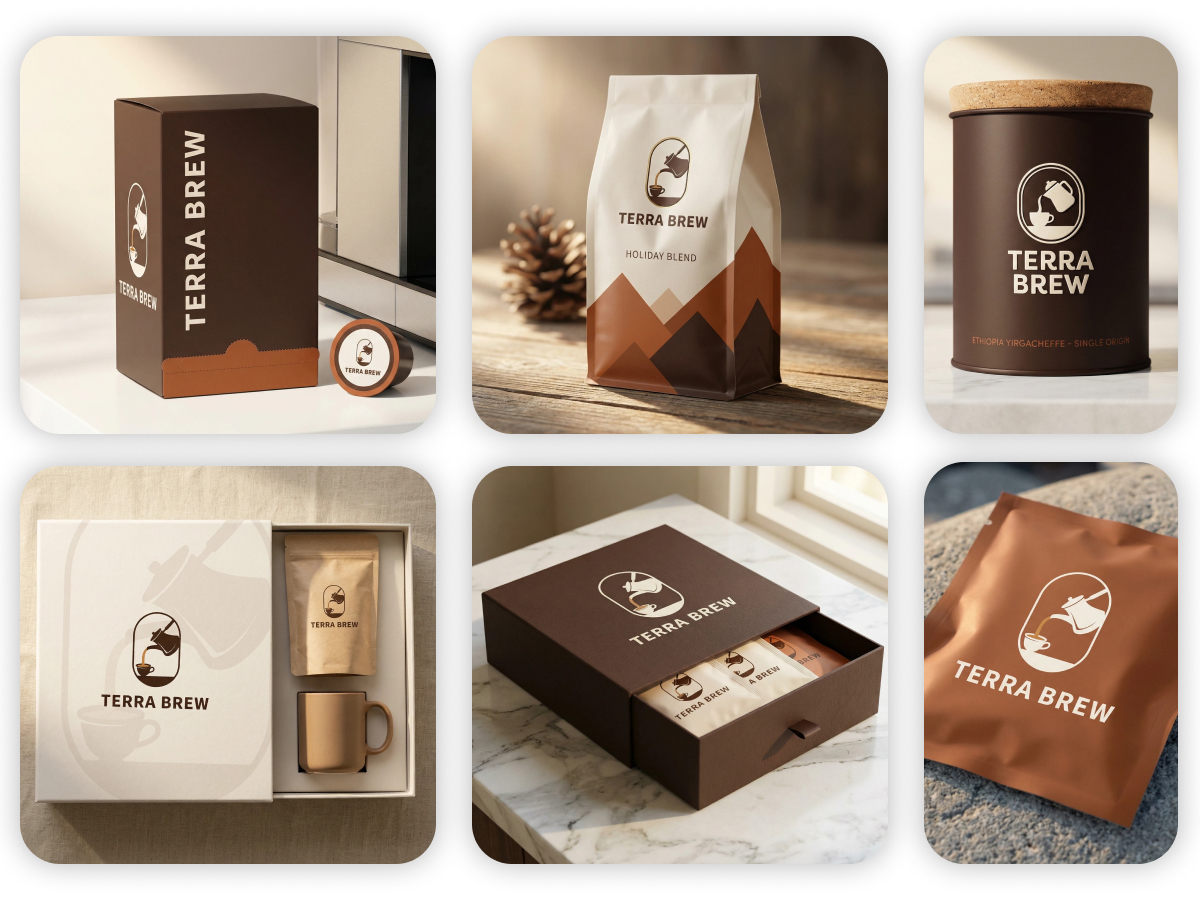
Having consistent AI product images is more than just a matter of good design, they are a major factor in shaping how customers perceive and shop at your online store. When all SKUs are featured with the same lighting, color tones, and background styles, the product catalog will appear neatly arranged and visually professional, which will greatly help customers in browsing and comparing products.
Stronger brand trust
Having uniform images across a catalog is a powerful way to build a recognizable brand identity. Upon seeing consistent AI product images, customers will perceive the store as more professional and trustworthy. Rather than coming across as random or somewhat unrefined, the brand will give off vibes of deliberate actions, high quality, and attentiveness to details.
Reduced bounce rate
It is very likely that using different backgrounds, shadows, or lighting will give a product grid a quite scattered look. This type of visual noise will not only distract users but may even make them want to leave the page. Unification of product images will, on the other hand, help maintain a neat and visually appealing layout, which is likely to keep visitors exploring the store.
Faster product comparison
By keeping the lighting and backgrounds consistent, the genuine differences between products stand out more clearly. Customers will be able to easily compare colors, shapes, or other features without being distracted by the aesthetics.
Higher conversion potential
Providing clear and consistent product images gives customers greater assurance as to what they are getting. Essentially, better product understanding leads to more purchases and fewer chances for returns.
Customer experience: before vs after
Before the introduction of uniformity, a collection page could show different directional lights for products, mismatched backgrounds, and different shades of colors, together giving a brand a disordered feel.
1.1. Visual consistency builds brand trust
For e-commerce, product visuals are the first "digital handshake" establishing a new brand-customer relationship. Shoppers use store images to quickly determine if the brand is worthwhile even before reading description/review content. When AI-generated product pictures share similar lighting, color tone, and background style throughout the catalog, it is a sign of well-managed quality control and brand discipline.
On marketplaces such as Amazon, Shopify, etc., the point of comparing between various sellers often happens within just seconds. Hence, a consistent visual identity gives the impression of a trustworthy and well-established store, whereas product imagery inconsistency can cause potential buyers to question the quality and authenticity of the products.
Quick checklist: common trust-breaking visual cues
- Mixed shadow directions, images with soft shadows mixed with others that have hard or no shadows at all.
- Mismatched whites, background whites are changing from warm to bluish tones across SKUs.
- Angle drift, products are captured or computer-generated from different viewing angles.
- Lighting inconsistency, some pictures look like bright studio lit ones while others are dim or flat.
- Background variation, slight color or texture differences that compromise the uniformity of the catalog.
- Small changes may cause the whole presentation of the product to make the customers feel unorganized. Keeping consistent AI-generated product images allows brands to showcase an elegant catalog that, in turn, fosters customer trust right away.
1.2. Consistency Reduces Cognitive Load
Most online shoppers don't really look at every single product image very closely; they do a quick scan comparing different options and deciding fast. When AI-generated product photos have different lighting styles, crops, or backgrounds, the brain needs to work harder to interpret visual differences that have nothing to do with the product itself. This disjointedness causes mental stress, which results in a slower shopping experience.
Part 2. 4 Core Rules When Using Product Photography AI for Multi-SKU Stores
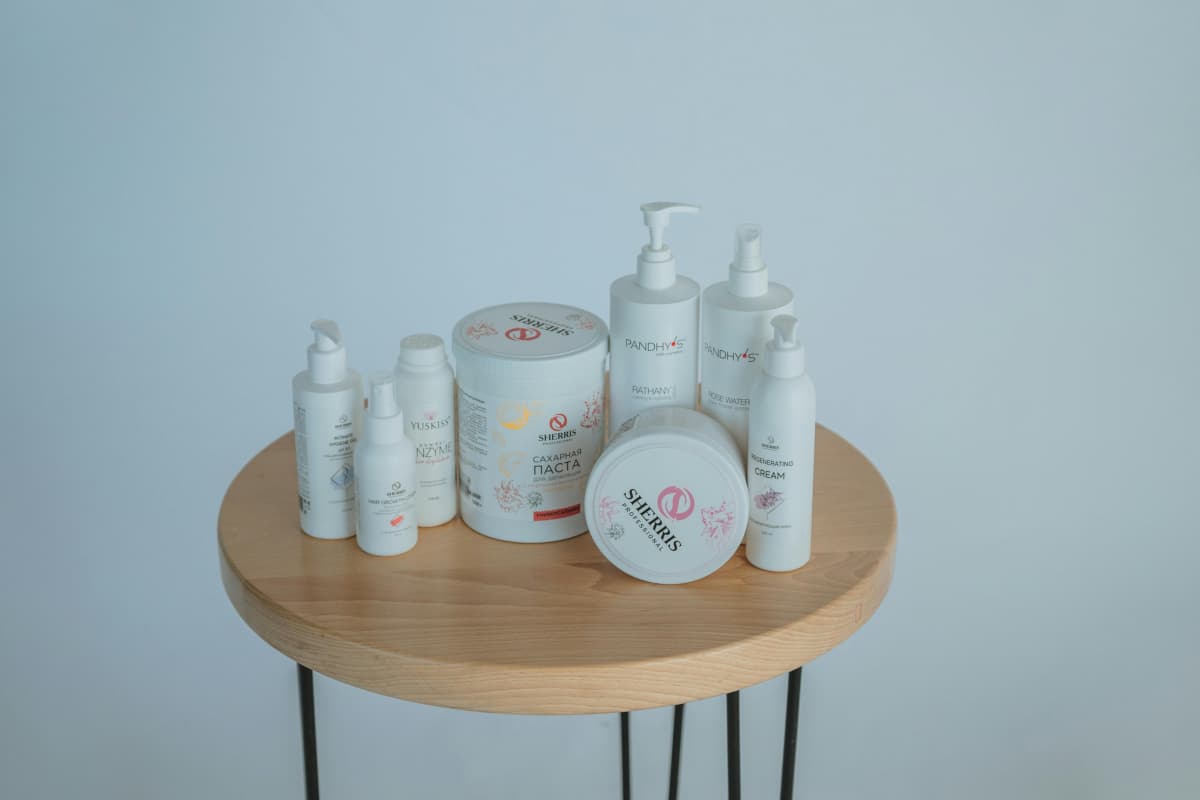
Consistency should be top of mind when you handle a multi-SKU ecommerce catalog. Put yourself in a Creative Director's shoes: your product photography AI is not only creating images but also adhering to a style system you set. If there are no clear rules, the pictures themselves might be excellent, but when displayed together they might look disjointed.
The aim is to establish a visual language that is repeatedly used in your catalog. This involves using similar lighting, color tone, background style, and composition in every SKU. By setting these norms, AI can generate images that look the same in a factory-like manner, and you cut down on manual rework and provide a well-put-together, professional shopping experience.
Here we'll introduce four simple principles that make this notion work, covering definition, execution, frequent traps, and QA ways of ensuring overall catalog consistency.
2.1. Establish a Color Baseline
Keeping a uniform color scheme makes sure that your AI-generated product images show your brand's character and look harmonious throughout the catalog. This involves not only the product hues but also the background whites. Losing control over this aspect means even very small color changes can create a very unpolished look for the entire catalog.
How to do it:
- Identify your brand's primary and secondary colors in HEX codes.
- Choose background whites (cool vs warm) for each product category.
- Decide on an acceptable range of color variations (e.g., ±2% in RGB levels).
- Include tone lock-in in AI prompts or give AI reference images to intuitively generate these colors.
QA method:
- Use the color picker to get a color from the most important parts of each product image.
- Check the colors obtained against the official HEX codes to make sure they're within the agreed limits.
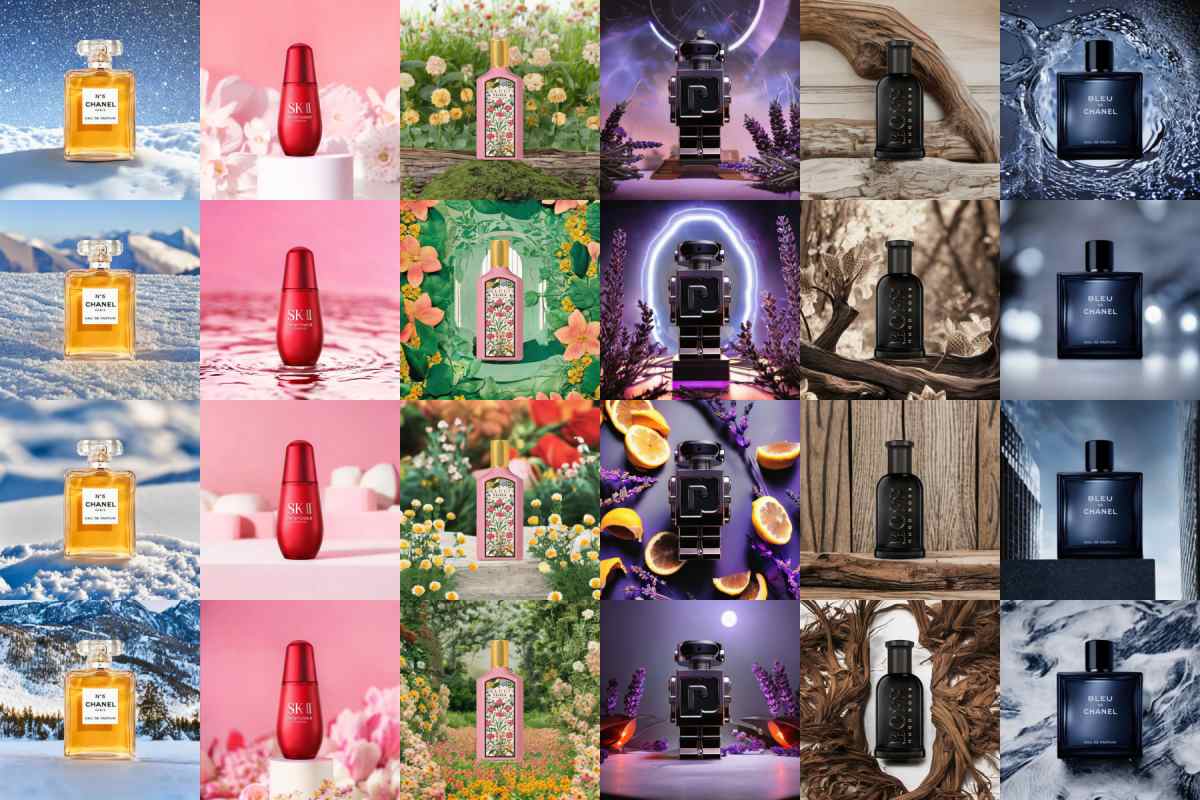
2.2. Define Lighting Direction
Lighting greatly influences how the quality of a product is perceived. When only one lighting language is used, shadows, highlights, and reflections stay uniform throughout the product range, the catalog takes on a professional and studio-quality look.
Implementation Steps:
- Select a main light source direction, softness, and fill for every product line.
- Add advanced parameters: shadow softness, highlight strength, and the color temperature "mood."
- Fix these configurations in your AI pipeline or prompt models for batch production.
Typical mistakes:
- Multi-light confusion with incompatible shadows.
- Shadow direction errors that mislead product orientation.
- Too much use of HDR effects results in too bright highlights or too dark shadows.
QA approach:
- Look at the similarities of shadows and highlight structures among different batches.
- Employ brightness and contrast overlays to find mismatches.

2.3. Create a Background System
Random backgrounds create a break in the visual flow of the catalog products. On the other hand, a well-designed background system gives a strong anchoring to your product photos so that they not only look consistent and on brand but also accommodate different contextual settings in your lifestyle shots.
Steps to implement:
- Develop a background hierarchy:
1. Plain white/seamless background for the simplicity of a catalog
2. Incorporate branded minimal set designs (podium, material texture, neutral tones)
3. Have a few limited lifestyle "scene families" that can be used to illustrate category contexts
- Develop prop regulations: realistic scale, few elements, and content that matches the category.
Typical mistakes:
- Using different shades or textures for backgrounds in an inconsistent manner.
- Using props that are too many or jumping from one to another in an illogical manner.
- Using random lifestyle scenes that distract the viewer from the product.
QA method:
- Inspect batch images to see if they keep the standard to the background library.
- Make sure props, textures, and colors correspond to the approved templates.
2.4. Lock Composition and Scale
Matching composition and scale help products cover the same frame percentage, have the same alignment and angle in different SKUs, so that scanning and comparing is very easy for shoppers.
Steps to implement:
- Standardize the amount of product visible (the product occupying approximately 60% of the frame, may be different for different categories).
- Keep the alignment centered for each SKU.
- Determine the camera angle for each category (eye-level, 45°, or top-down) and stick to it.
- Use AI cropping templates to direct cropping according to these parameters automatically.
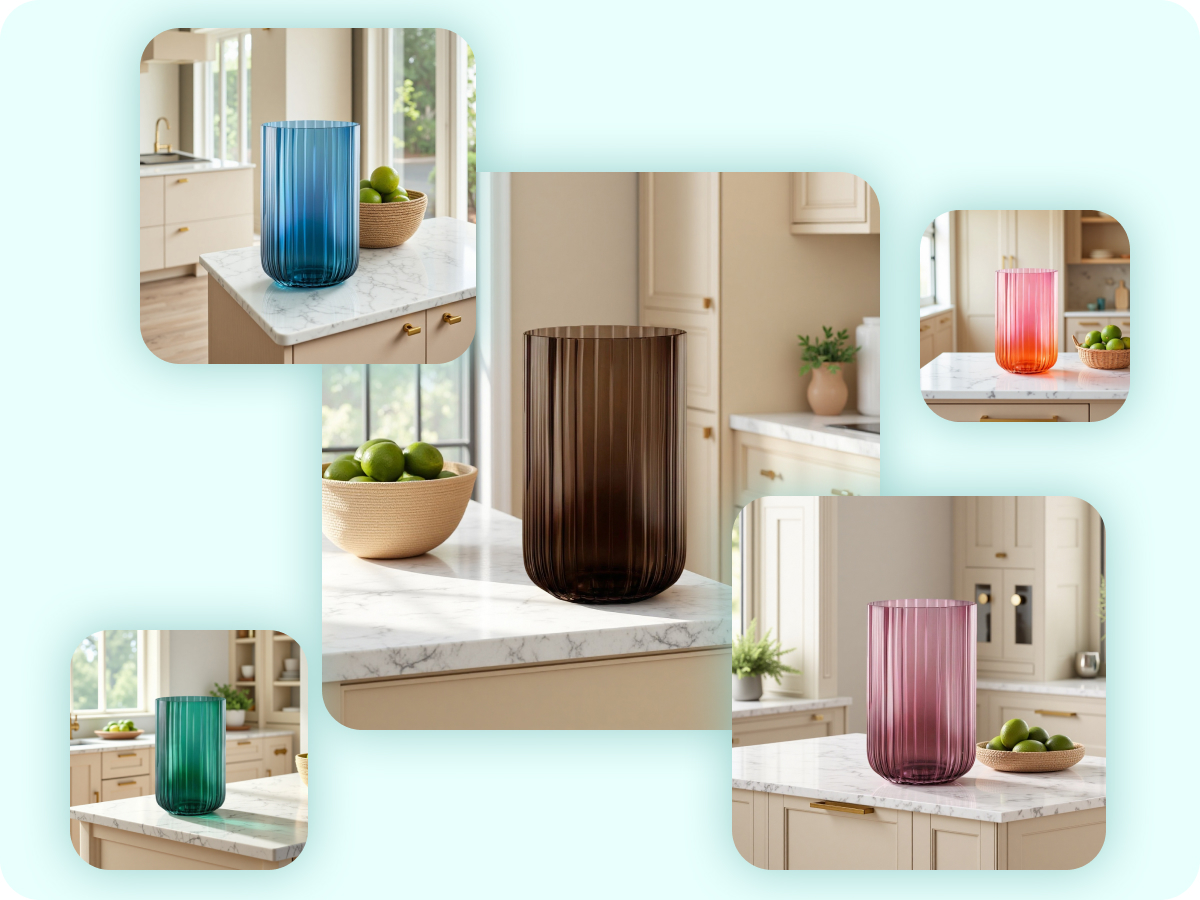
Common failures:
- Zoom shifts or varying frame coverage.
- Products not centered or misaligned.
- Distorted views resulting from slight changes in camera or AI generation.
QA method:
- The image can be overlaid with grids or bounding boxes for checking alignment.
- Make sure to take the scale, crop, and angle of different batches and compare them to check uniformity.
Part 3. How to Create Product Image Series at Scale with Product Image AI Tools
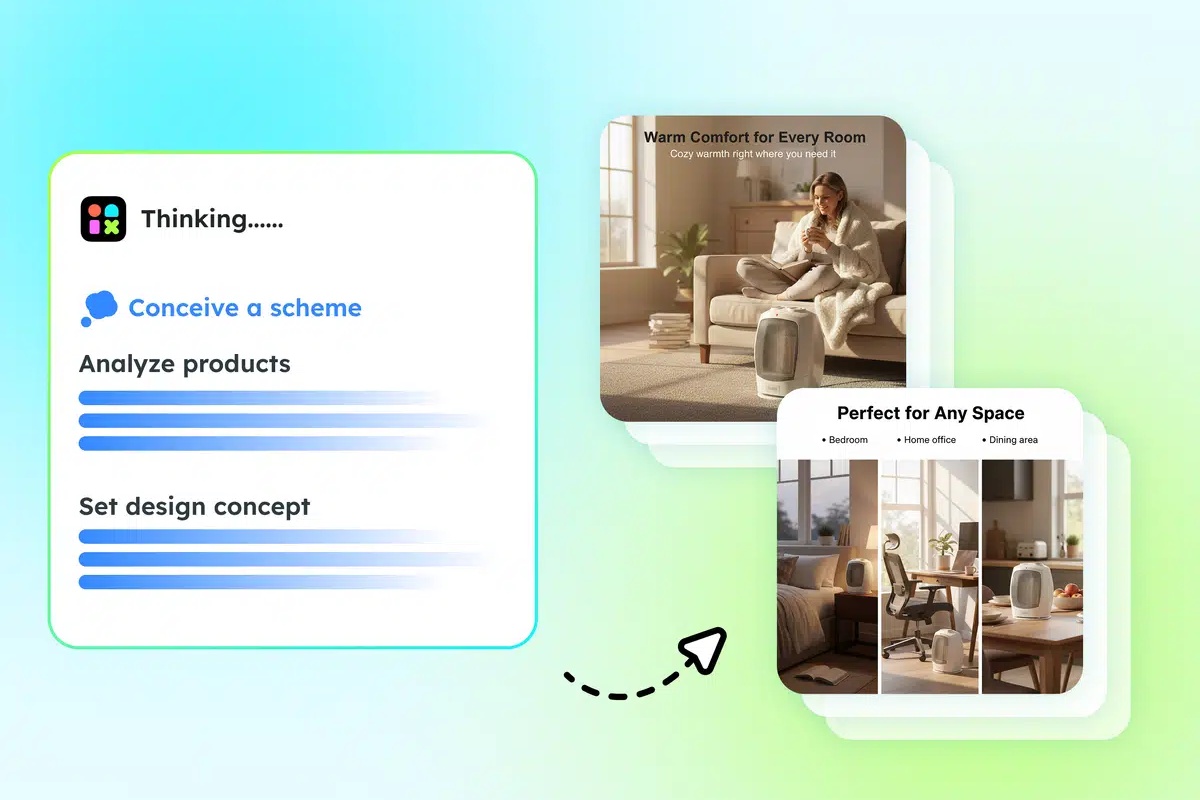
Simply having rules is not sufficient as e-commerce companies require a standard process that they can carry out repeatedly to keep the consistency of their many SKUs. Artificial intelligence for product images can help you in a very productive way to produce a series of product images that meet your standards in terms of color, lighting, background, and composition.
Create product image: start with a template, generate in batches, run QA checks, and export. Experts recommend changing only one variable at a time to keep the visual style predictable and controlled.
3.1. Build Campaign Templates (Reuse the Same Look Across New SKUs)
Style drift is one big problem with AI-produced product images. It happens when even small changes in prompts or settings make the images look quite different from each other.
Best practice:
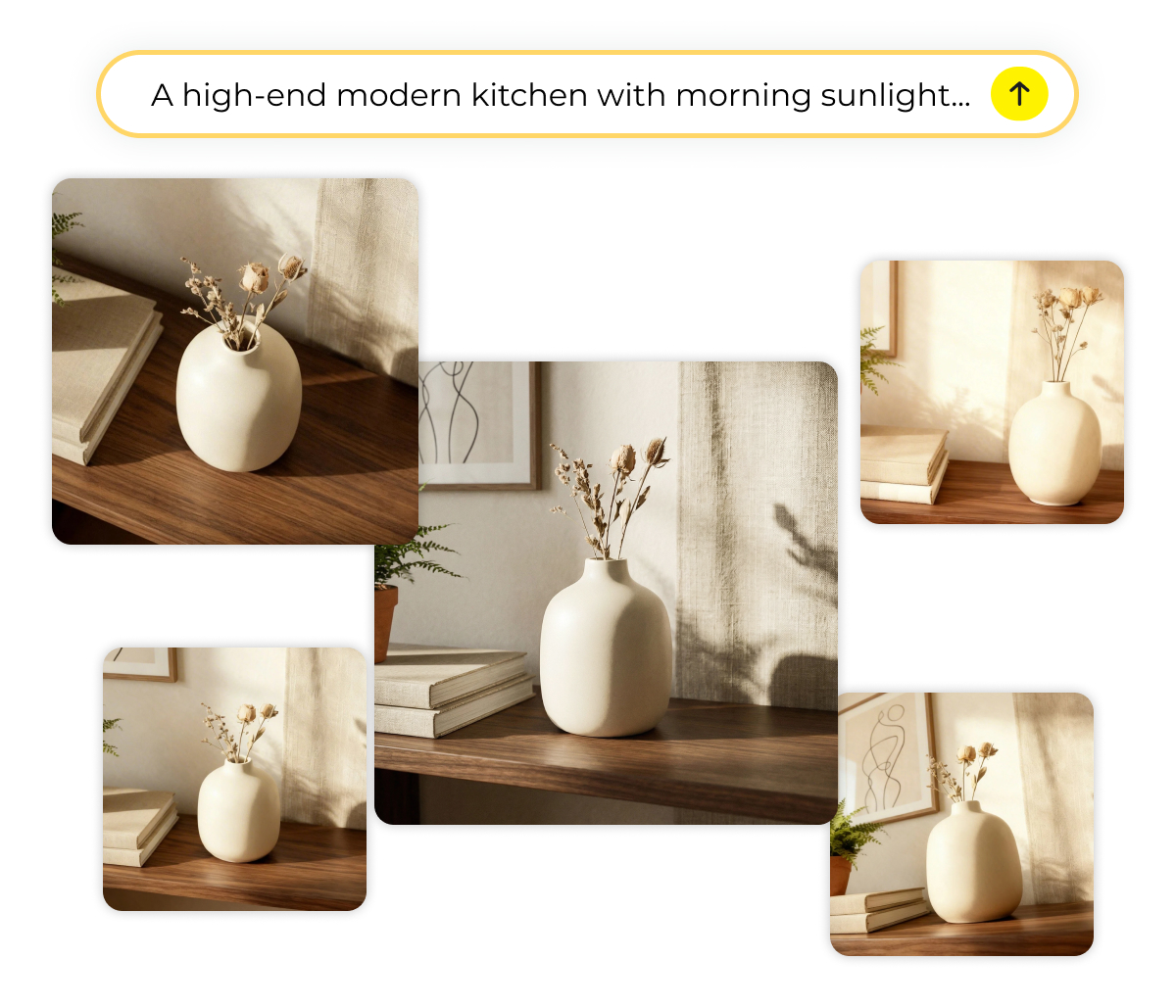
- Develop a main template for each campaign with lighting, background, and composition fixed.
- Only change the product descriptors, retaining a prompt framework with variable slots.
- This way, new SKUs will continue to have the same style and appearance, your listings will stay consistent visually, and you will save time when expanding campaigns.
Tip: Use Designkit AI Product Photography Generator to save a consistent setup, including background and lighting feel as a reusable template. Apply this across SKUs to reduce re-prompting and minimize drift, ensuring every product matches the established campaign style.
3.2. Stay Compliant While Staying On-Brand
First, you need to make sure you are complying with all the laws and requirements. For example, Amazon main images should have a white background, correct aspect ratios, and no misleading overlays.
Here is how we do it:
- Brand-style creatives for ads, storefronts, and social campaigns
- Compliant masters solely for product listings
By doing so, you can keep your brand image and, at the same time, abide by the rules of different marketplaces.
Tip: Tip: Use Amazon Listing Images Generator if you want common Amazon-ready formats and sizes, and AI Product Listing Images Generator for complete listing image sets. Always double-check against the current Amazon specs before publishing to make sure that your publications are compliant and that you maintain visual consistency across SKUs.
3.3. Batch Production Without Style Drift
Producing several images for each item might result in creative drift. Small differences in angles, lighting, or composition may eventually lead to inconsistency.
Some ways to reduce drift:
- Freeze the main part of the prompt and only let the backgrounds vary
- Always use the same terms for lens, angle, and setting
- Randomness should be limited
Example: First, generate 10 product images via AI for one SKU → then select the top 2 → finally, note the reasons why they were selected. This approach helps you get excellent outputs and, at the same time, keeps style coherence among different SKUs.
For high-volume runs, teams often use the Designkit AI Image Generator workflow to create batches from a consistent prompt structure, then select the best images via QA checks.
3.4. A Practical QA Checklist
Having a QA checklist that is broken down makes production consistency and measurement possible even at large scale.
Some important points:
- Colors and white points should be the same throughout
- Lighting should come from the same direction, and shadows should be properly placed
- Size, crop, and background family should all be correct
- No distorted logos, text errors, or foreign elements should be present
Hint: Get organized by creating a pass/fail table per SKU to make quality tracking a systematic activity, which will greatly help you in ensuring that each image adheres to brand and compliance standards.
Conclusion
Steady AI product images depend on a color baseline, lighting recipe, background system, and composition/scale, along with batch production, QA, and compliance checks. Developing a Visual Asset Library makes subsequent campaigns more efficient. For extensive catalogs, rule application is quickly sped up by Designkit AI Image generator, with QA being the last checkpoint.
Frequently Asked Questions
Can AI product images always match my brand colors?
Q2: How to ensure consistent lighting across SKUs?
Lock a single lighting recipe for each category, including key light direction, softness, and color temperature. Batch-generate images and perform QA to confirm shadows and highlights match.
Q3: What if backgrounds keep drifting in AI-generated images?
Use a background library with approved options and limit randomization. Always check that props, textures, and tones remain within the intended "scene family."
Q4: How to maintain composition and scale in large catalogs?
Set fixed crop ratios, center alignment, and camera angles. Overlay grids or bounding boxes during QA to detect zoom or angle drift.
Q5: Can I scale to hundreds of SKUs without losing consistency?
Yes—using templates, batch workflows, and QA gates ensures repeatability. Tools like Designkit can help apply lighting, background, and color rules efficiently across large SKU sets.
You May Also Like

T-Shirt Design Size Guide: Placement, Dimensions, & DPI

How to Sell on Poshmark: A Complete Beginner's Guide

Zeely Reviews 2026: Features, Pricing, Pros, Cons & Alternatives

Create TikTok Ads From One Photo: An AI Product Launch Kit

Depop vs Poshmark: Which Is Better for Selling in 2026?

How to Create an Amazon Storefront: 4-Step Guide for New Sellers

How to Sell Books on Amazon in 2026: Beginner Guide

How to Sell on Amazon in 2026: A Complete Seller Guide

AI Product Photography: 7 Best Tools for Ecommerce in 2026

What Is a Hero Image? Definition, Examples & Design Tips

Pippit AI Review 2026: Features, Pricing, Pros & Cons

Back to School Ad: 7 Creative Ideas for Better Campaign Results

Top 7 Back-to-School Sales Ideas to Boost Retail Sales (2026)

How to Create a Complete World Cup Product Listing Image Set

How to Create Amazon Summer Sale Posters and Banners with AI

Amazon Summer Sale 2026: Listing Design Trends & Product Image Ideas

Ecommerce Video Ads: 7 Strategies That Drive Higher Conversions

How to Photograph Shoes for Your Ecommerce Store in 2026

Product Photography Ideas: Creative Tips & Techniques for Better Shots

Product Photography Pricing 2026: Full Cost Guide by Type

White Background Product Photography Guide & Tips 2026

Product Photography Starter Package: Gear Checklist 2026

Shopify Product Photography Guide with Tips & Setup

Amazon Main Image Requirements: Size, Guidelines & Tips

Shopify Image Size 2026: Complete Guide and Tips for Better Product Display

Studio Product Photography vs AI Product Photography in 2026

7 Product Photography Mistakes That Hurt Ecommerce Sales

Change Outfit Colors Online for Outfit Preview with AI Clothes Color Changer

How to Create Amazon Infographics: Boost Sales with Compelling Visuals

How to Create Outdoor Product Scenes Without a Photoshoot Using AI

Optimize Etsy Images for Mobile: Listing Photos That Convert

Amazon 7-Image Listing Strategy: Boost Sales by Optimizing Every Image

Etsy Thumbnail Optimization: Keep Your Product Fully Visible

The Etsy Thumbnail Formula That Drives More Clicks and Sales

How to Create Pro Amazon Listing Photos Without a Studio

10 High-Converting Lifestyle Product Images for Amazon Listings

How to Automate Your E-commerce Visuals with OpenClaw Workflow

Top 5 AI Tools to Generate Amazon Product Listing Images in 2026

How to Turn One Photo into 10 Etsy Listing Images Fast: Batch Workflow

Etsy Listing Photo Size Guide (2026): Mobile, Desktop & Shop View Specs

Turn White Background Images into Lifestyle Amazon Listings

Fix Etsy Image Cropping: Optimize Listing Photos for Every Device

Amazon Listing Images: Essential Shot List & Optimization Guide

How to Create Lifestyle Product Images Without a Studio

Lifestyle Product Photography Trends 2026: Authentic Looks at Scale

How to Master Lifestyle Product Photography in 2026

Amazon Listing Images Guide 2026: 7-Slot Strategy & Requirements

360 Product Photography Guide 2026: Setup, Shoot and Workflow

Beginner's Guide to Generate Product Photos from Different Angles

AI Product Photography: Create Ecommerce Images Without a Photoshoot

How to Create Realistic AI Product Photos: Step-by-Step Pro Guide

Keep AI Product Images Consistent Across SKUs: Lighting, Color, Background

How to Scale E-commerce with a Product Image Generator

How to Use AI for Spring Product Photography: 2026 Amazon Guide

How to Create a Budget Home Product Photography Setup with AI

How to Achieve Professional Product Photography Standards in 2026

How to Take Product Photos with Phone: Pro Guide for Amazon & AI
Best AI Product Image Generator 2026: Top Tools for Amazon Sales

Amazon Photography Service vs. AI Generator: Best Choice for Sales

What Is Product Photography? Angles, Lighting & Editing Guide

Amazon Spring Sale 2026: Create High-Converting Listing Images (Guide)

AI Agents Transform Amazon Product Photography in 2026

Amazon Photoshoot in 2026: Do You Still Need a Studio?

11 Must-Have Tools for Amazon Product Photography in 2026

2026 Amazon Image Trends Shaping Seller Success and Conversions

Amazon Product Photography Requirements & Best Practices 2026
Make every product image ready to sell
Designkit is an all-in-one AI platform for ecommerce visuals. Create product photos, AI videos, virtual try-ons, and Amazon listing images in seconds. Generate HD backgrounds, batch edit photos, and scale your brand with studio-quality content.
