
Best AI Poster Generator: 8 Tools to Create Professional Posters
Create professional posters with AI in minutes. Generate designs from text prompts, product photos, or campaign ideas, then customize layouts and export ready-to-use visuals for marketing, social media, and print.

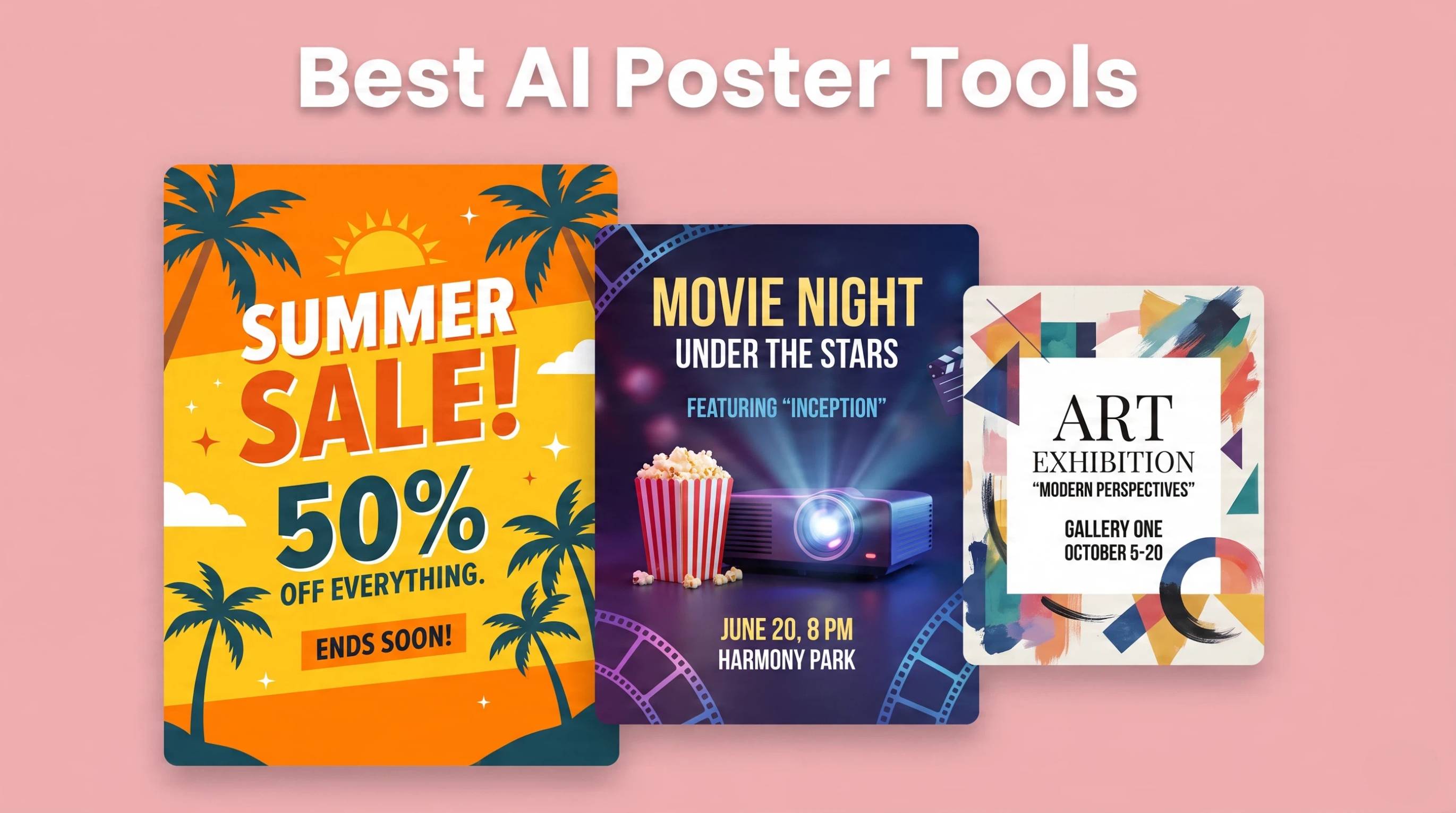
Creating eye-catching posters no longer requires advanced design skills or hours of manual editing. An AI poster generator helps you transform text prompts or photos into professional poster designs for promotions, events, products, and social media campaigns in minutes. With the growing number of AI tools available, choosing the right solution can be challenging.
This guide compares the best AI poster generators, explains their key features, and shows you how to create posters that match your marketing goals. You'll also learn practical workflows, common mistakes to avoid, and tips for designing posters that are ready for print and digital platforms.
Quick Picks
-
Best free template-style start: Canva AI/Adobe Express
-
Best for brand + print-friendly workflows: Adobe Express
-
Best for ecommerce product marketing posters: Designkit
What Is an AI Poster Generator?
An AI poster generator is a design tool that uses artificial intelligence to create professional posters from text prompts, images, or branding assets. Instead of starting with a blank canvas, users simply describe their idea or upload photos, and the AI automatically generates layouts, typography, colors, and graphics. Whether you're looking for a free AI poster generator from text or an advanced platform for marketing campaigns, these tools make poster creation faster and more accessible for businesses, educators, and creators.
How AI Designs Posters
AI analyzes your prompt, design preferences, and uploaded assets to generate visually balanced posters. It understands design principles such as spacing, typography, color harmony, and image placement, then combines them into a polished layout. Modern AI can also recommend fonts, improve compositions, and resize posters for different platforms, making it an efficient AI tool to create posters for both beginners and professionals.
Text-to-Poster Generation
With text-to-poster generation, you simply describe your idea in natural language. For example, prompts like "summer sale poster with bold typography" or "minimal concert event poster in black and gold" are transformed into complete designs within seconds. This makes a free AI poster generator especially useful for marketers, small businesses, and social media teams that need eye-catching visuals without advanced design skills.
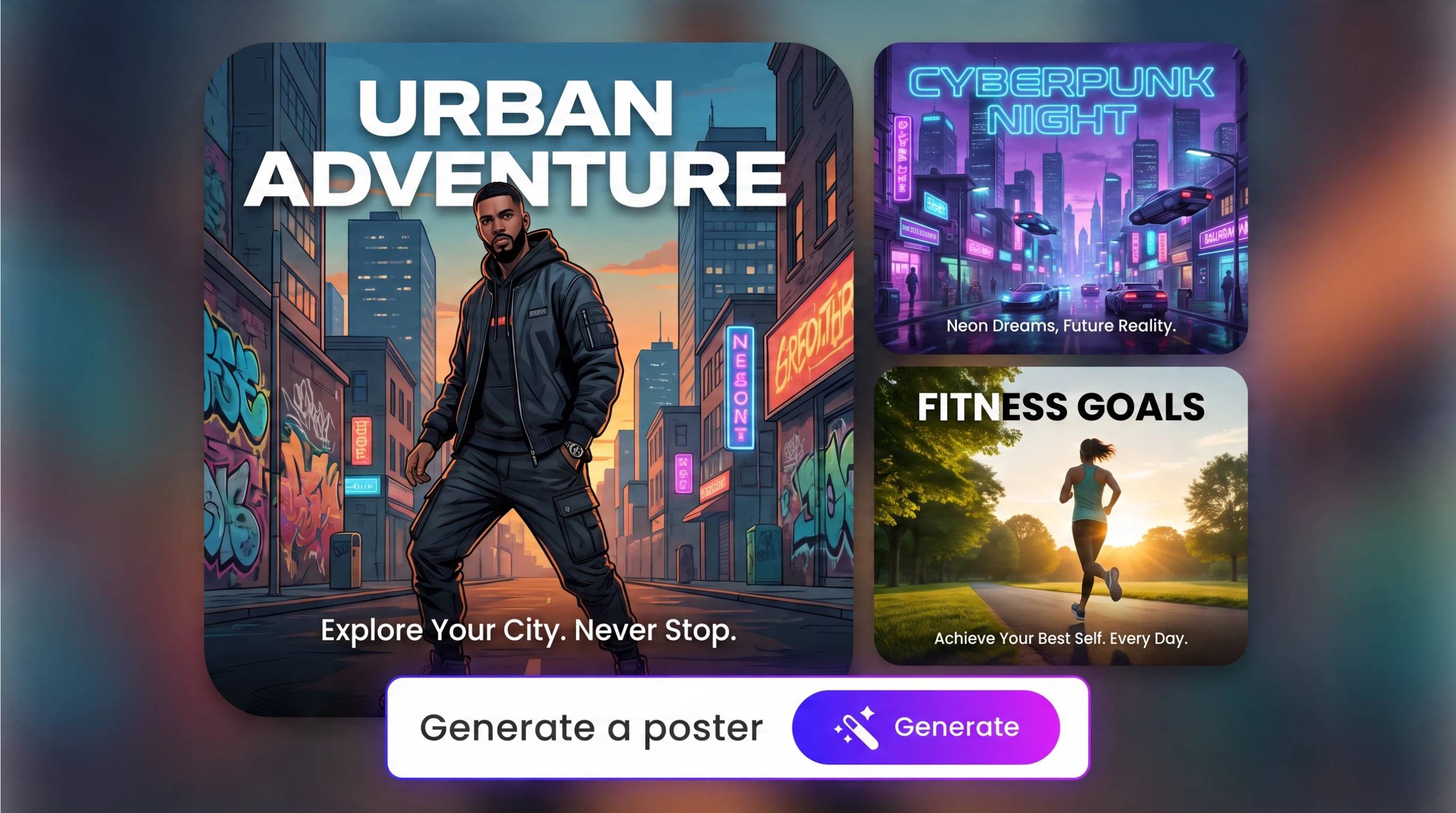
Photo-Based Poster Generation
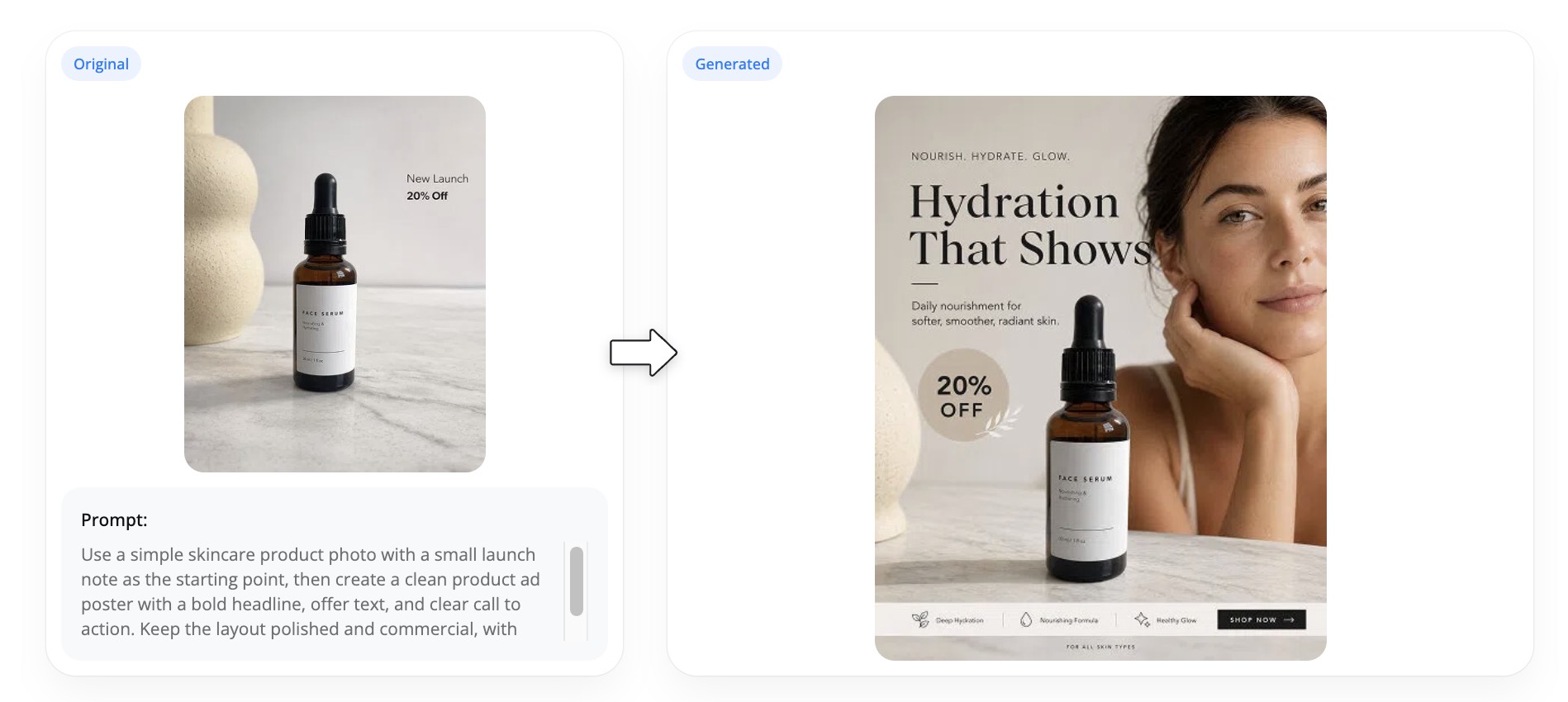
Many modern tools also support AI poster generation with photos. Users can upload product images, portraits, or event photos, and the AI automatically removes backgrounds, enhances image quality, and places visuals into professionally designed poster layouts. This workflow is ideal for eCommerce promotions, event marketing, restaurant menus, and product launches. If you want an AI poster generator with photos, these tools can dramatically reduce editing time while producing polished results.
AI vs. Traditional Design Software
Traditional design software offers complete creative control but often requires significant design experience and manual editing. In contrast, an AI poster maker automates layout creation, font pairing, image positioning, and visual optimization, allowing users to create professional posters much faster. Designers may still prefer traditional software for highly customized projects, while businesses and content creators often choose the best AI poster generator for rapid production, collaboration, and consistent branding.
Why Businesses Use AI Poster Generators
Businesses increasingly rely on AI for poster design because it speeds up creative production while maintaining professional quality. From retail promotions and product launches to event advertising and social media campaigns, AI enables teams to produce attractive marketing materials quickly without relying heavily on manual design work.
Speed Up Campaigns and Cut Manual Design Time
AI automates many of the most time-consuming design tasks, including layout creation, typography selection, image enhancement, and background generation. Marketing teams can create posters with AI in minutes instead of spending hours designing from scratch. This faster workflow helps businesses launch campaigns quickly, respond to seasonal promotions, and keep content fresh across multiple channels.
Generate Variations for Creative Testing
One of the biggest advantages of AI is its ability to instantly generate multiple poster variations. Businesses can test different headlines, color palettes, layouts, calls-to-action, and imagery to identify which designs perform best. Using the best AI to make a poster, marketers can easily run A/B tests for advertisements, social media promotions, and product campaigns without redesigning every version manually.
Keep Branding Consistent Across Sizes and Channels
Maintaining consistent branding across print, websites, social media, email campaigns, and digital advertising can be challenging. AI automatically applies brand colors, fonts, logos, and visual styles while resizing posters for different platforms. This ensures every design remains recognizable and professional, whether it's a flyer, Instagram post, digital banner, or large-format print, making AI an efficient solution for scalable marketing.
8 Best AI Poster Generators in 2026
Choosing the right AI poster generator depends on your design experience, marketing goals, and workflow. Some tools focus on beginner-friendly templates, while others specialize in AI-generated artwork, branding, or ecommerce marketing. The comparison below highlights the strengths, limitations, pricing, and ideal use cases of the leading platforms in 2026.
| AI Poster Generator | Best For | Key Strengths | Limitations | Pricing | Ideal Users |
|---|---|---|---|---|---|
| Canva AI | Beginners & quick templates | Easy editor, huge template library, Magic Design | Limited advanced AI customization | Free plan; Pro from $15/month | Students, creators, small businesses |
| Adobe Express | Brand consistency & professional marketing | Firefly AI, Brand Kits, high-quality exports | Best features require Adobe subscription | Free plan; Premium from $9.99/month | Marketing teams, businesses, designers |
| Microsoft Designer | Social media & Microsoft users | AI-powered layouts, Microsoft ecosystem integration | Smaller template collection than Canva | Free with premium features via Microsoft plans | Office users, startups |
| Ideogram | AI-generated typography posters | Excellent text rendering, creative prompt generation | Fewer editing tools after generation | Free plan; paid plans available | Artists, marketers, designers |
| Recraft AI | Custom illustrations & vector graphics | High-quality vector generation, editable graphics | Learning curve for new users | Free plan; paid plans available | Graphic designers, agencies |
| Kittl AI | Print-ready poster design | Typography tools, vintage styles, professional templates | AI generation less flexible than image-focused models | Free plan; Pro from $15/month | Print businesses, freelancers |
| Midjourney | Creative poster artwork | Exceptional artistic image generation | No built-in poster layout editor | Paid plans from $10/month | Artists, creative professionals |
| Designkit | Ecommerce & product marketing posters | Product-focused AI design, multi-format marketing assets, AI editing tools | Designed primarily for product promotion rather than artistic posters | Free trial; paid plans available | Ecommerce brands, Shopify sellers, Amazon sellers |
1. Canva AI
Best for: Beginners and template-based poster creation
Canva AI remains one of the best AI poster generators for users who want professional-looking posters without design experience. Its Magic Design features automatically generate layouts from text prompts, while thousands of customizable templates make it easy to create event posters, social media graphics, classroom materials, and promotional designs.
Key strengths
-
Beginner-friendly drag-and-drop editor
-
Large template library
-
AI-generated layouts and text suggestions
-
One-click resizing for multiple platforms
Limitations
-
Less control over AI-generated artwork
-
Advanced branding features require Canva Pro
Pricing
-
Free plan available
-
Canva Pro starts at approximately $15/month
Ideal users
Small businesses, educators, students, social media managers, and anyone looking for a free AI poster generator with minimal learning curve.
2. Adobe Express
Best for: Brand kits and professional marketing materials
Adobe Express combines intuitive design tools with Adobe Firefly, allowing users to generate images, text effects, and creative assets using AI. Built-in Brand Kits help businesses maintain consistent colors, fonts, and logos across every poster, making it an excellent AI tool to create posters for marketing teams.
Key strengths
-
Firefly-powered AI image generation
-
Professional export quality
-
Brand Kit integration
-
Adobe Creative Cloud compatibility
Limitations
-
Premium AI tools require a paid subscription
-
More features than casual users may need
Pricing
-
Free plan available
-
Premium starts around $9.99/month
Ideal users
Businesses, agencies, marketing teams, and designers already use Adobe products.
3. Microsoft Designer
Best for: Fast marketing graphics and Microsoft ecosystem users
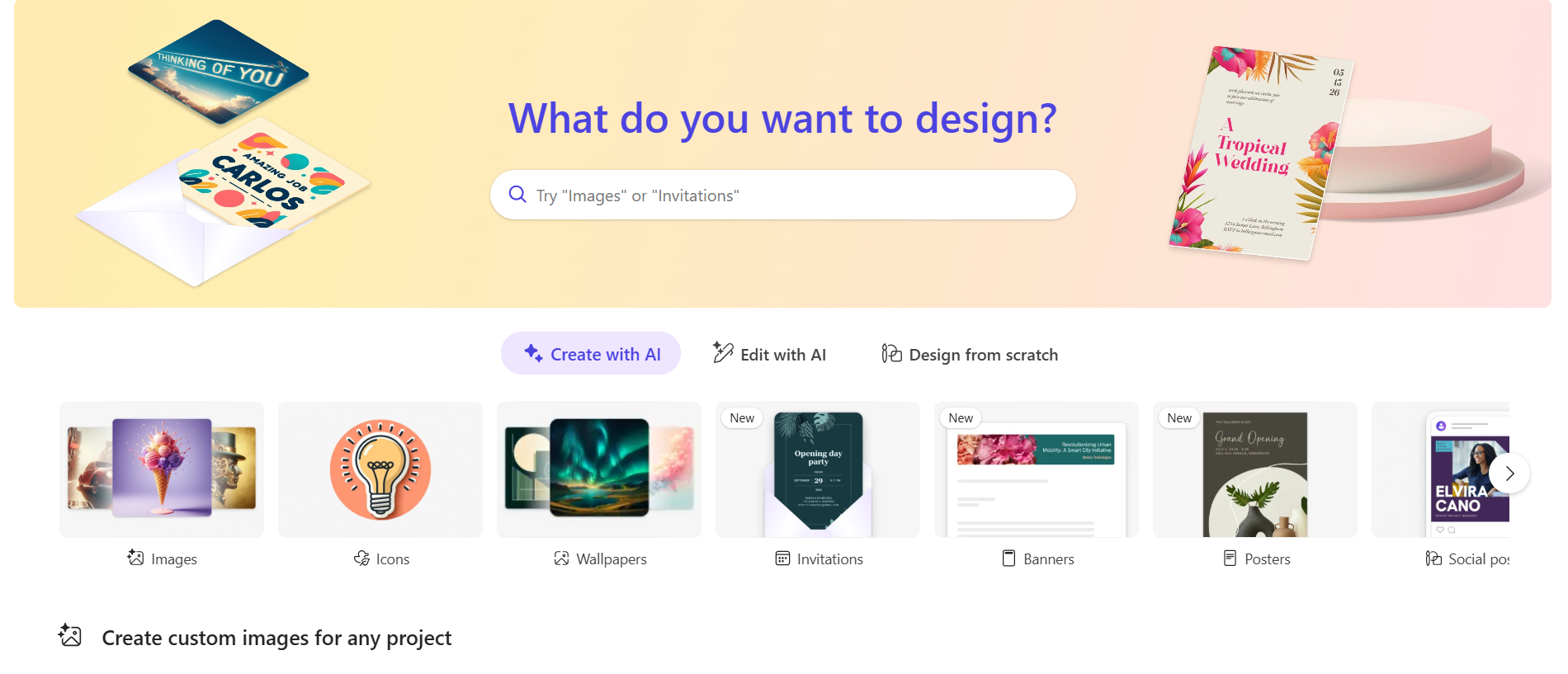
Microsoft Designer simplifies poster creation with AI-generated layouts, images, and copy suggestions. It integrates well with Microsoft 365, making it a practical choice for businesses that already rely on Microsoft's productivity tools.
Key strengths
-
AI-powered design suggestions
-
Easy social media poster creation
-
Microsoft ecosystem integration
-
Quick workflow for marketing materials
Limitations
-
Smaller template library than Canva
-
Fewer advanced design controls
Pricing
-
Free version available
-
Additional AI features included with select Microsoft subscriptions
Ideal users
Office professionals, startups, educators, and small businesses.
4. Ideogram
Best for: Posters with high-quality AI typography
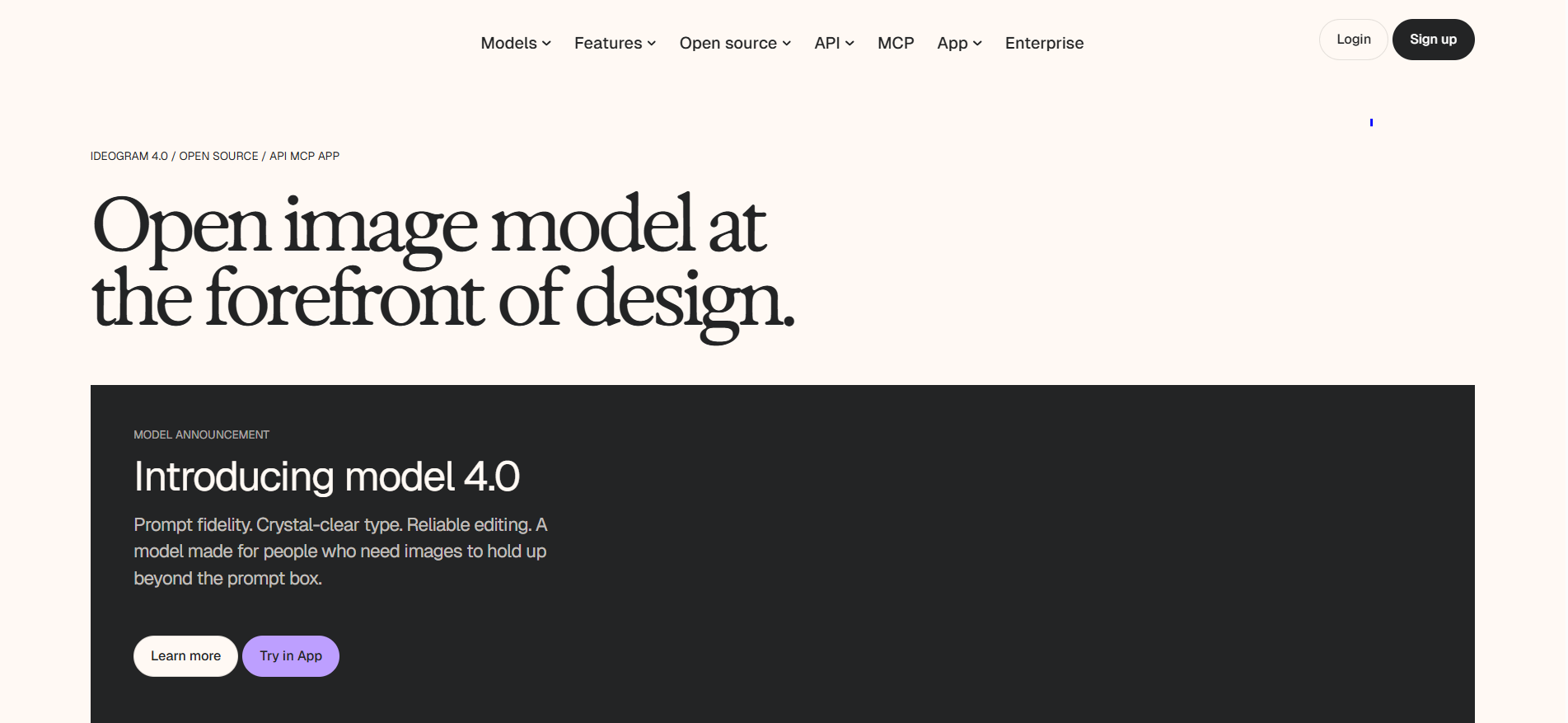
Ideogram stands out for its ability to generate readable text directly inside AI-generated images. This makes it especially useful for promotional posters, event advertising, and creative branding where typography plays a central role.
Key strengths
-
Industry-leading AI text rendering
-
Creative prompt-based poster generation
-
High-quality artistic outputs
-
Strong visual storytelling
Limitations
-
Limited editing after generation
-
Requires prompt experimentation for best results
Pricing
-
Free plan available
-
Paid plans with higher generation limits
Ideal users
Creative professionals, marketers, content creators, and digital artists.
5. Recraft AI
Best for: Custom illustrations and vector poster graphics
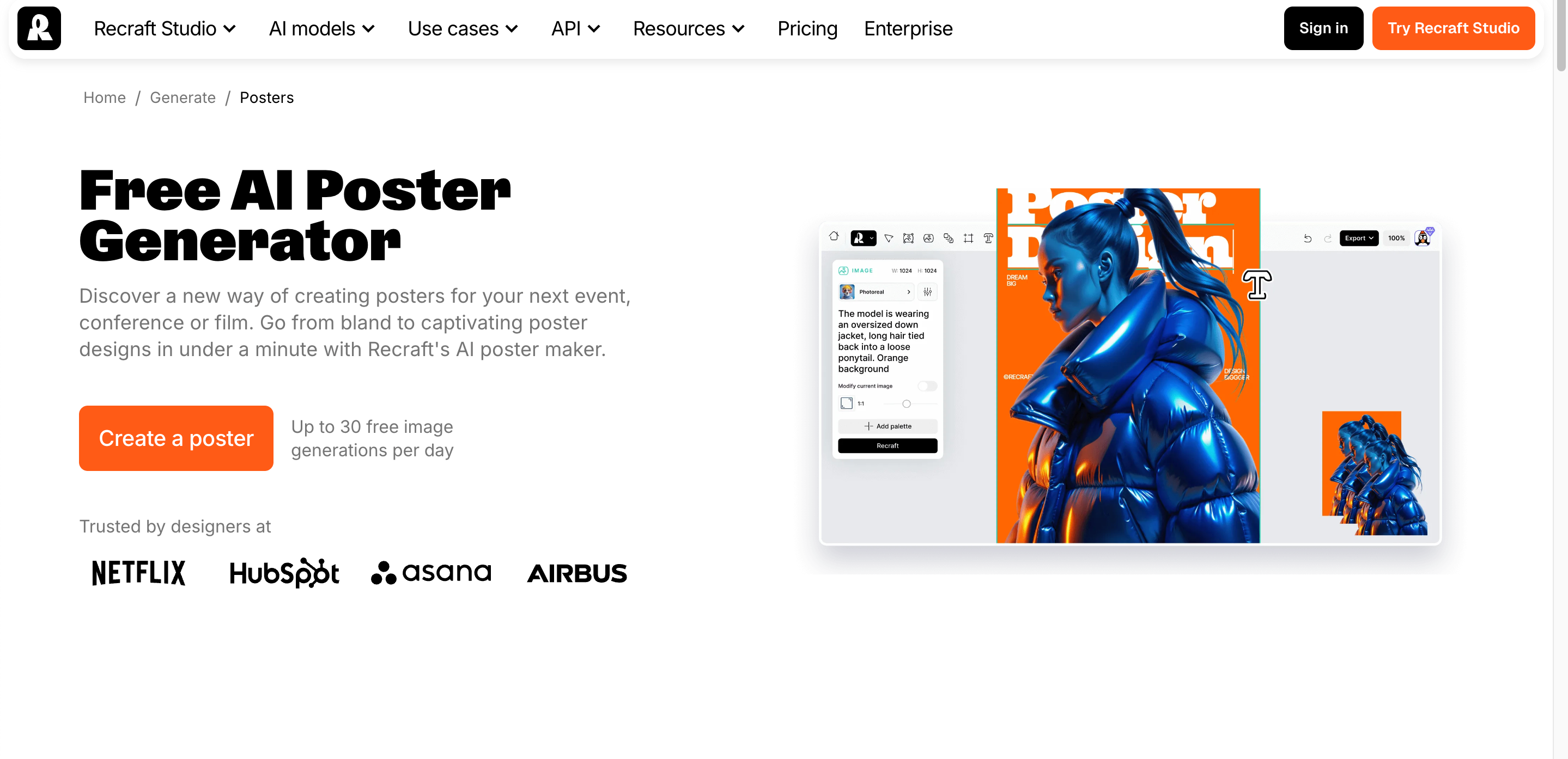
Recraft AI focuses on generating editable vector artwork, making it ideal for businesses that need scalable graphics for both print and digital campaigns. It offers more flexibility than many AI image generators when creating logos, icons, and branded illustrations.
Key strengths
-
AI vector generation
-
Editable illustrations
-
High-resolution exports
-
Strong branding capabilities
Limitations
-
Less beginner-friendly
-
Smaller template ecosystem
Pricing
-
Free plan available
-
Paid plans unlock additional features
Ideal users
Professional designers, branding agencies, and creative teams.
6. Kittl AI
Best for: Typography-heavy and print-ready poster design
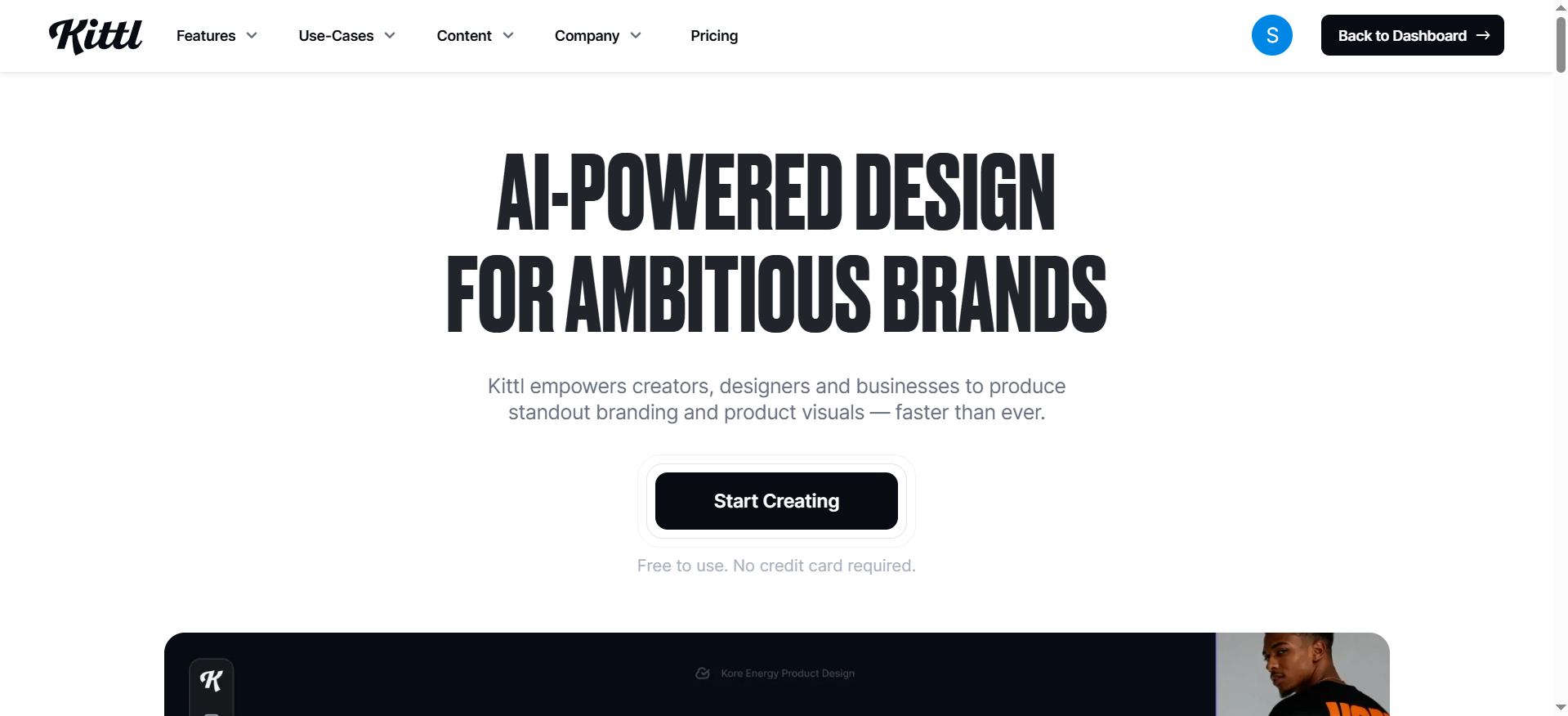
Kittl AI combines AI assistance with powerful typography and layout tools. It is particularly popular for vintage posters, merchandise, event promotions, and print-on-demand products.
Key strengths
-
Advanced typography tools
-
Professional print templates
-
Vintage and artistic styles
-
High-quality print exports
Limitations
-
AI image generation isn't as advanced as dedicated AI art platforms
-
Some premium assets require a paid subscription
Pricing
-
Free plan available
-
Pro starts around $15/month
Ideal users
Freelancers, print businesses, Etsy sellers, and merchandise designers.
7. Midjourney
Best for: Artistic and highly creative poster visuals
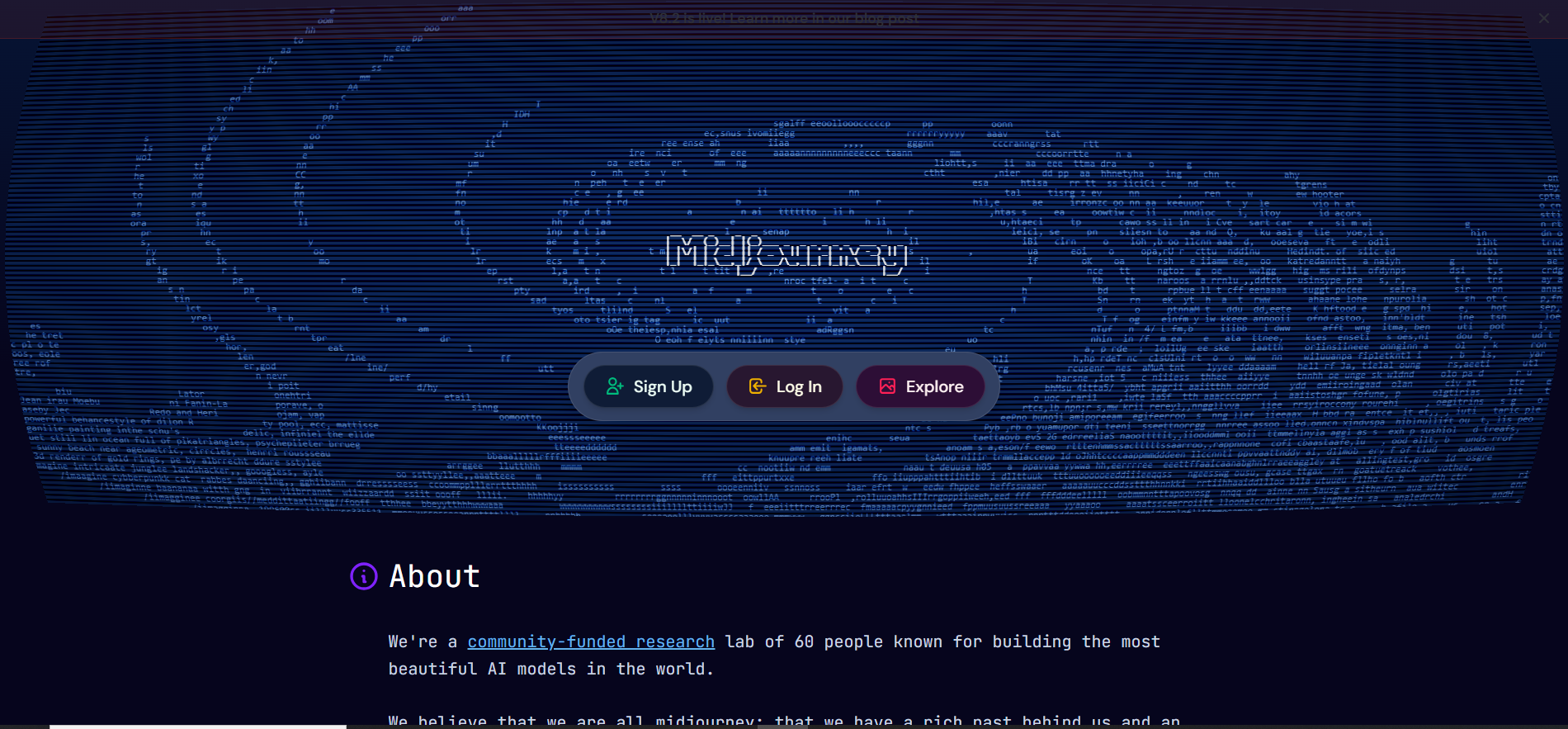
Midjourney excels at generating stunning AI artwork from text prompts. While it doesn't include a dedicated poster editor, many designers use it to create unique illustrations before assembling the final poster in other design software.
Key strengths
-
Outstanding artistic image quality
-
Highly creative visual styles
-
Excellent concept art generation
-
Strong prompt customization
Limitations
-
No built-in poster layout tools
-
Requires another editor for adding text and branding
Pricing
-
Paid plans start around $10/month
Ideal users
Artists, designers, advertising agencies, and creative studios.
8. Designkit
Best for: Ecommerce and product marketing posters
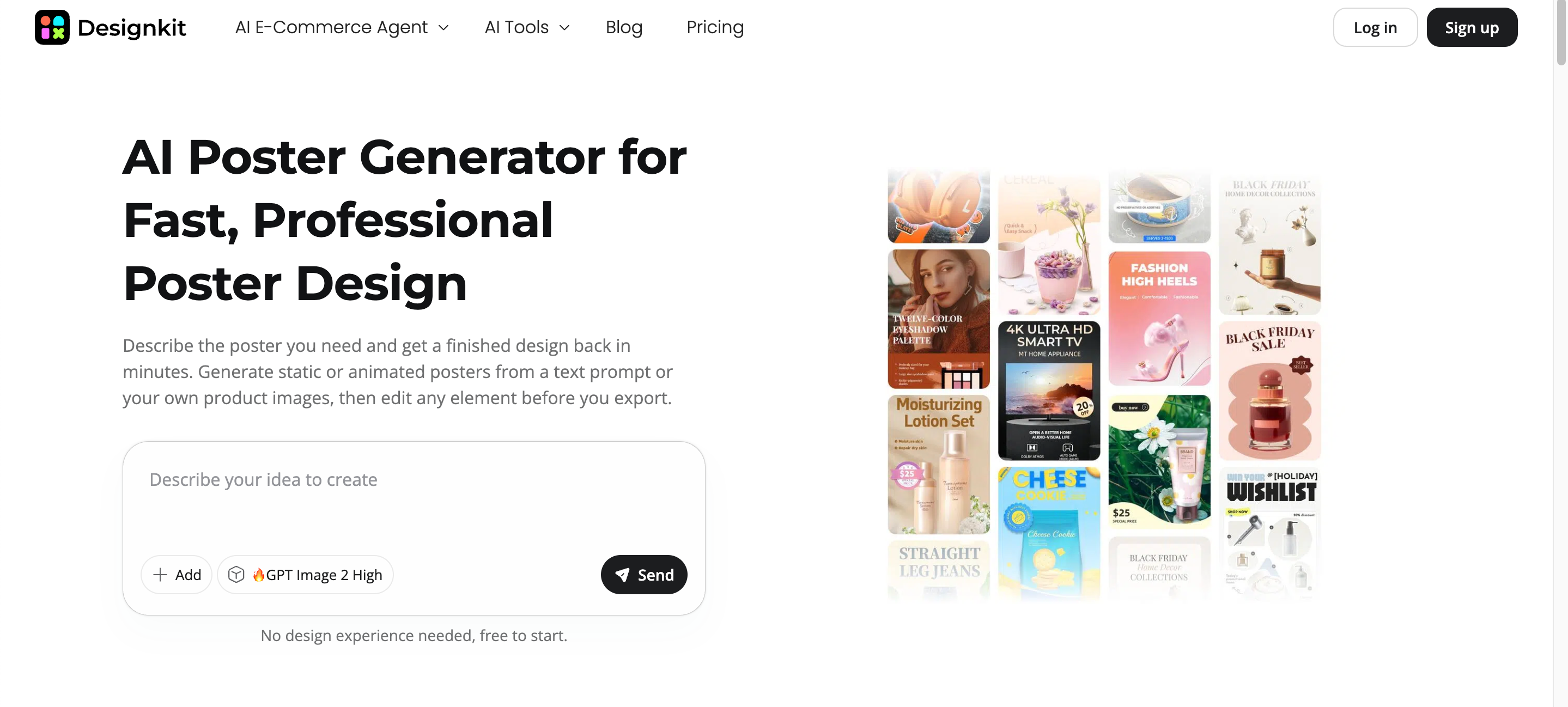
Unlike traditional AI poster makers that rely heavily on generic templates, Designkit is built for businesses that need marketing-ready visuals centered around products. Users can upload product photos and quickly generate promotional posters, seasonal campaigns, marketplace graphics, and advertising creatives while automatically adapting designs into multiple formats for ecommerce and social media.
Key strengths
-
AI-powered product-focused poster generation
-
Marketing-oriented layouts instead of generic template libraries
-
Automatic background editing and product enhancement
-
Multi-format assets for websites, social media, marketplaces, and advertising campaigns
-
Optimized for ecommerce promotions and product launches
Limitations
-
Focused primarily on product marketing rather than artistic poster creation
-
Less suited for illustration-heavy or conceptual design projects
Pricing
-
Free trial available
-
Paid plans with additional AI features and export options
Ideal users
Ecommerce brands, Shopify merchants, Amazon sellers, DTC businesses, digital marketers, and agencies that need to create posters with AI using product images while maintaining consistent branding across multiple marketing channels.
Use Cases of AI Poster Generators
Product Launch Posters
An AI poster generator helps businesses create professional product launch posters in minutes. Simply enter a product name, key benefits, and launch details, and AI produces polished layouts with compelling visuals. This speeds up campaign preparation while ensuring every launch asset looks consistent across digital and print channels.
Seasonal Sale Campaigns
From Black Friday and holiday promotions to end-of-season clearance events, AI for poster design makes it easy to produce eye-catching sale posters. Businesses can quickly update discounts, promotional messaging, and visuals without redesigning every campaign from scratch, helping marketing teams respond faster to seasonal opportunities.
Create Marketing Posters Online Free
Social Media Content
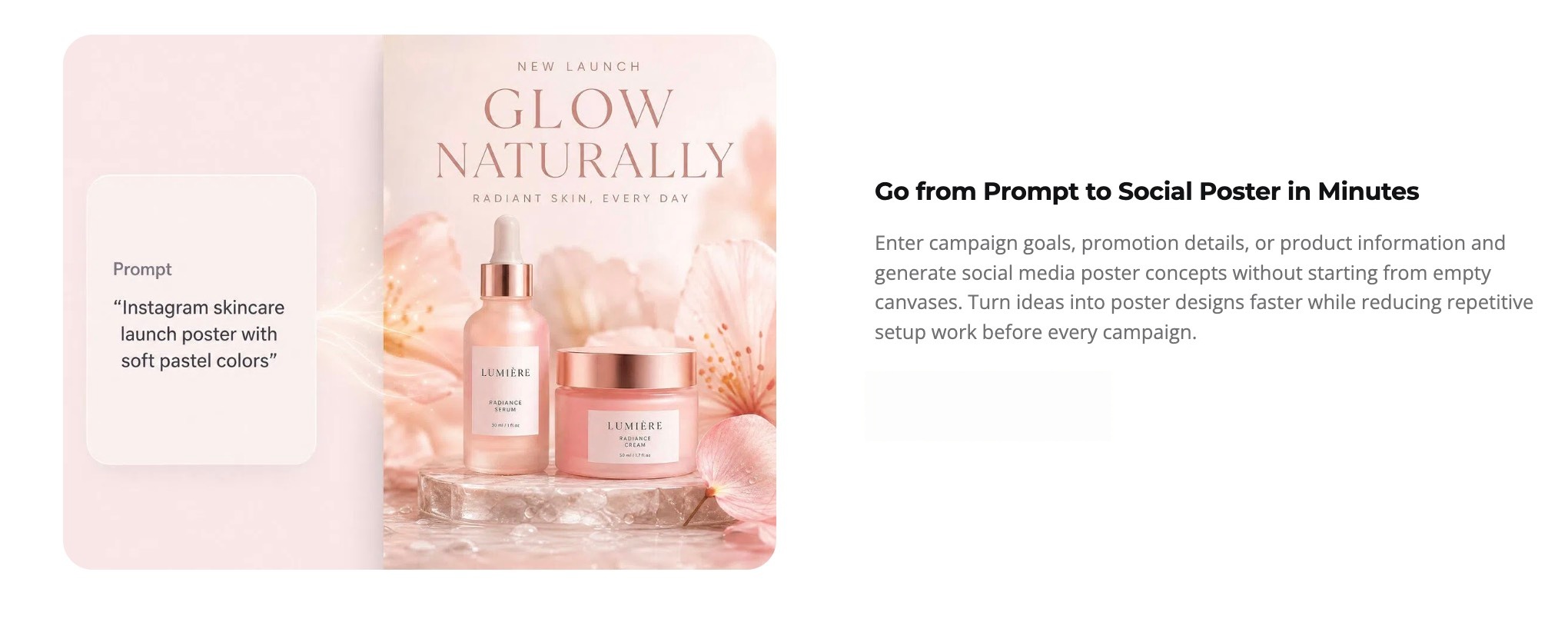
Brands can create posters with AI for Instagram, Facebook, LinkedIn, Pinterest, and other platforms using a single design. AI automatically adapts layouts to different aspect ratios while maintaining branding, making it easier to publish consistent promotional content across multiple social media channels.
Create Marketing Posters Faster with Designkit
Unlike general-purpose design platforms, Designkit focuses on ecommerce and product marketing posters. Instead of relying on generic template libraries, users simply provide product images, headlines, and promotional copy, and the platform generates ready-to-use marketing posters optimized for online selling.
How Designkit Helps Create AI Marketing Posters
1. Turn Product Photos into Poster Designs
Upload a product image, and Designkit's AI poster generator automatically transforms it into a polished promotional poster with optimized layouts, backgrounds, typography, and visual enhancements. This approach helps businesses create marketing-ready creatives faster while keeping the product as the primary focus instead of relying on generic poster templates.
2. Generate Marketing Copy Along with Visuals
Beyond designing the poster, Designkit can generate headlines, promotional messages, product highlights, and calls to action that complement the visual layout. This reduces manual copywriting effort and helps businesses produce cohesive marketing assets from a single workflow using an efficient AI tool to create posters.
3. Create Multiple Poster Variations for Testing
Designkit quickly produces multiple versions of the same campaign by adjusting headlines, colors, layouts, and promotional messaging. These variations make A/B testing easier, allowing marketers to identify which poster design drives better engagement and conversions without rebuilding every creative manual.
4. Resize Posters for Every Marketing Channel
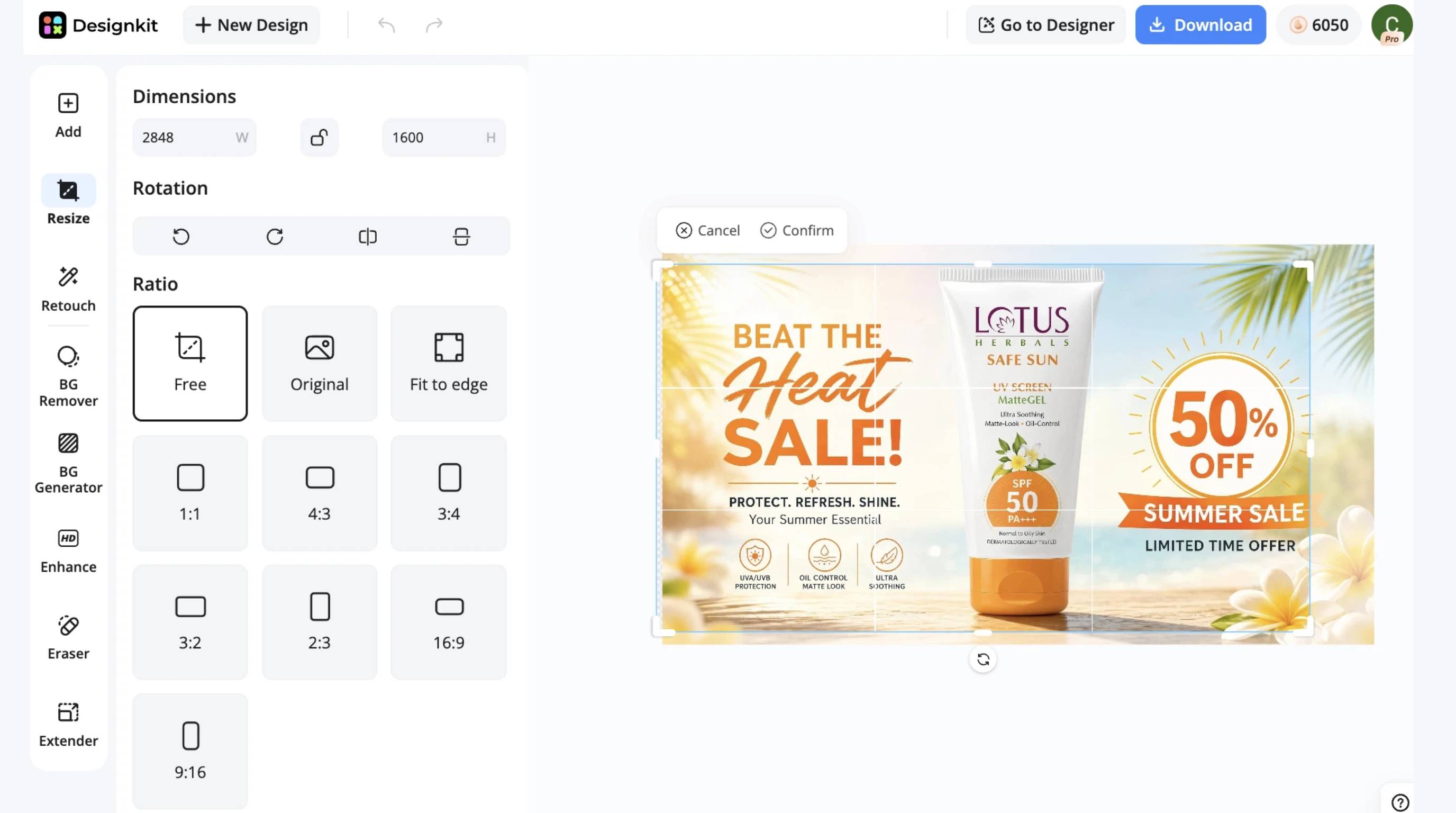
Once a poster is complete, Designkit's image resizer automatically resizes it for online stores, social media, digital ads, email campaigns, and marketplace promotions. Instead of creating separate files for every platform, businesses can export consistent, high-quality assets from one design, making it an effective AI poster maker for ecommerce marketing.
Create Posters with Designkit in 3 Steps
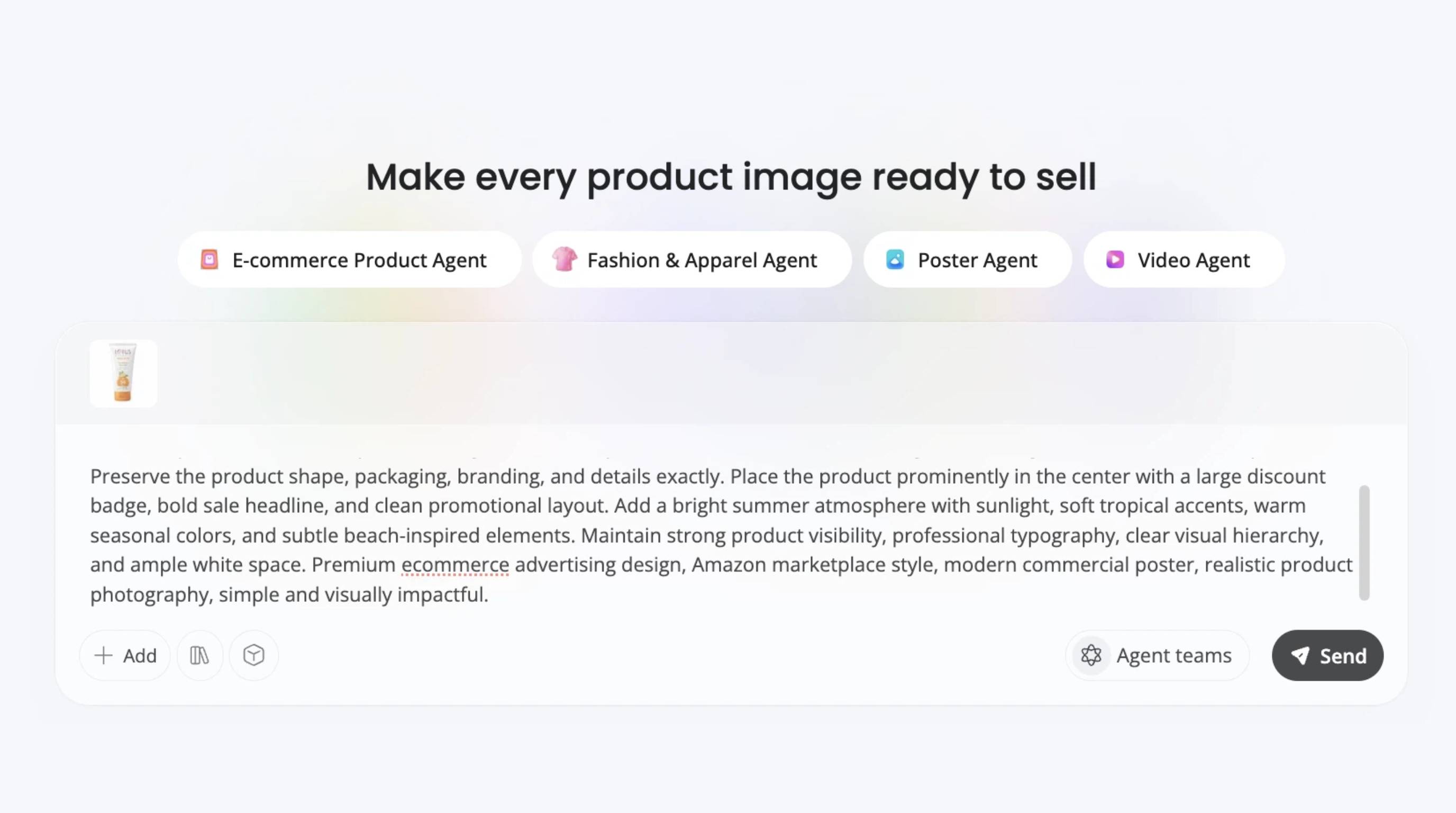
Step 1: Upload Your Assets and Campaign Details
Add your product photos, logo, brand colors, and campaign message. Include key selling points or promotional offers so the AI understands your visual identity and marketing objective before generating poster concepts.
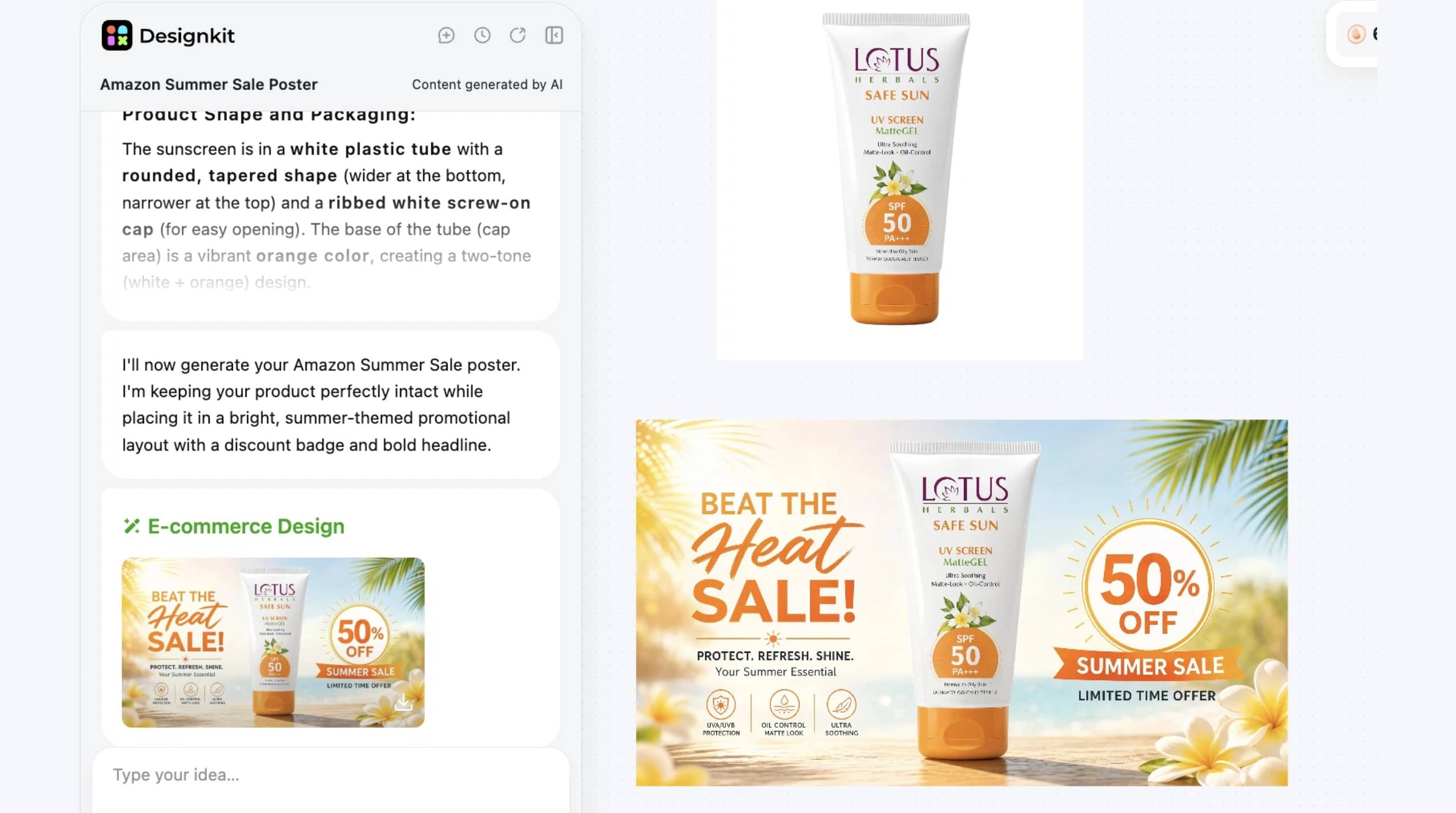
Step 2: Generate and Customize Poster Designs
Choose a poster style that matches your campaign, then generate multiple layouts. Refine the headline, CTA, typography, colors, and imagery until the design aligns with your brand and communicates your message clearly.
Create Marketing Posters Online Free
Step 3: Export for Every Marketing Channel
Download the finished poster in the appropriate sizes for social media, websites, print, or online marketplaces. Create multiple versions to keep your branding consistent across every platform while saving time on future campaigns.
Pro Tips for Better AI Posters
Start with High-Quality Product Images
The quality of your input images directly affects the final poster. Use high-resolution photos with sharp details, good lighting, and clean compositions, so the AI poster generator with photos can produce more professional-looking marketing materials. Better source images also reduce the need for manual retouching.
Describe Your Audience and Offer Clearly
When using an AI tool to create posters, include specific details about your target audience, promotion, and desired tone. Instead of a generic prompt, mention the product, key offer, brand style, and call to action. Clear instructions help the AI generate more relevant and conversion-focused poster designs.
Generate Multiple Creative Directions
Don't settle for the first result. Create several versions with different layouts, colors, headlines, and visual styles to explore fresh ideas. The best AI poster generator can quickly produce multiple concepts, making it easier to compare options and choose the design that best supports your campaign goals.
Keep Visual Hierarchy Simple
An effective poster guides viewers naturally from the headline to the product and then to the call to action. Avoid overcrowding the design with too much text or unnecessary graphics. A clean visual hierarchy improves readability and helps your message stand out across both digital and print formats.
Optimize Designs for Mobile Screens
Many posters are viewed first on smartphones through social media, digital ads, and ecommerce promotions. When you create posters with AI, make sure headlines remain readable, key visuals stay prominent, and important information isn't hidden or cropped on smaller screens.
Save Successful Designs as Reusable Starting Points
When a poster performs well, save it as a reusable template for future campaigns. Reusing proven layouts, branding elements, and messaging speeds up production while maintaining consistency across promotions. This approach helps teams using an AI poster maker build faster, more recognizable marketing campaigns over time.
Conclusion
An AI poster generator makes it easier than ever to create professional posters by reducing manual design work and accelerating production. However, successful posters still depend on clear messaging, strong visual hierarchy, and optimization for each marketing channel. Rather than choosing a tool that only generates a single design, look for a workflow that supports planning, copy creation, design, resizing, and publishing.
Designkit is built with this end-to-end approach in mind, helping ecommerce businesses transform product images and promotional copy into marketing-ready posters while efficiently creating assets for websites, marketplaces, social media, and advertising campaigns.
Frequently Asked Questions
What is the best AI poster generator?
Can AI create posters from text?
Yes. A modern AI poster generator from text can turn a simple prompt into a complete poster by generating layouts, typography, colors, and graphics automatically. You only need to describe your campaign, audience, and offer. Designkit extends this workflow by allowing users to enter marketing headlines and promotional copy, then generating polished ecommerce posters optimized for online stores, social media, and digital advertising.
Can AI generate posters from photos?
Yes. Many AI tools can create posters using uploaded product or lifestyle photos. AI enhances images, removes backgrounds, and arranges them into attractive layouts. Designkit specializes in this process by transforming product photos into marketing-ready posters with AI-enhanced visuals, promotional copy, and branded layouts that help businesses create professional campaigns more efficiently.
Is there a free AI poster generator?
Yes. Several platforms, including Canva AI, Microsoft Designer, and Adobe Express, offer free plans with basic poster creation features. These are suitable for personal projects and simple marketing needs. For ecommerce businesses that require product-focused posters and multi-channel exports, Designkit offers a workflow designed for professional marketing with advanced AI features available through its plans.
What is the best AI poster generator for marketing?
Marketing teams need more than attractive templates. They need tools that produce campaign-ready assets. While many AI poster makers generate appealing designs, Designkit is built specifically for product marketing. It combines product images, promotional messaging, AI-powered layouts, and multi-format exports, helping businesses create posters that are ready for websites, marketplaces, social media, and paid advertising.
Can AI create printable posters?
Yes. Most AI poster generators support high-resolution exports suitable for printing. Depending on the platform, you can download posters in formats that maintain quality for flyers, retail displays, event signage, and promotional materials. Designkit also produces high-quality marketing posters that can be exported for both digital campaigns and professional print use without sacrificing image clarity.
How do I make an AI poster look professional?
Start with high-quality images, write a clear headline, use readable fonts, and keep the layout uncluttered. A strong visual hierarchy and consistent branding also improve results. Designkit helps streamline this process by automatically enhancing product photos, organizing layouts, and combining promotional copy with visuals to create polished marketing posters that require minimal manual editing.
Can AI poster generators create multiple designs?
Yes. Most AI poster generators can quickly produce several layout and style variations from the same prompt. This makes it easy to compare different headlines, color palettes, and visual approaches before launching a campaign. Designkit further supports marketing teams by generating multiple promotional poster variations that can be used for A/B testing across different advertising channels.
What size should an AI poster be for Instagram?
The ideal size depends on where the poster will appear. Instagram Feed posts work best at 1080 × 1350 px (4:5), Stories and Reels use 1080 × 1920 px (9:16), and square posts are 1080 × 1080 px (1:1). Designkit automatically resizes marketing posters into these and other popular formats, helping businesses maintain consistent branding across every social platform.
You May Also Like

7 Best Remove.bg Alternatives in 2026: Free & Paid Tools

Instagram Carousel: What It Is, How to Post & Create One

Nano Banana Prompts: 20+ Examples for Better AI Images

Ideogram AI Review 2026: Features, Pricing & Alternatives

Free Mac Photo Editor: 5 Tools Compared for Mac Users

How to Crop a Photo Into a Circle Online (Keep Quality)

How to Make an Image Transparent Online (AI Guide)

Pixlr Background Remover Review 2026: Features, Pricing & Alternatives

How to Fix Overexposed Photos: Recover Highlights Fast

OpenArt AI Review 2026: Features, Pricing & Alternatives

Best AI Headshot Generator: 9 Tools Compared for 2026

Best Stencil Maker Tools 2026: Turn Photos Into Stencils

Pixelbin Watermark Remover Review: Image & Video Results Tested

How to Make a Sticker on iPhone: Easy Step by Step Guide

Best AI Logo Generator in 2026: 10 Tools Compared

How to Turn a Photo Into a Cartoon: A Beginner-Friendly Guide

Landscape vs Portrait: Key Differences & Best Uses in 2026

How to Remove Watermark From Photo: AI, Photoshop & More

How to Fix Pixelated Photos: Photoshop, AI Tools & Tips

Bing Image Creator: How It Works, Features, Uses & Alternatives

How to Remove People from Photos with AI: A Step-by-Step Guide

How to Increase Image Resolution: AI, Photoshop & PPI

How to Add Text to a Photo: 8 Tips for Better Results

How to Fix Grainy Photos: Easy Ways to Clear Images

Creative Profile Picture Ideas for Every Style and Platform

Evoto AI Review 2026: Features, Pricing, Pros & Cons

Pixlr Photo Editor Review: Features, Pricing & Alternatives

Best AI Image Extender Tools in 2026: Expand Photos with AI

How to Make a Collage on iPhone: Easy Guide for 2026

How to Sharpen an Image in Photoshop (Smart Sharpen and Unsharp Mask)

Best Image Background Remover Tools in 2026: AI Tools Compared

How to Make Transparent Background in Paint: Step-by-Step Guide

How to Resize an Image: Best Methods, Tools & Quality Tips

Best AI Image Generator Tools in 2026: Top AI Platforms Compared

Remove.bg Review 2026: Features, Pricing & Is It Worth It?

Luminar Neo Photo Editor Review 2026: AI Features, Price & Pros

How to Post Multiple Photos on Instagram (2026 Guide)

25 Facebook Cover Photo Ideas for Personal & Business Pages

What Is a PFP? Meaning, Examples & How to Create One

Can You Edit an Instagram Post After Posting?

11 Best Canva Alternatives in 2026 for AI Design & Marketing

8 Best Midjourney Alternatives in 2026: Features, Pricing & Comparison

How to Restore Old Photos: AI Tools, Tips & Best Methods

Pixelcut AI Review 2026: Features, Pricing, Pros, Cons & Alternatives

How to Apply Watermark to Photos: Methods, Tips & AI Tools

How to Remove a Background in Illustrator: 4 Easy Methods

How to Change Background Color on Instagram Story (Easy Guide)

8 Best AI Poster Generators in 2026: Create Posters Faster with AI

10 Best AI Image Enhancers in 2026: Tested & Compared

10 Best AI Image Editors in 2026: Features, Pricing & Comparison

7 Best AI Background Changer in 2026: Remove & Replace Photo Backgrounds

Luminar Neo vs Lightroom: Features, Pricing & Comparison 2026

Kittl Review 2026: Is It Worth It? Features & Pricing

How to Make a Blurry Image Clear: 5 AI & Manual Ways

How to Remove Background on iPhone: 5 Easy Methods (2026)

Photoroom Background Remover Review 2026: Features & Alternatives

How to Remove Background in Canva: A Step-by-Step Guide

How to Remove Background in GIMP: Beginner-Friendly Guide

Funny Dog Memes to Try: Doge Meaning and 10 Original Ideas

Back to School Checklist 2026: Supplies, Timeline, and Planning

Recraft AI Review 2026: Features, Pricing, Pros, Cons & Alternatives

How to Make an Image Transparent in Google Slides: Opacity & Background Removal

VanceAI Photo Enhancer Review: Features, Pricing & Alternatives in 2026

What Does Emojify Mean? Text, Photos, & Emoji Art Explained

Top 8 Online Background Removers for Ecommerce Photos (2026)

How to Remove Background in Photoshop: 7 Easy Methods

6 Best AI Image Upscalers 2026: Tools Tested & Compared

Project Indigo Review: Is It Better Than iPhone Camera?

How Big Is an 8x10 Photo? Size, Pixels & Frame Guide

How Big Is a 4x6 Photo? Dimensions, Pixels & Printing Tips

Picsart AI Review: Features, Pricing, Pros, Cons & Alternatives

Lovart AI Review: AI Design Agent Features, Pricing & Alternatives

Fotor AI Image Generator Review: Features, Pricing & Alternatives

How to Add Emoji to Photo Online for Free

Emoji Wallpaper Ideas & How to Make One Online (2026)

Minimalist Poster Design: How to Make a Clean Poster (2026)

How to Make a Custom Poster That Is Ready to Print

Instagram Image Size Guide 2026: Post, Reel, Story & Carousel Specs

LinkedIn Image Size Guide: Profile, Post & Banner Dimensions

YouTube Profile Image Size: Best Dimensions & Safe Area 2026

How to Edit Amazon Product Photos That Boost Sales Fast
Create Marketing Posters Faster with AI
Turn product photos, campaign ideas, and brand assets into professional marketing posters with Designkit. Generate, customize, and export channel-ready visuals.
