


The rise of AI image generators has significantly changed how brands create visual content. However, many tools still struggle when applied to real business needs. When users search for a GPT Image 2 review, they are typically trying to answer three key questions:
- Can this AI image generator produce professional-quality visuals?
- How do you write prompts that actually work?
- Can GPT Image 2 generate reliable ecommerce product images?
This article provides a practical, unbiased analysis of GPT Image 2, focusing on real-world use cases, strengths, and limitations.
Part 1: What Makes GPT Image 2 Different?
1.1 The Self-Correcting AI Mechanism
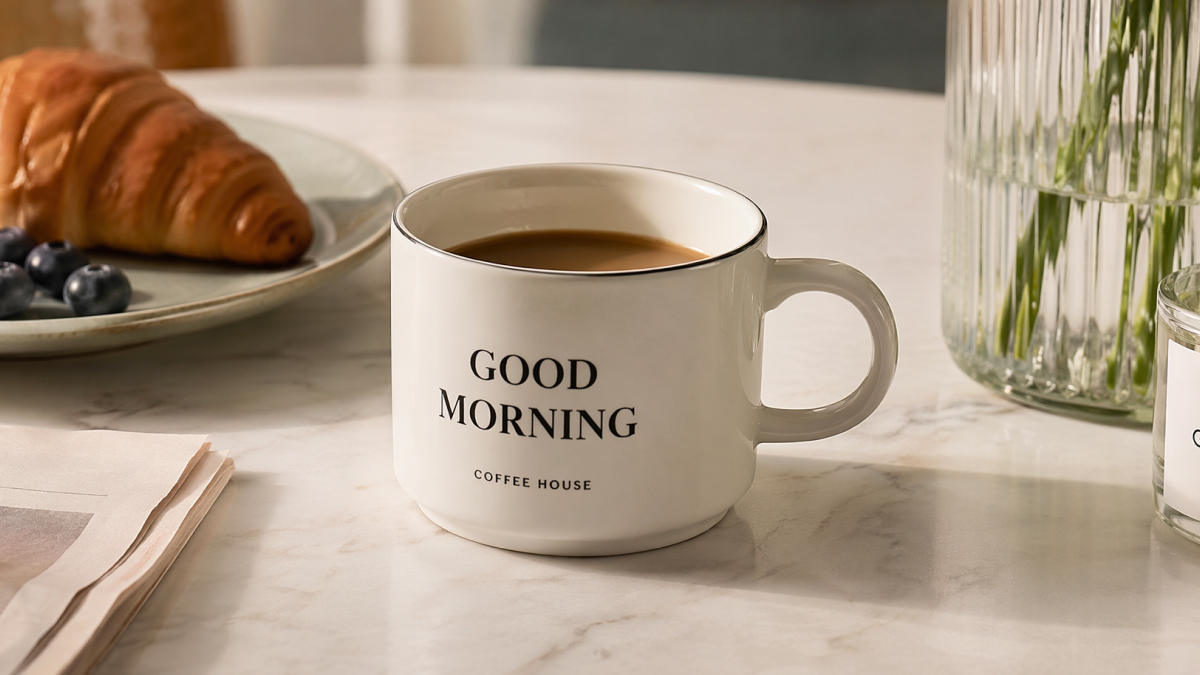
One of the most important upgrades in GPT Image 2 is its self-correcting AI mechanism. Unlike earlier models, which produced a single output, this system evaluates and refines the image internally before showing it to the user.
This helps reduce common issues such as:
- Extra fingers or distorted anatomy
- Unnatural proportions
- Inconsistent lighting and shadows
This “review and iterate” process improves baseline quality and reduces the number of retries needed, which is especially useful for designers and marketers working under time constraints.
1.2 Key Upgrades: Semantics & Instruction Following
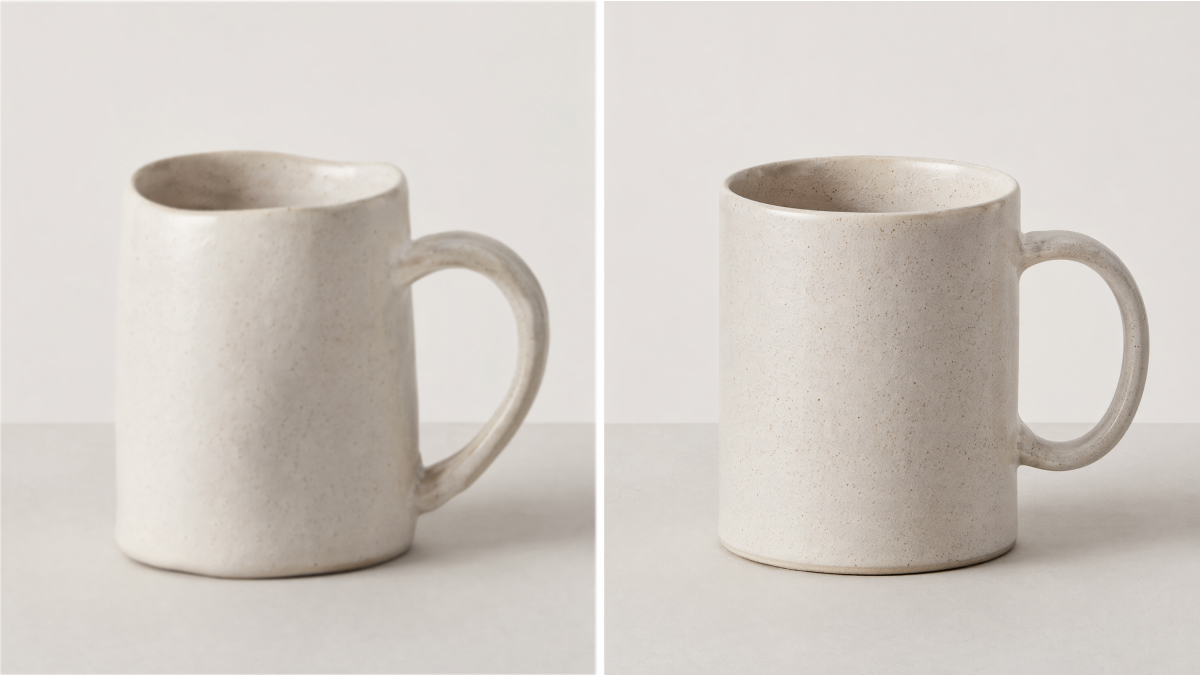
Another major improvement is how GPT Image 2 interprets complex prompts. It demonstrates stronger semantic understanding and better adherence to multi-step instructions.
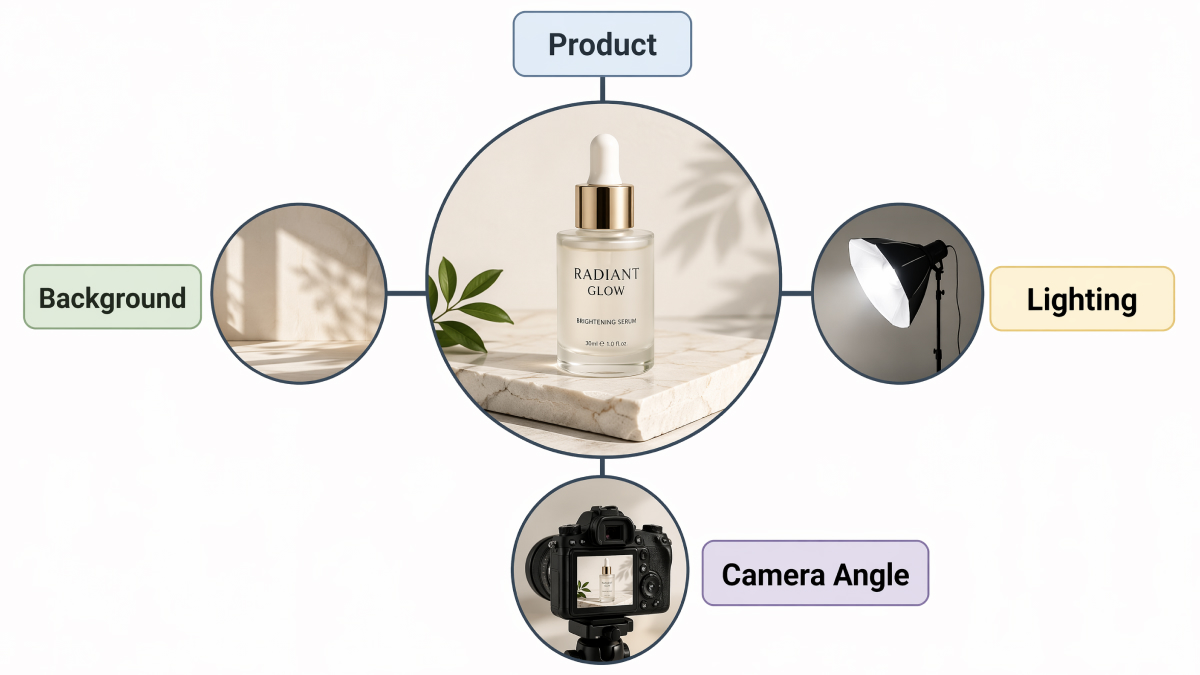
For example, a structured prompt including subject, background, lighting, and angle is now executed more consistently. This makes it more suitable for workflows involving e-commerce visual assets, where precision and repeatability matter.
Part 2: Assessing GPT Image 2 Output Quality (Honest Review)
2.1 Photorealism, Textures, and Detail Accuracy
In terms of visual quality, GPT Image 2 performs well compared to earlier AI image generators.
Strengths:
- Realistic lighting and shadow handling
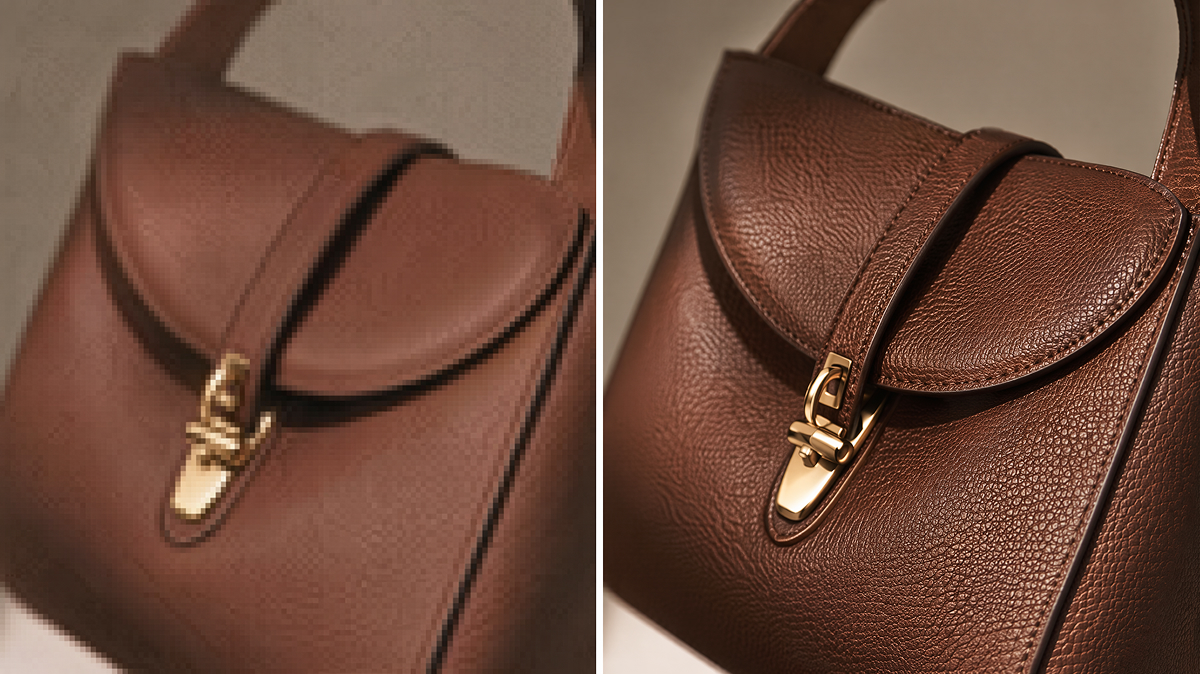
- Improved rendering of textures like leather, fabric, and metal
- Better depth and composition
These capabilities make it suitable for lifestyle product photography, which often performs better than standard white-background images.
According to industry insights from e-commerce platforms, contextual imagery can improve engagement and conversion rates [Source 1].
Limitations:
- Fine details may lose sharpness
- Product shapes may slightly change
- Consistency across multiple images is not guaranteed
2.2 Text Rendering Capabilities (and Limitations)
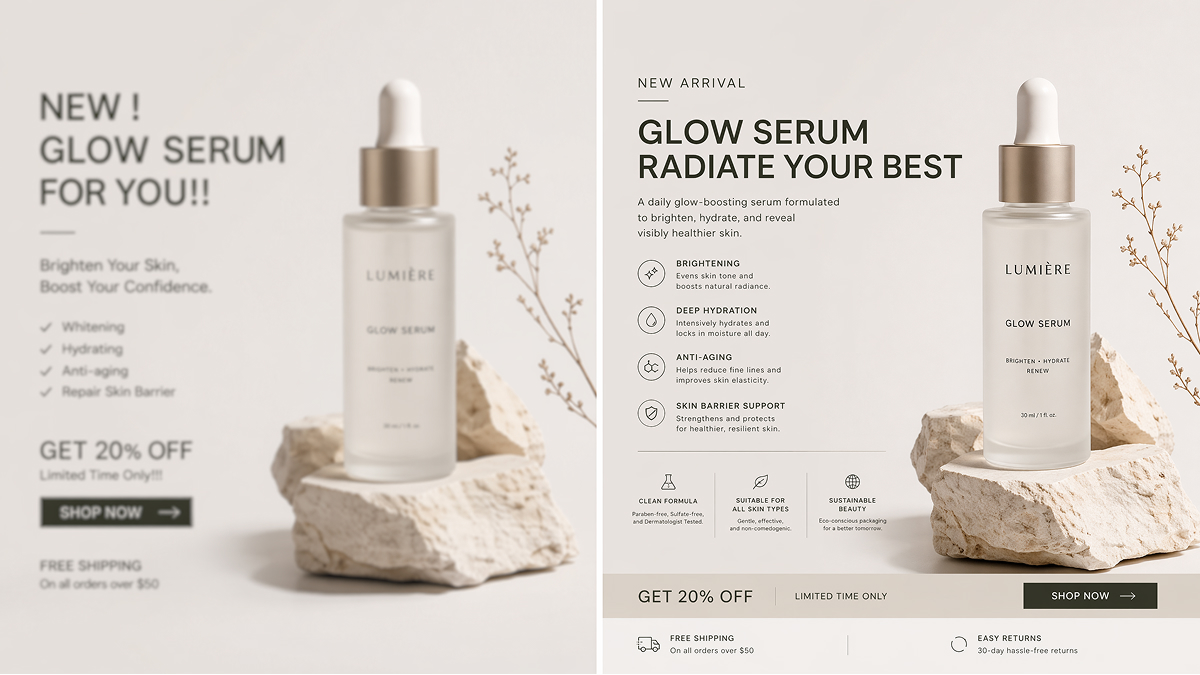
Text rendering in AI remains a major challenge.
GPT Image 2 can handle:
- Short words
- Simple logos
- Basic typography
However, it still struggles with:
- Long sentences
- Multi-language content
- Precise font alignment
This is particularly important for e-commerce banners and ads, where text accuracy directly impacts performance. In practice, many teams combine AI-generated visuals with external tools to ensure precise typography for commercial use.
Part 3: Best GPT Image 2 Use Cases for E-Commerce Brands
3.1 Creating Lifestyle Product Photography
E-commerce product photography has shifted toward lifestyle imagery, where products are shown in real-world contexts.
Examples include:
- A coffee mug on a breakfast table
- Sneakers in an outdoor environment
- Skincare products in a spa setting
These visuals help:
- Create emotional connection
- Show product usage
- Increase perceived value
However, AI tools may alter product details unintentionally, which can be problematic for sellers who require exact product representation.
A practical approach is combining original product images with AI-generated backgrounds to maintain accuracy while improving visual appeal.
3.2 Generating Social Media Marketing Assets
GPT Image 2 is also useful for creating scalable social media marketing assets.
It allows brands to:
- Produce multiple variations quickly
- Test different creative directions
- Maintain consistent publishing schedules
To maintain a strong brand identity, consider:
- Using consistent color palettes
- Defining lighting styles
- Keeping composition guidelines stable
Part 4: Ultimate GPT Image 2 Prompt Guide for Better Results
4.1 The Perfect Formula for E-Commerce Image Prompts
A structured prompt significantly improves output quality.
Recommended formula:
[Product] + [Environment] + [Lighting] + [Camera Angle] + [Style]
Example 1:
Minimalist ceramic mug on wooden table, soft morning light, 45-degree angle, Scandinavian style
Example 2:
Luxury skincare bottle on marble surface, studio lighting, close-up shot, editorial style
4.2 Iteration Strategies to Refine AI Outputs
Even with strong prompts, iteration is necessary.
Effective methods include:
- Keep subject, change lighting to sunset
- Adjust color temperature to warmer tones
- Increase contrast and shadow depth
However, prompt engineering can become time-consuming. Many teams address this by building standardized workflows or templates to improve efficiency and consistency.
Conclusion
This GPT Image 2 review shows that the tool is a meaningful step forward in AI image generation, particularly in prompt understanding and visual quality.
However, it is not a complete solution for professional workflows.
Key takeaways:
- Strong for rapid visual ideation
- Effective for lifestyle imagery
- Limited in text rendering and product consistency
- Requires structured prompts and iteration
For e-commerce brands, combining AI tools with controlled design processes remains the most reliable approach.
To better understand how GPT Image 2 works in practice, here’s a complete overview from YouTube creator ElevenLabs, offering an in-depth look at its capabilities:
Frequently Asked Questions
Is GPT Image 2 suitable for e-commerce use?
What are its main limitations?
The biggest issues include text rendering, consistency across images, and fine detail accuracy.
How can I improve results?
Use structured prompts, iterate gradually, and define clear visual parameters such as lighting and angles.
Can GPT Image 2 be used commercially?
Commercial usage depends on platform policies. Always review official guidelines before using generated images in business contexts [Source 2].
You May Also Like

GPT Image 2 Prompts for Product Photos (Copy-Paste Examples)

How to List a Product on Amazon: Materials Checklist for First Listings

Kling vs Veo for Product Video & UGC Ads (2026)

Nano Banana vs Midjourney for Product Photos and Campaign Visuals (2026)

Seedance 2.5 Review: What Changed in ByteDance's New Model

MiniMax H3: Features, Benchmarks, Pricing, and How to Use It

Luma vs Seedance (2026): Ray 3.2 or Seedance 2.0?

Gemini Omni Review: Real Tests, Pros & Limitations for Video Generation

GPT Image 2 Review: Features, Prompts & E-commerce Use Cases

Happy Horse 1.0: The AI Video Model E-Commerce Sellers Need to Know About
AI UGC for Ecommerce in 2026: Text-to-Video, Image-to-Video & Reference Replication Guide

HappyHorse AI Review: Features, Benchmarks & How to Use It
Seedance 3.0 Predictions: Will AI Video Enter the Feature Film Era?
Grok AI vs ChatGPT: Features, Pricing & Best Choice (2026)
How to Use Grok AI: Features, Tips & Best Prompts (2026 Guide)
Sora Is Shutting Down? Best AI Video Alternatives for Creators in 2026
Seedance 2.0 for Ecommerce: Create AI Product Videos in Minutes
Seedance 2.0 Review: Features, Improvements, Pricing & How It Works (2026)
Make every product image ready to sell
Designkit is an all-in-one AI platform for ecommerce visuals. Create product photos, AI videos, virtual try-ons, and Amazon listing images in seconds. Generate HD backgrounds, batch edit photos, and scale your brand with studio-quality content.
