
How to Try Shoes On Virtually and Find Your Perfect Style
Stop guessing how shoes will look—upload your photo and preview styles, colors, and fits before you buy, in minutes.

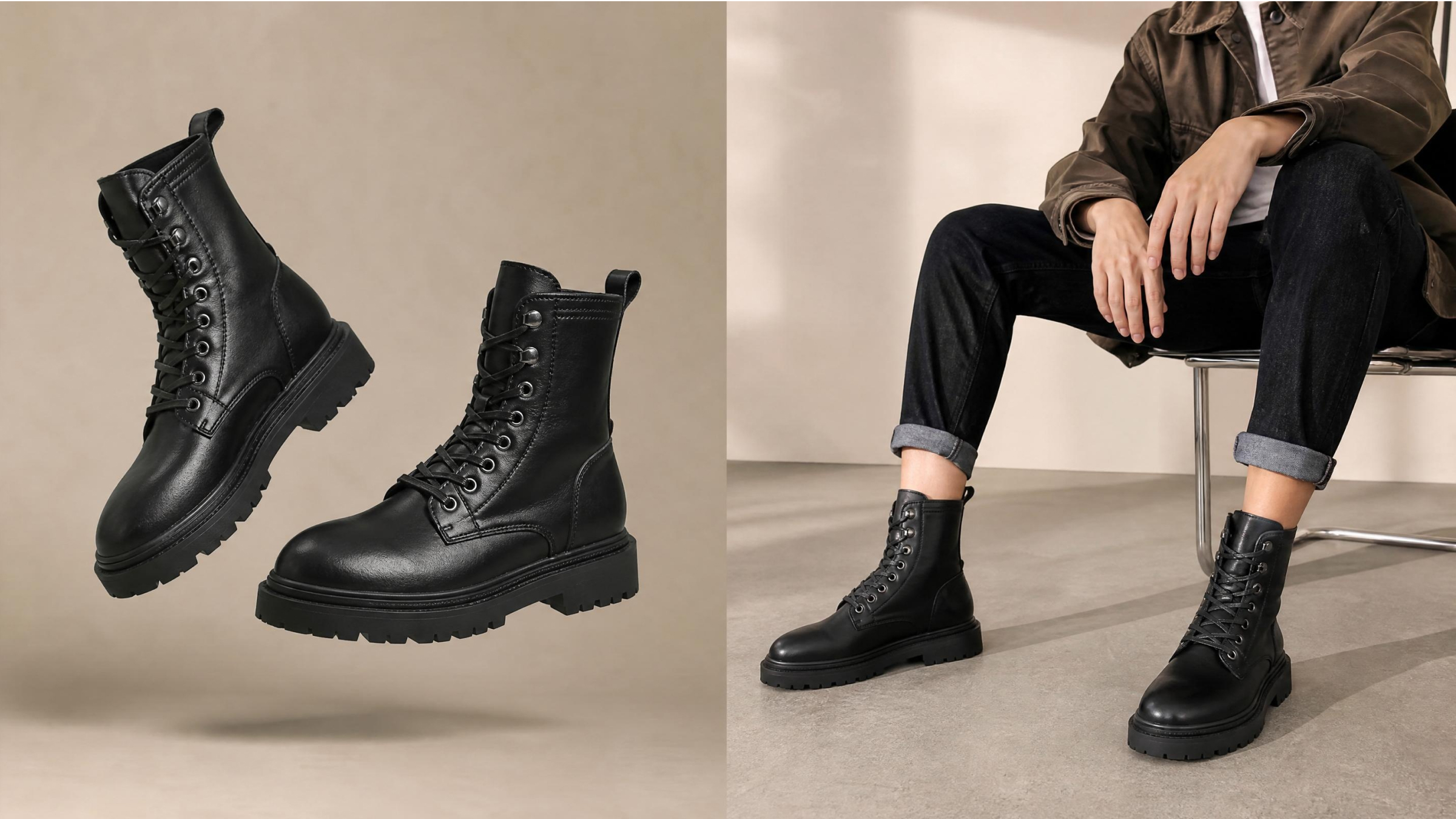
Buying shoes online often leads to wrong sizes and disappointing style mismatches. Many shoppers hesitate because they cannot preview how shoes look realistically beforehand. Yet, nowadays, you can try shoes on virtually, using simple AI tools instantly. This modern AI shoe try-on approach removes guesswork and improves shopping confidence significantly.
Instead of returning items, you preview styles before making final purchase decisions online. In this guide, you will learn a simple stepwise method anyone can follow easily. Follow along to create accurate previews and choose footwear that matches your style.
Why Virtual Shoe Try On Is Changing Online Shopping
Modern consumers constantly look for ways to try shoes on virtually before buying. Digital shoppers need more certainty when selecting premium footwear from various online brands. Emerging data from Branvas shows that virtual try-on solutions can reduce online return rates by 30%. Therefore, understanding these specific motivations helps you master the online shoe fitting process:
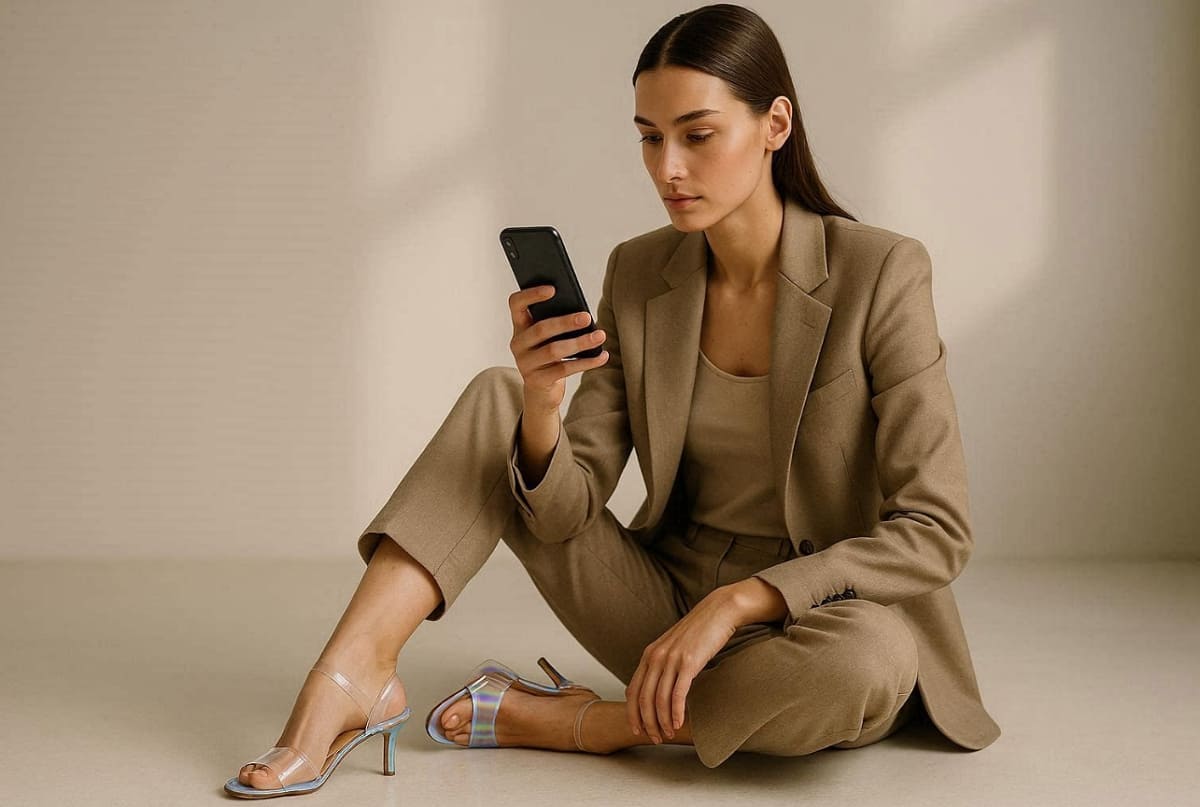
1. Style Verification: Users want to see if specific shoe designs truly match their personality.
2. Visual Confirmation: The visualization of shoes assists shoppers in determining the colors that suit their feet best.
3. Fit Confidence: A digital preview lowers anxiety levels with regard to purchasing the wrong sizes.
4. Trend Exploration: Beginners can experiment with bold new styles without committing to a purchase.
5. Informed Decisions: Viewing realistic digital models allows for a much more thoughtful evaluation process.
Benefits of Virtual Footwear Previews
Integrating a reliable online shoe fitting strategy offers several key advantages for every shopper. The following table outlines how you can benefit from using this innovative technology:
|
Benefit Category |
Impact on Shopping |
Practical Advantage |
|---|---|---|
|
Fewer Returns |
Lower Hassle |
You spend less time shipping back incorrect or ugly items. |
|
Better Styling |
Higher Confidence |
Match your new shoes with your favorite existing wardrobe pieces. |
|
Cost Savings |
Smart Investing |
Avoid spending money on footwear that you will never actually wear. |
|
Fast Comparisons |
Time Efficiency |
Quickly compare different brands and styles without leaving your cozy home. |
Hence, mastering the ability to try shoes on virtually is now remarkably accessible for beginners. Most modern tools are designed with very simple interfaces that require zero technical skills. You can achieve professional results by simply following basic instructions on your mobile device.
What You Need Before You Start a Virtual Shoe Try On
Preparing your digital assets correctly ensures a successful and smooth virtual shoe try-on experience. You only need a few basic items to begin your interactive footwear journey. So, explore the following simple requirements to ensure your final results look completely professional:
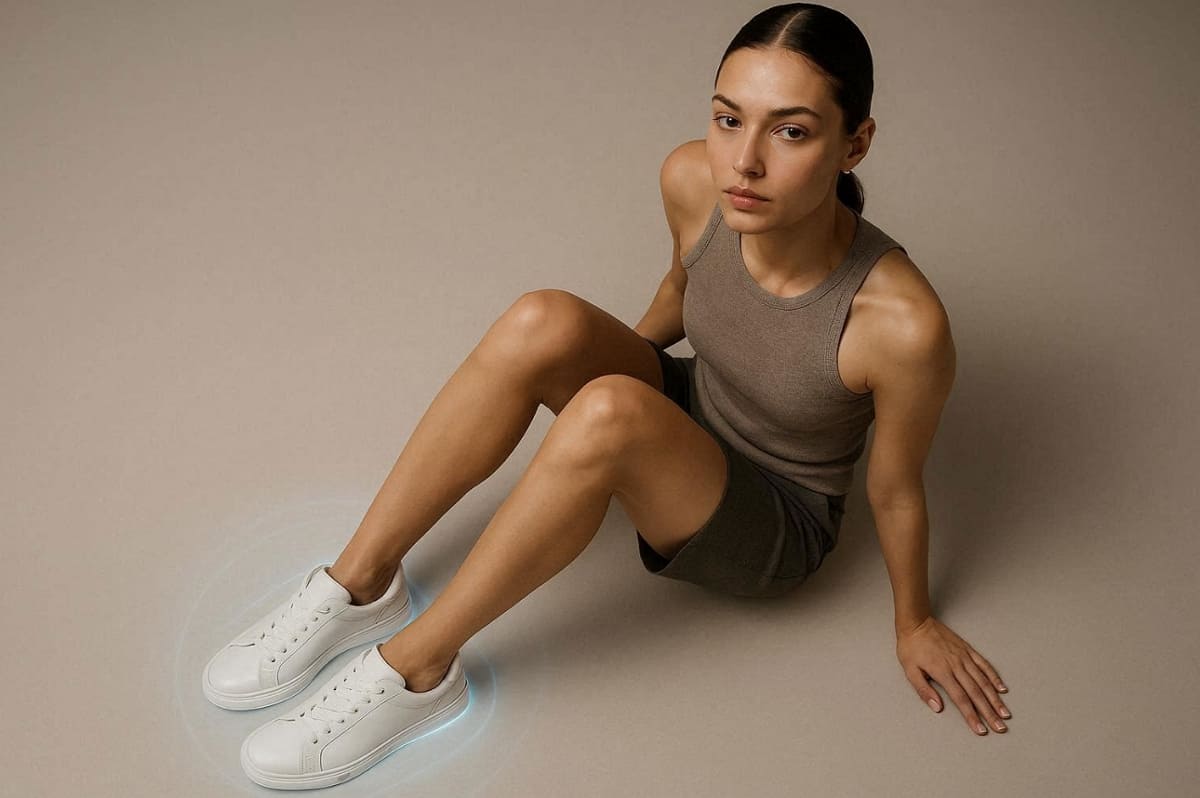
1. Primary Foot Photo: Take a clear, HD picture of your feet from a visible, natural angle.
2. Image of Target Shoe: Locate a clean picture of the specific shoe/footwear that you would like to preview.
3. Consistent Internet Connection: You need to have a good data signal to enable you to process data on the cloud effectively.
4. Compatible Mobile Device: Get a modern smartphone or tablet to get the newest interactive features.
Quick Tips on Photo Quality and Angles
Follow these easy suggestions to master the virtual shoe try-on process effectively:
- Natural Lighting: Always take your photos in well-lit areas to capture accurate material colors.
- Clean Backgrounds: Use a neutral floor surface to help the software identify your feet easily.
- Best Height: Have your camera at waist height so that the camera can have the most natural-looking view.
- Sharpness: Make sure that your camera lens is not dirty so as to capture a blurred or distorted picture.
- Bare Feet: For the best alignment, take your base photo without wearing any bulky socks.
Step-by-Step Virtual Shoe Try-On Tutorial
Learning the core mechanics of this technology is the most exciting part for users. We will use the Designkit’s Virtual Try-On tool as our primary example for beginners. This platform simplifies the entire process while providing high-quality and professional visual results. Follow this comprehensive virtual shoe try-on tutorial to achieve your perfect digital look:
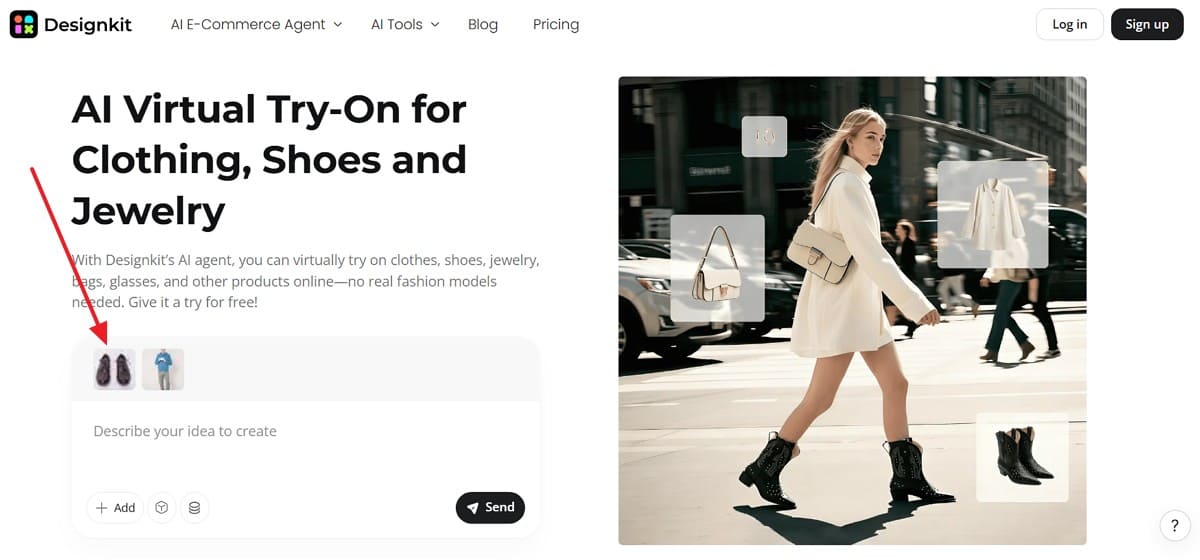
Upload Your Photo and Shoe Image
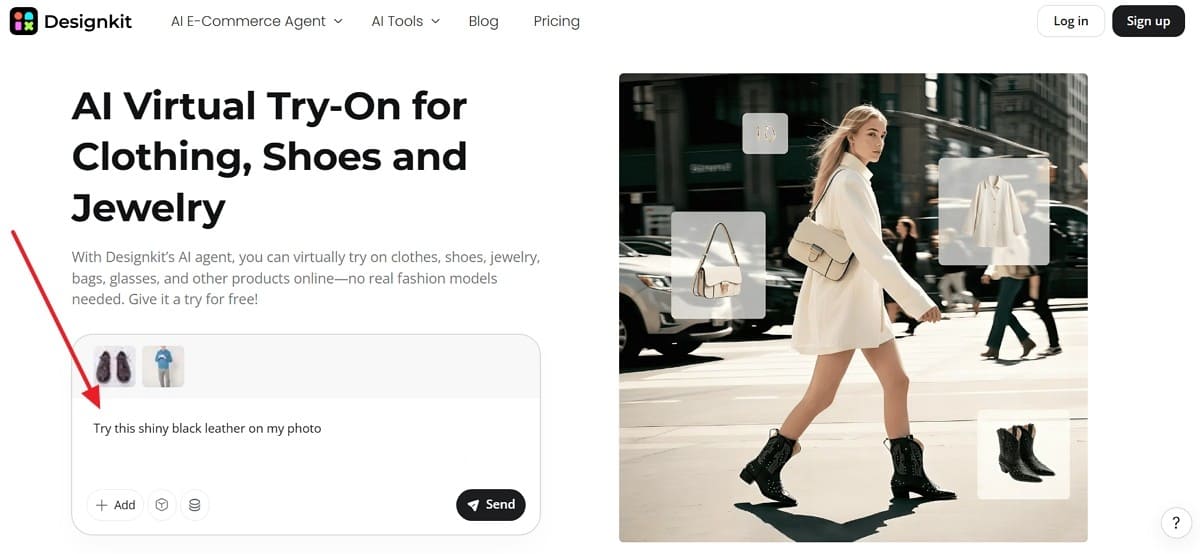
The first step is to import your visual assets into the simple user display. You can try shoes on virtually by selecting the "Add" button on your dashboard. Designkit ensures a smooth experience by supporting a range of common image formats for your convenience. Yet, quality input images are essential for maintaining the realism of your final digital preview.
Describe the Shoe Style with Simple Prompts
Adding a descriptive text prompt helps the AI shoe try-on engine understand details. You can specify materials like “shiny black leather” or “white athletic mesh” for accuracy. Designkit offers prompt-based control so you can customize the final lighting and texture easily. Consider using these simple examples to improve the overall realism of your digital footwear:
- Example One: “Classic white leather sneakers with clean rubber soles and natural outdoor lighting.”
- Example Two: “Red suede high heels with elegant straps and a soft studio glow effect.”
Generate and Adjust Your Try-On Result
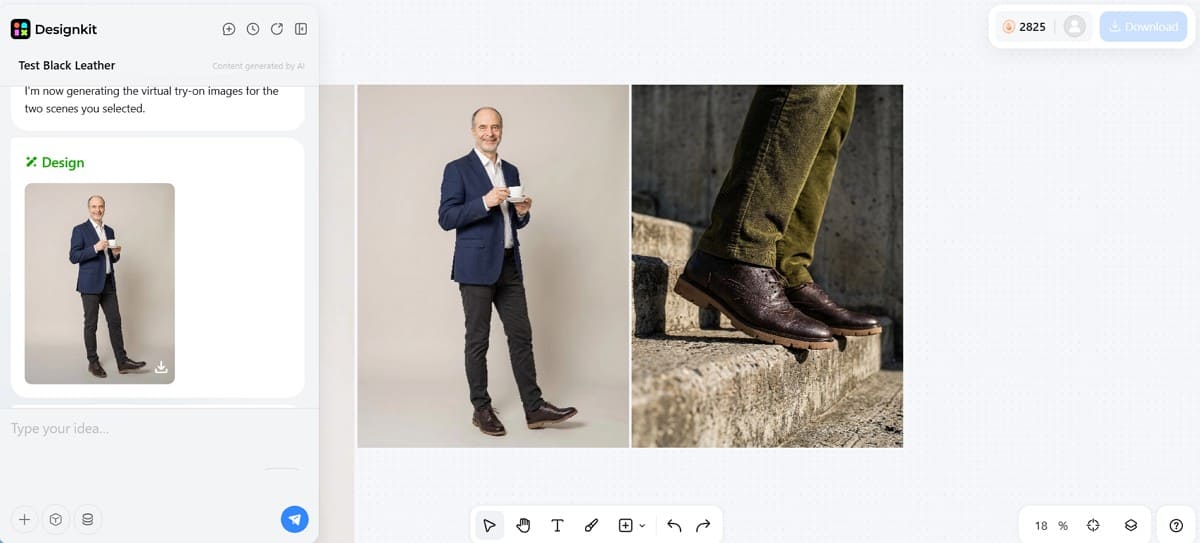
Once your data is ready, click the generate button to see your results. You will see how to do a virtual shoe try-on successfully in just a few seconds. Designkit provides a very fast generation experience that saves you valuable time and effort.
Furthermore, Genlook documents a 35% boost in conversion by those who interact with try-on tools. However, when the initial outcome is not ideal, all you need to do is change your prompts and re-try. In addition, going through various options will assist you in discovering the most flattering appearance within your style.
How to Check If the Shoes Match Your Outfit
The only way to have a perfectly coordinated aesthetic is to consider your whole ensemble, not just your feet. Outfit styling with shoes means that there has to be a balance of colors and other proportions of clothing. Find out about these key aspects so that your new shoes can suit your total fashion statement:
1. Proportion Check: Ensure the shoe silhouette balances well with your chosen pant or skirt length.
2. Color Harmony: Verify that the footwear shade does not clash with your primary outfit colors.
3. Contextual Vibe: Find the formality of your shoes according to the particular event that you are attending.
4. Texture Blending: See how different materials like leather or suede interact with your fabric choices.
Beyond that, you also want to experiment with various blends in order to discover the most flattering appearance for your wardrobe. The Designkit’s AI Outfit Generator helps you master outfit styling with shoes very quickly. Using a dedicated AI Clothes Changer tool allows you to swap styles without changing physical clothes.
In addition, digital experimentation saves you significant time while helping you discover unique and creative fashion pairings. This flexible workflow empowers you to build a cohesive and stylish wardrobe with total confidence. Even more, 20% of modern consumers now express significant interest in emerging virtual try-on technologies, according to Numerator.
Tips to Get More Realistic Virtual Shoe Try-On Results
Refining your digital process is the best way to achieve stunning and lifelike previews. Applying professional virtual shoe try-on tips will enhance your overall visual accuracy. Follow these specific practical strategies to ensure your generated images look completely natural:
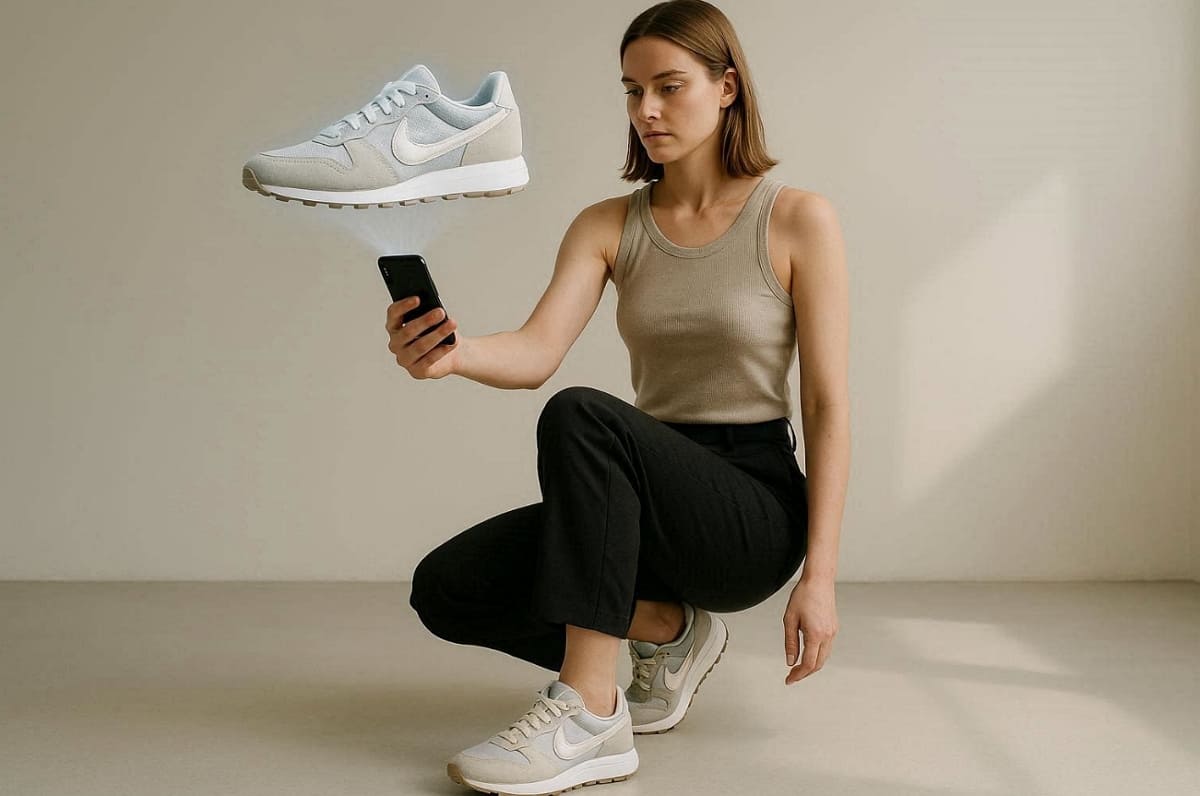
1. Optimal Lighting: Use soft and consistent natural light to avoid harsh shadows on your feet. This step ensures the software can blend the shoe textures with your skin.
2. High Resolution: Always upload the highest quality images available for the best possible digital output. Clearer pixels allow the engine to render fine details like stitching and laces.
3. Camera Angle: Keep your smartphone camera perfectly level to match the shoes' perspective. An accurate viewpoint prevents the footwear from looking floating or disconnected from you.
4. Prompt Specificity: Include detailed descriptions of materials to help the system generate realistic light reflections. Furthermore, mentioning matte or glossy finishes guides artificial intelligence toward much better results.
5. Neutral Background: Stand on a plain floor to help the tool clearly distinguish your feet. Alongside that, removing distracting objects from the frame improves the focus on your stylish footwear.
Advanced algorithms within Designkit utilize these simple inputs to create highly believable visual renders. You can trust the platform to handle complex rendering tasks without requiring technical expertise. Moreover, small adjustments to your initial setup can lead to significant improvements in the final quality.
Hence, implementing these tips makes your shopping experience much more reliable. This professional approach guarantees that your digital fashion journey remains both fun and accurate.
Conclusion
In conclusion, modern technology makes it incredibly easy to try shoes on virtually from home. This simple guide helps you master the digital fitting process with minimal effort. Research from Shopify shows that virtual fitting rooms are becoming core ecommerce infrastructure for many successful online retail brands.
Experience the convenience of previewing every style before making your final purchase. Moreover, using tools like Designkit ensures your fashion decisions are always accurate and very stylish.
Frequently Asked Questions
Which file formats are supported for an AI shoe try-on process?
How realistic are the results from modern AI shoe try-on tools today?
Modern AI shoe try-on tools deliver highly realistic previews with advanced rendering technology. Accurate textures, lighting, and shadows make digital footwear appear natural on your feet. However, results improve further when users provide quality inputs and detailed prompts consistently.
How much time does it take to generate a digital footwear try-on?
You will usually see your custom-generated results within a few very short seconds. Processing speed depends on internet connection, image quality, and platform optimization performance. Faster tools allow users to experiment with multiple styles without delays or interruptions.
Can beginners easily use AI shoe try-on tools without technical experience?
Beginners can easily use AI shoe try-on tools with simple interfaces. Most platforms guide users step by step without requiring advanced technical knowledge or setup. Moreover, following basic instructions consistently ensures accurate results and smooth virtual shoe try-on experiences.
You May Also Like

How to Photograph Shoes for Your Ecommerce Store in 2026

Best Virtual Shoe Try-On Tools for Ecommerce: 2026 Guide

How to Try On Clothes Online with AI for Better Fit & Style

How to Try On Glasses Online with AI in 2026 (Easy Guide)

Best AI Virtual Try-On Clothes Tools for Any Body Type

Best Virtual Hairstyle Try-On Tools Online for Realistic Previews 2026
See How Any Shoe Looks on You—Before You Buy
No more wrong sizes or style mismatches. Upload your photo to Designkit, describe the shoe with a simple prompt, and preview realistic try-on results that match your outfit—so every purchase is one you'll keep.


