
AI Background Changer: Compare the Best Photo Editing Tools
Not sure which AI background tool fits your workflow? See how seven popular options stack up on quality, batch processing, and e-commerce features, plus a 5-step guide to get polished results either way.


The background of a photo can completely change how professional, engaging, and trustworthy it looks. Whether you're editing product images, creating social media graphics, or preparing marketing materials, an AI background changer makes the process faster and more accurate than manual editing. Modern AI tools can automatically remove distractions, replace plain backgrounds with realistic scenes, and generate new environments that match your brand.
In this guide, you'll learn how AI background changers work, compare the best tools available, and discover practical tips for creating polished, high-quality images with minimal effort.
Key Takeaways
-
AI background changers handle three different jobs: pure removal, color/scene replacement, and full AI-generated backgrounds — not every tool does all three.
-
For e-commerce catalogs, batch processing and marketplace-ready sizing matter more than raw cutout quality alone.
-
Tools built specifically for product photos (Designkit, Claid, Photoroom) tend to outperform general design tools (Canva, Adobe Express) on consistency at scale.
-
Free tools work fine for occasional edits; regular catalog work usually needs a paid or workflow-focused option.
What Is an AI Background Changer?
An AI background changer is a tool that automatically detects the main subject in an image and replaces, removes, or edits the background without requiring advanced photo editing skills. Instead of manually tracing edges or creating complex masks, AI identifies people, products, pets, vehicles, and other objects with impressive accuracy.
Whether you want to change the background for a photo for an online store, a social media post, or a marketing campaign, AI-powered tools make the process fast and accessible. Many modern photo editors that change backgrounds also offer customizable templates, AI-generated scenes, and one-click enhancements to create professional-looking visuals in minutes.
How AI Background Editing Works
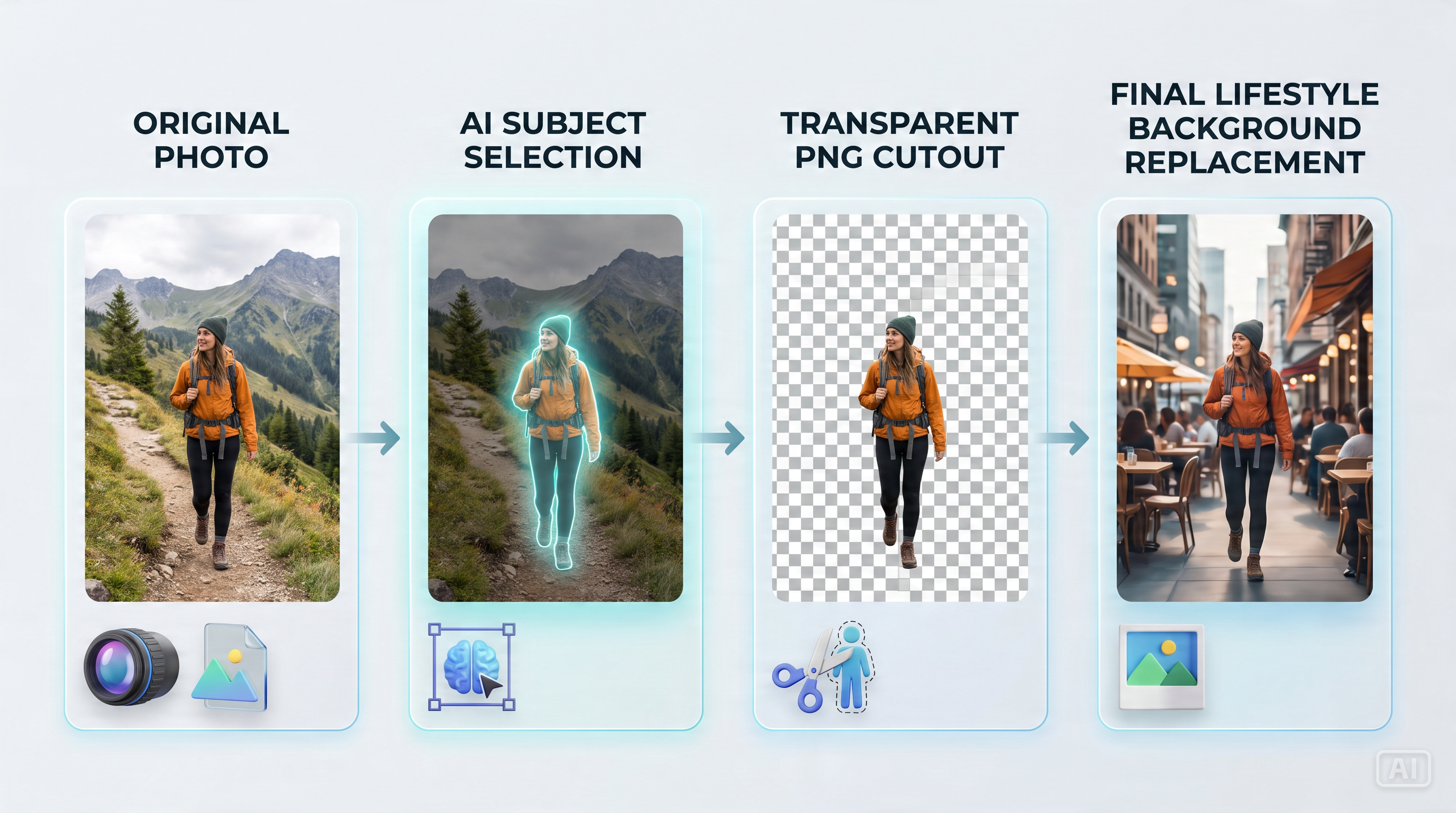
AI background editing uses computer vision and machine learning to separate the subject from its surroundings automatically. The software analyzes the image, detects edges, hair, shadows, and fine details, then creates a clean selection without manual masking.
Once the subject is isolated, you can:
-
Remove the existing background.
-
Replace it with a new image or color.
-
Generate a completely new AI scene.
-
Add realistic shadows and lighting for a natural look.
The best AI for background change combines accurate subject detection with smart editing features, making it easy to produce polished images for business or personal use.
Background Removal vs. Background Replacement
Although these terms are often used together, they serve different purposes.
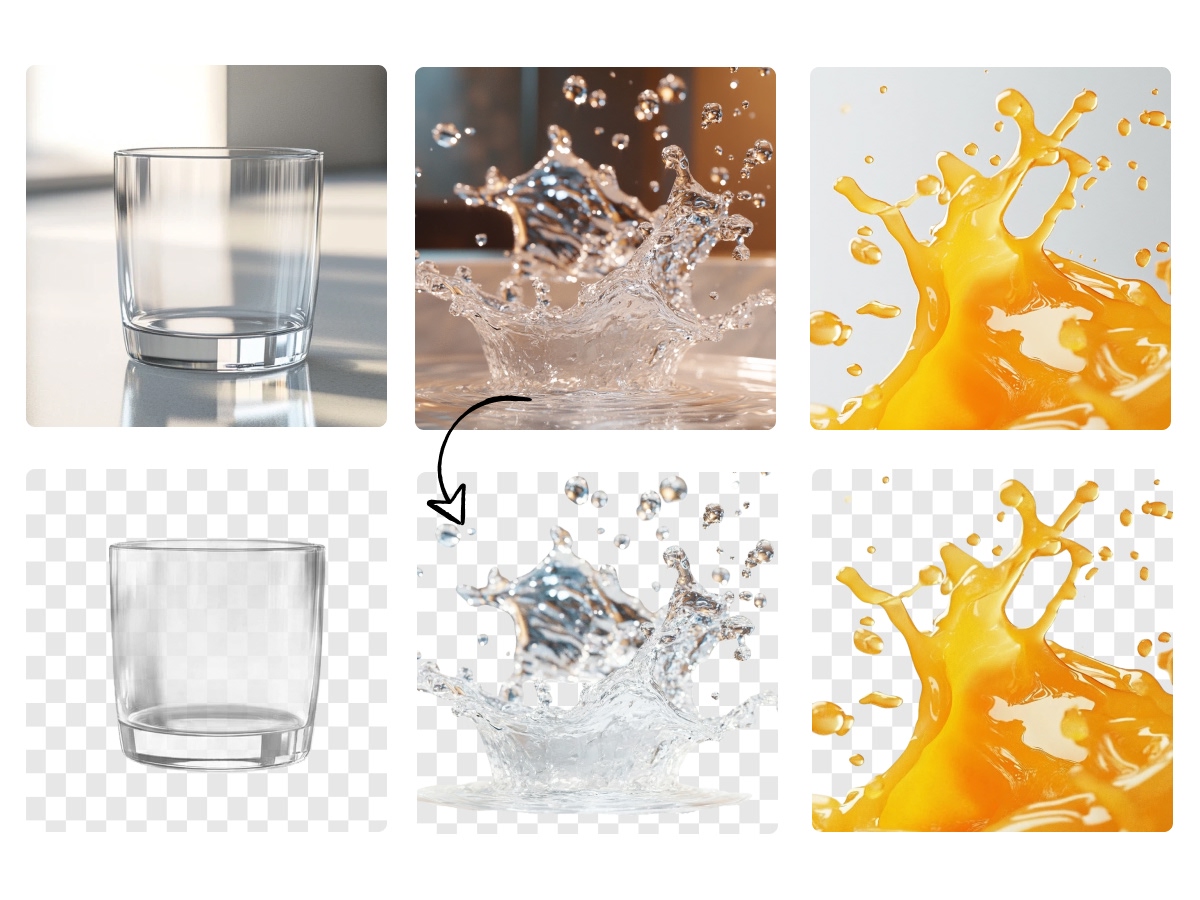
Background removal simply eliminates the original background, leaving the subject on a transparent canvas. This is ideal for product catalogs, logos, and marketplace listings where a transparent PNG is required.
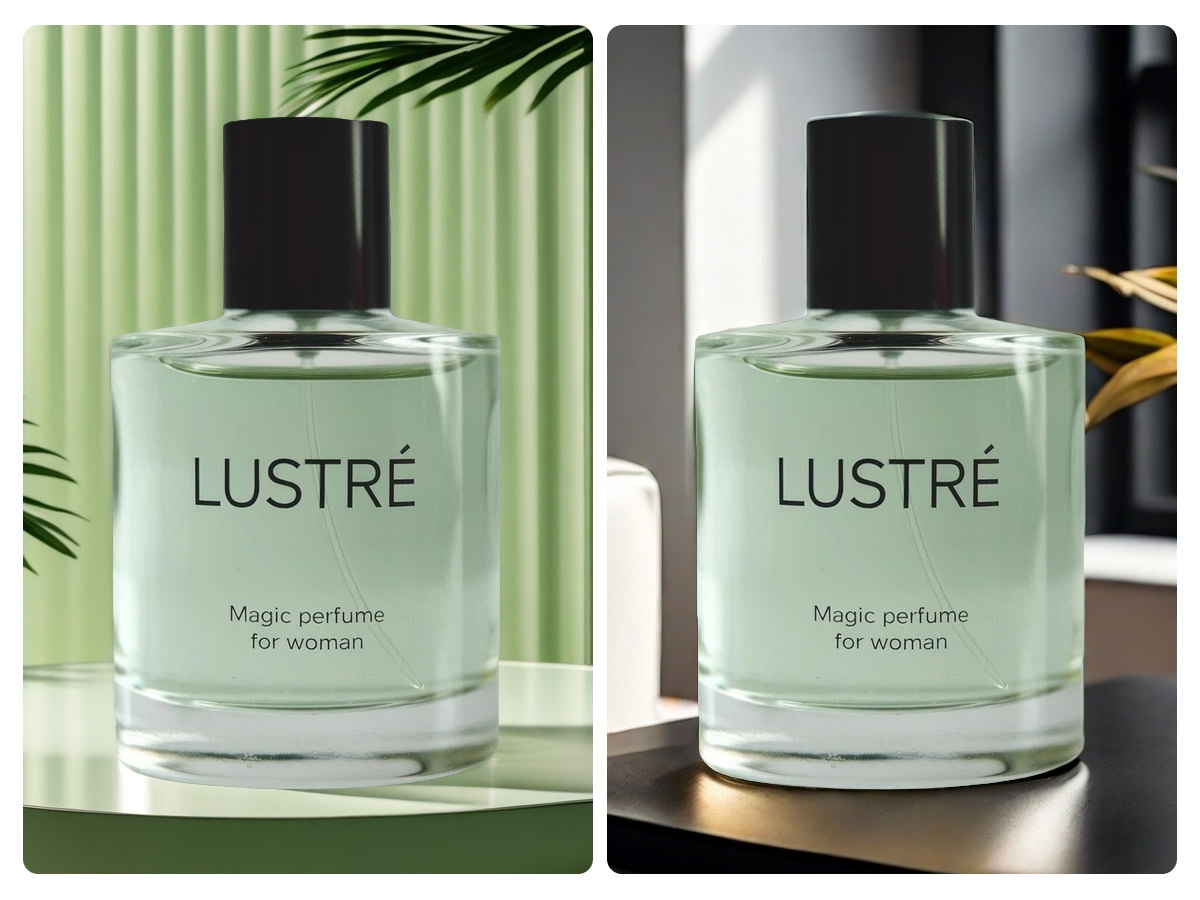
Background replacement goes a step further by placing the subject onto a new backdrop, such as a studio setting, office, outdoor landscape, or branded environment. This approach is popular for product photography, advertising, and promotional content because it creates more engaging visuals.
AI-Generated Backgrounds vs. Transparent Backgrounds
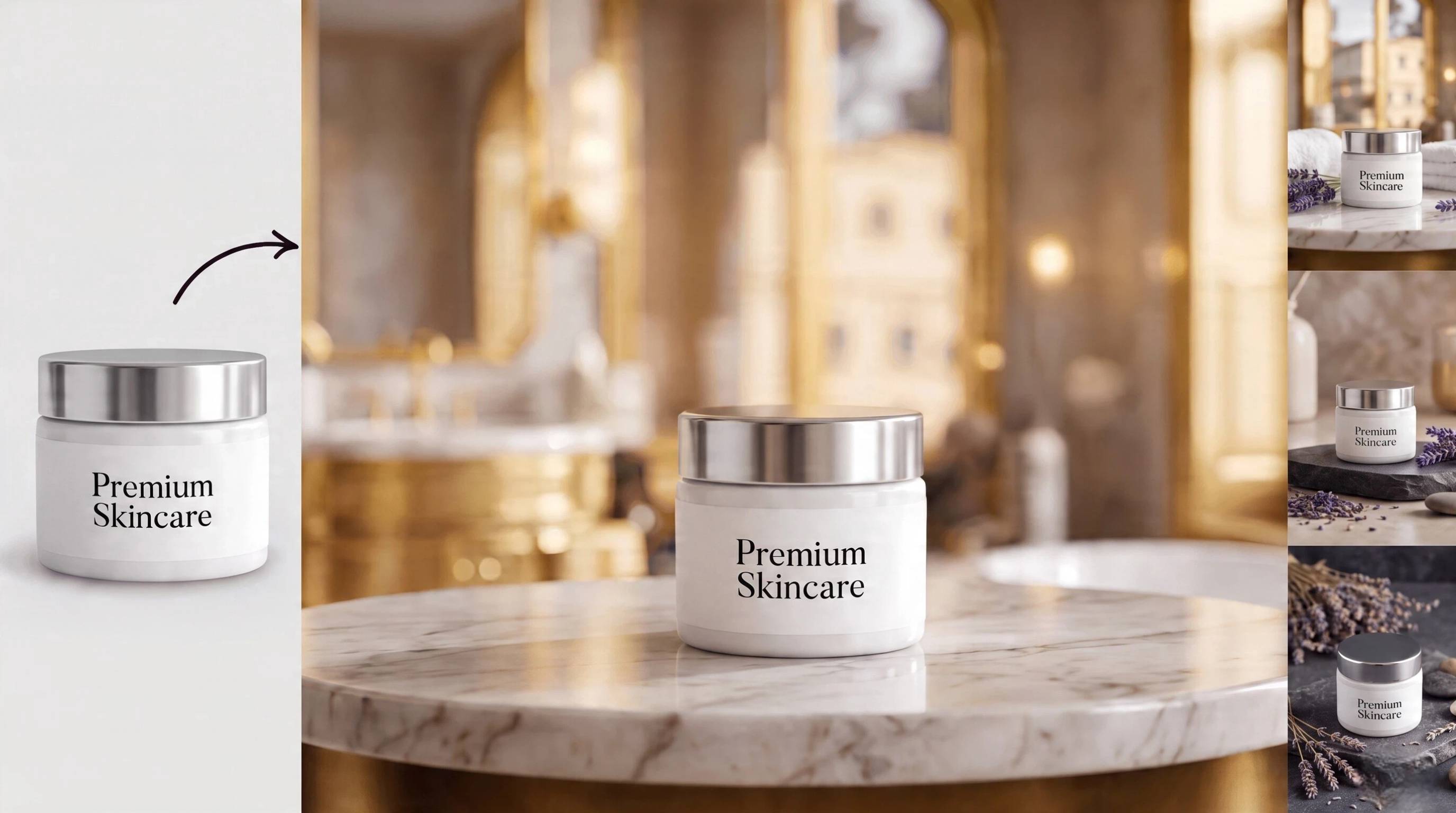
AI-generated backgrounds create entirely new scenes using artificial intelligence. Instead of uploading a replacement image, you can describe the environment you want, such as a luxury living room, modern office, beach, or minimalist studio, and the AI generates a matching backdrop.
Transparent backgrounds, on the other hand, remove the original environment without adding anything new. They are commonly used for graphic design, print materials, websites, and e-commerce platforms where flexibility is important.
Choosing between the two depends on your project. Transparent backgrounds work best when you need versatile image assets, while AI-generated scenes help create eye-catching marketing visuals with minimal effort.
Who Use an AI Background Changer?
An AI background changer saves time while helping create professional-quality images for different industries and creative projects. From online stores to personal photography, AI simplifies editing the background of a photo without requiring advanced editing experience.
E-commerce
High-quality product images can improve customer trust and make listings look more professional. AI tools help sellers quickly replace distracting backgrounds with clean white backdrops or lifestyle scenes that match their brand, making products stand out across online marketplaces.
Marketing
Marketing campaigns often require multiple image variations for ads, banners, emails, and landing pages. An AI background editor makes it easy to create consistent visuals for different audiences without scheduling expensive photoshoots or spending hours on manual editing.
Social Media
Social platforms reward visually appealing content. Whether you're creating Instagram posts, Facebook ads, Pinterest Pins, or TikTok thumbnails, a background changer lets you produce eye-catching images that match seasonal trends, campaigns, or brand aesthetics in just a few clicks.
Product Photography
Instead of photographing products in multiple locations, AI allows you to place the same product into different realistic environments. This creates premium-looking product images while reducing studio costs and editing time, making it one of the best tools to change photo backgrounds for online businesses.
Personal Projects
AI background editing is also useful for everyday creativity. You can upgrade travel photos, create professional profile pictures, design invitations, edit family portraits, or produce unique digital artwork. The best background changer helps anyone transform ordinary photos into polished images with minimal effort.
7 Best AI Background Changer Tools in 2026
The best AI background changer depends on your workflow. Some tools specialize in fast background removal, while others provide complete creative suites with AI-generated backgrounds, design templates, and e-commerce optimization. Here's a look at the leading options in 2026.
Claid AI
Claid AI is built for businesses that need high-quality product photography without expensive studio shoots. Its AI automatically removes backgrounds, improves lighting, and generates clean product images suitable for online stores.

Best for: E-commerce brands and product catalogs
Key features:
-
AI background replacement
-
Automatic image enhancement
-
Consistent product photography
-
Batch image processing
-
API integrations for businesses
|
Pros |
Cons |
|---|---|
|
|
Adobe Express
Adobe Express combines AI-powered editing with easy-to-use design tools, making it suitable for marketers, creators, and small businesses. It allows users to change background for a photo and continue designing graphics within the same workspace.
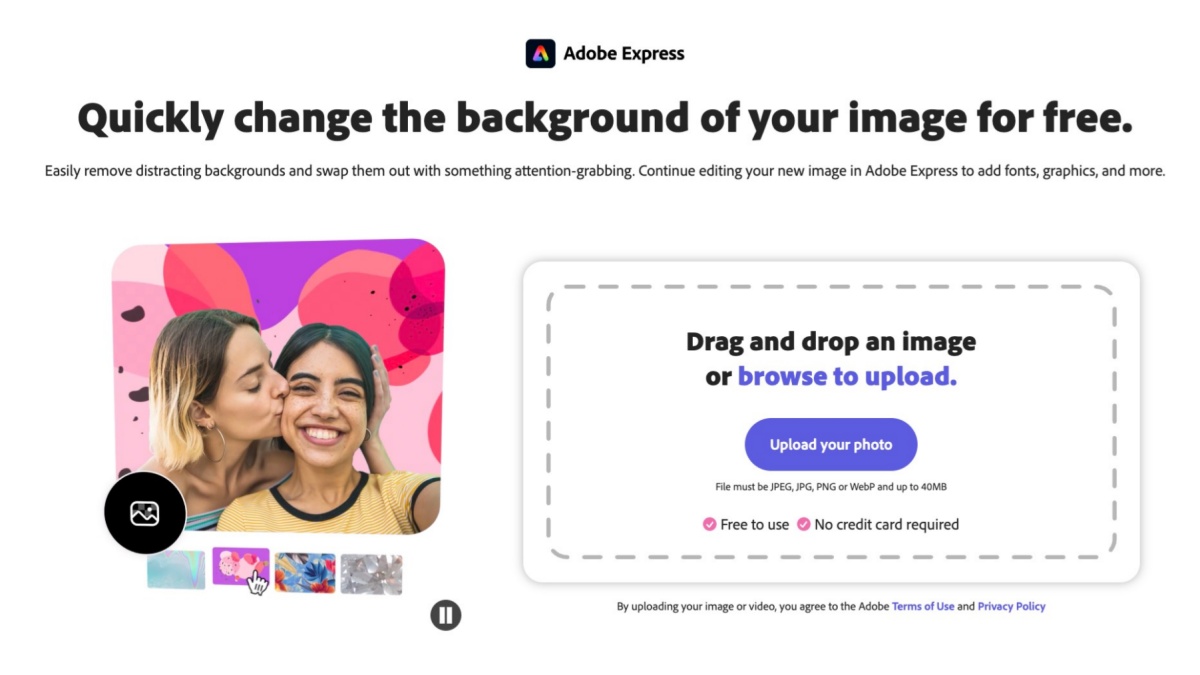
Best for: Marketing graphics and branded content
Key features:
-
One-click background removal
-
AI background replacement
-
Design templates
-
Text and branding tools
-
Social media export sizes
|
Pros |
Cons |
|---|---|
|
|
Canva
Canva offers one of the easiest ways to edit and redesign images after changing their backgrounds. It combines AI editing with drag-and-drop design tools for social media, presentations, and business content.
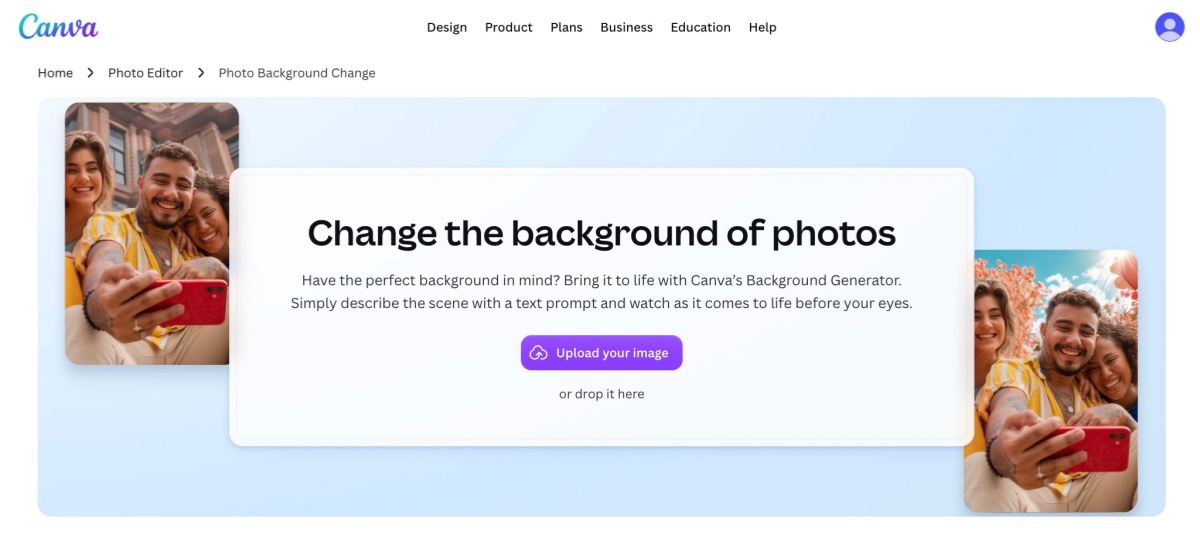
Best for: Content creators and small businesses
Key features:
-
AI background editing
-
Thousands of templates
-
Brand Kit
-
AI image generation
-
Team collaboration
|
Pros |
Cons |
|---|---|
|
|
Designkit
Designkit goes beyond being an AI background editor by offering a complete workflow for creating marketplace-ready product content. Instead of only replacing backgrounds, it helps businesses produce polished product images, promotional graphics, marketing copy, and multi-platform assets from a single workspace.
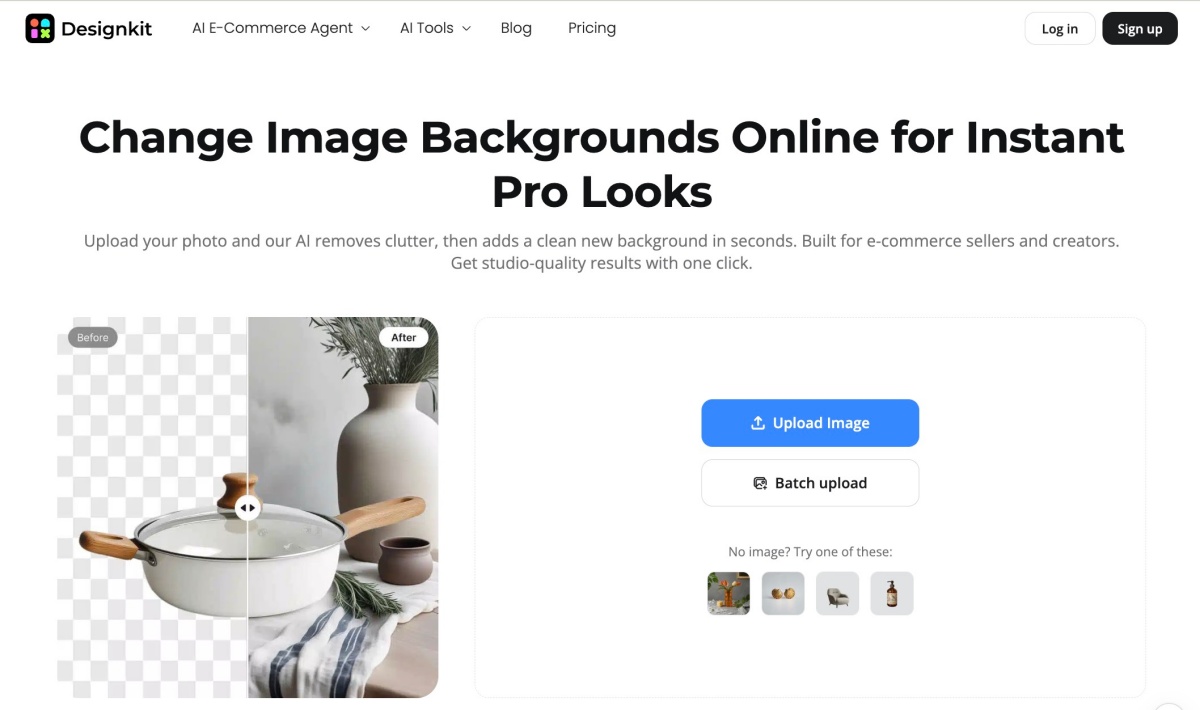
Best for: E-commerce sellers, Shopify stores, Amazon listings, and marketplace marketing
Key features:
-
Background editing: Remove, replace, or refine backgrounds with AI for clean, professional product photos.
-
AI-generated backgrounds: Create realistic lifestyle scenes, seasonal settings, or branded environments from simple prompts.
-
Product-focused layouts: Automatically generate product banners, comparison graphics, feature highlights, and promotional designs.
-
Copy generation: Create product titles, descriptions, selling points, and promotional copy alongside visual assets.
-
Multi-size exports: Export optimized creatives for websites, marketplaces, social media, email campaigns, and digital ads.
-
Marketplace-ready creatives: Produce listing images and marketing materials designed for platforms like Amazon, Shopify, Etsy, and other online stores.
|
Pros |
Cons |
|---|---|
|
|
Photoroom
Photoroom is a popular background changer for creating professional product photos directly from a phone or desktop. It focuses on quick edits while offering AI-generated backgrounds and ready-made templates.
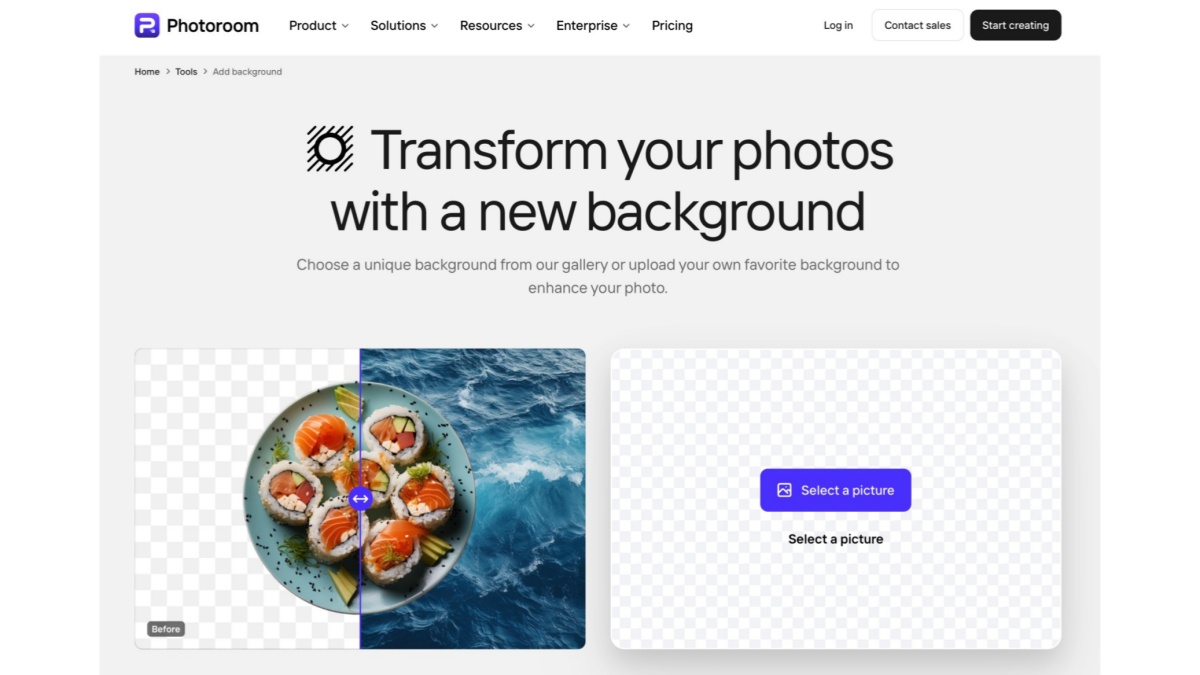
Best for: Small businesses and mobile product photography
Key features:
-
AI background removal
-
AI-generated scenes
-
Product templates
-
Batch editing
-
Magic Retouch tools
|
Pros |
Cons |
|---|---|
|
|
Pixelcut
Pixelcut is designed for entrepreneurs and creators who need attractive product photos for online marketplaces and social media. Its AI simplifies editing while generating realistic backgrounds and promotional content.
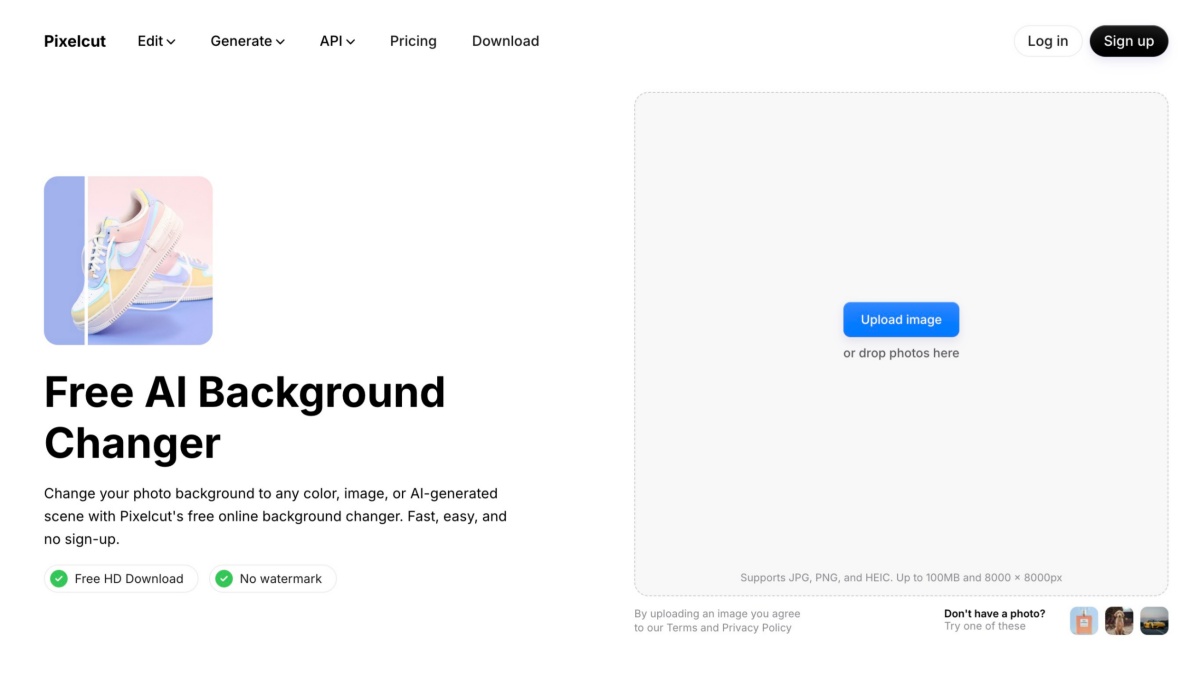
Best for: Marketplace sellers and social commerce
Key features:
-
AI background replacement
-
AI image generation
-
Product photography templates
-
Batch editing
-
Magic Eraser
|
Pros |
Cons |
|---|---|
|
|
Remove.bg
Remove.bg specializes in removing image backgrounds quickly and accurately. It is one of the fastest tools available if your primary goal is creating transparent images for further editing.
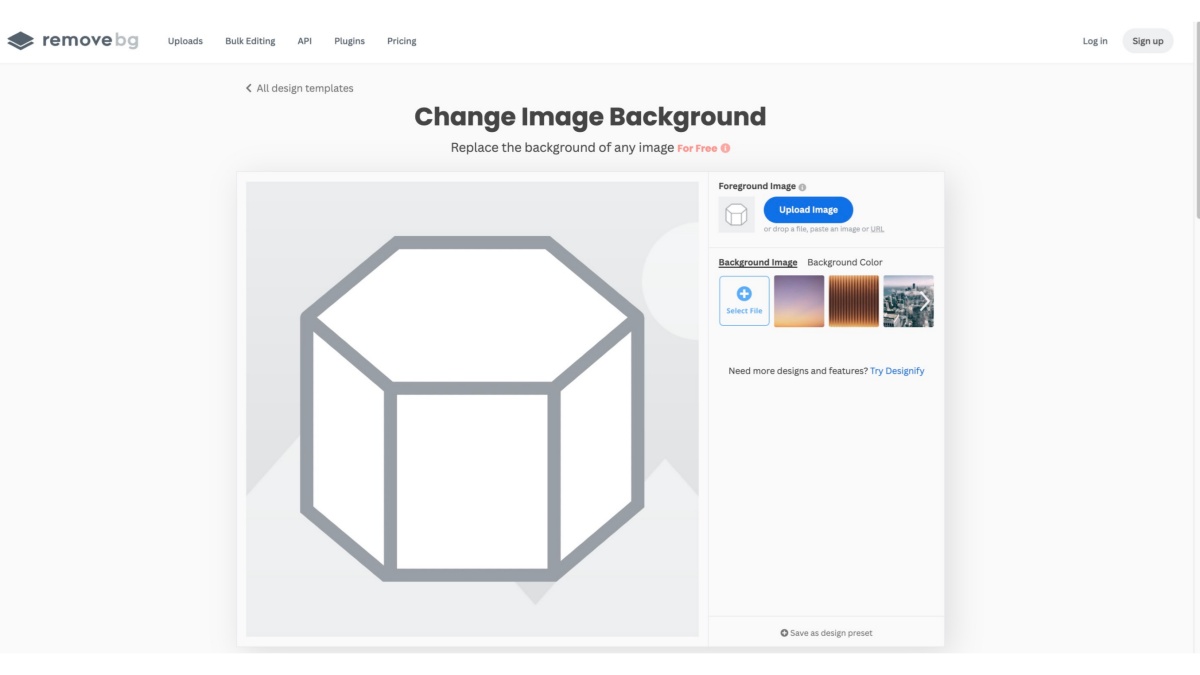
Best for: Fast background removal
Key features:
-
Automatic background removal
-
Transparent PNG export
-
API access
-
Desktop application
-
Photoshop integration
|
Pros |
Cons |
|---|---|
|
|
Comparison Table
|
Tool |
AI Background Generation |
Manual Editing |
Batch Processing |
Templates |
E-commerce Features |
Best For |
|---|---|---|---|---|---|---|
|
Claid AI |
Yes |
Limited |
Yes |
Limited |
Strong |
Product image enhancement |
|
Adobe Express |
Limited |
Yes |
Limited |
Yes |
Moderate |
General marketing design |
|
Canva |
Limited |
Yes |
Limited |
Yes |
Moderate |
Social media and branded content |
|
Designkit |
Yes |
Yes |
Yes |
Yes |
Strong |
End-to-end product marketing workflows |
|
Photoroom |
Yes |
Yes |
Yes |
Yes |
Strong |
E-commerce product photos |
|
Pixelcut |
Yes |
Yes |
Yes |
Yes |
Strong |
Fast product image editing |
|
Remove.bg |
No |
Limited |
Yes |
No |
Limited |
Background removal only |
How to Change Background for a Photo with AI in 5 Steps
Step 1: Upload Your Photo
Upload your product, portrait, or lifestyle image into an AI background editor. The AI scans the photo, identifies the main subject, and accurately detects fine details such as hair, clothing, transparent objects, and product edges. A precise subject selection creates a strong foundation for realistic background replacement and reduces the need for manual editing.
Step 2: Remove or Isolate the Subject
After the subject is detected, run the AI background removal tool to separate it from the original scene. The AI creates a transparent or masked cutout while preserving edge quality and minimizing unwanted artifacts. A clean cutout makes it easier to replace backgrounds, add creative scenes, or prepare professional product and marketing images.
Step 3: Choose a Background Style
Select a background that matches your purpose, such as a white backdrop for ecommerce listings, a solid brand color, a lifestyle environment, or an AI-generated scene. Choosing the right background improves visual consistency, strengthens your branding, and helps products or portraits stand out across websites, ads, and social media platforms.
Step 4: Refine Edges, Lighting, and Shadows
Fine-tune your edited image by smoothing subject edges, adjusting lighting, balancing colors, and adding natural-looking shadows. These refinements help the subject blend seamlessly with the new background, creating a realistic result. Careful adjustments give your image a polished, professional appearance suitable for commercial or personal use.
Step 5: Export the Right Format
When your background edit is complete, export the image in the most suitable format. Use PNG to preserve transparency or JPG/WebP for finished images with new backgrounds. Select the appropriate resolution for websites, social media, print, or marketplace listings to maintain quality, optimize performance, and ensure your image is ready to publish.
AI Background Editing Workflows for Different Businesses
Different businesses use AI background editing in different ways. While the first step is often replacing or enhancing a photo background, the real value comes from turning one image into multiple marketing assets for different channels.
New Product Launch
For a new product launch, AI background editing transforms a simple product photo into professional marketing assets. Start with clean product images, replace the background with a branded or studio scene, create a hero image, build listing graphics, and export marketplace-ready creatives. This workflow ensures a consistent brand presence across every sales channel.

Paid Advertising
AI background editing helps marketers create high-converting ad creatives faster. Begin with a product image, add a lifestyle or AI-generated background, place compelling headlines, generate multiple design variations, and use them for A/B testing. This workflow saves creative time while improving campaign performance across digital advertising platforms.
Social Commerce
For social commerce, AI turns one product photo into content for multiple platforms. Replace the background with an engaging scene, adapt the design for short-form videos and posts, create story graphics, and export campaign-ready assets. The result is consistent, scroll-stopping content that supports product discovery and drives engagement.
When Designkit Fits AI Background Editing for Ecommerce Teams
Designkit is ideal for ecommerce teams that need more than a simple background replacement. It combines AI background editing with product-focused design tools, allowing you to move from image editing to marketplace-ready creatives in one workflow. Instead of switching between multiple apps, teams can create consistent visuals, optimize product listings, and export assets for websites, ads, and social media faster. While it doesn't replace your marketing strategy, it significantly streamlines the visual production process and helps teams scale content efficiently.
Key Features for AI Background Removal & Replacement
Remove Backgrounds Automatically with AI
Designkit's background remover uses AI to detect and separate your subject from the background in seconds. It minimizes manual editing while producing clean cutouts, making it easy to prepare product photos, portraits, and marketing images for professional use.
Keep Product Edges Clean and Accurate
AI precisely identifies product outlines and preserves smooth, natural edges during editing. This helps eliminate jagged borders and creates polished visuals that look professional across ecommerce listings and promotional materials.
Preserve Fine Details
Designkit retains small details such as hair strands, fabric textures, and transparent elements where supported. This improves image quality and produces more realistic results when replacing or editing photo backgrounds.
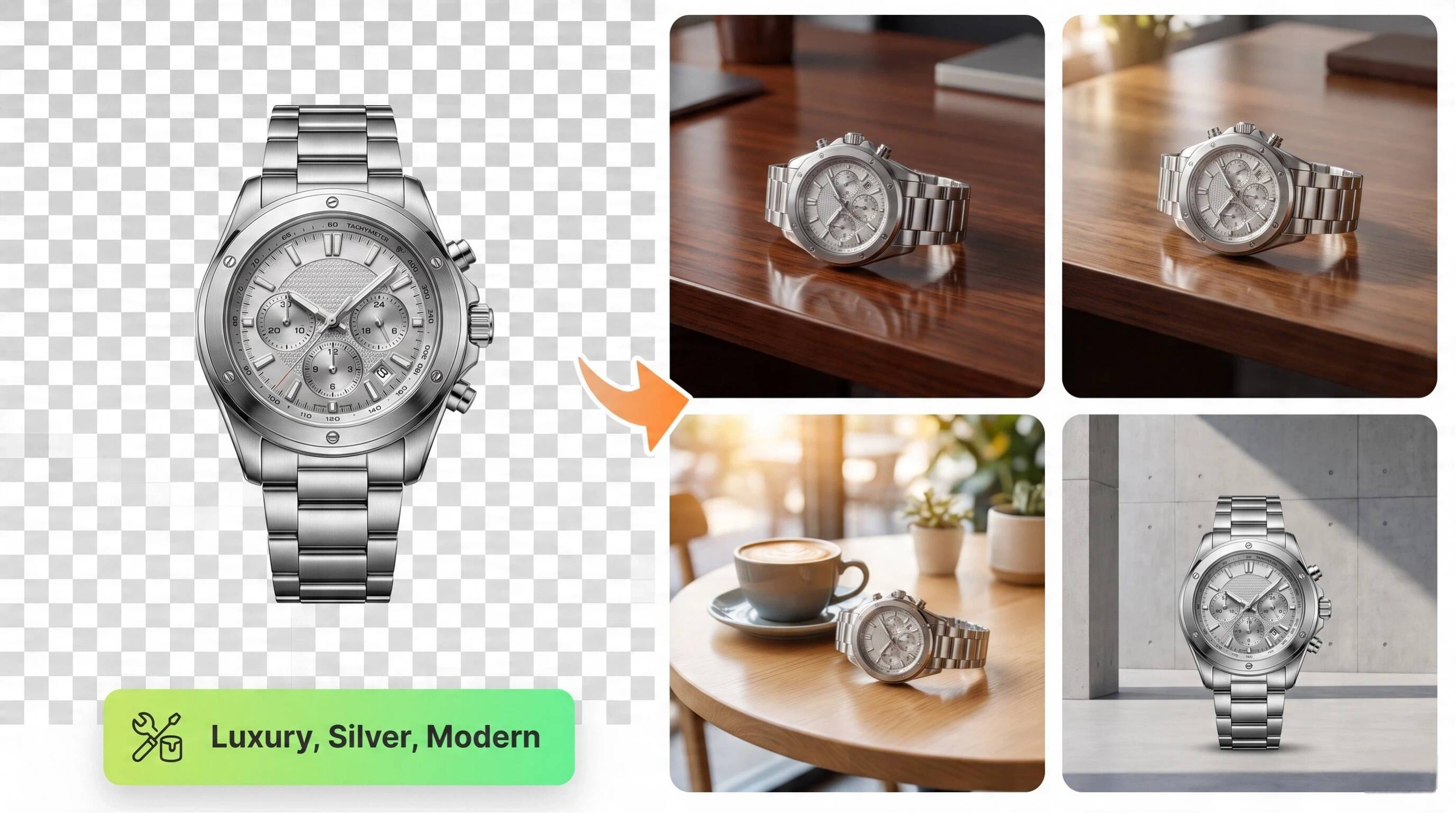
Replace Backgrounds with Branded or Lifestyle Scenes
Swap plain backgrounds for branded colors, studio settings, or realistic lifestyle environments in a few clicks. This helps products appear more engaging while maintaining a consistent visual identity across every marketing channel.
Generate AI Product Backgrounds
Create unique AI-generated backgrounds using simple prompts instead of searching for stock images. Generate seasonal, luxury, indoor, outdoor, or campaign-specific scenes that complement your products and strengthen your brand.
Match Lighting and Shadows
Designkit adjusts lighting direction, color balance, and shadows to help the subject blend naturally into the new background. These refinements reduce the artificial appearance that can occur after background replacement.
Export Marketplace-Ready Sizes
Export optimized images for Amazon, Shopify, Etsy, social media, websites, and digital ads from one project. Multi-size exports reduce repetitive work and ensure every image meets platform-specific dimensions and quality requirements.
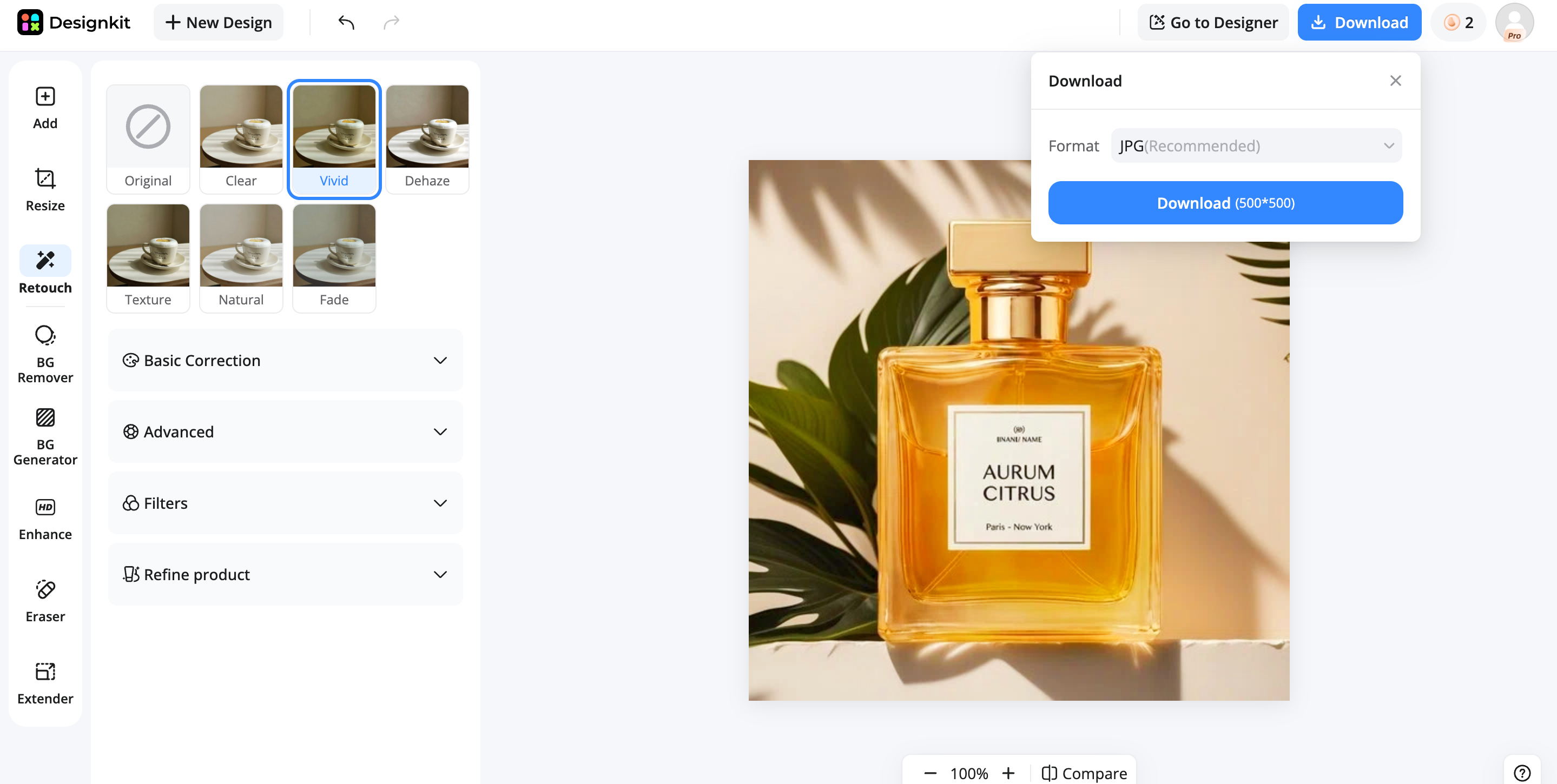
Steps to Change a Background with Designkit
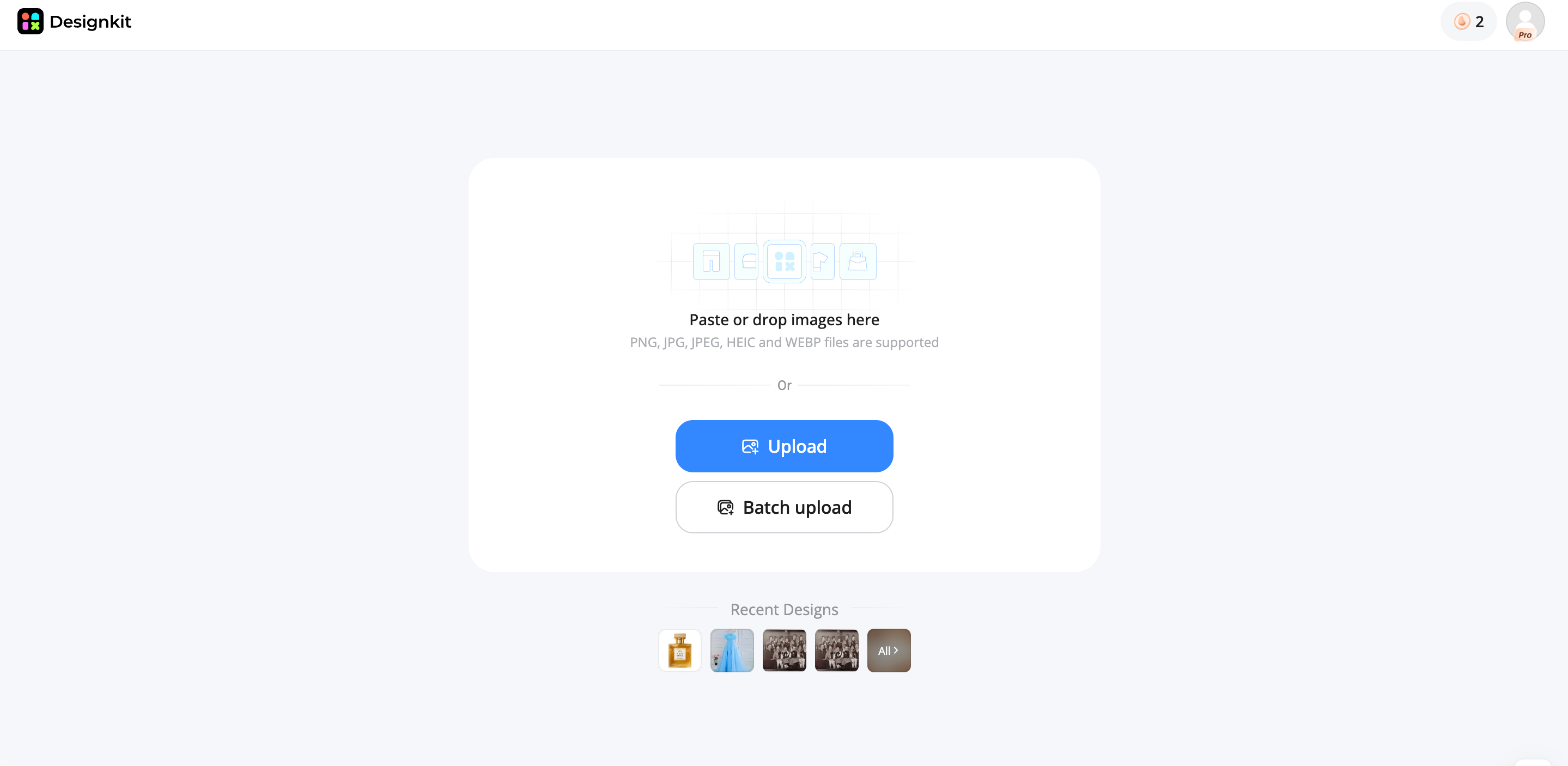
Step 1: Upload Your Product Photo
Upload your product image to Designkit. AI automatically detects the subject and prepares it for fast background editing.
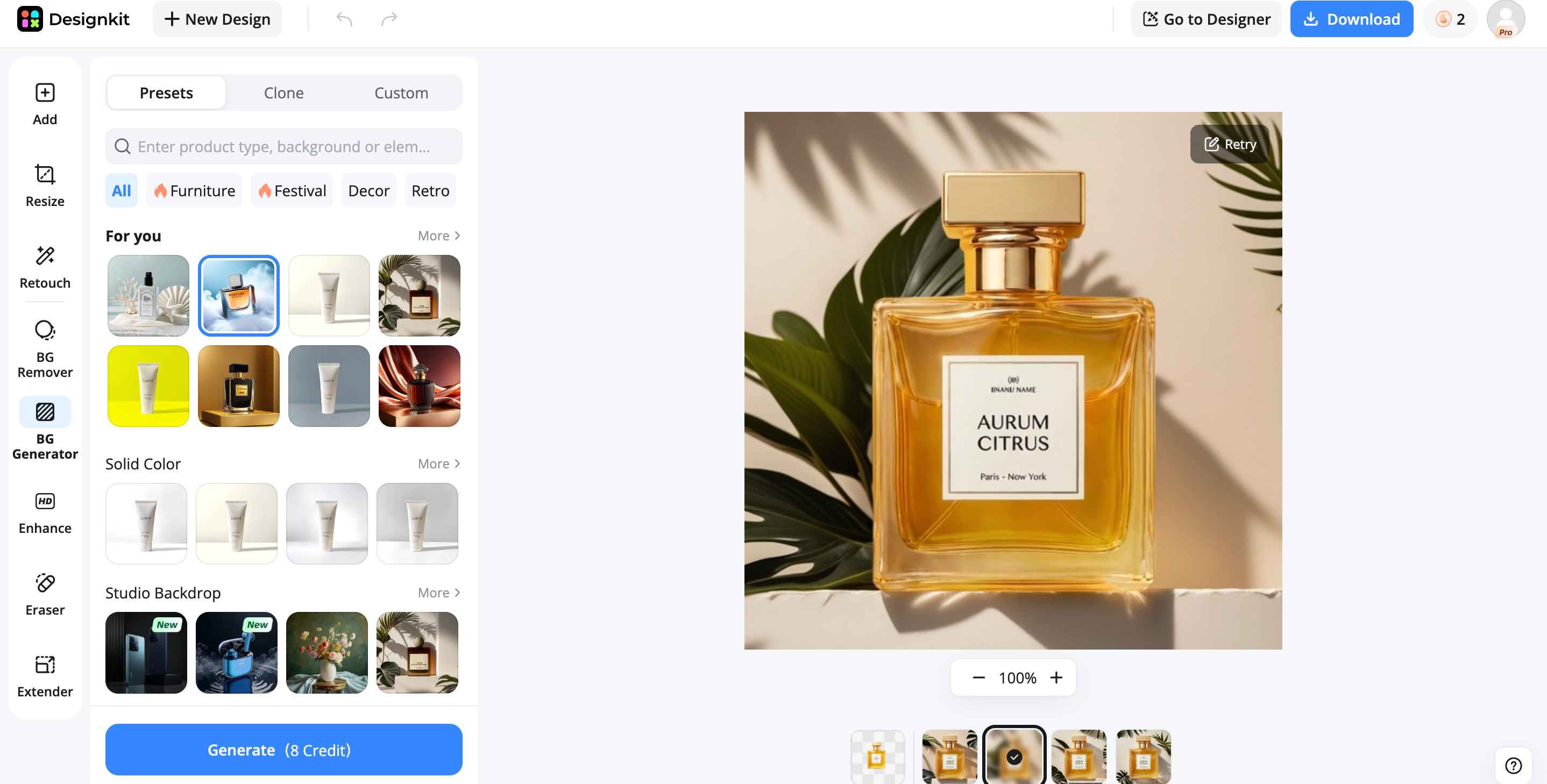
Step 2: Remove and Replace the Background
Remove the original background, then choose a white, branded, lifestyle, or AI-generated scene that fits your campaign.
Change a Background Online Now
Step 3: Refine and Export
Adjust shadows, colors, and layout, then export optimized image sizes for listings, ads, websites, and social media.
Common Mistakes When Editing the Background of a Photo
Using Unrealistic AI-Generated Backgrounds
Highly detailed or unrealistic AI backgrounds can make products look fake and reduce customer trust. Choose scenes that match your product, audience, and brand style for a more authentic and professional appearance.
Ignoring Lighting and Shadow Consistency
If the lighting or shadows don't match the new background, the subject can appear pasted onto the image. Adjust light direction, brightness, and shadows to create a natural, seamless result.
Leaving Rough or Inaccurate Subject Edges
Poor edge detection often leaves jagged borders, missing details, or background remnants around the subject. Zoom in and refine edges to achieve a clean, polished finish that looks professionally edited.
Choosing Backgrounds That Distract from the Product
Busy or colorful backgrounds can pull attention away from the product. Use simple, relevant scenes that highlight the subject and support your marketing message instead of competing with it.
Exporting Low-Resolution or Wrong-Format Images
Low-resolution exports can appear blurry, while using the wrong file format may cause transparency or quality issues. Export the correct size and format for your website, marketplace, or social platform.
Pro Tips for Better AI Background Changes
Match the Background to Your Product Category
Select backgrounds that naturally fit your product type. Lifestyle products benefit from realistic environments, while ecommerce listings often perform best with clean white or branded backgrounds.
Maintain Consistent Branding Across Images
Use the same colors, lighting style, and visual themes across all product images. Consistent branding creates a professional storefront and helps customers instantly recognize your brand.
Generate Multiple Creative Variations for Tests
Create several versions with different backgrounds, colors, or layouts instead of relying on one design. Testing multiple creatives helps identify the visuals that deliver the highest engagement and conversions.
Optimize Crops and Contrast for Mobile Viewing
Most shoppers browse on mobile devices, so keep subjects centered, improve contrast, and avoid clutter. Well-cropped images remain clear and attention-grabbing even on smaller screens.
Save Reusable Templates for Future Campaigns
Create reusable templates for product launches, seasonal promotions, and advertisements. Reusing proven layouts speeds up content production while maintaining consistency across future marketing campaigns.
Conclusion
AI background changers have evolved from simple background removal tools into complete creative solutions that help businesses and creators produce professional-quality visuals faster. Whether you need transparent product images, realistic AI-generated scenes, or branded marketing assets, choosing the right tool depends on your workflow and goals. For occasional edits, free tools may be enough, while ecommerce teams benefit from platforms that combine background editing with design, batch processing, and marketplace-ready exports. By following best practices and selecting a workflow-focused solution, you can create polished, high-impact images that strengthen your brand and improve engagement across every channel.
Frequently Asked Questions
What is the best AI background changer in 2026?
Can AI change the background of a photo automatically?
Yes. Modern AI can automatically detect the main subject, remove the existing background, and replace it with a solid color, branded design, or realistic AI-generated scene in seconds. Designkit automates this process while preserving fine details and lets you continue creating product listings, ads, and social media visuals without switching between multiple editing tools.
What is the difference between an AI background remover and changer?
An AI background remover only removes the original background, usually leaving a transparent PNG. An AI background changer removes the background and replaces it with a new color, image, or AI-generated scene. Designkit supports both workflows, allowing users to create transparent product images or fully designed marketing visuals from the same project.
Can AI generate realistic photo backgrounds?
Yes. Many AI tools generate realistic indoor, outdoor, studio, and lifestyle backgrounds based on text prompts or templates. The quality depends on the AI model and image editing features. Designkit can generate product-focused backgrounds that match your campaign style while helping maintain consistent lighting, shadows, and branding across your creative assets.
Which AI background changer is best for product photography?
For product photography, the best tool should provide accurate subject detection, clean edges, realistic background replacement, and marketplace-ready exports. Designkit is built for ecommerce workflows, offering AI background editing, branded scenes, product layouts, and optimized exports for platforms like Amazon, Shopify, Etsy, websites, and social media.
How do I change the background of a photo without Photoshop?
You can use an AI background editing tool that automatically detects your subject and replaces the background in a few clicks. No manual masking or advanced editing skills are required. Designkit simplifies the process by letting you upload a photo, choose or generate a new background, refine the result, and export ready-to-use images for marketing and ecommerce.
Can I change the background color of an image with AI?
Yes. AI can replace an existing background with solid colors such as white, black, or brand colors while preserving the main subject. Many tools also let you apply gradients or custom backgrounds. Designkit makes it easy to switch background colors, create branded visuals, and generate multiple image variations for different campaigns and platforms.
Can Designkit generate product backgrounds in bulk?
Yes. Designkit supports efficient workflows for businesses that need to edit multiple product images. You can generate consistent AI backgrounds, apply branded styles, and export optimized creatives for different marketplaces and marketing channels. This bulk approach helps ecommerce teams save time while maintaining a professional and consistent visual identity across large product catalogs.
You May Also Like

7 Best Remove.bg Alternatives in 2026: Free & Paid Tools

Instagram Carousel: What It Is, How to Post & Create One

Nano Banana Prompts: 20+ Examples for Better AI Images

Ideogram AI Review 2026: Features, Pricing & Alternatives

Free Mac Photo Editor: 5 Tools Compared for Mac Users

How to Crop a Photo Into a Circle Online (Keep Quality)

How to Make an Image Transparent Online (AI Guide)

Pixlr Background Remover Review 2026: Features, Pricing & Alternatives

How to Fix Overexposed Photos: Recover Highlights Fast

OpenArt AI Review 2026: Features, Pricing & Alternatives

Best AI Headshot Generator: 9 Tools Compared for 2026

Best Stencil Maker Tools 2026: Turn Photos Into Stencils

Pixelbin Watermark Remover Review: Image & Video Results Tested

How to Make a Sticker on iPhone: Easy Step by Step Guide

Best AI Logo Generator in 2026: 10 Tools Compared

How to Turn a Photo Into a Cartoon: A Beginner-Friendly Guide

Landscape vs Portrait: Key Differences & Best Uses in 2026

How to Remove Watermark From Photo: AI, Photoshop & More

How to Fix Pixelated Photos: Photoshop, AI Tools & Tips

Bing Image Creator: How It Works, Features, Uses & Alternatives

How to Remove People from Photos with AI: A Step-by-Step Guide

How to Increase Image Resolution: AI, Photoshop & PPI

How to Add Text to a Photo: 8 Tips for Better Results

How to Fix Grainy Photos: Easy Ways to Clear Images

Creative Profile Picture Ideas for Every Style and Platform

Evoto AI Review 2026: Features, Pricing, Pros & Cons

Pixlr Photo Editor Review: Features, Pricing & Alternatives

Best AI Image Extender Tools in 2026: Expand Photos with AI

How to Make a Collage on iPhone: Easy Guide for 2026

How to Sharpen an Image in Photoshop (Smart Sharpen and Unsharp Mask)

Best Image Background Remover Tools in 2026: AI Tools Compared

How to Make Transparent Background in Paint: Step-by-Step Guide

How to Resize an Image: Best Methods, Tools & Quality Tips

Best AI Image Generator Tools in 2026: Top AI Platforms Compared

Remove.bg Review 2026: Features, Pricing & Is It Worth It?

Luminar Neo Photo Editor Review 2026: AI Features, Price & Pros

How to Post Multiple Photos on Instagram (2026 Guide)

25 Facebook Cover Photo Ideas for Personal & Business Pages

What Is a PFP? Meaning, Examples & How to Create One

Can You Edit an Instagram Post After Posting?

11 Best Canva Alternatives in 2026 for AI Design & Marketing

8 Best Midjourney Alternatives in 2026: Features, Pricing & Comparison

How to Restore Old Photos: AI Tools, Tips & Best Methods

Pixelcut AI Review 2026: Features, Pricing, Pros, Cons & Alternatives

How to Apply Watermark to Photos: Methods, Tips & AI Tools

How to Remove a Background in Illustrator: 4 Easy Methods

How to Change Background Color on Instagram Story (Easy Guide)

8 Best AI Poster Generators in 2026: Create Posters Faster with AI

10 Best AI Image Enhancers in 2026: Tested & Compared

10 Best AI Image Editors in 2026: Features, Pricing & Comparison

7 Best AI Background Changer in 2026: Remove & Replace Photo Backgrounds

Luminar Neo vs Lightroom: Features, Pricing & Comparison 2026

Kittl Review 2026: Is It Worth It? Features & Pricing

How to Make a Blurry Image Clear: 5 AI & Manual Ways

How to Remove Background on iPhone: 5 Easy Methods (2026)

Photoroom Background Remover Review 2026: Features & Alternatives

How to Remove Background in Canva: A Step-by-Step Guide

How to Remove Background in GIMP: Beginner-Friendly Guide

Funny Dog Memes to Try: Doge Meaning and 10 Original Ideas

Back to School Checklist 2026: Supplies, Timeline, and Planning

Recraft AI Review 2026: Features, Pricing, Pros, Cons & Alternatives

How to Make an Image Transparent in Google Slides: Opacity & Background Removal

VanceAI Photo Enhancer Review: Features, Pricing & Alternatives in 2026

What Does Emojify Mean? Text, Photos, & Emoji Art Explained

Top 8 Online Background Removers for Ecommerce Photos (2026)

How to Remove Background in Photoshop: 7 Easy Methods

6 Best AI Image Upscalers 2026: Tools Tested & Compared

Project Indigo Review: Is It Better Than iPhone Camera?

How Big Is an 8x10 Photo? Size, Pixels & Frame Guide

How Big Is a 4x6 Photo? Dimensions, Pixels & Printing Tips

Picsart AI Review: Features, Pricing, Pros, Cons & Alternatives

Lovart AI Review: AI Design Agent Features, Pricing & Alternatives

Fotor AI Image Generator Review: Features, Pricing & Alternatives

How to Add Emoji to Photo Online for Free

Emoji Wallpaper Ideas & How to Make One Online (2026)

Minimalist Poster Design: How to Make a Clean Poster (2026)

How to Make a Custom Poster That Is Ready to Print

Instagram Image Size Guide 2026: Post, Reel, Story & Carousel Specs

LinkedIn Image Size Guide: Profile, Post & Banner Dimensions

YouTube Profile Image Size: Best Dimensions & Safe Area 2026

How to Edit Amazon Product Photos That Boost Sales Fast
Transform Photos with AI Background Editing
Remove, replace, and generate professional image backgrounds with AI. Designkit helps businesses create product visuals, marketing creatives, and social media images faster with powerful background editing tools.
