


On March 24, 2026, OpenAI confirmed it is discontinuing Sora — the AI video generation platform that launched barely six months earlier. The iOS app, API, and Sora.com will all go offline, though OpenAI has not yet provided an exact shutdown date.
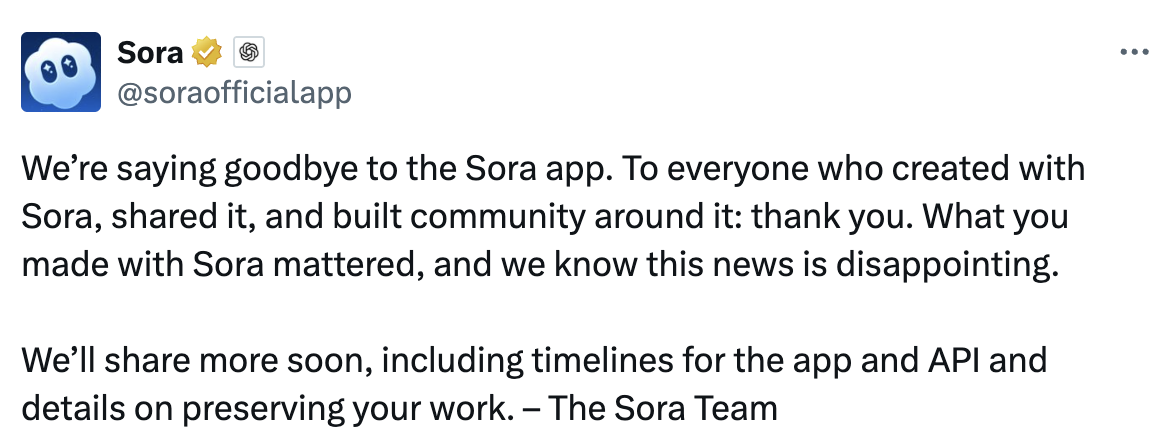
Image Source: Sora via X
For the thousands of creators and businesses who built workflows around Sora, the announcement raises an urgent question: which AI video generator should you switch to?
This guide breaks down why Sora failed, what to look for in a replacement, and how the leading alternatives — Seedance 2.0, Google Veo 3.1, and Kling 3.0 — compare on the features that matter most for production work.
Part 1. Why OpenAI Is Shutting Down Sora
OpenAI has not given a single official reason, but reporting from multiple outlets paints a clear picture. According to Axios, the company is narrowing its focus to conserve computing resources and prioritize enterprise products over experimental consumer tools — especially as competition from Anthropic and Google intensifies.
The usage numbers underline the decision:
- Downloads collapsed. Sora peaked at roughly 3.3 million downloads in November 2025, then fell to about 1.1 million by February 2026 — a steep decline in under three months.
- Revenue was negligible. Lifetime in-app purchases totaled approximately $2.1 million, per estimates from Appfigures — barely material for a company operating at OpenAI’s scale.
- The Disney deal fell through. A landmark $1 billion partnership announced in late 2025 never closed. No money changed hands.
Beyond the business metrics, Sora had persistent product issues that eroded trust:
- Content moderation was poorly calibrated — simultaneously too restrictive for legitimate creative prompts and too porous for deepfakes of public figures.
- Access was unreliable. Users reported being locked out after account upgrades, with limited communication from OpenAI.
- Compute was throttled. OpenAI imposed generation limits after a team lead publicly noted that “our GPUs are melting”.
- Cost was high relative to output. The Pro tier required a $200/month ChatGPT subscription with modest generation allowances.
- Character consistency was unreliable, making it difficult to produce branded content series or campaigns with a unified visual identity.
Part 2. What to Look for in a Sora Alternative
Not every AI video tool is a suitable replacement. The right choice depends on your primary use case — and the AI video generation space has become increasingly specialized.
For creators and filmmakers, visual quality and camera control are the priority. Can the tool produce footage that holds up alongside professionally shot content? Does it support specific camera movements — dolly shots, pans, orbital tracking?
For e-commerce sellers and marketing teams, consistency matters more than artistic expression. Can the same product or character look identical across a dozen clips? Does the tool integrate with existing product photography? Can it output content formatted for Amazon, TikTok, or Shopify?
For both groups, speed, predictable pricing, and reliable uptime are non-negotiable.
Here are the core capabilities to evaluate:
1. Generation Modes
- Text-to-video — generate clips directly from written descriptions
- Image-to-video — animate still product photos or visual assets
- Multi-image input — feed in multiple product angles or style references simultaneously
2. Production Features
- Character and object consistency across scenes
- Precise camera control (pan, tilt, dolly, orbit, crane)
- Audio-video synchronization for ambient sound or voiceover
3. Commercial Readiness
- Platform-specific aspect ratios (9:16, 1:1, 16:9, 4:3)
- Batch generation for producing ad variants at scale
- API access for integrating into existing production pipelines
Part 3. Comparing the Best Sora Alternatives in 2026
Three platforms have emerged as the strongest contenders to fill the gap Sora leaves behind. Each serves a somewhat different audience.
1. Seedance 2.0
Released in February 2026, Seedance 2.0 is the first AI video model to accept four input types simultaneously — text prompts, up to 9 reference images, up to 3 video clips, and up to 3 audio tracks. This multimodal input system gives creators a level of control that Sora never offered.
Its standout feature is the “@ Reference System.” Users tag elements in a prompt — @character, @product, @soundtrack — and bind each tag to an uploaded reference file. The model maintains visual consistency for tagged elements throughout the generated clip, making it particularly strong for branded content and product videos.
Other advantages include native 2K resolution (2048×1080), clips up to 30 seconds, explicit camera control through prompts, and an API-first architecture designed for production integration.
2. Google Veo 3.1
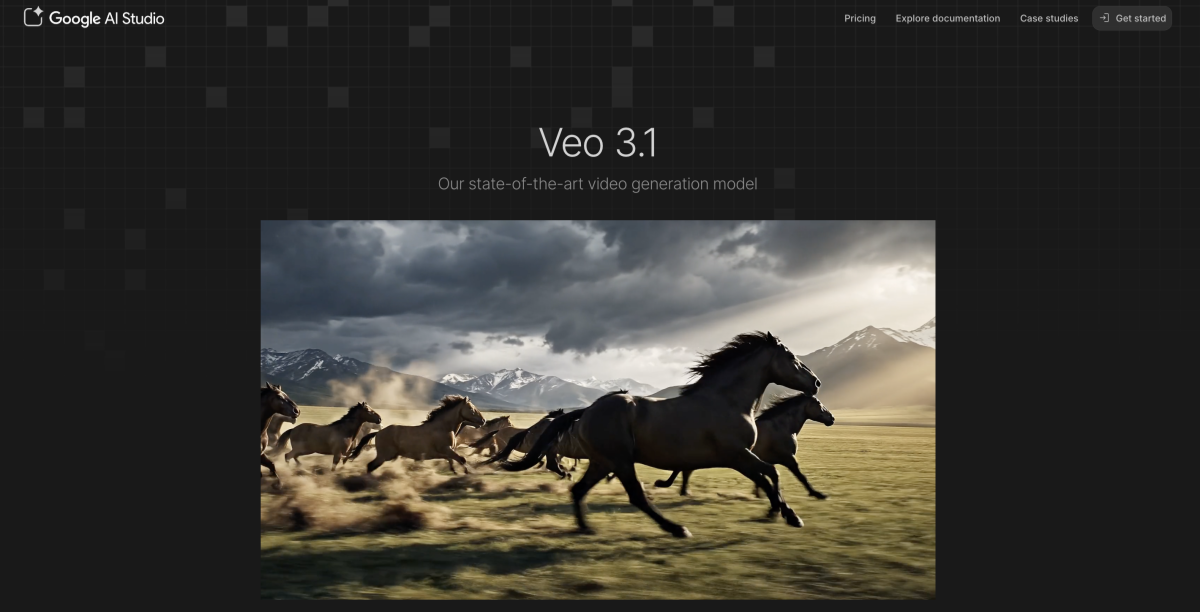
Google’s Veo 3.1 excels in cinematic quality and physics simulation. It produces footage with natural lighting and motion that rivals professional cinematography. For creators focused on artistic, narrative, or atmospheric content — short films, music videos, conceptual pieces — Veo 3.1 is a strong candidate. However, its commercial tooling (batch generation, product consistency features) is less mature than Seedance 2.0’s.
3. Kling 3.0
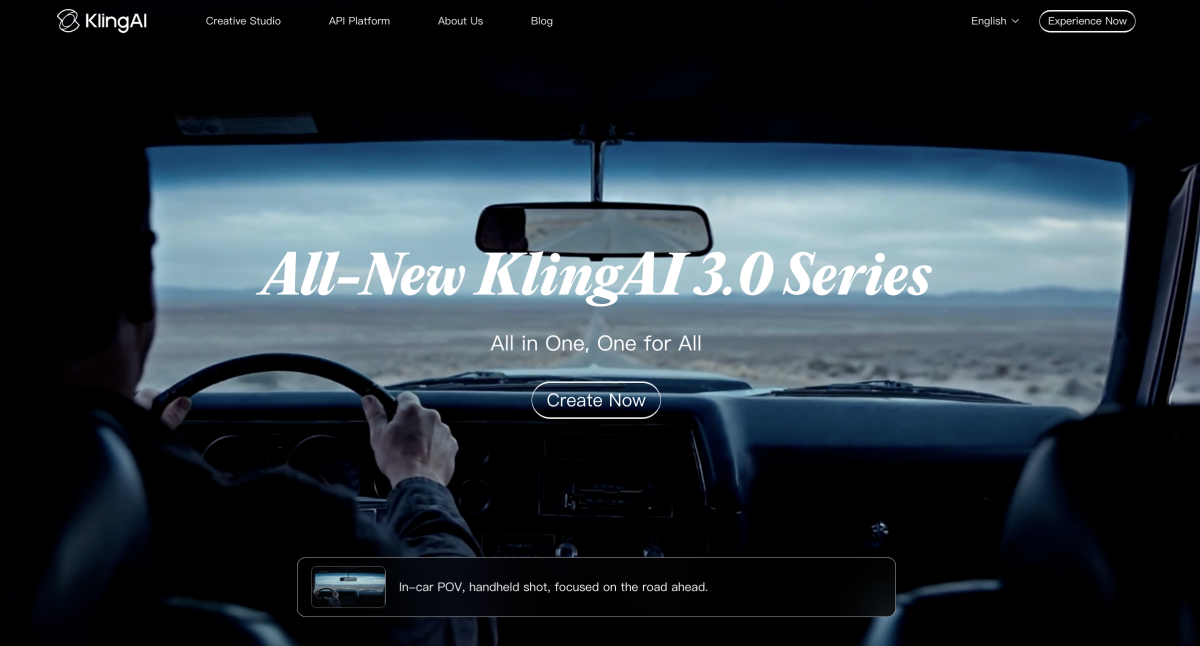
Kling 3.0 offers competitive generation quality with a focus on motion fluidity and facial expression accuracy. It’s well-suited for content that features people — social media ads, influencer-style clips, and dialogue-driven scenes. Its pricing is aggressive, and it has gained traction particularly in Asia-Pacific markets.
Side-by-Side Comparison
|
Feature |
Sora (Pre-Shutdown) |
Seedance 2.0 |
Kling 3.0 / Veo 3.1 |
|
Max duration |
20 seconds |
30 seconds |
~20–30 sec (varies) |
|
Max resolution |
1080p |
Native 2K (opt. 4K) |
Up to 1080p / 4K |
|
Input types |
Text + image |
Text + 9 imgs + 3 vids + 3 audio |
Text + image (limited multi-input) |
|
Character consistency |
Unreliable |
@ reference system |
Moderate / Limited |
|
Camera control |
Implied via prompt |
Explicit & instructable |
Prompt-based / Moderate |
|
Commercial suitability |
Limited |
Designed for commercial use |
Growing / Cinematic focus |
|
Pricing |
$20+/mo (ChatGPT Plus) |
~$9.60/mo (Dreamina Basic) |
Varies by platform |
|
Status |
Shutting down |
Active |
Active |
Sources: Variety, MindStudio, Atlas Cloud, ByteDance Seed
Part 4. How to Transition From Sora: A Practical Workflow
If you’re moving from Sora, here is a step-by-step approach to get started with a new AI video generator — using a product video as the example.
Step 1: Prepare your assets.
Start with your source photography or visual references. AI video output quality is directly limited by input quality — so upscale, retouch, or relight images before feeding them into any generator. Most platforms offer built-in image enhancement, or you can use standalone AI photo editors.
Step 2: Write a structured prompt.
Use a clear format: subject, action, camera movement, lighting, style. If the platform supports reference tagging (like Seedance 2.0’s @ system), bind your uploaded assets to specific prompt elements.
Example:
"@product rotates slowly on a marble surface, soft studio key light with gentle rim lighting, slow dolly-in to close-up, clean white background"
Step 3: Generate, review, iterate.
Expect 2–3 generation attempts to dial in the result. Adjust prompt wording, camera angles, or reference images between attempts. Pay attention to motion artifacts, lighting consistency, and whether tagged elements maintain their appearance.
Step 4: Format for distribution.
Export at the correct resolution and aspect ratio for your target platform — 9:16 for TikTok and Reels, 1:1 for Instagram feed, 16:9 for YouTube or Amazon product listings.
Cost Context
A traditional product video shoot — photographer, studio rental, editing — typically runs $1,000 to $5,000 per finished minute of footage, according to industry estimates. An AI-generated equivalent costs a few dollars in platform credits and takes minutes rather than days. The economics are shifting quickly, though quality expectations and brand standards still require human review and iteration.
Part 5. Common Use Cases for AI Video After Sora
E-commerce and product marketing:
- Animated product showcases for Amazon, Shopify, or Etsy listings
- Social media ad variants — generate 10+ versions for A/B testing
- Seasonal campaign refreshes without reshooting
- Virtual try-on and lifestyle videos from existing product photos
Content creators and filmmakers:
- Short-form video for TikTok, YouTube Shorts, and Instagram Reels
- Brand story content and campaign trailers
- Visual explainers and concept demonstrations
Marketing teams:
- Product launch teasers and announcement clips
- Performance ad creative at scale
- Brand-consistent video series using character locking features
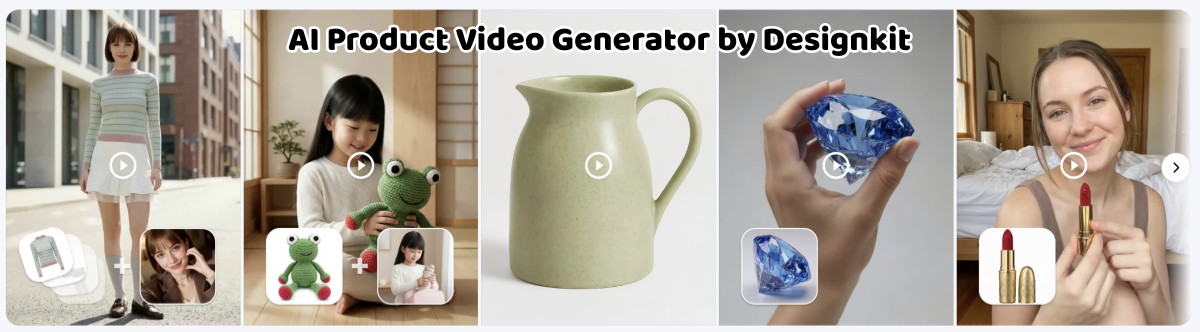
Within e-commerce workflows, Designkit offers a particularly streamlined path — handling product image generation, listing images, and Seedance-powered video creation in a single environment. For sellers managing large catalogs, this consolidation eliminates a significant amount of tool-switching overhead.
Conclusion: Choosing the Right AI Video Tool After Sora
The Sora shutdown marks a turning point for AI-generated video. The tool that introduced many people to text-to-video generation is leaving the market, and the alternatives that remain are — by several measurable benchmarks — more capable than what Sora offered.
The broader takeaway is that AI video tools are no longer experimental. They are becoming production-grade infrastructure for content teams, e-commerce sellers, and independent creators. The question is no longer whether these tools work — it is which ones fit the way you actually produce content.
Here is a practical decision framework:
- Product videos, e-commerce, branded campaigns: Seedance 2.0 — strongest multimodal input and character consistency.
- Cinematic, narrative, artistic content: Google Veo 3.1 — best visual quality and physics simulation.
- People-focused content, social ads: Kling 3.0 — strong motion fluidity and facial accuracy.
Whichever direction you choose, start by testing with your actual assets and workflows. Free tiers and trial credits are available on most platforms, so the cost of experimentation is low. The best tool is the one that reliably produces the output your specific use case demands
Frequently Asked Questions
Is Sora officially shutting down?
What is the best alternative to Sora in 2026?
It depends on your use case. For commercial production, product videos, and branded content requiring visual consistency, Seedance 2.0 offers the strongest combination of multimodal input and character locking. For cinematic and artistic content, Google Veo 3.1 and Kuaishou’s Kling 3.0 are strong contenders.
Is Seedance 2.0 free?
Free tiers are available through platforms like Dreamina (260 starting credits for international users). Paid plans start at approximately $9.60/month for Dreamina Basic. API-based pricing is also available through third-party providers.
Can AI video tools produce commercial-quality product content?
Yes — this is one of the fastest-growing applications. Product showcase videos, ad creative, and listing videos can all be generated from existing product photography. The key requirement is a tool with strong image-to-video capabilities and consistent output across clips.
How do AI video costs compare to traditional production?
Traditional product video production typically costs $1,000–$5,000 per finished minute. AI-generated video costs a fraction of that in platform credits and reduces turnaround from days to minutes. However, professional review and iteration are still necessary to meet brand standards.
You May Also Like
How to Use Google Veo 3.1 for Ecommerce Product Video
Nano Banana 2.1 Review: Features, Release Date & What’s New
Remove.bg Shutting Down Dec 1, 2026: What Users Are Saying
Amazon Individual vs Professional Selling Plan

How to Create an Amazon Seller Account: Requirements and Steps
Amazon Product Video Requirements: Specs & Upload
Amazon Brand Registry Requirements: Trademark, Account & Cost

Amazon Global Selling: How to Open Multiple Marketplaces
How to Make an Event on Facebook: Complete Setup Guide (2026)
Amazon Sponsored Brands: What They Are and When to Use Them

Amazon Sponsored Products: How to Launch Your First Campaign

Amazon Vine Program for Sellers: Get Early Product Reviews

7 Best Remove.bg Alternatives in 2026: Free & Paid Tools
Amazon A+ Content Dimensions: Module Image Sizes
Print-On-Demand Designs: Create, Prepare, and Preview Your Work

T-Shirt Design Size Guide: Placement, Dimensions, & DPI

Amazon A+ Content: What It Is and What to Build First
Is Print on Demand Profitable in 2026? Products and Niches

Amazon Brand Registry Application: How to Submit and Pass Review

How to Ship to Amazon FBA: Your First Shipment

What Is Amazon FBA? Should Beginners Use It in 2026

GPT Image 2 Prompts for Product Photos (Copy-Paste Examples)

How to List a Product on Amazon: Materials Checklist for First Listings

How to Get Ungated on Amazon: Restricted Category Approval Steps

Kling vs Veo for Product Video & UGC Ads (2026)

Nano Banana vs Midjourney for Product Photos and Campaign Visuals (2026)
Amazon Backend Keywords: Title, Bullets & Search Terms

How to Sell on Poshmark: A Complete Beginner's Guide

Zeely Reviews 2026: Features, Pricing, Pros, Cons & Alternatives
Instagram Carousel: What It Is, How to Post & Create One
What Is A/B Testing? A Practical Guide to Running Better Experiments
Best Time to Post on Instagram in 2026: Data & Tips
How to Get Verified on Instagram: Complete Guide
TikTok Monetization in 2026: Requirements & Ways to Earn

Instagram Desktop Posting Guide: Upload Posts, Stories & Reels
Nano Banana Prompts: 20+ Examples for Better AI Images
YouTube Shorts Monetization Requirements & Rules 2026

Hair Color Ideas 2026: Trending Shades & Virtual Try On

How to Write an Instagram Bio: Examples, Tips & Ideas
How Much Does YouTube Pay Per View? 1K, 100K & 1M Views

How to Make Money on Snapchat: 7 Ways to Earn

How to Get More Followers on Instagram in 2026

Best Time to Post on TikTok in 2026 for More Views
How to Repost on Instagram in 2026: A Simple Guide
Ideogram AI Review 2026: Features, Pricing & Alternatives

PixVerse AI Review 2026: Is It Worth Using for AI Videos?
Free Mac Photo Editor: 5 Tools Compared for Mac Users
How to Crop a Photo Into a Circle Online (Keep Quality)

Create TikTok Ads From One Photo: An AI Product Launch Kit
How to Make an Image Transparent Online (AI Guide)
Pixlr Background Remover Review 2026: Features, Pricing & Alternatives

How to Fix Overexposed Photos: Recover Highlights Fast

How to Animate a Picture with AI: Easy Step-by-Step Guide
OpenArt AI Review 2026: Features, Pricing & Alternatives
Best AI Headshot Generator: 9 Tools Compared for 2026
Best Stencil Maker Tools 2026: Turn Photos Into Stencils
Pixelbin Watermark Remover Review: Image & Video Results Tested
How to Make a Sticker on iPhone: Easy Step by Step Guide

Best AI Logo Generator in 2026: 10 Tools Compared
How to Turn a Photo Into a Cartoon: A Beginner-Friendly Guide

How to Write a Video Script: Structure, Tips & Examples

Depop vs Poshmark: Which Is Better for Selling in 2026?
Landscape vs Portrait: Key Differences & Best Uses in 2026

How to Create an Amazon Storefront: 4-Step Guide for New Sellers
How to Remove Watermark From Photo: AI, Photoshop & More

How to Sell Books on Amazon in 2026: Beginner Guide
How to Fix Pixelated Photos: Photoshop, AI Tools & Tips
Bing Image Creator: How It Works, Features, Uses & Alternatives

Best Products to Sell on Amazon: 10 Ideas for Beginners
How to Remove People from Photos with AI: A Step-by-Step Guide

What Is B-Roll? Meaning, Examples, and How to Use It
How to Increase Image Resolution: AI, Photoshop & PPI
How to Add Text to a Photo: 8 Tips for Better Results

How to Sell on Amazon in 2026: A Complete Seller Guide
How to Fix Grainy Photos: Easy Ways to Clear Images

How to Make a TikTok Video: A Step-by-Step Guide 2026

How to Make an Instagram Post: Step by Step Creation Guide

Social Media Copywriting: Tips, Examples & Best Practices
Creative Profile Picture Ideas for Every Style and Platform
Evoto AI Review 2026: Features, Pricing, Pros & Cons
Pixlr Photo Editor Review: Features, Pricing & Alternatives
Best AI Image Extender Tools in 2026: Expand Photos with AI
How to Make a Collage on iPhone: Easy Guide for 2026

What Are AI Fruits? The Trend, the Formats, and How to Make One
How to Sharpen an Image in Photoshop (Smart Sharpen and Unsharp Mask)

Seedance 2.5 Review: What Changed in ByteDance's New Model
Best Image Background Remover Tools in 2026: AI Tools Compared
How to Make Transparent Background in Paint: Step-by-Step Guide
How to Resize an Image: Best Methods, Tools & Quality Tips

LTX Studio Review: Features, Pricing & AI Filmmaking Guide
Best AI Image Generator Tools in 2026: Top AI Platforms Compared

Remove.bg Review 2026: Features, Pricing & Is It Worth It?

MiniMax H3: Features, Benchmarks, Pricing, and How to Use It
Luminar Neo Photo Editor Review 2026: AI Features, Price & Pros
How to Post Multiple Photos on Instagram (2026 Guide)

25 Facebook Cover Photo Ideas for Personal & Business Pages
What Is a PFP? Meaning, Examples & How to Create One

Multichannel Marketing Guide: Strategy, Tools & Examples
How to Create Digital Products That Sell in 2026

How to Make a Slideshow for Facebook: Photos, Music & Tips 2026

HeyGen vs Arcads: Which AI Video Tool Wins in 2026?

AI Product Photography: 7 Best Tools for Ecommerce in 2026
Can You Edit an Instagram Post After Posting?

Cyber Monday Marketing Ideas & Strategies (2026 Guide)
Black Friday Marketing Ideas for Ecommerce Brands (2026)
11 Best Canva Alternatives in 2026 for AI Design & Marketing
Instagram Marketing Guide: Strategies, Tips & AI Tools in 2026
8 Best Midjourney Alternatives in 2026: Features, Pricing & Comparison
Influencer Marketing Guide: Strategy, Campaigns & Creator Tips
How to Restore Old Photos: AI Tools, Tips & Best Methods

Arcads AI Review 2026: Features, Pricing, Pros, Cons & Alternatives
Pixelcut AI Review 2026: Features, Pricing, Pros, Cons & Alternatives

What Is a Hero Image? Definition, Examples & Design Tips
How to Apply Watermark to Photos: Methods, Tips & AI Tools
How to Remove a Background in Illustrator: 4 Easy Methods
How to Change Background Color on Instagram Story (Easy Guide)

Pippit AI Review 2026: Features, Pricing, Pros & Cons
8 Best AI Poster Generators in 2026: Create Posters Faster with AI
10 Best AI Image Enhancers in 2026: Tested & Compared
10 Best AI Image Editors in 2026: Features, Pricing & Comparison

7 Best AI Background Changer in 2026: Remove & Replace Photo Backgrounds
Luminar Neo vs Lightroom: Features, Pricing & Comparison 2026
Kittl Review 2026: Is It Worth It? Features & Pricing

15 Best Things to Sell on Etsy in 2026 (Listing Tips Included)
WooCommerce vs Shopify 2026: Pricing, Features & Which Is Better
How to Sell on Facebook Marketplace: Beginner Guide (2026)
How to Use Pinterest for Business: Strategy, Tips & Growth Guide

How to Sell on Etsy in 2026: Setup, Listings & Growth Tips

What Is a Target Audience? Types, Examples & How to Find Yours
How to Make a Blurry Image Clear: 5 AI & Manual Ways
TikTok Marketing Guide 2026: Strategies, Ideas & AI Tools
How to Remove Background on iPhone: 5 Easy Methods (2026)
Photoroom Background Remover Review 2026: Features & Alternatives
How to Remove Background in Canva: A Step-by-Step Guide
How to Remove Background in GIMP: Beginner-Friendly Guide

How to Celebrate National Dog Day 2026: Date & Easy Ideas

Funny Dog Memes to Try: Doge Meaning and 10 Original Ideas
Back to School Checklist 2026: Supplies, Timeline, and Planning
Recraft AI Review 2026: Features, Pricing, Pros, Cons & Alternatives
How to Make an Image Transparent in Google Slides: Opacity & Background Removal

VanceAI Photo Enhancer Review: Features, Pricing & Alternatives in 2026
Vibe Marketing Explained: Strategy, Examples & AI Tools
How to Sell on Depop: Beginner Guide to Getting Your First Sale
What Does Emojify Mean? Text, Photos, & Emoji Art Explained

Back to School Ad: 7 Creative Ideas for Better Campaign Results

Top 7 Back-to-School Sales Ideas to Boost Retail Sales (2026)
Top 8 Online Background Removers for Ecommerce Photos (2026)
How to Remove Background in Photoshop: 7 Easy Methods
6 Best AI Image Upscalers 2026: Tools Tested & Compared

Luma vs Seedance (2026): Ray 3.2 or Seedance 2.0?

15 Simple Self-Care Ideas for Busy Schedules and Daily Life

Celebrate International Cat Day 2026: Date & 10 Fun Ideas
Project Indigo Review: Is It Better Than iPhone Camera?

How to Match Makeup by Undertone: Virtual Lipstick and Foundation Try-On

Chic Outfit Ideas for Every Occasion: 15 Stylish Looks & Tips
How Big Is an 8x10 Photo? Size, Pixels & Frame Guide
How Big Is a 4x6 Photo? Dimensions, Pixels & Printing Tips
Picsart AI Review: Features, Pricing, Pros, Cons & Alternatives
Lovart AI Review: AI Design Agent Features, Pricing & Alternatives
Fotor AI Image Generator Review: Features, Pricing & Alternatives

How to Add Emoji to Photo Online for Free
Online Advertising Guide: Types, Costs & Examples (2026)

Facebook Advertising Guide: Costs, Strategy & Tools 2026
What Are E-commerce Ads? Examples, Strategy & Tools (2026)
Where to Sell Handmade Items Online (2026): Etsy, Amazon, or Shopify?
Shopify vs Amazon (2026): Brand Store or Marketplace FBA?
Amazon Handmade vs Etsy (2026): Which Is Better for Makers?
Etsy vs eBay (2026): Handmade, Vintage, or Secondhand?
Selling on Amazon vs eBay (2026): Fees, Profit & Where to Sell

What Is Brand Awareness? Examples, Strategies & Tools 2026

10 Best Online Selling Platforms (2026): Pick by What You Sell
Shopify vs Etsy (2026): Which Is Better for Handmade Sellers?

Wedding Dress Styles for Every Body Type: A Practical Guide for 2026
Emoji Wallpaper Ideas & How to Make One Online (2026)

YouTube Automation Step-by-Step AI Guide for Beginners
What Is Brand Identity? Examples, Elements & Strategy
Creatify AI Reviews: Features, Pricing & Alternatives (2026)
Minimalist Poster Design: How to Make a Clean Poster (2026)
What Are Satisfying Videos? Types, Tips & How to Make (2026)

How to Find a Product by Image: 7 Methods That Work (2026)
How to Make a Custom Poster That Is Ready to Print

Gemini Omni Review: Real Tests, Pros & Limitations for Video Generation

How to Generate Product Videos from Images with AI (2026 Guide)
Instagram Image Size Guide 2026: Post, Reel, Story & Carousel Specs

AI Marketing Agent: How It Works, Benefits & E-Commerce Examples

Aesthetic Poster Ideas: Find Your Style and Create Printable Art
How to Create a Product Launch Video with AI: A Step-by-Step Guide
LinkedIn Image Size Guide: Profile, Post & Banner Dimensions
YouTube Profile Image Size: Best Dimensions & Safe Area 2026
What Is Personalized Advertising? Examples & How It Works
How to Build a Shopify Store That Actually Converts Visitors
What Is a Brand Video? Types, Examples & How to Create One

How to Create a Complete World Cup Product Listing Image Set

20 FIFA World Cup Merchandise Ideas That Fans Actually Buy
AI Product Demo vs Live Demo: Which Gets More SaaS Sign-Ups?

How to Create Amazon Summer Sale Posters and Banners with AI

Amazon Summer Sale 2026: Listing Design Trends & Product Image Ideas
How to Create AI Product Promotion Videos in Minutes (Step-by-Step)
Best AI Product Video Ad Generators for Ecommerce in 2026

Father's Day Gift Ideas: Personalized Card, Poster and Video

Father's Day Card Ideas: Messages, Printable and Personalized Cards

Amazon Marketing Guide 2026: Strategies, Tips & Tools
Local Advertising: Strategies, Examples & Tools (2026)

What Is Branded Content? Examples, Strategy & Tools 2026

What Is Performance Marketing? Strategies & Examples 2026

Inbound Marketing: Strategies, Examples & Tools (2026)

How to Boost Ecommerce Sales: Proven Strategies That Work
How to Add Video to eBay Listing: Step-by-Step Seller Guide

Ecommerce Video Ads: 7 Strategies That Drive Higher Conversions

7 Best AI Virtual Makeup Try-On Tools for Realistic Results in 2026

AI Virtual Makeup Try-On: Boost Beauty E-Commerce Sales in 2026

Free Online Glasses Try-On Tools: See Yourself in Glasses Instantly

Top Virtual Ring Try-On Tools for Engagement and Wedding Rings in 2026

How to Try Shoes On Virtually: A Step-by-Step Guide

Best Virtual Shoe Try-On Tools for Ecommerce: 2026 Guide

How to Try On Wigs and Bangs Virtually to Find Your Perfect Style

How to Photograph Shoes for Your Ecommerce Store in 2026
Short Form Video Marketing for E-commerce: AI Video Guide
What Is Video Marketing? E-commerce Guide & Strategies 2026

Create Model Outfit Photos Instantly With AI Outfit Generator

Best AI Virtual Try-On Clothes Tools for Any Body Type
How to Edit Amazon Product Photos That Boost Sales Fast

Product Photography Ideas: Creative Tips & Techniques for Better Shots

Product Photography Pricing 2026: Full Cost Guide by Type
Google Veo 4 Explained: Features, AI Video Creation & What’s New

How to Try On Clothes Online with AI for Better Fit & Style

Virtual Nose Ring Try On Online Before Your Piercing

White Background Product Photography Guide & Tips 2026

Product Photography Starter Package: Gear Checklist 2026

How to Try Makeup Online with AI and Virtual Makeup Try-On Apps (2026)

How to Use Virtual Earring Try-On for a Flattering Look in 2026

How to Try On Engagement Rings Online with AI in 2026

Scale Your Jewelry Brand with Virtual Jewelry Try-On Solutions

How to Try Hairstyles on Your Face Online (Step-by-Step Guide)

Best Virtual Hairstyle Try-On Tools Online for Realistic Previews 2026

How to Use a Free AI Hairstyle Generator to Find Your Perfect Look

Virtual Hair Color Try-On Guide for Every Skin Tone (2026)

Virtual Wedding Dress Try-On Online for Brides in 2026

How to Choose the Right Sunglasses for Your Face Shape Online

How Accurate Is Virtual Glasses Try-On? AI vs AR Compared

Best Virtual Try-On Glasses Apps in 2026 (Free & Paid Tools)

How AI Virtual Try-On Is Transforming Eyewear Ecommerce

5 Best Virtual Try-On Glasses Tools for Ecommerce and Consumers 2026

How to Try On Glasses Online with AI in 2026 (Easy Guide)

How to Create Jewelry Photos with AI Models That Drive Sales in 2026

Shopify Product Photography Guide with Tips & Setup

AI-Generated Fashion Models: Technology, Brand Adoption & Trends

How to Batch Generate 100+ AI Clothing Model Photos Fast

7 Best AI Fashion Model Generators for Ecommerce in 2026

Amazon Main Image Requirements: Size, Guidelines & Tips

Shopify Image Size 2026: Complete Guide and Tips for Better Product Display

Studio Product Photography vs AI Product Photography in 2026

7 Product Photography Mistakes That Hurt Ecommerce Sales

AI Clothing Model Photos for E-Commerce: Platform Rules & Best Practices

How AI Virtual Try-On Helps Fashion Brands Boost Sales & Reduce Returns

AI Fashion Models vs Real Models: Which Is Better for Brands?

Best Free AI Fashion Model Generators for Real Product Photos

Virtual Outfit Try-On Guide: Plan Outfits Before You Buy

GPT Image 2 Review: Features, Prompts & E-commerce Use Cases

What Is an AI Clothing Model Generator? Full Guide for Sellers

Change Outfit Colors Online for Outfit Preview with AI Clothes Color Changer

Virtual Try-On Technology in 2026: How It Works & Key Trends

How to Create Amazon Infographics: Boost Sales with Compelling Visuals

10 Best Virtual Try-On Apps & Tools for Online Shopping in 2026

How to Create AI Fashion Models: Complete Step-by-Step Guide

How to Use AI Fashion Models for E-Commerce Product Photos: A Complete 2026 Guide

How to Virtually Try On Clothes Online: A Complete Guide

How to Create Outdoor Product Scenes Without a Photoshoot Using AI
GPT-Image-2 for Ecommerce Product Images: What It Means for Online Stores

Optimize Etsy Images for Mobile: Listing Photos That Convert

Amazon 7-Image Listing Strategy: Boost Sales by Optimizing Every Image

Happy Horse 1.0: The AI Video Model E-Commerce Sellers Need to Know About

Etsy Thumbnail Optimization: Keep Your Product Fully Visible
AI UGC for Ecommerce in 2026: Text-to-Video, Image-to-Video & Reference Replication Guide

The Etsy Thumbnail Formula That Drives More Clicks and Sales
HappyHorse AI Review: Features, Benchmarks & How to Use It

How to Create Pro Amazon Listing Photos Without a Studio

10 High-Converting Lifestyle Product Images for Amazon Listings

How to Automate Your E-commerce Visuals with OpenClaw Workflow

Top 5 AI Tools to Generate Amazon Product Listing Images in 2026

How to Turn One Photo into 10 Etsy Listing Images Fast: Batch Workflow

Etsy Listing Photo Size Guide (2026): Mobile, Desktop & Shop View Specs

Turn White Background Images into Lifestyle Amazon Listings

Fix Etsy Image Cropping: Optimize Listing Photos for Every Device

Amazon Listing Images: Essential Shot List & Optimization Guide

How to Create Lifestyle Product Images Without a Studio
Seedance 3.0 Predictions: Will AI Video Enter the Feature Film Era?
Grok AI vs ChatGPT: Features, Pricing & Best Choice (2026)
How to Use Grok AI: Features, Tips & Best Prompts (2026 Guide)
Sora Is Shutting Down? Best AI Video Alternatives for Creators in 2026

Lifestyle Product Photography Trends 2026: Authentic Looks at Scale

How to Master Lifestyle Product Photography in 2026

Amazon Listing Images Guide 2026: 7-Slot Strategy & Requirements

360 Product Photography Guide 2026: Setup, Shoot and Workflow

Beginner's Guide to Generate Product Photos from Different Angles

AI Product Photography: Create Ecommerce Images Without a Photoshoot

How to Create Realistic AI Product Photos: Step-by-Step Pro Guide

Keep AI Product Images Consistent Across SKUs: Lighting, Color, Background
Seedance 2.0 for Ecommerce: Create AI Product Videos in Minutes
Seedance 2.0 Review: Features, Improvements, Pricing & How It Works (2026)

How to Scale E-commerce with a Product Image Generator

How to Use AI for Spring Product Photography: 2026 Amazon Guide

How to Create a Budget Home Product Photography Setup with AI

How to Achieve Professional Product Photography Standards in 2026

How to Take Product Photos with Phone: Pro Guide for Amazon & AI

Best AI Product Image Generator 2026: Top Tools for Amazon Sales

Amazon Photography Service vs. AI Generator: Best Choice for Sales

What Is Product Photography? Angles, Lighting & Editing Guide

Amazon Spring Sale 2026: Create High-Converting Listing Images (Guide)

AI Agents Transform Amazon Product Photography in 2026

Amazon Photoshoot in 2026: Do You Still Need a Studio?

11 Must-Have Tools for Amazon Product Photography in 2026

2026 Amazon Image Trends Shaping Seller Success and Conversions

Amazon Product Photography Requirements & Best Practices 2026
Make every product image ready to sell
Designkit is an all-in-one AI platform for ecommerce visuals. Create product photos, AI videos, virtual try-ons, and Amazon listing images in seconds. Generate HD backgrounds, batch edit photos, and scale your brand with studio-quality content.


