
11 Best Canva Alternatives for AI Design, Marketing & Business Content in 2026
Compare the best Canva alternatives in 2026: free design tools, AI platforms, and business options for marketing, branding, and social content.


Scaling your creative workflow in 2026? You have probably noticed that basic template editors eventually slow you down. Canva is undoubtedly a powerhouse for everyday tasks. Yet, growing teams usually crave something more specialized. Whether you need a dedicated AI design agent for e-commerce, advanced UI tools for product teams, or simply want to browse a few free graphic design tools like Canva, you are in the right place. We're breaking down the top 11 platforms designed to help you churn out high-converting marketing visuals, presentations, and brand assets without the usual bottlenecks.
Let's be real, Canva completely changed the design game. It is incredibly popular for a good reason. However, it isn't the perfect fit for every single team out there.
As your output demands grow, you start looking for Canva alternatives. Maybe you need heavier AI features, stricter brand management, or specialized workspaces built entirely for e-commerce and complex data visualizations. This guide compares 11 platforms across the market, covering both free tools and AI-driven platforms, so you can lock in the right fit for your budget and creative goals.
Why are people looking for Canva alternatives?
Canva absolutely shines when a beginner needs to slap together a quick social post. But what happens when your marketing campaigns scale up? Teams typically hit a few major roadblocks.
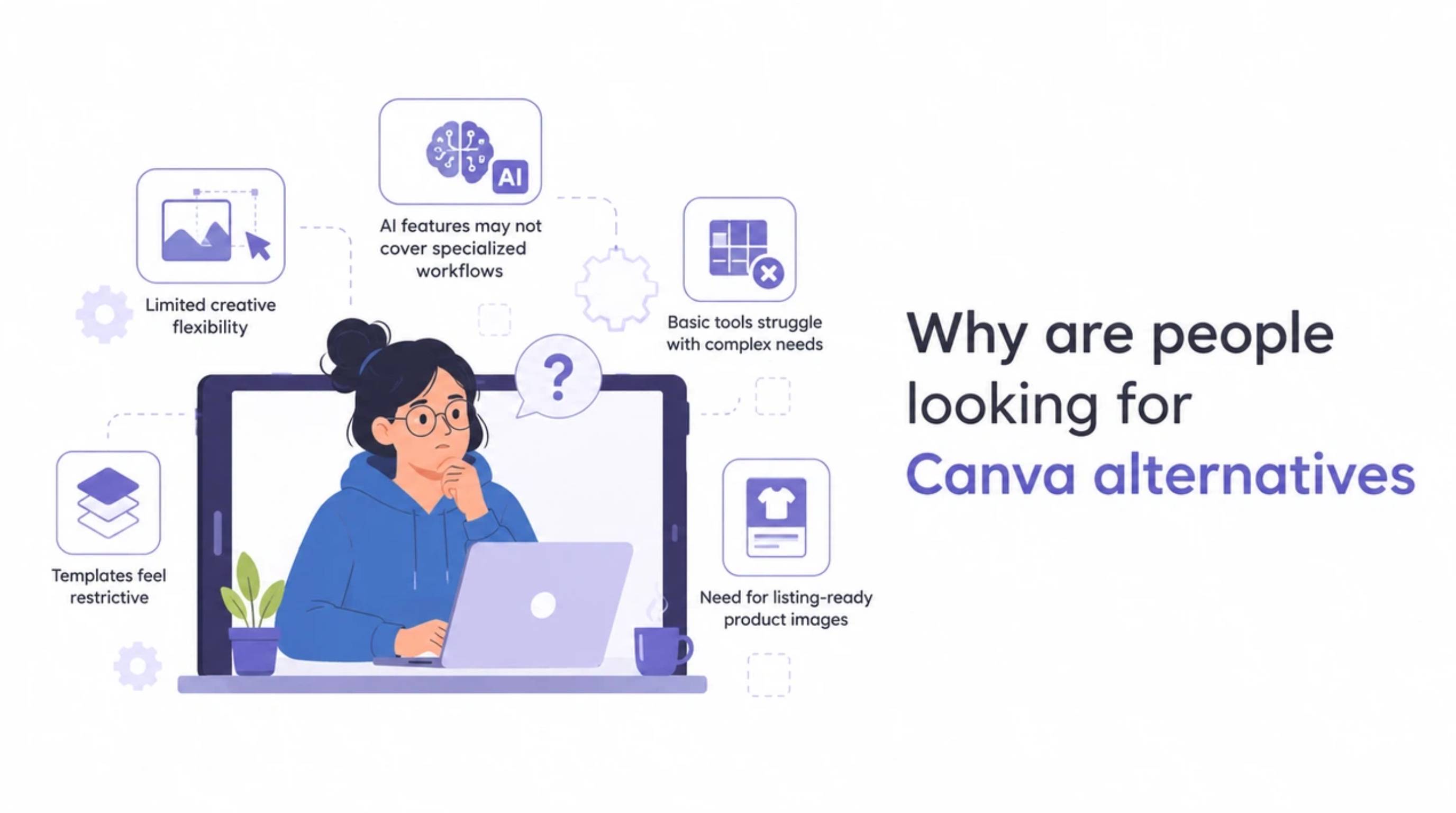
Limited creative flexibility for advanced designs
You know the feeling. You try to nudge a layer in a basic template editor, and the whole layout breaks. Traditional drag-and-drop mechanics feel incredibly frustrating when you actually need pixel-perfect control. Professional designers usually want platforms that offer granular precision over vectors and custom typography.
AI features may not cover specialized workflows
Slapping a basic text-to-image prompt onto a platform doesn't solve real marketing problems. Performance marketers need an AI that actually understands selling points, reflow copy intelligently, and generates multi-size variants for A/B testing. Generalized tools stumble hard when you ask them for listing-ready product images. To scale effectively, operators increasingly lean on a dedicated Amazon listing images generator built to handle actual e-commerce formats.
Growing teams need stronger brand management
What happens when five different people touch the same campaign? Chaos. Growing teams need iron-clad brand kits and tight asset management. You need a system that ensures a rogue color palette never makes it into a live paid ad.
What makes a good Canva alternative?
Not every alternative fits every use case. Here's what to look for before you switch.

Ease of use
A strong competitor has to be beginner-friendly. Look for an intuitive interface with a solid library of templates. Nobody wants to stare at a blank Canvas when they are on a tight deadline.
AI design capabilities
Speed is everything in modern marketing. Check if the platform offers a versatile AI image generator, smart resizing, and automated editing. If a tool can instantly translate one key visual (KV) into fifteen different placements, it will save your team hours of manual cropping.
Brand and collaboration features
Your new tool must support strict brand rules for fonts, logos, and colors. Asset management needs to be clean so designers and copywriters can jump into the same file without accidentally overwriting each other's work.
Content creation capabilities
Make sure the platform actually handles your specific formats. Do you primarily need social graphics, structured e-commerce modules, or massive corporate pitch decks?
How we evaluated these Canva alternatives
We analyzed these apps based on their AI capabilities, ease of use, team collaboration features, export quality, and pricing. The rankings below reflect the best fit for specific use cases, rather than naming one impossible "perfect" winner for everyone.
11 best Canva alternatives compared
1. Adobe Express: Best overall Canva-like upgrade
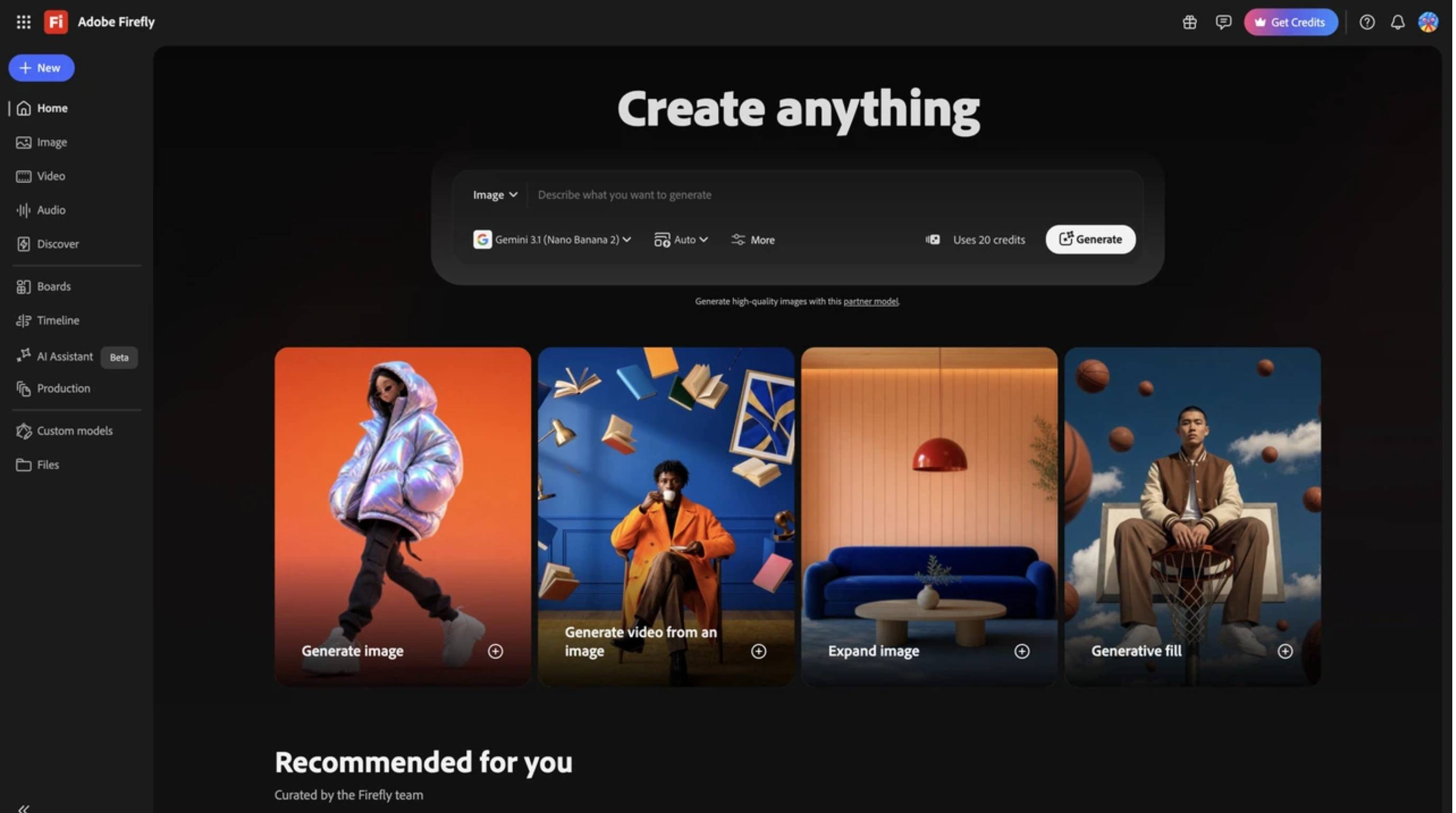
Think of Adobe Express as the perfect middle ground between simple template builders and the heavy-duty Creative Cloud ecosystem. Backed by Firefly's generative AI, it gives creators a massive boost in producing high-quality videos and documents. With direct access to Adobe Fonts, it remains a total powerhouse for keeping enterprise content on-brand.
Pros
-
Seamlessly connects with Photoshop and Illustrator assets.
-
Unlocks high-quality generative fill and text-to-image AI.
-
Fantastic brand kit management for larger teams.
-
Huge library of premium Adobe Fonts.
Cons
-
The dashboard can feel a bit cluttered at first glance.
-
You have to pay to unlock the premium features.
-
Heavier processing might slow down older laptops.
Best for: Marketers and agencies already tied into the Adobe world.
Pricing: Free plan available; Premium starts at $9.99/month.
2. VistaCreate: Best Canva-like free experience
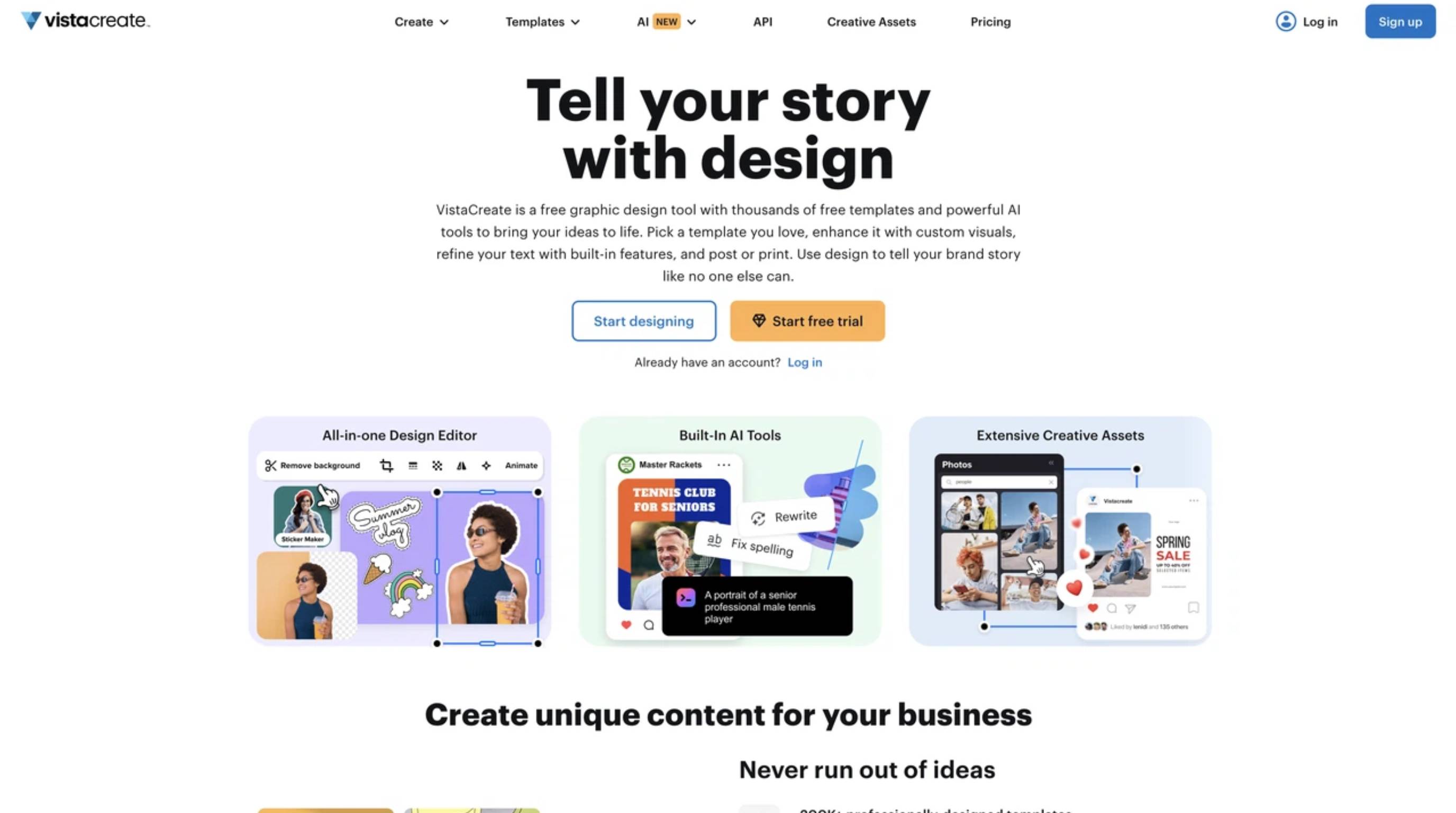
Looking for a truly free alternative to Canva? VistaCreate feels like home. Known for an incredibly generous free plan, it empowers small business owners to bypass the blank-Canvas syndrome completely. Its built-in background remover and animated text features make it super easy to craft engaging social graphics on the fly.
Pros
-
Great free tier loaded with millions of assets.
-
Built-in background removal works wonderfully.
-
Easy-to-navigate interface.
-
Solid selection of animated templates.
Cons
-
Missing advanced AI workflow automation.
-
Folder organization is locked behind the paywall.
-
Export resolutions are restricted on the free plan.
Best for: Small business owners needing quick, free visual content.
Pricing: Free plan available; Pro starts at $10.00/month.
3. Figma: Best for pro design & collaboration
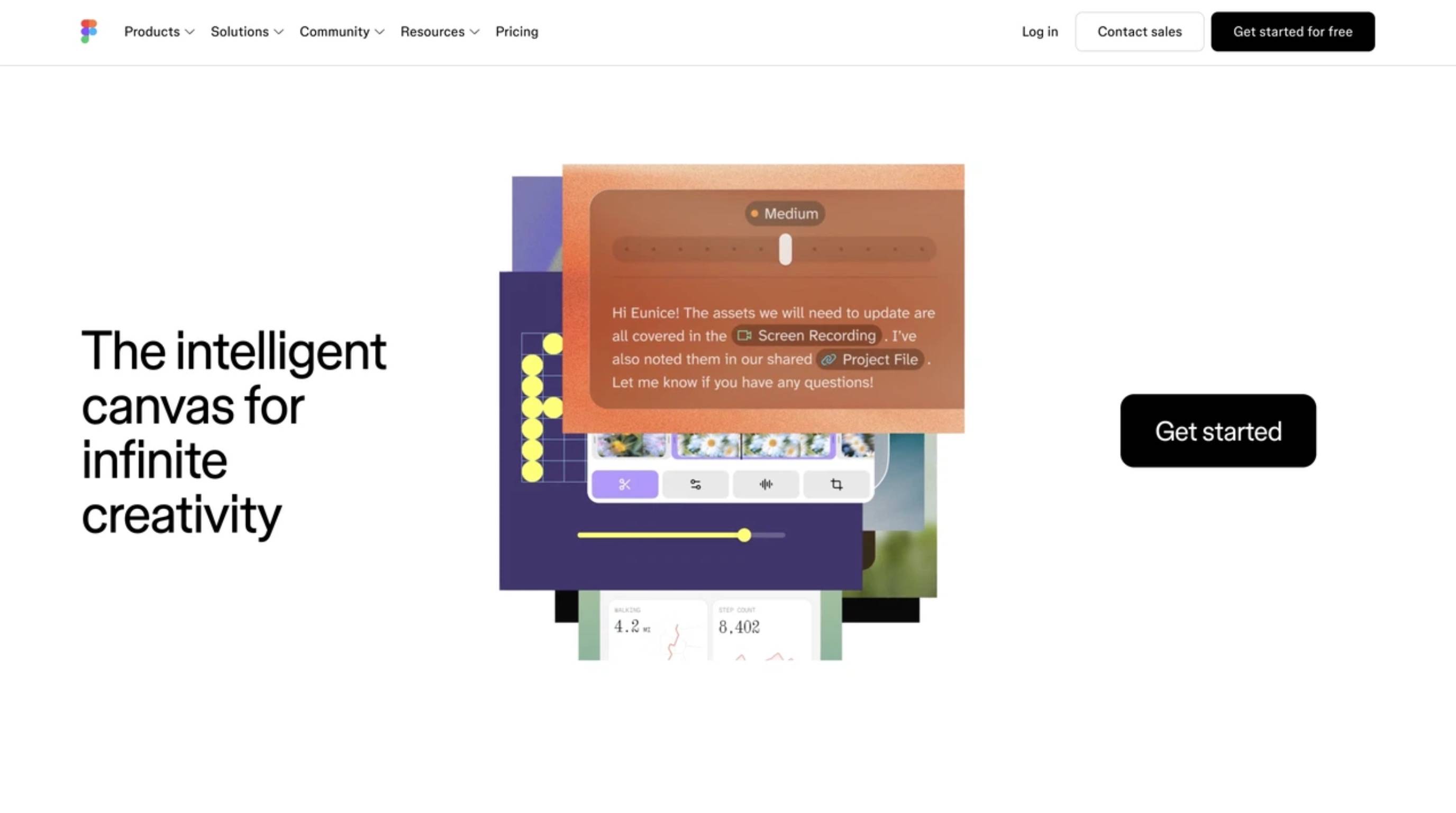
Sure, it's the king of UI/UX, but Figma is also one of the toughest Canva alternatives for graphic design available today. It completely abandons basic drag-and-drop for precise pixel control and auto-layout features. If your creative team builds scalable marketing components and robust brand libraries, Figma's real-time multiplayer workspace is unmatched.
Pros
-
Flawless real-time team collaboration.
-
Auto-layout ensures your spacing is always perfect.
-
Massive community plugin ecosystem.
-
Professional-grade vector control.
Cons
-
The learning curve is steep for non-designers.
-
Not built specifically for print or standard social templates.
-
Requires third-party plugins for AI generation.
Best for: Pro design teams, UI/UX designers, and tech startups.
Pricing: Free plan available; Professional starts at $12.00/user/month (Dev seat).
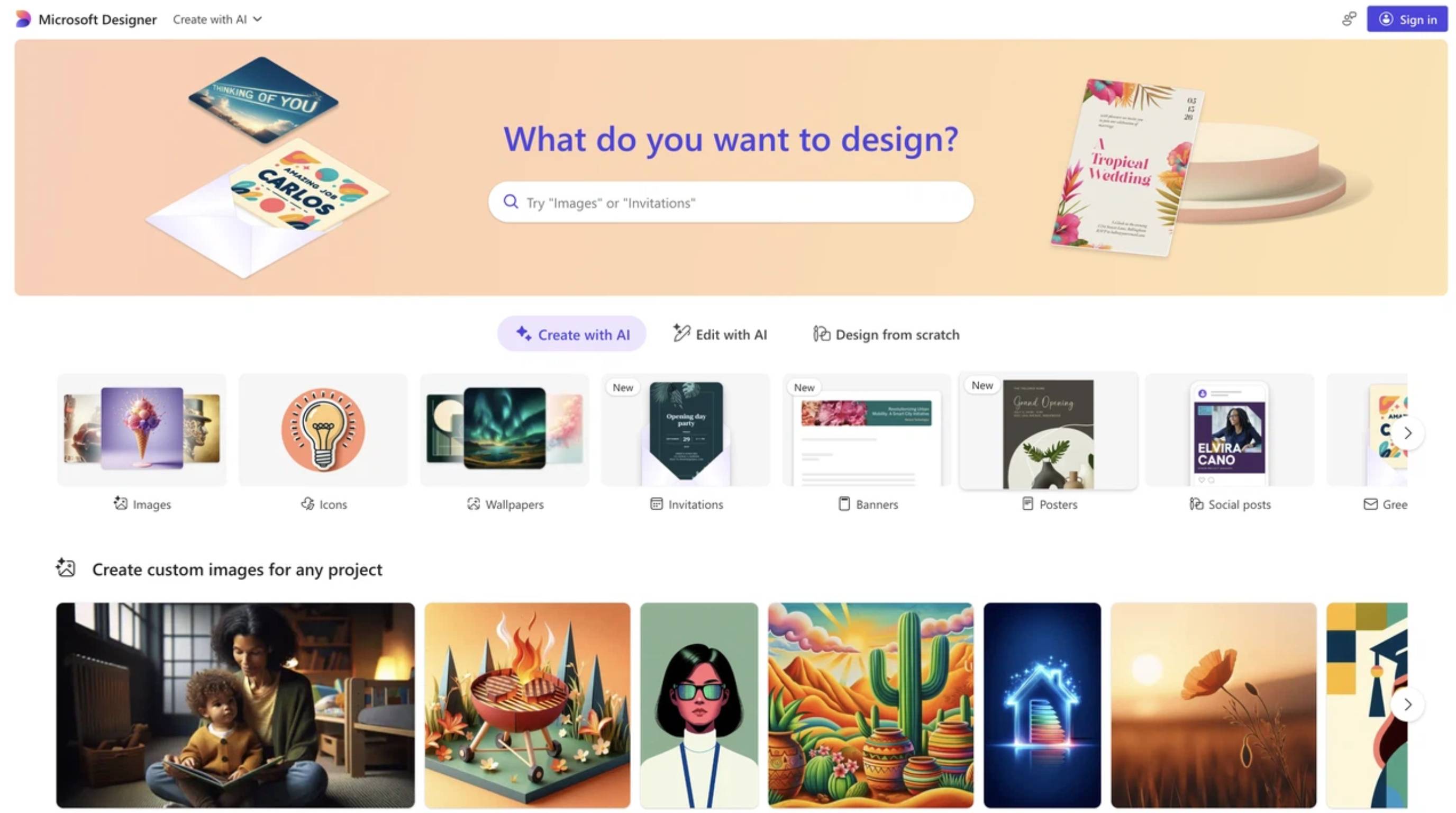
4. Microsoft Designer: Best free AI graphic helper
Fast, simple, and AI-first. Microsoft Designer uses DALL-E to generate entirely unique images and layouts straight from your text prompts. It is an amazing ideation tool designed to help office workers translate a random thought into a ready-to-publish graphic in seconds, with zero design experience required.
Pros
-
Excellent text-to-design generation.
-
Integrates smoothly into Microsoft 365.
-
Super streamlined interface for rapid work.
-
Completely free to use during preview phases.
Cons
-
Very limited manual control after the AI builds the layout.
-
Brand management is fairly basic right now.
-
Terrible for complex, multi-page document setups.
Best for: Office workers needing rapid AI visuals.
Pricing: Free with a Microsoft account.
5. Designkit: Best for AI ecommerce & marketing visuals
This isn't a blank Canvas tool; it is a dedicated AI design agent built to drive e-commerce sales. Designkit understands your product and marketing goals deeply, automatically writing engaging copy and producing high-converting multi-size creatives in minutes. It bridges the massive gap between raw product photography and a launch-ready ad campaign.

Why Designkit is a powerful Canva alternative for businesses
Generic editors demand too much manual tweaking for e-commerce operators. Designkit does heavy lifting instead. By extracting selling points and acting as a robust AI poster generator for advertisements, it ensures your final assets are fully optimized for CTR across every digital storefront.
How to create marketing graphics with Designkit
Here is the exact workflow to turn a simple product shot into a full promotional set:
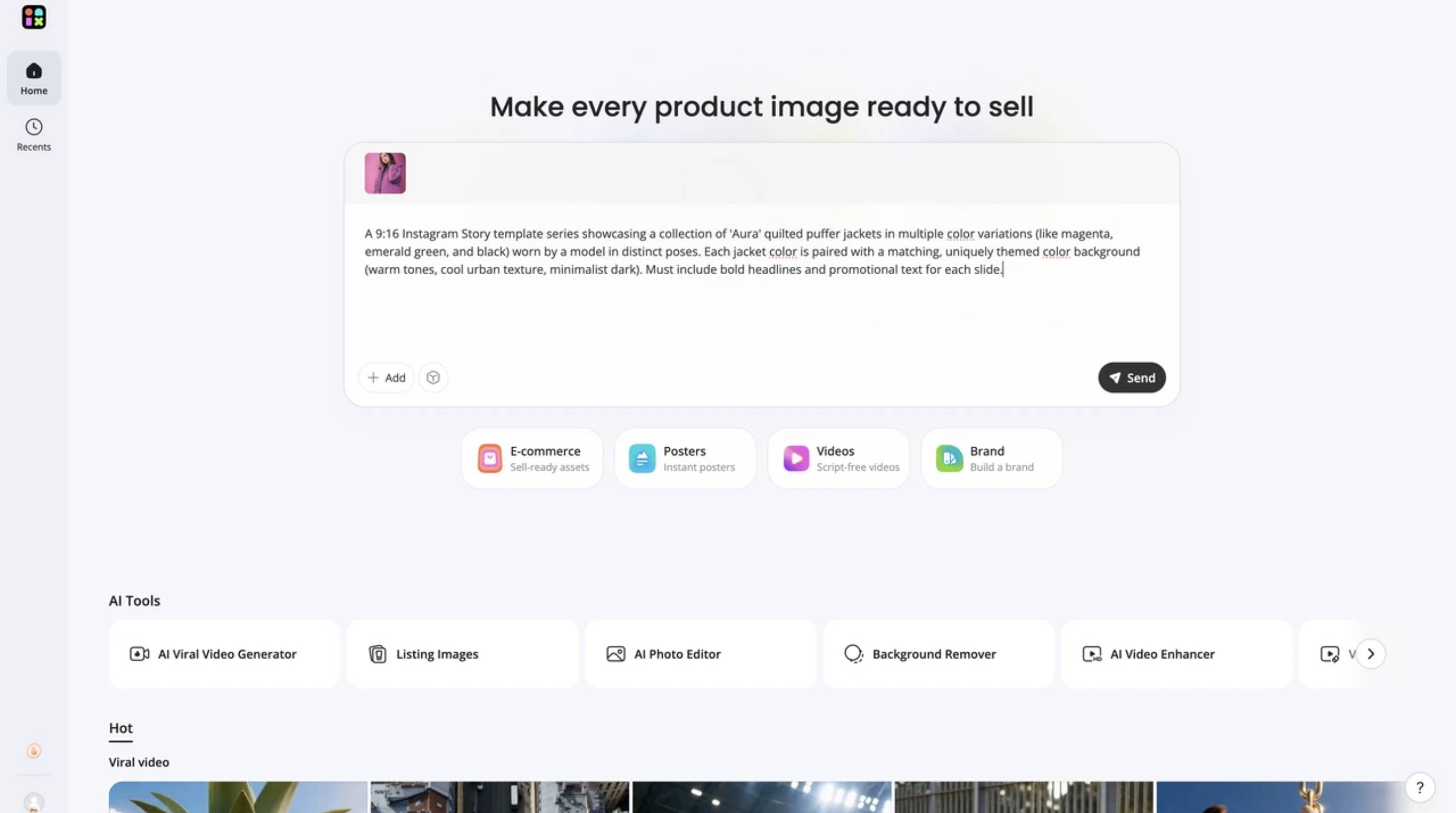
Step 1: Upload your product images
Begin by uploading a clear, unedited picture of your item, such as a flat lay or an image with a solid background, directly to your workspace. The platform instantly scans your photo to isolate the item and identify important features like its shape and branding. This produces a flawless, transparent cutout, guaranteeing that the AI uses your exact product so customers get a true-to-life representation.
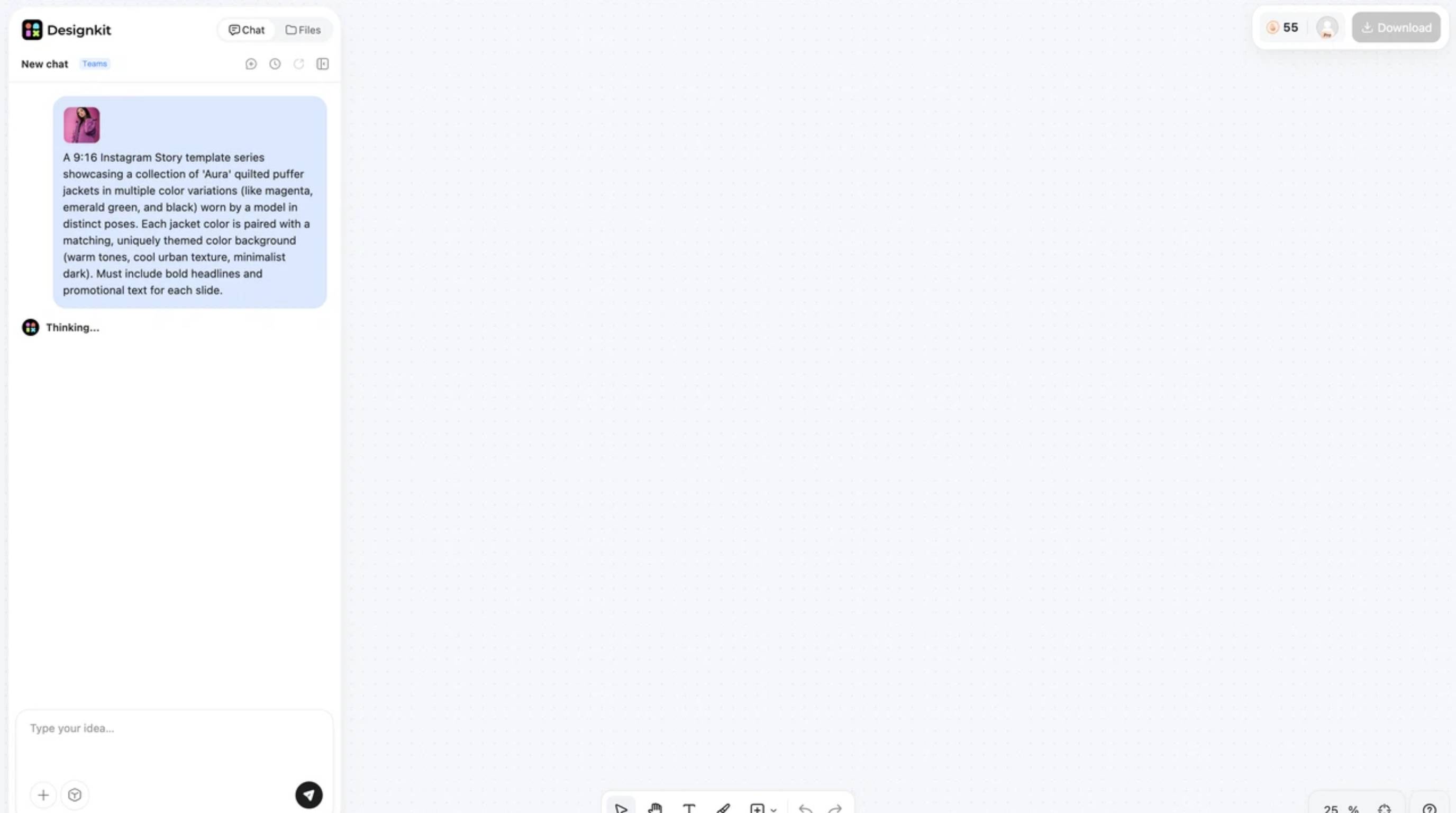
Step 2: Generate AI-powered marketing assets
Next, define your specific campaign needs by typing a detailed description into the text area. You can request exact ad formats, like a 9:16 layout, and highlight your key selling points. Once your instructions are ready, hit send, and the platform will automatically construct multiple visual variations tailored to your promotional goals.
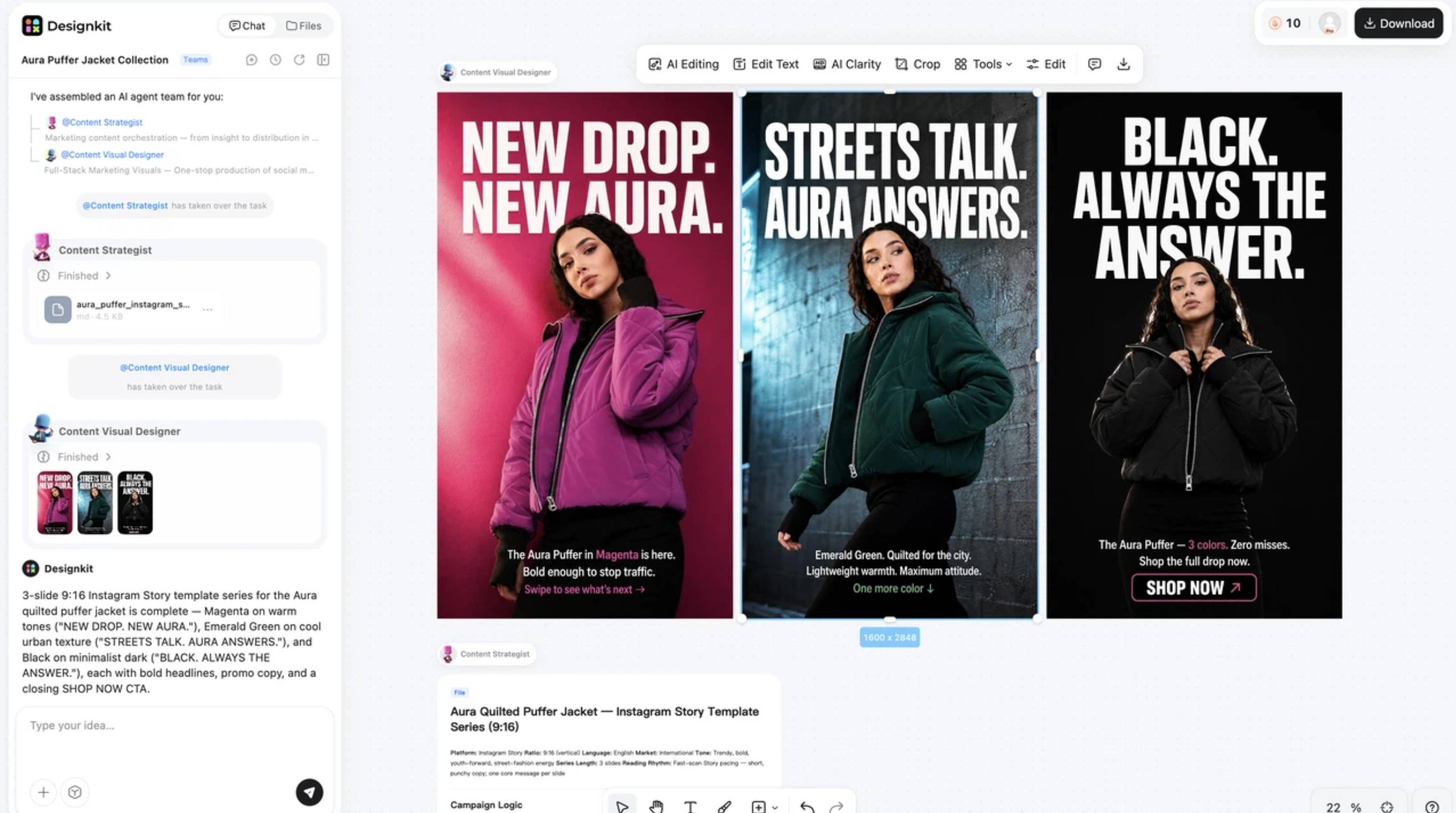
Step 3: Export for every sales channel
Finally, review your newly generated graphics right on the screen. Once you find the perfect match, choose the specific dimensions you need for your various platforms and hit the download button at the top right. You will immediately receive crisp, optimized files that are perfectly formatted and ready to launch across your social media, web stores, and ad campaigns.
Create Marketing Graphics Free
Pros
-
End-to-end AI workflow built specifically for e-commerce.
-
Automatically scales a single design into dozens of multi-size creatives.
-
Generates tailored marketing copy alongside the visual layout.
-
Outputs are highly optimized for live ad placements.
Cons
-
Might be overkill if you just want to make a simple birthday card.
-
Heavily focused on commercial marketing aesthetics.
Best for: E-commerce brands, performance marketers, and agencies.
Pricing: Free trial available; Basic Plan starts at $10.00/month.
6. Kittl: Best for typography and logo-style graphics
Merch creators and typography fans. This one is for you. Kittl is a browser-based powerhouse for complex text manipulation and intricate vintage illustrations. With built-in AI illustration generators and insanely detailed vector templates, it has become the ultimate playground for print-on-demand sellers and boutique brand creators.
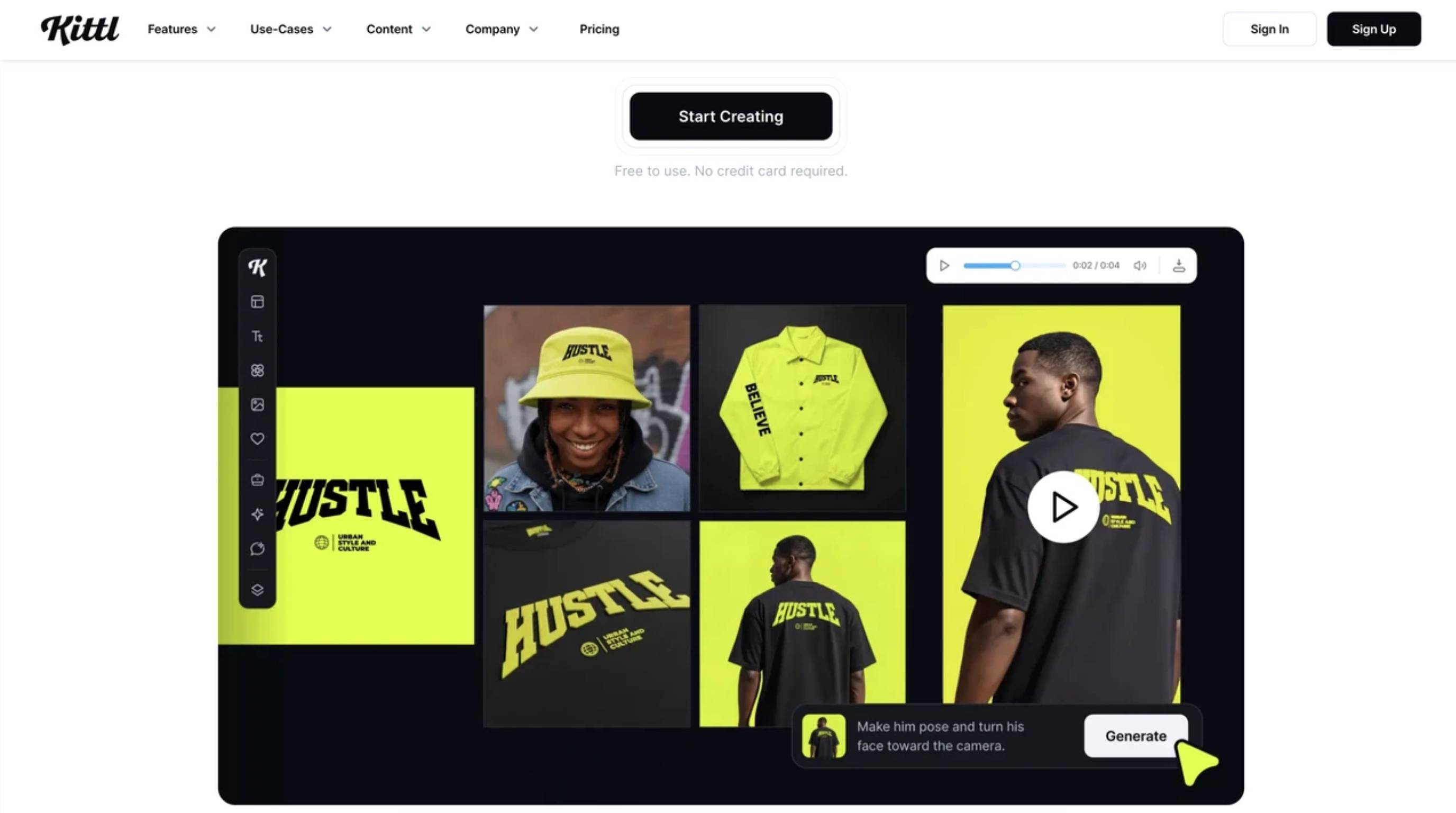
Pros
-
Superior text warping and effects.
-
Highly detailed illustration templates.
-
Built-in AI illustration tools.
-
Perfect for vintage graphics and t-shirt designs.
Cons
-
Weak features for standard corporate presentations.
-
Lacks deep photo manipulation tools.
-
The interface can feel overwhelming at first.
Best for: Merch designers, illustrators, and boutique brands.
Pricing: Free plan available; Pro starts at $10.00/month.
7. Visme: Best for presentations & business visuals
B2B teams need something different, and Visme delivers. This platform specializes in turning boring statistics into interactive stories. Packed with extensive chart libraries, data widgets, and interactive pop-ups, it provides educators and marketers with tools that go far beyond standard image editing.
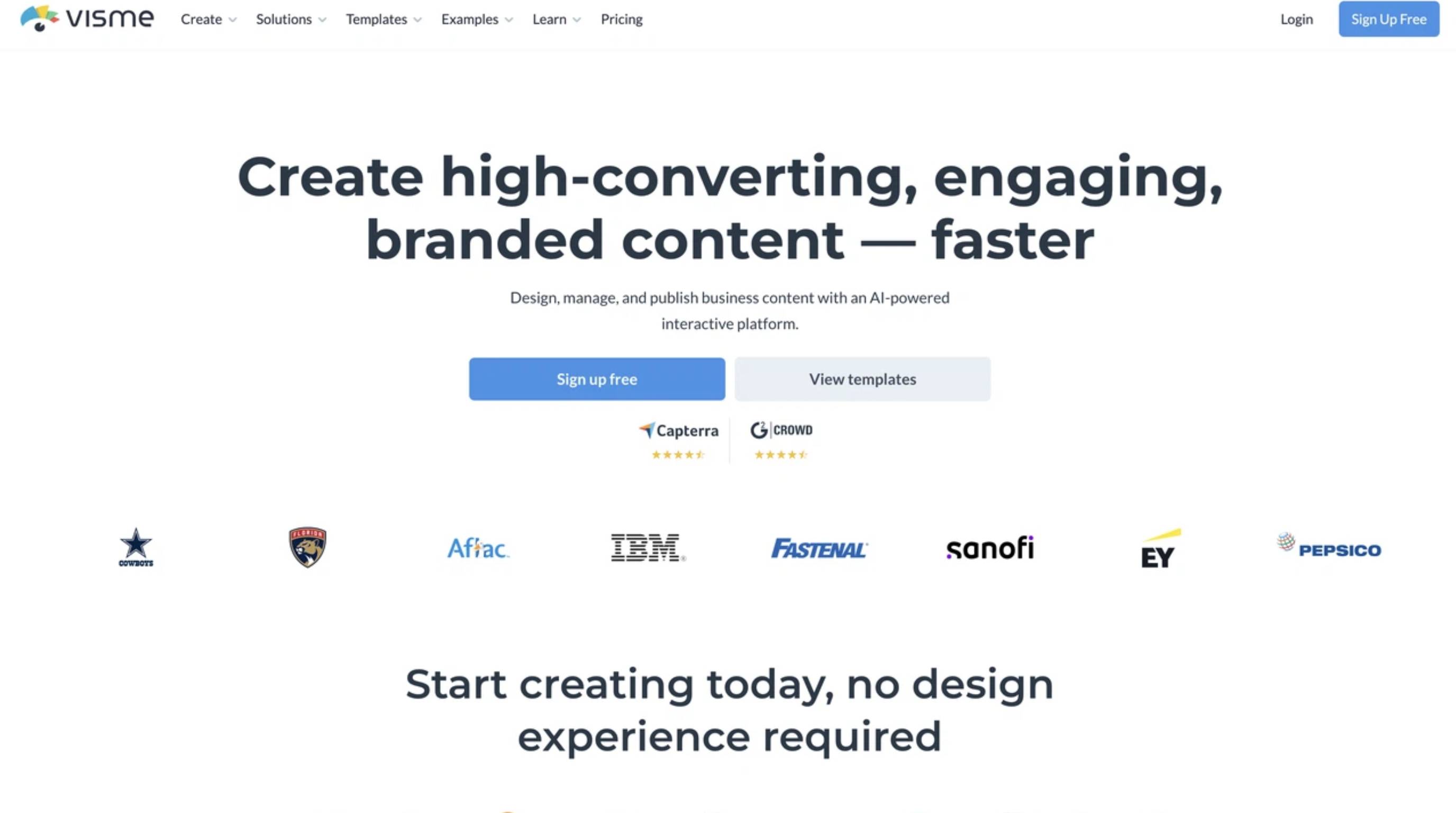
Pros
-
Massive library of charts and data widgets.
-
Interactive elements like hover states.
-
Powerful presentation-building features.
-
Analytics feature lets you track document engagement.
Cons
-
Pricier than basic graphic alternatives.
-
Not built for rapid-fire social media posts.
-
The sheer volume of features takes time to learn.
Best for: B2B marketers, educators, and corporate teams.
Pricing: Free plan available; Starter at $12.25/month.
8. Snappa: Best for fast social graphics
Need websites similar to Canva but with zero clutter? Snappa is built purely for speed. It strips away complicated interfaces so you can crank out social media graphics and blog banners in seconds. With perfectly sized templates and one-click resizing, it completely eliminates the learning curve.
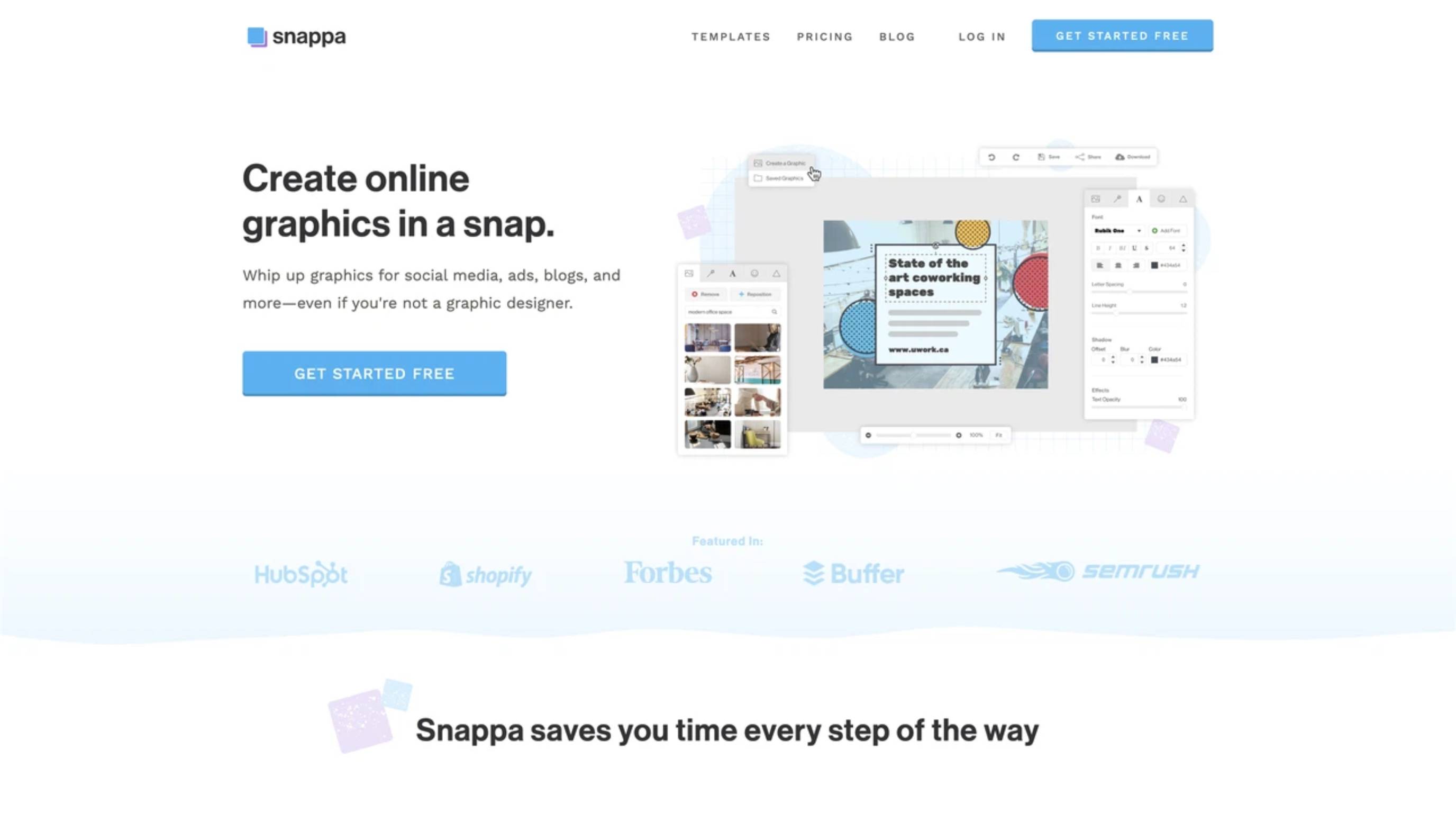
Pros
-
Blazing fast and incredibly lightweight.
-
Perfectly sized templates for every social network.
-
Easy one-click image resizing.
-
Direct integrations for social media scheduling.
Cons
-
Very basic advanced design features.
-
No AI generative tools included.
-
Native video editing is nonexistent.
Best for: Bloggers, community managers, and solo creators.
Pricing: Free plan available; Pro starts at $10.00/month.
9. Piktochart: Best for infographics
Piktochart zeroes in on one specific goal: summarizing complex information. Through long-form infographics, professional reports, and pitch decks, its pre-structured blocks make embedding charts a breeze. It offers a clean, corporate-friendly vibe that data analysts love.
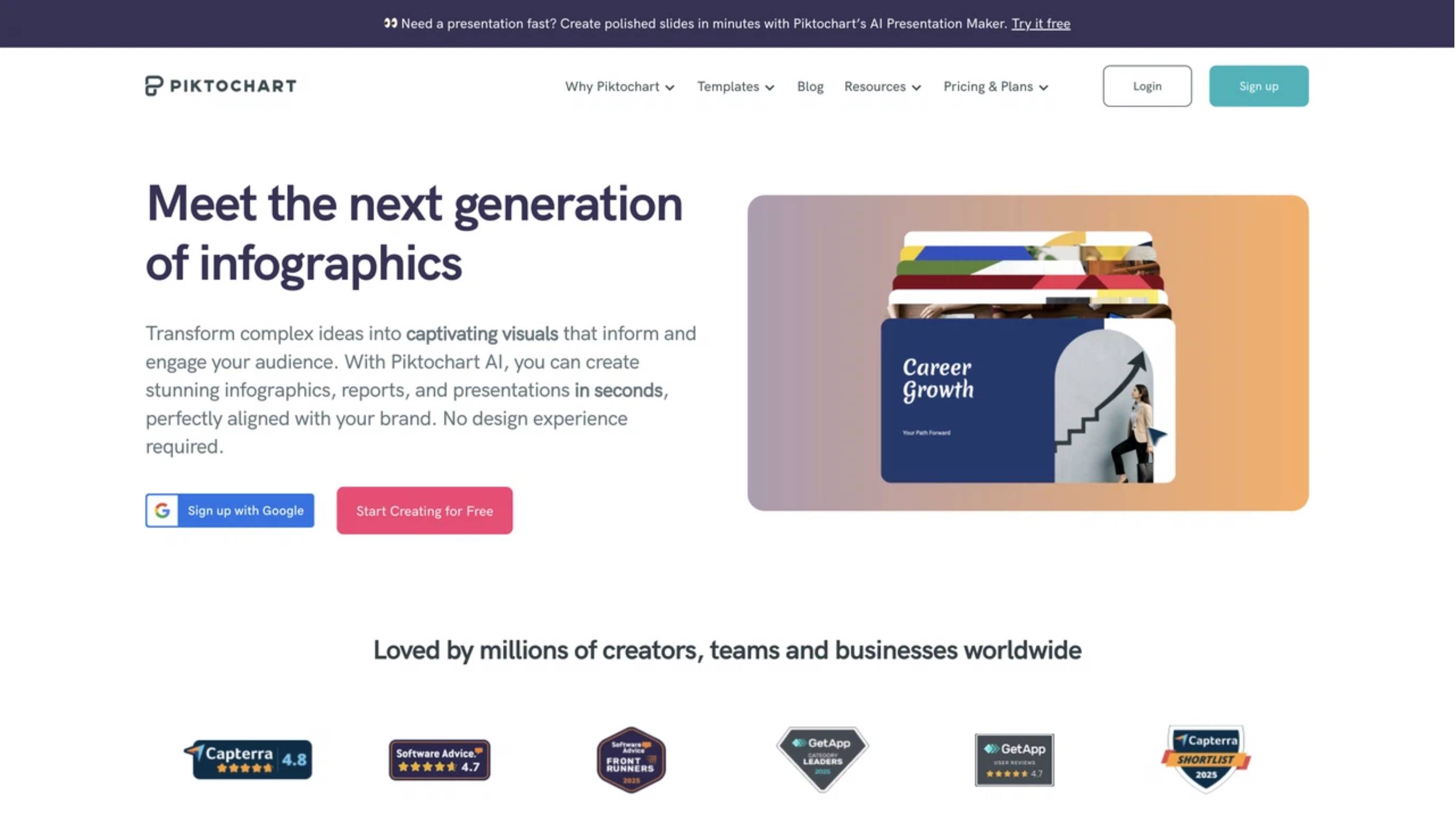
Pros
-
Incredible pre-structured infographic blocks.
-
Extremely easy to embed charts and maps.
-
Clean, professional corporate aesthetic.
-
Very user-friendly for non-designers.
Cons
-
Limited capabilities for photo editing.
-
Terrible choice for daily social media content.
-
Free plan restricts downloads and adds watermarks.
Best for: HR professionals, data analysts, and content teams.
Pricing: Free plan available; Pro starts at $10.00/month (price may be changed; usually around $15.00/month).
10. Photopea: Best free Photoshop-style editor in browser
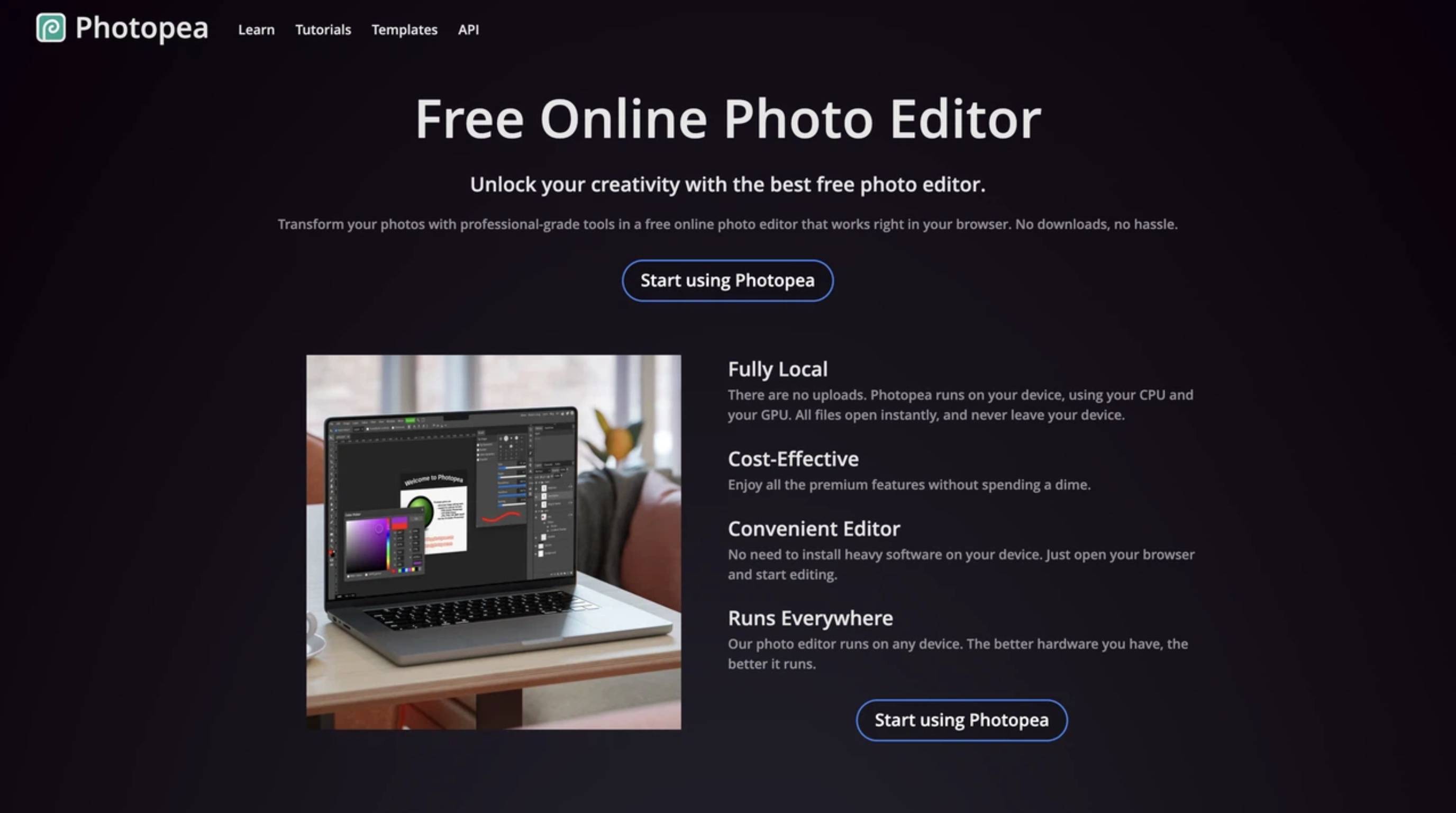
Photopea is an absolute lifesaver. It is a wildly powerful, browser-based editor that perfectly mimics a traditional Photoshop experience. As a completely free Canva alternative, it handles PSD and AI files with ease, offering the advanced layers and masking tools that photographers and students desperately need.
Pros
-
100% free to use.
-
Handles PSD, XD, Sketch, and XCF files perfectly.
-
Offers advanced layer, mask, and adjustment controls.
-
No account creation needed at all.
Cons
-
Ad-supported interface (unless you pay a small fee).
-
Requires you to already know how Photoshop works.
-
Doesn't come with built-in templates.
Best for: Students, photographers, and anyone who understands layer editing.
Pricing: Free (Ad-supported).
11. Polotno: Best lightweight online editor for teams
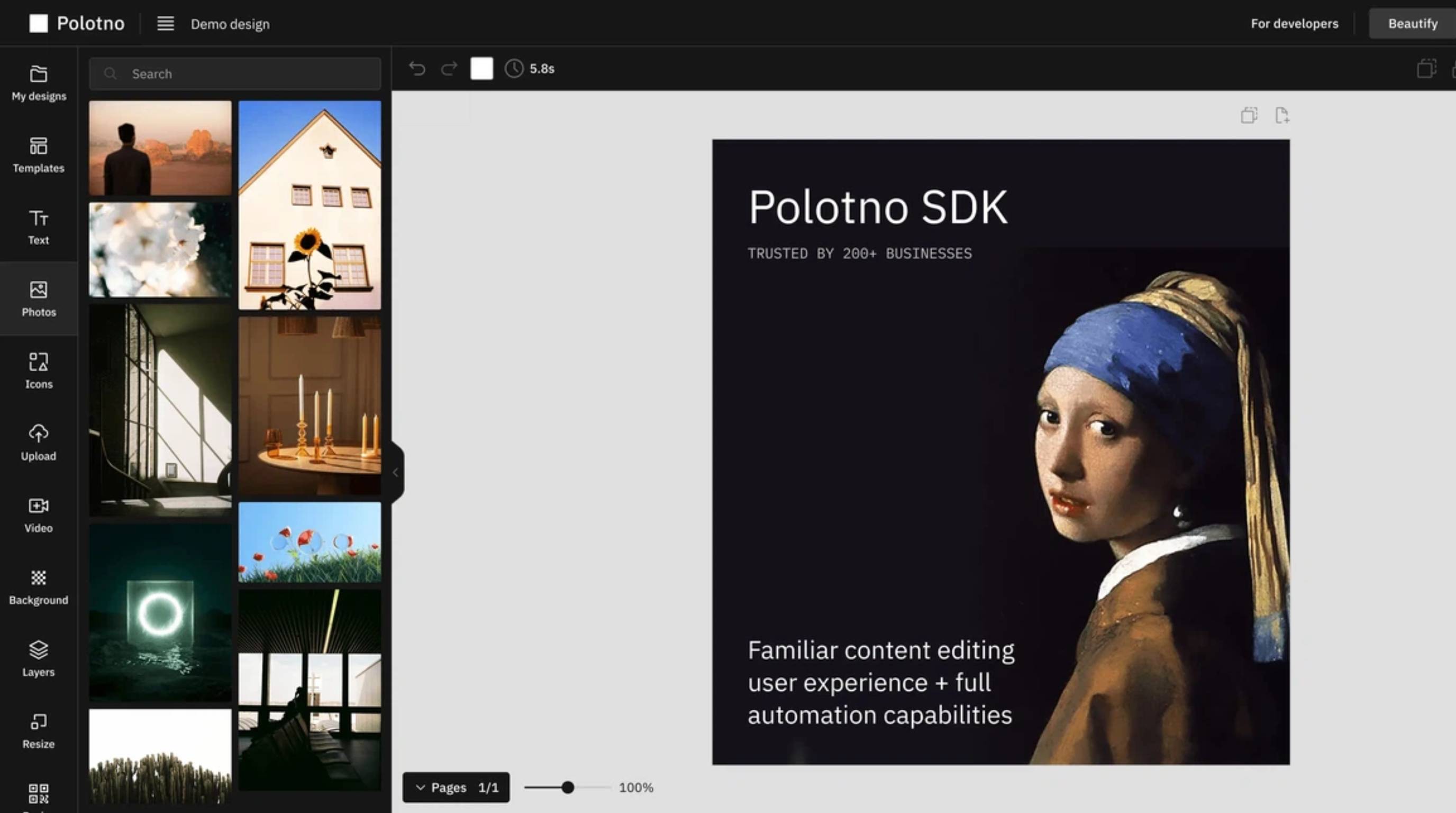
Polotno Studio is a fast, minimalistic workspace that doesn't even ask you to log in. Developers frequently use it to integrate an editor into their own apps, but the standalone studio is brilliant for distraction-free edits. It is highly responsive and gets out of your way.
Pros
-
Zero login required to start making edits.
-
Clean, distraction-free interface.
-
Performs beautifully on older devices.
-
Core features are completely free.
Cons
-
Missing the massive template libraries found elsewhere.
-
No AI generation tools.
-
Cloud storage and asset management are very limited.
Best for: Developers, startups, and anyone who wants a fast workspace.
Pricing: Free trial available for up to 60 days.
Canva vs other graphic design platforms
|
Platform |
AI Features |
Collaboration |
Brand Kit |
Free Plan |
Best For |
|---|---|---|---|---|---|
|
Canva |
Advanced AI design tools |
Excellent |
Yes |
Yes |
Social media, presentations, marketing materials |
|
Adobe Express |
Advanced AI design and image editing |
Very Good |
Yes |
Yes |
Professional branding and marketing |
|
VistaCreate |
Basic AI features |
Good |
Yes |
Yes |
Social media graphics and content creation |
|
Figma |
AI-assisted design features |
Excellent |
Yes |
Yes |
UI/UX design and team collaboration |
|
Microsoft Designer |
Advanced AI image and graphic generation |
Good |
Limited |
Yes |
AI-powered graphic creation |
|
Designkit |
Advanced AI image and marketing content generation |
Good |
Yes |
Yes |
AI-powered marketing visuals, product content, and ecommerce creatives |
|
Kittl |
AI-powered illustration and typography tools |
Basic |
Limited |
Yes |
Typography, logos, and print designs |
|
Visme |
AI content and presentation tools |
Very Good |
Yes |
Yes |
Presentations, infographics, and reports |
|
Snappa |
Limited AI features |
Basic |
Yes |
Yes |
Quick social media graphics |
|
Piktochart |
Basic AI assistance |
Good |
Yes |
Yes |
Infographics and data visualization |
|
Photopea |
No built-in AI tools |
Not Available |
No |
Yes |
Advanced photo editing |
|
Polotno |
Basic AI capabilities |
Good |
Yes |
Yes |
Online graphic design for teams |
Which Canva alternative is right for you?
Choose the right Canva alternative
Don't just jump into the first tool you stumble across. Take a second to evaluate your actual workflow requirements:
-
Budget: Do you genuinely need a totally free tool like Photopea, or can you justify spending on premium AI features?
-
Skill level: Be realistic about your team's design chops. Figma is a beast but requires training, whereas VistaCreate works on day one.
-
Design goals: Are you designing vintage merch (Kittl), interface components (Figma), or e-commerce modules (Designkit)?
-
Team collaboration: If five people need to approve a creative, pick a platform that handles real-time commenting and shared folders well.
-
AI capabilities: If the ultimate goal is saving time, prioritize apps that weave AI directly into the layout and resizing steps.
|
If you need |
Recommended Tool |
|---|---|
|
Closest all-around Canva feel |
Adobe Express, VistaCreate |
|
Best free graphic tools like Canva |
VistaCreate, Photopea, Polotno |
|
AI-powered design and content creation |
Designkit, Microsoft Designer, Adobe Express |
|
Professional design and team collaboration |
Figma, Polotno |
|
Marketing, presentations, and business content |
Visme, Adobe Express, Designkit |
|
Specialized creative work (infographics, typography, and photo editing) |
Piktochart, Kittl, Photopea |
Best free Canva alternatives for different users
Picking the right app really comes down to your specific daily job. Here are our top recommendations broken down by who uses them:
|
User Type |
Recommended Tool |
Why |
|---|---|---|
|
Beginners |
VistaCreate |
Intuitive interface, ready-made templates, and a generous free plan make it easy to start designing. |
|
Social media creators |
Adobe Express, Snappa |
Offer social media templates, quick editing tools, and platform-specific resizing for faster content creation. |
|
Students |
Canva, Photopea |
Canva is great for presentations and assignments, while Photopea provides advanced editing without installation. |
|
Startups |
Designkit, Polotno |
Help create marketing visuals efficiently while supporting branding and collaborative workflows on a budget. |
|
Marketers |
Designkit, Microsoft Designer |
AI-powered tools speed up the creation of campaign visuals, ads, and promotional content across multiple channels. |
|
Professional designers |
Figma, Photopea |
Deliver advanced design capabilities, precision editing, and collaborative features for professional workflows. |
Conclusion
Finding the best Canva alternatives ultimately comes down to your daily workflow, technical comfort zone, and broader business goals. While traditional graphic editors like Figma and Photopea give seasoned professionals incredible manual control, they simply lack the marketing automation that fast-paced teams demand right now. On the flip side, newer AI-powered systems like Designkit help brands generate conversion-optimized visuals significantly faster. Whether you need to crank out multi-size ad sets or just keep your brand colors consistent, exploring these options guarantees your creative output scales smoothly.
Frequently Asked Questions
What is the best Canva alternative in 2026?
What is the best free alternative to Canva?
VistaCreate offers the closest 1-to-1 experience for folks looking for a totally free template editor. If you specifically need advanced layer-based tools for free, Photopea is the absolute best browser option.
Which Canva alternative is best for businesses?
For B2B companies pushing data visualizations, Visme is fantastic. If you run an e-commerce business focused on generating high volumes of marketing creatives, Designkit is the most efficient choice out there.
Are there Canva alternatives with AI image generation?
Absolutely. Microsoft Designer uses DALL-E for rapid text-to-image work, Adobe Express brings Firefly to the table, and platforms like Designkit use AI to handle full end-to-end campaign asset generation.
What Canva alternative is best for ecommerce brands?
E-commerce brands desperately need tools that natively handle high-volume product visuals. Designkit is built specifically for this. It offers a lifestyle product photography generator that helps you drop out background clutter, create realistic scenes, and export Amazon-ready files without breaking a sweat.
Is Designkit better than Canva for marketing content?
If your whole workflow revolves around performance marketing, creating hooks, finding angles, and pushing A/B testing variants, Designkit usually outpaces traditional template editors. It automates your multi-size ad sets and writes your marketing copy right alongside the layout.
Which Canva alternative is best for professional designers?
Figma is the undisputed king for pro UI/UX designers who need scalable component systems. Meanwhile, Adobe Express bridges the gap nicely for designers who constantly pull in Photoshop and Illustrator files.
Footer:
You May Also Like

7 Best Remove.bg Alternatives in 2026: Free & Paid Tools

Instagram Carousel: What It Is, How to Post & Create One

Nano Banana Prompts: 20+ Examples for Better AI Images

Ideogram AI Review 2026: Features, Pricing & Alternatives

Free Mac Photo Editor: 5 Tools Compared for Mac Users

How to Crop a Photo Into a Circle Online (Keep Quality)

How to Make an Image Transparent Online (AI Guide)

Pixlr Background Remover Review 2026: Features, Pricing & Alternatives

How to Fix Overexposed Photos: Recover Highlights Fast

OpenArt AI Review 2026: Features, Pricing & Alternatives

Best AI Headshot Generator: 9 Tools Compared for 2026

Best Stencil Maker Tools 2026: Turn Photos Into Stencils

Pixelbin Watermark Remover Review: Image & Video Results Tested

How to Make a Sticker on iPhone: Easy Step by Step Guide

Best AI Logo Generator in 2026: 10 Tools Compared

How to Turn a Photo Into a Cartoon: A Beginner-Friendly Guide

Landscape vs Portrait: Key Differences & Best Uses in 2026

How to Remove Watermark From Photo: AI, Photoshop & More

How to Fix Pixelated Photos: Photoshop, AI Tools & Tips

Bing Image Creator: How It Works, Features, Uses & Alternatives

How to Remove People from Photos with AI: A Step-by-Step Guide

How to Increase Image Resolution: AI, Photoshop & PPI

How to Add Text to a Photo: 8 Tips for Better Results

How to Fix Grainy Photos: Easy Ways to Clear Images

Creative Profile Picture Ideas for Every Style and Platform

Evoto AI Review 2026: Features, Pricing, Pros & Cons

Pixlr Photo Editor Review: Features, Pricing & Alternatives

Best AI Image Extender Tools in 2026: Expand Photos with AI

How to Make a Collage on iPhone: Easy Guide for 2026

How to Sharpen an Image in Photoshop (Smart Sharpen and Unsharp Mask)

Best Image Background Remover Tools in 2026: AI Tools Compared

How to Make Transparent Background in Paint: Step-by-Step Guide

How to Resize an Image: Best Methods, Tools & Quality Tips

Best AI Image Generator Tools in 2026: Top AI Platforms Compared

Remove.bg Review 2026: Features, Pricing & Is It Worth It?

Luminar Neo Photo Editor Review 2026: AI Features, Price & Pros

How to Post Multiple Photos on Instagram (2026 Guide)

25 Facebook Cover Photo Ideas for Personal & Business Pages

What Is a PFP? Meaning, Examples & How to Create One

Can You Edit an Instagram Post After Posting?

11 Best Canva Alternatives in 2026 for AI Design & Marketing

8 Best Midjourney Alternatives in 2026: Features, Pricing & Comparison

How to Restore Old Photos: AI Tools, Tips & Best Methods

Pixelcut AI Review 2026: Features, Pricing, Pros, Cons & Alternatives

How to Apply Watermark to Photos: Methods, Tips & AI Tools

How to Remove a Background in Illustrator: 4 Easy Methods

How to Change Background Color on Instagram Story (Easy Guide)

8 Best AI Poster Generators in 2026: Create Posters Faster with AI

10 Best AI Image Enhancers in 2026: Tested & Compared

10 Best AI Image Editors in 2026: Features, Pricing & Comparison

7 Best AI Background Changer in 2026: Remove & Replace Photo Backgrounds

Luminar Neo vs Lightroom: Features, Pricing & Comparison 2026

Kittl Review 2026: Is It Worth It? Features & Pricing

How to Make a Blurry Image Clear: 5 AI & Manual Ways

How to Remove Background on iPhone: 5 Easy Methods (2026)

Photoroom Background Remover Review 2026: Features & Alternatives

How to Remove Background in Canva: A Step-by-Step Guide

How to Remove Background in GIMP: Beginner-Friendly Guide

Funny Dog Memes to Try: Doge Meaning and 10 Original Ideas

Back to School Checklist 2026: Supplies, Timeline, and Planning

Recraft AI Review 2026: Features, Pricing, Pros, Cons & Alternatives

How to Make an Image Transparent in Google Slides: Opacity & Background Removal

VanceAI Photo Enhancer Review: Features, Pricing & Alternatives in 2026

What Does Emojify Mean? Text, Photos, & Emoji Art Explained

Top 8 Online Background Removers for Ecommerce Photos (2026)

How to Remove Background in Photoshop: 7 Easy Methods

6 Best AI Image Upscalers 2026: Tools Tested & Compared

Project Indigo Review: Is It Better Than iPhone Camera?

How Big Is an 8x10 Photo? Size, Pixels & Frame Guide

How Big Is a 4x6 Photo? Dimensions, Pixels & Printing Tips

Picsart AI Review: Features, Pricing, Pros, Cons & Alternatives

Lovart AI Review: AI Design Agent Features, Pricing & Alternatives

Fotor AI Image Generator Review: Features, Pricing & Alternatives

How to Add Emoji to Photo Online for Free

Emoji Wallpaper Ideas & How to Make One Online (2026)

Minimalist Poster Design: How to Make a Clean Poster (2026)

How to Make a Custom Poster That Is Ready to Print

Instagram Image Size Guide 2026: Post, Reel, Story & Carousel Specs

LinkedIn Image Size Guide: Profile, Post & Banner Dimensions

YouTube Profile Image Size: Best Dimensions & Safe Area 2026

How to Edit Amazon Product Photos That Boost Sales Fast
Create Marketing Visuals Faster with AI
Generate AI-powered product images, campaign creatives, and marketing assets faster. Designkit helps teams create professional visuals without time-consuming design work.
