
What Is B-Roll? Meaning, Examples, and How to Use It
Learn how B-roll supports the main story, which shots to capture, and how to plan, film, generate, and place supporting footage in an edit.

A video built around just an interview or one long action gets dull fast. The camera view never changes, and viewers cannot see what the speaker talks about. B-roll is extra footage that fixes both problems. It works alongside the main video, not in place of it.
This guide explains what the term means, how B-roll connects to A-roll, and which shot types you should use. It shows how to plan, record, and edit extra footage that adds real value to the final video.
What Is B-Roll?
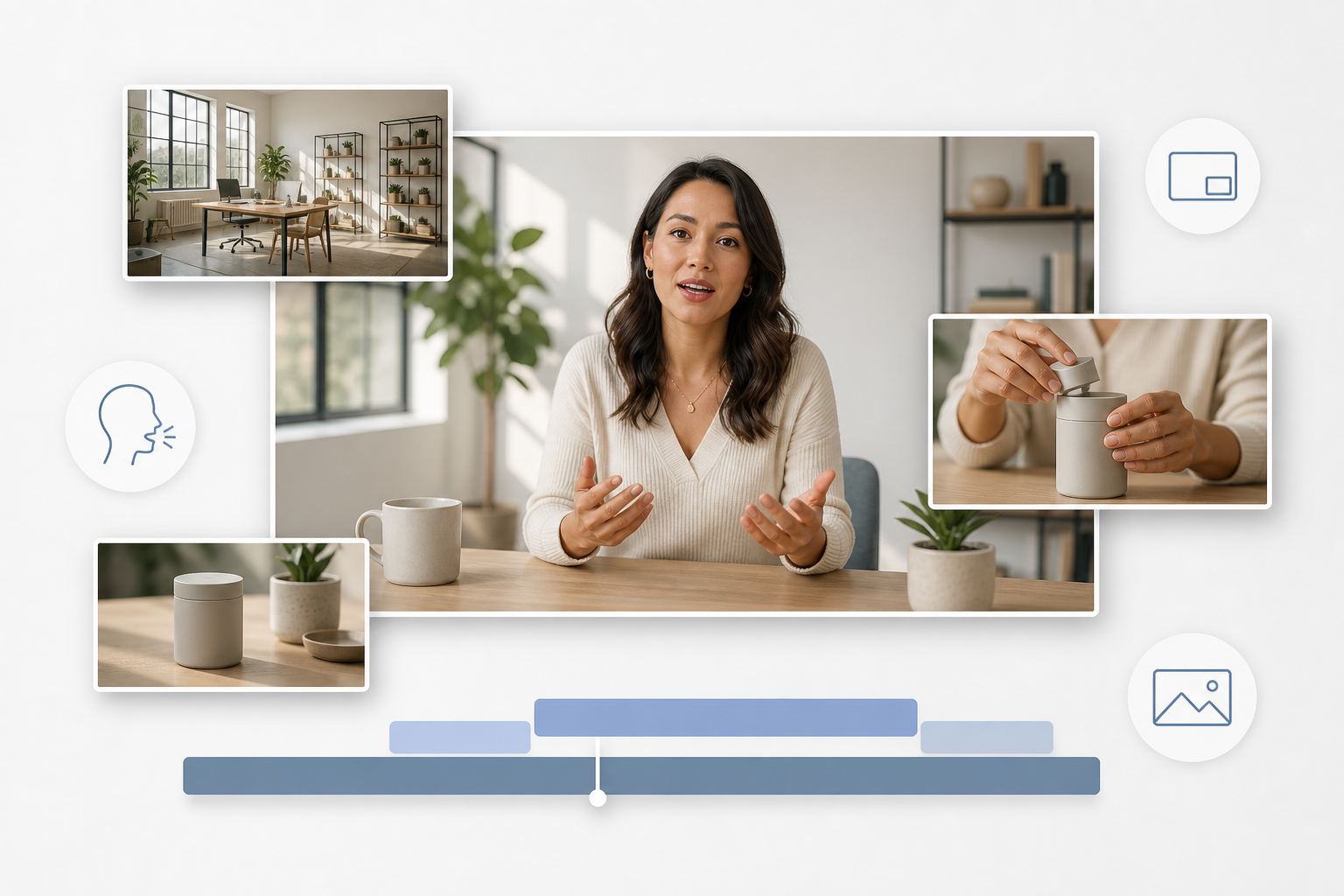
B-roll is supplementary footage inserted around or laid over the main footage of a video. That is the whole B-roll definition, and everything else follows from it. The shot might show the setting, the subject, a process, a relevant detail, or another visual tied to the primary narrative.
What Does B-Roll Mean in Video Production?
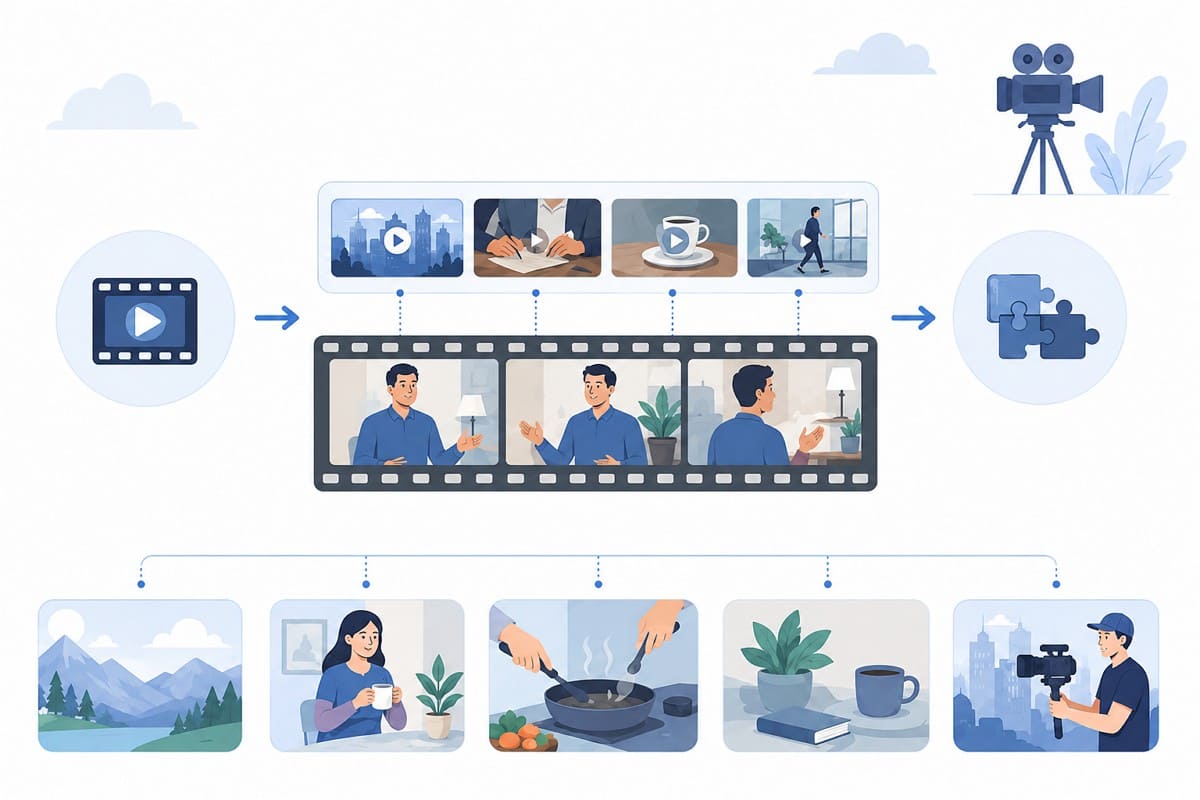
The word “supplementary” in the B-roll meaning does not mean unimportant. B-roll can communicate information, establish context, cover edits or cuts, and shape the pace of the finished video. These supporting shots often help viewers understand what they are seeing without interrupting the main narrative.
The term comes from traditional film production, when editors worked with separate rolls of footage. Modern digital productions no longer depend on physical film rolls, but the name remains widely used. So, what is B-roll footage in practice? You can record it during the main shoot, capture it separately with a second crew, or pull it from stock libraries.
What Is B-Roll Used For?
To further understand the usage of B-roll, go through the following use cases:
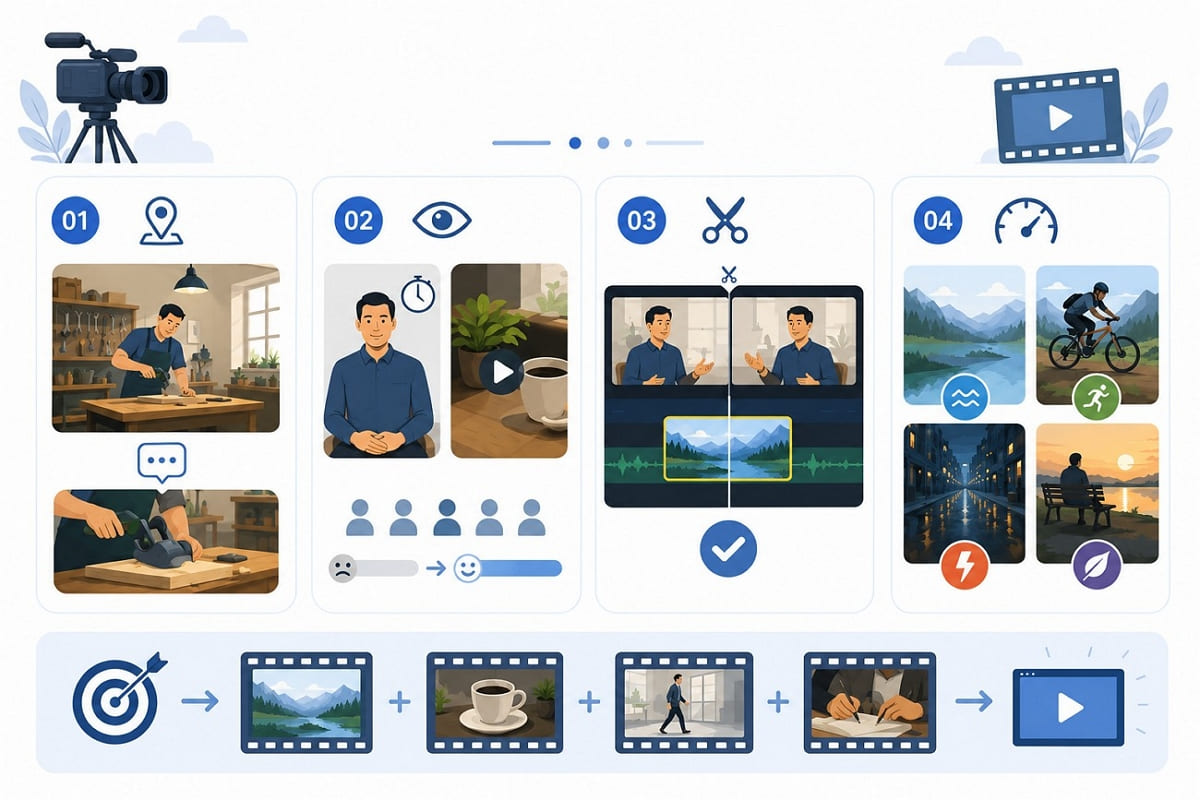
1. Add Visual Context
Showing the place, object, or action under discussion gives viewers clear B-roll examples of what narration conveys poorly. Moreover, a description of a workshop never lands like three seconds inside it.
2. Maintain Viewer Attention
A locked-off shot of one speaker can hold attention for a while, but the view soon becomes repetitive. Adding a relevant visual change brings variety and keeps viewers engaged with the story.
3. Cover Cuts and Transitions
Trimmed dialogue, joined takes, and abrupt scene changes can create noticeable visual jumps. Placing a supporting shot over these cuts helps the sequence flow smoothly.
4. Shape Tone and Pace
Shot selection, movement, and duration shape whether a sequence feels calm, energetic, tense, or reflective. Slow, static wide shots create a different effect from short handheld clips. Across every use, effective B-roll should support the story or solve an editing need rather than simply make the video look busier.
A-Roll vs. B-Roll: What Is the Difference?
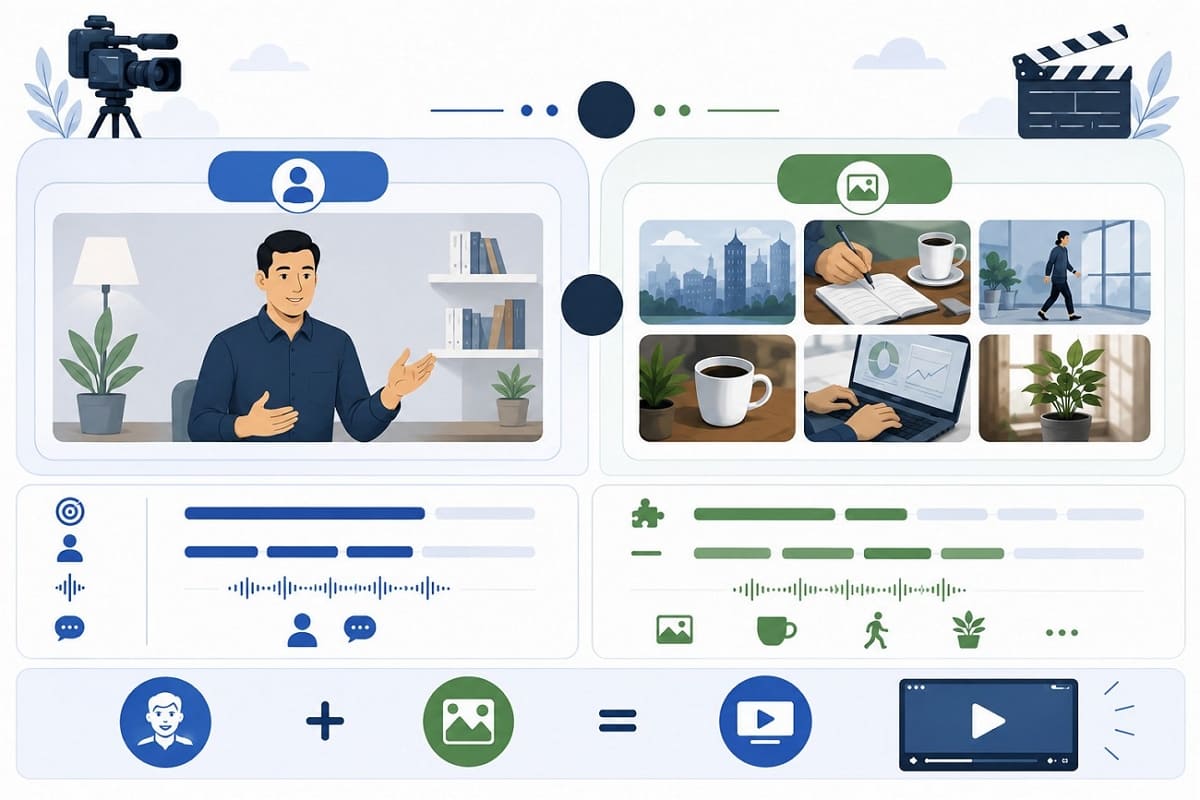
A-roll is the main subject, speech, or action that carries the core message. B-roll adds extra visuals to give context, variety, and edit coverage. To compare both, here is a clear look at A-roll vs b B-roll and what sets them apart.
|
Element |
A-Roll |
B-Roll |
|---|---|---|
|
Main Role |
Carries the core narrative |
Supports and strengthens the core narrative |
|
Common Footage |
Interviews, presentations, or primary action |
Details, settings, processes, or cutaways |
|
Audio |
Often contains essential dialogue or narration |
May include ambient sound or no original audio |
|
Editing Position |
Forms the main structure of the video |
Appears between or over A-roll sections |
|
Story Function |
Delivers the main message or action |
Adds context, explanation, mood, or visual detail |
|
Typical Shot Examples |
Speaker talking, presenter demonstrating, primary action |
Establishing shots, close-ups, reactions, environmental shots |
|
Can Use Stock Footage? |
Less common, depending on the video |
Yes, when relevant to the story |
Note: Adobe treats A-roll as the primary narrative footage, while B-roll supports it with context, transitions, and visual detail in storytelling.
Common Types of B-Roll Footage
Once you know what B-roll footage is, shot selection becomes much simpler if you group clips by visual function rather than topic. Get to know the common types of B-roll in this section for further clarity:
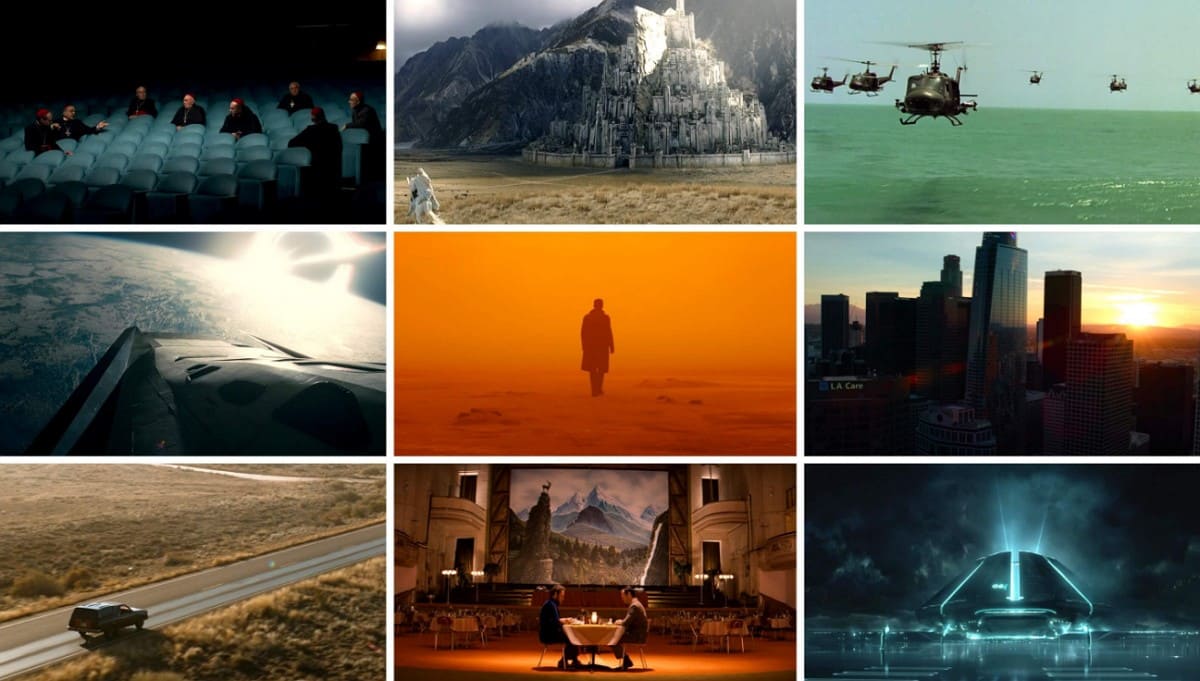
1. Establishing Shots
A wider view introduces the location before the edit moves closer to the subject. It answers where the viewer is before anything else has to make sense.
2. Cutaway Shots
The camera briefly moves away from the primary subject to show something relevant before returning. Common B-roll examples include cutaways that add context and hide joins between separate interview answers.
3. Detail Shots
A tight composition isolates a feature, object, gesture, or texture a wider frame would bury. Hands, tools, and labels read clearly at this distance and vanish at any other.
4. Process Shots
Several stages of an action show how something develops, which matters most when narration explains a workflow.
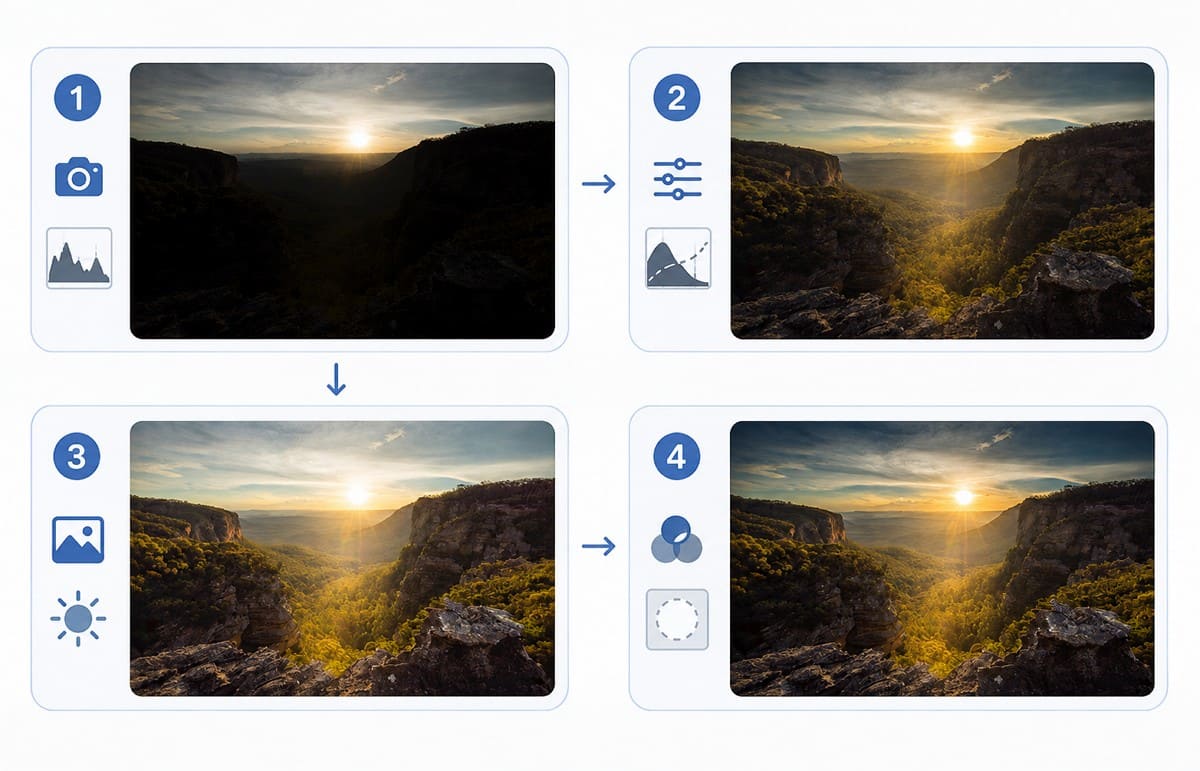
5. Atmospheric Shots
Movement, surroundings, and environmental texture establish mood without advancing the argument. Rain on a window does nothing for the facts and a great deal for the feeling.
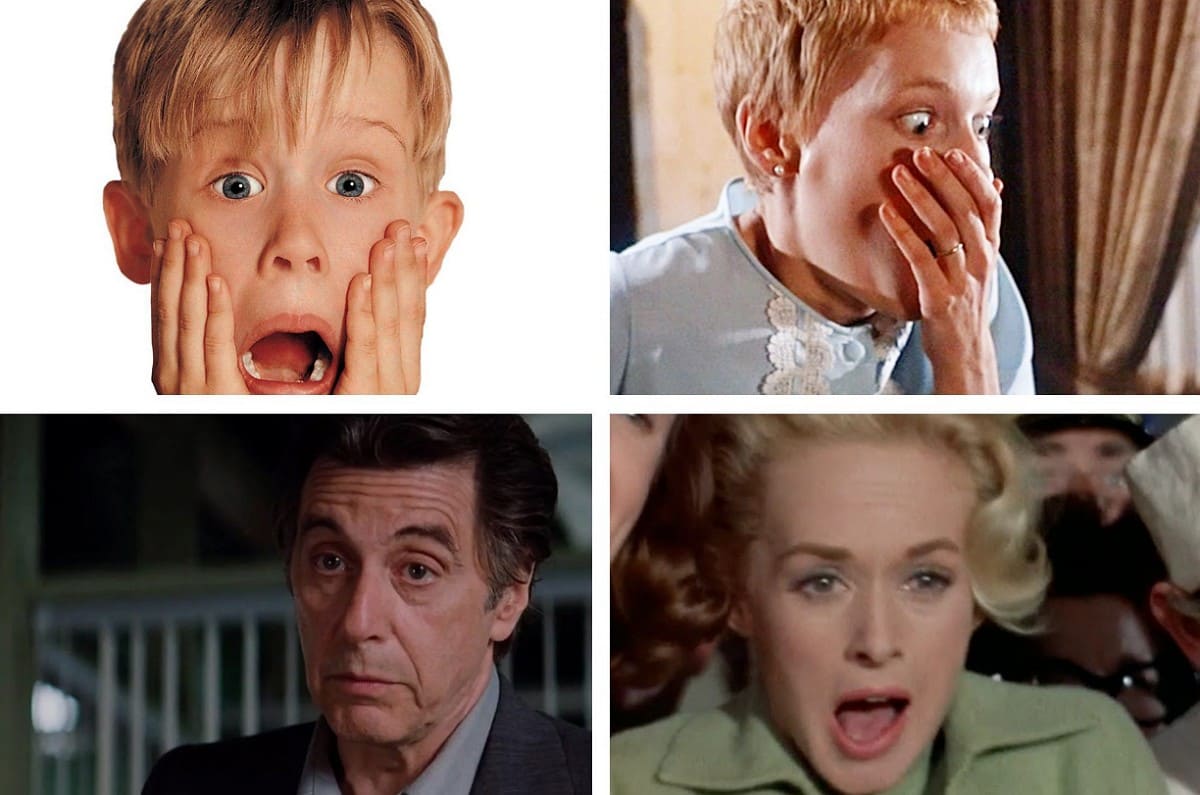
6. Reaction Shots
These shots capture how another person responds to an action or speech. Useful B-roll ideas include facial expressions, gestures, and audience reactions that add emotion and context to the story.
Note: These shot categories often overlap in practice. For instance, a tight view of hands at work can serve as both a detail shot and a process shot.
B-Roll Examples for Different Videos
Those 6 categories show abstract ideas, but practical B-roll examples change with each story and format. For your understanding, some of theB-roll ideas are mentioned below in detail:
1. Interview and Talking-Head Videos
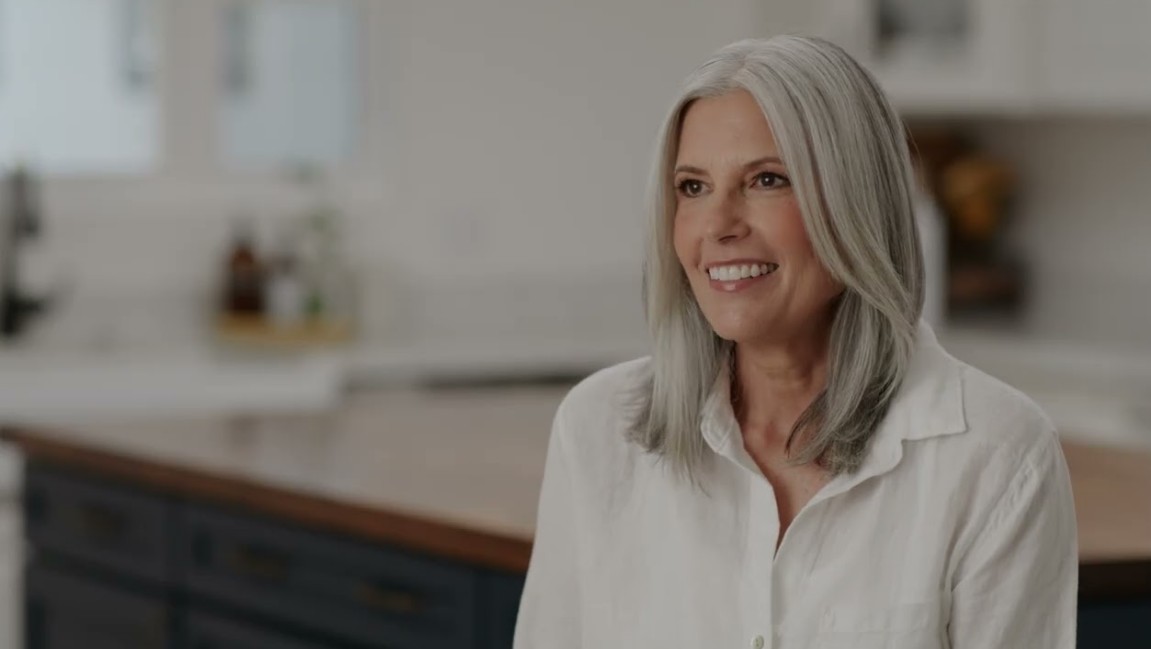
Strong options include the speaker performing the activity under discussion, the objects they mention, their workplace, and details from the surrounding environment. These shots do double duty, illustrating spoken points while giving the editor coverage for dialogue trims that would otherwise jump.
2. Product Videos
Product B-roll ideas work best showing the item in use, close-up construction, materials, packaging, or the problem the product addresses. The temptation is a sweeping camera move across a static object. Movement alone communicates nothing, so let each shot answer a question a buyer would ask. For teams without enough original product footage, a product video maker can turn existing product visuals into additional video assets for demonstrations or supporting shots.
3. Tutorials and Educational Videos
Close-ups, screen recordings, process footage, and finished-result shots make complex steps easier to understand. Showing the final result also gives viewers a clear target to work toward. When an explanation is difficult to visualize, supporting footage provides the clarity narration alone may lack.
4. Social Media and TikTok Videos
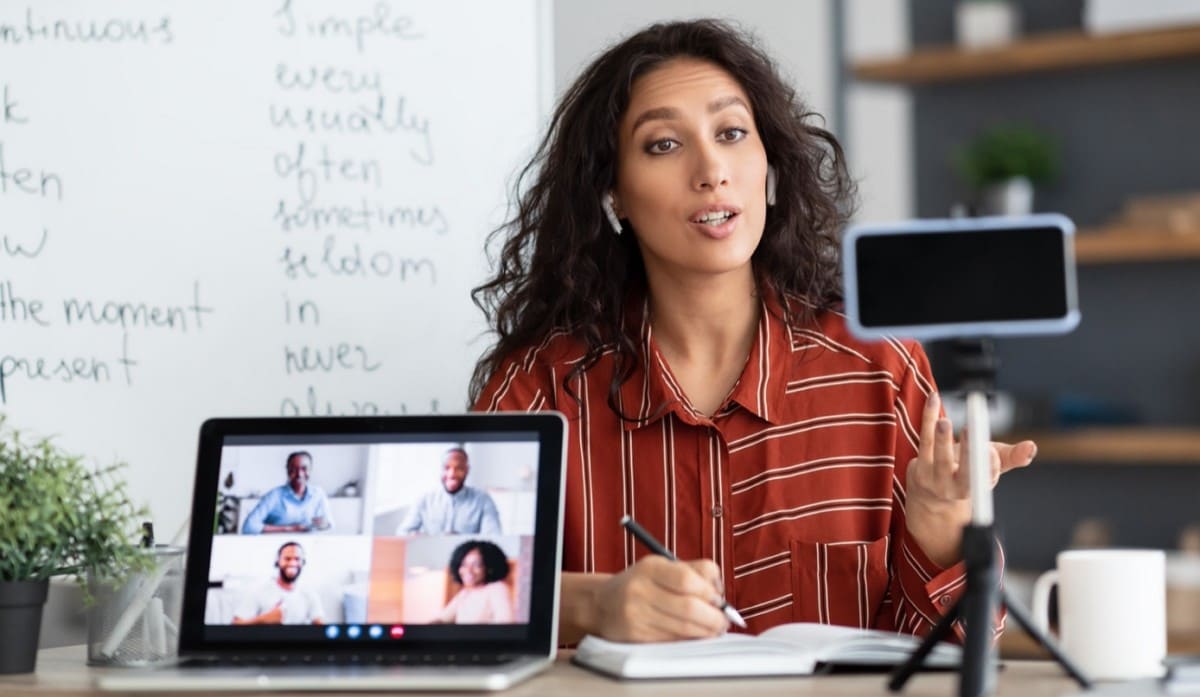
Short process clips, setting shots, hands-in-frame footage, and simple transitions can reinforce the central message. Effective TikTok B-roll does not always require fast cuts. Instead, shot length and pacing should match the content, audience, and overall style of the video.
How to Plan a B-Roll Shot List
Build your B-roll shot list from the main script or core story, not random visual ideas. Gather clips in isolation, and you get nice shots that fit nowhere. Adobe's guide explains the broader shot-list process, while these 5 steps focus specifically on planning B-roll.
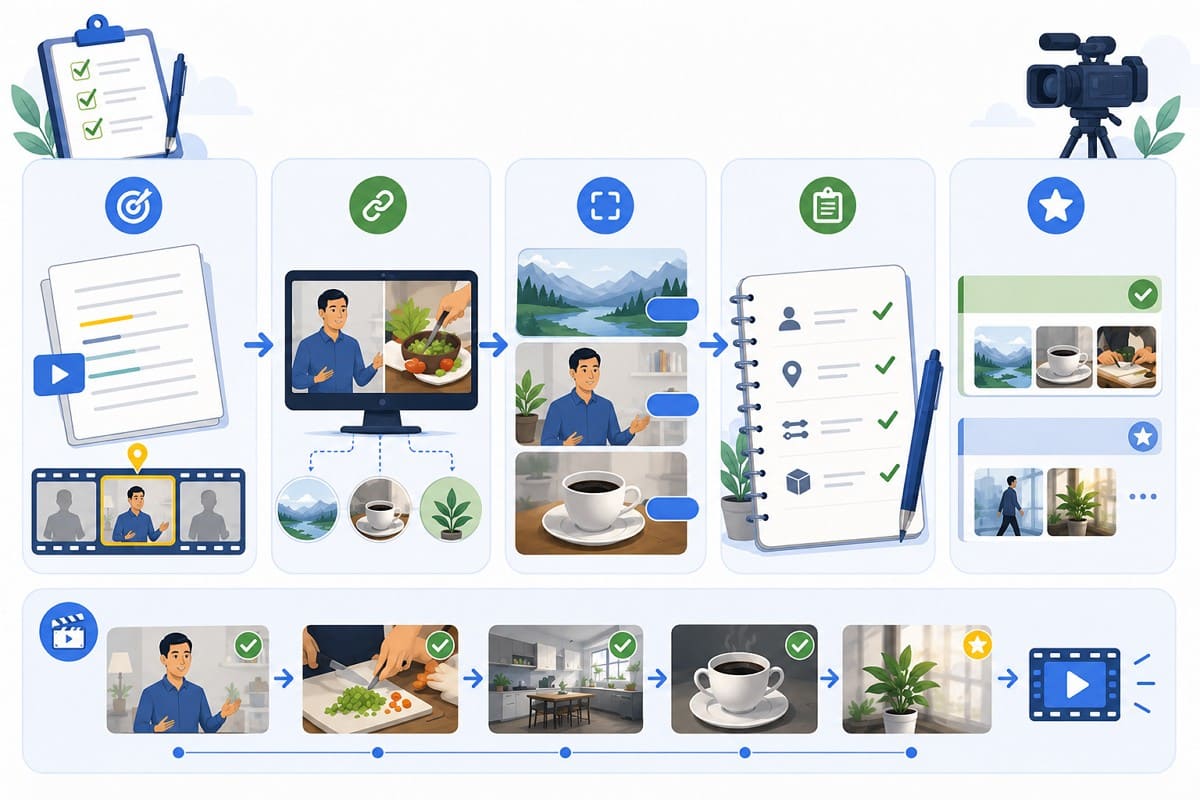
1. Identify Support Points: Review the script or main video for moments that need extra visual support.
2. Match Visuals: Pair each key point with a clear shot that shows what viewers need to see.
3. Mix Shot Sizes: Plan a mix of wide, medium, and close-up views.
4. Note Requirements: List the subject, location, movement, and needed props for each shot.
5. Rank Priorities: Separate essential shots from extra creative ideas.
B-Roll Shot List Example
|
A-Roll Point |
Required B-Roll |
|---|---|
|
A Chef Explains How to Prepare a Dish |
Close-ups of ingredients being prepared, chopped, and added |
|
A Business Owner Describes Their Workspace |
Wide shots of the workspace and employees at work |
|
A Fitness Instructor Explains Proper Form |
Side-angle shots clearly showing the correct movement |
|
A Traveler Describes a Destination |
Establishing shots of the destination and nearby landmarks |
|
A Customer Discusses Their Experience |
Shots of the product or service being used in a real setting |
How to Shoot Better B-Roll
A shot list tells you what to capture but nothing about whether the footage will hold up. Knowinghow to create B-roll well decides whether those clips survive the edit.
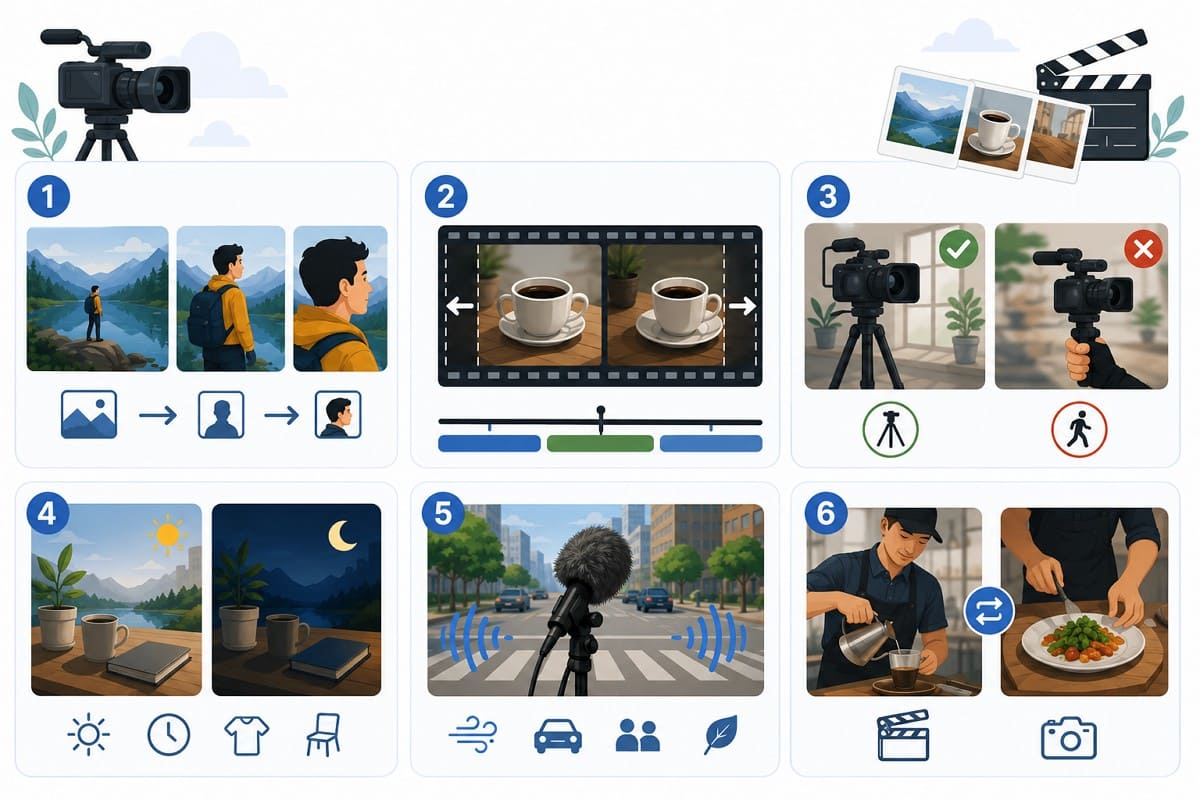
1. Record More Than One Shot Size
Capturing wide context and closer detail of the same subject gives the editor variation instead of one fixed perspective.
2. Hold Each Shot Long Enough
Leave usable footage running before and after the main action. Very short clips restrict where a shot can sit.
3. Keep Movement Intentional
Stable framing is the default, and movement should earn its place by serving the subject or transition. Unmotivated movement pulls attention from the information in the frame.
4. Check Light and Visual Continuity
Lighting direction, time of day, props, clothing, and subject position all matter when a shot sits beside another scene.
5. Capture Natural Sound
Recording ambient audio makes a scene feel present, and it stays useful even when narration or music covers the sequence.
6. Repeat Important Actions
A second take or alternative angle of an essential action gives the editor coverage and removes the risk of depending on one clip.
How to Create Missing B-Roll with AI
Even a well-planned shoot leaves gaps, such as a missed shot or an impossible visual. AI-generated clips, stock video, and archive sources fill those exact gaps. So, as you are familiar with the B-roll meaning and usage, learn how to create missing ones with AI.
1. Describe the Missing Shot
Specify the subject, setting, action, framing, and camera movement. Describe the role the clip plays in the sequence, not an unrelated cinematic scene.
2. Generate the Clip
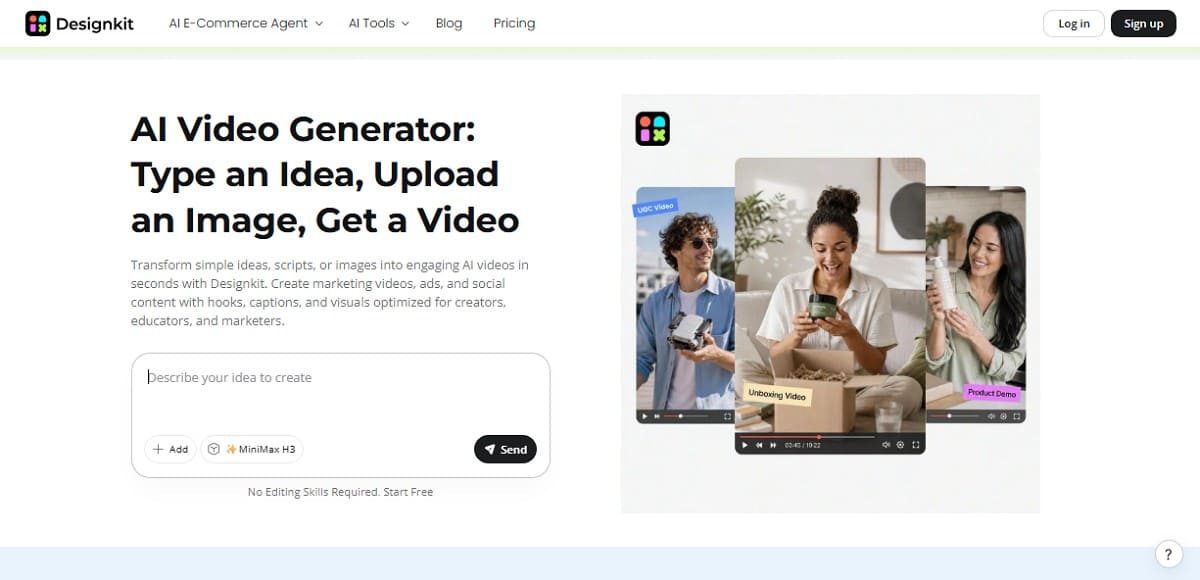
Use Designkit's AI Video Generator to produce a short video from text or visual reference. Generate another version when the composition or movement does not fit the intended cut. For a text-to-video generator, describe the subject, setting, action, framing, and camera movement you want the missing shot to contain.
If you already have a suitable photo or visual reference, its AI-powered image-to-video generator can add motion instead of creating the scene entirely from text.
3. Check the Clip in Context
Place the clip beside the surrounding footage and review continuity, pacing, and factual accuracy. Disclosure matters too, since YouTube requires creators to label realistic synthetic content viewers could mistake for a real person, place, or event. Generated footage should never stand in as authentic documentation of a real event, person, place, or product.
How to Use B-Roll in Video Editing
Filmed and generated clips enter the editing timeline in much the same way. Start by building the primary narrative, then place supporting footage where it adds context or improves the flow. Knowing how to use B-roll also means using it selectively. Each shot should feel like a natural part of the sequence rather than an unnecessary addition.
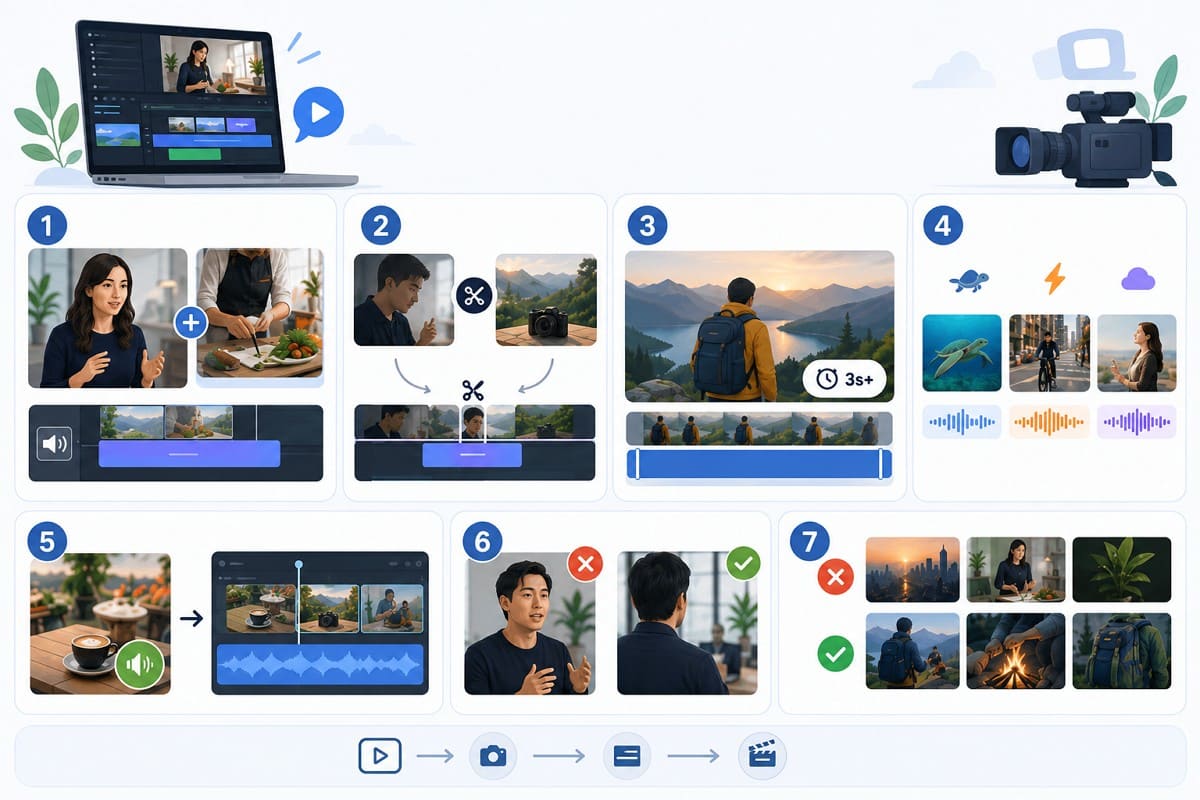
- Lay B-roll over dialogue when viewers benefit from seeing the subject being discussed.
- Use cutaways to cover trimmed sentences or to join two separate takes.
- Leave informative shots on screen long enough for viewers to read them.
- Match the timing of each cut to the meaning and pace of the sequence.
- Use natural sound selectively to connect viewers with the environment.
- Avoid covering moments when a speaker's expression matters more than the supporting visual.
- Check that consecutive shots feel connected in lighting, movement, framing, and direction.
Note: One rule applies to all seven points. Every shot must clarify, strengthen, or shape the main story, or else you should cut it.
Use B-Roll to Support the Story
Every choice in this guide leads to one simple test. Select B-roll for what it adds to the video, not just because a shot looks nice on its own. Begin with the story, create a clear shot list, and record extra coverage. Fill real gaps only when they appear, and make each edit decision with a clear purpose. Filmed, licensed, archival, and generated clips all serve a project when chosen with care.
Frequently Asked Questions
What does B-roll mean in video production?
Why is it called B-roll?
The term comes from older film workflows that used alternating A-roll and B-roll footage to help conceal visible splices. Digital editing no longer requires this technique, but the term B-roll remains widely used today.
Can a video use B-roll without A-roll?
Yes. A sequence can combine supporting footage with narration, music, captions, or natural sound without showing a presenter. The audio or structure still carries the narrative, so the footage is not working alone.
How much B-roll should I film?
There is no fixed amount. Plan enough coverage for the important ideas, actions, and transitions in your script. Essential moments deserve several shot sizes, while aimless footage only adds review time.
How long should a B-roll shot be?
Record each shot for longer than its expected final duration. Holding the composition before and after the main action gives the editor clean entry and exit points. That matters more than the clip looking complete on its own.
Can AI-generated footage be used as B-roll?
Yes, especially for conceptual scenes, transitions, or missing footage. Before publishing, check continuity, factual accuracy, and usage rights. YouTube also requires disclosure when realistic AI-generated or meaningfully altered content could be mistaken for authentic footage.
You May Also Like

PixVerse AI Review 2026: Is It Worth Using for AI Videos?

How to Animate a Picture with AI: Easy Step-by-Step Guide

How to Write a Video Script: Structure, Tips & Examples

What Is B-Roll? Meaning, Examples, and How to Use It

How to Make a TikTok Video: A Step-by-Step Guide 2026

How to Make an Instagram Post: Step by Step Creation Guide

Social Media Copywriting: Tips, Examples & Best Practices

What Are AI Fruits? The Trend, the Formats, and How to Make One

LTX Studio Review: Features, Pricing & AI Filmmaking Guide

HeyGen vs Arcads: Which AI Video Tool Wins in 2026?

Arcads AI Review 2026: Features, Pricing, Pros, Cons & Alternatives
Creatify AI Reviews: Features, Pricing & Alternatives (2026)

What Are Satisfying Videos? Types, Tips & How to Make (2026)
How to Generate Product Videos from Images with AI (2026 Guide)
How to Create a Product Launch Video with AI: A Step-by-Step Guide
What Is a Brand Video? Types, Examples & How to Create One
AI Product Demo vs Live Demo: Which Gets More SaaS Sign-Ups?
How to Create AI Product Promotion Videos in Minutes (Step-by-Step)

Best AI Product Video Ad Generators for Ecommerce in 2026

How to Boost Ecommerce Sales: Proven Strategies That Work
How to Add Video to eBay Listing: Step-by-Step Seller Guide
Short Form Video Marketing for E-commerce: AI Video Guide

What Is Video Marketing? E-commerce Guide & Strategies 2026
Fill the Missing Shot with AI B-Roll
Describe the supporting shot your edit still needs or start from an existing image. Generate a short clip, review it in context, and complete the sequence.


