
What Is a Website Hero Image? A Complete Guide for Beginners
Learn what a website hero image is, see examples and size tips, avoid common mistakes, and create website-ready hero visuals faster with AI.

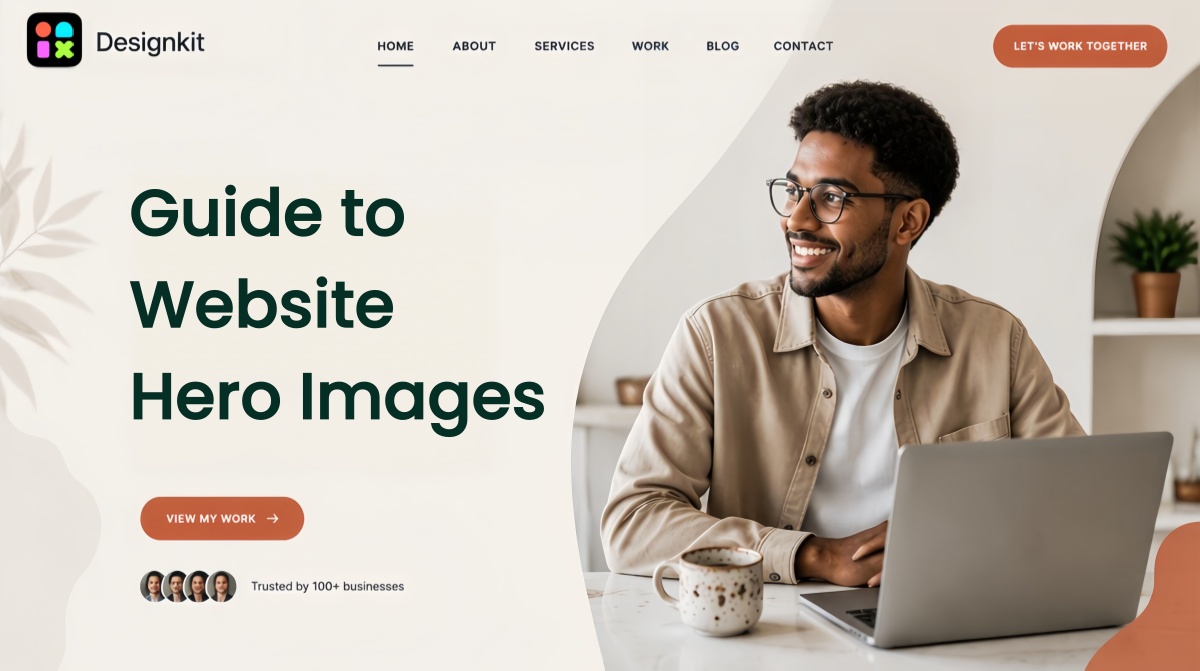
Many websites struggle to capture visitor attention because their first visual fails to communicate a clear message. A hero image is often the first thing people see when they land on a page, making it one of the most important elements for engagement and conversions. When designed well, it can instantly showcase your brand, highlight your offer, and guide visitors toward action.
In this guide, you'll learn what a hero image is, why it matters, common mistakes to avoid, and how to create high-impact hero images with AI-powered tools.
Key Takeaways
-
A hero image on a website is the large banner or featured visual at the top of a webpage, usually the first thing visitors see.
-
It works best when it combines a clear visual, a benefit-driven headline, and a visible CTA.
-
Desktop hero images typically run around 1920×1080px; mobile versions closer to 800×1200px.
-
Common mistakes: generic stock photos, cluttered text, slow load times — quietly hurt conversions.
-
AI tools like Designkit make it possible to generate, resize, and adapt hero images without design skills.
What Is a Website Hero Image?
Definition
A hero image on a website is a large, eye-catching visual placed at the very top of a webpage, typically above the fold. A website hero image is usually paired with a compelling headline, supporting text, and a clear call-to-action (CTA) to immediately communicate a brand's value and guide visitors toward the next step.
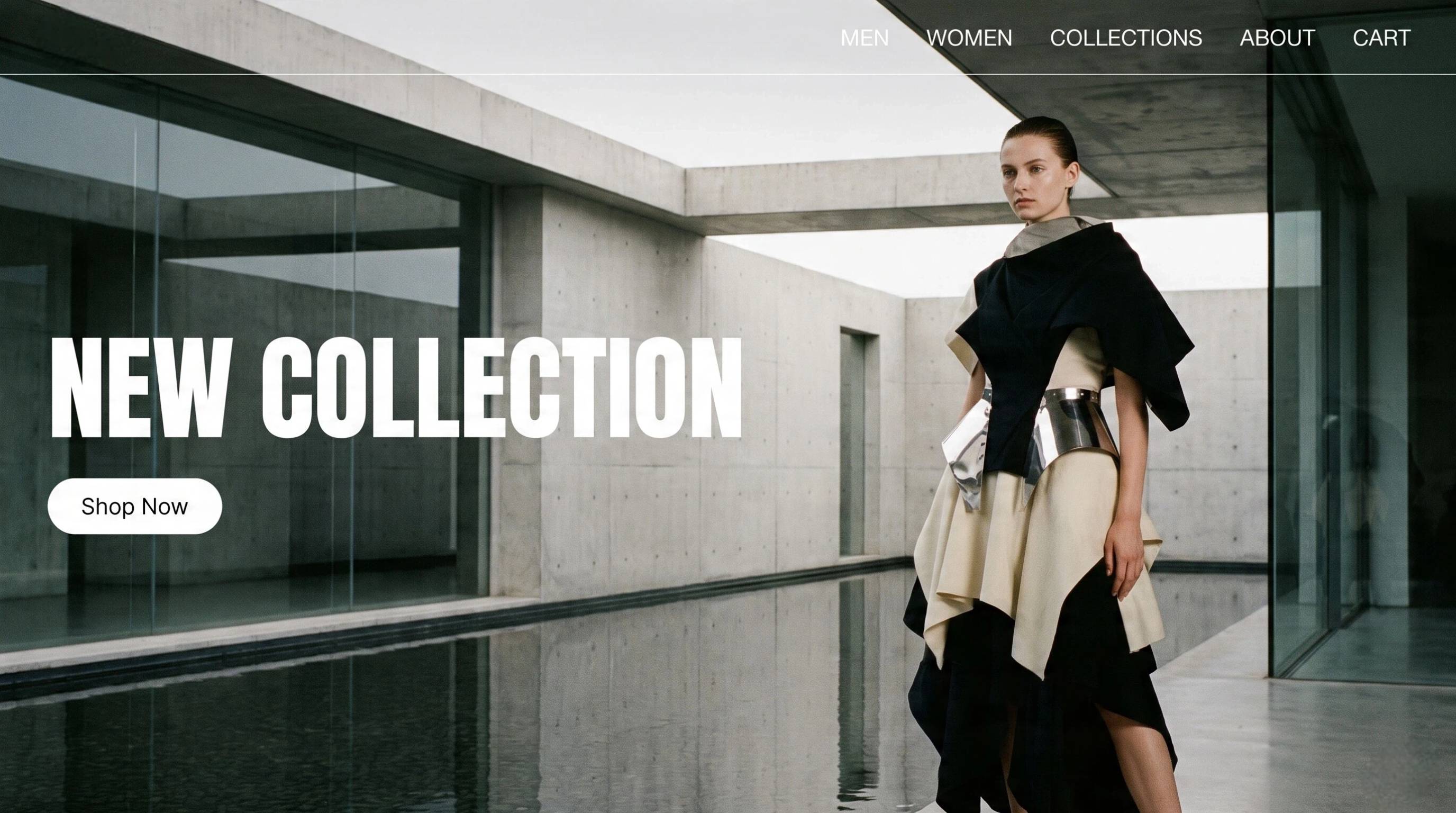
In hero image web design, the hero section is often the first thing users see when they land on a page. Because it creates a strong first impression, choosing the right hero images for website layouts can significantly improve user engagement, trust, and conversions. Whether you're showcasing a product, service, or brand story, an effective website hero image helps visitors instantly understand what your business offers.
Key Elements
|
Element |
Purpose |
|---|---|
|
Visual |
Capture attention |
|
Headline |
Explain value |
|
CTA |
Drive action |
|
Supporting copy |
Add context |
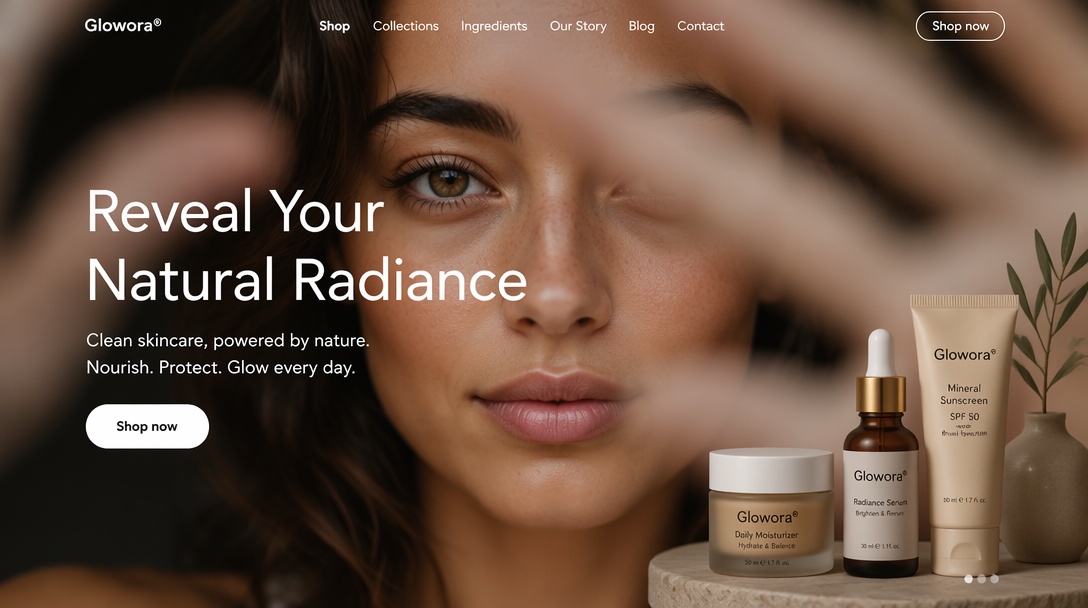
Visual
The visual is the first thing users notice. It captures attention immediately and helps create an emotional connection with the audience, setting the tone for the entire page.
Headline
The headline communicates your main value proposition in a clear and concise way. It should be easy to understand within seconds and quickly tell visitors what you offer.
CTA (Call-to-Action)
The call-to-action guides users toward the next step, whether that’s shopping, signing up, or learning more. It should stand out and encourage immediate interaction.
Supporting Copy
Supporting copy provides additional context to reinforce your message. It should be brief and informative, enhancing understanding without cluttering the design.
A successful website hero image design brings all these elements together in a balanced way, ensuring users quickly grasp your message while staying focused on your primary goal.
Why Hero Images Matter for Website?
They Shape Visitors' First Impression
Your website hero images are often the first visual visitors notice. A high-quality hero section instantly establishes credibility, reinforces your brand identity, and encourages users to continue exploring your website.
They Communicate Your Value Proposition Fast
People decide within seconds whether to stay on a webpage. A well-designed website hero image combines visuals, headlines, and supporting text to communicate what you offer without requiring users to scroll.
They Drive Engagement and Conversions
An effective hero image example doesn't just look attractive. It motivates action. Strong visuals combined with a clear CTA can increase clicks, sign-ups, product purchases, or other conversion goals by directing visitors toward the next step.
Website Hero Image Size Recommendations
Selecting the right hero image size helps ensure your visuals remain sharp, load quickly, and display properly across different devices.
|
Device |
Size |
Notes |
|---|---|---|
|
Desktop |
1920×1080 |
Common 16:9 baseline |
|
Laptop |
1440×900 |
Adjust to theme |
|
Mobile |
800×1200 |
Prefer a separate crop, not just shrink-to-fit |
|
Wide |
1600×900 |
When you want more content above the fold |
Additional best practices:
-
Compress images to reduce page load times.
-
Use WebP whenever possible for better quality with smaller file sizes.
-
Keep headlines and CTA buttons inside safe zones so they remain visible across different screen sizes.
-
Test responsive layouts to ensure text isn't covered or cropped on tablets and mobile devices.
Website Hero Image vs. Website Banner: What's the Difference?
Although the terms are sometimes used interchangeably, they serve different purposes.
|
Website Hero Image |
Website Banner |
|---|---|
|
Appears at the top of the page above the fold |
Can appear anywhere on a webpage |
|
Large, attention-grabbing section |
Usually smaller and less prominent |
|
Typically includes a headline and CTA |
Often contains announcements or promotional messages |
|
Focuses on first impressions and conversions |
Primarily provides information or promotions |
In modern hero image web design, hero sections introduce the page's primary purpose, while banners are generally used for updates, discounts, or notifications.
Types of Hero Images Used by Modern Websites
Modern websites use different hero images depending on their audience, goals, and industry. Choosing the right style can improve engagement while reinforcing your brand message.
Product Hero Images
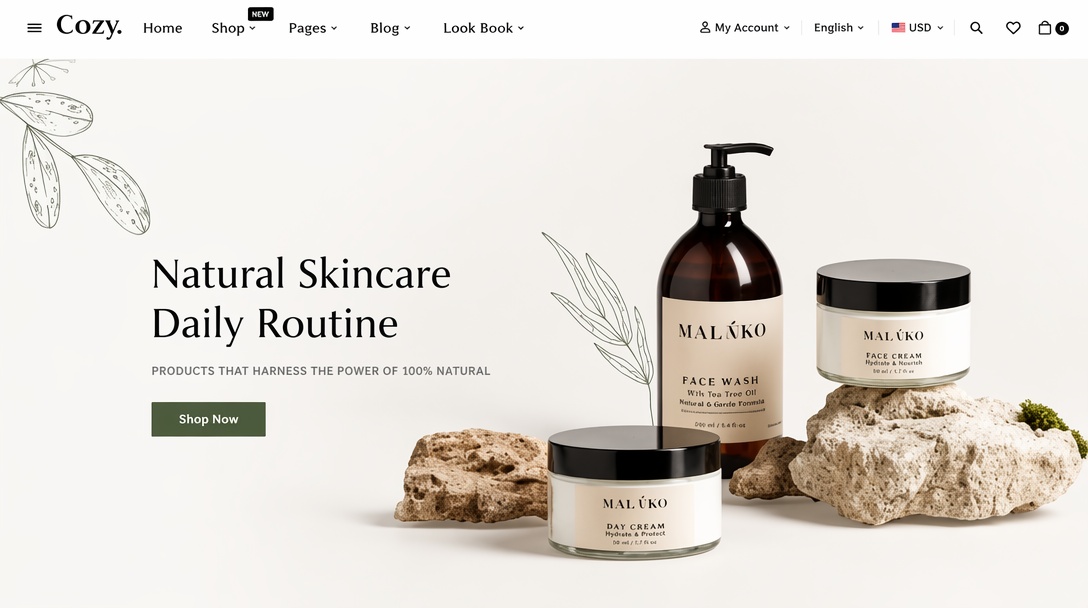
Product-focused hero sections showcase a product as the primary visual. These are common on ecommerce websites, SaaS landing pages, and product launch pages because they immediately highlight features, quality, and benefits. High-resolution product photography paired with a concise headline helps visitors understand the offering at a glance.
Create Hero Images Online Free
Lifestyle Hero Images
Lifestyle website hero images show products or services being used in real-life situations. Instead of focusing only on the product, these visuals create an emotional connection by helping visitors imagine themselves using the brand. They're especially popular for fashion, travel, fitness, hospitality, and consumer brands.
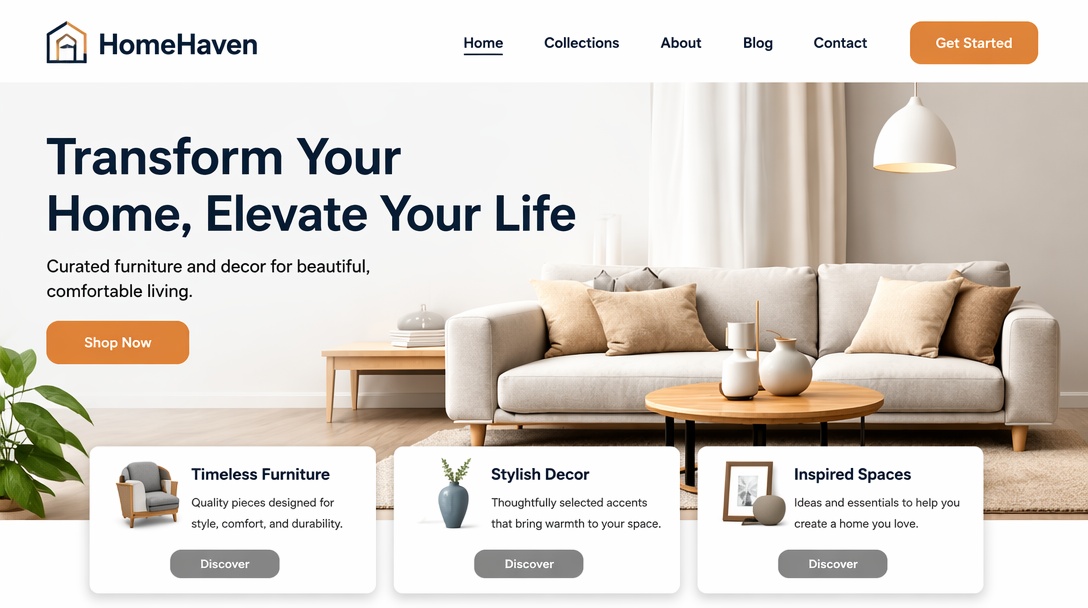
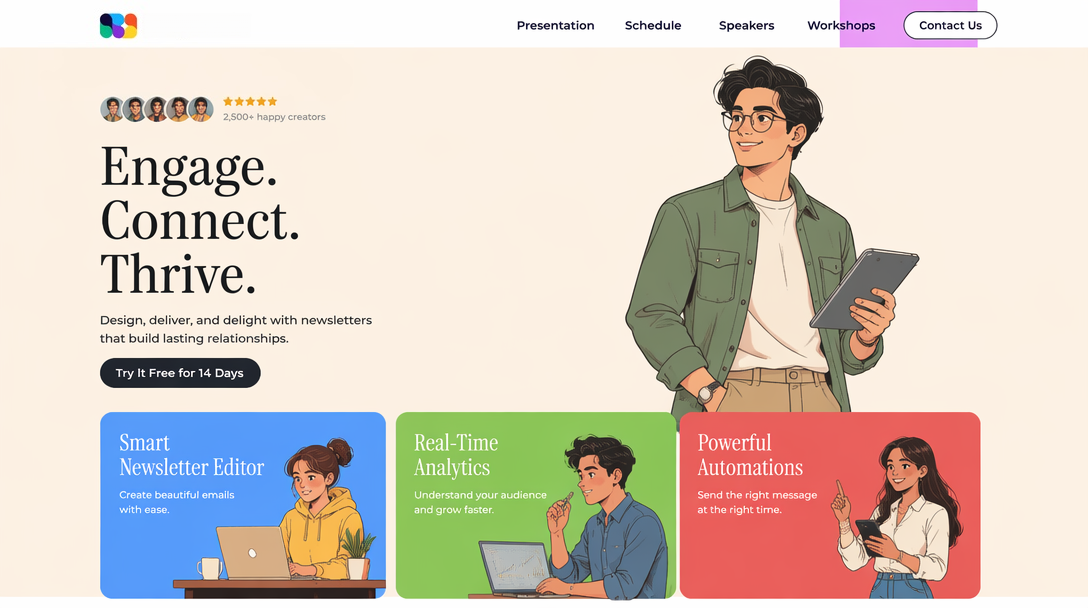
Illustration-Based Hero Images
Illustrations provide a clean, unique, and memorable alternative to photography. Many startups, software companies, and technology brands use custom illustrations to simplify complex ideas while maintaining a distinctive visual identity. This approach also offers greater creative flexibility than traditional photography.
Video Hero Sections
Video hero sections replace static images with short looping videos that immediately capture attention. They work well for showcasing products in action, demonstrating services, or creating immersive storytelling. To maintain performance, videos should be optimized for fast loading and include fallback images for slower connections.
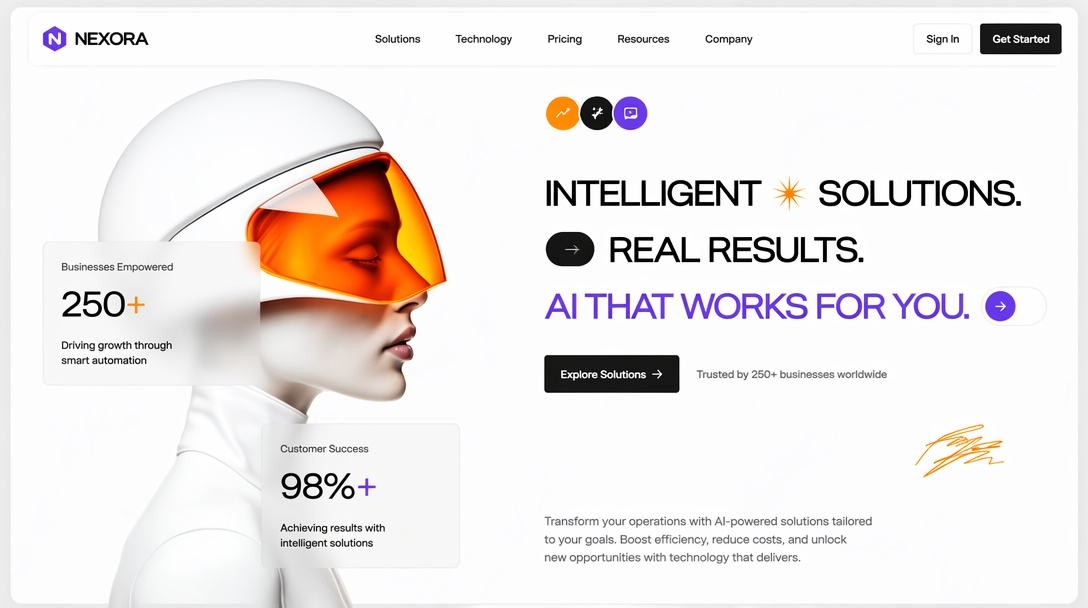
AI-Generated Hero Images
AI-generated visuals have become an increasingly popular option for website hero image design. Designers can quickly create unique scenes, product concepts, branded artwork, and marketing visuals without relying solely on traditional photography. AI-generated hero images also make it easier to test multiple creative directions while maintaining consistent branding across landing pages and campaigns.
Create Hero Images Online Free
Hero Image Examples from Different Industries
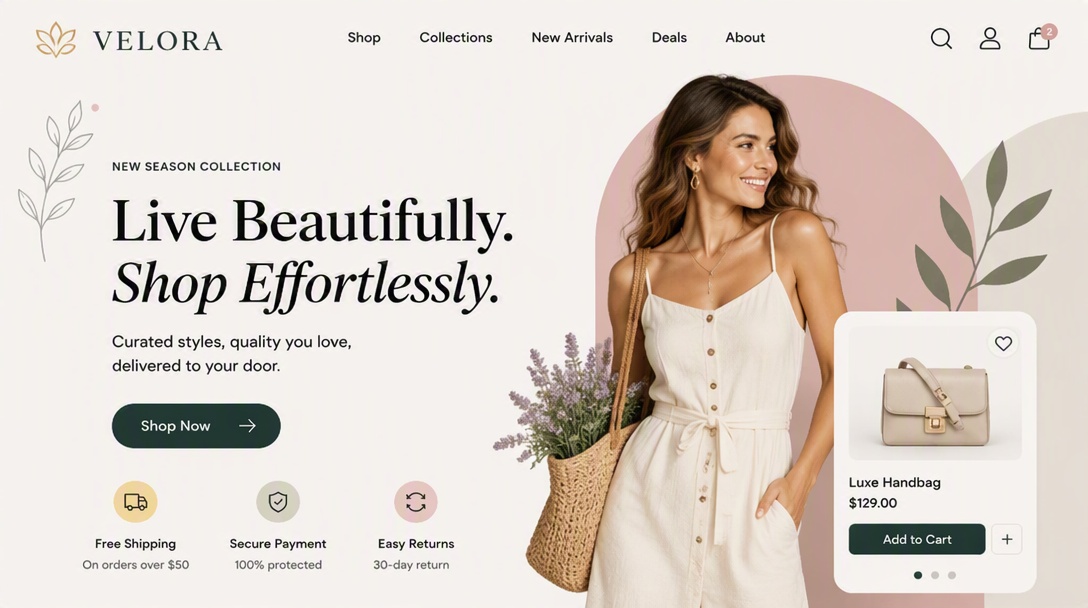
Ecommerce Websites
Ecommerce website hero images are designed to showcase products while encouraging shoppers to take immediate action.
-
Feature a high-quality product photo or collection as the main visual, often against a clean background that keeps the focus on the merchandise.
-
Use a benefit-driven headline that highlights a new collection, seasonal promotion, or unique selling point, supported by a prominent CTA such as "Shop Now" or "Explore Collection."
-
Include minimal supporting copy so visitors can quickly understand the offer without being distracted from the products.
SaaS and Technology Companies
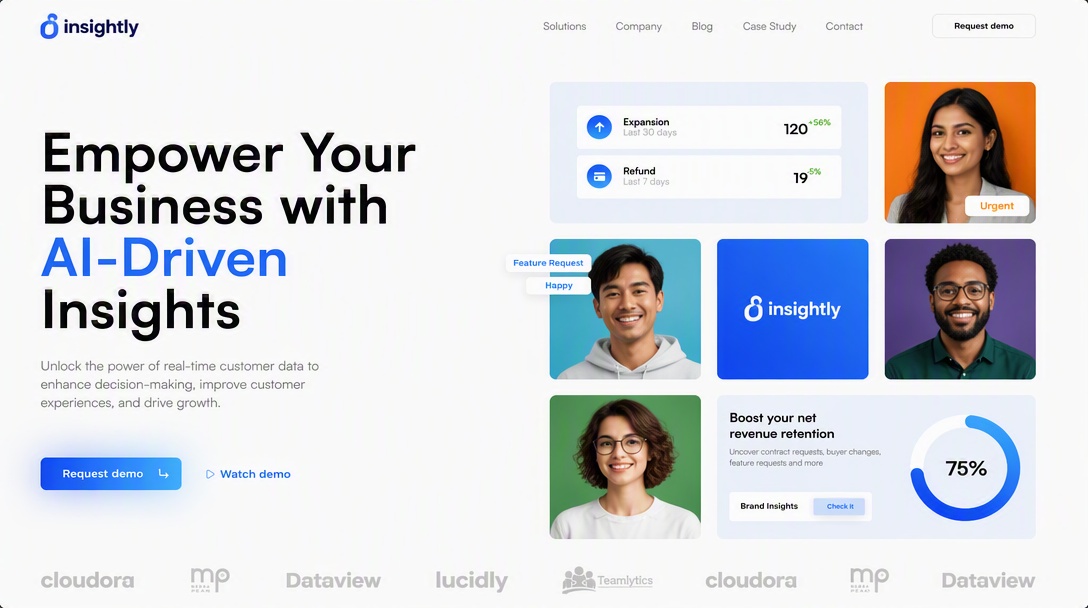
Technology companies use hero sections to explain complex products in a simple and engaging way.
-
Display the software interface, dashboard, or product mockups to help visitors immediately understand what the platform does.
-
Pair the visual with a concise headline that focuses on solving a specific problem, followed by a CTA like "Start Free Trial" or "Book a Demo."
-
Reinforce credibility with supporting text that highlights key benefits or measurable outcomes rather than lengthy feature lists.
Agencies and Service Businesses
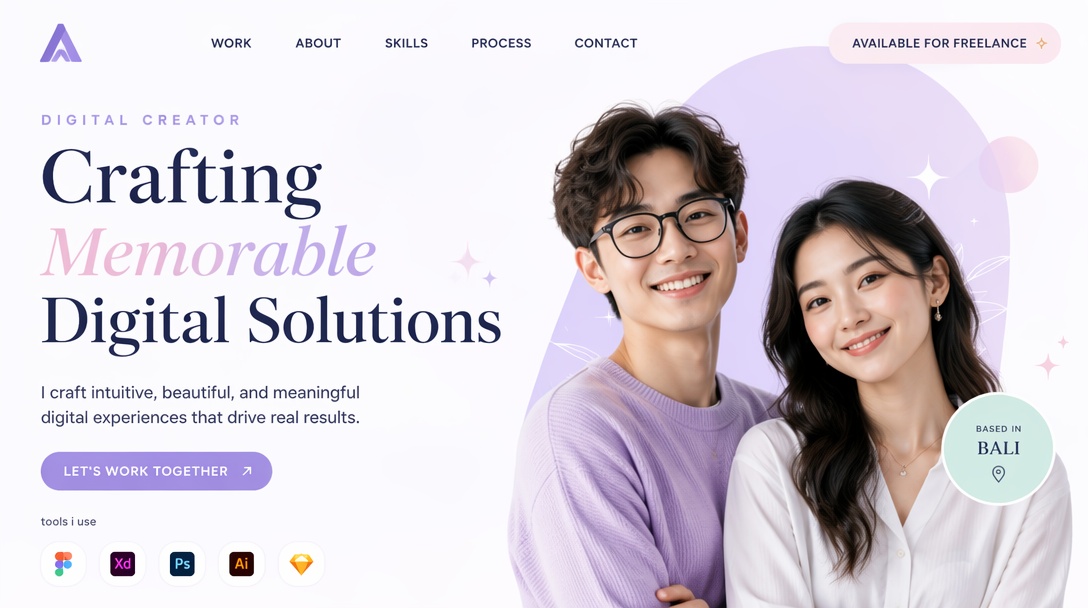
Service providers use hero images to build trust and clearly communicate their expertise.
-
Feature team members, client success stories, or project visuals that demonstrate professionalism and authenticity.
-
Write a headline centered on the client's desired outcome instead of describing the agency itself, followed by a CTA such as "Get a Quote" or "Schedule a Consultation."
-
Add a brief supporting statement that highlights experience, results, or industries served to strengthen credibility.
Personal Brands and Portfolios
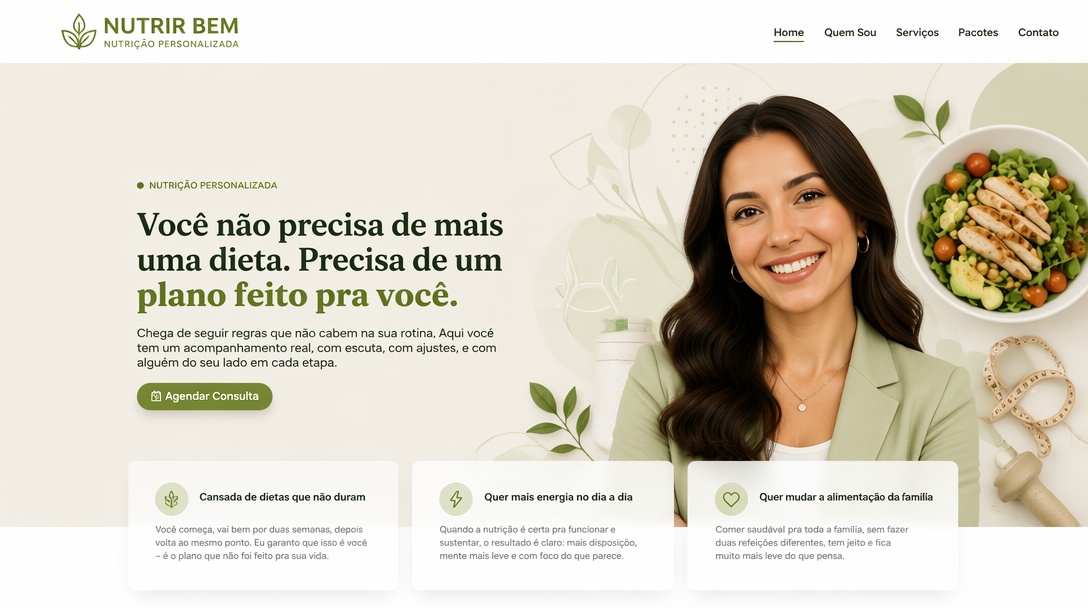
Personal websites focus on building a connection between the creator and the audience.
Create Hero Images Online Free
-
Use a professional portrait or images of the creator's work to establish personality and expertise.
-
Combine the visual with a headline that clearly states who you help and what you do, supported by a CTA like "View Portfolio" or "Work With Me."
-
Keep the design clean and uncluttered so visitors can quickly understand the personal brand and navigate to key content.
How to Create a Website Hero Image That Converts
Step 1: Start With a Clear Goal
Decide what action you want visitors to take before designing your hero image. Whether your objective is increasing sales, generating leads, promoting a product, or encouraging sign-ups, every element of the hero section should support that goal.
Step 2: Choose the Right Visual Style
Select visuals that match your brand and audience. Depending on your business, this could include product photography, lifestyle images, illustrations, videos, or AI-generated graphics. The visual should reinforce your message instead of competing with it.
Step 3: Write a Benefit-Driven Headline
Your headline should explain the biggest benefit visitors receive rather than simply describing your business. Keep it short, easy to scan, and focused on solving a problem or delivering value.
Step 4: Add a Visible CTA
Use a single, action-oriented call-to-action that stands out from the background. Buttons such as "Get Started," "Shop Now," or "Learn More" make it clear what visitors should do next and help improve conversions.
Step 5: Test Different Variations
Creating a high-performing website hero image is an ongoing process. Test different visuals, headlines, CTA button colors, layouts, and supporting copy through A/B testing to discover which combination generates the highest engagement and conversion rates.
Create Website Hero Images in One Workflow with Online AI Tool
A great hero image can instantly capture attention, communicate your message, and encourage visitors to take action. However, creating professional website hero images often requires design skills, high-quality assets, and time-consuming editing.
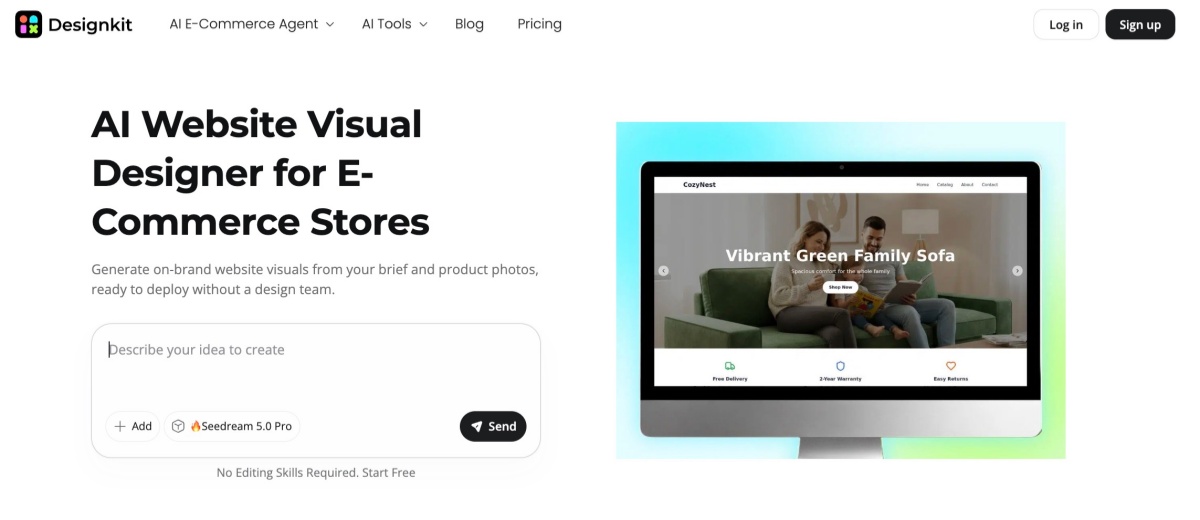
Designkit streamlines the entire process with AI-powered tools that help you generate, enhance, resize, and customize hero images for websites, landing pages, ecommerce stores, and marketing campaigns, all in one workflow.
Design a Hero Image With Designkit in 3 Steps
Step 1: Upload a Product Photo or Describe Your Idea
Use a product photo taken with your mobile phone or enter a text prompt. Designkit helps transform simple images and ideas into professional hero visuals for your website.
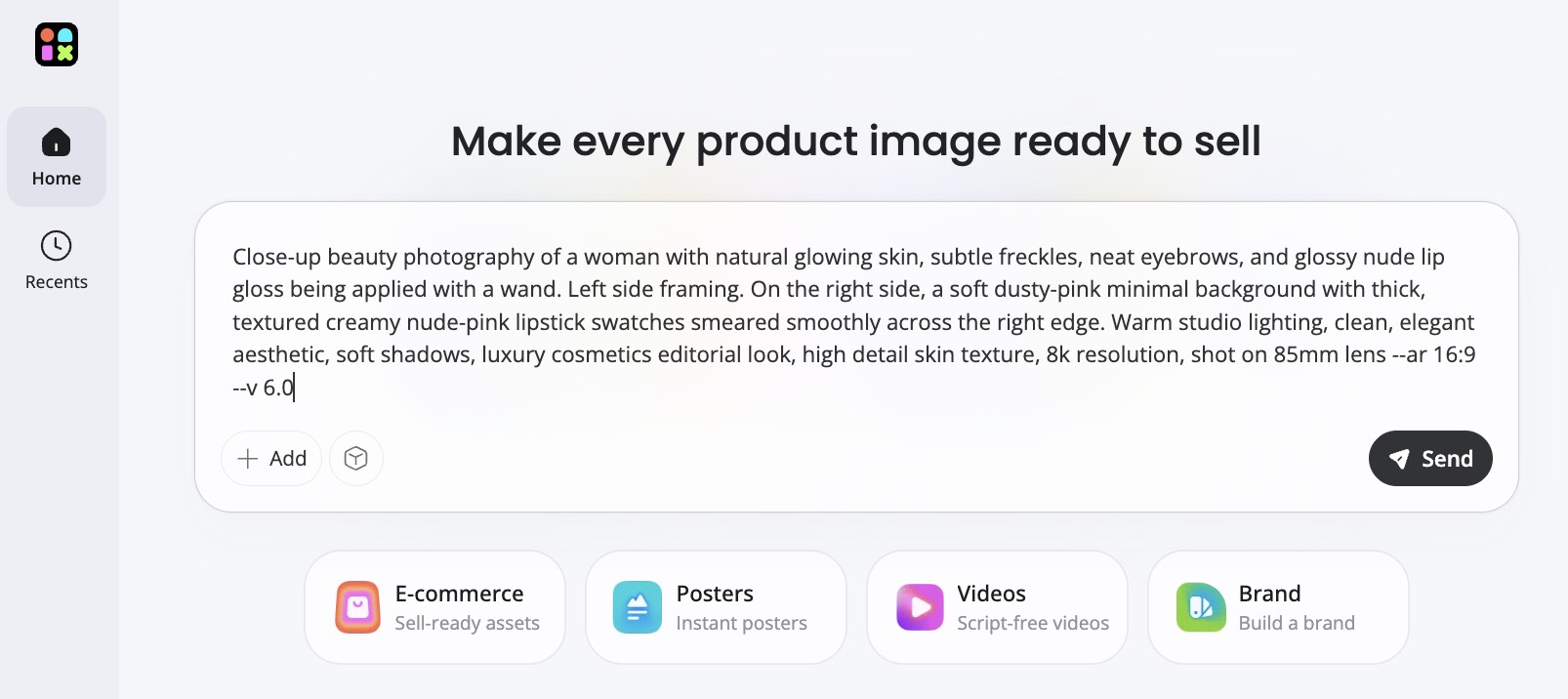
Prompt:
Close-up beauty photography of a woman with natural glowing skin, subtle freckles, neat eyebrows, and glossy nude lip gloss being applied with a wand. Left side framing. On the right side, a soft dusty-pink minimal background with thick, textured creamy nude-pink lipstick swatches smeared smoothly across the right edge. Warm studio lighting, clean, elegant aesthetic, soft shadows, luxury cosmetics editorial look, high detail skin texture, 8k resolution, shot on 85mm lens --ar 16:9 --v 6.0
Step 2: Enhance and Customize the Image
Improve image quality, remove or replace backgrounds, resize the design, and add creative elements. Designkit helps your hero image look polished and ready for visitors.
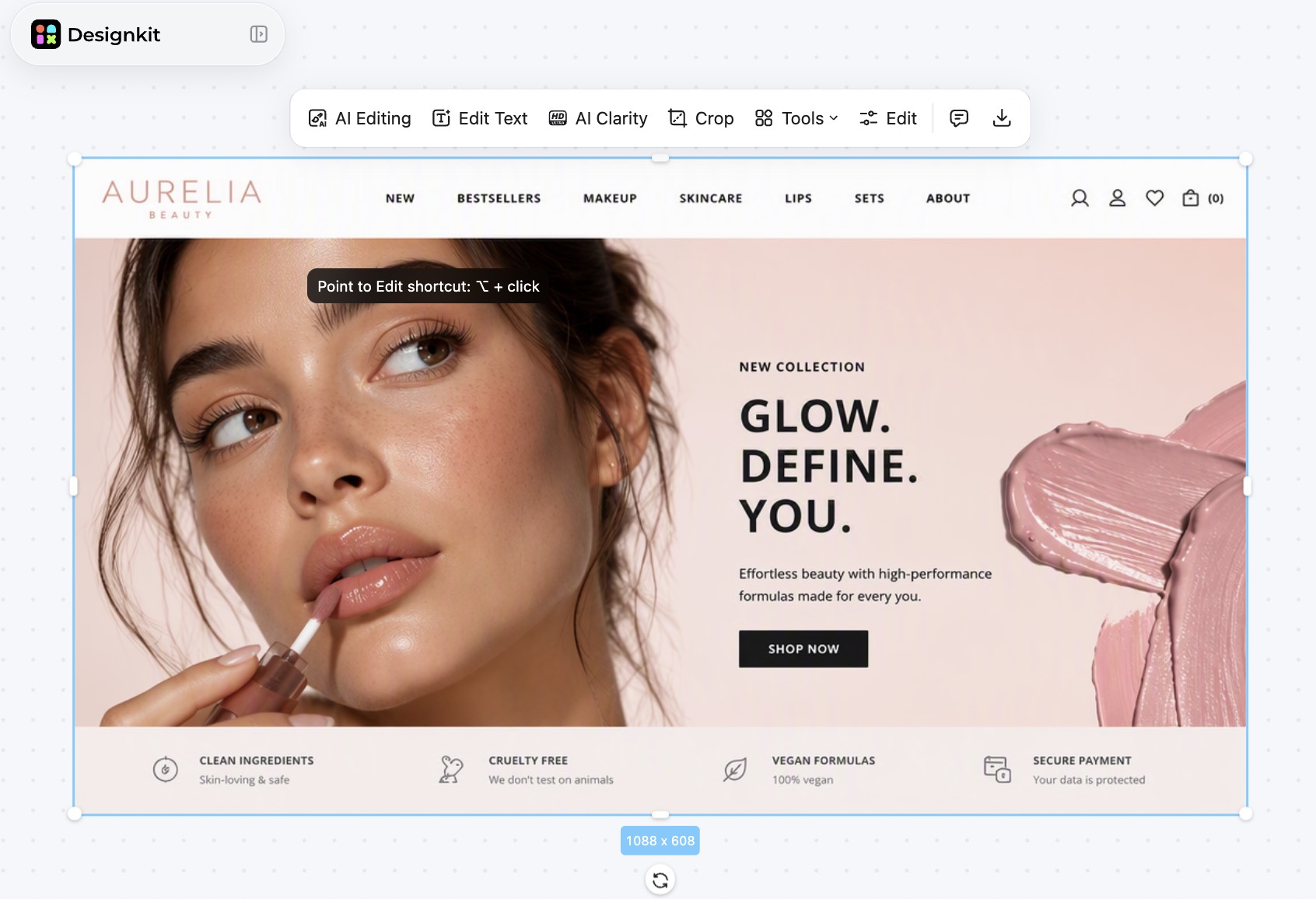
Create Hero Images Online Free
Step 3: Download and Add It to Your Website
Once you're happy with the design, download the hero image in high quality and use it on your homepage, landing page, online store, or promotional campaign.
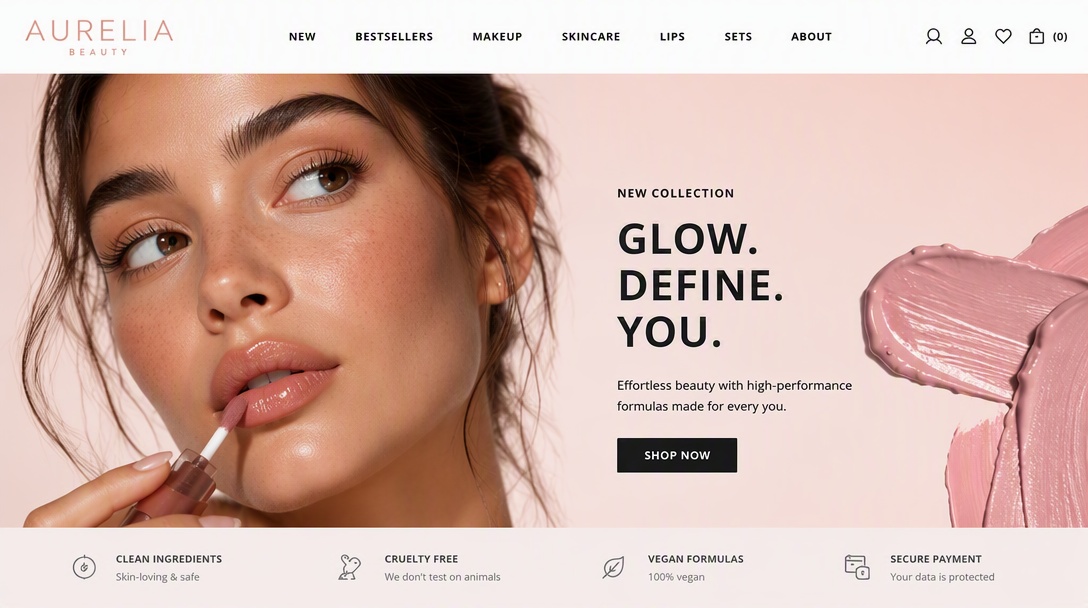
How Designkit Supports Hero Image Creation
Turn a Text Prompt or Product Photo into a Hero Visual
Simply describe your idea or upload a product photo to generate a professional website hero image. Designkit's text to image AI transforms simple concepts into polished visuals that match your brand, making it easy to create attention-grabbing hero sections without advanced design experience.
Remove or Swap Backgrounds Instantly
Replace distracting or outdated backgrounds with clean, branded, or AI-generated scenes in just a few clicks. This helps your hero images for website pages look more professional while ensuring the main subject remains the center of attention.
Sharpen Low-Resolution or Phone-Shot Photos
Enhance blurry, compressed, or smartphone photos using image enhancer tools. Designkit increases clarity, sharpness, and detail, so your hero visuals look crisp and professional on large desktop displays without requiring expensive photography.
Resize One Hero Image for Desktop, Mobile, and Social
Create one design and automatically adapt it to multiple screen sizes and platforms. Designkit resizes your website hero image for desktop, mobile, landing pages, and social media while preserving image quality, text placement, and visual consistency.
Hero Image Design Tips and Mistakes to Avoid
What Makes a Great Hero Image
A great hero image does more than make a website look good. It helps visitors understand your message and take action. The most effective hero sections combine compelling visuals, clear headlines, strong CTAs, and mobile-friendly design to create a memorable first impression.
High-Quality, Relevant Visuals
The best website hero images immediately capture attention while reflecting your brand and the purpose of the page. Use high-resolution visuals that are relevant to your product, service, or message rather than decorative images that add little value.
A Clear, Benefit-Driven Headline
Your headline should explain what visitors gain within a few seconds. Focus on the primary benefit instead of listing features, and keep the wording concise, so users understand your value proposition instantly.
A Visible Call-to-Action
A hero section should encourage visitors to take the next step. Make your CTA button easy to find with contrasting colors, action-oriented text, and enough spacing so it stands out against the background image.
Fast-Loading, Mobile-Optimized Design
Even the most attractive website hero image design won't perform well if it loads slowly or displays poorly on smaller screens. Compress images, use modern formats like WebP, and create responsive layouts that look great across desktops, tablets, and smartphones.
Common Mistakes and Quick Fixes
Small mistakes in hero image design can hurt user experience and reduce conversions. Learn how to fix common issues like weak visuals, cluttered text, slow loading, and poor mobile performance.
Using Generic Stock Photos
Problem: Generic stock images can make your website feel impersonal and reduce trust because they fail to represent your brand.
Solution: Use original photography, custom illustrations, or AI-generated visuals that align with your brand identity and target audience.
Adding Too Much Text
Problem: Overloading the hero section with lengthy paragraphs overwhelms visitors and distracts from the main message.
Solution: Keep your headline short, limit supporting copy to one or two sentences, and focus on a single, clear CTA.
Poor Image Quality
Problem: Blurry, pixelated, or improperly cropped images create an unprofessional appearance and weaken your brand credibility.
Solution: Upload high-resolution images, optimize them for the recommended hero image size, and test them on multiple screen sizes before publishing.
Slow-Loading Hero Sections
Problem: Large image files, autoplay videos, and unoptimized assets increase loading times, causing visitors to leave before the page fully loads.
Solution: Compress media files, use WebP images where possible, enable lazy loading when appropriate, and minimize unnecessary animations.
Ignoring Mobile Users
Problem: A desktop-only website hero image may crop important content or hide headlines and CTA buttons on smaller screens.
Solution: Design responsive hero sections, create dedicated mobile image crops, and keep essential text and CTA buttons within safe zones across all breakpoints.
Conclusion
A strong hero image is one of the most important elements of modern web design. It creates a powerful first impression, communicates your value proposition quickly, and encourages visitors to take action. By choosing the right visual style, writing a benefit-driven headline, optimizing hero image size for different devices, and avoiding common design mistakes, you can build website hero images that improve engagement and conversions.
Whether you use product photos, lifestyle imagery, illustrations, videos, or AI-generated visuals, the goal remains the same: capture attention and guide users toward the next step. With tools like Designkit, creating professional, conversion-focused hero images becomes faster and easier.
Frequently Asked Questions
What is the purpose of a hero image on a website?
What size should a hero image be?
A common desktop hero image size is 1920 × 1080 pixels, while mobile versions often use around 800 × 1200 pixels. The ideal size depends on your layout, but images should be optimized for fast loading and responsive viewing. Designkit automatically resizes hero images for desktop, mobile, and social platforms while maintaining quality.
What is the difference between a hero image and a banner image?
A hero image is a large visual placed at the top of a webpage with a headline and CTA to drive engagement. A banner is usually smaller, can appear anywhere on a page, and is mainly used for announcements or promotions. Designkit makes it easy to create both hero sections and promotional banners from one design workflow.
Should a hero image contain text?
Yes. Most effective hero images include a short headline, supporting copy, and a clear CTA. The text should be concise, easy to read, and focused on the main benefit without covering too much of the image. With Designkit, you can create clean visuals that leave space for readable headlines and buttons.
Can a hero image be a video instead of a photo?
Yes. Many modern websites use short videos instead of static images to showcase products, services, or brand stories. Videos should be optimized for fast loading and include a fallback image for slower connections. Designkit helps create high-quality visuals that can be used alongside video hero sections.
Do hero images improve conversions?
A well-designed hero image can improve engagement and conversions by communicating your message quickly and directing visitors toward a clear CTA. While results depend on the overall page experience, strong visuals and headlines often increase user interaction. Designkit helps optimize hero images that support higher-performing landing pages.
How do I make a hero image look professional without hiring a designer?
Use high-quality visuals, keep the layout clean, write a benefit-driven headline, and optimize the image for every device. AI-powered editing tools can simplify the process and eliminate the need for advanced design skills. Designkit lets you generate, enhance, resize, and customize professional hero images in just a few steps.
What type of hero image works best for ecommerce stores?
The best ecommerce hero images feature high-quality product photography, a clear value proposition, and a prominent CTA like "Shop Now." Lifestyle images and AI-generated product scenes also perform well because they help shoppers visualize the product. Designkit enables you to create ecommerce-ready hero images with AI backgrounds, enhancements, and responsive resizing.
You May Also Like
T-Shirt Design Size Guide: Placement, Dimensions, & DPI

How to Sell on Poshmark: A Complete Beginner's Guide
Zeely Reviews 2026: Features, Pricing, Pros, Cons & Alternatives
Create TikTok Ads From One Photo: An AI Product Launch Kit
Depop vs Poshmark: Which Is Better for Selling in 2026?
How to Create an Amazon Storefront: 4-Step Guide for New Sellers

How to Sell Books on Amazon in 2026: Beginner Guide

How to Sell on Amazon in 2026: A Complete Seller Guide
AI Product Photography: 7 Best Tools for Ecommerce in 2026
What Is a Hero Image? Definition, Examples & Design Tips
Pippit AI Review 2026: Features, Pricing, Pros & Cons
Back to School Ad: 7 Creative Ideas for Better Campaign Results

Top 7 Back-to-School Sales Ideas to Boost Retail Sales (2026)
How to Create a Complete World Cup Product Listing Image Set

How to Create Amazon Summer Sale Posters and Banners with AI
Amazon Summer Sale 2026: Listing Design Trends & Product Image Ideas
Ecommerce Video Ads: 7 Strategies That Drive Higher Conversions
How to Photograph Shoes for Your Ecommerce Store in 2026

Product Photography Ideas: Creative Tips & Techniques for Better Shots
Product Photography Pricing 2026: Full Cost Guide by Type
White Background Product Photography Guide & Tips 2026
Product Photography Starter Package: Gear Checklist 2026
Shopify Product Photography Guide with Tips & Setup
Amazon Main Image Requirements: Size, Guidelines & Tips
Shopify Image Size 2026: Complete Guide and Tips for Better Product Display

Studio Product Photography vs AI Product Photography in 2026

7 Product Photography Mistakes That Hurt Ecommerce Sales
Change Outfit Colors Online for Outfit Preview with AI Clothes Color Changer
How to Create Amazon Infographics: Boost Sales with Compelling Visuals
How to Create Outdoor Product Scenes Without a Photoshoot Using AI
Optimize Etsy Images for Mobile: Listing Photos That Convert
Amazon 7-Image Listing Strategy: Boost Sales by Optimizing Every Image
Etsy Thumbnail Optimization: Keep Your Product Fully Visible
The Etsy Thumbnail Formula That Drives More Clicks and Sales
How to Create Pro Amazon Listing Photos Without a Studio
10 High-Converting Lifestyle Product Images for Amazon Listings

How to Automate Your E-commerce Visuals with OpenClaw Workflow
Top 5 AI Tools to Generate Amazon Product Listing Images in 2026
How to Turn One Photo into 10 Etsy Listing Images Fast: Batch Workflow
Etsy Listing Photo Size Guide (2026): Mobile, Desktop & Shop View Specs
Turn White Background Images into Lifestyle Amazon Listings
Fix Etsy Image Cropping: Optimize Listing Photos for Every Device
Amazon Listing Images: Essential Shot List & Optimization Guide

How to Create Lifestyle Product Images Without a Studio
Lifestyle Product Photography Trends 2026: Authentic Looks at Scale
How to Master Lifestyle Product Photography in 2026
Amazon Listing Images Guide 2026: 7-Slot Strategy & Requirements
360 Product Photography Guide 2026: Setup, Shoot and Workflow
Beginner's Guide to Generate Product Photos from Different Angles
AI Product Photography: Create Ecommerce Images Without a Photoshoot

How to Create Realistic AI Product Photos: Step-by-Step Pro Guide
Keep AI Product Images Consistent Across SKUs: Lighting, Color, Background
How to Scale E-commerce with a Product Image Generator
How to Use AI for Spring Product Photography: 2026 Amazon Guide

How to Create a Budget Home Product Photography Setup with AI
How to Achieve Professional Product Photography Standards in 2026

How to Take Product Photos with Phone: Pro Guide for Amazon & AI

Best AI Product Image Generator 2026: Top Tools for Amazon Sales
Amazon Photography Service vs. AI Generator: Best Choice for Sales
What Is Product Photography? Angles, Lighting & Editing Guide
Amazon Spring Sale 2026: Create High-Converting Listing Images (Guide)
AI Agents Transform Amazon Product Photography in 2026
Amazon Photoshoot in 2026: Do You Still Need a Studio?
11 Must-Have Tools for Amazon Product Photography in 2026
2026 Amazon Image Trends Shaping Seller Success and Conversions
Amazon Product Photography Requirements & Best Practices 2026
Create Hero Images That Capture Attention and Drive Action
Turn simple product photos or ideas into website-ready hero visuals in minutes with Designkit.
