
10 Lifestyle Product Image Ideas That Improve Your Amazon Listing Performance

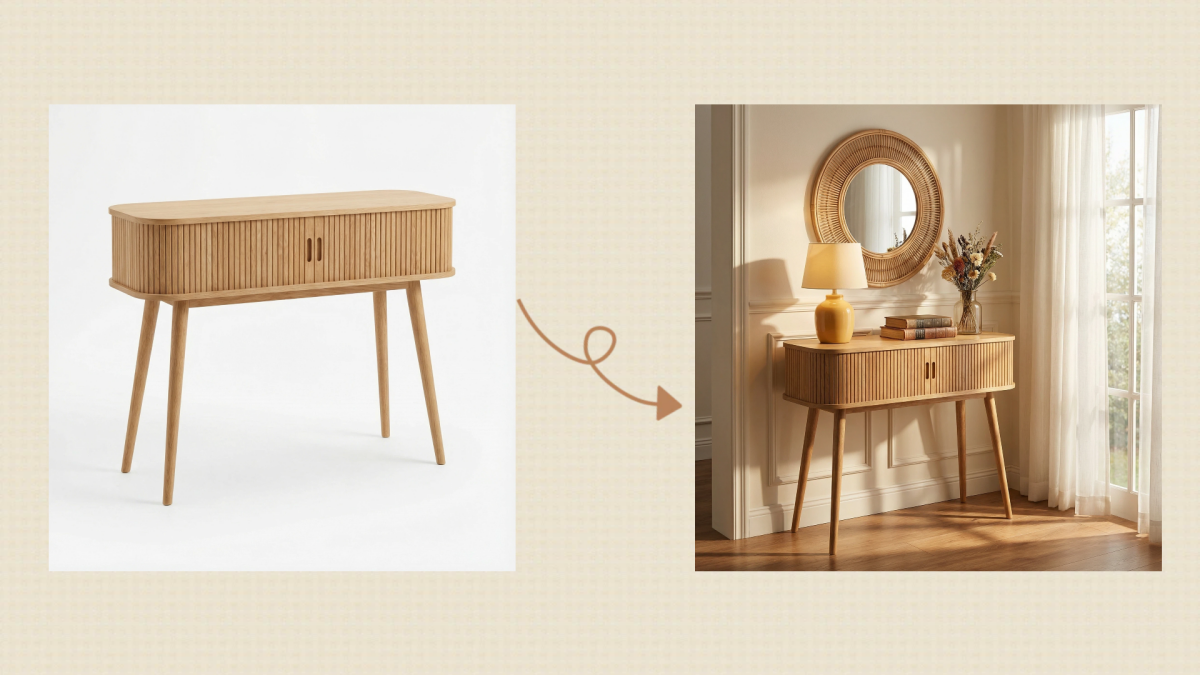
One of the quickest ways to make a mark on Amazon is to come up with engaging lifestyle product images that really convert well. Customers are curious to know how a product fits, helps, or beautifies their lives, and so listings that visually depict this connection are the ones getting more clicks, watching longer, and converting more. That's the reason lifestyle pictures have become as important as product features or price.
Traditional lifestyle photo production changes are pretty demanding as they involve studio, model, props, and retouching work. This is why it is time-consuming and expensive, especially for sellers with a bunch of SKUs. However, lucky for us, today's AI tools can create studio-level Amazon listing images in a few minutes. Designkit is one of the strongest solutions that delivers fully compliant main images, lifestyle scenes, and detailed shots without any manual shooting or editing.
This article will cover 10 high-converting lifestyle product image ideas you can use to boost your Amazon listing performance, along with tips and examples to help you create them easily.
Part 1. Why Lifestyle Product Images Matter for Your Amazon Listing
Lifestyle product images on Amazon have a different function than your main image, and that difference is what makes them a must-have in your product images that convert. Your main image is all about compliance and clarity: a pure white background, neat framing, and no distractions to satisfy Amazon's rules. However, lifestyle images provide what the main image lacks: context, desire, and trust. They depict the product as part of the real world, thus making it easy for the customers to picture themselves using it.
People tend to scroll through the web very fast, so great lifestyle images help get rid of doubts by showing the dimensions, advantages, and actual usage at just one glance. This extra information not only retains the interest of potential customers but also increases their trust in your product. This is the main reason why it's best to use lifestyle photos in the secondary slots of your Amazon product listing images as they provide more details and emphasize the different ways to use the product, which the main photo cannot show on its own.
Part 2. Where to Use Lifestyle Images in Amazon Listing Images
Knowing where to place lifestyle product images within your Amazon listing images can dramatically improve how shoppers understand and engage with your product. A simple and effective placement framework can guide you:
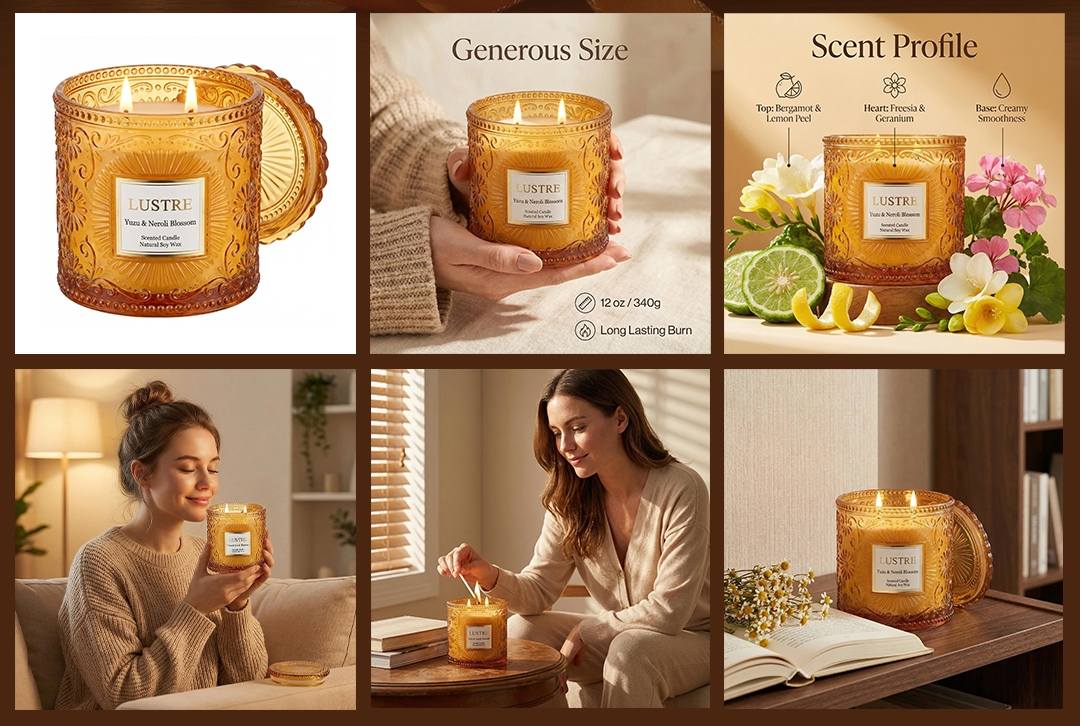
Image #2 – Instant context: Use this prime Amazon image slot to show the product in use right away. This helps shoppers instantly understand purpose, scale, and lifestyle fit.
Images #3, #5, Benefits, proof, and details: These image spots can be mainly used for demonstrating the major features, benefits that the customers will get, close-ups, or problem-solving. Such lifestyle images are a strong reminder to potential buyers that the product will really be worth their money.
Images #6, #7, Variants, seasonality, or unboxing: These two last Amazon image slots work perfectly for presenting different product versions, seasonal usage, packaging, or unpacking.
Keep mobile-first behavior in mind — cropping often cuts off edges on smaller screens, so make sure your core visuals stay centered. Also maintain consistent lighting, colors, and style across your gallery. Strategic placement of lifestyle product images ensures a smoother, more persuasive experience throughout your Amazon listing images.
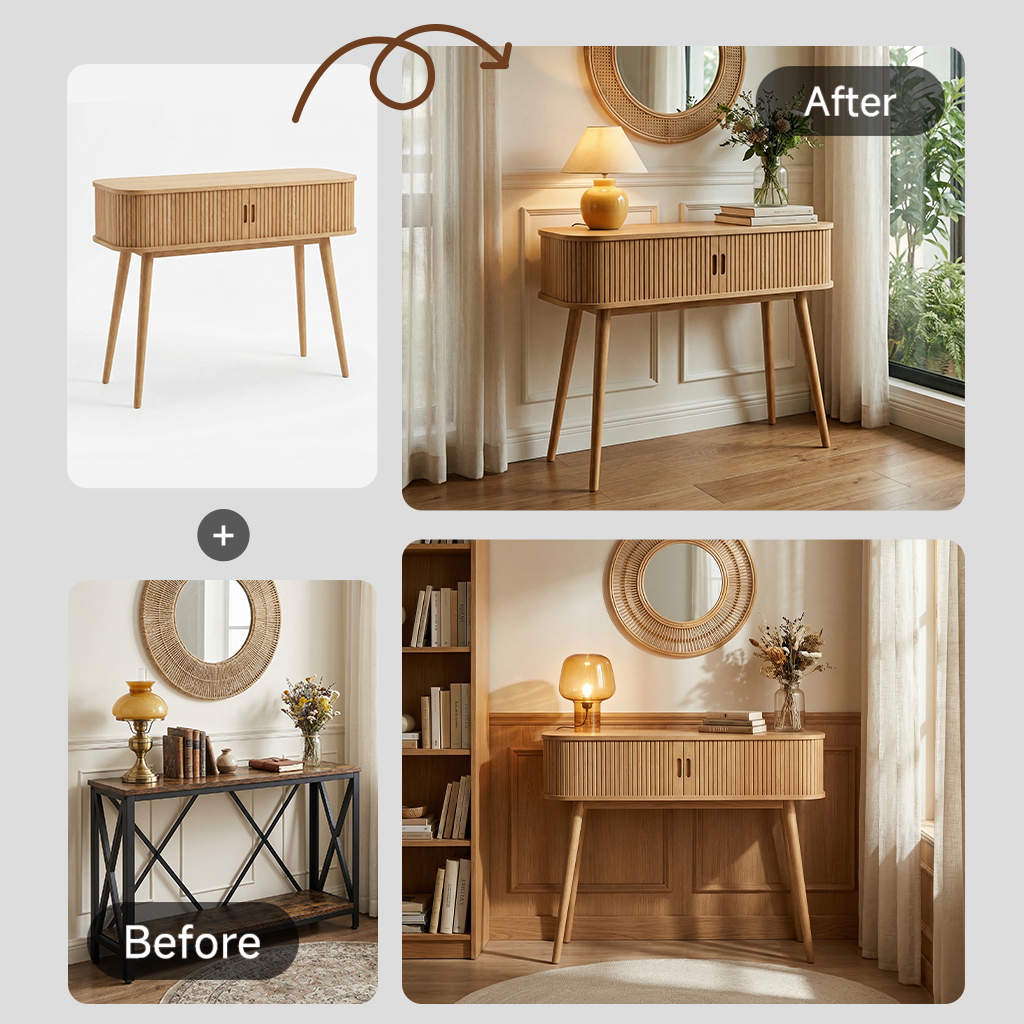
Part 3. 10 High-Converting Lifestyle Product Image Ideas for Amazon Listing Images
Before jumping into the list, it is very important to clarify that the best high-converting lifestyle product images are not that random. In fact, they follow a well-charted strategy. To make your visuals more convincing, we are going to organize these Amazon listing images trends and ideas under four very basic strategies: context, benefits, trust, and emotion. Each of these methods is meant to help a potential shopper easily grasp your product and get so assured that they decide to purchase.
You don't have to try all 10 ideas. What you should do is pick 2 to 4 concepts that suit your category, price level, and buyer intention. A lavish beauty product may call for mostly emotional and trust-building shots, on the other hand, a kitchen gadget might be more enhanced by the visual demonstrations of its knocking context and features. Use these ideas as a flexible playbook to shape your product lifestyle photography and create a gallery that converts casual browsers into committed buyers.
Idea 1: In-Use Action Images That Show the Product Working
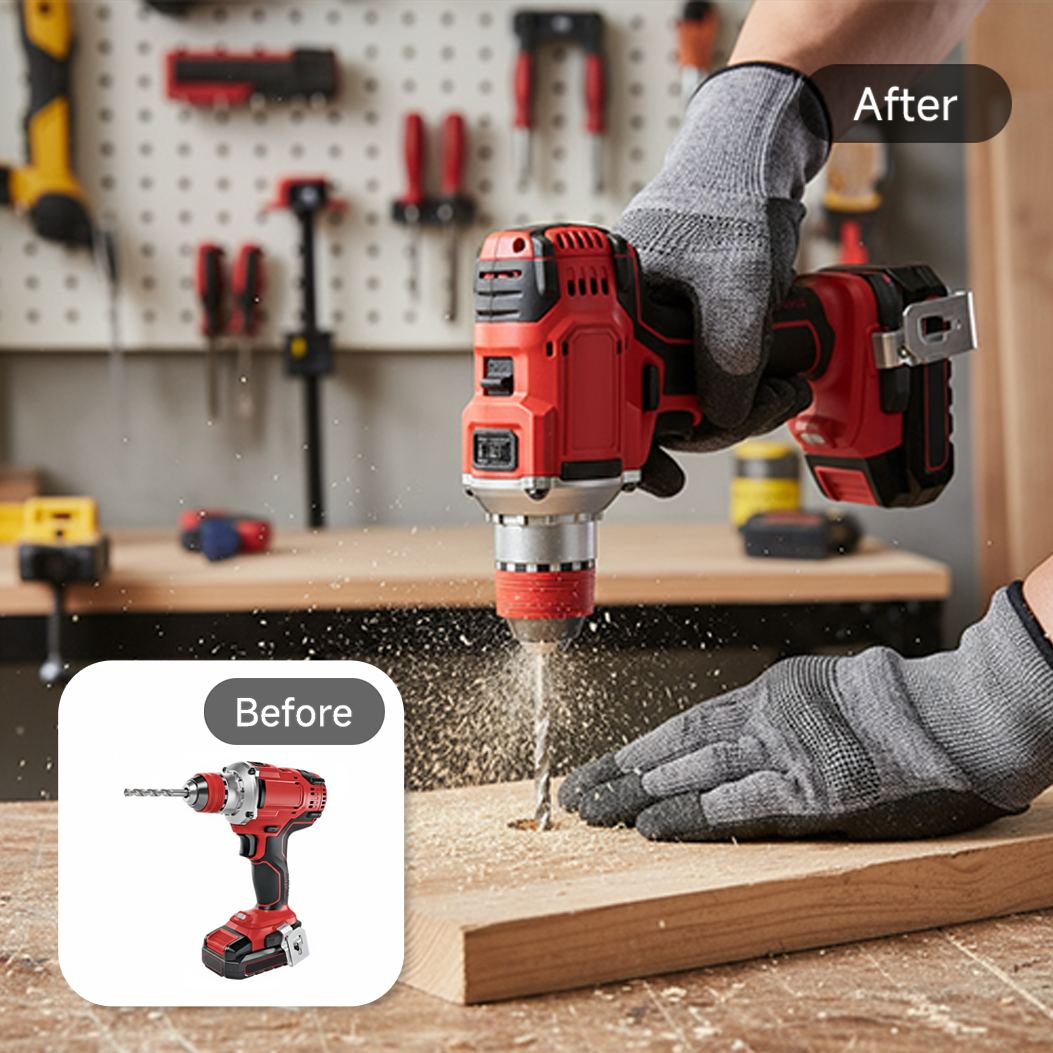
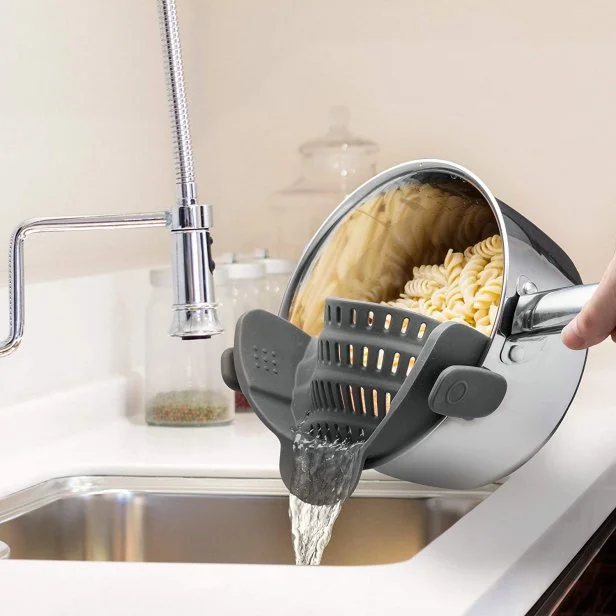
One of the most effective ways to draw a buyer's eye in your Amazon listing images is through an in-use product shot. Such lifestyle product images reveal the product in action, enabling potential buyers to grasp the product's function intuitively, even if they don't read a single description line.
- Freeze motion: Clearly illustrate moving parts by capturing them at the right time to give a live demonstration of the product.
- Hero the product: Highlight the item by making it the focus and keeping other elements to a minimum.
- Keep the background uncluttered: An empty and simple background will please the eye, and the viewer will focus all the attention on your item.
- Show hands interacting: Hands or users included in a photo give a sense of scale and at the same time show how natural and easy it is to use the product.
This kind of image goes well with tools, kitchen utensils, workout gear, and pet items, and can turn your Amazon product listing into something instantly familiar and motivating for the buyers.
Idea 2: Multi-Person Lifestyle Images That Build Social Proof
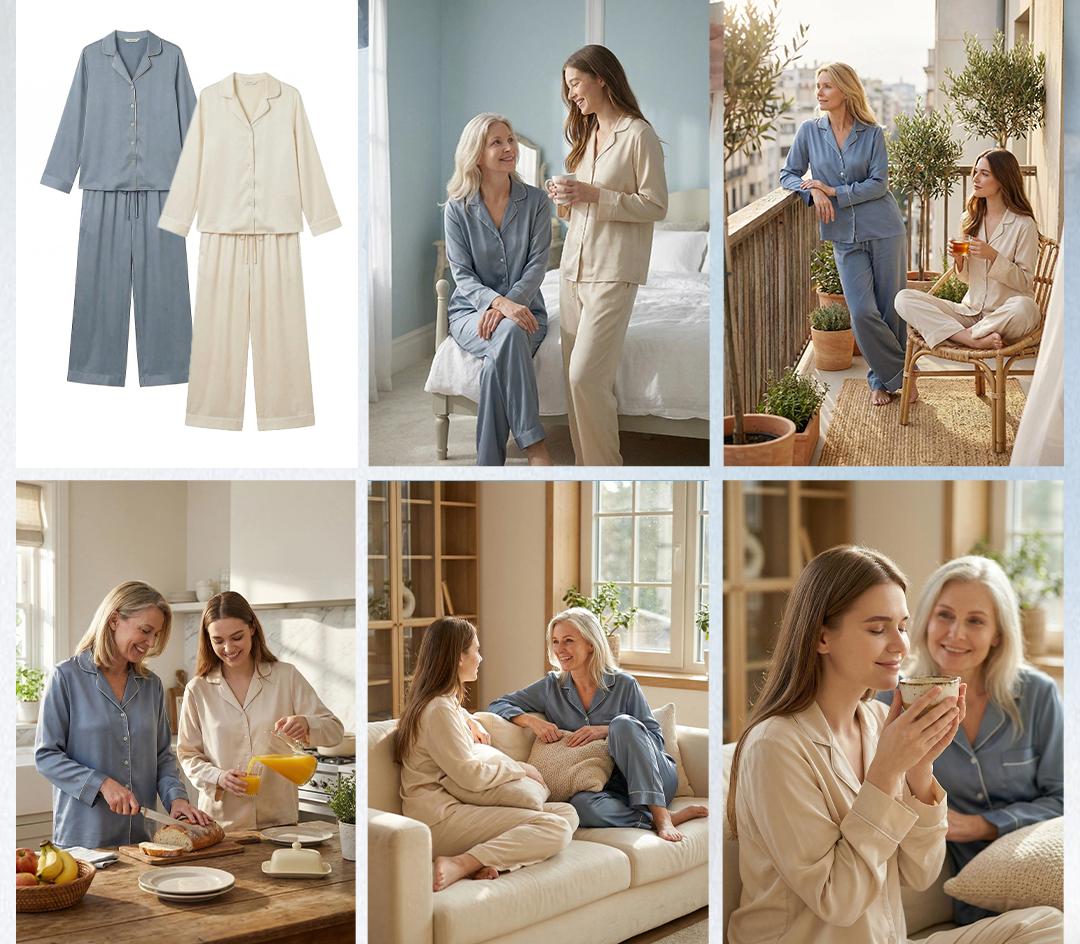
Product lifestyle photography with several people can demonstrate the scale, enjoyment, and the ability to share the product, thereby creating impactful visual proofs for your Amazon listing. Depict the product in genuine social scenarios by utilizing family, friends, or team settings. Employ very different models, concentrate on natural expressions, and if the product is supposed to be the main attraction, do not include any distractions. Such images facilitate shoppers to picture themselves using the product in their own social environment, increasing their trust and interest.
Idea 3: Aspirational Lifestyle Scenes That Match Your Brand Aesthetic
By means of aspirational product photography, you effectively turn your product into a lifestyle symbol and visually articulate to the consumers the type of life they will enjoy with it. Besides, such product lifestyle images serve as excellent brand differentiators for your Amazon product images by associating elements of desire, style, and emotion with your brand.
- Set your products as characters in a visual storyline. For instance, a chic desk area, an inviting living room, or a trendy bathroom shelf.
- Your brand's colors, lighting, and accessories should correspond to your brand image to help build brand recognition and maintain brand trust.
- Do not overcrowd; every element in the frame should be telling a story of your product and not diverting attention away from it.
- Home, beauty, gifts, and the luxury segment are markets where the lifestyle element significantly influences the customers' buying decisions.
Showing attempts to purchase by depicting not just a product but also the upgraded way of life your product offers, thus making your Amazon product images both aspirational and convincing.
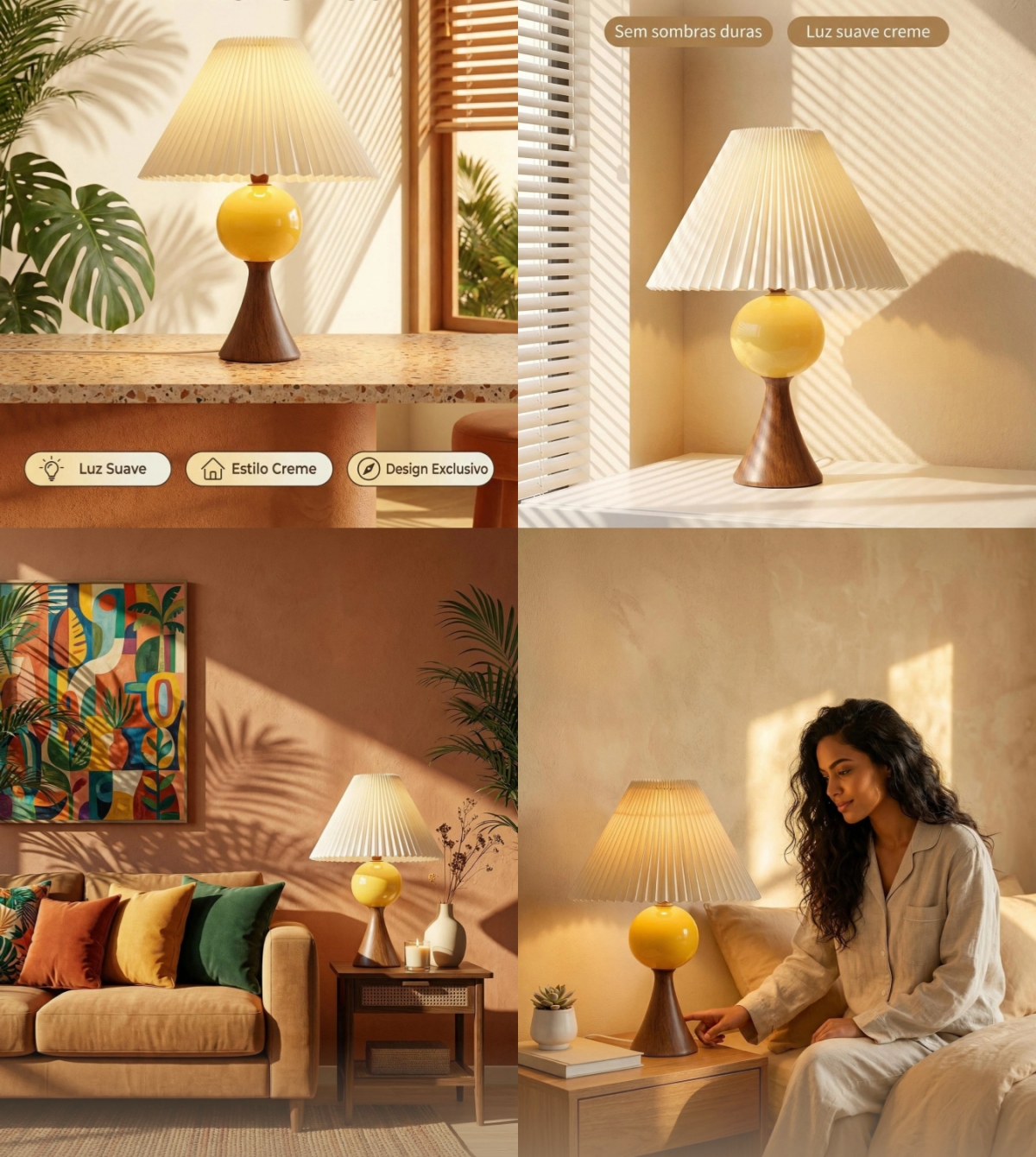
Idea 4: Styled Flat Lay Lifestyle Images for Clean Storytelling
Flat lay product photography is an excellent way of presenting bundles, kits, skincare routines, or accessories in one shot.
These types of lifestyle product photos tell the story in a very neat and organized way that is very easy for customers to understand at a single glance.
- Rules for Composition: Employ grids, triangles, or circular arrangements to lead the eye without effort. Also, include negative space and your brand colors to ensure visual harmony.
- Provide a size reference: Using a hand, a coin, or a familiar object will immediately give an idea of the dimensions.
Flat lays are very useful for displaying variety, neatness, and fashion, so your Amazon listing will be seen as sophisticated and professional.

Idea 5: Problem-Solution Lifestyle Images That Make Benefits Obvious
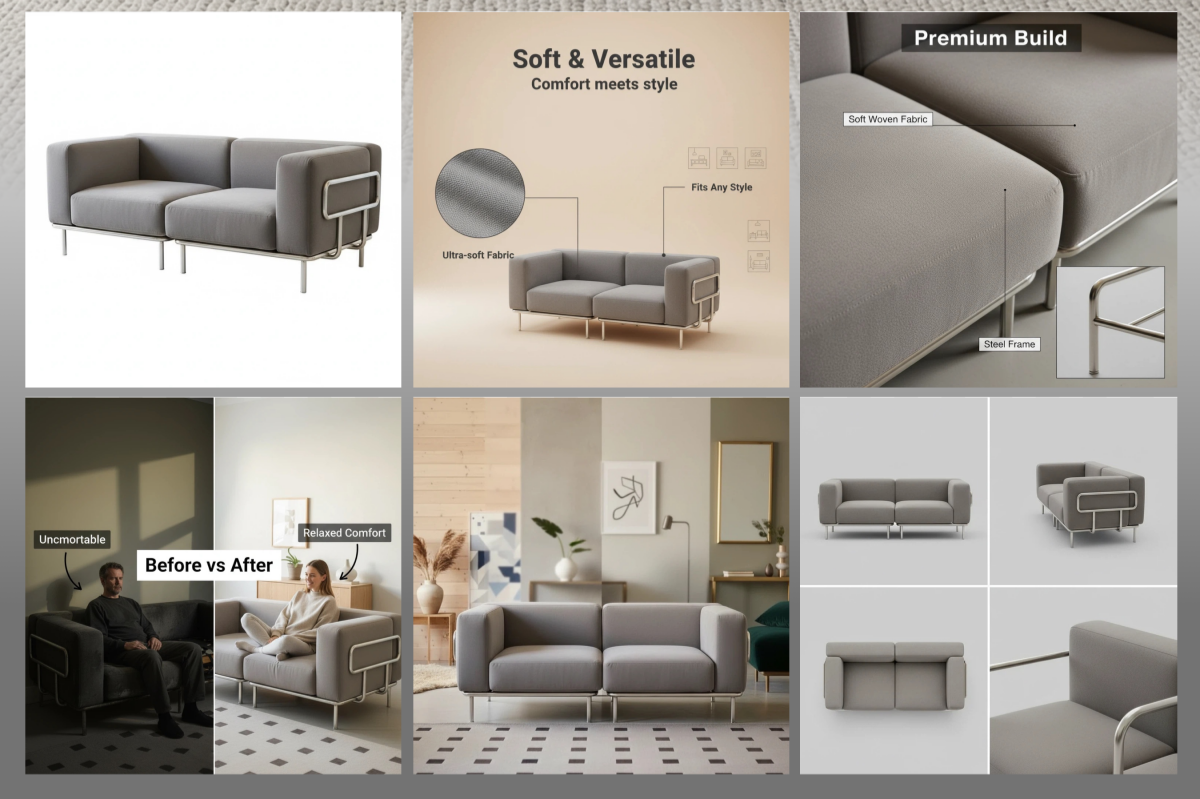
Problem-solution images intend to unveil a product's benefit instantly. These product images that convert effectively depict a problem and then position your product as the solution, for example, a messy drawer changed into a nice orderly one, or a dirty surface that is effortlessly cleaned.
By picturing the "pain → fix" sequence, customers get the value of your product at once. Make sure you are compliant with your claims and let the visuals do the talking, opting for minimal props or subtle hints rather than excessive text.
This technique is highly effective for household items, cleaning products, and organizing products. It can make your Amazon listing images sharper and easier for customers to relate to.
Idea 6: Close-Up Detail Lifestyle Images That Prove Quality
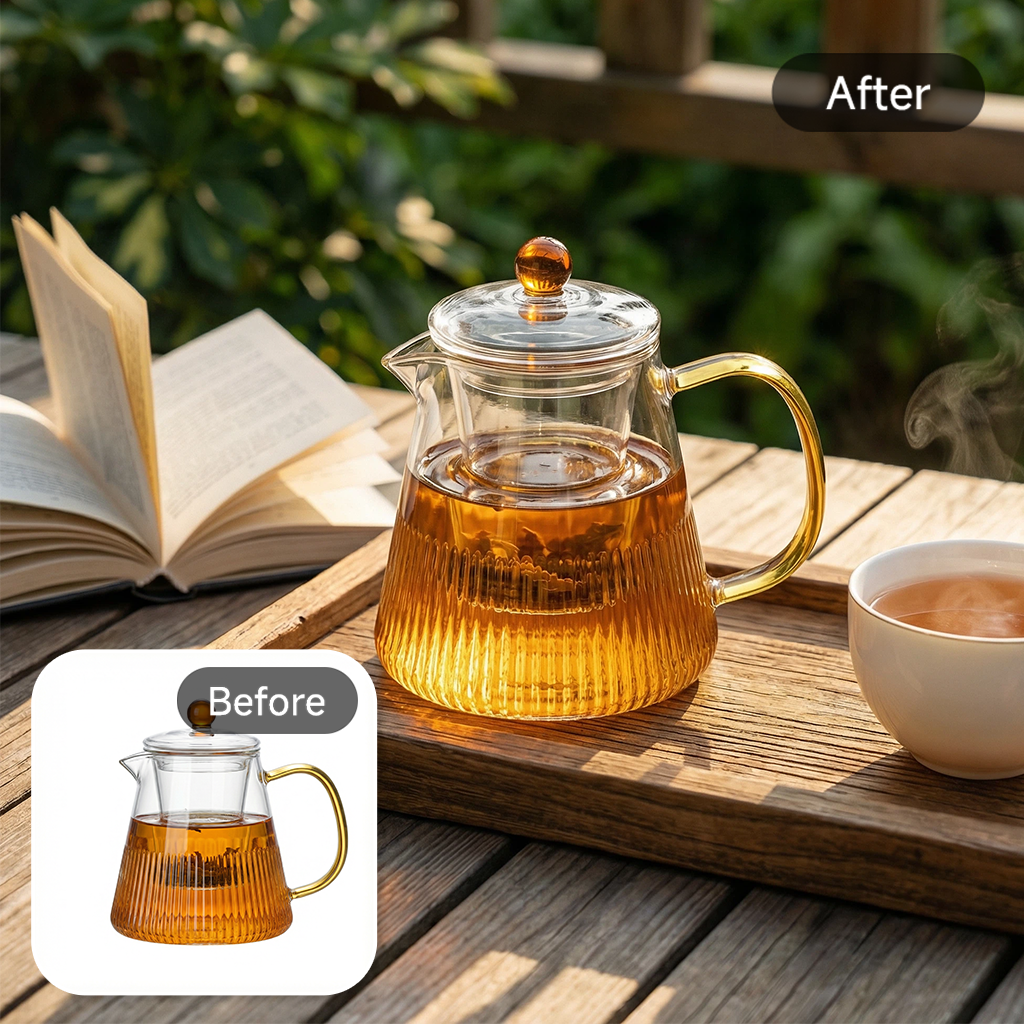
Close-up detail shots concentrate on the small elements of your product while still depicting a real-life setting. For effective product detail photography and lifestyle product images, consider the following tips:
- Show texture and workmanship: Depict the stitches, material, or surface quality without any ambiguity.
- Contextual background: Preserve a faint background that gives an idea of the product's use without being off-putting.
- Lighting and focus: Go for a soft or natural light and have the focus on the main detail to bring out its clarity.
- Explain scale: Insert hands, tools, or other objects people use every day to depict the size and proportion.
These photos not only convince customers of the quality but also build trust and make them feel confident about their purchase.
Idea 7: Outdoor and On-the-Go Lifestyle Images for Portability
One of the most effective ways to strengthen your lifestyle product images for Amazon is to show how the product performs beyond a fixed, indoor setting. Users searching for these visuals are often asking: “Can I use this product anywhere, or is it limited to one situation?”
Outdoor and on-the-go lifestyle images answer that question instantly by placing the product in dynamic, real-world environments.
These images are not just about changing the background—they should clearly signal:
- Mobility: Easy to carry, lightweight, travel-friendly
- Durability: Suitable for different environments (weather, movement, activity)
- Versatility: Works across multiple scenarios, not just one use case
To make these images effective, focus on realistic, relatable situations:
1. Travel scenes
- Product placed in luggage, backpack, or carry-on
- Usage in hotels, airports, or cafés
- Example: portable steamer used in a hotel room
2. Gym or outdoor use
- Fitness products in action (parks, trails, gyms)
- Water bottles, headphones, or gear in workout settings
- Natural lighting enhances authenticity
3. Commuting scenarios
- Product used during daily routines (train, car, office commute)
- Example: tech accessories used on a laptop in transit
Idea 8: Seasonal and Holiday Lifestyle Images That Lift Gift Intent
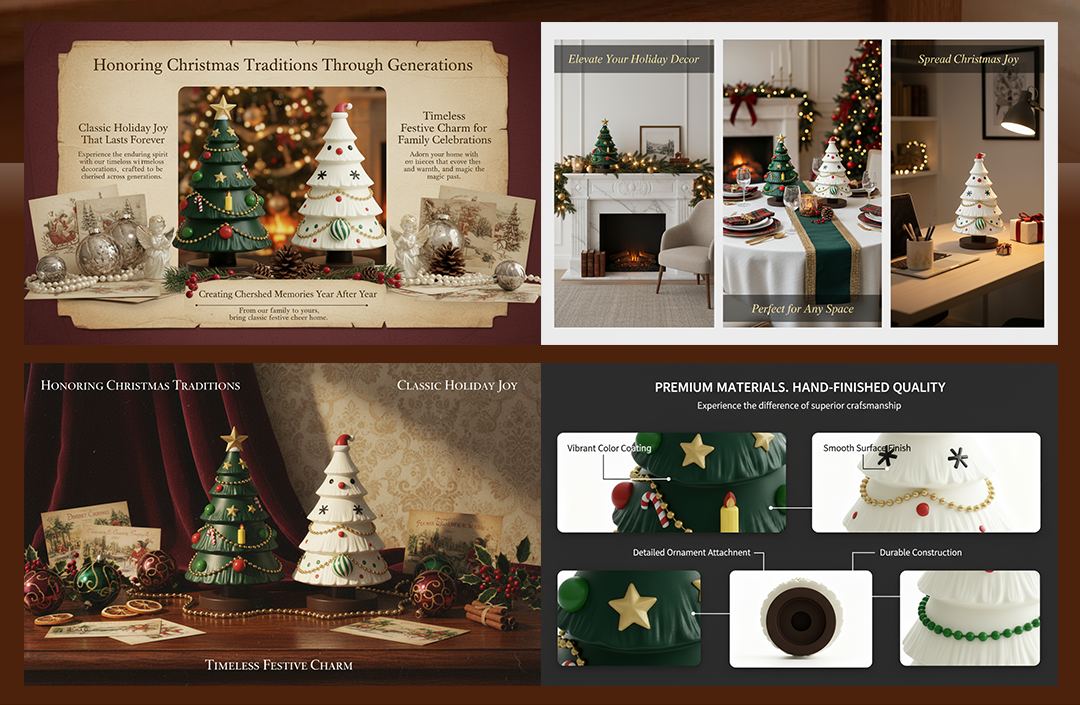
Seasonal lifestyle product images and holiday product images are an excellent method of increasing gift-driven purchases. Rather than completely dominating the product, you can give hints of the season by the color, lighting, or even a tiny prop, without it being too obvious.
For instance, a winter-themed backdrop or gentle holiday decorations can set the holiday mood while the product remains the focus. You can even plan a series of seasonal image changes, especially for Q4, to make the seasonal relevance and, at the same time, use the high-conversion periods of Amazon listings.
Idea 9: Variant-Specific Lifestyle Images for Color and Style Selection
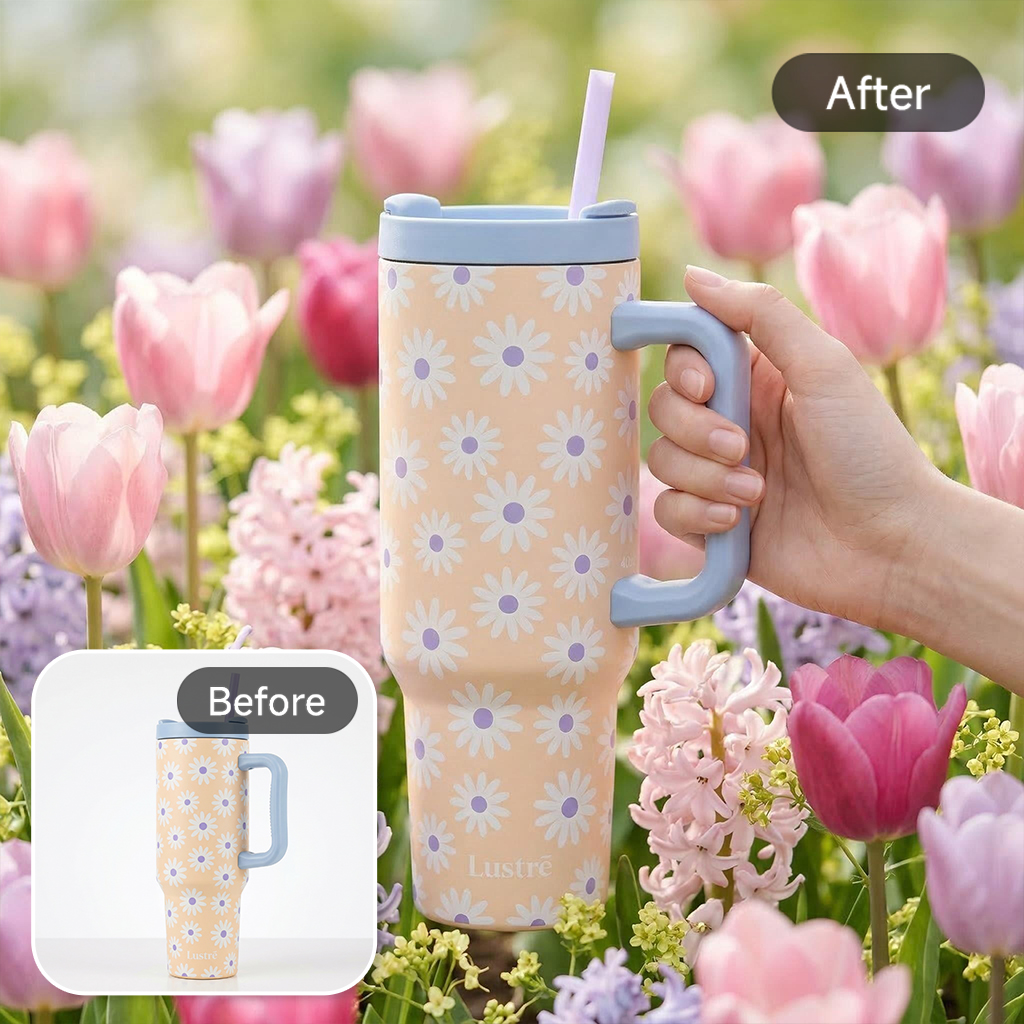
People get more addicted to color, so to make them addicted, you should show them the lifestyle associated with your product variants; taking aim at different colors, patterns, or styles will allure even the most hesitant shoppers.
Each top variant should be represented by one lifestyle scene, and the same elements should be used as much as possible so that the shots are kept visually consistent, thereby minimizing decision-making fatigue.
Depict each product variation image in such a way that the color or style naturally integrates with the scene and makes sense from a functional point of view. These lifestyle product images help to clarify the product pieces, cut down the number of returns, and generally make Amazon listing variants simpler for buyers to assess.
Idea 10: Unboxing and Packaging Lifestyle Images That Raise Perceived Value
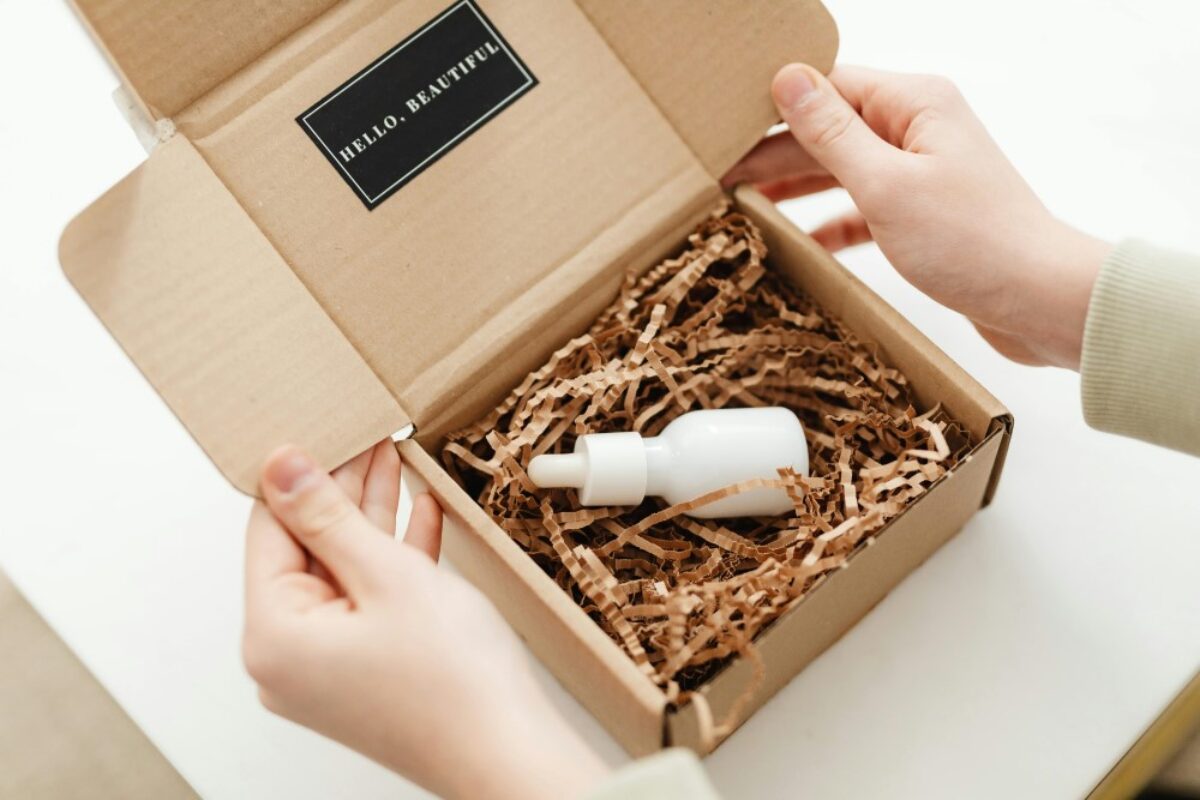
One of the best ways to increase perceived value and influence buying decisions is through unboxing experience shots and packaging lifestyle images.
While it's important to not only show the product packaging, inserts, accessories, and the gift-ready presentation, also be sure that the buyers can clearly recognize what is inside the box. Don't give a false impression of items that are not included. Using these kinds of images, Amazon product image listings become more attractive to buyers as they get a genuine feeling of excitement and joy even before the product is delivered.
Part 4. How to Create Lifestyle Product Images Faster With AI
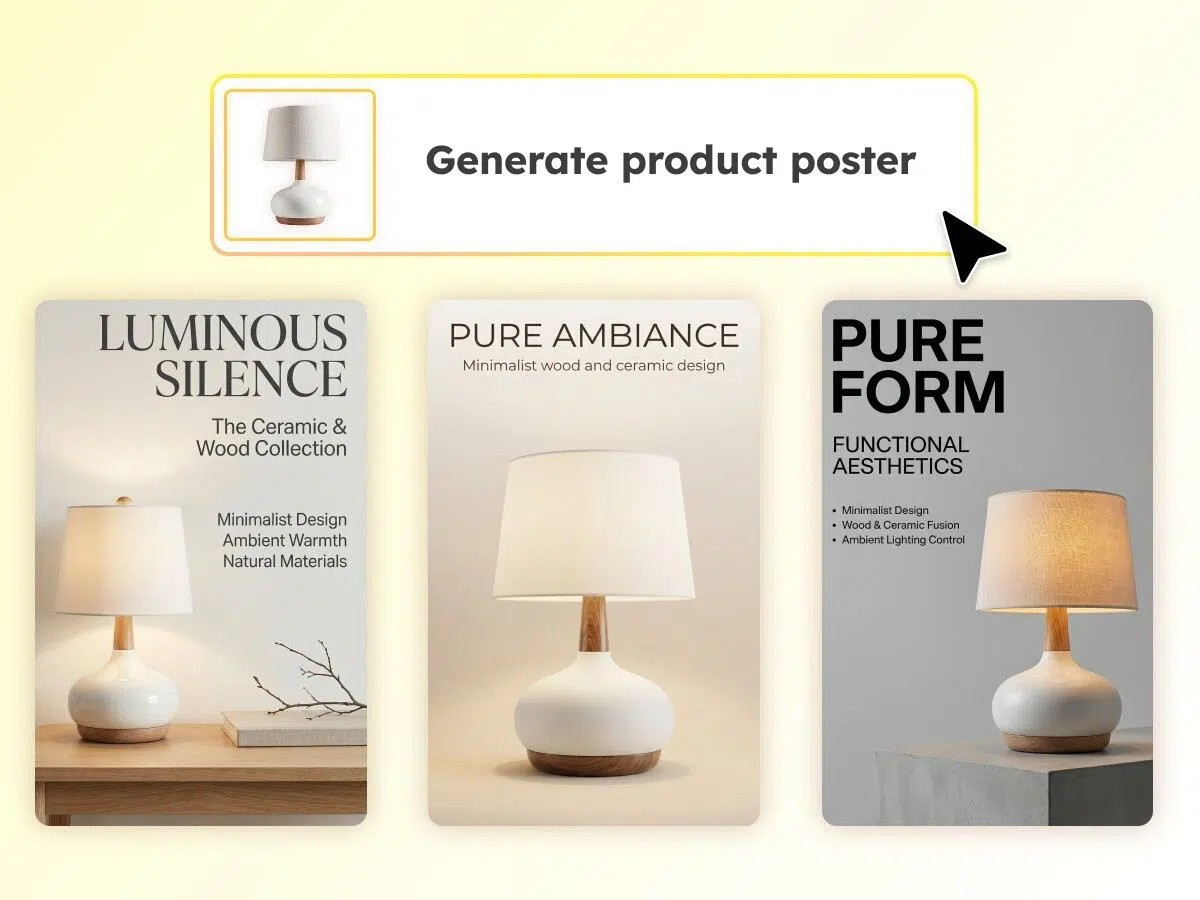
Great ideas alone won't work, making them happen fast and economically is what genuinely takes our Amazon listing photos to a whole new level. This is how AI lags a huge boost. An AI product photography generator, for example, is great for sellers to create multiple lifestyle scenes in one go, thus, it's a perfect tool when your budget is tight, timeline is short, or you must test many angles, backgrounds, or variants for the one that will convert the best. On top of that, it is also very effective for bulk launches, A/B testing, or for updating old visuals throughout your catalog using an AI product listing images generator.
Nevertheless, there are still some instances where traditional photography counts, items with interesting textures, complex reflections (glass, chrome, jewelry), categories that are highly regulated (supplements, cosmetics), or very expensive items where authenticity and tactile detail are paramount. In those circumstances, AI might help the procedure, nevertheless, a real studio arrangement is the one that yields the most accurate results.
Have you ever thought about transforming just a regular product picture into a fancy and super-selling lifestyle product image without even preparing a whole shoot? That's precisely what the Designkit AI product photography generator provides, lifelike setting, correct colors, and simple changes in light or perspective, ideal for quickly trying out seasonal, variant, or packaging concepts.
4.1. Traditional Product Photography vs AI Product Photography for Amazon Listing Images
When is the ideal time to go for a full studio shoot, and when can AI product photography be deemed sufficient for Amazon listing images? The actual difference lies not in hype but in accuracy, control, and compliance.
Traditional product photography remains superior when it comes to color fidelity that is guaranteed, products with complex reflective surfaces, and regulated categories. However, AI accelerates all other processes such as creating mockups, testing different lifestyles, setting up seasonal scenes, and scaling variants. Here is the most straightforward comparison:
| Factor | Traditional Product Photography | AI Product Photography |
|---|---|---|
| Cost | High (studio, props, models, reshoots) | Low–moderate (one base photo → many scenes) |
| Turnaround time | Days to weeks | Seconds to minutes |
| Iteration speed | Slow; requires new shoots | Instant tweaks and unlimited variations |
| Variant scaling | Each color/style must be reshot | Generate consistent scenes for all variants quickly |
| Reshoots | Expensive and time-consuming | Unlimited, free, and fast |
| Accuracy & Compliance | Very high—best for complex textures, regulated categories | Good for simple products; needs checks for shape/color accuracy |
| Best Use Case | Precise, complex, highly regulated products | Fast lifestyle scenes, A/B tests, seasonal images, variant sets |
4.2. Step-by-Step Workflow Using an Amazon Listing Images Generator
Here's how sellers can create polished visuals using an Amazon listing images generator or AI product listing images generator, even without photography skills:
1. Use a clean, well-lit photo with correct proportions—this becomes your "source of truth."
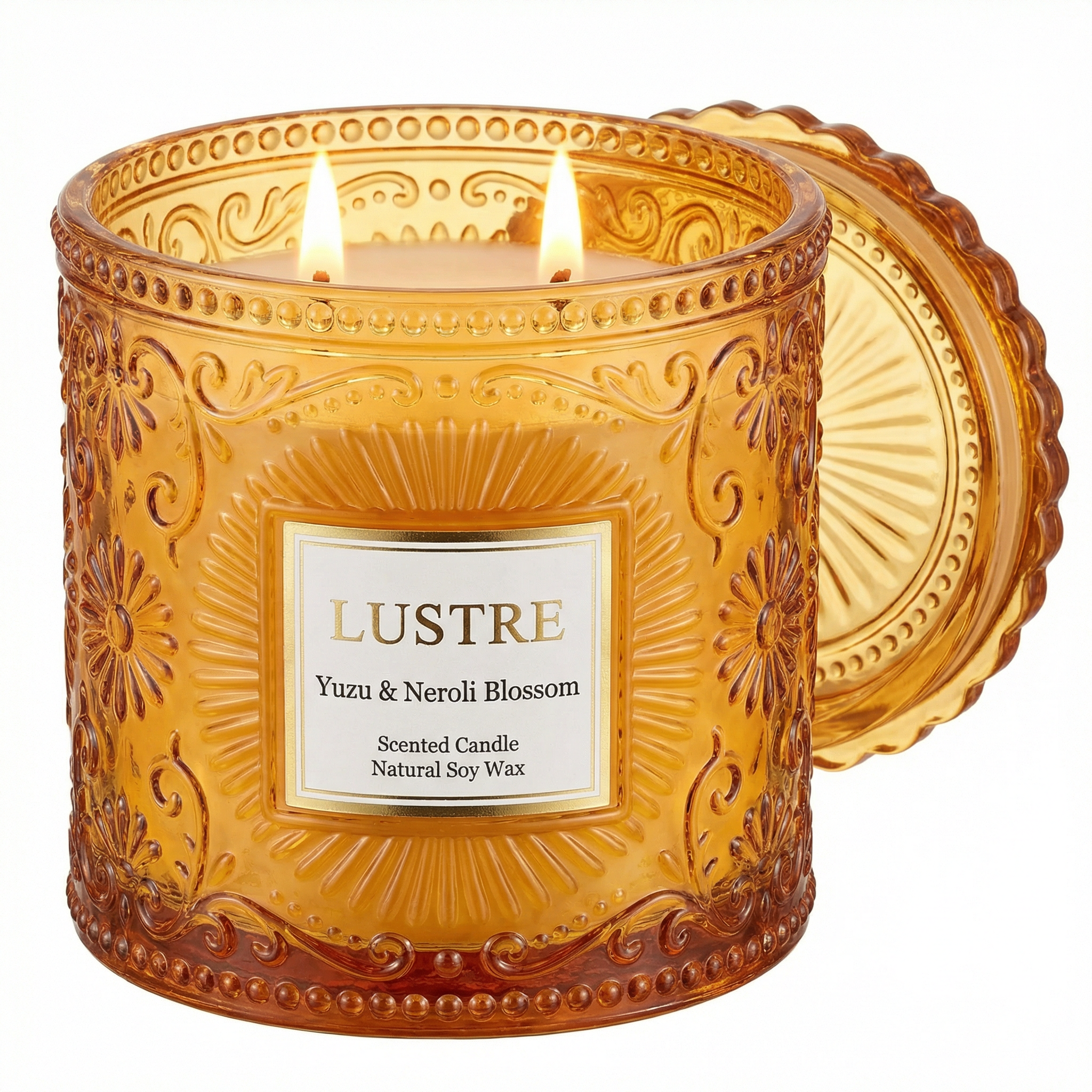
2. Pick from home, outdoor, studio-minimal, office, kitchen, or holiday themes depending on buyer intent.
3. The AI image generator for Amazon produces different angles, lighting moods, and compositions for you to compare.
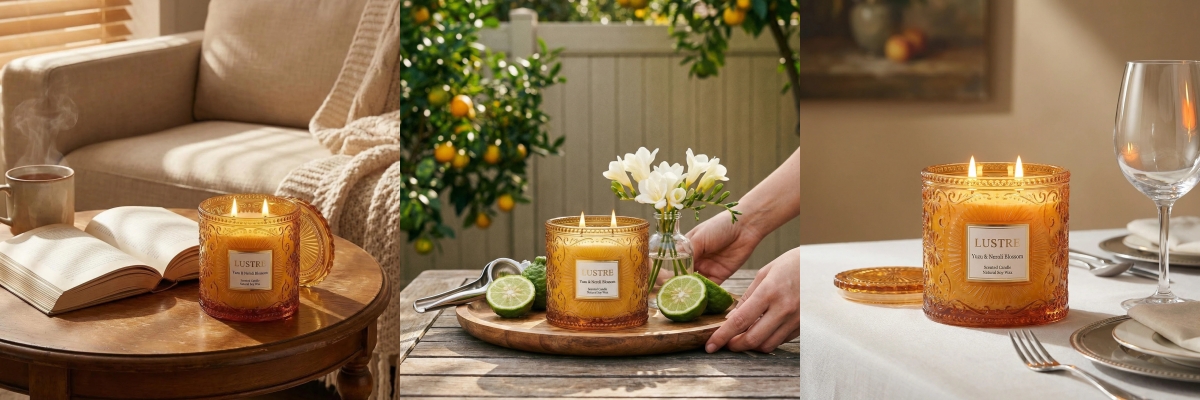
4. Look for clarity, accurate product shape, no distortions, and scenes that match your category's visual norms.
5. Typically 1600–2000px on the longest side for zoomability; JPG preferred.
- Colors must match real products.
- Proportions must not be exaggerated
- No misleading props or "implied accessories"
- Ensure text/claims follow Amazon rules
Tools like Designkit also help by generating multiple scene variations from one product photo—useful for A/B testing the lifestyle ideas covered in Part 3 without needing repeated shoots.
Conclusion
Lifestyle product images are more than just adornments, they are the main source of clarity, trust, and desire on a typical Amazon product page. If a customer can see briefly how a product will suit their lifestyle, they are more likely to buy it. Don't attempt to do everything at the same time, though. Simply choose 2 to 3 lifestyle ideas from this guide, make a couple of variations of each, and then do A/B testing (or use Manage Your Experiments when available) to find out what really works.
If you are looking for quicker turnaround times in testing, you might want to consider using an AI tool like Designkit, which can produce several lifestyle concepts based on a single product photo in no time, thus making the whole experimentation process a lot easier.
Frequently Asked Questions
What are lifestyle product images for Amazon listings?
How many lifestyle images should I include in an Amazon listing?
Most sellers include 2–4 lifestyle images alongside infographics and feature callouts. The ideal number depends on your product complexity—simple items need fewer, multi-use or premium products may need more. Always test different combinations to see which mix leads to higher conversions.
Do AI-generated lifestyle images comply with Amazon listing policies?
Yes— if they follow Amazon's listing rules. Your images must show the product truthfully, with correct colors, proportions, and no features or accessories that aren't included. Avoid misleading props or exaggerated benefits and always check the latest Amazon listing policy before uploading.
How to create lifestyle product images without a model or photographer?
You can shoot simple lifestyle scenes yourself using a phone, natural light, and minimal props, or use customer UGC to show the product in context. If you want faster variations without a photoshoot, tools like Designkit's AI Product Photography Generator can create model-free lifestyle scenes from a single product photo for quick testing.
Which lifestyle product image type converts best by category?
It varies by what shoppers care about. Functional products often perform best with in-use or problem-solution visuals. Premium goods benefit from aspirational or close-up detail images. Giftable items shine with seasonal and unboxing shots, while outdoor products convert well with on-the-go lifestyle scenes.
You May Also Like

How to Use Google Veo 3.1 for Ecommerce Product Video
Nano Banana 2.1 Review: Features, Release Date & What’s New
Remove.bg Shutting Down Dec 1, 2026: What Users Are Saying
Amazon Individual vs Professional Selling Plan

How to Create an Amazon Seller Account: Requirements and Steps
Amazon Product Video Requirements: Specs & Upload
Amazon Brand Registry Requirements: Trademark, Account & Cost

Amazon Global Selling: How to Open Multiple Marketplaces
How to Make an Event on Facebook: Complete Setup Guide (2026)
Amazon Sponsored Brands: What They Are and When to Use Them

Amazon Sponsored Products: How to Launch Your First Campaign

Amazon Vine Program for Sellers: Get Early Product Reviews

7 Best Remove.bg Alternatives in 2026: Free & Paid Tools
Amazon A+ Content Dimensions: Module Image Sizes
Print-On-Demand Designs: Create, Prepare, and Preview Your Work

T-Shirt Design Size Guide: Placement, Dimensions, & DPI
Amazon A+ Content: What It Is and What to Build First
Is Print on Demand Profitable in 2026? Products and Niches

Amazon Brand Registry Application: How to Submit and Pass Review
How to Ship to Amazon FBA: Your First Shipment
What Is Amazon FBA? Should Beginners Use It in 2026

GPT Image 2 Prompts for Product Photos (Copy-Paste Examples)

How to List a Product on Amazon: Materials Checklist for First Listings

How to Get Ungated on Amazon: Restricted Category Approval Steps

Kling vs Veo for Product Video & UGC Ads (2026)

Nano Banana vs Midjourney for Product Photos and Campaign Visuals (2026)
Amazon Backend Keywords: Title, Bullets & Search Terms

How to Sell on Poshmark: A Complete Beginner's Guide

Zeely Reviews 2026: Features, Pricing, Pros, Cons & Alternatives
Instagram Carousel: What It Is, How to Post & Create One

What Is A/B Testing? A Practical Guide to Running Better Experiments

Best Time to Post on Instagram in 2026: Data & Tips
How to Get Verified on Instagram: Complete Guide

TikTok Monetization in 2026: Requirements & Ways to Earn

Instagram Desktop Posting Guide: Upload Posts, Stories & Reels
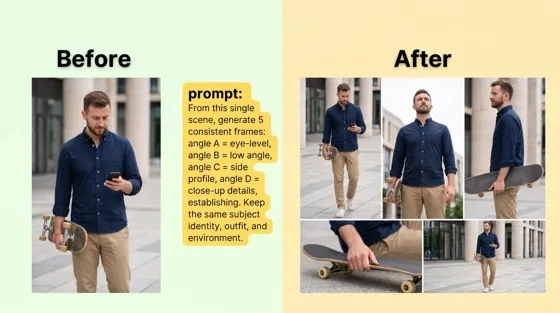
Nano Banana Prompts: 20+ Examples for Better AI Images

YouTube Shorts Monetization Requirements & Rules 2026

Hair Color Ideas 2026: Trending Shades & Virtual Try On

How to Write an Instagram Bio: Examples, Tips & Ideas

How Much Does YouTube Pay Per View? 1K, 100K & 1M Views

How to Make Money on Snapchat: 7 Ways to Earn

How to Get More Followers on Instagram in 2026

Best Time to Post on TikTok in 2026 for More Views
How to Repost on Instagram in 2026: A Simple Guide

Ideogram AI Review 2026: Features, Pricing & Alternatives

PixVerse AI Review 2026: Is It Worth Using for AI Videos?
Free Mac Photo Editor: 5 Tools Compared for Mac Users
How to Crop a Photo Into a Circle Online (Keep Quality)

Create TikTok Ads From One Photo: An AI Product Launch Kit
How to Make an Image Transparent Online (AI Guide)

Pixlr Background Remover Review 2026: Features, Pricing & Alternatives

How to Fix Overexposed Photos: Recover Highlights Fast

How to Animate a Picture with AI: Easy Step-by-Step Guide
OpenArt AI Review 2026: Features, Pricing & Alternatives

Best AI Headshot Generator: 9 Tools Compared for 2026
Best Stencil Maker Tools 2026: Turn Photos Into Stencils
Pixelbin Watermark Remover Review: Image & Video Results Tested
How to Make a Sticker on iPhone: Easy Step by Step Guide

Best AI Logo Generator in 2026: 10 Tools Compared
How to Turn a Photo Into a Cartoon: A Beginner-Friendly Guide

How to Write a Video Script: Structure, Tips & Examples

Depop vs Poshmark: Which Is Better for Selling in 2026?
Landscape vs Portrait: Key Differences & Best Uses in 2026

How to Create an Amazon Storefront: 4-Step Guide for New Sellers

How to Remove Watermark From Photo: AI, Photoshop & More

How to Sell Books on Amazon in 2026: Beginner Guide
How to Fix Pixelated Photos: Photoshop, AI Tools & Tips
Bing Image Creator: How It Works, Features, Uses & Alternatives

Best Products to Sell on Amazon: 10 Ideas for Beginners
How to Remove People from Photos with AI: A Step-by-Step Guide

What Is B-Roll? Meaning, Examples, and How to Use It

How to Increase Image Resolution: AI, Photoshop & PPI
How to Add Text to a Photo: 8 Tips for Better Results

How to Sell on Amazon in 2026: A Complete Seller Guide
How to Fix Grainy Photos: Easy Ways to Clear Images

How to Make a TikTok Video: A Step-by-Step Guide 2026

How to Make an Instagram Post: Step by Step Creation Guide

Social Media Copywriting: Tips, Examples & Best Practices

Creative Profile Picture Ideas for Every Style and Platform
Evoto AI Review 2026: Features, Pricing, Pros & Cons
Pixlr Photo Editor Review: Features, Pricing & Alternatives
Best AI Image Extender Tools in 2026: Expand Photos with AI
How to Make a Collage on iPhone: Easy Guide for 2026

What Are AI Fruits? The Trend, the Formats, and How to Make One
How to Sharpen an Image in Photoshop (Smart Sharpen and Unsharp Mask)

Seedance 2.5 Review: What Changed in ByteDance's New Model
Best Image Background Remover Tools in 2026: AI Tools Compared
How to Make Transparent Background in Paint: Step-by-Step Guide
How to Resize an Image: Best Methods, Tools & Quality Tips

LTX Studio Review: Features, Pricing & AI Filmmaking Guide
Best AI Image Generator Tools in 2026: Top AI Platforms Compared

Remove.bg Review 2026: Features, Pricing & Is It Worth It?

MiniMax H3: Features, Benchmarks, Pricing, and How to Use It

Luminar Neo Photo Editor Review 2026: AI Features, Price & Pros
How to Post Multiple Photos on Instagram (2026 Guide)
25 Facebook Cover Photo Ideas for Personal & Business Pages

What Is a PFP? Meaning, Examples & How to Create One

Multichannel Marketing Guide: Strategy, Tools & Examples
How to Create Digital Products That Sell in 2026

How to Make a Slideshow for Facebook: Photos, Music & Tips 2026

HeyGen vs Arcads: Which AI Video Tool Wins in 2026?

AI Product Photography: 7 Best Tools for Ecommerce in 2026
Can You Edit an Instagram Post After Posting?

Cyber Monday Marketing Ideas & Strategies (2026 Guide)

Black Friday Marketing Ideas for Ecommerce Brands (2026)
11 Best Canva Alternatives in 2026 for AI Design & Marketing
Instagram Marketing Guide: Strategies, Tips & AI Tools in 2026

8 Best Midjourney Alternatives in 2026: Features, Pricing & Comparison
Influencer Marketing Guide: Strategy, Campaigns & Creator Tips
How to Restore Old Photos: AI Tools, Tips & Best Methods

Arcads AI Review 2026: Features, Pricing, Pros, Cons & Alternatives

Pixelcut AI Review 2026: Features, Pricing, Pros, Cons & Alternatives

What Is a Hero Image? Definition, Examples & Design Tips
How to Apply Watermark to Photos: Methods, Tips & AI Tools
How to Remove a Background in Illustrator: 4 Easy Methods
How to Change Background Color on Instagram Story (Easy Guide)

Pippit AI Review 2026: Features, Pricing, Pros & Cons
8 Best AI Poster Generators in 2026: Create Posters Faster with AI
10 Best AI Image Enhancers in 2026: Tested & Compared
10 Best AI Image Editors in 2026: Features, Pricing & Comparison
7 Best AI Background Changer in 2026: Remove & Replace Photo Backgrounds
Luminar Neo vs Lightroom: Features, Pricing & Comparison 2026
Kittl Review 2026: Is It Worth It? Features & Pricing

15 Best Things to Sell on Etsy in 2026 (Listing Tips Included)
WooCommerce vs Shopify 2026: Pricing, Features & Which Is Better

How to Sell on Facebook Marketplace: Beginner Guide (2026)

How to Use Pinterest for Business: Strategy, Tips & Growth Guide
How to Sell on Etsy in 2026: Setup, Listings & Growth Tips

What Is a Target Audience? Types, Examples & How to Find Yours
How to Make a Blurry Image Clear: 5 AI & Manual Ways
TikTok Marketing Guide 2026: Strategies, Ideas & AI Tools
How to Remove Background on iPhone: 5 Easy Methods (2026)
Photoroom Background Remover Review 2026: Features & Alternatives
How to Remove Background in Canva: A Step-by-Step Guide

How to Remove Background in GIMP: Beginner-Friendly Guide

How to Celebrate National Dog Day 2026: Date & Easy Ideas

Funny Dog Memes to Try: Doge Meaning and 10 Original Ideas
Back to School Checklist 2026: Supplies, Timeline, and Planning
Recraft AI Review 2026: Features, Pricing, Pros, Cons & Alternatives
How to Make an Image Transparent in Google Slides: Opacity & Background Removal

VanceAI Photo Enhancer Review: Features, Pricing & Alternatives in 2026
Vibe Marketing Explained: Strategy, Examples & AI Tools
How to Sell on Depop: Beginner Guide to Getting Your First Sale
What Does Emojify Mean? Text, Photos, & Emoji Art Explained

Back to School Ad: 7 Creative Ideas for Better Campaign Results

Top 7 Back-to-School Sales Ideas to Boost Retail Sales (2026)
Top 8 Online Background Removers for Ecommerce Photos (2026)
How to Remove Background in Photoshop: 7 Easy Methods
6 Best AI Image Upscalers 2026: Tools Tested & Compared

Luma vs Seedance (2026): Ray 3.2 or Seedance 2.0?

15 Simple Self-Care Ideas for Busy Schedules and Daily Life

Celebrate International Cat Day 2026: Date & 10 Fun Ideas
Project Indigo Review: Is It Better Than iPhone Camera?

How to Match Makeup by Undertone: Virtual Lipstick and Foundation Try-On

Chic Outfit Ideas for Every Occasion: 15 Stylish Looks & Tips
How Big Is an 8x10 Photo? Size, Pixels & Frame Guide
How Big Is a 4x6 Photo? Dimensions, Pixels & Printing Tips
Picsart AI Review: Features, Pricing, Pros, Cons & Alternatives
Lovart AI Review: AI Design Agent Features, Pricing & Alternatives
Fotor AI Image Generator Review: Features, Pricing & Alternatives
How to Add Emoji to Photo Online for Free

Online Advertising Guide: Types, Costs & Examples (2026)

Facebook Advertising Guide: Costs, Strategy & Tools 2026
What Are E-commerce Ads? Examples, Strategy & Tools (2026)
Where to Sell Handmade Items Online (2026): Etsy, Amazon, or Shopify?

Shopify vs Amazon (2026): Brand Store or Marketplace FBA?
Amazon Handmade vs Etsy (2026): Which Is Better for Makers?
Etsy vs eBay (2026): Handmade, Vintage, or Secondhand?

Selling on Amazon vs eBay (2026): Fees, Profit & Where to Sell

What Is Brand Awareness? Examples, Strategies & Tools 2026

10 Best Online Selling Platforms (2026): Pick by What You Sell
Shopify vs Etsy (2026): Which Is Better for Handmade Sellers?

Wedding Dress Styles for Every Body Type: A Practical Guide for 2026
Emoji Wallpaper Ideas & How to Make One Online (2026)

YouTube Automation Step-by-Step AI Guide for Beginners
What Is Brand Identity? Examples, Elements & Strategy

Creatify AI Reviews: Features, Pricing & Alternatives (2026)
Minimalist Poster Design: How to Make a Clean Poster (2026)
What Are Satisfying Videos? Types, Tips & How to Make (2026)

How to Find a Product by Image: 7 Methods That Work (2026)
How to Make a Custom Poster That Is Ready to Print

Gemini Omni Review: Real Tests, Pros & Limitations for Video Generation
How to Generate Product Videos from Images with AI (2026 Guide)
Instagram Image Size Guide 2026: Post, Reel, Story & Carousel Specs

AI Marketing Agent: How It Works, Benefits & E-Commerce Examples

Aesthetic Poster Ideas: Find Your Style and Create Printable Art
How to Create a Product Launch Video with AI: A Step-by-Step Guide
LinkedIn Image Size Guide: Profile, Post & Banner Dimensions
YouTube Profile Image Size: Best Dimensions & Safe Area 2026
What Is Personalized Advertising? Examples & How It Works
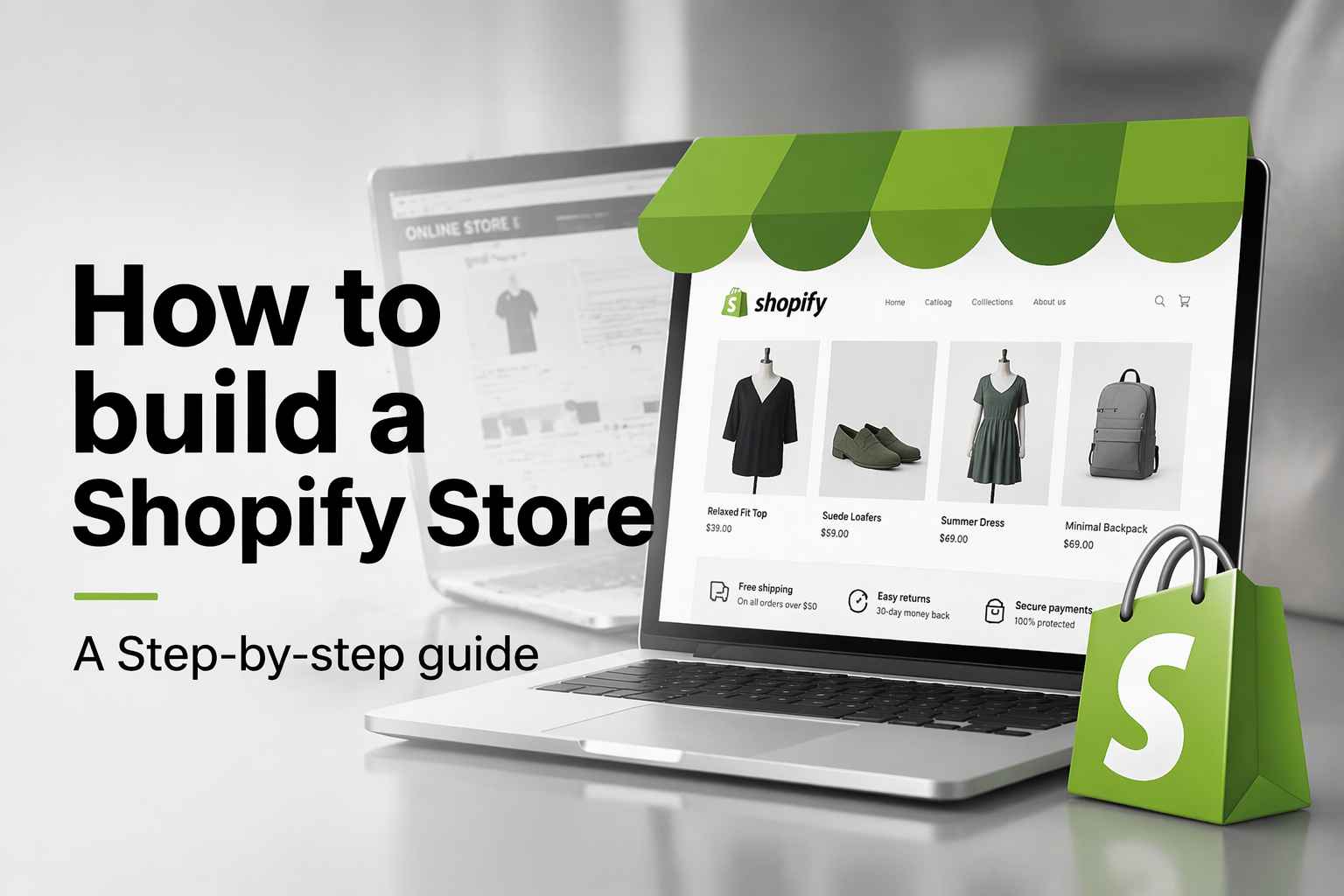
How to Build a Shopify Store That Actually Converts Visitors

What Is a Brand Video? Types, Examples & How to Create One

How to Create a Complete World Cup Product Listing Image Set

20 FIFA World Cup Merchandise Ideas That Fans Actually Buy
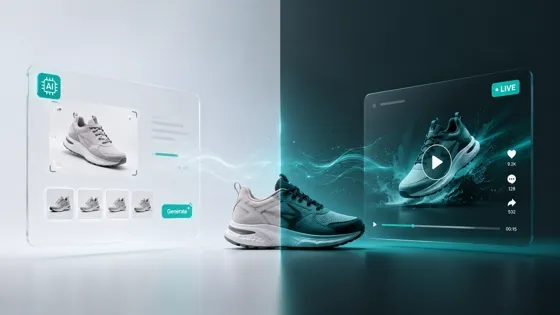
AI Product Demo vs Live Demo: Which Gets More SaaS Sign-Ups?

How to Create Amazon Summer Sale Posters and Banners with AI

Amazon Summer Sale 2026: Listing Design Trends & Product Image Ideas
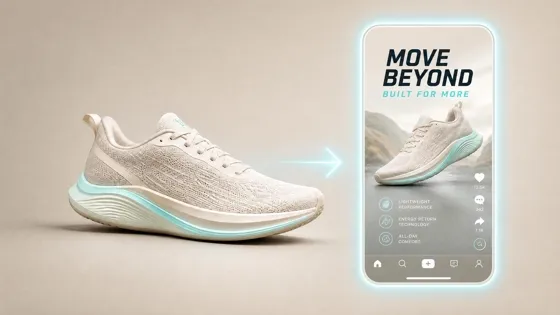
How to Create AI Product Promotion Videos in Minutes (Step-by-Step)
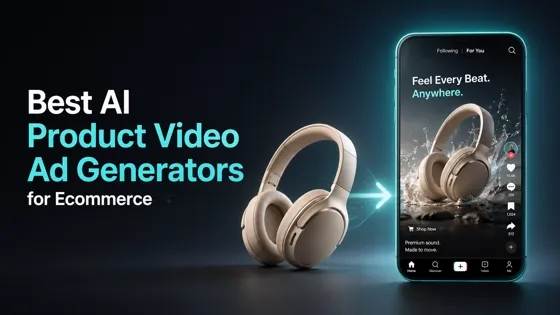
Best AI Product Video Ad Generators for Ecommerce in 2026

Father's Day Gift Ideas: Personalized Card, Poster and Video

Father's Day Card Ideas: Messages, Printable and Personalized Cards

Amazon Marketing Guide 2026: Strategies, Tips & Tools
Local Advertising: Strategies, Examples & Tools (2026)

What Is Branded Content? Examples, Strategy & Tools 2026

What Is Performance Marketing? Strategies & Examples 2026

Inbound Marketing: Strategies, Examples & Tools (2026)

How to Boost Ecommerce Sales: Proven Strategies That Work
How to Add Video to eBay Listing: Step-by-Step Seller Guide

Ecommerce Video Ads: 7 Strategies That Drive Higher Conversions

7 Best AI Virtual Makeup Try-On Tools for Realistic Results in 2026

AI Virtual Makeup Try-On: Boost Beauty E-Commerce Sales in 2026

Free Online Glasses Try-On Tools: See Yourself in Glasses Instantly

Top Virtual Ring Try-On Tools for Engagement and Wedding Rings in 2026

How to Try Shoes On Virtually: A Step-by-Step Guide

Best Virtual Shoe Try-On Tools for Ecommerce: 2026 Guide

How to Try On Wigs and Bangs Virtually to Find Your Perfect Style

How to Photograph Shoes for Your Ecommerce Store in 2026
Short Form Video Marketing for E-commerce: AI Video Guide

What Is Video Marketing? E-commerce Guide & Strategies 2026

Create Model Outfit Photos Instantly With AI Outfit Generator

Best AI Virtual Try-On Clothes Tools for Any Body Type
How to Edit Amazon Product Photos That Boost Sales Fast

Product Photography Ideas: Creative Tips & Techniques for Better Shots

Product Photography Pricing 2026: Full Cost Guide by Type

Google Veo 4 Explained: Features, AI Video Creation & What’s New

How to Try On Clothes Online with AI for Better Fit & Style

Virtual Nose Ring Try On Online Before Your Piercing

White Background Product Photography Guide & Tips 2026

Product Photography Starter Package: Gear Checklist 2026

How to Try Makeup Online with AI and Virtual Makeup Try-On Apps (2026)

How to Use Virtual Earring Try-On for a Flattering Look in 2026

How to Try On Engagement Rings Online with AI in 2026

Scale Your Jewelry Brand with Virtual Jewelry Try-On Solutions

How to Try Hairstyles on Your Face Online (Step-by-Step Guide)

Best Virtual Hairstyle Try-On Tools Online for Realistic Previews 2026

How to Use a Free AI Hairstyle Generator to Find Your Perfect Look

Virtual Hair Color Try-On Guide for Every Skin Tone (2026)

Virtual Wedding Dress Try-On Online for Brides in 2026

How to Choose the Right Sunglasses for Your Face Shape Online

How Accurate Is Virtual Glasses Try-On? AI vs AR Compared

Best Virtual Try-On Glasses Apps in 2026 (Free & Paid Tools)

How AI Virtual Try-On Is Transforming Eyewear Ecommerce

5 Best Virtual Try-On Glasses Tools for Ecommerce and Consumers 2026

How to Try On Glasses Online with AI in 2026 (Easy Guide)

How to Create Jewelry Photos with AI Models That Drive Sales in 2026

Shopify Product Photography Guide with Tips & Setup

AI-Generated Fashion Models: Technology, Brand Adoption & Trends

How to Batch Generate 100+ AI Clothing Model Photos Fast

7 Best AI Fashion Model Generators for Ecommerce in 2026

Amazon Main Image Requirements: Size, Guidelines & Tips

Shopify Image Size 2026: Complete Guide and Tips for Better Product Display

Studio Product Photography vs AI Product Photography in 2026

7 Product Photography Mistakes That Hurt Ecommerce Sales

AI Clothing Model Photos for E-Commerce: Platform Rules & Best Practices

How AI Virtual Try-On Helps Fashion Brands Boost Sales & Reduce Returns

AI Fashion Models vs Real Models: Which Is Better for Brands?

Best Free AI Fashion Model Generators for Real Product Photos

Virtual Outfit Try-On Guide: Plan Outfits Before You Buy

GPT Image 2 Review: Features, Prompts & E-commerce Use Cases

What Is an AI Clothing Model Generator? Full Guide for Sellers

Change Outfit Colors Online for Outfit Preview with AI Clothes Color Changer

Virtual Try-On Technology in 2026: How It Works & Key Trends

How to Create Amazon Infographics: Boost Sales with Compelling Visuals

10 Best Virtual Try-On Apps & Tools for Online Shopping in 2026

How to Create AI Fashion Models: Complete Step-by-Step Guide

How to Use AI Fashion Models for E-Commerce Product Photos: A Complete 2026 Guide

How to Virtually Try On Clothes Online: A Complete Guide

How to Create Outdoor Product Scenes Without a Photoshoot Using AI
GPT-Image-2 for Ecommerce Product Images: What It Means for Online Stores

Optimize Etsy Images for Mobile: Listing Photos That Convert

Amazon 7-Image Listing Strategy: Boost Sales by Optimizing Every Image

Happy Horse 1.0: The AI Video Model E-Commerce Sellers Need to Know About

Etsy Thumbnail Optimization: Keep Your Product Fully Visible
AI UGC for Ecommerce in 2026: Text-to-Video, Image-to-Video & Reference Replication Guide

The Etsy Thumbnail Formula That Drives More Clicks and Sales

HappyHorse AI Review: Features, Benchmarks & How to Use It

How to Create Pro Amazon Listing Photos Without a Studio

10 High-Converting Lifestyle Product Images for Amazon Listings

How to Automate Your E-commerce Visuals with OpenClaw Workflow

Top 5 AI Tools to Generate Amazon Product Listing Images in 2026

How to Turn One Photo into 10 Etsy Listing Images Fast: Batch Workflow

Etsy Listing Photo Size Guide (2026): Mobile, Desktop & Shop View Specs

Turn White Background Images into Lifestyle Amazon Listings

Fix Etsy Image Cropping: Optimize Listing Photos for Every Device

Amazon Listing Images: Essential Shot List & Optimization Guide

How to Create Lifestyle Product Images Without a Studio

Seedance 3.0 Predictions: Will AI Video Enter the Feature Film Era?

Grok AI vs ChatGPT: Features, Pricing & Best Choice (2026)
How to Use Grok AI: Features, Tips & Best Prompts (2026 Guide)

Sora Is Shutting Down? Best AI Video Alternatives for Creators in 2026

Lifestyle Product Photography Trends 2026: Authentic Looks at Scale

How to Master Lifestyle Product Photography in 2026

Amazon Listing Images Guide 2026: 7-Slot Strategy & Requirements

360 Product Photography Guide 2026: Setup, Shoot and Workflow

Beginner's Guide to Generate Product Photos from Different Angles

AI Product Photography: Create Ecommerce Images Without a Photoshoot

How to Create Realistic AI Product Photos: Step-by-Step Pro Guide

Keep AI Product Images Consistent Across SKUs: Lighting, Color, Background
Seedance 2.0 for Ecommerce: Create AI Product Videos in Minutes
Seedance 2.0 Review: Features, Improvements, Pricing & How It Works (2026)

How to Scale E-commerce with a Product Image Generator

How to Use AI for Spring Product Photography: 2026 Amazon Guide

How to Create a Budget Home Product Photography Setup with AI

How to Achieve Professional Product Photography Standards in 2026

How to Take Product Photos with Phone: Pro Guide for Amazon & AI
Best AI Product Image Generator 2026: Top Tools for Amazon Sales

Amazon Photography Service vs. AI Generator: Best Choice for Sales

What Is Product Photography? Angles, Lighting & Editing Guide

Amazon Spring Sale 2026: Create High-Converting Listing Images (Guide)

AI Agents Transform Amazon Product Photography in 2026

Amazon Photoshoot in 2026: Do You Still Need a Studio?

11 Must-Have Tools for Amazon Product Photography in 2026

2026 Amazon Image Trends Shaping Seller Success and Conversions

Amazon Product Photography Requirements & Best Practices 2026
Make every product image ready to sell
Designkit is an all-in-one AI platform for ecommerce visuals. Create product photos, AI videos, virtual try-ons, and Amazon listing images in seconds. Generate HD backgrounds, batch edit photos, and scale your brand with studio-quality content.


