
How to Create a YouTube Channel For Business: Step-by-Step Guide
Learn how to create a YouTube channel for your business, from choosing the right channel setup and branding to planning videos, creating content, publishing strategically, and building a consistent marketing presence.

Creating a YouTube channel for your business is more than setting up an account and uploading videos. A successful channel needs a clear audience, strong brand identity, useful content, and a strategy that supports your marketing goals.
This guide walks you through the process from channel setup and branding to content planning, publishing, and growth. You'll also learn how to turn existing business assets into YouTube content and build a consistent visual workflow as your channel grows.
Why Your Business Should Create a YouTube Channel
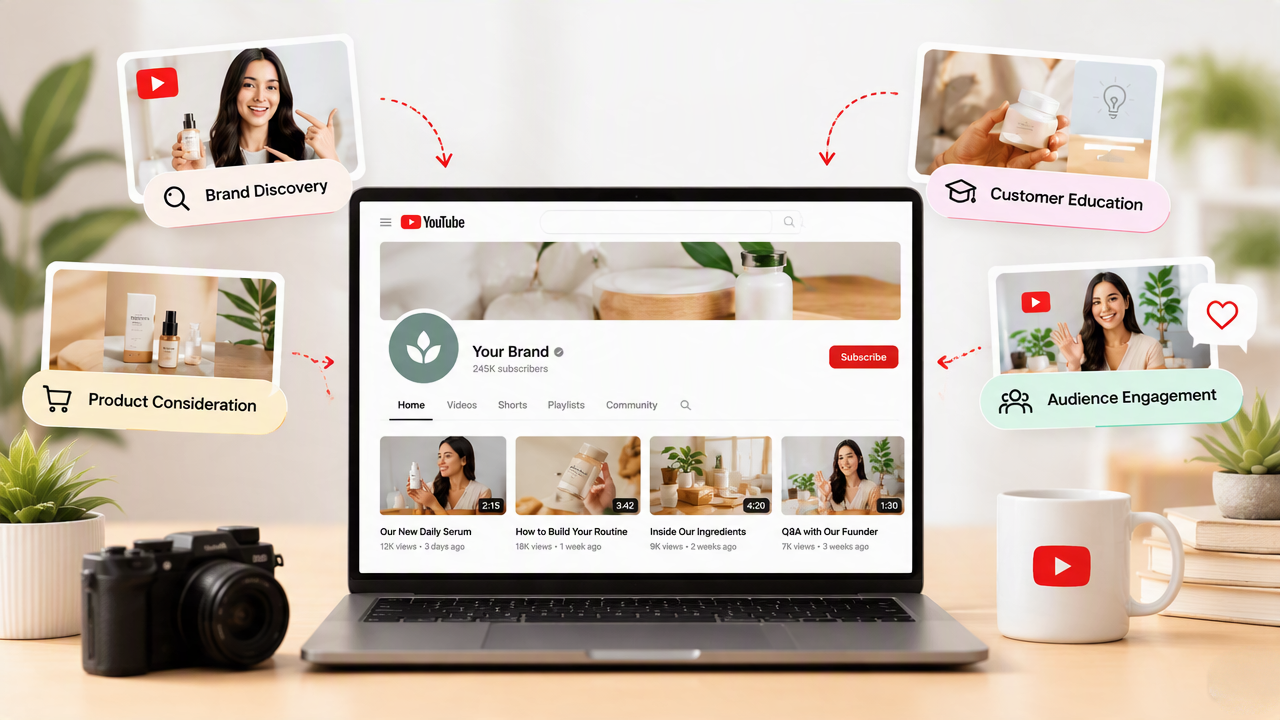
A YouTube channel can become more than a place to upload company videos. It can support brand discovery, customer education, product consideration, and ongoing engagement. The strongest results come when videos answer real audience questions and connect naturally with a broader marketing goal.
YouTube as a Business Marketing Channel
YouTube gives businesses a searchable platform where customers can discover educational content, product demonstrations, comparisons, and solutions to common problems. A well-planned business YouTube channel setup can support different stages of the customer journey while giving your brand a consistent place to build trust. Supporting branded marketing visuals can also help keep your YouTube presence visually consistent.
Define the Business Goal Before Creating the Channel
Before choosing a name or planning videos, decide what you want YouTube to accomplish. YouTube for business can support awareness, lead generation, product education, sales, or customer support, but each goal requires a different content approach. YouTube video marketing for businesses works best when every video has a clear audience need and a measurable next step.
|
Business Goal |
Useful YouTube Content |
|---|---|
|
Awareness |
Educational and entertaining videos |
|
Product discovery |
Product showcases and comparisons |
|
Trust |
Tutorials, demonstrations, expert content |
|
Leads |
Problem-solving videos + relevant CTAs |
|
Sales |
Product education, use cases, comparisons |
|
Customer retention |
Tutorials and support content |
For example, an e-commerce brand focused on product discovery may prioritize demonstrations and comparison videos, while a service business focused on lead generation may benefit more from educational content that addresses customer problems.
The key is to connect the content to a measurable business outcome: Business goal → Audience need → Video topic → Viewer action → Business result
A channel optimized only for views can attract a large audience without necessarily generating customers. Instead, focus on attracting the right viewers and creating content that moves them toward awareness, consideration, purchase, or continued engagement.
Decide Who the Channel Is For
Define your ideal viewer before planning content. Consider their needs, search behavior, pain points, buying stage, and familiarity with your product or service. YouTube Analytics can later help you understand who is watching and whether your content reaches the intended audience. Use these insights to refine topics, formats, and CTAs rather than relying on assumptions.
How to Create a YouTube Channel for Your Business
Once your business objective is clear, the setup process is straightforward. The key is to build the channel around your business identity from the beginning, with the right account structure, branding, access permissions, and basic features in place.
Step 1: Sign In to YouTube With the Appropriate Google Account
Sign in to YouTube with the Google account you want to associate with your company. For a business, use an account that can be securely managed by the organization rather than relying solely on one employee's personal login. This makes ownership and access easier to manage as your team changes.
Step 2: Create a Brand Account for Your Business
To create a business YouTube channel, choose a Brand Account or business channel rather than setting it up as a personal creator channel. This lets the channel represent your company name and supports multiple people managing the channel through their own Google accounts. It is a better structure for teams because you do not need to share one personal login.
Step 3: Choose Your Business Channel Name
Select a channel name that clearly identifies your company, brand, or organization. Ideally, keep it consistent with your website and other social profiles so customers can recognize you across platforms. If your business offers several products or services, choose a name broad enough to support different content categories as the channel develops.
Step 4: Set Your YouTube @Handle
Choose a unique @handle that closely matches your business name. Keep it short, recognizable, and easy to communicate without unnecessary numbers or complex characters. A consistent handle can make the channel easier for customers to find, mention, and share across YouTube and your other marketing channels.
Step 5: Verify Your Phone Number
Complete YouTube phone verification when required. Verification provides access to additional features, including custom thumbnails, longer video uploads, and live streaming. Complete this step before developing your thumbnail workflow so your published videos can use the appropriate custom thumbnail options.
Step 6: Set Up Channel Permissions and Management
Add team members through YouTube's channel permissions instead of sharing your Google account password. Assign access according to each person's responsibilities, such as content management or channel administration. This provides a more controlled workflow and makes it easier to manage the channel when employees, agencies, or other collaborators change.
Step 7: Complete Your Basic Channel Setup
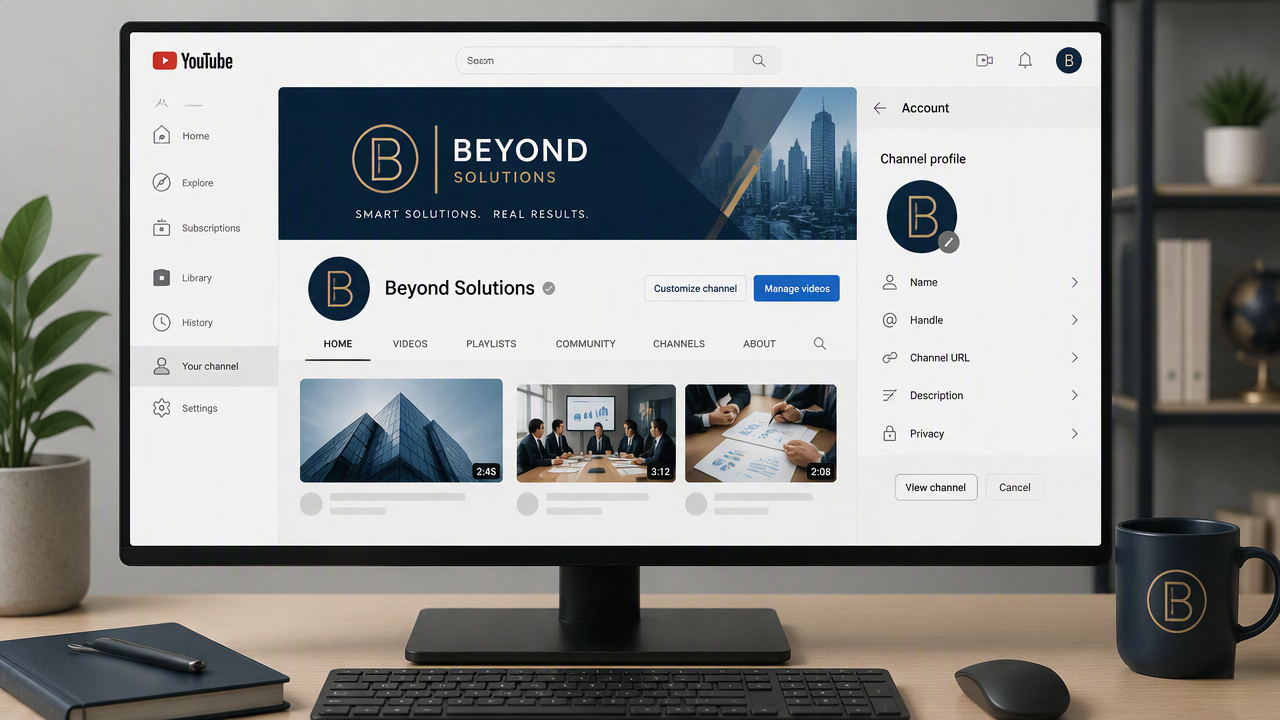
Add your profile image, banner, channel description, and other relevant business information. Your visuals should reflect the same identity used across your marketing materials. If you need supporting branded graphics, tools for YouTube thumbnail resizing can help maintain a consistent visual presentation while you prepare the channel for publishing.
If you're learning how to start a YouTube channel for business, complete these foundational settings before uploading your first video. A properly structured channel gives your future content a stronger foundation for branding, publishing, and growth.
How to Brand Your YouTube Channel
Creating the channel is only the technical foundation. Your branding should help visitors quickly recognize your business, understand what the channel covers, and decide whether the content is relevant to them. Keep the name, profile image, banner, description, and visual style connected, so the channel feels like a professional extension of your brand.
Choose a Recognizable Channel Name
Use your business or brand name whenever possible, so viewers can easily connect the channel with your website and other platforms. If you're learning how to make a YouTube channel for business, avoid stuffing keywords into the name or making it overly descriptive. Choose something recognizable that can still represent your business as its content and audience grow.
Add a Professional Profile Image
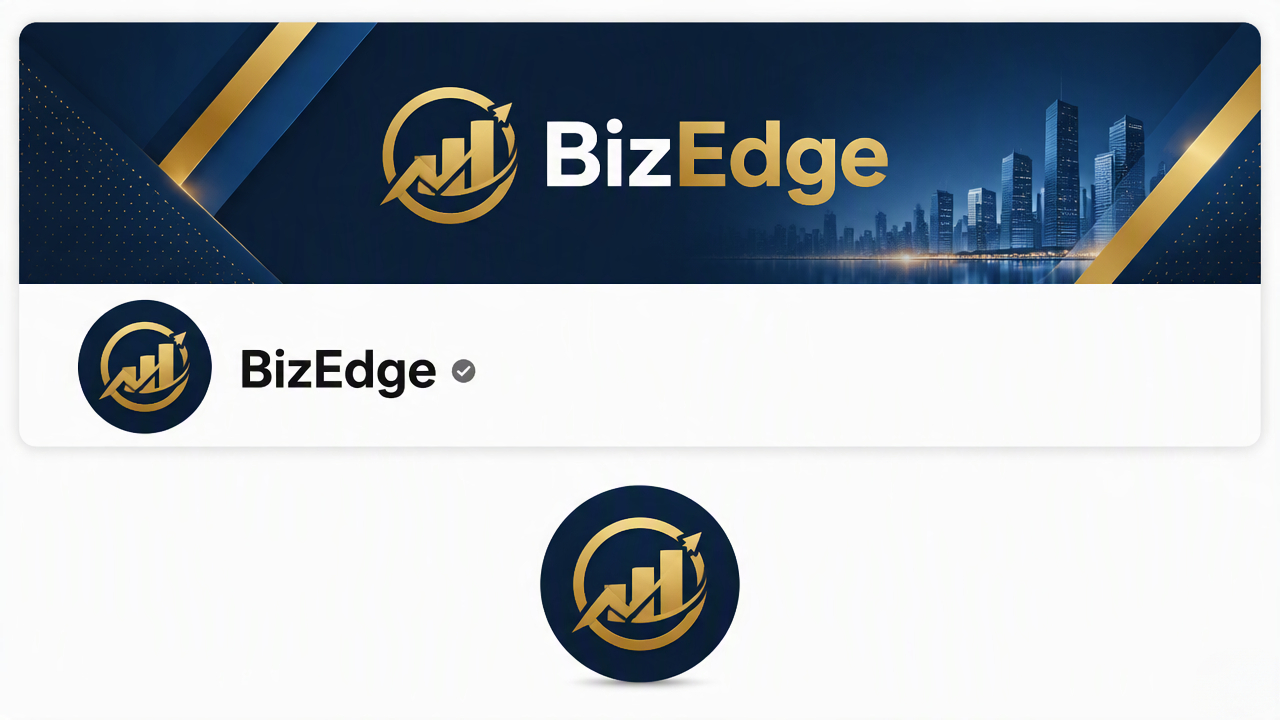
Use a clear logo or recognizable brand mark that remains easy to identify in small sizes. Avoid detailed graphics or lengthy text that becomes difficult to read when reduced. If you are developing a new visual identity, an AI YouTube logo generator can help explore logo concepts, but the final design should still reflect your established brand rather than looking disconnected from it.
Create a Strong YouTube Banner
Your banner should communicate what the channel is about without overcrowding the available space. Include your business name, a concise value proposition, or the main topics viewers can expect. Because the banner appears differently across devices, check that important elements remain visible in YouTube's recommended safe area. You can also resize images for a YouTube banner to prepare existing brand assets for the correct placement.
Write a Useful Channel Description
Explain what viewers can expect from the channel and who the content is for. Mention your main topics, products, services, or expertise naturally rather than turning the description into a list of keywords. A useful description gives new visitors a reason to explore your videos and helps establish what makes the channel relevant to their needs.
Keep Branding Consistent
When you create a brand channel on YouTube, carry recognizable elements from your existing identity into thumbnails, video graphics, banners, and other assets. Consistent typography, imagery, and layouts can make videos feel connected without making every thumbnail identical. As your publishing volume increases, tools such as an AI YouTube video generator can also support a more repeatable content workflow.
How to Plan Your First YouTube Videos
A new business channel does not need a large library before publishing. Start by deciding what kinds of videos belong on the channel, then plan a focused first batch that shows what you offer and who you serve. Planning related topics in advance also makes production easier and gives viewers a clear reason to explore more of your content.
Choose the Video Types Worth Publishing First
Start with videos that answer real customer questions: explainers and how-tos for people researching a problem, product demos for people who need to see how it works, and comparison videos for people choosing between options. Keep each upload focused on one job instead of mixing every format into the same video.
Add Behind-the-Scenes Only When It Builds Trust
Show how you make, pack, or run the business when that context helps people trust you. Use it as support next to teaching and product videos, not as the whole channel.
Build Topics from Customer Problems
Pull ideas from FAQs, support chats, reviews, and sales conversations. Make each video answer one clear question or solve one problem, matched to your business goal and what people actually search for.
Plan for Different Buying Stages
Someone learning the problem needs a different video from someone comparing options or getting ready to buy. Map your first batch to those stages, then use the video types above to fill the gaps.
Audience Stage |
Video Type |
|---|---|
Awareness | Educational content |
Consideration | Comparisons and guides |
Decision | Product demonstrations |
Customer | Tutorials and support |
Create Content Pillars
Group your video ideas into three to five recurring themes that directly support your business and audience. For example, a software company might use tutorials, feature explanations, comparisons, customer use cases, and industry insights as its pillars. These categories make it easier to generate relevant topics without publishing disconnected videos.
Repurpose What You Already Have
Turn blogs, FAQs, product docs, and webinars into video series. Reshape them around the viewer's question instead of reading the page out loud. YouTube's Audience and Trends data can also reveal what viewers are watching and help identify content gaps.
For short-form repurposing, an AI YouTube Shorts Generator can fit naturally into the workflow when you want to adapt longer ideas into shorter promotional or educational content.
Plan Before You Record
Outline the topic, target viewer, key points, visuals, title idea, and intended action before production begins. Decide what the viewer should understand or do after watching. YouTube also recommends using Analytics to understand how viewers find and interact with content, which can inform future topic planning.
Produce and Publish Your First Video
You do not need expensive gear for the first upload. Use a simple structure: say what they will learn, cover the main points in order, then end with a clear next step. Add screenshots, product shots, or graphics only where they help. Treat the title and thumbnail as one package, then upload with a useful description, the right audience settings, and a playlist when the video belongs to a series.
How to Grow a Business YouTube Channel
Creating a channel does not automatically create an audience. Sustainable growth comes from reaching the right viewers, improving how videos are presented, studying audience behavior, and maintaining a publishing system the business can realistically sustain.
Optimize for the Right Audience, Not Just Views
Focus on attracting viewers who are likely to care about your products, services, or expertise rather than chasing high view counts alone. Use customer questions, search behavior, buying concerns, and recurring problems to guide topics. A relevant audience is more valuable because it is more likely to watch additional videos, visit your website, or become a customer.
Improve Titles and Thumbnails
Your title and thumbnail determine how clearly a video communicates its value before someone watches it. Make the title specific and benefit-driven, while using the thumbnail to reinforce the idea visually without simply duplicating the title. Compare impressions, click-through rate, and watch behavior to understand which packaging approaches attract qualified viewers.
Study Audience Retention
Review audience-retention data to see which sections keep viewers engaged and where attention drops. A sharp decline near the introduction may indicate that the video takes too long to reach the main point, while repeated viewing around a specific section can reveal useful content opportunities. Use these patterns to improve structure, pacing, and future topics.
Build a Consistent Publishing Workflow
A sustainable schedule is more useful than publishing frequently and then stopping. Establish repeatable stages for research, scripting, recording, editing, approval, and publishing, with clear responsibilities across the team. Businesses that need additional production support can use an AI video generator to turn ideas, scripts, or existing images into videos while keeping the final messaging aligned with their brand.
Connect YouTube With the Rest of Your Marketing
Treat YouTube as part of the broader marketing journey. Share relevant videos through email, social media, blog content, and product pages, and guide viewers toward the next useful action. Businesses can also adapt video content for campaigns and other channels using a marketing video workflow, helping extend the value of content beyond a single YouTube upload.
Create Branded YouTube Visuals Faster With Designkit
Once a business starts publishing on YouTube, maintaining a consistent visual identity across thumbnails, banners, product visuals, and promotional assets can become time-consuming. Designkit brings these creative tasks into one workflow, helping businesses adapt existing brand assets into polished visuals that support their video strategy without making every asset from scratch.
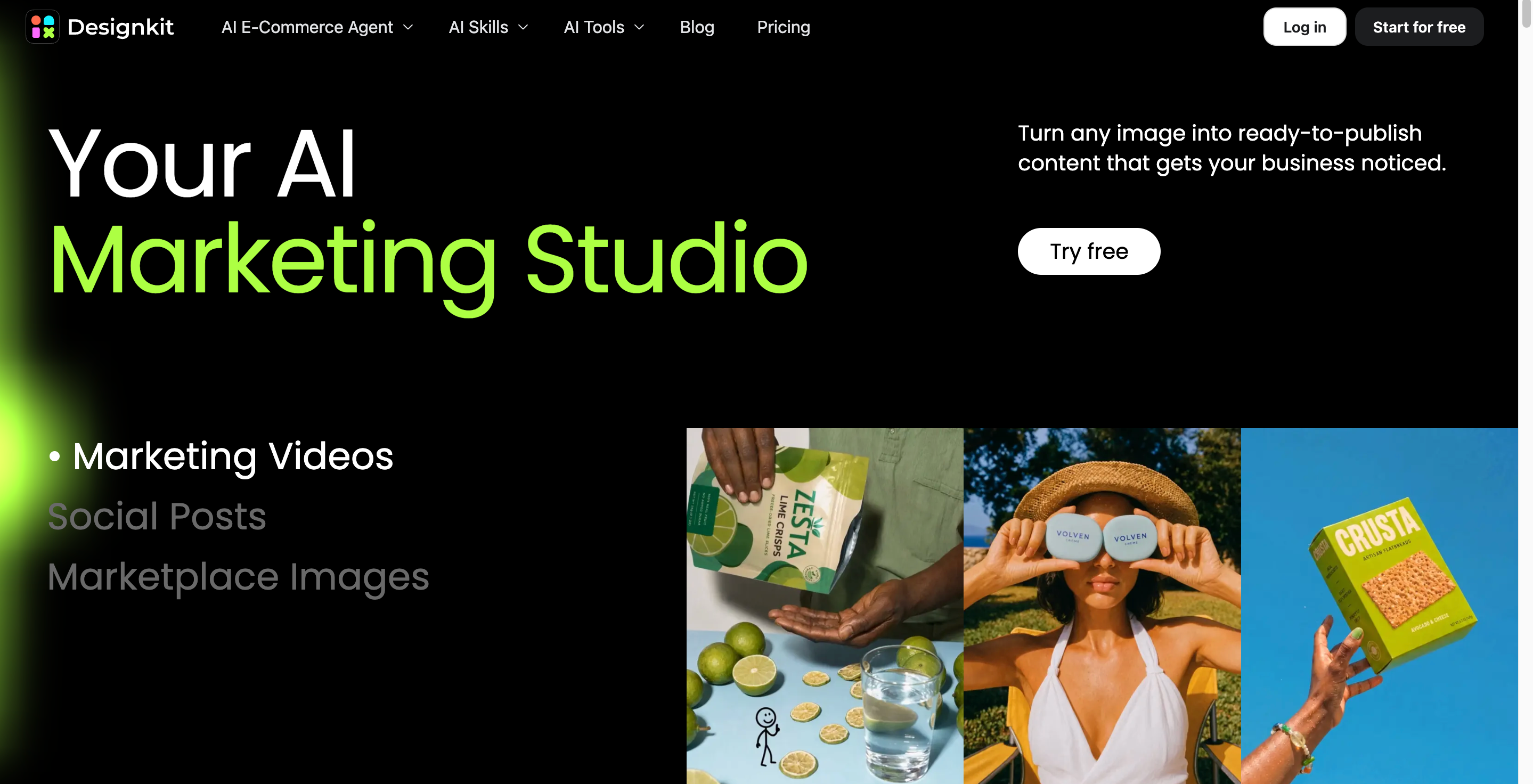
Why Choose Designkit to Create YouTube Content for Your Business
Designkit helps when you need more than basic editing. Teams can turn existing product images and campaign assets into supporting visuals, then adapt them for tutorials, demos, and regular promotional uploads.
Create Branded YouTube Thumbnails
A good thumbnail shows the topic at a glance and still looks like your brand. Designkit helps you build variations from existing images and text, so you can test layouts without starting over each time.
Turn Product Assets Into Video-Supporting Visuals
Reuse product photos for demos, feature explainers, and promo clips. An AI photo editor can clean up or reframe assets before you place them in video creatives.
Create Promotional Content for New Videos
A new upload can travel beyond YouTube. Adapt key visuals into social posts or campaign graphics, and use Designkit's promotional video workflow when you want the same idea to work across more than one channel.
Maintain Consistent Brand Presentation
As you publish more often, keep recurring type, imagery, and layout cues across thumbnails and promo assets. One shared workflow makes it easier to hold that standard without slowing the team down.
3 Steps to Create YouTube Visuals With Designkit
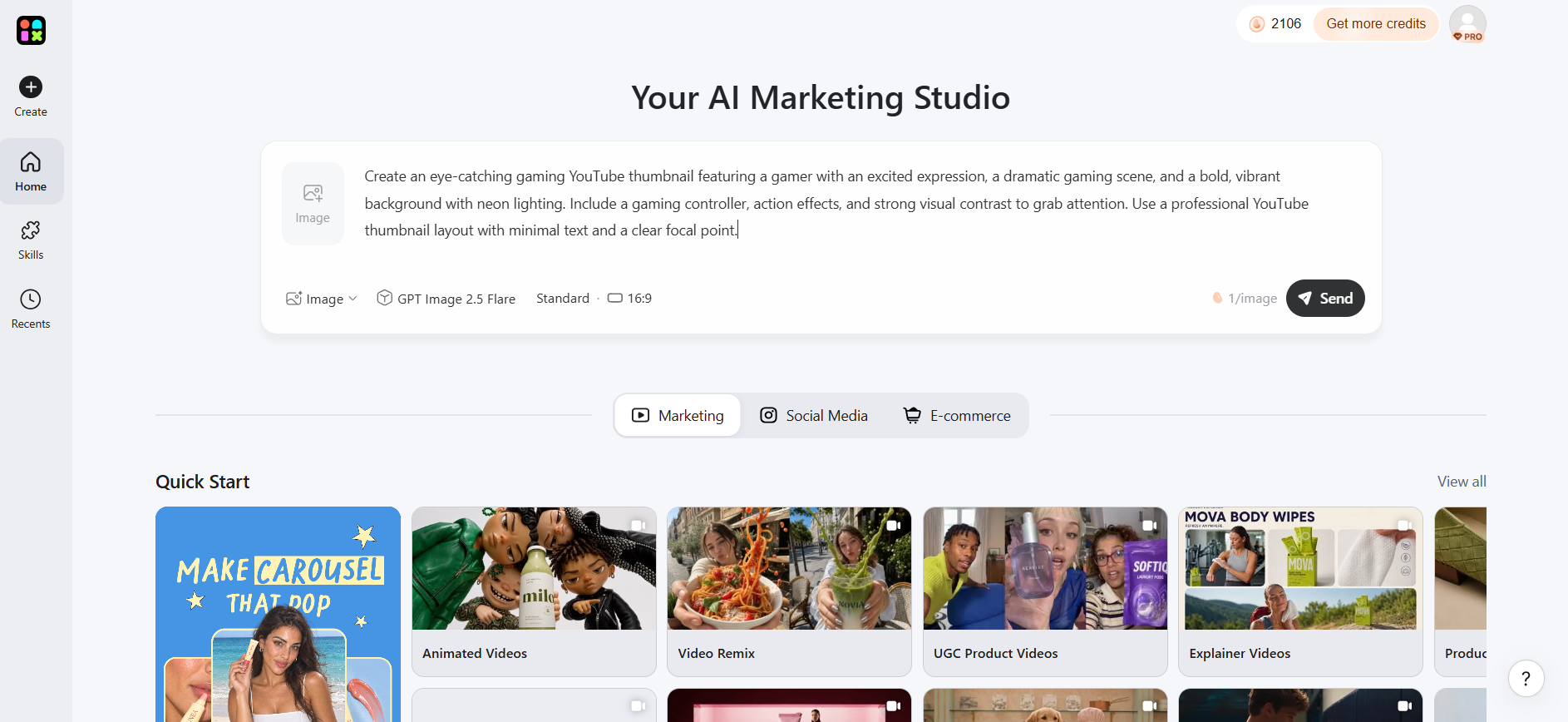
Step 1: Add Your Brand or Product Assets
Upload product photos, logos, and campaign assets. Use high-quality source images to keep thumbnails and supporting visuals clear and consistent.
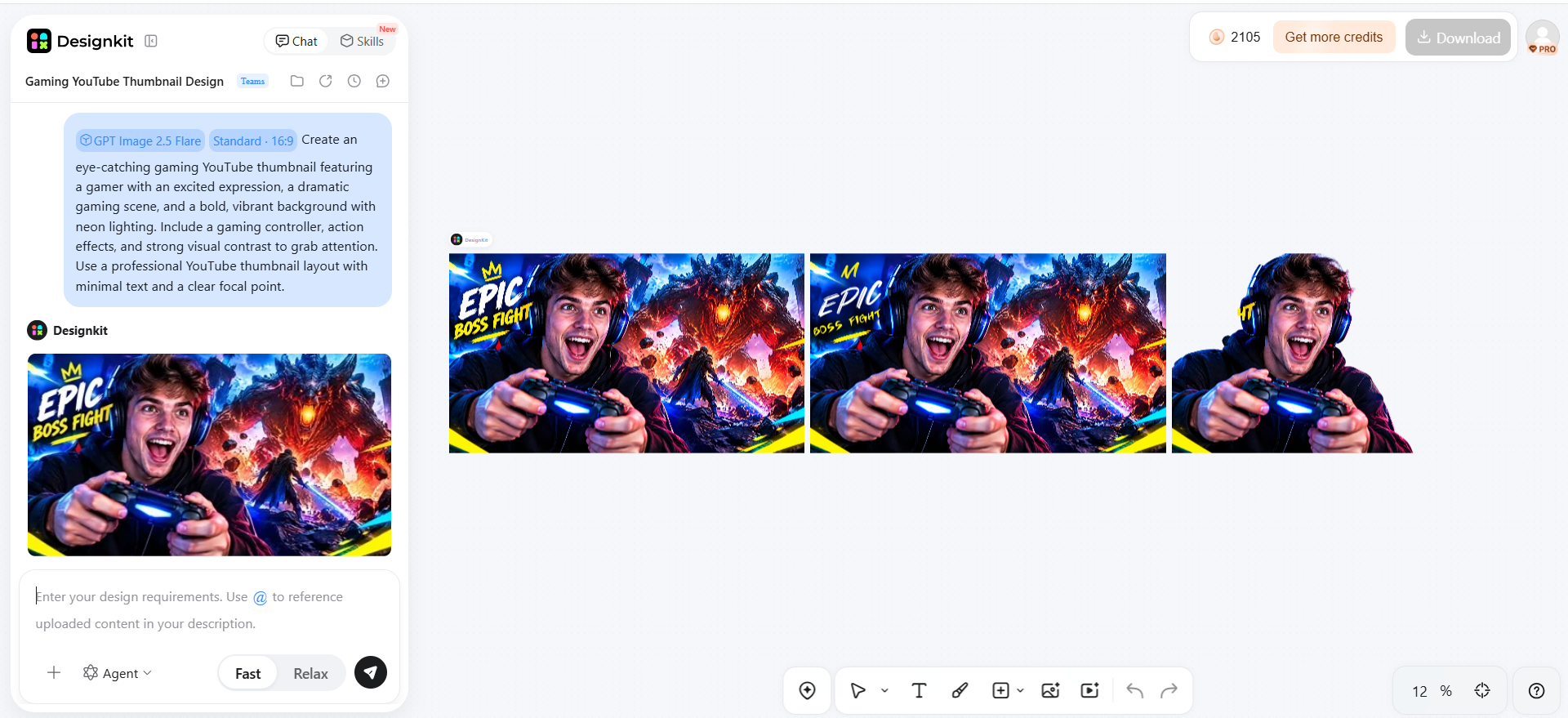
Step 2: Build Supporting YouTube Visuals
Create thumbnail concepts and promotional graphics around each video's topic. Match layouts, text, and imagery to your brand and audience.
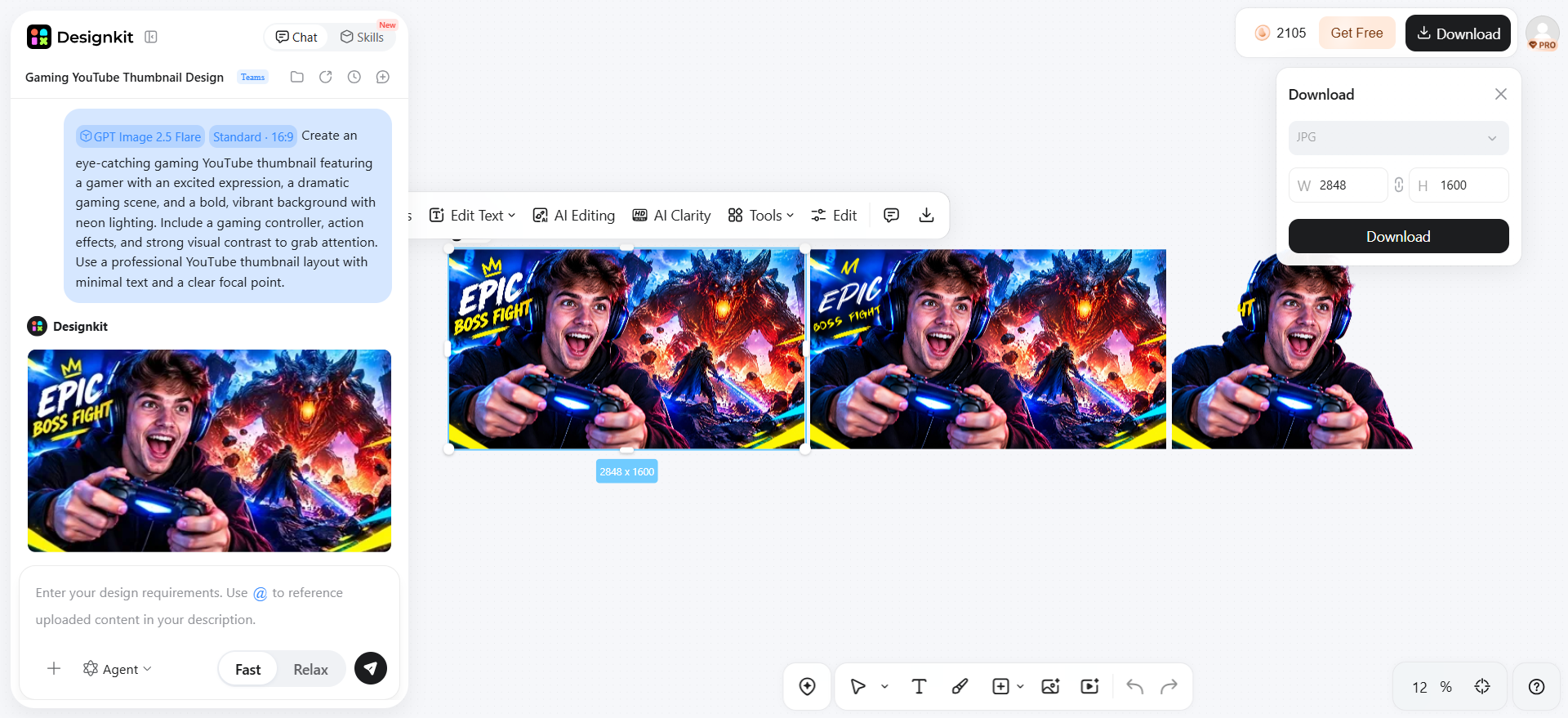
Step 3: Refine and Use Across Channels
Check visuals for clarity, branding, and quality. Resize finished assets for YouTube and adapt them for social media, email, and other campaigns.
Common Mistakes When Starting a Business YouTube Channel
Avoiding common setup and content mistakes can make it easier to build a channel that supports real business goals. The focus should be on audience relevance, useful content, consistent branding, and learning from performance data rather than chasing short-term views.
Treating the Channel Like an Advertisement
A business YouTube channel should educate or help viewers, not turn every upload into a sales pitch. Product-heavy content can quickly lose attention when it offers little value. Use tutorials, demonstrations, comparisons, and problem-solving videos to build trust, then introduce products where they naturally solve the viewer's need.
Creating Videos Without a Defined Audience
Publishing broad topics without knowing who you want to reach can make a channel difficult to position. Before producing videos, identify your ideal viewers, their questions, and their stage in the buying journey. A focused audience also makes it easier to develop relevant topics and build a recognizable content direction.
Focusing Only on Views
High view counts do not necessarily mean a video is helping the business. A smaller audience that watches longer, visits your website, or takes another valuable action may be more useful than a large number of low-intent viewers. Track metrics such as watch time, retention, engagement, and conversions alongside views.
Inconsistent Branding
Changing thumbnails, colors, logos, or visual styles from one upload to another can make the channel feel disconnected from the wider brand. Establish repeatable visual elements and apply them across videos. For businesses producing frequent content, tools such as a YouTube Logo Maker can help maintain recognizable brand assets.
Publishing Without Learning From Analytics
Analytics should influence what you publish next rather than simply being reviewed after a video underperforms. Look for patterns in impressions, click-through rate, audience retention, traffic sources, and returning viewers. Use these insights to refine topics, titles, thumbnails, video length, and publishing decisions over time.
Trying to Publish Too Much Too Soon
A new channel does not need daily uploads to establish momentum. Publishing more videos than your team can properly plan, produce, and review often leads to inconsistent quality. Start with a manageable schedule, build a repeatable workflow, and increase publishing frequency only when your team can maintain the standard.
Conclusion
Creating a YouTube channel is the easy part; building one that supports your business requires a clear audience, useful content strategy, consistent branding, and a repeatable publishing workflow. Start by defining what the channel should accomplish, then build content around customer problems and buying decisions rather than turning every video into an advertisement. Use titles, thumbnails, and analytics to improve how the right viewers discover and engage with your content. As your publishing workflow grows, consistent supporting visuals can help maintain a recognizable brand across YouTube and other marketing channels.
Frequently Asked Questions
What should I name my business YouTube channel?
What should I post on a new business YouTube channel?
Start with content that answers customer questions and supports different stages of the buying journey. Tutorials, product demonstrations, comparisons, FAQs, and educational videos are useful starting points. For businesses selling products, Designkit’s product demo video can help turn product information into video content suited to customer education and discovery.
How many videos should I upload when starting a YouTube channel?
There is no fixed number of videos required to launch. Begin with a manageable selection that establishes your main content themes, then follow a publishing schedule your business can maintain. As your content needs grow, Designkit can support the production of additional video content from ideas and existing assets.
How can a small business grow a YouTube channel?
Focus on a defined audience, answer real customer problems, and improve titles, thumbnails, and retention using YouTube Analytics. Promote useful videos through your website, email, and other social channels. Designkit can support the creative workflow by helping businesses produce consistent AI-generated visuals and video assets for ongoing campaigns.
Can I use existing marketing content for YouTube?
Yes. Product photos, demonstrations, customer FAQs, presentations, and campaign materials can often be adapted into YouTube content. Instead of reposting them without changes, reshape each asset around the viewer's search intent. Designkit’s image to video can help turn suitable existing images into video content for your channel.
How can I make YouTube thumbnails for my business?
Create each thumbnail around one clear idea, keep text readable, highlight the video's main subject, and use consistent brand elements. Designkit can help generate supporting visuals with AI, while its image cropper can help adjust existing images when preparing thumbnail compositions.
You May Also Like
Amazon Individual vs Professional Selling Plan
Amazon Brand Registry Requirements: Trademark, Account & Cost
How to Create an Amazon Seller Account: Requirements and Steps
Amazon Product Video Requirements: Specs & Upload

Amazon Global Selling: How to Open Multiple Marketplaces

Amazon Vine Program for Sellers: Get Early Product Reviews

Amazon Sponsored Products: How to Launch Your First Campaign

Amazon Sponsored Brands: What They Are and When to Use Them

Is Print on Demand Profitable in 2026? Products and Niches

Print-On-Demand Designs: Create, Prepare, and Preview Your Work

Local Business Marketing: Ideas, Priorities and Ways to Get Local Customers
Social Media Audit: How to Review Performance and Find What Works
How to Build a Personal Brand: A Strategic Guide
How to Create a YouTube Channel for Your Business in 2026
Social Media Content Planner: Plan & Schedule Posts

Amazon A+ Content Dimensions: Module Image Sizes

Amazon A+ Content: What It Is and What to Build First

Amazon Brand Registry Application: How to Submit and Pass Review

How to Ship to Amazon FBA: Your First Shipment

What Is Amazon FBA? Should Beginners Use It in 2026

How to Get Ungated on Amazon: Restricted Category Approval Steps

Amazon Backend Keywords: Title, Bullets & Search Terms

What Is A/B Testing? A Practical Guide to Running Better Experiments

Best Time to Post on Instagram in 2026: Data & Tips

How to Get Verified on Instagram: Complete Guide

TikTok Monetization in 2026: Requirements & Ways to Earn

YouTube Shorts Monetization Requirements & Rules 2026

How to Make an Event on Facebook: Complete Setup Guide (2026)

Instagram Desktop Posting Guide: Upload Posts, Stories & Reels

How Much Does YouTube Pay Per View? 1K, 100K & 1M Views

How to Make Money on Snapchat: 7 Ways to Earn

How to Get More Followers on Instagram in 2026

Best Time to Post on TikTok in 2026 for More Views

How to Repost on Instagram in 2026: A Simple Guide

How to Create Digital Products That Sell in 2026

Cyber Monday Marketing Ideas & Strategies (2026 Guide)

Black Friday Marketing Ideas for Ecommerce Brands (2026)

Instagram Marketing Guide: Strategies, Tips & AI Tools in 2026

Influencer Marketing Guide: Strategy, Campaigns & Creator Tips

How to Sell on Facebook Marketplace: Beginner Guide (2026)

How to Use Pinterest for Business: Strategy, Tips & Growth Guide

How to Sell on Etsy in 2026: Setup, Listings & Growth Tips

WooCommerce vs Shopify 2026: Pricing, Features & Which Is Better

What Is a Target Audience? Types, Examples & How to Find Yours

Multichannel Marketing Guide: Strategy, Tools & Examples

TikTok Marketing Guide 2026: Strategies, Ideas & AI Tools

Vibe Marketing Explained: Strategy, Examples & AI Tools

15 Best Things to Sell on Etsy in 2026 (Listing Tips Included)

How to Sell on Depop: Beginner Guide to Getting Your First Sale

Where to Sell Handmade Items Online (2026): Etsy, Amazon, or Shopify?

Shopify vs Amazon (2026): Brand Store or Marketplace FBA?

Amazon Handmade vs Etsy (2026): Which Is Better for Makers?

Online Advertising Guide: Types, Costs & Examples (2026)

Facebook Advertising Guide: Costs, Strategy & Tools 2026

Etsy vs eBay (2026): Handmade, Vintage, or Secondhand?

Selling on Amazon vs eBay (2026): Fees, Profit & Where to Sell

10 Best Online Selling Platforms (2026): Pick by What You Sell

Shopify vs Etsy (2026): Which Is Better for Handmade Sellers?

What Are E-commerce Ads? Examples, Strategy & Tools (2026)

What Is Brand Awareness? Examples, Strategies & Tools 2026

What Is Brand Identity? Examples, Elements & Strategy
YouTube Automation Step-by-Step AI Guide for Beginners

AI Marketing Agent: How It Works, Benefits & E-Commerce Examples

What Is Personalized Advertising? Examples & How It Works

How to Build a Shopify Store That Actually Converts Visitors

Amazon Marketing Guide 2026: Strategies, Tips & Tools

Local Advertising: Strategies, Examples & Tools (2026)

What Is Branded Content? Examples, Strategy & Tools 2026

What Is Performance Marketing? Strategies & Examples 2026

Inbound Marketing: Strategies, Examples & Tools (2026)
Build Better YouTube Content for Your Brand
Turn your business ideas, product assets, and marketing content into polished YouTube visuals. Use Designkit to create branded thumbnails and supporting creatives that keep your channel consistent and engaging.


