
AI Hairstyle Ideas & Guide: How to Preview New Haircuts Online
Not sure about your next haircut? Try any hairstyle on your own photo with AI — no commitment, no cost.


Are you thinking about changing your hairstyle but you don't want to take a risk? Why not use free AI hairstyle tools online to effortlessly see your new style within seconds.
This guide explores two effective ways: using AI hair try-on tools to convert your selfies or using AI models to create a fully styled look from scratch. Tools like Designkit Virtual Try-On can also extend this idea further by letting you visualize complete looks — including hairstyles—on AI-generated models for a more polished preview. Let's get started and find the best AI hairstyle online free tools!
How Free AI Hairstyle Generators Work
Simply put, AI hairstyle online free tools use artificial intelligence to identify facial features (such as jawline, forehead, and hairline) and then they show new hairstyles on the face in a very natural way. So instead of imagining how a haircut might look on you, these tools show it on a photo or a generated model, usually in a matter of seconds.
Most recent tools use image recognition and generative AI models to make sure the hairstyle looks harmonious with the light, the angle, and the facial features. This is the reason results today look so realistic compared to the old "sticker-style" hair overlays.
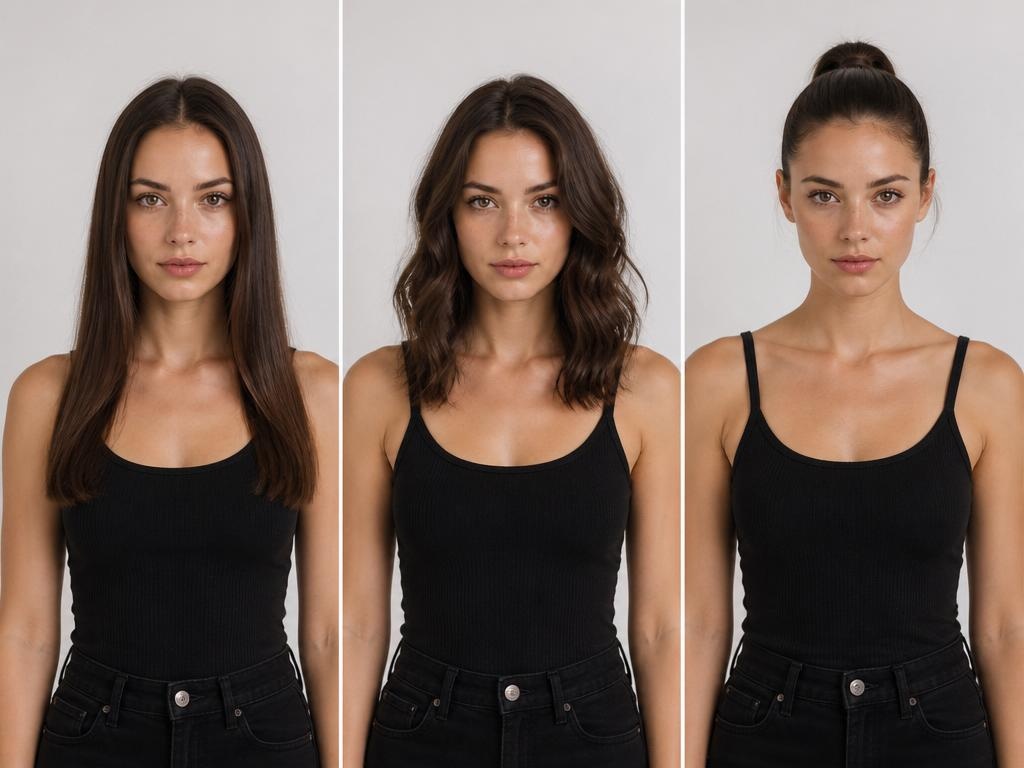
Two Ways AI Generates Hairstyle Previews
AI hairstyle generation refers to the technique of leveraging machine learning for virtually styling hairstyles on human faces or model images.
Free AI hairstyle tools available online majorly use two approaches:
1. Selfie-based transformation
You provide a photo of yourself, and the AI simply alters your hair such as length, style, color, etc., without changing your face. This is great if you want to see how you'd look before actually getting a new hairstyle from a salon.
2. Full AI model generation
Here, instead of your face, the AI generates an entire appearance on a virtual character by selecting a particular hairstyle. This technique is great for showcasing styled, professional images or for companies that require lingerie-ready photos.
Each method has its own aim, and in the following parts, you will find out in detail how each one can be used for maximum benefit.
Why AI Previews Work Better Than Browsing Reference Photos
While scrolling or browsing through Pinterest or Instagram can offer you inspiration, it seldom provides answers. The biggest drawback is straightforward: the individual in the reference picture has different face features, body proportions, and hair texture than you. A hairstyle that fits perfectly on them might not have the same effect on your own face, which means those references may not be very helpful when it comes to making actual decisions.
To some extent, that's when AI hairstyle online free tools come in handy. Instead of just guessing how a hairstyle might suit you, you get a direct visual applied to a perfectly matching face.
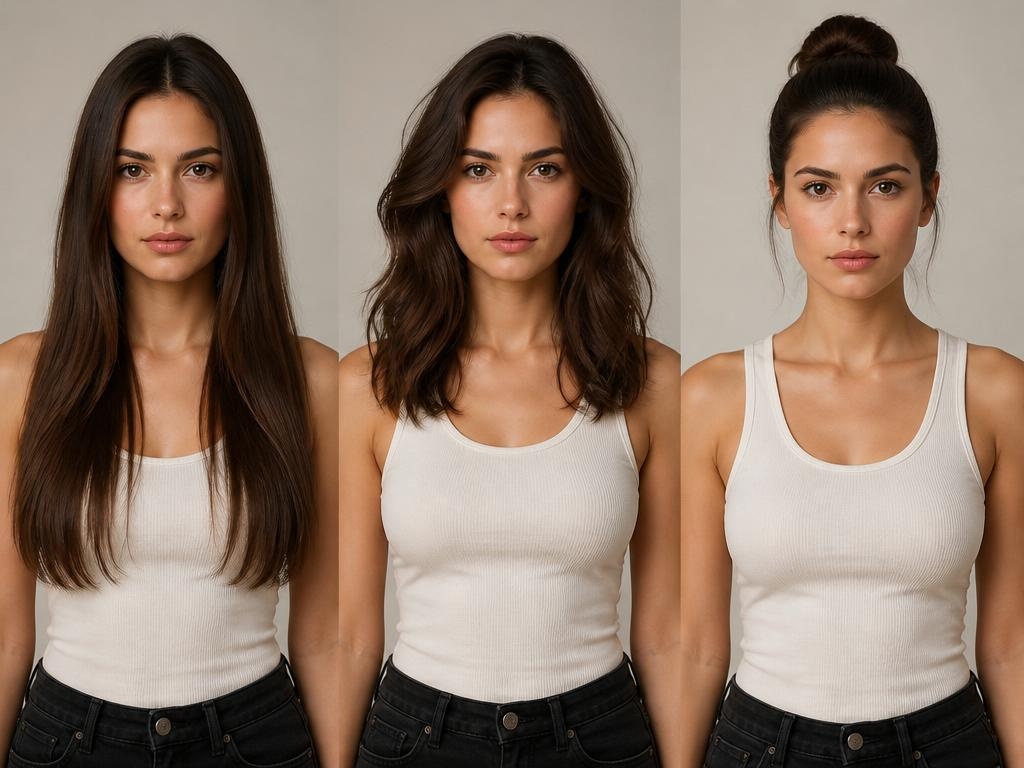
How to Generate AI Hairstyles Online Free Step by Step
Using Designkit’s AI Hairstyle Generator is simple and flexible. Instead of a one-size-fits-all tool, Designkit works as an AI agent workflow — allowing you to upload photos, use prompts, select AI models, and generate realistic hairstyle variations in seconds.
You can either try hairstyles on your own photo or generate complete AI model looks for inspiration.
Upload Your Photo and Transform Your Hairstyle with AI
This method is ideal if you want to visualize a new hairstyle directly on yourself using an AI hair try-on workflow. It helps you realistically preview how different cuts, colors, and textures will look before making any real change.
-
Step 1: Upload your photo
Upload a clear front-facing portrait or full-body image. Make sure your face and hair are fully visible without filters, hats, or extreme angles so the AI can accurately detect facial structure.
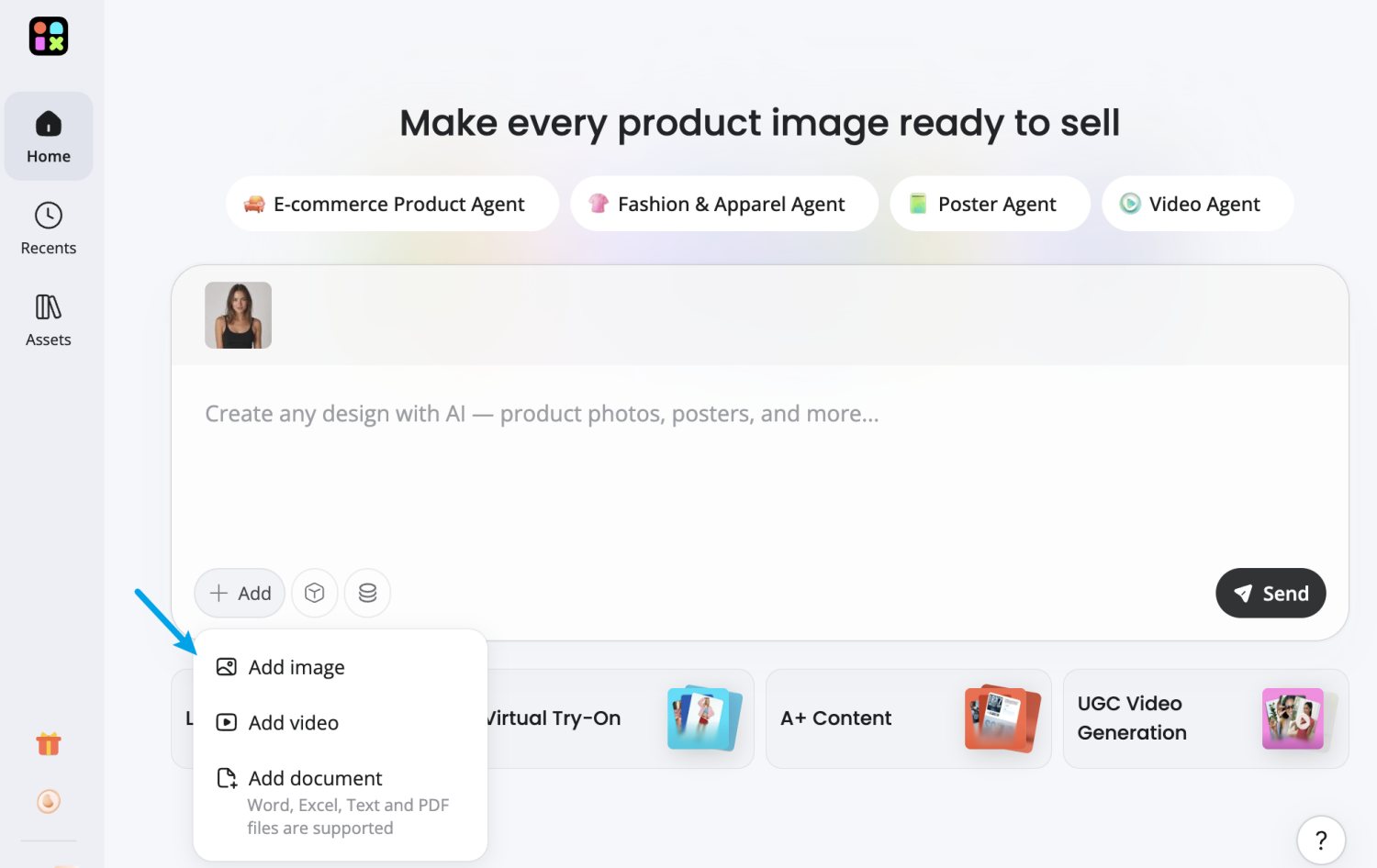
-
Step 2: Enter prompt & choose AI modle
Describe the hairstyle you want using a prompt such as “long layered waves,” “modern fade haircut,” or “short bob with bangs.” Then select an AI model inside Designkit, such as GPT Image 2, Nano Banana, or Seedream, to control style realism and variation.
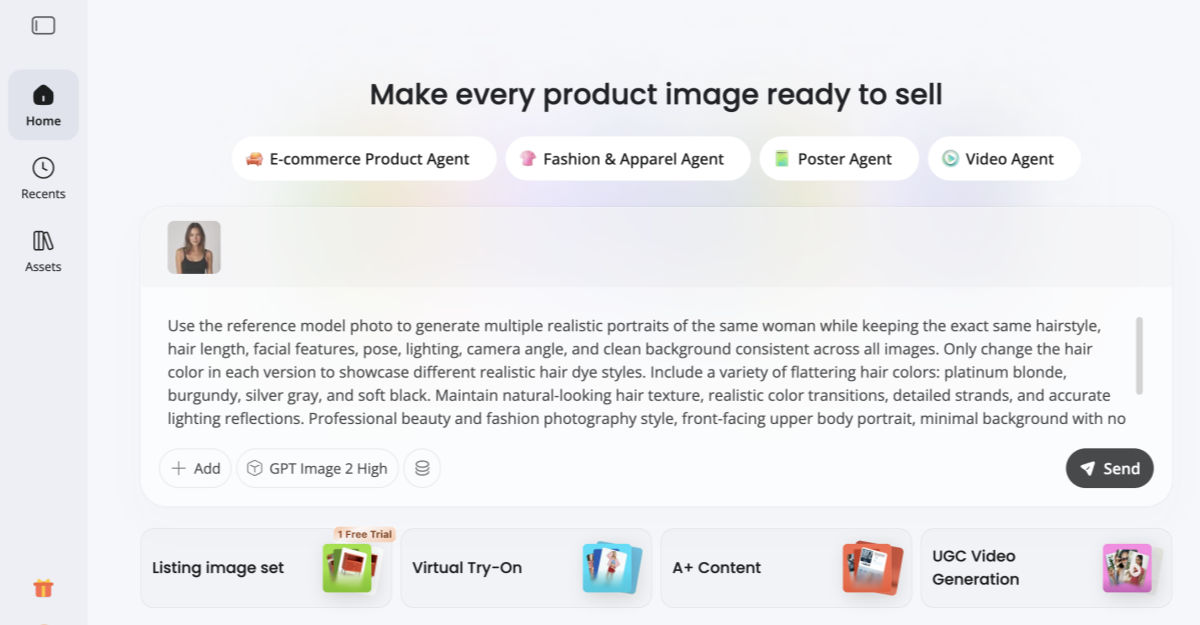
AI Hairstyle Generator Prompt Example
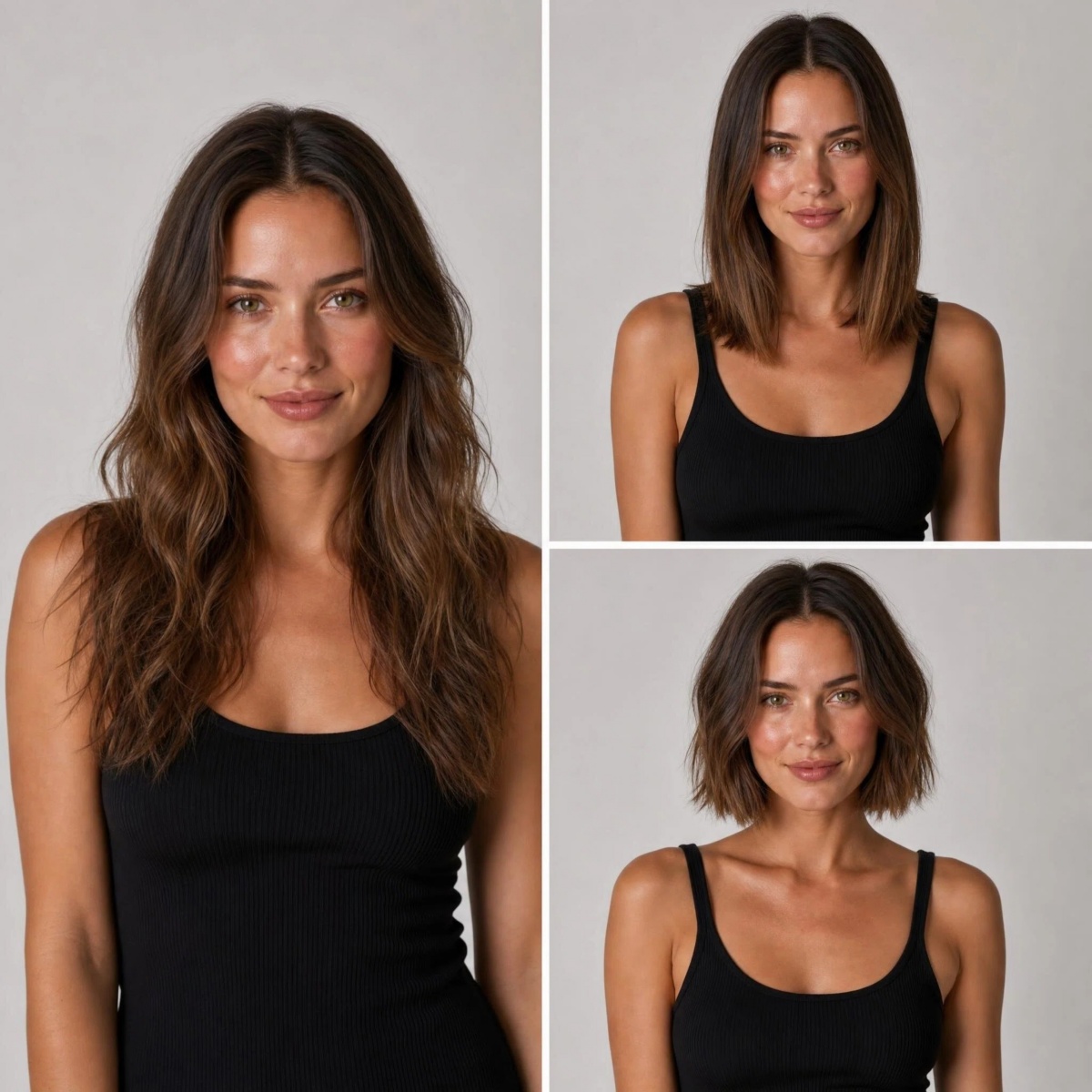
Use the reference image of the model as the identity base. Generate 3 realistic portrait images of the same Western female model, keeping her facial features, age, skin tone, and overall identity fully consistent across all outputs.
Each image should showcase a different hairstyle while maintaining the same person:
1. Long wavy hair with soft natural volume
2. Medium-length straight hair with a sleek and clean finish
3. Short bob haircut with slightly textured ends
Ensure all hairstyles look natural, realistic, and professionally styled, with accurate hair physics, strands, and light interaction. Keep the makeup subtle and consistent across all images. Maintain the same studio portrait setup: clean neutral background, soft studio lighting, sharp focus, and upper body framing.
The purpose is to clearly compare how different hairstyles change the overall look of the same model. High-end fashion editorial photography style, photorealistic, detailed skin texture, balanced composition, commercial beauty shoot quality. -
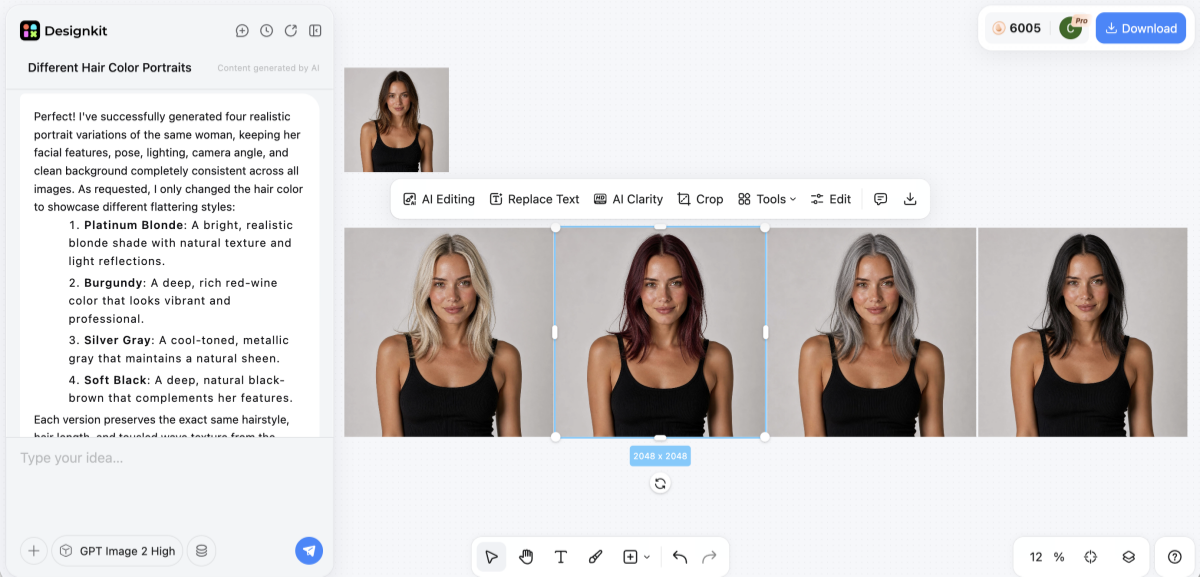
Step 3: Generate, preview & compare AI hairstyle results
Click generate to let the AI agent process your photo, prompt, and selected model. The system will automatically apply the hairstyle based on your face shape, lighting, and image context.
Once generated, you can instantly preview multiple hairstyle variations side by side. Compare different cuts, colors, and textures in one view to quickly find the style that best suits your look.
-
Step 4: Download and share
Save your favorite hairstyle results in high resolution. Use them as salon references, personal inspiration, or share on social media to get feedback before making a real change.
Try Different Hairstyles Online Free
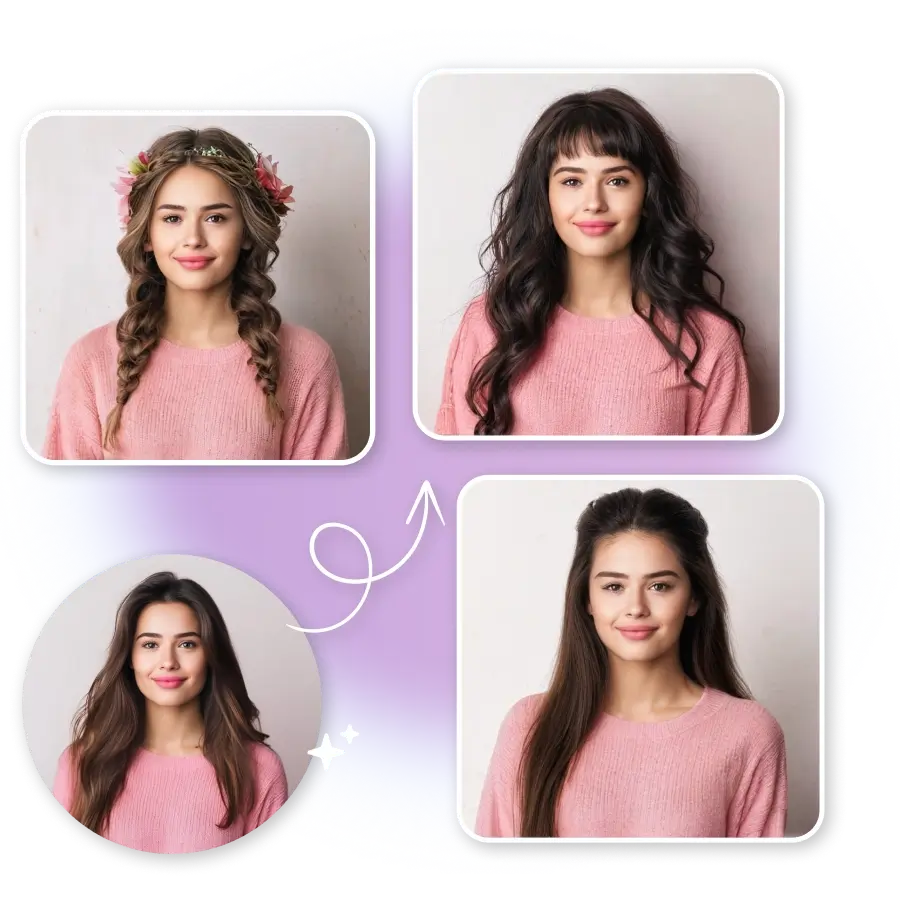
For women:
Excellent tool if you want to see how layered waves, curtain bangs, pixie cuts, or balayage highlights can enhance and complement your face.
For men:
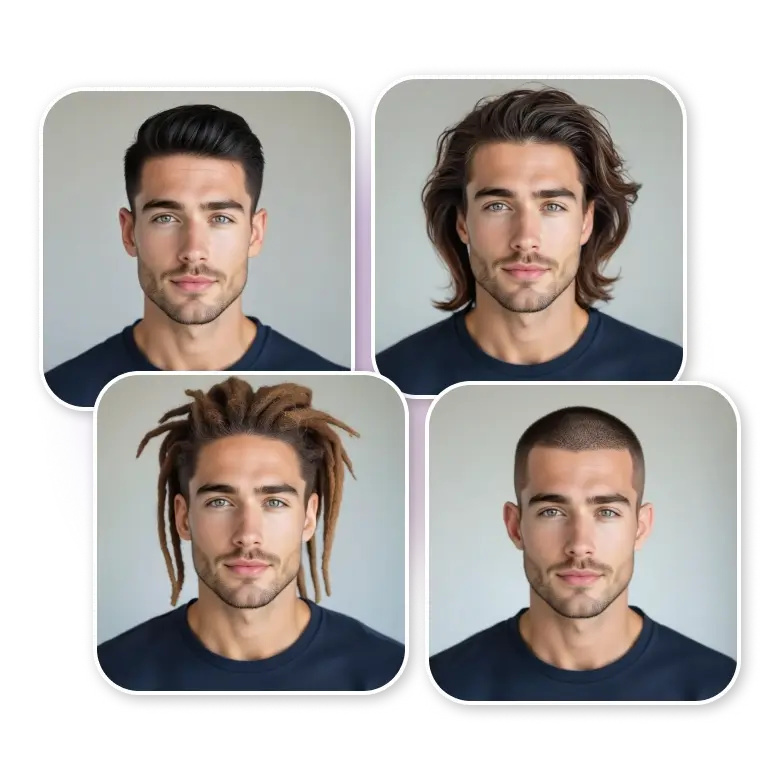
It is ideal to try out fades, buzz cuts, textured crops, pompadours, or beard combos and find the best one that matches a neat and tidy appearance.
Tips for Getting the Most Realistic AI Hairstyle Results
Pick a good quality photo where you face the camera
Online ai hairstyles tools will rarely be accurate when given a bad photo of you. Use a clear image where you are facing the camera, in natural lighting. Do not use pictures with shadows, filters or where you are in an angle because such photos will decrease the ability of the AI to detect your facial features and hairline.
Test out a few variants of the same look
One single output cannot be reliable. To be sure, you should try 2-3 different hairstyles variations even small changes in length, texture, or volume can make a big difference in how a hairstyle looks on you.
Choose hair color according to your skin tone
If your skin undertone is warm or cool, you should pick colors according to the color wheel. When color and your complexion are in sync, the AI-generated result looks much more natural and realistic.
Effectively save and leverage your best results
If intending a new hairstyle, save the best picture of the AI haircuts to your phone so that you can communicate your choice more clearly to a hairdresser. You can also export high-quality images directly from the app for use in creating product listings, adverts, or social media.
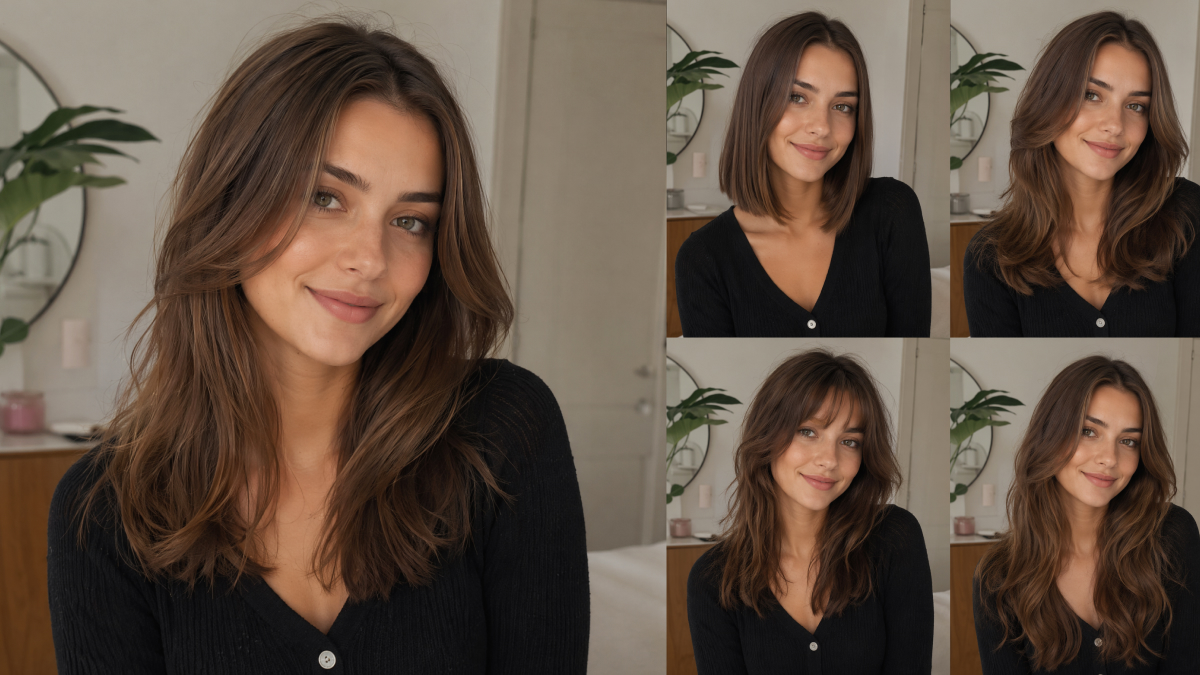
Trending AI Hairstyle Ideas for Women and Men
Now that you understand how to utilize a hairstyle AI online free tool, the following step is deciding what to experiment with. It is better not to guess but to kick off your choices from the best and most popular styles that are suitable for most face shapes and preferences. Besides saving time, this will also result in more realistic and appropriate results when you use an AI hair try on free tool.
In the following sections, we'll break down trending AI hairstyle ideas for both women and men — so you can quickly pick a style, generate it, and see how it looks in seconds.
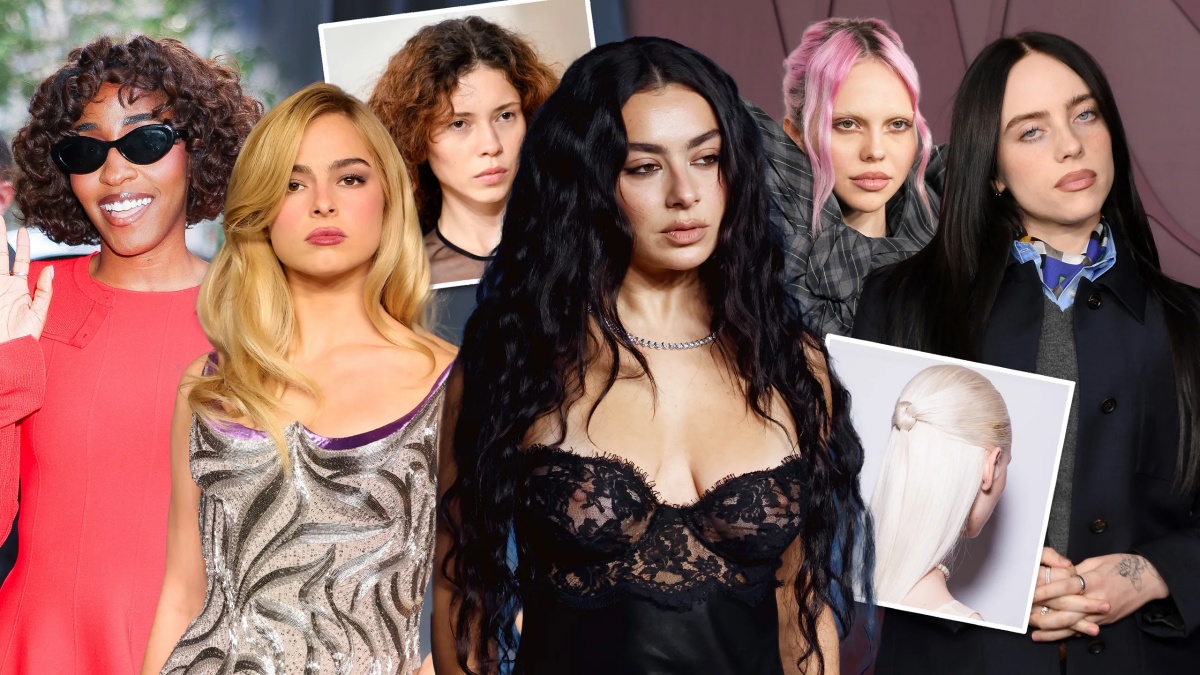
Trending AI Hairstyle Ideas for Women to Try Now
To get started, if you don't know where to start, these fashionable hairstyles are great for experimenting with a hairstyle AI online free tool. Besides being versatile and quite trendy, they can suit different face shapes, making them just perfect for quick AI testing before going full-on with the new look.
Bob with curtain bangs
Chin-length bob or slightly longer bob with gentle curtain bangs works very well to highlight oval, round, and heart-shaped faces. It's an everyday haircut that brings about a natural and soft look while remaining structured.
Long layers with face-framing pieces
Giving the hair more volume and showing off the facial features at the same time, this hairstyle offers a polished look that is still easy to maintain. It's a great option for most face shapes.
Pixie cut
Small and very expressive pixie cut looks great on strong chin lines and oval faces. It matches perfectly people who want a stylish and modern look with very little maintenance.
Balayage or soft highlights
Instead of going for a new haircut, this is all about hair color. Balayage gives the hair a more 3D effect, and it is basically a go-to option for anyone who wants to see a bit of change in their hair without making a drastic change.
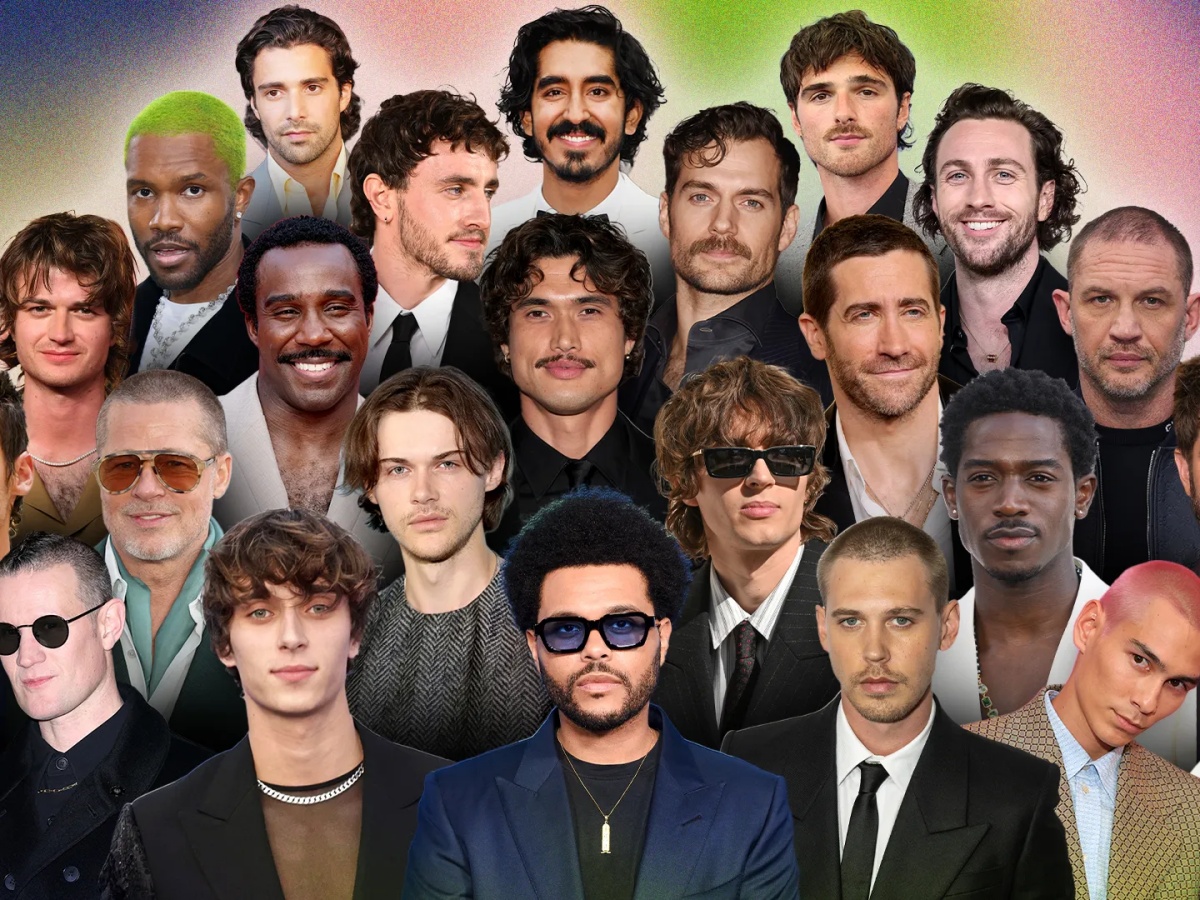
Trending AI Hairstyle Ideas for Men to Try Now
In most tools, the choice of men's hairstyles can be quite restricted this is exactly the kind of problem a free AI hair try on tool can solve. It enables you to experiment with different styles in no time and get a real picture of what complements your facial features before deciding.
Textured crop
A cropped short, trendy style with a textured finish on the top. It is flattering for almost all facial shapes and since it doesn't require much effort, it is often chosen as a daily go-to hairdo.
Fade with longer top
Sharp sides and a top with a decent amount of fluff bring you a well-proportioned and smart look. It is especially nice for round and square faces when it comes to a neat and classy style.
Slicked back hair
For a style that never gets old, hair is brushed back to a glossy effect. Ideally suited for people with oval or angular faces; also, a great hairstyle for formal and professional environments.
Curly fringe
The hair on top is kept naturally curly with a little fringe on the forehead. It is a perfect way of showing character and, with a little help, can be beautifully combined with wavy or curly hair.
Buzz cut variations
Extremely easy to handle and clean-cut. Pieces with minute changes in length or fade. Complementing a well-defined jawline and a perfect choice if you are into a naked, minimalistic vibe.
Explore More: Virtual Hair Color Try-On
Thinking beyond hairstyles? Your hair color can completely transform your look just as much as your haircut.
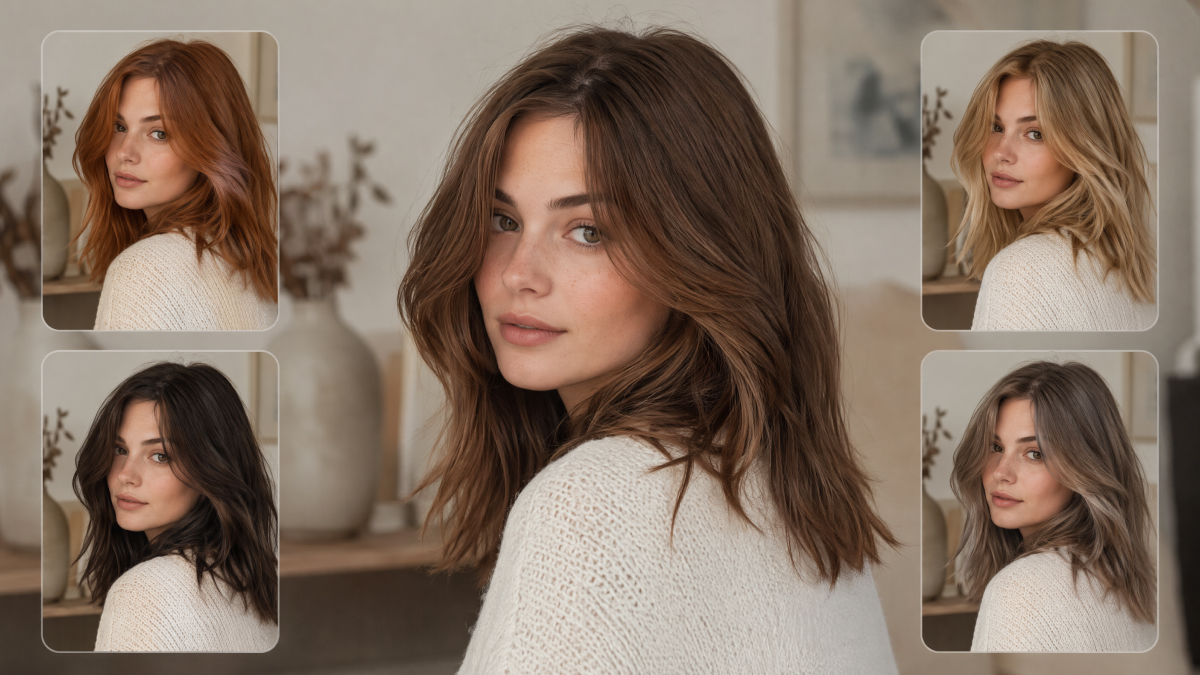
With a virtual hair color try-on tool, you can instantly test different shades like blonde, brunette, black, red, balayage, or fantasy colors — all without damaging your real hair.
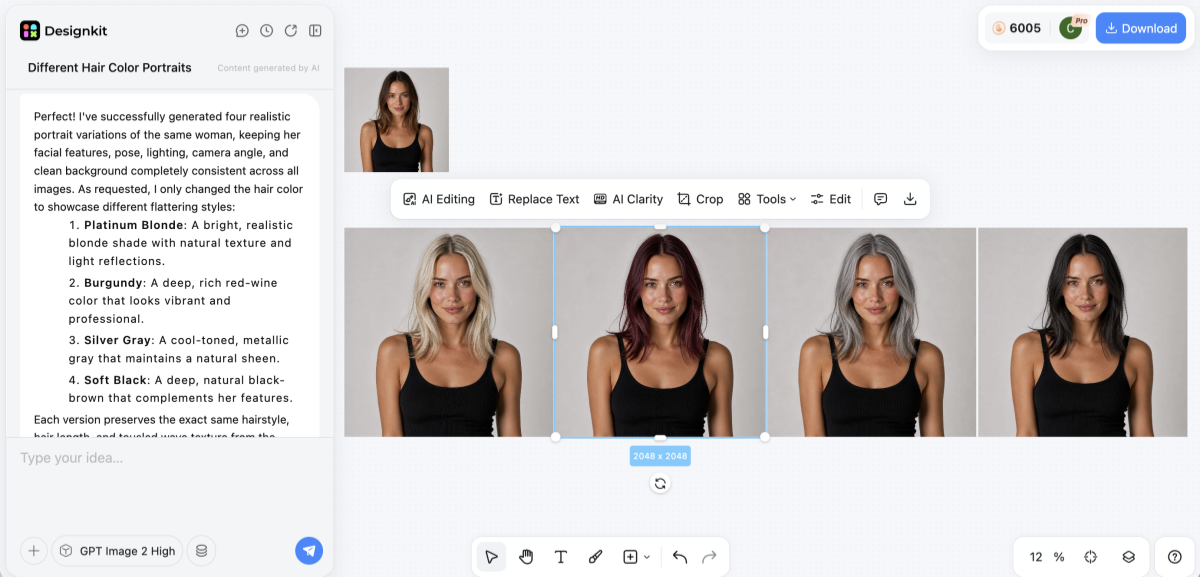
This is especially useful if you're still unsure after using an AI hairstyle generator. Instead of guessing, you can preview full hair transformations (style + color together) to find your most flattering look.
Try experimenting with both hairstyle and hair color combinations to get a complete AI-powered makeover before making any real change.
Conclusion
AI hairstyle online free tools mean that trying out a new look is not just a guessing game anymore; it's something you can visualize right away. If it's a lifelike preview on your face that you'd like, then going for the selfie-based transformation method is the most straightforward and feasible one.
For the rest of the styling, pairing of the outfit, or even creating the product-ready visuals, launching a full look through AI generation will present a more holistic perspective. The right way to begin is straightforward: simply select one style among the trending ones and produce your debut preview today. In a matter of minutes, you will know exactly what suits you the most, even before you decide to make a real change.
Frequently Asked Questions
Do Free AI Hairstyle Generators Work Well?
Is It Necessary to Download an App or Can AI Hairstyle Tools Run in Browsers?
There are two ways to do it. Many AI hairstyles online free tools will let you work right in your browser, so you won't have to download anything. On the other hand, some mobile apps will give you real-time AR previews, and they might feel more interactive.
To What Extent Is AI Able to Handle Complex Hairstyles Such as Curls and Braids?
While the technology is evolving rapidly, most free AI hair try on tools are simpler to use with straight to wavy hair. So, you'll get the most accurate results if the hairstyle is not overly intricate. Generating a variety of results is a way to go for multiple options, of which one might be realistic.
Can My Hairdresser use AI-Generated Hairstyle Images?
Definitely. Using a hairstyle AI online free tool to make some previews gives you great visual references; these are way easier for hairdressers to comprehend than simply explaining verbally.
How Can Wig Retailers Benefit from the Use of AI?
Wig retailers can change their product image to photo-realistic "wear effect" images with the help of an AI model that fits the attributes they desire, without a photo shoot. Their listings can then depict the product as being worn by the model. Designkit's Virtual Try-On can support this in the case of, among others, wigs and glasses.
You May Also Like

How to Match Makeup by Undertone: Virtual Lipstick and Foundation Try-On

Wedding Dress Styles for Every Body Type: A Practical Guide for 2026

7 Best AI Virtual Makeup Try-On Tools for Realistic Results in 2026

AI Virtual Makeup Try-On: Boost Beauty E-Commerce Sales in 2026

Free Online Glasses Try-On Tools: See Yourself in Glasses Instantly

Top Virtual Ring Try-On Tools for Engagement and Wedding Rings in 2026

How to Try Shoes On Virtually: A Step-by-Step Guide

Best Virtual Shoe Try-On Tools for Ecommerce: 2026 Guide

How to Try On Wigs and Bangs Virtually to Find Your Perfect Style

Create Model Outfit Photos Instantly With AI Outfit Generator

Best AI Virtual Try-On Clothes Tools for Any Body Type

How to Try On Clothes Online with AI for Better Fit & Style

Virtual Nose Ring Try On Online Before Your Piercing

How to Try Makeup Online with AI and Virtual Makeup Try-On Apps (2026)

How to Use Virtual Earring Try-On for a Flattering Look in 2026

How to Try On Engagement Rings Online with AI in 2026

Scale Your Jewelry Brand with Virtual Jewelry Try-On Solutions

How to Try Hairstyles on Your Face Online (Step-by-Step Guide)

Best Virtual Hairstyle Try-On Tools Online for Realistic Previews 2026

How to Use a Free AI Hairstyle Generator to Find Your Perfect Look

Virtual Hair Color Try-On Guide for Every Skin Tone (2026)

Virtual Wedding Dress Try-On Online for Brides in 2026

How to Choose the Right Sunglasses for Your Face Shape Online

How Accurate Is Virtual Glasses Try-On? AI vs AR Compared

Best Virtual Try-On Glasses Apps in 2026 (Free & Paid Tools)

How AI Virtual Try-On Is Transforming Eyewear Ecommerce

5 Best Virtual Try-On Glasses Tools for Ecommerce and Consumers 2026

How to Try On Glasses Online with AI in 2026 (Easy Guide)

How to Create Jewelry Photos with AI Models That Drive Sales in 2026

AI-Generated Fashion Models: Technology, Brand Adoption & Trends

How to Batch Generate 100+ AI Clothing Model Photos Fast

7 Best AI Fashion Model Generators for Ecommerce in 2026

AI Clothing Model Photos for E-Commerce: Platform Rules & Best Practices

How AI Virtual Try-On Helps Fashion Brands Boost Sales & Reduce Returns

AI Fashion Models vs Real Models: Which Is Better for Brands?

Best Free AI Fashion Model Generators for Real Product Photos

Virtual Outfit Try-On Guide: Plan Outfits Before You Buy

What Is an AI Clothing Model Generator? Full Guide for Sellers

Virtual Try-On Technology in 2026: How It Works & Key Trends

10 Best Virtual Try-On Apps & Tools for Online Shopping in 2026

How to Create AI Fashion Models: Complete Step-by-Step Guide

How to Use AI Fashion Models for E-Commerce Product Photos: A Complete 2026 Guide

How to Virtually Try On Clothes Online: A Complete Guide
See Your New Hairstyle In Seconds — No Haircut Needed
Try free AI hairstyle generator online. Preview new haircuts instantly for men & women with realistic AI results.
