
Amazon Photography Service vs DIY with AI: Costs, Timelines, and a Decision Framework
Expert Tips to Select an Amazon Photography Service for Sales Success

Selling on Amazon becomes difficult when product images fail to attract customers. You need quality images to build trust and encourage shoppers to purchase. Many sellers struggle to decide between a professional Amazon photography service and DIY.
Choosing the wrong path can waste your precious budget and delay your launch. So, this guide helps you pick the right way to create stunning product images. In addition to this, we will show you how to compare costs and timelines for every option.
Part 1. Amazon Photography Service vs DIY AI Product Photography: Which Is Best for Your Listing?
Deciding between a professional Amazon product photography service and AI tools is quite difficult. You must weigh the costs and benefits of each method for your specific business from the given table:
|
Option |
Best For |
Main Risk |
Asset Need |
Cost Type |
Consistency |
|---|---|---|---|---|---|
|
Outsource |
New launches, complex products |
Higher cost, slower revisions |
Low |
Per SKU or scene |
High |
|
DIY AI |
Fast variations, testing |
Detail or color errors |
High |
Subscription + Time |
Medium |
|
Hybrid |
Realism plus scale |
Needs planning |
Medium |
Shoot + Tool Cost |
High |
1.1 Outsourcing Strengths — Real Texture, Complex Materials, Models/Props, “One-and-Done” Reliability
Professional images build immediate trust with your potential customers on the Amazon platform. According to Panda Boom, studies show that listings with professional images can convert up to 30% higher than those using amateur photography. Hiring an expert photoshoot service guarantees high reliability for your main images:
Image Types
1. Main Image: Pure white backgrounds ensure your listing stays compliant with all Amazon seller rules.
2. Angle Shots: Multiple angles show customers exactly how your product looks from every single side.
3. Detail Close-ups: Sharp macro images display fine product details that convince shoppers to click buy.
4. Lifestyle Scenes: Real props and models help customers visualize using your item in daily life.
5. Complex Materials: Professional studio lighting captures realistic textures for reflective or transparent items like glass.
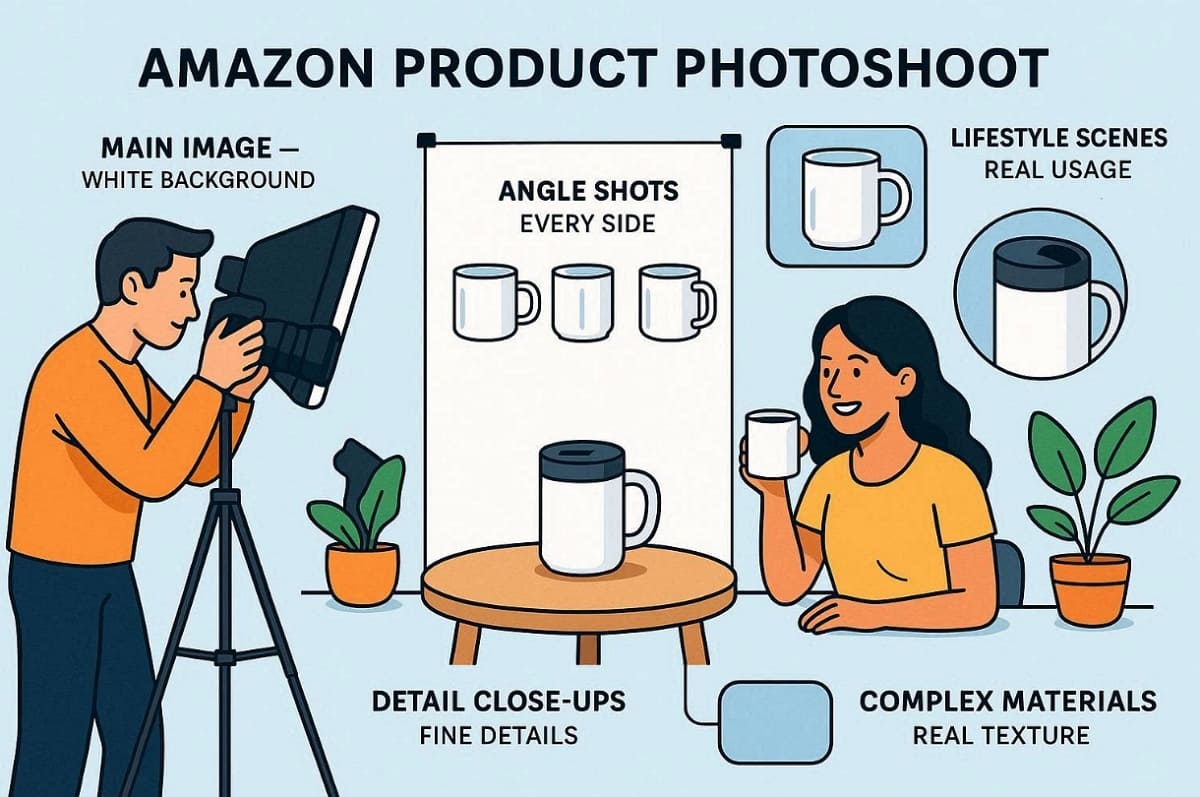
These master shots provide the original, quality foundation for your entire product gallery. Expert photographers capture perfect color and geometry that AI often fails to recreate. A successful Amazon photoshoot delivers consistent files that serve as your core business assets.
1.2 DIY AI Strengths — Speed, Batch Variations, & Iteration (When You Have Qualified Assets)
DIY AI is best when you already have strong base photos and can reuse them for many versions. It helps you move fast and keep your style consistent across many images:
When AI Works Best
1. Background or Scene Changes: Turn one product shot into many lifestyles or background scenes.
2. Infographic Layouts: Add banners and text to highlight key features and benefits.
3. Multiple Sizes: Export the same image for Amazon and social media in different formats.
4. A/B Testing: Create several small variants to see which thumbnails and layouts convert best.
5. Batch Edits: Apply the same layout or style to many SKUs at once to save time.
AI saves time mostly when your original photos are clear and follow a simple template. Without this, you may spend more time fixing errors than gaining speed.
1.3 The Most Common Winning Workflow: One Amazon Photoshoot to AI Versioning at Scale
In this model, you prioritize one quality Amazon photoshoot to capture essential “master shots” that serve as your source of truth. This hybrid approach allows you to discuss various things discussed below:
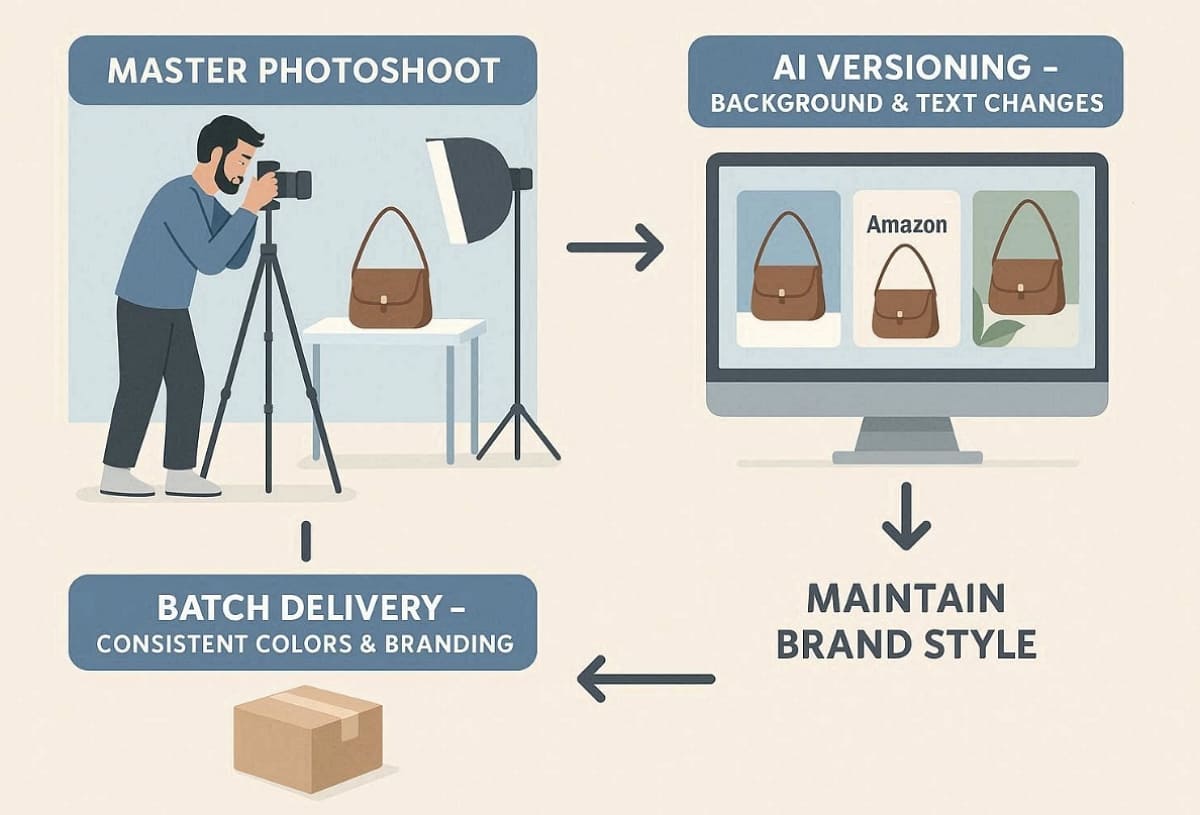
1. Secure Realism: Use professional Amazon photographers to capture accurate textures and lighting.
2. AI Versioning: Use AI to change backgrounds and text without reshooting the product.
3. Batch Delivery: Keep colors and branding consistent across many SKUs or campaigns.
4. Maintain Consistency: Keep brand style uniform across all A/B tests and promotional sizes.
If you already have your base product photos and need to create a full set of listing images, tools like Designkit can help. It allows you to streamline the repetitive layout and export process through batch generation. So, it saves you significant time without sacrificing the quality of your core product imagery.
Part 2. Costs: Outsource vs DIY AI — How to Budget Amazon Listing Images
Budgeting effectively for a professional Amazon product photography service is vital for your success. Next, we will compare these costs against different DIY AI approaches:
2.1 Outsourcing Budget: How an Amazon Product Photography Service Is Priced
The following table clarifies the core costs involved in professional studio production services:
|
Cost Category |
Description & Inclusions |
Best For |
|---|---|---|
|
Pricing Model |
Paid per SKU, image, or full scene with props |
Simple projects or batch product launches |
|
Studio Costs |
Gear, lighting, and photographer time |
High-end goods needing perfect realism |
|
Production Work |
Models, styling, retouching, and project management |
Lifestyle sets and model photography |
|
Delivery Scope |
File formats, revisions, and usage rights |
Projects needing long-term brand assets |
|
Extra Add-ons |
Rush, complex retouching, extra props, or sample shipping |
Last-minute creative refresh requirements |
2.2 DIY AI Budget: The Real Cost of “Doing It Yourself”
Managing a DIY budget requires more effort than hiring an Amazon product photography service. You must account for software subscriptions and your own labor hours:
|
Cost Type |
What It Includes |
Impact on Your Budget |
|---|---|---|
|
Tooling |
Subscriptions, AI credits, templates, fonts, stock images |
Recurring cost that scales with usage |
|
Asset Costs |
Base photos, cutouts, background assets |
One-time or per-SKU costs affecting quality |
|
Time |
Generating, editing, exporting, and organizing images |
Hidden cost grows with SKUs and versions |
|
Rework and QA |
Fixing color, geometry, and compliance errors |
Can eliminate savings if outputs need redoing |
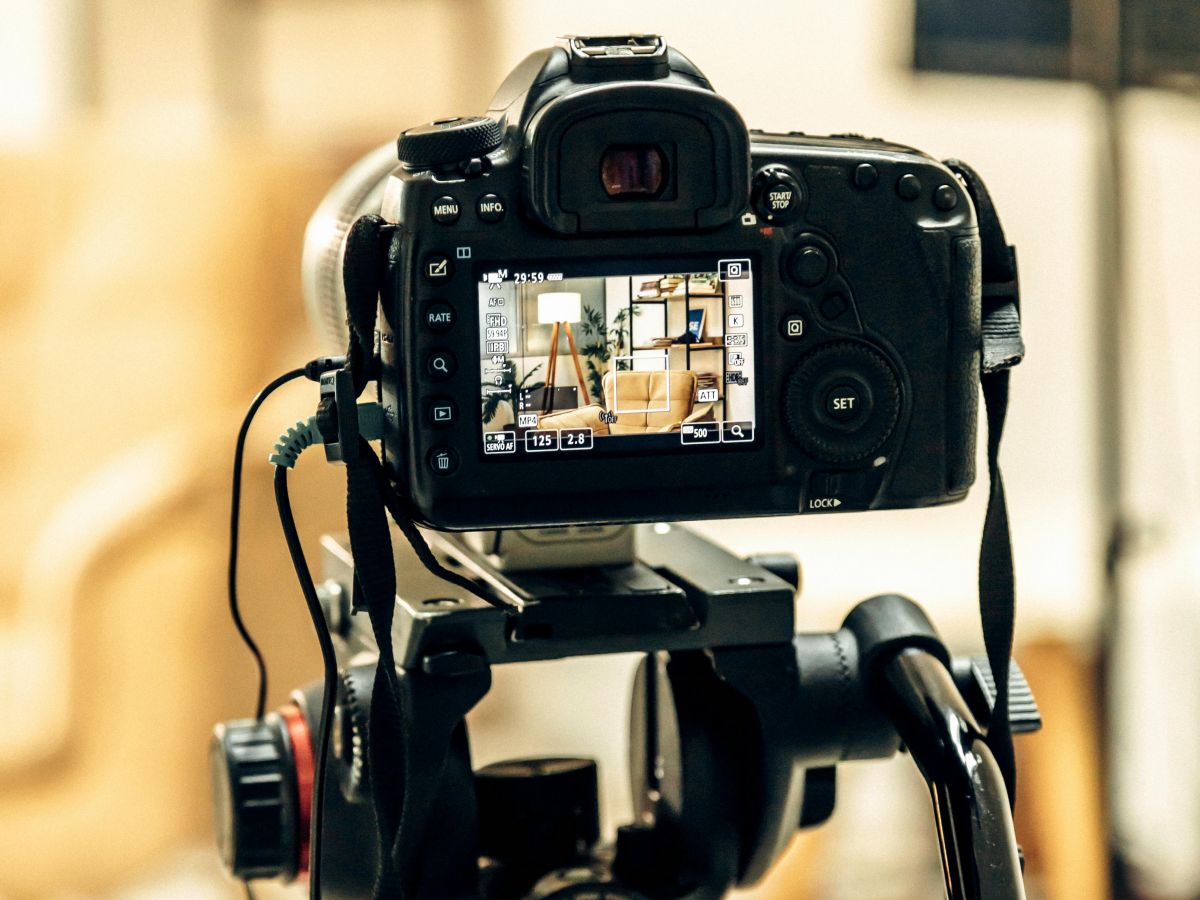
In short, AI becomes the most cost-effective option when you already have qualified master shots, use standardized templates, and apply strict quality checks. Without these foundations, correction time and rework can quickly offset the savings compared to an Amazon photography service.
2.3 Example Budget Ranges + Cost-per-Usable-Image Metric
This section helps you judge which option really wins after real‑world costs:
How the Metric Works: You divide your total cost by the number of listing‑ready images you keep. Failed outputs, re‑shots, and re‑works are not counted in the final count.
Example Scenarios
1. Single‑SKU launch: One product set costs roughly the same as one studio shoot total.
2. 10‑variation expansion: One base shoot plus many AI versions reduces per‑image expense.
3. Prime Day refresh: Last‑minute edits plus AI‑assisted updates save time and cut costs.
Each scenario shows whether outsourcing or a hybrid fits your budget best. An Amazon photography service might look expensive at first, but the real per‑image cost often surprises you when you include all your own time.
Part 3. Timelines: Amazon Photography Service vs DIY AI
An Amazon photoshoot usually takes longer than AI edits but delivers more reliable assets. Now, let us compare how both timelines unfold from first planning to final upload:
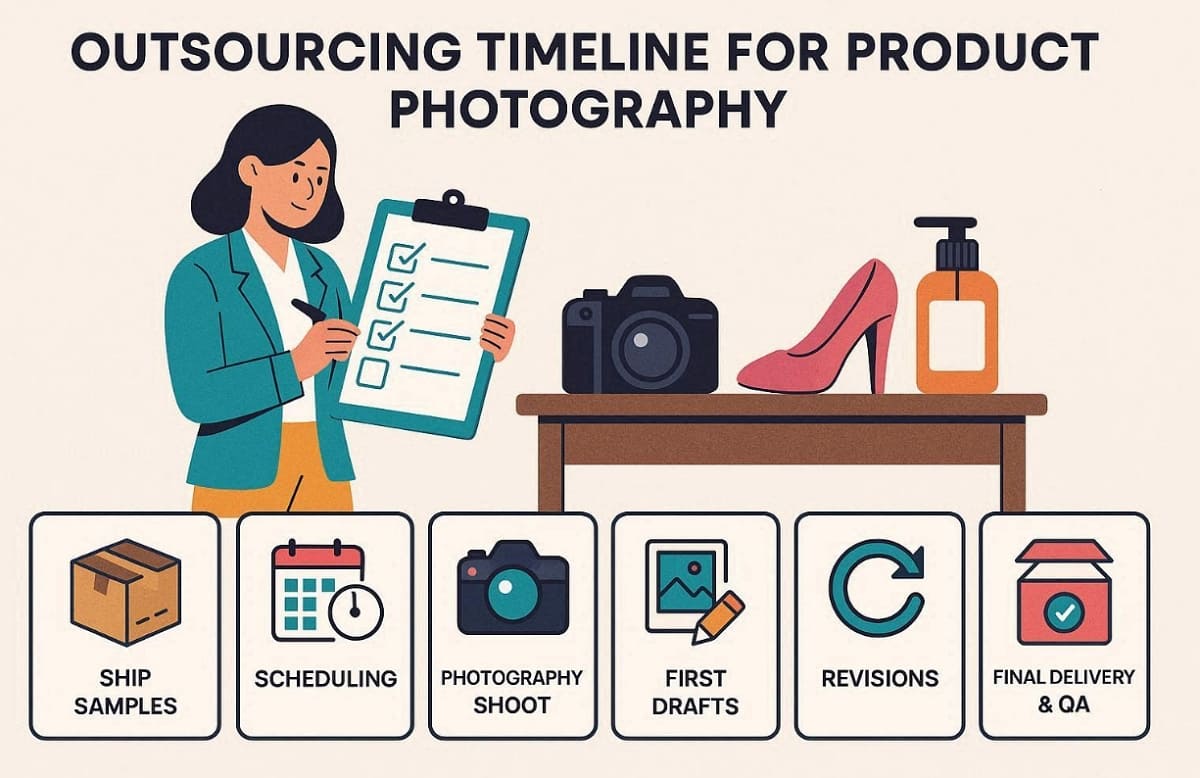
3.1 What Are the Stages of an Outsourcing Timeline?
Outsourcing your creative assets requires coordination across several critical phases of production. Following this structured path ensures that your final images meet high professional standards:
Key Stages of the Outsourcing Timeline
1. Ship Samples: Sending your physical products early ensures photographers have enough time for prep.
2. Scheduling: Aligning your production date prevents unnecessary delays during the busy studio booking season.
3. Photography Shoot: Expert teams capture the essential angles while maintaining strict studio lighting and focus.
4. First Drafts: Reviewing initial images allows you to provide feedback before final edits.
5. Revisions: Clear communication regarding requested changes helps the team perfect your final listing assets.
6. Final Delivery: Receiving your formatted files marks the completion of the professional creative production process.
7. Listing QA: Verifying all final files against Amazon requirements ensures a smooth and compliant upload.
Understanding these milestones helps you manage expectations and plan your product launch effectively.
3.2 What Are the Stages of an AI Image Creation Timeline?
Creating listing images with AI tools still follows a structured workflow. Following these steps helps your final images stay organized, consistent, and ready for upload:
Key Stages of the AI Timeline
1. Asset Preparation: Organize clean base photos, cutouts, and branding elements before starting generation.
2. Generate & Layout: Use AI tools to create backgrounds, lifestyle scenes, and infographic layouts.
3. Quality Check (QA): Review images for color accuracy, distortions, text clarity, and platform compliance.
4. Export Sizes: Resize images into the required Amazon listing, thumbnail, and promotional dimensions.
5. Upload: Add the final files to your product listing and confirm they display correctly on the storefront.
3.3 How to Choose When You’re on a Deadline
When you are racing against a tight deadline, your workflow choice becomes critical. Here is how you decide the best approach based on your current project requirements:
1. Prime Day Rush: For last-minute Prime Day rushes, use AI tools to quickly generate new assets. This saves time if you already own quality photos from past seasonal campaigns.
2. New Product Launch: New product launches require the quality standards of a professional Amazon photography service. Outsourcing ensures your main listing images are perfect and fully compliant with marketplace rules.
3. Variation Expansion: Scaling product variations works best by capturing a few master shots, then applying AI tools. This hybrid approach preserves visual consistency while keeping production costs manageable each day.
Part 4. Decision Framework: Choose Outsource, DIY AI, or Hybrid
You need a clear process to select your ideal Amazon product photography service. We now explore these specific decision factors to help streamline your final project choice:
4.1 Six Common Seller Scenarios
Every Amazon seller faces slightly different image‑creation needs around an Amazon photoshoot. This section matches common situations to the best workflow and key risks:
|
Seller Scenario |
Recommendation |
Why |
Watch-outs |
|---|---|---|---|
|
New Product Launch |
Outsource |
Needs maximum trust and compliance. |
Blurry scope or feedback delays. |
|
Many SKUs/Variations |
Hybrid |
Scaling assets saves massive time. |
Maintaining style across all versions. |
|
Peak Season Refresh |
DIY AI |
Speed is vital for quick wins. |
Must have reliable master shots. |
|
High-Ticket Goods |
Outsource |
Customers demand extreme visual realism. |
Licensing and complex retouching needs. |
|
Inconsistent Photos |
Outsource |
Needs a unified look for brand trust. |
Aligning expectations with the photographer. |
|
Ads/Social Scaling |
Hybrid |
Adaptable sizing for multiple channels. |
Preserving brand fidelity during resizing. |
4.2 What is a Hybrid Execution Plan, and How Designkit Fits
By establishing a "source of truth" through a professional shoot, you can leverage AI to scale your creative output without sacrificing detail or compliance:
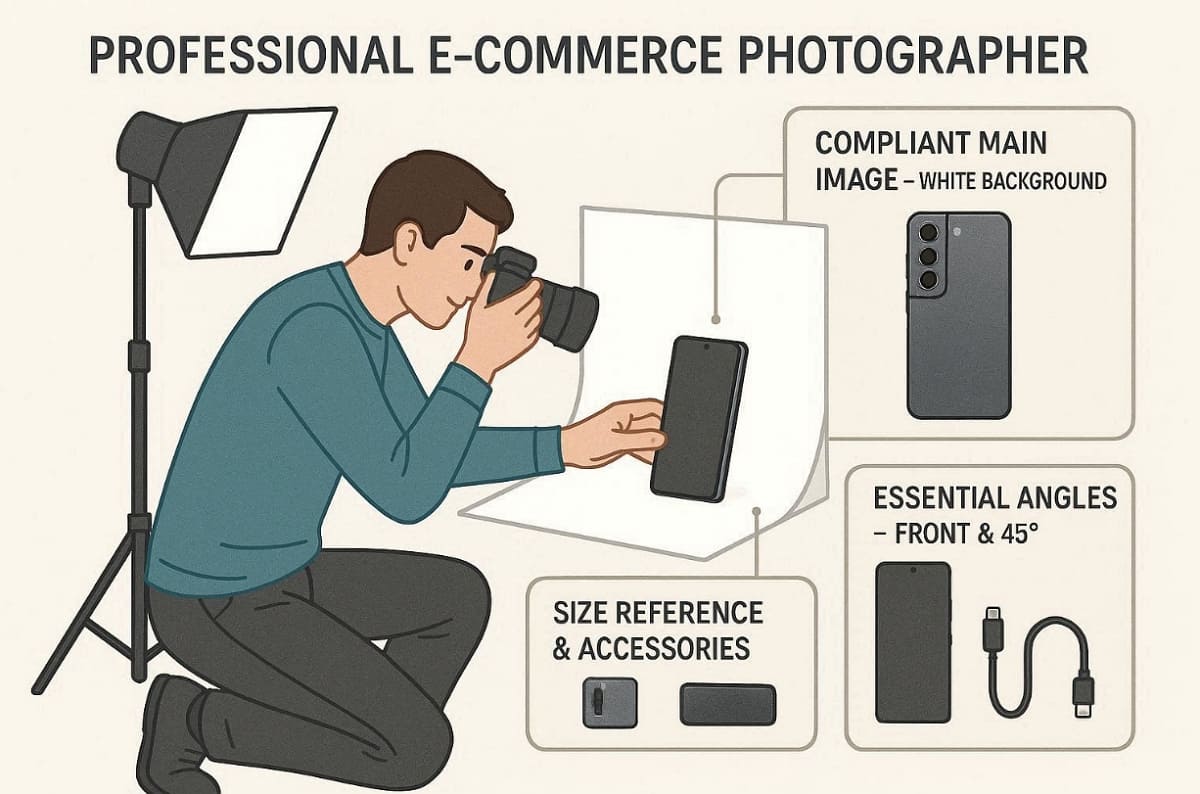
What to Capture in the Master Shot List
1. Compliant Main Image: A product shot on a pure white background (RGB 255,255,255) with zero props or text.
2. Essential Angles: Capture front and 45-degree views to provide shoppers with a complete mental model of your product’s shape.
3. Size Reference & Accessories: Images showing scale and everything included in the box to avoid customer confusion.
What Versioning Handles
After capturing master shots, versioning allows rapid scaling and creative flexibility:
1. Lifestyle/Scene Variations: Place products in different environments or contextual backgrounds.
2. Infographic Layouts: Add banners, callouts, and feature highlights without reshooting.
3. Consistent Multi-Variation Style: Apply the same color grading, shadows, and composition across multiple SKUs.
4. Multi-Size Exporting: Generate Amazon listing images and social media graphics in different dimensions.
Where Designkit Fits
Designkit streamlines the hybrid workflow and reduces repetitive tasks:
1. AI Product Photography Generator: Creates scene and background variations while preserving product details.
2. AI Product Listing Images Generator: Builds multiple listing-ready layouts using one master shot structure.
3. Amazon Listing Images Generator: Produces Amazon-compliant image sets with consistent formatting and specifications.
4. AI Image Generator: Drafts creative atmospheres or background ideas while keeping compliance intact.
By integrating Designkit, you can maximize the value of a professional Amazon photography service while scaling your listings.
Part 5. How to Write a Brief That Gets You Usable Images
Clear instructions for your Amazon photographers will guarantee that you will receive quality work. Follow these specific guidelines to ensure your project brief produces the desired final results:
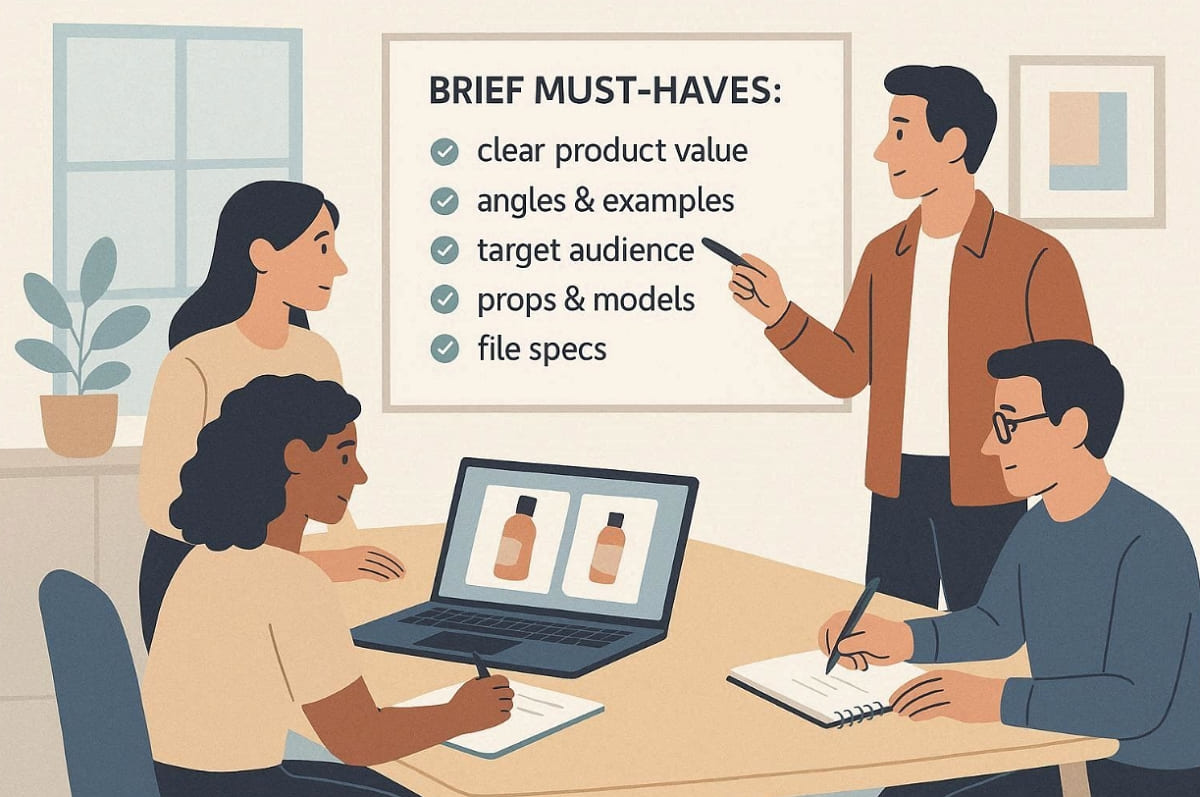
Brief Must-Haves
1. Define your main product value propositions clearly for the creative team to understand perfectly.
2. Include detailed lists of required angles along with examples of competitors for visual reference.
3. Specify your target audience and list any specific props or models needed during production.
4. List all file specifications clearly to ensure your images meet every strict platform requirement.
Acceptance Criteria
1. Ensure images maintain high sharpness and perfect color accuracy for every single product variation.
2. Check for proper geometry and strict compliance with the platform rules for all images.
3. Confirm that all text overlays are legible and accurate against the official brand standards.
Organization Strategy
1. Establish a clear file naming system to manage your assets during the upload process.
2. Use consistent folder structures to store your master files for future versioning and testing.
Conclusion
In summary, always focus on quality photography to establish initial consumer trust and strong brand realism. Use an expert Amazon photography service to capture all your vital master product assets. Once you possess these assets, you should transition to using smart AI batch tools like Designkit. As Color Experts state, treat product photos as performance systems to scale your online business effectively by 2026.
Frequently Asked Questions
Q1. Which option is best for refreshing images before Prime Day on a tight budget?
Q2. Are AI images enough for high‑ticket items on Amazon?
For value products, pure AI usually feels less trustworthy than real photos. Customers expect to see precise details, materials, and textures in real lighting. So, combine AI layouts with strong professional base images for the best results.
Q3. How can Designkit help reduce my Amazon image creation workload?
Designkit lets you turn one master shot into many listing‑ready layouts easily. It also exports images in consistent sizes without manual resizing for each upload. This saves time while keeping your brand visuals professional and compliant.
You May Also Like
Best AI Ad Generators in 2026: Tools for Creating Better Ads

T-Shirt Design Size Guide: Placement, Dimensions, & DPI

How to Sell on Poshmark: A Complete Beginner's Guide

Zeely Reviews 2026: Features, Pricing, Pros, Cons & Alternatives

Create TikTok Ads From One Photo: An AI Product Launch Kit

Depop vs Poshmark: Which Is Better for Selling in 2026?

How to Create an Amazon Storefront: 4-Step Guide for New Sellers

How to Sell Books on Amazon in 2026: Beginner Guide

How to Sell on Amazon in 2026: A Complete Seller Guide

AI Product Photography: 7 Best Tools for Ecommerce in 2026

What Is a Hero Image? Definition, Examples & Design Tips

Pippit AI Review 2026: Features, Pricing, Pros & Cons

Back to School Ad: 7 Creative Ideas for Better Campaign Results

Top 7 Back-to-School Sales Ideas to Boost Retail Sales (2026)

How to Create a Complete World Cup Product Listing Image Set

How to Create Amazon Summer Sale Posters and Banners with AI

Amazon Summer Sale 2026: Listing Design Trends & Product Image Ideas

Ecommerce Video Ads: 7 Strategies That Drive Higher Conversions

How to Photograph Shoes for Your Ecommerce Store in 2026

Product Photography Ideas: Creative Tips & Techniques for Better Shots

Product Photography Pricing 2026: Full Cost Guide by Type

White Background Product Photography Guide & Tips 2026

Product Photography Starter Package: Gear Checklist 2026

Shopify Product Photography Guide with Tips & Setup

Amazon Main Image Requirements: Size, Guidelines & Tips

Shopify Image Size 2026: Complete Guide and Tips for Better Product Display

Studio Product Photography vs AI Product Photography in 2026

7 Product Photography Mistakes That Hurt Ecommerce Sales

Change Outfit Colors Online for Outfit Preview with AI Clothes Color Changer

How to Create Amazon Infographics: Boost Sales with Compelling Visuals

How to Create Outdoor Product Scenes Without a Photoshoot Using AI

Optimize Etsy Images for Mobile: Listing Photos That Convert

Amazon 7-Image Listing Strategy: Boost Sales by Optimizing Every Image

Etsy Thumbnail Optimization: Keep Your Product Fully Visible

The Etsy Thumbnail Formula That Drives More Clicks and Sales

How to Create Pro Amazon Listing Photos Without a Studio

10 High-Converting Lifestyle Product Images for Amazon Listings

How to Automate Your E-commerce Visuals with OpenClaw Workflow

Top 5 AI Tools to Generate Amazon Product Listing Images in 2026

How to Turn One Photo into 10 Etsy Listing Images Fast: Batch Workflow

Etsy Listing Photo Size Guide (2026): Mobile, Desktop & Shop View Specs

Turn White Background Images into Lifestyle Amazon Listings

Fix Etsy Image Cropping: Optimize Listing Photos for Every Device

Amazon Listing Images: Essential Shot List & Optimization Guide

How to Create Lifestyle Product Images Without a Studio

Lifestyle Product Photography Trends 2026: Authentic Looks at Scale

How to Master Lifestyle Product Photography in 2026

Amazon Listing Images Guide 2026: 7-Slot Strategy & Requirements

360 Product Photography Guide 2026: Setup, Shoot and Workflow

Beginner's Guide to Generate Product Photos from Different Angles

AI Product Photography: Create Ecommerce Images Without a Photoshoot

How to Create Realistic AI Product Photos: Step-by-Step Pro Guide

Keep AI Product Images Consistent Across SKUs: Lighting, Color, Background

How to Scale E-commerce with a Product Image Generator

How to Use AI for Spring Product Photography: 2026 Amazon Guide

How to Create a Budget Home Product Photography Setup with AI

How to Achieve Professional Product Photography Standards in 2026

How to Take Product Photos with Phone: Pro Guide for Amazon & AI
6 Best AI Product Image Generators in 2026

Amazon Photography Service vs. AI Generator: Best Choice for Sales

What Is Product Photography? Angles, Lighting & Editing Guide

Amazon Spring Sale 2026: Create High-Converting Listing Images (Guide)

AI Agents Transform Amazon Product Photography in 2026

Amazon Photoshoot in 2026: Do You Still Need a Studio?

11 Must-Have Tools for Amazon Product Photography in 2026

2026 Amazon Image Trends Shaping Seller Success and Conversions

Amazon Product Photography Requirements & Best Practices 2026
Make every product image ready to sell
Designkit is an all-in-one AI platform for ecommerce visuals. Create product photos, AI videos, virtual try-ons, and Amazon listing images in seconds. Generate HD backgrounds, batch edit photos, and scale your brand with studio-quality content.


