
YouTube Automation in 2026: A Step-by-Step AI Guide for Beginners
Start your YouTube Automation journey in 2026 with confidence. Learn how to pick a profitable niche, choose the right AI tools, and build a faceless channel step by step — even as a complete beginner, with no expensive setup.

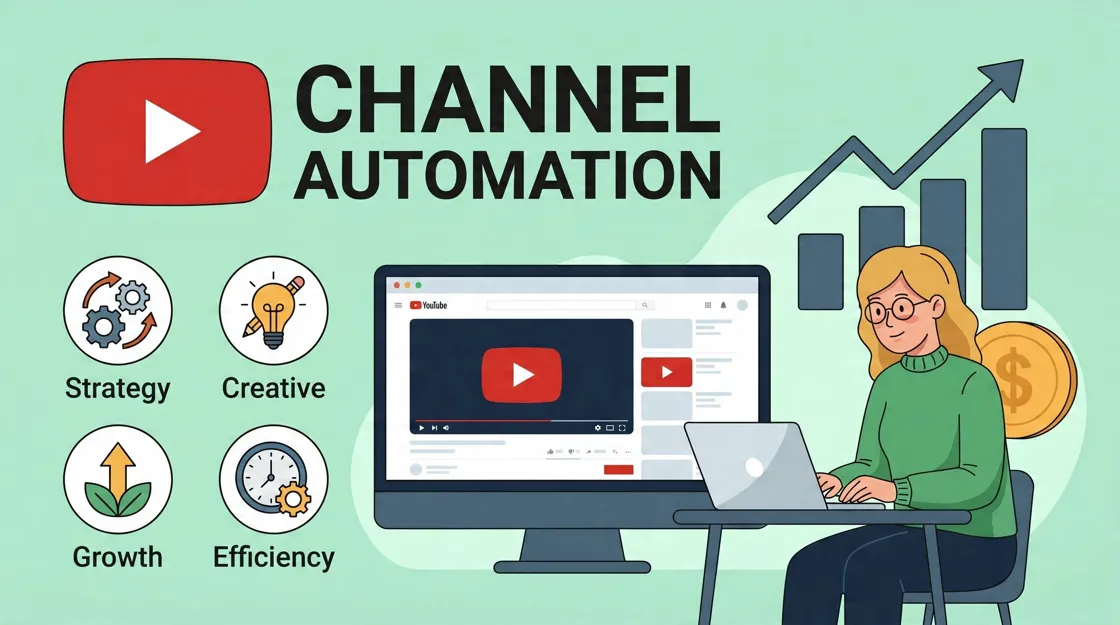
YouTube automation in 2026 refers to a content production system that uses AI tools and structured workflows to streamline video creation, editing, and publishing. Instead of manually handling every step, creators can delegate parts of the process to AI, making content production faster and more scalable.
This guide explains how YouTube automation works step by step, from choosing a niche to scaling a channel. It is designed for beginners as well as creators looking to improve efficiency and scale output using AI-assisted workflows.
What Is YouTube Automation and Why It Is Growing in 2026?
This is a content creation system where AI tools and structured workflows are used to simplify video production. Instead of handling every task manually, creators rely on automation for research, scripting, voiceovers, editing, thumbnails, and publishing.
In 2026, youtube automation AI tools have become more advanced, allowing creators to produce videos faster while maintaining quality. The goal is not to remove creativity but to reduce repetitive work and create a scalable content system.
How YouTube Automation Systems Work
A YouTube automation system combines AI software, automation workflows, and content production tools to streamline the video creation process. Instead of manually handling every task, creators use technology to assist with research, scripting, voiceovers, video creation, and optimization.
The system works by organizing content production into repeatable processes that improve efficiency and consistency. This allows creators to spend less time on routine tasks and more time developing content strategies, growing their audience, and scaling their channels.
Why YouTube Automation Is Growing Rapidly
Several factors are driving the rise of this system in 2026, especially improvements in AI and increased competition on video platforms.

Lower Production Barriers
Creating videos no longer requires expensive equipment, professional editing skills, or a large production team. AI-powered tools have made content creation accessible to beginners, allowing almost anyone to launch and manage a YouTube channel.
Faster Content Cycles
Automation reduces the time needed for research, scripting, editing, and publishing. This allows creators to produce content more consistently and capitalize on trending topics before interest declines.
AI Improvements in Scripting, Voice, and Video Generation
Modern YouTube automation tools can generate scripts, realistic voiceovers, visuals, and even complete video drafts. These improvements help creators maintain quality while significantly reducing manual work.
Demand for Scalable Content Output
As competition on YouTube increases, creators need systems that support higher publishing frequency. This demand for scalable production has fueled the growth of faceless YouTube automation channels that can produce content efficiently without appearing on camera.
Popular YouTube Automation Examples
Some of the most successful YouTube automation examples include:
-
Faceless educational channels
-
Motivational content channels
-
Top 10 and list-based videos
-
Celebrity and entertainment news channels
-
Technology and AI news channels
These formats work well because they follow repeatable production processes and can be efficiently scaled using automation. Learning from these examples can help beginners understand automation and build their own systems more effectively.
Best YouTube Automation Niches in 2026
Choosing the right niche is one of the most important steps for building a successful YouTube automation channel in 2026. The best-performing niches combine high audience demand with evergreen topics that are easy to scale using automated content systems. Below are some of the most profitable and reliable niches to consider.
Finance and Investing Channels
Finance remains one of the strongest niches due to its high-value audience and evergreen demand. Topics like budgeting, investing basics, crypto updates, and money management attract viewers who actively search for solutions and advice.
AI and Technology Content
This niche grows quickly because new tools and updates appear almost daily. Viewers look for explanations, comparisons, and tutorials, making it ideal for content that can be produced in a structured, research-based format.
Motivation and Self-Improvement Videos
Motivational content continues to perform well because it appeals to a wide audience. These videos usually combine narration, quotes, and cinematic visuals to deliver emotional and inspiring messages.
Educational and Explainer Videos
Educational content and explainer videos work well because it simplifies complex topics like science, history, or business into easy explanations. It also allows creators to reuse clear formats, making production more consistent and scalable.

Facts, Documentaries, and Storytelling Videos
This niche focuses on interesting facts, real events, mysteries, and storytelling-style content. Strong narratives and engaging pacing help maintain viewer attention, making it one of the most reliable formats for long watch time.
Step-by-Step Automation for YouTube Workflow
A YouTube automation video is created through a structured workflow where each stage focuses on turning an idea into a fully optimized video. Below is a simple breakdown of each step.
Step 1: Choose a Niche and a Content Angle
This step defines the foundation of the channel. You decide the target audience, content direction, and video style. A clear niche helps maintain consistency and makes future content easier to plan.
Step 2: Research Topics and Generate Video Ideas
At this stage, you find topics that people are actively searching for. AI tools and keyword insights help identify trending or high-performing ideas, ensuring the content has strong potential for views.
Step 3: Write Video Scripts Using AI
Scripts are created with a clear structure that includes a strong hook, engaging storytelling, and smooth flow. This ensures viewers stay interested from start to finish and improves watch time.
Step 4: Generate Voiceover or Narration
Instead of recording manually, AI voice tools convert the script into natural-sounding narration. This saves time and makes it easier to produce content consistently without needing recording equipment.
Step 5: Create Visuals and Video Assets
Visual elements are built using stock footage, animations, or AI-generated clips. For shorts or B-roll content, tools like Designkit can turn a simple prompt or product image into ready-to-use video clips, making visual creation much faster and more flexible.
Step 6: Edit, Optimize, and Prepare for Publishing
In the final step, everything is combined into a complete video. Captions, pacing, branding, and SEO elements like titles and descriptions are added to improve discoverability and engagement before uploading to YouTube.
Best AI tools for YouTube automation in 2026
Modern content automation relies heavily on AI tools that simplify each stage of production, from scripting to publishing. These tools help creators save time, improve quality, and scale content more efficiently.
AI Script Generation Tools
These tools turn ideas into structured video scripts. They can create hooks, storytelling flow, and full video outlines based on a topic or keyword. This reduces the time spent on research and writing while ensuring the script is engaging and well-organized.

AI Voiceover Tools for Narration
AI voice tools convert written scripts into natural-sounding speech. They offer different voice styles, tones, and languages, allowing creators to match narration with their channel's audience. This removes the need for manual recording equipment and voice talent.
AI Video Creation Tools for Editing and Assembly
These tools help assemble videos by combining clips, images, animations, and transitions into a complete final product. They streamline editing by automating tasks like timing, scene arrangement, and basic visual enhancements.
AI Thumbnail Tools for CTR Optimization
Thumbnail tools use AI to design high-click visuals that improve click-through rates. They help with layout suggestions, text placement, color contrast, and image enhancement to make videos more appealing in search and recommendations.
AI SEO and Keyword Research Tools
These tools analyze search trends, competition, and keyword performance to help choose better video topics. They improve discoverability by optimizing titles, descriptions, and tags for better ranking and reach.
How Designkit Stands Out as a Powerful AI tool for YouTube Automation
Designkit plays an important supporting role in the production workflow. It is mainly used to generate Shorts visuals, create B-roll, and produce scene assets that can be added to videos to improve visual quality. For example, it can turn simple prompts or product images into short-form clips for YouTube Shorts, making fast content creation easier. It also helps convert ideas into usable B-roll footage that enhances storytelling in longer videos. Overall, it works alongside other AI tools by providing ready-made visual elements instead of handling the entire production process.
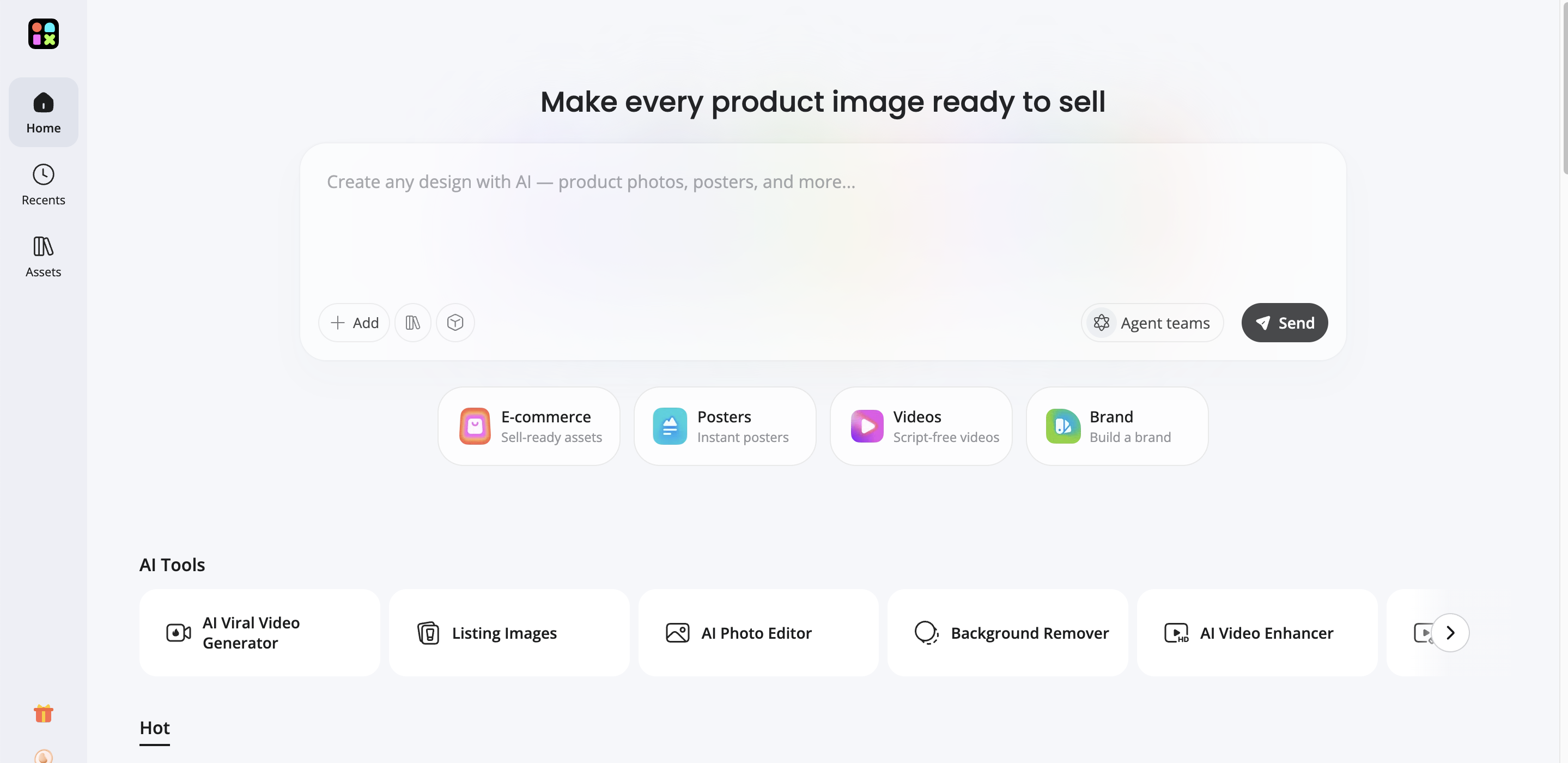
How to Use Designkit to Achieve YouTube Automation in 3 Simple Steps
Creating videos with Designkit is quick and beginner-friendly. Upload your visuals, let AI generate multiple video versions, and use the finished clips as YouTube Shorts or supporting visuals in longer YouTube videos.
Step 1: Upload Your Product Images
Open the AI Viral Video Generator and upload your product images or other visuals. Designkit uses these images to create different short-form video concepts automatically, saving time on manual editing.

Step 2: Generate YouTube-Ready Videos
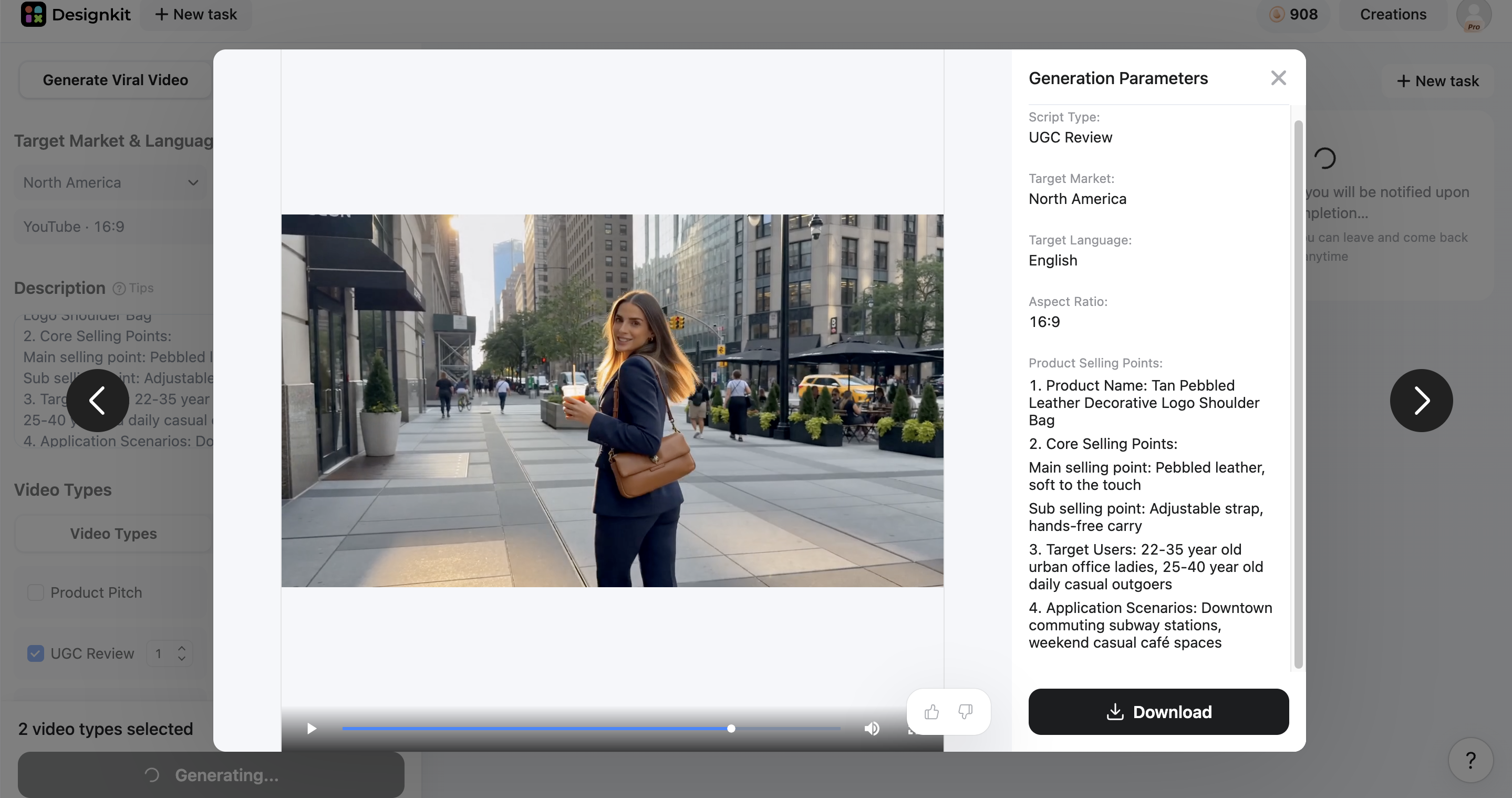
Set the target market, language, and video format, such as YouTube Shorts (9:16) or YouTube (16:9). Designkit then generates multiple viral-style videos, including product demos, UGC reviews, and unboxing videos.

Step 3: Download and Use Your YouTube Workflow
Preview the generated videos and download the ones that fit your content. Use them as YouTube Shorts, B-roll for long-form videos, promotional clips, or scene visuals before publishing your final video.
Generate YouTube-Ready Videos Now
Key Features of Designkit for YouTube Automation
AI Viral Video Generator
Generate multiple short-form video concepts from a single product image or prompt. Instead of creating every clip manually, Designkit produces ready-to-edit videos in different viral styles, making it easier to publish YouTube Shorts consistently.
Multiple Viral Video Templates
Choose from formats such as product pitch, product demo, UGC review, and unboxing/haul. Each template follows proven short-form storytelling structures that can be repurposed for YouTube Shorts and other vertical video platforms.
YouTube Optimized Aspect Ratios
Export videos in platform-specific formats, including YouTube Shorts (9:16) and YouTube (16:9). This makes it easy to create content for both Shorts and standard YouTube videos without manually resizing footage.
Batch Video Generation
Upload multiple product images and let AI generate several video variations in one session. This helps creators produce a larger content library in less time for regular YouTube uploads.
AI-Generated B-Roll Assets
Transform simple prompts or product photos into engaging visual clips that can be used as B-roll. These assets help improve storytelling, explain concepts visually, and reduce the need for stock footage.
Ready-to-Use Scene Visuals
Generate supporting visuals for tutorials, reviews, product showcases, and educational videos. These scene assets can be inserted throughout longer YouTube videos to maintain viewer engagement.
Multi-Platform Content Repurposing
The same generated videos can be adapted for YouTube Shorts, TikTok, Instagram Reels, and other vertical platforms, allowing creators to expand their reach with minimal extra work.
Monetization Strategies for YouTube Automation Channels
Channels built with a YouTube automation video maker approach can generate income through multiple revenue streams. Once a channel gains consistent views and engagement, monetization becomes more predictable and scalable through different strategies.
How YouTube Channels Generate Revenue
YouTube channels earn money mainly through ads, but income can also come from external sources like affiliate links, brand deals, and digital products. The more consistent the traffic, the more stable the earnings become across all methods.
AdSense Optimization Strategy
AdSense revenue depends on watch time, audience location, and niche value. Channels in high-CPM niches like finance or tech tend to earn more per 1,000 views. Optimizing video length, retention, and audience targeting helps increase ad revenue over time.
Affiliate Marketing Strategy
Affiliate marketing involves promoting products or services and earning a commission for each sale. This works especially well for review-based or informational content where viewers are already interested in specific tools or solutions.
Sponsorships and Brand Collaborations
Once a channel starts receiving consistent traffic, brands may offer paid collaborations. These deals depend on niche relevance, audience trust, and engagement levels rather than just subscriber count. Strong content consistency helps attract better sponsorship opportunities.
Scaling Content Systems for Higher Output
Growth often depends on how efficiently content is produced. Using structured workflows and automation allows creators to publish more videos without sacrificing quality. This increases reach, improves testing of different formats, and accelerates channel growth over time.
Future of Automation and Evolving Content Creation Trends
The future of digital content is being strongly influenced by AI-driven systems and faster production models. As technology improves, the entire process of planning and creating videos is becoming more efficient and system-based.
How AI Is Reshaping Content Creation, Faceless Channels, and Creator Workflows
AI is no longer just a helper tool; it is becoming a core part of how content is produced and managed. From brainstorming ideas to editing final videos, many tasks are now partially or fully automated.
Instead of traditional workflows, creators are shifting toward smarter systems where content production is broken into structured, automated stages.
Some major shifts include:
-
Content ideas are being generated instantly based on trends and data
-
Editing is becoming template-based and partially automated
-
Growth of faceless channels where on-camera presence is no longer required
-
Faster turnaround time from idea to published video
-
Expansion of multi-channel management using the same system
This shift is making content creation more scalable but also more competitive, as more creators gain access to the same tools.
What Beginners Should Prepare for as Automation Tools Mature
For new creators, the biggest change ahead is not just the tools themselves, but how they are used strategically. Simply relying on automation will not be enough.
Beginners should focus on building strong foundations, such as:
-
Picking niches that can sustain long-term content demand
-
Learning how to structure videos for audience retention
-
Developing consistency in uploading rather than focusing on quantity alone
-
Understanding what type of content actually performs well
-
Using automation as support, not as the entire strategy
Over time, success will depend on combining efficient systems with original thinking. Those who adapt early and focus on value-driven content will have a stronger advantage as space continues to evolve.
Conclusion
YouTube automation in 2026 is reshaping how creators build and scale channels by combining AI tools with structured workflows. It reduces manual effort in scripting, editing, and publishing, making content creation faster, more consistent, and more accessible for beginners. From niche selection to AI-powered video production, every stage is now more streamlined and scalable. However, long-term success still depends on strategy, consistency, and content quality rather than automation alone. Creators who balance smart systems with creativity and audience understanding will have the strongest growth potential. Tools like Designkit further support this process by helping generate short visuals, B-roll, and scene assets that enhance overall video production efficiency
Frequently Asked Questions
What is YouTube automation and how does it work?
How can beginners start YouTube automation in 2026?
Beginners start by selecting a niche, researching video ideas, and using AI tools for scripting, narration, and editing. Consistency matters more than complexity at the beginning stage. Designkit helps by offering prompt-to-video generation, ready-made Shorts templates, and instant B-roll creation, allowing beginners to build videos quickly without needing advanced editing skills or experience.
What is YouTube automation AI and how is it used in video creation?
It refers to tools that automate scripting, voice generation, editing, and SEO optimization in video production. It reduces manual workload and speeds up content creation. Designkit enhances this process with AI scene generation, image-to-video conversion, and dynamic visual layering, helping creators build engaging shorts and storytelling visuals more efficiently.
What are the best YouTube automation tools for creating videos?
Top tools include AI script writers, voice generators, editors, thumbnail makers, and SEO platforms. Each handles a production stage. Designkit stands out for features like auto B-roll generation, product-to-video conversion, and AI-powered shorts clip creation for fast content assembly.
Is YouTube automation still profitable in 2026?
Yes, profitability is strong with the right niche and consistency. Income comes from ads, affiliates, and sponsorships. Designkit improves output through bulk Shorts generation, reusable visual templates, and automated scene creation, helping creators publish more frequently and grow faster.
Can you explain YouTube automation step by step for beginners?
The workflow includes niche selection, topic research, script writing, AI voice generation, visual creation, and publishing. Each stage follows a structured workflow for efficiency. Designkit fits into the visual stage by offering text-to-video generation, automated scene building, and B-roll creation, making it easier for beginners to complete videos quickly and consistently.
What is the best YouTube video maker for fast content creation?
AI video makers that convert scripts into full videos are the fastest option, handling scenes and transitions automatically. Designkit enhances this by offering drag-and-drop Shorts builders, AI-generated motion clips, and instant B-roll packs that speed up editing and reduce production time.
You May Also Like

What Is Brand Identity? Examples, Elements & Strategy
YouTube Automation Step-by-Step AI Guide for Beginners

AI Marketing Agent: How It Works, Benefits & E-Commerce Examples

What Is Personalized Advertising? Examples & How It Works

How to Build a Shopify Store That Actually Converts Visitors

Amazon Marketing Guide 2026: Strategies, Tips & Tools

Local Advertising: Strategies, Examples & Tools (2026)

What Is Branded Content? Examples, Strategy & Tools 2026

What Is Performance Marketing? Strategies & Examples 2026

Inbound Marketing: Strategies, Examples & Tools (2026)
Create, Automate, and Grow YouTube Channels Today
Ready to launch your first content on your YouTube channel? Turn topics and scripts into upload-ready YouTube videos with Designkit, and keep your channel posting consistently without filming or complex setup.


