
Zeely Reviews 2026: Features, Pricing, Pros, Cons & Alternatives
Honest Zeely AI review for 2026: how the workflow runs, what users report, full pricing including trial renewal and the 12% ad fee, and when another tool fits better.

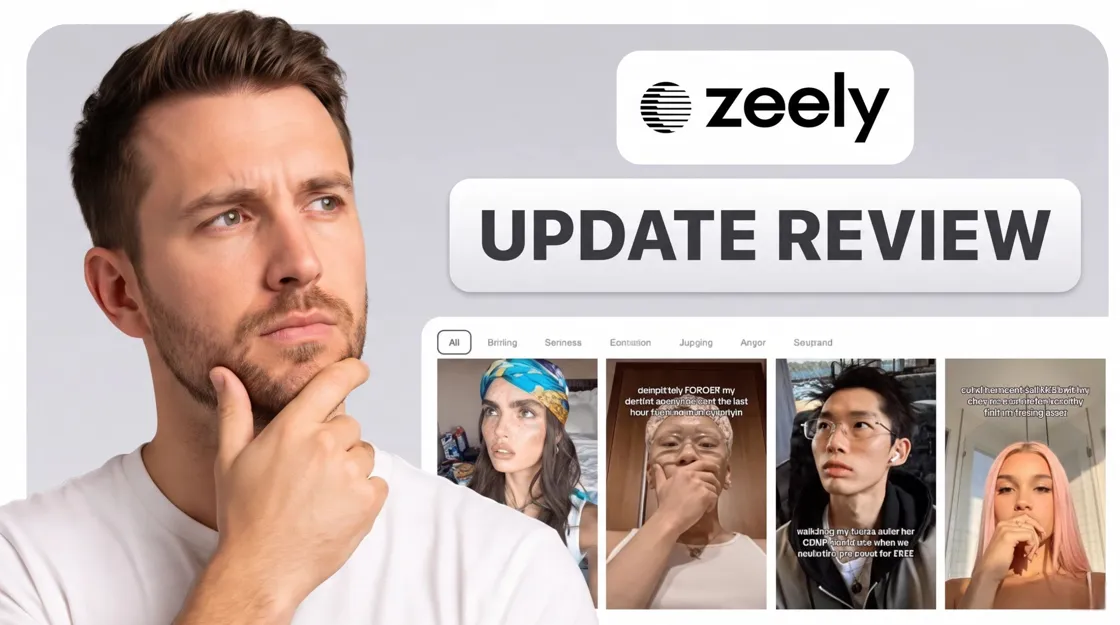
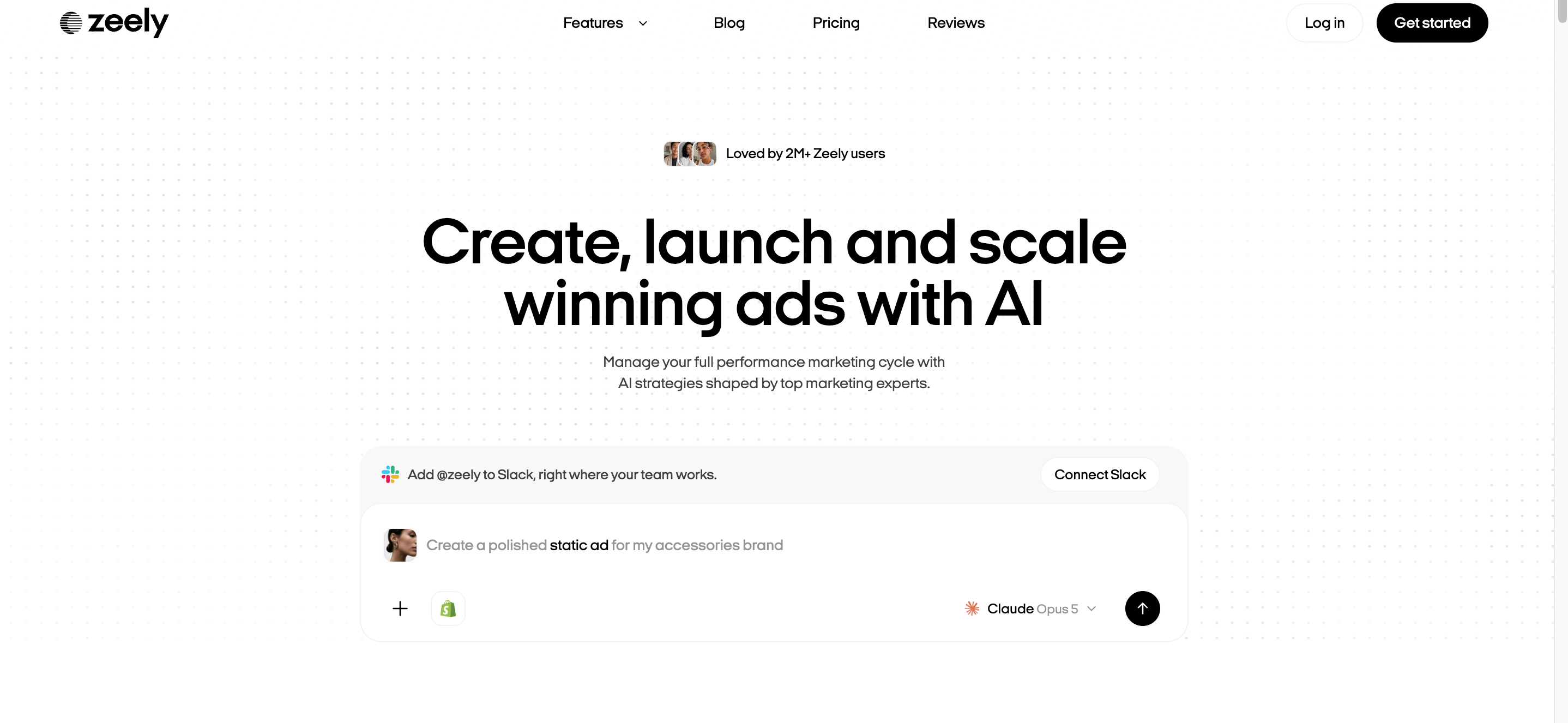
Zeely AI is a mobile and web app for sellers who run paid social on Meta. You can connect a Shopify store or paste a product link, and the platform generates ad creatives you can launch without a design team or studio shoot.
It works best for small businesses that refresh Meta ads often and need volume without hiring help. You may want to look elsewhere if you only advertise occasionally, if you need creator-level UGC realism, or if you depend on your own Meta Ads Manager setup for full campaign control. Below, we walk through the workflow, user feedback, 2026 pricing, and when another tool makes more sense.
Key Takeaways
-
Ad-first platform: AI creatives plus Meta campaign launch, not a general design suite.
-
No permanent free plan; paid trials renew unless you cancel.
-
Total cost = subscription + Meta ad budget + 12% service fee (6% with Booster).
-
Ratings skew positive, but billing complaints are common enough to read terms on day one.
-
Listing and product visuals are a different job; compare alternatives if that is your main gap.
How Zeely Works
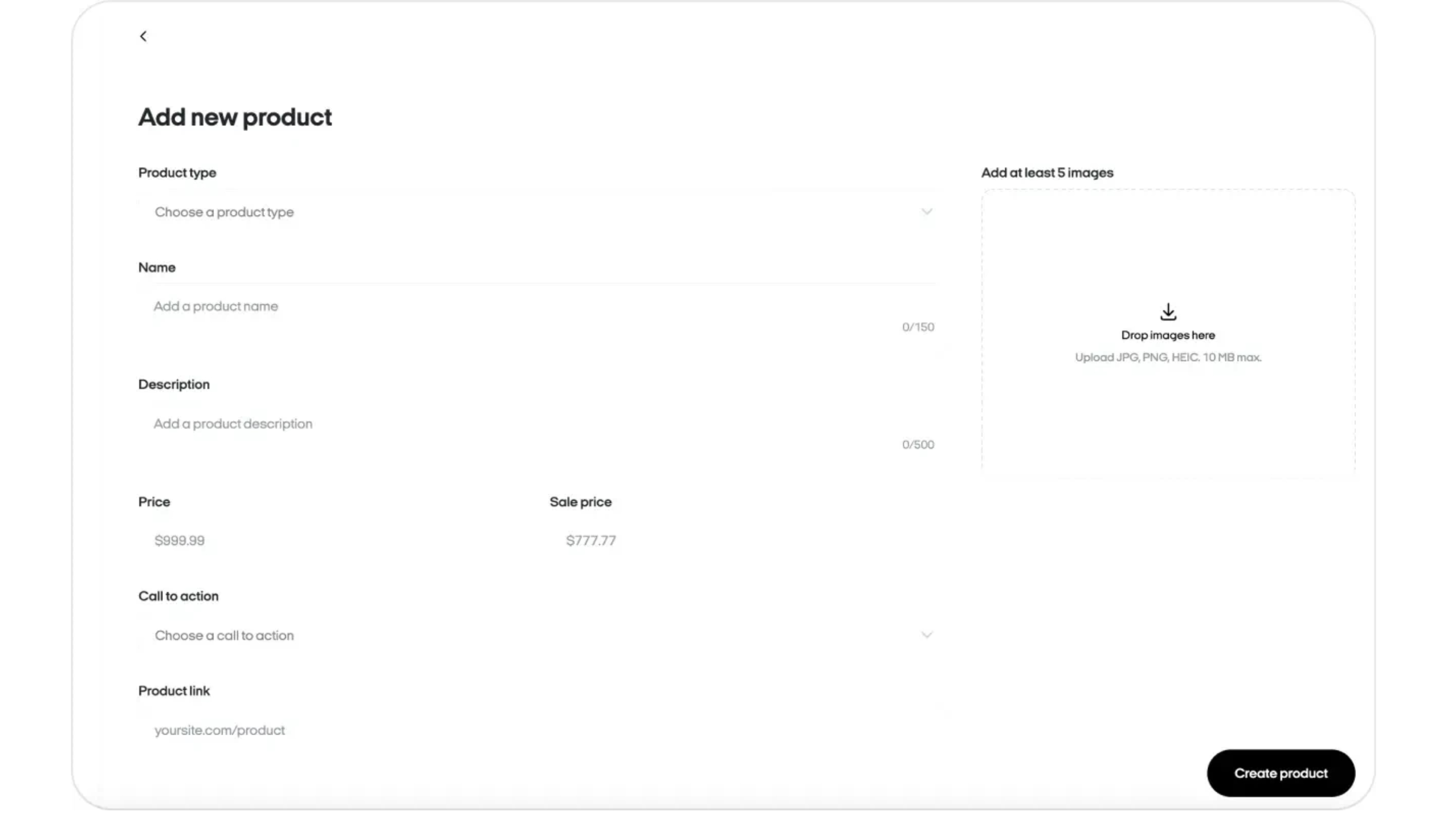
1. Add your product
Paste a URL, enter details manually, or pull from a connected Shopify catalog. Zeely builds a product card the AI uses for scripts and visuals.
2. Generate creatives
Pick a format and run a batch when you want several variants to test. Zeely writes scripts and headlines around your product.
3. Review before publishing
Review everything before you publish, because wrong pricing and awkward avatar delivery still slip through on the first pass.
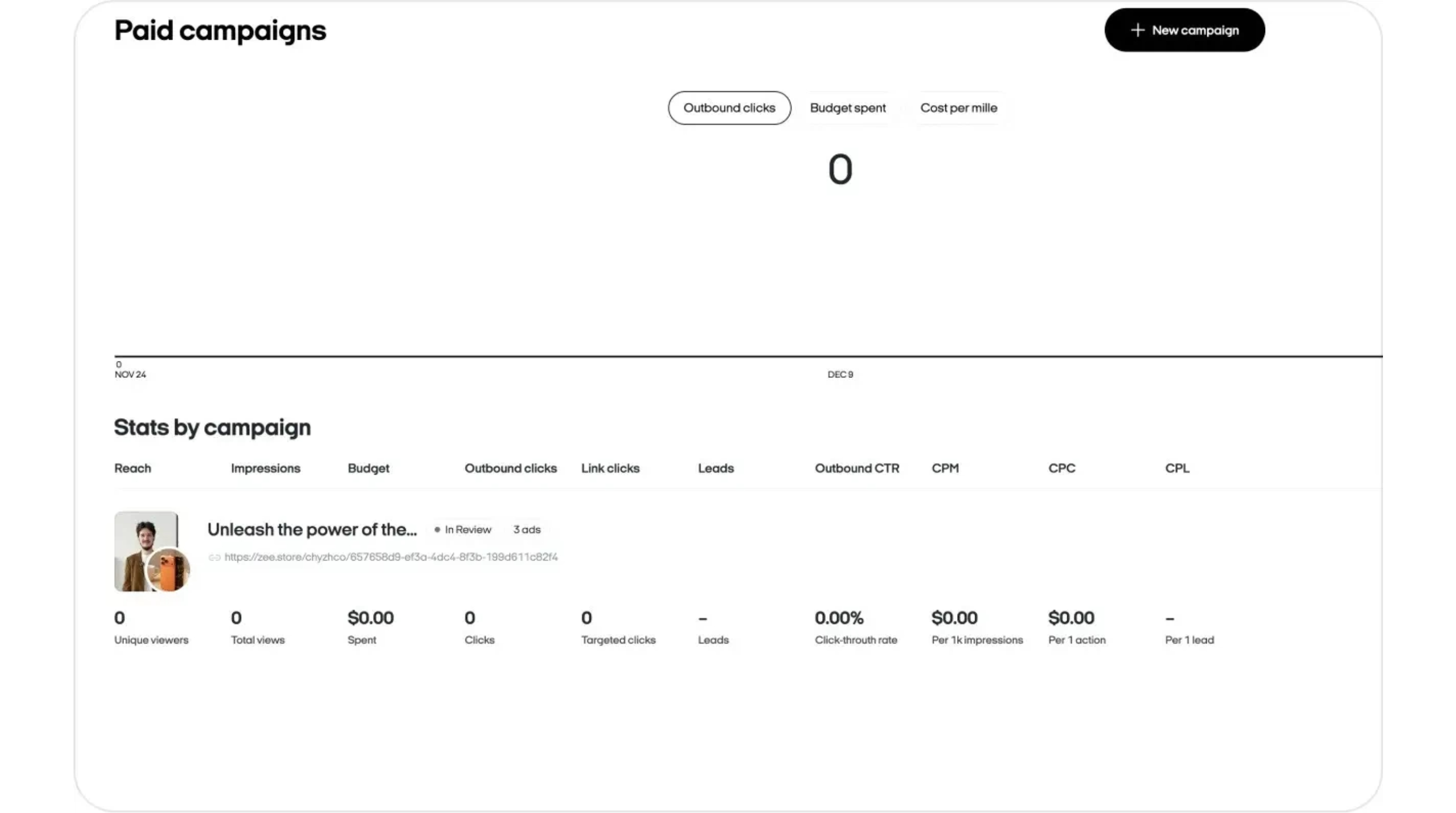
4. Launch on Meta
Set your campaign goal and budget inside Zeely, then send ads through Meta review before delivery. You can export files for other channels, but the service fee applies only to Meta campaigns you launch through the app.
Source: How Zeely Works
Zeely Features: What You Actually Get
Static and batch ads
You get template-based image ads from your product inputs. Batch mode can produce up to 20 variants in one run, which helps when you test hooks on the same product every week.
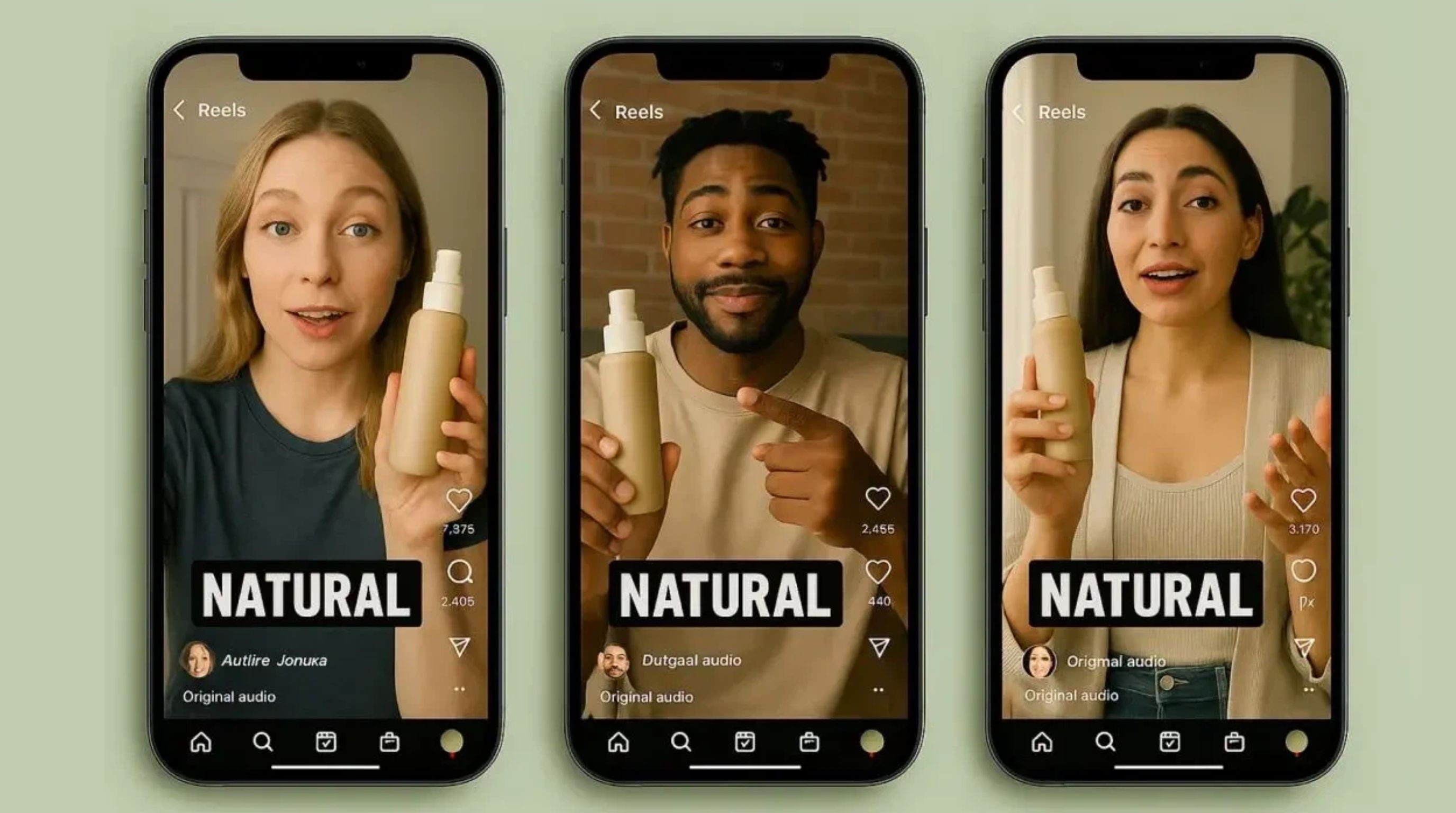
Video and UGC-style ads
Avatar-led videos with AI scripts and voiceover work well for quick social tests, though they fall short when you need a specific creator look or studio-level realism.
Campaign tools
You can set up campaigns inside Zeely and track metrics like CTR and ROAS from one dashboard. The setup is simpler than a dedicated media buyer workflow, but enough for most small accounts.
Credits
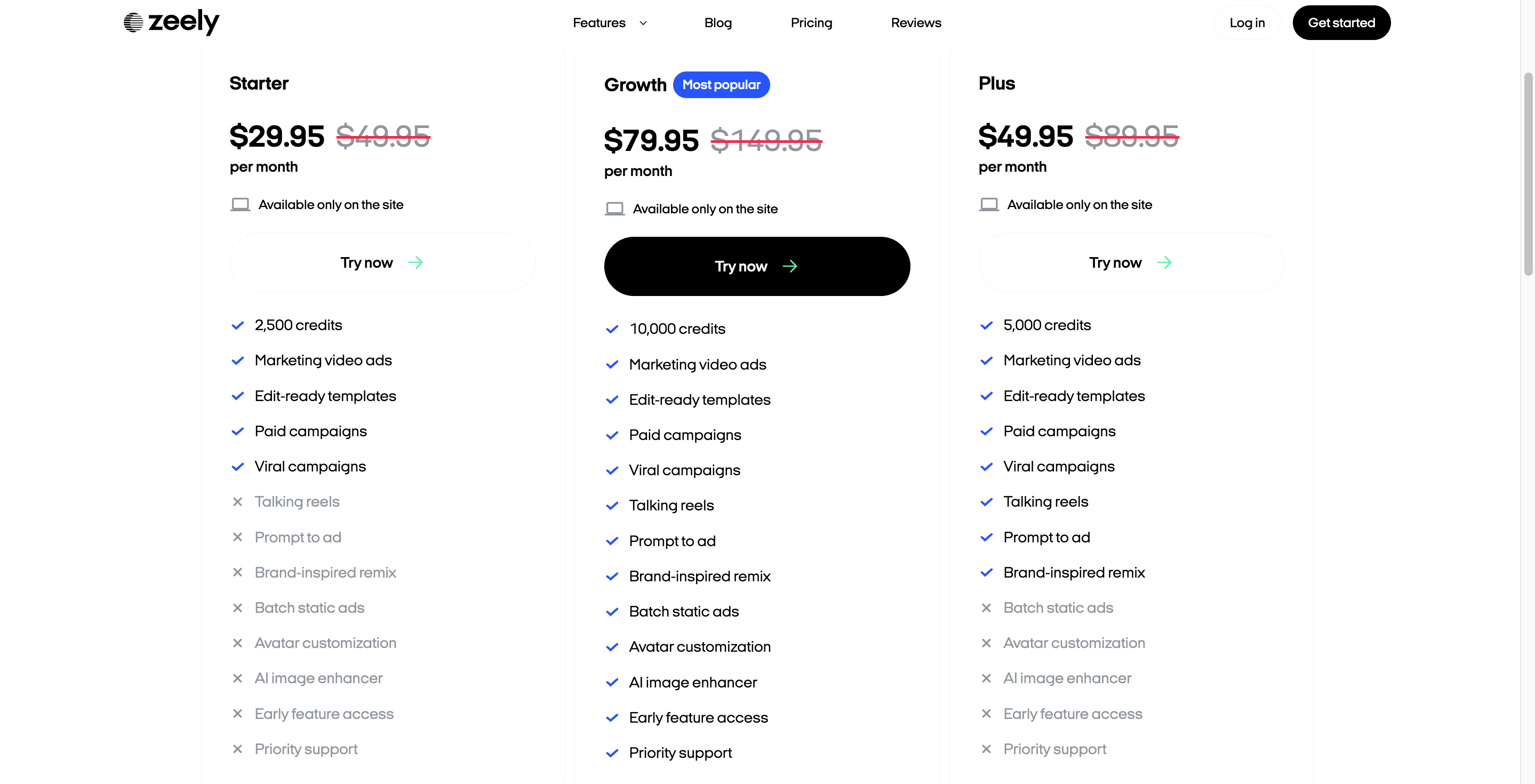
You get the full feature set on every plan; Starter, Plus, and Growth mainly differ in monthly credits (2,500, 5,000, and 10,000). If you often regenerate because the first draft is not right, Starter runs out sooner than the price gap suggests, so match the plan to your catalog size and how often you refresh campaigns.
Zeely Reviews: What Real Users Say
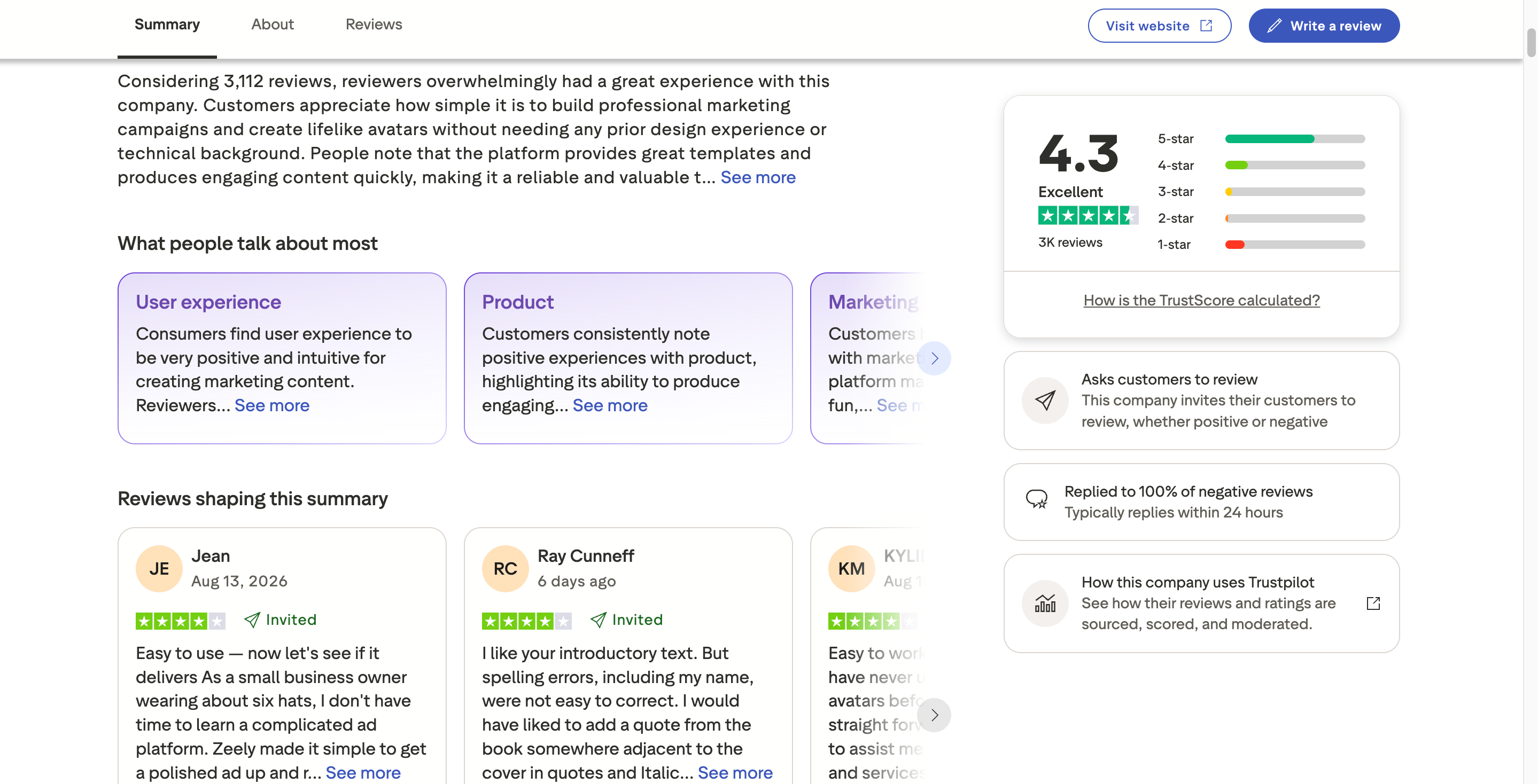
Overall sentiment
As checked on August 26, 2026, Zeely has a 4.0/5 TrustScore on Trustpilot with 3,414 reviews (64% five-star, 13% one-star). The U.S. App Store lists Zeely at 4.6/5 from about 21K ratings . Most reviewers praise speed and ease of use, while a smaller group reports billing problems or output that did not match expectations.
What people like
Reviewers consistently mention fast turnaround from product to finished ad, especially when they had no designer or video crew. Avatar videos let them test concepts without booking a shoot, and the mobile app keeps campaign checks manageable for solo operators.
Common complaints
The most repeated issues involve intro pricing renewing at a higher rate, cancellation friction on App Store billing, and templated output that needed manual editing before it felt ready to spend on. Some experienced advertisers also wanted deeper control inside Meta Ads Manager than Zeely's guided flow provides.
The Meta ads account question
Before signing up, understand how campaigns actually run. Zeely routes paid campaigns through its Meta integration, which simplifies setup for beginners but can feel limiting if you already manage accounts with custom targeting and structure. If direct Ads Manager control is non-negotiable for you, factor that in early.
What this means if you are buying
Zeely suits teams that prioritize speed over pixel-perfect control. If predictable billing matters more to you, read renewal terms on day one and walk through the cancel path before you scale spend.
Source: Trustpilot – Zeely
Zeely Pricing in 2026
Most negative reviews come from people who only looked at the subscription line. Real cost has three parts: the plan, your Meta ad budget, and Zeely's service fee on spend.
Subscription plans
Current pricing from zeely.ai/price (verify before signup):
|
Plan |
Price |
List price |
Monthly credits |
|---|---|---|---|
|
Starter |
$29.95/mo |
$49.95/mo |
2,500 |
|
Plus |
$49.95/mo |
$89.95/mo |
5,000 |
|
Growth |
$79.95/mo |
$149.95/mo |
10,000 |
Paid trials (not free)
Zeely sells time-limited trials with full access:
|
Trial length |
Price |
|---|---|
|
2 weeks |
$19.95 |
|
4 weeks |
$29.95 |
|
8 weeks |
$49.95 |
If you do nothing when the trial ends, the account typically moves to Growth at $79.95/month . Cancel or downgrade before renewal if you do not want that tier.
How to cancel without surprises
Cancel where you subscribed: App Store or Google Play settings for mobile billing, Zeely account settings for web signups. Uninstalling the app does not stop charges, so if you are testing, walk through the cancel steps on day one.
Meta ad spend and service fee
Meta charges your ad budget directly. Zeely adds a 12% service fee on spend for campaigns launched through the platform ( help center ), and Booster ($39.95/year) cuts that to 6% . On $1,000/month in ad spend, the difference is $120 vs $60 in fees; Booster usually pays for itself once spend passes roughly $500/month, but only if you actually run campaigns through Zeely.
Total cost example
Growth ($79.95) + $500 ad spend + 12% fee ($60) ≈ $639.95/month .
Is it worth the price?
It is worth it when Meta ads are a weekly habit and creatives were the bottleneck. It is harder to justify if you advertise occasionally, or if the 12% fee outweighs what you save on production, so always compare total cost rather than the subscription alone.
Zeely Pros and Cons
|
Pros |
Cons |
|---|---|
|
Fast path from product link to live Meta ad |
No permanent free plan |
|
Batch generation for creative testing |
Paid trial can renew to Growth unless you cancel |
|
Avatar video ads without a shoot |
12% service fee on Meta spend adds up at scale |
|
Shopify-friendly product import |
Avatar quality is functional, not photorealistic |
|
Full toolset on every plan; pick by credits |
Campaign flow may feel limited vs native Ads Manager |
|
Mobile app for on-the-go checks |
Billing complaints in a steady minority of reviews |
Who benefits most
Zeely pays off when paid social is ongoing, not a one-off experiment. Small businesses without in-house design get the most from batch generation and quick relaunches, and e-commerce brands testing hooks across multiple SKUs benefit because one product input can spin out several ad versions before budget goes live.
Who should look elsewhere
You may want to skip Zeely if you advertise a few times a year, if listing photography is the bigger gap, or if you need to own every targeting decision inside Meta Ads Manager, since in those cases you end up paying for campaign tooling you will not use.
Zeely Alternatives
|
Alternative |
Best for |
Main difference from Zeely |
|---|---|---|
|
Designkit |
E-commerce product visuals |
Listing and product assets without ad-management fees |
|
AdCreative.ai |
Ad creative generation |
Strong on ad variants; less campaign launch focus |
|
Canva |
General marketing design |
You manage ads separately |
|
Creatopy |
Scaled ad production |
Automation for high-format volume |
|
Predis.ai |
Social-first content |
Content creation, not Meta campaign management |
Designkit vs Zeely
Zeely is built for running Meta ads from one app, while Designkit is built for product visuals you reuse across listings and marketing. Choose Zeely when you need ads live this week and paid social volume is the bottleneck. Choose Designkit when your store still lacks consistent product shots and listing content; fix production first, then add Zeely later if ad volume becomes the constraint.
How to Choose the Right Tool
Start with the job you do every week, not the feature list. Regular Meta advertisers who stall on creatives should look at Zeely first, sellers spending most of their time on product photos and listing pages should look at Designkit first, and Canva covers general graphics when ads are not the core problem.
Before you commit, consider how many new ads you need each month, because heavy testing burns credits quickly and Starter can feel tight if you regenerate often. Also ask whether you need Zeely's guided launch or your own Meta Ads Manager setup, since that single question prevents a lot of buyer regret. Add up subscription, expected ad spend, and the service fee before you compare plans, because a cheap subscription plus $800 in ads can cost more in fees than a freelancer batch. Finally, walk through cancellation on day one of any trial; two minutes beats disputing a renewal charge later.
Conclusion
Zeely works for small businesses that live on Meta ads and need creatives faster than they can produce manually, though the tradeoffs are the service fee on ad spend, credit limits, templated avatar video, and renewal terms that catch some users off guard. Test with a small budget, confirm cancellation on your signup channel, and calculate subscription plus fee before you scale; if listing visuals are the bigger gap, start with Designkit instead.
Frequently Asked Questions
Does Zeely have a free plan?
What happens after the trial, and how do I cancel?
The trial rolls into a monthly plan, often Growth at $79.95/month if you take no action. Cancel where you subscribed: App Store or Google Play settings for mobile, Zeely account settings for web. Uninstalling the app does not stop billing.
Can Zeely generate UGC-style product ads?
Yes. Avatar-led videos with scripts and voiceover. Edit hooks and verify product accuracy before you increase spend.
What products work best with Zeely?
Visual products and services that sell through short video or image ads. Complex B2B offers may need more manual scripting.
Can Zeely create ad variations for testing?
Yes. Batch static generation and multiple video variants support A/B tests on hooks and offers.
Can Zeely creatives run on platforms beyond Meta?
You can export assets for other channels. Paid launch and Zeely's service fee apply to Meta campaigns run through the app.
You May Also Like

T-Shirt Design Size Guide: Placement, Dimensions, & DPI
Best AI Ad Generators in 2026: Tools for Creating Better Ads

How to Sell on Poshmark: A Complete Beginner's Guide
Zeely Reviews 2026: Features, Pricing, Pros, Cons & Alternatives
Create TikTok Ads From One Photo: An AI Product Launch Kit
Depop vs Poshmark: Which Is Better for Selling in 2026?
How to Create an Amazon Storefront: 4-Step Guide for New Sellers

How to Sell on Amazon in 2026: A Complete Seller Guide

How to Sell Books on Amazon in 2026: Beginner Guide
AI Product Photography: 7 Best Tools for Ecommerce in 2026
Pippit AI Review 2026: Features, Pricing, Pros & Cons

What Is a Hero Image? Definition, Examples & Design Tips
Back to School Ad: 7 Creative Ideas for Better Campaign Results

Top 7 Back-to-School Sales Ideas to Boost Retail Sales (2026)
How to Create a Complete World Cup Product Listing Image Set

How to Create Amazon Summer Sale Posters and Banners with AI
Amazon Summer Sale 2026: Listing Design Trends & Product Image Ideas
Ecommerce Video Ads: 7 Strategies That Drive Higher Conversions

Product Photography Ideas: Creative Tips & Techniques for Better Shots

Product Photography Pricing 2026: Full Cost Guide by Type
Product Photography Starter Package: Gear Checklist 2026
How to Photograph Shoes for Your Ecommerce Store in 2026
White Background Product Photography Guide & Tips 2026
Shopify Product Photography Guide with Tips & Setup

Shopify Image Size 2026: Complete Guide and Tips for Better Product Display
Amazon Main Image Requirements: Size, Guidelines & Tips
How to Create Amazon Infographics: Boost Sales with Compelling Visuals

7 Product Photography Mistakes That Hurt Ecommerce Sales

Studio Product Photography vs AI Product Photography in 2026

How to Create Outdoor Product Scenes Without a Photoshoot Using AI
Change Outfit Colors Online for Outfit Preview with AI Clothes Color Changer
The Etsy Thumbnail Formula That Drives More Clicks and Sales
How to Automate Your E-commerce Visuals with OpenClaw Workflow
Amazon 7-Image Listing Strategy: Boost Sales by Optimizing Every Image
Optimize Etsy Images for Mobile: Listing Photos That Convert
Etsy Thumbnail Optimization: Keep Your Product Fully Visible
How to Create Pro Amazon Listing Photos Without a Studio

Top 5 AI Tools to Generate Amazon Product Listing Images in 2026

How to Turn One Photo into 10 Etsy Listing Images Fast: Batch Workflow
Etsy Listing Photo Size Guide (2026): Mobile, Desktop & Shop View Specs
Turn White Background Images into Lifestyle Amazon Listings

Fix Etsy Image Cropping: Optimize Listing Photos for Every Device
Amazon Listing Images: Essential Shot List & Optimization Guide

How to Create Lifestyle Product Images Without a Studio

10 High-Converting Lifestyle Product Images for Amazon Listings
Lifestyle Product Photography Trends 2026: Authentic Looks at Scale
How to Master Lifestyle Product Photography in 2026

Amazon Listing Images Guide 2026: 7-Slot Strategy & Requirements
360 Product Photography Guide 2026: Setup, Shoot and Workflow
Beginner's Guide to Generate Product Photos from Different Angles
AI Product Photography: Create Ecommerce Images Without a Photoshoot

How to Create Realistic AI Product Photos: Step-by-Step Pro Guide
Keep AI Product Images Consistent Across SKUs: Lighting, Color, Background

How to Use AI for Spring Product Photography: 2026 Amazon Guide

How to Scale E-commerce with a Product Image Generator
Amazon Spring Sale 2026: Create High-Converting Listing Images (Guide)
How to Create a Budget Home Product Photography Setup with AI

How to Achieve Professional Product Photography Standards in 2026

How to Take Product Photos with Phone: Pro Guide for Amazon & AI
6 Best AI Product Image Generators in 2026
Amazon Photography Service vs. AI Generator: Best Choice for Sales
What Is Product Photography? Angles, Lighting & Editing Guide

AI Agents Transform Amazon Product Photography in 2026
2026 Amazon Image Trends Shaping Seller Success and Conversions
Amazon Photoshoot in 2026: Do You Still Need a Studio?
11 Must-Have Tools for Amazon Product Photography in 2026
Amazon Product Photography Requirements & Best Practices 2026
Create Better E-Commerce Creatives Beyond Ads
Turn product photos and information into polished listing visuals, lifestyle images, product videos, and advertising creatives with Designkit.


