
Creative Profile Picture Ideas for Every Style and Platform
Explore profile picture ideas for every style, platform, and purpose. Create professional headshots, creative avatars, and branded profile images with Designkit.

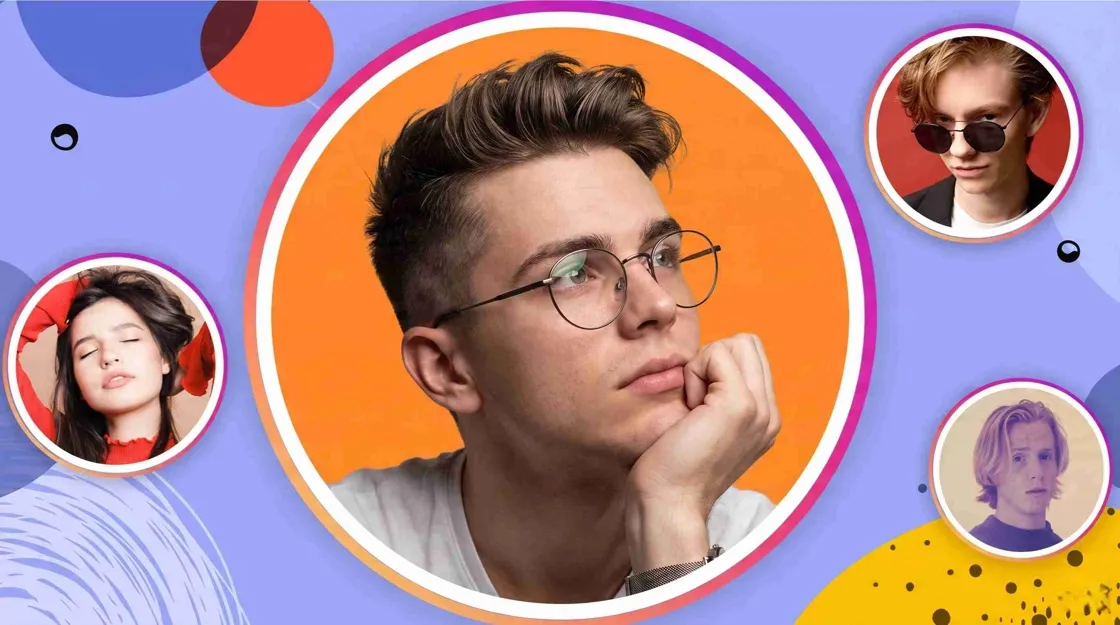
Your profile picture is often the first thing people notice when they visit your account. Whether you are building a personal brand, growing a creator profile, or simply updating your social media presence, the right image can help people recognize you faster. From professional portraits to creative avatars, this guide covers profile picture ideas for different styles, platforms, and purposes.
Key Takeaways
-
Choose a profile picture that clearly represents you, your brand, or your interests
-
Match your image style with the platform and audience
-
Use clean backgrounds and strong composition to improve recognition
-
Try portraits, avatars, illustrations, logos, or AI-generated images
-
Create different versions for personal, professional, and creator profiles
What Makes a Good Profile Picture?
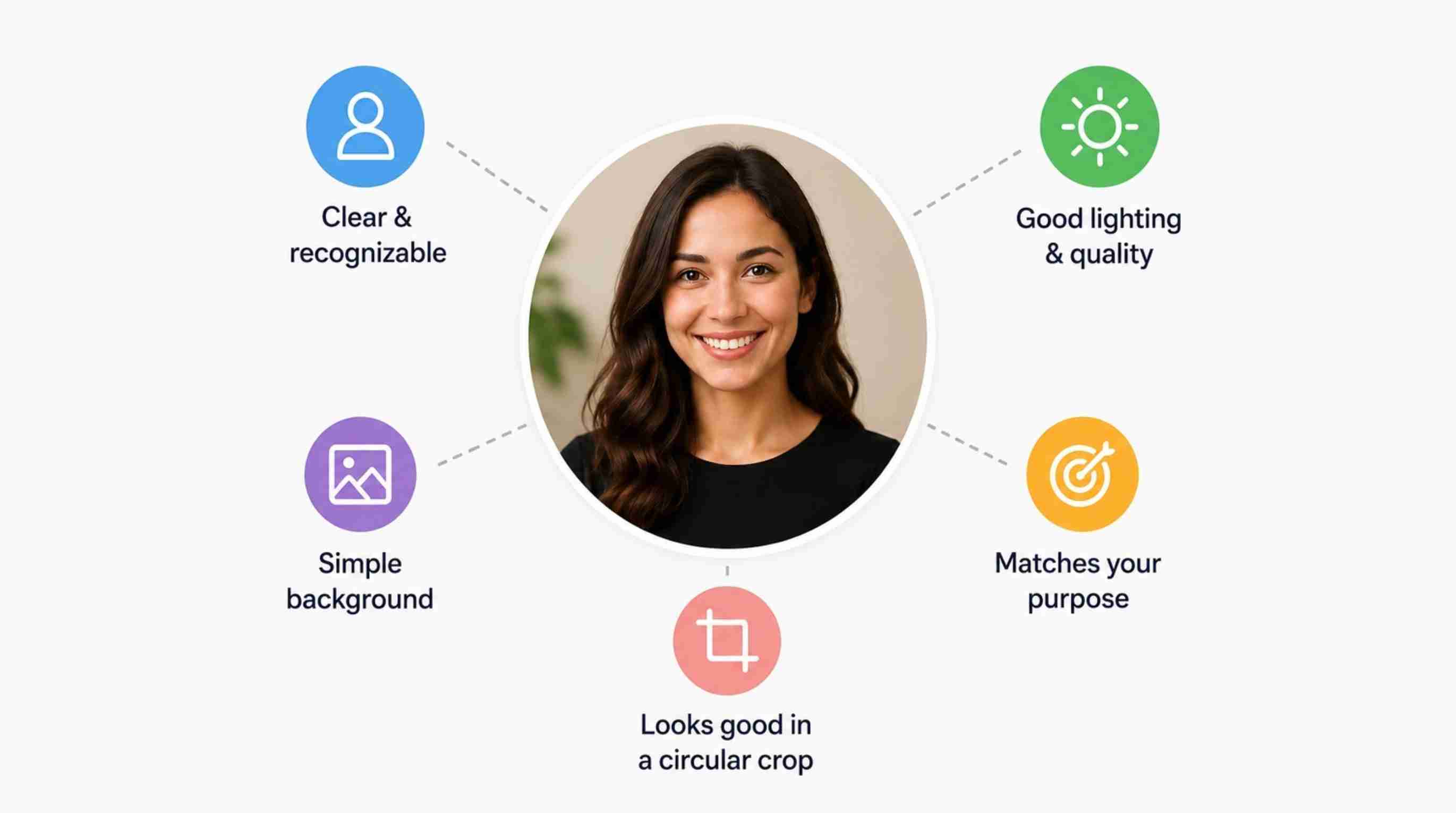
A profile picture needs to work even when it appears as a small icon. Keep your face, logo, character, or main subject easy to identify and avoid adding too many elements that compete for attention. Close-up portraits, simple logos, and clean avatar designs usually perform better because they remain recognizable across different platforms.
Make Your Subject Clear and Recognizable
The main subject should be obvious, even when the image is viewed as a small thumbnail. Don't hide your face, logo, character, or other main focus with unnecessary visual elements. Close-ups and medium shots are often the best choice for portraits because you can still see facial features at smaller sizes. If you use an illustration, logo, or avatar, be sure not to crop out anything that would be key for recognition.
Use High-Quality Images with Good Lighting
Image quality directly affects how professional your profile looks. A blurry photo, poor lighting, or heavy compression can make even a great idea look less polished. Use a sharp image with balanced lighting and enough resolution to stay clear after cropping.
Choose a Background That Supports Your Style
The background should help your subject stand out instead of becoming the main focus. Neutral backgrounds work well for professional profiles, while creators and personal accounts can experiment with colors, patterns, or themed scenes. The key is keeping enough contrast so your profile picture remains clear at a small size.
Match Your Profile Picture With Your Purpose
Think about where your profile picture will be used and who will see it. A LinkedIn profile may need a professional portrait, while a gaming or creator account may benefit from a custom avatar or illustration. Choose a style that matches your audience and the impression you want to create.
Best Profile Picture Ideas for Different Styles
Different occasions call for different profile picture styles. A professional headshot might be great for LinkedIn, but a creative avatar might be better for TikTok or Discord. Use these tips to select an image that represents you.
Professional Profile Picture Ideas
Professional profile pictures work best when they feel approachable and trustworthy. A clean headshot with natural lighting, simple clothing, and an uncluttered background is a common choice for LinkedIn, portfolios, and business accounts. If you do not have a recent photo shoot, AI-generated portraits can help create polished alternatives from an existing image.
Creative and Aesthetic Profile Picture Ideas
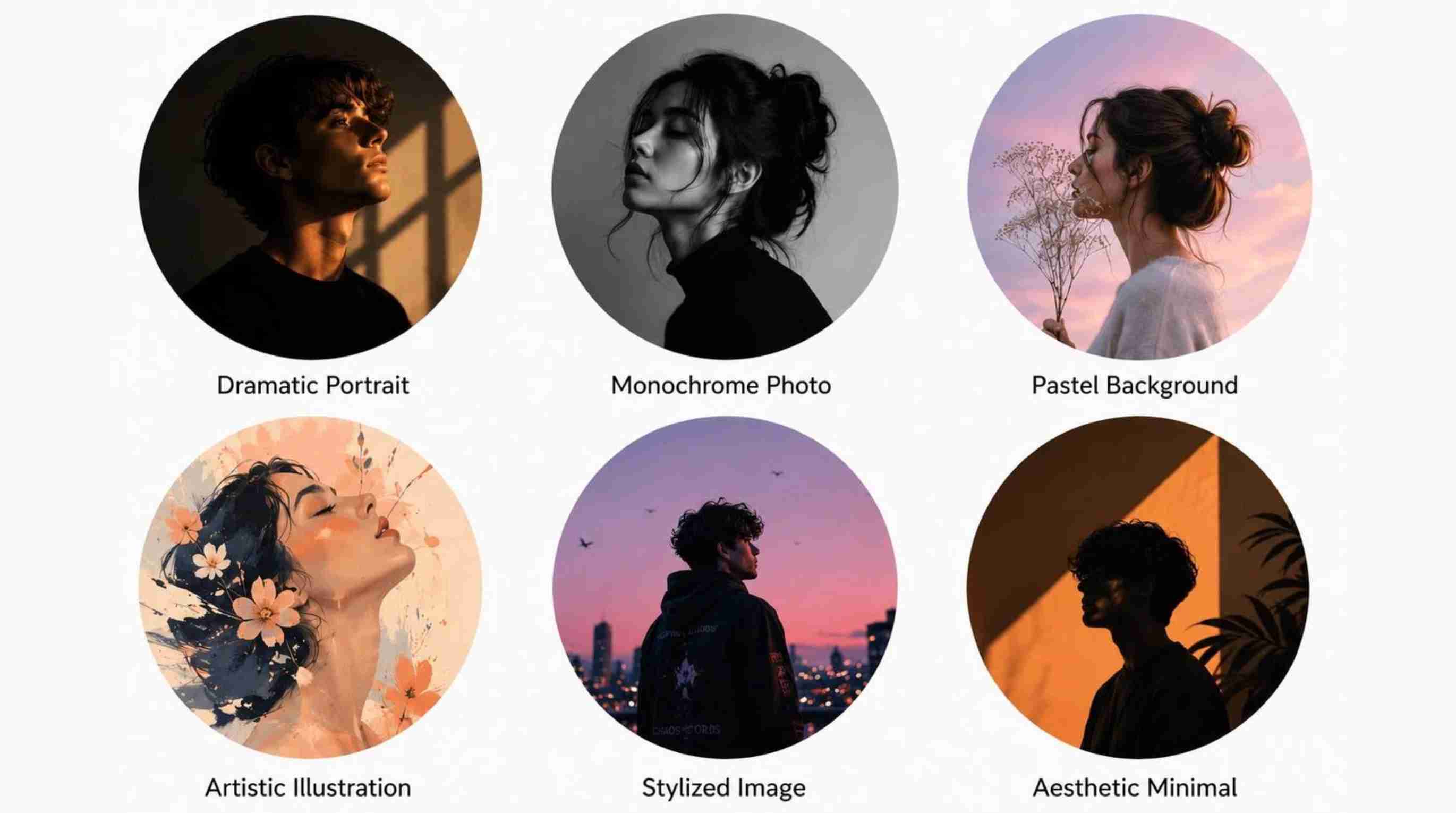
Creative profiles have more room to experiment with colors, lighting, and visual styles. Popular ideas include cinematic portraits, black-and-white photos, artistic illustrations, pastel backgrounds, and themed edits. The goal is not just to look unique, but to create a style that people can associate with your content.
Cute and Fun Profile Picture Ideas
Cute profile pictures are popular among casual social accounts, communities, and younger audiences. Ideas include cartoon avatars, pet photos, colorful illustrations, playful selfies, and soft aesthetic designs. Keep the main subject large and simple so the image still looks good inside a small profile circle.
Avatar and Faceless Profile Picture Ideas
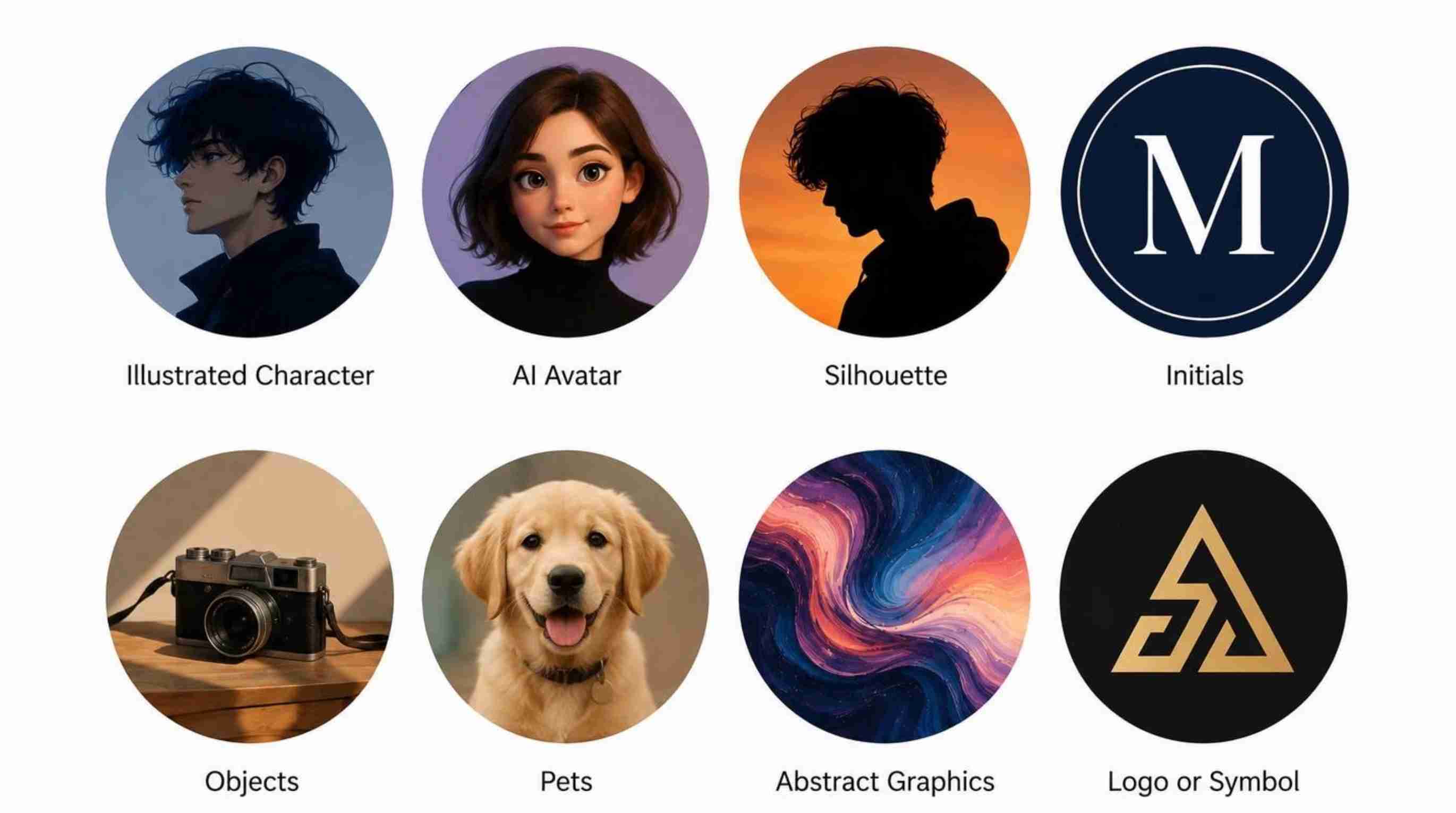
You do not always need to show your face to create a memorable profile picture. AI avatars, silhouettes, initials, characters, mascots, and illustrated designs can help build a unique online identity while maintaining privacy. These styles are especially useful for creators, gaming communities, and personal brands.
Profile Picture Ideas for Different Platforms
Every platform has a different audience and a different visual context. The best profile picture ideas should take into account how the image will appear in feeds, comments, search results, messages, or channel pages.
LinkedIn Profile Picture Ideas
LinkedIn usually wants a very polished and professional look. Select a recent headshot with a clean background, good lighting, and industry-appropriate clothing. Look at yourself in the face. No distractions, no fancy effects. A consistent professional portrait can also help you be recognized by colleagues, recruiters, and potential clients on your account.
Instagram, Facebook & TikTok Profile Picture Ideas
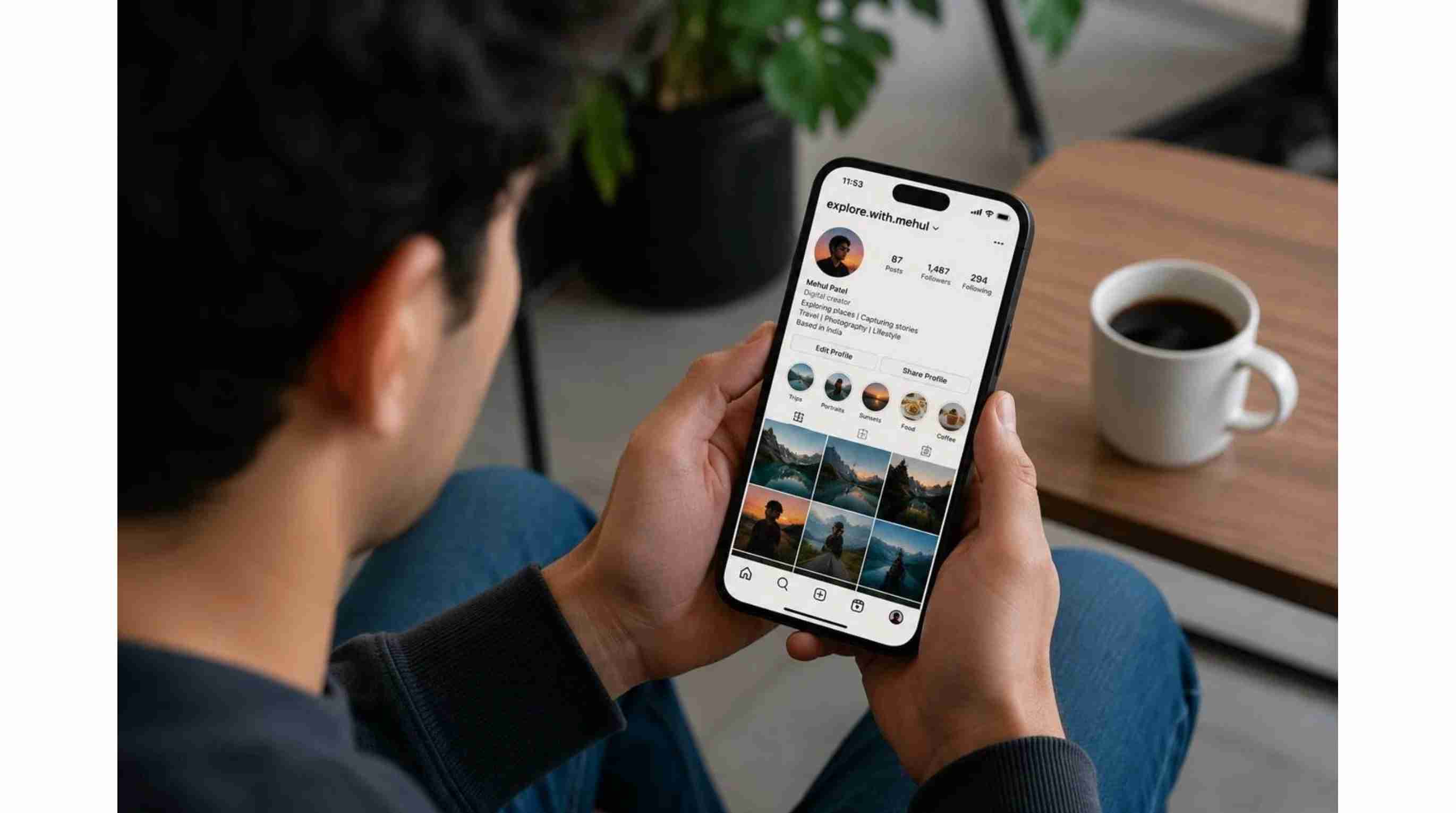
Instagram profile pictures often work best when they match the visual style of your feed. Lifestyle portraits, aesthetic edits, travel photos, and creative avatars are popular choices for personal accounts and creators.
Facebook profile pictures are usually more personal, with options like family photos, casual portraits, pets, or meaningful moments.
TikTok profile pictures should be instantly recognizable because users often see them in comments and short-video feeds. Bright colors, expressive portraits, and creator-style avatars can help your account stand out.
YouTube, WhatsApp & Discord Profile Picture Ideas
YouTube profile picture ideas can include a creator portrait, channel logo, character, or recognizable graphic that works well at small sizes. Strong contrast and simple shapes can help the image remain visible beside videos and comments. For WhatsApp profile picture ideas, consider personal portraits, pet photos, travel pictures, family images, or simple lifestyle photos. Choose something clear enough to remain recognizable when displayed as a small profile image. Discord is more creative, and you will find gaming characters, anime-inspired artwork, custom avatars, memes, and community-themed graphics all common.
Profile Picture Ideas for Business and Personal Branding
A profile picture can form part of your wider visual identity when using social media to promote a company, service, or creator brand. You want an image people can recognise, but also one that is still appropriate for your audience.
Business Profile Picture Ideas
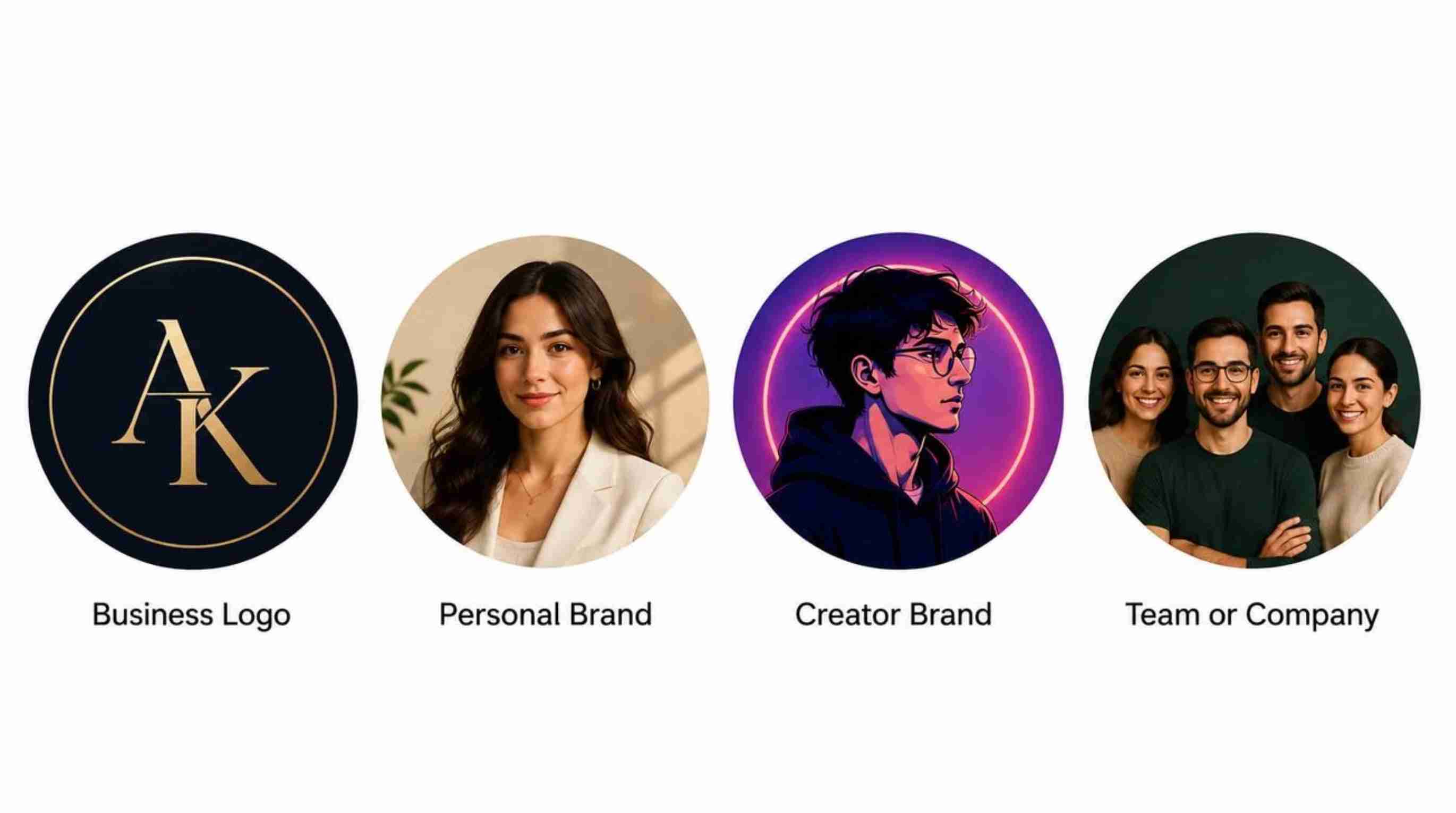
Businesses usually choose logos, brand icons, or professional team images as profile pictures. Since profile images are displayed at a small size, simple designs with clear shapes and strong brand recognition usually work better.
Creator Profile Picture Ideas
Creators often use portraits, illustrated avatars, or recognizable characters that match their content style. A consistent visual identity across platforms can make it easier for audiences to remember your channel or account.
Brand Profile Picture Ideas
A brand profile picture should be simple, recognizable, and consistent across platforms. Logos, initials, and branded symbols usually work better than detailed images that become unclear at smaller sizes.
AI Avatar Profile Ideas
AI avatars allow users to create unique profile images without starting from a traditional photo. You can explore professional, cartoon, futuristic, or artistic styles while keeping recognizable features that connect the image back to you.
Bring Your Profile Picture Ideas to Life with Designkit
Once you have an idea for your profile picture, Designkit helps turn your existing photos into customized profile images. Use AI editing tools to enhance image quality, change backgrounds, explore different styles, and create versions that fit different platforms.
How to Create a Profile Picture with Designkit
An existing photo or another visual asset can be used as the starting point for creating a profile image. After that, you can alter its appearance and create a version that works with the platform of your choice.
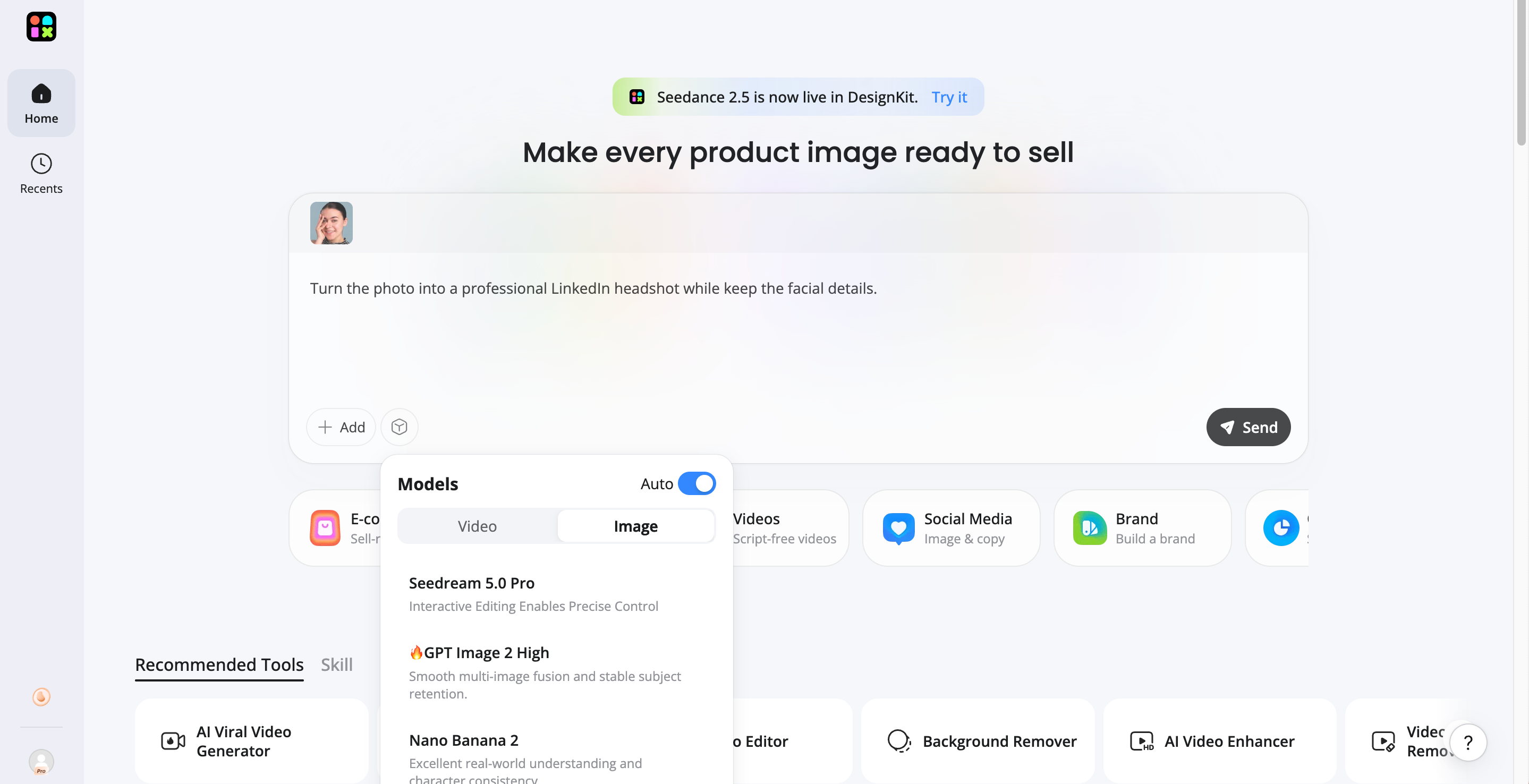
Step 1: Upload Your Photo
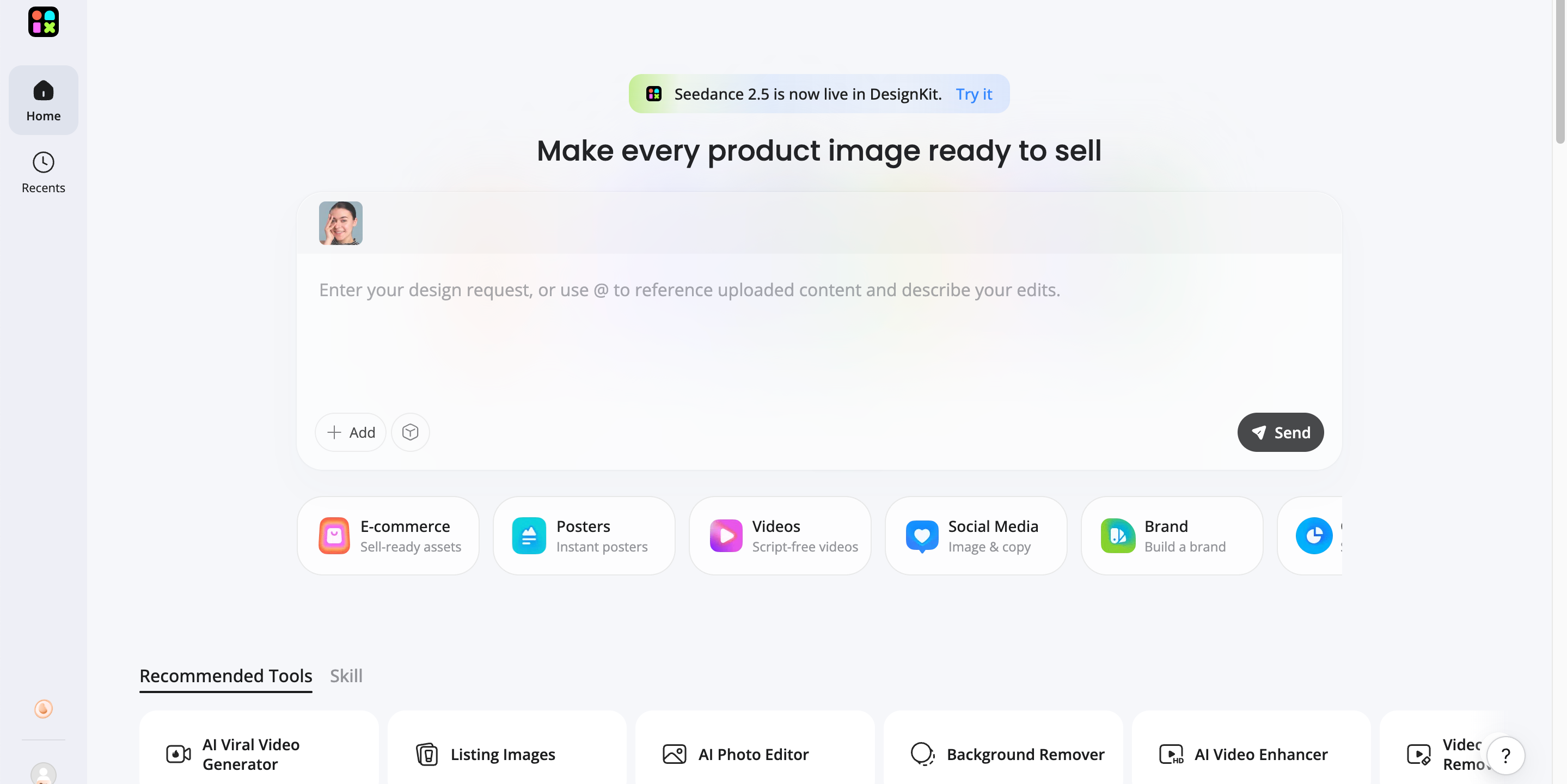
Start with a simple selfie or any existing photo you want to transform. Designkit can use your original image as a reference while keeping your key facial features and identity recognizable.
Step 2: Describe Your Profile Picture Style
Enter a prompt to tell Designkit what kind of profile picture you want to create. You can explore different styles, such as professional LinkedIn headshots, aesthetic portraits, cartoon avatars, futuristic designs, gaming-style images, or branded profile visuals.
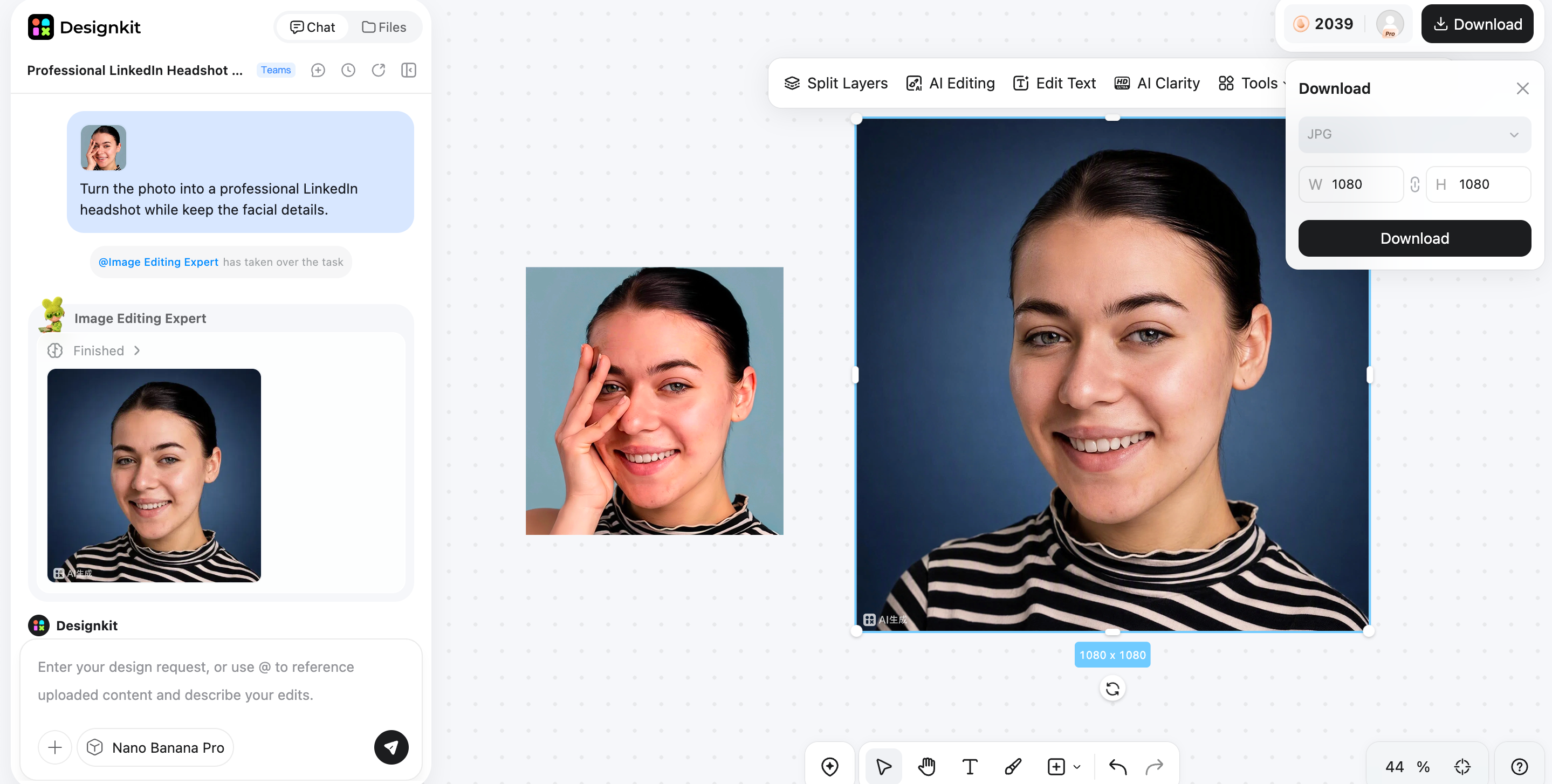
Step 3: Generate and Customize Your Profile Picture
Review the AI-generated results and choose the style that best matches your personality, brand, or platform. You can further refine the image, adjust visual elements, and export your final profile picture for social media, business profiles, or creator accounts.
How Designkit Helps Create Better Profile Pictures
Designkit can be useful if you want a little more freedom than a regular profile photo allows. Its creative workflow lets you try out variations while ensuring the final image stays in line with your personal or corporate identity.
Create Multiple Styles from One Image
Explore different backgrounds, visual treatments, compositions, and styles using the same starting image. This makes it easier to compare options before choosing your final profile picture.
Generate Professional Profiles Without a Photoshoot
Generate professional profile images from a single image and avoid the hassle of scheduling a new photo shoot whenever you want to update your profile. You can look at professional-looking versions while still looking natural.
Adapt Images for Different Platforms
Make versions that are appropriate for different social channels and audiences. A professional version can be used for LinkedIn, while a more expressive design can be prepared for Instagram, TikTok, YouTube, or Discord.
Build a Consistent Visual Identity
Use related colours, backgrounds, compositions, or visual styles in your profile images. This can help develop an identity that is recognizable, while each profile can feel appropriate for the specific platform.
Profile Picture Mistakes to Avoid
Even strong profile picture ideas can lose their impact when the final image is difficult to recognize or poorly suited to the platform. A few simple checks before uploading can help you avoid common visual problems.
Using Low-Quality Images
Please avoid using images that are blurry, pixelated, overly compressed, or cropped too tightly. You can especially notice the quality of the image when your profile picture is placed alongside other high-quality images.
Choosing a Distracting Background
A crowded background can make the main subject difficult to identify. If the setting contains too many colours, objects, or patterns, simplify it or choose an alternative image.
Adding Too Many Effects
A small profile image can be overwhelmed very quickly by filters, text, stickers, shadows and decorative elements. Add visual effects only when they add to the subject, not to mask the subject.
Ignoring Platform Cropping
Most platforms display profile pictures inside a circular frame, even when you upload a square image. Check the edges before publishing so faces, logos, and important design elements do not get cut off.
Final thoughts
The right profile picture helps make your account easier to recognize and shows your personality, profession, interests, or brand. Start with a specific subject, choose a style that fits your purpose, and consider how the image will look when it's small. Try different options for portraits, avatars, illustrations, logos, and AI-generated visuals to get in the right direction. You can also bring your existing images into Designkit and create multiple personalized versions to adapt for different platforms. A well-thought-out profile image can be a simple yet effective part of your online identity
Frequently Asked Questions
How often should I change my profile picture?
Should I use the same profile picture on every platform?
Using the same profile picture across platforms can help build recognition, especially for personal brands and businesses. However, each platform has a different audience and layout, so small adjustments in cropping, background, or style may create better results. Designkit can help you create multiple versions from one image while keeping your overall visual identity consistent.
How can I make my profile picture stand out?
Employ a clear subject, good lighting, a simple background, and a distinctive visual style. If you don't want to be part of it, don't be part of it. Designkit allows you to customize backgrounds, compositions, and styles, so you can play around with different profile picture ideas if you want to test different looks.
Can AI create a profile picture from my photo?
Yes. AI tools can transform an existing photo into different profile styles, such as professional headshots, creative avatars, illustrations, or branded visuals. Instead of taking new photos for every platform, you can use AI to test different looks and create images that match your personal or business identity. Designkit helps turn one starting image into multiple profile picture variations with different styles and backgrounds.
What size should a profile picture be?
Profile picture sizes vary by platform, but starting with a high-quality square image is usually the safest option because many platforms display images in a circular crop. Make sure your face, logo, or main subject remains visible after cropping and avoid placing important details too close to the edges. Creating a flexible image that works across different platforms can save time when updating multiple accounts.
What background is best for a profile picture?
The best background depends on where and how you use your profile picture. Professional accounts often work better with clean, simple backgrounds, while creator or personal accounts can use colors, gradients, or themed scenes to show personality. AI editing tools like Designkit can help you test different background styles while keeping the main subject clear and recognizable.
You May Also Like
Remove.bg Shutting Down Dec 1, 2026: What Users Are Saying

7 Best Remove.bg Alternatives in 2026: Free & Paid Tools

Instagram Carousel: What It Is, How to Post & Create One

Nano Banana Prompts: 20+ Examples for Better AI Images

Ideogram AI Review 2026: Features, Pricing & Alternatives

Free Mac Photo Editor: 5 Tools Compared for Mac Users

How to Crop a Photo Into a Circle Online (Keep Quality)

How to Make an Image Transparent Online (AI Guide)

Pixlr Background Remover Review 2026: Features, Pricing & Alternatives

How to Fix Overexposed Photos: Recover Highlights Fast

OpenArt AI Review 2026: Features, Pricing & Alternatives

Best AI Headshot Generator: 9 Tools Compared for 2026

Best Stencil Maker Tools 2026: Turn Photos Into Stencils

Pixelbin Watermark Remover Review: Image & Video Results Tested

How to Make a Sticker on iPhone: Easy Step by Step Guide

Best AI Logo Generator in 2026: 10 Tools Compared

How to Turn a Photo Into a Cartoon: A Beginner-Friendly Guide

Landscape vs Portrait: Key Differences & Best Uses in 2026

How to Remove Watermark From Photo: AI, Photoshop & More

How to Fix Pixelated Photos: Photoshop, AI Tools & Tips

Bing Image Creator: How It Works, Features, Uses & Alternatives

How to Remove People from Photos with AI: A Step-by-Step Guide

How to Increase Image Resolution: AI, Photoshop & PPI

How to Add Text to a Photo: 8 Tips for Better Results

How to Fix Grainy Photos: Easy Ways to Clear Images

Creative Profile Picture Ideas for Every Style and Platform

Evoto AI Review 2026: Features, Pricing, Pros & Cons

Pixlr Photo Editor Review: Features, Pricing & Alternatives

Best AI Image Extender Tools in 2026: Expand Photos with AI

How to Make a Collage on iPhone: Easy Guide for 2026

How to Sharpen an Image in Photoshop (Smart Sharpen and Unsharp Mask)

Best Image Background Remover Tools in 2026: AI Tools Compared

How to Make Transparent Background in Paint: Step-by-Step Guide

How to Resize an Image: Best Methods, Tools & Quality Tips

Best AI Image Generator Tools in 2026: Top AI Platforms Compared

Remove.bg Review 2026: Features, Pricing & Is It Worth It?

Luminar Neo Photo Editor Review 2026: AI Features, Price & Pros

How to Post Multiple Photos on Instagram (2026 Guide)

25 Facebook Cover Photo Ideas for Personal & Business Pages

What Is a PFP? Meaning, Examples & How to Create One

Can You Edit an Instagram Post After Posting?

11 Best Canva Alternatives in 2026 for AI Design & Marketing

8 Best Midjourney Alternatives in 2026: Features, Pricing & Comparison

How to Restore Old Photos: AI Tools, Tips & Best Methods

Pixelcut AI Review 2026: Features, Pricing, Pros, Cons & Alternatives

How to Apply Watermark to Photos: Methods, Tips & AI Tools

How to Remove a Background in Illustrator: 4 Easy Methods

How to Change Background Color on Instagram Story (Easy Guide)

8 Best AI Poster Generators in 2026: Create Posters Faster with AI

10 Best AI Image Enhancers in 2026: Tested & Compared

10 Best AI Image Editors in 2026: Features, Pricing & Comparison

7 Best AI Background Changer in 2026: Remove & Replace Photo Backgrounds

Luminar Neo vs Lightroom: Features, Pricing & Comparison 2026

Kittl Review 2026: Is It Worth It? Features & Pricing

How to Make a Blurry Image Clear: 5 AI & Manual Ways

How to Remove Background on iPhone: 5 Easy Methods (2026)

Photoroom Background Remover Review 2026: Features & Alternatives

How to Remove Background in Canva: A Step-by-Step Guide

How to Remove Background in GIMP: Beginner-Friendly Guide

Funny Dog Memes to Try: Doge Meaning and 10 Original Ideas

Back to School Checklist 2026: Supplies, Timeline, and Planning

Recraft AI Review 2026: Features, Pricing, Pros, Cons & Alternatives

How to Make an Image Transparent in Google Slides: Opacity & Background Removal

VanceAI Photo Enhancer Review: Features, Pricing & Alternatives in 2026

What Does Emojify Mean? Text, Photos, & Emoji Art Explained

Top 8 Online Background Removers for Ecommerce Photos (2026)

How to Remove Background in Photoshop: 7 Easy Methods

6 Best AI Image Upscalers 2026: Tools Tested & Compared

Project Indigo Review: Is It Better Than iPhone Camera?

How Big Is an 8x10 Photo? Size, Pixels & Frame Guide

How Big Is a 4x6 Photo? Dimensions, Pixels & Printing Tips

Picsart AI Review: Features, Pricing, Pros, Cons & Alternatives

Lovart AI Review: AI Design Agent Features, Pricing & Alternatives

Fotor AI Image Generator Review: Features, Pricing & Alternatives

How to Add Emoji to Photo Online for Free

Emoji Wallpaper Ideas & How to Make One Online (2026)

Minimalist Poster Design: How to Make a Clean Poster (2026)

How to Make a Custom Poster That Is Ready to Print

Instagram Image Size Guide 2026: Post, Reel, Story & Carousel Specs

LinkedIn Image Size Guide: Profile, Post & Banner Dimensions

YouTube Profile Image Size: Best Dimensions & Safe Area 2026

How to Edit Amazon Product Photos That Boost Sales Fast
Create a Profile Picture That Matches Your Style
Designkit makes professional, creative, and platform-ready profile pictures. Transform your images into unique visuals for social media, business, and personal branding.
