
Create an Amazon Seller Account: What You Need and How to Finish Setup
New to Amazon selling? Creating a seller account just opens Seller Central so you can list products later. You do not need a company on day one.

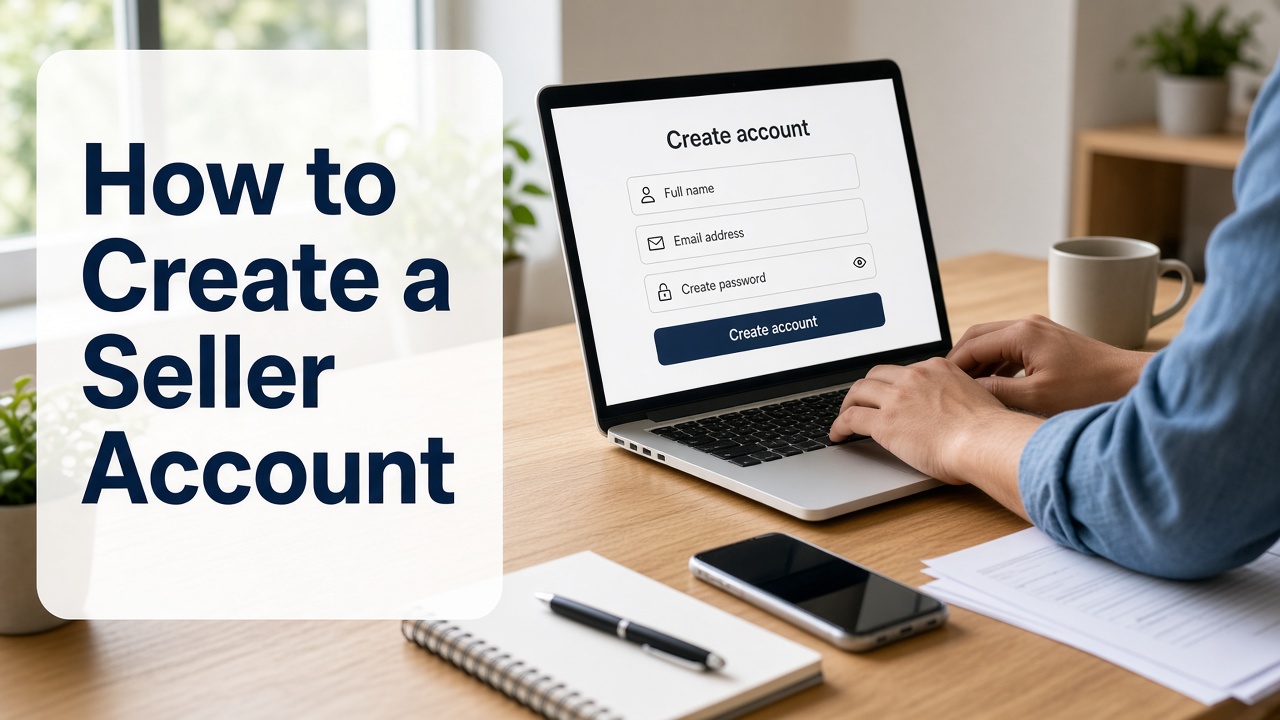
One quick trap: if you are staring at a Seller Central “Sign in” page, that is for people who already have an account. New sellers start from Sign up on sell.amazon.com (or the seller signup link for your country). Keep your documents nearby before you click.
What You Need Before You Sign Up
Most people get stuck because a form asks for a file they do not have open yet. Put these in one folder first. Exact asks can vary by country, so follow whatever Seller Central shows on the day you apply.
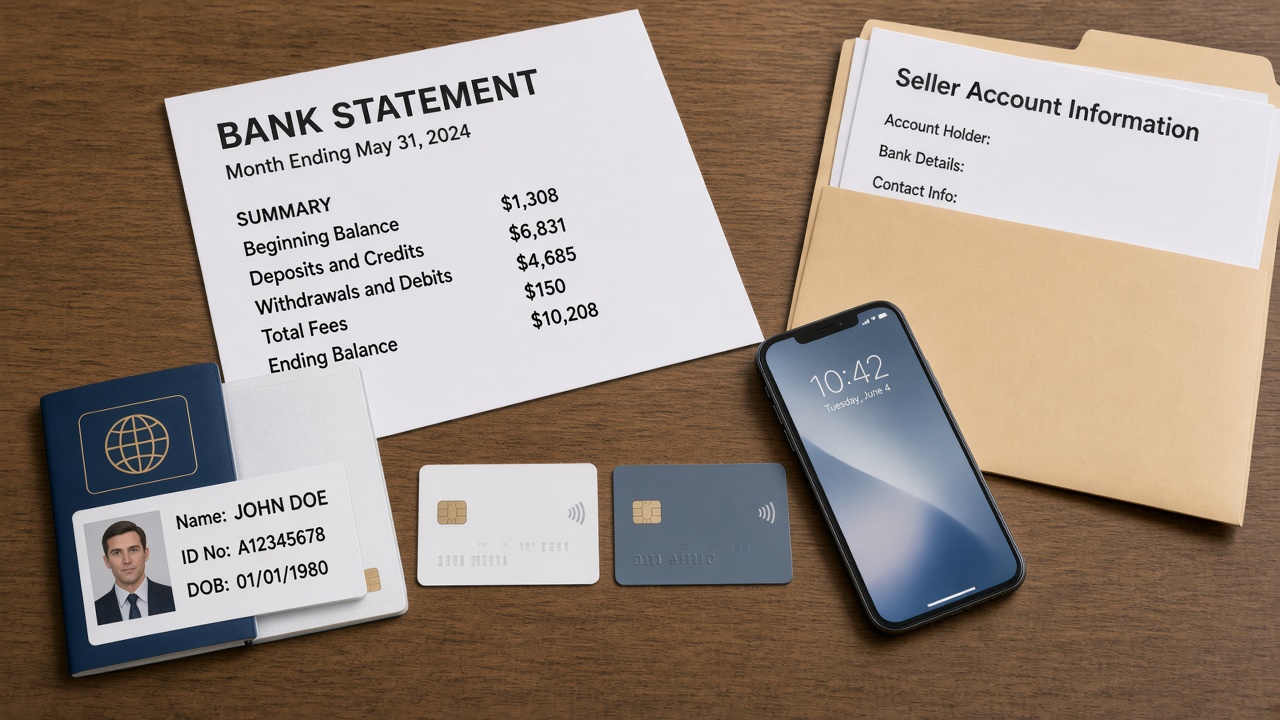
- Email and phone you control. Amazon will send codes here. Amazon often suggests using a different email from your everyday shopping account. If you already use Amazon Ads, Brand Registry, or Vendor Central, use that same login so access stays linked.
- Government-issued ID. A passport or similar ID that matches the name you will type in. It should be valid and easy to read in a photo.
- Proof of address from the last 180 days. Amazon commonly asks for something like a bank or credit card statement that shows your name and address. This is separate from the bank account you use for payouts.
- Your legal name and address. If you sell as yourself, use your personal legal name. If you have a registered company, use the exact business name and address from your registration papers. You do not need an LLC to sell. Amazon lets individuals choose “None, I am an individual.”
- A bank account for payouts. It should be in your name or your business name. Have the account details ready.
- A credit card for seller fees. Amazon uses this to bill selling fees when they apply. You will also complete a short tax interview with the tax ID your country requires.
If a screen asks for a document you still need to find, pause and get it. Half-finished uploads are a common reason people start over.
Walk Through Seller Registration
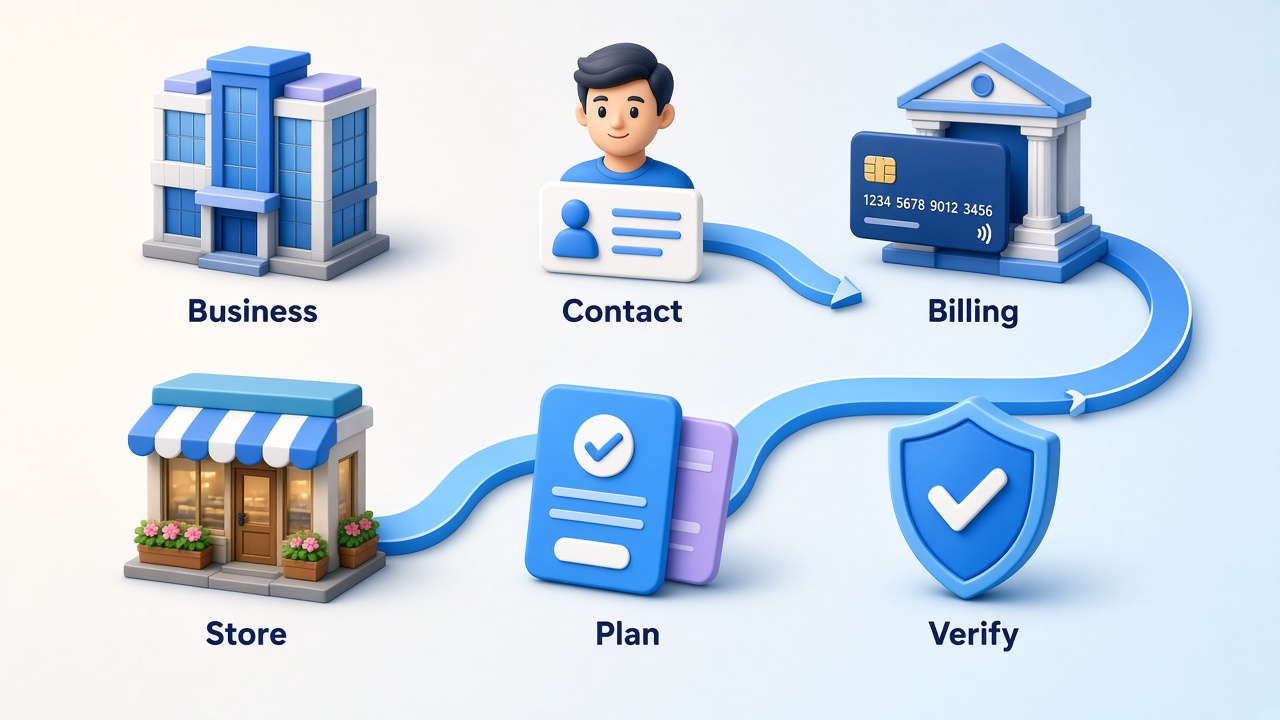
Signup is a set of forms. Labels change a little by marketplace, but the path is the same idea every time: who you are, how Amazon pays you, and your store name.
Where to start
Go to sell.amazon.com and click Sign up. Create a new Amazon login for selling, or sign in with the account you want tied to the store. From here you are registering as a seller, not shopping.
- Business information. Choose your country and business type. Selling as yourself? Pick the individual option. Selling as a company? Enter the registered business name and details exactly as they appear on your papers.
- Seller (primary contact) information. Enter your legal name, date of birth, and residential address from your ID. Confirm the phone number that can receive codes.
- Billing. Add the credit card for fees and the bank account for deposits. Check every digit twice. A typo here often looks like a verification problem later.
- Store and product questions. Pick a unique store name shoppers will see. Answer the product and brand questions honestly. You are not creating a full listing yet.
- Selling plan. You will choose Individual or Professional. Pick the one that fits how often you expect to sell. If you want a full plan comparison, that belongs in a separate guide.
- Identity verification. Upload your ID and address proof, then finish the check Amazon offers you (details in the next section).
When the form asks about categories or whether you make the products yourself, answer truthfully. Wrong answers do not help you finish faster. For the wider path after your account exists, see how to sell on Amazon .
Identity Checks That Delay Approval
After you submit, Amazon verifies that the person on the account is real. On the official registration guide, you usually upload a government ID plus address proof from the last 180 days. Then Amazon asks you either to take a photo of your face with your ID, or to join a video call with an Amazon associate and show those same documents.
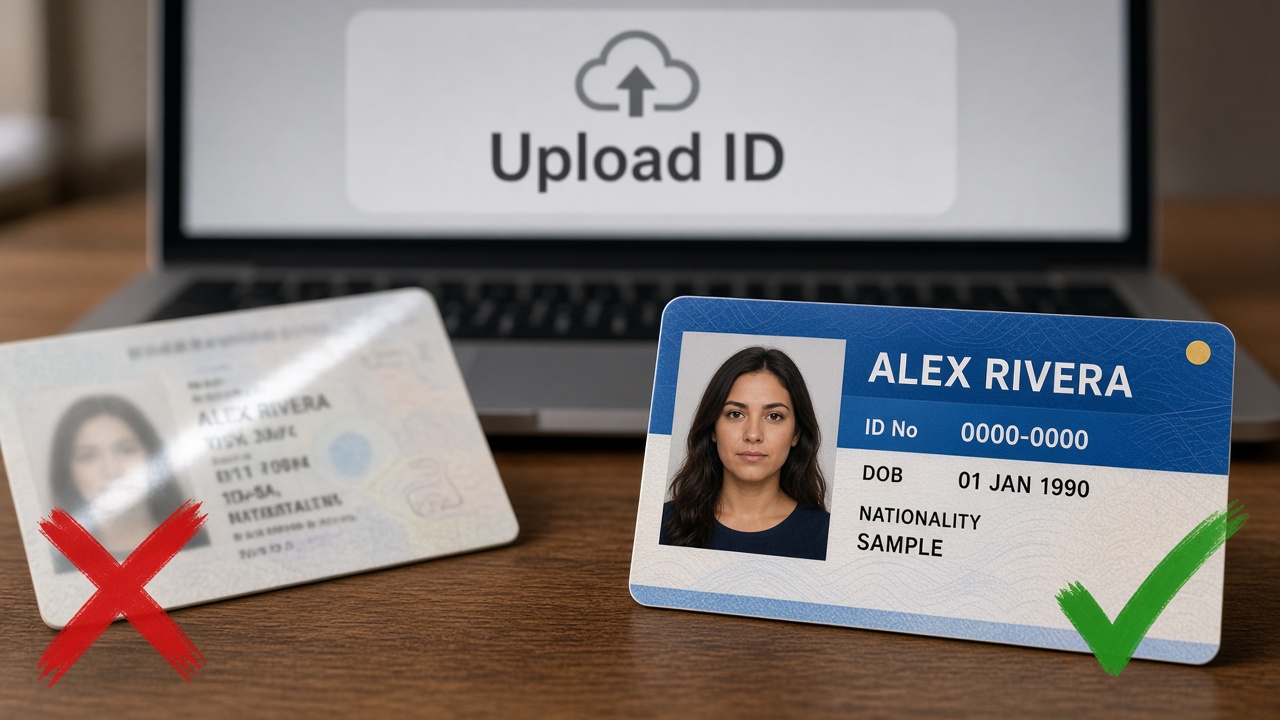
These are the fixes that clear most delays:
- Blurry or cropped files. Retake the photo in bright light. Show all four corners. Skip screenshots from chat apps when you can.
- Names that do not match. The name on the form should match your ID and bank records. Middle names and company suffixes count.
- Company selected, personal docs only. If you chose a registered business, Amazon may ask for business proof as well as your personal ID. Upload what the page requests, or correct the business type if Amazon lets you edit it.
If a check fails, read the reason in Seller Central or the email, replace the file once with a clear copy, and resubmit. Do not buy or borrow someone else’s approved account. That can get selling privileges removed.
How long does it take? Amazon says many people finish the forms in a few hours, and identity verification usually takes three business days or less. Busy periods or unclear documents can take longer. Watch your email and Seller Central for the next ask.
After Your Account Is Approved
You are done opening the account when you can sign in to Seller Central and identity verification is no longer blocking you. Ads, FBA setup, and product research can wait.
Do a short check, then move on:
- Open Account settings and confirm your bank, card, and tax info still look right.
- Gather what your first listing needs. The first listing materials checklist walks through that without mixing it into signup.
- Finish a clean main image on white before you publish. The Amazon listing images guide explains the photo rules. Designkit’s Amazon Listing Images can help you turn product shots into that main image and supporting frames. For the detailed steps, see this video .
Open the Account, Then Build the Listing
Opening an Amazon seller account is mostly prep and patience: get your documents ready, finish the forms, clear identity checks. When Seller Central opens, the next project is your first listing, not more account paperwork.
Frequently Asked Questions
How much does it cost to create an Amazon seller account?
Do I need a business to open a seller account?
No. Amazon says you do not need an LLC. Choose “None, I am an individual” if that fits you. A registered company will need more business paperwork. That choice is separate from Individual vs Professional selling plans.
How long does Amazon seller verification take?
Amazon says many people finish the forms in a few hours, and identity checks usually take three business days or less. Clear matching documents help. Watch Seller Central and your email if Amazon asks for a resubmit.
Is creating a seller account the same as listing a product?
No. The account proves who you are. A listing is the product page shoppers see. After approval, use the first listing materials checklist.
What if Amazon says I need approval for a brand or category?
That is not part of opening the account. After Seller Central is open, apply for approval with the invoices or documents Amazon requests for that brand or category. See how to get ungated on Amazon.
You May Also Like
Amazon Individual vs Professional Selling Plan
How to Create an Amazon Seller Account: Requirements and Steps
Amazon Product Video Requirements: Specs & Upload
Amazon Brand Registry Requirements: Trademark, Account & Cost
Amazon Global Selling: How to Open Multiple Marketplaces

How to Make an Event on Facebook: Complete Setup Guide (2026)

Amazon Sponsored Brands: What They Are and When to Use Them

Amazon Sponsored Products: How to Launch Your First Campaign

Amazon Vine Program for Sellers: Get Early Product Reviews

Amazon A+ Content Dimensions: Module Image Sizes

Print-On-Demand Designs: Create, Prepare, and Preview Your Work

Amazon A+ Content: What It Is and What to Build First

Is Print on Demand Profitable in 2026? Products and Niches

Amazon Brand Registry Application: How to Submit and Pass Review

How to Ship to Amazon FBA: Your First Shipment

What Is Amazon FBA? Should Beginners Use It in 2026

How to Get Ungated on Amazon: Restricted Category Approval Steps

Amazon Backend Keywords: Title, Bullets & Search Terms

What Is A/B Testing? A Practical Guide to Running Better Experiments

Best Time to Post on Instagram in 2026: Data & Tips

How to Get Verified on Instagram: Complete Guide

TikTok Monetization in 2026: Requirements & Ways to Earn

Instagram Desktop Posting Guide: Upload Posts, Stories & Reels

YouTube Shorts Monetization Requirements & Rules 2026

How Much Does YouTube Pay Per View? 1K, 100K & 1M Views

How to Make Money on Snapchat: 7 Ways to Earn

How to Get More Followers on Instagram in 2026

Best Time to Post on TikTok in 2026 for More Views

How to Repost on Instagram in 2026: A Simple Guide

Multichannel Marketing Guide: Strategy, Tools & Examples

How to Create Digital Products That Sell in 2026

Cyber Monday Marketing Ideas & Strategies (2026 Guide)

Black Friday Marketing Ideas for Ecommerce Brands (2026)

Instagram Marketing Guide: Strategies, Tips & AI Tools in 2026

Influencer Marketing Guide: Strategy, Campaigns & Creator Tips

15 Best Things to Sell on Etsy in 2026 (Listing Tips Included)

WooCommerce vs Shopify 2026: Pricing, Features & Which Is Better

How to Sell on Facebook Marketplace: Beginner Guide (2026)

How to Use Pinterest for Business: Strategy, Tips & Growth Guide

How to Sell on Etsy in 2026: Setup, Listings & Growth Tips

What Is a Target Audience? Types, Examples & How to Find Yours

TikTok Marketing Guide 2026: Strategies, Ideas & AI Tools

Vibe Marketing Explained: Strategy, Examples & AI Tools

How to Sell on Depop: Beginner Guide to Getting Your First Sale

Online Advertising Guide: Types, Costs & Examples (2026)

Facebook Advertising Guide: Costs, Strategy & Tools 2026

What Are E-commerce Ads? Examples, Strategy & Tools (2026)

Where to Sell Handmade Items Online (2026): Etsy, Amazon, or Shopify?

Shopify vs Amazon (2026): Brand Store or Marketplace FBA?

Amazon Handmade vs Etsy (2026): Which Is Better for Makers?

Etsy vs eBay (2026): Handmade, Vintage, or Secondhand?

Selling on Amazon vs eBay (2026): Fees, Profit & Where to Sell

What Is Brand Awareness? Examples, Strategies & Tools 2026

10 Best Online Selling Platforms (2026): Pick by What You Sell

Shopify vs Etsy (2026): Which Is Better for Handmade Sellers?

YouTube Automation Step-by-Step AI Guide for Beginners

What Is Brand Identity? Examples, Elements & Strategy

AI Marketing Agent: How It Works, Benefits & E-Commerce Examples

What Is Personalized Advertising? Examples & How It Works

How to Build a Shopify Store That Actually Converts Visitors

Amazon Marketing Guide 2026: Strategies, Tips & Tools

Local Advertising: Strategies, Examples & Tools (2026)

What Is Branded Content? Examples, Strategy & Tools 2026

What Is Performance Marketing? Strategies & Examples 2026

Inbound Marketing: Strategies, Examples & Tools (2026)
Prep Your First Listing Photos
Account approved? Turn product shots into a white main image and supporting slots in Designkit before you hit Create listing. A clear gallery helps shoppers understand the product faster on your first listing.
