
Instagram Verification: How to Get the Blue Check
Want the blue check on Instagram? Learn how Instagram verification works, who can qualify, how to apply, what Meta Verified offers, how long reviews can take, and how to avoid common mistakes that can hurt your application.

Follower count alone won't get you verified on Instagram. What matters is which route you take, whether you actually qualify, and whether you apply through Instagram's own settings.
This guide walks through both paths, a short eligibility check, how to apply, how long reviews can take, why requests get denied, and what to fix before you try again.
Key Takeaways
-
A big following doesn't guarantee a blue check. Traditional verification and Meta Verified follow different rules.
-
The free route is selective. Instagram wants a real public account with independent press coverage, not paid placements or posts you wrote about yourself.
-
Apply only inside Instagram. Ignore third-party "verification forms" and anyone selling a guaranteed badge.
-
Meta Verified is a paid monthly plan with an ID check. It can still be refused, and the badge only lasts while you stay subscribed.
-
After a rejection, wait about 30 days, fix the real problem, then reapply. Don't submit a second request while one is still open.
Instagram Verification vs Meta Verified: What's the Difference?
Both options can put a blue check on your profile, but they aren't the same thing. Traditional verification is Instagram's free review for public figures and well-known brands. Meta Verified is a paid subscription that confirms who you are and may add support and impersonation protection.
Traditional Instagram Verification
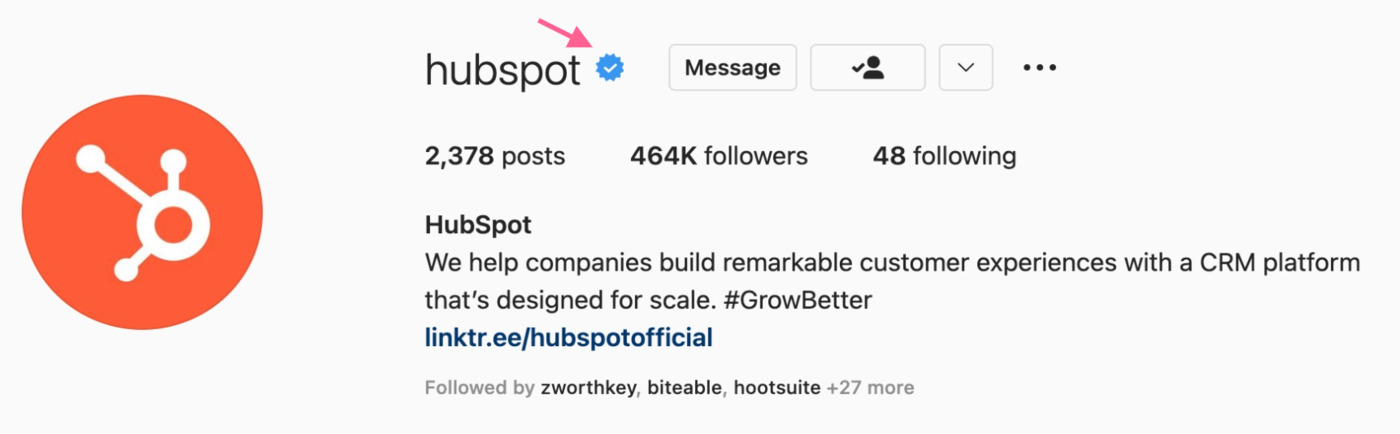
This route fits public figures, established creators, and brands that already show up in the press. Instagram looks for a real account that clearly represents one person or business, and for coverage from outlets you didn't pay. Submit the request in the app. Don't use an unofficial form.
Source: Mention
What Is Meta Verified on Instagram?
Meta Verified is billed every month. In many places the web price is lower than the app price (often around USD 11.99 on web and USD 14.99 in iOS or Android; your local price may differ). Keep the subscription active, or the badge can disappear.
Comparison Table
|
Factor |
Traditional Instagram Verification |
Meta Verified |
|---|---|---|
|
Main purpose |
Authenticate notable or public accounts |
Authenticate eligible subscribers |
|
Payment |
Not presented as a subscription |
Paid monthly subscription |
|
Identity verification |
Account authenticity and eligibility review |
Government ID or applicable business authentication |
|
Impersonation protection |
Limited protection associated with account verification |
Proactive impersonation protection, where available |
|
Support |
Varies by account and eligibility |
Included account support benefit |
|
Best suited for |
Public figures, notable creators, brands |
Eligible creators and businesses |
|
Guaranteed approval? |
No; eligibility and review apply |
No; eligibility and verification requirements still apply |
|
Cost |
No separate subscription fee for traditional verification |
Monthly prices vary by market, plan, and web vs. in-app purchase |
Important: Meta Verified is not a shortcut that buys the old "notable figure" review. It's a separate product.
Which Verification Option Is Right for You?
|
If you are... |
Consider... |
|---|---|
|
A notable public figure or established brand |
Traditional verification |
|
A creator looking for identity authentication and support |
Meta Verified, where available |
|
A business seeking authentication and protection |
Meta Verified for businesses, where available |
|
Someone trying to buy a badge from a third party |
Avoid it |
If you don't have strong independent press yet, Meta Verified is usually the more realistic option. The free route still matters for people and brands that are clearly in the public eye.
How to Get Verified on Instagram
This section covers the free traditional route. Meta Verified steps come later.
Quick Eligibility Check
Before you open Settings, answer these for yourself. If you keep landing on "no," wait and strengthen the account first.
-
Is this clearly you, your registered business, or a real organization (not a fan page)?
-
Is the profile public, active, and easy to recognize?
-
Is this the main account for that identity?
-
Have independent outlets covered you or your brand?
-
Have you stayed clear of fake engagement and recent rule violations?
-
Can you upload an ID (or business paperwork) and share solid press links?
Complete Your Instagram Profile
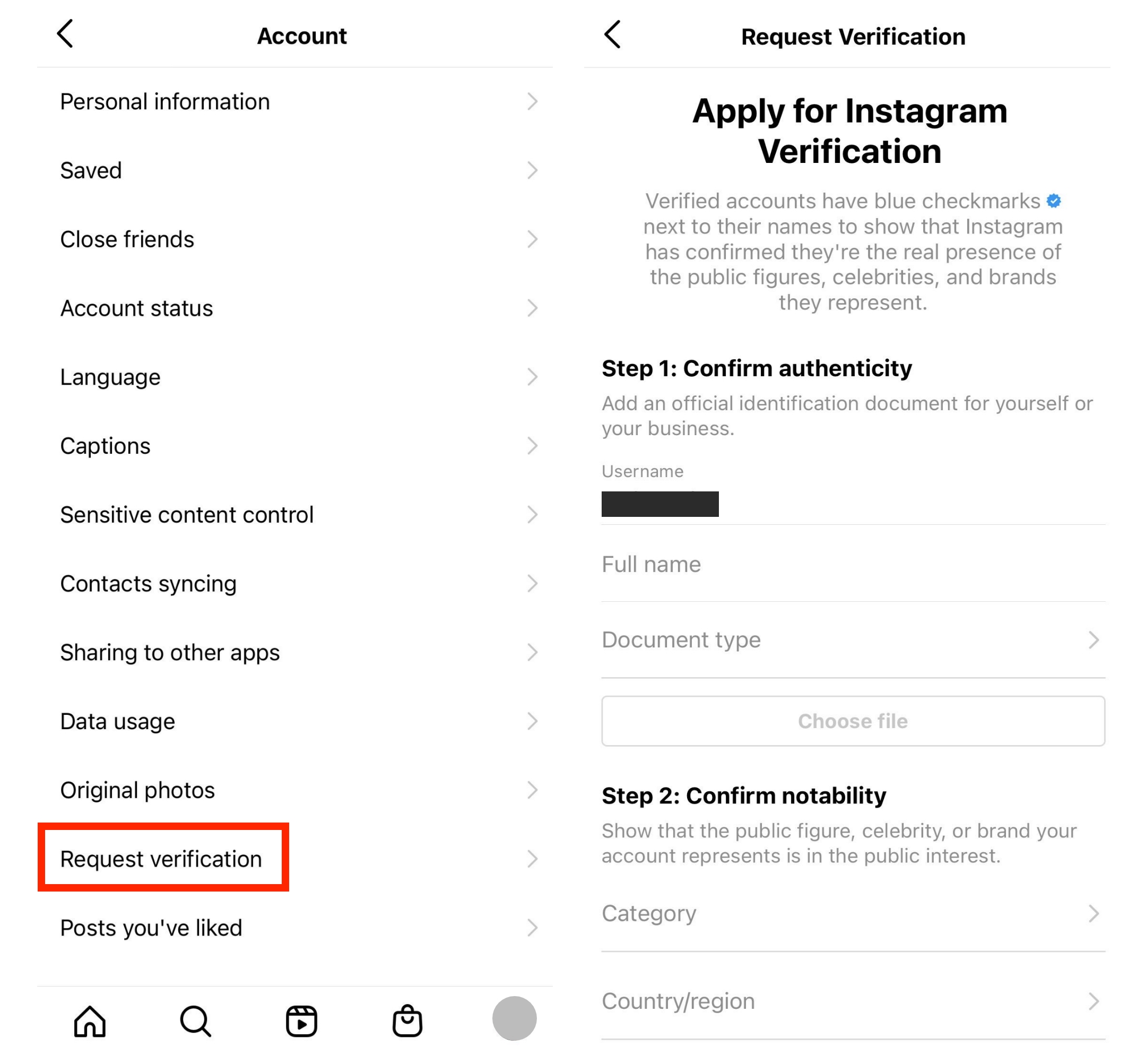
Reviewers should understand who the account belongs to in a few seconds. Use a photo people recognize, a name that matches how you're known, and a bio that states it plainly.
Source: Sproutsocial
Establish a Genuine Public Presence
This is where most free applications stall. Instagram wants coverage from outlets that chose to write about you. Sponsored posts and your own blog usually don't count.
Follow Instagram's Policies
Stay within Instagram's Terms of Use and Community Guidelines . Buying engagement or bending the rules can sink a request even when the person behind the account is real.
Step 1: Open the Official Verification Flow
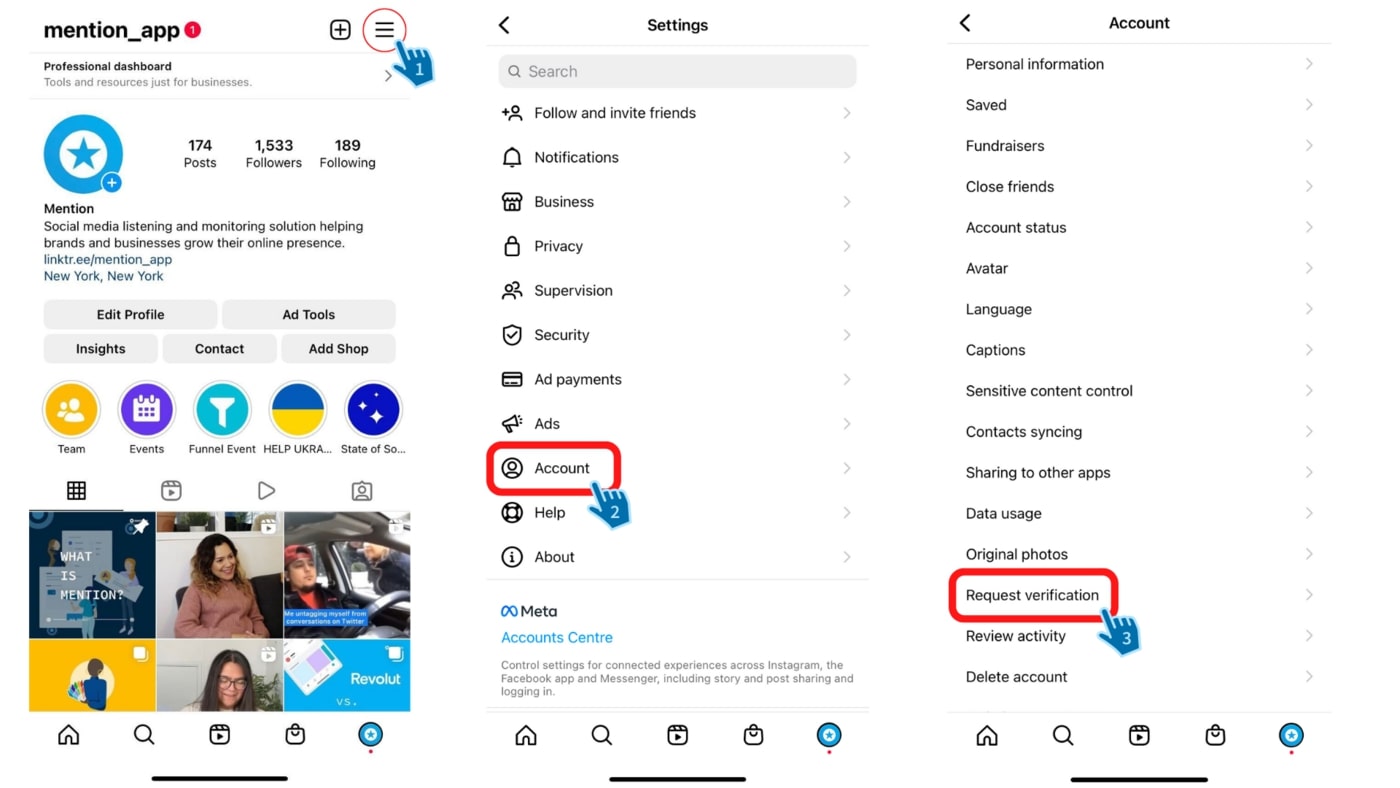
Go to your profile, open the menu, then Settings and activity . Look for Request verification (it may sit under professional or account-type tools; the label can vary). Stay inside Instagram.
Source: Mention
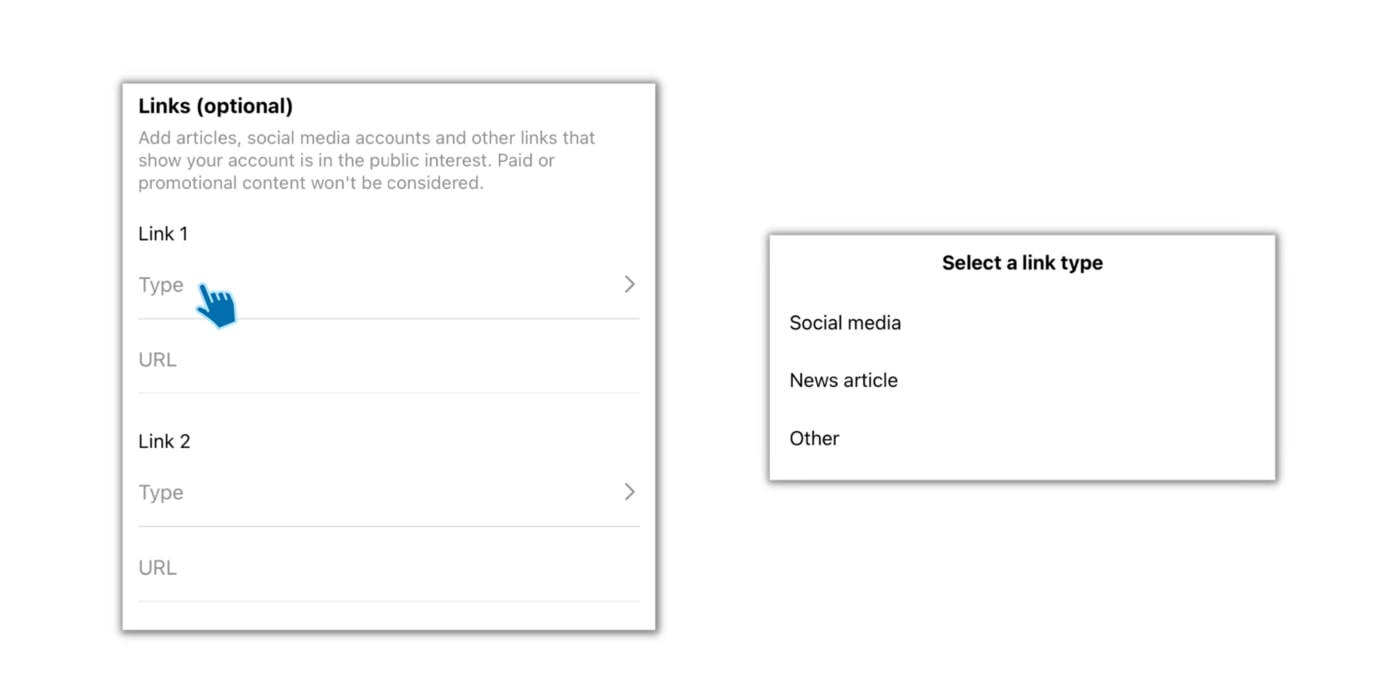
Step 2: Submit Your Documents and Proof
You'll usually need to:
-
Upload a government photo ID. Brands can use official paperwork instead, such as registration documents or a recent bill that shows the business name.
-
Pick the category that fits how the public knows you.
-
Add press links that clearly name you or your brand.
If the links don't match the profile, the review gets harder.
Step 3: Review and Submit
Read the form once more, then submit. Don't open a second request while this one is pending.
Source: Mention
Step 4: Wait for Instagram's Decision
You'll get the answer in the app. Instagram doesn't publish a fixed wait time for this route. If you're approved, keep following the rules. Set the username you want before you apply, because changing it later can affect the badge. If you're denied, fix the gap before you try again.
How Long Does Instagram Verification Take?
There's no single clock. The free route and Meta Verified move differently.
Traditional Verification Review
Some reviews finish in a few days. Others take several weeks. While one request is open, don't submit another. Instagram can cancel the first one. After a denial, wait about 30 days, improve the account, then reapply.
Meta Verified Review
Once the ID check clears, this route is often faster, sometimes within a couple of days. Match the name and face on your profile to your ID, and finish any extra prompts quickly.
What to Do While Waiting
Leave the profile alone. Don't change your username or rewrite who the account is mid-review. Keep posting normally and skip anyone who claims they can speed up approval for a fee.
Why Instagram Verification Requests Get Rejected
Even a real account can get turned down. After a rejection, wait about 30 days, fix the actual problem, then apply once.
You Don't Meet the Bar Yet
A large following and an old account aren't enough on their own. If Instagram still can't tell who you are, or you can't show you're widely known, sending the same package again won't help.
Your Press Proof Is Too Weak
The free badge depends on public recognition. If the only coverage you have is something you paid for or published yourself, build real press first.
The Profile Is Hard to Authenticate
If what people see on the profile doesn't clearly match the person or brand behind it, the review gets stuck. Make the profile read as the account people already know.
Policy or Trust Problems
If Instagram thinks the account is misleading or unsafe, the request can end there. Don't buy a "guaranteed" badge from a third party.
You Applied Too Soon
Applying before you have a solid case often burns a cycle. Use the waiting period to improve the account. Starting a new request while one is pending can cancel the review that's already running.
How to Improve Your Instagram Profile Before Applying
Use this section when the checklist failed, especially on press coverage or clarity. It isn't a second how-to for the form.
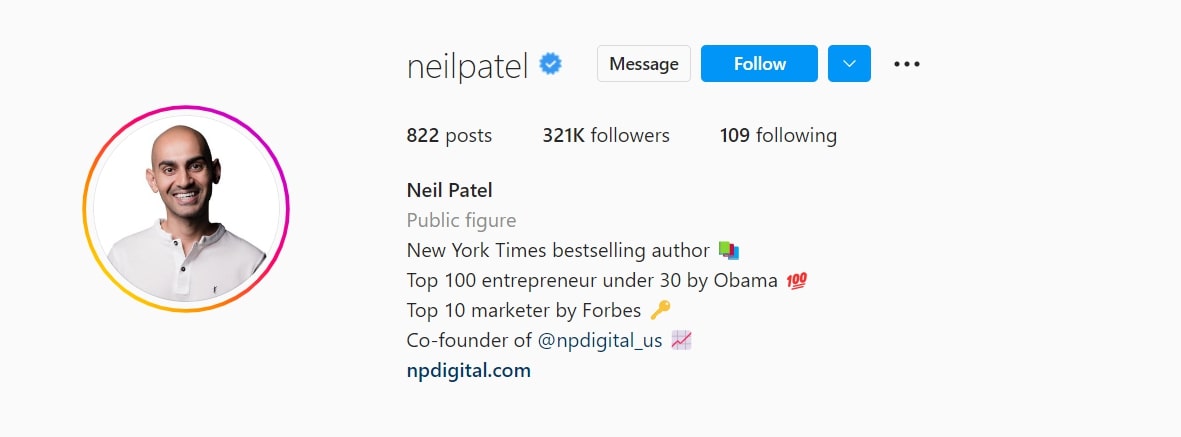
Make the Account Easy to Recognize
Someone new should understand who this is without digging. Keep the photo and name consistent with how you show up elsewhere.
Source: Mention
Get Better Press
Aim for interviews or features in outlets that cover your field. Save the URLs. Don't lean on paid wires or your own site as the main proof.
Keep the Feed On-Brand
Post often enough that the account clearly belongs to the person or brand in the profile. Random or abandoned feeds make the story harder to trust.
Don't Fake Growth
Bought followers and fake likes usually hurt more than they help. Stay with real activity.
How to Get Meta Verified on Instagram
Pick Meta Verified when the free notability route isn't realistic, but you still want a badge and the support extras where they're offered.
Check Whether Meta Verified Is Available
It depends on your country and account type. Most people need to be 18 or older with a government photo ID. The account should already have some history, and two-factor authentication should be on. If you've changed your name or photo a lot lately, Meta may ask you to wait. If you don't see the option, it may not be in your market yet.
Source: Socialmediaexaminer
Start Meta Verified From Instagram
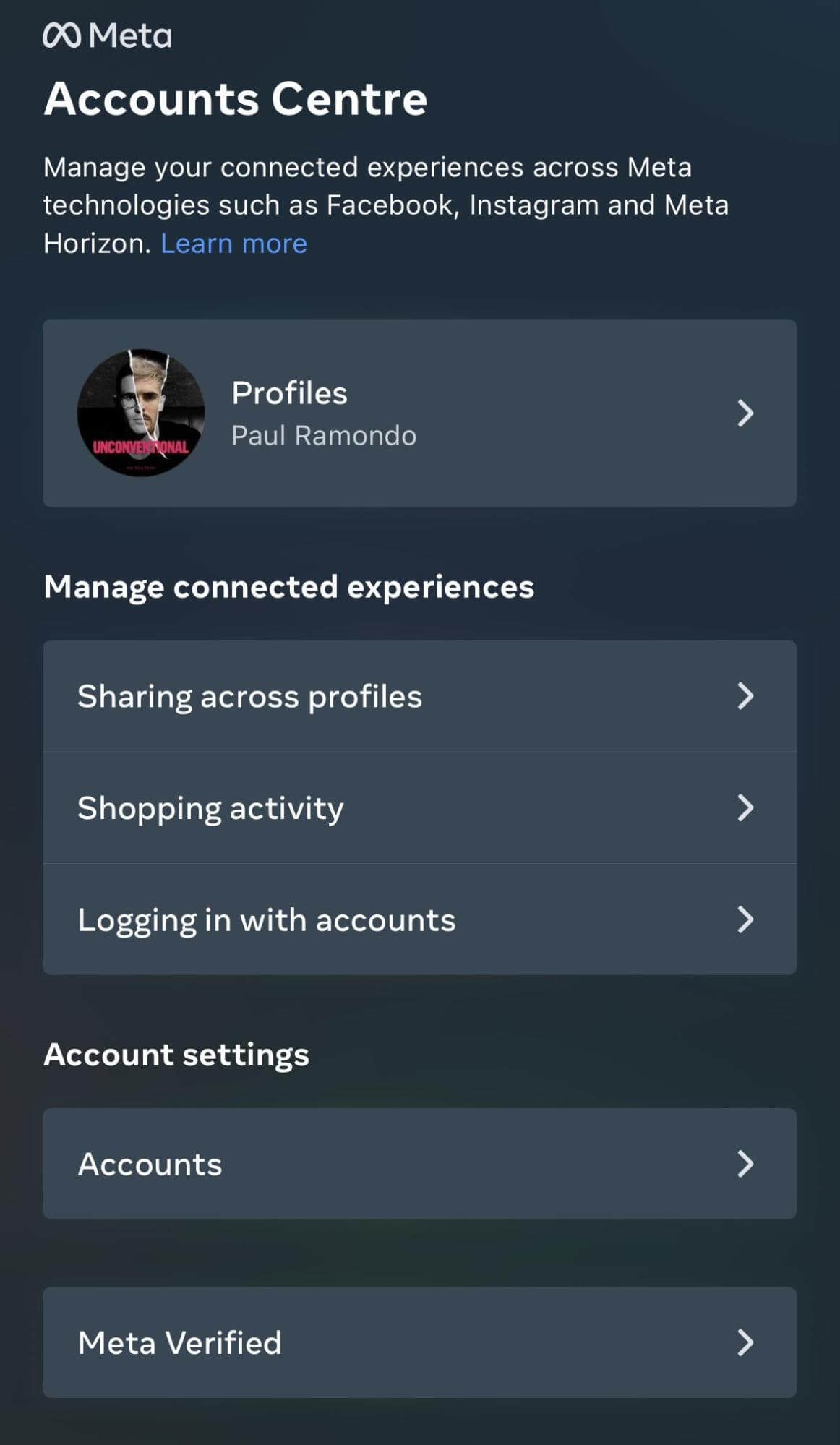
Open your profile, go into settings, and choose Meta Verified (or Account Center). Check the monthly price for your region before you pay. Use Instagram's own checkout only.
Verify Your Identity
Upload a government photo ID that matches the profile. Use a clear face photo on the account. Some people also get asked for a short selfie or video check. Uploading the ID starts the review. It doesn't guarantee approval.
What You Get
An active plan gives you the blue check. Depending on your region, you may also get account support and stronger protection against impersonation. Cancel the plan and the badge can go away. Changing your name or profile photo later may send you through verification again.
Create Better Instagram Content With Designkit
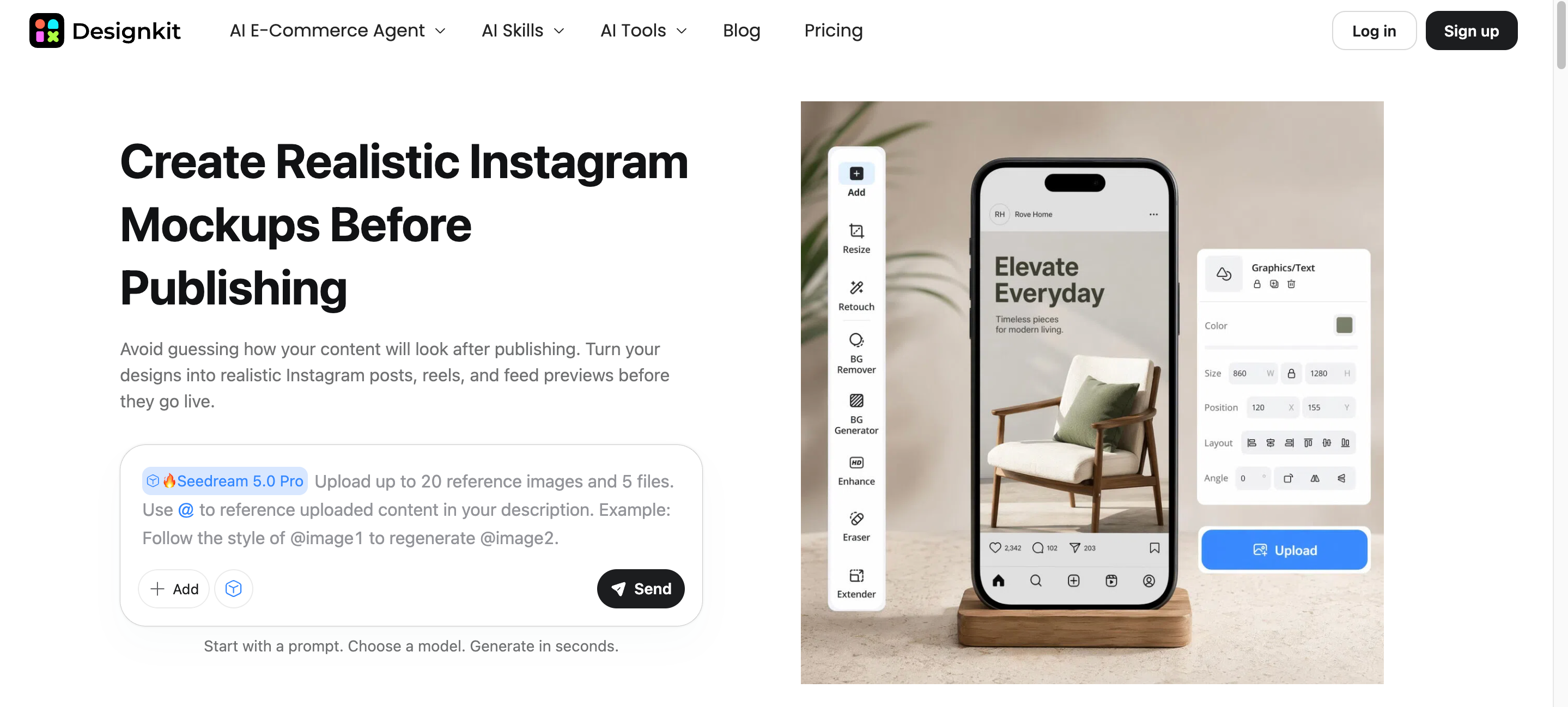
The blue check is about identity and recognition. Design polish won't replace press coverage. A clear feed still helps people understand who you are. Designkit can turn photos you already have into Instagram-ready visuals without starting from scratch every time.
A Simple Workflow
-
Upload a clear photo or existing creative.
-
Say what you need it for (feed, Story, or Reel cover) and how it should look.
-
Tweak the result, then resize it for that placement.
Useful Designkit Tools
-
Clean up profile and post photos with the AI photo editor .
-
Adapt one visual for different placements with the image resizer .
-
Explore new creative directions with text to image when you need more than a quick edit.
Conclusion
Choose the route that fits your situation. The free badge needs a clear public identity and real press. Meta Verified is the paid option with an ID check and optional support extras. Apply only inside Instagram. If you're rejected, wait, fix the real gap, then try again.
Frequently Asked Questions
Is there a minimum follower count for Instagram verification?
Can a small creator get verified on Instagram?
Yes, a small creator can potentially get verified without having a large follower count. For traditional verification, Instagram considers whether the account represents a real person or entity and meets its other eligibility criteria, including notability. Follower count alone is not a deciding factor.
Can businesses get verified on Instagram?
Yes, businesses may be eligible for Instagram verification through the verification option available to them. Traditional verification and Meta Verified for businesses have different eligibility and verification requirements. Businesses should check Instagram or Meta's current requirements before applying, as these options can change over time.
Can I lose my Instagram verified badge?
Yes, Instagram can remove a verified badge if an account violates its terms or no longer meets the requirements for its verification method. For subscription-based verification, the badge can also be affected if the subscription or verification status changes. Avoid making major account changes or violating platform policies after verification.
Can I change my username after getting verified?
Changing your username can affect your verification status, particularly because verification is tied to your account identity. The impact may depend on whether you have traditional verification or a Meta Verified subscription. If you need to make a significant profile change, check Instagram's current verification requirements first.
Can I apply again if Instagram rejects my verification request?
Yes, you can generally apply again after a rejected traditional verification request, but repeatedly submitting the same application is unlikely to help. Instagram has historically required applicants to wait before submitting another request, so check the current waiting period shown by Instagram. If your circumstances have changed, improve the account's eligibility before applying again.
Does Meta Verified guarantee better Instagram reach?
No, Meta Verified does not guarantee higher reach, engagement, or follower growth. Its benefits are primarily related to verification, account support, and features such as impersonation protection, depending on the plan and region. Your content quality, audience response, and overall account activity still play a major role in reach.
Is it safe to pay someone to get my Instagram verified?
Be cautious of anyone who promises guaranteed Instagram verification in exchange for payment. Legitimate verification should be completed through Instagram or Meta's official process rather than through an unofficial intermediary. Never share your password, login codes, or other sensitive account information with someone claiming they can get you verified.
You May Also Like
Amazon Individual vs Professional Selling Plan
How to Create an Amazon Seller Account: Requirements and Steps
Amazon Product Video Requirements: Specs & Upload
Amazon Brand Registry Requirements: Trademark, Account & Cost
Amazon Global Selling: How to Open Multiple Marketplaces

How to Make an Event on Facebook: Complete Setup Guide (2026)

Amazon Sponsored Brands: What They Are and When to Use Them

Amazon Sponsored Products: How to Launch Your First Campaign

Amazon Vine Program for Sellers: Get Early Product Reviews

Amazon A+ Content Dimensions: Module Image Sizes

Print-On-Demand Designs: Create, Prepare, and Preview Your Work

Amazon A+ Content: What It Is and What to Build First

Is Print on Demand Profitable in 2026? Products and Niches

Amazon Brand Registry Application: How to Submit and Pass Review

How to Ship to Amazon FBA: Your First Shipment

What Is Amazon FBA? Should Beginners Use It in 2026

How to Get Ungated on Amazon: Restricted Category Approval Steps

Amazon Backend Keywords: Title, Bullets & Search Terms

What Is A/B Testing? A Practical Guide to Running Better Experiments

Best Time to Post on Instagram in 2026: Data & Tips

How to Get Verified on Instagram: Complete Guide

TikTok Monetization in 2026: Requirements & Ways to Earn

Instagram Desktop Posting Guide: Upload Posts, Stories & Reels

YouTube Shorts Monetization Requirements & Rules 2026

How Much Does YouTube Pay Per View? 1K, 100K & 1M Views

How to Make Money on Snapchat: 7 Ways to Earn

How to Get More Followers on Instagram in 2026

Best Time to Post on TikTok in 2026 for More Views

How to Repost on Instagram in 2026: A Simple Guide

Multichannel Marketing Guide: Strategy, Tools & Examples

How to Create Digital Products That Sell in 2026

Cyber Monday Marketing Ideas & Strategies (2026 Guide)

Black Friday Marketing Ideas for Ecommerce Brands (2026)

Instagram Marketing Guide: Strategies, Tips & AI Tools in 2026

Influencer Marketing Guide: Strategy, Campaigns & Creator Tips

15 Best Things to Sell on Etsy in 2026 (Listing Tips Included)

WooCommerce vs Shopify 2026: Pricing, Features & Which Is Better

How to Sell on Facebook Marketplace: Beginner Guide (2026)

How to Use Pinterest for Business: Strategy, Tips & Growth Guide

How to Sell on Etsy in 2026: Setup, Listings & Growth Tips

What Is a Target Audience? Types, Examples & How to Find Yours

TikTok Marketing Guide 2026: Strategies, Ideas & AI Tools

Vibe Marketing Explained: Strategy, Examples & AI Tools

How to Sell on Depop: Beginner Guide to Getting Your First Sale

Online Advertising Guide: Types, Costs & Examples (2026)

Facebook Advertising Guide: Costs, Strategy & Tools 2026

What Are E-commerce Ads? Examples, Strategy & Tools (2026)

Where to Sell Handmade Items Online (2026): Etsy, Amazon, or Shopify?

Shopify vs Amazon (2026): Brand Store or Marketplace FBA?

Amazon Handmade vs Etsy (2026): Which Is Better for Makers?

Etsy vs eBay (2026): Handmade, Vintage, or Secondhand?

Selling on Amazon vs eBay (2026): Fees, Profit & Where to Sell

What Is Brand Awareness? Examples, Strategies & Tools 2026

10 Best Online Selling Platforms (2026): Pick by What You Sell

Shopify vs Etsy (2026): Which Is Better for Handmade Sellers?

YouTube Automation Step-by-Step AI Guide for Beginners

What Is Brand Identity? Examples, Elements & Strategy

AI Marketing Agent: How It Works, Benefits & E-Commerce Examples

What Is Personalized Advertising? Examples & How It Works

How to Build a Shopify Store That Actually Converts Visitors

Amazon Marketing Guide 2026: Strategies, Tips & Tools

Local Advertising: Strategies, Examples & Tools (2026)

What Is Branded Content? Examples, Strategy & Tools 2026

What Is Performance Marketing? Strategies & Examples 2026

Inbound Marketing: Strategies, Examples & Tools (2026)
Build a Stronger Instagram Presence
Verification is just one step toward Instagram credibility. Stay authentic, post consistently, and use Designkit to create polished content for every format.


