
Virtual Hair Color Try-On Guide: Find Your Best Shade Before Dyeing
Find your perfect hair color in seconds with virtual try-on. Preview shades on your face before you dye, risk-free.

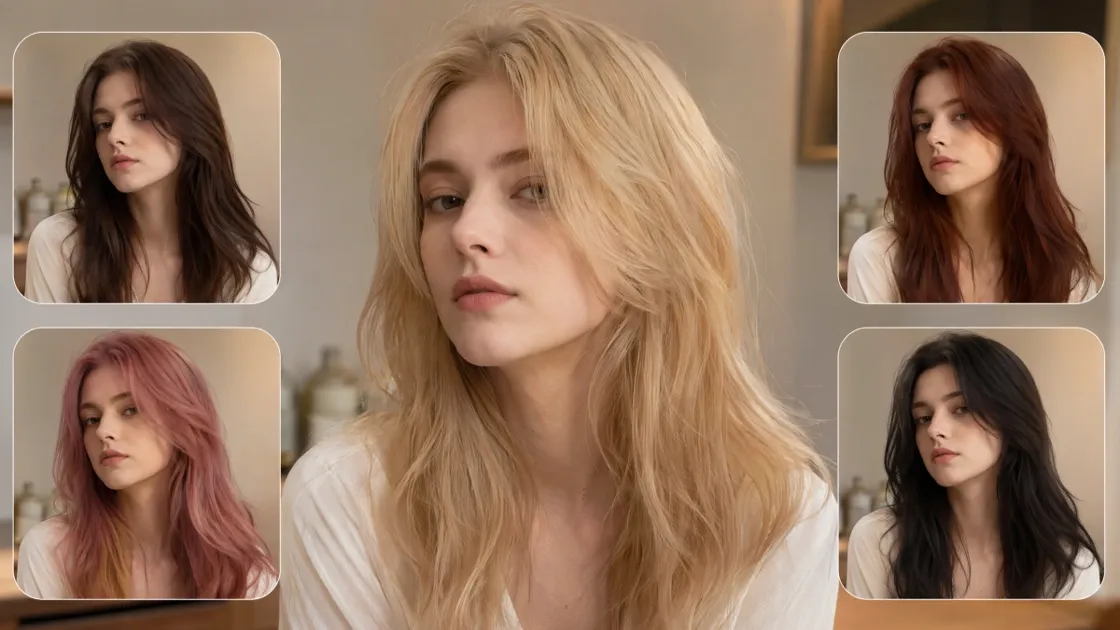
Picking a new hair color online is quite risky without seeing it first. Most people fear that a trendy shade will not match their natural complexion. The wrong tone will be a very costly and disappointing error to make. You need a lively appearance that adds beauty to you and gives you confidence.
That is why using a virtual hair color try-on approach matters before committing. Previewing a transformation digitally allows you to explore bold options without any permanent risk. Fortune Business Insights predicts that the global hair color market will be valued at over $29 billion in 2026. Hence, this guide will elaborate on how you can find your unique tone to achieve the best outcomes.
Part 1. How Your Skin Undertone Shapes the Right Hair Color Choice
Most people often confuse their basic skin shade with their deep internal undertone. Therefore, a successful virtual hair color try-on depends on knowing these subtle hues. Ignoring these color rules can make your skin look tired or unusually pale.
This section helps you master the science of color harmony for perfect results:
1.1. How to Identify Your Skin Undertone
Skin undertones fall into three categories: warm, cool, and neutral tones overall. Warm undertones have a golden or yellow color below the surface of the visible skin. Cool undertones reveal pink or bluish tones under natural lighting conditions. In addition to that, the neutral undertones balance warm and cool colors to provide overall color flexibility. Use these simple methods to identify your undertone accurately at home:
|
Test Method |
What to Check |
Result Meaning |
|---|---|---|
|
Wrist Veins |
Look at the vein color |
Green indicates warm, blue suggests cool undertones |
|
Jewelry Test |
Try gold and silver jewelry |
Gold suits warm, silver suits cool undertones |
|
Natural Light |
Observe skin in daylight |
True undertone appears clearly without artificial lighting influence |
Nevertheless, always remember that undertone differs from skin depth, regardless of complexion lightness or darkness. Even deeper skin tones may have cool undertones, while fair skin can appear warm.
1.2. Why Undertone Matters More Than Skin Shade for Hair Color
Hair color success depends more on undertone compatibility than visible skin brightness alone. Therefore, incorrect matches often create dull, washed-out, or slightly unnatural facial appearances quickly. For example, ash tones may flatten warm undertones instead of enhancing natural features.
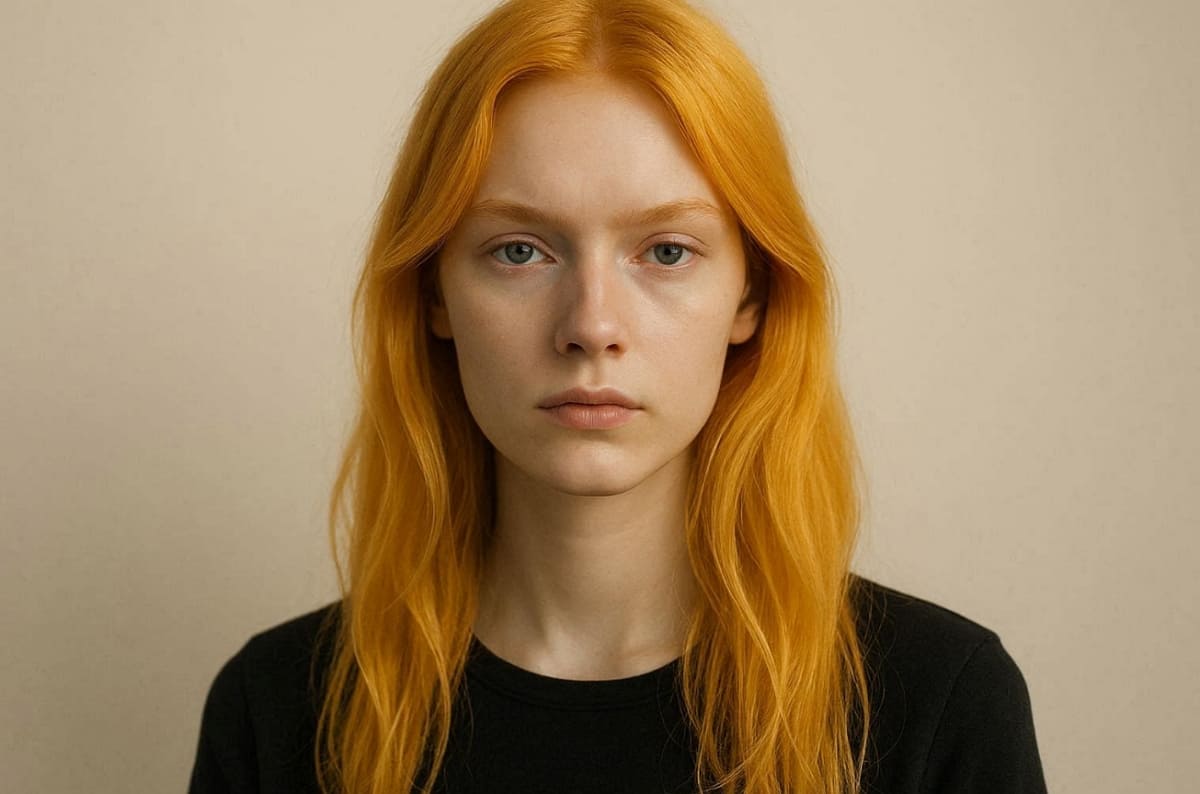
Similarly, golden shades can appear overly bright on naturally cool-toned complexions sometimes. To understand how these colors interact, explore these core visual balance and harmony principles:
1. Visual Impact: The same medium brown looks different on warm versus cool tones.
2. Aesthetic Balance: Choosing a matching undertone ensures your complexion looks vibrant and healthy.
3. Strategic Selection: Knowing your tone helps you narrow down which specific colors to explore.
Hence, using a virtual hair color try-on allows you to preview these important variations. This digital check helps you confirm your choice before visiting a professional hair stylist. Furthermore, digital beauty tools can lead to a 2.4x increase in total purchase likelihood.
Part 2. Best Hair Colors for Every Skin Tone
To find the right shade, one should be well informed of one's individual undertones. The aim of this is to get a color that suits your natural features. Moreover, a hair color try-on online can be useful to test these possibilities safely. So, these are professional tips to pick up on the most flattering appearance for your style:
2.1. Best Hair Colors for Warm Undertones
A warm complexion looks brightest with the toning of rich and golden hair color. You must be concerned with colors that convey the natural warmth of your warm skin. Along with that, testing hair color try-on online confirms which warm tones suit you.
Recommended Shades for Warmth
Explore these top professional color recommendations to understand which warm tones work best:
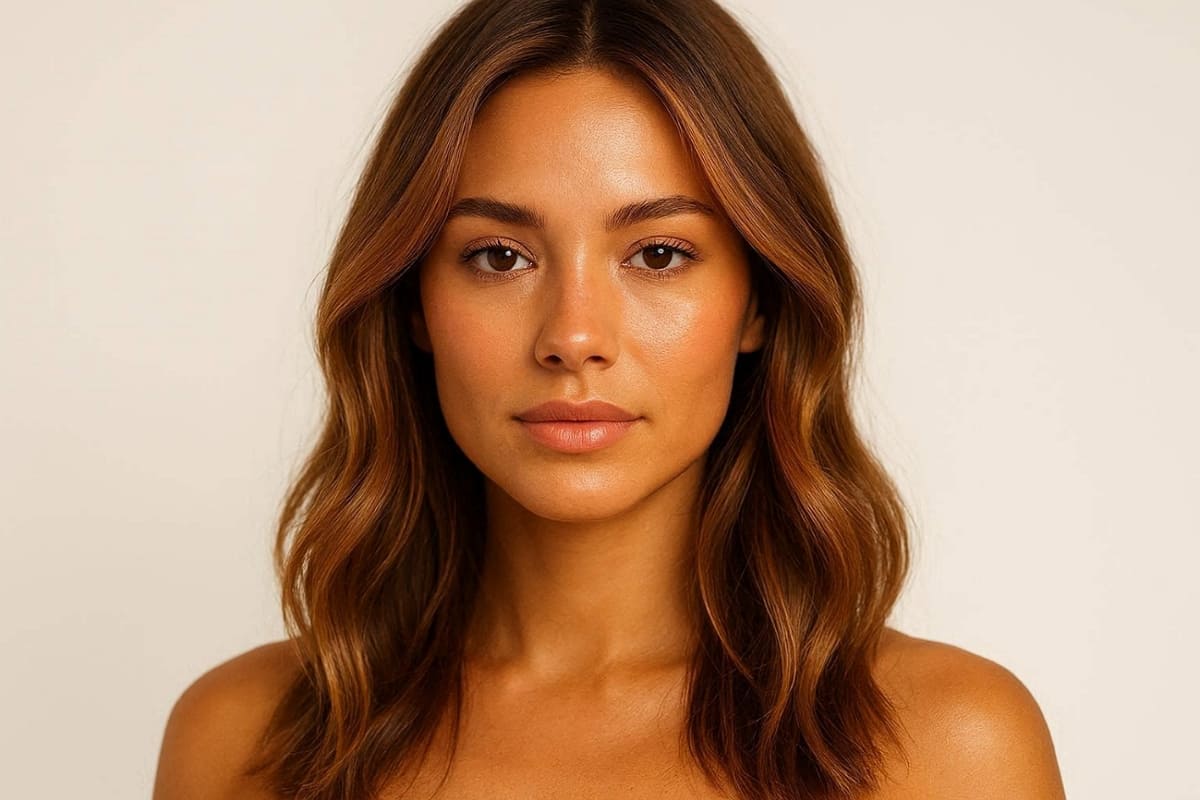
1. Honey Brown: Fills in soft golden wards, which go well with yellow and peach undertones.
2. Warm Caramel: Enhances natural glow with rich, warm highlights and smooth tonal depth.
3. Copper Red: Brings brightness and warmth, making the complexion appear lively and radiant.
4. Golden Blonde: Reflects light beautifully, boosting warmth without washing out facial features.
5. Rich Auburn: Combines red and brown tones for a balanced, warm, and dimensional finish.
Colors to Avoid for Warmth
Avoid these shades that conflict with warm undertones and reduce visual harmony:
|
Color to Avoid |
Reason |
|---|---|
|
Blue-Black |
Too cool, creating a harsh contrast against naturally warm skin tones |
|
Ash Gray |
Neutralizes warmth, making the complexion appear dull or slightly lifeless overall |
|
Cool Violet |
Clashes with golden undertones, producing an unnatural and uneven appearance |
2.2. Best Hair Colors for Cool Undertones
Cool colors need tints that are in equilibrium with pink and bluish tones. These colors create a refined, polished look without overpowering your facial features visually. As a result, it is easy to try on hair color virtually to see these effects.
Recommended Shades for Coolness
The following shade choices are highly flattering and current to make the cooling effects the most successful:
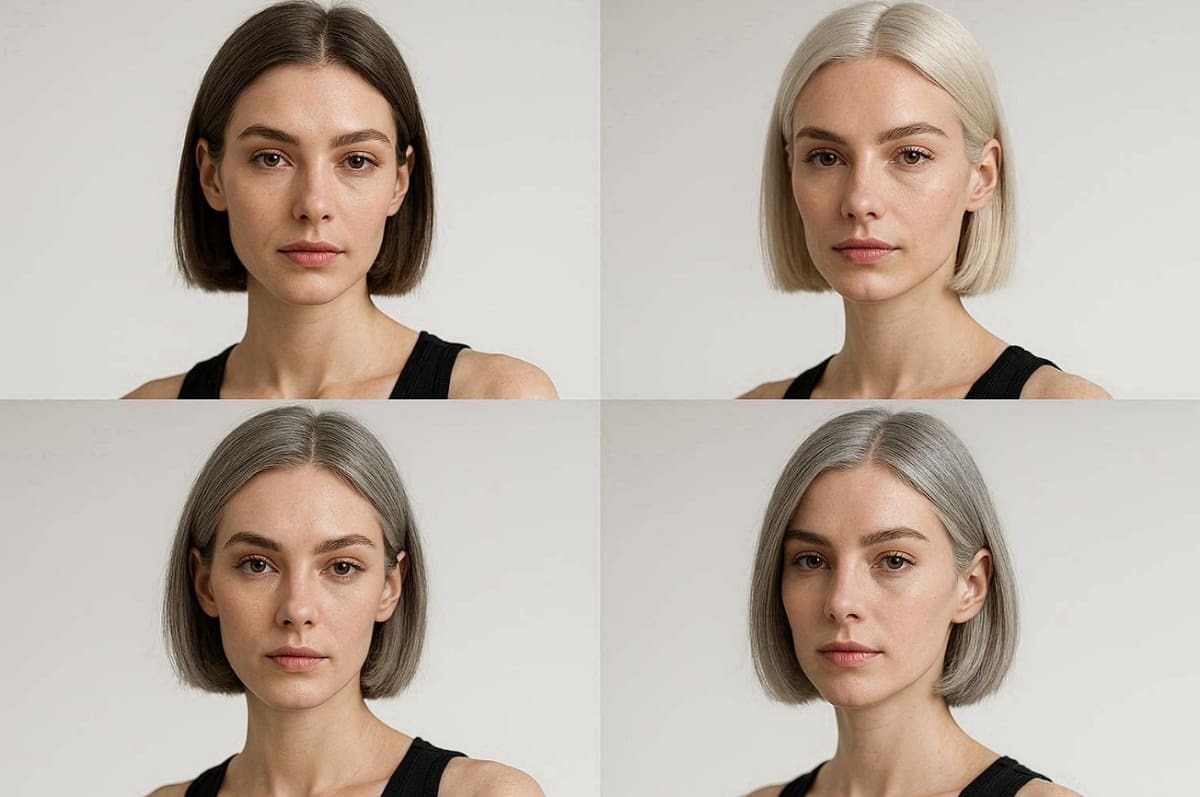
1. Ash Brown: These smoky sounds cancel out warmth to provide a cool tone with a smooth and balanced look.
2. Cool Chocolate: A deep brown without red hues adds depth while maintaining a rich, slightly muted tone for elegance.
3. Deep Burgundy: Enhances cool undertones with subtle red-violet richness and strong visual contrast.
4. Platinum Blonde: Brightens complexion while aligning perfectly with cool undertone characteristics.
5. Silver Gray: Complements bluish undertones, delivering a modern and sophisticated finish overall.
Colors to Avoid for Coolness
It is recommended to avoid these shades because they disrupt balance and create unwanted warmth on cool undertones:
|
Color to Avoid |
Reason |
|---|---|
|
Warm Copper |
Introduces excessive warmth, clashing with naturally cool skin undertones |
|
Golden Yellow |
Overpowers cool tones, creating an imbalance and reducing overall facial harmony |
|
Caramel |
Adds unnecessary warmth, making the complexion appear uneven or slightly off-balance visually |
2.3. Best Hair Colors for Neutral Undertones and How to Preview Highlights Virtually
Neutral undertones are the least restrictive when it comes to selecting flattering and balanced hair color. The balance enables both warm and cool colors to work well with your natural complexion. Therefore, experimenting with multiple tones becomes safer using virtual try-on tools.
Recommended Shades for Neutral Undertones
These shades work well because they balance both warm and cool tones naturally:
|
Recommended Shade |
Why It Works |
|---|---|
|
Soft Beige Blonde |
Blends warm and cool tones, creating a natural and versatile appearance |
|
Neutral Brown |
Maintains balance without leaning too warm or overly cool visually |
|
Rose Gold |
Combines subtle warmth and coolness for a trendy yet flattering finish |
|
Sandy Blonde |
Offers a muted tone that avoids extremes while enhancing natural features |
|
Mushroom Brown |
Mixes ash and warm hues, delivering a modern and balanced color result |
Why Highlights and Balayage Work Best
Instead of a single shade, blended tones create dimensions and reduce color risks. Balayage combines warm and cool streaks, enhancing depth and overall visual texture. This technique prevents flat results and adapts better to changing lighting conditions.
How to Preview Highlights Virtually
Before visiting the salon, you should use a virtual try-on tool now. This will enable you to preview a certain dimension and position on your face with a fair degree of accuracy. Hence, follow these practical and simple steps to get the most out of your digital session:
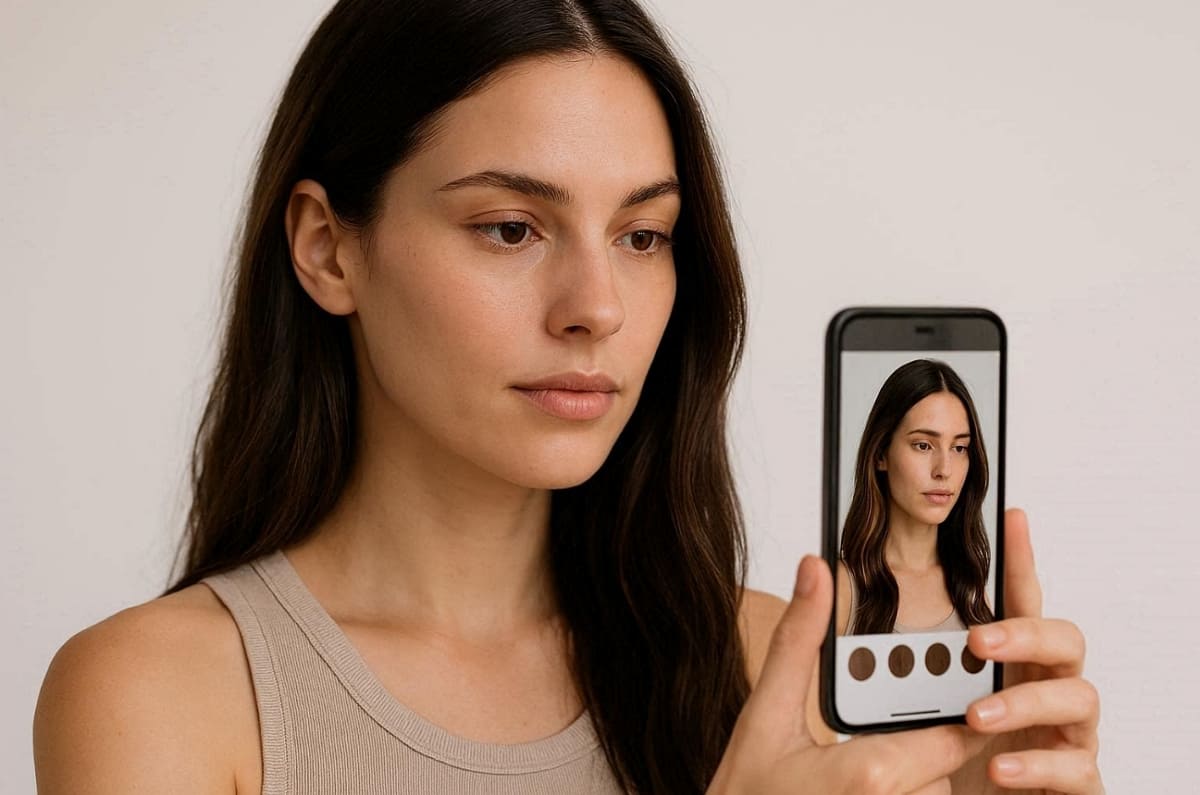
1. Clear Photo Upload: You must upload an HD image taken in natural light for the best accuracy.
2. Tonal Style Application: Apply several different highlight styles to see how various tones interact with your skin now.
3. Bold Variation Testing: Experiment with both subtle and very bold color shifts to find your unique personal style.
4. Final Choice Saving: Save your favorite digital results to share them with your professional hair stylist very soon.
Part 3. How to Try On Hair Color Virtually Before You Commit
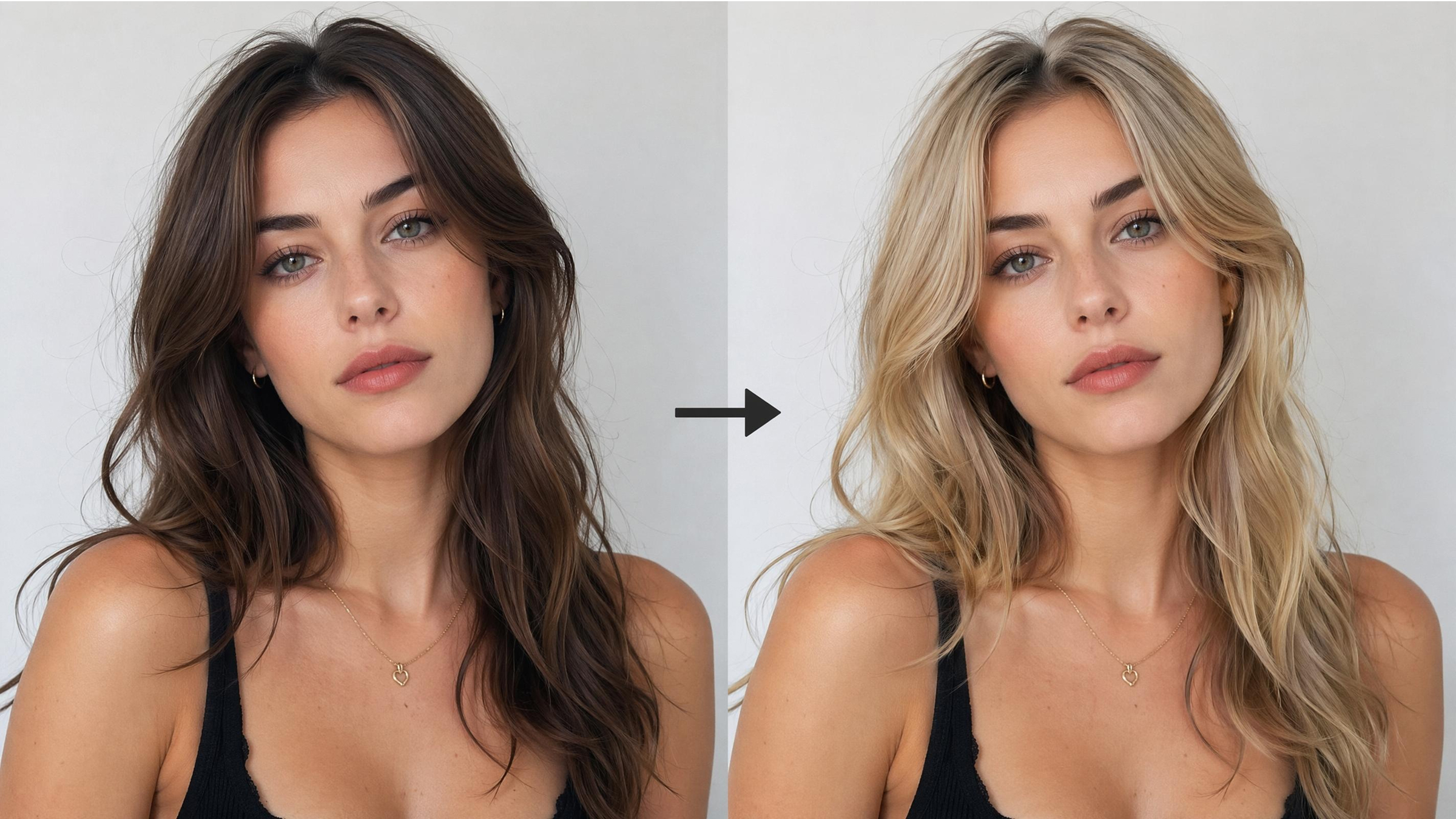
3.1. Step-by-Step Guide to Trying Hair Colors Online With AI
Changing your hair color without previewing it first can lead to expensive salon corrections and disappointing results. A virtual hair color try-on tool helps you explore different shades safely before making any permanent decision. With Designkit’s AI agent workflow, you can instantly test realistic hair color transformations using advanced AI image models.
Whether you want to try platinum blonde, chocolate brown, copper red, ash gray, or trendy pastel tones, Designkit allows you to compare multiple looks in minutes directly from your photo.
Step 1. Upload a Clear Photo With Your Full Hairstyle Visible
Start by uploading a high-quality half-body or full-body photo where your hair is fully visible. Good lighting and natural angles help the AI detect your original hair texture, length, and color more accurately.
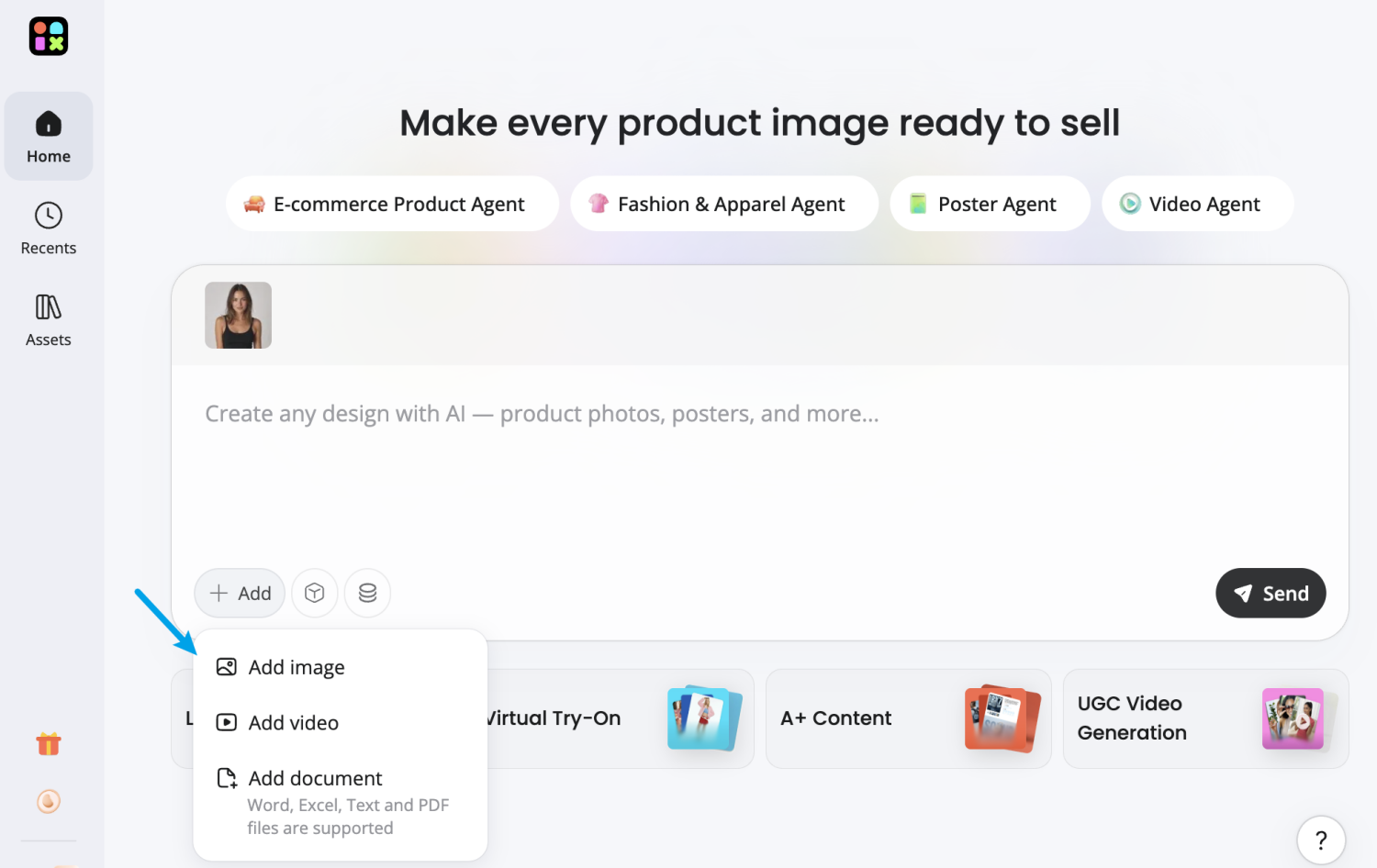
For the best virtual hair color try-on results:
- Use a front-facing image
- Avoid blurry or low-resolution photos
- Keep your hair uncovered
- Choose natural lighting when possible
- Avoid heavy filters or beauty effects
A clean input image helps the AI preserve realistic details like curls, highlights, bangs, layers, and hair volume during the transformation process.
Step 2. Enter a Hair Color Prompt
Next, describe the exact hair color transformation you want to preview. Designkit’s AI agent supports natural language prompts, allowing you to experiment with different tones, salon styles, and highlight effects.
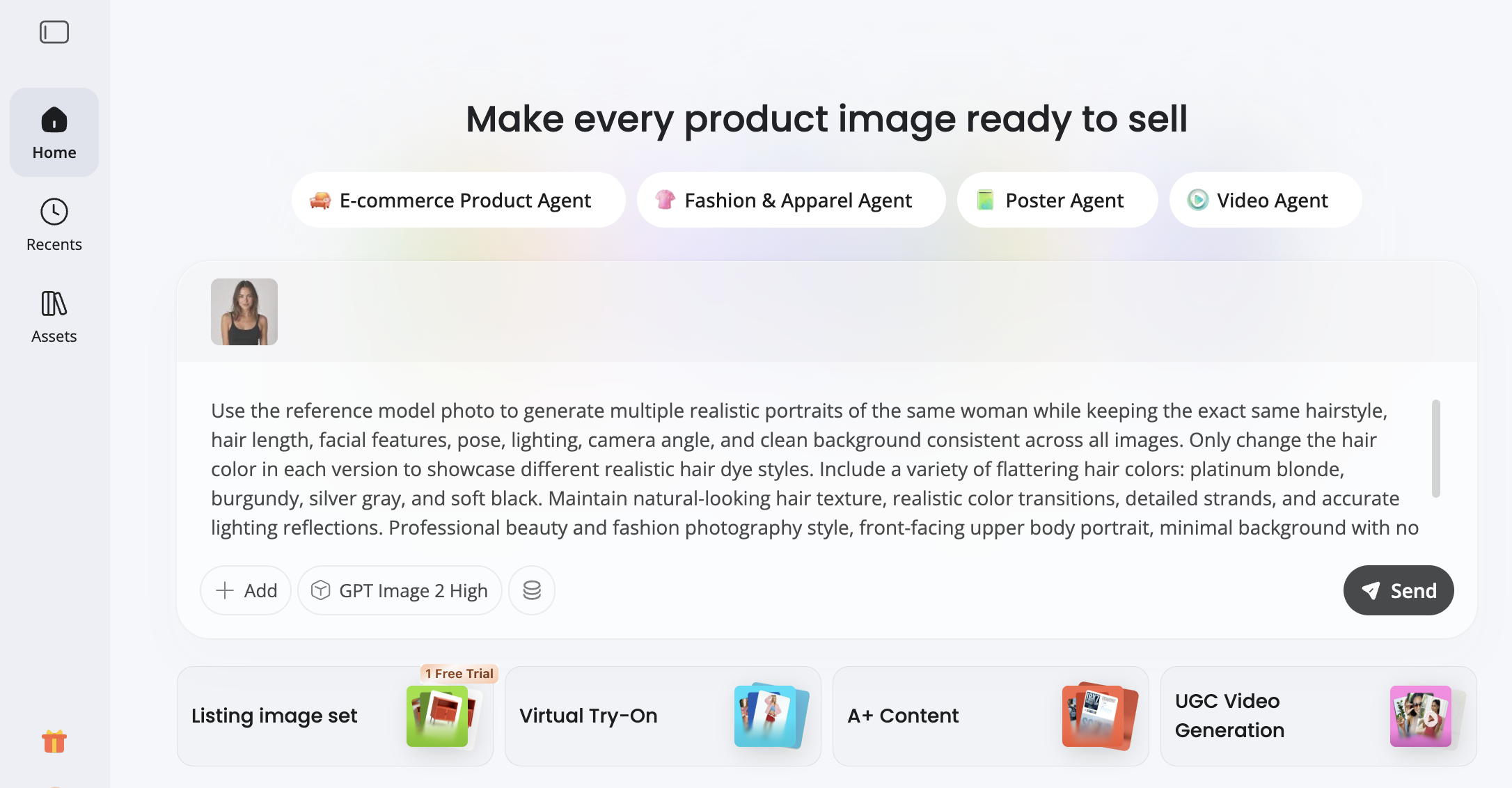
Example prompts:
- "Change hair color to ash blonde with soft highlights"
- "Dark chocolate brown balayage hairstyle"
- "Copper red hair with warm undertones"
- "Platinum silver hair color makeover"
- "Jet black glossy long hair"
- "Rose gold pastel hair with natural texture"
- "Cool beige blonde hair for neutral skin tone"
You can also include style details like:
- Glossy finish
- Balayage
- Ombre
- Highlights
- Lowlights
- Natural salon lighting
- Soft curls
- Straight hairstyle
This flexibility makes it easier to test hair colors that match your skin undertone and personal style before visiting a salon.
Step 3. Choose an AI Image Model and Generate Results
Designkit provides multiple advanced AI image models optimized for different visual styles and realism levels. After entering your prompt, select your preferred AI model and click Send to generate hair color variations instantly.
Available AI models include:
- ChatGPT Image 2 — Great for realistic beauty transformations and natural facial details
- Nano Banana — Ideal for creative color experimentation and trendy fashion-inspired looks
- Seedream — Excellent for high-detail textures, realistic lighting, and salon-quality previews
Each AI model interprets hair color slightly differently, allowing you to compare multiple visual outcomes from the same prompt. This gives users more confidence before committing to a real-world hair transformation.
Within seconds, Designkit generates AI-enhanced previews showing how different hair colors look with your facial features, skin tone, hairstyle, and overall appearance.
Step 4. Compare Different Hair Colors and Find Your Best Match
Once the AI finishes generating your images, compare multiple hair color options side by side. This is where virtual hair color try-on becomes especially useful.
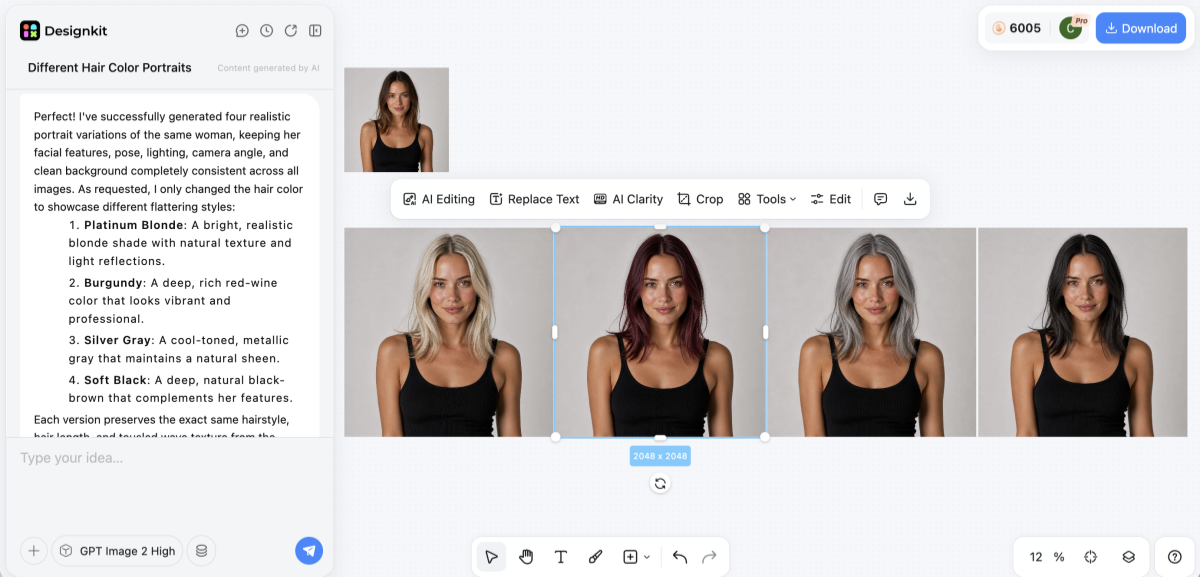
You can evaluate:
- Which tones brighten your complexion
- Whether warm or cool shades suit you better
- How bold colors affect your overall appearance
- Which styles look more natural in everyday lighting
- Whether highlights or full-color changes work better
Instead of relying on imagination or salon swatches, you can visually preview realistic transformations before spending time and money on dyeing your hair.
Many users test several variations before deciding, including:
- Blonde vs brunette
- Warm copper vs cool ash
- Balayage vs full-color dye
- Natural shades vs fashion colors
This process reduces uncertainty and helps you choose a hair color with greater confidence.
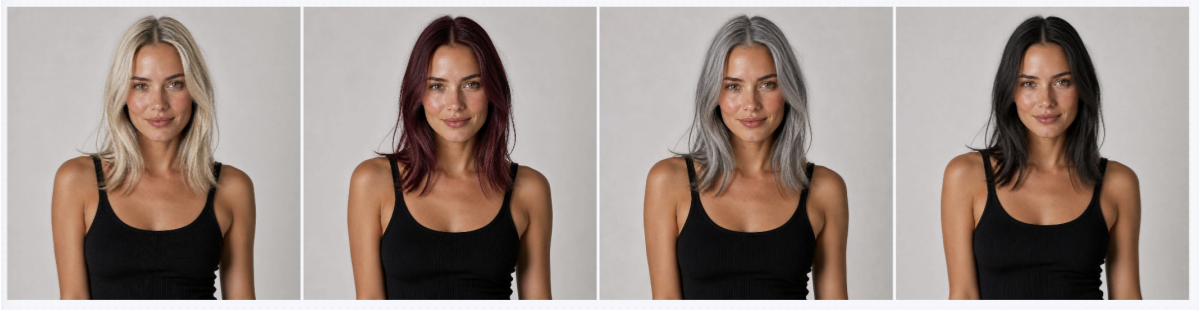
You can finally bridge the gap between imagining a color and seeing it. A digital preview helps you feel confident before booking a professional salon appointment. Thus, using a virtual hair color try-on provides a realistic look at potential changes. This practical workflow ensures that your chosen shade matches your natural skin tone:
3.2. What Virtual Hair Color Try-On Can and Cannot Show You
It is important to understand the specific strengths and limitations of digital tools. At this stage, platforms such as Designkit’s Virtual Try-On can give realistic previews when making an overall direction of color choice. Moreover, using a virtual hair color try-on helps you visualize overall color harmony.
What Virtual Try-On Does Well
To manage your expectations, first explore the areas where these tools truly excel:
1. Color Harmony Check: Confirms whether warm or cool shades suit your complexion visually.
2. Overall Appearance: Helps evaluate how a new shade frames your face and features.
3. Highlight Preview: Shows rough placement and contrast for balayage and ombre styles.
While these previews are helpful, they cannot account for every physical hair variable.
What Virtual Try-On Cannot Do
You should keep these technical limitations in mind before making a final color decision:
1. Texture Accuracy: Cannot fully simulate shine, thickness, or natural hair movement realistically.
2. Lighting Variations: Results may differ under indoor lighting compared to natural daylight conditions.
3. Color Fading: Does not predict how dye will fade after multiple washes over time.
This knowledge helps you bridge the gap between a digital preview and reality.
3.3. Tips for Getting Accurate Results When You Try On Hair Color Online
Better input images improve the quality of your hair color try-on online experience. Achieving a precise preview requires following a few simple and effective technical steps. In such cases, Designkit's AI Color Changer works best when you provide a high-quality photo.
Photo Tips for Accuracy
When using a digital session, these are the key rules to adhere to so that you can get the most realistic results:
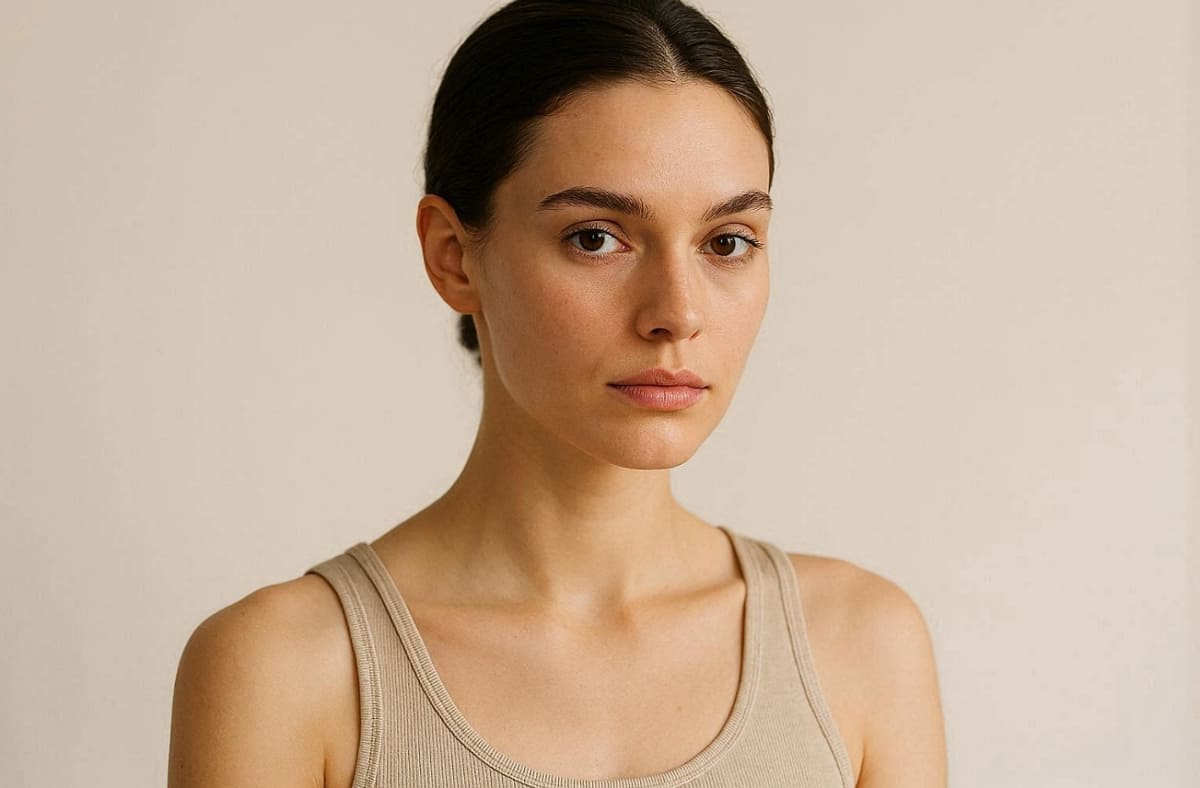
1. Natural Daylight: Take a photo during a sunny day and in a soft light so that you can see your true skin undertones.
2. Minimal Makeup: Don't apply many cosmetics so that the hair color does not conflict with makeup.
3. Hair Placement: Pull your hair back to show your full face shape and jawline clearly.
Following these setup steps will significantly improve the quality of your digital hair transformation.
Try-On Strategy for Selection
Once your photo is ready, you should apply this strategic approach to your testing:
1. Shade Variations: Test at least three different variations within each recommended color family for comparison.
2. Side-by-Side Check: Compare your top choices against each other to see which one glows most.
3. Lighting Consideration: Remember that digital colors may appear slightly different than a real salon dye.
Decision Tip for Success
After you have explored various options, use this final tip to finalize your new look:
1. Stylist Reference: Save high-quality screenshots of your favorite results to show your professional stylist.
2. Visual Communication: A clear image communicates your expectations much better than a simple verbal description.
3. Expert Consultation: Discuss the virtual results with your colorist to ensure the shade is achievable.
Thus, these visual references guarantee that what you expect is consistent with the outcome of coloring.
Conclusion
To summarize, finding your perfect hair color starts with knowing your unique skin undertone. Match your complexion to a flattering shade before visiting a professional hair stylist. Therefore, you should always use a virtual hair color try-on to confirm choices.
This stepwise process helps you avoid expensive mistakes at the salon. According to Intel Market Research, more than 60% of beauty shoppers now utilize virtual tools before purchasing. Yet, remember to save quality screenshots of your favorite results for your colorist.
Frequently Asked Questions
How accurate is virtual hair color try-on?
Do I need an app to try on hair color virtually?
No, you can easily try on hair color virtually using several modern browser-based tools. Many online platforms work perfectly without requiring any complex downloads or new account creation. Simply upload a clear photo to start testing different beautiful shades on your face.
Can I preview highlights and balayage with virtual try-on?
Many platforms support virtual highlights try-on features to preview balayage and ombre effects. These previews show general tone direction and placement without guaranteeing precise strand-level accuracy. Use them to compare warm and cool highlight styles before committing to salon services.
Can I test a specific dye brand color virtually?
Some tools, like Designkit's AI Color Changer, allow hair color try-on online using HEX codes for brand shades. This feature helps match real dye colors more closely than generic preset options available. Yet, always confirm tool compatibility before testing because not all platforms support custom color inputs.
Should I show my virtual try-on results to my stylist?
Yes, your saved digital screenshots serve as an excellent visual reference for your stylist. A virtual hair color try-on image communicates your expectations much more clearly. This clear visual guide helps your professional colorist match your desired target shade perfectly.
You May Also Like

How to Match Makeup by Undertone: Virtual Lipstick and Foundation Try-On

Wedding Dress Styles for Every Body Type: A Practical Guide for 2026

7 Best AI Virtual Makeup Try-On Tools for Realistic Results in 2026

AI Virtual Makeup Try-On: Boost Beauty E-Commerce Sales in 2026

Free Online Glasses Try-On Tools: See Yourself in Glasses Instantly

Top Virtual Ring Try-On Tools for Engagement and Wedding Rings in 2026

How to Try Shoes On Virtually: A Step-by-Step Guide

Best Virtual Shoe Try-On Tools for Ecommerce: 2026 Guide

How to Try On Wigs and Bangs Virtually to Find Your Perfect Style

Create Model Outfit Photos Instantly With AI Outfit Generator

Best AI Virtual Try-On Clothes Tools for Any Body Type

How to Try On Clothes Online with AI for Better Fit & Style

Virtual Nose Ring Try On Online Before Your Piercing

How to Try Makeup Online with AI and Virtual Makeup Try-On Apps (2026)

How to Use Virtual Earring Try-On for a Flattering Look in 2026

How to Try On Engagement Rings Online with AI in 2026

Scale Your Jewelry Brand with Virtual Jewelry Try-On Solutions

How to Try Hairstyles on Your Face Online (Step-by-Step Guide)

Best Virtual Hairstyle Try-On Tools Online for Realistic Previews 2026

How to Use a Free AI Hairstyle Generator to Find Your Perfect Look

Virtual Hair Color Try-On Guide for Every Skin Tone (2026)

Virtual Wedding Dress Try-On Online for Brides in 2026

How to Choose the Right Sunglasses for Your Face Shape Online

How Accurate Is Virtual Glasses Try-On? AI vs AR Compared

Best Virtual Try-On Glasses Apps in 2026 (Free & Paid Tools)

How AI Virtual Try-On Is Transforming Eyewear Ecommerce

5 Best Virtual Try-On Glasses Tools for Ecommerce and Consumers 2026

How to Try On Glasses Online with AI in 2026 (Easy Guide)

How to Create Jewelry Photos with AI Models That Drive Sales in 2026

AI-Generated Fashion Models: Technology, Brand Adoption & Trends

How to Batch Generate 100+ AI Clothing Model Photos Fast

7 Best AI Fashion Model Generators for Ecommerce in 2026

AI Clothing Model Photos for E-Commerce: Platform Rules & Best Practices

How AI Virtual Try-On Helps Fashion Brands Boost Sales & Reduce Returns

AI Fashion Models vs Real Models: Which Is Better for Brands?

Best Free AI Fashion Model Generators for Real Product Photos

Virtual Outfit Try-On Guide: Plan Outfits Before You Buy

What Is an AI Clothing Model Generator? Full Guide for Sellers

Virtual Try-On Technology in 2026: How It Works & Key Trends

10 Best Virtual Try-On Apps & Tools for Online Shopping in 2026

How to Create AI Fashion Models: Complete Step-by-Step Guide

How to Use AI Fashion Models for E-Commerce Product Photos: A Complete 2026 Guide

How to Virtually Try On Clothes Online: A Complete Guide
Preview Your Perfect Hair Color Before Your Next Salon Visit
Stop guessing which hair color matches your skin tone. Upload your photo and instantly try blonde, brunette, red, black, pastel, or highlight styles online with realistic AI previews — before making a permanent change.
