
VanceAI Photo Enhancer Review: Is It Worth It in 2026?
VanceAI Photo Enhancer review: AI upscaling, sharpening, restoration, pricing, limits, and alternatives for creators and ecommerce teams.


VanceAI Photo Enhancer is an AI-powered tool that helps improve image quality through automatic upscaling, sharpening, denoising, and photo restoration. It enables photographers, ecommerce sellers, and content creators to enhance images quickly without requiring advanced editing skills. While the tool can noticeably improve many low-quality photos, the results depend on the original image, and AI cannot fully recover details that were never captured.
This review examines VanceAI's features, performance, pricing, limitations, and how it compares with ecommerce-focused AI creative solutions.
What Is VanceAI Photo Enhancer?
VanceAI photo enhancer is a cloud-based AI image editing platform that helps users improve photo quality with just a few clicks.
Using advanced deep learning models, it automatically analyzes images and applies enhancements such as sharpening, noise reduction, color correction, and resolution improvement. The platform also includes dedicated tools for image upscaling and photo restoration, allowing users to handle different enhancement tasks from one interface. Its simple workflow makes it suitable for photographers, designers, ecommerce sellers, and content creators who want faster, high-quality image improvements without complex manual editing.
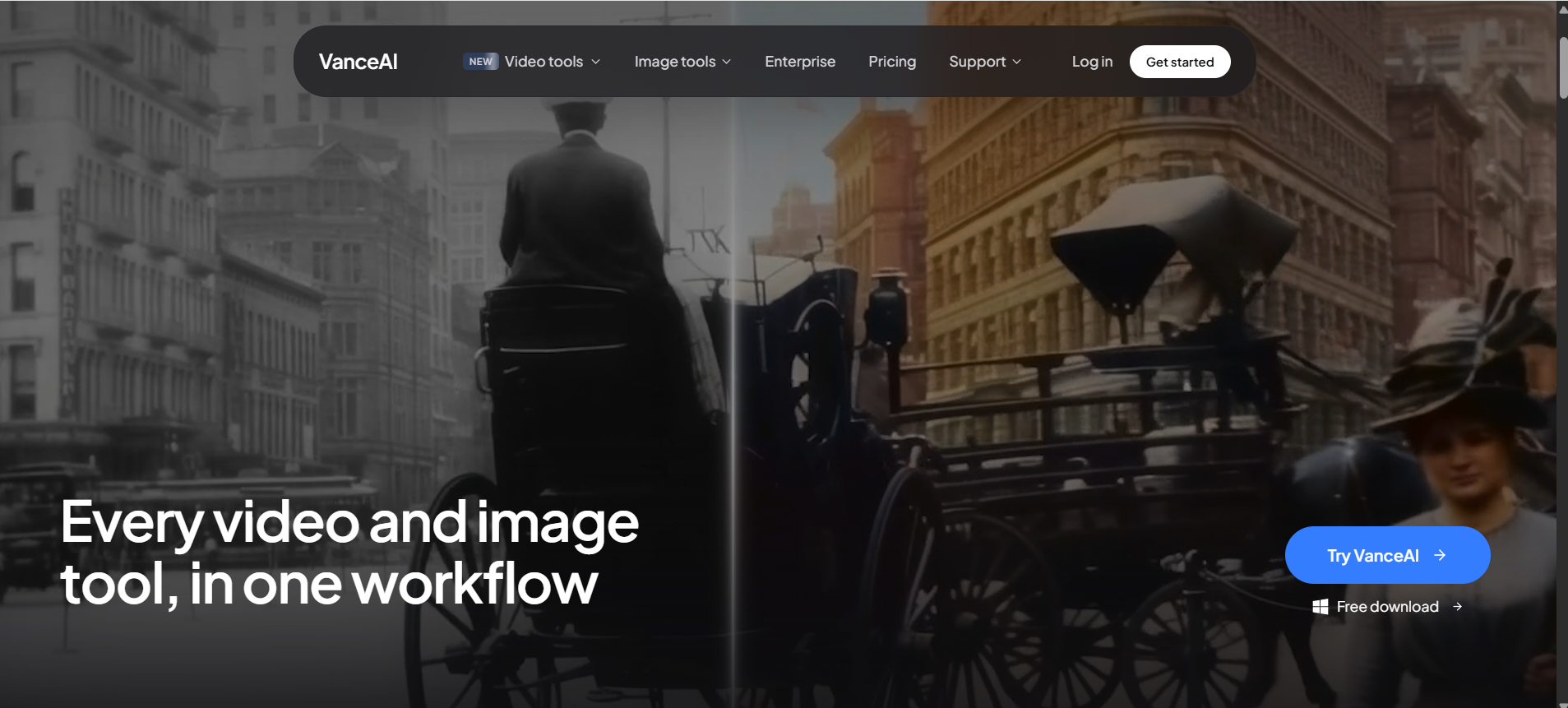
How VanceAI Enhances Images with AI
Unlike conventional image editing software that relies on manual sliders and filters, VanceAI image enhancer uses trained neural networks to identify image defects and apply intelligent corrections automatically. Its enhancement pipeline generally includes several AI processes working together.
-
AI image enhancement: The AI examines brightness, exposure, contrast, saturation, and texture to improve the overall appearance of an image. Instead of applying identical adjustments to every photo, it adapts the enhancement based on image content.
-
Noise reduction:Photos taken in low light often contain digital noise or grain. VanceAI detects unwanted noise while attempting to preserve important edges and textures, producing cleaner and smoother results.
-
Color enhancement:The AI improves faded colors, balances tones, and increases visual appeal without requiring users to manually edit individual channels. This is especially useful for old images or photos captured under poor lighting conditions.
-
Detail recovery:Advanced AI models estimate fine textures and edge information when increasing image quality. While AI cannot recreate details that never existed, it often produces noticeably sharper images compared to traditional interpolation methods.
Together, these technologies allow VanceAI Photo Enhancer to improve a wide range of photographs with minimal user input.
Main AI Tools Inside VanceAI
Rather than offering a single enhancement model, VanceAI provides several specialized AI tools for different image improvement tasks.
|
Tool |
Purpose |
|---|---|
|
AI Image Enhancer |
Improve clarity, colors, brightness, contrast, and overall image quality automatically. |
|
AI Image Upscaler |
Increase image resolution while preserving details using AI instead of traditional resizing. Popularly known as the VanceAI image upscaler. |
|
AI Image Sharpener |
Reduce image softness, improve edge definition, and enhance overall clarity. The VanceAI image sharpener works well for slightly blurred images caused by focus or motion. |
|
AI Photo Restorer |
Repair old, faded, scratched, or damaged photographs using AI-powered restoration techniques. Often referred to as VanceAI photo restoration. |
This specialized approach helps deliver more consistent results across different image types, making VanceAI photo enhancer suitable for photographers, designers, ecommerce sellers, students, and everyday users looking to improve image quality with minimal effort.
Key Features of VanceAI Photo Enhancer
One reason VanceAI photo enhancer remains popular in 2026 is that it combines several AI-powered enhancement tools into a single platform. Instead of requiring separate software for sharpening, restoration, or upscaling, users can choose the feature that best matches their editing needs. This makes the workflow simple for beginners while still providing useful capabilities for professionals who want quick improvements before final editing.
AI Image Enhancer
The core AI image enhancer automatically analyzes your photo and applies intelligent adjustments to improve overall quality. Rather than simply increasing contrast or saturation, the AI identifies different areas of the image and enhances them individually.
AI Image Upscaler
Increasing image size normally causes blurring because traditional software simply stretches existing pixels. The VanceAI image upscaler uses deep learning models to predict additional detail during enlargement, producing sharper high-resolution images.
AI Photo Restoration
Old photographs often suffer from fading, scratches, discoloration, noise, and loss of detail. The VanceAI photo restoration tool is designed to repair many of these issues automatically using AI.
Batch Image Processing
Editing dozens or even hundreds of images individually can consume significant time. VanceAI addresses this challenge through batch image processing, allowing users to enhance multiple files in one workflow.
How to Use VanceAI Photo Enhancer
The platform is designed to keep image enhancement straightforward, even for users with little editing experience. Most enhancements can be completed in just a few minutes.
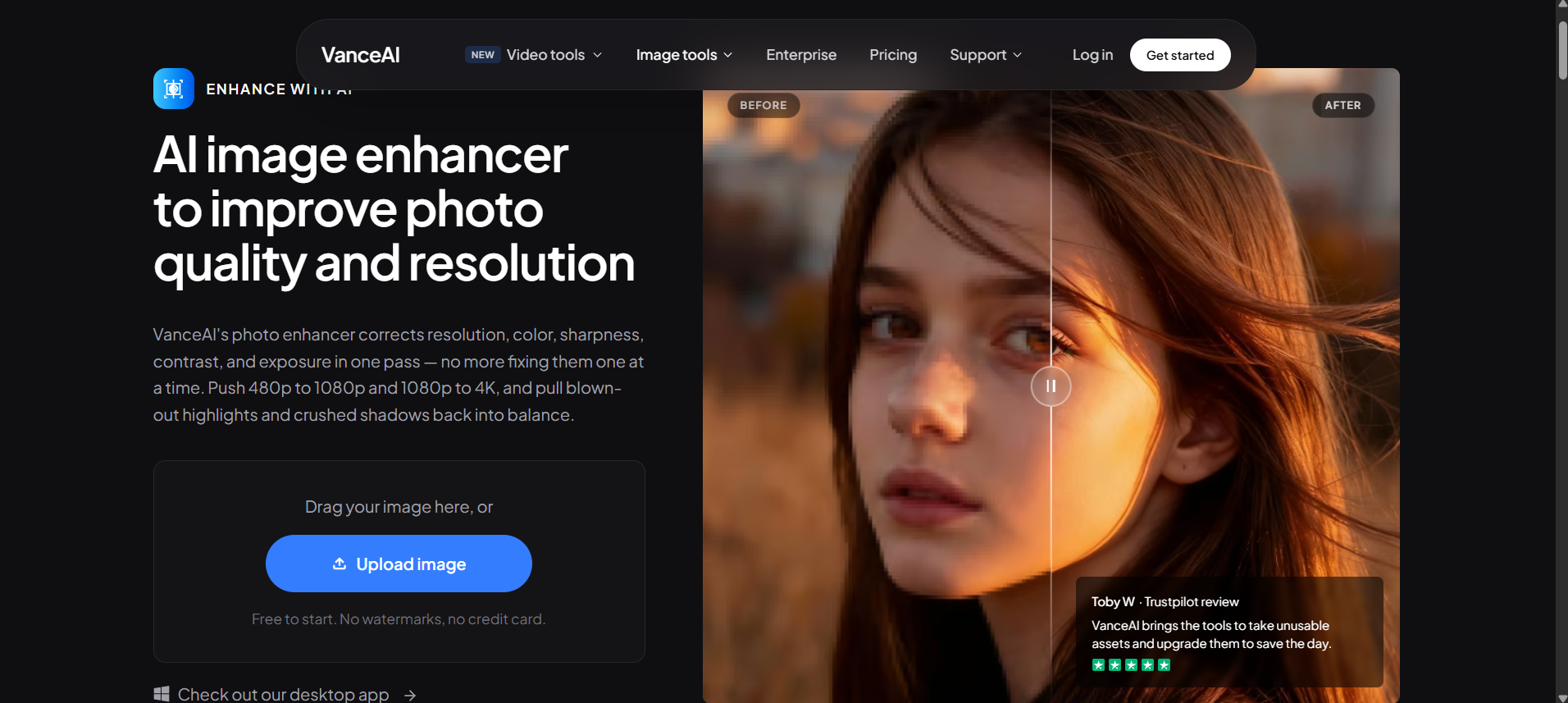
Step 1: Upload Your Image
Visit the VanceAI website and select the enhancement tool you want to use. Upload your image by dragging it into the workspace or selecting it from your device.
Step 2: Select an AI Enhancement Tool
Choose the AI model that matches your objective. Selecting the correct tool helps achieve better results because each AI model is trained for a specific enhancement task.
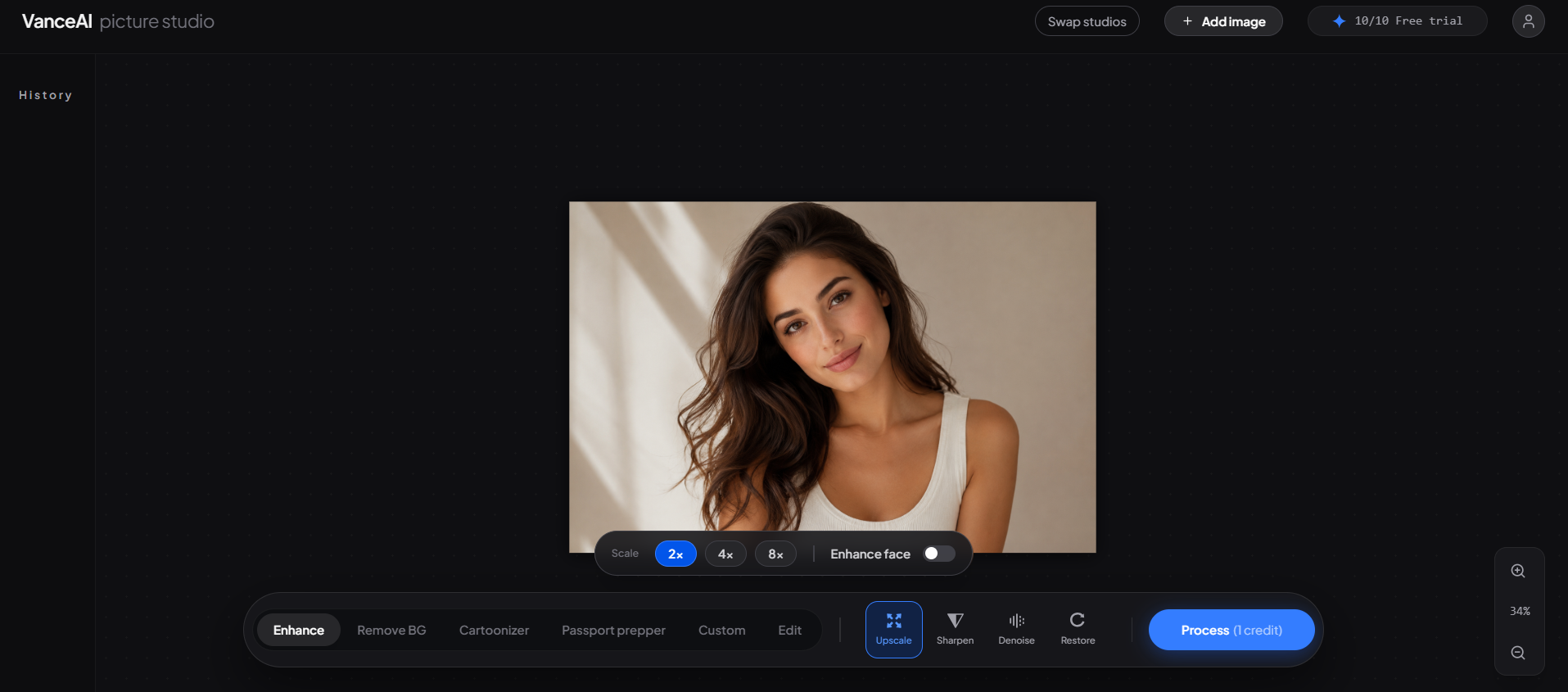
Step 3: Customize Enhancement Settings
Depending on the selected feature, VanceAI allows you to adjust enhancement options before processing. Although the platform emphasizes automation, these controls provide additional flexibility for users who want more customized results.
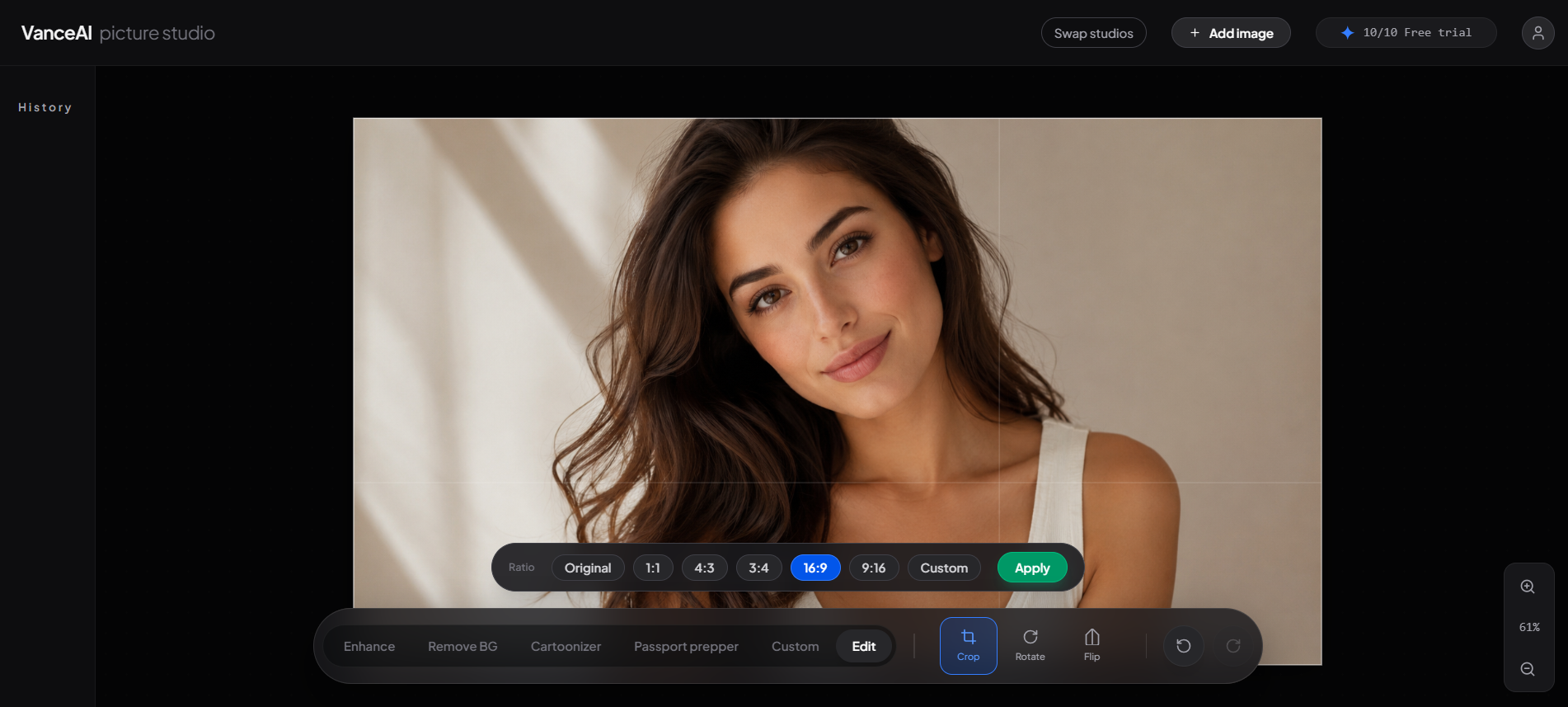
Step 4: Preview & Download
Once processing is complete, VanceAI generates a preview, so you can compare the enhanced image with the original. If you're satisfied with the results, simply download the processed version.
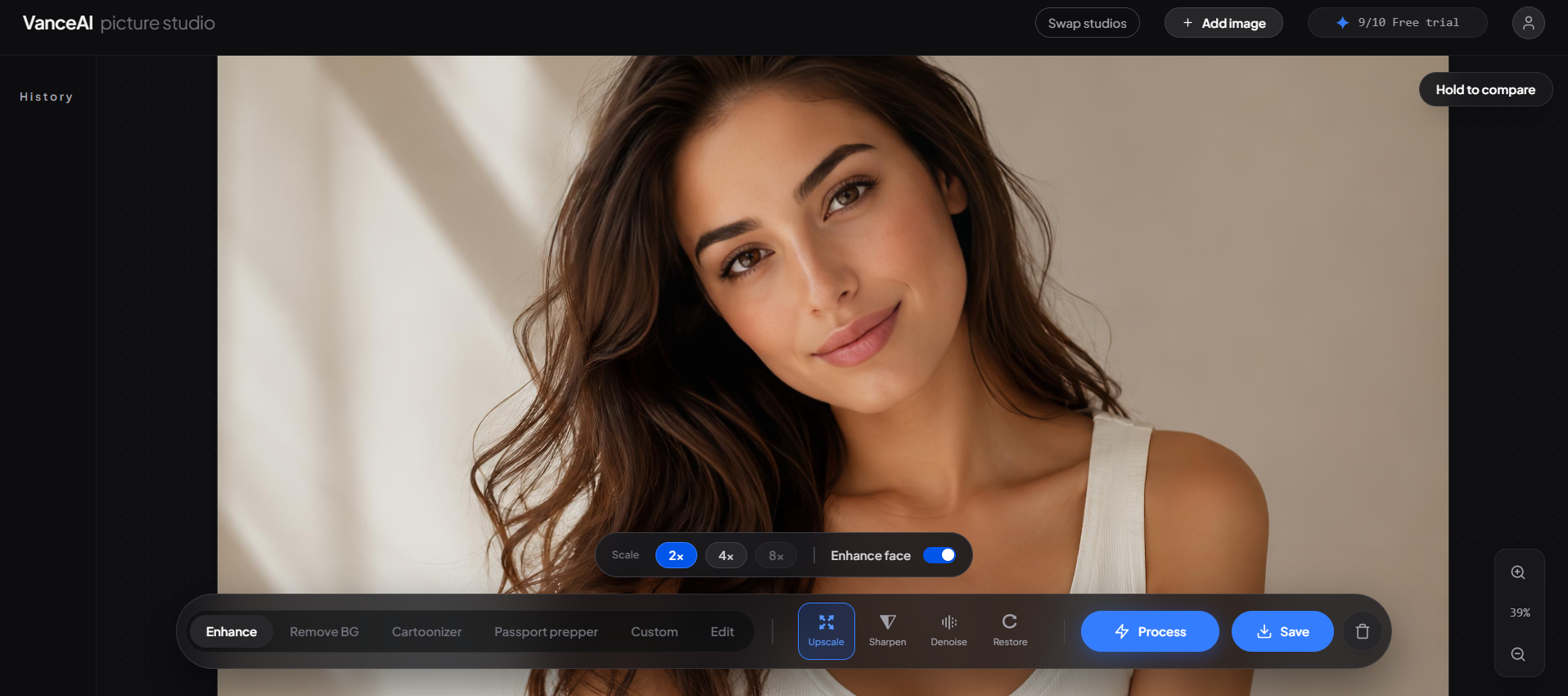
VanceAI Photo Enhancer: Pros, Cons & Pricing
Like most AI editing platforms, VanceAI photo enhancer performs exceptionally well in some situations while showing limitations in others. Understanding both strengths and weaknesses helps determine whether it fits your workflow.
What VanceAI Does Well
VanceAI performs well at automating common image enhancement tasks, making it a practical option for users who want quick improvements without advanced editing skills. Its AI-powered tools require minimal manual input and can process images in just a few clicks. The platform excels at several everyday image enhancement tasks.
Easy AI Photo Enhancement:
Even beginners can upload an image and receive improved results within minutes without learning professional editing software.
High-Quality Image Upscaling:
The AI enlarges images while preserving much of their original detail, making it useful for print projects, websites, and ecommerce listings.
Effective Photo Restoration:
The restoration model can significantly improve lightly damaged photographs by reducing scratches, correcting faded colors, and recovering overall image quality.
Fast Cloud Processing:
Because processing occurs on cloud servers, users don't need powerful desktop hardware. Images are typically enhanced within a short time, depending on file size and server demand.
What Results to Expect
Most users will notice clear improvements when enhancing soft, slightly blurry, compressed, or low-resolution images. Upscaling often produces cleaner edges, while restoration can revive older photographs with faded colors or minor damage. However, AI has practical limitations. Images with extremely poor resolution, severe motion blur, or heavy compression may still contain visible artifacts after enhancement. Human faces, intricate textures, and fine patterns occasionally appear overly smooth or artificially reconstructed. AI can estimate missing details, but it cannot accurately recreate information that was never captured in the original image.
VanceAI Limitations
Although the platform performs well for many common enhancement tasks, users should be aware of several limitations.
Some of the most common drawbacks include:
-
Free version restrictions with limited downloads
-
Credit-based processing that may increase costs for heavy users
-
Cloud-based workflow requiring a stable internet connection
-
Results vary depending on image quality and complexity
-
Limited manual editing controls compared with Photoshop or Lightroom
-
AI-generated artifacts may appear in highly detailed areas
-
Large projects can consume credits quickly
These limitations are common among cloud-based AI enhancement platforms, so they should be considered before choosing a subscription.
VanceAI Pricing
VanceAI uses a credit-based pricing system, allowing users to purchase monthly subscriptions or pay only when needed. Different AI tools and processing options may consume different numbers of credits depending on the selected workflow.
The following plans provide a general overview.
|
Plan |
Price |
Best for |
|---|---|---|
|
Monthly |
$18/month |
Occasional enhancement |
|
Annual |
$9/month |
Regular users |
|
Pay As You Go |
From $40 |
One-time projects |
Note: Pricing may change based on promotions, subscription plans, and regional availability.
Is VanceAI Photo Enhancer Good for Ecommerce Images?
High-quality product photography is one of the biggest factors influencing online sales. Clear, detailed images help shoppers evaluate products, reduce uncertainty, and build trust before making a purchase. In this area, VanceAI Photo Enhancer can be a useful tool for improving existing product photos, but it is important to understand where its capabilities begin and end. For ecommerce businesses that already have product images, VanceAI can enhance sharpness, improve lighting, reduce noise, and upscale low-resolution photos for use across online stores, marketplaces, and social media. These improvements are especially valuable when older product images need to meet modern display standards.
Good For:
VanceAI works well for ecommerce tasks such as:
-
Improving existing product photos
-
Fixing slightly blurry product images
-
Increasing image resolution for marketplaces
-
Enhancing catalog images for websites
-
Cleaning up compressed product photos
-
Preparing images for larger displays or print materials
If your product images already have a clean background and good composition, AI enhancement can make them appear more professional without requiring a complete reshoot.
Best VanceAI Photo Enhancer Alternatives
Although VanceAI performs well for AI-powered enhancement and restoration, several alternatives specialize in different creative workflows. The right choice depends on whether your priority is image quality, advanced editing, or complete marketing content creation.
1. Let's Enhance
Let's Enhance focuses on AI image upscaling and quality improvement. It is particularly popular among ecommerce sellers because it can enlarge product images while preserving details and improving colors. The platform also includes background enhancement and print-ready image optimization, making it a strong choice for businesses that frequently upscale product photography.
Best for: Ecommerce images, print-quality upscaling, online image enhancement.
2. Topaz Photo AI
Topaz Photo AI is a desktop application known for producing excellent results when sharpening, denoising, and upscaling high-resolution photographs. Unlike cloud-based tools, it performs processing locally on your computer, giving professionals greater control over image quality. Its advanced AI models are especially useful for photographers working with RAW files, wildlife photography, sports images, and detailed landscape photography.
Best for: professional photographers, advanced image enhancement, desktop editing.
3. Photoshop or Lightroom AI
Adobe Photoshop and Lightroom now include numerous AI-powered editing features, including automatic masking, object removal, generative editing, noise reduction, and image enhancement. If you're already paying for Adobe Creative Cloud, these applications provide far more editing flexibility than standalone enhancement tools. However, they also require significantly more learning compared to automated AI platforms like VanceAI.
Best for: Professional editing workflows, designers, photographers, and creative agencies.
4. Designkit
While the previous tools primarily focus on improving existing images, Designkit approaches ecommerce content from a different perspective. Instead of only enhancing photos, Designkit helps businesses create complete marketing visuals from product images. Users can generate branded product photography, lifestyle scenes, advertising creatives, marketplace assets, and social media content within a single AI-powered workflow. If your primary objective is restoration, sharpening, or image upscaling, VanceAI remains a strong option. However, if your goal is producing high-volume ecommerce marketing assets, Designkit offers a broader creative production environment.
How Designkit Helps Ecommerce Brands Create Better Visuals
Unlike traditional AI enhancement software, Designkit focuses on transforming product images into complete marketing assets that are ready for multiple sales channels. Its workflow is designed to minimize manual editing while helping brands create consistent visuals for websites, marketplaces, paid advertising, and social media.
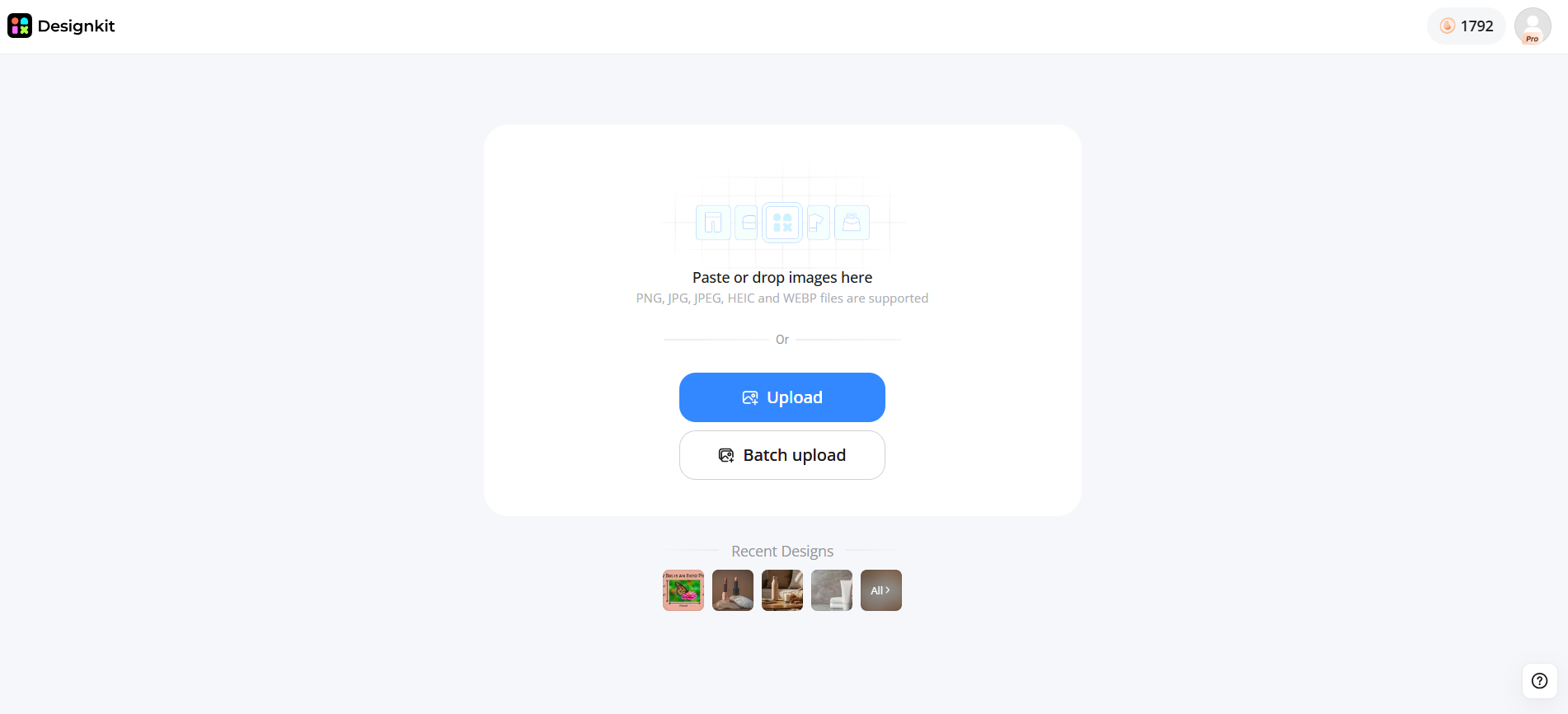
Step 1: Upload Your Product Image
Begin by uploading a product photo. Even images captured on a smartphone can be enhanced before additional creative edits are applied.
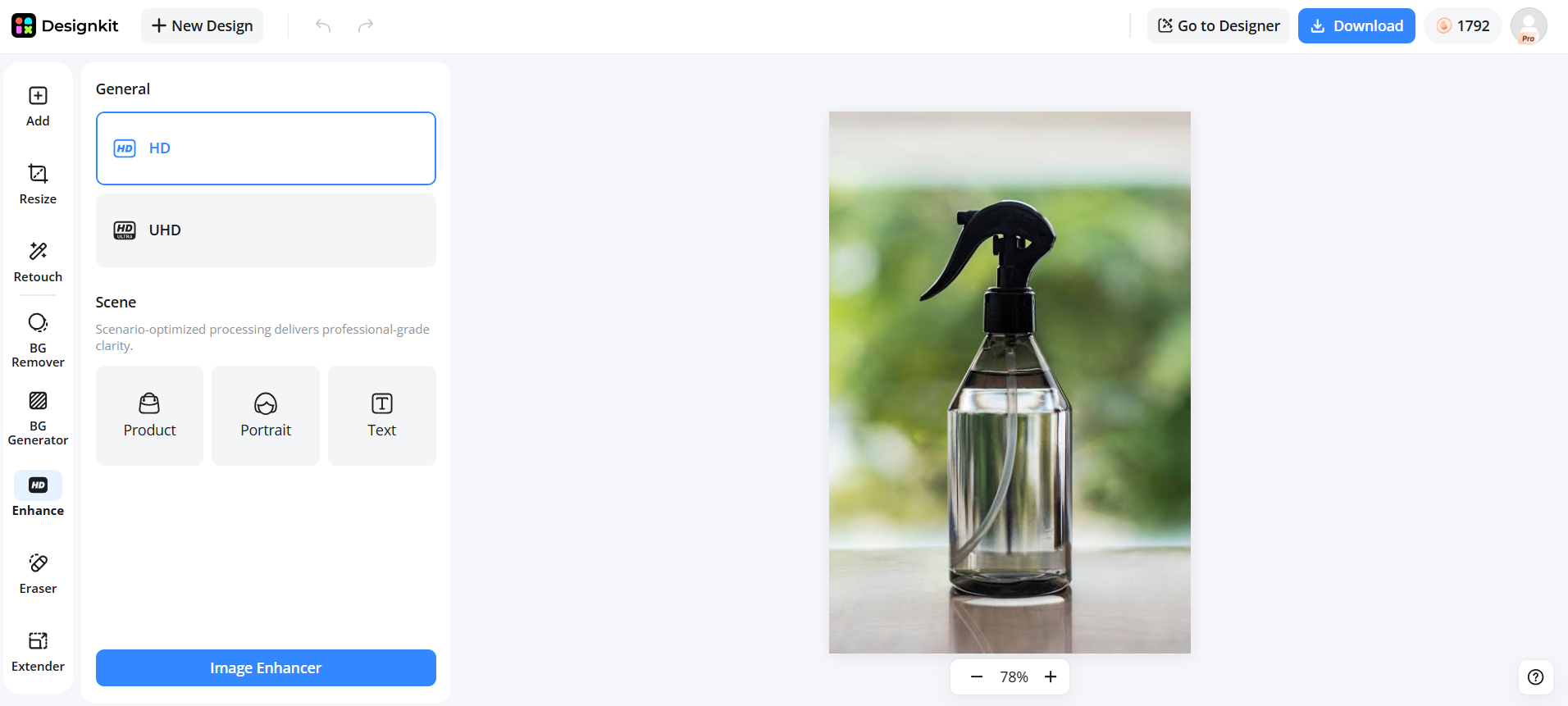
Step 2: Enhance and Transform Product Visuals
Use AI tools to improve image quality, remove or replace backgrounds, and generate professional product or lifestyle visuals. The platform quickly transforms a basic product photo into polished marketing-ready content.
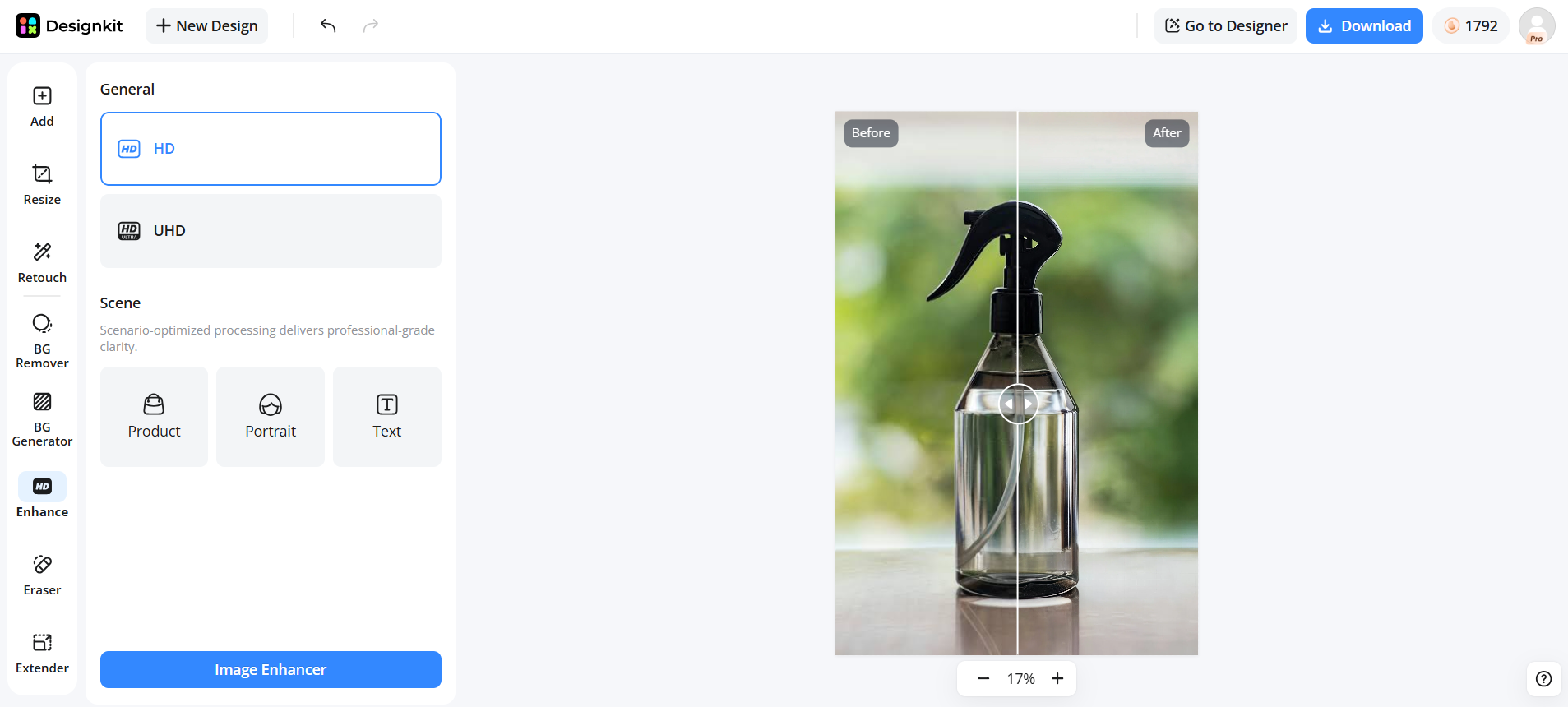
Step 3: Generate Marketing Assets Across Channels
Create optimized visuals for ecommerce websites, marketplaces, social media, and advertising campaigns from the enhanced product image. This helps maintain consistent branding while scaling content production across multiple channels.
Create Better Ecommerce Visuals
Designkit Features for Ecommerce Content Creation
Designkit extends beyond enhancement by helping ecommerce brands create complete marketing-ready visuals, making it better suited for businesses that regularly produce content across multiple sales and advertising channels.
AI Photo Enhancement:Improve image clarity, colors, brightness, and overall visual quality before creating marketing assets.
AI Background Removal & Replacement:Automatically remove existing backgrounds and replace them with clean studio settings or custom branded environments.
AI Product Photography Generation:Create professional-looking product photography without scheduling expensive photo shoots.
VanceAI vs Designkit: Which Tool Fits Your Workflow?
Both VanceAI Photo Enhancer and Designkit use AI to improve visual content, but they solve different problems. VanceAI focuses on enhancing the quality of existing images through upscaling, sharpening, denoising, and restoration. Designkit, on the other hand, is built for ecommerce teams that need to create complete marketing visuals from product images. If your primary goal is recovering old photos or increasing image resolution, VanceAI is the better choice. If you're producing product listings, advertising creatives, social media content, and marketplace assets at scale, Designkit offers a more comprehensive workflow.
|
Category |
VanceAI Photo Enhancer |
Designkit |
|---|---|---|
|
Main purpose |
Improve existing image quality |
Create ecommerce-ready visuals |
|
Best for |
Creators, photographers, restoration/upscale jobs |
Ecommerce brands, marketers, and online sellers |
|
Image enhancement |
Strong upscaling and restoration focus |
Image enhancement integrated into a creative production workflow |
|
Product scene generation |
Limited |
Generate AI-powered lifestyle and marketing scenes |
|
Background editing |
Basic within enhance workflow |
Remove, replace and generate custom backgrounds |
|
Content scaling |
Enhance images |
Produce multiple marketing assets for different channels |
Who Should Choose VanceAI Photo Enhancer?
Designkit is designed for businesses that create visual content for ecommerce and digital marketing rather than simply improving existing images.
It is particularly well suited for:
-
Ecommerce brands
-
Amazon and Shopify sellers
-
Digital marketing teams
-
Advertising agencies
-
Marketplace sellers
-
D2C brands
-
Small businesses scaling visual content production
Instead of focusing only on image enhancement, Designkit helps businesses create complete visual campaigns, including product photography, lifestyle imagery, promotional creatives, and marketplace-ready assets from a single product image.
Who Should Choose Designkit?
Designkit is designed for businesses that create visual content for ecommerce and digital marketing rather than simply improving existing images. It is particularly well suited for Ecommerce brands, Amazon and Shopify sellers, Digital marketing teams, Advertising agencies, Marketplace sellers, D2C brands, and small businesses scaling visual content production. Instead of focusing only on image enhancement, Designkit helps businesses create complete visual campaigns, including product photography, lifestyle imagery, promotional creatives, and marketplace-ready assets from a single product image.
Final Thoughts
VanceAI Photo Enhancer is a practical choice for users who need quick AI-powered enhancement, upscaling, and restoration. However, ecommerce brands often need more than sharper images; users need complete product visuals that can compete across marketplaces and advertising channels. For those workflows, Designkit provides a broader AI creative production environment.
Frequently Asked Questions
What is VanceAI Photo Enhancer?
Is VanceAI Photo Enhancer free?
Yes. VanceAI offers a free version with limited features and usage. Full-resolution downloads and higher processing limits require paid credits or a subscription.
Does VanceAI improve blurry images?
Yes. Its AI Image Sharpener can reduce mild blur and improve edge definition. However, extremely blurry images may not recover all missing details.
Can VanceAI upscale images without losing quality?
The VanceAI image upscaler uses AI to enlarge images while preserving as much detail as possible. Although it performs better than traditional resizing methods, the final quality still depends on the original image.
Can VanceAI restore old photos?
Yes. The VanceAI photo restoration tool can repair faded, scratched, and damaged photographs while improving clarity and color. Severely damaged photos may still benefit from manual retouching.
Is VanceAI good for e-commerce product images?
Yes, it is useful for enhancing existing product photos by improving clarity and resolution. However, it does not generate lifestyle scenes, product mockups, or complete marketing creatives, making it less suitable for full ecommerce content production.
You May Also Like
Remove.bg Shutting Down Dec 1, 2026: What Users Are Saying

7 Best Remove.bg Alternatives in 2026: Free & Paid Tools

Instagram Carousel: What It Is, How to Post & Create One

Nano Banana Prompts: 20+ Examples for Better AI Images

Ideogram AI Review 2026: Features, Pricing & Alternatives

Free Mac Photo Editor: 5 Tools Compared for Mac Users

How to Crop a Photo Into a Circle Online (Keep Quality)

How to Make an Image Transparent Online (AI Guide)

Pixlr Background Remover Review 2026: Features, Pricing & Alternatives

How to Fix Overexposed Photos: Recover Highlights Fast

OpenArt AI Review 2026: Features, Pricing & Alternatives

Best AI Headshot Generator: 9 Tools Compared for 2026

Best Stencil Maker Tools 2026: Turn Photos Into Stencils

Pixelbin Watermark Remover Review: Image & Video Results Tested

How to Make a Sticker on iPhone: Easy Step by Step Guide

Best AI Logo Generator in 2026: 10 Tools Compared

How to Turn a Photo Into a Cartoon: A Beginner-Friendly Guide

Landscape vs Portrait: Key Differences & Best Uses in 2026

How to Remove Watermark From Photo: AI, Photoshop & More

How to Fix Pixelated Photos: Photoshop, AI Tools & Tips

Bing Image Creator: How It Works, Features, Uses & Alternatives

How to Remove People from Photos with AI: A Step-by-Step Guide

How to Increase Image Resolution: AI, Photoshop & PPI

How to Add Text to a Photo: 8 Tips for Better Results

How to Fix Grainy Photos: Easy Ways to Clear Images

Creative Profile Picture Ideas for Every Style and Platform

Evoto AI Review 2026: Features, Pricing, Pros & Cons

Pixlr Photo Editor Review: Features, Pricing & Alternatives

Best AI Image Extender Tools in 2026: Expand Photos with AI

How to Make a Collage on iPhone: Easy Guide for 2026

How to Sharpen an Image in Photoshop (Smart Sharpen and Unsharp Mask)

Best Image Background Remover Tools in 2026: AI Tools Compared

How to Make Transparent Background in Paint: Step-by-Step Guide

How to Resize an Image: Best Methods, Tools & Quality Tips

Best AI Image Generator Tools in 2026: Top AI Platforms Compared

Remove.bg Review 2026: Features, Pricing & Is It Worth It?

Luminar Neo Photo Editor Review 2026: AI Features, Price & Pros

How to Post Multiple Photos on Instagram (2026 Guide)

25 Facebook Cover Photo Ideas for Personal & Business Pages

What Is a PFP? Meaning, Examples & How to Create One

Can You Edit an Instagram Post After Posting?

11 Best Canva Alternatives in 2026 for AI Design & Marketing

8 Best Midjourney Alternatives in 2026: Features, Pricing & Comparison

How to Restore Old Photos: AI Tools, Tips & Best Methods

Pixelcut AI Review 2026: Features, Pricing, Pros, Cons & Alternatives

How to Apply Watermark to Photos: Methods, Tips & AI Tools

How to Remove a Background in Illustrator: 4 Easy Methods

How to Change Background Color on Instagram Story (Easy Guide)

8 Best AI Poster Generators in 2026: Create Posters Faster with AI

10 Best AI Image Enhancers in 2026: Tested & Compared

10 Best AI Image Editors in 2026: Features, Pricing & Comparison

7 Best AI Background Changer in 2026: Remove & Replace Photo Backgrounds

Luminar Neo vs Lightroom: Features, Pricing & Comparison 2026

Kittl Review 2026: Is It Worth It? Features & Pricing

How to Make a Blurry Image Clear: 5 AI & Manual Ways

How to Remove Background on iPhone: 5 Easy Methods (2026)

Photoroom Background Remover Review 2026: Features & Alternatives

How to Remove Background in Canva: A Step-by-Step Guide

How to Remove Background in GIMP: Beginner-Friendly Guide

Funny Dog Memes to Try: Doge Meaning and 10 Original Ideas

Back to School Checklist 2026: Supplies, Timeline, and Planning

Recraft AI Review 2026: Features, Pricing, Pros, Cons & Alternatives

How to Make an Image Transparent in Google Slides: Opacity & Background Removal

VanceAI Photo Enhancer Review: Features, Pricing & Alternatives in 2026

What Does Emojify Mean? Text, Photos, & Emoji Art Explained

Top 8 Online Background Removers for Ecommerce Photos (2026)

How to Remove Background in Photoshop: 7 Easy Methods

6 Best AI Image Upscalers 2026: Tools Tested & Compared

Project Indigo Review: Is It Better Than iPhone Camera?

How Big Is an 8x10 Photo? Size, Pixels & Frame Guide

How Big Is a 4x6 Photo? Dimensions, Pixels & Printing Tips

Picsart AI Review: Features, Pricing, Pros, Cons & Alternatives

Lovart AI Review: AI Design Agent Features, Pricing & Alternatives

Fotor AI Image Generator Review: Features, Pricing & Alternatives

How to Add Emoji to Photo Online for Free

Emoji Wallpaper Ideas & How to Make One Online (2026)

Minimalist Poster Design: How to Make a Clean Poster (2026)

How to Make a Custom Poster That Is Ready to Print

Instagram Image Size Guide 2026: Post, Reel, Story & Carousel Specs

LinkedIn Image Size Guide: Profile, Post & Banner Dimensions

YouTube Profile Image Size: Best Dimensions & Safe Area 2026

How to Edit Amazon Product Photos That Boost Sales Fast
Enhance Your Image Faster with AI
Improve image quality with VanceAI, or create complete ecommerce visuals with Designkit. Choose the AI workflow that matches your creative goals.


