
Seedream vs GPT Image for Ecommerce Product Photos
Both models can look great in a demo. This guide helps you choose Seedream 5.0 Pro or GPT Image 2.5 for the next product photo you will actually publish.

If Seedream and GPT Image both show up when you open an image model picker, the decision that matters is practical: which one should render the next product photo you are willing to publish. Demo reels make both look capable. The gap shows up when you need a clean white-background shot, a lifestyle crop that still looks like your real SKU, or a frame with readable marketing text on it.
This Seedream vs GPT Image comparison stays on that ecommerce job. The versions compared here are Seedream 5.0 Pro and GPT Image 2.5.
Quick Verdict for Product Photos
Use the table as a starting map for Seedream vs GPT Image, then confirm on one of your own SKUs. It is a first bet for product work, not a claim that either model wins every category forever.
| Your job | Better first try | Why teams start here |
|---|---|---|
| White-background main image for Amazon or DTC | Seedream 5.0 Pro | Often steadier when the product has to stay recognizable on a clean packshot |
| Close-ups where material has to read correctly | Seedream 5.0 Pro | Less likely to “pretty up” glass, fabric, or metal into something that is not your SKU |
| Lifestyle secondary images | Try both | Seedream when product lock matters most; GPT Image 2.5 when the scene brief is denser |
| Ad or social crop with an English headline | GPT Image 2.5 | Usually stronger when letters have to stay readable in the final file |
| Several rounds of “keep the product, change the scene” | GPT Image 2.5 | OpenAI’s 2.5 line emphasizes precise editing; Sunburst especially if your tool exposes that variant |
| Same hero product across many colorways | Seedream 5.0 Pro first | Start where packshot fidelity is the bottleneck, then spot-check any text needs on GPT Image |
Third-party galleries do not always agree with each other, and some product-photo tests still favor GPT Image 2 on certain packshot briefs. That is another reason to keep this table as a plan, then let your reference photo decide.
What You Are Comparing
Seedream 5.0 Pro is ByteDance’s current flagship image model. In seller workflows it usually shows up when you care about photoreal product presence and keeping a reference object stable across ecommerce-style frames. If you want the longer single-model story on what changed for listing work, read the Seedream 5.0 ecommerce review after this page, not instead of running your own test.
GPT Image 2.5 is OpenAI’s newer image generation line after GPT Image 2. In many menus you will also see Flare and Sunburst. OpenAI positions Flare as the faster everyday option with quality in the GPT Image 2 neighborhood, and Sunburst as the higher-precision choice when editing quality matters more than speed. For this Seedream vs GPT Image article, both count as GPT Image 2.5 unless your tool forces you to pick a label. If both appear, run your hero SKU once on each, then lock one name for the rest of the batch so your notes stay comparable.
A simple split is enough for most teams: Seedream 5.0 Pro is the first stop when the photo has to look like the physical product. GPT Image 2.5 is the first stop when the brief needs clear on-image text or several careful edit passes. Pricing and commercial terms belong on the provider or workbench billing page; compare cost per approved asset, including retries, rather than cost per pretty first preview.
Where Product Photos Diverge
Packshot and materials
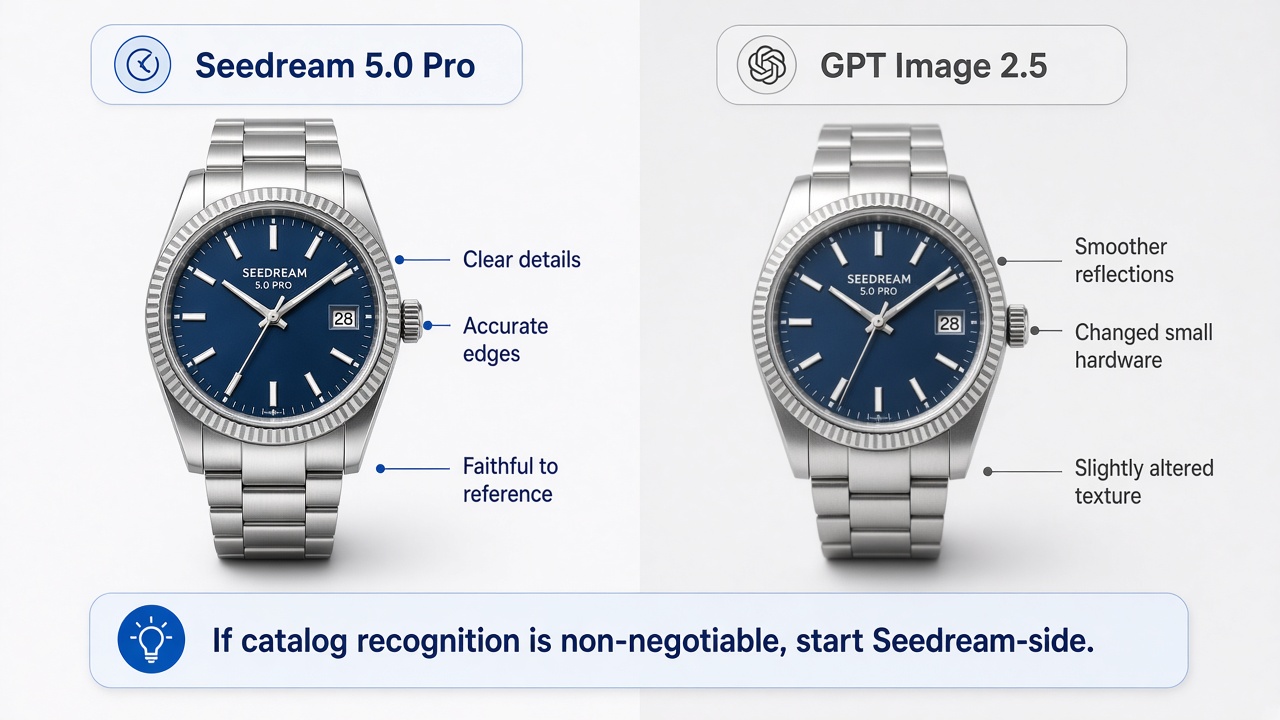
On white or studio packshots, Seedream 5.0 Pro more often keeps edges, label placement, and surface detail close to the reference you uploaded. GPT Image 2.5 can still produce a sellable main image, especially when the prompt is tight, but a loose brief sometimes smooths reflections or nudges small hardware into a “nicer” shape that is no longer faithful. If catalog recognition is non-negotiable, start Seedream-side and only switch after a failed pass.
Text on the image
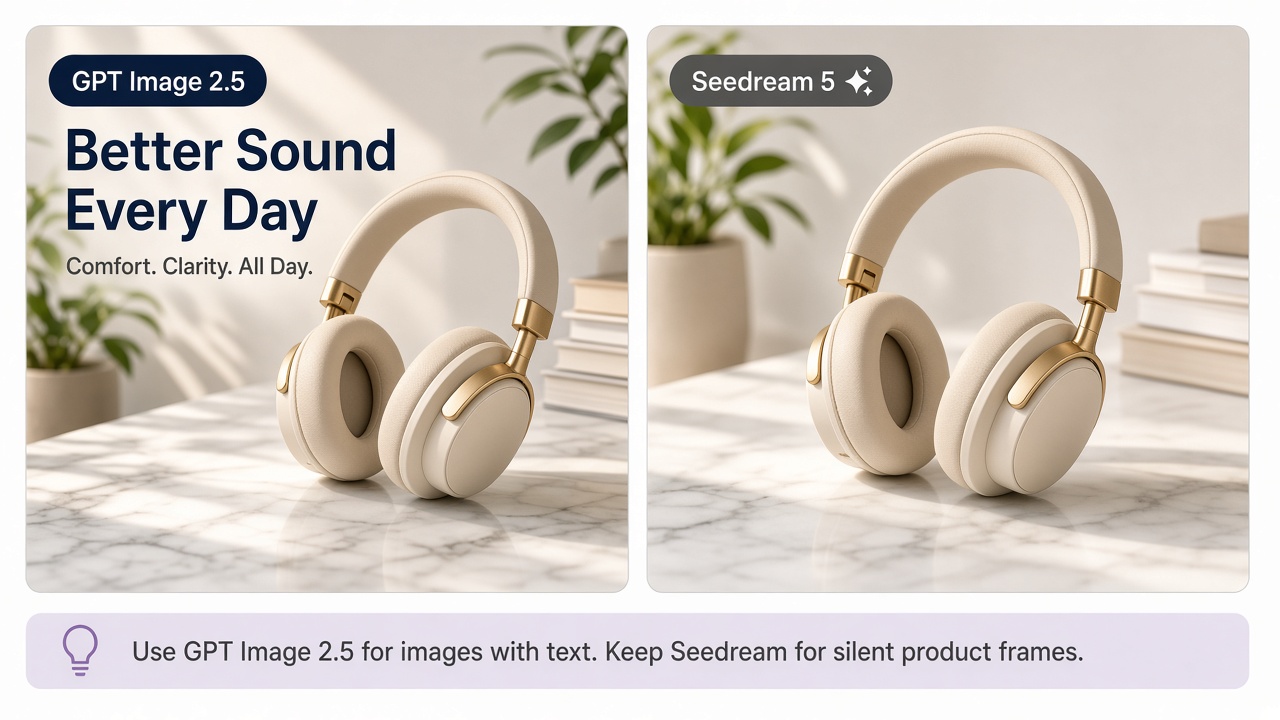
When the deliverable needs a headline or a short callout baked into the frame, GPT Image 2.5 is usually the safer first try. Seedream can place text, yet ecommerce teams often burn retries fixing spelling or spacing on campaign crops. If the file must ship with words already in the image, put GPT Image 2.5 first and keep Seedream for the silent product frames.
Edits that keep the SKU
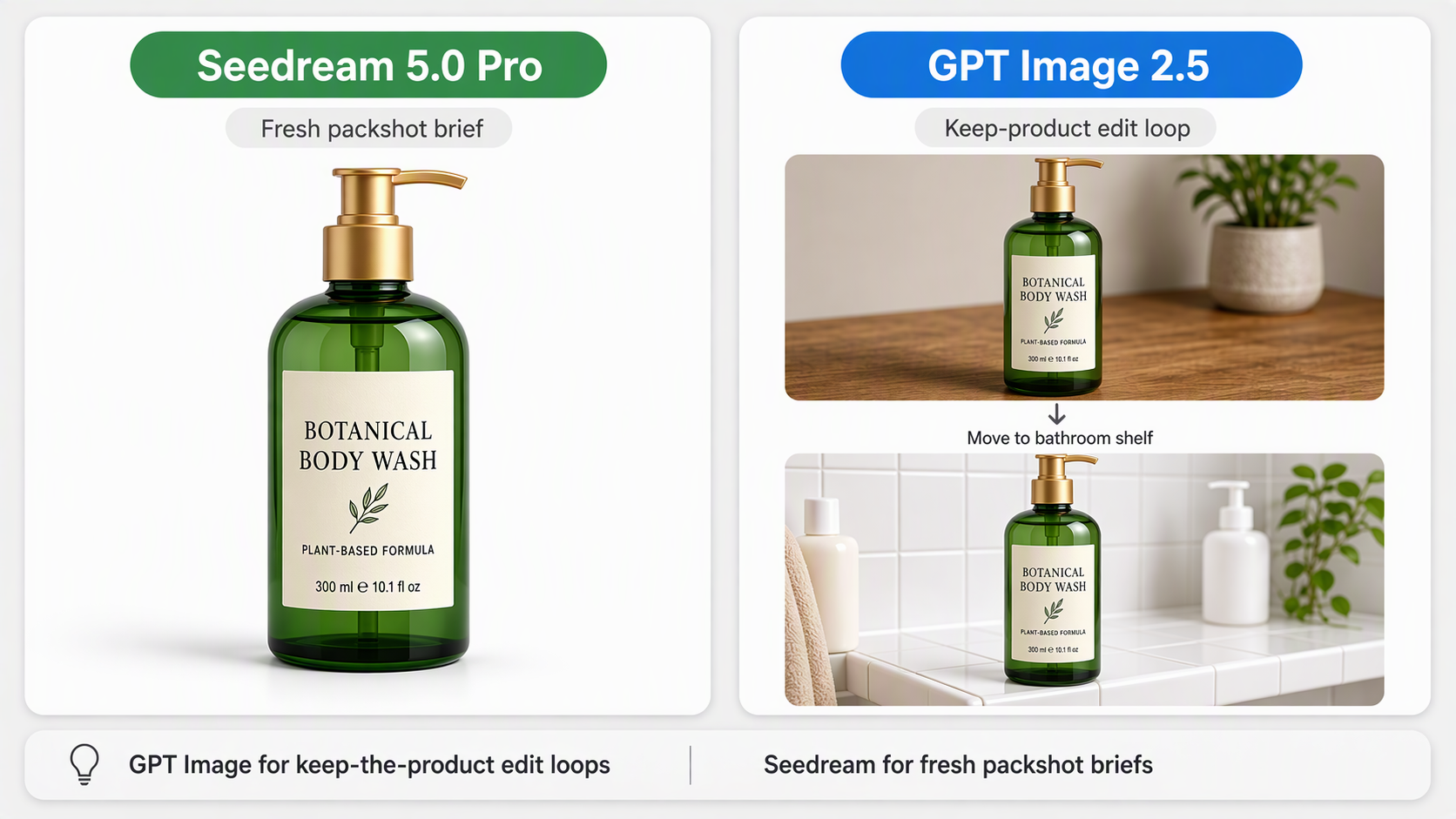
Listing work is rarely one generation. You change the surface, remove a prop, or move the same bottle from a desk to a bathroom shelf. GPT Image 2.5, especially Sunburst when available, is built for those instruction loops when you keep the same product reference in play. Seedream stays strong when each frame is a fresh packshot-style brief and you are not asking for a long back-and-forth edit chat. Exact controls also depend on the tool: some platforms expose masks or region edits on the OpenAI side, while others only give you prompt-led changes on both models.
Take the patterns above as a starting point for ecommerce product photos. Your category, lighting, and reference quality can still flip the result on a single SKU, which is why the next section turns the comparison into a fixed test.
Run One SKU Through Both
Don’t decide from random demo images online. The only fair Seedream vs GPT Image check for your catalog is a fixed test on your own product photo, with the same reference and the same three briefs on both models.
Keep one resolution tier for the whole run. Then generate:
- A white-background packshot at a three-quarter angle, full product in frame, no extra props.
- A simple lifestyle scene on a desk, shelf, or bathroom surface, with the product still clearly the hero.
- A campaign crop with one short English headline and enough empty space that the text can breathe.
When you score the outputs, look at whether the product still looks like your SKU, whether any text reads cleanly, whether you would publish the frame, and how many retries it took to get there. Write the notes down. The mistakes that waste the most time are judging only the first atmospheric frame, using a concept-looking image as a main listing photo, skipping the text brief entirely, or mixing GPT Image 2 and GPT Image 2.5 in the middle of one test.
If you later need longer paste-ready prompt banks for the OpenAI side, keep that in a separate prompts article rather than turning this comparison into a prompt dump. The three briefs above are enough to make the model choice honest.
Pick for the Asset You Will Publish
You don’t have to pick one model forever. A practical split for Seedream vs GPT Image product work is to default Seedream 5.0 Pro for main images and material crops, default GPT Image 2.5 for text-heavy social or ad stills and for edit-heavy revisions, and let your SKU test decide lifestyle secondaries. After you choose winners, grade color and crop so the gallery still feels like one brand.
If you already make product photos in Designkit, you can switch between Seedream 5.0 Pro and GPT Image 2.5 in the same workspace, reuse one brief on one SKU, and keep the frame that is ready to publish. That is usually faster than jumping between separate apps before you set a team default. When GPT Image 2.5 appears as Flare or Sunburst in the menu, spot-check your hero SKU once, then lock one label for the rest of the batch.

Conclusion
Seedream vs GPT Image is less about crowning a global winner and more about matching the model to the asset. Seedream 5.0 Pro is a strong first try when packshot fidelity matters. GPT Image 2.5 is a strong first try when on-image text or careful multi-turn edits matter. Choose by what you will publish this week, confirm on one SKU, then scale. For a model landing page if you want to try Seedream inside Designkit, see Seedream 5.0 Pro.
Frequently Asked Questions
Is Seedream the same as Seedance?
Should I still use GPT Image 2 instead of 2.5?
For a new Seedream vs GPT Image test, default to GPT Image 2.5 so you are comparing current menu labels. If your team already has a stable GPT Image 2 workflow, sample a few SKUs on 2.5 before you migrate everything. The older baseline is covered in the GPT Image 2 review.
What is GPT Image 2.5 Flare vs Sunburst?
They are two GPT Image 2.5 variants. Flare is positioned for faster everyday generation. Sunburst is positioned for higher precision when editing quality matters more. Neither one changes the larger Seedream vs GPT Image choice by itself. Spot-check your hero SKU if both appear, then stick to one label for the batch.
Can I use both models in one listing set?
Yes. Many teams use one model for the main image and another for lifestyle or text-heavy crops. Keep color grade, crop rules, and props consistent so shoppers still read the gallery as one brand.
Where do commercial terms and pricing apply?
Follow the commercial terms and billing page of OpenAI, ByteDance, or the workbench you use. This article does not quote per-image prices because rates change by plan, quality tier, and provider.
How does this compare to Nano Banana for product photos?
Different matchup. This page only covers Seedream vs GPT Image. For Nano Banana against Midjourney, use the Nano Banana vs Midjourney comparison.
You May Also Like
How to Use Google Veo 3.1 for Ecommerce Product Video
Nano Banana 2.1 Review: Features, Release Date & What’s New

How to List a Product on Amazon: Materials Checklist for First Listings

GPT Image 2 Prompts for Product Photos (Copy-Paste Examples)

Nano Banana vs Midjourney for Product Photos and Campaign Visuals (2026)

Kling vs Veo for Product Video & UGC Ads (2026)

Seedance 2.5 Review: What Changed in ByteDance's New Model

MiniMax H3: Features, Benchmarks, Pricing, and How to Use It

Luma vs Seedance (2026): Ray 3.2 or Seedance 2.0?

Gemini Omni Review: Real Tests, Pros & Limitations for Video Generation

GPT Image 2 Review: Features, Prompts & E-commerce Use Cases

Happy Horse 1.0: The AI Video Model E-Commerce Sellers Need to Know About

AI UGC for Ecommerce in 2026: Text-to-Video, Image-to-Video & Reference Replication Guide

HappyHorse AI Review: Features, Benchmarks & How to Use It
Seedance 3.0 Predictions: Will AI Video Enter the Feature Film Era?
Grok AI vs ChatGPT: Features, Pricing & Best Choice (2026)

How to Use Grok AI: Features, Tips & Best Prompts (2026 Guide)
Sora Is Shutting Down? Best AI Video Alternatives for Creators in 2026
Seedance 2.0 for Ecommerce: Create AI Product Videos in Minutes
Seedance 2.0 Review: Features, Improvements, Pricing & How It Works (2026)
Test Both on One SKU
Lock one product photo and one brief, then run Seedream 5.0 Pro and GPT Image 2.5 side by side. Keep the model that produces a frame you would actually publish, and only then set a team default.


