
Luminar Neo vs Lightroom: Features, Pricing & Comparison
Luminar Neo and Lightroom offer different approaches to photo editing. Compare AI tools, editing workflows, pricing, and discover which editor fits photographers, creators, and businesses.


Luminar Neo and Adobe Lightroom are two of the most popular photo editing tools, but they take different approaches to image editing. One focuses on AI-powered enhancements, while the other is known for professional RAW editing and photo management.
In this comparison, you'll explore their features, pricing, performance, and ideal use cases to determine which editor best fits your photography or creative workflow.
Quick Verdict
-
Lightroom wins on RAW depth, cataloging, and cross-device/Adobe workflows.
-
Luminar Neo wins on fast creative AI (sky, relight, one-click looks).
-
Pricing: Lightroom is subscription-led; Neo often offers a one-time purchase path (verify add-ons/updates).
-
Many photographers use both: Lightroom for library + base edits, Neo for creative finishing (including plugin-style workflows).
-
Different job alert: If you mainly need ecommerce product cutouts and marketing visuals, not a photographer RAW editor, neither tool is the primary fit.
Luminar Neo and Lightroom at a Glance
Choosing between Luminar Neo vs Lightroom depends on how you edit photos, organize your library, and use AI in your workflow. Both applications deliver professional-quality image editing, but they focus on different strengths. Luminar Neo emphasizes AI-powered creativity and fast enhancements, while Adobe Lightroom remains the industry standard for RAW editing, photo management, and cloud-based workflows.
What Is Luminar Neo?
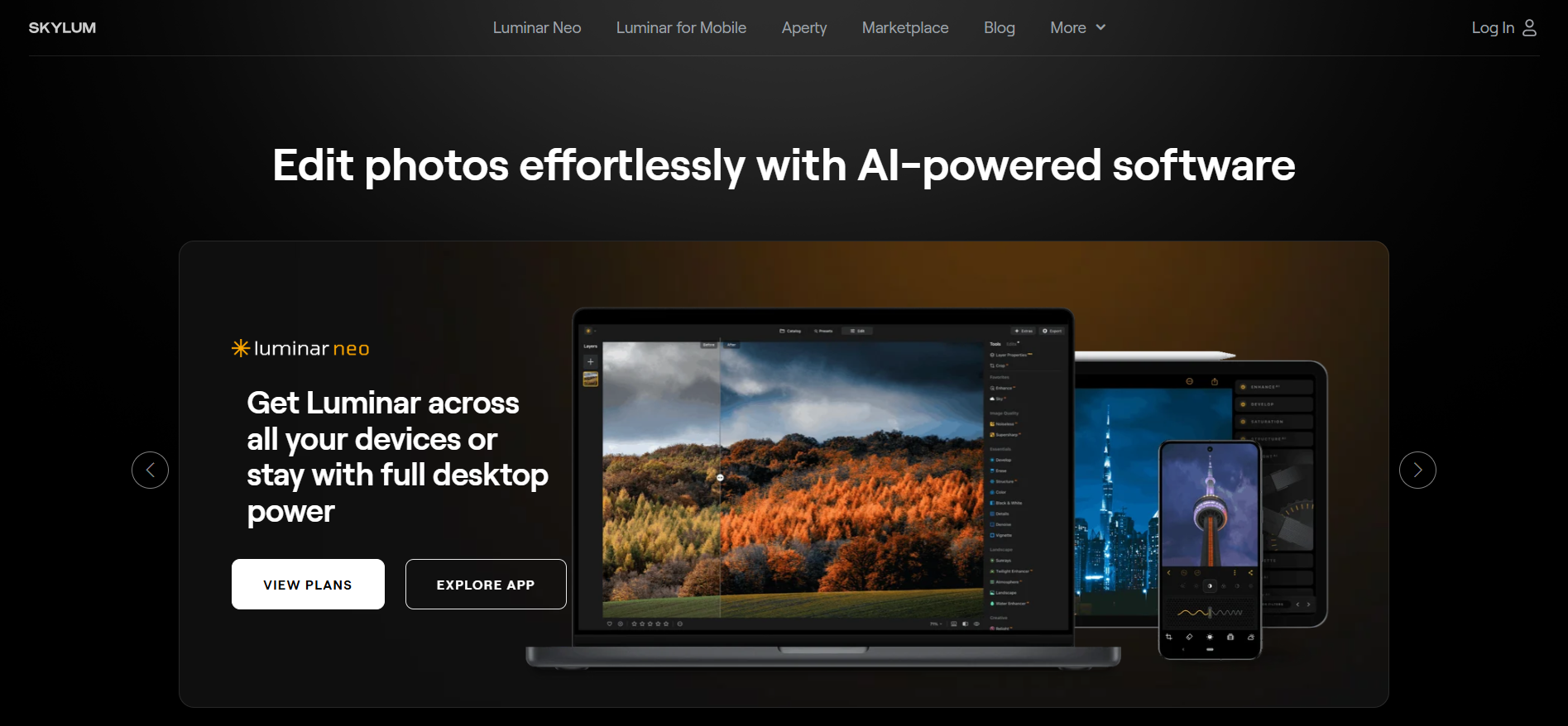
Luminar Neo is an AI-powered photo editor developed for photographers and content creators who want professional results without spending hours on manual adjustments. Its intelligent tools automate complex edits while still allowing users to fine-tune every detail.
Overview
The Luminar Neo photo editor combines traditional editing controls with advanced AI technology. Rather than relying solely on sliders, users can remove distractions, replace skies, relight scenes, and enhance portraits with only a few clicks.
Key Features
-
AI-powered sky replacement
-
Relight AI for balancing foreground and background exposure
-
GenErase and object removal
-
Portrait enhancement tools
-
Layer-based editing workflow
-
RAW image editing
-
Creative presets and templates
-
Plugin support for Photoshop and Lightroom
Who It's For
Luminar Neo works best for:
-
Hobby photographers
-
Travel photographers
-
Portrait creators
-
Social media creators
-
Designers who want fast AI enhancements
-
Anyone looking for an intuitive Luminar photo editing experience
What Is Adobe Lightroom?
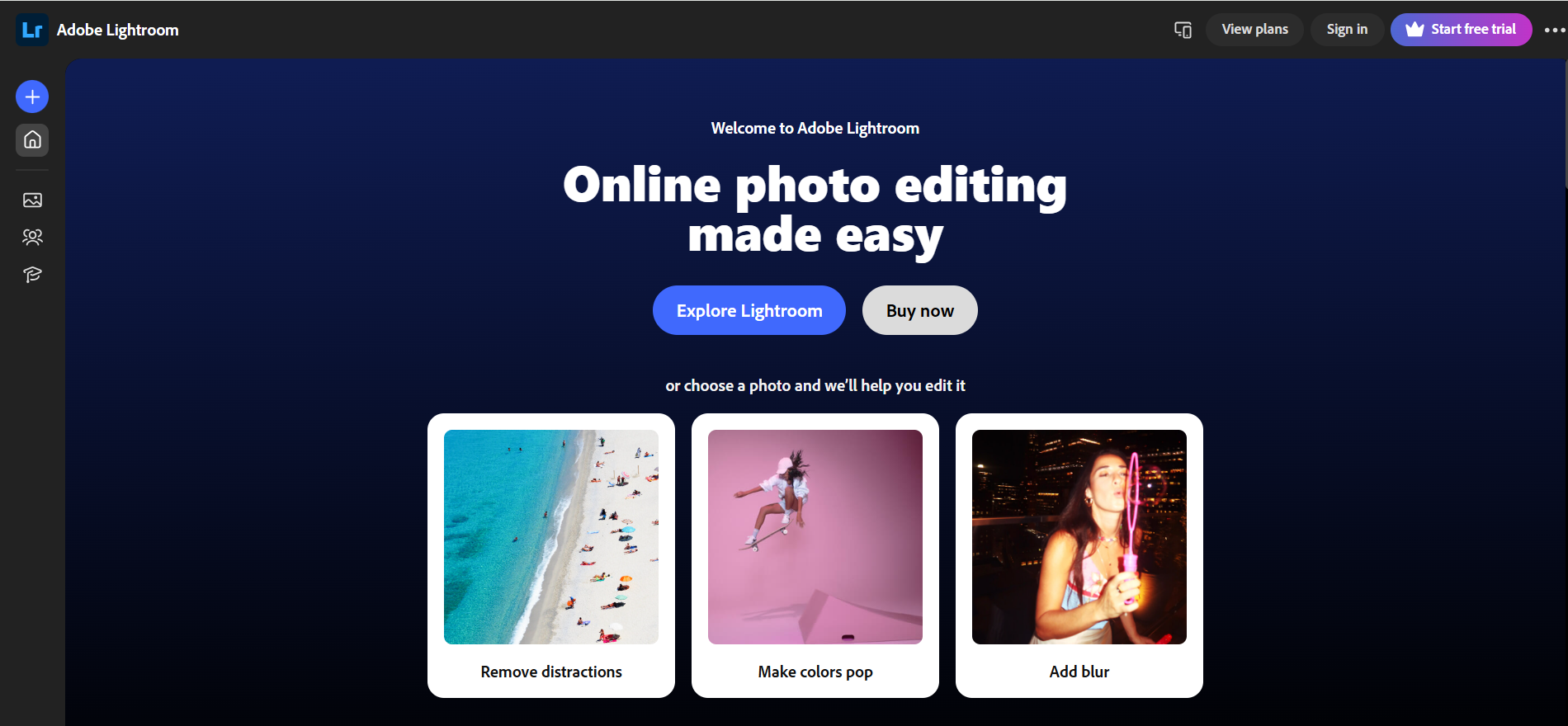
Adobe Lightroom is a professional photo editing and catalog management application widely used by photographers worldwide. It combines powerful RAW editing with industry-leading organization tools and seamless cloud synchronization across devices.
Overview
Unlike editors focused mainly on creative effects, Lightroom is built around efficient editing, file organization, and non-destructive workflows. Many professionals use it to manage thousands of images while maintaining consistent edits across large photo collections.
Key Features
-
Professional RAW editing
-
AI masking and subject detection
-
Advanced color grading
-
Batch editing
-
Catalog and keyword management
-
Cloud synchronization
-
Mobile editing
-
Presets and profiles
-
Integration with Adobe Creative Cloud
Who It's For
Lightroom is ideal for:
-
Professional photographers
-
Wedding photographers
-
Event photographers
-
Commercial studios
-
Creators managing large photo libraries
-
Users focused on efficient Lightroom photo editing workflows
How to Use Them Together?
Many photographers combine both applications instead of choosing one over the other.
A common workflow is:
-
Import and organize photos in Lightroom.
-
Perform initial RAW adjustments such as exposure, white balance, and lens corrections.
-
Send selected images to Luminar Neo as a plugin.
-
Apply AI enhancements, portrait improvements, or creative effects.
-
Return the edited image to Lightroom for export and long-term storage.
This round-trip workflow lets Lightroom handle catalog management while Luminar Neo provides AI-powered finishing touches, giving photographers the strengths of both platforms.
Luminar Neo vs Lightroom: Feature Comparison
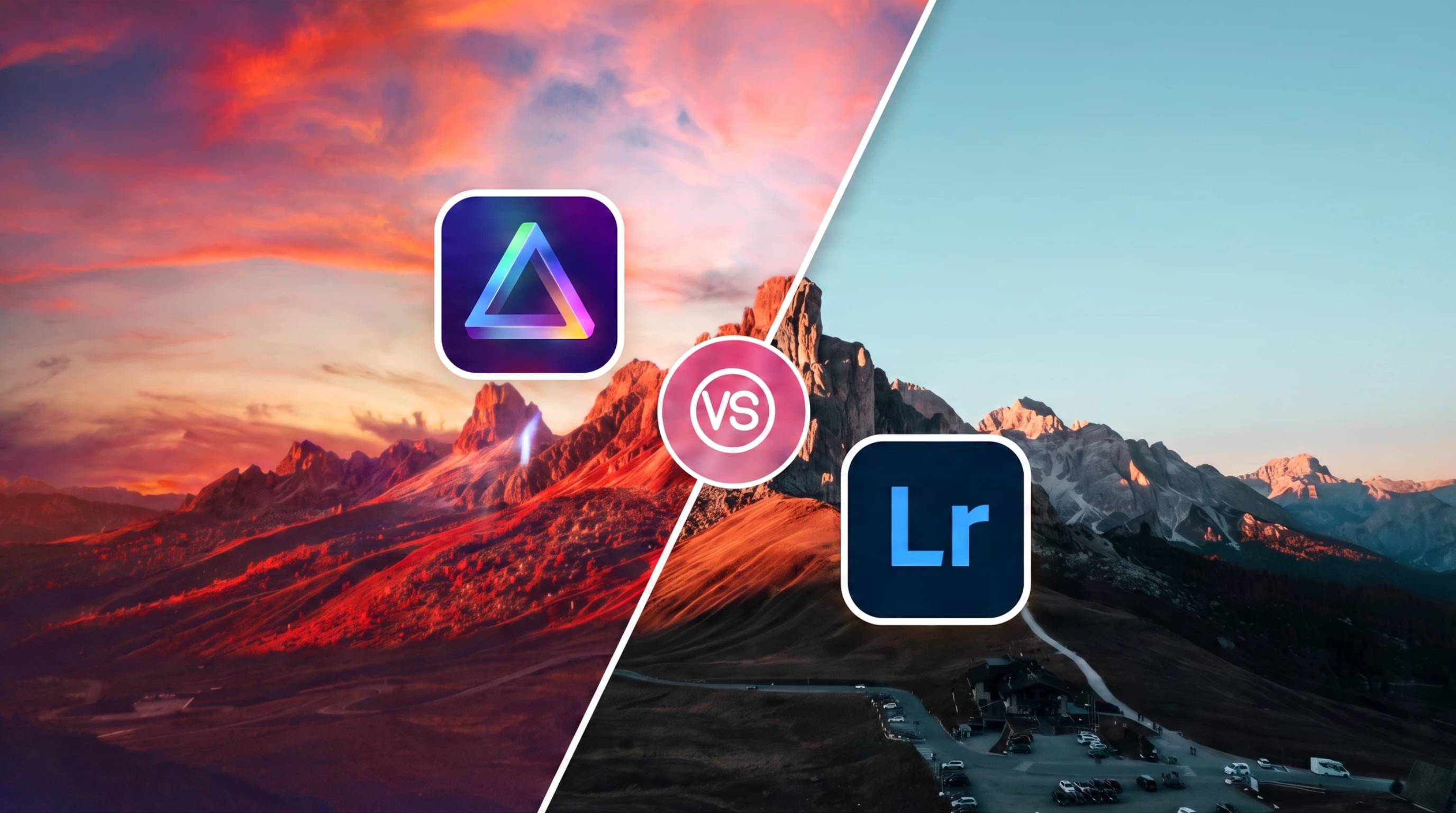
Although both programs edit professional images, they approach editing differently. Lightroom focuses on precision and workflow efficiency, while Luminar Neo prioritizes automation and creative AI editing.
AI Editing Tools
Artificial intelligence is one of the biggest differences in the Luminar Neo vs Lightroom comparison.
Luminar Neo was built around AI-assisted editing. It includes tools that automatically recognize subjects, skies, lighting, and objects, allowing photographers to complete edits in minutes rather than manually creating masks or selections. Features like Sky AI, Relight AI, GenErase, portrait enhancement, and atmosphere effects are especially useful for landscape, portrait, and travel photography. These capabilities are a major reason many photographers seek a Luminar Neo review before choosing an AI-focused editor.
Lightroom also includes AI-powered features, including Subject Selection, Sky Selection, AI Masking, Denoise, and adaptive presets. These tools improve editing efficiency while preserving Lightroom's precise manual controls. However, Lightroom generally emphasizes subtle, professional adjustments rather than dramatic AI-generated enhancements.
If your editing style relies heavily on automation and creative effects, the Luminar Neo AI photo editor offers more AI-first capabilities. If you prefer complete control with AI serving as an assistant, Lightroom delivers a balanced professional workflow.
RAW Editing, Layers, Mobile & Export
Both applications support professional RAW editing, but they differ in how they manage projects and deliver finished images.
Lightroom excels at non-destructive RAW editing, color correction, lens profiles, batch synchronization, and managing thousands of photos through its advanced catalog system. It also offers one of the strongest mobile editing experiences, with cloud syncing that keeps edits consistent across desktop, tablet, and smartphone.
Luminar Neo supports RAW processing while adding flexible layer-based editing, making it easier to combine adjustments, textures, and creative effects within a single project. Its export options cover common formats and resolutions, though its mobile workflow is not as mature as Lightroom's cloud ecosystem.
For photographers managing large client libraries, Lightroom offers a more complete production workflow. For creators focused on artistic editing and AI enhancements, Luminar Neo provides greater creative flexibility with fewer manual steps.
Feature Comparison Table
|
Feature |
Luminar Neo |
Adobe Lightroom |
|---|---|---|
|
AI Editing Tools |
Strong AI-powered tools for sky replacement, portrait enhancement, relighting, and object removal |
AI-assisted masking, subject detection, and selective adjustments |
|
RAW Photo Editing |
Yes |
Yes |
|
Layer Support |
Stronger layer-style flexibility |
Limited compared to Luminar Neo |
|
Catalog Management |
Basic library tools |
Advanced cataloging and organization |
|
Presets & Templates |
Templates and creative looks |
Presets and profiles |
|
Mobile Experience |
Available, but more limited |
Strong mobile app with cloud sync |
|
Export Options |
Multiple export formats and sizes |
Multiple export formats and publishing options |
|
Pricing |
One-time purchase or subscription options |
Subscription-based pricing |
|
Ideal Users |
Creators who want fast AI-driven edits and creative flexibility |
Photographers who need advanced organization and a professional workflow |
Luminar Neo vs Lightroom Pricing
Pricing is an important factor when comparing Luminar Neo vs Lightroom because the two applications follow different business models. Luminar Neo offers more flexibility with one-time purchase options, while Lightroom is available through Adobe's subscription plans. The better value depends on how long you plan to use the software and whether you rely on Adobe's broader ecosystem.
Luminar Neo Pricing
Luminar Neo pricing is available through both lifetime licenses and subscription plans, giving users the flexibility to choose a payment model that fits their budget.
A lifetime license lets you own the software with a single payment, while subscription plans provide ongoing feature updates and access to the latest AI tools. Skylum also releases optional Extensions and major upgrades, which may require separate purchases even for lifetime license holders. Before purchasing, it's worth checking the latest plans and upgrade policy on Skylum's official website.
This pricing model appeals to photographers who prefer avoiding recurring monthly payments while still accessing modern AI editing features.

Adobe Lightroom Pricing
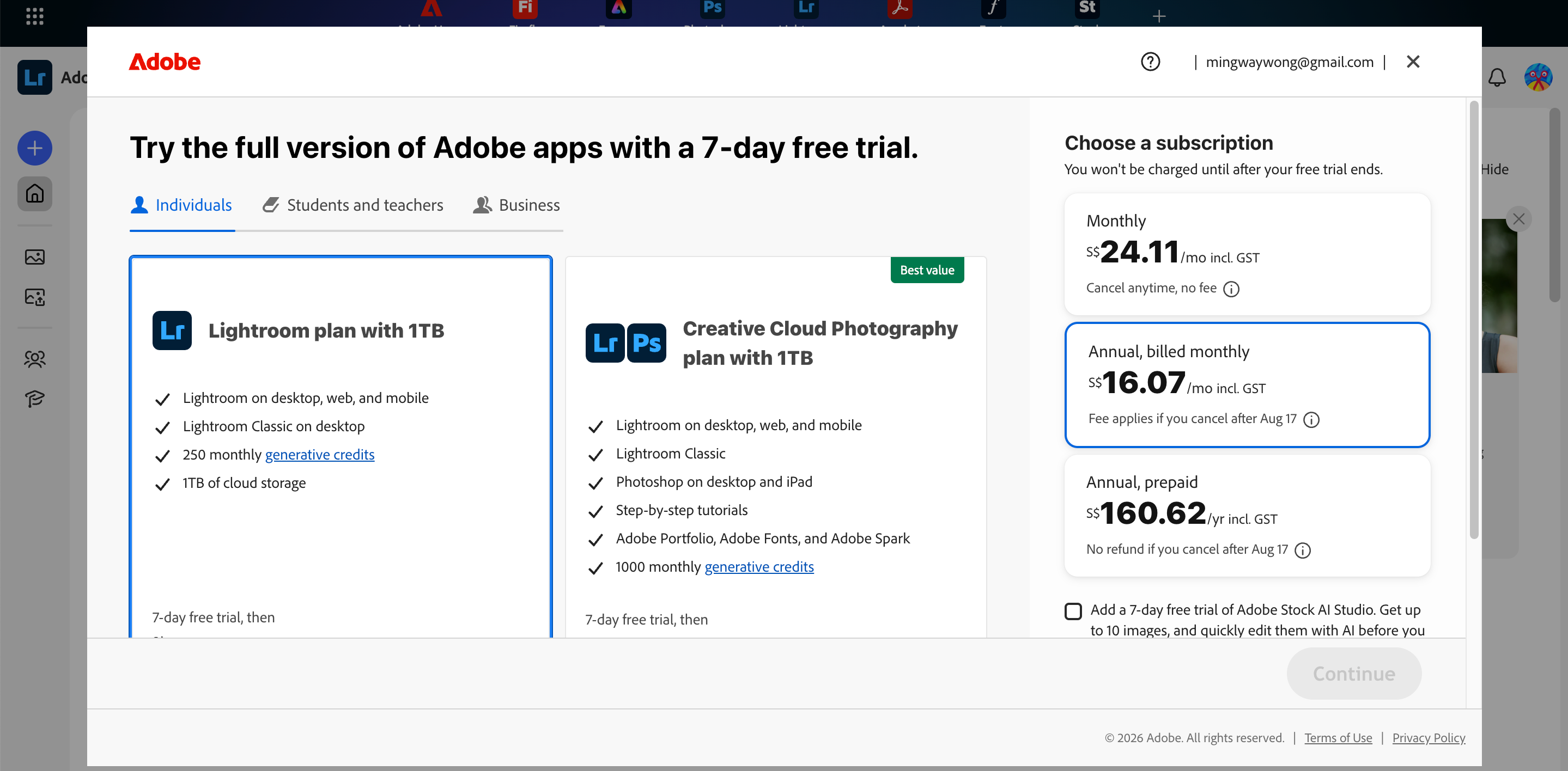
The Adobe Lightroom price is based on a subscription model through Adobe Creative Cloud.
Most photographers choose the Photography Plan, which includes Lightroom, Lightroom Classic, Photoshop, and cloud storage. Adobe also offers different storage tiers depending on your workflow and file sizes. Since plans and pricing occasionally change, it's best to verify the latest subscription options directly on Adobe's website before purchasing.
For professionals who already use Photoshop or other Creative Cloud applications, Lightroom often provides strong overall value despite the ongoing subscription cost.
One-Time Purchase vs Subscription
The biggest difference between the two platforms is how you pay for them.
A one-time purchase can be more economical over several years if you don't need every new feature immediately. Many photographers appreciate owning their software without committing to monthly payments.
Subscription plans, on the other hand, ensure continuous updates, cloud services, new AI features, bug fixes, and compatibility with the latest operating systems. They also make it easier to access multiple Adobe applications under one ecosystem.
Ultimately, the choice depends on whether you value ownership or ongoing access to the latest tools.
Which Offers Better Value?
There isn't a universal winner because value depends on your workflow.
If you edit personal projects, create social media content, or prefer AI-assisted editing without recurring fees, Luminar Neo can provide better long-term value.
If you manage thousands of RAW images, collaborate professionally, or already subscribe to Creative Cloud, Lightroom often becomes the more practical investment thanks to its advanced catalog management, cloud synchronization, and integration with Photoshop.
For many photographers, the best solution is using Lightroom for organization and RAW processing while relying on Luminar Neo for creative AI enhancements.
Luminar Neo vs Lightroom Performance
Performance goes beyond editing speed. It also includes AI processing efficiency, ease of learning, and how well each application runs on different hardware.
Speed, AI Processing, Learning Curve & System Requirements
Lightroom delivers consistently smooth performance for importing, organizing, and batch editing large photo collections. Its optimization makes it well suited for photographers handling extensive RAW libraries and professional workflows.
Luminar Neo focuses on AI-powered editing. Features such as sky replacement, relighting, portrait enhancement, and object removal can dramatically reduce editing time, although AI-intensive operations may require more powerful hardware and can take longer to process on older computers.
The learning experience also differs. Luminar Neo is generally easier for beginners because many edits are automated with intuitive controls. Lightroom has a steeper learning curve due to its extensive editing tools, catalog management, and professional workflow features, but it rewards users with greater long-term flexibility.
Both applications support modern Windows and macOS systems, with better performance achieved on computers equipped with dedicated graphics hardware and sufficient RAM, especially when editing high-resolution RAW files.
Luminar Neo Pros & Cons
|
Pros |
Cons |
|---|---|
|
|
Lightroom Pros & Cons
|
Pros |
Cons |
|---|---|
|
|
Which Should You Choose?
The right choice depends on your editing style, workflow, and long-term needs rather than one application being objectively better.
Choose Luminar Neo If:
Luminar Neo is a great fit if you:
-
Prefer fast AI-assisted creative editing
-
Want dramatic landscape and portrait enhancements
-
Create content for social media or marketing
-
Like an easy-to-learn editing workflow
-
Prefer flexible luminar neo pricing with lifetime purchase options
Choose Lightroom If:
Adobe Lightroom is the better option if you:
-
Edit large collections of RAW photos
-
Need professional catalog management
-
Work with Photoshop and other Adobe apps
-
Require reliable cloud synchronization
-
Want an established lightroom photo editing workflow for commercial projects
Choose Both If:
Many photographers find that using both applications provides the most complete workflow.
Use Lightroom to import, organize, rate, and perform base RAW edits. Then send selected images to the Luminar Neo AI photo editor for AI-powered enhancements, creative effects, portrait retouching, or relighting before returning them to Lightroom for final export and long-term storage.
This combination gives you Lightroom's professional asset management together with Luminar Neo's creative AI capabilities, allowing each application to excel at what it does best.
Another Option Worth Knowing: Designkit AI Photo Editor
Photographers comparing Luminar Neo vs Lightroom usually choose the best workflow for editing and organizing photos. However, if your primary goal is creating polished product images for ecommerce, marketplaces, or social media, you may need a different type of AI editing tool.
Designkit is designed for ecommerce visual production rather than professional RAW catalog management. Instead of replacing Lightroom or Luminar Neo, it focuses on transforming product photos into ready-to-use marketing assets with AI-powered editing and batch processing.
What Designkit Helps With
Whether you're selling on Shopify, Amazon, Etsy, or social platforms, Designkit simplifies repetitive editing tasks so you can prepare product images faster.
-
Remove or replace backgrounds for clean, professional product photos.
-
Erase unwanted objects such as dust, reflections, or distracting elements.
-
Enhance product photo quality with AI-powered sharpening, lighting, and color improvements.
-
Generate new scenes and marketing formats for ads, product listings, banners, and social media content.
Edit Product Photos in 3 Steps with Designkit
Step 1: Upload Your Photo
Upload your product image in JPG or PNG format. Designkit automatically prepares it for fast AI editing with high-quality processing.

Step 2: Apply AI Edits
Remove backgrounds, erase unwanted objects, enhance image quality, or generate new product scenes using AI in just a few clicks.

Step 3: Export Your Photo
Export your edited image in the right size and format for ecommerce listings, websites, ads, or social media with high-quality output.

Edit Product Photos Online Now
Conclusion
Choosing between Luminar Neo vs Lightroom comes down to your editing style and workflow.
Luminar Neo is ideal for creators who want fast AI-powered edits, creative effects, and flexible pricing, while Lightroom excels in professional RAW editing, photo organization, and Creative Cloud integration.
If you manage large image libraries, Lightroom is a strong choice. If you prioritize speed and AI enhancements, Luminar Neo stands out. Many photographers even combine both for the best results.
Instead of focusing on features alone, choose the photo editor that supports your long-term creative goals, workflow, and the way you edit most often.
Frequently Asked Questions
Is Luminar Neo better than Lightroom?
Can Luminar Neo replace Lightroom?
For casual photographers and creators, Luminar Neo can replace Lightroom for many editing tasks. However, professionals managing large RAW libraries often rely on Lightroom's advanced cataloging and workflow tools. If your priority is creating polished product images instead of managing photo collections, Designkit offers AI tools for background replacement, retouching, resizing, and marketing-ready visuals.
Does Luminar Neo support RAW photo editing?
Yes. Luminar Neo supports RAW photo editing, allowing photographers to adjust exposure, color, white balance, detail, and more while preserving image quality. It also adds AI-powered enhancements for faster creative edits. Once your photos are edited, Designkit can help convert them into ecommerce-ready product images with optimized backgrounds, layouts, and promotional formats.
Is Luminar Neo a one-time purchase?
Yes. Luminar Neo offers both lifetime licenses and subscription plans, giving users more flexibility than subscription-only software. Keep in mind that optional extensions and major upgrades may require additional purchases. If your workflow includes creating product listings or marketing assets after editing, Designkit provides AI-powered tools to prepare images for online stores and advertising.
How much does Adobe Lightroom cost?
Adobe Lightroom is available through Creative Cloud subscription plans, with the Photography Plan being the most popular option. Pricing varies depending on cloud storage and included applications such as Photoshop. While Lightroom handles editing and organization, Designkit focuses on the next stage by transforming edited product photos into professional visuals for ecommerce, ads, and social media.
Can Luminar Neo and Lightroom be used together?
Yes. Many photographers use Lightroom for importing, organizing, and making RAW adjustments before sending images to Luminar Neo for AI-powered enhancements. This workflow combines efficient catalog management with creative editing. If you're producing product content, Designkit can be the final step, helping you create marketplace-ready images with background editing, retouching, and multiple export formats.
Which software is better for product photography?
For editing RAW product photos, both Luminar Neo and Lightroom perform well. Luminar Neo is better for creative AI enhancements, while Lightroom offers stronger workflow management for large catalogs. If your goal is selling products online, Designkit is purpose-built for ecommerce, offering AI background replacement, object removal, image enhancement, and optimized outputs for online marketplaces.
What is the best alternative for creating marketing-ready product visuals?
If you need more than traditional photo editing, Designkit is a strong alternative for creating marketing-ready product visuals. Instead of focusing on RAW catalog management, it helps generate polished product images for ecommerce with AI-powered background removal, object cleanup, image enhancement, batch editing, and ready-to-use formats for Shopify, Amazon, websites, and social media campaigns.
You May Also Like

7 Best Remove.bg Alternatives in 2026: Free & Paid Tools

Instagram Carousel: What It Is, How to Post & Create One

Nano Banana Prompts: 20+ Examples for Better AI Images

Ideogram AI Review 2026: Features, Pricing & Alternatives

Free Mac Photo Editor: 5 Tools Compared for Mac Users

How to Crop a Photo Into a Circle Online (Keep Quality)

How to Make an Image Transparent Online (AI Guide)

Pixlr Background Remover Review 2026: Features, Pricing & Alternatives

How to Fix Overexposed Photos: Recover Highlights Fast

OpenArt AI Review 2026: Features, Pricing & Alternatives

Best AI Headshot Generator: 9 Tools Compared for 2026

Best Stencil Maker Tools 2026: Turn Photos Into Stencils

Pixelbin Watermark Remover Review: Image & Video Results Tested

How to Make a Sticker on iPhone: Easy Step by Step Guide

Best AI Logo Generator in 2026: 10 Tools Compared

How to Turn a Photo Into a Cartoon: A Beginner-Friendly Guide

Landscape vs Portrait: Key Differences & Best Uses in 2026

How to Remove Watermark From Photo: AI, Photoshop & More

How to Fix Pixelated Photos: Photoshop, AI Tools & Tips

Bing Image Creator: How It Works, Features, Uses & Alternatives

How to Remove People from Photos with AI: A Step-by-Step Guide

How to Increase Image Resolution: AI, Photoshop & PPI

How to Add Text to a Photo: 8 Tips for Better Results

How to Fix Grainy Photos: Easy Ways to Clear Images

Creative Profile Picture Ideas for Every Style and Platform

Evoto AI Review 2026: Features, Pricing, Pros & Cons

Pixlr Photo Editor Review: Features, Pricing & Alternatives

Best AI Image Extender Tools in 2026: Expand Photos with AI

How to Make a Collage on iPhone: Easy Guide for 2026

How to Sharpen an Image in Photoshop (Smart Sharpen and Unsharp Mask)

Best Image Background Remover Tools in 2026: AI Tools Compared

How to Make Transparent Background in Paint: Step-by-Step Guide

How to Resize an Image: Best Methods, Tools & Quality Tips

Best AI Image Generator Tools in 2026: Top AI Platforms Compared

Remove.bg Review 2026: Features, Pricing & Is It Worth It?

Luminar Neo Photo Editor Review 2026: AI Features, Price & Pros

How to Post Multiple Photos on Instagram (2026 Guide)

25 Facebook Cover Photo Ideas for Personal & Business Pages

What Is a PFP? Meaning, Examples & How to Create One

Can You Edit an Instagram Post After Posting?

11 Best Canva Alternatives in 2026 for AI Design & Marketing

8 Best Midjourney Alternatives in 2026: Features, Pricing & Comparison

How to Restore Old Photos: AI Tools, Tips & Best Methods

Pixelcut AI Review 2026: Features, Pricing, Pros, Cons & Alternatives

How to Apply Watermark to Photos: Methods, Tips & AI Tools

How to Remove a Background in Illustrator: 4 Easy Methods

How to Change Background Color on Instagram Story (Easy Guide)

8 Best AI Poster Generators in 2026: Create Posters Faster with AI

10 Best AI Image Enhancers in 2026: Tested & Compared

10 Best AI Image Editors in 2026: Features, Pricing & Comparison

7 Best AI Background Changer in 2026: Remove & Replace Photo Backgrounds

Luminar Neo vs Lightroom: Features, Pricing & Comparison 2026

Kittl Review 2026: Is It Worth It? Features & Pricing

How to Make a Blurry Image Clear: 5 AI & Manual Ways

How to Remove Background on iPhone: 5 Easy Methods (2026)

Photoroom Background Remover Review 2026: Features & Alternatives

How to Remove Background in Canva: A Step-by-Step Guide

How to Remove Background in GIMP: Beginner-Friendly Guide

Funny Dog Memes to Try: Doge Meaning and 10 Original Ideas

Back to School Checklist 2026: Supplies, Timeline, and Planning

Recraft AI Review 2026: Features, Pricing, Pros, Cons & Alternatives

How to Make an Image Transparent in Google Slides: Opacity & Background Removal

VanceAI Photo Enhancer Review: Features, Pricing & Alternatives in 2026

What Does Emojify Mean? Text, Photos, & Emoji Art Explained

Top 8 Online Background Removers for Ecommerce Photos (2026)

How to Remove Background in Photoshop: 7 Easy Methods

6 Best AI Image Upscalers 2026: Tools Tested & Compared

Project Indigo Review: Is It Better Than iPhone Camera?

How Big Is an 8x10 Photo? Size, Pixels & Frame Guide

How Big Is a 4x6 Photo? Dimensions, Pixels & Printing Tips

Picsart AI Review: Features, Pricing, Pros, Cons & Alternatives

Lovart AI Review: AI Design Agent Features, Pricing & Alternatives

Fotor AI Image Generator Review: Features, Pricing & Alternatives

How to Add Emoji to Photo Online for Free

Emoji Wallpaper Ideas & How to Make One Online (2026)

Minimalist Poster Design: How to Make a Clean Poster (2026)

How to Make a Custom Poster That Is Ready to Print

Instagram Image Size Guide 2026: Post, Reel, Story & Carousel Specs

LinkedIn Image Size Guide: Profile, Post & Banner Dimensions

YouTube Profile Image Size: Best Dimensions & Safe Area 2026

How to Edit Amazon Product Photos That Boost Sales Fast
Edit Product Images Faster with AI
For ecommerce visuals: enhancement, background removal, and creative variants, Designkit helps teams produce marketing-ready images without a full photographer RAW stack.
