
Remove.bg Review 2026: Is This AI Background Remover Worth It?
See how Remove.bg scores on cutout quality, credit pricing, and safety, plus what the 2026 shutdown means for you.


People search for a Remove.bg review when they need a straight answer: how accurate is the AI background remover, what does Remove.bg pricing look like in credits, is Remove.bg safe for business files, and is it still worth paying for in 2026.
This write-up walks through those questions in order. You will get what the tool does well, where it breaks, how the free plan and paid credits behave in practice, and what to do before the standalone site shuts down on December 1, 2026.
What is Remove.bg?
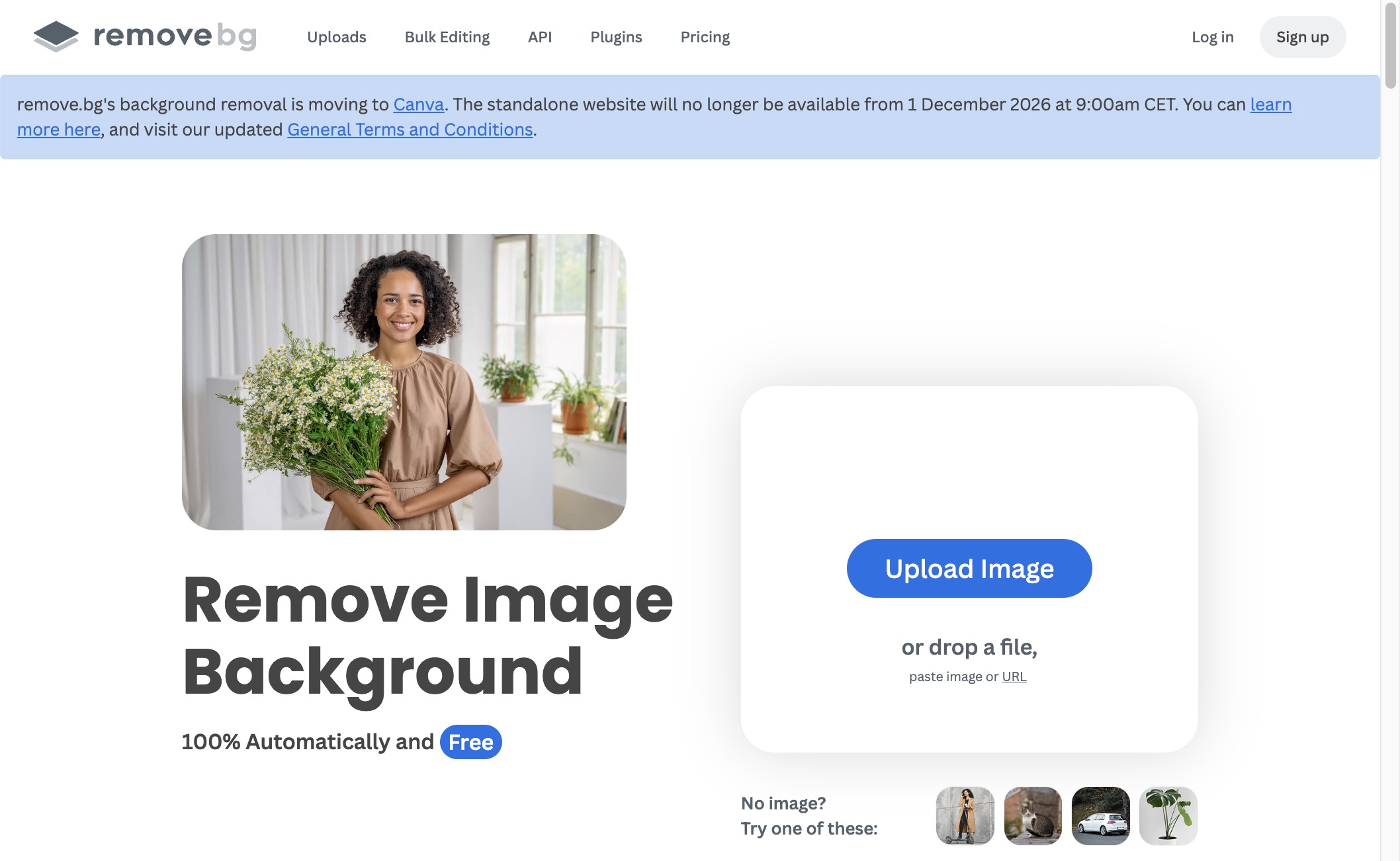
Remove.bg is a cloud tool that removes a background from a photo with one upload. It returns a transparent PNG (or a filled color/image background) without asking you to draw selections by hand. That is why it became a default for product cutouts, profile photos, and API-driven image pipelines.
How does Remove.bg work?
Upload an image. The model finds the main subject and strips the backdrop. From there you can:
-
Download a transparent PNG for design or ecommerce use
-
Replace the background with a solid color or another image
-
Fix missed edges with erase/restore brushes
-
Send the job through batch upload, Photoshop plugins, or the Remove.bg API
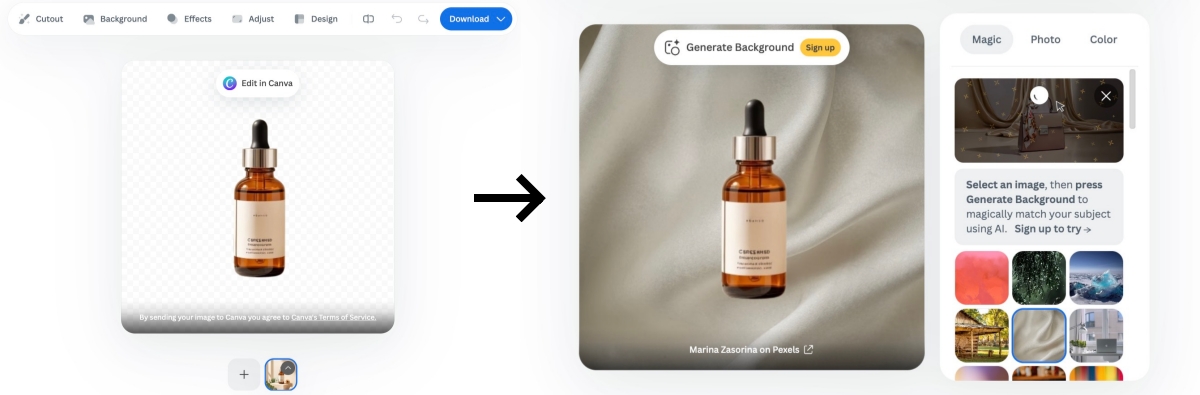
Processing is remote, so you need a stable connection. Output quality depends on subject contrast, edge complexity, and whether you refine before exporting full resolution.
Who should use it?
It fits workflows where background removal is the job, not a side feature inside a full design app.
|
Role |
When it fits |
|---|---|
|
Ecommerce sellers |
Cleaning product photos for marketplace listings |
|
Designers |
Making transparent assets for layouts |
|
Marketers |
Cutting subjects for ads and social creatives |
|
Photographers |
Quick subject extraction before further edits |
|
Developers |
Automating remove-background jobs via API |
|
Small teams |
Repeating the same cutout task without Photoshop |
Features and cutout quality
Searchers usually want to know whether Remove.bg can replace manual masking. The short answer: yes for clean subjects; only with a refine pass for hard edges.
AI background removal accuracy
On clean product shots and simple portraits, the first pass is often listing-ready. Bottles, packaging, apparel with clear outlines, and solid subjects usually keep a usable edge.
Expect more cleanup when:
-
Hair or fur is fine and backlit
-
Glass, reflections, or semi-transparent materials sit in the frame
-
Subject and backdrop are close in color (light product on a light wall)
-
The scene is busy and the model grabs the wrong object
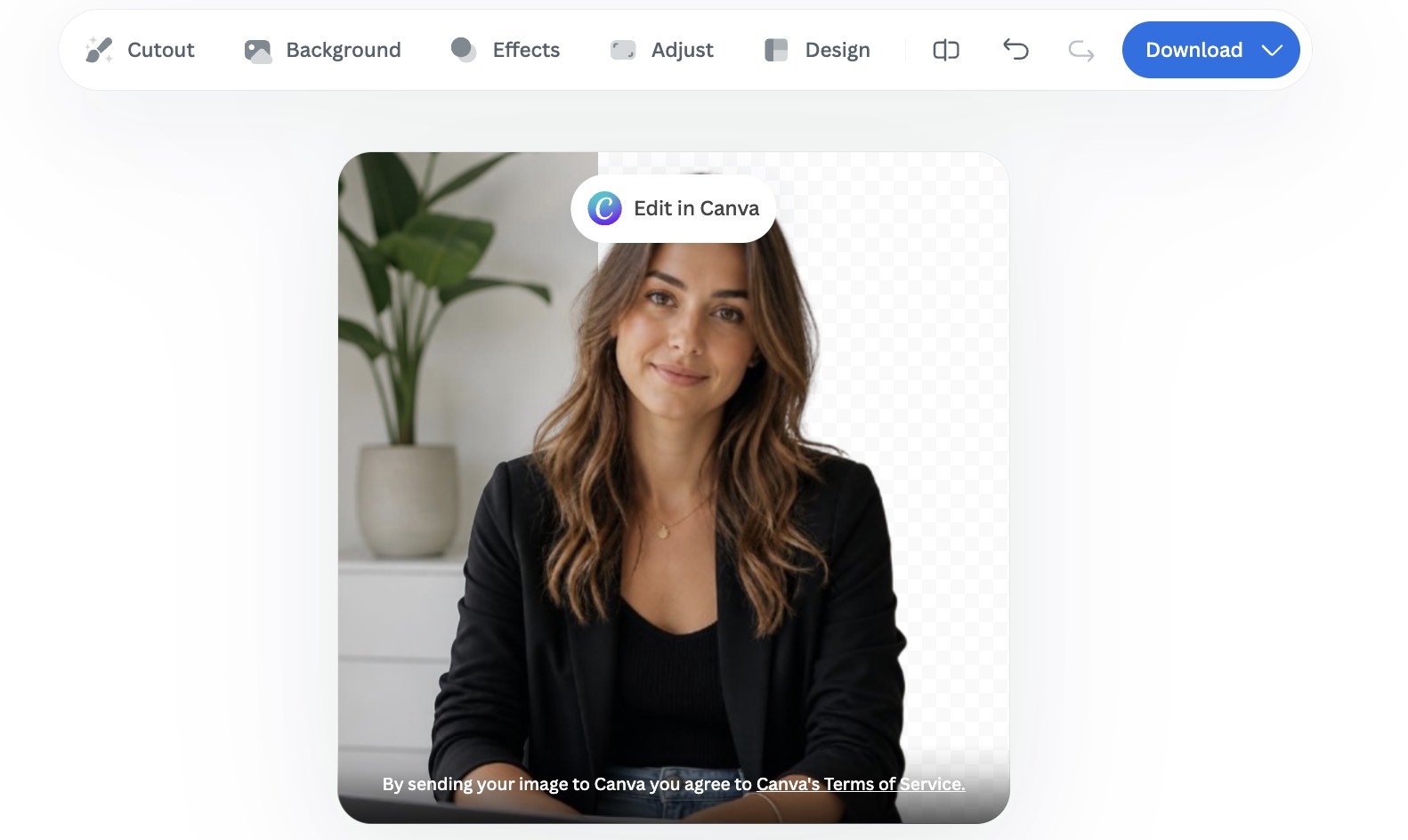
Practical tip: zoom the result at 100% before you spend a credit on HD. Use erase/restore on leftover background or missing subject pieces. Low-contrast catalog shots almost always need that second pass.
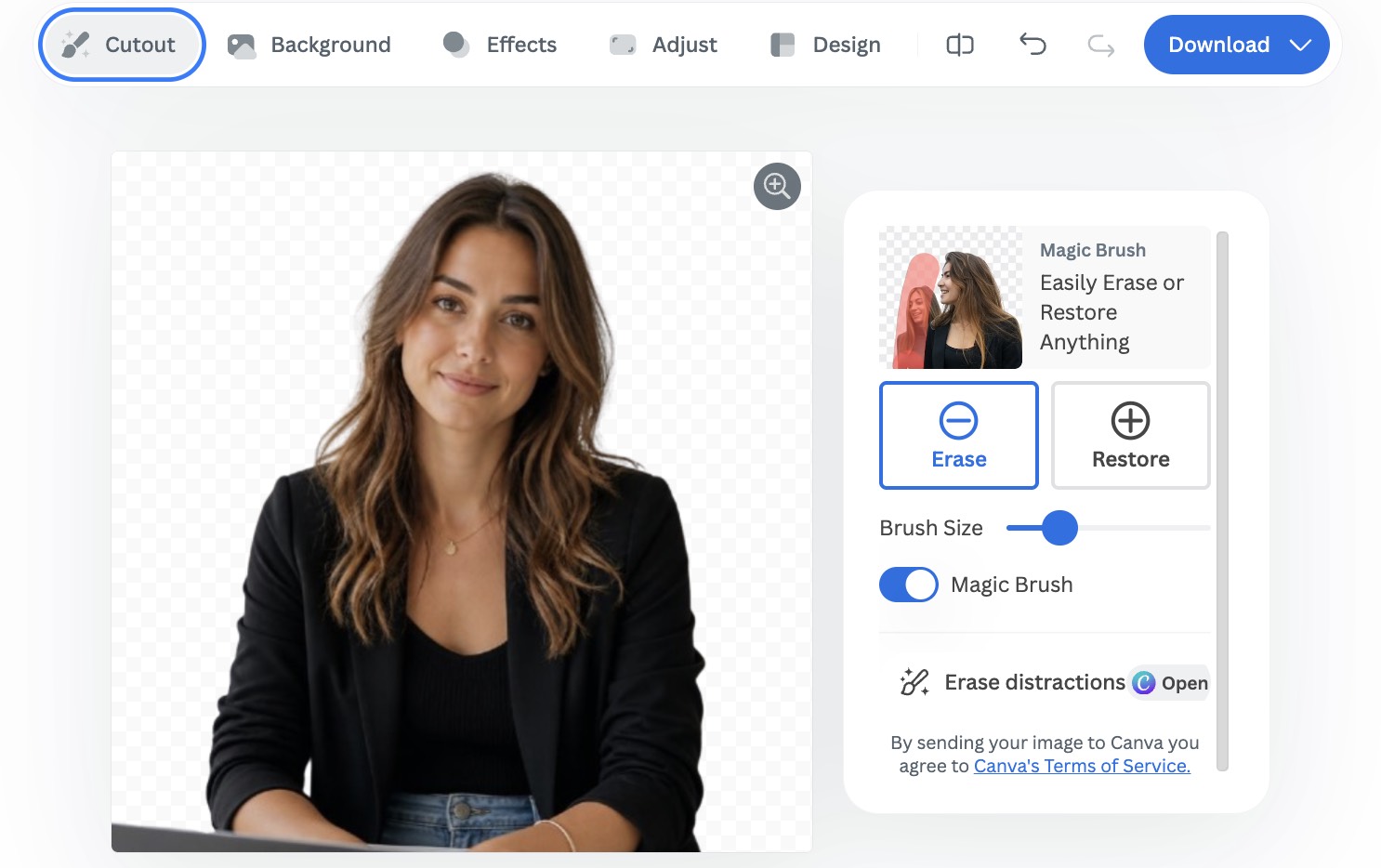
Editing tools and workflow
Remove.bg stays narrow on purpose. Core tools cover:
-
Background replacement (color or custom image)
-
Transparent PNG export for web and storefronts
-
Batch background removal for multi-SKU sets
-
Integrations and API for automated pipelines
It does not replace a full editor. If your next step after the cutout is retouching, color grading, or layout design, you will still open another app.
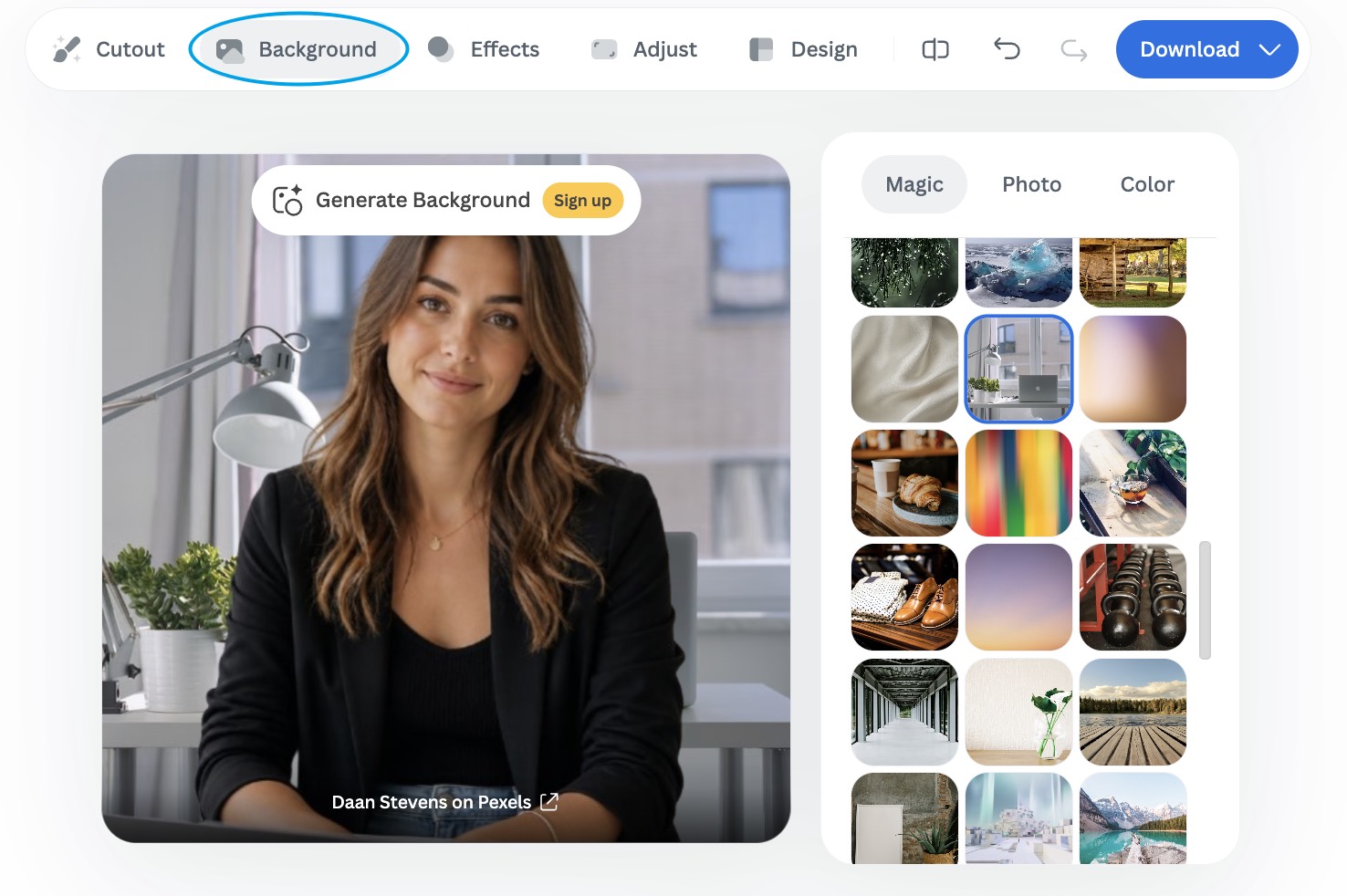
Speed and ease of use
Most single images finish in a few seconds. The UI is upload, process, download. That simplicity is the product. Friction shows up later in account rules: login gates, credit burn on full-resolution downloads, and plan limits on bulk runs. Check those before you move a full catalog.
Plugins and integrations
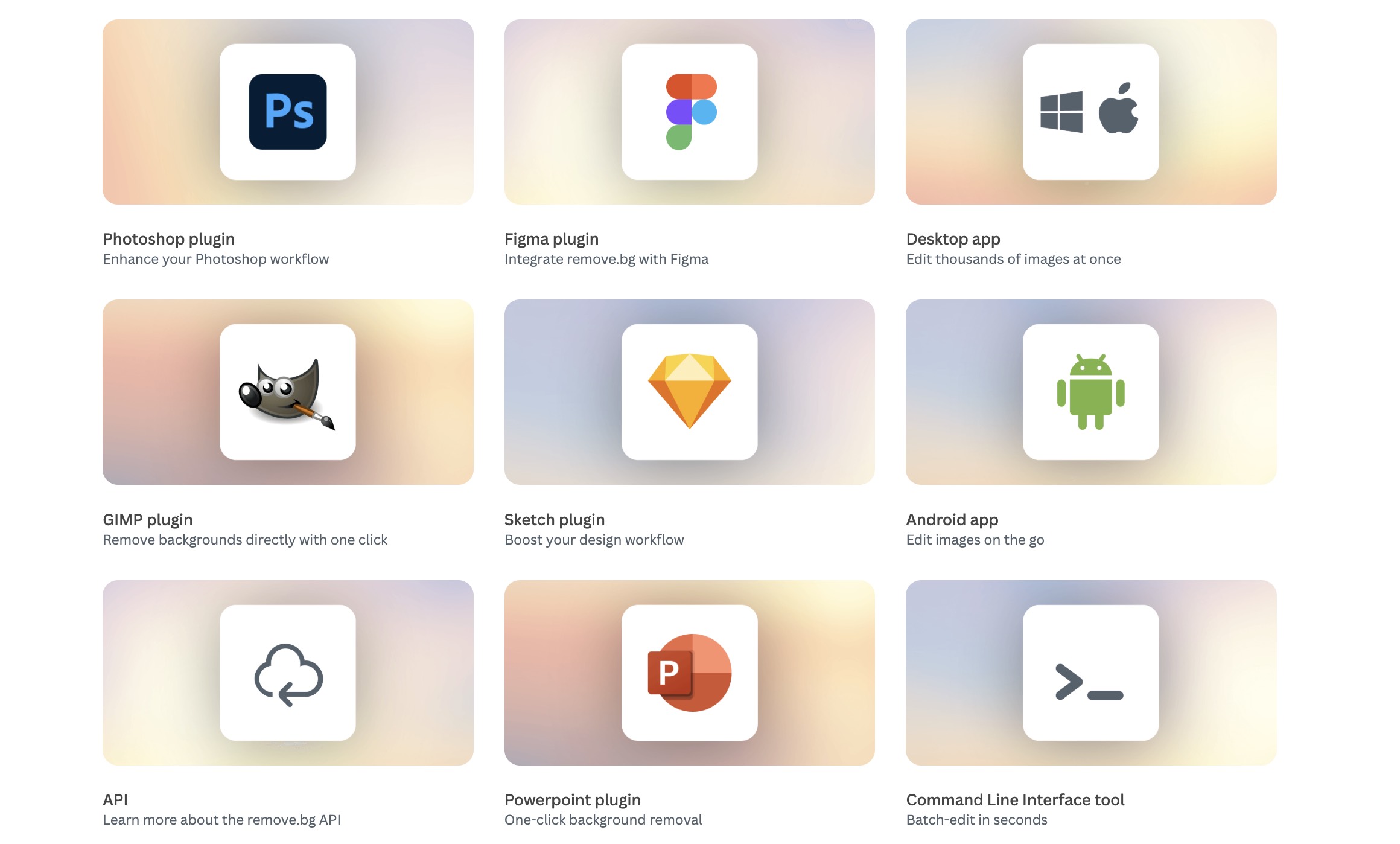
Remove.bg is not only a browser upload page. Official plugins and integrations connect background removal to design tools, stores, and automation. That matters if your team already lives in Photoshop, Figma, Shopify, or a no-code stack.
Common connection points include:
-
Design apps: Photoshop, Figma, GIMP, Sketch, and PowerPoint plugins for one-click cutouts inside an existing file.
-
Desktop and mobile: Windows / Mac / Linux app for local bulk work, plus an Android app for on-the-go edits.
-
Ecommerce and automation: Shopify-oriented flows, plus Zapier and Make for triggering removal without building a custom UI.
-
Developer paths: API and CLI for websites, pipelines, and headless batch jobs.
What to check before you depend on an integration:
-
Credits still apply to full-resolution outputs, whether you start in the browser, a plugin, or the API.
-
Plugin quality and install steps differ by host app. Test on your real files, not only demo images.
-
For 2026 planning, web users are moving toward Canva, and API growth is directed to Leonardo.AI. Confirm whether your plugin or automation path still fits after 1 December 2026, especially if it depends on the standalone remove.bg site.
For the full directory, see remove.bg plugins and integrations.
Batch and bulk background removal
If you process catalogs, not single portraits, bulk capacity matters as much as edge quality. Remove.bg supports multi-image workflows on the web, in the desktop app, through the API, and via automation tools. Full-resolution results still burn credits: 1 image = 1 credit on paid exports.
How bulk usually works in practice:
-
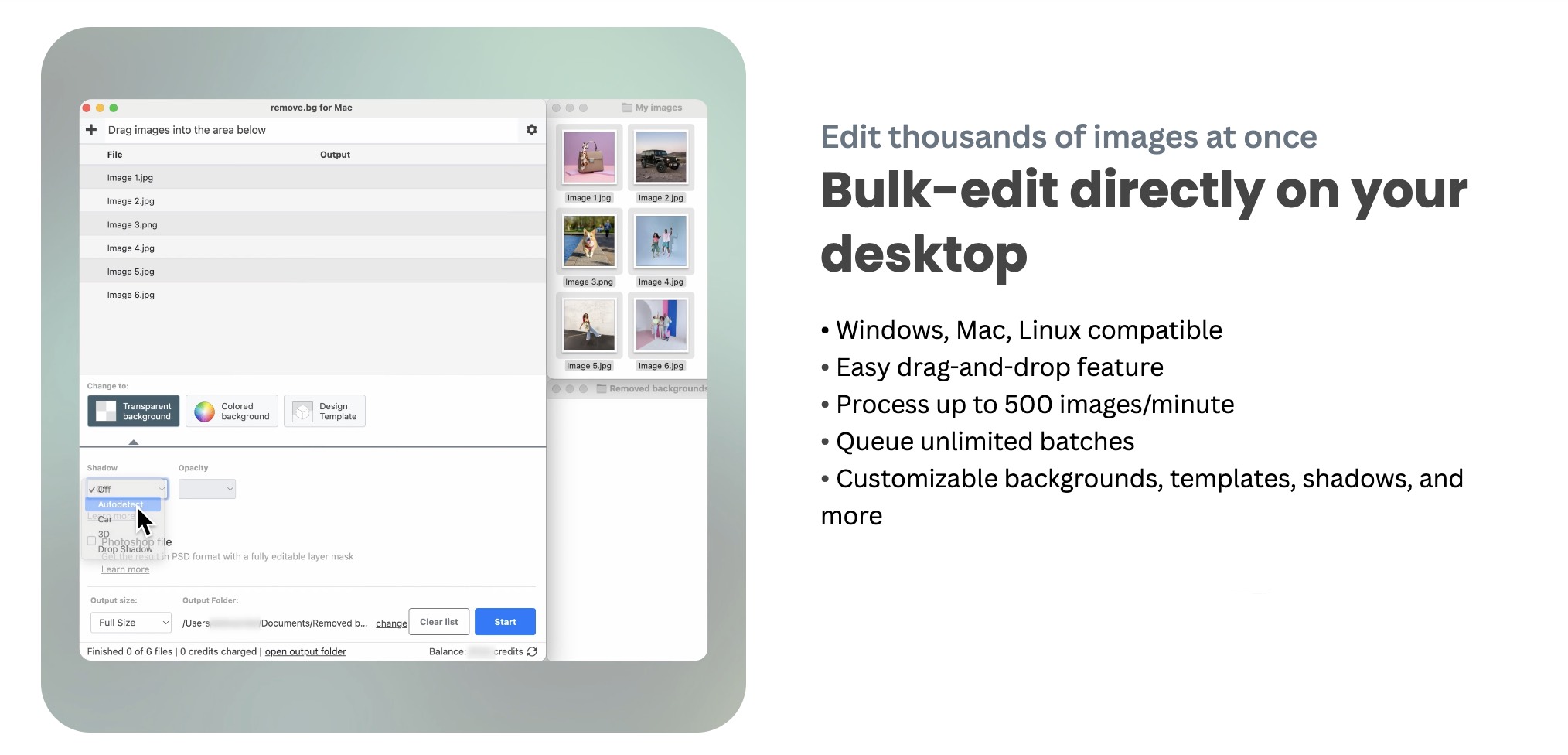
Desktop app (Windows, Mac, Linux): drag-and-drop batches, queue large sets, and apply shared background or template settings. Official materials cite high throughput for local bulk runs, which fits photographers and sellers clearing folders offline from the browser UI.
-
Web / subscription plans: higher credit tiers (especially Professional and above) are built for repeated bulk work. Check your plan’s monthly credit budget before you start a catalog, because unused subscription credits do not roll over.
-
API and automation: developers can remove backgrounds at scale with the API. Remove.bg is also pointing API growth toward Leonardo.AI, including chaining steps such as cutout, upscale, or scene work. No-code stacks (Zapier, Make, store connectors) can trigger the same jobs without a custom UI.
-
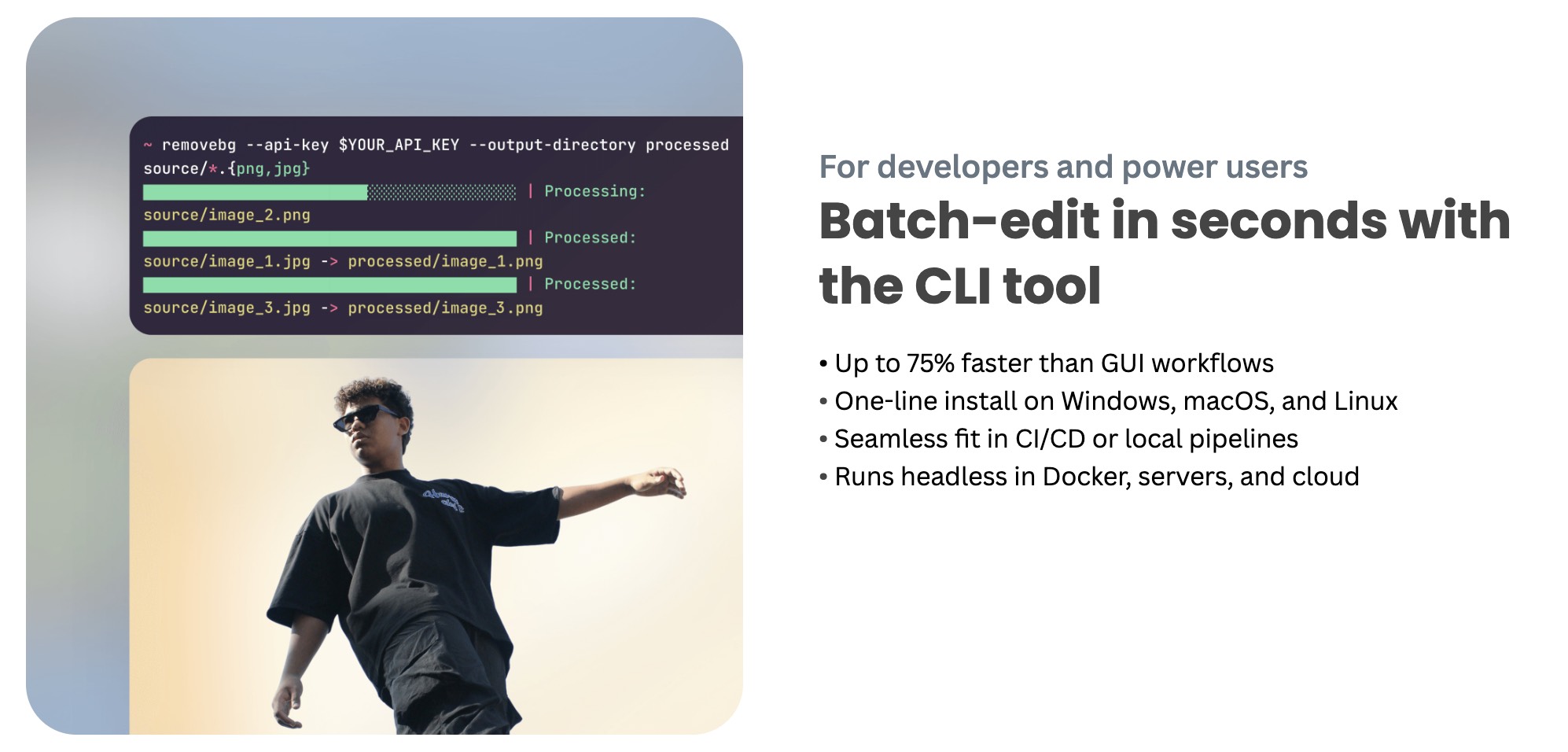
CLI: useful when bulk sits inside CI/CD or headless server pipelines instead of a desktop click-path.
Practical checks before you rely on bulk:
-
Run 10–20 of your hardest SKUs first (hair, glass, low contrast). Bulk speed does not fix weak edges.
-
Confirm whether you need transparent PNG only, or also templates, shadows, and replacement backgrounds after the cutout.
-
Map credit cost to catalog size (for example, 500 HD exports ≈ 500 credits) and compare that with your plan or Pay-as-you-go pack.
-
If you are planning past 1 December 2026, test a backup bulk path early. Web users are directed to Canva; API users toward Leonardo.AI; enterprise API contracts may continue under separate terms.
Remove.bg pricing and credits
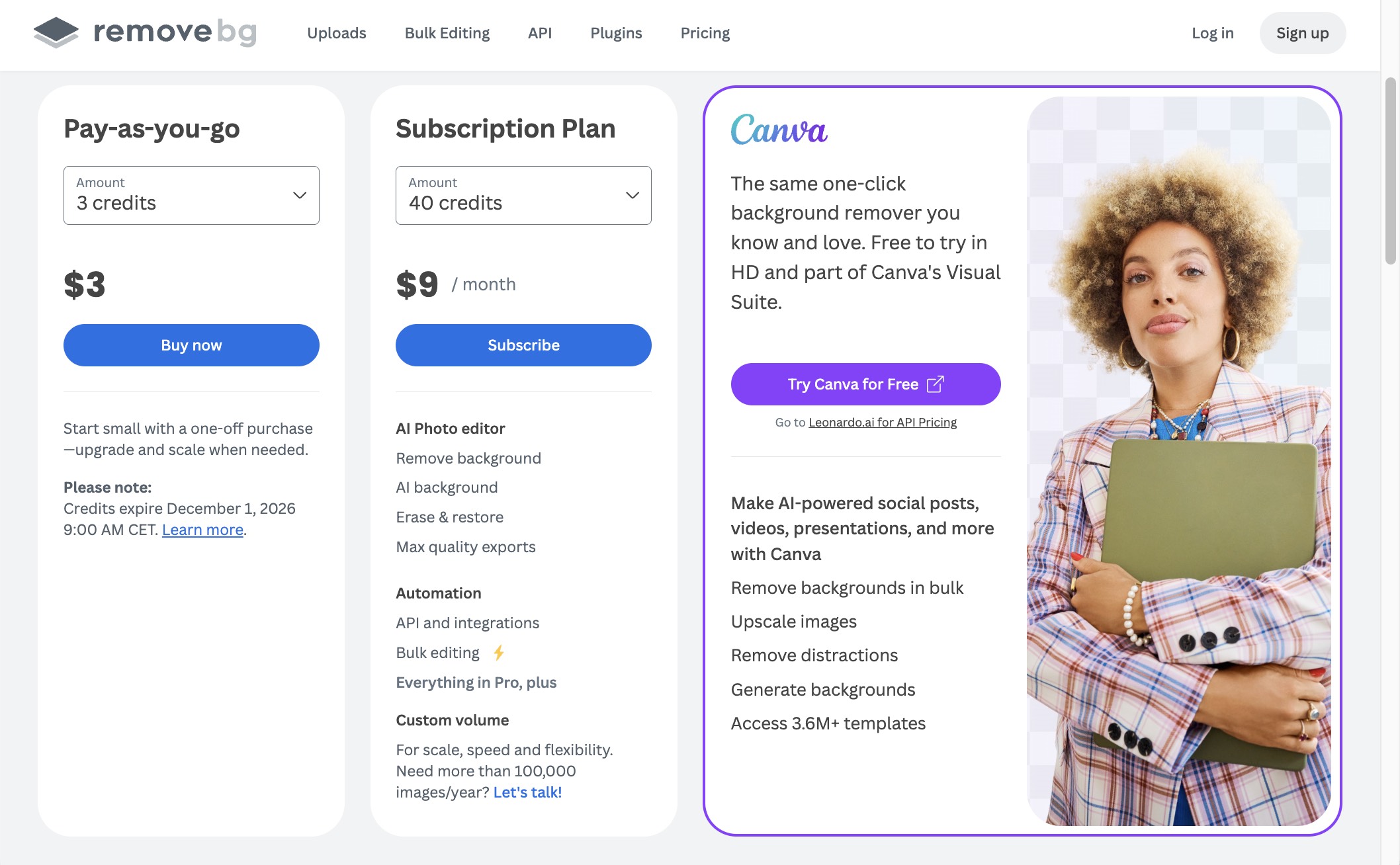
Remove.bg pricing is credit-based. Free use is enough to test the AI cutout. Full-resolution downloads and higher volume usually need purchased credits or a subscription. That split explains most “is the free version enough?” searches.
Plan overview
Remove.bg sells credits in two ways: monthly or yearly subscriptions, and one-time Pay-as-you-go packs. Prices below are from remove.bg/pricing. Confirm live rates before you buy; promos and credit rules can change.
Yearly billing shows the monthly equivalent (about 10% lower than month-to-month).
|
Plan |
Credits / month |
Monthly billing |
Yearly billing (per month) |
|---|---|---|---|
|
Personal |
40 |
$9 |
$8.10 |
|
Professional |
200 |
$39 |
$35.10 |
|
Professional |
500 |
$89 |
$80.10 |
|
Professional / Business |
1,200+ |
From about $189 |
From about $170.10 |
Higher Business tiers go up to tens of thousands of credits per month. Large accounts can also contact sales for enterprise terms.
Pay-as-you-go credit packs (one-time, not a subscription):
|
Credits |
Pack price |
Approx. per credit |
|---|---|---|
|
3 |
$3 |
$1.00 |
|
10 |
$9 |
$0.90 |
|
75 |
$49 |
About $0.65 |
|
200 |
$99 |
About $0.50 |
Larger packs (500, 1,200, 4,000, 8,000) drop the unit price further. Preview downloads on remove.bg stay free; full-resolution cutouts use 1 credit per image.
Is Remove.bg worth the price?
Pay if background removal is a weekly task and credit cost is lower than the hours you would spend masking. Skip or limit spend if you only need a few previews, or if HD exports would empty your credit pack faster than your budget allows.
Good fit when:
-
You clear product photos for listings every week
-
You need transparent PNGs without learning selection tools
-
You automate repeat jobs through the API
Weak fit when:
-
You need retouching and design in the same subscription
-
Your free-plan needs stop at a tiny preview, and paid HD is rare
-
You are planning past December 2026 and need a durable web home
Is Remove.bg safe for business use?
For typical commercial product and marketing images, Remove.bg is generally acceptable: transfers use HTTPS, and published terms treat uploaded files as yours. API calls use authenticated access.
Still verify before you upload sensitive sets:
-
Read the current privacy policy and retention window
-
Confirm whether staff or subprocessors can access support tickets with attachments
-
Ask legal if your contracts ban cloud image processing
-
Avoid uploading credentials, ID documents, or unpublished creative you cannot risk exposing
Offline-only policies need a local editor or a vendor with a private deployment. Remove.bg is not that class of tool.
Pros and cons
Pros
-
Reliable everyday cutouts on products and simple portraits
-
Fast single-image turnaround
-
Low learning curve for non-designers
-
Batch processing and API for production volume
-
Transparent PNG path that matches common ecommerce needs
Cons
-
Narrow feature set outside background removal
-
HD downloads tied to credits
-
Cloud-only; no offline mode
-
Hair, fur, glass, and low contrast still need manual cleanup
-
Standalone web product has a published end date in 2026
The 2026 shutdown: what changes for users
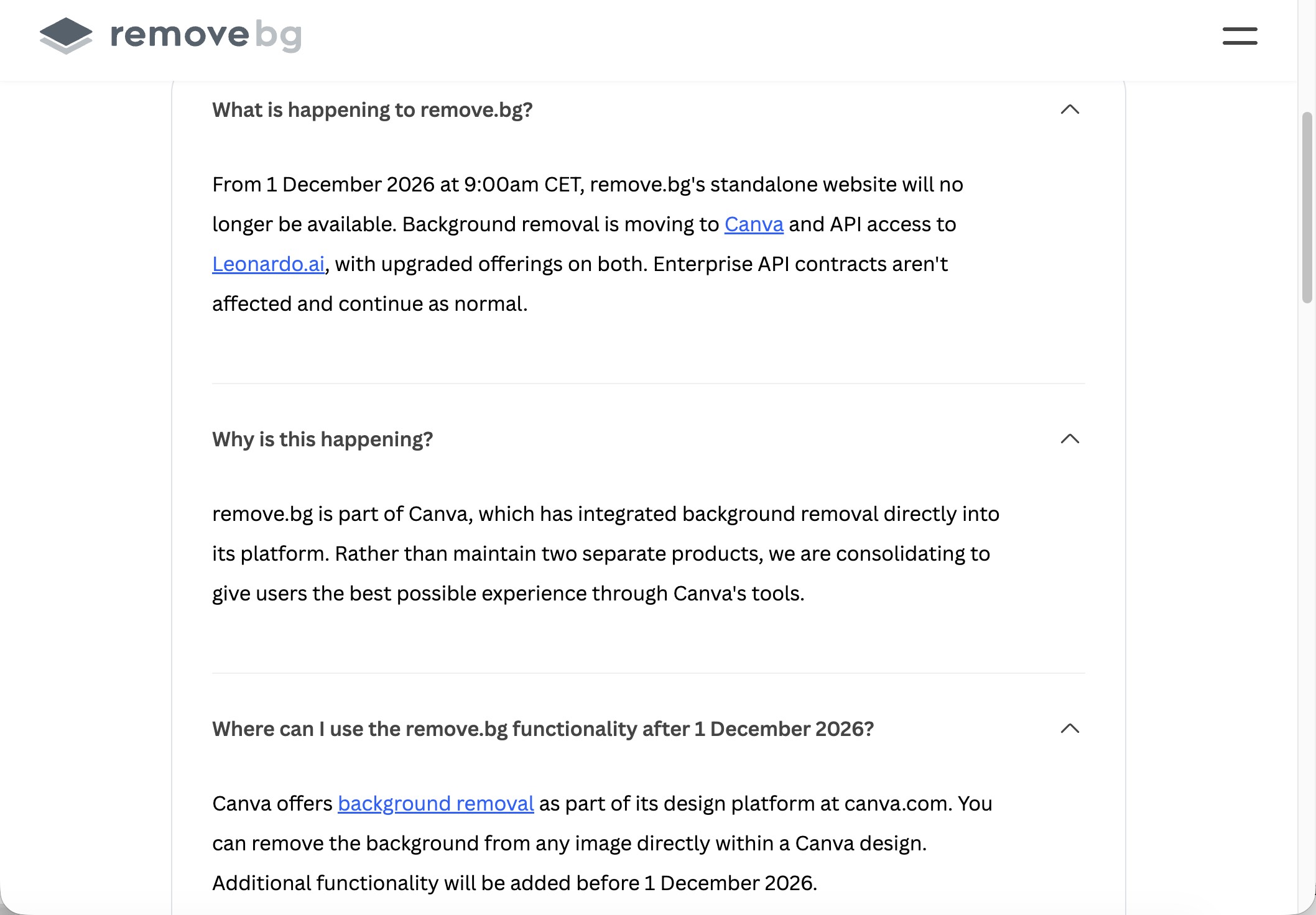
According to remove.bg’s FAQ, the standalone website closes on 1 December 2026 at 9:00am CET. After that date, the old upload-and-download site will no longer be available.
What replaces it depends on how you use the product today:
-
Web / design users: background removal moves into Canva. You remove backgrounds inside a Canva design rather than on remove.bg alone. Canva says more related features will ship before the cutoff.
-
API users: API access moves to Leonardo.AI. Plan for auth, endpoints, pricing, and code changes before December.
-
Enterprise API contracts: remove.bg states these are not affected and continue as normal. Confirm terms with your account contact if you are on a contract.
Why the change: remove.bg is part of Canva. Instead of running two separate products, Canva is folding background removal into its main design platform and routing API work to Leonardo.AI.
What to do before 1 December 2026:
-
Export processed images and any account records you still need.
-
Check subscription status, next charge date, and remaining credits. Credits tied to the standalone site typically do not outlive the shutdown.
-
If you only need cutouts inside Canva layouts, test Canva’s background remover on your real files now.
-
If you need a dedicated upload → transparent PNG → download flow, or free batch rules Canva does not cover, shortlist another remover early.
-
API teams should review the Leonardo.AI migration path and run a staging cutover before the CET deadline.
Product quality can still be strong through 2026. Continuity is the separate decision: keep using remove.bg while it fits your workflow, and lock a post-December path before credits and the standalone site expire.
When to look at Remove.bg alternatives
Stay with Remove.bg if one-click cutouts, transparent PNGs, and credit math still cover your week. Look elsewhere when the product stops matching the job, or when you need a plan for life after the standalone site closes on 1 December 2026.
Common reasons people switch:
-
Free downloads are too small, or HD exports burn credits faster than expected.
-
Hair, fur, glass, or low-contrast edges need heavier manual cleanup than you want to do every time.
-
You need free or low-friction batch downloads for product catalogs.
-
You want cutout plus background replace, staging, or design work in the same place.
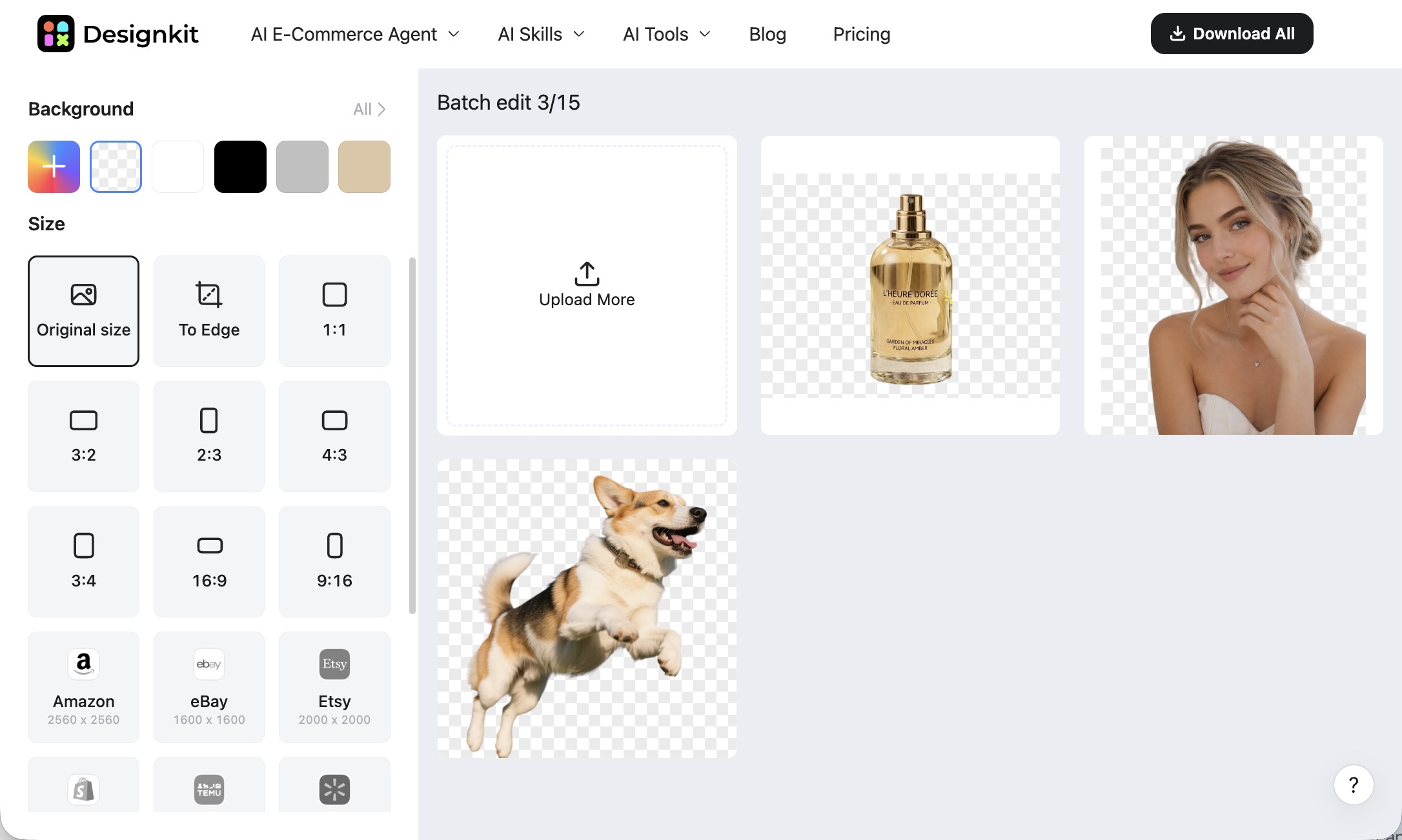
If you are only choosing a temporary home, start from the workflow you already have. Canva is the official path for regular web users. Pixelcut suits a simple upload-and-download cutout habit. Designkit is practical when product photos and free multi-image runs matter more than portrait hair detail. Clipping Magic helps when the first pass fails and you need deeper edge control.
For side-by-side tests, free limits, and workflow picks, read 7 Best Remove.bg Alternatives in 2026.
Conclusion
Remove.bg still does one job well: fast AI background removal with a transparent PNG export, batch options, and an API. Credits make sense when cutouts are frequent. They make less sense when you only need previews, or when you expected a full photo editor in the same fee.
For 2026, pair the product verdict with the shutdown date. If Remove.bg covers your work today, keep using it while you trial a backup on the same files you ship. If you already need freer exports or a post-cutout editing path, move the comparison to the Remove.bg alternatives guide and choose based on workflow, not brand preference.
Frequently Asked Questions
What is Remove.bg used for?
Is Remove.bg safe?
For ordinary commercial images, yes, if you accept cloud processing and follow the published privacy terms. Review retention and access rules before uploading confidential files.
How much does Remove.bg cost?
Cost depends on credits. There is a free path for testing, plus pay-as-you-go packs, monthly plans, and API pricing. Full-resolution downloads usually require paid credits.
Does Remove.bg have a free version?
Yes. You can test background removal for free. Higher-resolution exports and heavier volume typically sit behind credits or a subscription.
Can Remove.bg remove backgrounds in bulk?
Yes. Batch tools process multiple images in one run. Check your plan for how many images you can download at full resolution.
Does Remove.bg have an API?
Yes. The Remove.bg API lets developers automate background removal inside websites, storefronts, and internal tools. API users should also track the Leonardo.AI migration notes tied to the 2026 shutdown.
Is Remove.bg shutting down?
The standalone website is scheduled to close on December 1, 2026. Web users are sent toward Canva; API users toward Leonardo.AI. Confirm dates and credit rules on the official notice.
What is the best Remove.bg alternative?
There is no single best option. Match the tool to the job: dedicated cutout apps for simple PNG exports, Canva if you already design there, refine-heavy tools for hair and fur, and ecommerce-oriented removers for product batches. Compare details in the alternatives guide.
Is Remove.bg worth using in 2026?
Yes for short-term production if cutout speed still saves you time and credits. Build a migration plan before December 1 if you rely on the standalone site past that date.
More Background Remover Reviews & Guides

Best Image Background Remover Tools in 2026: AI Tools Compared

Top 8 Online Background Removers for Ecommerce Photos (2026)

How to Remove Background on iPhone: 5 Easy Methods (2026)

How to Remove Background in Canva: A Step-by-Step Guide

Photoroom Background Remover Review 2026: Features & Alternatives

Pixlr Background Remover Review 2026: Features, Pricing & Alternatives

How to Remove Background in GIMP: Beginner-Friendly Guide

How to Remove Background in Photoshop: 7 Easy Methods

How to Remove a Background in Illustrator: 4 Easy Methods

How to Make Transparent Background in Paint: Step-by-Step Guide
Need cutouts plus product-ready visuals?
If Remove.bg only covers cutouts, try Designkit for background removal, product scenes, and batch exports in one place.
