
360 Product Photography Complete Guide 2026: From Studio Setup to AI‑Enhanced Listings

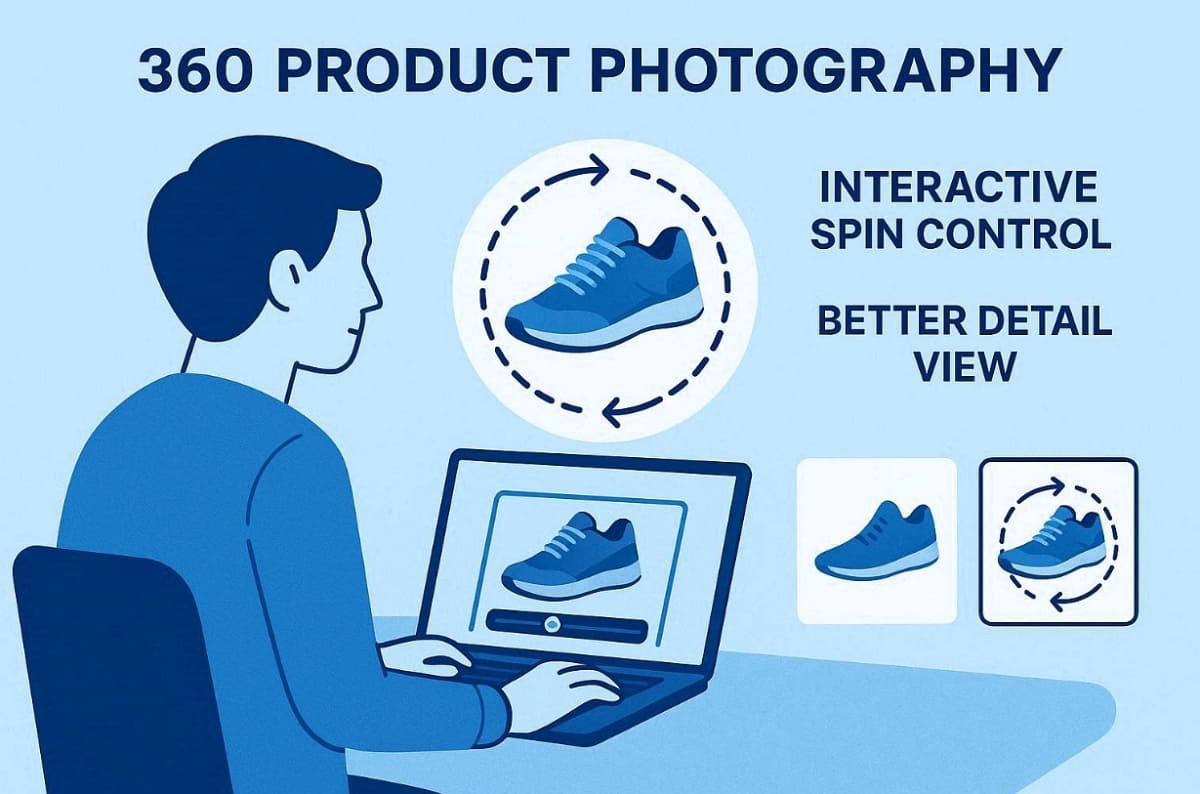
Nowadays, ecommerce success depends on clear visuals that reduce buyer uncertainty. Shoppers expect interactive content that shows shape, scale, and real material behavior. That is where 360 product photos help buyers explore items from every angle.
Unlike static images, these interactive visuals help shoppers evaluate the shape and material of every single item. Therefore, this comprehensive guide will teach you how to master rotating product photography for your store. You will also learn about the necessary studio setup and a repeatable professional capture workflow for 360 product shots.
Part 1. What Is 360 Product Photography?
Professional 360 product photography involves capturing a complete sequence of individual product frames. These images are later compiled to create a seamless and interactive digital spin. This specialized technique differs significantly from standard video or static multi-angle product shots. While a video plays linearly, 360-degree product photography allows users to control rotation.
In addition, it differs from videos, which play automatically without giving the user control. Therefore, you should use 360 object photography when detail and structure matter significantly. However, avoid it for simple items where static images already provide enough clarity.
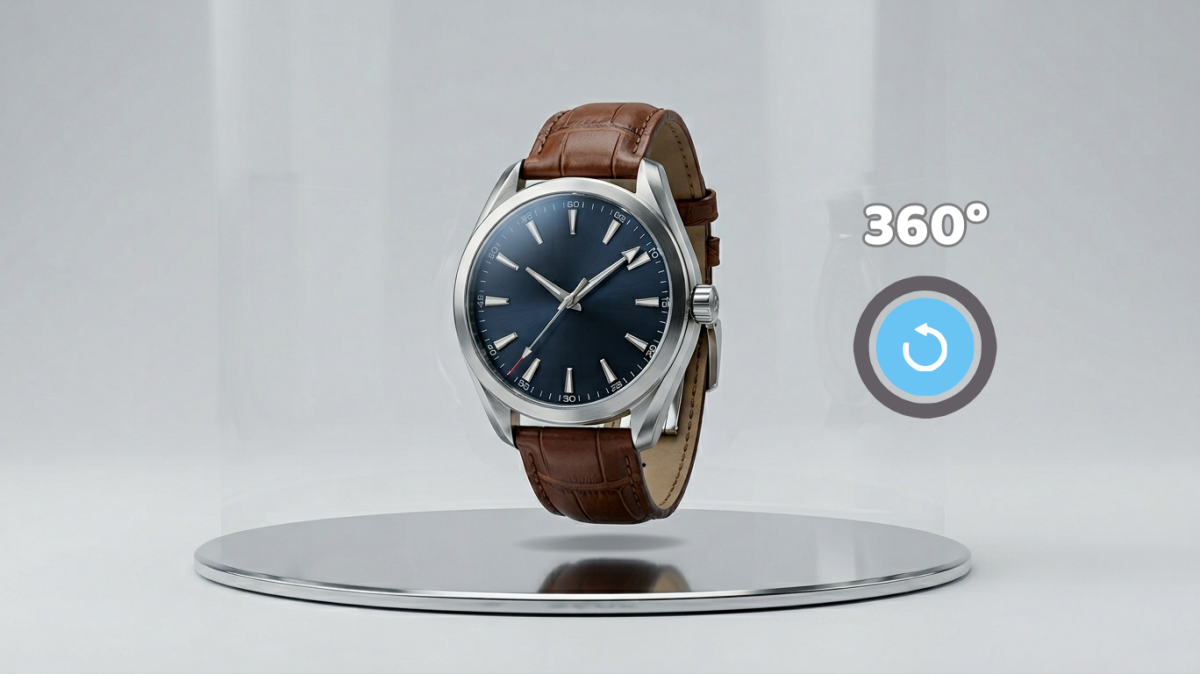
Interactive 360 Viewer vs GIF vs Video
Each digital format offers unique advantages for displaying your professional 360 product photos. According to 360 Research Reports, product pages featuring 360° spins record 25–30% longer dwell times and 15–20% lower return rates compared to static images. Thus, selecting the best output depends on your specific platform and the desired user experience. Review this comparison table to choose the right format for your online store's needs:
|
Format |
Interactivity Level |
Best Use Case |
|
Interactive Viewer |
Full user control |
Shopify stores and branded websites |
|
GIF Animation |
Limited looping motion |
Lightweight previews and quick sharing |
|
Video Rotation |
No interaction control |
Marketplaces and social media platforms |
Using an interactive viewer provides the most engaging experience for rotating product photography assets. However, GIFs are much easier to share across various mobile marketing and social channels. Moreover, consider your technical budget and hosting capabilities before deciding on a final file format.
Use Cases for 360 Product Photography
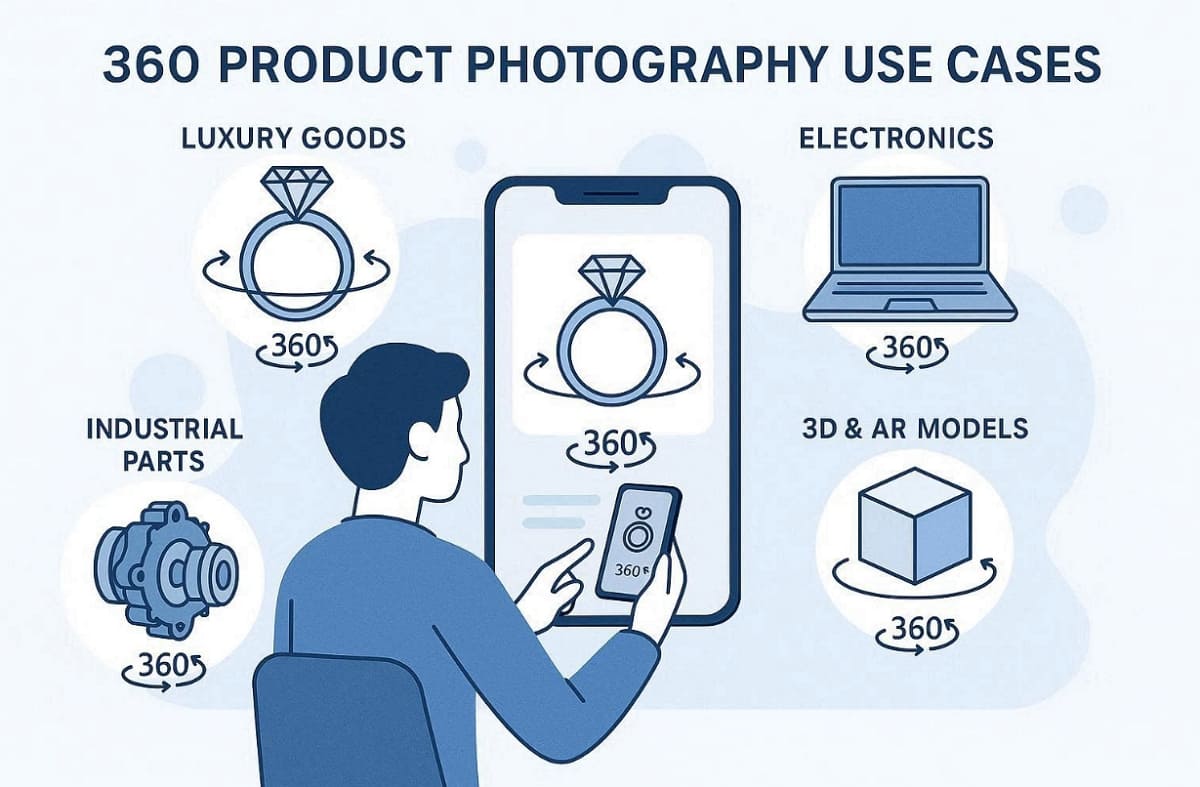
Specific industries benefit greatly from implementing quality 360 product shots in their digital stores. Interactive media significantly boosts engagement for complex items across various famous online marketplaces. So, review these primary categories where product 360 photography offers the most significant advantages:
1. Luxury Goods: Capture how light hits jewelry facets using professional product photography techniques.
2. Electronics: Allow shoppers to inspect every port and button placement before they purchase.
3. Industrial Parts: Engineers need to verify mechanical details from every possible perspective clearly.
4. 3D Foundations: High-quality image sequences form the foundation for advanced AR photogrammetry models.
Requirements That Make 360 Product Photos: Frame Count, Consistency, Background
Creating a smooth experience requires following strict technical standards for every individual frame. You have to be strictly consistent just to make sure that your 360 product photos will look professional. Consider these core requirements when planning your next photography session for ecommerce:
|
Requirement |
Standard Specification |
Why It Matters |
|
Frame Count |
24, 36, or 72 frames |
Controls how smoothly the final interactive rotation appears |
|
Exposure |
Full manual camera settings |
Prevents flickering while capturing the rotation sequence |
|
Background |
Pure white or transparent |
Keeps focus entirely on the product in every frame |
A successful 360 spin product photography project relies on keeping the rotation axis centered. Finally, ensure the lighting remains stable to avoid jumping shadows during the rotation.
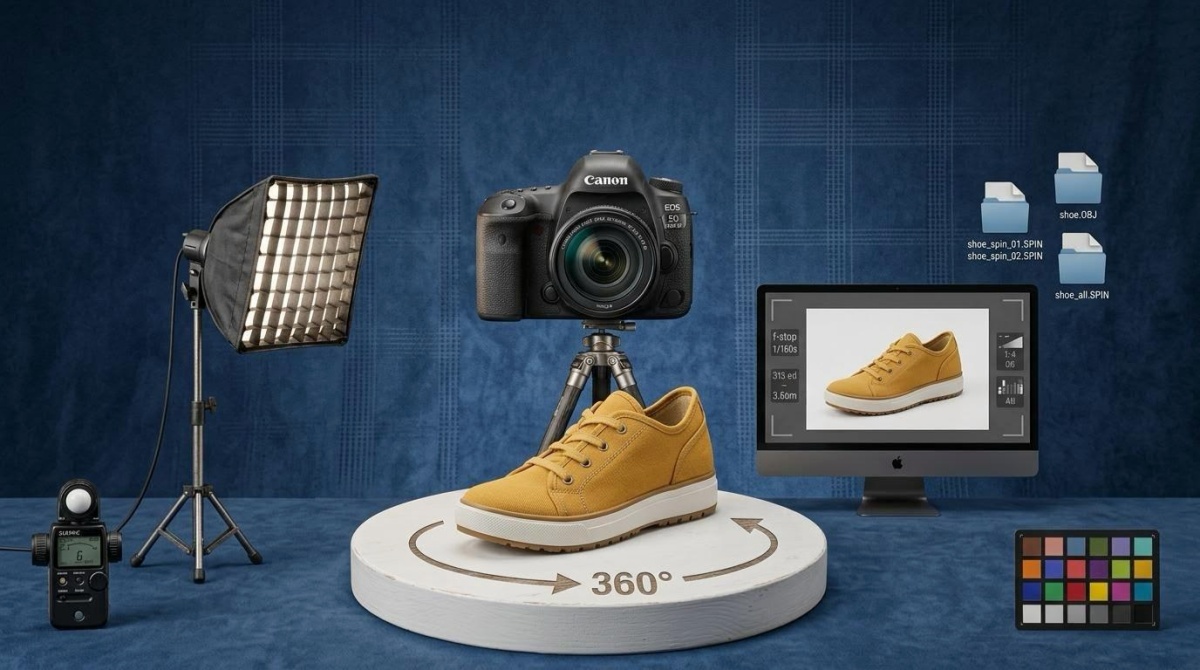
Part 2. 360 Degree Product Photography Studio Setup
Setting up a dedicated space is an essential feature of getting professional 360-degree product photography results. You do not need an expensive studio to start capturing quality interactive product spins.
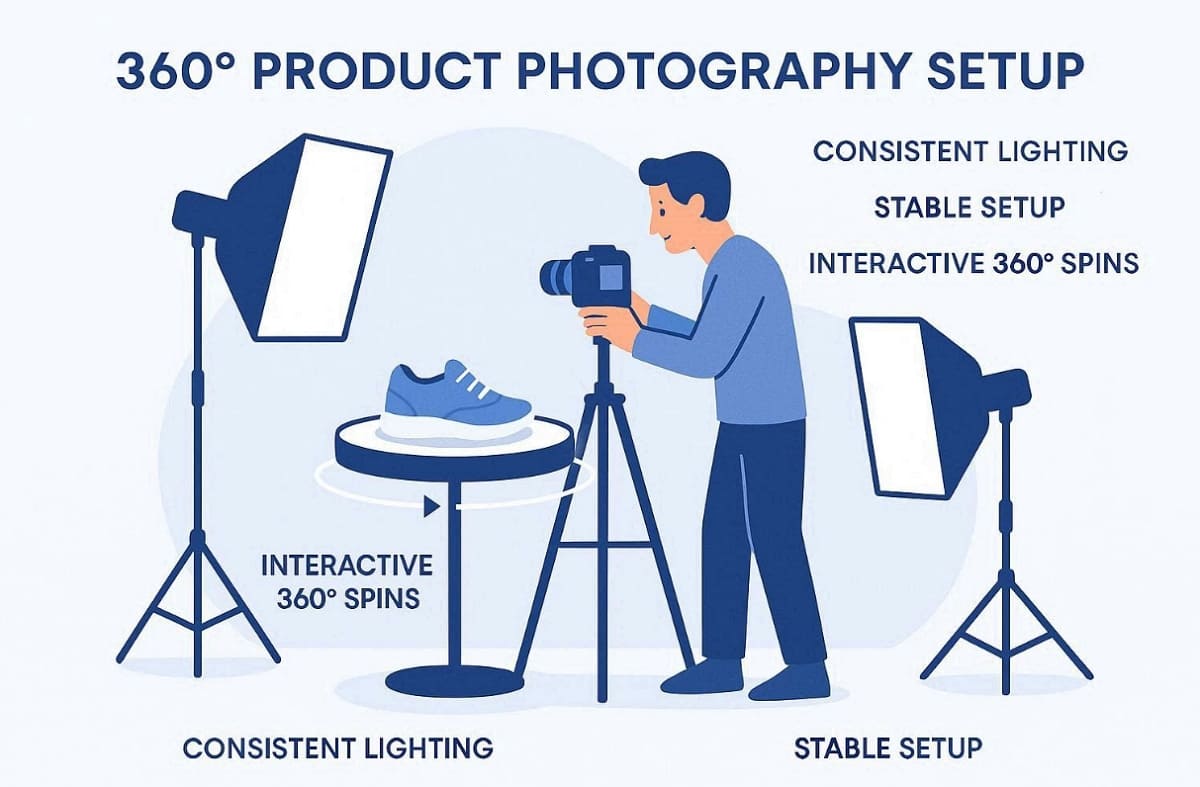
Recent research from 360 Research Reports finds that over 60% of major ecommerce platforms now support immersive visuals like 360° spin views due to rising consumer expectations. Yet, keeping things in the same stable and repeatable arrangement is the most crucial matter for success. This section helps you choose the right tools for your specific budget and goals:
Gear Checklist by Budget: Turntable, Lights, Background, Camera (or Phone), Tripod
Building a studio for your 360 product spin requires choosing the right gear tools. You can work with a simple budget, or make an investment in a professional photography setup. Consider these 3 different levels to identify the best equipment for your specific requirements:
1. Minimum Viable: Use a manual turntable paired with a modern smartphone camera for reliable image quality.
2. Upgraded Tier: Purchase an electric turntable combined with a basic softbox lighting kit for better consistency.
3. Professional Tier: Invest in motorized turntables alongside an advanced DSLR and professional studio strobes for full control.
Lighting & Reflection Control: 360 Jewelry Photography and Shiny Products
Managing reflections is the most difficult part of professional 360 jewelry photography for brands. Shiny surfaces require a very controlled environment to avoid capturing unwanted studio room details. So, use this checklist to master 360 object photography for metallic and glass product surfaces:
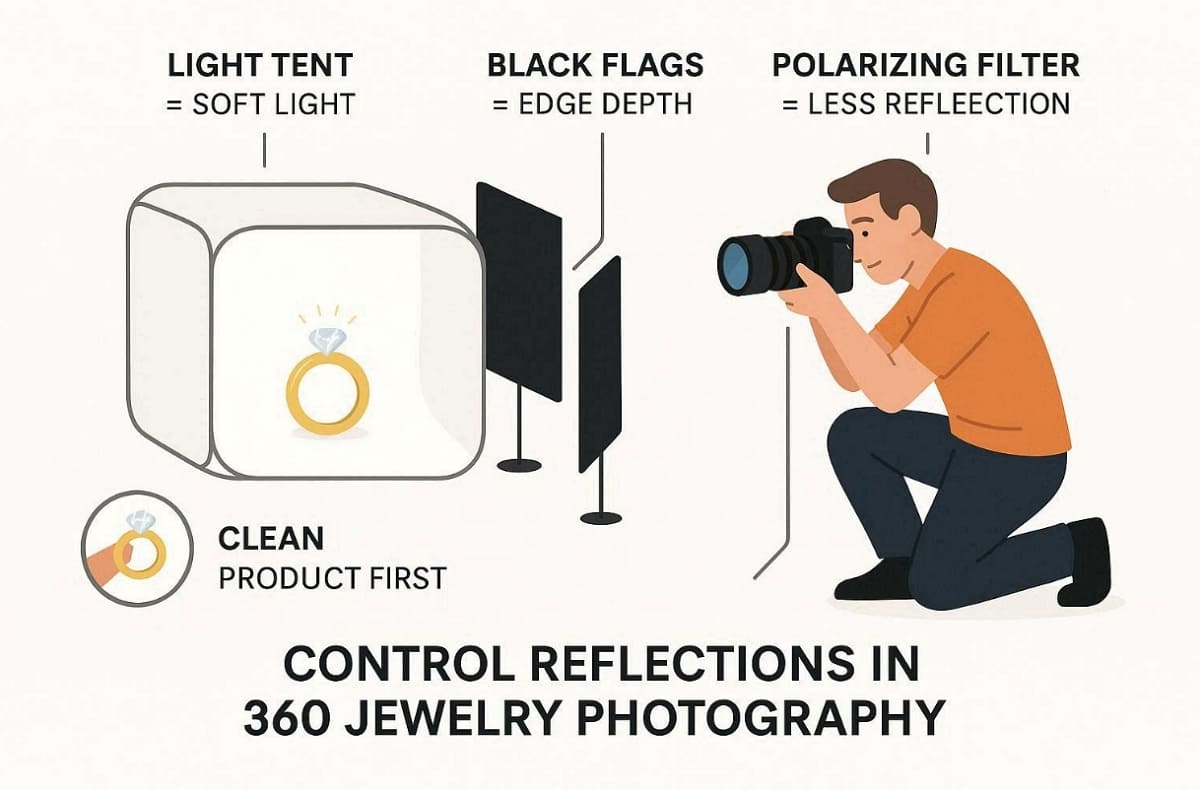
1. Use a Light Tent: Soften every light source to create a clean and even glow.
2. Add Black Flags: Use dark cards to create depth and define your product edges.
3. Polarizing Filters: Remove harsh hotspots and dirty reflections that distract your online buyers.
4. Product Cleaning: Eliminate every fingerprint or dust spot before you start the capture.
Alignment Fundamentals: Camera Height, Rotation Axis, Markers
Apart from the above, you have to take care and ensure that the camera and the axis of rotation are perfectly aligned. Follow these fundamental steps to master 360 spin product photography for your ecommerce listings:
|
Alignment Task |
Technical Execution |
Visual Benefit |
|
Center the Axis |
Place your product exactly in the turntable center position. |
Prevents wobbling or drifting during the final interactive spin. |
|
Lock Camera Height |
Keep the tripod height fixed across all captured rotation frames. |
Maintains a consistent perspective without visible jumping between frames. |
|
Set Start Markers |
Mark the starting position to align the first and last frames perfectly. |
Creates a seamless loop for a smooth and continuous viewing experience. |
Part 3. How to Shoot 360 Product Photography
Mastering the capture process requires a disciplined and repeatable professional studio workflow strategy. Moreover, properly planning your session reduces the need for difficult and slow digital corrections. Anyhow, this section teaches you how to shoot 360 product photography like a pro.
Step 1. Plan the Deliverable: Platform, Output Size, Frame Count, Naming
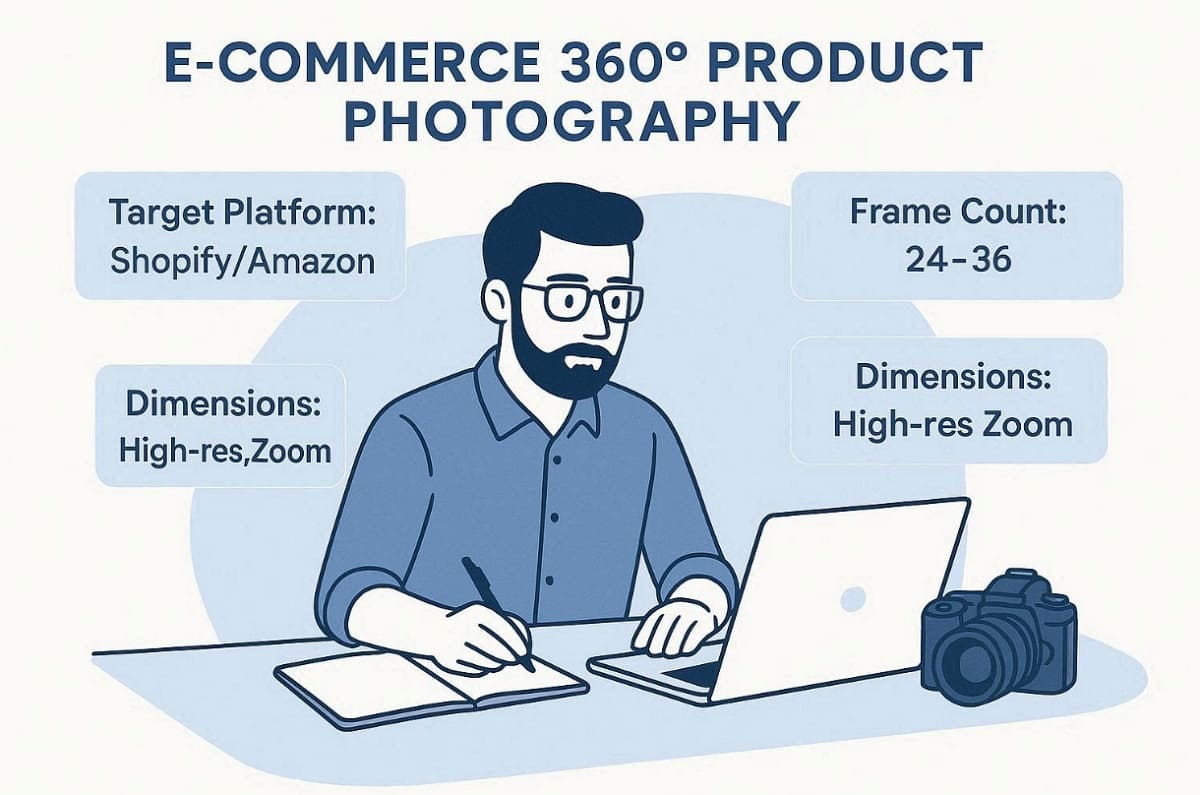
Before starting, you must define the final output requirements for your ecommerce platform. Decide if you need an interactive viewer or a simple video file format. So, consider these essential planning factors to ensure your 360 product photos meet all standards:
1. Target Platform: Check if Shopify or Amazon supports your chosen interactive spin format.
2. Frame Count: Select between 24 and 36 frames based on the desired rotation smoothness.
3. Dimensions: Ensure the exported file size matches the high-resolution zoom requirements for shoppers.
4. Naming Convention: Use a clear system like "SKU_angle_frame" to keep your digital files organized.
In addition to the above, detailed planning for product 360 photography prevents technical errors during the final publishing.
Step 2. Recommended Camera Settings: Works for Phones and Cameras
Locking your camera settings is vital for preventing flickering during the rotation sequence. You must use full manual controls for both professional cameras and modern smartphones. Apply these specific settings to achieve quality 360-degree product photography results every time:
|
Camera Setting |
Recommended Value |
Technical Purpose |
|
Aperture |
$f/8$ to $f/16$ |
Maintains a deep depth of field to keep the product sharp. |
|
ISO Speed |
100 or 200 |
Keeps the image clean and eliminates unwanted digital noise or grain. |
|
White Balance |
Custom (e.g., 5500K) |
Prevents color shifts as the item rotates under your studio lights. |
|
Focus Mode |
Manual Focus |
Ensures the lens does not hunt or change sharpness during rotation. |
These product 360 photography settings prevent flickering across rotation frames.
Format Selection Tips
1. Shoot in RAW format for better editing flexibility in product photography workflows.
2. Use JPEG when faster processing is required for large batches of product shots.
3. Ensure consistent file format across all frames in rotating product photography sequences.
Step 3. Capture Checklist: Rotation Steps, Stability, On-the-Spot Checks
Following a strict "shoot-rotate-shoot" cadence ensures your final 360 product spin appears smooth. Moreover, check for camera stability frequently to avoid any unwanted movement during the process. Thus, applying these systematic checks will help you generate professional 360 product shots consistently:
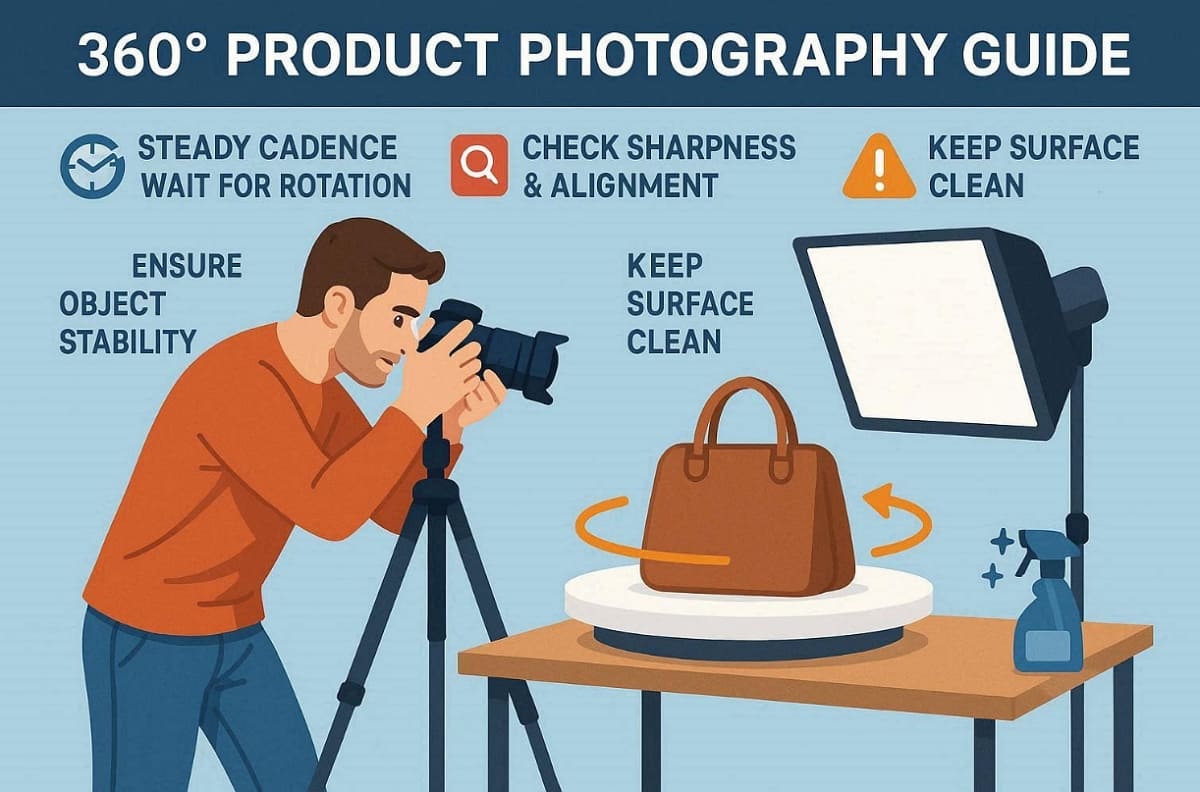
1. Steady Cadence: Wait for the turntable to stop completely before triggering the shutter.
2. Frame Review: Inspect every 5th image for sharpness and consistent product center alignment.
3. Object Stability: Ensure the item does not shift or tilt while the plate rotates.
4. Dust Control: Wipe the surface often to prevent dirt from appearing in the sequence.
Maintaining high standards during rotating product photography prevents difficult problems during final editing.
Common Mistakes and Fast Fixes: Flicker, Drift, Jumping Shadows and Reflections
Technical errors can easily ruin a professional 360 spin product photography session for users. Most common issues result from inconsistent settings or poor physical alignment of equipment. So, review this troubleshooting table to find fast solutions for your 360 object photography projects:
|
Common Issue |
Primary Root Cause |
Recommended Professional Fix |
|
Image Flicker |
Auto exposure settings |
Lock the shutter speed and aperture on full manual mode. |
|
Product Drift |
Off-center axis placement |
Re-align the item perfectly with the center of the turntable plate. |
|
Jumping Shadows |
Inconsistent light sources |
Use high-quality strobes or stable continuous LED studio lighting kits. |
|
Harsh Reflections |
Direct light hitting surfaces |
Utilize a light tent or white foam boards to soften highlights. |
Hence, identifying these mistakes early ensures that your interactive assets remain professional and clean.
Part 4. QA and Publish a 360 Product Spin
This final phase focuses on quality assurance before you publish your content online. You must select the most appropriate export format for your specific ecommerce platform. A professional 360 product spin should be optimized for both speed and clarity. Thus, following this guide helps you maintain high visual standards for rotating product photography.
QA Checklist for 360 Product Photos
Quality assurance is the most critical step before launching your new interactive visuals. You must verify that the rotation sequence remains fluid and free of errors. Apply this checklist to ensure your 360 product shots meet professional standards:
1. Frame Order: Verify that the product rotates in the correct and intended direction.
2. Stable Cropping: Ensure the item stays perfectly centered throughout the entire rotation sequence.
3. Color Accuracy: Check that the product colors remain consistent across all individual frames.
4. Mobile Loading: Test the interactive viewer on various mobile devices for fast loading.

According to Color Experts International, mobile traffic represents over half of global ecommerce sales in early 2026. So, you must also optimize every interactive asset for fast loading and responsive touch controls.
Publishing by Platform: Shopify and DTC Sites vs Marketplaces
Different ecommerce platforms have specific technical requirements for displaying your interactive digital assets. You must understand these unique rules before uploading your product 360 photography files. Review this platform guide to choose the best publishing strategy for your business:
|
Platform Type |
Supported Media Format |
Implementation Method |
|
Shopify / DTC |
Interactive Viewer / GIF |
Use specialized apps or custom code to host the spin. |
|
Marketplaces |
Video / High-res Stills |
Upload a video loop or a multi-angle image gallery set. |
|
Amazon Store |
Video / Multi-angle Stills |
Follow strict policy guidelines to ensure your listing remains fully compliant. |
Apart from that, always verify current Amazon requirements, as their media policies often change over time.
After You Have the Spin: Create Supporting Hero, Infographic, and Lifestyle Images
A complete listing requires more than just a single interactive product rotation asset. You must pair your spin with various supporting quality static marketing images. At this point, use an AI Product Photography Generator like Designkit to create consistent lifestyle scenes for items. These additional assets help tell a complete story about your product for shoppers.
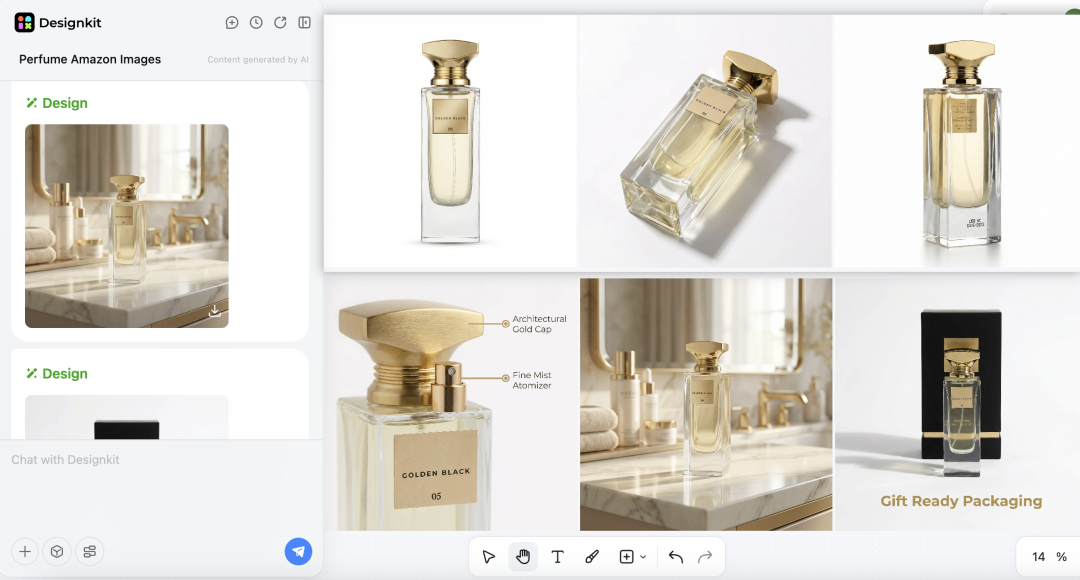
In addition, its innovative AI Product Listing Images Generator can quickly produce professional feature callout graphics. Finally, use an AI Image Generator to maintain brand consistency across your entire store. So, combining interactive media with static stills creates a truly professional and engaging experience.
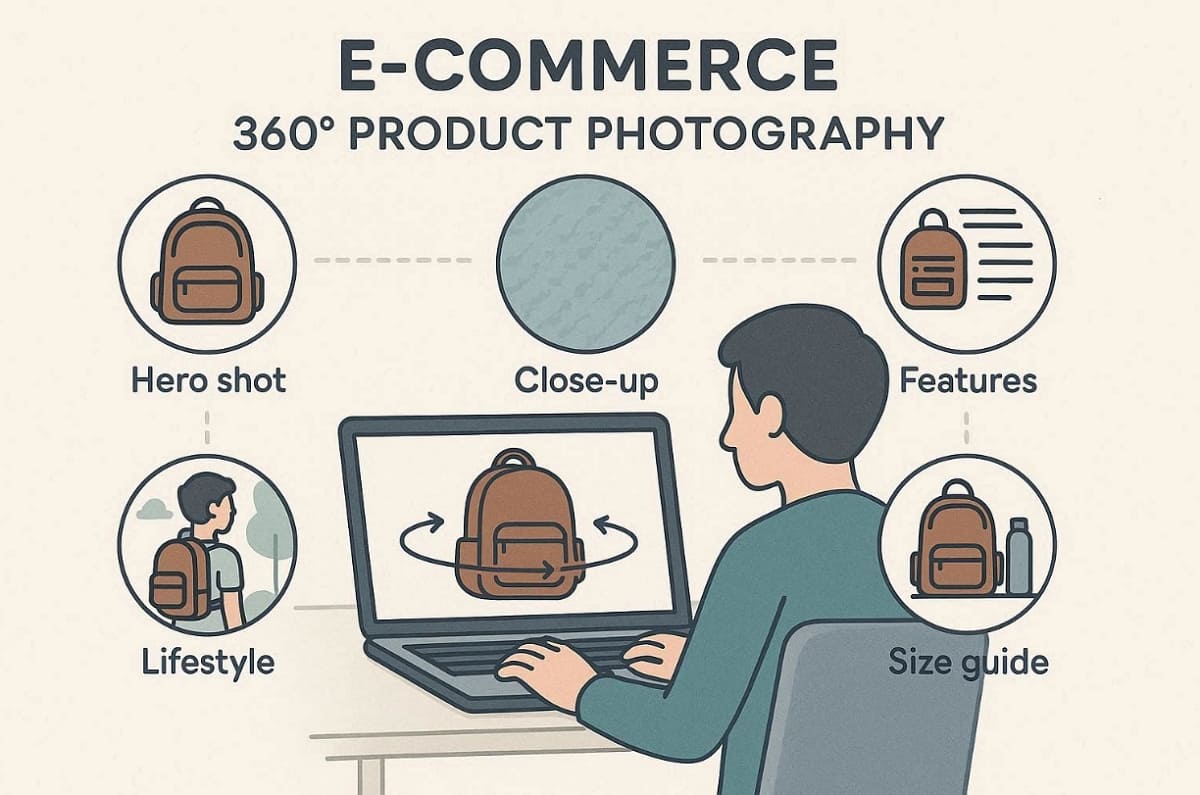
Recommended Asset Bundle
1. Hero image showcasing product clearly for high-conversion 360 product photos listings.
2. Close-up shots highlighting texture and materials for product 360 photography pages.
3. Infographic images explaining features within rotating product photography product listings.
4. Lifestyle images showing real usage alongside 360 product spin experiences.
5. Size comparison visuals supporting product 360 photography purchase decisions clearly.
If You Sell on Amazon: Static Image Requirements and a Safe Image Set
Selling on major marketplaces like Amazon requires strict adherence to specific main image background rules. Your primary hero shot must feature a pure white RGB(255,255,255) background surface. In addition to this, ensure the product fills at least 85% of the frame, and the image is 1000px or larger on the longest side.
Therefore, check the latest Amazon seller policies to avoid potential listing suppression or errors. In such cases, the Designkit’s Amazon Listing Images Generator helps you create perfectly compliant gallery assets. This balanced approach ensures your brand remains competitive within the busy global marketplace.

Conclusion
To summarize, consistency beats expensive gear when mastering 360 product photography workflows. Always follow the provided technical checklist to ensure your rotation remains perfectly smooth. Furthermore, perform a thorough QA review before you export your final interactive digital assets.
Moreover, pair your 360 product spin with quality supporting stills for the best results. Envive even states that implementing interactive 360° product viewers can boost conversion rates by up to 27%. So, try this professional workflow on one SKU this week to measure your conversions. After finishing the spin, use Designkit to generate the necessary supporting listing images.
Frequently Asked Questions
How many frames do I need for 360 product photos (24 vs 36 vs 72)?
Can I shoot 360-degree product photography with a smartphone?
You can achieve professional results using a modern smartphone with full manual control. Ensure you lock the focus and exposure to prevent flickering during the capture. Additionally, use a stable tripod and consistent lighting to master 360-degree product photography.
How do I avoid reflections in 360 jewelry photography?
Place your items inside a light tent to create soft and even illumination. Use black foam boards as flags to define edges in 360 jewelry photography sessions. A polarizing filter helps to remove harsh glare from shiny metal or glass. Furthermore, clean every surface thoroughly to ensure perfect results for your 360 object photography assets.
Does Amazon support a 360 product spin? What are the alternatives?
Amazon does not support interactive 360 product spins directly for listings. Instead, use multi-angle stills combined with video rotations for compliance. Plus, ensure your hero image meets Amazon’s pure white background requirements strictly. Moreover, check updated policies frequently to avoid listing errors or content suppression.
Is GIF or video better for rotating product photography?
GIF files are perfect for quick social media previews and lightweight email marketing. However, video offers much better color depth and smoother playback for your store. Choose the format that best fits the technical requirements of your primary sales. So, quality video is usually the preferred choice for rotating product photography on marketplaces.
What images should I pair with a 360 spin on a product page?
Include a clean hero shot, detailed close-ups, and helpful infographic images for buyers. An AI Product Listing Images Generator can help you create these additional assets. Pairing these stills with 360 product photos creates a complete and professional listing. Moreover, tools like Designkit make producing this full marketing bundle much faster and easier.
You May Also Like

T-Shirt Design Size Guide: Placement, Dimensions, & DPI

How to Sell on Poshmark: A Complete Beginner's Guide

Zeely Reviews 2026: Features, Pricing, Pros, Cons & Alternatives

Create TikTok Ads From One Photo: An AI Product Launch Kit

Depop vs Poshmark: Which Is Better for Selling in 2026?

How to Create an Amazon Storefront: 4-Step Guide for New Sellers

How to Sell Books on Amazon in 2026: Beginner Guide

How to Sell on Amazon in 2026: A Complete Seller Guide

AI Product Photography: 7 Best Tools for Ecommerce in 2026

What Is a Hero Image? Definition, Examples & Design Tips

Pippit AI Review 2026: Features, Pricing, Pros & Cons

Back to School Ad: 7 Creative Ideas for Better Campaign Results

Top 7 Back-to-School Sales Ideas to Boost Retail Sales (2026)

How to Create a Complete World Cup Product Listing Image Set

How to Create Amazon Summer Sale Posters and Banners with AI

Amazon Summer Sale 2026: Listing Design Trends & Product Image Ideas

Ecommerce Video Ads: 7 Strategies That Drive Higher Conversions

How to Photograph Shoes for Your Ecommerce Store in 2026

Product Photography Ideas: Creative Tips & Techniques for Better Shots

Product Photography Pricing 2026: Full Cost Guide by Type

White Background Product Photography Guide & Tips 2026

Product Photography Starter Package: Gear Checklist 2026

Shopify Product Photography Guide with Tips & Setup

Amazon Main Image Requirements: Size, Guidelines & Tips

Shopify Image Size 2026: Complete Guide and Tips for Better Product Display

Studio Product Photography vs AI Product Photography in 2026

7 Product Photography Mistakes That Hurt Ecommerce Sales

Change Outfit Colors Online for Outfit Preview with AI Clothes Color Changer

How to Create Amazon Infographics: Boost Sales with Compelling Visuals

How to Create Outdoor Product Scenes Without a Photoshoot Using AI

Optimize Etsy Images for Mobile: Listing Photos That Convert

Amazon 7-Image Listing Strategy: Boost Sales by Optimizing Every Image

Etsy Thumbnail Optimization: Keep Your Product Fully Visible

The Etsy Thumbnail Formula That Drives More Clicks and Sales

How to Create Pro Amazon Listing Photos Without a Studio

10 High-Converting Lifestyle Product Images for Amazon Listings

How to Automate Your E-commerce Visuals with OpenClaw Workflow

Top 5 AI Tools to Generate Amazon Product Listing Images in 2026

How to Turn One Photo into 10 Etsy Listing Images Fast: Batch Workflow

Etsy Listing Photo Size Guide (2026): Mobile, Desktop & Shop View Specs

Turn White Background Images into Lifestyle Amazon Listings

Fix Etsy Image Cropping: Optimize Listing Photos for Every Device

Amazon Listing Images: Essential Shot List & Optimization Guide

How to Create Lifestyle Product Images Without a Studio

Lifestyle Product Photography Trends 2026: Authentic Looks at Scale

How to Master Lifestyle Product Photography in 2026

Amazon Listing Images Guide 2026: 7-Slot Strategy & Requirements

360 Product Photography Guide 2026: Setup, Shoot and Workflow

Beginner's Guide to Generate Product Photos from Different Angles

AI Product Photography: Create Ecommerce Images Without a Photoshoot

How to Create Realistic AI Product Photos: Step-by-Step Pro Guide

Keep AI Product Images Consistent Across SKUs: Lighting, Color, Background

How to Scale E-commerce with a Product Image Generator

How to Use AI for Spring Product Photography: 2026 Amazon Guide

How to Create a Budget Home Product Photography Setup with AI

How to Achieve Professional Product Photography Standards in 2026

How to Take Product Photos with Phone: Pro Guide for Amazon & AI

Best AI Product Image Generator 2026: Top Tools for Amazon Sales

Amazon Photography Service vs. AI Generator: Best Choice for Sales

What Is Product Photography? Angles, Lighting & Editing Guide

Amazon Spring Sale 2026: Create High-Converting Listing Images (Guide)

AI Agents Transform Amazon Product Photography in 2026

Amazon Photoshoot in 2026: Do You Still Need a Studio?

11 Must-Have Tools for Amazon Product Photography in 2026

2026 Amazon Image Trends Shaping Seller Success and Conversions

Amazon Product Photography Requirements & Best Practices 2026
Make every product image ready to sell
Designkit is an all-in-one AI platform for ecommerce visuals. Create product photos, AI videos, virtual try-ons, and Amazon listing images in seconds. Generate HD backgrounds, batch edit photos, and scale your brand with studio-quality content.
