
How to Sell on Amazon: A Step-by-Step Guide for Beginners
Learn how to sell on Amazon from product research and listing creation to fulfillment, promotion, and growth strategies. Build a stronger Amazon store with practical seller tips and better product visuals.


Selling on Amazon gives businesses access to millions of potential customers, but opening a seller account is only the first step. Successful sellers need to choose the right products, create optimized listings, manage fulfillment, and build a strategy to improve visibility and sales.
If you are learning how to start selling on Amazon, this guide walks through the complete process, from choosing what to sell and creating your first listing to launching products and improving your store performance.
Key Takeaways
-
Research product demand, competition, and profit margins before investing in inventory
-
Create Amazon listings with clear titles, useful descriptions, keywords, and high-quality images
-
Choose between FBA and FBM based on your fulfillment needs and resources
-
Use advertising, pricing strategies, and customer feedback to improve product performance
-
Create professional product visuals to help shoppers understand your products faster
What Does Selling on Amazon Mean?
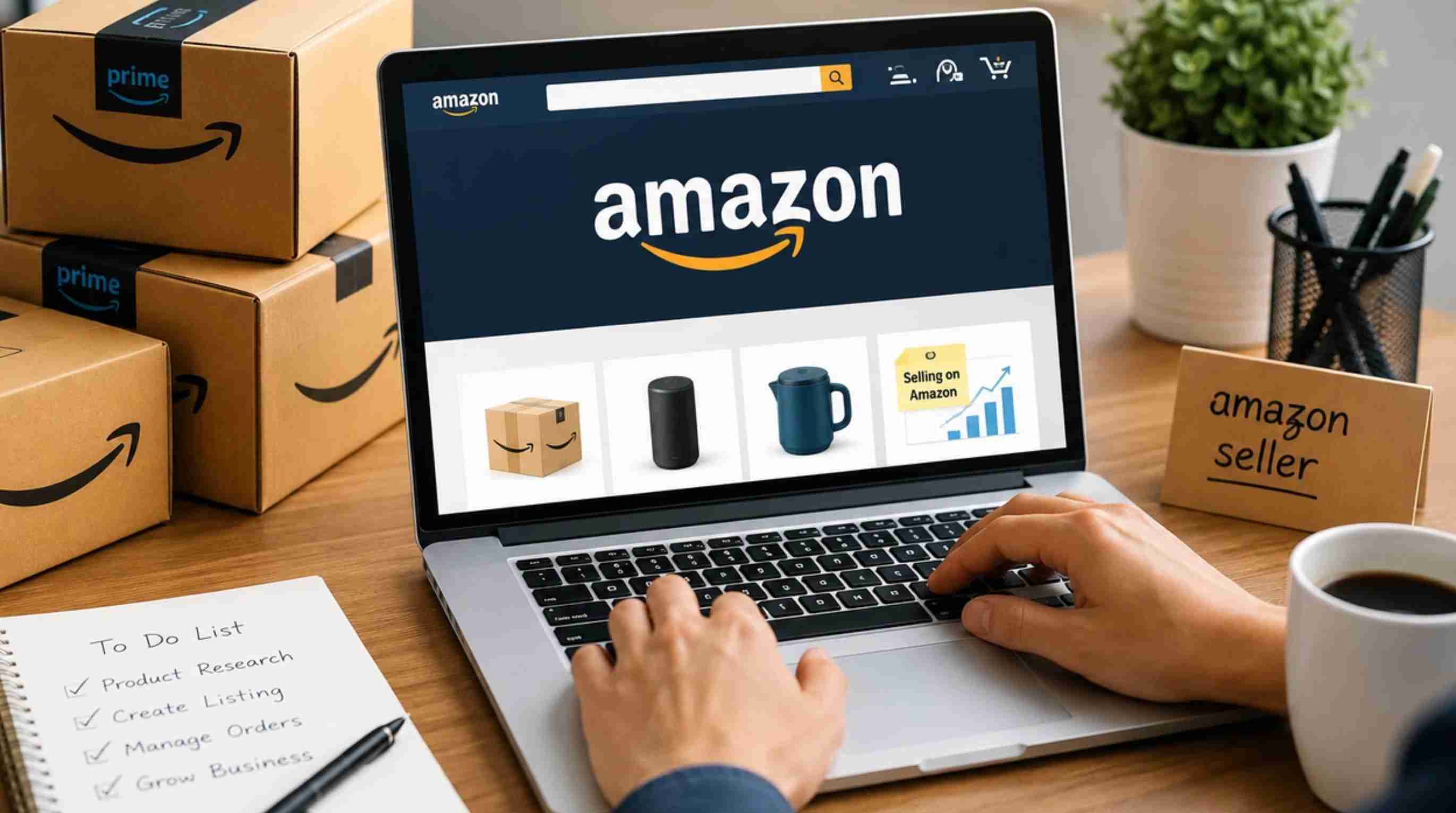
Amazon is an online marketplace where individuals and businesses can list products, manage offers, fulfill orders, and promote products to shoppers. The selling flow today on Amazon starts with choosing a selling plan, then setting up a selling account, listing and pricing your products, deciding on a fulfillment method, marketing your products, and monitoring your performance.
How Does Selling on Amazon Work?
The basic process is simple: choose a product, sign up as a seller, create a product listing, set your price, choose FBA or FBM, launch the offer, and promote it. Once you launch, you need to keep an eye on sales, inventory, advertising performance, client feedback, and profitability.
Who Should Sell on Amazon?
Amazon can work for different types of sellers.
|
User |
Best Use Case |
|---|---|
|
New entrepreneurs |
Starting an online business |
|
Ecommerce brands |
Expanding product distribution |
|
Manufacturers |
Selling directly to customers |
|
Retailers |
Reaching additional buyers |
|
Small businesses |
Building an online sales channel |
|
Resellers |
Selling existing products |
How to Sell on Amazon: 3 Steps to Get Started
The simplest way to understand how to start selling on Amazon is to break the process into three stages: choose your product and set up your account, build your offer and prepare fulfillment, then launch and optimize.
Step 1: Choose What to Sell and Set Up Your Seller Account
Before you invest in inventory, learn how to assess product demand, competition, profit potential, product differentiation, category requirements, and restrictions. Next, describe the basic Amazon seller registration process, including: business information, seller details, billing information, product information, and identity verification.
Step 2: Create Your Listing, Set Your Price, and Choose Fulfillment
How to write a complete product listing, including an optimized title, high-quality images, bullet points, a product description, cost, keywords, and variations if needed. Add your product cost, Amazon fees, fulfillment costs, and your desired margin to calculate your cover price. Briefly explain FBA versus FBM and how sellers can select the appropriate fulfillment method based on inventory, resources, costs, and operational needs.
Step 3: Launch, Promote, and Optimize Your Products
Discuss how sellers can launch products and gain initial visibility using Amazon Ads, competitive pricing, promotions where applicable, optimized listings, and outside traffic. Explain how to track sales, conversions, advertising performance, inventory, consumer input, and profit margins, then use this data to improve listings, pricing, advertising, and overall Amazon selling strategy.
FBA vs. FBM: Choosing the Right Fulfillment Method
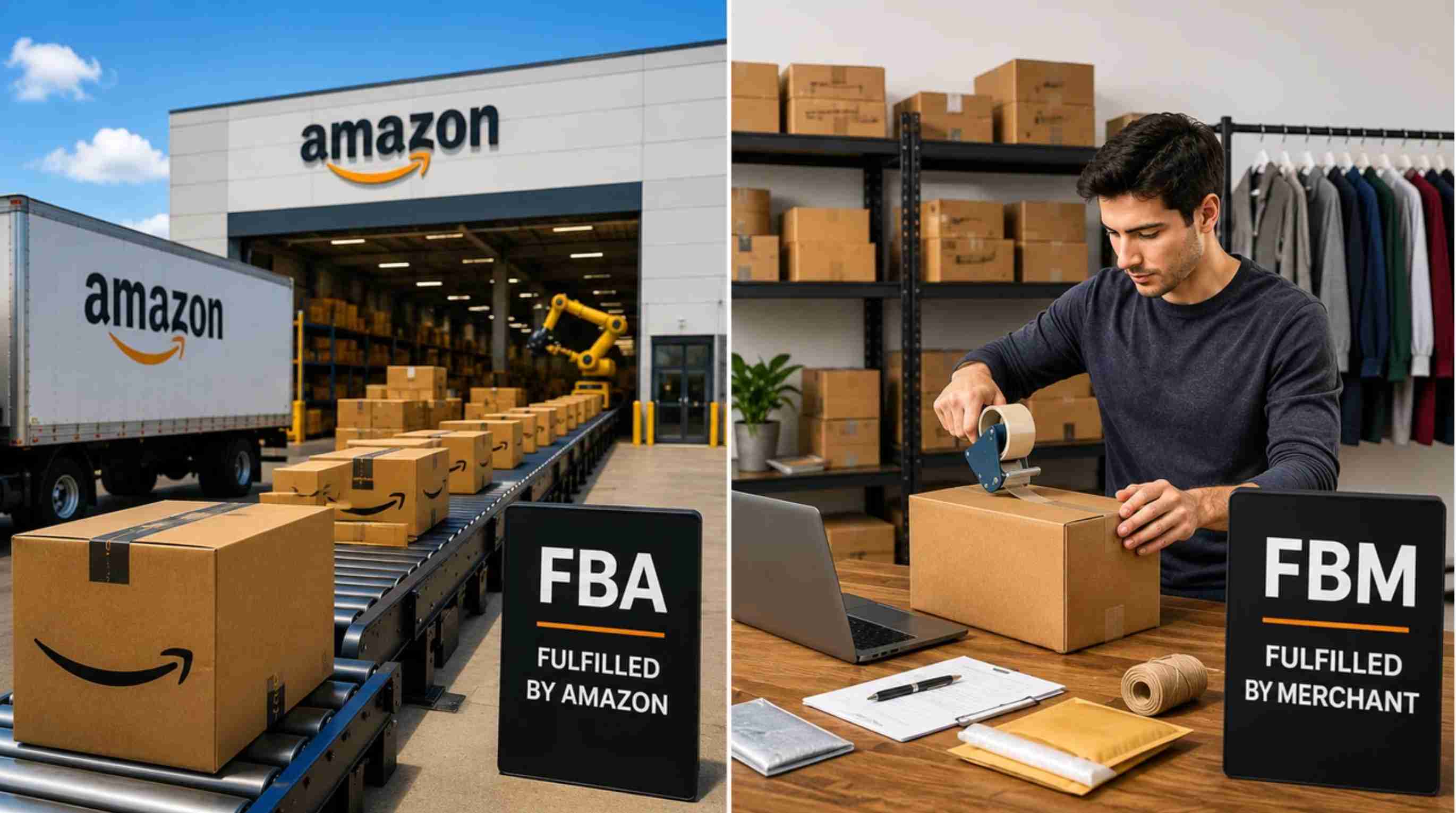
Fulfillment impacts your costs, workload, inventory management, and customer experience. Amazon has two choices: FBA, which stands for "Fulfillment by Amazon" and means that Amazon will do fulfillment for you, and FBM, or "Fulfillment by Merchant," where you do your own fulfillment or use a third-party provider.
What Is FBA?
Fulfillment by Amazon (FBA) allows sellers to send inventory to Amazon fulfillment centers. After a customer places an order, Amazon handles picking, packing, shipping, customer service, and eligible returns. FBA can be attractive for sellers who want to reduce operational tasks and use Amazon’s existing fulfillment network.
Benefits of FBA:
-
Amazon handles storage, packing, and shipping
-
Eligible products may receive Prime benefits
-
Less daily fulfillment work for sellers
-
Easier scaling when order volume increases
Considerations:
-
Sellers need to pay fulfillment and storage fees
-
Long-term storage costs may increase for slow-moving inventory
-
Sellers have less direct control over packaging and fulfillment operations
What Is FBM?
Fulfilled by Merchant (FBM) means sellers manage order fulfillment themselves or work with a third-party logistics provider. With FBM, sellers are responsible for storing inventory, preparing packages, arranging shipping, and handling fulfillment-related operations.
Benefits of FBM:
-
More control over inventory and shipping processes
-
Greater flexibility for packaging and customer experience
-
Can be cost-effective for certain products or lower sales volumes
Considerations:
-
Requires more time and operational resources
-
Sellers must manage shipping, returns, and inventory processes
-
Scaling may require additional logistics support
FBA vs. FBM: Which Should You Choose?
|
Factor |
FBA |
FBM |
|---|---|---|
|
Fulfillment workload |
Amazon manages storage, packing, shipping, and many customer service tasks |
Seller manages fulfillment directly or works with a third-party provider |
|
Operational control |
Less control over fulfillment operations |
More control over packaging, inventory, and shipping |
|
Cost structure |
Includes Amazon fulfillment and storage fees |
Requires managing your own logistics costs |
|
Best for |
Sellers who want simpler operations and easier scaling |
Sellers who want more control or already have fulfillment systems |
|
Inventory management |
Inventory needs to be sent to Amazon fulfillment centers |
Inventory remains under seller control |
|
Operational control |
Less day-to-day control over warehousing and fulfillment because Amazon manages these processes. |
Greater control over inventory, packaging, shipping methods, and fulfillment operations. |
|
Best suited for |
Sellers who want to scale without managing their own fulfillment infrastructure. |
Sellers who already have reliable fulfillment operations or need greater control over their inventory and shipping. |
Amazon Seller Tips for Beginners
Good advice for Amazon sellers should focus on improving profitability and customer experience, not just increasing activity, by emphasizing pricing, margins, listing quality, customer reviews, and repeat purchases.
Research Your Product Before Investing in Inventory
One of the most important tips for selling on Amazon is to validate your product idea before placing a large inventory order. Look at customer demand, competitor listings, pricing trends, and reviews to understand whether there is a real opportunity in the market.
Avoid choosing products only because they seem popular. A product with high demand but intense competition, low profit margins, or expensive fulfillment costs may be difficult to grow.
Understand Your Real Profit Margins
Many new sellers focus on sales numbers but overlook the actual costs behind each order. Your profit depends on more than the product purchase price — Amazon fees, advertising expenses, fulfillment costs, storage fees, and returns can significantly affect your final margin.
Before launching a product, calculate your expected expenses and determine whether the product can remain profitable after all costs are included.
Create Product Listings That Help Customers Buy
A good Amazon listing should do more than include keywords. It should answer customer questions, explain product benefits, and help shoppers understand why your product is worth choosing.
Use clear titles, informative bullet points, detailed descriptions, and high-quality images to create a better shopping experience. A well-optimized listing can improve both visibility and conversion potential.
Use High-Quality Product Images to Build Trust
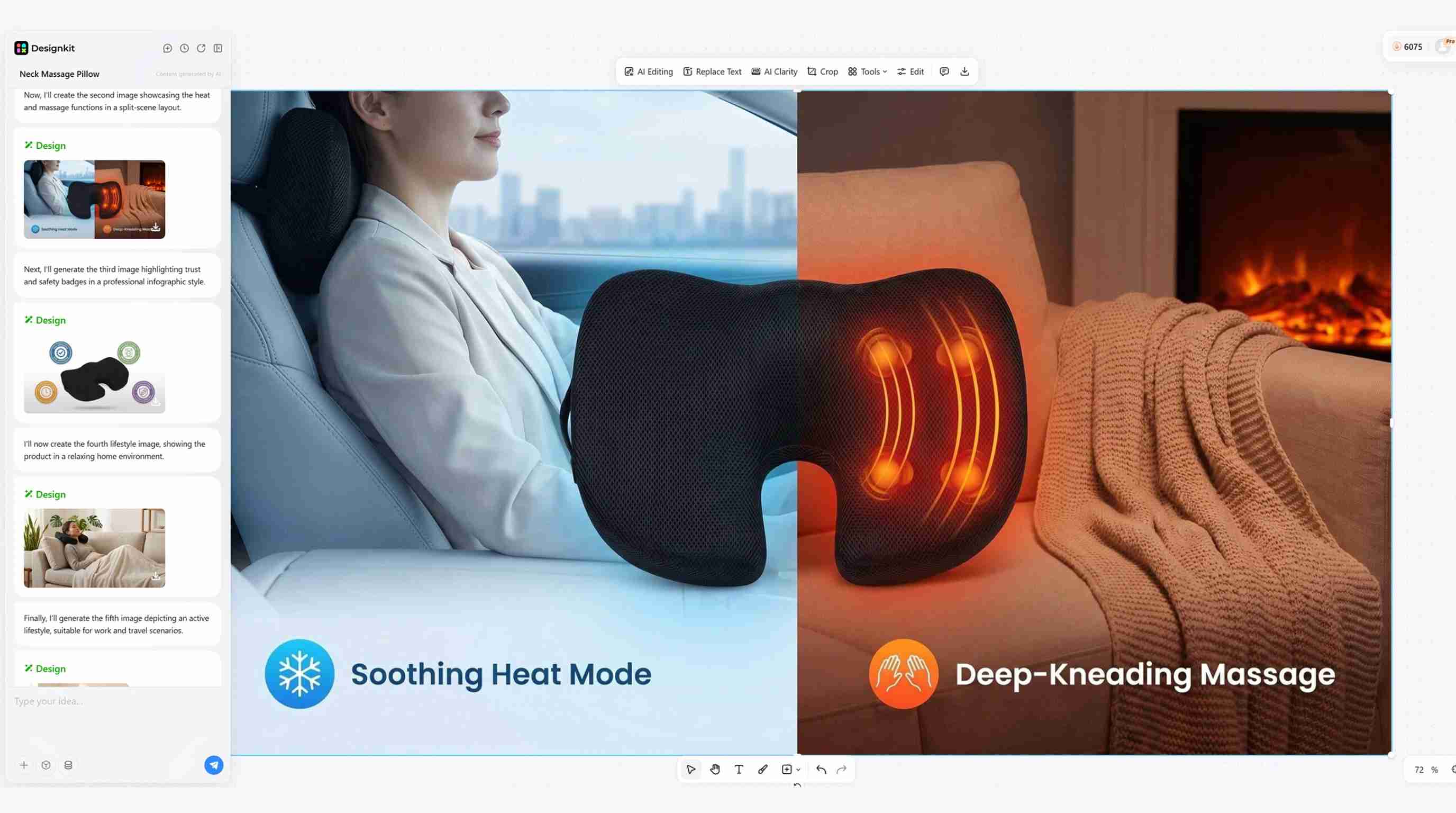
Since Amazon customers cannot physically examine products before buying, images play a major role in purchase decisions. Clear product photos, lifestyle images, and feature-focused graphics can help shoppers understand the product faster.
Avoid using low-quality or unclear visuals that make your product look less professional. Better product images can help communicate value and reduce uncertainty before customers purchase.
Monitor Reviews and Improve Your Products
Customer reviews are one of the most valuable sources of feedback for Amazon sellers. Pay attention to repeated comments about product quality, packaging, instructions, or missing features.
Use this information to improve your products and update your listings. Sellers who continuously refine their offerings are more likely to build stronger customer trust over time.
Avoid Relying Only on Price Competition
Lower prices may help attract customers in the short term, but competing only through discounts can reduce your profit and make it harder to build a sustainable business.
Instead, focus on creating additional value through better product presentation, stronger branding, clearer communication, and a better customer experience. A differentiated product is usually easier to grow than one competing only on price.
Track Performance and Adjust Your Strategy
Successful Amazon sellers regularly review their store performance instead of making decisions based only on assumptions. Monitor important metrics such as sales, conversion rates, advertising performance, inventory levels, and customer feedback.
Use these insights to improve your listings, adjust pricing, optimize ads, and decide which products deserve more investment.
How to Create Amazon Product Images That Convert With Designkit
Product images are an important part of an Amazon listing because shoppers need to understand the product before making a purchase. Instead of treating image creation as a one-off design task, you can build a repeatable workflow for producing main images, detailed visuals, lifestyle scenes, and supporting listing assets.
How to Create High-Converting Amazon Product Images With Designkit
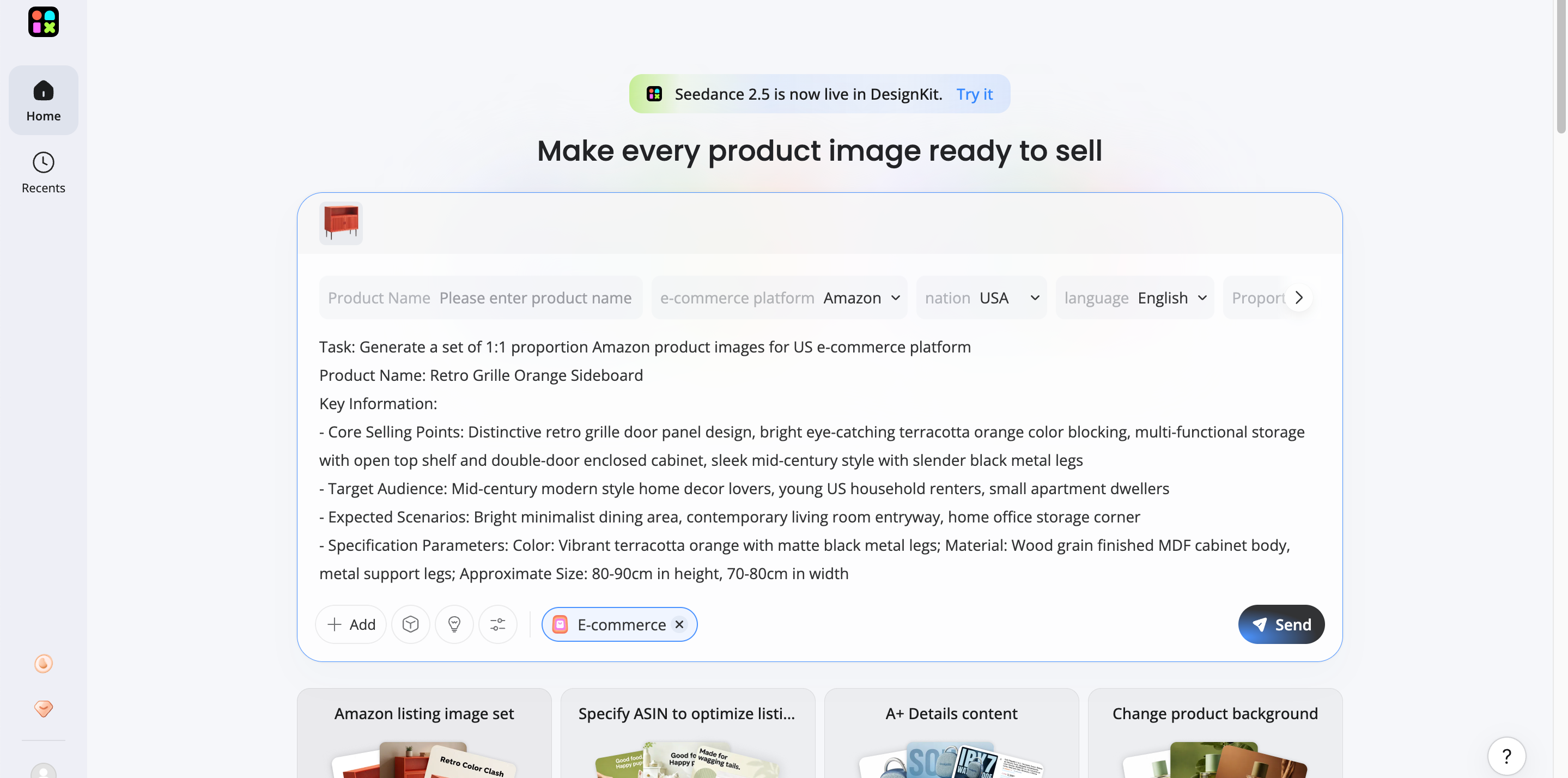
Step 1: Upload Your Product Assets:
Start with your existing product photo or product assets. Use a clear image that shows the product accurately, so Designkit can help create new visuals while keeping the original product appearance consistent.
Step 2: Generate Amazon-Ready Creatives
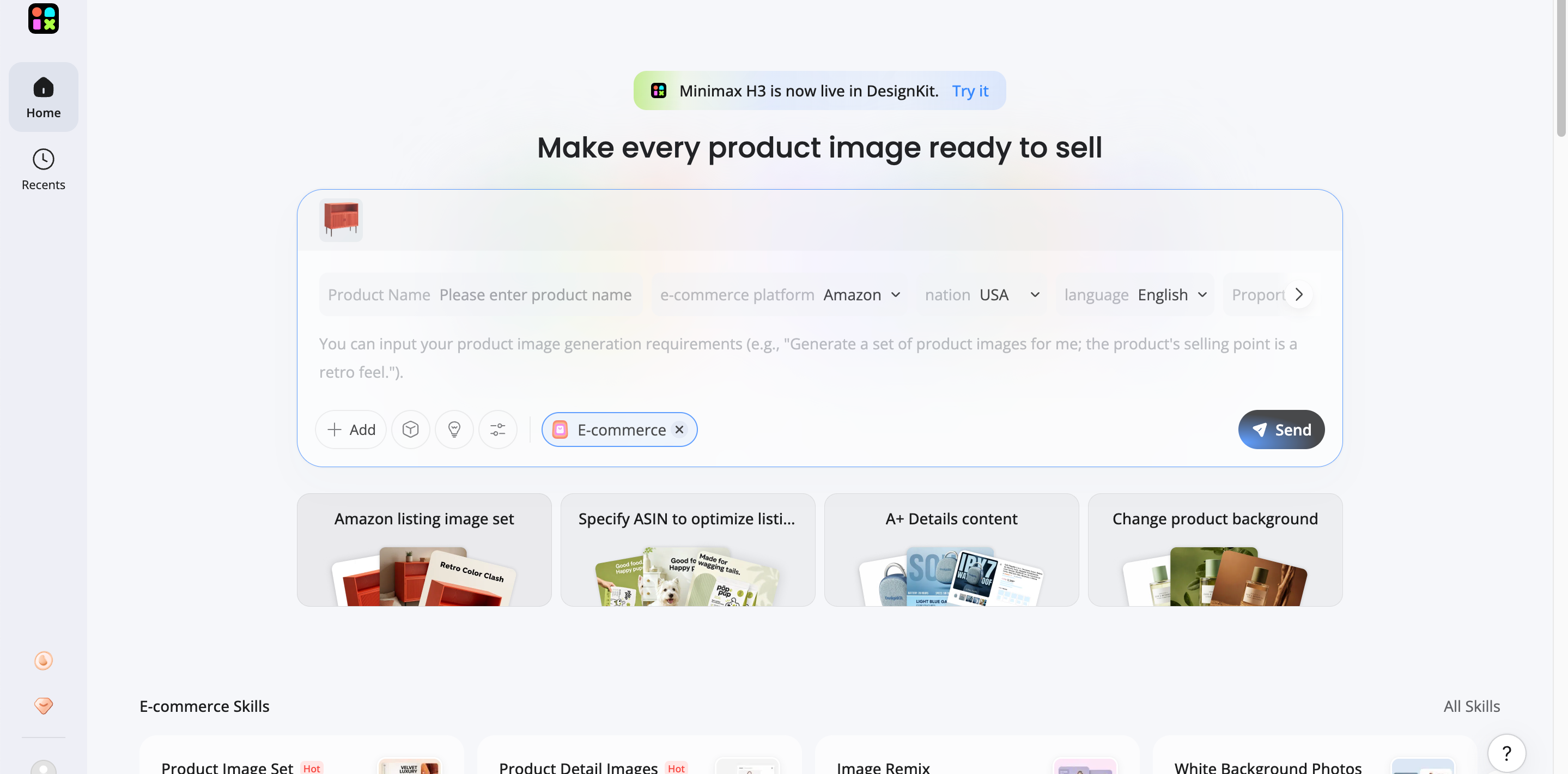
Describe the type of image you need, such as a clean product listing image, lifestyle scene, promotional graphic, or branded creative. Designkit can help transform your product image into different visual variations that match your Amazon selling goals.
Step 3: Review and Export Your Listing Assets
Make sure the product, text, claims, ratios, branding, and layout are correct before using the assets in your listing. It's not about creating a pretty picture; it's about creating useful creative assets that are listing-ready and that help the buying decision.
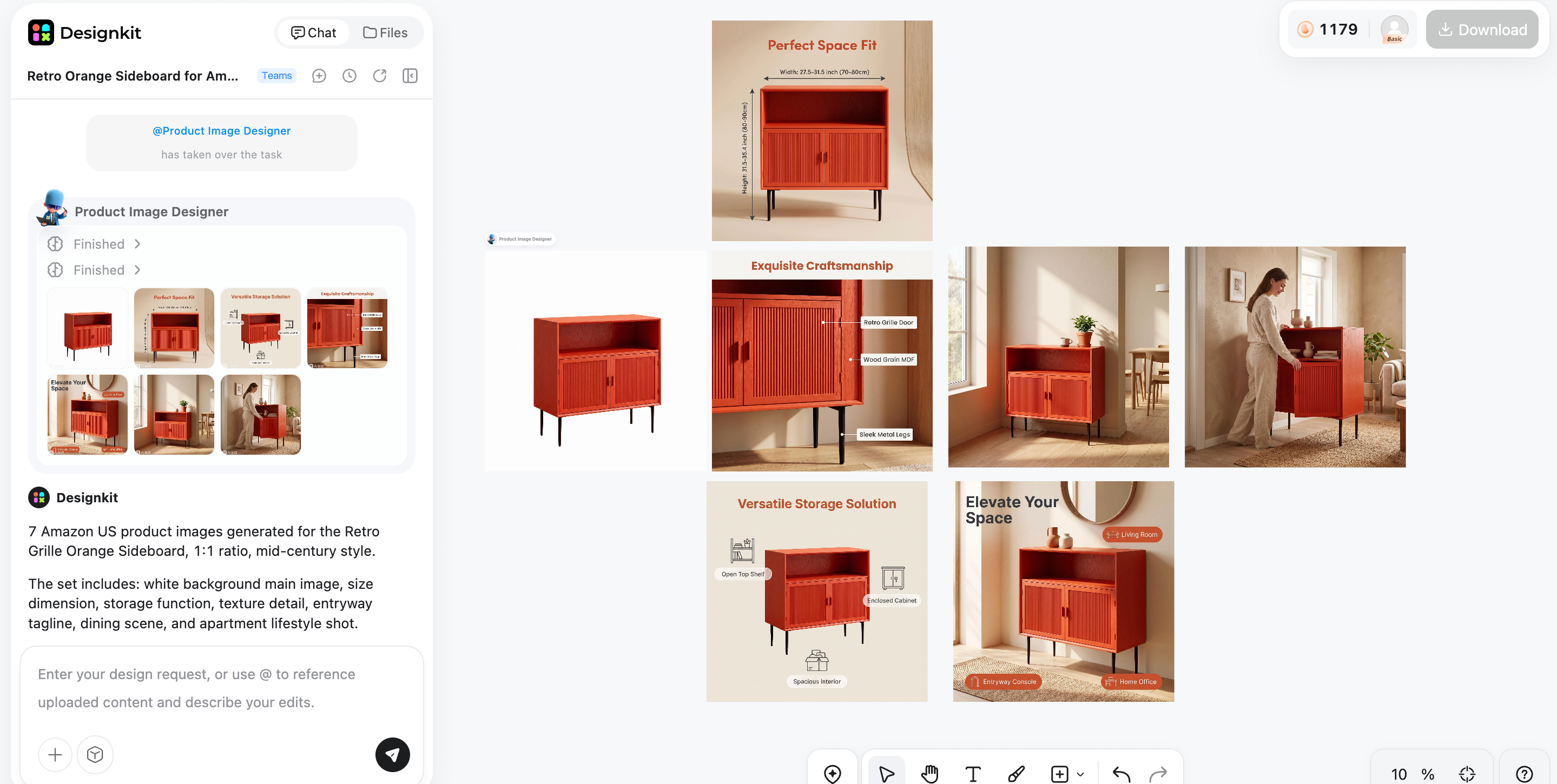
How Designkit Helps Amazon Sellers Create Better Product Visuals
Creating product images for Amazon is not only about making a photo look attractive. The visuals need to communicate product benefits, build customer confidence, and support purchasing decisions.
Create Multiple Listing Visuals From One Product Photo
Instead of arranging multiple photoshoots for different listing needs, Designkit allows sellers to explore different creative directions from existing product images. You can create variations such as feature graphics, lifestyle scenes, and promotional visuals while keeping the product consistent.
Improve Product Presentation Without Complex Editing
Professional product visuals often require background adjustments, layout design, and detail refinement. Designkit helps simplify these tasks with AI-powered editing tools, making it easier for sellers to create polished assets without advanced design skills.
Create Lifestyle Images for Better Product Context
Lifestyle images help shoppers understand how a product looks in a real-world environment. Designkit can help transform basic product photos into more engaging scenes that show product usage, improve visual storytelling, and make listings more appealing.
Keep Your Amazon Brand Visuals Consistent
A consistent visual style can make your products look more professional across different listings and marketing channels. Designkit helps sellers maintain similar design elements, colors, and presentation styles when creating multiple product creatives.
Popular Amazon Selling Models Explained
Different selling models suit different budgets, sourcing methods, product types, and business goals. The main differences come down to whether you are building a brand, buying discounted products for resale, or sourcing established products in bulk.
Private Label
Best for: Businesses that want to build and grow their own brand.
Who it fits: Entrepreneurs, manufacturers, and D2C businesses creating differentiated products under their own brand.
Limitation: Requires investment in product development, branding, inventory, listing creation, and marketing. Sellers are also responsible for building demand for their products.
Retail Arbitrage
Best for: Beginners who want to start by buying discounted products from retail stores and reselling them on Amazon.
Who it fits: Sellers with limited initial inventory who are comfortable researching product prices, demand, competition, and resale opportunities.
Limitation: Product availability can be inconsistent, sourcing is time-consuming, and competition can affect margins. Sellers must also ensure that products meet Amazon's category, condition, authenticity, and selling requirements.
Wholesale and Reselling Existing Products
Best for: Sellers who want to purchase products in bulk from brands, distributors, or wholesalers and resell established products on Amazon.
Who it fits: Retailers and businesses with supplier relationships, established inventory processes, and sufficient capital to purchase products in larger quantities.
Limitation: Requires upfront inventory investment and careful margin management. Competition from other sellers can create pricing pressure, and sellers may need appropriate supplier documentation or authorization depending on the products and brands they sell.
Amazon vs Other Online Selling Channels
Amazon marketplace discovery, buying infrastructure, fulfillment options, and advertising tools. An owned e-commerce store gives you more control over the storefront, branding, customer experience, and merchandising.
|
Feature |
Amazon |
Own Ecommerce Store |
|---|---|---|
|
Traffic source |
Access to existing Amazon shoppers |
Seller needs to generate traffic through SEO, ads, social media, or other channels |
|
Store control |
Limited customization within Amazon's marketplace structure |
Full control over branding, website design, and customer experience |
|
Customer relationship |
Customer interaction is managed within Amazon's ecosystem |
Direct relationship with customers and access to more customer data |
|
Fulfillment options |
FBA or seller-managed fulfillment |
Seller chooses fulfillment providers and processes |
|
Advertising |
Amazon Ads and marketplace promotions |
External advertising platforms and marketing channels |
|
Brand building |
Strong marketplace exposure but limited storefront flexibility |
More control over long-term brand identity |
|
Best for |
Marketplace reach |
Brand-owned commerce |
Choose Amazon If You Need Marketplace Reach
Amazon can be a good choice for sellers who want access to an established customer base and a marketplace where shoppers are already searching for products. It is especially suitable for businesses that want to test product demand, use Amazon's fulfillment infrastructure, or reach customers without building a complete online store from the beginning.
Choose Your Own Store If You Need More Brand Control
An independent ecommerce store gives sellers more freedom over website design, customer experience, pricing strategy, and brand presentation. This approach may work better for businesses focused on building long-term customer relationships and creating a unique shopping experience beyond a marketplace listing.
Final Thoughts
Learning how to sell on Amazon requires more than creating a seller account and uploading products. Successful sellers need to choose the right products, build strong listings, create effective visuals, manage fulfillment, and continuously improve based on performance data. For many businesses, Amazon provides a powerful way to reach customers and grow online sales. Alongside marketplace strategies, tools like Designkit can help sellers create polished product visuals and marketing assets that support their Amazon selling journey.
Frequently Asked Questions
How do I start selling on Amazon?
How much does it cost to sell on Amazon?
The cost of selling on Amazon depends on factors such as your selling plan, product category, fulfillment method, advertising budget, and inventory costs. Sellers should calculate all expenses, including Amazon fees and operational costs, before launching products.
What are the best products to sell on Amazon?
The best products depend on market demand, competition, profit margins, and your business resources. Many successful sellers look for products with consistent demand, manageable competition, and opportunities to differentiate through quality, branding, or presentation.
What are the best ways to sell on Amazon?
Common ways to sell on Amazon include private label, wholesale, retail arbitrage, and reselling existing products. The right approach depends on your budget, sourcing method, experience level, and long-term business goals.
Is Amazon FBA better than selling products myself?
Neither option is always better. FBA reduces the workload of storage, packing, and shipping, while FBM gives sellers more control over fulfillment and inventory. The better choice depends on your product type, costs, resources, and business goals.
Can AI help create Amazon product images?
Yes. AI tools can help sellers create product visuals, improve existing images, generate lifestyle scenes, and develop marketing assets more efficiently. Designkit can help transform product photos into different creative formats for Amazon listings and ecommerce campaigns.
You May Also Like

T-Shirt Design Size Guide: Placement, Dimensions, & DPI

How to Sell on Poshmark: A Complete Beginner's Guide

Zeely Reviews 2026: Features, Pricing, Pros, Cons & Alternatives
Create TikTok Ads From One Photo: An AI Product Launch Kit

Depop vs Poshmark: Which Is Better for Selling in 2026?
How to Create an Amazon Storefront: 4-Step Guide for New Sellers

How to Sell Books on Amazon in 2026: Beginner Guide

How to Sell on Amazon in 2026: A Complete Seller Guide
AI Product Photography: 7 Best Tools for Ecommerce in 2026

What Is a Hero Image? Definition, Examples & Design Tips

Pippit AI Review 2026: Features, Pricing, Pros & Cons
Back to School Ad: 7 Creative Ideas for Better Campaign Results
Top 7 Back-to-School Sales Ideas to Boost Retail Sales (2026)

How to Create a Complete World Cup Product Listing Image Set

How to Create Amazon Summer Sale Posters and Banners with AI
Amazon Summer Sale 2026: Listing Design Trends & Product Image Ideas

Ecommerce Video Ads: 7 Strategies That Drive Higher Conversions

How to Photograph Shoes for Your Ecommerce Store in 2026

Product Photography Ideas: Creative Tips & Techniques for Better Shots

Product Photography Pricing 2026: Full Cost Guide by Type
White Background Product Photography Guide & Tips 2026
Product Photography Starter Package: Gear Checklist 2026
Shopify Product Photography Guide with Tips & Setup
Amazon Main Image Requirements: Size, Guidelines & Tips

Shopify Image Size 2026: Complete Guide and Tips for Better Product Display

Studio Product Photography vs AI Product Photography in 2026

7 Product Photography Mistakes That Hurt Ecommerce Sales

Change Outfit Colors Online for Outfit Preview with AI Clothes Color Changer
How to Create Amazon Infographics: Boost Sales with Compelling Visuals

How to Create Outdoor Product Scenes Without a Photoshoot Using AI
Optimize Etsy Images for Mobile: Listing Photos That Convert
Amazon 7-Image Listing Strategy: Boost Sales by Optimizing Every Image
Etsy Thumbnail Optimization: Keep Your Product Fully Visible
The Etsy Thumbnail Formula That Drives More Clicks and Sales
How to Create Pro Amazon Listing Photos Without a Studio

10 High-Converting Lifestyle Product Images for Amazon Listings
How to Automate Your E-commerce Visuals with OpenClaw Workflow

Top 5 AI Tools to Generate Amazon Product Listing Images in 2026

How to Turn One Photo into 10 Etsy Listing Images Fast: Batch Workflow
Etsy Listing Photo Size Guide (2026): Mobile, Desktop & Shop View Specs

Turn White Background Images into Lifestyle Amazon Listings

Fix Etsy Image Cropping: Optimize Listing Photos for Every Device
Amazon Listing Images: Essential Shot List & Optimization Guide

How to Create Lifestyle Product Images Without a Studio
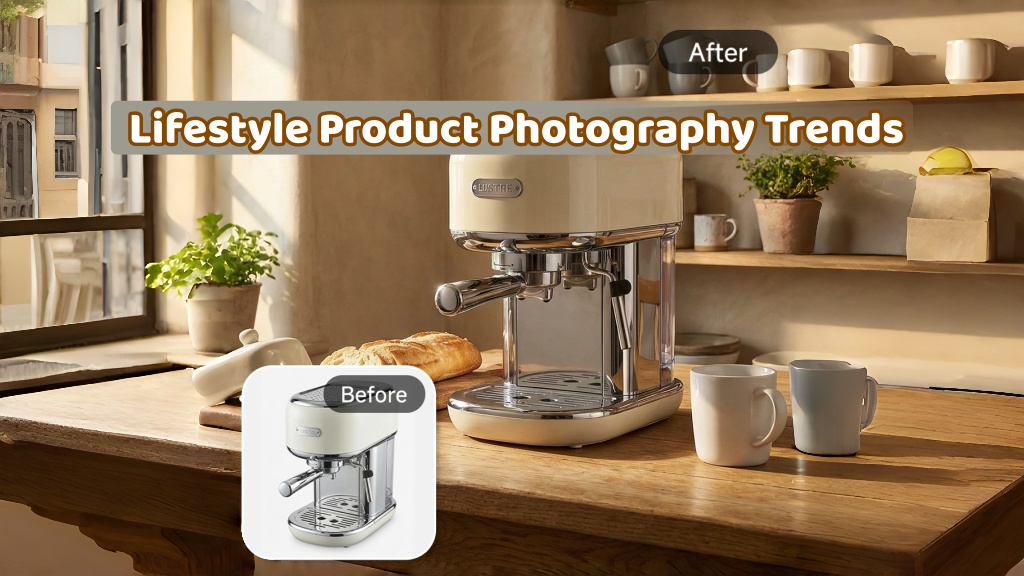
Lifestyle Product Photography Trends 2026: Authentic Looks at Scale

How to Master Lifestyle Product Photography in 2026

Amazon Listing Images Guide 2026: 7-Slot Strategy & Requirements
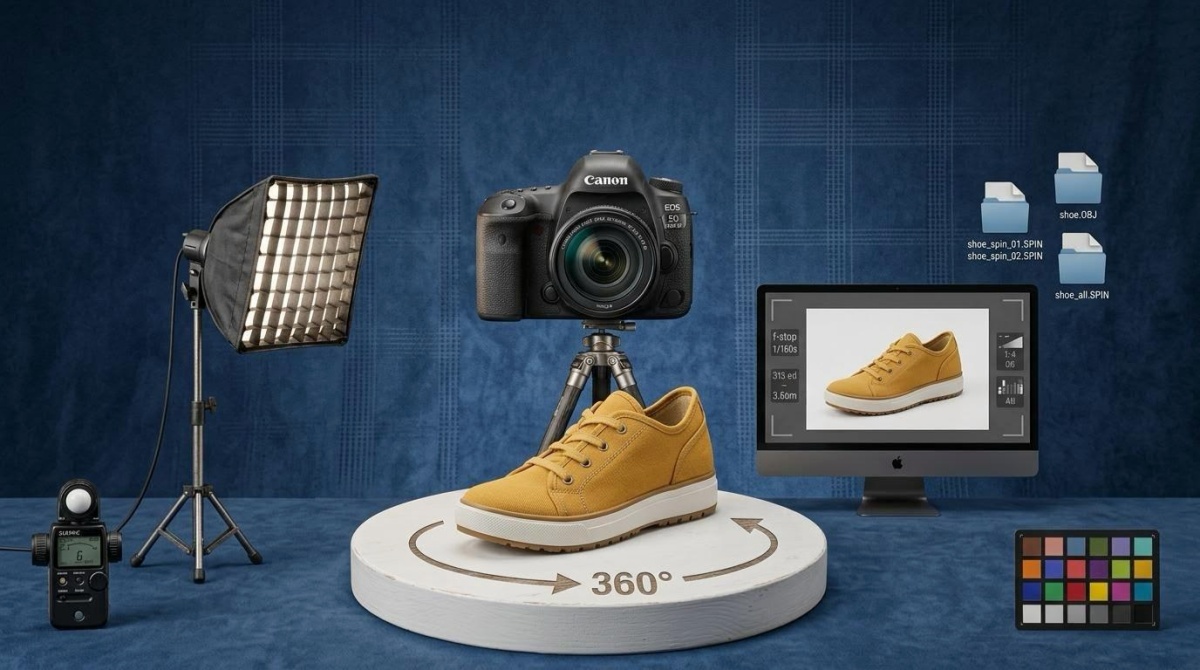
360 Product Photography Guide 2026: Setup, Shoot and Workflow
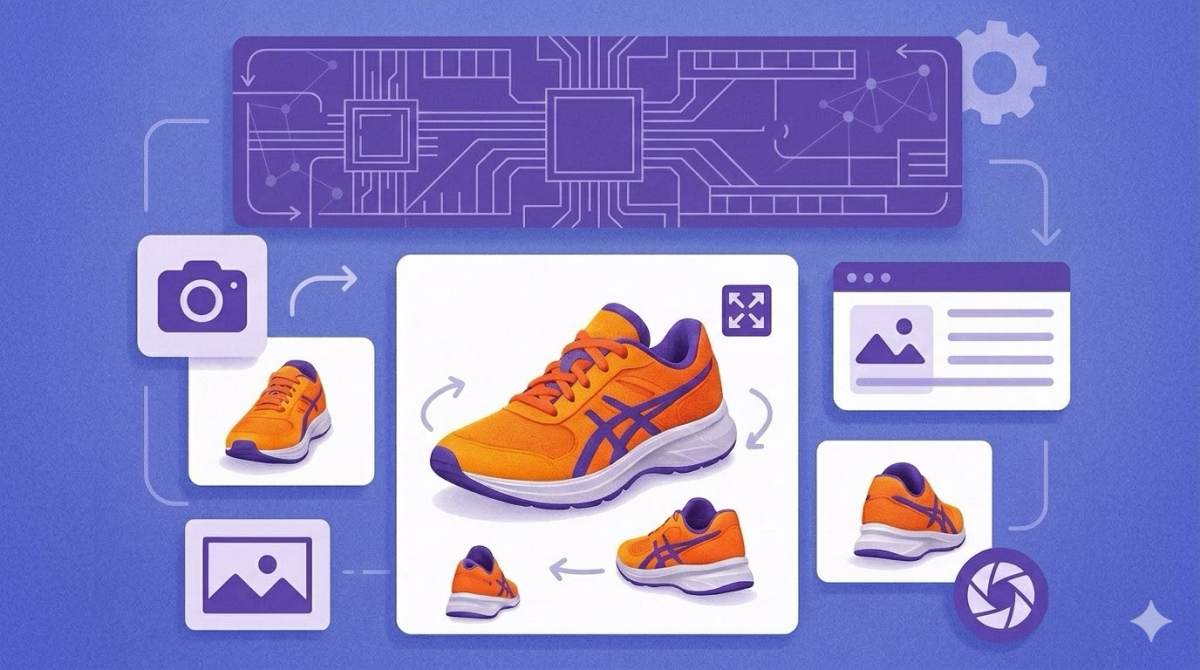
Beginner's Guide to Generate Product Photos from Different Angles

AI Product Photography: Create Ecommerce Images Without a Photoshoot

How to Create Realistic AI Product Photos: Step-by-Step Pro Guide
Keep AI Product Images Consistent Across SKUs: Lighting, Color, Background
How to Scale E-commerce with a Product Image Generator

How to Use AI for Spring Product Photography: 2026 Amazon Guide

How to Create a Budget Home Product Photography Setup with AI
How to Achieve Professional Product Photography Standards in 2026

How to Take Product Photos with Phone: Pro Guide for Amazon & AI

Best AI Product Image Generator 2026: Top Tools for Amazon Sales
Amazon Photography Service vs. AI Generator: Best Choice for Sales
What Is Product Photography? Angles, Lighting & Editing Guide
Amazon Spring Sale 2026: Create High-Converting Listing Images (Guide)

AI Agents Transform Amazon Product Photography in 2026
Amazon Photoshoot in 2026: Do You Still Need a Studio?
11 Must-Have Tools for Amazon Product Photography in 2026
2026 Amazon Image Trends Shaping Seller Success and Conversions
Amazon Product Photography Requirements & Best Practices 2026
Create Amazon-Ready Product Visuals Faster
Turn product information into listing-ready images and marketing creatives with an AI-powered-commerce flow designed for e-commerce brands.
