


Grok has moved well past its early-access phase. What started as a conversational AI available only to X Premium subscribers has expanded into a full-featured platform with real-time web search, advanced reasoning modes, image generation, and a publicly accessible API.
If you're new to Grok, or if you've used it casually but want to get more structured value out of it, this guide walks through everything that matters — from setup to advanced prompting technique. By the end, you should know not just what Grok can do, but when to reach for it over other tools and how to use it in ways that actually save time.
Part 1. Getting Started with Grok AI: Setup and Access
1.1 How to Sign Up and Access Grok
Accessing Grok is straightforward, and unlike some AI tools, it doesn't require a separate account signup if you already have an X account.
Via the web: Go to grok.com or access Grok through x.com while logged in to your X account. Grok is listed in the left navigation bar on the X interface.

Via mobile: Grok is available within the X mobile app (iOS and Android). There is also a standalone Grok app available on iOS and Android for users who prefer a dedicated interface.
What the free tier includes: Free users get access to Grok's standard conversational interface with a daily message limit. You can ask questions, request summaries, generate basic content, and use real-time search — which is already more than many competing free tiers offer.
Limitations to be aware of: The free plan caps the number of messages per day and does not include access to the more computationally intensive modes like DeepSearch or extended Think Mode sessions. Image generation through the Aurora model is reserved for SuperGrok subscribers.
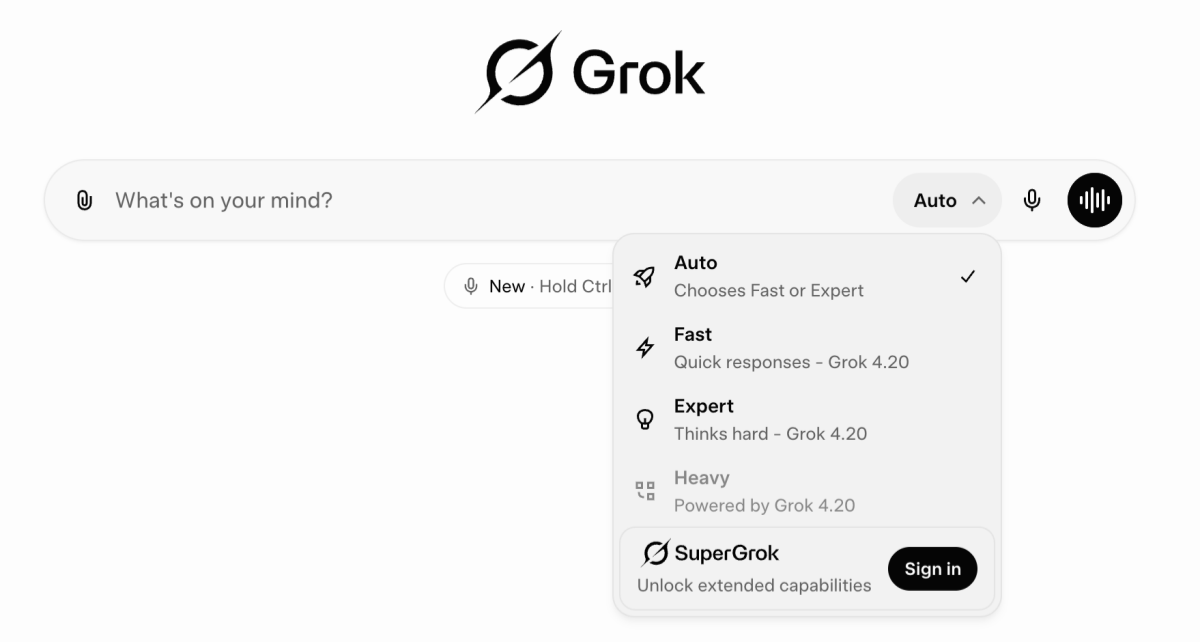
1.2 Free vs. SuperGrok: Which Plan Do You Need?
SuperGrok is the paid subscription tier, currently priced at approximately $30/month (pricing subject to change — check the official xAI site for current rates).
| Feature | Free Tier | SuperGrok |
|---|---|---|
| Daily message limit | Capped | Higher limits |
| Real-time search | Yes | Yes |
| DeepSearch mode | Limited | Full access |
| Think Mode (extended) | Limited | Full access |
| Aurora image generation | No | Yes |
| Priority access during peak | No | Yes |
Who needs SuperGrok? If you're using Grok as part of a regular professional workflow — research, content production, market monitoring — the higher usage caps and access to DeepSearch alone tend to justify the cost. If you're testing or using Grok occasionally, the free tier is a reasonable starting point.
Part 2. Core Grok AI Features You Need to Know
2.1 Real-Time Search: Grok's Biggest Advantage
Most AI chatbots work from a static training dataset with a knowledge cutoff. Grok's architecture is different: it has a live connection to X's data stream, which means it can pull from real-time public posts, trending discussions, and breaking news as part of a response.
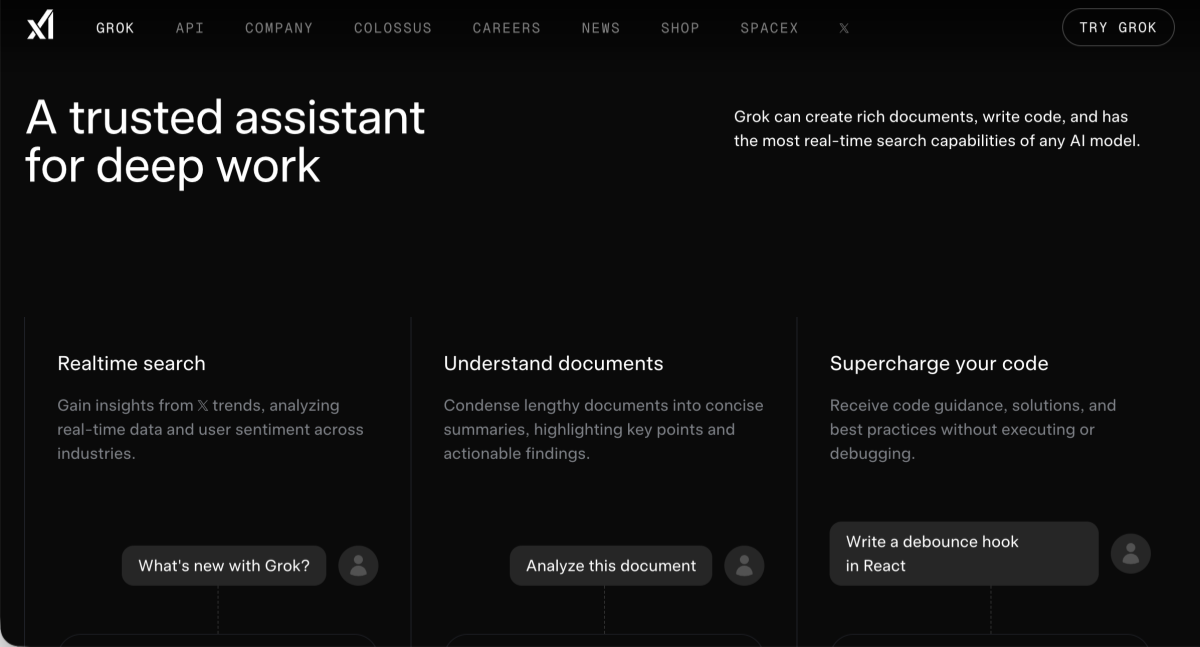
In practice, this means Grok can answer questions like "What's the current consensus on [topic] in the tech community?" or "What are people saying about [company] after today's announcement?" — and give you a response grounded in what's actually happening, not what was true as of some cutoff date.
How to activate real-time search: In most cases, you don't need to do anything — Grok will draw on current data when the question signals time-sensitivity. You can also explicitly instruct it:
Example prompt: "Search X for recent discussions about [topic] and summarize the key perspectives."
Where this is genuinely useful:
- Monitoring a developing news story or regulatory change
- Understanding how a product launch or PR event is being received
- Tracking emerging terminology or trends in a specific industry
- Getting context on a topic that didn't exist before your other AI tools' knowledge cutoff
This is one area where Grok's design philosophy — being embedded in a real-time social platform — translates into a practical, non-trivial advantage.
2.2 DeepSearch & Think Mode: Advanced Reasoning Explained
Two modes deserve particular attention because they change how Grok approaches a problem, not just the quality of the output.
Think Mode activates a slower, more deliberate reasoning process. Instead of generating a response in a single pass, Grok works through the problem step by step — useful for complex logic, multi-step analysis, or questions where the answer depends on correctly sequencing intermediate conclusions. You'll see Grok's reasoning steps displayed as it works, which also makes it easier to spot where the logic diverges.
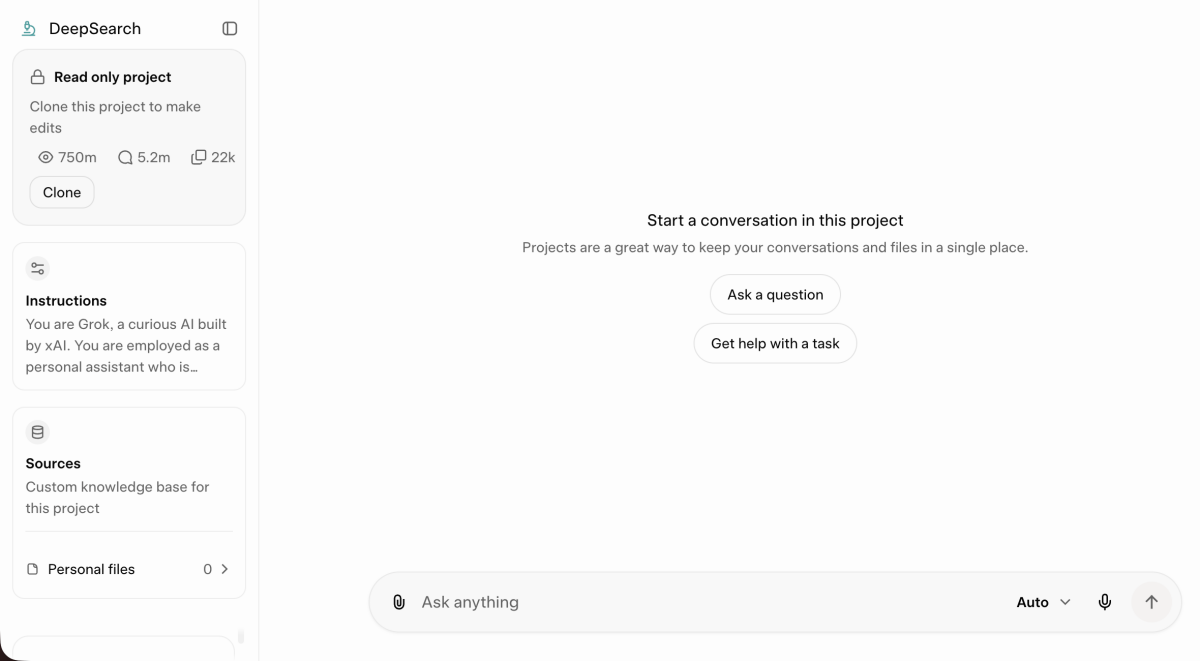
DeepSearch is Grok's multi-step research mode. Rather than answering from a single pass over its training data, it performs iterative searches, evaluates sources, and synthesizes a more comprehensive response. This is the mode to use when you need something closer to a research brief than a quick answer — think competitive landscape overviews, background research on an unfamiliar topic, or understanding the current state of a regulatory or technical debate.
When to use each:
| Task Type | Recommended Mode |
|---|---|
| Complex math or logic problems | Think Mode |
| Multi-step data analysis | Think Mode |
| Industry or topic research | DeepSearch |
| Competitor or market overview | DeepSearch |
| Quick factual queries | Standard mode |
| Real-time trend monitoring | Search mode |
2.3 Image & Multimedia Understanding
Grok's multimodal capabilities are useful in contexts that go beyond text.
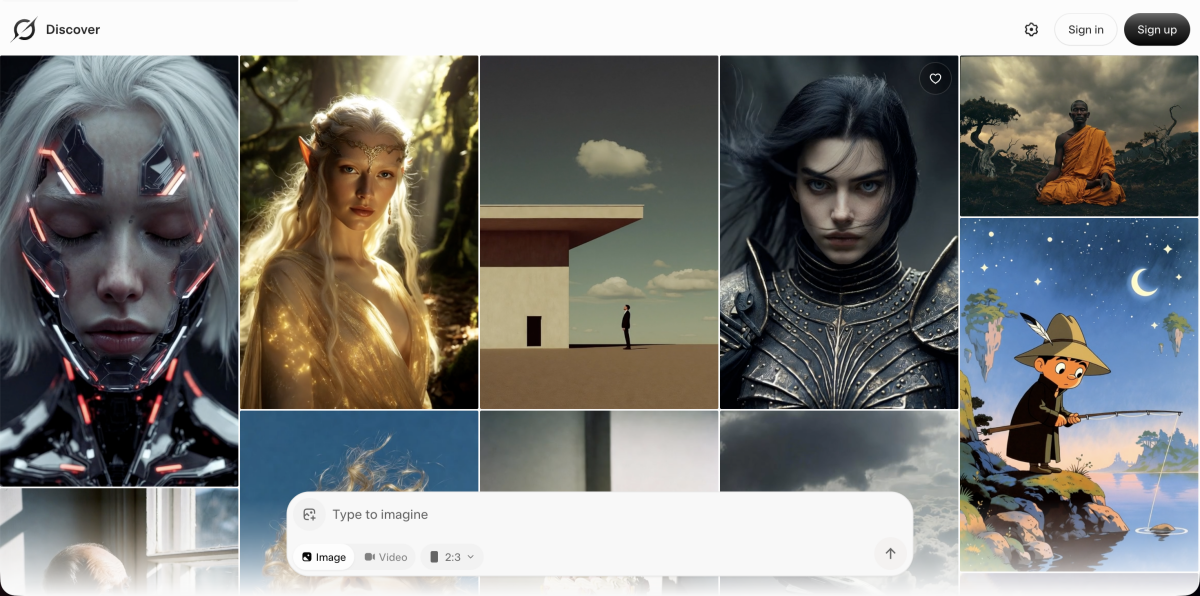
Image input: You can upload images directly into Grok and ask it to analyze, describe, or extract information from them. Practical applications include analyzing a screenshot of data or a chart, getting an AI read on a product's visual presentation, reviewing a design for copy consistency, or extracting structured information from a document image.
Aurora image generation: SuperGrok users can generate images through Aurora, xAI's image generation model. The model handles photorealistic and stylized outputs and is integrated directly into the Grok interface — no separate tool needed.
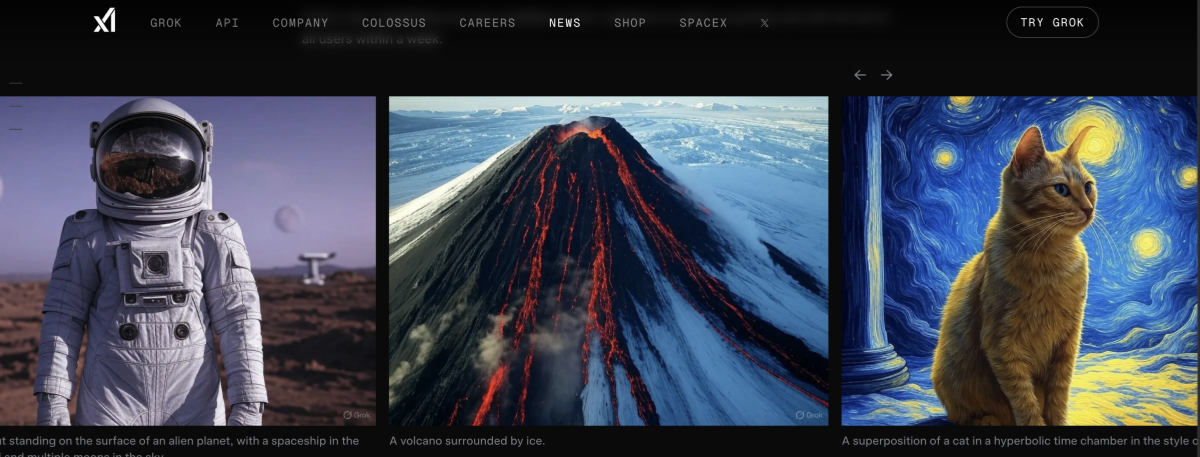
For teams working in e-commerce or product marketing, this is where the workflow often extends beyond what a single AI tool can cover end-to-end. Grok can analyze an existing product image, describe its composition, or suggest improvements — but generating production-ready e-commerce visuals at scale requires more than a general-purpose image generator.
This is where purpose-built tools step in. Designkit is an AI agent built specifically for e-commerce design workflows. It uses Seedance (with Seedance 2.0 in development) to generate product-focused visuals — banners, product page layouts, ad creatives — formatted for e-commerce contexts rather than general creative use. The practical workflow: use Grok to analyze existing assets or develop your creative brief, then use Designkit to produce the visual output. These tools are solving adjacent problems; using them together reduces the gap between concept and production-ready asset.

Part 3. Practical Grok Prompts and Use Cases by Scenario
3.1 Grok for Content Creation & Copywriting
Grok's real-time data access gives it an edge when the goal is to produce content that's grounded in what's actually relevant now, not what was trending six months ago.
Useful prompts to get started:
- For blog content planning: "Search X for the most discussed pain points around [topic] in the last week. Summarize the top 5 themes and suggest blog angles that address each one."
- For social media content: "What's the current conversation around [industry] on X? Give me three social post angles that would be relevant to a [target audience] without sounding reactive or trend-chasing."
- For email copy: "Write a 150-word email announcing [product update] to existing customers. Focus on the practical benefit, not features. Use a direct, conversational tone — no buzzwords."
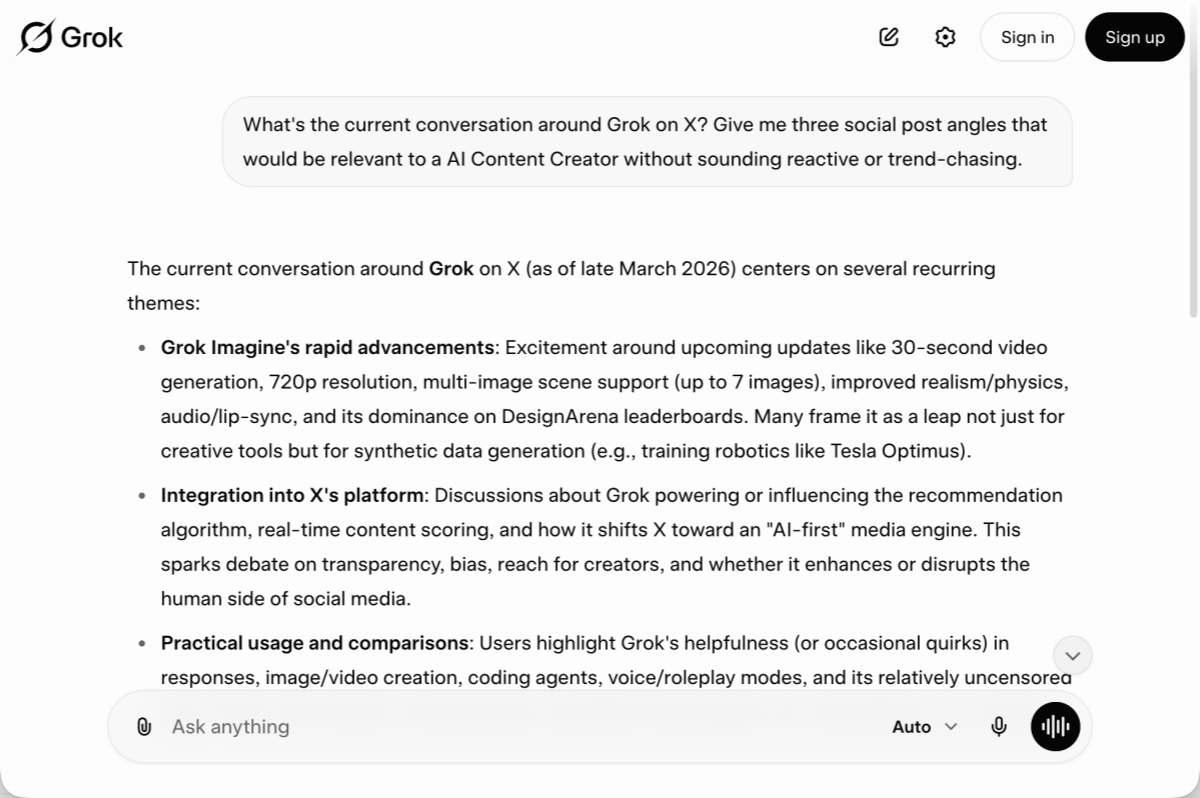
The common thread in effective content prompts: be specific about audience, tone, and length. Vague prompts produce vague output.
3.2 Grok for Research & Market Analysis
For research tasks, the combination of DeepSearch and real-time access makes Grok meaningfully different from a static AI tool.
Effective research workflows:
- Competitive landscape: "Use DeepSearch to give me a current overview of the top players in [market segment]. Include their positioning, any recent product updates, and notable customer feedback patterns from public sources."
- Industry trend briefing: "What are the most significant shifts happening in [industry] right now? Pull from recent X discussions and any recent news you can access, and give me a 300-word briefing with key themes."
- Sentiment analysis: "Search X for posts about [brand or topic] from the last 30 days. Summarize the dominant sentiment — positive, neutral, negative — and highlight any recurring themes."
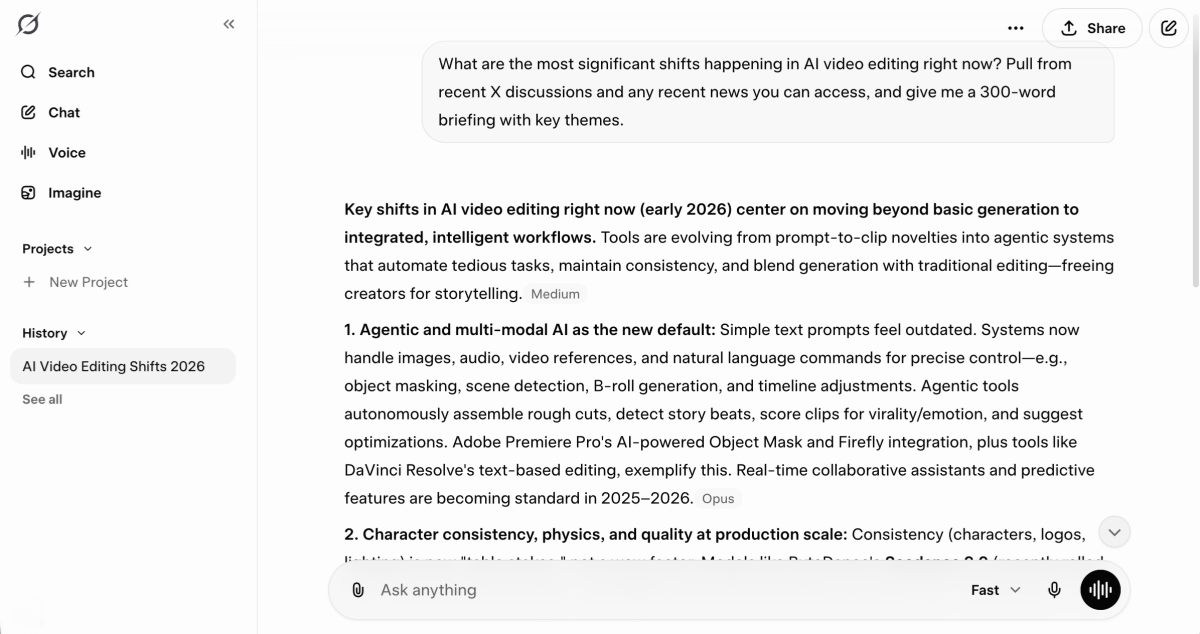
A practical caveat: Grok's research outputs are starting points, not finished reports. Treat them the way you'd treat a well-briefed research assistant's first draft — useful for getting oriented quickly, but worth verifying before presenting externally.
3.3 Grok for E-Commerce: Product Descriptions, Trends and Ad Copy
E-commerce teams tend to deal with high-volume, repetitive content tasks — product descriptions, ad variations, category copy — alongside more strategic work like trend identification and competitive monitoring. Grok is well-suited to both.
- For product description generation: "Write three product description variants for a [product type] targeting [audience]. Version A: short and punchy (50 words). Version B: feature-focused with bullet points. Version C: benefit-led, SEO-optimized for the keyword '[target keyword]'."
- For trend-based buying decisions: "What product categories or styles are gaining traction in [niche] on X right now? Give me a summary of what consumers seem to be interested in and what's being discussed by brands and creators."
- For ad copy: "Write five Facebook ad headline variants for [product], each under 40 characters. The audience is [description]. Avoid generic phrases like 'shop now' or 'don't miss out'."
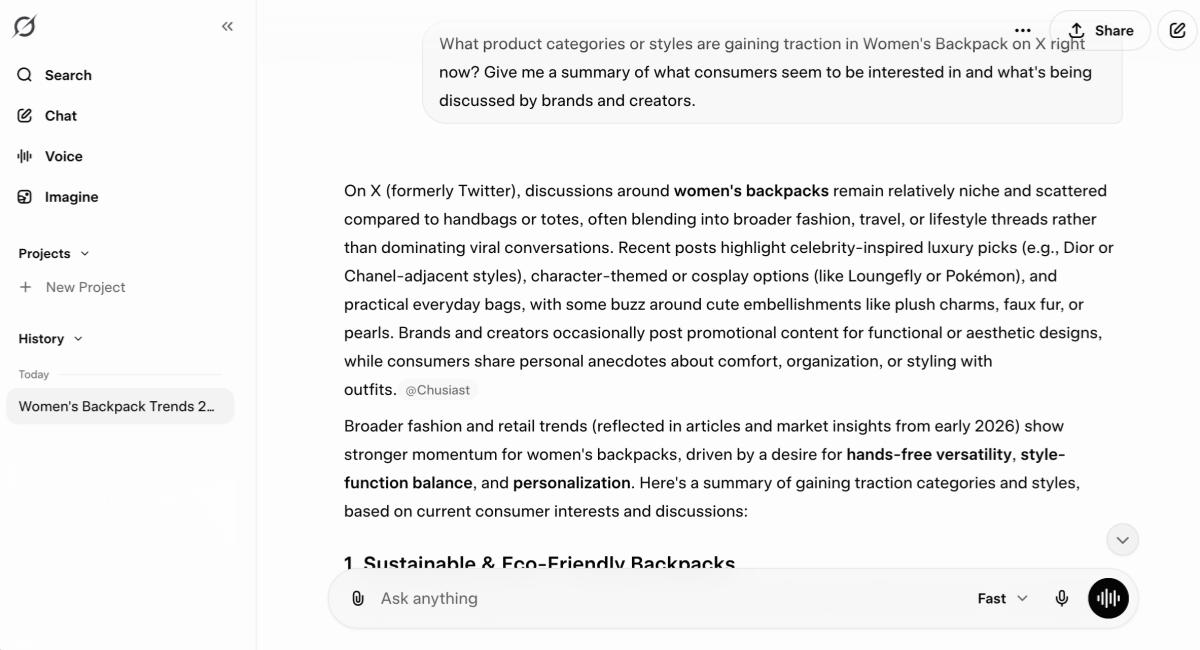
Copy is only half of an e-commerce asset. Once your messaging is defined, the production of product images, banner ads, and promotional creatives requires a separate toolset. Designkit AI design agent is built for exactly this step, producing e-commerce-ready visuals that align with the messaging you've already developed. The workflow becomes: define positioning and copy with Grok, then move into Designkit to produce the visual layer. For teams managing high product volumes, this kind of AI-to-AI handoff meaningfully reduces production time.
Part 4. Grok Tips, Tricks and Common Mistakes to Avoid
4.1 Prompting Best Practices for Better Grok Results
Most underwhelming Grok outputs trace back to underspecified prompts. A few patterns that consistently improve results:
- Assign a role. Starting with a role context helps Grok calibrate tone and depth. "As an experienced B2B marketer, explain..." produces more targeted output than "Explain..."
- Specify the output format. If you need a table, a bullet list, or a specific word count, say so explicitly. Grok will default to prose otherwise, which isn't always what you need.
- Give it constraints. Constraints improve quality. "Write this without using the words 'innovative,' 'seamless,' or 'cutting-edge'" will produce noticeably better copy than an open-ended request.
- Iterate, don't regenerate. If the first response is close but not right, refine it with a follow-up rather than restarting. "Keep the structure but make the tone 30% more direct" is more efficient than starting over.
- Use Think Mode for anything multi-step. If the task involves more than one logical dependency, switching to Think Mode before prompting tends to produce more coherent results.

4.2 When to Use Grok vs Other AI Tools
Grok is the better choice when:
- You need information from the last few hours or days
- The task involves trend monitoring, social listening, or news synthesis
- You're doing research that benefits from DeepSearch's iterative approach
- You want a model with a less filtered, more direct conversational style
Other tools may be more appropriate when:
- You need sustained coherence across a very long document or conversation
- The task involves complex, multi-file code review or generation
- You're working within an existing workflow built around ChatGPT's plugin or GPT ecosystem
- You need deep integration with productivity tools (Notion, Slack, etc.) that have established connectors
The honest framing: Grok and ChatGPT are converging in capabilities, and the practical differences are narrowing. Current differentiation is mostly around real-time access, ecosystem integrations, and the subtle differences in how each model handles specific task types.
Conclusion: Start Getting More from Grok AI Today
Grok is a capable and genuinely differentiated tool — but like most AI platforms, its value depends heavily on how deliberately you use it. The three areas where it consistently delivers above expectations: real-time information synthesis, research tasks that benefit from DeepSearch's iterative approach, and conversational workflows where a less filtered, more direct model is useful.
Three practical steps to start with:
- Enable real-time search on your next research query — ask Grok to pull from X discussions on a topic you're currently working on and compare the output to what a static AI returns.
- Try Think Mode on your next multi-step problem — the visible reasoning chain alone is worth experimenting with.
- Build prompts with constraints — specify format, length, and tone from the start rather than iterating from a generic response.
For teams in e-commerce or content production, the broader principle applies: AI tools are most effective when they're used as components in a workflow rather than standalone solutions. Grok handles the information and copy layer well. Pairing it with purpose-built tools for adjacent tasks — like Designkit for e-commerce visual design — closes the gap between AI-generated ideas and production-ready outputs.
The tools are available. The workflow design is the competitive advantage.
Sources
Frequently Asked Questions
Is Grok AI free to use?
How do I make Grok search the internet in real time?
Grok enables real-time search by default for time-sensitive queries. You can make it explicit by adding phrases like "search X for recent discussions about..." or enabling the Search mode toggle in the interface before submitting your query.
What is Grok's Think Mode and when should I use it?
Think Mode is an extended reasoning process where Grok works through a problem step by step rather than generating a response in a single pass. Use it for complex logic problems, multi-step analysis, math, and any task where the quality of reasoning matters more than response speed.
Can Grok generate images?
Yes, through the Aurora model — but this feature is available to SuperGrok subscribers only. Aurora handles both photorealistic and stylized image generation directly within the Grok interface.
How does Grok compare to ChatGPT for everyday tasks?
For time-sensitive research and trend monitoring, Grok has a structural advantage. For long-form writing, complex coding, and tasks that benefit from a mature plugin ecosystem, ChatGPT remains the more established choice. Most professional users find value in both rather than committing exclusively to one.
You May Also Like
How to Use Google Veo 3.1 for Ecommerce Product Video
Nano Banana 2.1 Review: Features, Release Date & What’s New
Remove.bg Shutting Down Dec 1, 2026: What Users Are Saying
Amazon Individual vs Professional Selling Plan

How to Create an Amazon Seller Account: Requirements and Steps
Amazon Product Video Requirements: Specs & Upload
Amazon Brand Registry Requirements: Trademark, Account & Cost

Amazon Global Selling: How to Open Multiple Marketplaces
How to Make an Event on Facebook: Complete Setup Guide (2026)
Amazon Sponsored Brands: What They Are and When to Use Them

Amazon Sponsored Products: How to Launch Your First Campaign

Amazon Vine Program for Sellers: Get Early Product Reviews

7 Best Remove.bg Alternatives in 2026: Free & Paid Tools

Amazon A+ Content Dimensions: Module Image Sizes
Print-On-Demand Designs: Create, Prepare, and Preview Your Work

T-Shirt Design Size Guide: Placement, Dimensions, & DPI

Amazon A+ Content: What It Is and What to Build First
Is Print on Demand Profitable in 2026? Products and Niches
Amazon Brand Registry Application: How to Submit and Pass Review

How to Ship to Amazon FBA: Your First Shipment

What Is Amazon FBA? Should Beginners Use It in 2026

GPT Image 2 Prompts for Product Photos (Copy-Paste Examples)

How to List a Product on Amazon: Materials Checklist for First Listings

How to Get Ungated on Amazon: Restricted Category Approval Steps

Kling vs Veo for Product Video & UGC Ads (2026)

Nano Banana vs Midjourney for Product Photos and Campaign Visuals (2026)
Amazon Backend Keywords: Title, Bullets & Search Terms

How to Sell on Poshmark: A Complete Beginner's Guide

Zeely Reviews 2026: Features, Pricing, Pros, Cons & Alternatives
Instagram Carousel: What It Is, How to Post & Create One
What Is A/B Testing? A Practical Guide to Running Better Experiments

Best Time to Post on Instagram in 2026: Data & Tips

How to Get Verified on Instagram: Complete Guide
TikTok Monetization in 2026: Requirements & Ways to Earn

Instagram Desktop Posting Guide: Upload Posts, Stories & Reels
Nano Banana Prompts: 20+ Examples for Better AI Images

YouTube Shorts Monetization Requirements & Rules 2026

Hair Color Ideas 2026: Trending Shades & Virtual Try On

How to Write an Instagram Bio: Examples, Tips & Ideas

How Much Does YouTube Pay Per View? 1K, 100K & 1M Views

How to Make Money on Snapchat: 7 Ways to Earn

How to Get More Followers on Instagram in 2026

Best Time to Post on TikTok in 2026 for More Views
How to Repost on Instagram in 2026: A Simple Guide

Ideogram AI Review 2026: Features, Pricing & Alternatives

PixVerse AI Review 2026: Is It Worth Using for AI Videos?
Free Mac Photo Editor: 5 Tools Compared for Mac Users
How to Crop a Photo Into a Circle Online (Keep Quality)

Create TikTok Ads From One Photo: An AI Product Launch Kit

How to Make an Image Transparent Online (AI Guide)
Pixlr Background Remover Review 2026: Features, Pricing & Alternatives

How to Fix Overexposed Photos: Recover Highlights Fast

How to Animate a Picture with AI: Easy Step-by-Step Guide
OpenArt AI Review 2026: Features, Pricing & Alternatives

Best AI Headshot Generator: 9 Tools Compared for 2026
Best Stencil Maker Tools 2026: Turn Photos Into Stencils
Pixelbin Watermark Remover Review: Image & Video Results Tested
How to Make a Sticker on iPhone: Easy Step by Step Guide

Best AI Logo Generator in 2026: 10 Tools Compared

How to Turn a Photo Into a Cartoon: A Beginner-Friendly Guide

How to Write a Video Script: Structure, Tips & Examples

Depop vs Poshmark: Which Is Better for Selling in 2026?

Landscape vs Portrait: Key Differences & Best Uses in 2026

How to Create an Amazon Storefront: 4-Step Guide for New Sellers

How to Remove Watermark From Photo: AI, Photoshop & More

How to Sell Books on Amazon in 2026: Beginner Guide
How to Fix Pixelated Photos: Photoshop, AI Tools & Tips
Bing Image Creator: How It Works, Features, Uses & Alternatives

Best Products to Sell on Amazon: 10 Ideas for Beginners
How to Remove People from Photos with AI: A Step-by-Step Guide

What Is B-Roll? Meaning, Examples, and How to Use It

How to Increase Image Resolution: AI, Photoshop & PPI
How to Add Text to a Photo: 8 Tips for Better Results

How to Sell on Amazon in 2026: A Complete Seller Guide
How to Fix Grainy Photos: Easy Ways to Clear Images

How to Make a TikTok Video: A Step-by-Step Guide 2026

How to Make an Instagram Post: Step by Step Creation Guide

Social Media Copywriting: Tips, Examples & Best Practices

Creative Profile Picture Ideas for Every Style and Platform
Evoto AI Review 2026: Features, Pricing, Pros & Cons
Pixlr Photo Editor Review: Features, Pricing & Alternatives
Best AI Image Extender Tools in 2026: Expand Photos with AI

How to Make a Collage on iPhone: Easy Guide for 2026

What Are AI Fruits? The Trend, the Formats, and How to Make One
How to Sharpen an Image in Photoshop (Smart Sharpen and Unsharp Mask)

Seedance 2.5 Review: What Changed in ByteDance's New Model
Best Image Background Remover Tools in 2026: AI Tools Compared
How to Make Transparent Background in Paint: Step-by-Step Guide
How to Resize an Image: Best Methods, Tools & Quality Tips

LTX Studio Review: Features, Pricing & AI Filmmaking Guide
Best AI Image Generator Tools in 2026: Top AI Platforms Compared

Remove.bg Review 2026: Features, Pricing & Is It Worth It?

MiniMax H3: Features, Benchmarks, Pricing, and How to Use It

Luminar Neo Photo Editor Review 2026: AI Features, Price & Pros

How to Post Multiple Photos on Instagram (2026 Guide)

25 Facebook Cover Photo Ideas for Personal & Business Pages

What Is a PFP? Meaning, Examples & How to Create One
Multichannel Marketing Guide: Strategy, Tools & Examples
How to Create Digital Products That Sell in 2026

How to Make a Slideshow for Facebook: Photos, Music & Tips 2026

HeyGen vs Arcads: Which AI Video Tool Wins in 2026?

AI Product Photography: 7 Best Tools for Ecommerce in 2026
Can You Edit an Instagram Post After Posting?

Cyber Monday Marketing Ideas & Strategies (2026 Guide)
Black Friday Marketing Ideas for Ecommerce Brands (2026)

11 Best Canva Alternatives in 2026 for AI Design & Marketing
Instagram Marketing Guide: Strategies, Tips & AI Tools in 2026
8 Best Midjourney Alternatives in 2026: Features, Pricing & Comparison
Influencer Marketing Guide: Strategy, Campaigns & Creator Tips
How to Restore Old Photos: AI Tools, Tips & Best Methods

Arcads AI Review 2026: Features, Pricing, Pros, Cons & Alternatives

Pixelcut AI Review 2026: Features, Pricing, Pros, Cons & Alternatives

What Is a Hero Image? Definition, Examples & Design Tips
How to Apply Watermark to Photos: Methods, Tips & AI Tools
How to Remove a Background in Illustrator: 4 Easy Methods
How to Change Background Color on Instagram Story (Easy Guide)

Pippit AI Review 2026: Features, Pricing, Pros & Cons
8 Best AI Poster Generators in 2026: Create Posters Faster with AI
10 Best AI Image Enhancers in 2026: Tested & Compared
10 Best AI Image Editors in 2026: Features, Pricing & Comparison

7 Best AI Background Changer in 2026: Remove & Replace Photo Backgrounds
Luminar Neo vs Lightroom: Features, Pricing & Comparison 2026
Kittl Review 2026: Is It Worth It? Features & Pricing

15 Best Things to Sell on Etsy in 2026 (Listing Tips Included)
WooCommerce vs Shopify 2026: Pricing, Features & Which Is Better
How to Sell on Facebook Marketplace: Beginner Guide (2026)
How to Use Pinterest for Business: Strategy, Tips & Growth Guide

How to Sell on Etsy in 2026: Setup, Listings & Growth Tips

What Is a Target Audience? Types, Examples & How to Find Yours

How to Make a Blurry Image Clear: 5 AI & Manual Ways
TikTok Marketing Guide 2026: Strategies, Ideas & AI Tools
How to Remove Background on iPhone: 5 Easy Methods (2026)
Photoroom Background Remover Review 2026: Features & Alternatives
How to Remove Background in Canva: A Step-by-Step Guide

How to Remove Background in GIMP: Beginner-Friendly Guide

How to Celebrate National Dog Day 2026: Date & Easy Ideas

Funny Dog Memes to Try: Doge Meaning and 10 Original Ideas
Back to School Checklist 2026: Supplies, Timeline, and Planning
Recraft AI Review 2026: Features, Pricing, Pros, Cons & Alternatives
How to Make an Image Transparent in Google Slides: Opacity & Background Removal

VanceAI Photo Enhancer Review: Features, Pricing & Alternatives in 2026
Vibe Marketing Explained: Strategy, Examples & AI Tools
How to Sell on Depop: Beginner Guide to Getting Your First Sale

What Does Emojify Mean? Text, Photos, & Emoji Art Explained

Back to School Ad: 7 Creative Ideas for Better Campaign Results

Top 7 Back-to-School Sales Ideas to Boost Retail Sales (2026)
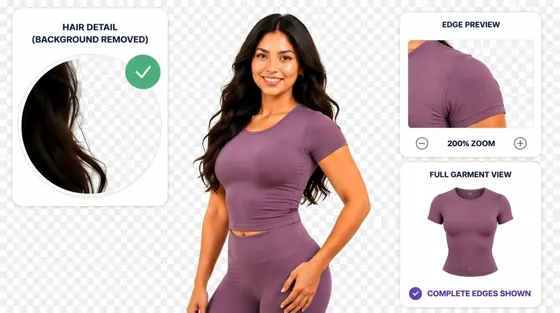
Top 8 Online Background Removers for Ecommerce Photos (2026)
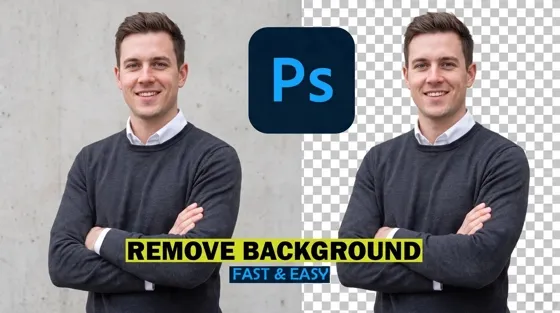
How to Remove Background in Photoshop: 7 Easy Methods
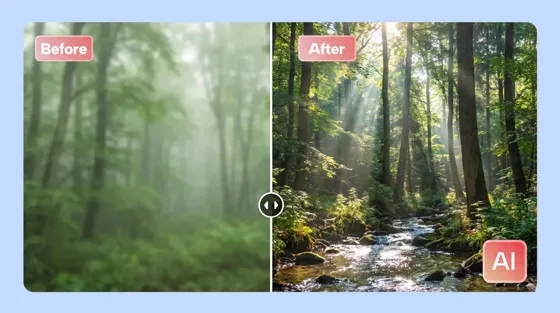
6 Best AI Image Upscalers 2026: Tools Tested & Compared

Luma vs Seedance (2026): Ray 3.2 or Seedance 2.0?

15 Simple Self-Care Ideas for Busy Schedules and Daily Life

Celebrate International Cat Day 2026: Date & 10 Fun Ideas
Project Indigo Review: Is It Better Than iPhone Camera?

How to Match Makeup by Undertone: Virtual Lipstick and Foundation Try-On

Chic Outfit Ideas for Every Occasion: 15 Stylish Looks & Tips
How Big Is an 8x10 Photo? Size, Pixels & Frame Guide

How Big Is a 4x6 Photo? Dimensions, Pixels & Printing Tips
Picsart AI Review: Features, Pricing, Pros, Cons & Alternatives
Lovart AI Review: AI Design Agent Features, Pricing & Alternatives

Fotor AI Image Generator Review: Features, Pricing & Alternatives

How to Add Emoji to Photo Online for Free

Online Advertising Guide: Types, Costs & Examples (2026)

Facebook Advertising Guide: Costs, Strategy & Tools 2026

What Are E-commerce Ads? Examples, Strategy & Tools (2026)
Where to Sell Handmade Items Online (2026): Etsy, Amazon, or Shopify?

Shopify vs Amazon (2026): Brand Store or Marketplace FBA?
Amazon Handmade vs Etsy (2026): Which Is Better for Makers?
Etsy vs eBay (2026): Handmade, Vintage, or Secondhand?

Selling on Amazon vs eBay (2026): Fees, Profit & Where to Sell

What Is Brand Awareness? Examples, Strategies & Tools 2026

10 Best Online Selling Platforms (2026): Pick by What You Sell

Shopify vs Etsy (2026): Which Is Better for Handmade Sellers?

Wedding Dress Styles for Every Body Type: A Practical Guide for 2026

Emoji Wallpaper Ideas & How to Make One Online (2026)
YouTube Automation Step-by-Step AI Guide for Beginners
What Is Brand Identity? Examples, Elements & Strategy
Creatify AI Reviews: Features, Pricing & Alternatives (2026)
Minimalist Poster Design: How to Make a Clean Poster (2026)
What Are Satisfying Videos? Types, Tips & How to Make (2026)

How to Find a Product by Image: 7 Methods That Work (2026)

How to Make a Custom Poster That Is Ready to Print

Gemini Omni Review: Real Tests, Pros & Limitations for Video Generation

How to Generate Product Videos from Images with AI (2026 Guide)
Instagram Image Size Guide 2026: Post, Reel, Story & Carousel Specs

AI Marketing Agent: How It Works, Benefits & E-Commerce Examples

Aesthetic Poster Ideas: Find Your Style and Create Printable Art
How to Create a Product Launch Video with AI: A Step-by-Step Guide
LinkedIn Image Size Guide: Profile, Post & Banner Dimensions
YouTube Profile Image Size: Best Dimensions & Safe Area 2026
What Is Personalized Advertising? Examples & How It Works
How to Build a Shopify Store That Actually Converts Visitors
What Is a Brand Video? Types, Examples & How to Create One

How to Create a Complete World Cup Product Listing Image Set

20 FIFA World Cup Merchandise Ideas That Fans Actually Buy
AI Product Demo vs Live Demo: Which Gets More SaaS Sign-Ups?

How to Create Amazon Summer Sale Posters and Banners with AI

Amazon Summer Sale 2026: Listing Design Trends & Product Image Ideas
How to Create AI Product Promotion Videos in Minutes (Step-by-Step)
Best AI Product Video Ad Generators for Ecommerce in 2026

Father's Day Gift Ideas: Personalized Card, Poster and Video

Father's Day Card Ideas: Messages, Printable and Personalized Cards

Amazon Marketing Guide 2026: Strategies, Tips & Tools
Local Advertising: Strategies, Examples & Tools (2026)

What Is Branded Content? Examples, Strategy & Tools 2026

What Is Performance Marketing? Strategies & Examples 2026

Inbound Marketing: Strategies, Examples & Tools (2026)

How to Boost Ecommerce Sales: Proven Strategies That Work
How to Add Video to eBay Listing: Step-by-Step Seller Guide

Ecommerce Video Ads: 7 Strategies That Drive Higher Conversions

7 Best AI Virtual Makeup Try-On Tools for Realistic Results in 2026

AI Virtual Makeup Try-On: Boost Beauty E-Commerce Sales in 2026

Free Online Glasses Try-On Tools: See Yourself in Glasses Instantly

Top Virtual Ring Try-On Tools for Engagement and Wedding Rings in 2026

How to Try Shoes On Virtually: A Step-by-Step Guide

Best Virtual Shoe Try-On Tools for Ecommerce: 2026 Guide

How to Try On Wigs and Bangs Virtually to Find Your Perfect Style

How to Photograph Shoes for Your Ecommerce Store in 2026
Short Form Video Marketing for E-commerce: AI Video Guide
What Is Video Marketing? E-commerce Guide & Strategies 2026

Create Model Outfit Photos Instantly With AI Outfit Generator

Best AI Virtual Try-On Clothes Tools for Any Body Type
How to Edit Amazon Product Photos That Boost Sales Fast

Product Photography Ideas: Creative Tips & Techniques for Better Shots

Product Photography Pricing 2026: Full Cost Guide by Type
Google Veo 4 Explained: Features, AI Video Creation & What’s New

How to Try On Clothes Online with AI for Better Fit & Style

Virtual Nose Ring Try On Online Before Your Piercing

White Background Product Photography Guide & Tips 2026

Product Photography Starter Package: Gear Checklist 2026

How to Try Makeup Online with AI and Virtual Makeup Try-On Apps (2026)

How to Use Virtual Earring Try-On for a Flattering Look in 2026

How to Try On Engagement Rings Online with AI in 2026

Scale Your Jewelry Brand with Virtual Jewelry Try-On Solutions

How to Try Hairstyles on Your Face Online (Step-by-Step Guide)

Best Virtual Hairstyle Try-On Tools Online for Realistic Previews 2026

How to Use a Free AI Hairstyle Generator to Find Your Perfect Look

Virtual Hair Color Try-On Guide for Every Skin Tone (2026)

Virtual Wedding Dress Try-On Online for Brides in 2026

How to Choose the Right Sunglasses for Your Face Shape Online

How Accurate Is Virtual Glasses Try-On? AI vs AR Compared

Best Virtual Try-On Glasses Apps in 2026 (Free & Paid Tools)

How AI Virtual Try-On Is Transforming Eyewear Ecommerce

5 Best Virtual Try-On Glasses Tools for Ecommerce and Consumers 2026

How to Try On Glasses Online with AI in 2026 (Easy Guide)

How to Create Jewelry Photos with AI Models That Drive Sales in 2026

Shopify Product Photography Guide with Tips & Setup

AI-Generated Fashion Models: Technology, Brand Adoption & Trends

How to Batch Generate 100+ AI Clothing Model Photos Fast

7 Best AI Fashion Model Generators for Ecommerce in 2026

Amazon Main Image Requirements: Size, Guidelines & Tips

Shopify Image Size 2026: Complete Guide and Tips for Better Product Display

Studio Product Photography vs AI Product Photography in 2026

7 Product Photography Mistakes That Hurt Ecommerce Sales

AI Clothing Model Photos for E-Commerce: Platform Rules & Best Practices

How AI Virtual Try-On Helps Fashion Brands Boost Sales & Reduce Returns

AI Fashion Models vs Real Models: Which Is Better for Brands?

Best Free AI Fashion Model Generators for Real Product Photos

Virtual Outfit Try-On Guide: Plan Outfits Before You Buy

GPT Image 2 Review: Features, Prompts & E-commerce Use Cases

What Is an AI Clothing Model Generator? Full Guide for Sellers

Change Outfit Colors Online for Outfit Preview with AI Clothes Color Changer

Virtual Try-On Technology in 2026: How It Works & Key Trends

How to Create Amazon Infographics: Boost Sales with Compelling Visuals

10 Best Virtual Try-On Apps & Tools for Online Shopping in 2026

How to Create AI Fashion Models: Complete Step-by-Step Guide

How to Use AI Fashion Models for E-Commerce Product Photos: A Complete 2026 Guide

How to Virtually Try On Clothes Online: A Complete Guide

How to Create Outdoor Product Scenes Without a Photoshoot Using AI
GPT-Image-2 for Ecommerce Product Images: What It Means for Online Stores

Optimize Etsy Images for Mobile: Listing Photos That Convert

Amazon 7-Image Listing Strategy: Boost Sales by Optimizing Every Image

Happy Horse 1.0: The AI Video Model E-Commerce Sellers Need to Know About

Etsy Thumbnail Optimization: Keep Your Product Fully Visible

AI UGC for Ecommerce in 2026: Text-to-Video, Image-to-Video & Reference Replication Guide

The Etsy Thumbnail Formula That Drives More Clicks and Sales

HappyHorse AI Review: Features, Benchmarks & How to Use It

How to Create Pro Amazon Listing Photos Without a Studio

10 High-Converting Lifestyle Product Images for Amazon Listings

How to Automate Your E-commerce Visuals with OpenClaw Workflow

Top 5 AI Tools to Generate Amazon Product Listing Images in 2026

How to Turn One Photo into 10 Etsy Listing Images Fast: Batch Workflow

Etsy Listing Photo Size Guide (2026): Mobile, Desktop & Shop View Specs

Turn White Background Images into Lifestyle Amazon Listings

Fix Etsy Image Cropping: Optimize Listing Photos for Every Device

Amazon Listing Images: Essential Shot List & Optimization Guide

How to Create Lifestyle Product Images Without a Studio
Seedance 3.0 Predictions: Will AI Video Enter the Feature Film Era?
Grok AI vs ChatGPT: Features, Pricing & Best Choice (2026)
How to Use Grok AI: Features, Tips & Best Prompts (2026 Guide)
Sora Is Shutting Down? Best AI Video Alternatives for Creators in 2026

Lifestyle Product Photography Trends 2026: Authentic Looks at Scale

How to Master Lifestyle Product Photography in 2026

Amazon Listing Images Guide 2026: 7-Slot Strategy & Requirements

360 Product Photography Guide 2026: Setup, Shoot and Workflow

Beginner's Guide to Generate Product Photos from Different Angles

AI Product Photography: Create Ecommerce Images Without a Photoshoot

How to Create Realistic AI Product Photos: Step-by-Step Pro Guide

Keep AI Product Images Consistent Across SKUs: Lighting, Color, Background
Seedance 2.0 for Ecommerce: Create AI Product Videos in Minutes
Seedance 2.0 Review: Features, Improvements, Pricing & How It Works (2026)

How to Scale E-commerce with a Product Image Generator

How to Use AI for Spring Product Photography: 2026 Amazon Guide

How to Create a Budget Home Product Photography Setup with AI

How to Achieve Professional Product Photography Standards in 2026

How to Take Product Photos with Phone: Pro Guide for Amazon & AI

Best AI Product Image Generator 2026: Top Tools for Amazon Sales

Amazon Photography Service vs. AI Generator: Best Choice for Sales

What Is Product Photography? Angles, Lighting & Editing Guide

Amazon Spring Sale 2026: Create High-Converting Listing Images (Guide)

AI Agents Transform Amazon Product Photography in 2026

Amazon Photoshoot in 2026: Do You Still Need a Studio?

11 Must-Have Tools for Amazon Product Photography in 2026

2026 Amazon Image Trends Shaping Seller Success and Conversions

Amazon Product Photography Requirements & Best Practices 2026
Make every product image ready to sell
Designkit is an all-in-one AI platform for ecommerce visuals. Create product photos, AI videos, virtual try-ons, and Amazon listing images in seconds. Generate HD backgrounds, batch edit photos, and scale your brand with studio-quality content.


