
How to Use Pinterest for Business: A Complete Marketing Guide
Turn Pinterest into a growth channel for your business. Learn how to optimize your account, create engaging Pins, attract customers, and scale your visual content with AI-powered workflows.

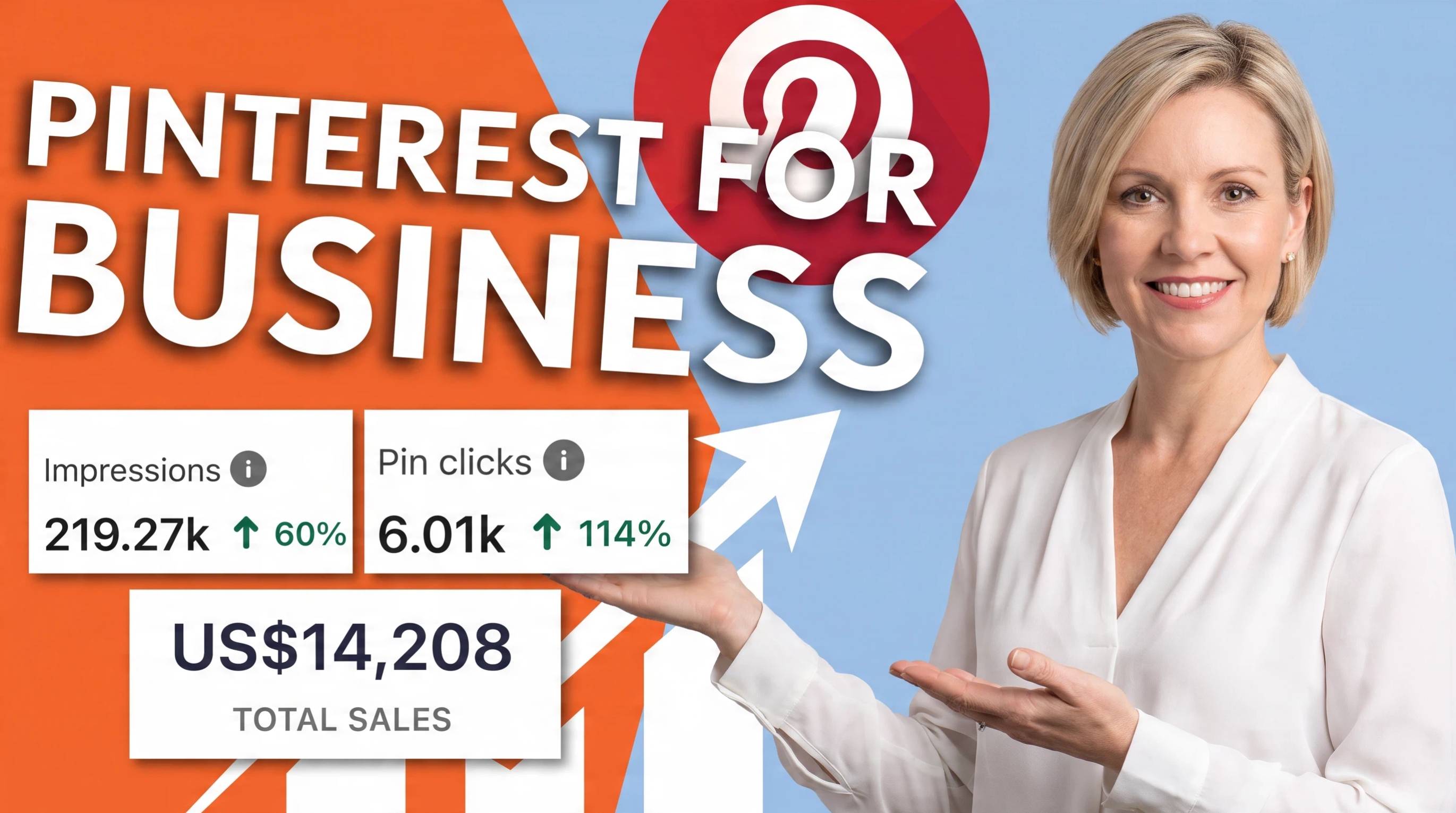
Pinterest is more than a social media platform. It functions as a visual search engine where people actively discover ideas, products, and brands while planning future purchases. Unlike posts on most social networks, a well-optimized Pin can continue driving traffic, saves, and clicks for months or even years.
Learning how to use Pinterest for business means more than publishing attractive images. Businesses need a well-optimized profile, keyword-focused boards, eye-catching vertical Pins, and a consistent publishing strategy to reach the right audience.
This guide explains how to use Pinterest for business in 2026. You'll learn how to set up a business account, create search-friendly boards and Pins, follow recommended Pinterest pin sizes, optimize your content for SEO, and build a sustainable Pinterest marketing strategy that drives long-term traffic and sales.
Why Use Pinterest for Business?
Pinterest is more than a social media platform. It's a visual search engine where people discover ideas, compare products, and plan future purchases. Whether you're promoting a small business or a growing ecommerce brand, using Pinterest for business can help you attract high-intent audiences, increase brand visibility, and drive consistent website traffic. Here are some of the biggest benefits of Pinterest for business.
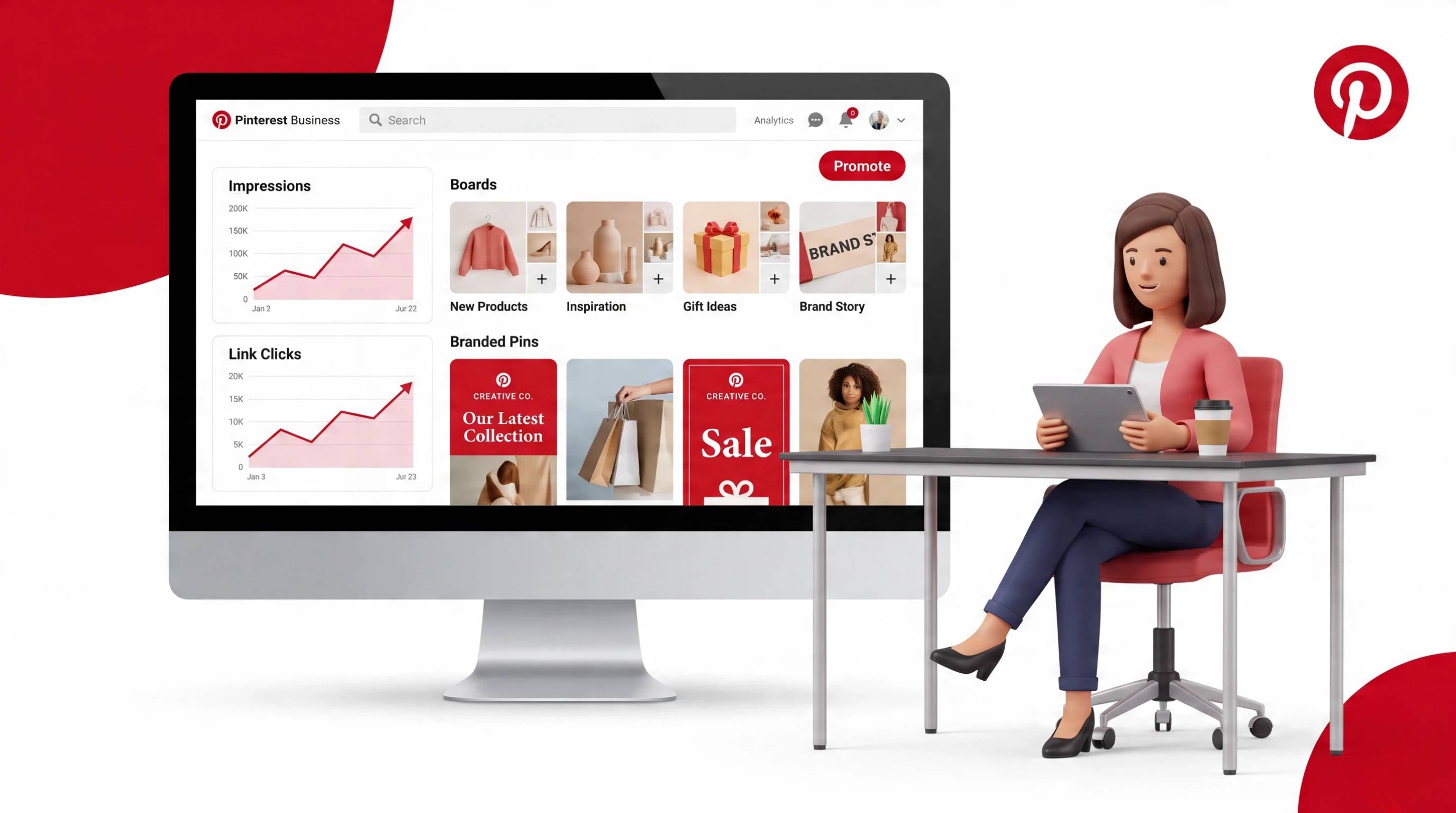
1. Reach Customers During the Discovery Stage
One of the biggest benefits of Pinterest for business is reaching people while they're actively searching for ideas, products, and inspiration. Since many users visit Pinterest before making a purchase, businesses have the opportunity to connect with potential customers early in their buying journey.
2. Drive Long-Term Website Traffic
Unlike posts on many social platforms, Pinterest content has a longer lifespan. Using Pinterest for business allows your Pins to continue appearing in search results and recommendations for months, helping generate steady traffic to your website, blog, or online store.
3. Increase Product Discovery
Learning how to use Pinterest for business effectively helps your products appear in relevant searches and personalized feeds. High-quality visuals, keyword-rich Pin descriptions, and organized boards make it easier for shoppers to discover what you offer.
4. Build Brand Awareness Through Visual Search
A strong Pinterest marketing for business strategy helps increase your brand's visibility through visual search and personalized recommendations. Consistent branding and valuable content make your business more recognizable and encourage users to save and share your Pins.
5. Support Ecommerce Sales
Understanding how to post on Pinterest for business with optimized product Pins, compelling images, and direct product links can turn inspiration into action. When paired with effective content planning and tips for using Pinterest for business, Pinterest can become a reliable channel for driving ecommerce sales.
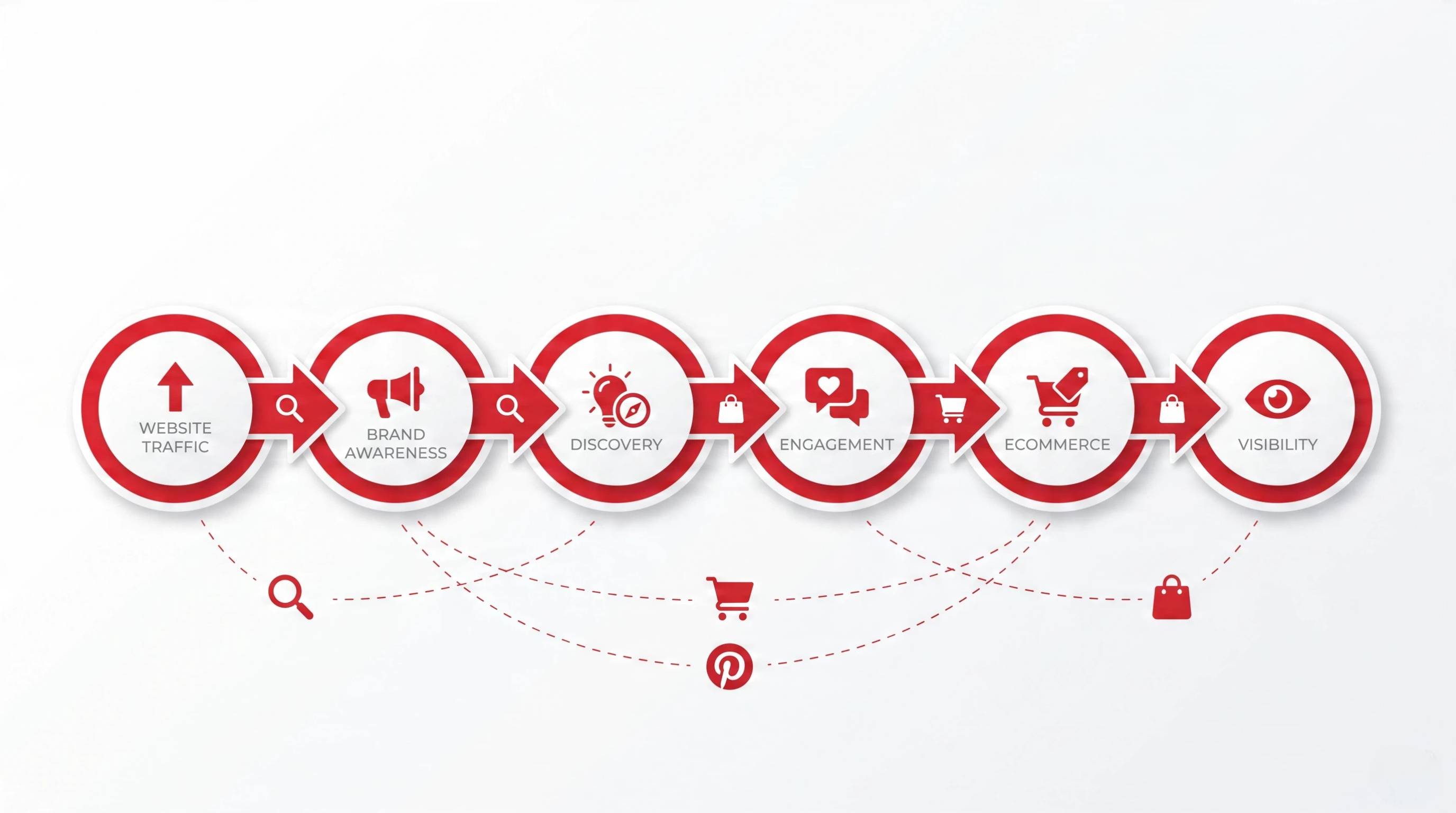
How Pinterest Marketing Works for Businesses
A successful Pinterest for business strategy combines organic content, search optimization, and paid promotion to reach customers at different stages of their buying journey. Rather than relying only on ads, businesses often start by building a library of valuable Pins that continue attracting traffic over time.
Organic Pinterest Content
Organic content is the foundation of Pinterest marketing for business. Publishing useful, visually appealing Pins helps your brand appear in search results and recommended feeds without ongoing advertising costs.
Common types of organic content include:
-
Standard Pins: Drive traffic to blog posts, landing pages, or product pages.
-
Product Pins: Display product information and link directly to ecommerce listings.
-
Idea Pins: Share step-by-step tutorials, tips, or behind-the-scenes stories through multiple pages.
-
Educational Content: Create how-to guides, checklists, and inspirational content that encourages saves and shares.
Goal: Build brand discovery, increase engagement, and generate long-term organic website traffic.
Pinterest SEO
Pinterest functions as a visual search engine, making SEO an essential part of your strategy. Optimize your profile, boards, and Pins with relevant keywords so your content appears in search results.
Focus on:
-
Profile name and bio
-
Board titles and descriptions
-
Pin titles and descriptions
-
Image alt text
Following tips for using Pinterest for business, like consistent keyword optimization, can significantly improve your content's visibility.
Pin Formats Businesses Use
Different Pin formats serve different marketing goals. Choosing the right format helps maximize engagement and conversions.
-
Standard Pins: Best for driving website traffic.
-
Video Pins: Capture attention with product demos or tutorials.
-
Idea Pins: Ideal for multi-page storytelling and educational content.
-
Shopping/Product Pins: Best for ecommerce brands with a connected product catalog.
Pinterest Ads
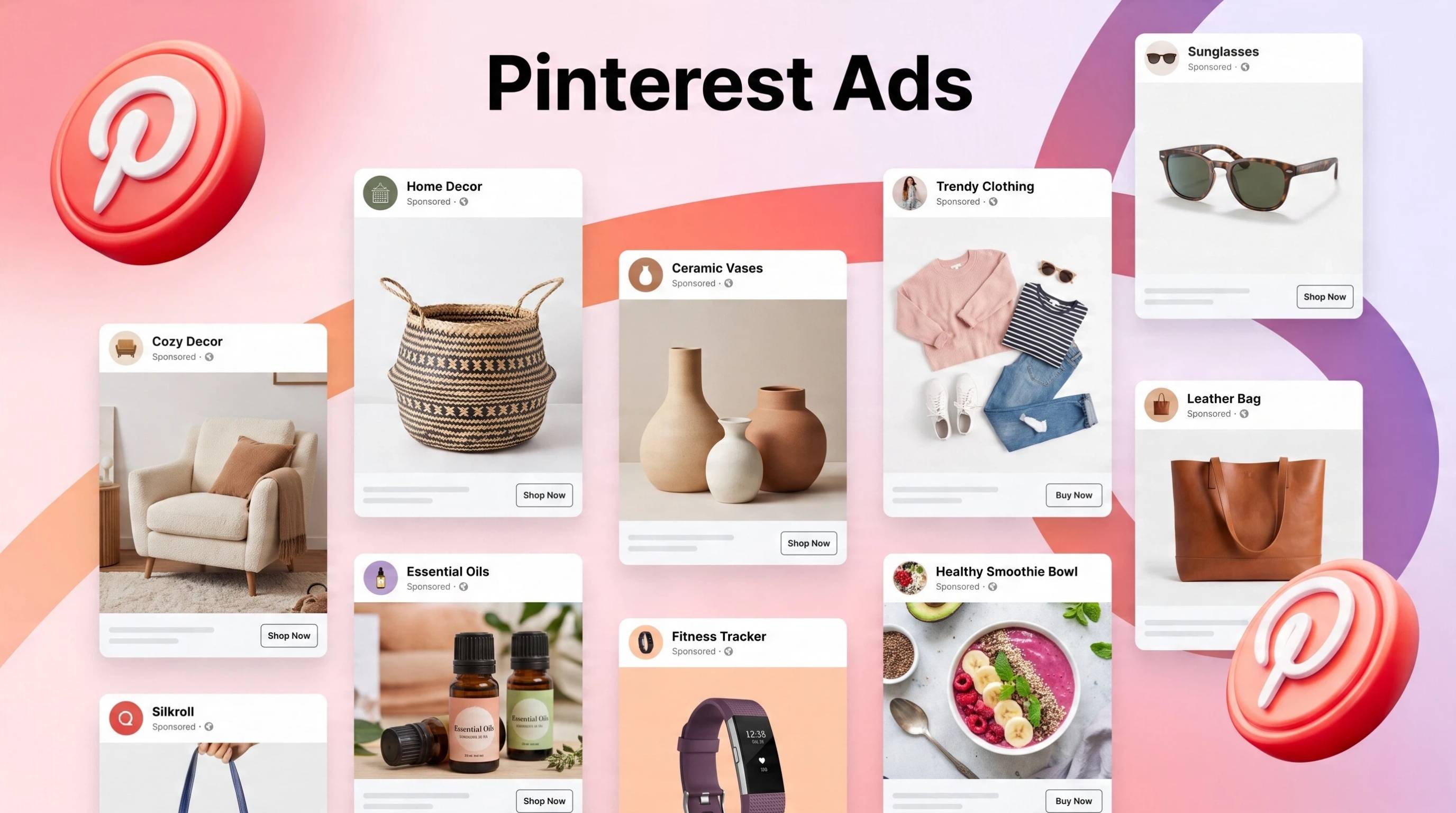
Once your organic content is performing well, paid advertising can help expand its reach. Businesses can promote high-performing Pins to reach larger audiences, drive more clicks, and increase conversions while supporting their overall marketing strategy.
How to Use Pinterest for Business in 7 Steps
If you're wondering how to use Pinterest for business, the key is to build a profile that helps people discover your content, trust your brand, and visit your website. Follow these seven steps to create a strong foundation for long-term growth.
Step 1: Create a Pinterest Business Account
Start by creating a Pinterest Business account to access analytics, advertising tools, Rich Pins, and other features designed for brands. This gives you the insights needed to measure performance and grow your presence.
Step 2: Optimize Your Business Profile
Complete your profile with a recognizable logo or profile photo, a keyword-rich bio, and a clear business description. Claim your website and add links to important landing pages so users can easily learn more about your brand.
Step 3: Create Keyword-Focused Boards
Organize your content into boards based on topics your audience is searching for. Descriptive board titles and relevant keywords help Pinterest understand your content and improve its visibility in search results.
Step 4: Create Pinterest Content That Matches Your Audience
Successful Pinterest marketing for business starts with content that matches user intent. Publish ideas, tutorials, product inspiration, seasonal collections, and helpful resources that solve problems or inspire action.
Step 5: Design High-Performing Pins
Use vertical images, readable text overlays, and eye-catching visuals that communicate value immediately. Add keyword-optimized titles and descriptions, then link each Pin to a relevant destination page to improve engagement and clicks.
Step 6: Publish Consistently
Consistency is more important than volume. Instead of repeatedly sharing identical Pins, publish fresh creatives on a regular schedule and plan seasonal content several weeks before peak demand.
Step 7: Analyze Performance and Improve
Review your Pinterest Analytics to identify which Pins and boards generate the most saves, outbound clicks, and engagement. One of the most valuable benefits of Pinterest for business is the ability to use these insights to refine your content, improve keywords, and create higher-performing Pins over time.
Recommended Pinterest Pin Sizes
Using the right image dimensions helps your Pins display properly across feeds, search results, and mobile devices. While Pinterest may update its recommendations over time, these sizes are the current best practices for most business content. Before launching a major campaign, confirm the latest specifications in the Pinterest Business Help Center.
|
Format |
Recommended size |
Notes |
|---|---|---|
|
Standard Pin |
1000 × 1500 (2:3) |
Best default for feed and site traffic |
|
Idea Pin page |
1080 × 1920 (9:16) |
Keep key text in safe zones |
Pinterest Content Strategy for Business Growth
Creating Pins consistently is only part of the process. A strong content strategy ensures your Pins reach the right audience, earn saves, and continue generating traffic long after they're published. These tips for using Pinterest for business can help you build sustainable growth.
Create Content Around Customer Intent
Focus on what your audience is actively searching for throughout their buying journey. Publish tutorials, product comparisons, seasonal inspiration, buying guides, FAQs, and how-to content that answers real questions and encourages users to click through to your website.
Create Different Pin Variations
Instead of repeatedly sharing the same design, create multiple Pin variations for a single blog post or product page. Test different images, headlines, colors, and calls to action while linking to the same URL. Fresh creative assets typically perform better than endlessly reposting identical Pins and help strengthen your overall Pinterest marketing for business strategy.
Tips for Using Pinterest for Business
Growing on Pinterest takes more than publishing attractive images. Following a few proven best practices can improve your visibility, increase engagement, and help your content generate long-term traffic and sales.
1. Use Vertical Images
Design Pins with a vertical aspect ratio, ideally 1000 × 1500 px (2:3). Vertical images take up more space in the feed, making them more noticeable and increasing the likelihood of clicks and saves.
2. Add Keywords Naturally
Include relevant keywords in your profile, board titles, Pin titles, and descriptions without overusing them. Natural keyword placement helps Pinterest understand your content and improves search visibility.
3. Create Seasonal Content Early
Publish holiday, event, and seasonal content several weeks, or even months, ahead of peak interest. Pinterest users often plan purchases early, giving your Pins more time to gain traction before demand increases.
4. Focus on Saves and Clicks, Not Only Reactions
Unlike many social platforms, success on Pinterest is measured by meaningful actions. Prioritize creating content that encourages users to save your Pins and visit your website, as these signals often contribute more to long-term performance.
5. Keep Branding Consistent
Use consistent colors, fonts, logos, and visual styles across your Pins. A recognizable brand identity builds trust, makes your content easier to identify in the feed, and supports stronger Pinterest for business growth over time.
Create Pinterest Marketing Assets Faster with AI Tool
Building a consistent Pinterest presence takes time, especially when you need fresh visuals for different products, campaigns, and seasons.
Designkit streamlines the process by turning your existing product images into Pinterest-ready creatives in minutes. Instead of designing every Pin from scratch, you can generate multiple branded variations, resize visuals for Pinterest, test different creative styles, and repurpose assets across campaigns, helping you maintain a steady publishing schedule while supporting your Pinterest marketing for business strategy.
How to Create Pinterest Pins with Designkit in 3 Steps
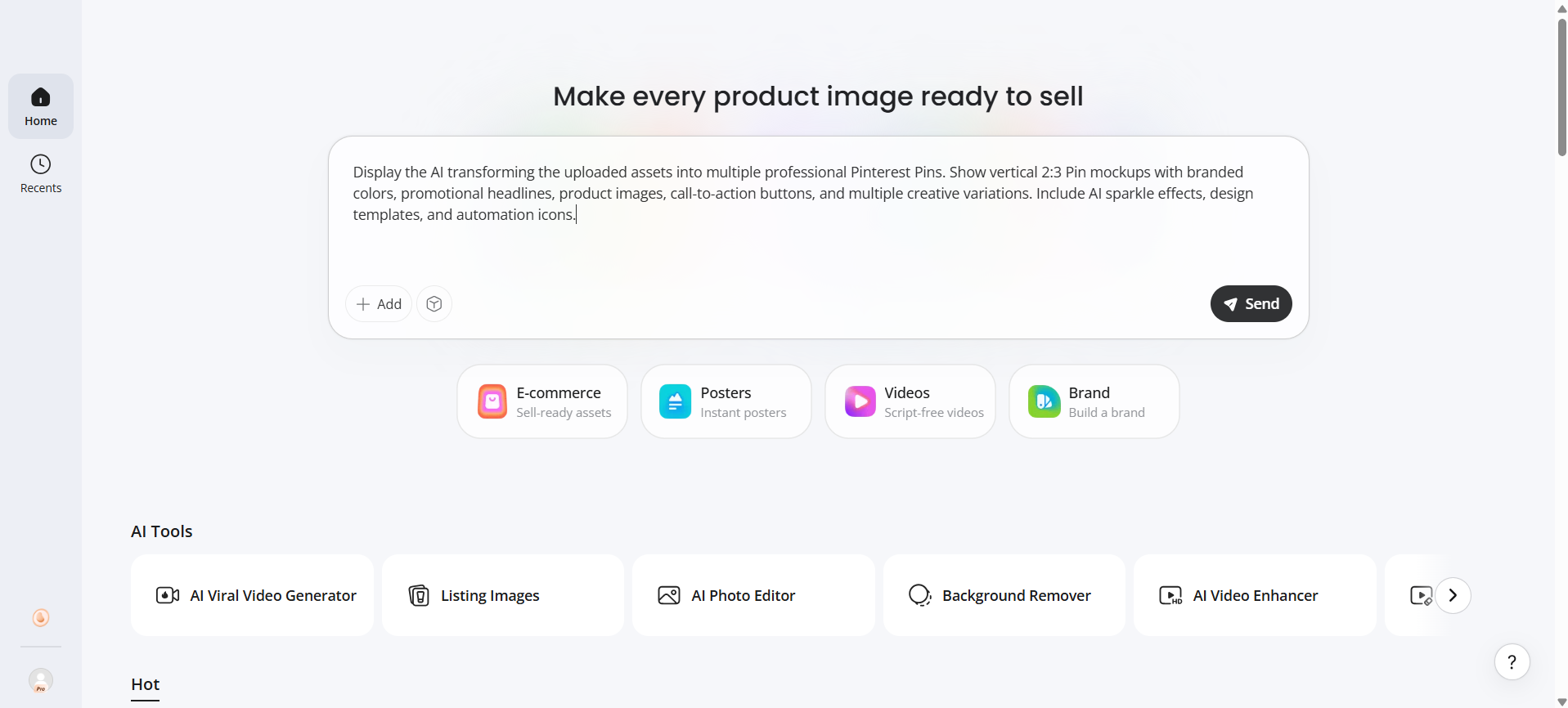
Step 1: Upload Your Product Images
Upload product photos, logos, and key information so Designkit understands your products and branding.
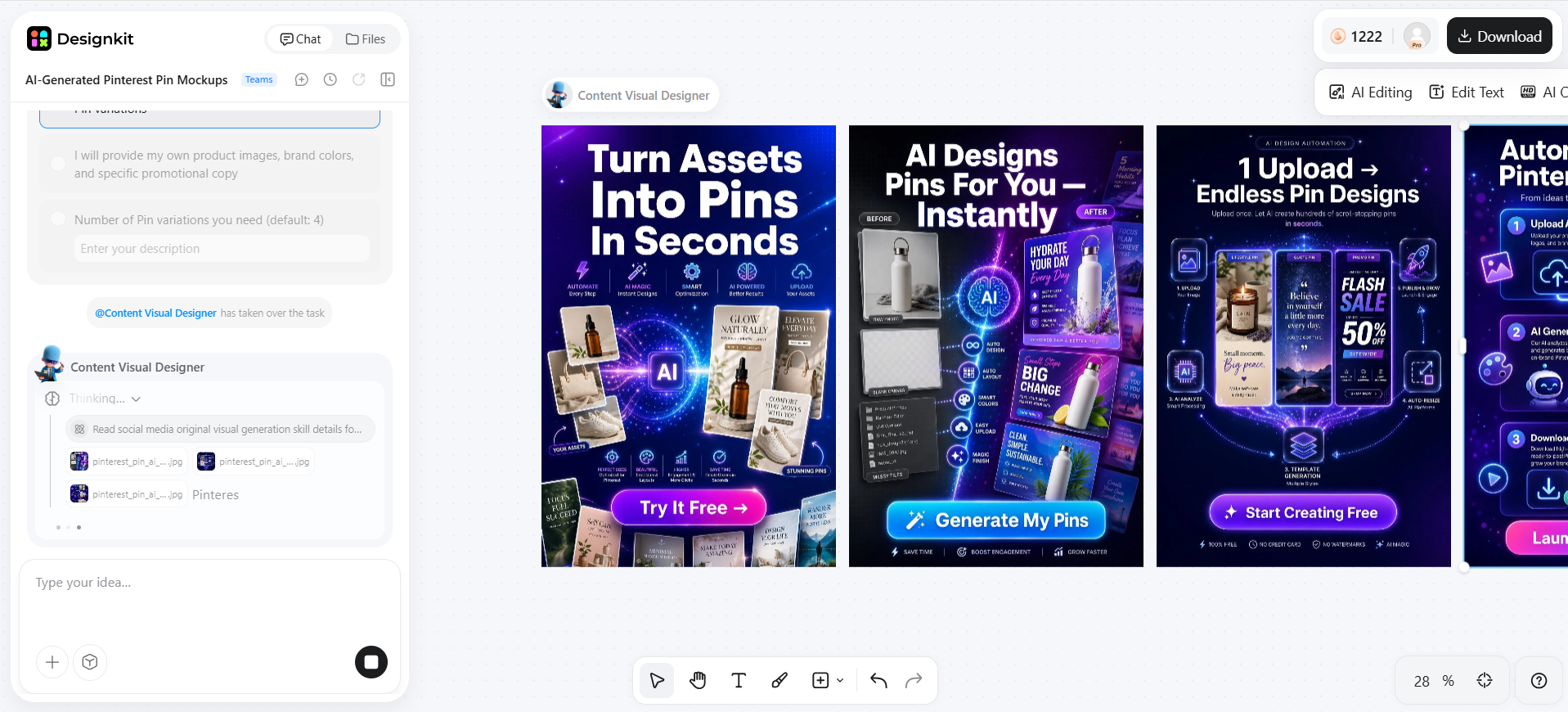
Step 2: Generate Pinterest-Ready Designs
Create vertical Pins with branded layouts, promotional text, and visuals optimized for Pinterest.
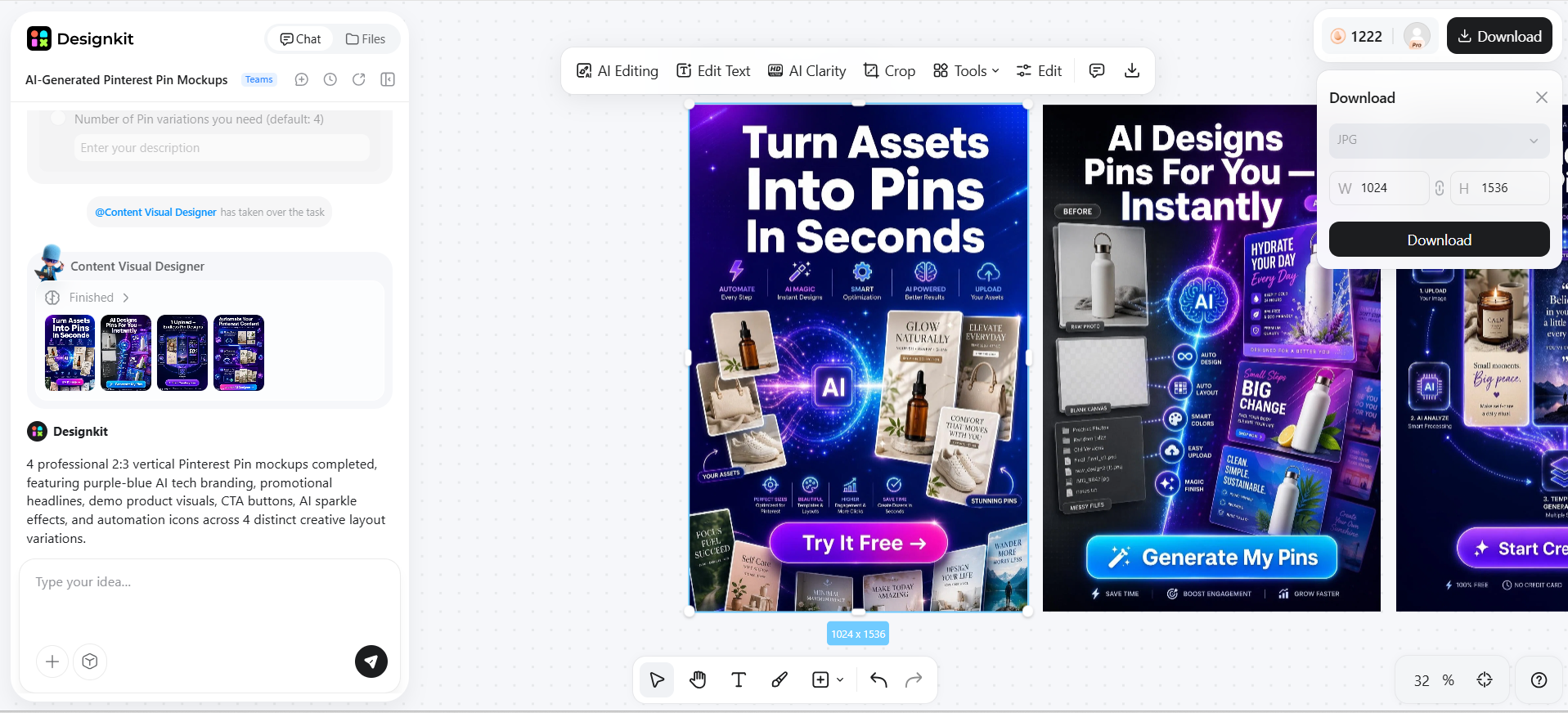
Step 3: Export and Publish
Download your finished Pins and publish them on Pinterest, then reuse the same creative across your marketing channels.
Create Pinterest Marketing Assets
Features of Designkit for Creating Better Pinterest Business Content
Creating a steady stream of high-quality Pins can be challenging, especially for businesses managing multiple products or campaigns. Designkit uses AI to speed up content creation while helping you produce visuals that are optimized for Pinterest and aligned with your brand.
Generate Pinterest-Ready Product Visuals
Transform existing product photos into eye-catching Pinterest graphics with AI-powered backgrounds, layouts, and optimized vertical formats designed for better visibility.
Create Multiple Creative Variations
Quickly generate multiple versions of the same Pin with different headlines, layouts, colors, or imagery. Testing creative variations helps identify which designs drive the most saves and clicks.
Maintain Brand Consistency
Keep every Pin aligned with your brand by applying consistent colors, fonts, logos, and visual styles across campaigns, making your content instantly recognizable.
Repurpose Content Across Channels
Convert existing product images and marketing assets into creatives for Pinterest, social media, online stores, and advertising campaigns without redesigning everything from scratch.
Common Pinterest Marketing Mistakes
Avoiding these common mistakes can improve your visibility, increase engagement, and help your Pinterest strategy deliver better long-term results.
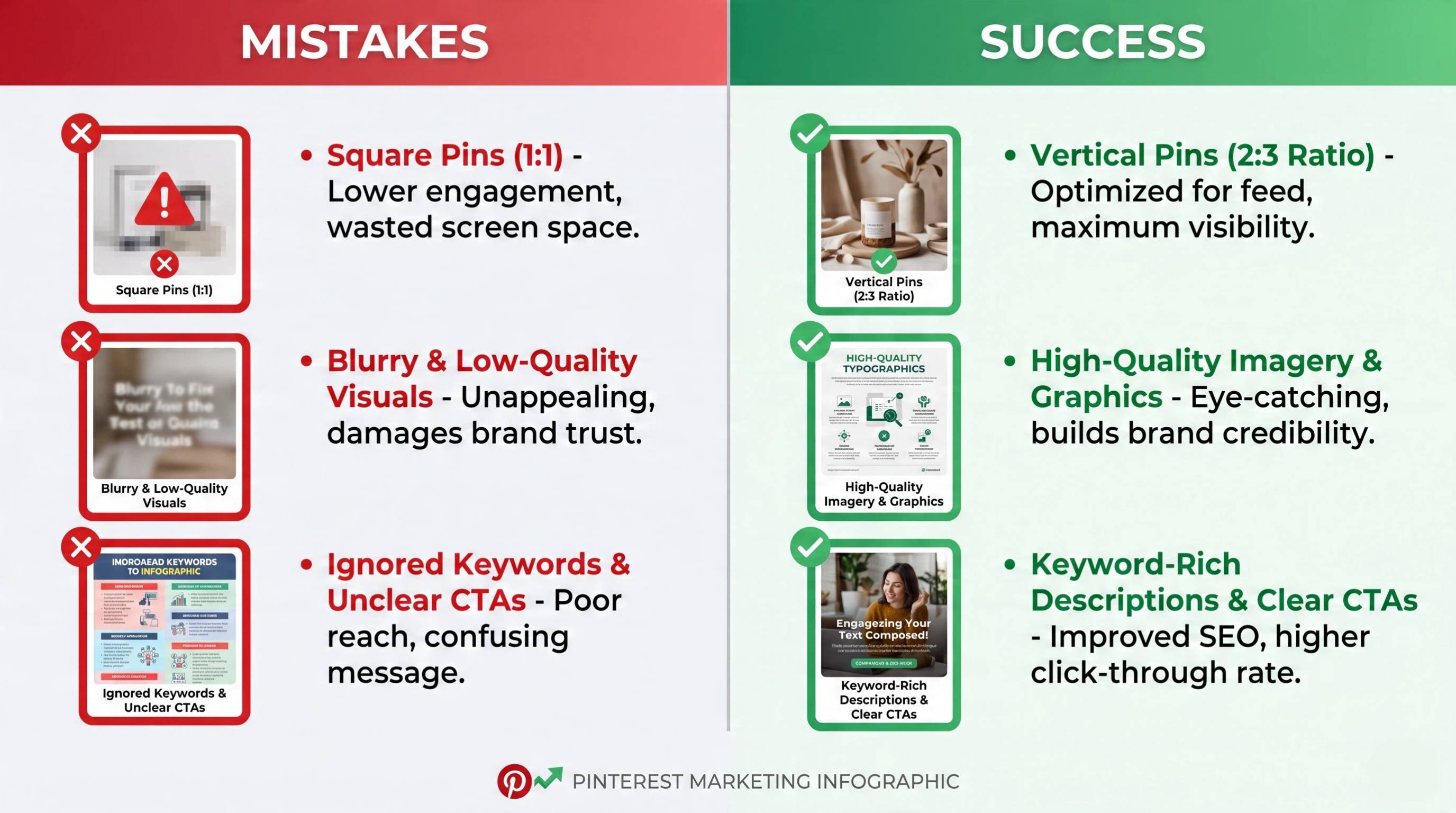
Posting Without Keyword Research
Publishing Pins without relevant keywords makes it harder for users to discover your content. Research the terms your audience searches for and naturally include them in your profile, boards, and Pin descriptions.
Treating Pinterest Like Instagram
Pinterest is a visual search engine, not a traditional social network. Instead of focusing only on engagement, create evergreen, searchable content that continues driving traffic long after it's published.
Using Low-Quality or Wrong-Ratio Visuals
Blurry images or incorrect aspect ratios reduce visibility and user engagement. Use high-resolution vertical Pins that follow Pinterest's recommended dimensions for the best results.
Creating Content Inconsistently
Posting only occasionally makes it difficult to build momentum. A consistent publishing schedule with fresh creative assets helps improve reach and keeps your content relevant.
Ignoring Website Claiming and Destination Pages
Claim your website to access analytics and strengthen your brand presence. Also, ensure every Pin links to a relevant, fast-loading destination page that matches user expectations.
Conclusion
Pinterest gives businesses a unique opportunity to reach customers through visual discovery, search, and long-lasting content. But simply creating a business account isn't enough to achieve meaningful results. Success comes from building a clear strategy, optimizing content for Pinterest search, publishing high-quality visuals, and maintaining a consistent flow of fresh Pins.
For businesses managing multiple products, seasonal campaigns, or large content libraries, Designkit simplifies the creative process. By transforming existing assets into Pinterest-ready marketing visuals, generating creative variations, and maintaining consistent branding, Designkit helps you create engaging content faster and scale your Pinterest marketing efforts more efficiently.
Frequently Asked Questions
Is Pinterest good for small businesses?
How do I create a Pinterest business account?
Visit Pinterest, choose Create a Business Account, enter your business details, and complete your profile with a logo, bio, and website. You'll also gain access to analytics and advertising tools. Once your account is ready, Designkit can quickly generate branded Pin graphics for your marketing campaigns.
Should I claim my website on Pinterest?
Yes. Claiming your website verifies ownership and unlocks additional analytics, helping you track how your content performs. It also strengthens your brand presence across Pinterest. Pair your claimed website with Designkit to create Pins that consistently drive visitors to your landing pages.
How often should businesses post on Pinterest?
Consistency matters more than volume. Publishing fresh, high-quality Pins several times each week is generally more effective than posting many duplicate designs at once. Designkit makes it easy to create multiple Pin variations, helping you maintain a regular publishing schedule with less effort.
What types of Pins work best for businesses?
Standard Pins, Product Pins, Video Pins, and Idea Pins all perform well when they provide value and match user intent. Tutorials, product showcases, and seasonal content often earn the most engagement. Designkit helps produce each Pin format with consistent branding and optimized layouts.
Can Pinterest drive traffic to my website?
Yes. Pinterest is designed to send users to external websites through clickable Pins. Well-optimized content can continue generating traffic long after it's published. Designkit helps create attention-grabbing visuals that encourage more users to click through to your website or online store.
How do businesses sell products on Pinterest?
Businesses sell by creating product-focused Pins that link directly to ecommerce pages. Connecting a product catalog enables Shopping Pins, making products easier to discover. Designkit helps turn existing product images into polished Pinterest creatives that support more effective product promotion.
What size should Pinterest Pins be?
The recommended size for a Standard Pin is 1000 × 1500 pixels (2:3), while Idea Pin pages are typically 1080 × 1920 pixels (9:16). Using the correct dimensions improves how Pins appear in feeds. Designkit automatically resizes designs for Pinterest-ready publishing.
How can AI help create Pinterest content?
AI can generate Pin designs, write titles and descriptions, create multiple creative variations, remove backgrounds, and resize visuals for different formats. This saves time while maintaining quality and consistency. Designkit combines these AI tools into one workflow for faster Pinterest content creation.
You May Also Like

Amazon A+ Content Dimensions: Module Image Sizes

Print-On-Demand Designs: Create, Prepare, and Preview Your Work

Amazon A+ Content: What It Is and What to Build First

Is Print on Demand Profitable in 2026? Products and Niches

Amazon Brand Registry Application: How to Submit and Pass Review

How to Ship to Amazon FBA: Your First Shipment

What Is Amazon FBA? Should Beginners Use It in 2026

How to Get Ungated on Amazon: Restricted Category Approval Steps

Amazon Backend Keywords: Title, Bullets & Search Terms

What Is A/B Testing? A Practical Guide to Running Better Experiments

Best Time to Post on Instagram in 2026: Data & Tips

How to Get Verified on Instagram: Complete Guide

TikTok Monetization in 2026: Requirements & Ways to Earn

Instagram Desktop Posting Guide: Upload Posts, Stories & Reels

YouTube Shorts Monetization Requirements & Rules 2026

How Much Does YouTube Pay Per View? 1K, 100K & 1M Views

How to Make Money on Snapchat: 7 Ways to Earn

How to Get More Followers on Instagram in 2026

Best Time to Post on TikTok in 2026 for More Views

How to Repost on Instagram in 2026: A Simple Guide

Multichannel Marketing Guide: Strategy, Tools & Examples

How to Create Digital Products That Sell in 2026

Cyber Monday Marketing Ideas & Strategies (2026 Guide)

Black Friday Marketing Ideas for Ecommerce Brands (2026)

Instagram Marketing Guide: Strategies, Tips & AI Tools in 2026

Influencer Marketing Guide: Strategy, Campaigns & Creator Tips

15 Best Things to Sell on Etsy in 2026 (Listing Tips Included)

WooCommerce vs Shopify 2026: Pricing, Features & Which Is Better

How to Sell on Facebook Marketplace: Beginner Guide (2026)

How to Use Pinterest for Business: Strategy, Tips & Growth Guide

How to Sell on Etsy in 2026: Setup, Listings & Growth Tips

What Is a Target Audience? Types, Examples & How to Find Yours

TikTok Marketing Guide 2026: Strategies, Ideas & AI Tools

Vibe Marketing Explained: Strategy, Examples & AI Tools

How to Sell on Depop: Beginner Guide to Getting Your First Sale

Online Advertising Guide: Types, Costs & Examples (2026)

Facebook Advertising Guide: Costs, Strategy & Tools 2026

What Are E-commerce Ads? Examples, Strategy & Tools (2026)

Where to Sell Handmade Items Online (2026): Etsy, Amazon, or Shopify?

Shopify vs Amazon (2026): Brand Store or Marketplace FBA?

Amazon Handmade vs Etsy (2026): Which Is Better for Makers?

Etsy vs eBay (2026): Handmade, Vintage, or Secondhand?

Selling on Amazon vs eBay (2026): Fees, Profit & Where to Sell

What Is Brand Awareness? Examples, Strategies & Tools 2026

10 Best Online Selling Platforms (2026): Pick by What You Sell

Shopify vs Etsy (2026): Which Is Better for Handmade Sellers?

YouTube Automation Step-by-Step AI Guide for Beginners

What Is Brand Identity? Examples, Elements & Strategy

AI Marketing Agent: How It Works, Benefits & E-Commerce Examples

What Is Personalized Advertising? Examples & How It Works

How to Build a Shopify Store That Actually Converts Visitors

Amazon Marketing Guide 2026: Strategies, Tips & Tools

Local Advertising: Strategies, Examples & Tools (2026)

What Is Branded Content? Examples, Strategy & Tools 2026

What Is Performance Marketing? Strategies & Examples 2026

Inbound Marketing: Strategies, Examples & Tools (2026)
Turn Pinterest Ideas Into Business Growth
Pair a clear Pinterest strategy with on-brand vertical creatives so Pins stay consistent as you scale publishing.
