
Nano Banana vs Midjourney for Product Photos and Campaign Visuals
Choose by the still you need to publish. Midjourney fits stylized campaign exploration. Nano Banana Pro fits product accuracy, readable text, and iterative edits.


If you are choosing between Nano Banana and Midjourney for product photos or campaign visuals , start with the still you need to publish. Midjourney is the better default when you want a stylized campaign look. Nano Banana Pro (Google’s Gemini image stack, often searched as gemini nano banana ) is the better default when the product must stay accurate, the on-image words must stay readable, and small edits should not rebuild the whole frame.
Quick Verdict: Product Photos or Campaign Visuals
Match the model to the still you need to ship: listing packshots and editable commercial frames, or stylized campaign art. Do not pick from the prettiest demo in your feed.
|
Your priority |
Best choice |
Why it wins |
|---|---|---|
|
Product packshot / listing stills |
Nano Banana Pro |
Cleaner product fidelity for catalog and PDP use |
|
Stylized campaign or concept art |
Midjourney |
Stronger art direction and cinematic mood |
|
Poster or ad with readable headline |
Nano Banana Pro |
More reliable spelling and layout control |
|
Multi-frame edits that keep the same product |
Nano Banana Pro |
Better at changing a scene without drifting the subject |
|
API or batch pipeline |
Nano Banana |
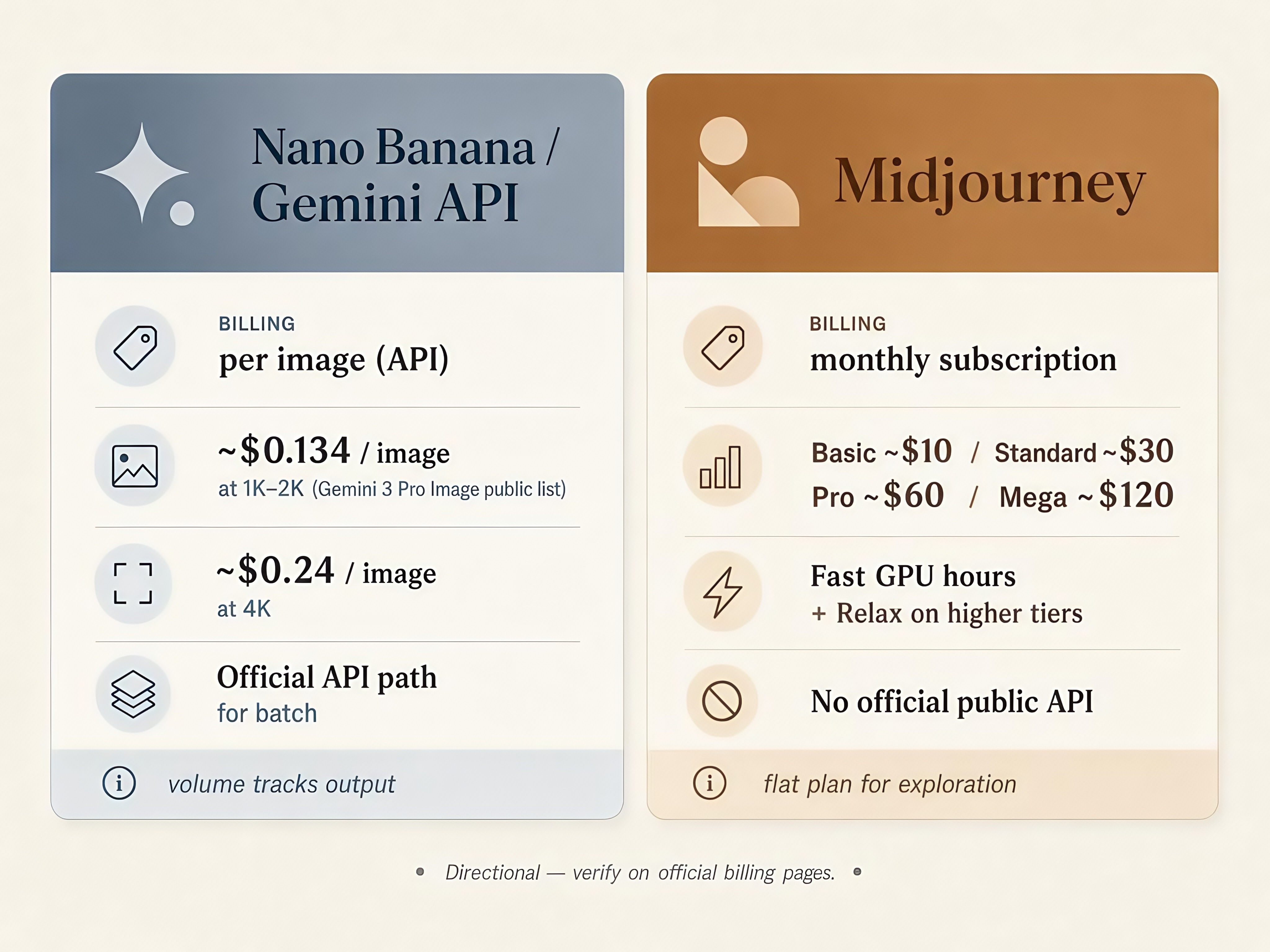
Official Gemini API path; Midjourney has no public API |
|
High-volume exploration on a flat subscription |
Midjourney |
Monthly plans suit long creative sessions |
Prices and model names change by surface. Treat cost signals as directional and check your billing page before you scale.
What Each Model Is Built For
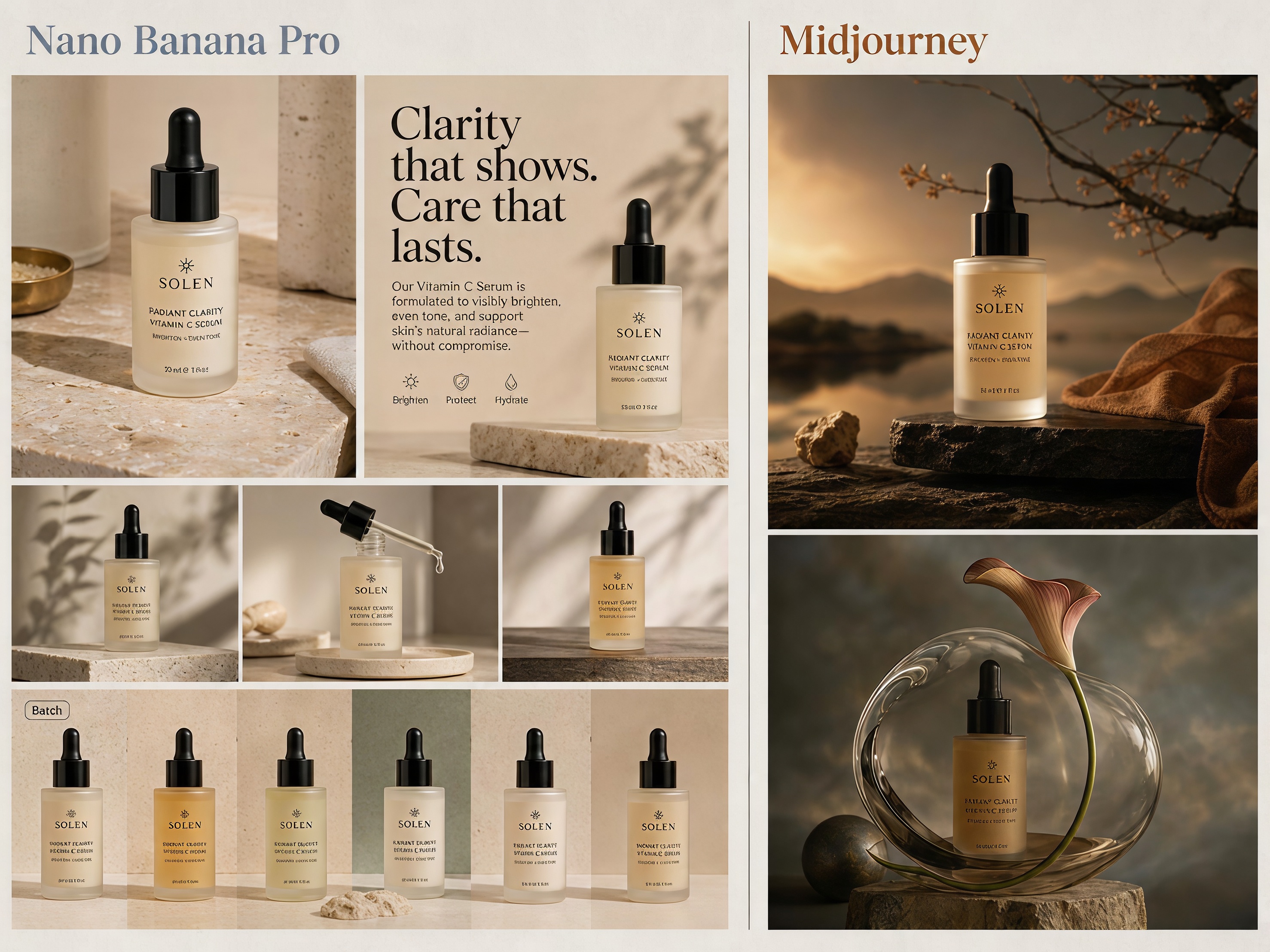
Nano Banana is the common name for Google Gemini’s native image models. In most 2026 tools, Nano Banana Pro is the higher-end tier for complex prompts and production stills. Midjourney is a separate art-first product on web and Discord. One is built to follow instructions and ship commercial frames. The other is built for taste and exploratory style.
Where the Outputs Diverge
Look and art direction
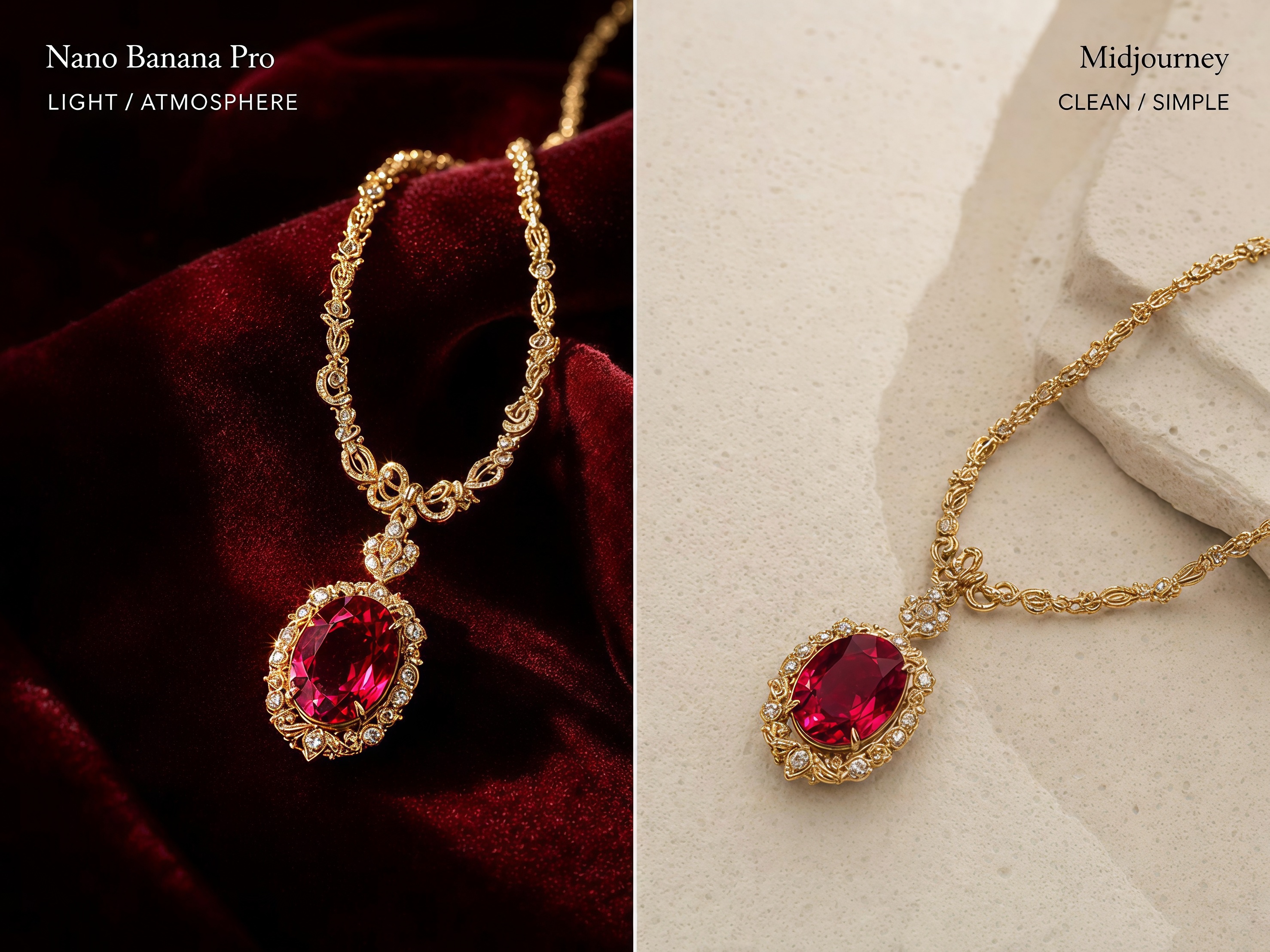
Midjourney usually wins on atmosphere: richer light, bolder crops, and a campaign mood that fits top-of-funnel creative.
Nano Banana usually wins when the SKU has to stay recognizable. The look is closer to clean product photography, which helps ecommerce and performance ads.
Text and prompt fidelity
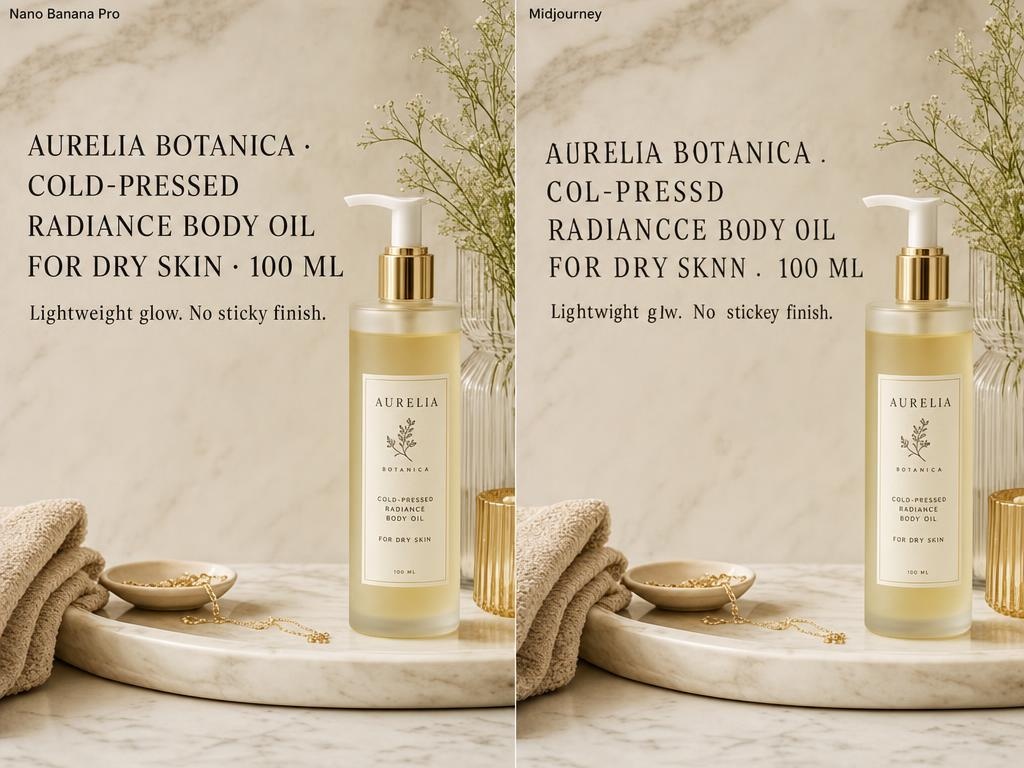
If the frame needs a correct price, CTA, or product name, start with Nano Banana Pro . Google’s image stack is positioned for readable text in marketing assets. Midjourney has improved, but long headlines and packaging copy still break more often.
Editing and consistency
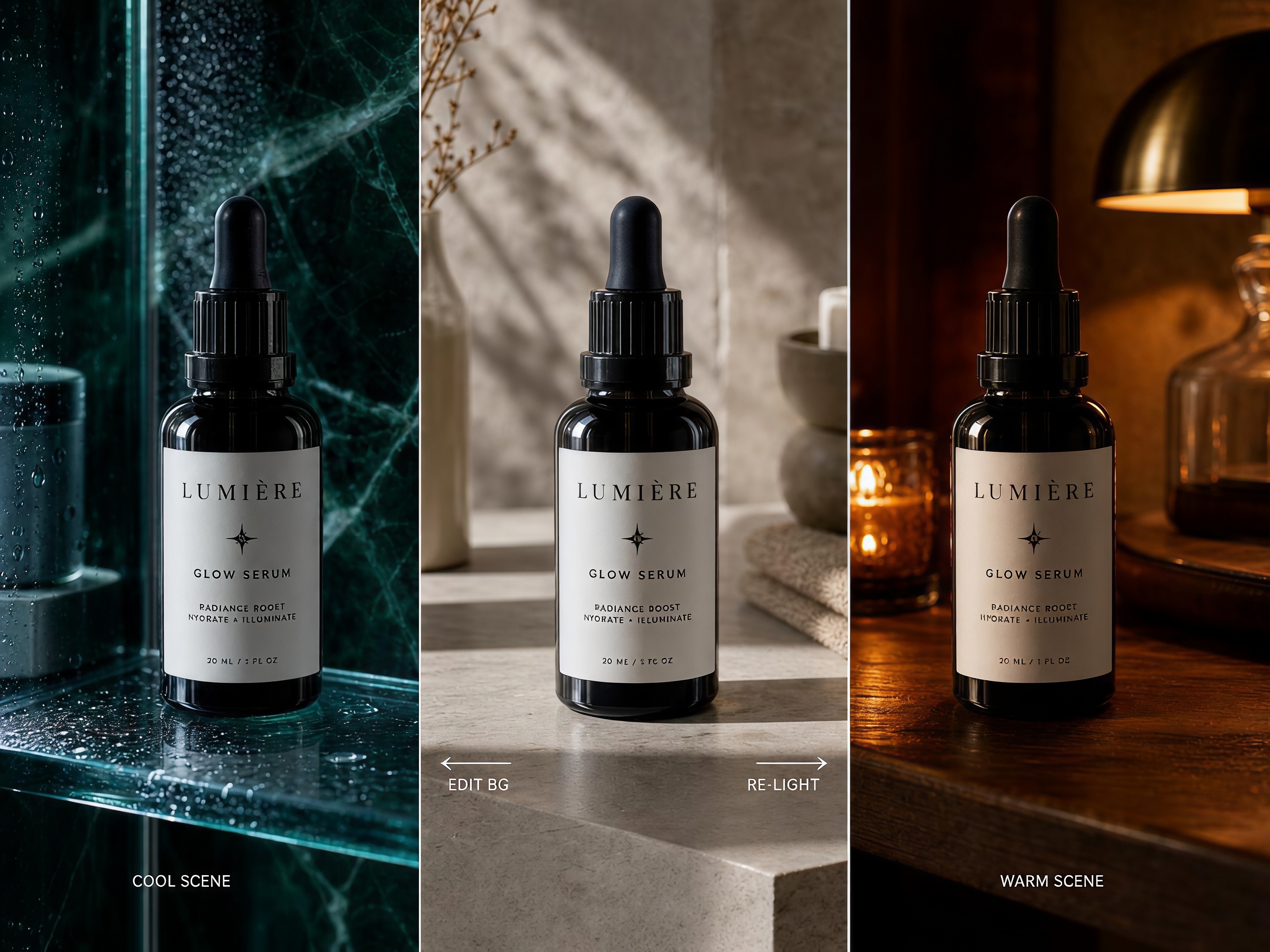
Nano Banana is stronger when you already like the product and only need a new background, light, or crop. Midjourney is stronger when you want a fresh look and can regenerate from scratch. That is why many teams explore in Midjourney, then finish in Nano Banana.
Access, speed, and cost
Midjourney is subscription-only on current public plans (Basic from $10/month , with higher tiers for more Fast time). Midjourney also states it does not provide a public API, and automating the service is prohibited.
Nano Banana Pro is available in Gemini apps and through the Gemini API. Public API list prices commonly cited for Pro sit around $0.134 per 1K/2K image and $0.24 per 4K image , with cheaper Flash tiers for volume. That pay-per-image model is easier to quote for batch jobs. Midjourney can still be cheaper for heavy manual exploration inside a flat monthly plan. Confirm both on the official billing pages.
For ecommerce print and zoom, Nano Banana Pro’s higher-resolution path also matters more than Midjourney’s default web output when the file has to hold up as a listing still.
A Practical Split for Ecommerce Teams
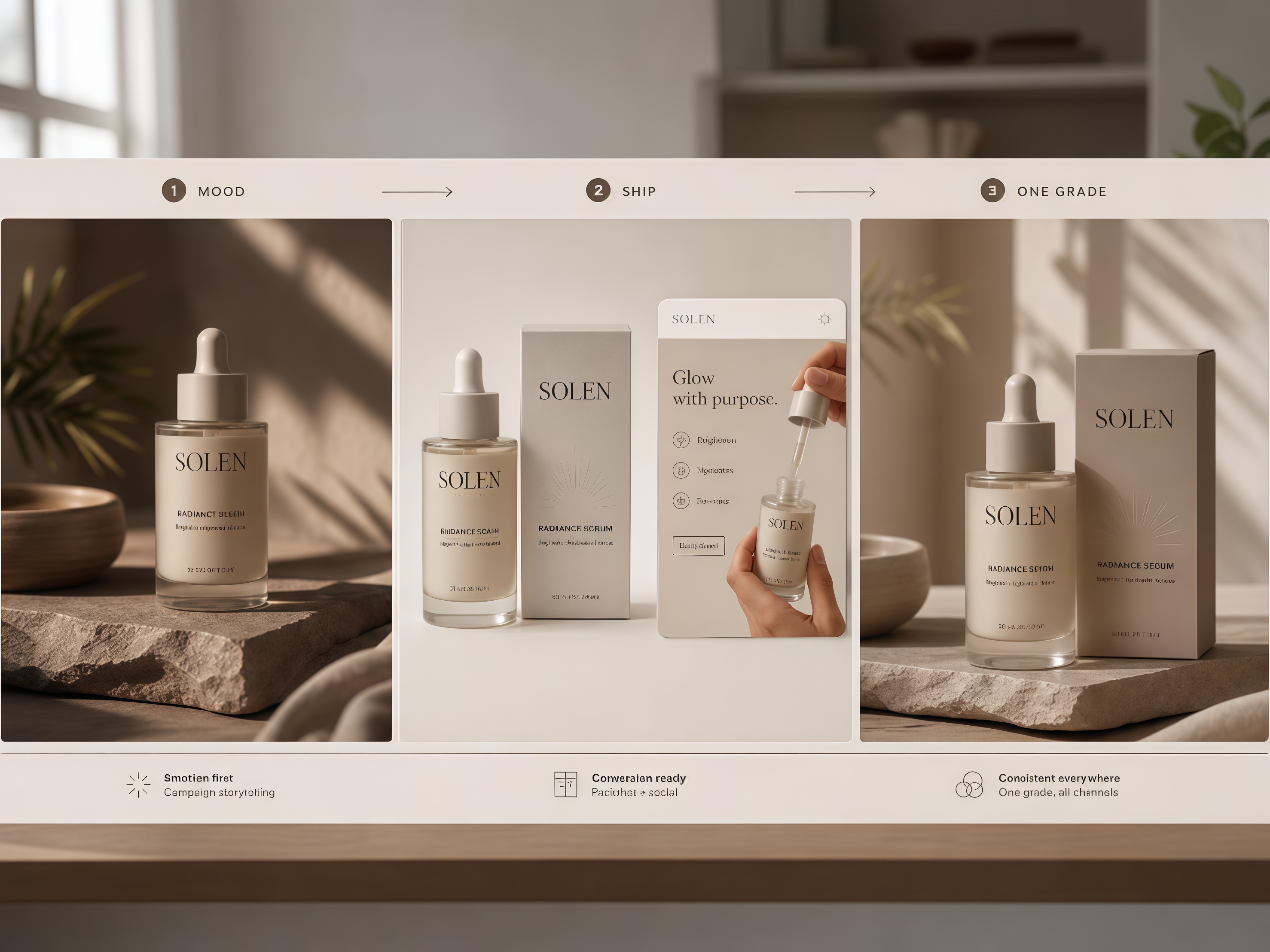
A DTC or Amazon launch rarely needs one model for every frame. Use Midjourney to set campaign direction. Use Nano Banana Pro for the frames you actually upload: packshots, lifestyle stills, and text-led social cards under one brand grade.
You do not need a formal test lab. Run your next real product photo on both models. Keep the output that is closer to shippable after one or two edits.
See Both Looks on Your Own Product
The hard part is not crowning a winner in a blog. It is seeing how your product looks when Midjourney pushes style and Nano Banana Pro holds the product and the text.
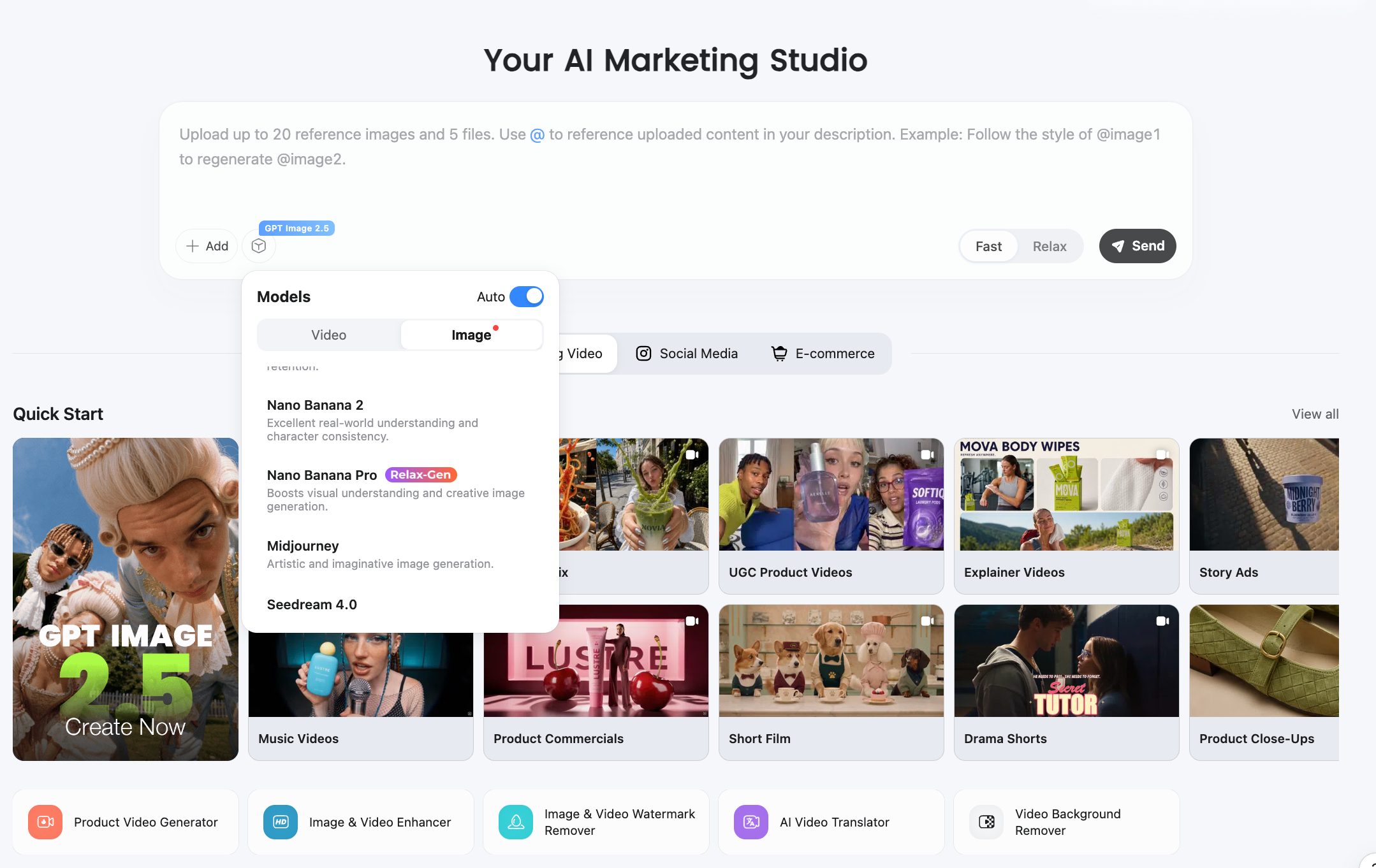
Designkit lets you run that check in one place: upload one reference photo, generate both looks, and keep the frames that stay listing-safe. Use AI product photography when the starting still is too messy, then compare before you lock a campaign set.
Conclusion
Pick by the product photo or campaign still due this week. Need mood and style exploration? Start with Midjourney. Need product accuracy, readable text, or controlled edits? Start with Nano Banana Pro. Mix both when the launch needs atmosphere and precision.
Frequently Asked Questions
Is Nano Banana better than Midjourney?
What is Gemini Nano Banana?
Gemini Nano Banana is the common name for Google Gemini’s native image generation models. Nano Banana Pro usually refers to the higher-end tier in that family.
What is the difference between Nano Banana and Nano Banana Pro?
Nano Banana Pro is the stronger production tier for complex prompts, text, and brand-consistent edits. Lighter Nano Banana / Flash image tiers prioritize speed and cost. Confirm the exact model ID in your tool’s UI.
Does Midjourney have an API?
As of this writing, Midjourney has no official public API. If you need programmatic generation, Nano Banana via the Gemini API (or a workspace that hosts it) is the practical path.
Which is better for product photos?
For most listing and PDP stills, start with Nano Banana Pro. Use Midjourney when you want a more stylized hero or mood frame, then check product fidelity before you publish.
You May Also Like

Seedance 2.5 Review: What Changed in ByteDance's New Model

MiniMax H3: Features, Benchmarks, Pricing, and How to Use It

Luma vs Seedance (2026): Ray 3.2 or Seedance 2.0?

Gemini Omni Review: Real Tests, Pros & Limitations for Video Generation

GPT Image 2 Review: Features, Prompts & E-commerce Use Cases

Happy Horse 1.0: The AI Video Model E-Commerce Sellers Need to Know About
AI UGC for Ecommerce in 2026: Text-to-Video, Image-to-Video & Reference Replication Guide
HappyHorse AI Review: Features, Benchmarks & How to Use It
Seedance 3.0 Predictions: Will AI Video Enter the Feature Film Era?
Grok AI vs ChatGPT: Features, Pricing & Best Choice (2026)
How to Use Grok AI: Features, Tips & Best Prompts (2026 Guide)
Sora Is Shutting Down? Best AI Video Alternatives for Creators in 2026
Seedance 2.0 for Ecommerce: Create AI Product Videos in Minutes
Seedance 2.0 Review: Features, Improvements, Pricing & How It Works (2026)
Test Both on Your SKU
Run your next product brief through Nano Banana and Midjourney, then keep the model that ships. Designkit helps you prepare on-brand stills and compare outputs in one workspace.
