
Pixlr Photo Editor Review: Features, Pricing & Alternatives
Explore Pixlr Photo Editor's AI editing tools, pricing, workflow, limitations, and alternatives to find the right image editor for your creative needs.

Pixlr Photo Editor is an online image editing service that has classic editing tools and AI features. Unlike pro desktop editors that require an advanced skill set, Pixlr was built to make photo editing faster and easier for everyone, with features like background and object removal, templates, and AI enhancements.
In this Pixlr review, we'll go over its editing features, AI features, pricing, safety, pros, cons, and alternatives so you can decide if Pixlr is right for your workflow.
What Is Pixlr Photo Editor?
Pixlr is a browser-based photo editor for those who want to edit photos and make visual content right in the browser. Pixlr is a great image editor for quick edits and more involved creative projects with familiar editing controls and automated AI features.
Rather than installing software on their desktop, users can upload images to Pixlr and then edit them in a web browser. The platform offers you more or less control over layers, adjustments, templates, effects, and AI-powered editing, depending on which editor you pick.
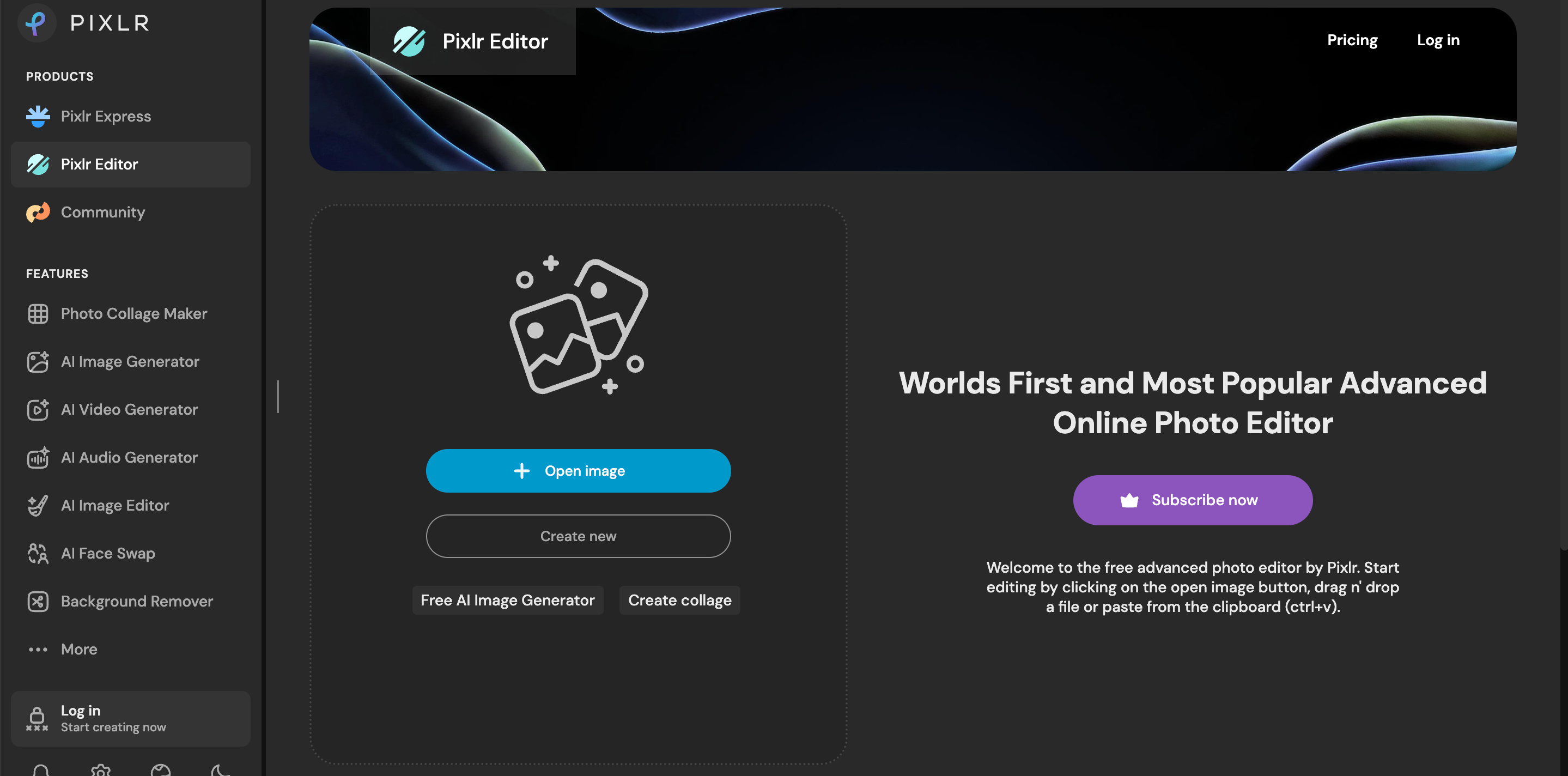
Pixlr Express vs Pixlr Editor: What's the Difference?
Pixlr offers two main editing experiences: Pixlr Express and Pixlr Editor. They are both on the same platform, but they are directed at different types of users.
|
Feature |
Pixlr Express |
Pixlr Editor |
|---|---|---|
|
Best for |
Quick edits and creative designs |
Detailed photo editing |
|
Target users |
Beginners, creators, marketers |
Intermediate designers |
|
Editing style |
Templates, filters, AI tools |
Layers, adjustments, advanced controls |
|
Workflow |
Fast and simple |
More manual control |
Pixlr Express
Pixlr Express: Speed & Simplicity. It's for people who want to quickly improve images, design social content, or add creative touches without having to mess around with complicated editing settings.
Common uses include:
-
Social media graphics
-
Marketing posts
-
Quick photo enhancement
-
Adding text and effects
-
Creating visual content from templates
Pixlr Editor
Pixlr Editor offers more traditional functionality, including layers, selections, adjustments, and blend modes. "It's better suited for users who desire more control over, including position, and prefer a more familiar workflow mode, such as desktop photo editing software."
Who Uses Pixlr Photo Editor?
Pixlr is designed for those who need advanced online editing without the unnecessary complications of professional software.
Content Creators
Content creators will be able to use Pixlr for tasks such as resizing images, adding effects, and creating social graphics, etc.
Small Businesses
Small businesses can use Pixlr to create promotional graphics, social posts, advertisements, and basic brand assets without needing a design department.
Ecommerce Sellers
E-commerce sellers can use the platform to adjust product images, edit backgrounds, resize, and perform other routine image preparation tasks.
Casual Photographers
Casual photographers can use Pixlr for everyday enhancements, filters, cropping, color adjustments, and creative effects.
How Does Pixlr Photo Editor Work?
Pixlr uses a browser-based editing workflow that combines manual controls with AI-powered features. Users can upload an image, choose editing tools, apply adjustments, and export the final result without downloading additional software.
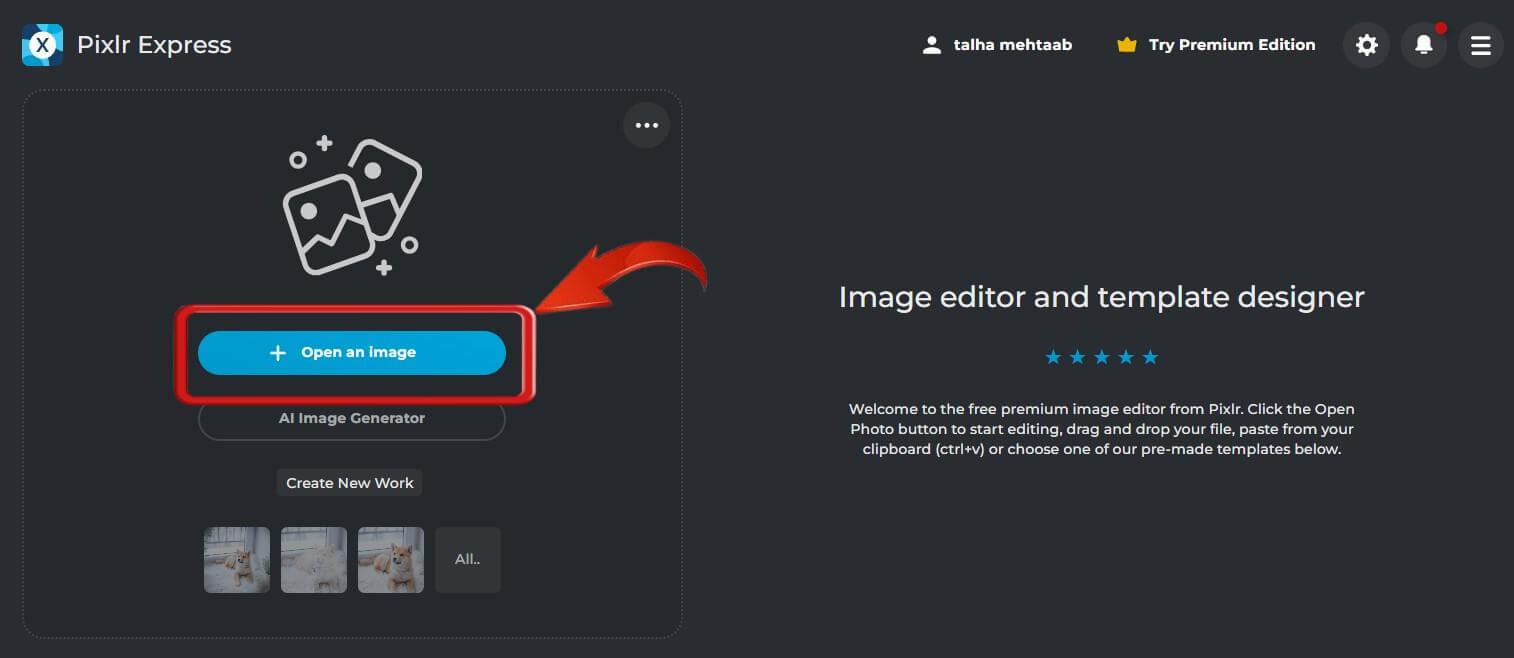
Step 1: Upload Your Image
Open Pixlr in a supported browser and upload the image you want to edit. The source image can then be opened in the editing environment that best matches your project.
Step 2: Choose Your Editing Tools
Select the tools needed for the project. Depending on the editor, these can include adjustments, filters, text, layers, templates, background removal, and other creative features.
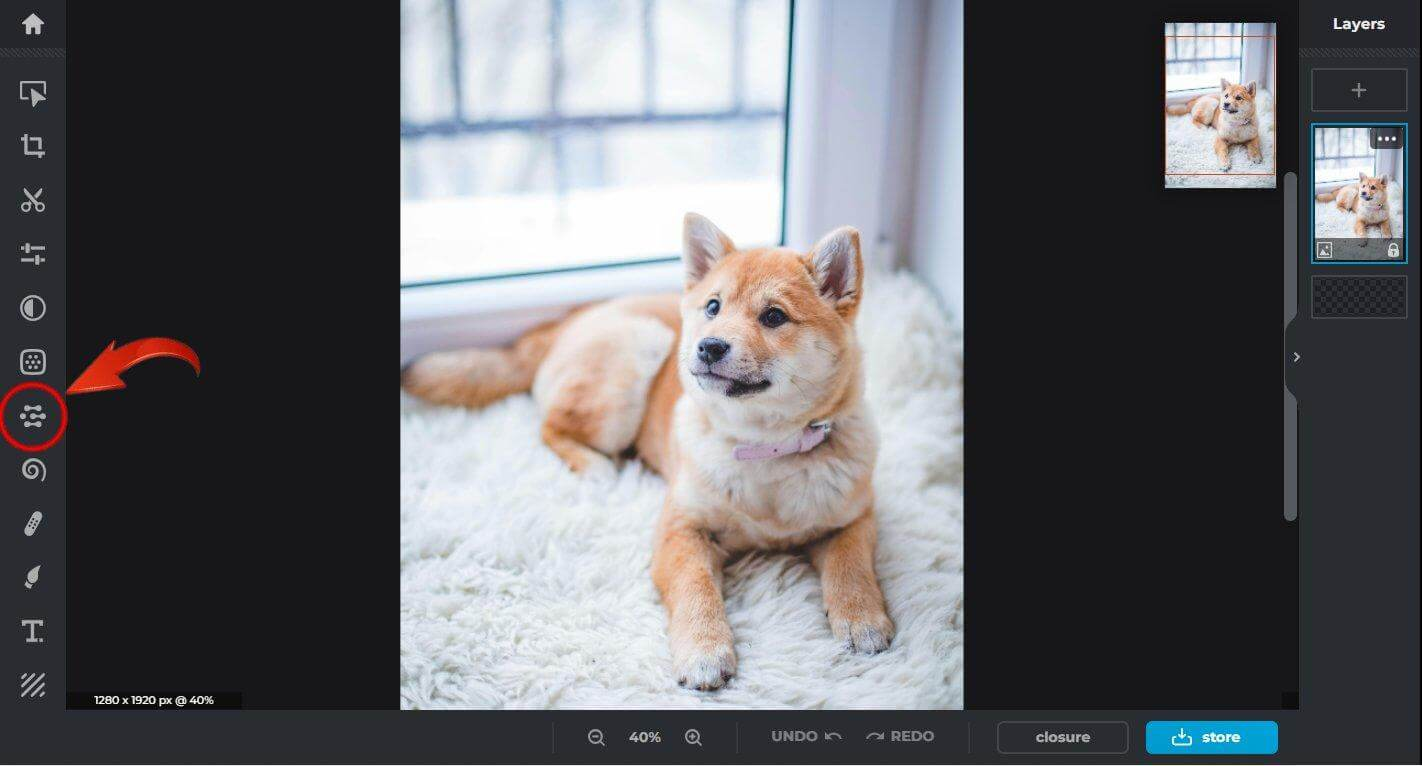
Step 3: Apply AI or Manual Adjustments
Use AI-powered features for automated editing or make manual changes when you need greater control. Reviewing the result before export is important because automated edits may not always produce the desired result.
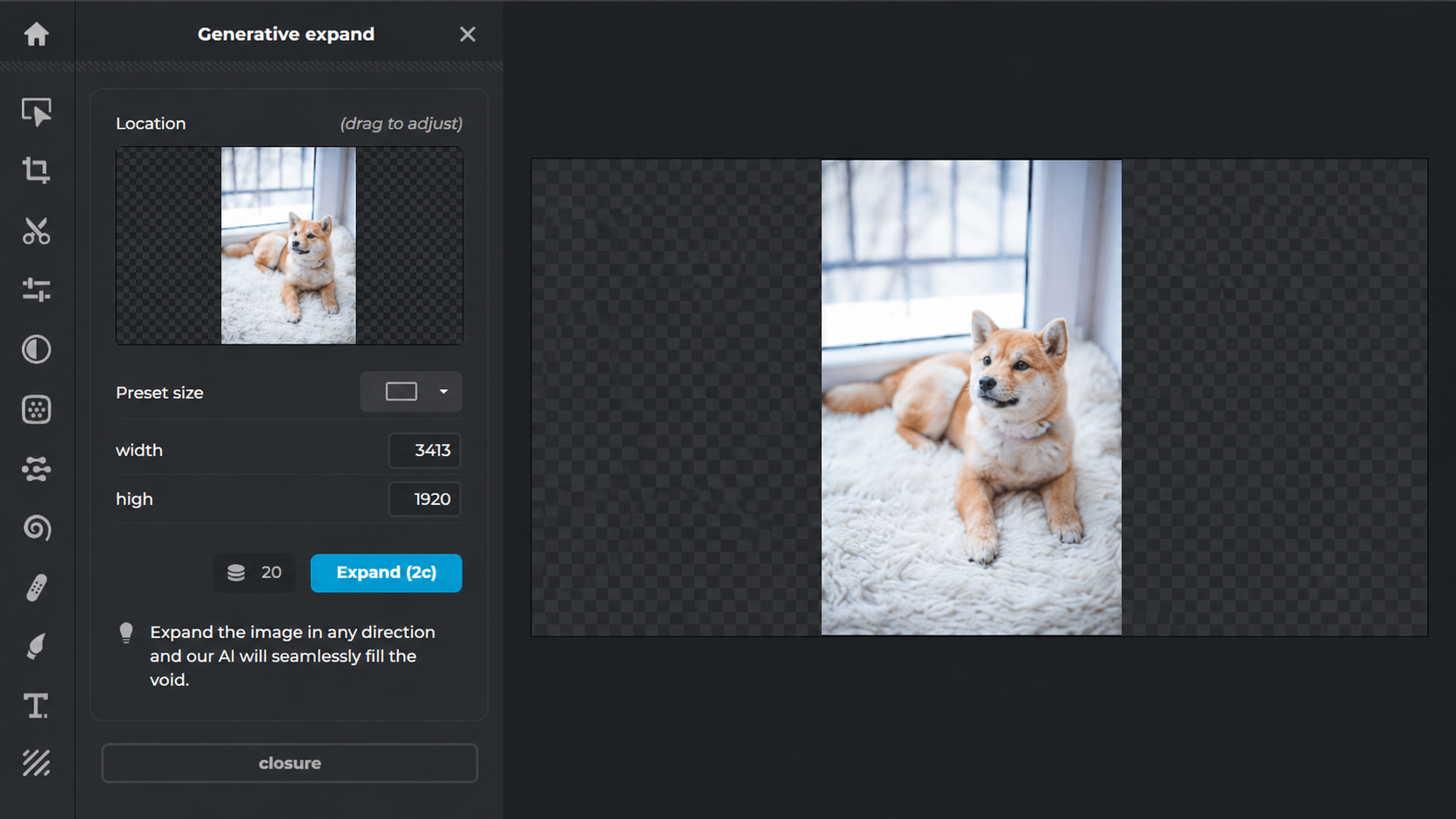
Step 4: Export Your Finished Image
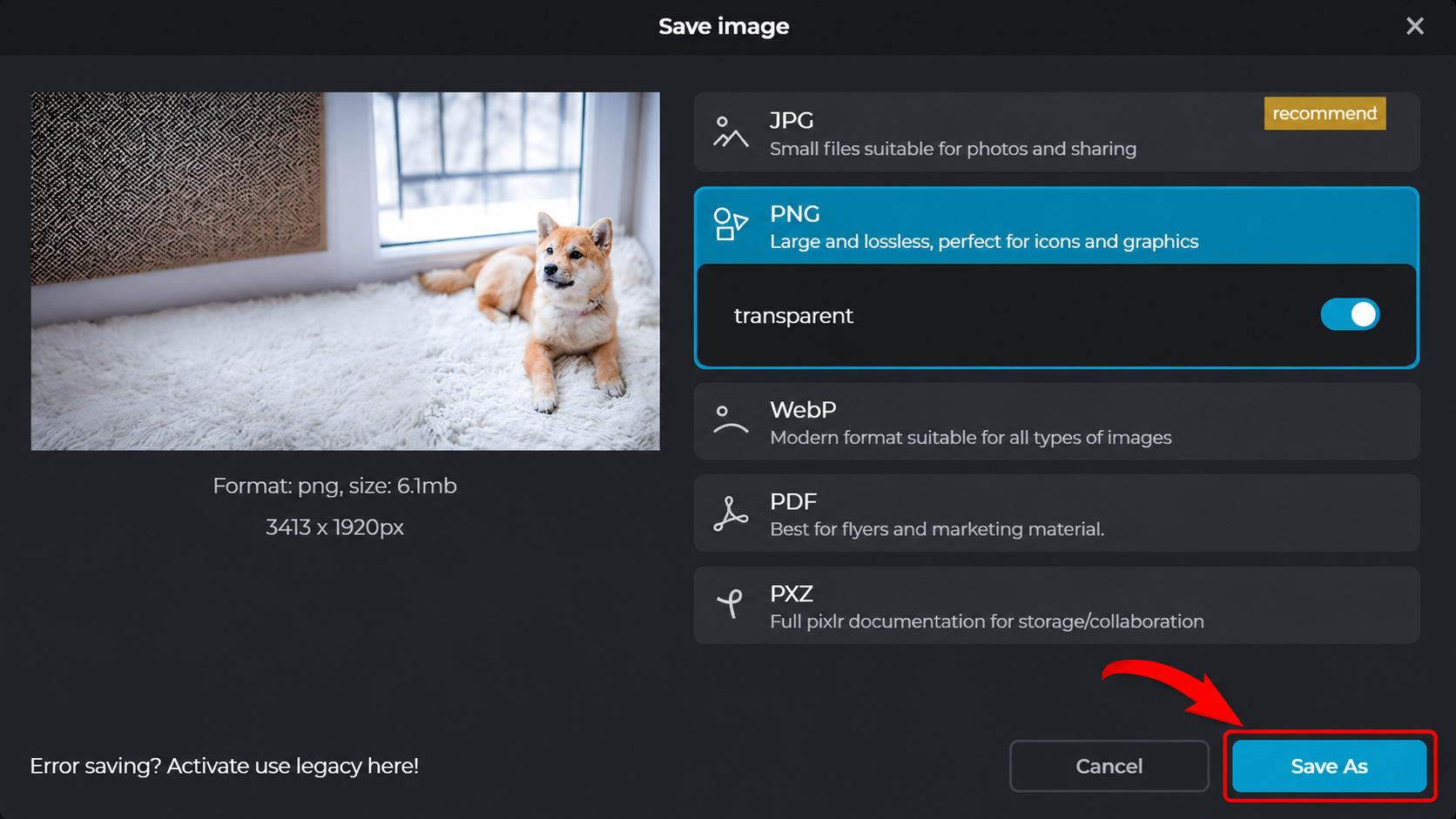
Once the editing is complete, export the image in an appropriate format and resolution. The correct export settings depend on whether the image will be used for social media, websites, e-commerce, advertising, or other purposes.
Pixlr Review: Photo Editor Features, Pricing, Safety, Pros & Cons
Pixlr combines basic photo editing, creative design tools, and AI-powered features in a browser-based environment. Its main advantage is accessibility, while its limitations become more noticeable when users need highly advanced professional workflows.
Pixlr Photo Editor Features Review
Pixlr provides a broad collection of editing and design features for users working on everyday images and marketing visuals.
AI Editing Tools for Faster Photo Enhancement
AI-powered features can automate repetitive image-editing tasks and reduce the manual work required. These tools can be useful when users need quick enhancements, background changes, object-related edits, or other automated adjustments.
Layer-Based Editing and Creative Controls
Pixlr Editor provides layers and more traditional editing controls for users who need to combine multiple elements or make more precise changes to an image.
Templates and Design Assets
Templates and creative assets help users create social media graphics, promotional visuals, and other designs without starting every project from scratch.
Browser-Based Editing Experience
Because Pixlr works online, users can access its editing environment without installing traditional desktop image-editing software. This makes the workflow convenient for users who primarily work in a browser.
Pixlr Pricing: Free vs Premium Plans
Pixlr follows a freemium pricing model, offering free editing tools alongside paid plans with additional AI features, premium templates, and expanded creative resources.
|
Plan |
Price |
Key Features |
Best For |
|---|---|---|---|
|
Free |
$0 |
Basic photo editing and access to selected free tools; some premium features, AI usage, and resources are limited. |
Casual users and occasional editing |
|
Plus |
$2.49/month or $1.99/month annually |
Ad-free editing, unlimited saves, 1 concurrent AI generation, 80 monthly AI credits, and selected AI usage. |
Users who need basic premium features |
|
Premium |
$9.99/month or $7.99/month annually |
All Plus features, access to image/video/audio models, 4 concurrent AI generations, 1,000 monthly AI credits, private AI generation mode, and expanded fonts, templates, and elements. |
Creators, marketers, and frequent users |
|
Ultra |
From $24.99/month or $19.99/month annually |
Premium features with unlimited fast image generations, 8 concurrent AI generations, up to 10,000 AI credits per month, priority generation, and extended high-resolution exports. |
Professional and heavy AI users |
|
Ultra MAX |
$49.99/month or $39.99/month annually |
Ultra features with increased AI credits, providing up to 10,000 monthly credits. |
High-volume professional AI workflows |
Is Pixlr Worth the Price?
|
User Type |
Recommended Plan |
Why |
|---|---|---|
|
Occasional users |
Free |
Suitable for basic editing without a subscription. |
|
Light/personal users |
Plus |
Adds ad-free editing, unlimited saves, and a modest AI credit allowance. |
|
Content creators & marketers |
Premium |
Offers substantially more AI credits, models, templates, and creative resources. |
|
Professional AI users |
Ultra |
Designed for higher-volume AI generation with priority processing and high-resolution exports. |
|
Heavy AI production |
Ultra MAX |
Provides the highest credit allocation among the listed plans. |
Is Pixlr Safe? What You Should Know
Many users search for "is Pixlr safe" before uploading personal photos or business images. Since Pixlr is a cloud-based editor, it's important to understand how your images are processed before using the platform.
Image Privacy and Cloud Processing
When using an online editor, image processing may involve transferring or processing files through online infrastructure. Users working with confidential images should understand the platform's current privacy practices before uploading sensitive material.
Account Security
Users should protect their Pixlr account with a strong, unique password and follow standard account-security practices. Avoid sharing account credentials and use trusted devices and networks when working with business content.
AI Features and Uploaded Images
The process of editing with AI will be quicker, but users need to be aware of how uploaded images are processed before automating the procedure, especially when dealing with sensitive information.
When it comes to the question "Is Pixlr safe," the answer depends not only on the website itself but also on the images that are uploaded by the user.
Pixlr Pros and Cons
Pixlr offers a strong balance between accessibility and functionality, but it also has limitations depending on your editing goals.
|
Pros |
Cons |
|---|---|
|
Easy browser-based editing |
Requires an internet connection |
|
AI-powered editing tools |
Some AI features require credits |
|
Beginner-friendly interface |
Less powerful than professional desktop editors |
|
Templates and creative assets |
Limited advanced design features |
|
No software installation required |
Large projects may perform more slowly online |
Pixlr Is Best For
Pixlr is a strong option for users who need quick browser-based editing, social media graphics, simple photo enhancement, marketing visuals, and occasional creative projects.
Pixlr May Not Be Ideal For
Pixlr may not be the best fit for users who require highly advanced image manipulation, extensive professional color workflows, complex compositing, or large-scale production pipelines.
When Should You Consider Alternatives?
Consider Pixlr alternatives when you need specialized capabilities that go beyond Pixlr's browser-based editing workflow. The best replacement depends on whether you prioritize professional photo manipulation, template-based design, PSD compatibility, or AI-powered visual creation.
Best Pixlr Alternatives to Consider in 2026
Pixlr is a convenient option for browser-based photo editing, but it is not the best fit for every type of project. The right alternative depends on whether you need professional photo manipulation, template-driven design, PSD compatibility, or AI-powered image creation.
Here are several Pixlr alternatives worth considering.
Photoshop
Photoshop is designed for advanced image manipulation, compositing, retouching, and professional creative workflows. It is better suited to users who need extensive control over individual image elements.
Canva
Canva focuses on template-driven design and is particularly useful for social media graphics, presentations, marketing materials, and branded content.
Photopea
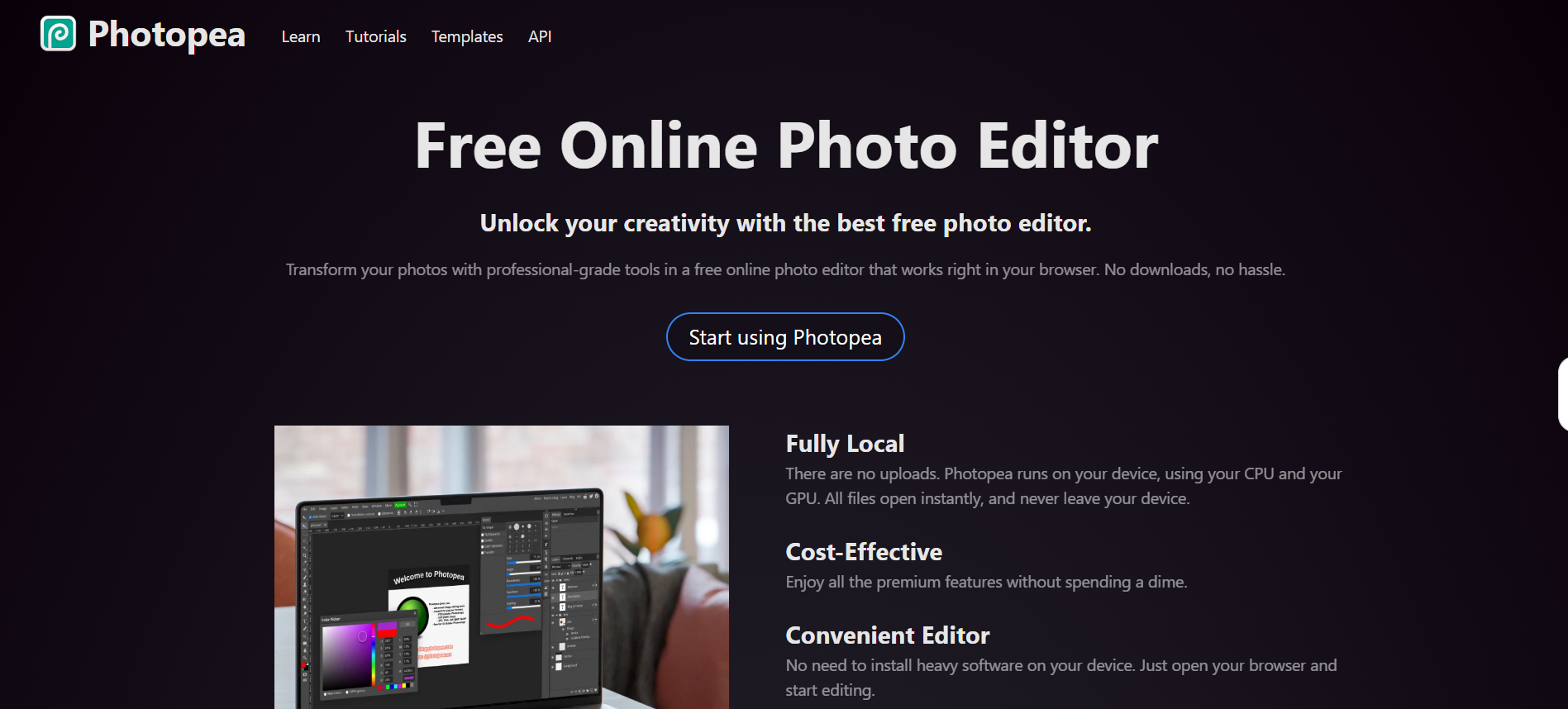
Photopea provides a browser-based editing experience with many controls familiar to users of traditional desktop image editors. It can be useful for users who need browser-based PSD-oriented workflows.
Designkit
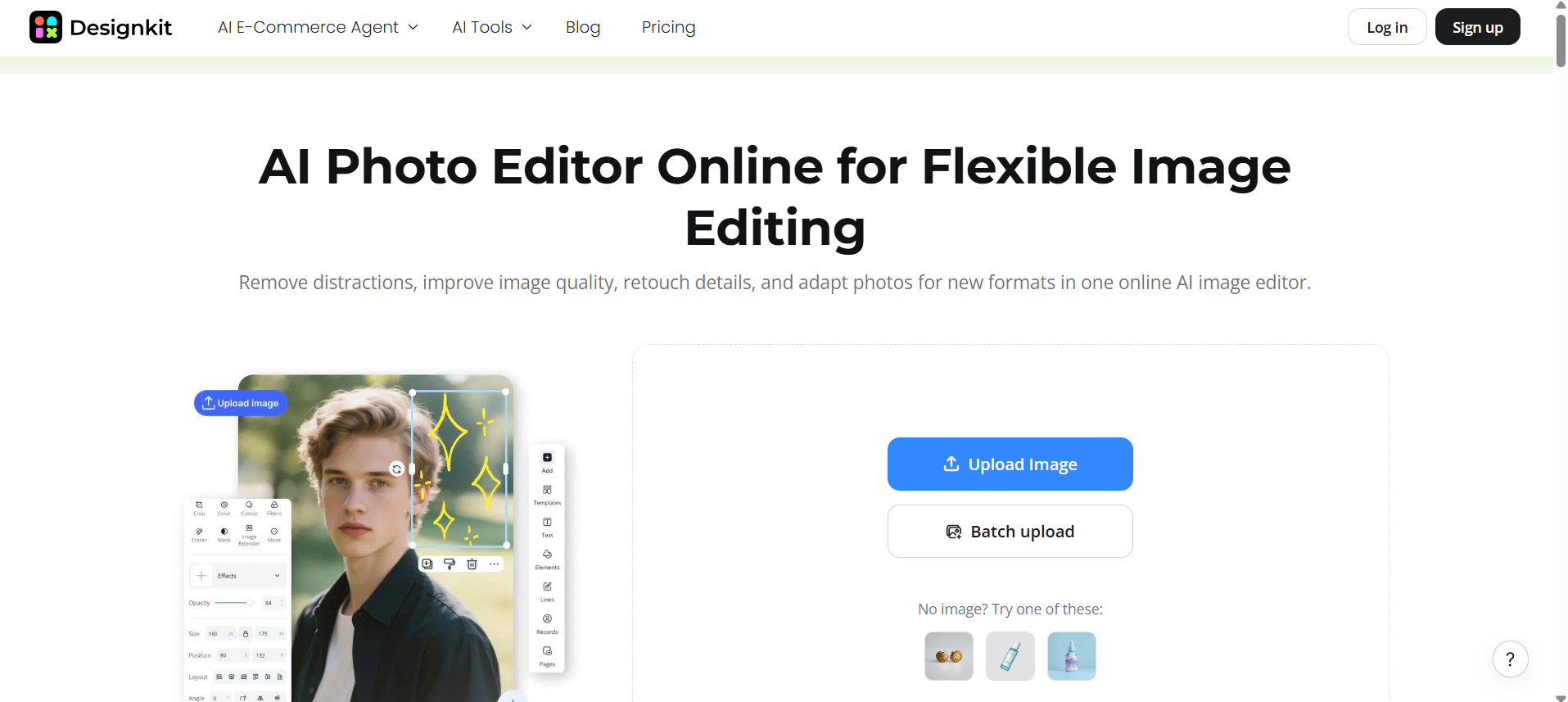
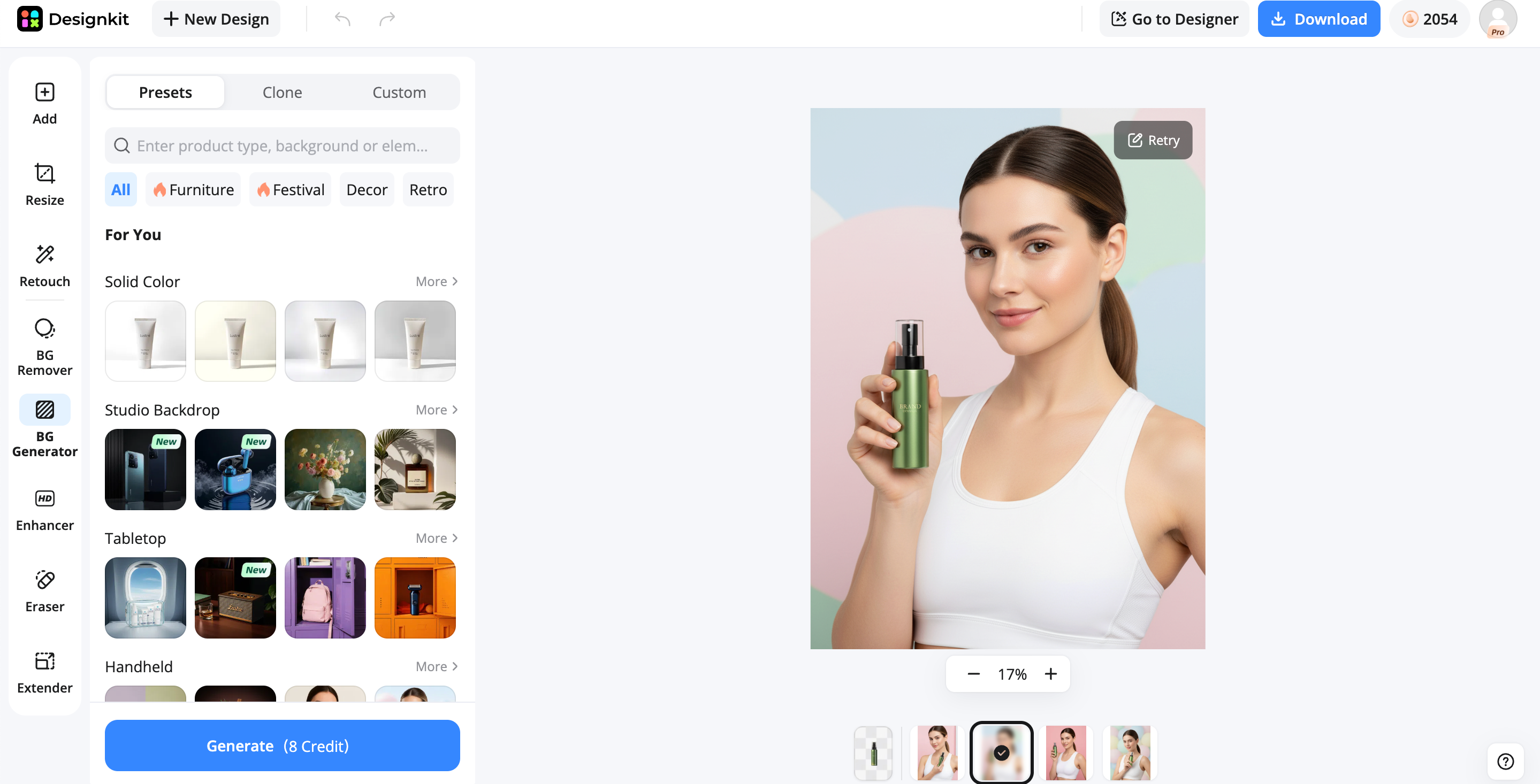
Designkit focuses on AI-powered visual creation and editing workflows. It can be particularly useful for businesses and e-commerce teams that need product imagery, background creation, image enhancement, and marketing-ready visuals.
Pixlr vs Other Image Editors
|
Tool |
Best For |
Main Advantage |
Learning Curve |
|---|---|---|---|
|
Pixlr |
Everyday photo editing |
Browser-based AI editing |
Easy |
|
Photoshop |
Professional editing |
Advanced image manipulation |
Advanced |
|
Canva |
Marketing design |
Templates and brand assets |
Easy |
|
Photopea |
PSD editing |
Photoshop-style browser workflow |
Moderate |
|
Designkit |
AI visual creation |
AI editing and e-commerce workflows |
Easy |
There is no universal winner. Pixlr makes sense when you want a lightweight online editor, while Photoshop is better for advanced editing, and Canva is stronger for template production. For businesses that produce product images and marketing materials, an AI-first platform such as Designkit may be a better fit.
Create More Than Edited Photos with Designkit
Photo editing is often only one step in a larger content-production workflow. Businesses may also need to generate product scenes, replace backgrounds, enhance images, and prepare multiple visual commerce for advertising or e-commerce.
Designkit combines AI-powered image creation and editing capabilities to help turn individual images into marketing-ready visual assets.
How to Edit and Create Images with Designkit
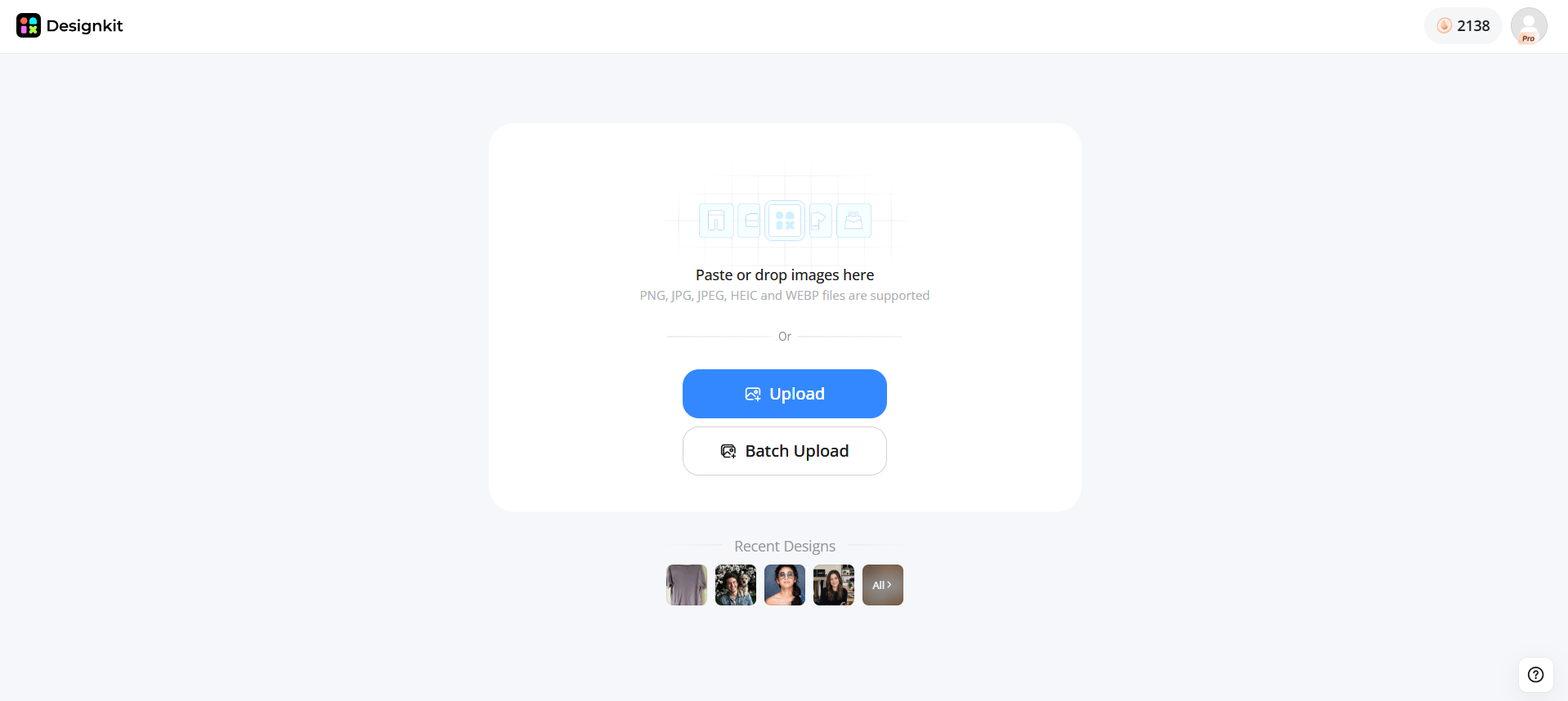
Step 1: Upload an Image
Upload your product photos, edited images, or existing brand assets to start creating new marketing visuals.
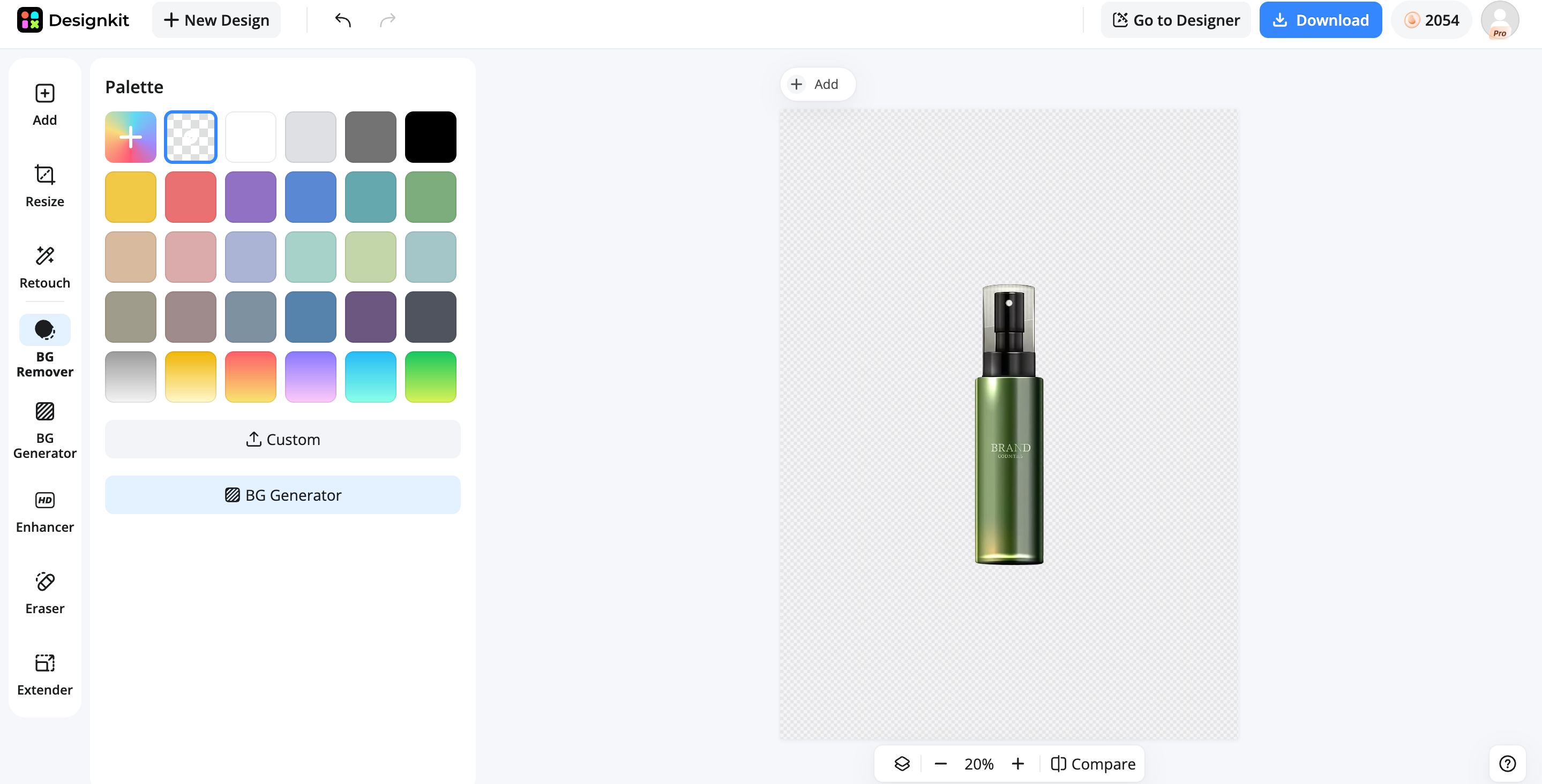
Step 2: Edit or Generate with AI
Use AI-powered tools to modify an existing image, enhance its appearance, change the background, or create new visual elements.
Step 3: Prepare the Final Visual
Review the generated or edited result, make final adjustments, and prepare the visual for its intended platform or campaign.
Why Choose Designkit for Photo Editing?
Designkit is particularly useful when photo editing is connected to content production rather than being an isolated task.
-
AI-Powered Image Editing: AI tools can automate repetitive adjustments and help users create polished visuals more efficiently.
-
AI Product Photography: Businesses can create product-focused visuals without relying entirely on traditional photography setups.
-
AI Background Generation: AI-generated backgrounds can transform simple product images into more engaging marketing scenes.
-
Image Enhancement: Image enhancement tools can improve the appearance and quality of existing visuals before they are used in campaigns.
-
Marketing-Ready Visual Creation: Combining editing and visual generation can help teams produce images for e-commerce stores, advertisements, social media, and other marketing channels.
Common Pixlr Editing Mistakes to Avoid
Even with an accessible editor, the editing process can produce poor results if the source image or export settings are overlooked.
Overusing AI Enhancements
AI tools can make editing faster, but excessive enhancement can create unnatural colors, overly sharp details, or unrealistic image elements. Apply automated effects selectively and review the result before exporting.
Editing Low-Resolution Images
Starting with a low-resolution image limits the quality of the final result. Whenever possible, use the highest-quality source image available.
Exporting with Incorrect Quality Settings
Choosing an unsuitable file format or overly aggressive compression can reduce image quality. Match the export settings to the final use of the image.
Ignoring Layer Organization
When working with multiple elements, poor layer organization can make revisions difficult. Keeping layers logically separated makes detailed editing easier.
Choosing the Wrong File Format
Different projects require different formats. Select an export format based on whether you need transparency, high image quality, small file sizes, or compatibility with a specific platform.
Final Thoughts
Pixlr Photo Editor would be a good option for people who need a quick, efficient, browser-based photo editor with AI capabilities that works in the browser. This tool could be used for instant image editing, posting on social networks, and other basic needs. Still, those people whose needs are more advanced might require something else. When talking about creating business photos and images for e-commerce, one might suggest Designkit for its AI-powered features
Frequently Asked Questions
What is Pixlr Photo Editor?
Is Pixlr safe to use?
Pixlr is generally safe for everyday photo editing, but users should still check its privacy policy before uploading sensitive personal or business images. If you work with confidential product photos or customer content, review how your images are processed and stored.
Does Pixlr work without downloading software?
Yes. Pixlr runs directly in your browser, so you can edit images without installing a desktop application. This makes it convenient for quick edits on different devices, especially when you need to make changes away from your main workstation.
What is included in Pixlr pricing?
Pixlr offers a free version with basic editing features, while premium plans unlock additional AI tools, templates, and advanced editing capabilities. The best option depends on how often you edit images and whether you need access to premium features.
Is Pixlr suitable for professional photo editing?
Pixlr can handle many everyday professional tasks, including marketing graphics, social media content, and quick image adjustments. However, photographers or designers who need advanced color management, complex layers, or large-scale workflows may still prefer professional desktop editors.
What are the best Pixlr alternatives?
The best Pixlr alternative depends on what you create. Photoshop and Photopea are better for advanced editing, Canva works well for template-based designs, while AI-focused platforms like Designkit are better suited for creating marketing visuals, product images, and branded content.
Can Pixlr edit images with AI tools?
Yes. Pixlr includes AI features that can automate tasks such as removing backgrounds, generating edits, and improving images. These tools are useful for speeding up simple adjustments, although users may still need manual editing for more specific results.
Which Pixlr alternative is best for e-commerce?
For ecommerce sellers, the right choice depends on whether you need simple edits or a complete content workflow. Designkit is a strong option for creating product visuals, AI-generated backgrounds, marketing banners, and social media assets from product images.
You May Also Like
Remove.bg Shutting Down Dec 1, 2026: What Users Are Saying

7 Best Remove.bg Alternatives in 2026: Free & Paid Tools

Instagram Carousel: What It Is, How to Post & Create One

Nano Banana Prompts: 20+ Examples for Better AI Images

Ideogram AI Review 2026: Features, Pricing & Alternatives

Free Mac Photo Editor: 5 Tools Compared for Mac Users

How to Crop a Photo Into a Circle Online (Keep Quality)

How to Make an Image Transparent Online (AI Guide)

Pixlr Background Remover Review 2026: Features, Pricing & Alternatives

How to Fix Overexposed Photos: Recover Highlights Fast

OpenArt AI Review 2026: Features, Pricing & Alternatives

Best AI Headshot Generator: 9 Tools Compared for 2026

Best Stencil Maker Tools 2026: Turn Photos Into Stencils

Pixelbin Watermark Remover Review: Image & Video Results Tested

How to Make a Sticker on iPhone: Easy Step by Step Guide

Best AI Logo Generator in 2026: 10 Tools Compared

How to Turn a Photo Into a Cartoon: A Beginner-Friendly Guide

Landscape vs Portrait: Key Differences & Best Uses in 2026

How to Remove Watermark From Photo: AI, Photoshop & More

How to Fix Pixelated Photos: Photoshop, AI Tools & Tips

Bing Image Creator: How It Works, Features, Uses & Alternatives

How to Remove People from Photos with AI: A Step-by-Step Guide

How to Increase Image Resolution: AI, Photoshop & PPI

How to Add Text to a Photo: 8 Tips for Better Results

How to Fix Grainy Photos: Easy Ways to Clear Images

Creative Profile Picture Ideas for Every Style and Platform

Evoto AI Review 2026: Features, Pricing, Pros & Cons

Pixlr Photo Editor Review: Features, Pricing & Alternatives

Best AI Image Extender Tools in 2026: Expand Photos with AI

How to Make a Collage on iPhone: Easy Guide for 2026

How to Sharpen an Image in Photoshop (Smart Sharpen and Unsharp Mask)

Best Image Background Remover Tools in 2026: AI Tools Compared

How to Make Transparent Background in Paint: Step-by-Step Guide

How to Resize an Image: Best Methods, Tools & Quality Tips

Best AI Image Generator Tools in 2026: Top AI Platforms Compared

Remove.bg Review 2026: Features, Pricing & Is It Worth It?

Luminar Neo Photo Editor Review 2026: AI Features, Price & Pros

How to Post Multiple Photos on Instagram (2026 Guide)

25 Facebook Cover Photo Ideas for Personal & Business Pages

What Is a PFP? Meaning, Examples & How to Create One

Can You Edit an Instagram Post After Posting?

11 Best Canva Alternatives in 2026 for AI Design & Marketing

8 Best Midjourney Alternatives in 2026: Features, Pricing & Comparison

How to Restore Old Photos: AI Tools, Tips & Best Methods

Pixelcut AI Review 2026: Features, Pricing, Pros, Cons & Alternatives

How to Apply Watermark to Photos: Methods, Tips & AI Tools

How to Remove a Background in Illustrator: 4 Easy Methods

How to Change Background Color on Instagram Story (Easy Guide)

8 Best AI Poster Generators in 2026: Create Posters Faster with AI

10 Best AI Image Enhancers in 2026: Tested & Compared

10 Best AI Image Editors in 2026: Features, Pricing & Comparison

7 Best AI Background Changer in 2026: Remove & Replace Photo Backgrounds

Luminar Neo vs Lightroom: Features, Pricing & Comparison 2026

Kittl Review 2026: Is It Worth It? Features & Pricing

How to Make a Blurry Image Clear: 5 AI & Manual Ways

How to Remove Background on iPhone: 5 Easy Methods (2026)

Photoroom Background Remover Review 2026: Features & Alternatives

How to Remove Background in Canva: A Step-by-Step Guide

How to Remove Background in GIMP: Beginner-Friendly Guide

Funny Dog Memes to Try: Doge Meaning and 10 Original Ideas

Back to School Checklist 2026: Supplies, Timeline, and Planning

Recraft AI Review 2026: Features, Pricing, Pros, Cons & Alternatives

How to Make an Image Transparent in Google Slides: Opacity & Background Removal

VanceAI Photo Enhancer Review: Features, Pricing & Alternatives in 2026

What Does Emojify Mean? Text, Photos, & Emoji Art Explained

Top 8 Online Background Removers for Ecommerce Photos (2026)

How to Remove Background in Photoshop: 7 Easy Methods

6 Best AI Image Upscalers 2026: Tools Tested & Compared

Project Indigo Review: Is It Better Than iPhone Camera?

How Big Is an 8x10 Photo? Size, Pixels & Frame Guide

How Big Is a 4x6 Photo? Dimensions, Pixels & Printing Tips

Picsart AI Review: Features, Pricing, Pros, Cons & Alternatives

Lovart AI Review: AI Design Agent Features, Pricing & Alternatives

Fotor AI Image Generator Review: Features, Pricing & Alternatives

How to Add Emoji to Photo Online for Free

Emoji Wallpaper Ideas & How to Make One Online (2026)

Minimalist Poster Design: How to Make a Clean Poster (2026)

How to Make a Custom Poster That Is Ready to Print

Instagram Image Size Guide 2026: Post, Reel, Story & Carousel Specs

LinkedIn Image Size Guide: Profile, Post & Banner Dimensions

YouTube Profile Image Size: Best Dimensions & Safe Area 2026

How to Edit Amazon Product Photos That Boost Sales Fast
Create More with AI-Powered Image Tools
Move beyond basic photo editing with Designkit's AI-powered tools for image creation, enhancement, background editing, and marketing visuals. Create professional content faster for e-commerce, social media, and digital campaigns.
