
How to Find a Product by Image: 7 Methods for Shoppers and Sellers
Upload a photo and discover where to buy it, or how competitors list it. Seven free visual search methods, compared side by side.


TL;DR:
Finding a product by image (reverse / visual search) means uploading a photo to get matching or similar items, shopping links, or source pages. Free tools cover most needs, but no method guarantees an exact match; results depend on image quality and platform coverage. Best for shoppers seeking a buy link and sellers doing competitor research, sourcing, or IP checks.
- Google Lens, Amazon, Pinterest, eBay, Etsy, and AliExpress offer free image search in supported regions. TinEye is freemium: limited free monthly searches; paid for higher volume.
- Strengths: Google Lens for broad discovery; Amazon for marketplace matches and prices; Pinterest for décor and fashion; eBay for used or vintage; Etsy for handmade; AliExpress for sourcing; TinEye for image-reuse checks.
- Start with Google Lens, then use the marketplace where you buy or sell; add AliExpress for sourcing and TinEye for provenance or IP checks when needed.
If you have ever seen a lamp in a café, a jacket on a stranger's commute, or a gadget in a social post and wondered where to buy it, you are not alone. Finding a product by image also called reverse image search or visual product search, lets you upload a photo and receive matching or similar items, shopping links, and source pages.
This guide serves two audiences. Shoppers want to locate an exact or close match at a fair price. Ecommerce sellers on Amazon, Etsy, or independent stores use the same tools for competitor research, sourcing, and intellectual-property checks. Below, we compare seven practical methods, explain when each works best, and share tips that improve match accuracy.
One important expectation upfront: no visual search tool guarantees a perfect match on every attempt. Results depend heavily on image quality, how distinctive the product is, and which platform indexes the item. Start with the right tool for your goal, prepare your image carefully, and try more than one platform when the first result falls short.
What Does "Find Product by Image" Mean?
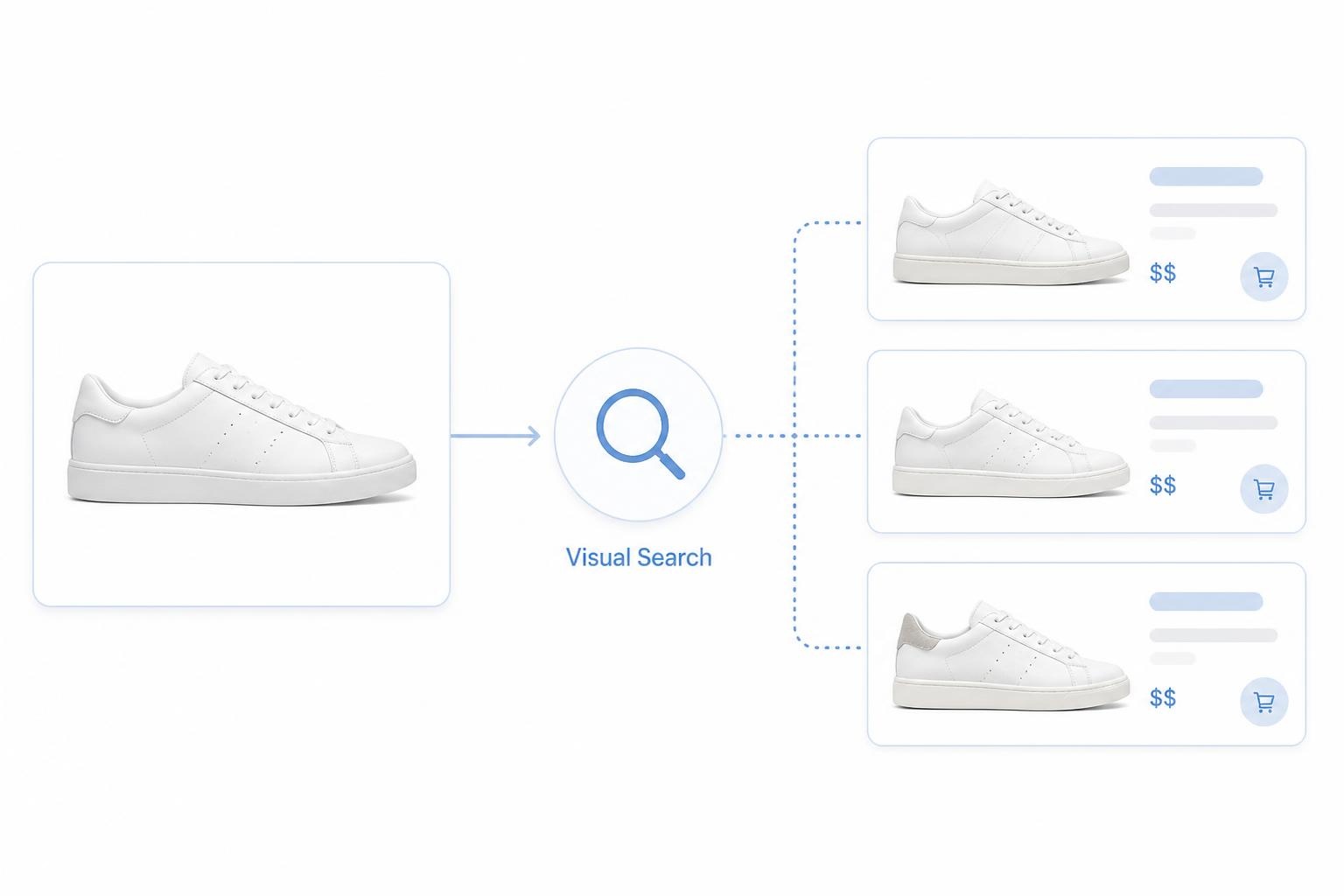
Finding a product by image (reverse image search) means uploading a photograph to a visual search engine, which analyzes shapes, colors, patterns, and context, then returns visually similar products, web pages, or shopping listings.
Unlike typing keywords into a search bar, you start with the visual itself. The system maps your image against billions of indexed photos, a workflow that has grown alongside mobile camera use and social commerce [Source 1].
When Visual Search Works Best
- The main subject is clear and occupies most of the frame
- A single product is shown, not a cluttered shelf or room scene
- The item is front-facing or shown at a standard 45-degree angle
- Logos, packaging, labels, or distinctive design elements are visible
- The photo is reasonably sharp and well lit, without heavy filters
When It Often Fails
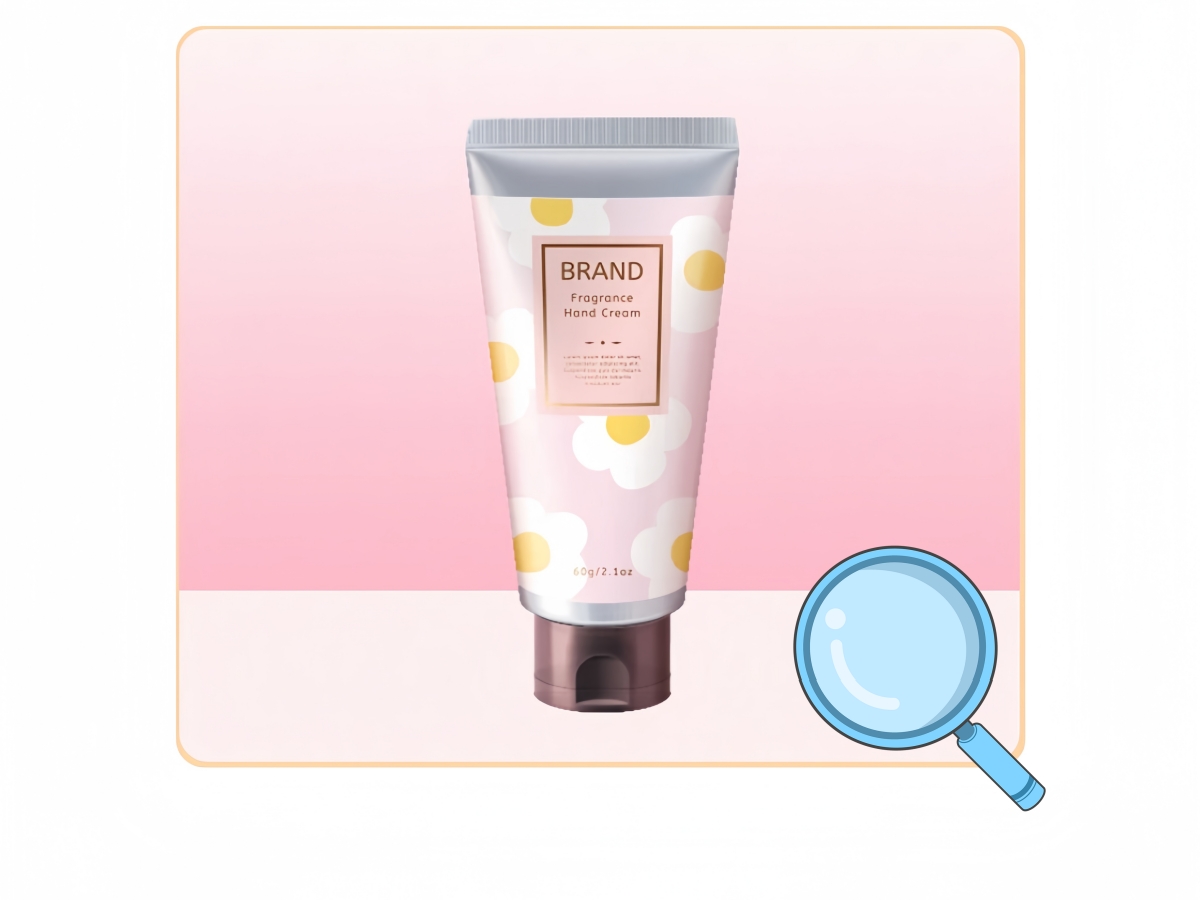
- Blurry, pixelated, or heavily cropped images
- Multi-product lifestyle shots where nothing is isolated
- Strong Instagram-style filters that alter true colors
- Generic mass-market items with no distinguishing features
- Products not listed on the platform you are searching
7 Ways to Find a Product by Image
Not every visual search tool serves the same purpose. Some prioritize shopping links; others trace image origins or help sellers source from overseas suppliers. Use this table to pick a starting point, then read the detailed walkthrough for each method below.
| Tool / Method | Best For | Free? | Price Compare? | Seller Use? |
|---|---|---|---|---|
| Google Lens | General search, fastest broad coverage | Yes | Partial | Medium |
| Amazon StyleSnap / Image Search | Amazon same or similar items | Yes | Yes | High |
| Pinterest Lens | Home, fashion, inspiration | Yes | No | Medium |
| eBay Image Search | Used, vintage, collectibles | Yes | Yes | Medium |
| Etsy Image Search | Handmade, indie design | Yes | Yes | High |
| AliExpress Image Search | Sourcing, supply chain | Yes | Yes | High |
| TinEye | Image source, IP checks | Freemium | No | High |
Method 1: Google Lens (Fastest for Most Products)
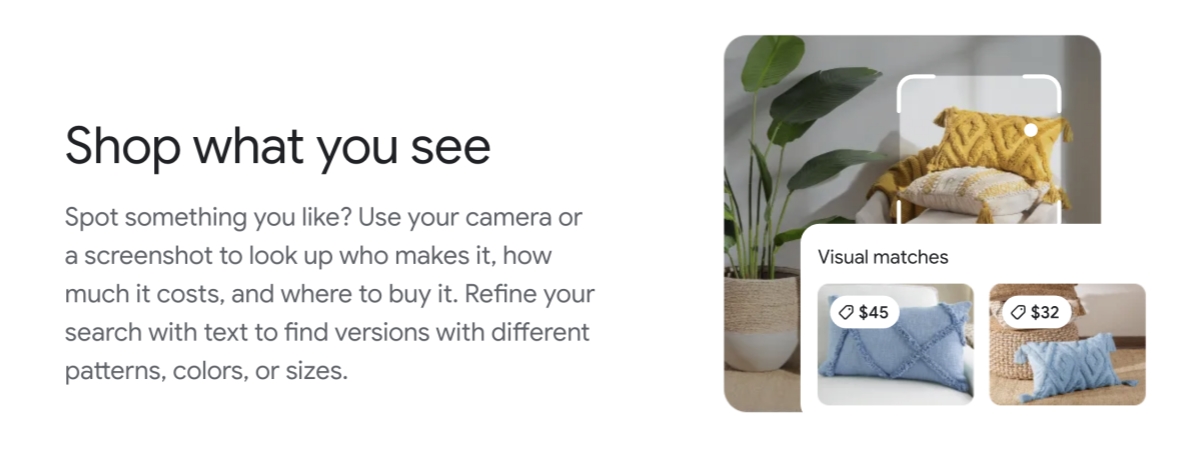
Google Lens remains the most versatile entry point for google product image search when you need to find product by image across the open web. It draws on Google's vast index and surfaces visual matches, related pages, and in many regions, Shopping tabs with price information. For shoppers who do not yet know which store carries an item, Lens is usually the best first step.
How to Use Google Lens on Mobile
- Open the Google app or tap the Lens icon in your phone's camera or search bar
- Capture a new photo or upload one from your gallery
- Wait for visual matches to load, then tap the Shopping or Products tab if available
- Compare prices, sellers, and reviews before purchasing
How to Use Google Lens on Desktop
- Go to Google Images and click the camera icon in the search bar
- Upload a file or paste an image URL
- Review exact matches, similar images, and pages that contain the photo
- Follow shopping links where they appear, or use text results to identify the product name
Pros and Cons
- Pros: Broad coverage across the web, free, fast on mobile, integrates with Google Shopping in supported markets
- Cons: Results can be noisy; not every match links directly to a purchase page; accuracy drops on low-quality screenshots
Method 2: Amazon Shop the Look and Image Search
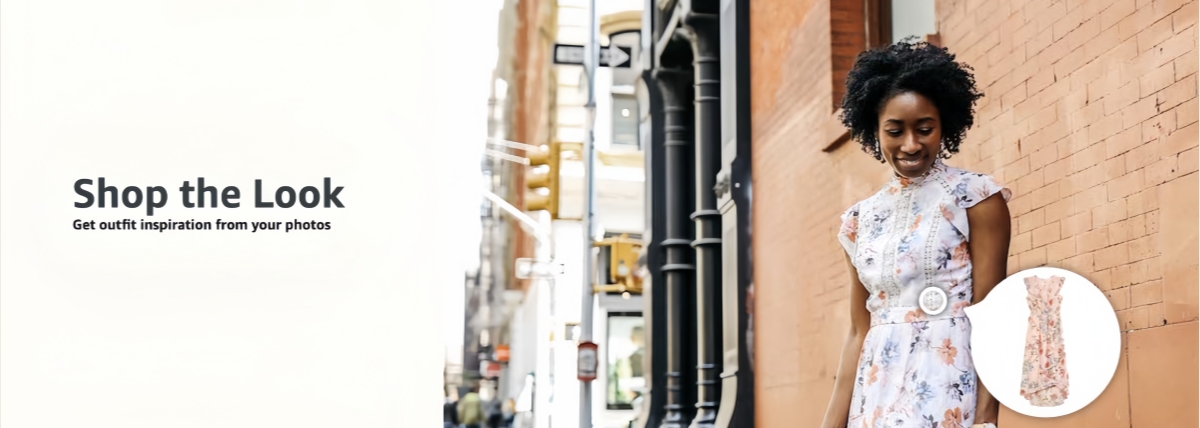
Amazon's in-app camera and image search often associated with StyleSnap for fashion, let you search product by image inside the marketplace you already use. This is especially useful for Prime shipping or when you trust Amazon's review ecosystem.
How to Search Products by Image on Amazon
- Open the Amazon app and tap the camera or search-by-image icon in the search bar
- Photograph the product or upload a saved image
- Browse visually similar listings, paying attention to main-image style and price spread
- Read listings carefully, similar does not always mean identical
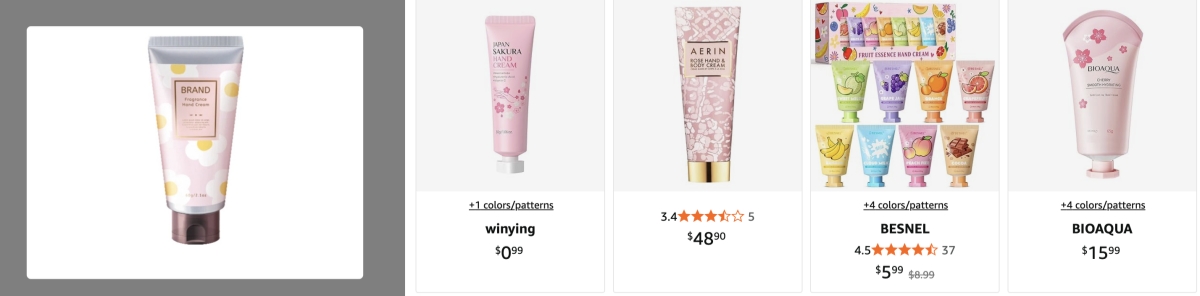
What Sellers Can Learn from Amazon Image Search
Sellers can upload competitor photos to study how a category presents itself on Amazon:
- Which main-image angles and backgrounds dominate the first page of results
- Typical price bands for visually similar listings
- Whether infographics, scale references, or lifestyle scenes are common in the niche
- Gaps where a differentiated main image could stand out
For a deeper framework on listing visuals, see our guide on Amazon 7-image listing strategy. Sellers should also review Amazon image requirements before updating gallery assets.
Method 3: Pinterest Visual Search
Pinterest Lens targets discovery-first intent: home décor, weddings, fashion, and gifts. If inspiration matters more than an exact SKU, Pinterest is worth trying.
Best Use Cases
- Home décor, furniture, and room styling
- Wedding and event aesthetics
- Fashion, accessories, and gift ideas
- DIY and craft projects where exact SKU matching matters less
Step-by-Step
- Open the Pinterest app and tap the search camera icon, or use Lens from a saved Pin
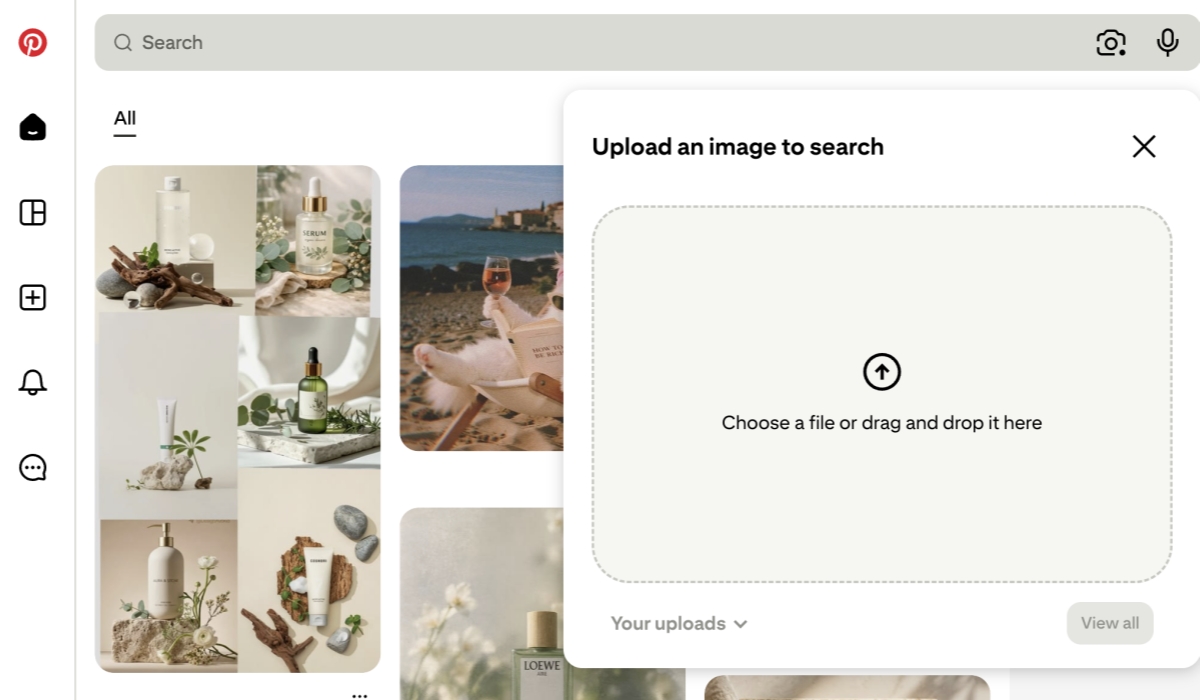
- Select the area of the image you want to match, Pinterest lets you crop to a specific object
- Browse visually similar Pins, many of which link to retailer product pages
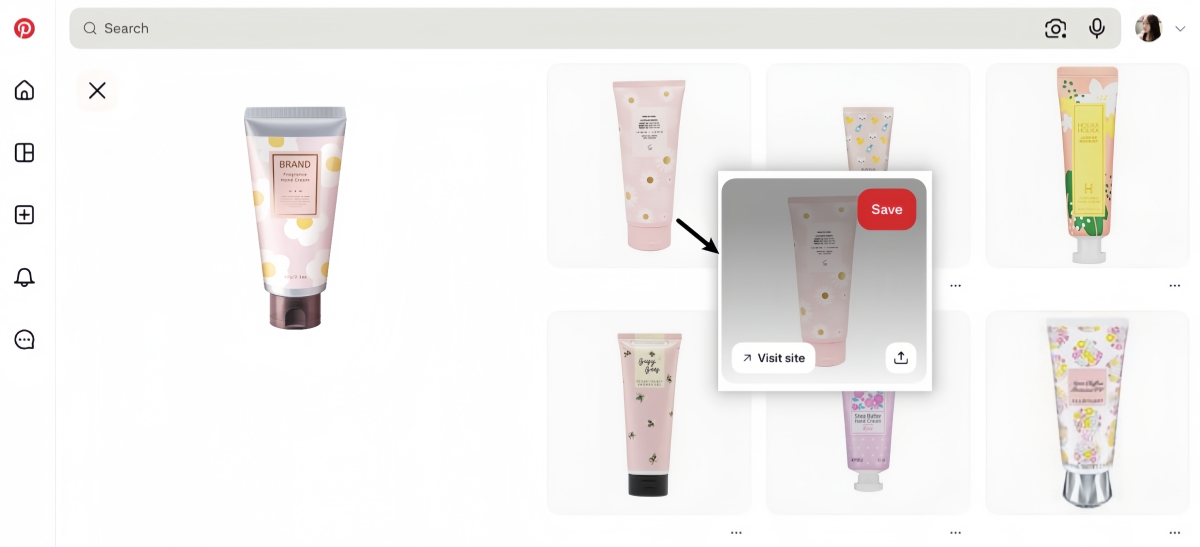
- Follow outbound links to check price and availability on the merchant site
Limitations
Pinterest excels at discovery but is not a dedicated price-comparison engine. You may find the aesthetic you want yet still need to verify size, material, and cost on the destination store. Treat it as a visual mood board with shopping potential, not a guaranteed product locator.
Method 4: eBay Image Search
eBay indexes auctions, open-box items, vintage goods, and collectibles — categories where a photo may be your only identifier.
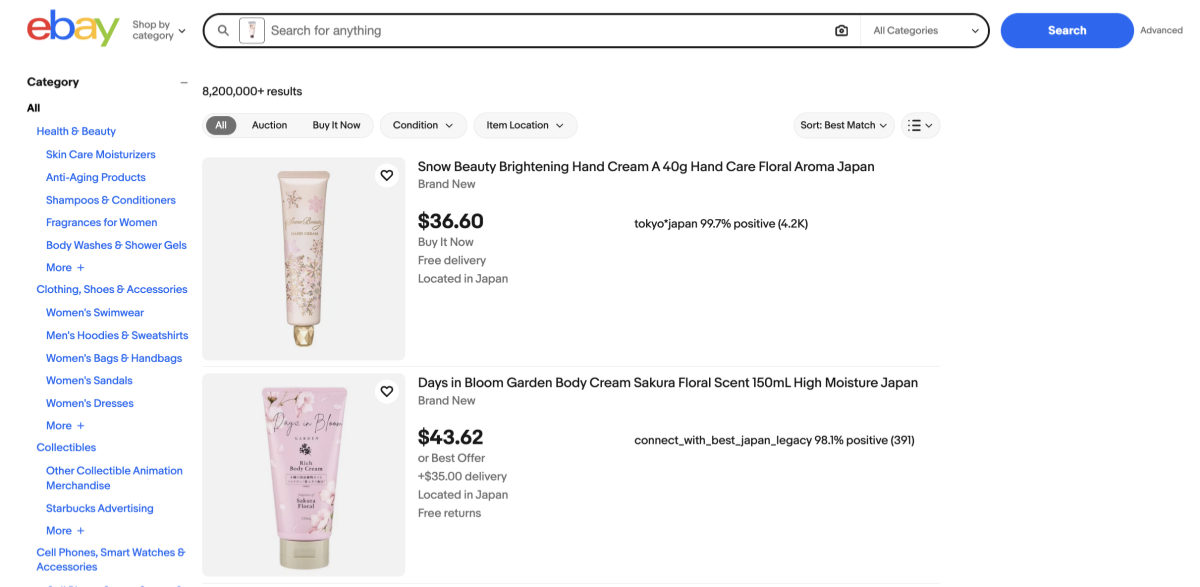
How to Find Products on eBay by Image
- Tap the camera icon in the eBay app search bar (feature availability varies by region)
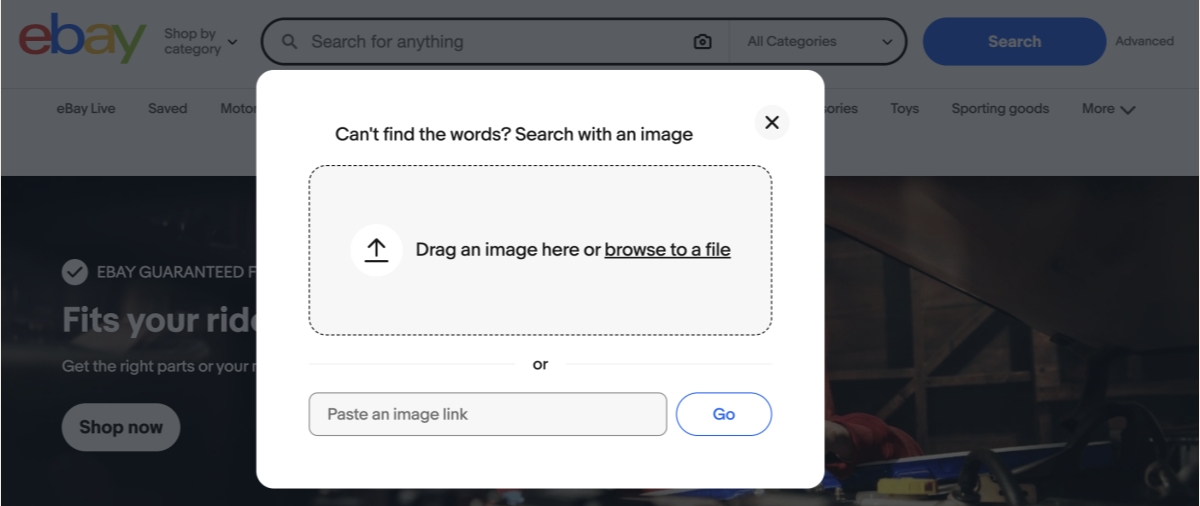
- Upload or capture an image of the item
- Filter results by condition (new, used, refurbished), format (auction vs. Buy It Now), and price
- Compare seller ratings and return policies before bidding or buying
Best For
- Vintage electronics, toys, and memorabilia
- Discontinued parts or replacement components
- Secondhand sourcing research for resellers
- Verifying whether an unusual item has an active resale market
Method 5: Etsy Image Search
Etsy's visual search focuses on handmade, custom, and independent designer goods. If the product in your photo looks artisanal, personalized, or niche, Etsy may return closer matches than a general search engine.
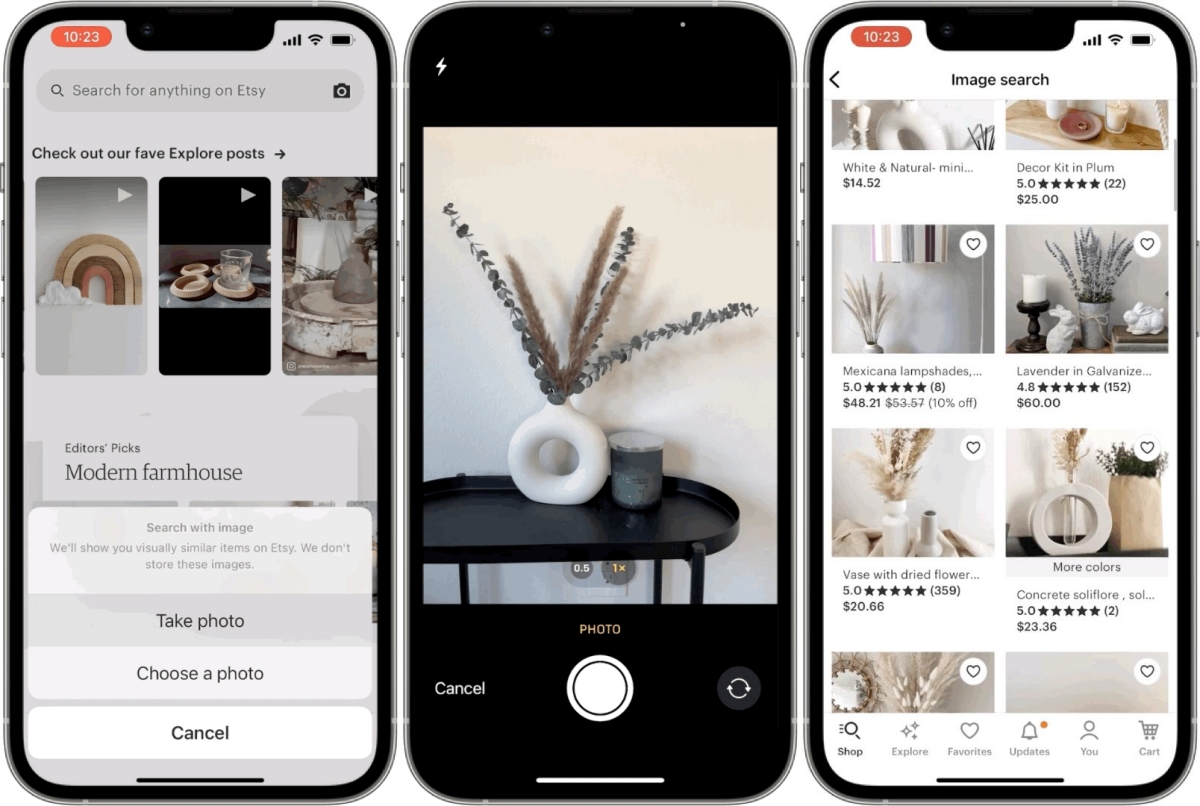
How Etsy Visual Search Works
From the Etsy app, tap the camera icon to upload an image. Etsy compares your photo against listing thumbnails and returns shops selling similar designs, confirm material, personalization, and production time on each listing.
Seller Angle: Research Competitor Listings
Ecommerce sellers on Etsy can use image search to audit how crowded a visual niche is:
- Thumbnail composition and color palettes on the first page of matches
- Price ranges for visually similar handmade items
- Whether bestsellers use studio shots, lifestyle scenes, or model photography
Pair this research with technical specs from our Etsy listing photo size guide and Etsy thumbnail optimization guide when planning listing updates.
Method 6: AliExpress and Wholesale Image Search
AliExpress image search is a product image search tool for sourcing. Sellers and private-label brands use it to trace photos back to manufacturers, common in accessories, home goods, and consumer electronics.
How to Use Image Search for Sourcing
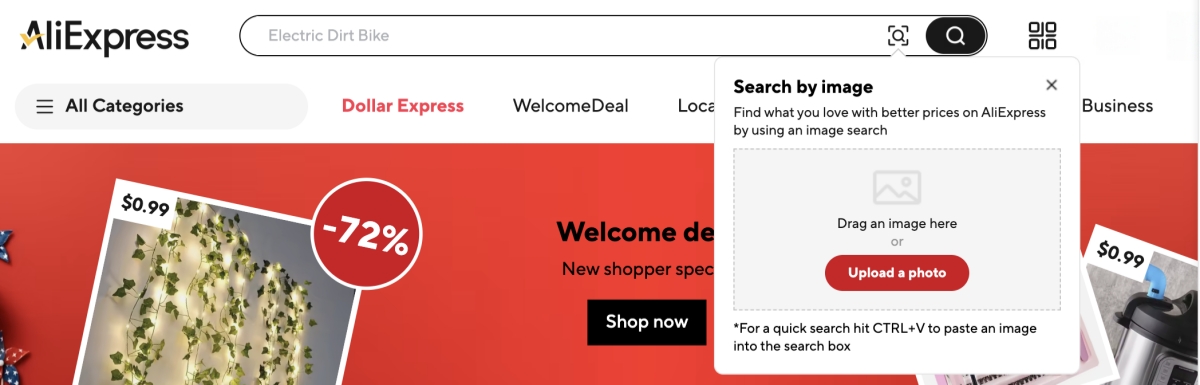
- Log in to AliExpress and click the camera icon in the search bar
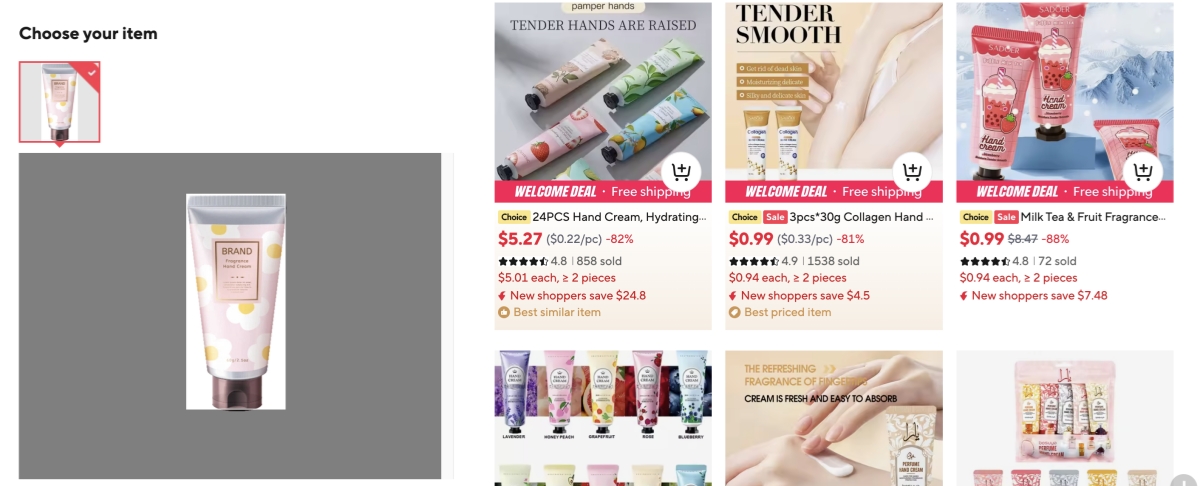
- Upload a clear product photo, ideally a catalog-style shot
- Review supplier listings, noting minimum order quantities (MOQ), unit price tiers, and shipping estimates
- Order samples before committing to inventory; photos can be misleading
Dropshipping and Private Label Considerations
Image search helps you find suppliers, but it does not grant permission to reuse another brand's photos or designs. Before listing:
- Verify you have rights to product images and trademarks
- Differentiate your listing with original photography or licensed assets
- Assess quality risk, low-cost suppliers may not match the inspiration photo
- Document supplier agreements for customs, returns, and chargeback disputes
Method 7: TinEye and Reverse Image Lookup (Source and IP Checks)
TinEye is not a shopping engine, it traces where an image appears online and, when available, its first-indexed date. Sellers and brand-protection teams use it to spot unauthorized reuse.
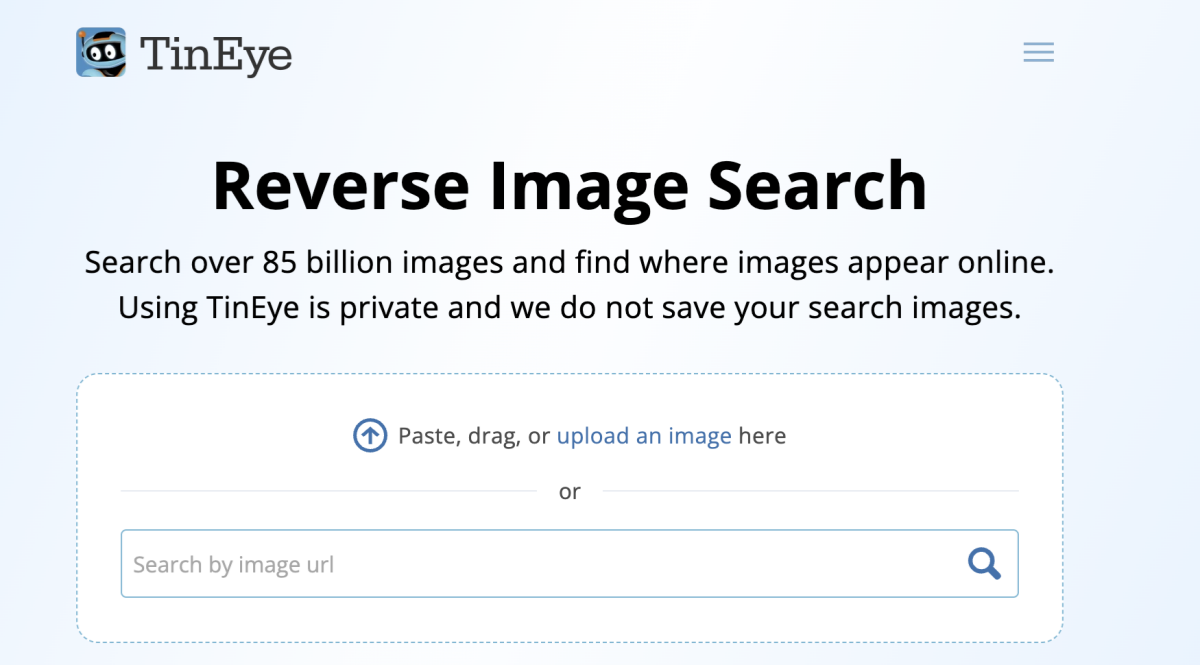
When to Use TinEye Instead of Shopping Search
- You need to know which website published a product photo first
- You suspect a competitor copied your listing images
- You are conducting a preliminary copyright or trademark review
- You want to verify whether a "unique" product photo appears on dozens of drop-shipping sites
TinEye vs Google Lens
| Feature | TinEye | Google Lens |
|---|---|---|
| Primary goal | Track image source and reuse | Discover products and related content |
| Shopping links | No | Often yes |
| First-seen date | Yes (when indexed) | No |
| Best audience | Sellers, IP research, journalists | Shoppers, general discovery |
TinEye offers a limited free tier; higher-volume searches require a paid plan. For occasional checks, the free allowance is usually sufficient.
How to Get Better Results When Searching by Image
Image preparation often matters more than tool choice. A few minutes of editing can separate an exact match from unrelated results.
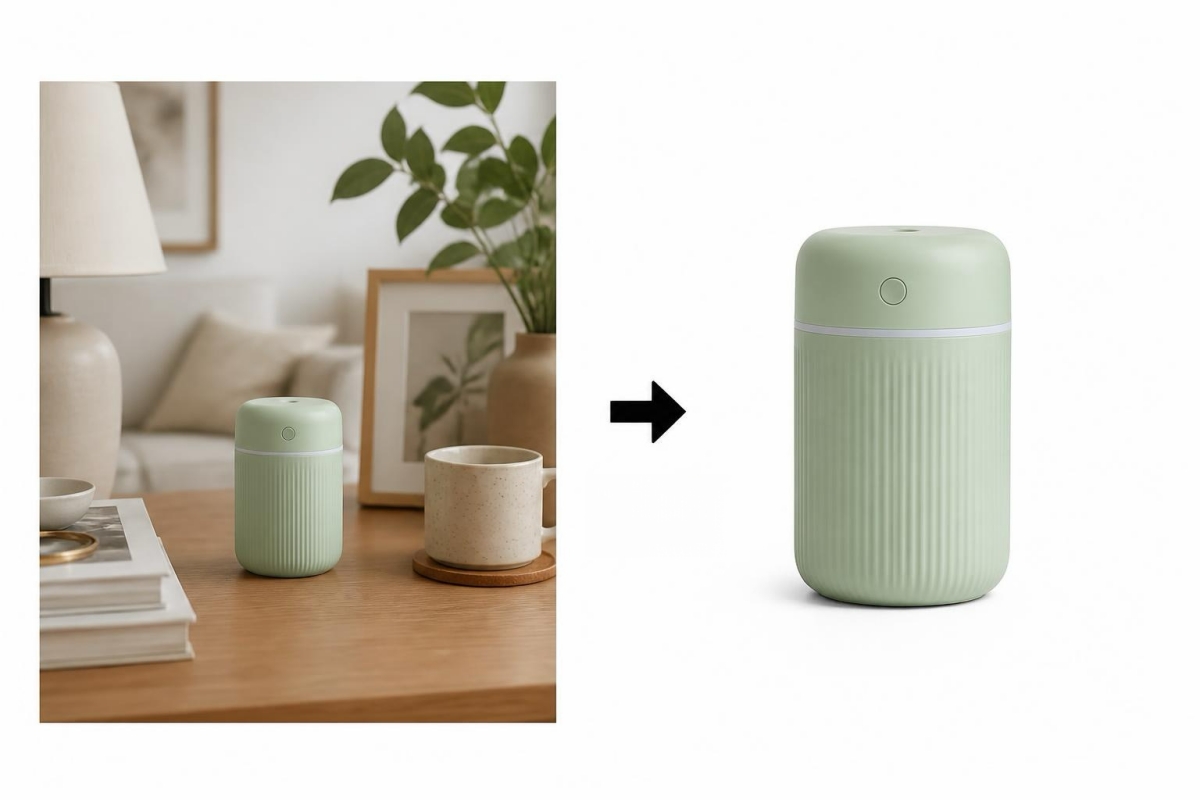
Prepare Your Image Before Searching
- Crop tightly so one product fills the frame
- Increase resolution where possible, avoid upscaling tiny thumbnails, but prefer the largest original file
- Prefer front or 45° angles over top-down or obscured views
- Remove backgrounds if the platform allows editing before upload
- Save screenshots without UI chrome, status bars and app borders confuse matchers
Try Multiple Tools for the Same Image
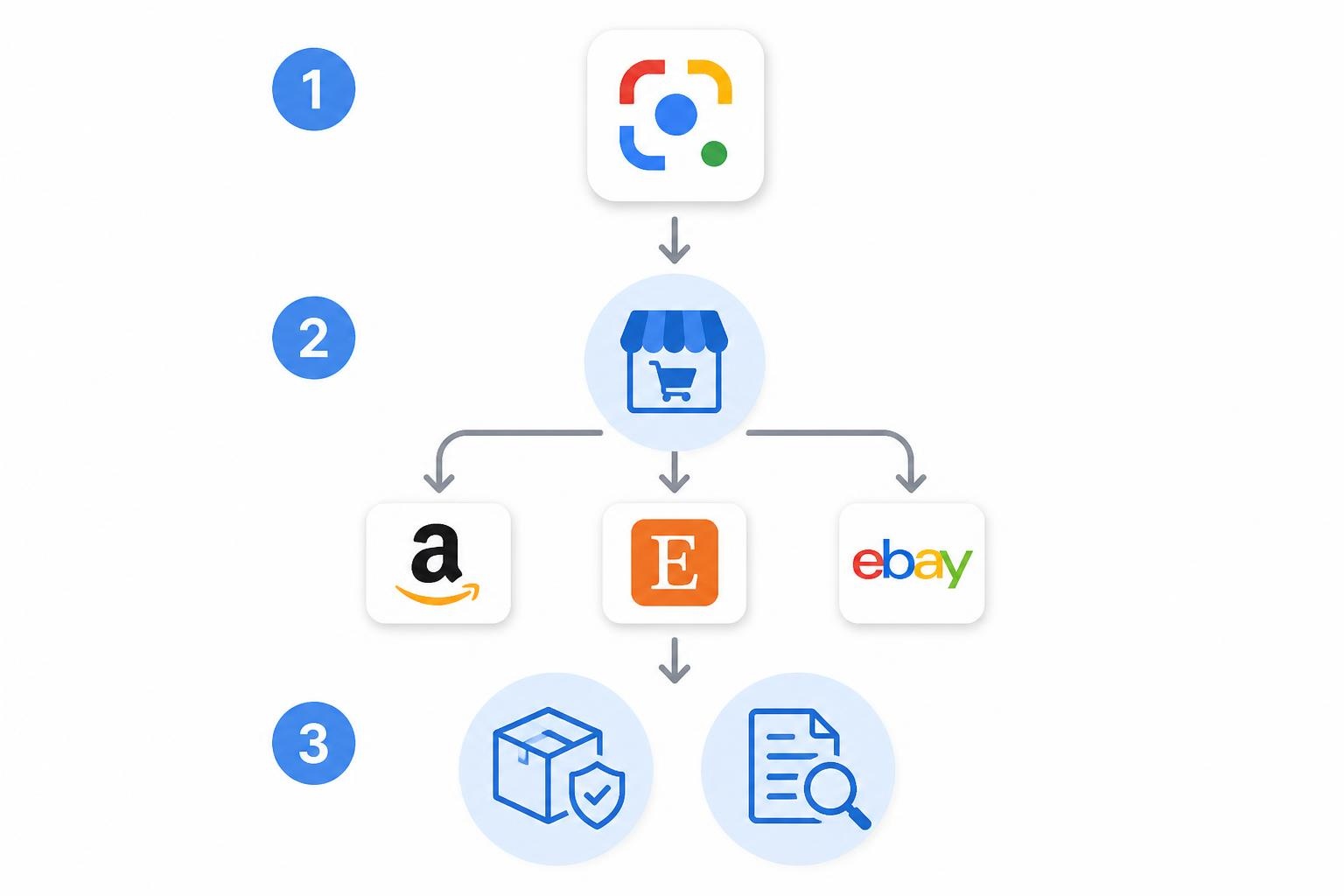
Use this simple decision tree:
- Start general: Google Lens for broad discovery
- Go platform-specific: Amazon, Etsy, or eBay depending on where you plan to buy or sell
- Shift to sourcing or IP: AliExpress for supplier leads; TinEye for origin and reuse checks
- Refine and repeat: If results are weak, crop tighter and try the next platform
Common Mistakes to Avoid
- Uploading heavily filtered social-media images without checking color accuracy
- Assuming the first result is the correct product, always read titles and specs
- Quitting after one platform when the item may only be indexed elsewhere
- Using watermarked influencer photos that obscure product details
- Expecting visual search to identify unbranded generic goods with high precision
For Ecommerce Sellers: 4 Practical Use Cases
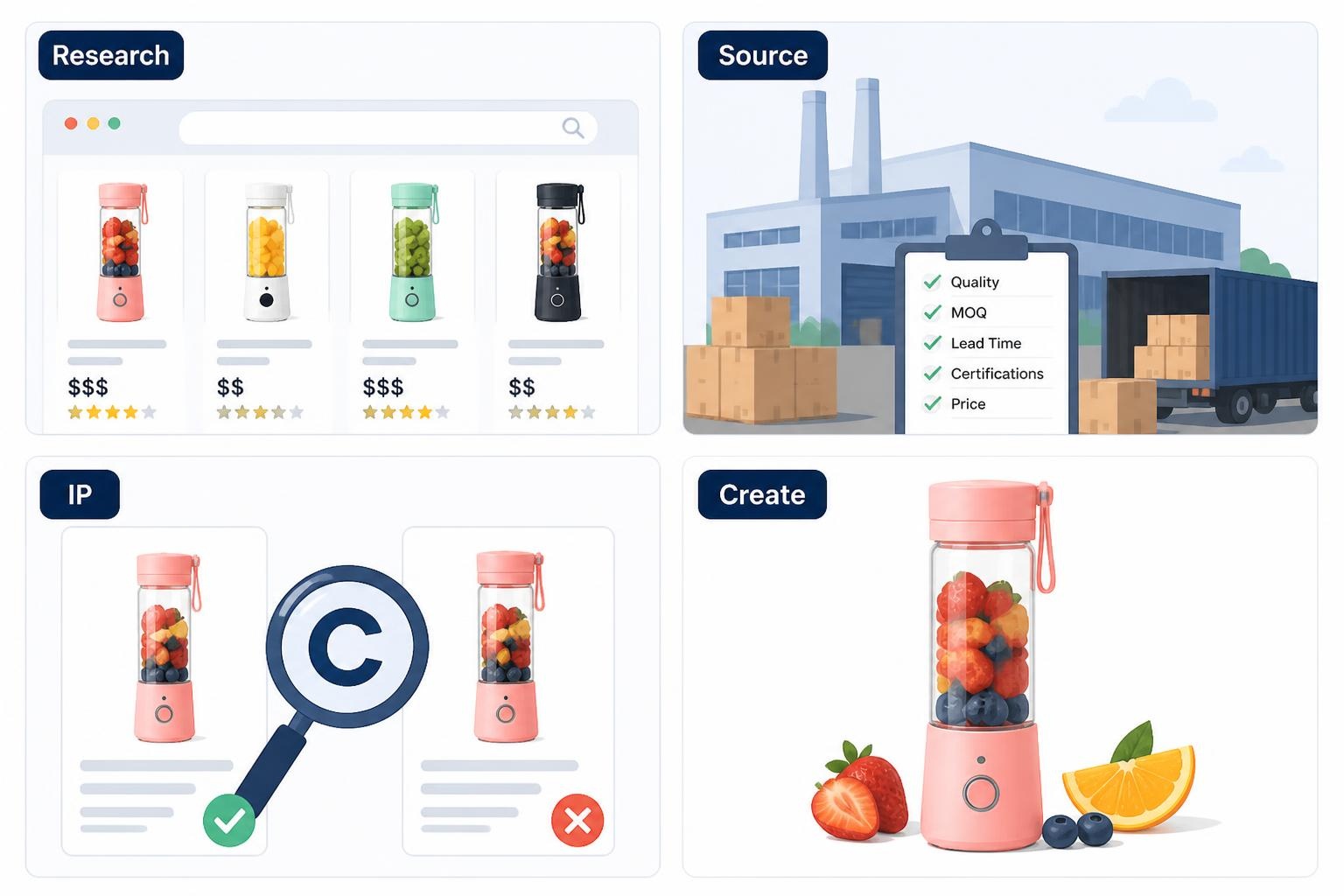
If you run an online store, visual search is a research layer — not a substitute for original listing creative.
1. Competitor Research
Upload competitor main images to see which listings Amazon, Etsy, or Google associate with that visual style. Note background color, infographic density, and whether lifestyle or studio shots dominate. For tool-specific workflows, see top Amazon listing image tools.
2. Product Sourcing
Image search on AliExpress can reveal suppliers for trending items. Cross-check unit economics and review quality before ordering samples.
3. Image Originality and IP Risk
Before launching, run your planned listing photos through TinEye. If the same image appears on dozens of unrelated shops, you may be looking at stock art or stolen assets. Never publish photos you do not own, license, or have contractual rights to use. Marketplaces routinely remove listings for image infringement.
4. From Research to Better Listing Images
Research informs differentiation; it does not justify copying. Invest in original visuals: hero shots, infographics, and lifestyle scenes. See how to create lifestyle product images and top AI product image generators for production guidance.
Conclusion
Knowing how to search product by image saves time whether you are hunting a gift from social media or benchmarking a competitive niche. Start with Google Lens, then move to the marketplace where you plan to buy or sell: Amazon, Etsy, eBay, AliExpress, or TinEye for provenance checks.
Prepare clean, single-subject photos, compare at least two tools, and verify listing details before checkout. When you need to find product by image reliably, image quality and platform choice matter more than any single app.
References
- [Source 1] eMarketer / Insider Intelligence: reports on visual search adoption and mobile commerce trends. Placeholder: https://www.emarketer.com/
Frequently Asked Questions
Can I find a product by image for free?
What is the best app to find products by image?
There is no single best app for every situation. Google Lens is the best general starting point. Use Amazon if you plan to buy there, Etsy for handmade goods, eBay for used or vintage items, and AliExpress for sourcing. Many shoppers keep two or three apps installed and compare results.
How do I find the exact same product from a picture?
Upload a clear, tightly cropped photo to Google Lens and your target marketplace. To find similar product by image, compare SKU details, brand name, and review photos. If only "similar" items appear, the exact variant may be discontinued—try text search using any product name Lens surfaces.
Does Amazon have image search?
Yes. The Amazon mobile app includes a camera-based search feature that returns visually similar products. Availability and interface labels may vary by country and app version.
Can sellers use image search for competitor research?
Yes, for observational research, studying how categories present listings, price bands, and visual trends. Do not copy competitor photos, titles, or trademarks. Use insights to create original listing content.
Is reverse image search accurate?
Accuracy depends on image quality, product distinctiveness, and platform coverage. Distinct branded products on major marketplaces return strong matches. Generic or heavily edited photos produce weaker results. Treat visual search as a strong hint, not proof, until you verify product details on the listing page.
How do I find a product by image on iPhone or Android?
On iPhone, use Google Lens through the Google app or Google Photos, or platform-specific apps like Amazon and Pinterest. On Android, Lens is often built into the camera or Google Search. The steps are the same: open the app, tap the camera icon, upload or capture an image, and review matches.
You May Also Like

Halloween Marketing Ideas to Boost Sales and Engagement
Kling Motion Control: When to Use It for Product Clips (2026)

Halloween Poster Ideas for Parties, Sales and Social Posts
TikTok Carousel: How to Create and Post Photo Carousels
2026 Nail Color Trends: Top Shades and Styles

Local Business Marketing: Ideas, Priorities and Ways to Get Local Customers

Social Media Audit: How to Review Performance and Find What Works

Social Media Content Planner: Plan & Schedule Posts

Best AI Ad Generators in 2026: Tools for Creating Better Ads
Motion Graphics: Types, Examples and Creation Guide
How to Build a Personal Brand: A Strategic Guide
Seedance vs Kling: Which AI Video Model Fits Product Clips?

Seedream vs GPT Image: Which Fits Ecommerce Product Photos? (2026)

How to Create a YouTube Channel for Your Business in 2026

Seedream 5.0 AI Review for Ecommerce Product Images
How to Use Google Veo 3.1 for Ecommerce Product Video
Nano Banana 2.1 Review: Features, Release Date & What’s New
Remove.bg Shutting Down Dec 1, 2026: What Users Are Saying
Amazon Individual vs Professional Selling Plan

How to Create an Amazon Seller Account: Requirements and Steps
Amazon Product Video Requirements: Specs & Upload
Amazon Brand Registry Requirements: Trademark, Account & Cost

Amazon Global Selling: How to Open Multiple Marketplaces

How to Make an Event on Facebook: Complete Setup Guide (2026)

Amazon Sponsored Brands: What They Are and When to Use Them

Amazon Sponsored Products: How to Launch Your First Campaign

Amazon Vine Program for Sellers: Get Early Product Reviews

7 Best Remove.bg Alternatives in 2026: Free & Paid Tools

Amazon A+ Content Dimensions: Module Image Sizes

Print-On-Demand Designs: Create, Prepare, and Preview Your Work
T-Shirt Design Size Guide: Placement, Dimensions, & DPI

Amazon A+ Content: What It Is and What to Build First

Is Print on Demand Profitable in 2026? Products and Niches

Amazon Brand Registry Application: How to Submit and Pass Review

How to Ship to Amazon FBA: Your First Shipment

What Is Amazon FBA? Should Beginners Use It in 2026

GPT Image 2 Prompts for Product Photos (Copy-Paste Examples)

How to List a Product on Amazon: Materials Checklist for First Listings

How to Get Ungated on Amazon: Restricted Category Approval Steps

Kling vs Veo for Product Video & UGC Ads (2026)

Nano Banana vs Midjourney for Product Photos and Campaign Visuals (2026)

Amazon Backend Keywords: Title, Bullets & Search Terms

How to Sell on Poshmark: A Complete Beginner's Guide
Zeely Reviews 2026: Features, Pricing, Pros, Cons & Alternatives

Instagram Carousel: What It Is, How to Post & Create One

What Is A/B Testing? A Practical Guide to Running Better Experiments

Best Time to Post on Instagram in 2026: Data & Tips

How to Get Verified on Instagram: Complete Guide

TikTok Monetization in 2026: Requirements & Ways to Earn

Instagram Desktop Posting Guide: Upload Posts, Stories & Reels

Nano Banana Prompts: 20+ Examples for Better AI Images

YouTube Shorts Monetization Requirements & Rules 2026

Hair Color Ideas 2026: Trending Shades & Virtual Try On

How to Write an Instagram Bio: Examples, Tips & Ideas

How Much Does YouTube Pay Per View? 1K, 100K & 1M Views

How to Make Money on Snapchat: 7 Ways to Earn

How to Get More Followers on Instagram in 2026

Best Time to Post on TikTok in 2026 for More Views

How to Repost on Instagram in 2026: A Simple Guide

Ideogram AI Review 2026: Features, Pricing & Alternatives

PixVerse AI Review 2026: Is It Worth Using for AI Videos?

Free Mac Photo Editor: 5 Tools Compared for Mac Users

How to Crop a Photo Into a Circle Online (Keep Quality)
Create TikTok Ads From One Photo: An AI Product Launch Kit

How to Make an Image Transparent Online (AI Guide)

Pixlr Background Remover Review 2026: Features, Pricing & Alternatives

How to Fix Overexposed Photos: Recover Highlights Fast

How to Animate a Picture with AI: Easy Step-by-Step Guide

OpenArt AI Review 2026: Features, Pricing & Alternatives

Best AI Headshot Generator: 9 Tools Compared for 2026

Best Stencil Maker Tools 2026: Turn Photos Into Stencils

Pixelbin Watermark Remover Review: Image & Video Results Tested

How to Make a Sticker on iPhone: Easy Step by Step Guide

Best AI Logo Generator in 2026: 10 Tools Compared

How to Turn a Photo Into a Cartoon: A Beginner-Friendly Guide

How to Write a Video Script: Structure, Tips & Examples
Depop vs Poshmark: Which Is Better for Selling in 2026?

Landscape vs Portrait: Key Differences & Best Uses in 2026
How to Create an Amazon Storefront: 4-Step Guide for New Sellers

How to Remove Watermark From Photo: AI, Photoshop & More

How to Sell Books on Amazon in 2026: Beginner Guide

How to Fix Pixelated Photos: Photoshop, AI Tools & Tips

Bing Image Creator: How It Works, Features, Uses & Alternatives

Best Products to Sell on Amazon: 10 Ideas for Beginners

How to Remove People from Photos with AI: A Step-by-Step Guide

What Is B-Roll? Meaning, Examples, and How to Use It

How to Increase Image Resolution: AI, Photoshop & PPI

How to Add Text to a Photo: 8 Tips for Better Results

How to Sell on Amazon in 2026: A Complete Seller Guide

How to Fix Grainy Photos: Easy Ways to Clear Images

How to Make a TikTok Video: A Step-by-Step Guide 2026

How to Make an Instagram Post: Step by Step Creation Guide

Social Media Copywriting: Tips, Examples & Best Practices

Creative Profile Picture Ideas for Every Style and Platform

Evoto AI Review 2026: Features, Pricing, Pros & Cons

Pixlr Photo Editor Review: Features, Pricing & Alternatives

Best AI Image Extender Tools in 2026: Expand Photos with AI

How to Make a Collage on iPhone: Easy Guide for 2026

What Are AI Fruits? The Trend, the Formats, and How to Make One

How to Sharpen an Image in Photoshop (Smart Sharpen and Unsharp Mask)

Seedance 2.5 Review: What Changed in ByteDance's New Model

Best Image Background Remover Tools in 2026: AI Tools Compared

How to Make Transparent Background in Paint: Step-by-Step Guide

How to Resize an Image: Best Methods, Tools & Quality Tips

LTX Studio Review: Features, Pricing & AI Filmmaking Guide

Best AI Image Generator Tools in 2026: Top AI Platforms Compared

Remove.bg Review 2026: Features, Pricing & Is It Worth It?

MiniMax H3: Features, Benchmarks, Pricing, and How to Use It

Luminar Neo Photo Editor Review 2026: AI Features, Price & Pros

How to Post Multiple Photos on Instagram (2026 Guide)

25 Facebook Cover Photo Ideas for Personal & Business Pages

What Is a PFP? Meaning, Examples & How to Create One

Multichannel Marketing Guide: Strategy, Tools & Examples

How to Create Digital Products That Sell in 2026

How to Make a Slideshow for Facebook: Photos, Music & Tips 2026

HeyGen vs Arcads: Which AI Video Tool Wins in 2026?
AI Product Photography: 7 Best Tools for Ecommerce in 2026

Can You Edit an Instagram Post After Posting?

Cyber Monday Marketing Ideas & Strategies (2026 Guide)

Black Friday Marketing Ideas for Ecommerce Brands (2026)

11 Best Canva Alternatives in 2026 for AI Design & Marketing

Instagram Marketing Guide: Strategies, Tips & AI Tools in 2026

8 Best Midjourney Alternatives in 2026: Features, Pricing & Comparison

Influencer Marketing Guide: Strategy, Campaigns & Creator Tips

How to Restore Old Photos: AI Tools, Tips & Best Methods

Arcads AI Review 2026: Features, Pricing, Pros, Cons & Alternatives

Pixelcut AI Review 2026: Features, Pricing, Pros, Cons & Alternatives

What Is a Hero Image? Definition, Examples & Design Tips

How to Apply Watermark to Photos: Methods, Tips & AI Tools

How to Remove a Background in Illustrator: 4 Easy Methods

How to Change Background Color on Instagram Story (Easy Guide)

Pippit AI Review 2026: Features, Pricing, Pros & Cons

8 Best AI Poster Generators in 2026: Create Posters Faster with AI

10 Best AI Image Enhancers in 2026: Tested & Compared

10 Best AI Image Editors in 2026: Features, Pricing & Comparison

7 Best AI Background Changer in 2026: Remove & Replace Photo Backgrounds

Luminar Neo vs Lightroom: Features, Pricing & Comparison 2026

Kittl Review 2026: Is It Worth It? Features & Pricing

15 Best Things to Sell on Etsy in 2026 (Listing Tips Included)

WooCommerce vs Shopify 2026: Pricing, Features & Which Is Better

How to Sell on Facebook Marketplace: Beginner Guide (2026)

How to Use Pinterest for Business: Strategy, Tips & Growth Guide

How to Sell on Etsy in 2026: Setup, Listings & Growth Tips

What Is a Target Audience? Types, Examples & How to Find Yours

How to Make a Blurry Image Clear: 5 AI & Manual Ways

TikTok Marketing Guide 2026: Strategies, Ideas & AI Tools

How to Remove Background on iPhone: 5 Easy Methods (2026)

Photoroom Background Remover Review 2026: Features & Alternatives

How to Remove Background in Canva: A Step-by-Step Guide

How to Remove Background in GIMP: Beginner-Friendly Guide

How to Celebrate National Dog Day 2026: Date & Easy Ideas

Funny Dog Memes to Try: Doge Meaning and 10 Original Ideas

Back to School Checklist 2026: Supplies, Timeline, and Planning

Recraft AI Review 2026: Features, Pricing, Pros, Cons & Alternatives

How to Make an Image Transparent in Google Slides: Opacity & Background Removal

VanceAI Photo Enhancer Review: Features, Pricing & Alternatives in 2026

Vibe Marketing Explained: Strategy, Examples & AI Tools

How to Sell on Depop: Beginner Guide to Getting Your First Sale

What Does Emojify Mean? Text, Photos, & Emoji Art Explained
Back to School Ad: 7 Creative Ideas for Better Campaign Results
Top 7 Back-to-School Sales Ideas to Boost Retail Sales (2026)

Top 8 Online Background Removers for Ecommerce Photos (2026)

How to Remove Background in Photoshop: 7 Easy Methods

6 Best AI Image Upscalers 2026: Tools Tested & Compared

Luma vs Seedance (2026): Ray 3.2 or Seedance 2.0?

15 Simple Self-Care Ideas for Busy Schedules and Daily Life

Celebrate International Cat Day 2026: Date & 10 Fun Ideas

Project Indigo Review: Is It Better Than iPhone Camera?

How to Match Makeup by Undertone: Virtual Lipstick and Foundation Try-On

Chic Outfit Ideas for Every Occasion: 15 Stylish Looks & Tips

How Big Is an 8x10 Photo? Size, Pixels & Frame Guide

How Big Is a 4x6 Photo? Dimensions, Pixels & Printing Tips

Picsart AI Review: Features, Pricing, Pros, Cons & Alternatives

Lovart AI Review: AI Design Agent Features, Pricing & Alternatives

Fotor AI Image Generator Review: Features, Pricing & Alternatives

How to Add Emoji to Photo Online for Free

Online Advertising Guide: Types, Costs & Examples (2026)

Facebook Advertising Guide: Costs, Strategy & Tools 2026

What Are E-commerce Ads? Examples, Strategy & Tools (2026)

Where to Sell Handmade Items Online (2026): Etsy, Amazon, or Shopify?

Shopify vs Amazon (2026): Brand Store or Marketplace FBA?

Amazon Handmade vs Etsy (2026): Which Is Better for Makers?

Etsy vs eBay (2026): Handmade, Vintage, or Secondhand?

Selling on Amazon vs eBay (2026): Fees, Profit & Where to Sell

What Is Brand Awareness? Examples, Strategies & Tools 2026

10 Best Online Selling Platforms (2026): Pick by What You Sell

Shopify vs Etsy (2026): Which Is Better for Handmade Sellers?
Wedding Dress Styles for Every Body Type: A Practical Guide for 2026

Emoji Wallpaper Ideas & How to Make One Online (2026)

YouTube Automation Step-by-Step AI Guide for Beginners

What Is Brand Identity? Examples, Elements & Strategy

Creatify AI Reviews: Features, Pricing & Alternatives (2026)

Minimalist Poster Design: How to Make a Clean Poster (2026)
What Are Satisfying Videos? Types, Tips & How to Make (2026)

How to Find a Product by Image: 7 Methods That Work (2026)

How to Make a Custom Poster That Is Ready to Print

Gemini Omni Review: Real Tests, Pros & Limitations for Video Generation
How to Generate Product Videos from Images with AI (2026 Guide)

Instagram Image Size Guide 2026: Post, Reel, Story & Carousel Specs

AI Marketing Agent: How It Works, Benefits & E-Commerce Examples

Aesthetic Poster Ideas: Find Your Style and Create Printable Art
How to Create a Product Launch Video with AI: A Step-by-Step Guide

LinkedIn Image Size Guide: Profile, Post & Banner Dimensions

YouTube Profile Image Size: Best Dimensions & Safe Area 2026

What Is Personalized Advertising? Examples & How It Works

How to Build a Shopify Store That Actually Converts Visitors

What Is a Brand Video? Types, Examples & How to Create One
How to Create a Complete World Cup Product Listing Image Set

20 FIFA World Cup Merchandise Ideas That Fans Actually Buy
AI Product Demo vs Live Demo: Which Gets More SaaS Sign-Ups?

How to Create Amazon Summer Sale Posters and Banners with AI
Amazon Summer Sale 2026: Listing Design Trends & Product Image Ideas
How to Create AI Product Promotion Videos in Minutes (Step-by-Step)

Best AI Product Video Ad Generators for Ecommerce in 2026

Father's Day Gift Ideas: Personalized Card, Poster and Video

Father's Day Card Ideas: Messages, Printable and Personalized Cards

Amazon Marketing Guide 2026: Strategies, Tips & Tools

Local Advertising: Strategies, Examples & Tools (2026)

What Is Branded Content? Examples, Strategy & Tools 2026

What Is Performance Marketing? Strategies & Examples 2026

Inbound Marketing: Strategies, Examples & Tools (2026)

How to Boost Ecommerce Sales: Proven Strategies That Work
How to Add Video to eBay Listing: Step-by-Step Seller Guide
Ecommerce Video Ads: 7 Strategies That Drive Higher Conversions
7 Best AI Virtual Makeup Try-On Tools for Realistic Results in 2026

AI Virtual Makeup Try-On: Boost Beauty E-Commerce Sales in 2026
Free Online Glasses Try-On Tools: See Yourself in Glasses Instantly
Top Virtual Ring Try-On Tools for Engagement and Wedding Rings in 2026
How to Try Shoes On Virtually: A Step-by-Step Guide
Best Virtual Shoe Try-On Tools for Ecommerce: 2026 Guide
How to Try On Wigs and Bangs Virtually to Find Your Perfect Style
How to Photograph Shoes for Your Ecommerce Store in 2026
Short Form Video Marketing for E-commerce: AI Video Guide

What Is Video Marketing? E-commerce Guide & Strategies 2026
Create Model Outfit Photos Instantly With AI Outfit Generator
Best AI Virtual Try-On Clothes Tools for Any Body Type

How to Edit Amazon Product Photos That Boost Sales Fast

Product Photography Ideas: Creative Tips & Techniques for Better Shots
Product Photography Pricing 2026: Full Cost Guide by Type

Google Veo 4 Explained: Features, AI Video Creation & What’s New
How to Try On Clothes Online with AI for Better Fit & Style
Virtual Nose Ring Try On Online Before Your Piercing
White Background Product Photography Guide & Tips 2026
Product Photography Starter Package: Gear Checklist 2026
How to Try Makeup Online with AI and Virtual Makeup Try-On Apps (2026)
How to Use Virtual Earring Try-On for a Flattering Look in 2026

How to Try On Engagement Rings Online with AI in 2026
Scale Your Jewelry Brand with Virtual Jewelry Try-On Solutions
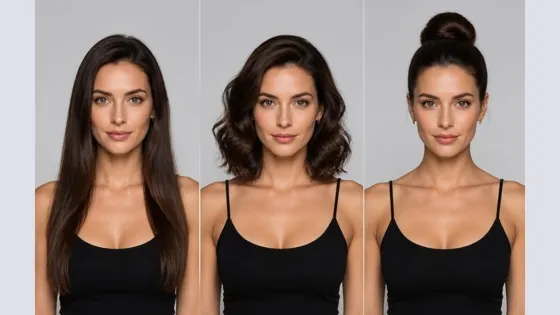
How to Try Hairstyles on Your Face Online (Step-by-Step Guide)
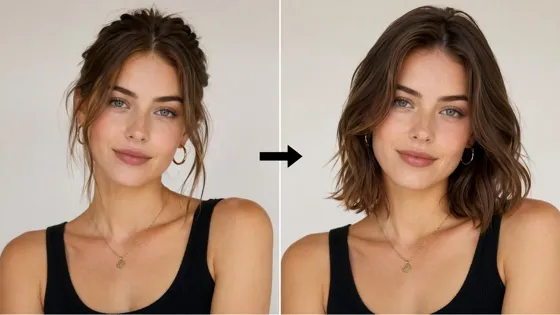
Best Virtual Hairstyle Try-On Tools Online for Realistic Previews 2026
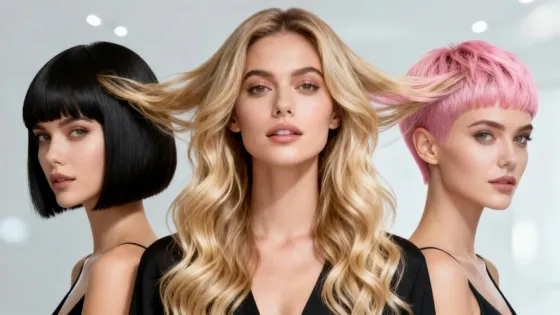
How to Use a Free AI Hairstyle Generator to Find Your Perfect Look

Virtual Hair Color Try-On Guide for Every Skin Tone (2026)
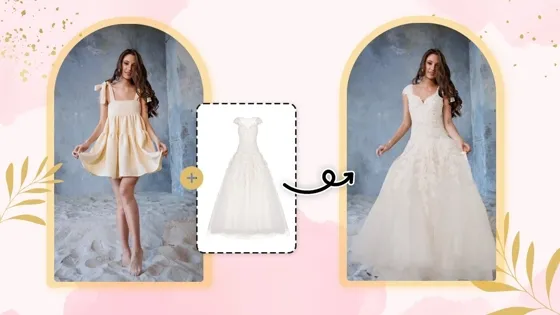
Virtual Wedding Dress Try-On Online for Brides in 2026
How to Choose the Right Sunglasses for Your Face Shape Online
How Accurate Is Virtual Glasses Try-On? AI vs AR Compared

Best Virtual Try-On Glasses Apps in 2026 (Free & Paid Tools)
How AI Virtual Try-On Is Transforming Eyewear Ecommerce
5 Best Virtual Try-On Glasses Tools for Ecommerce and Consumers 2026
How to Try On Glasses Online with AI in 2026 (Easy Guide)

How to Create Jewelry Photos with AI Models That Drive Sales in 2026
Shopify Product Photography Guide with Tips & Setup
AI-Generated Fashion Models: Technology, Brand Adoption & Trends
How to Batch Generate 100+ AI Clothing Model Photos Fast
7 Best AI Fashion Model Generators for Ecommerce in 2026
Amazon Main Image Requirements: Size, Guidelines & Tips
Shopify Image Size 2026: Complete Guide and Tips for Better Product Display
Studio Product Photography vs AI Product Photography in 2026

7 Product Photography Mistakes That Hurt Ecommerce Sales
AI Clothing Model Photos for E-Commerce: Platform Rules & Best Practices
How AI Virtual Try-On Helps Fashion Brands Boost Sales & Reduce Returns

AI Fashion Models vs Real Models: Which Is Better for Brands?
Best Free AI Fashion Model Generators for Real Product Photos
Virtual Outfit Try-On Guide: Plan Outfits Before You Buy

GPT Image 2 Review: Features, Prompts & E-commerce Use Cases
What Is an AI Clothing Model Generator? Full Guide for Sellers
Change Outfit Colors Online for Outfit Preview with AI Clothes Color Changer
Virtual Try-On Technology in 2026: How It Works & Key Trends
How to Create Amazon Infographics: Boost Sales with Compelling Visuals
10 Best Virtual Try-On Apps & Tools for Online Shopping in 2026
How to Create AI Fashion Models: Complete Step-by-Step Guide
How to Use AI Fashion Models for E-Commerce Product Photos: A Complete 2026 Guide
How to Virtually Try On Clothes Online: A Complete Guide
How to Create Outdoor Product Scenes Without a Photoshoot Using AI
GPT-Image-2 for Ecommerce Product Images: What It Means for Online Stores
Optimize Etsy Images for Mobile: Listing Photos That Convert
Amazon 7-Image Listing Strategy: Boost Sales by Optimizing Every Image

Happy Horse 1.0: The AI Video Model E-Commerce Sellers Need to Know About
Etsy Thumbnail Optimization: Keep Your Product Fully Visible

AI UGC for Ecommerce in 2026: Text-to-Video, Image-to-Video & Reference Replication Guide
The Etsy Thumbnail Formula That Drives More Clicks and Sales

HappyHorse AI Review: Features, Benchmarks & How to Use It

How to Create Pro Amazon Listing Photos Without a Studio
10 High-Converting Lifestyle Product Images for Amazon Listings

How to Automate Your E-commerce Visuals with OpenClaw Workflow

Top 5 AI Tools to Generate Amazon Product Listing Images in 2026

How to Turn One Photo into 10 Etsy Listing Images Fast: Batch Workflow
Etsy Listing Photo Size Guide (2026): Mobile, Desktop & Shop View Specs

Turn White Background Images into Lifestyle Amazon Listings

Fix Etsy Image Cropping: Optimize Listing Photos for Every Device
Amazon Listing Images: Essential Shot List & Optimization Guide
How to Create Lifestyle Product Images Without a Studio

Seedance 3.0 Predictions: Will AI Video Enter the Feature Film Era?

Grok AI vs ChatGPT: Features, Pricing & Best Choice (2026)
How to Use Grok AI: Features, Tips & Best Prompts (2026 Guide)

Sora Is Shutting Down? Best AI Video Alternatives for Creators in 2026
Lifestyle Product Photography Trends 2026: Authentic Looks at Scale
How to Master Lifestyle Product Photography in 2026
Amazon Listing Images Guide 2026: 7-Slot Strategy & Requirements
360 Product Photography Guide 2026: Setup, Shoot and Workflow
Beginner's Guide to Generate Product Photos from Different Angles
AI Product Photography: Create Ecommerce Images Without a Photoshoot

How to Create Realistic AI Product Photos: Step-by-Step Pro Guide
Keep AI Product Images Consistent Across SKUs: Lighting, Color, Background
Seedance 2.0 for Ecommerce: Create AI Product Videos in Minutes
Seedance 2.0 Review: Features, Improvements, Pricing & How It Works (2026)
How to Scale E-commerce with a Product Image Generator
How to Use AI for Spring Product Photography: 2026 Amazon Guide
How to Create a Budget Home Product Photography Setup with AI
How to Achieve Professional Product Photography Standards in 2026

How to Take Product Photos with Phone: Pro Guide for Amazon & AI
6 Best AI Product Image Generators in 2026
Amazon Photography Service vs. AI Generator: Best Choice for Sales
What Is Product Photography? Angles, Lighting & Editing Guide
Amazon Spring Sale 2026: Create High-Converting Listing Images (Guide)

AI Agents Transform Amazon Product Photography in 2026
Amazon Photoshoot in 2026: Do You Still Need a Studio?
11 Must-Have Tools for Amazon Product Photography in 2026
2026 Amazon Image Trends Shaping Seller Success and Conversions
Amazon Product Photography Requirements & Best Practices 2026
Ready to Turn Research Into Better Listings?
You have mapped the competition. The next step is original listing imagery that meets marketplace standards and stands out in search results, without copying what you found.


