
Instagram Image Size Guide for Posts, Stories, Reels & Carousels
Get the correct Instagram image sizes for posts, Stories, Reels, carousels, profile photos, and ads. Learn how to resize visuals for sharp, professional results on every device.

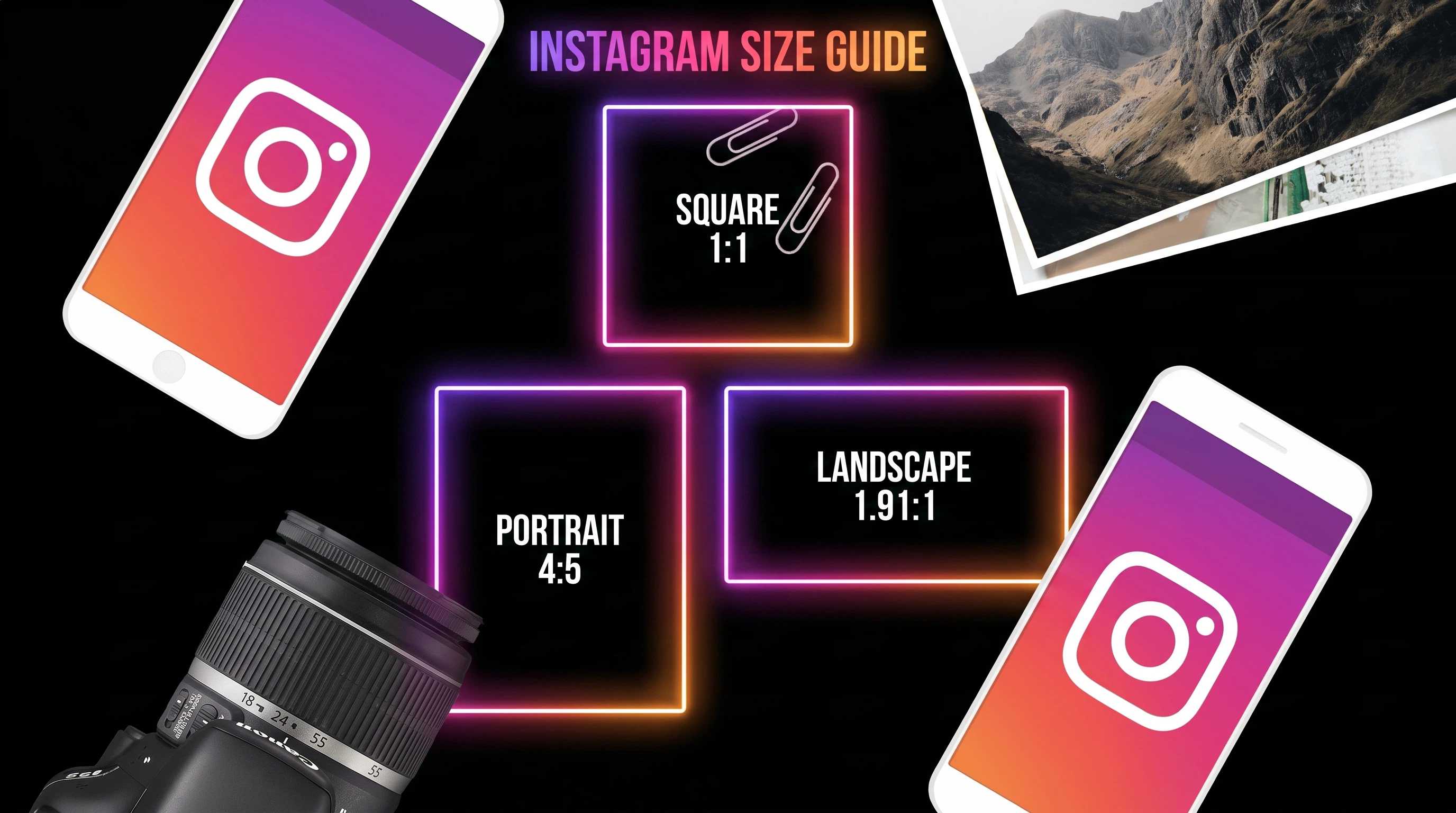
TL;DR:
This Instagram image size guide covers recommended dimensions for posts, carousels, Reels, Stories, and profile photos in 2026. The main tradeoff is 4:5 portrait for maximum feed visibility versus 1:1 square for grid consistency and cross-platform reuse. Best for e-commerce brands and creators who need sharp, correctly cropped visuals across placements.
- No Instagram or Designkit pricing, credits, or usage limits are listed. Designkit is presented as an AI resize workflow with JPG/PNG export.
- Key specs: feed 1080×1350 (4:5) or 1080×1080 (1:1); Reels/Stories 1080×1920 (9:16) with a center 1080×1080 safe zone; profile 320×320 (shown as ~110×110 circle); carousel slides must match the first slide’s ratio. 4:5 uses about 33% more screen space than 1:1.
- Prefer 4:5 for product visibility; keep carousel ratios consistent; use AI for multi-format resizing and background expansion, with manual edits for premium campaigns.
Instagram has become one of the most important platforms for e-commerce brands, but visual performance heavily depends on getting image sizes right. A single incorrect crop or mismatched ratio can reduce product visibility, weaken brand consistency, and directly impact engagement and conversions. As Instagram continues to prioritize mobile-first, full-screen content, understanding the correct image dimensions for posts, carousels, Reels, and profiles is essential.
This guide breaks down every key Instagram image size for 2026, along with practical formatting rules and optimization tips. Whether you're building a brand grid or scaling product listings, these standards will help ensure your visuals always look sharp, professional, and conversion-ready.
Understanding Instagram Image Size Essentials
Getting the right Instagram image size is essential for creating professional-looking content that performs well across the platform. Whether you're publishing a single post, designing a carousel, or building a cohesive profile grid, using the correct dimensions helps your visuals appear sharp, properly cropped, and optimized for every device. Understanding the ideal Instagram post size can improve visibility, engagement, and overall user experience. It's also important to consider the Instagram carousel image size, as consistent dimensions across slides create a smoother viewing experience and keep your content visually appealing from the first image to the last.
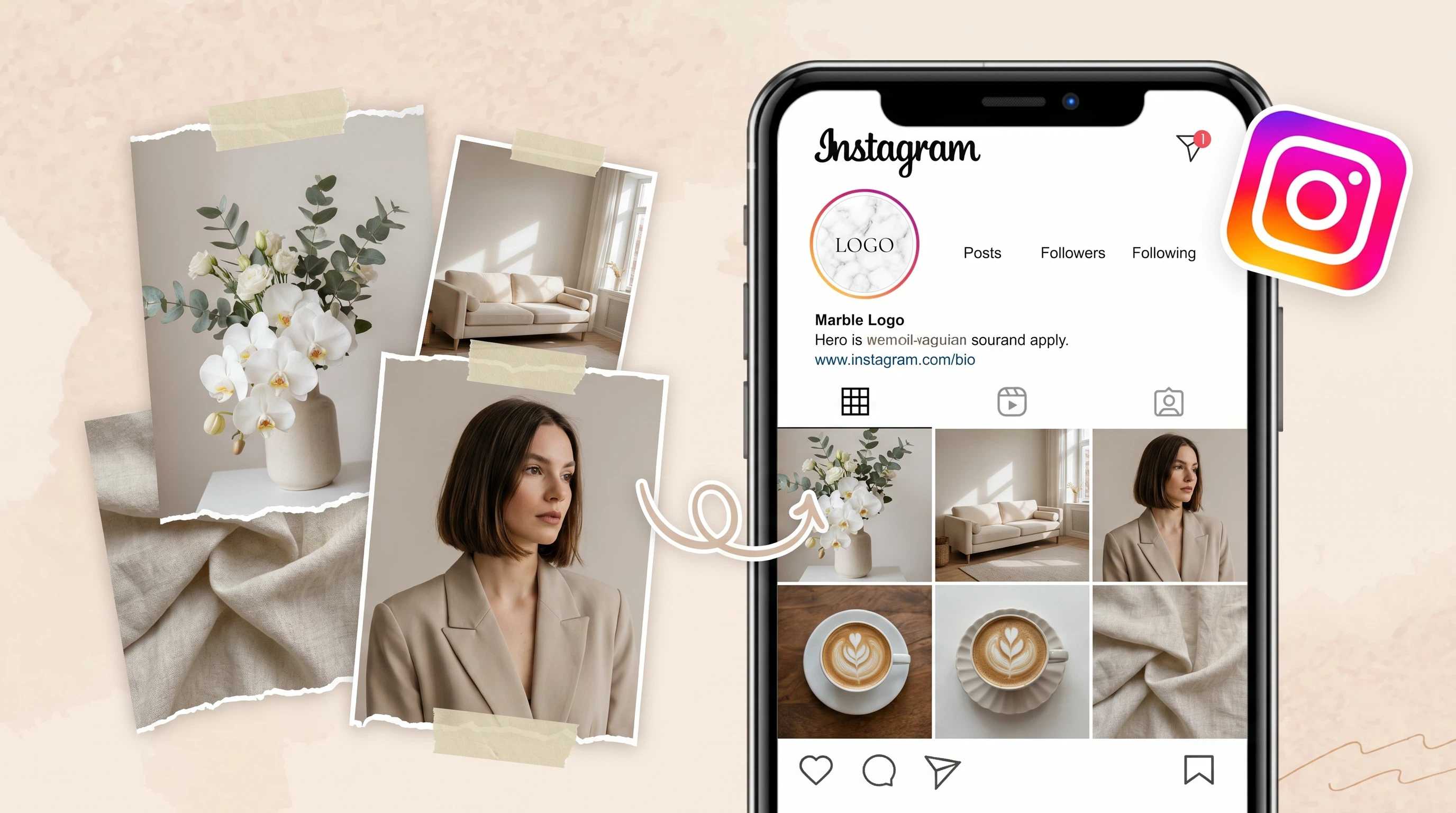
Why Does the Right Instagram Image Size Matter for Sales?
Image dimensions have a direct impact on e-commerce performance. Using the correct size helps product images occupy more space in social media feeds, making them more visible and increasing the likelihood that shoppers stop scrolling to take a closer look.
Proper dimensions also ensure that important product features, promotional text, and key selling points are not cropped or hidden. When visuals are displayed as intended, customers can quickly understand the product's value and make more informed purchasing decisions.
Consistent image sizes across your store and social profiles create a clean, professional grid that strengthens brand trust. In particular, the 4:5 portrait format occupies roughly 33% more screen space than a 1:1 square image, giving products greater visibility and often leading to higher engagement and longer viewing times in e-commerce feeds.
Before Posting: Instagram Image Requirements You Must Follow
Before uploading any content, it's important to understand Instagram's image requirements for each placement. Using the correct dimensions helps your posts display properly, prevents unwanted cropping, and ensures your visuals look professional across feeds, profiles, carousels, Reels, and Stories.
The ideal Instagram feed post size is 1080 × 1350 pixels (4:5 portrait), while profile photos display at 320 × 320 pixels and Reels use 1080 × 1920 pixels (9:16). The table below outlines the recommended Instagram image sizes and aspect ratios for every major format.
|
Placement Type |
Recommended Resolution |
Aspect Ratio |
Safe Zone & Display Notes |
|---|---|---|---|
|
Profile Photo |
320 x 320 px |
1:1 (Square) |
Displays as a 110 x 110 px circle. Keep logos dead-center with wide margins. |
|
Main Feed (Portrait) |
1080 x 1350 px |
4:5 (Vertical) |
The ideal e-commerce size. Max screens real estate without cropping. |
|
Main Feed (Square) |
1080 x 1080 px |
1:1 (Square) |
Standard grid size. Safe for cross-platform posting. |
|
Carousel Post |
1080 x 1350 px |
4:5 (Vertical) |
Every slide MUST match the exact aspect ratio of the first slide. |
|
Reels & Stories |
1080 x 1920 px |
9:16 (Full Vertical) |
Keep critical hooks/products in the center 1080 x 1080 px safe zone. |
Types of Instagram Images and Sizing Guidelines
Different types of Instagram placements serve different purposes in the customer journey. Resizing each image correctly helps improve product understanding, increase conversions, and maintain brand aesthetics.
Instagram Post Image Size (Portrait vs. Square)
When comparing portrait and square posts, the main difference is visibility. A 4:5 portrait format (1080 × 1350 px) takes up significantly more screen space in the feed, making it ideal for showcasing individual products, highlighting details, and attracting attention while users scroll. This makes it the preferred option for most e-commerce brands.
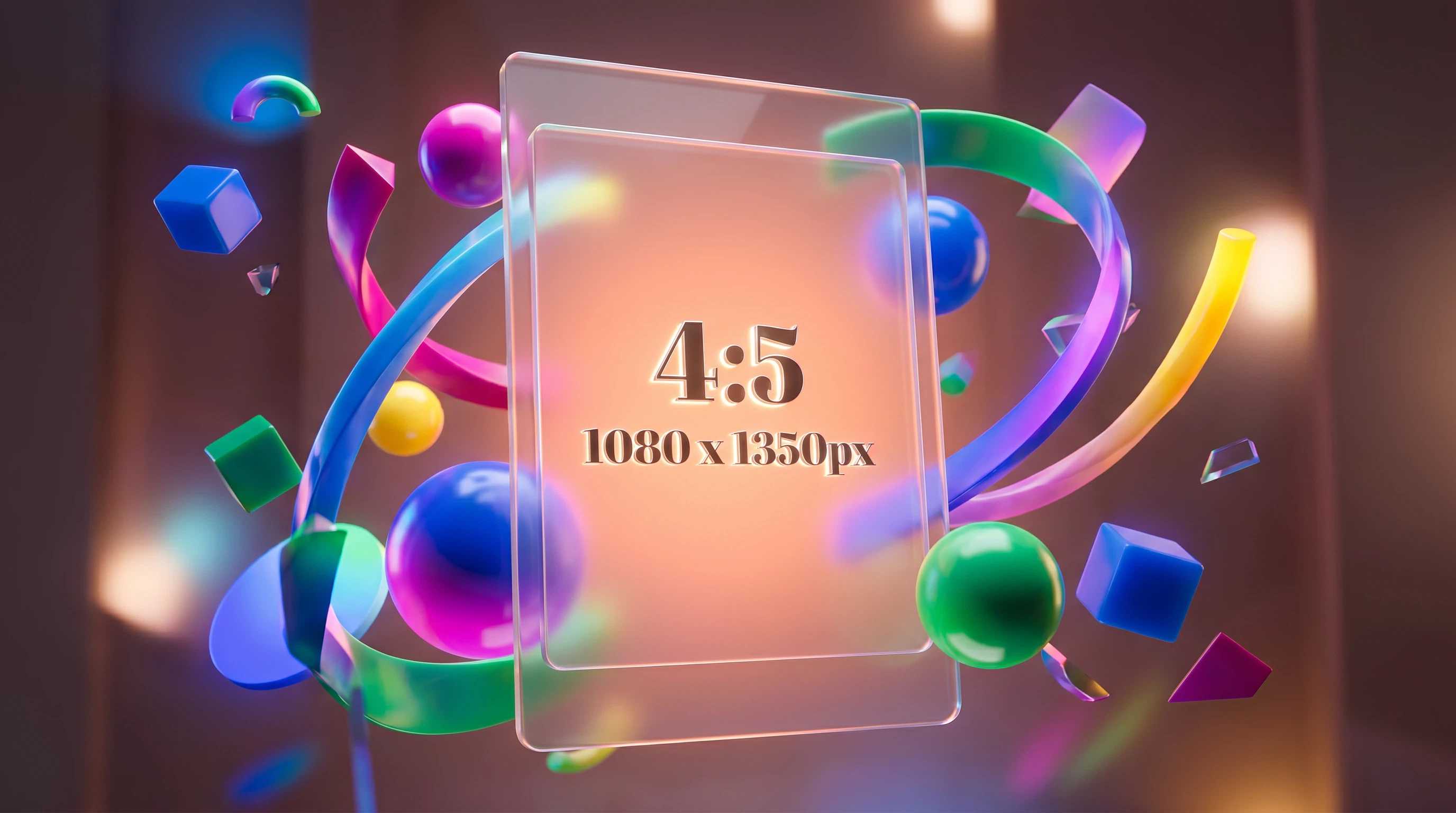
A 1:1 square format (1080 × 1080 px) remains useful when content needs to be reused across multiple platforms or when maintaining a perfectly uniform profile grid is a priority. For online stores focused on engagement and product visibility, the recommended Instagram post size is typically a 4:5 portrait.
Instagram Reels Image Size & Cover Dimensions
Reels are uploaded in a 9:16 vertical format (1080 × 1920 px), but creators often overlook how the cover image appears elsewhere. While the Reel may display vertically in the feed, the profile grid automatically crops the cover into a square thumbnail. Because of this, the Instagram cover image size should always be planned with both views in mind.
Keep product images, headlines, and branding elements centered. Avoid placing important text near the top or bottom edges, as those areas may be cropped in certain placements. Creating a dedicated cover rather than using a random video frame usually produces a cleaner and more professional profile appearance.
|
Asset Uploaded |
How it Looks in Feed |
How it Looks on Profile Grid |
Design Rule to Follow |
|---|---|---|---|
|
9:16 Reel Cover |
Displays full 9:16 or cropped to 4:5 |
Forced crop to 1:1 Square |
Never put text near the top or bottom edges. |
|
4:5 Portrait Post |
Displays full 4:5 (Max visibility) |
Forced crop to 1:1 Square |
Ensure the product is centered so it doesn't lose its edges on the grid. |
|
1.91:1 Landscape |
Displays full landscape (with borders) |
Forced crop to 1:1 Square |
Avoid using it for single products; it shrinks on the mobile and zooms awkwardly on the grid. |
Instagram Carousel Image Size
Carousel posts work best when every slide uses the same dimensions. Mixing portrait and square images can cause unexpected cropping and create an inconsistent viewing experience. For product showcases, choose either a 4:5 portrait or 1:1 square and keep that format across every slide.
A simple e-commerce template is to use the first slide as the main product image, followed by feature highlights, including lifestyle photos, and finish with a call-to-action slide. Consistent sizing makes the carousel easier to browse and keeps the presentation professional.
Instagram Profile Photo Size
Your profile image is one of the first branding elements visitors see. The recommended Instagram profile photo size is 320 × 320 pixels, but Instagram displays it as a circular image approximately 110 × 110 pixels wide.
To avoid unwanted cropping, place logos and brand marks in the center of the canvas and leave generous padding around the edges. This ensures the design remains clear and recognizable regardless of device or screen size.
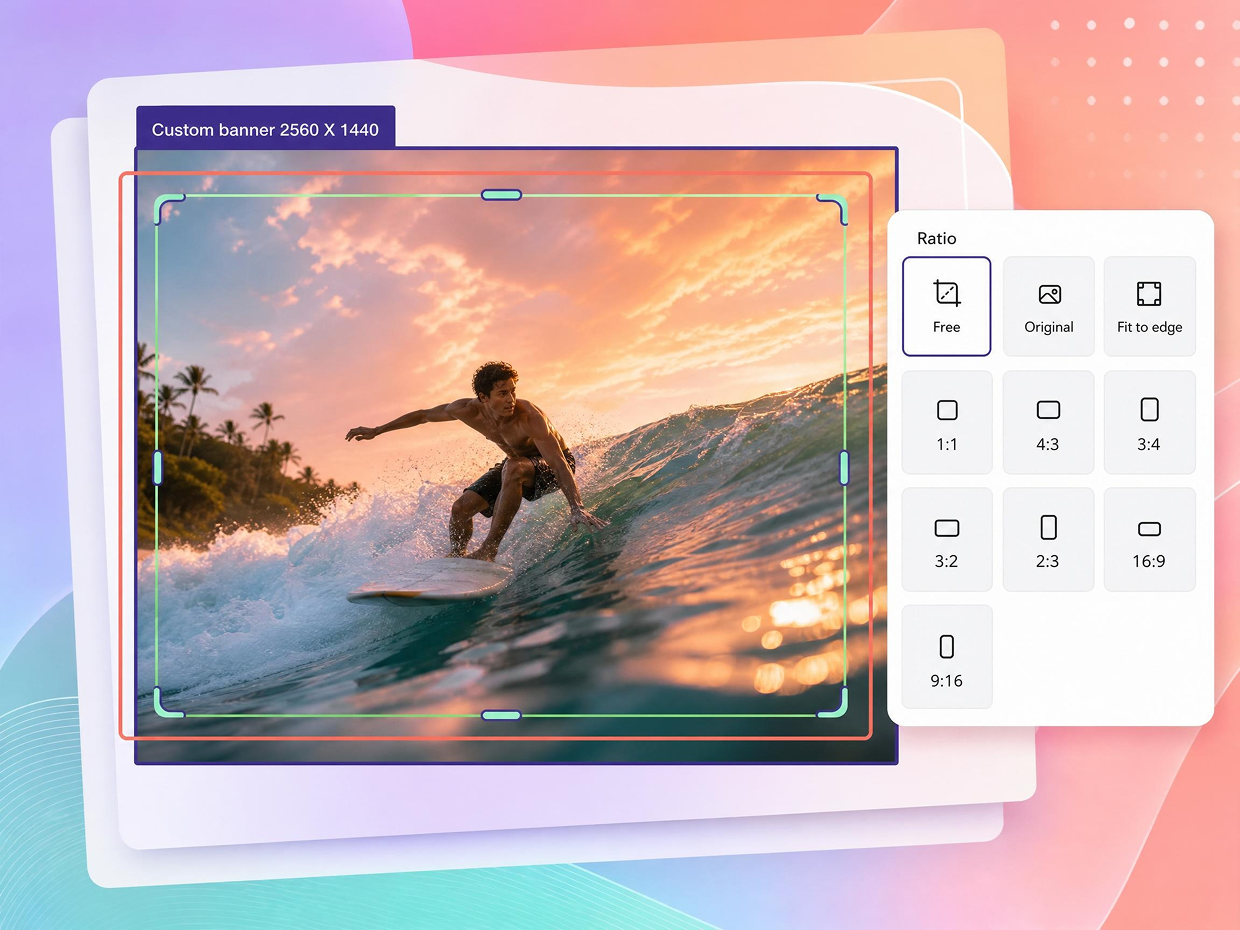
If you need to adjust dimensions before uploading, many creators use an Instagram size online tool to quickly resize images while maintaining quality and the correct aspect ratio.
How to Adapt Product Photos for Instagram
Adapting product photos to Instagram's aspect ratios is essential for maintaining image quality and ensuring key product details remain visible across every placement. While resolution and color consistency matter, the most important step is cropping images correctly and keeping products within the safe zone. This prevents important elements from being cut off when Instagram automatically crops content for feeds, grids, and video thumbnails.
Cropping & Safe Zone Framing
The safest approach is to position the main product in the center of the frame before resizing. Instagram displays content differently across feeds and profile grids, so images that look perfect in one placement may lose important details in another.
For best results:
-
4:5 Portrait (1080 × 1350 px): Keep products centered with sufficient spacing above and below key elements.
-
1:1 Square (1080 × 1080 px): Ensure the product remains fully visible without touching the edges of the frame.
-
9:16 Vertical (1080 × 1920 px): Reserve the center area for products, text, and branding since top and bottom sections may be cropped in previews.
Before publishing, preview how the image will appear both in the feed and on the profile grid. If product edges, logos, or promotional text are close to the boundaries, adjust the crop to create additional breathing room.
Background Expansion (Outpainting), Resolution & Color
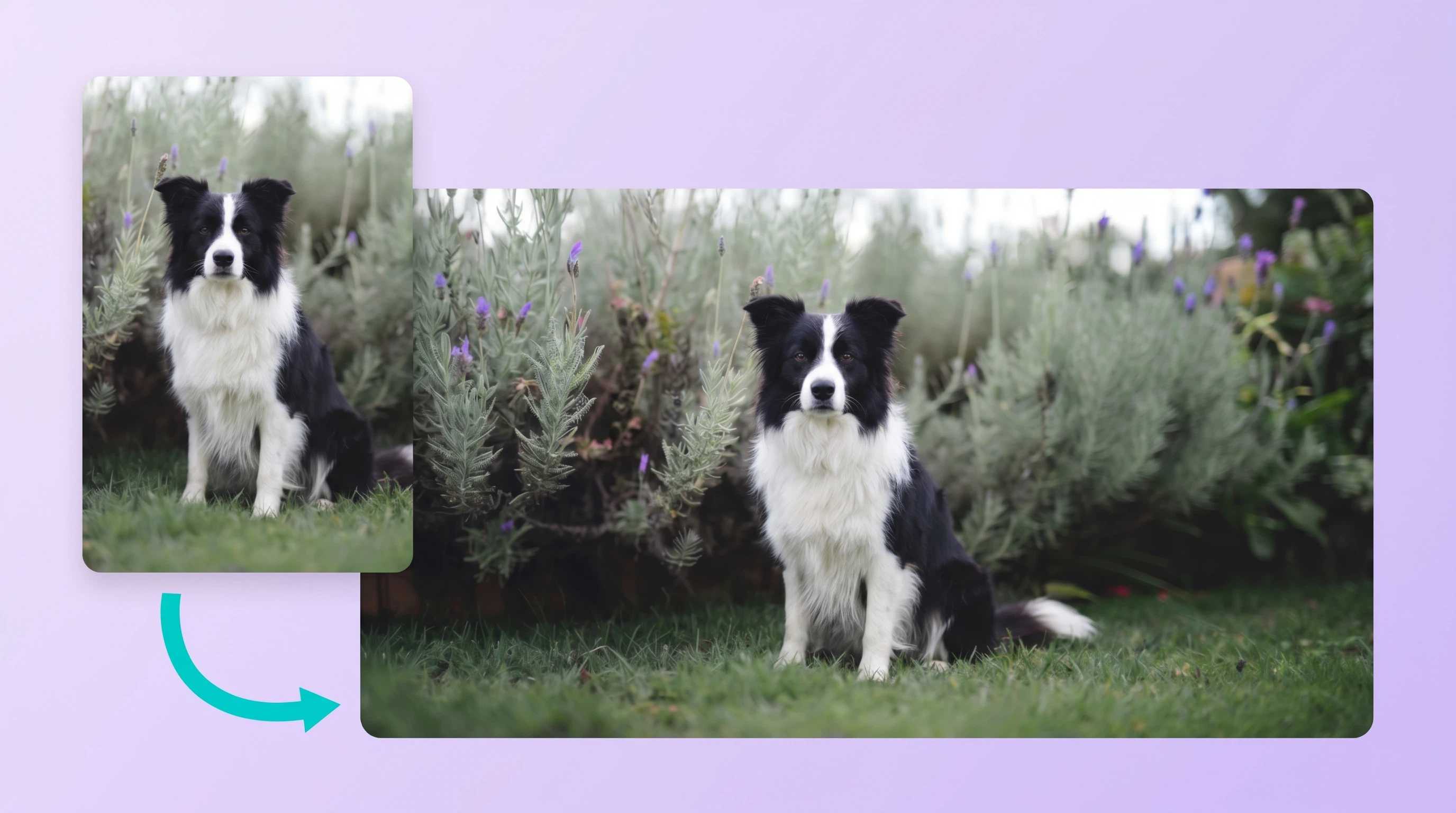
Many product photos are not originally captured in Instagram-friendly ratios. Instead of aggressively cropping the image and potentially removing valuable details, expand the background to fit the required canvas size. This technique preserves the entire product while creating a composition that matches Instagram's preferred formats.
Additional optimization techniques include:
-
Background expansion (outpainting): Extend the surrounding background to fit 4:5, 1:1, or 9:16 layouts without cutting off the product.
-
Resolution enhancement: Improve low-resolution images before resizing to prevent softness and pixelation.
-
Color consistency: Use similar brightness, contrast, and color grading across multiple images to create a cohesive profile grid.
-
Visual alignment: Keep product positioning consistent from post to post, so your feed feels organized and professional.
When combined, these adjustments help create product images that look polished, maintain brand consistency, and perform better across Instagram's various display formats.
Resize Instagram Images Free Online
Manual Resizing vs AI-Powered Editing for E-commerce Sellers
For e-commerce sellers producing multiple formats per product, the editing method directly affects both efficiency and visual consistency. Traditional editing tools provide detailed control, but creating separate 4:5, 1:1, and 9:16 versions often requires repeated manual cropping and repositioning. As content volume grows, this process becomes time-consuming and increases the risk of inconsistent framing across platforms.
AI-powered editing streamlines the workflow by automatically adapting a product image to different aspect ratios while keeping the subject centered and preserving image quality. Instead of rebuilding each format individually, sellers can generate multiple Instagram-ready versions in seconds, making AI a practical solution for stores managing large product catalogs or frequent marketing campaigns.
|
Factor |
Manual Resizing |
AI-Powered Editing |
|---|---|---|
|
Speed |
Requires separate edits for each format |
Generates multiple formats automatically |
|
Background Adaptation |
Often requires manual canvas expansion |
Can automatically expand backgrounds |
|
Consistency Across Posts |
Depends on editing accuracy |
More uniform across all formats |
|
Scalability |
Slower for large catalogs |
Designed for high-volume content production |
|
Learning Curve |
Requires editing experience |
Beginner-friendly workflow |
When Manual Editing Makes Sense
Manual editing may still be the better option when:
-
Creating premium campaign visuals with highly customized layouts.
-
Fine-tuning product positioning for advertisements.
-
Designing graphics that require detailed typography or branding elements.
-
Working with a small number of images.
When AI Editing Is the Better Choice
AI-powered workflows are particularly useful when:
-
Creating multiple Instagram formats from a single product photo.
-
Preparing large batches of product images.
-
Maintaining consistent framing across feeds, carousels, Reels, and ads.
-
Expanding backgrounds without cropping important product details.
-
Reducing editing time while preserving image quality.
For most e-commerce sellers, the ideal workflow combines both approaches: use AI to handle resizing, background expansion, and format adaptation at scale, then apply manual refinements only when a campaign requires additional creative control.
Resize Instagram Images Faster with Designkit
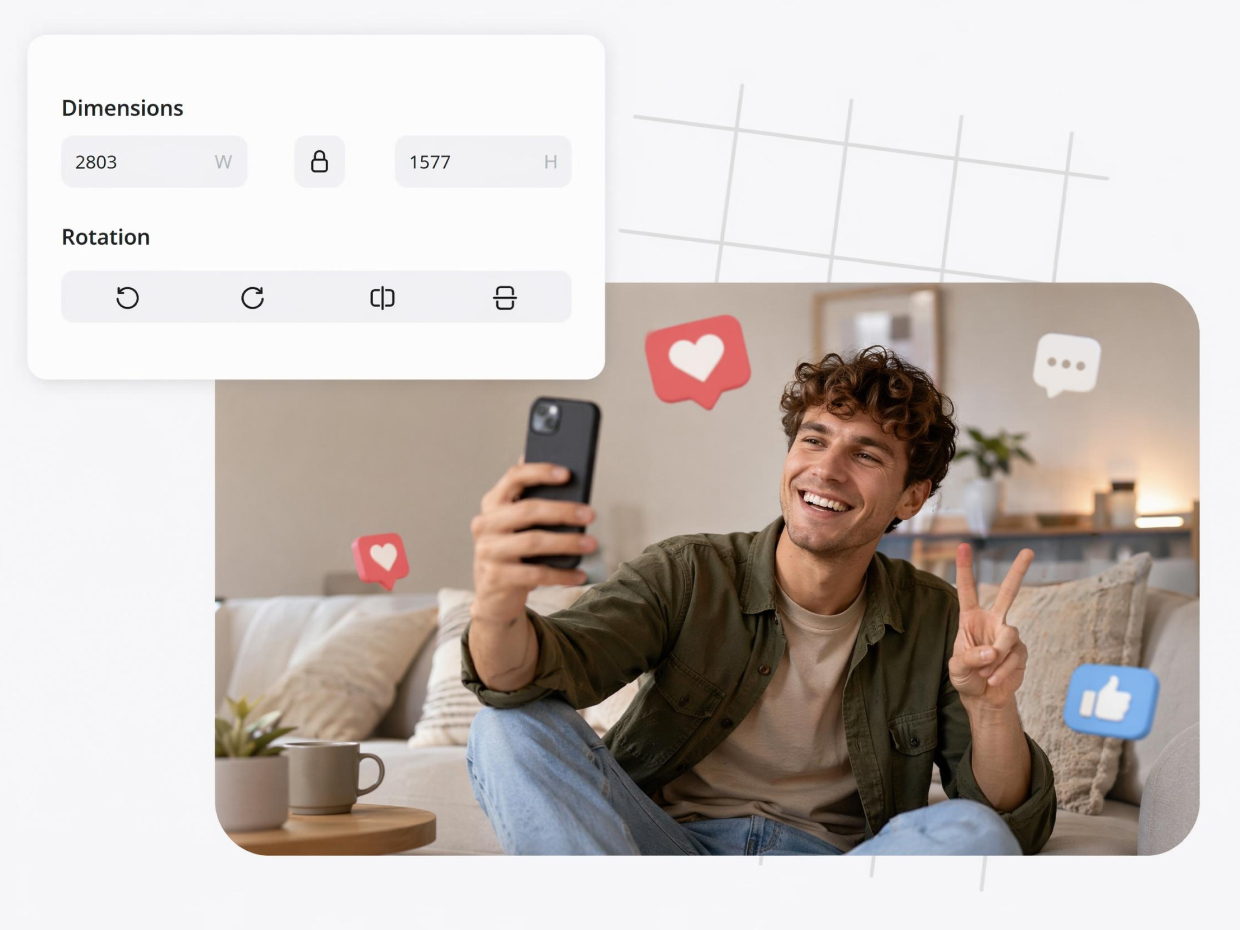
Instagram content often requires multiple image formats, from feed posts and carousel images to Stories and Reels. Creating every version manually can slow down content production and create inconsistent visuals. Designkit helps simplify this process with AI-powered editing tools built for social media workflows. Instead of repeatedly resizing and cropping images, users can quickly format content for different Instagram layouts while maintaining image quality, correct framing, and a professional appearance across every post type.
How to Resize Instagram Images with Designkit in 3 Steps
Whether you're posting to Instagram Feed, Stories, Reels, or carousel posts, the right image size helps your content look professional and prevents awkward cropping. With Designkit, you can resize images for any Instagram format in just a few clicks while keeping important details perfectly positioned.
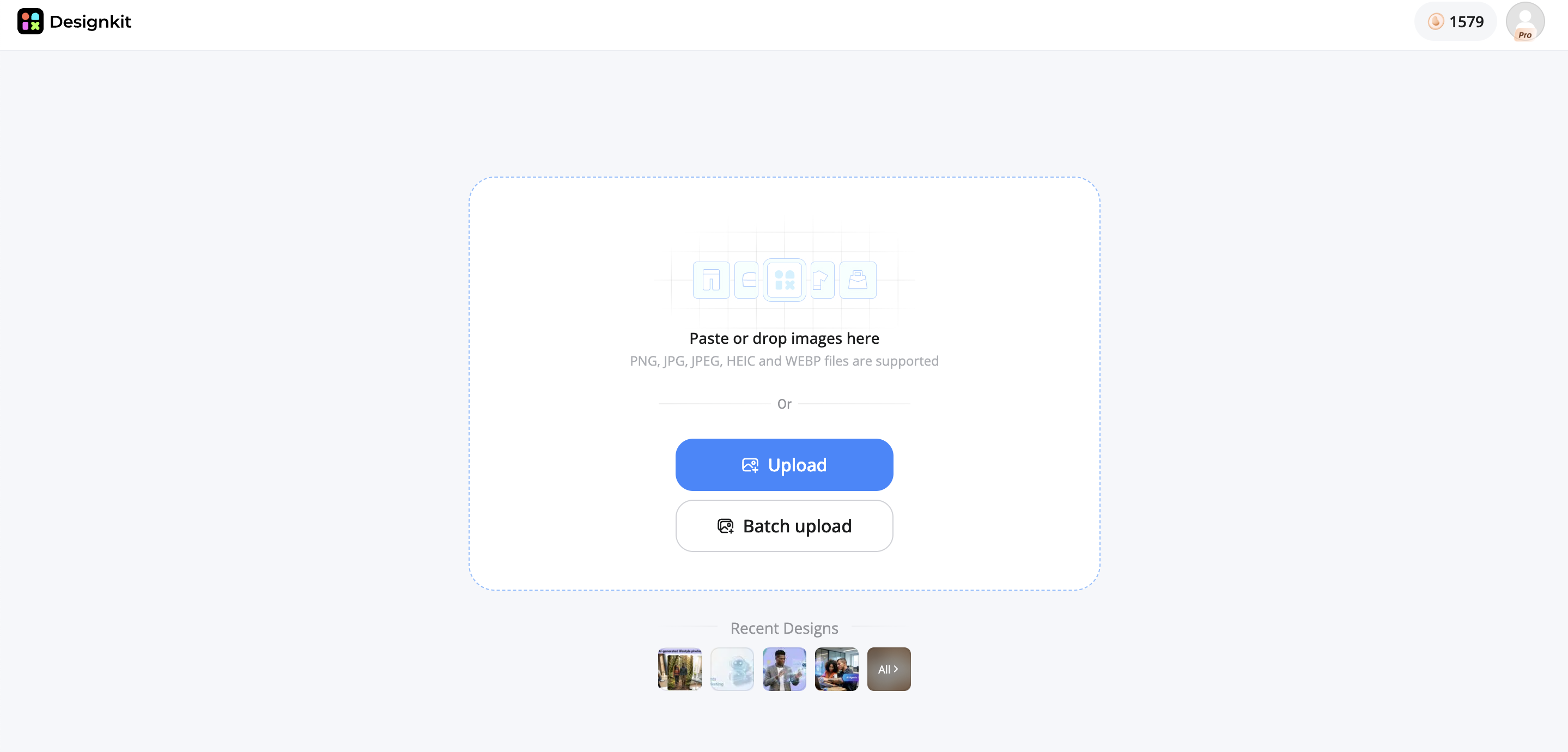
Step 1: Upload Your Instagram Image
Open Designkit and upload your product image, creator photo, marketing visual, or content asset into the editor workspace. The workspace supports image optimization tools for resizing content across different Instagram formats.
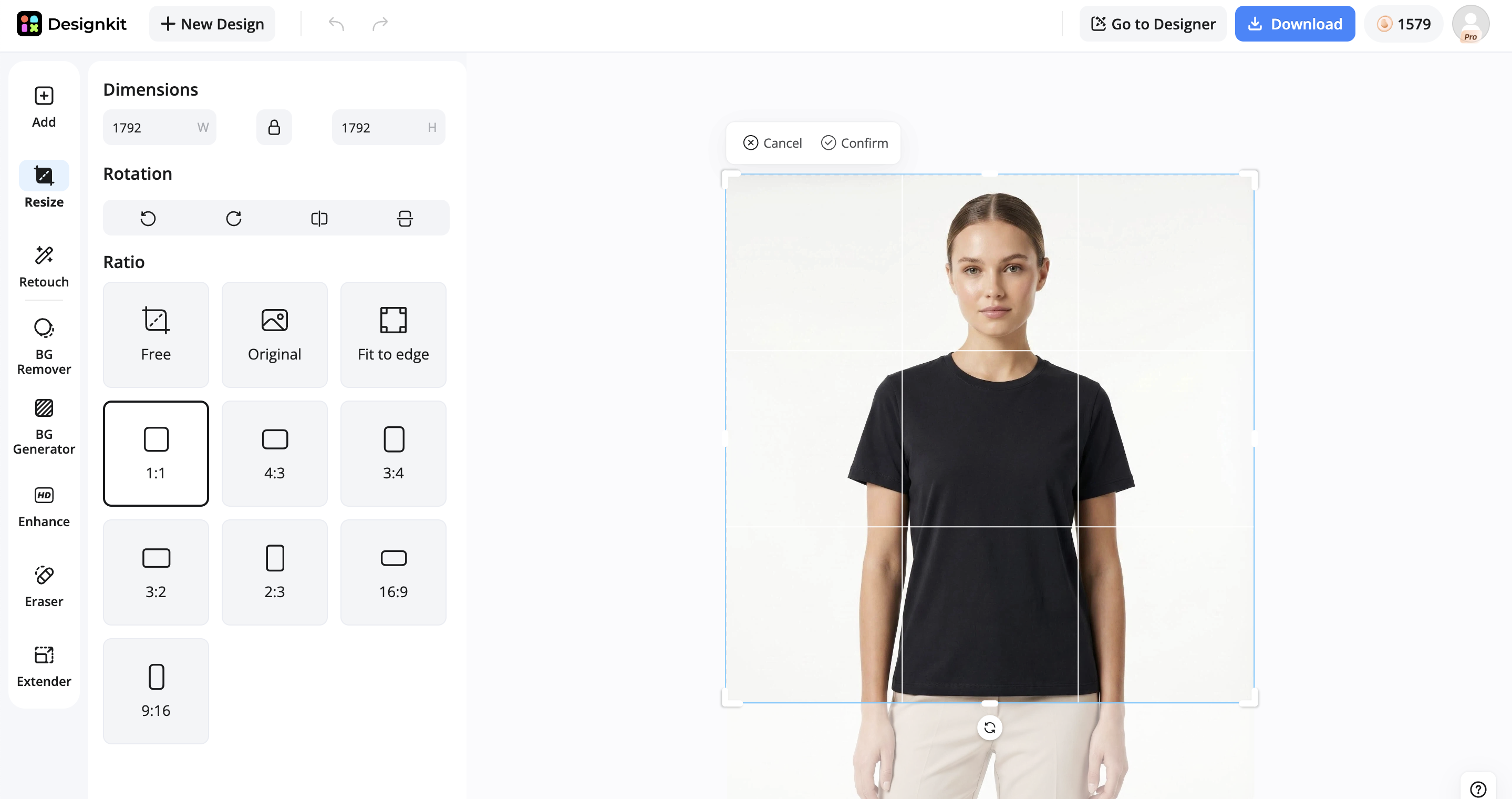
Step 2: Apply an Instagram Size Preset
Apply the required Instagram format, such as 4:5 Feed (1080×1350), 1:1 Square Post (1080×1080), 9:16 Reels & Stories (1080×1920), or 1.91:1 Landscape Post (1080×566). Designkit automatically adjusts image framing, preserves the main subject, and maintains visual quality without distortion.
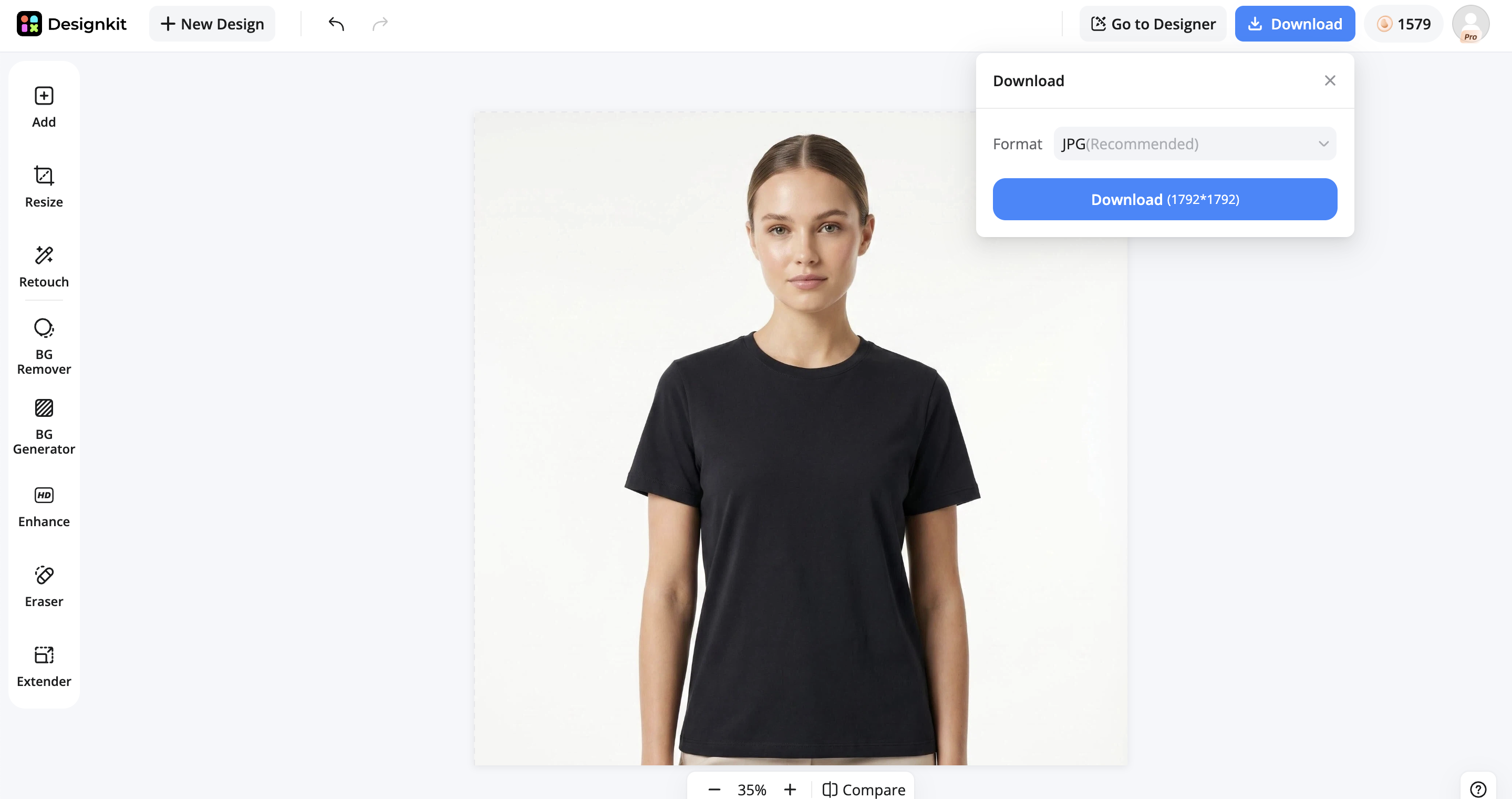
Step 3: Download Your Instagram-Ready Image
Preview the resized image to ensure the composition looks balanced for Instagram display. Export a high-quality JPG or PNG file optimized for publishing across feeds, stories, reels, and promotional content.
Resize Instagram Images Free Online
Why Choose Designkit for Your Instagram Content Creation
Designkit helps you adapt your visuals into all Instagram-ready sizes while keeping composition, clarity, and visual balance intact.
AI-Powered Instagram Format Presets
Designkit automatically applies optimized dimensions for Instagram posts, carousels, Reels, Stories, and profile images. Instead of manually calculating aspect ratios, you can generate platform-ready visuals with one click while maintaining consistent layouts across all content formats.
Smart Background Expansion
When your original image doesn't fit Instagram's required dimensions, Designkit intelligently extends the background to match the new canvas size. This preserves the full product image, prevents aggressive cropping, and helps maintain a natural, professional appearance.
Image Quality Enhancement
Low-resolution product photos can lose clarity when resized. Designkit enhances image sharpness, detail, and overall quality, helping products look crisp and professional across mobile devices, feeds, ads, and profile grids without requiring advanced editing skills.
Quick Resizing for Reels, Stories, and Feed Posts
Instead of manually adjusting dimensions for every upload, resize images for Instagram in seconds. Whether you're converting a landscape photo into a Story or preparing a square image for the Feed, Designkit helps you quickly match Instagram's size requirements without starting over.
Best Practices & Common Mistakes to Avoid
Creating high-performing Instagram content is not just about using the right dimensions. It's also about avoiding simple formatting mistakes that can reduce visibility and weaken your brand presentation. Small errors in cropping, resolution, or layout consistency can directly impact how users perceive your products and how likely they are to engage. The table below highlights the most common mistakes, why they hurt performance, and how to fix them effectively.
|
Common Mistake |
Why It Hurts |
The Fix |
|---|---|---|
|
Using landscape shots for single products |
Shrinks on mobile, zooms awkwardly on grid |
Use a 4:5 portrait for max visibility |
|
Text or product cut off in Reels |
Top/bottom edges get cropped |
Keep key elements in the center 1080×1080 safe zone |
|
Mismatched carousel slides |
Later slides force-crop to the first slide's ratio |
Set all slides to the same ratio before uploading |
|
Pixelated profile picture |
Uploading below 320×320 triggers compression |
Upload at 320×320 minimum, centered logo |
Conclusion
Getting Instagram image sizes right is no longer just a design detail. It's a key factor in driving visibility, engagement, and conversions for e-commerce brands. From posts and carousels to Reels and profile images, every format requires precise dimensions to ensure your content looks sharp and professional across all devices. Consistency in sizing also helps build a strong, trustworthy brand presence. To make this process easier and faster, tools like Designkit simplify everything by automatically resizing, reframing, and optimizing images for every Instagram format. With Designkit, you can focus on creating content while ensuring every visual is perfectly ready to perform.
Frequently Asked Questions
What is the best Instagram image size for posts in 2026?
What size is an Instagram carousel?
Instagram carousels should use either 1080 × 1350 px (4:5) or 1080 × 1080 px (1:1). The key rule is that all slides must follow the same aspect ratio as the first image to avoid unwanted cropping. Designkit helps maintain consistent carousel layouts by syncing all slides to one format instantly, so your content stays aligned and professional.
What is the ideal Instagram Reels size?
The ideal Instagram Reels size is 1080 × 1920 px (9:16). However, important elements like text, logos, and products should stay within the center 1080 × 1080 safe zone to avoid cropping in previews and grid views. With Designkit, you can automatically resize and reframe Reels content while keeping key elements perfectly centered.
What is the Instagram profile photo size?
The recommended Instagram profile photo size is 320 × 320 px, displayed as a circular image around 110 × 110 px. Keeping your logo centered with proper spacing ensures it remains clear and recognizable. Designkit helps you quickly resize and center profile images, so your branding always looks sharp and consistent.
Why do my Instagram photos look blurry or cropped?
Blurriness usually happens when images are uploaded below the recommended resolution, causing Instagram compression. Cropping issues occur when the aspect ratio does not match platform requirements. Designkit prevents this by automatically optimizing resolution and adapting images to the correct Instagram format before uploading.
Can I resize Instagram images online?
Yes, you can resize Instagram images online using AI tools. These tools allow you to quickly adapt a single image into multiple formats without manual editing or cropping. Designkit provides instant AI-powered resizing for all Instagram formats, making content creation faster and more efficient.
What's the difference between 4:5 and 1:1 for e-commerce?
4:5 portrait takes up around 33% more screen space, making it better for product visibility and engagement. 1:1 square is more compact and useful for maintaining grid consistency and cross-platform reuse. Designkit helps you switch between 4:5 and 1:1 instantly, so you can optimize for both visibility and consistency without redesigning your images.
You May Also Like
Remove.bg Shutting Down Dec 1, 2026: What Users Are Saying

7 Best Remove.bg Alternatives in 2026: Free & Paid Tools

Instagram Carousel: What It Is, How to Post & Create One

Nano Banana Prompts: 20+ Examples for Better AI Images

Ideogram AI Review 2026: Features, Pricing & Alternatives

Free Mac Photo Editor: 5 Tools Compared for Mac Users

How to Crop a Photo Into a Circle Online (Keep Quality)

How to Make an Image Transparent Online (AI Guide)

Pixlr Background Remover Review 2026: Features, Pricing & Alternatives

How to Fix Overexposed Photos: Recover Highlights Fast

OpenArt AI Review 2026: Features, Pricing & Alternatives

Best AI Headshot Generator: 9 Tools Compared for 2026

Best Stencil Maker Tools 2026: Turn Photos Into Stencils

Pixelbin Watermark Remover Review: Image & Video Results Tested

How to Make a Sticker on iPhone: Easy Step by Step Guide

Best AI Logo Generator in 2026: 10 Tools Compared

How to Turn a Photo Into a Cartoon: A Beginner-Friendly Guide

Landscape vs Portrait: Key Differences & Best Uses in 2026

How to Remove Watermark From Photo: AI, Photoshop & More

How to Fix Pixelated Photos: Photoshop, AI Tools & Tips

Bing Image Creator: How It Works, Features, Uses & Alternatives

How to Remove People from Photos with AI: A Step-by-Step Guide

How to Increase Image Resolution: AI, Photoshop & PPI

How to Add Text to a Photo: 8 Tips for Better Results

How to Fix Grainy Photos: Easy Ways to Clear Images

Creative Profile Picture Ideas for Every Style and Platform

Evoto AI Review 2026: Features, Pricing, Pros & Cons

Pixlr Photo Editor Review: Features, Pricing & Alternatives

Best AI Image Extender Tools in 2026: Expand Photos with AI

How to Make a Collage on iPhone: Easy Guide for 2026

How to Sharpen an Image in Photoshop (Smart Sharpen and Unsharp Mask)

Best Image Background Remover Tools in 2026: AI Tools Compared

How to Make Transparent Background in Paint: Step-by-Step Guide

How to Resize an Image: Best Methods, Tools & Quality Tips

Best AI Image Generator Tools in 2026: Top AI Platforms Compared

Remove.bg Review 2026: Features, Pricing & Is It Worth It?

Luminar Neo Photo Editor Review 2026: AI Features, Price & Pros

How to Post Multiple Photos on Instagram (2026 Guide)

25 Facebook Cover Photo Ideas for Personal & Business Pages

What Is a PFP? Meaning, Examples & How to Create One

Can You Edit an Instagram Post After Posting?

11 Best Canva Alternatives in 2026 for AI Design & Marketing

8 Best Midjourney Alternatives in 2026: Features, Pricing & Comparison

How to Restore Old Photos: AI Tools, Tips & Best Methods

Pixelcut AI Review 2026: Features, Pricing, Pros, Cons & Alternatives

How to Apply Watermark to Photos: Methods, Tips & AI Tools

How to Remove a Background in Illustrator: 4 Easy Methods

How to Change Background Color on Instagram Story (Easy Guide)

8 Best AI Poster Generators in 2026: Create Posters Faster with AI

10 Best AI Image Enhancers in 2026: Tested & Compared

10 Best AI Image Editors in 2026: Features, Pricing & Comparison

7 Best AI Background Changer in 2026: Remove & Replace Photo Backgrounds

Luminar Neo vs Lightroom: Features, Pricing & Comparison 2026

Kittl Review 2026: Is It Worth It? Features & Pricing

How to Make a Blurry Image Clear: 5 AI & Manual Ways

How to Remove Background on iPhone: 5 Easy Methods (2026)

Photoroom Background Remover Review 2026: Features & Alternatives

How to Remove Background in Canva: A Step-by-Step Guide

How to Remove Background in GIMP: Beginner-Friendly Guide

Funny Dog Memes to Try: Doge Meaning and 10 Original Ideas

Back to School Checklist 2026: Supplies, Timeline, and Planning

Recraft AI Review 2026: Features, Pricing, Pros, Cons & Alternatives

How to Make an Image Transparent in Google Slides: Opacity & Background Removal

VanceAI Photo Enhancer Review: Features, Pricing & Alternatives in 2026

What Does Emojify Mean? Text, Photos, & Emoji Art Explained

Top 8 Online Background Removers for Ecommerce Photos (2026)

How to Remove Background in Photoshop: 7 Easy Methods

6 Best AI Image Upscalers 2026: Tools Tested & Compared

Project Indigo Review: Is It Better Than iPhone Camera?

How Big Is an 8x10 Photo? Size, Pixels & Frame Guide

How Big Is a 4x6 Photo? Dimensions, Pixels & Printing Tips

Picsart AI Review: Features, Pricing, Pros, Cons & Alternatives

Lovart AI Review: AI Design Agent Features, Pricing & Alternatives

Fotor AI Image Generator Review: Features, Pricing & Alternatives

How to Add Emoji to Photo Online for Free

Emoji Wallpaper Ideas & How to Make One Online (2026)

Minimalist Poster Design: How to Make a Clean Poster (2026)

How to Make a Custom Poster That Is Ready to Print

Instagram Image Size Guide 2026: Post, Reel, Story & Carousel Specs

LinkedIn Image Size Guide: Profile, Post & Banner Dimensions

YouTube Profile Image Size: Best Dimensions & Safe Area 2026

How to Edit Amazon Product Photos That Boost Sales Fast
Resize Images for Instagram Without Quality Loss
Prepare product photos for Instagram in seconds. Resize images, adjust aspect ratios, extend backgrounds, and create platform-ready visuals for posts, Stories, Reels, and ads with AI.


