
Halloween Poster Ideas You Can Use This Season
You usually need a Halloween poster before you know what it should look like. These ideas help you pick a direction that fits the night or promo, then leave room for the details people need.

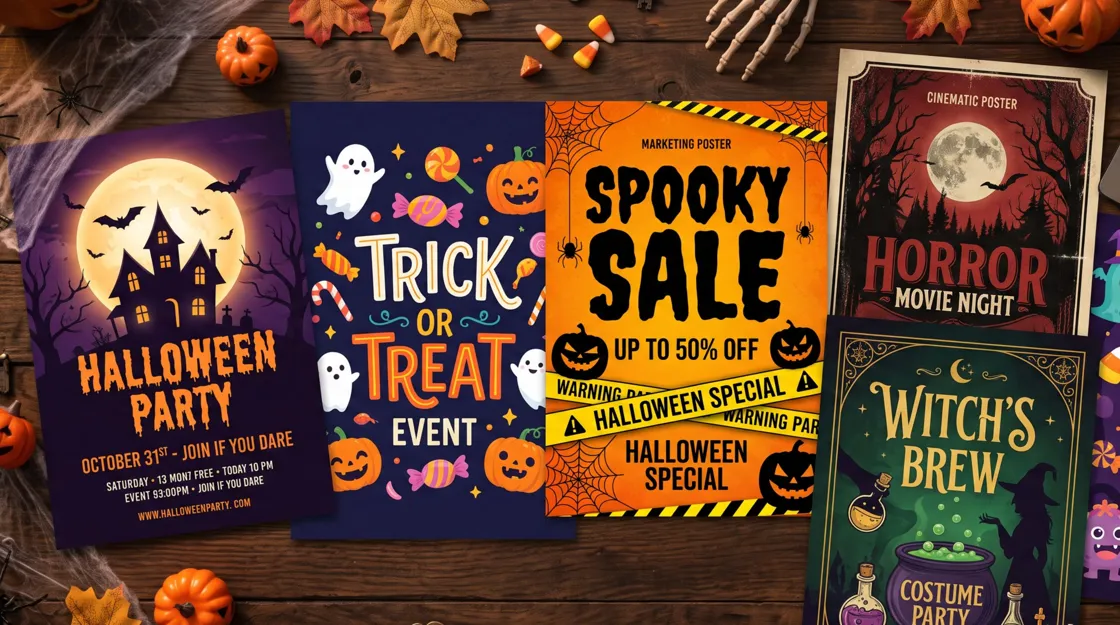
You usually know you need a Halloween poster before you know what it should look like. The hard part is picking a direction that fits the night you are promoting, then leaving room for the date, place, and next step people actually need.
The ideas below are grouped by mood and by job, from party invites to shop promos and social posts. Each one includes who it is for, what to put in the frame, and sample lines you can rewrite.
Halloween Poster Ideas at a Glance
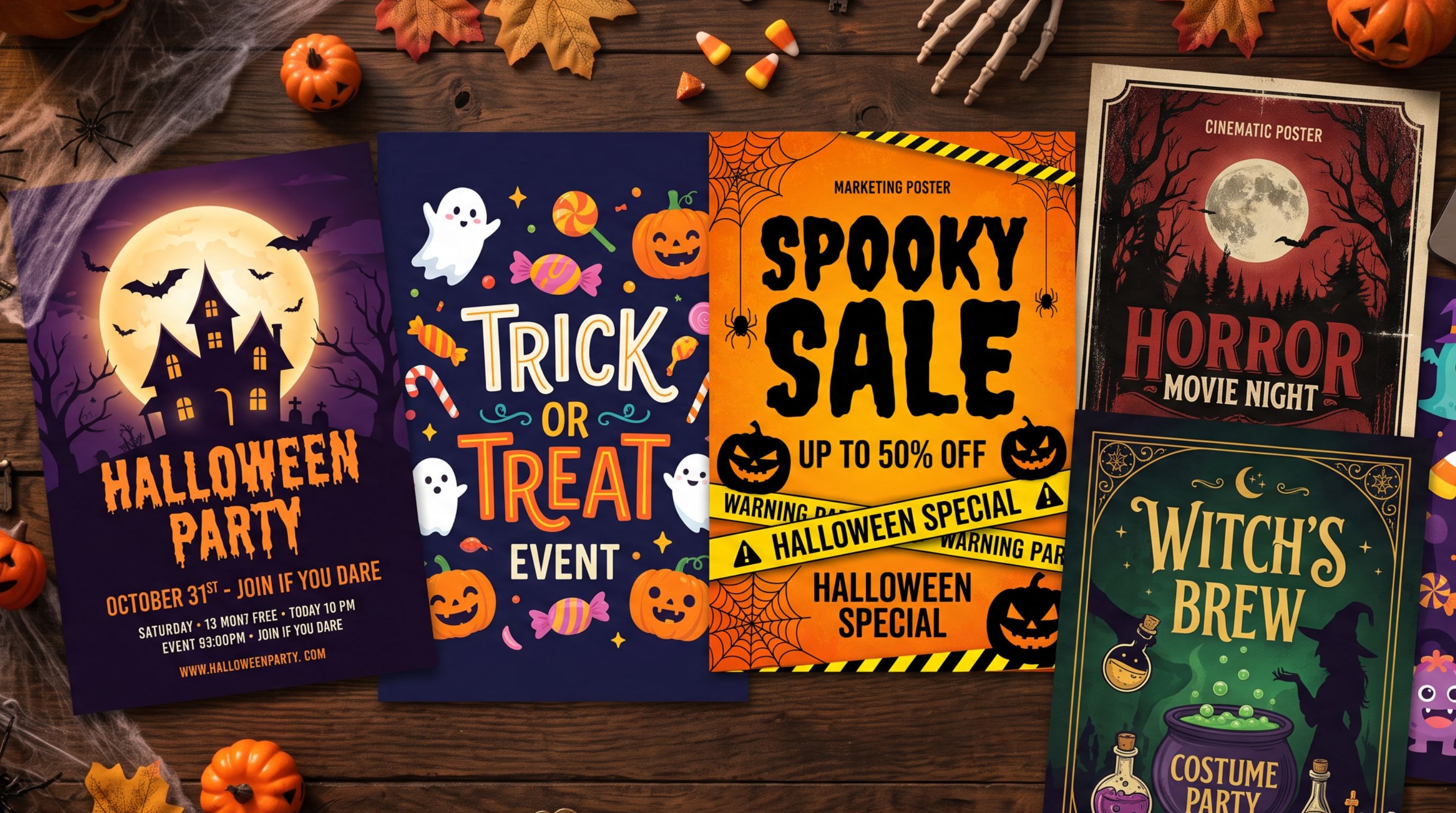
Halloween posters can take many creative directions depending on the event, audience, and promotional goal. Classic spooky looks, cute family styles, and cleaner modern treatments each suit different audiences.
|
Poster Idea |
Best For |
Visual Direction |
|---|---|---|
|
Classic spooky |
General Halloween promotions |
Pumpkins on a dark background |
|
Cute Halloween |
Family events and kids activities |
Friendly characters in soft colors |
|
Horror |
Haunted events and horror nights |
Dark imagery with dramatic type |
|
Vintage Halloween |
Retro parties |
Grain and old-style type |
|
Minimalist Halloween |
Modern brands and social posts |
Negative space, limited colors, one strong symbol |
|
Typography-led |
Announcements and campaigns |
Large Halloween phrases and expressive fonts |
|
Witchy Halloween |
Parties and lifestyle brands |
Moonlit, candlelit magic cues |
|
Pumpkin-focused |
Retail and seasonal promotions |
Jack-o'-lanterns and autumn colors |
|
Character-led |
Family entertainment content |
One lead Halloween character |
|
Social media poster |
Social promotion |
Bold hierarchy, concise copy, mobile-first layout |
Halloween Poster Ideas to Try This Year
Choose a Halloween poster idea based on what the poster needs to communicate first, then build the visuals around that purpose. The following ideas cover common party, retail, and social needs without pushing every design into the same look.
Each concept includes the audience it suits, the visuals to build around, the color and typography direction, and sample copy you can adapt. Use these ideas for Halloween posters as starting points, then adjust the details to match your event or campaign.
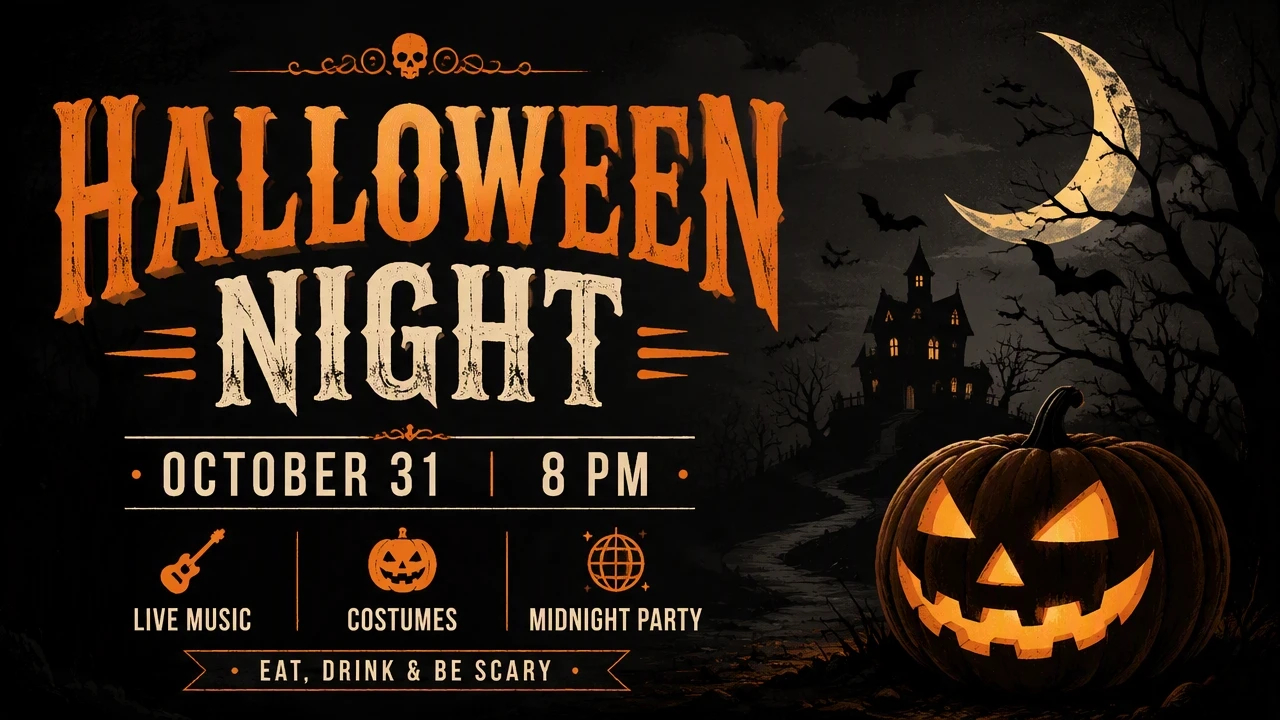
1. Classic Spooky Halloween Poster
Best for: General Halloween parties and community announcements.
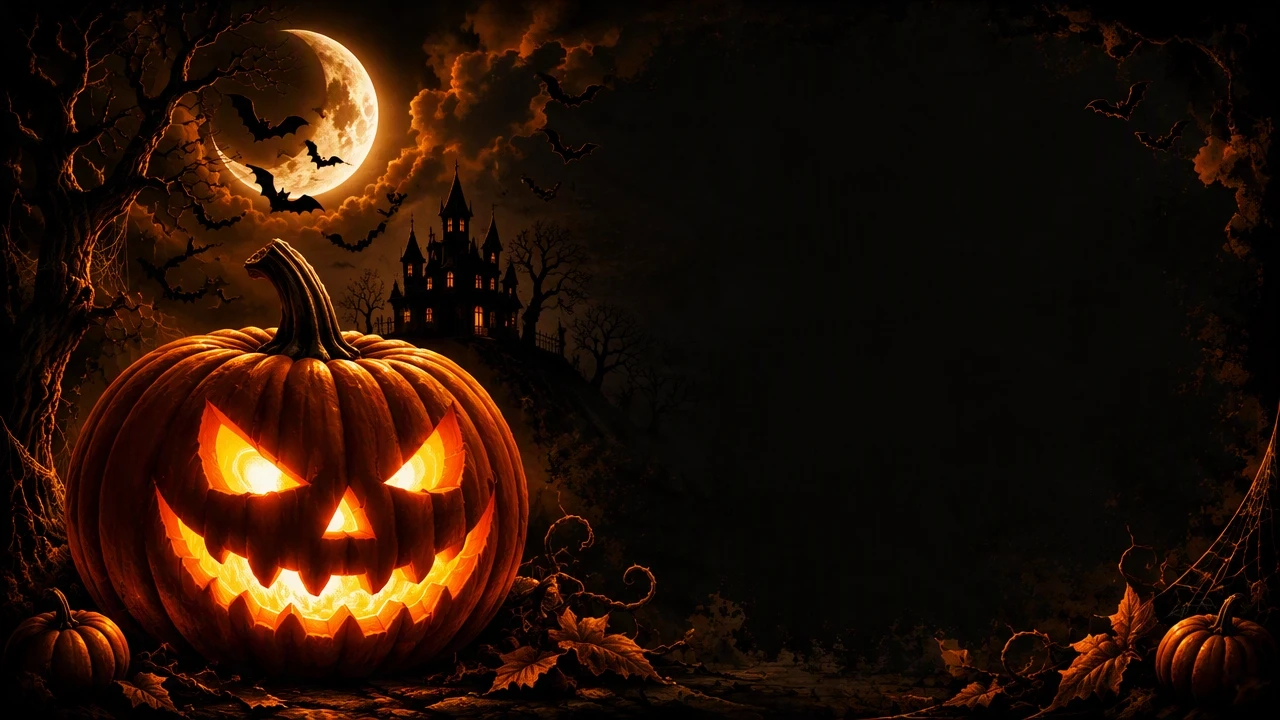
Visuals: Use one recognizable Halloween scene as the focal point. A large jack-o'-lantern can sit in the foreground while bats, a crescent moon, or distant house silhouettes provide supporting details. Keep the background dark enough for the main headline and event information to remain readable.
Colors and type: Use black with orange as the main contrast. Add a muted cream or white for essential information. A slightly distressed display font can establish the Halloween theme, while a simple sans serif keeps dates and locations easy to scan.
Sample copy:
Halloween NIGHT October 31 - 8 PM Live Music - Costumes - Midnight Party
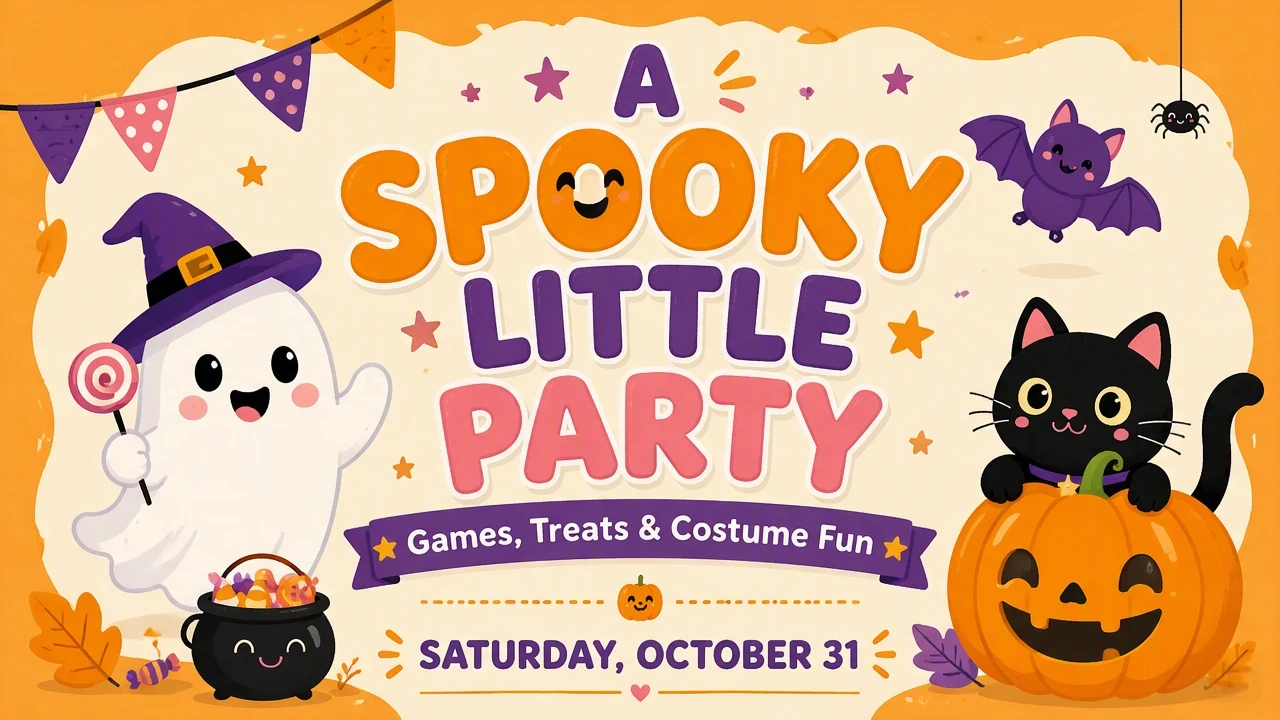
2. Cute Halloween Poster
Best for: School nights, family parties, and soft social posts.
Visuals: Build the composition around friendly characters rather than frightening imagery. A smiling ghost or rounded pumpkin is usually enough for the main scene. Use simple illustrations, so the design remains easy to understand in smaller sizes.
Colors and type: Choose orange and cream with one supporting color, such as purple or pink. Rounded display lettering can reinforce the friendly direction, while a clean typeface keeps practical information readable.
Sample copy:
A SPOOKY LITTLE PARTY Games, Treats and Costume Fun Saturday, October 31
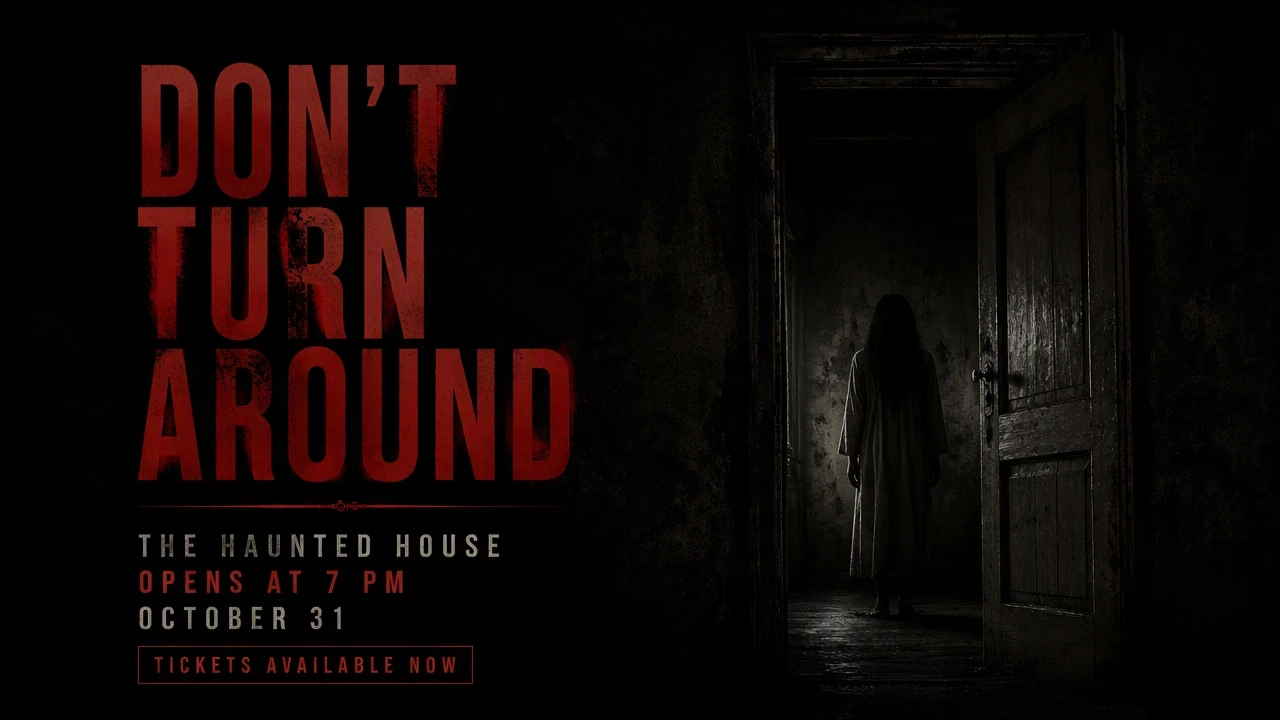
3. Horror Halloween Poster
Best for: Haunted attractions, horror nights, and adult events.
Visuals: Make one unsettling image carry the concept instead of adding several horror elements. A shadowy doorway or a figure fading into darkness can create tension. Leave enough negative space around the headline, so the imagery does not overpower the information.
Colors and type: Use near-black with deep red or a restrained orange accent. Large condensed or distressed lettering can give the headline visual weight. Keep secondary information smaller and simpler.
Sample copy:
DON'T TURN AROUND The Haunted House Opens at 7 PM October 31 - Tickets Available Now
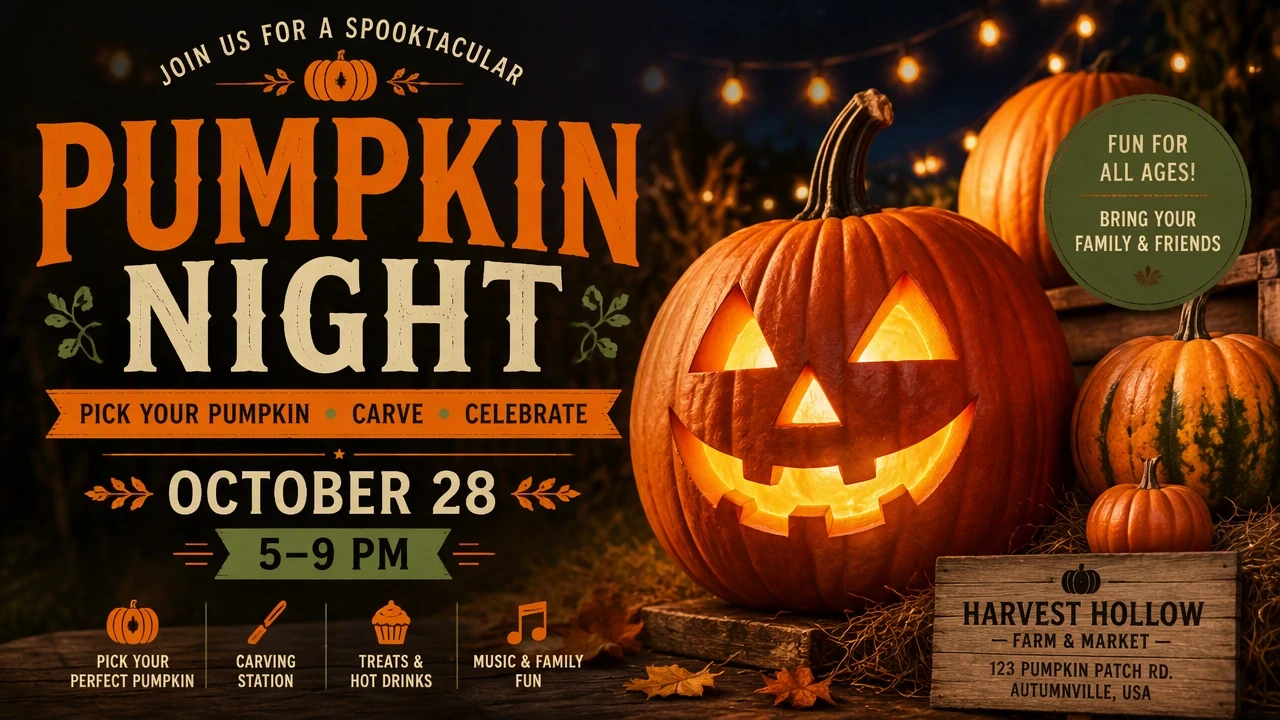
4. Pumpkin-Themed Halloween Poster
Best for: Pumpkin events, autumn markets, and seasonal retail promos.
Visuals: Let one pumpkin or a group of pumpkins become the central subject. You can show carved pumpkins, stacked pumpkins, or a close-up jack-o'-lantern with the event information positioned around it. This approach keeps the Halloween theme recognizable without requiring multiple characters.
Colors and type: Build around orange, warm brown, cream, or muted green. Use a bold serif or display font for the main headline and a straightforward sans serif for supporting details.
Sample copy:
PUMPKIN NIGHT Pick Your Pumpkin - Carve - Celebrate October 28 - 5–9 PM
5. Witchy Halloween Poster
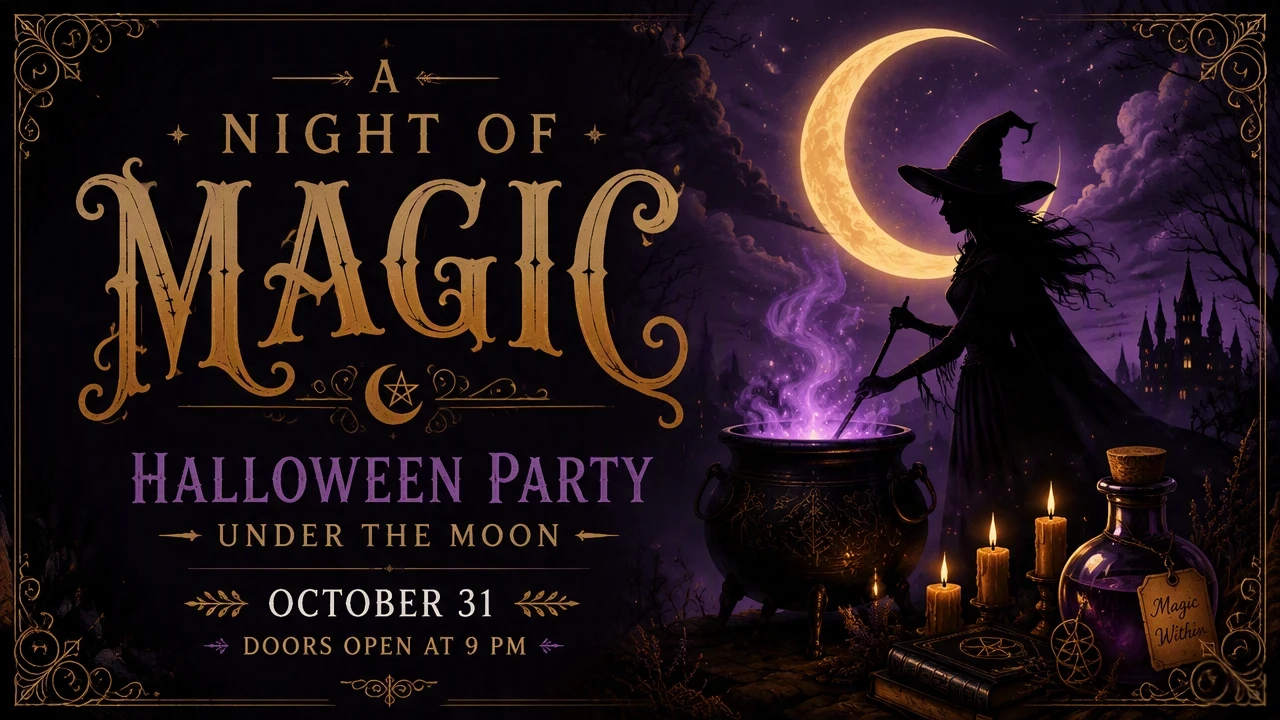
Best for: Themed parties and lifestyle or beauty campaigns that want a moodier look.
Visuals: Choose one magical scene rather than combining every witch-related symbol. A crescent moon above a cauldron, a witch silhouette against the sky, or candles surrounding a potion bottle can establish the theme. Keep the main subject prominent and use smaller elements to frame it.
Colors and type: Deep purple, black, and muted gold can establish the visual direction. A decorative display font can work for the event name, paired with a clean typeface for practical details.
Sample copy:
A NIGHT OF MAGIC Halloween Party Under the Moon October 31 - Doors Open at 9 PM
6. Ghost and Skeleton Poster
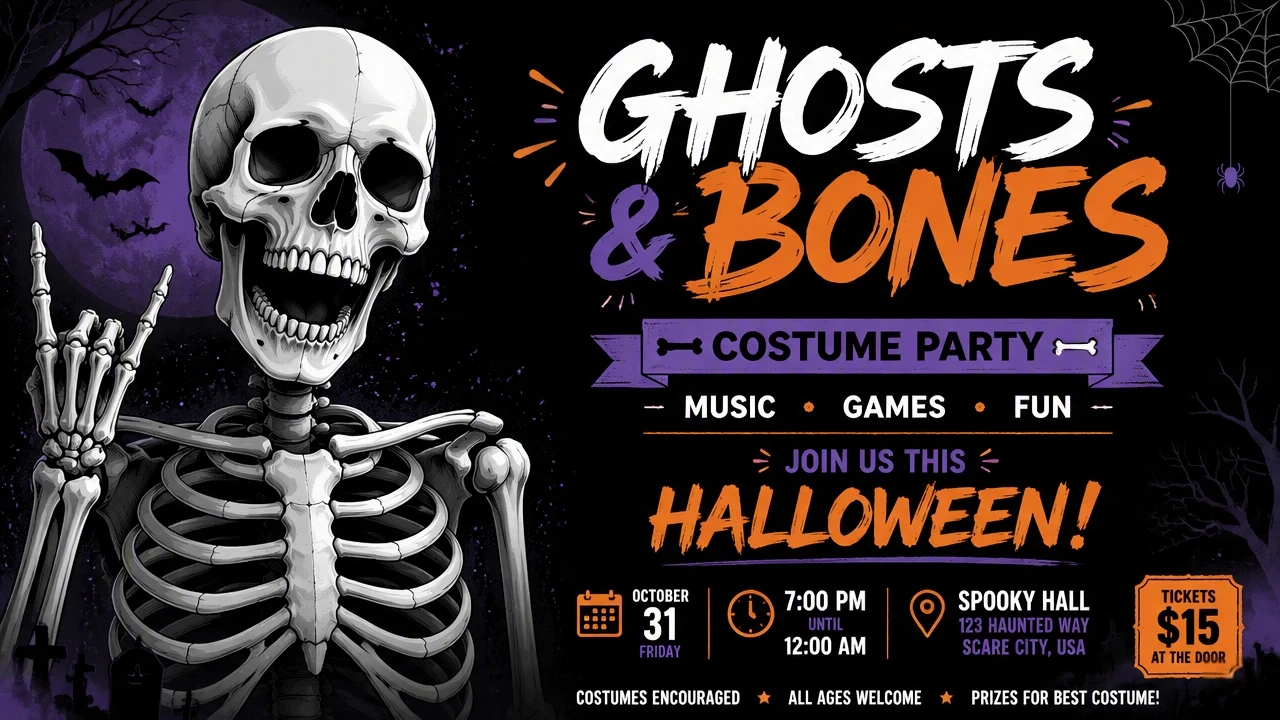
Best for: Costume parties, school events, and character-led family content.
Visuals: Decide whether the ghost or skeleton is the main character before adding supporting elements. A friendly ghost can suit a family event, while a detailed skeleton can create a darker atmosphere. Give the character enough space to remain recognizable on mobile screens.
Colors and type: White or pale gray characters can stand out against a black background. Add orange or purple for small accents. Use expressive lettering for the headline but keep dates, prices, and locations in a highly readable font.
Sample copy:
GHOSTS AND BONES Costume Party - Music - Games Join Us This Halloween
7. Vampire Halloween Poster
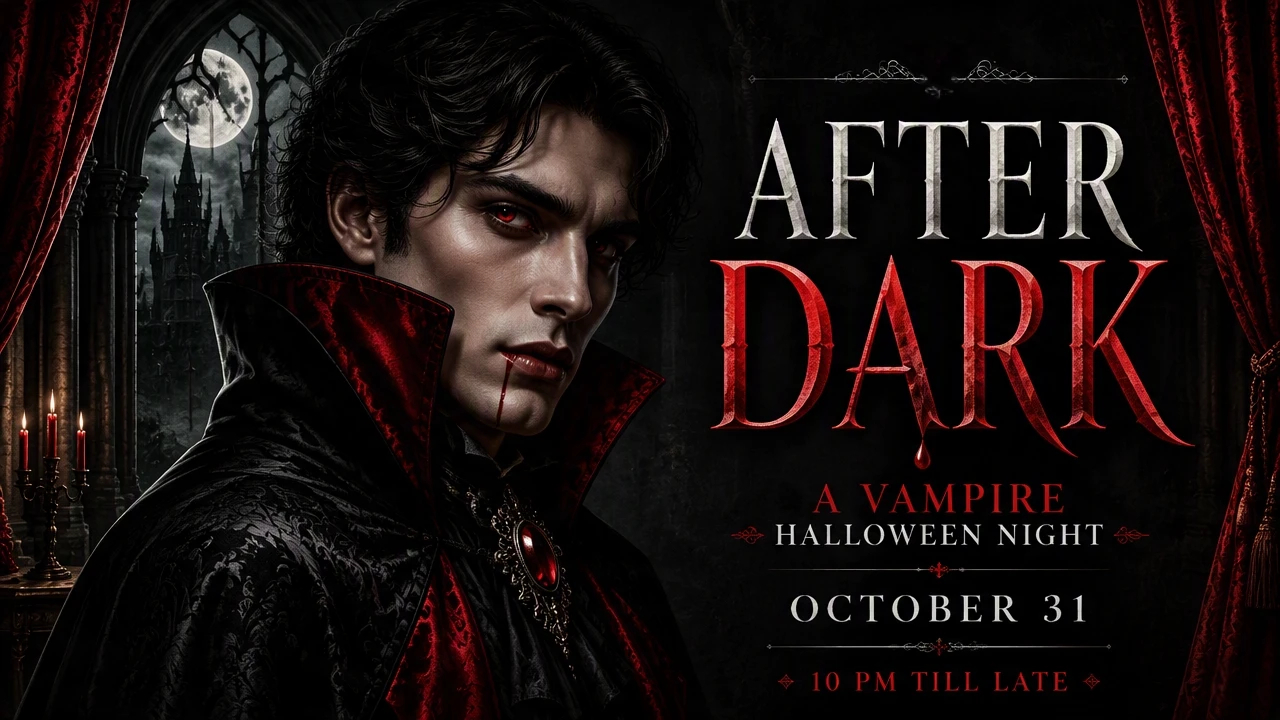
Best for: Vampire nights, movie screenings, and nightlife promos.
Visuals: Center the design on a vampire-inspired character or scene. A dark portrait or moonlit setting can establish the theme without overcrowding the poster. Use one strong visual cue to make the concept immediately recognizable.
Colors and type: Black and deep red provide a strong foundation. Add white or muted gray for supporting text. A sharp serif or high-contrast display font can give the headline a dramatic presence.
Sample copy:
AFTER DARK A Vampire Halloween Night October 31 - 10 PM Till Late
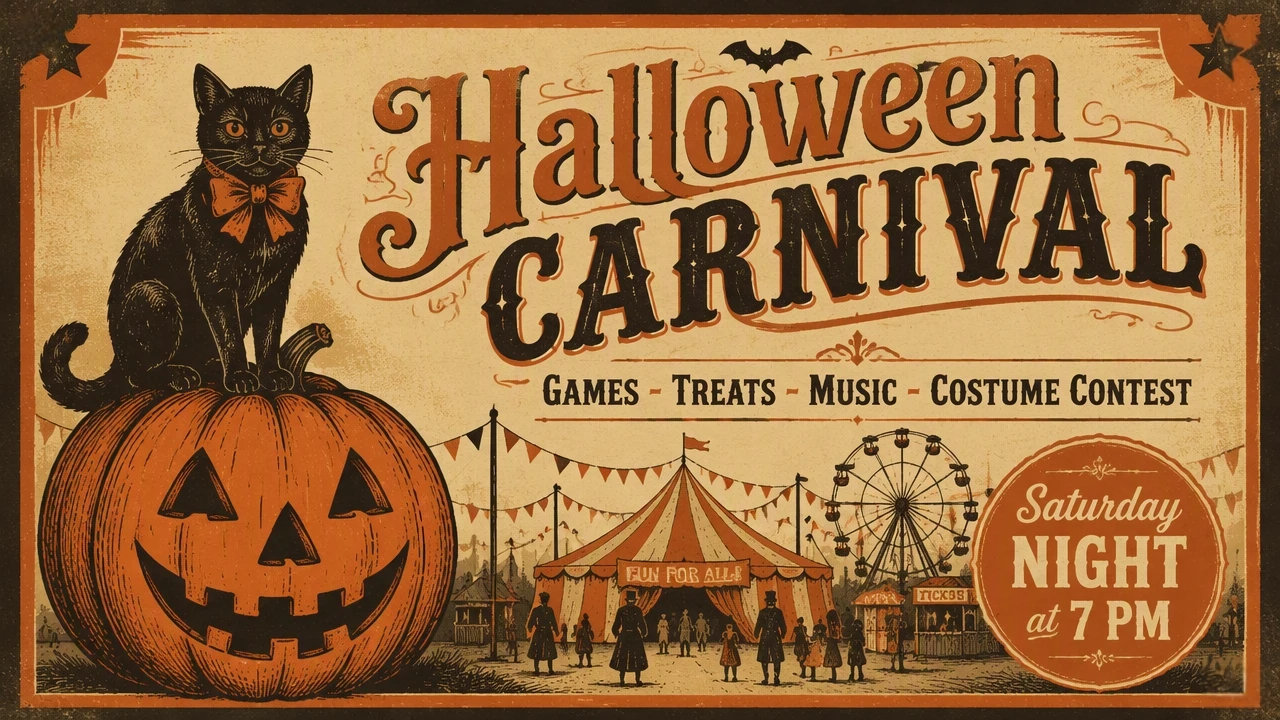
8. Vintage Halloween Poster
Best for: Retro parties, seasonal markets, and nostalgic café promos.
Visuals: Start with a simple illustrated scene and apply an aged print treatment. A vintage pumpkin or classic Halloween character can provide the main subject. Add subtle grain or paper texture without making the information difficult to read.
Colors and type: Limit the palette to two or three muted tones, such as burnt orange, cream, and dark brown. Use period-inspired lettering for the main title and a simpler font for event details.
Sample copy:
Halloween CARNIVAL Games - Treats - Music - Costume Contest Saturday Night at 7 PM
9. Minimalist Halloween Poster
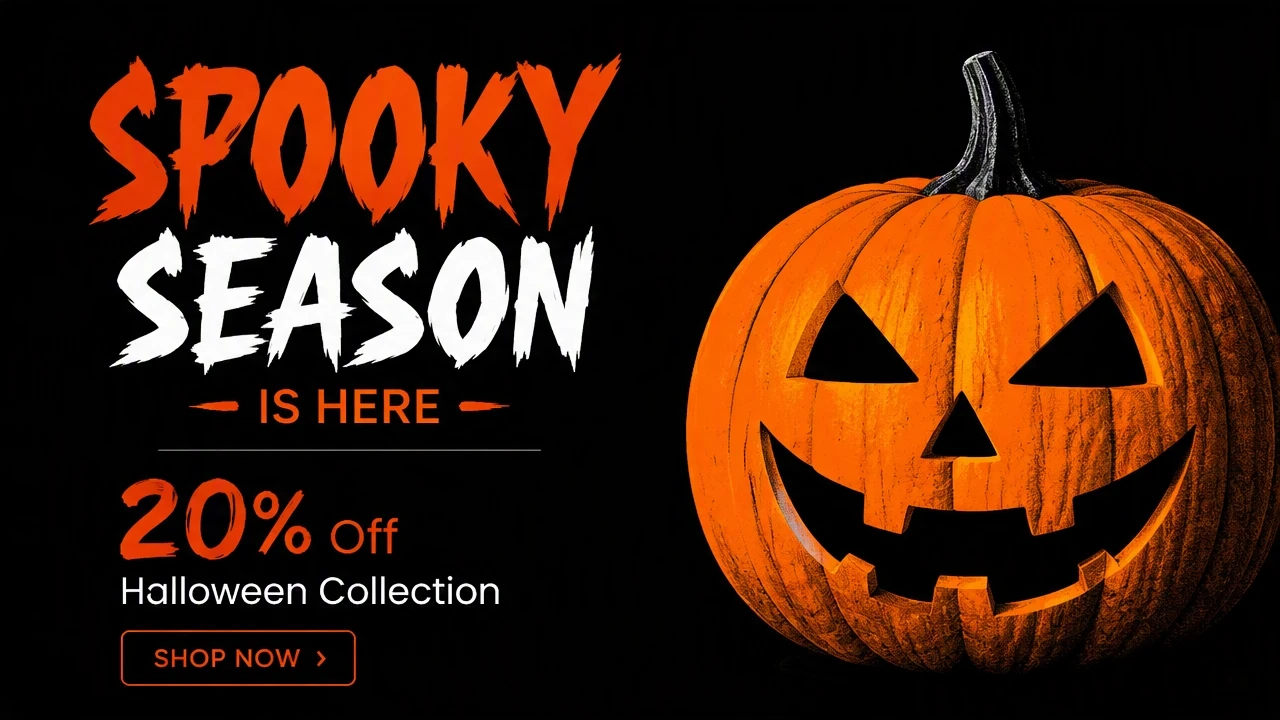
Best for: Modern brands and simple social announcements.
Visuals: Choose one Halloween symbol and give it most of the visual attention. A single pumpkin or ghost can sit beside a short headline. Avoid adding decorative elements that do not help communicate the message.
Colors and type: Use a limited palette with strong contrast. Black and white with one Halloween accent color can be enough. Choose one distinctive font for the headline and a neutral sans serif for supporting information.
Sample copy:
SPOOKY SEASON IS HERE 20% Off Halloween Collection Shop Now
10. Halloween Sale or Social Media Poster
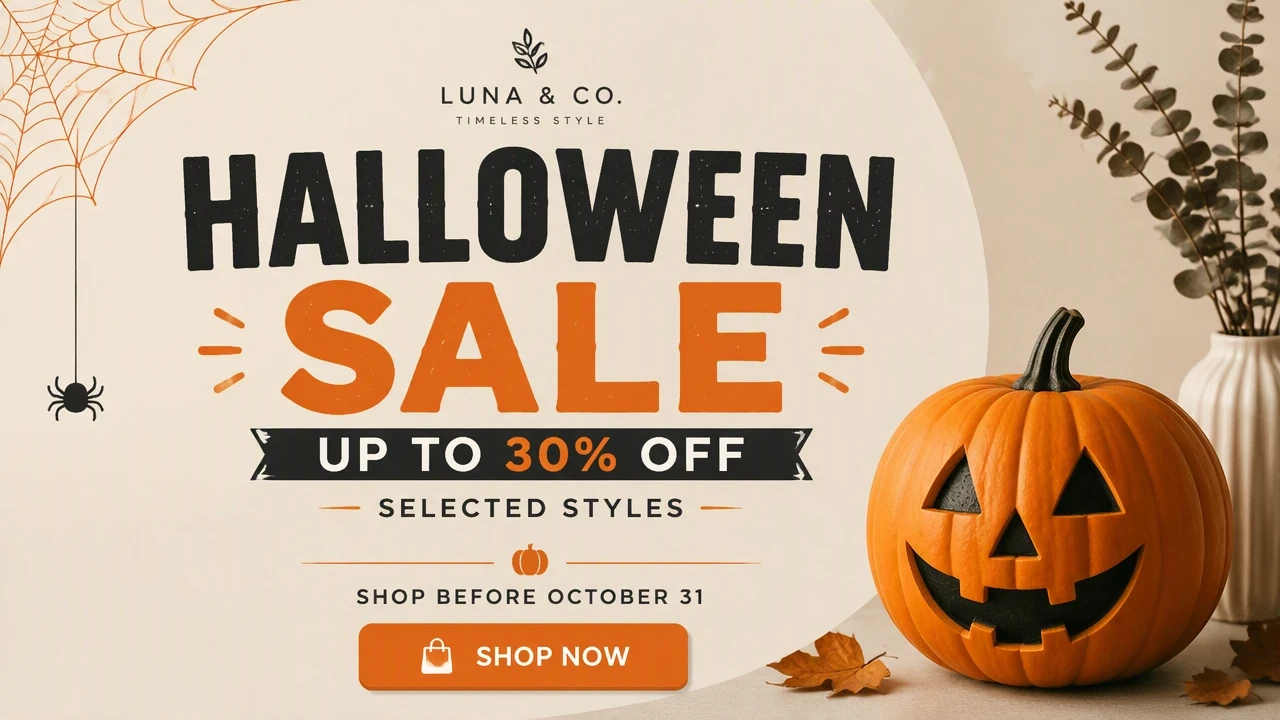
Best for: Shops, restaurants, and seasonal online offers.
Visuals: Put the offer or campaign message at the center of the composition. Add one Halloween cue, such as a pumpkin beside the product, so the season shows without competing with the offer. For social media, keep the main message visible even when the design is viewed on a small screen.
Colors and type: Match the Halloween accents to the brand palette rather than replacing the entire brand identity. Use a large, short headline for the offer and a clear secondary font for dates, discounts, and calls to action.
Sample copy:
Halloween SALE Up to 30% Off Selected Styles Shop Before October 31
Halloween Poster Ideas for Different Purposes
The right Halloween poster depends on what the audience needs to know and what action you want them to take. A party poster needs to sell the experience, while a business poster may need to communicate an offer or seasonal message quickly.
Use the purpose first to decide the information, then choose visuals that support it. Start from the purpose so seasonal details support the message instead of crowding it.
Halloween Party Poster Ideas
Required information: Include the party name, date, start time, location, ticket or entry details, and any important information such as costumes, live music, or age restrictions.
Visual angles:
-
Create one strong party scene with pumpkins, a haunted venue, or a costumed crowd.
-
Use a character-led concept with a ghost, vampire, witch, or skeleton as the focal point.
Common mistake: Trying to fit every event detail into the headline area. Keep the main invitation short and move supporting information into a clearly separated section.
Halloween Poster Ideas for Businesses
Required information: Start with the business name or logo, seasonal message, offer or service, validity dates, and a clear next step, such as visiting the store or shopping online.
Visual angles:
-
Place a Halloween element around the featured product rather than replacing the product imagery.
-
Adapt the brand's existing visual identity with one seasonal Halloween element.
Common mistake: Changing the entire brand palette and visual identity just to make the design look seasonal. A Halloween campaign should still be recognizable as the business behind it.
This works well when seasonal details support the commercial message instead of becoming the whole message.
Halloween Social Media Poster Ideas
Required information: Prioritize a short headline, offer or announcement, date if relevant, and one clear action. Make sure the main information remains readable on a mobile screen.
Visual angles:
-
Build the design around one oversized Halloween symbol with a short message.
-
Use a product, event photo, or campaign visual with small seasonal accents.
Common mistake: Designing the poster only for a large desktop view. Small text and crowded layouts can become difficult to read when the graphic appears in a social feed.
If one campaign needs several social assets, an AI social media poster generator can help explore different compositions while keeping the central message consistent.
Halloween Poster Ideas for Schools and Kids
Required information: Include the activity name, date, time, location, age or class information when relevant, participation details, and any items children need to bring.
Visual angles:
-
Use friendly ghosts, smiling pumpkins, cartoon bats, or simple character illustrations.
-
Create an activity-focused scene around costume contests, games, trick-or-treating, or craft activities.
Common mistake: Using frightening imagery that conflicts with the age group. The visual tone should match the children who will actually see and attend the event.
Halloween Sale and Promotion Posters
Required information: Make the discount, product, promotion period, and purchasing action immediately visible. Add terms or limitations where necessary without letting them dominate the design.
Visual angles:
-
Make the discount or promotional message the largest element, with one Halloween symbol supporting it.
-
Feature the product prominently and use seasonal elements around the product rather than covering it.
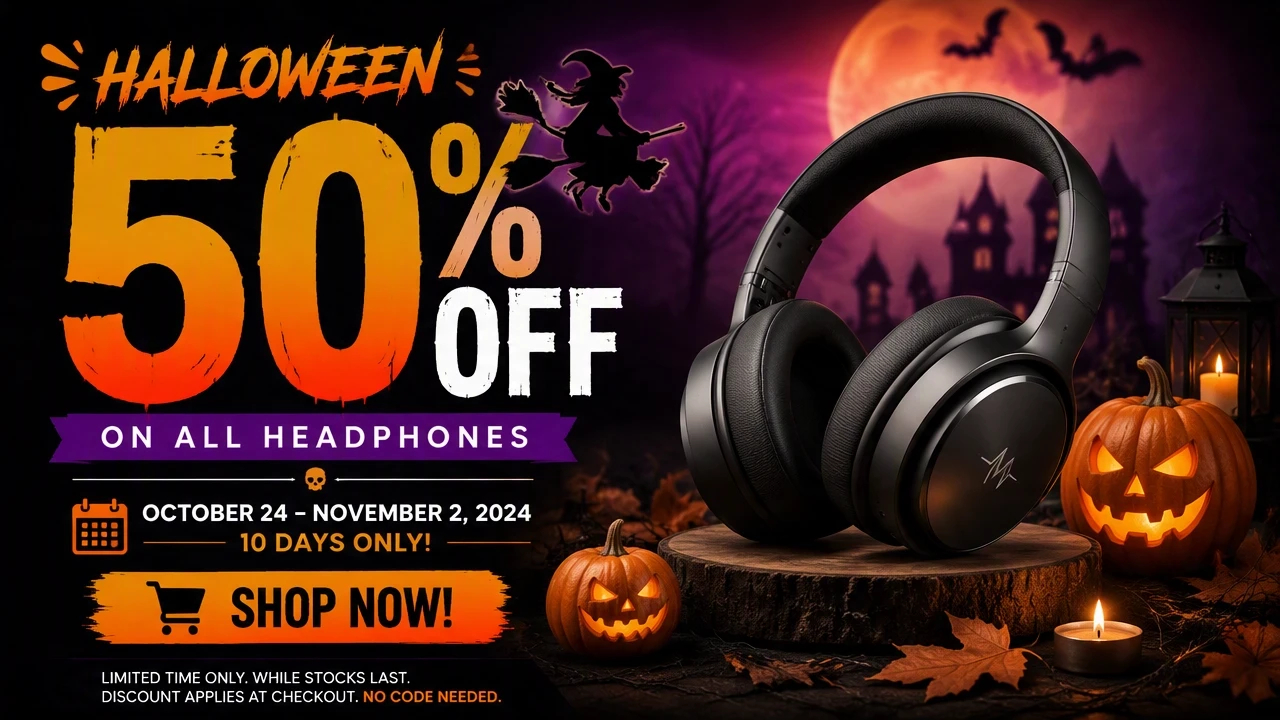
Common mistake: Making the Halloween decoration more prominent than the offer. If customers cannot identify the promotion quickly, the poster is not doing its main job.
How to Design a Halloween Poster That Gets Attention
Good Halloween poster design starts with the message, not the decoration. Before choosing fonts, colors, or Halloween imagery, decide what the viewer should understand first.
Start With the Purpose
Define the job of the poster in one sentence. It might be promoting a Halloween party, announcing a sale, inviting families to an event, or introducing a seasonal product collection.
This decision determines what deserves the most space. A party poster may lead with the event name and date, while a retail poster may lead with the offer.
Choose a Halloween Color Palette
Choose colors that support the mood and remain readable behind the text. Orange and black can establish an immediately recognizable Halloween direction, while cream, purple, red, or muted autumn tones can create a different visual emphasis.
For a business campaign, consider starting with the brand colors and adding one or two Halloween accents. This keeps the seasonal design connected to the business identity.
Deside Your Dominant Visual
Give the viewer one main thing to look at. This could be a pumpkin, product, character, event scene, or a large Halloween symbol.
Supporting elements should reinforce that focal point rather than compete with it. A poster with one clear visual often communicates faster than one filled with unrelated Halloween graphics.
Make the Typography Match the Mood
Choose typography according to the purpose of the poster. A decorative display font can establish the Halloween theme, but important information such as dates, prices, addresses, and calls to action should remain easy to read.
Use a stronger display treatment for the main headline and a simpler font for supporting details. This creates contrast without requiring several different typefaces.
Keep the Information Hierarchy Clear
Arrange the content so viewers can understand the poster in a quick scan. The most important information should be visually prominent, while supporting details can take a smaller position.
The viewer should quickly understand:
What is this? Identify the event, product, promotion, or announcement.
Why does it matter? Show the offer, experience, activity, or reason to pay attention.
When/where is it happening? Make the date, time, location, or promotion period easy to find.
What should I do next? Use clear actions such as Buy Now, Get Tickets, Join the Party, or Shop the Sale.
When you need to turn a chosen concept into multiple visual directions, an AI poster generator can help test layouts and imagery before you refine the final poster. This keeps the creative process focused on the communication goal rather than generating designs without a clear purpose.
How to Create a Halloween Social Media Poster With AI
Creating a Halloween social media poster starts with the campaign message, not the Halloween decoration. Define what the post needs to promote, then use AI to explore a visual that supports that message. The process below helps you move from an initial idea to a social-ready design without generating unrelated concepts.
Start With the Campaign Idea
Decide what the poster needs to communicate before writing the prompt. Identify the promotion, event, product, announcement, or seasonal message, then define the audience and desired action. For example, a Halloween sale may need the discount and shopping action to stand out, while a party poster should prioritize the event name, date, and location.
Describe the Visual Direction
Give the AI enough information to connect the visual with the campaign. Mention the main subject, Halloween elements, composition, color direction, typography treatment, and overall mood. Instead of asking for a generic Halloween poster, specify the scene you want, such as a pumpkin beside a product display or a haunted-house background behind an event announcement.
Create Variations Around One Concept
Generate several versions of the same core idea rather than changing the entire concept each time. Test different focal images, layouts, typography treatments, or levels of Halloween decoration. This makes it easier to compare poster ideas for Halloween while keeping the campaign message consistent.
Adapt the Poster for Social Platforms
Check the design at the size where people will actually see it. Keep the headline and main visuals prominent, reduce unnecessary details, and make dates, offers, or calls to action easy to scan on mobile. If the campaign runs across multiple platforms, create versions that preserve the same core message while adjusting the layout to each format. An AI text to image workflow can also help explore new visual directions before finalizing social design.
Create a Halloween Poster With Designkit
Once you've chosen a Halloween poster idea, the next step is turning it into a design that serves a clear purpose. Whether you're promoting a party, announcing a seasonal sale, or creating a social media post, start by defining the message and audience before generating the visual. AI can help you explore different compositions from one concept, while Designkit lets you refine the selected result with your own text, images, and branding elements. You can also remove unwanted objects, adjust the background, and resize the design for different placements. The goal is to move from a rough Halloween concept to a usable poster without rebuilding the design from scratch.
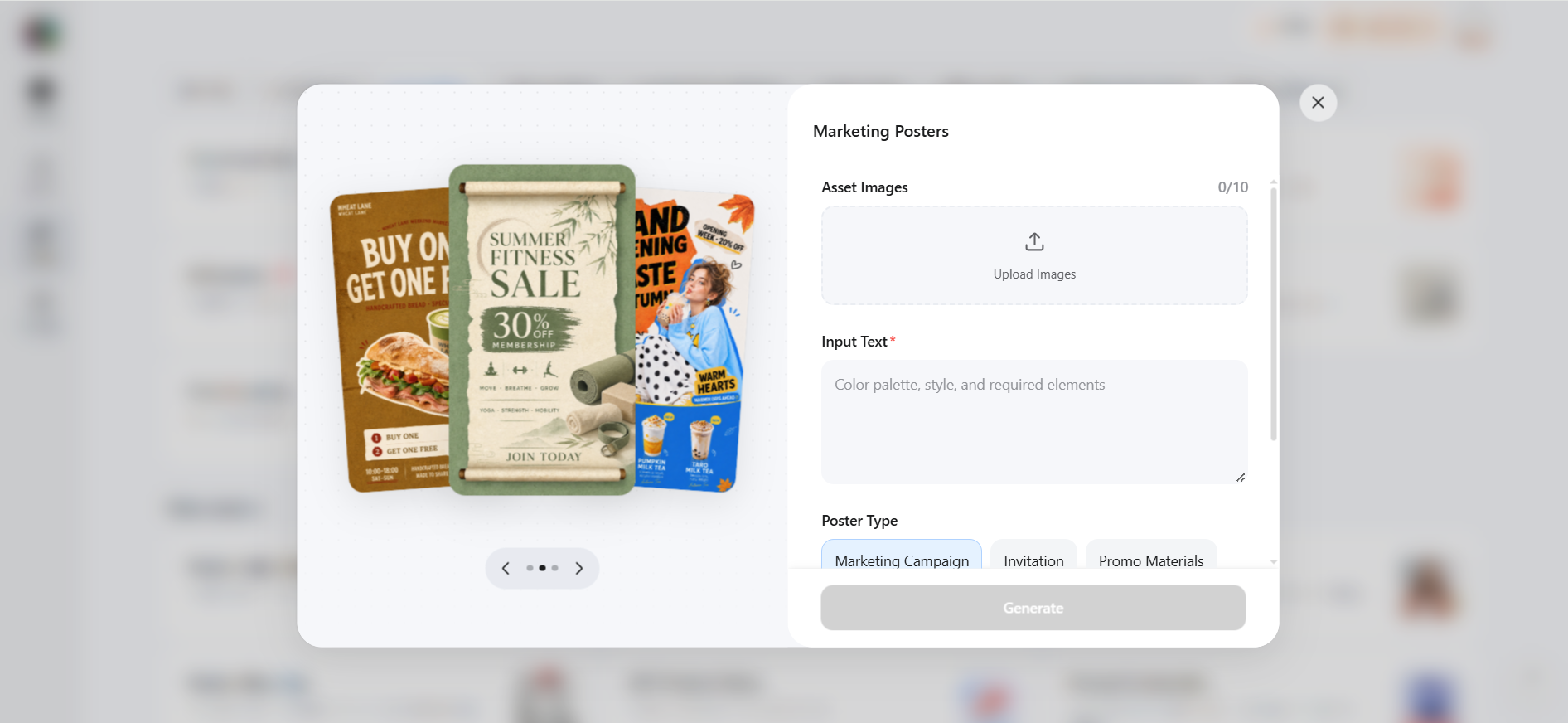
Step 1: Generate a Halloween Poster Concept
Start with your chosen concept and describe the poster you need. Include the event or promotion, key message, Halloween imagery, color direction, and preferred layout. Generate several variations and compare them based on how clearly they communicate your intended message.
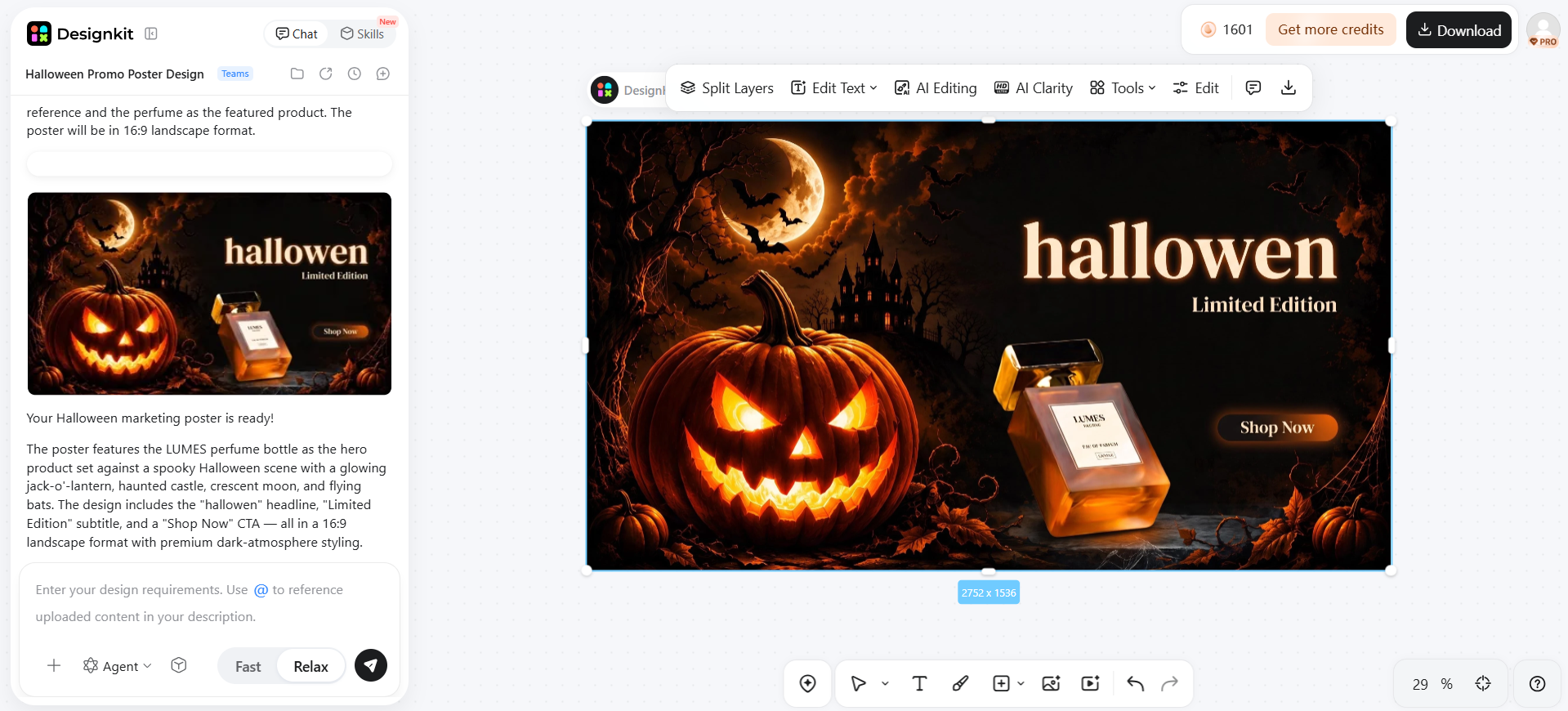
Step 2: Customize the Selected Design
Choose the concept that fits your purpose and refine it with your own content. Add the event details, promotional copy, logo, or product image. If needed, use Designkit's Background Remover or Object Removal tools to adjust visual elements and make space for important information.
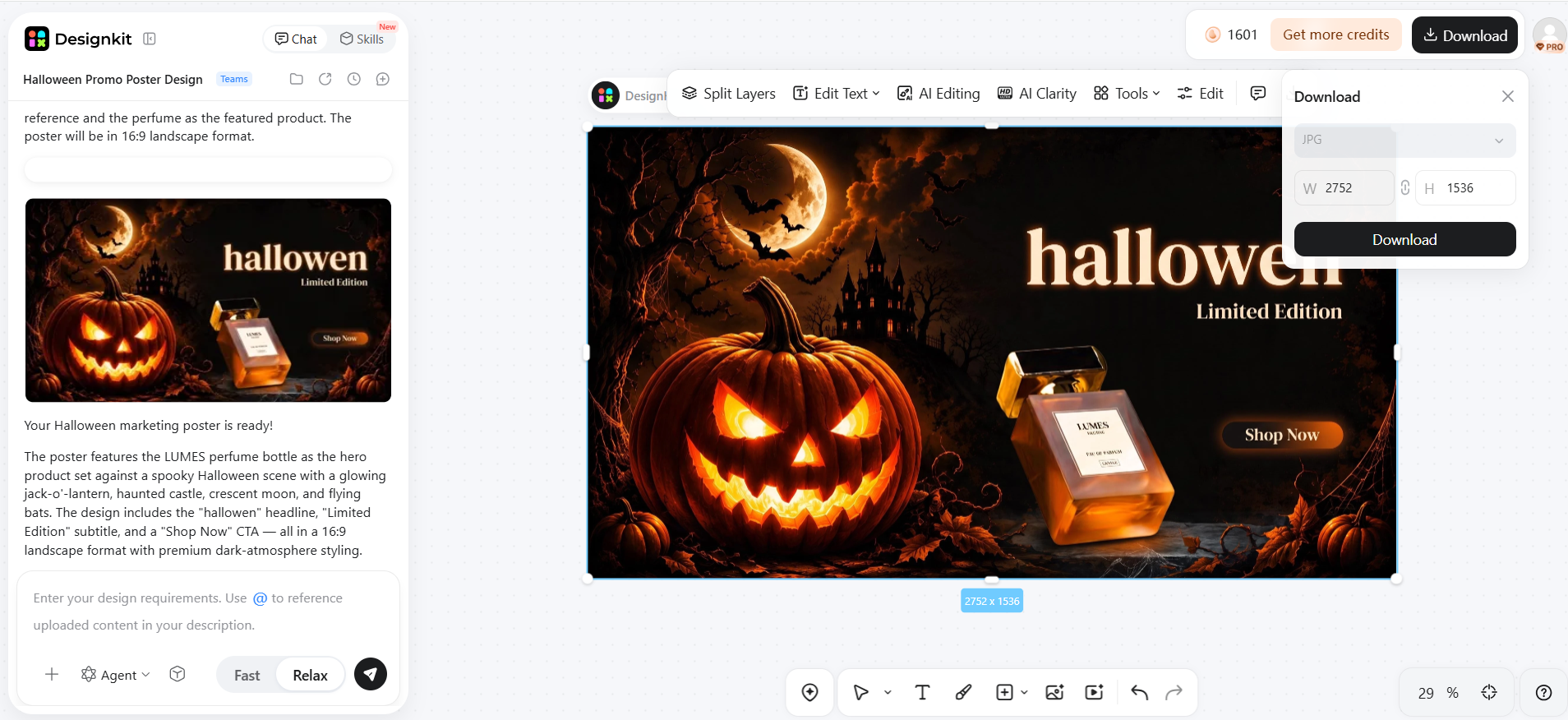
Step 3: Resize and Prepare the Poster for Use
Adapt the finished concept for its intended placement, such as a social media post, event promotion, or website graphic. Check the headline, details, spacing, and visual hierarchy at the final size, then export the version you need.
Conclusion
A strong Halloween poster starts with a clear purpose, then uses a fitting visual style to support it. Familiar seasonal symbols set the mood quickly, while a restrained treatment can make the same theme feel more distinctive. For shops and event hosts, the strongest designs also make the essential information easy to read. Once the concept is set, AI can help explore variations across social and promo formats.
Frequently Asked Questions
What should I put on a Halloween poster?
What size should a Halloween poster be?
Match the place it will live. US Letter (8.5 × 11 in) works for school handouts and many office printers. For a large wall print, confirm the size with your print shop first. If the same design goes online, check that the title and date still read on a phone.
When should I put up a Halloween poster?
For a local school or community night, two to three weeks ahead is a common window. Give more lead time when people need to register, buy tickets, or prepare costumes. Put any deadline on the poster itself.
Should a business drop its brand colors for Halloween?
Usually no. Keep the brand recognizable and add one seasonal accent so the promo still looks like you. A full black-and-orange takeover can make the offer harder to trust at a glance.
How do I make a Halloween poster look spooky?
Lead with one unsettling image instead of filling every corner. Shadows, high contrast, and a dark backdrop do more than a pile of Halloween symbols. Keep the headline readable against that image.
How can I turn one Halloween poster into social media graphics?
Keep the same message and main visual, then rebuild the layout for a small screen. Move type, enlarge the focal subject, and drop details that vanish at feed size. Do not stretch one print layout into every crop.
You May Also Like
Halloween Poster Ideas for Parties, Sales and Social Posts
2026 Nail Color Trends: Top Shades and Styles

Hair Color Ideas 2026: Trending Shades & Virtual Try On

How to Write an Instagram Bio: Examples, Tips & Ideas

Best Products to Sell on Amazon: 10 Ideas for Beginners

How to Make a Slideshow for Facebook: Photos, Music & Tips 2026

How to Celebrate National Dog Day 2026: Date & Easy Ideas

15 Simple Self-Care Ideas for Busy Schedules and Daily Life

Celebrate International Cat Day 2026: Date & 10 Fun Ideas

Chic Outfit Ideas for Every Occasion: 15 Stylish Looks & Tips

How to Find a Product by Image: 7 Methods That Work (2026)

Aesthetic Poster Ideas: Find Your Style and Create Printable Art

20 FIFA World Cup Merchandise Ideas That Fans Actually Buy

Father's Day Gift Ideas: Personalized Card, Poster and Video

Father's Day Card Ideas: Messages, Printable and Personalized Cards
Bring Your Halloween Poster Ideas to Life
Turn spooky concepts, seasonal promotions, and Halloween campaigns into eye-catching visuals with Designkit. Create variations for social media, events, and marketing using your existing ideas and assets.


