

The New Standard in AI Video
Something extraordinary happened in February 2026. ByteDance — the company behind TikTok and one of the world’s most advanced AI labs — quietly launched a video model that left the internet speechless. Its name: Seedance 2.0.
Within days of release, viral clips flooded social media. Hyper-realistic videos of celebrities, jaw-dropping cinematic sequences, and commercial-quality advertisements generated in seconds sparked fierce debate — and genuine awe. Hollywood studios issued statements. Creators declared a new era. The question everyone was asking: Is this the most capable AI video generator ever built?
After testing Seedance 2.0 extensively, our answer is a resounding yes — with important nuances worth knowing.
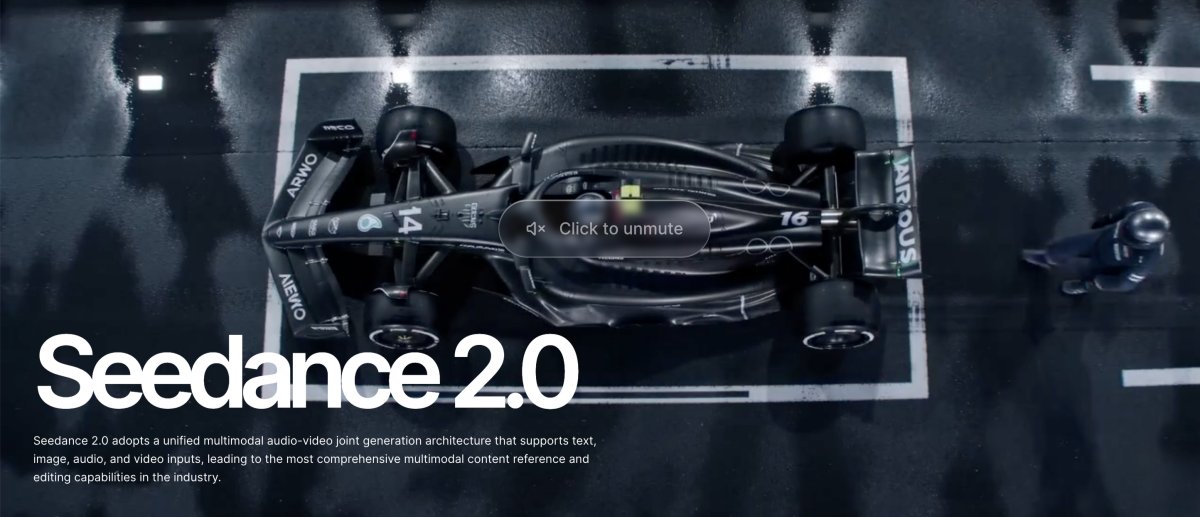
In this review, you’ll learn exactly what Seedance 2.0 is, how it compares to its predecessor and rivals like Sora 2 and Veo 3.1, its five most powerful features, step-by-step instructions for creating cinematic videos, a full pricing breakdown, and honest guidance on who should (and shouldn’t) use it. By the end, you’ll have everything needed to decide if Seedance 2.0 belongs in your creative toolkit.
Part 1. What Is Seedance 2.0 by ByteDance
Seedance 2.0 is ByteDance’s next-generation AI video generation model, developed by the ByteDance Seed research team — the same lab behind breakthrough advances in large language models and computer vision. It builds on ByteDance’s Volcano Engine infrastructure, making it one of the most production-ready AI video tools available in 2026.
At its core, Seedance 2.0 is a text-to-video and image-to-video generator — but calling it that undersells its capabilities dramatically. It’s more accurate to describe it as a full multimodal video creation system. The model is the first AI video generator to simultaneously accept four distinct input types:
- Text prompts (narrative descriptions, camera instructions, mood)
- Up to 9 reference images (characters, objects, style references)
- Up to 3 video clips (motion templates, camera path references)
- Up to 3 audio tracks (voice samples, music themes, ambient sound)
Its flagship innovation is the @ Reference System — a mechanism that works like social media tagging. You write “@hero walks through a neon-lit alley while @theme plays in the background,” bind @hero to a character photo and @theme to an audio file, and Seedance 2.0 maintains perfect consistency across every generated frame. No more characters that change appearance between shots. No more audio-visual misalignment.
Key capabilities at a glance:
- Native 2K resolution (2048×1080 landscape / 1080×2048 portrait)
- Multi-shot storytelling with consistent characters across scenes
- Joint audio-video generation with millisecond lip-sync precision
- Advanced cinematic camera controls (push, pull, pan, tilt, orbit)
- Video extension and continuation beyond a single clip
- Support for animation, documentary, advertising, and narrative styles
Built on a custom dual-branch diffusion transformer architecture, Seedance 2.0 processes video and audio latents in parallel, delivering a cinematic quality that previous models could only approximate.
Seedance 2.0 vs Seedance 1.0: Key Improvements & Breakthroughs
The leap from Seedance 1.0 to 2.0 is not incremental — it’s generational. To understand exactly what changed, here’s a comprehensive comparison across all three model generations:
|
Comparison Dimension |
Seedance 1.0 (June 2025) |
Seedance 1.5 Pro (Dec 2025) |
Seedance 2.0 (Feb 2026) |
|
Architecture |
Basic infrastructure |
Optimized (text + image) |
Custom dual-branch diffusion transformer |
|
Input Modalities |
Text + image |
Text + image |
Text + 9 images + 3 videos + 3 audio |
|
Max Resolution |
1080p |
1080p |
Native 2K (2048×1080) |
|
Visual Quality |
Standard |
Improved clarity |
Cinematic-grade, rich detail |
|
Character Motion |
Simple, limited expression |
Natural, stable |
Realistic, nuanced, emotional |
|
Camera Control |
Basic stitching |
Simple continuous shots |
Advanced: pan, tilt, orbit, push, pull |
|
Audio-Visual Sync |
❌ Not supported |
Basic synchronization |
Native sync, lip-precise |
|
Video Editing |
❌ Not supported |
Basic editing |
Extend, replace characters, add scenes |
|
Generation Length |
≤12 seconds |
≤12 seconds |
4–15s, seamless extension |
|
Reference System |
❌ None |
❌ None |
@ Tagging for characters, style, audio |
|
Generation Speed |
Baseline |
Moderate |
~30% faster than 1.5 Pro |
|
Ideal Use Cases |
Personal short clips |
Product ads, basic edu |
Films, commercials, VFX, storyboards |
Three headline breakthroughs in Seedance 2.0:
- Better Visual Realism — Native 2K resolution with physics-accurate lighting, detailed textures, and expressive human motion transforms AI output from “impressive” to genuinely photorealistic.
- Improved Scene Consistency — The @ reference system solves AI video’s biggest pain point: characters and environments now remain stable across multiple shots, enabling true multi-scene storytelling.
- Faster Video Generation — A 30% speed improvement over 1.5 Pro means faster iteration cycles, higher production volume, and less time waiting — critical for professional workflows.
Part 2. Top 5 Key Features of Seedance 2.0 AI Video Generator
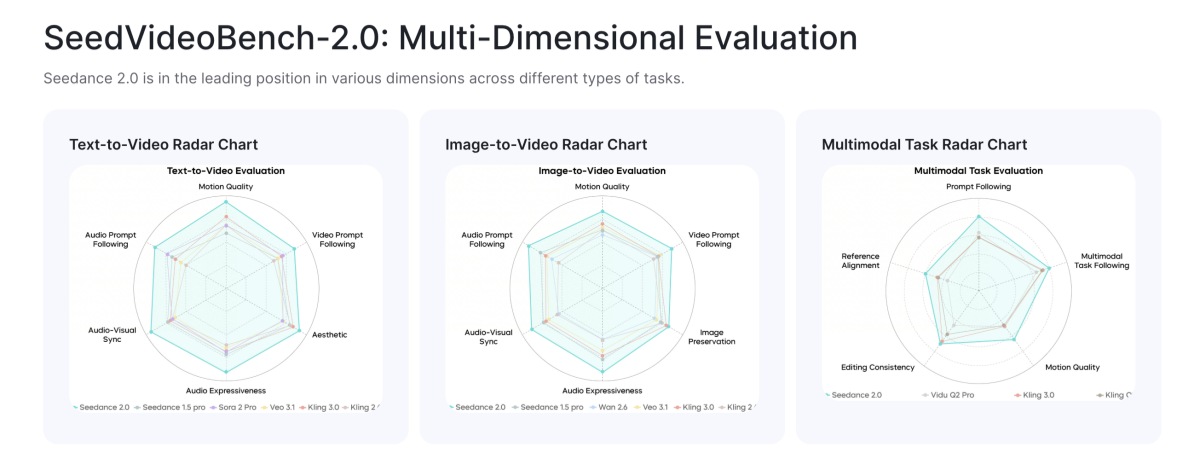
What separates Seedance 2.0 from every other AI video generator on the market comes down to five core capabilities. Each one addresses a real limitation that creators have faced — and together, they represent a complete rethinking of what AI-assisted filmmaking can look like.
1. Text-to-Video Generation
Seedance 2.0’s text-to-video capability starts where most generators end. While other tools interpret basic prompts (“a woman walking in a city”), Seedance 2.0 understands cinematographic language.
You can write the following text-to-video prompt:
“Create a cinematic, photorealistic video: an extreme close-up of a barista’s hands pouring steamed milk into a fresh espresso, forming crisp latte art (rosetta/heart) in a ceramic cup. Warm morning sunlight streams through the window, soft golden highlights, shallow depth of field, creamy bokeh. Use a slow, smooth dolly pull-back from macro detail to a wider shot that reveals a lively, bustling café with customers chatting and staff moving in the background. Natural handheld micro-movement kept minimal, filmic exposure, rich coffee tones, realistic skin texture and steam. Ambient coffee shop audio: espresso machine hiss, milk steaming, cups clinking, low crowd murmur. 6–8 seconds, 4K, 24fps, no text, no logos, no watermarks.”
— and the model delivers exactly that, complete with synchronized ambient audio, accurate lighting direction, and a smooth camera movement.
This is particularly powerful for short-video creators on TikTok, YouTube Shorts, and Instagram Reels. A compelling 10-second clip that would require a full production crew and half a day of shooting can be generated in under a minute from a well-crafted prompt.
Best practices for text-to-video prompts:
- Specify subject, action, environment, and mood in sequence
- Include explicit camera direction (“slow zoom in,” “aerial tracking shot”)
- Mention lighting quality (“golden hour,” “neon-lit,” “soft overcast”)
- Add audio cues if synchronized sound is needed
2. Image-to-Video Generation
The image-to-video pipeline is where Seedance 2.0 truly shines for product marketers and e-commerce brands. Upload a still product image — a perfume bottle, a sneaker, a piece of jewelry — and Seedance 2.0 animates it with cinematic motion, professional lighting, and atmospheric context.
With Seedance 2.0’s multi-image input (up to 9 images simultaneously), you can feed multiple product angles, reference environments, and brand style guides at once, generating a cohesive product showcase video that would have required a professional videographer weeks ago.
Common image-to-video applications:
- Product showcase videos for Shopify, Amazon, and Etsy listings
- Portrait animation for personal branding and social content
- Architecture visualization from still renders to walkthrough videos
- Fashion lookbooks transforming catalog photos into dynamic reels
The quality of your source image directly determines the quality of your output — which is why image preparation (more on this in the Pro Tips section) is so critical.
3. Cinematic Camera Control
This is the feature that has cinematographers and indie filmmakers genuinely excited. Seedance 2.0 supports professional-grade camera movements that were previously the exclusive domain of expensive physical rigs:
- Pan — Horizontal sweeping movements across a scene
- Tilt — Vertical camera rotation revealing scale or drama
- Zoom / Dolly — Push-in and pull-back for focus or revelation
- Orbit — 360° tracking around a subject
- Crane / Aerial — High-angle establishing shots with vertical movement
Unlike competitors where camera movement is implied and often inconsistent, Seedance 2.0’s camera control is instructable — you specify the movement in your text prompt and the model executes it with physical accuracy. A “slow dolly push-in on the actor’s face during an emotional monologue” will render exactly as described, maintaining focus, depth of field, and lighting continuity throughout.
This makes Seedance 2.0 invaluable for pre-visualization (previs) — the storyboarding and scene-planning phase of film and TV production where directors test camera moves before expensive live shoots.
4. Multi-Style Video Creation
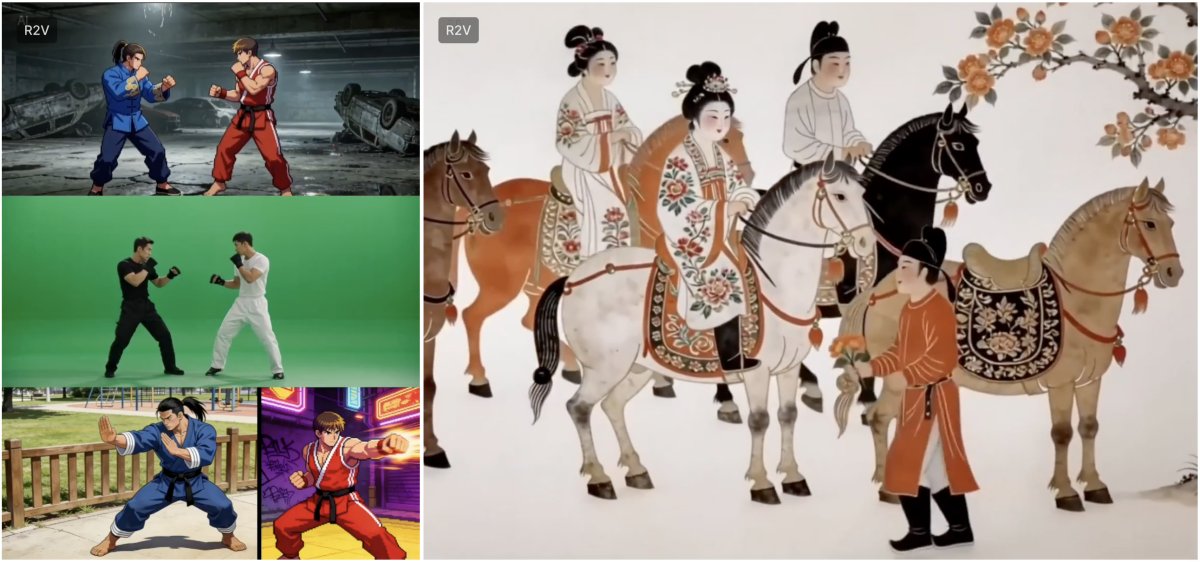
One of Seedance 2.0’s most underrated capabilities is its style versatility. The same underlying model can produce:
- Photorealistic footage indistinguishable from live-action at first glance
- 2D and 3D animation in styles ranging from Studio Ghibli-inspired to pixelated retro
- Documentary-style content with handheld aesthetic and natural lighting
- Commercial advertising with polished, high-contrast product visuals
- Abstract and artistic sequences for music videos and creative projects
This multi-style range is achieved through the @ reference system combined with style description prompts. You can anchor a visual style to a reference image — upload a painting or film still as a style guide — and Seedance 2.0 will generate consistent output matching that aesthetic throughout a video or across a series.
For marketing teams, this means a single tool can produce brand-consistent content across wildly different campaign requirements without switching tools or hiring specialized animators.
5. High-Speed Rendering
Production workflows live and die by turnaround time. Seedance 2.0 delivers a 30% speed improvement over its predecessor Seedance 1.5 Pro — making it the fastest high-quality AI video generator in the 2026 landscape for comparable output quality.
At native 2K resolution, a standard 10-second clip generates in approximately 30 seconds for paid-tier users (free-tier queue times vary from 2–30 minutes depending on platform load). For paid plans, the near-instant generation enables true iterative workflows: generate, review, refine prompt, regenerate — all within minutes rather than hours.
For batch production — agencies and marketing teams generating dozens of variations for A/B testing — this speed advantage compounds significantly. What might have been a half-day rendering task with competitors becomes a 2-hour morning workflow with Seedance 2.0.
Part 3. How to Create Cinematic Videos with Seedance 2.0
Understanding the features is one thing — actually creating great videos is another. This section gives you a practical, actionable workflow for going from idea to finished cinematic video.
Step-by-Step Guide: How to Create Cinematic Videos with Seedance 2.0
Step 1: Choose Your Access Platform
Seedance 2.0 is available across several platforms. For most international users, Dreamina By ByteDance is the recommended starting point. Visit Dreamina and create an account using your email.
Step 2: Activate Seedance 2.0 Access
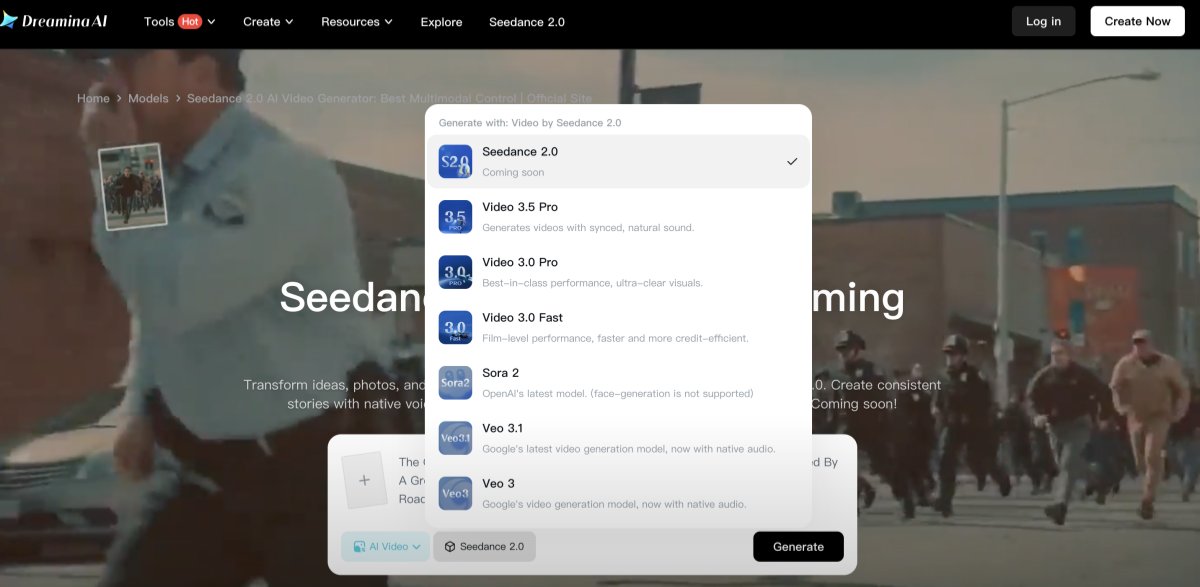
From your Dreamina dashboard, navigate to the Video Generation section and select Seedance 2.0 from the model dropdown. New users receive 260 free credits to start. Note: accessing Seedance 2.0 specifically may require a 1 RMB (~$0.14) trial unlock to differentiate from older model access.
Step 3: Prepare Your Input Assets
Before writing your prompt, gather your references:
- Reference images: Character photos, product shots, style guides (up to 9 images)
- Video references: Motion templates or camera path examples (up to 3 clips)
- Audio references: Voice samples or music themes (up to 3 audio tracks)
Upload these to the generation workspace and label them for @ tagging.
Step 4: Craft Your Cinematic Prompt
Use this proven prompt formula:
[Subject + Action] + [Environment + Atmosphere] + [Camera Movement] + [Lighting] + [Audio Cue]
Example prompt:
“@model walks confidently through the bustling streets of Europe, her steps light yet unhurried. Her gaze remained fixed ahead. A girl wearing a Batman eye mask is watching her from a street corner”
Here, @model is bound to your reference image, ensuring perfect character consistency throughout.
Step 5: Set Resolution and Duration
- For social media: 720p, 6–10 seconds
- For professional output: 1080p or 2K, 10–15 seconds
- Remember: higher resolution = more credits consumed (roughly 2× for 1080p vs 720p)
Step 6: Generate, Review, and Iterate
Submit your generation. Review the output critically:
- Is character identity consistent with your reference?
- Does the camera movement match your instruction?
- Is the lighting and atmosphere correct?
If adjustments are needed, refine your prompt — add more specific camera language, adjust lighting descriptors, or modify the pacing cue. Expect 2–3 iterations for optimal results.
Step 7: Export and Post-Process
Download your clip in the highest available resolution for your use case. For social media, 720p is sufficient. For professional delivery, always download at 1080p or 2K and consider upscaling to 4K using a dedicated AI upscaler if needed.
Pro Tip: Optimizing Your Input Images with Designkit
Here’s a truth that experienced AI video creators know: the quality of your output is ceiling-capped by the quality of your input. Seedance 2.0’s sophisticated multimodal engine can only work with what you give it — blurry, poorly lit, or incorrectly sized reference images will produce visibly degraded results, no matter how polished your prompt.
This is where Designkit’s AI Photo Editor becomes an indispensable part of your Seedance 2.0 workflow.
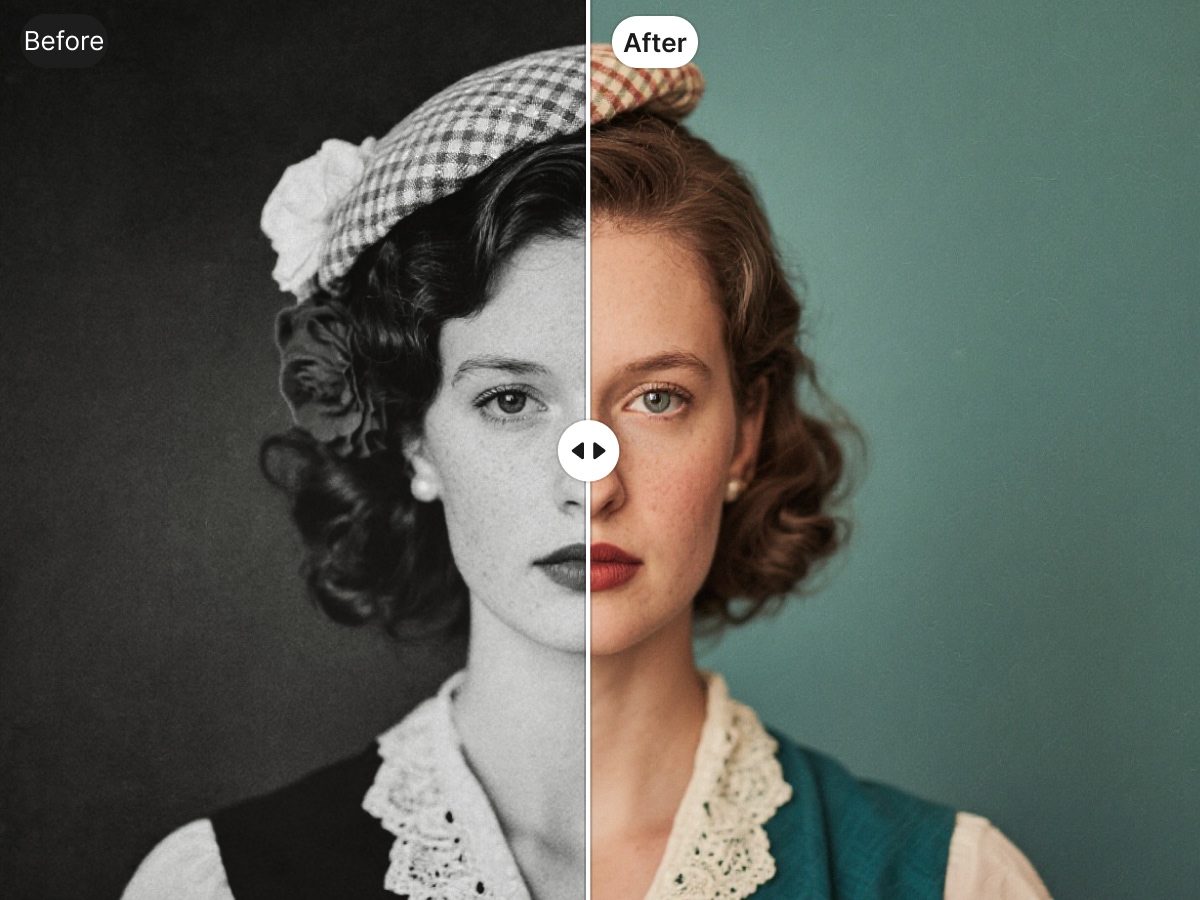
Before uploading any reference image to Seedance 2.0, run it through Designkit to maximize its quality:
- AI Enhance / Upscale — Use Designkit’s Bulk Image Enhancer to sharpen details, fix lighting inconsistencies, and upscale low-resolution photos to high-definition quality. A 480p product photo becomes a crisp, detail-rich reference that Seedance 2.0 can actually work with.
- Resize & Reframe — Seedance 2.0 responds better to images that match your target video aspect ratio. Use Designkit’s Resize tool to crop and reframe your images for landscape (16:9), portrait (9:16), or square (1:1) formats — with presets for every major platform.
- Retouch & Polish — Remove distracting backgrounds, correct color casts, or clean up a product photo before using it as a reference. Designkit’s AI retouching tools handle this in seconds — no Photoshop skills required.
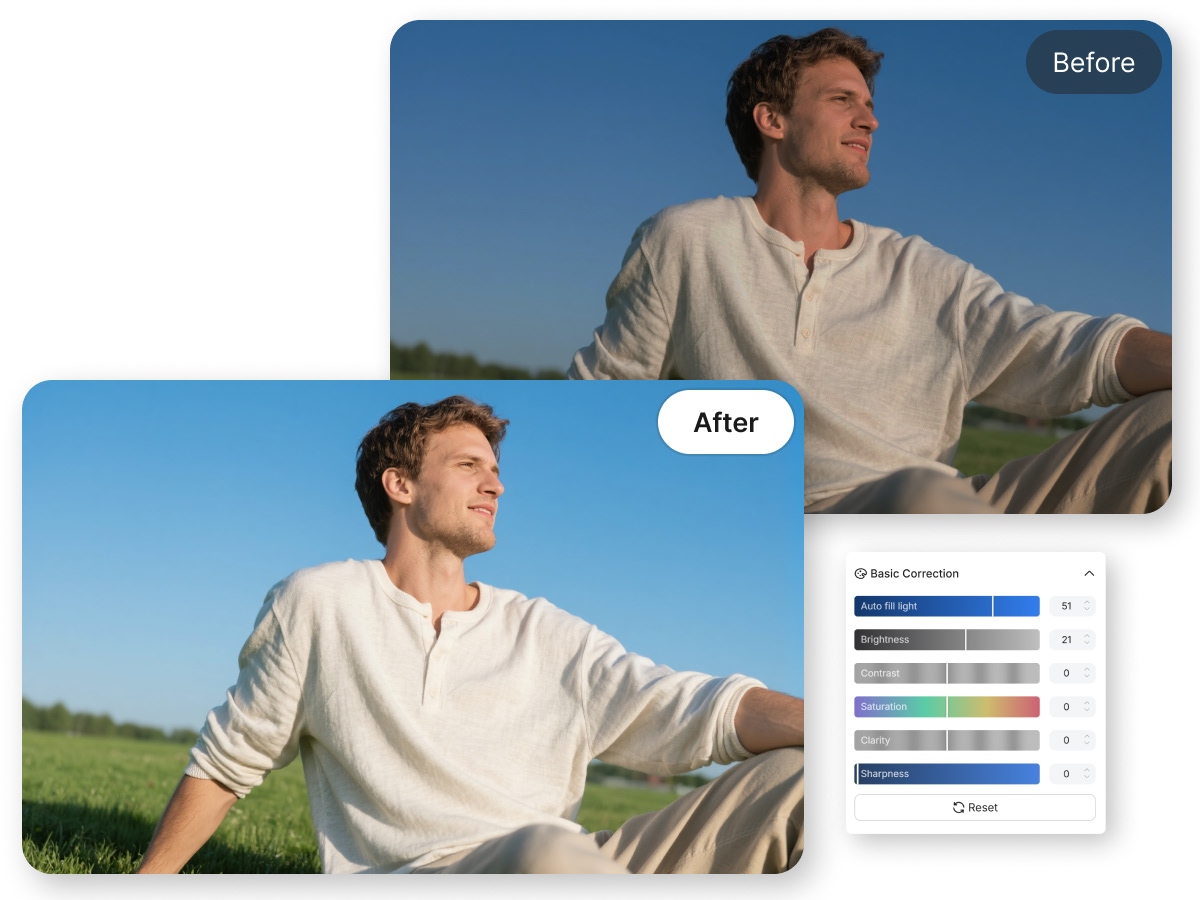
- The practical difference is significant. In testing, a product video generated from an Designkit-enhanced reference image showed noticeably sharper texture detail, more accurate color reproduction, and better consistency across the animated frames compared to the same generation using the raw original photo.
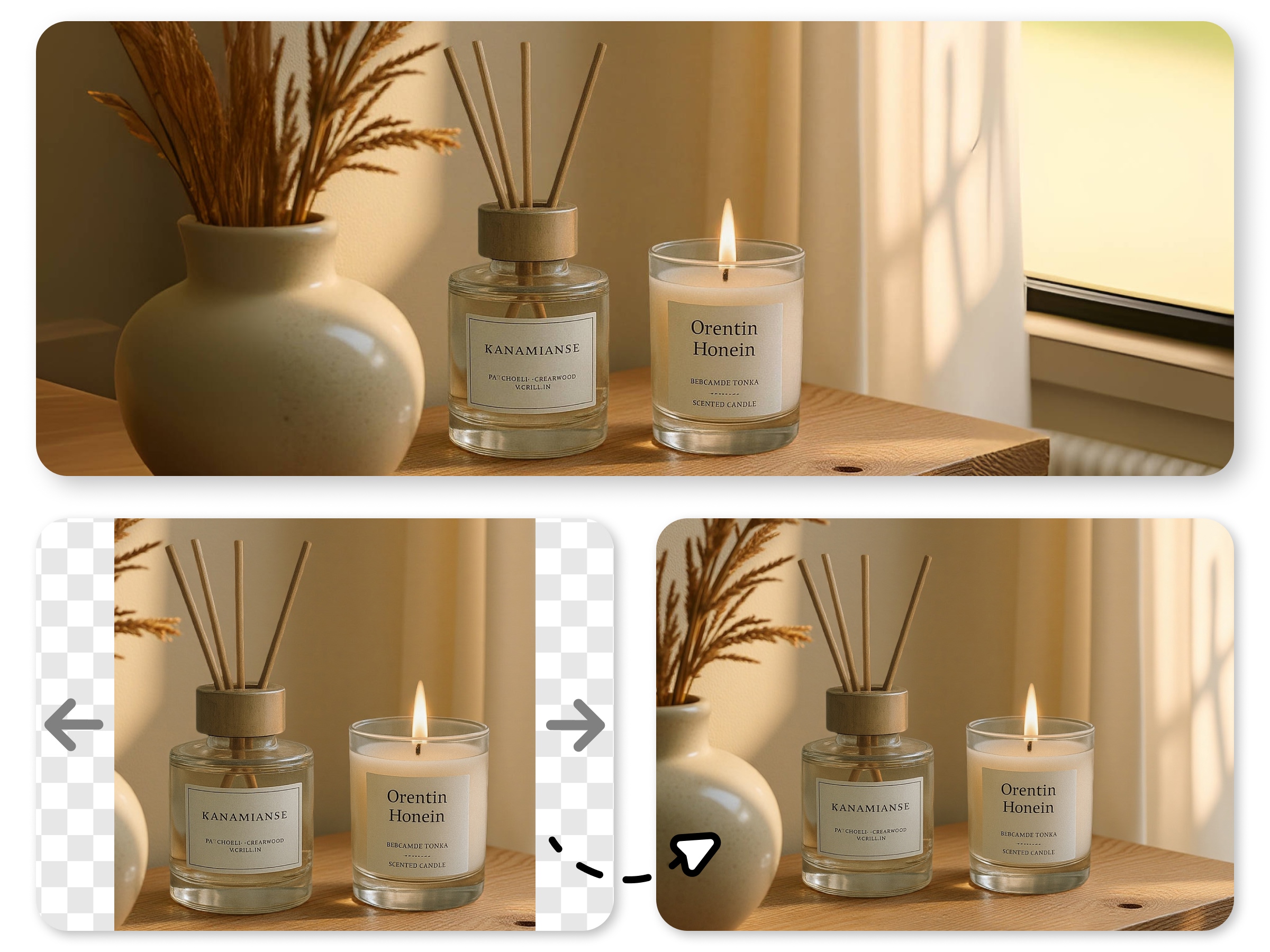
- Pro workflow: Designkit (enhance + resize) → Seedance 2.0 (generate) → Final video
This two-step approach is especially valuable for e-commerce sellers creating product showcase videos, content creators using personal photos as character references, and marketing teams repurposing existing brand assets for video campaigns.
Part 4. Seedance 2.0 Pricing: Credits, Plans, and Free Trials
Seedance 2.0’s pricing structure is more nuanced than most AI tools because ByteDance distributes access across multiple platforms with different pricing models. Here’s the complete, honest breakdown.
1. Free Plan
Yes, Seedance 2.0 is genuinely free to try — though “free” looks different depending on your platform:
|
Platform |
Free Credits |
Daily Renewal |
Access Requirements |
|
Little Skylark |
1,200 signup + 120/day |
✅ Yes (~2 videos/day forever) |
+86 China phone number required |
|
Dreamina |
260 credits (one-time) |
❌ No |
International email, English UI |
|
Doubao |
10 generations/day |
✅ Yes |
Feishu beta access required |
|
VolcEngine |
8 high-quality videos |
❌ No (developer trial) |
Developer account required |
For international users without a Chinese phone number, Dreamina’s free tier is the most accessible — providing approximately 5–8 Seedance 2.0 video generations to evaluate quality before committing to a paid plan.
The honest caveat: free-tier users experience queue times of 5–30 minutes during peak hours versus near-instant generation for paid subscribers. For serious evaluation, factor in this time cost.
2. Paid Plans
|
Plan |
Monthly Cost |
Best For |
Key Benefits |
|
Dreamina Basic |
~$9.60/mo (¥69 RMB) |
Individual creators, best value |
~1,000 credits, priority queue, 1080p |
|
Dreamina Pro |
~$45/mo |
Heavy creators (20+ videos/month) |
More credits, higher priority |
|
seedance2.app Basic |
$41/mo |
International users (no China setup) |
English UI, international payment |
|
seedance2.app Pro |
$83/mo |
Professional teams |
Up to 2K, API access |
|
seedance2.app Max |
$167/mo |
Agencies, businesses |
Unlimited, full API, priority support |
|
API (720p) |
~$0.10/min of video |
Developers |
Programmatic access, pay-per-use |
|
API (1080p) |
~$0.30/min of video |
Production apps |
High-quality programmatic access |
The bottom line on value: At ~$9.60/month, Dreamina Basic is 20× cheaper than OpenAI’s Sora 2 Pro ($200/month) — and in head-to-head quality comparisons, Seedance 2.0 holds its own impressively well.
3. Credit System
Seedance 2.0 uses a consumption-based credit system where each generation costs credits depending on three variables: duration, resolution, and features used.
|
Generation Settings |
Credits Consumed |
Approx. Cost (Dreamina Basic) |
|
6s clip, 720p, text only |
~60 credits |
~$0.58 per video |
|
10s clip, 720p, text only |
~100 credits |
~$0.96 per video |
|
10s clip, 1080p, text only |
~200 credits |
~$1.92 per video |
|
15s clip, 1080p, with audio |
~450 credits |
~$4.32 per video |
Important: Credit Rollover — On most Seedance platforms, unused monthly credits roll over to the following month (subject to plan terms). This makes the credit system more forgiving for occasional users who don’t max out their monthly allocation every month.
Hidden cost warning: Audio generation roughly doubles credit consumption. If you plan to add music or voiceover in post-production anyway, disable audio generation in Seedance 2.0 to cut your per-video cost by up to 50%.
Part 5. Who Should Use Seedance 2.0?
One of the biggest misconceptions about Seedance 2.0 is that it’s primarily a tool for e-commerce product videos. The reality is far broader — this model is genuinely useful across a remarkable range of creative and professional applications.
1. Content Creators
If you’re building an audience on TikTok, YouTube Shorts, or Instagram Reels, Seedance 2.0 is transformative. The ability to generate cinematic, professionally lit 10-second clips from a text prompt eliminates the biggest production barrier for solo creators: the camera crew they can’t afford.
Practical creator use cases:
- Travel content without actually traveling (generate b-roll footage of global destinations)
- Lifestyle aesthetics for personal brand accounts
- Music visualizers by combining image-to-video with audio references
- Promotional trailers for courses, products, or upcoming content drops
The key advantage: a single creator with a smartphone and a Designkit-polished image library can produce content at the visual quality of a small production studio.
2. Marketing Teams
For brand and performance marketing teams, Seedance 2.0 changes the economics of video production fundamentally. Traditional brand video production involves scriptwriting, casting, shooting, and editing — typically costing $2,000–$20,000 per finished minute of footage. Seedance 2.0 compresses this into hours and dollars.
High-value marketing applications:
- Product demo videos for landing pages and paid ads
- Brand story content for awareness campaigns
- Social ad variants — generate 10 visual variations of the same concept for A/B testing in an afternoon
- Seasonal campaigns — quickly swap environments and styles to match holiday themes without reshoots
Marketing teams working with Designkit’s batch processing tools can prepare dozens of product reference images for Seedance 2.0 input simultaneously, enabling high-volume campaign production at unprecedented speed.
3. Educators
Seedance 2.0 is an overlooked powerhouse for educational content creation. The ability to generate explainer videos, animated concept visualizations, and historical recreations from text descriptions opens new pedagogical possibilities.
Educational use cases:
- Science visualization — animate cellular processes, astronomical events, or physics concepts
- Historical recreations — bring historical events to life with cinematically faithful visuals
- Language learning content — create situational dialogue videos with consistent characters
- Skill demonstration — illustrate procedural steps with professionally rendered visual examples
The multi-style capability means educational content can be produced in age-appropriate aesthetics — whimsical animation for children’s content, documentary realism for higher education, and infographic-style for corporate training.
4. Not Ideal For
Transparency matters. Seedance 2.0 is exceptional at what it does — but it’s not the right tool for every video need:
❌ Long-form video production — Maximum generation length is 15 seconds. While clips can be extended and concatenated, producing a 5-minute video requires extensive stitching and consistency management. Dedicated editing software and traditional production methods remain superior for long-format content.
❌ Real-time or live video — Seedance 2.0 is a generation tool, not a real-time rendering engine. It doesn’t replace OBS, vMix, or other live production tools.
❌ Highly specific licensed content — The model cannot reliably reproduce specific trademarked characters, exact celebrity likenesses (and doing so raises serious legal concerns), or proprietary visual assets. Creative control has limits.
❌ Precise technical demonstrations — If your video requires exact replication of a specific software UI, mechanical process, or technical procedure, screen recording and instructional video tools are more reliable.
Final Verdict: Is Seedance 2.0 Worth the Hype?
After thorough testing and analysis, here is our honest assessment.
What Seedance 2.0 gets right:
✅ The 4-modality input system is genuinely revolutionary — no competing model in 2026 matches its multimodal flexibility
✅ The @ reference system finally solves AI video’s character consistency problem
✅ Native 2K resolution puts it ahead of Sora 2 and Veo 3.1 in output fidelity
✅ Price-to-quality ratio is unmatched — roughly 20× cheaper than Sora 2 Pro for comparable quality
✅ 30% faster generation than its predecessor enables real iterative workflows
✅ Joint audio-video synthesis with lip-sync precision opens a new category of content
Where it falls short:
- Access friction — The best value plans (Dreamina Basic) require navigating Chinese platforms; international users pay a premium for convenience
- 15-second duration cap — Not competitive with Sora 2’s 25-second maximum for longer narrative needs
- Credit complexity — Variable credit consumption based on settings makes budgeting less predictable than flat-rate competitors
- Free tier limitations — Long queue times make the free plan impractical for anything beyond casual evaluation
The secret weapon most creators overlook:
Here’s what separates good Seedance 2.0 results from great ones — the quality of your input images. The model’s AI can only interpret and animate what it receives. A blurry, poorly composed, or incorrectly proportioned reference image will produce a blurry, inconsistent video — regardless of how sophisticated your prompt is.
This is why integrating Designkit’s AI Photo Editor into your pre-generation workflow isn’t optional — it’s the professional standard. Enhance your reference images, resize them to match your target aspect ratio, and retouch any imperfections before they become motion artifacts in your final video.
The winning workflow: Designkit (optimize your image assets) → Seedance 2.0 (generate cinematic video) = professional-quality output every time.
Seedance 2.0 is absolutely worth the attention it’s receiving. For content creators, marketing teams, and independent filmmakers, it represents the most powerful and accessible AI video generation tool available in 2026. The hype, in this case, is earned.
Ready to start creating? Optimize your reference images with Designkit’s AI Photo Editor, then bring them to life with Seedance 2.0. Your cinematic AI video workflow starts today
Frequently Asked Questions
Is Seedance 2.0 actually free?
Who owns the copyright on videos I create with Seedance 2.0?
Generally, you do — paid plans typically include commercial use rights. But this is an area where you should read the specific Terms of Service for the platform you're using, since policies vary between Dreamina, VolcEngine, and third-party providers. AI-generated content copyright is also still evolving legally, so for high-stakes commercial work, it's worth a conversation with an attorney.
What languages does Seedance 2.0 support for audio?
English, Mandarin, Cantonese, Japanese, Korean, and several European languages, with improved accuracy for tonal languages compared to earlier versions. English prompts currently produce the most consistent results overall.
How does it compare to Sora 2 and Veo 3.1?
Seedance 2.0 leads on multimodal input flexibility and output resolution. Sora 2 wins on maximum clip duration (25 seconds) and physics simulation accuracy. Veo 3.1 is the fastest and integrates deeply with Google's ecosystem. If creative control, character consistency, and budget are your priorities, Seedance 2.0 is the strongest all-around option right now.
Can I use it for commercial projects?
Yes, with paid plans. Review the specific commercial terms for your platform and tier. For enterprise or agency-level use, the seedance2.app Pro and Max plans include explicit commercial licensing provisions.
You May Also Like

GPT Image 2 Prompts for Product Photos (Copy-Paste Examples)

How to List a Product on Amazon: Materials Checklist for First Listings

Kling vs Veo for Product Video & UGC Ads (2026)

Nano Banana vs Midjourney for Product Photos and Campaign Visuals (2026)

Seedance 2.5 Review: What Changed in ByteDance's New Model

MiniMax H3: Features, Benchmarks, Pricing, and How to Use It

Luma vs Seedance (2026): Ray 3.2 or Seedance 2.0?

Gemini Omni Review: Real Tests, Pros & Limitations for Video Generation

GPT Image 2 Review: Features, Prompts & E-commerce Use Cases

Happy Horse 1.0: The AI Video Model E-Commerce Sellers Need to Know About
AI UGC for Ecommerce in 2026: Text-to-Video, Image-to-Video & Reference Replication Guide

HappyHorse AI Review: Features, Benchmarks & How to Use It
Seedance 3.0 Predictions: Will AI Video Enter the Feature Film Era?
Grok AI vs ChatGPT: Features, Pricing & Best Choice (2026)

How to Use Grok AI: Features, Tips & Best Prompts (2026 Guide)
Sora Is Shutting Down? Best AI Video Alternatives for Creators in 2026
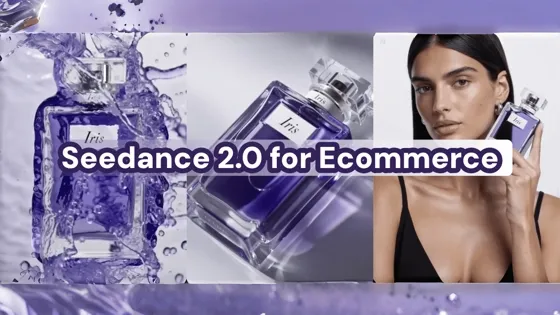
Seedance 2.0 for Ecommerce: Create AI Product Videos in Minutes
Seedance 2.0 Review: Features, Improvements, Pricing & How It Works (2026)
Make every product image ready to sell
Designkit is an all-in-one AI platform for ecommerce visuals. Create product photos, AI videos, virtual try-ons, and Amazon listing images in seconds. Generate HD backgrounds, batch edit photos, and scale your brand with studio-quality content.
