
Remove.bg Is Shutting Down. Here’s What Users Are Saying
On December 1, 2026, remove.bg’s standalone site closes. See what’s changing, what happens to credits and API access, and what users are saying about the alternatives.


On December 1, 2026 at 9:00am CET , remove.bg’s standalone website is scheduled to stop being available. Its background removal functionality is moving to Canva , self-serve API users are being directed to Leonardo.Ai , and unused PAYG credits expire at the same time.
That timeline has prompted questions about what happens next. But much of the discussion online is not about background removal disappearing. On Reddit, the discussion centers on workflow loss, platform consolidation, and concerns about future access or pricing , rather than background-removal technology disappearing.
This article covers what changes on December 1, what users say they will miss, what to do before the cutoff, and which alternatives Reddit users recommend.
remove.bg Is Shutting Down: What Changes on December 1?
What Happens to the Standalone Website?
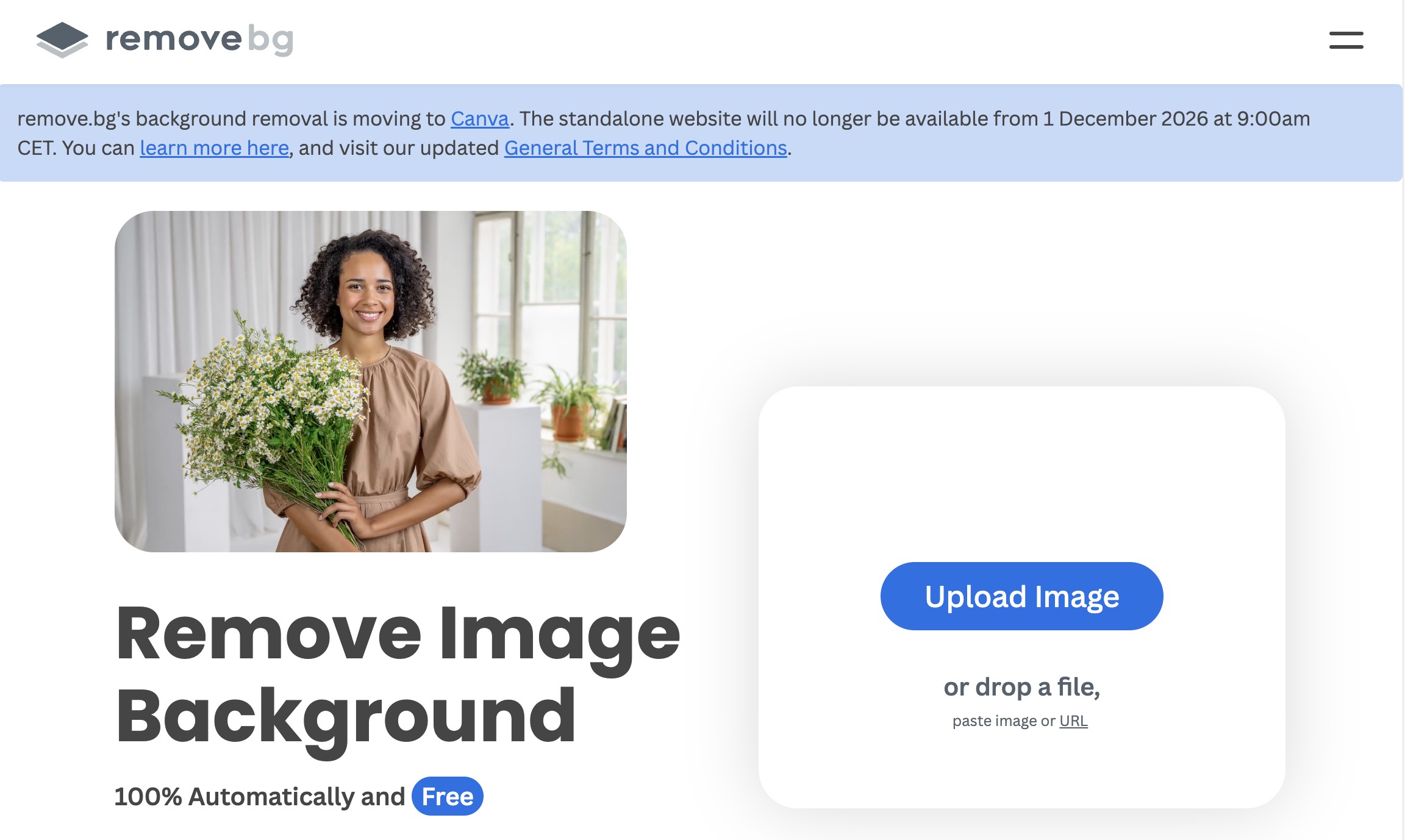
According to remove.bg’s FAQ, the standalone website will no longer be available from 1 December 2026 at 9:00am CET . After that point, the familiar upload-and-download experience at remove.bg will no longer be available.
What Happens to Background Removal?
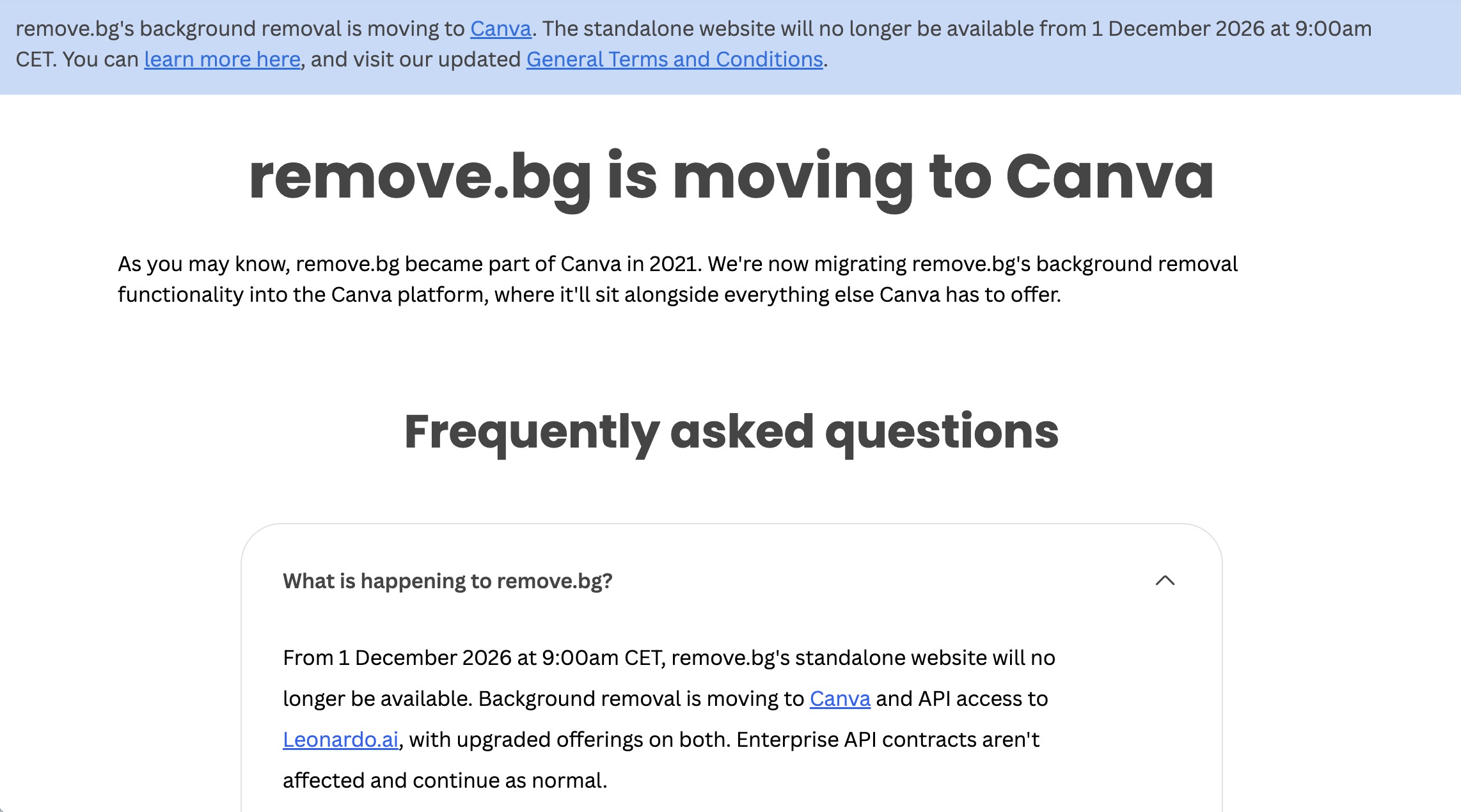
Background removal functionality moves to Canva , with the exact workflow depending on how the feature is used. The background-removal capability is continuing, but through a different product surface. What ends is the dedicated standalone experience many users treated as a one-job utility.
What Happens to PAYG Credits?
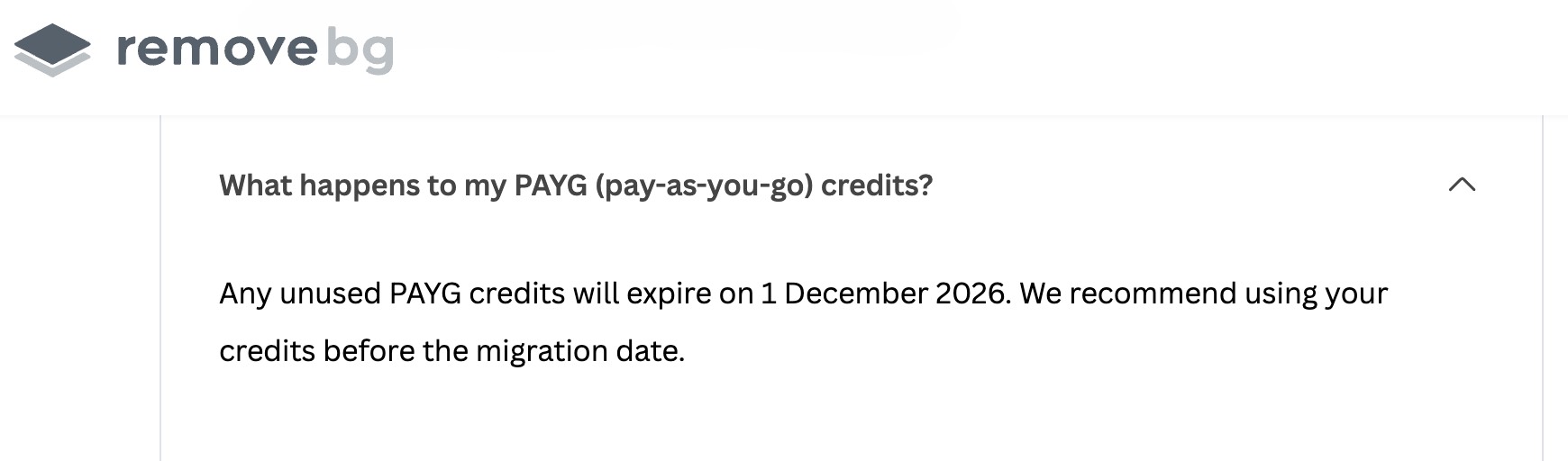
Unused PAYG credits expire on December 1, 2026, at 9:00am CET. remove.bg’s own guidance is straightforward: use remaining PAYG credits before the migration date. Do not assume unused credits transfer to Canva or Leonardo.Ai unless remove.bg states that for your account type.
What Happens to the API?
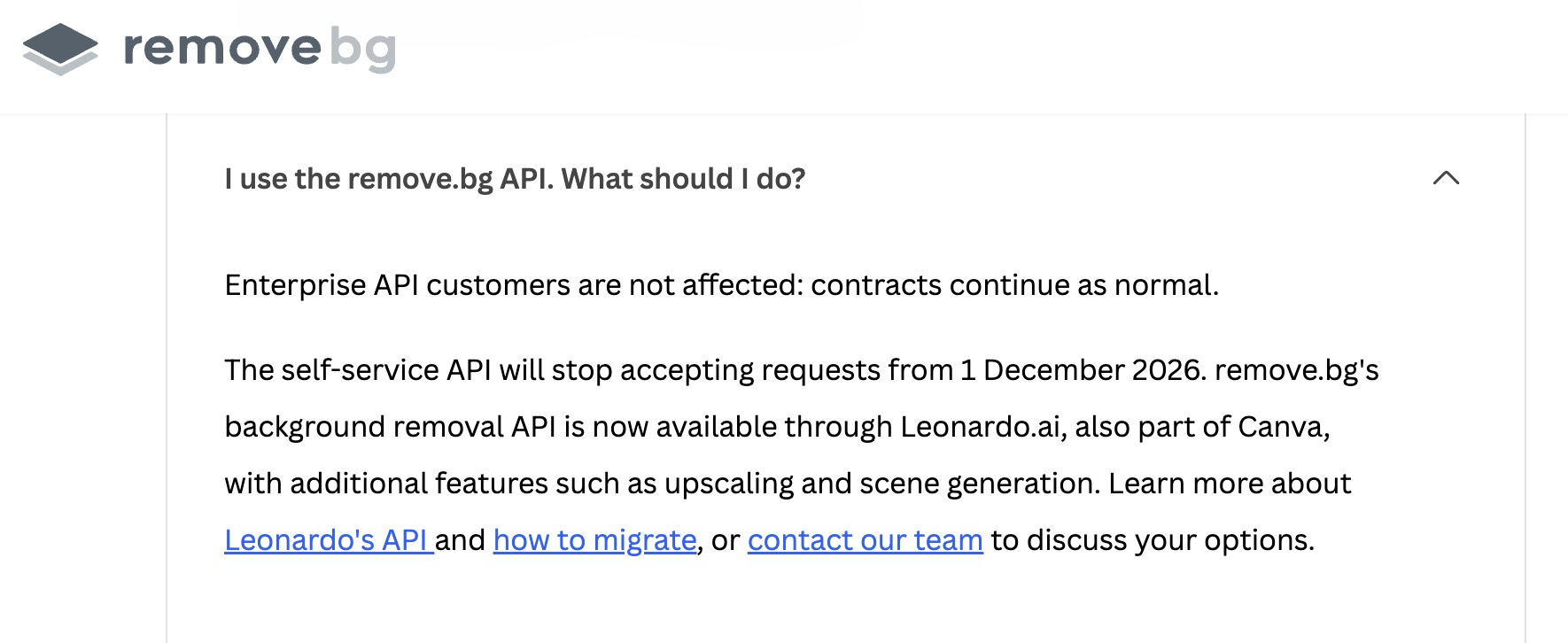
Self-serve API users are directed to Leonardo.Ai , also part of Canva, starting December 1, 2026. Existing Enterprise API arrangements should be checked against your contract and account guidance. A Canva subscription is not automatically an API migration plan.
Why Are remove.bg Users Upset?
Recent threads on communities like r/canva , r/web_design , and r/graphic_design show a mix of frustration, nostalgia, and practical switching advice. Some posts drew strong engagement. Others were quieter. The useful takeaway is not that “Reddit is uniformly angry.” It is that several recurring concerns keep showing up. A deeper migration thread also showed up in r/StableDiffusion , where users compared browser tools, local models, and ComfyUI-style workflows after the shutdown news.
A Simple One-Job Tool Is Becoming Part of a Bigger Platform
For many users, remove.bg was not a design suite. It was a dedicated background removal page. In a recent r/canva discussion , a user described the site as muscle memory: typing the URL and getting a transparent background had become automatic. When that dedicated surface moves into a larger platform, the friction changes even if a similar feature still exists elsewhere.
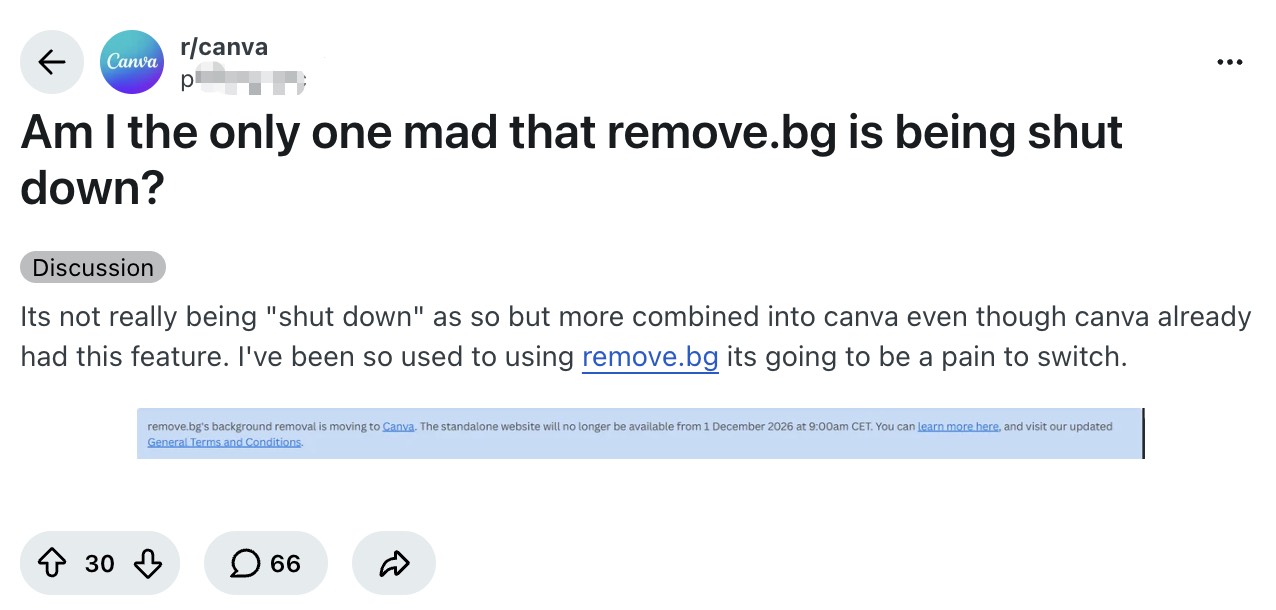
Users Don't Want a Bigger Platform for a Simple Task
Another recurring concern is access and pricing. Some Reddit users worry that folding remove.bg into Canva will push a simple cutout task behind a broader product or paid plan. Others note that Canva already has background removal and still prefer a lightweight tool for one job. This is not every user’s view, but it is a clear thread in the reaction. Treat those comments as user opinions, not as Canva’s stated reason for the migration.
People Are Tired of Useful Free Tools Disappearing
A third theme is broader frustration with the loss of standalone tools. In reaction threads, some users connect the shutdown to a familiar pattern: a free or low-friction utility becomes popular, then gets shut down, absorbed, or restricted. A recent r/graphic_design post framed it as “another free tool down for the count,” and commenters mixed nostalgia with concern about useful tools moving into larger paid ecosystems. Whether or not that matches Canva’s intent, that is how parts of the discussion are framing the change.
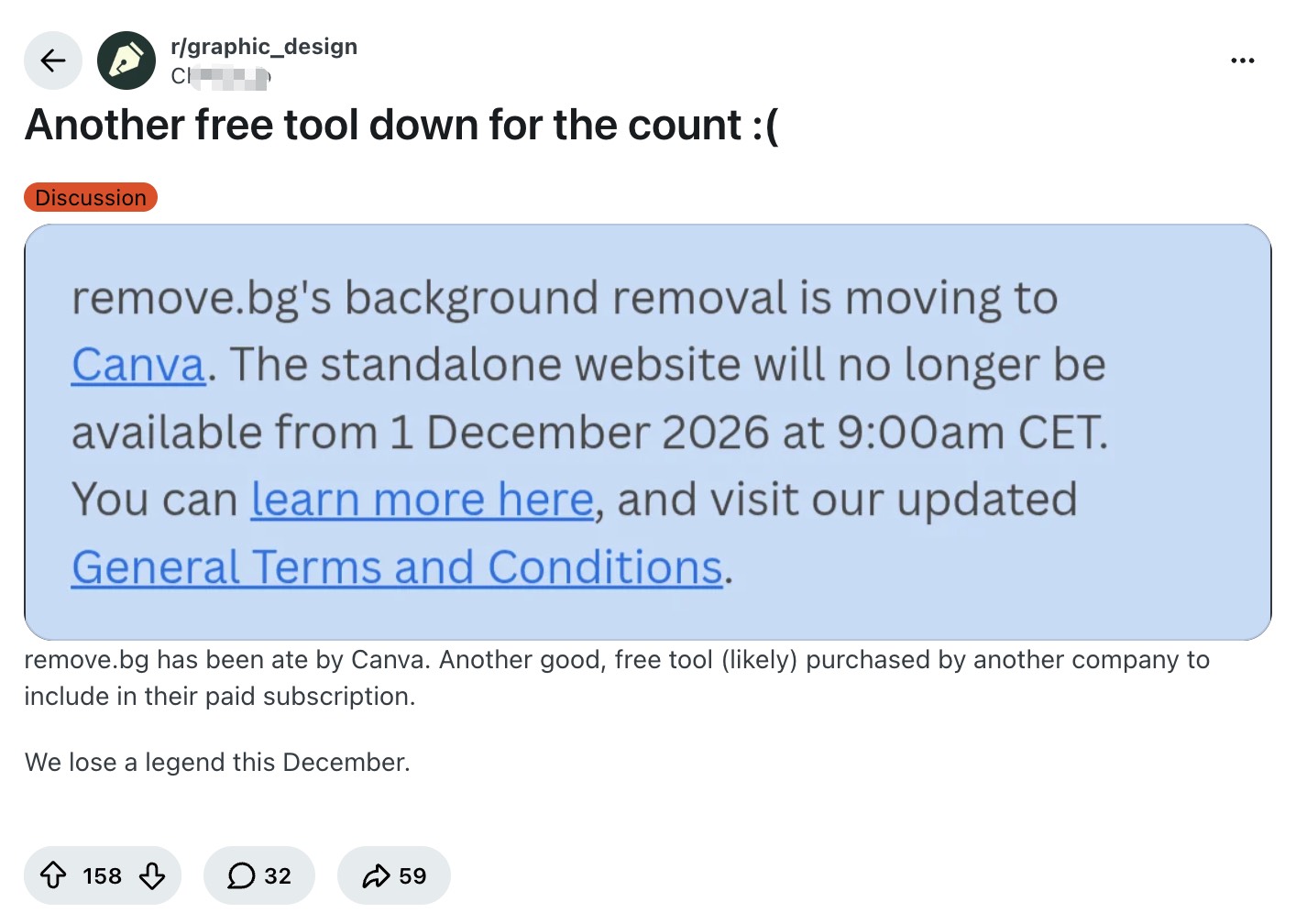
What Users Say They’ll Miss About remove.bg
The reaction is easier to understand when you look at the workflow friction users describe, not just the emotion.
A Dedicated Background Removal Workflow
Users repeatedly describe missing a focused page built for one task. In Reddit discussions, people talk about remove.bg as a known destination for cutouts, not as a full creative environment.
Fast, Simple Background Removal
Speed and simplicity come up often. For casual users and many designers, the value was less about advanced editing and more about getting a usable transparent image quickly. Some long-time users also say they stuck with remove.bg because the cutouts were cleaner than built-in removers in tools they already had, especially on everyday photos.
No Need for a Full Design Platform
Several comments push back on the idea that Canva is an automatic replacement. Some users already live in Canva and are fine. Others say they do not want to open a full design platform just to isolate a subject.
A Familiar Tool Already in Their Workflow
Habit matters. In the same r/canva thread , one user put it plainly: remove.bg may not have been the absolute best tool for every case, but it had a place in their workflow, and losing that still hurts. Another asked whether they were the only one mad about the shutdown. Other commenters expressed similar frustration, while others responded by sharing alternative tools.
What remove.bg Users Need to Do Before December 1
Use Your Remaining PAYG Credits
If you have unused PAYG credits, use them before December 1, 2026 at 9:00am CET. Finish catalog work, client exports, or batch jobs that were already going to use those credits.
Save Important Account Records and Outputs
Save invoices, usage records, and any processed files you may need before the shutdown. Export anything you still rely on while you still have easy access to it.
Identify Your Replacement Workflow
The best next step depends on how you actually used remove.bg:
|
Your workflow |
What to look for |
|---|---|
|
Occasional cutouts |
Simple browser tool |
|
Product images |
Batch + ecommerce features |
|
Design work |
Integrated editor |
|
Privacy-sensitive images |
Local processing |
|
API automation |
API replacement |
If you need a structured way to compare options by use case, start with Designkit’s remove.bg alternatives page rather than treating every tool as interchangeable.
Across those Reddit threads, people evaluating replacements often optimize for a few practical criteria:
-
Stay outside a full Canva workflow if they only need cutouts
-
Keep edge quality close to what they had on remove.bg
-
Prefer free, no-signup, or full-resolution export where possible
-
Choose local tools when privacy or per-image credits matter
-
Look for batch support if they process catalogs
What Alternatives Are Reddit Users Recommending?
This is not a ranked list. It reflects tools that keep appearing in Reddit threads about the shutdown and about replace-remove.bg workflows, including a recent r/web_design alternatives thread .

Browser-Based Background Removers
Users looking for browser-based options mention Photopea and Adobe Express , while others prefer dedicated background-removal tools. The appeal is familiar: open a page, process an image, and move on without rebuilding your whole stack. Photopea is an online image editor rather than a remove.bg-style dedicated remover, but it still comes up often in these threads.
Full Creative Platforms
Some users say they will simply stay inside tools they already pay for or use daily, including Canva , Photoshop , and Figma . For them, the migration is inconvenient more than existential.
Local and Offline Tools
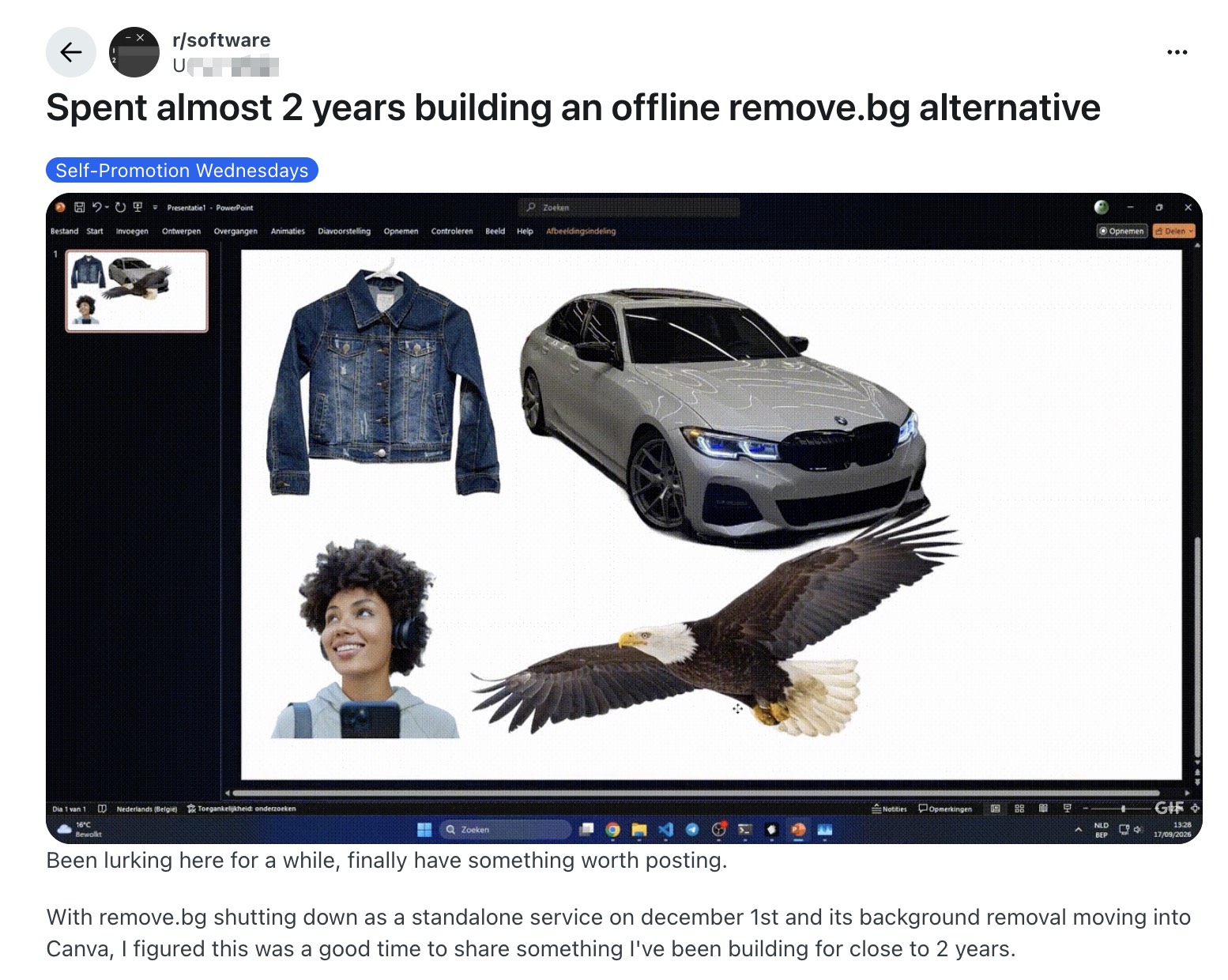
Privacy-minded users and people who dislike credit systems often point to local options such as rembg , desktop apps like LocalBG, or other client-side tools. In some of these threads, including offline-alternative discussions on r/software , the appeal is avoiding uploads, accounts, or per-image credit limits.
Ecommerce and Batch Workflows
Sellers and catalog teams often need more than a single cutout. In those conversations, workflow-oriented tools like Photoroom come up because batch consistency, backgrounds, and product presentation matter after the mask is done.
If you want a deeper feature and pricing comparison, see Designkit’s guide to the best image background remover tools .
What If You Use the remove.bg API?
If your product or pipeline calls the remove.bg API, your path is different from a browser user’s path. Official messaging points self-serve API users to Leonardo.Ai from December 1, 2026.
Before you cut over production traffic:
-
Review the Leonardo.Ai migration requirements.
-
Test the new integration with real images from your pipeline.
-
Confirm output quality, latency, and billing against your current volume.
Do not assume a Canva plan solves an API dependency. Treat this as an engineering migration with a fixed calendar date.
Looking for a Simple remove.bg Alternative?
If you mainly used remove.bg for quick background removal, you may not need to replace it with a full creative suite.
Designkit’s background remover offers a focused online workflow for removing backgrounds, exporting transparent images, and replacing the background when needed — without moving the whole job into Canva. It is one option for users who want to keep background removal as a standalone task rather than move into a broader design workflow.
Try Designkit Background Remover
Conclusion
The key takeaway is simple: remove.bg’s technology isn’t disappearing, but the standalone workflow is.
If you relied on remove.bg, the right replacement depends less on which tool has the best background remover and more on how you actually used it: quick one-off cutouts, product batch work, design-suite editing, local privacy, or API automation.
If you just need a fast, simple path back to transparent images, try Designkit’s background remover .
Frequently Asked Questions
Is remove.bg shutting down completely?
When is remove.bg shutting down?
According to remove.bg’s FAQ, the standalone website will no longer be available from 1 December 2026 at 9:00am CET.
Why is remove.bg shutting down?
remove.bg’s public messaging focuses on moving background removal to Canva and API functionality to Leonardo.Ai rather than ending the underlying technology. The company does not provide a more detailed explanation for the shutdown in the information cited here.
What happens to unused PAYG credits?
Unused PAYG credits expire on December 1, 2026, at 9:00am CET. remove.bg recommends using remaining PAYG credits before the migration date. Check your account for any plan-specific guidance beyond PAYG.
Is Canva the only alternative to remove.bg?
No. Reddit users mention Canva, but they also recommend browser tools, Adobe Express, Photopea, Figma, Photoroom, local tools, and other removers. The better question is which workflow you need to replace.
What happens to the remove.bg API?
Self-serve API access is directed to Leonardo.Ai from December 1, 2026. Review the official migration documentation and test before production. Enterprise contracts may follow different terms.
Why are people upset about remove.bg moving to Canva?
From Reddit discussions, common frustrations include losing a dedicated one-job workflow, concern about future access or pricing inside a larger platform, and broader frustration with the loss of standalone tools. Other users are fine moving to Canva or tools they already use.
What to Read Next About remove.bg Alternatives

Remove.bg Review 2026: Features, Pricing & Is It Worth It?

7 Best Remove.bg Alternatives in 2026: Free & Paid Tools

How to Remove Background in Canva: A Step-by-Step Guide

Best Image Background Remover Tools in 2026: AI Tools Compared

Top 8 Online Background Removers for Ecommerce Photos (2026)
Need a simple remove.bg alternative?
If you mainly used remove.bg for quick background removal, Designkit offers a focused online workflow for cutouts and transparent exports — without moving the whole job into Canva.
