
Photoroom Background Remover Review: Is It the Right AI Tool for Product Images?
Discover how Photoroom removes image backgrounds, its key features, pricing, limitations, and whether it is the right AI image editing tool for ecommerce and content creation.

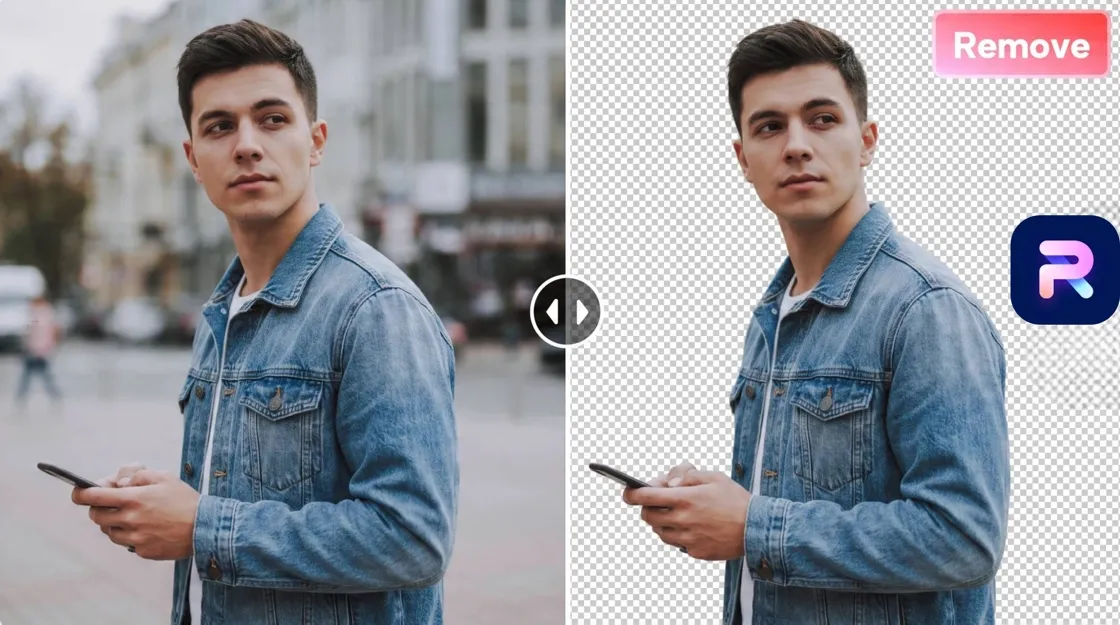
Removing backgrounds is one of the first steps in creating professional product images. Whether for ecommerce listings, social media posts, or digital ads, clean cutouts help products stand out and make visual content easier to create.
Photoroom is a popular AI photo editor designed around quick background removal and product image editing. Its mobile-first workflow makes it appealing to sellers, creators, and small businesses that need fast results without advanced design skills.
But does Photoroom deliver enough quality, flexibility, and scalability for professional ecommerce workflows?
Unlike traditional editing software such as Photoshop, Photoroom focuses on automated product photography workflows, helping users create clean images without manual selection.
What Is Photoroom Background Remover?
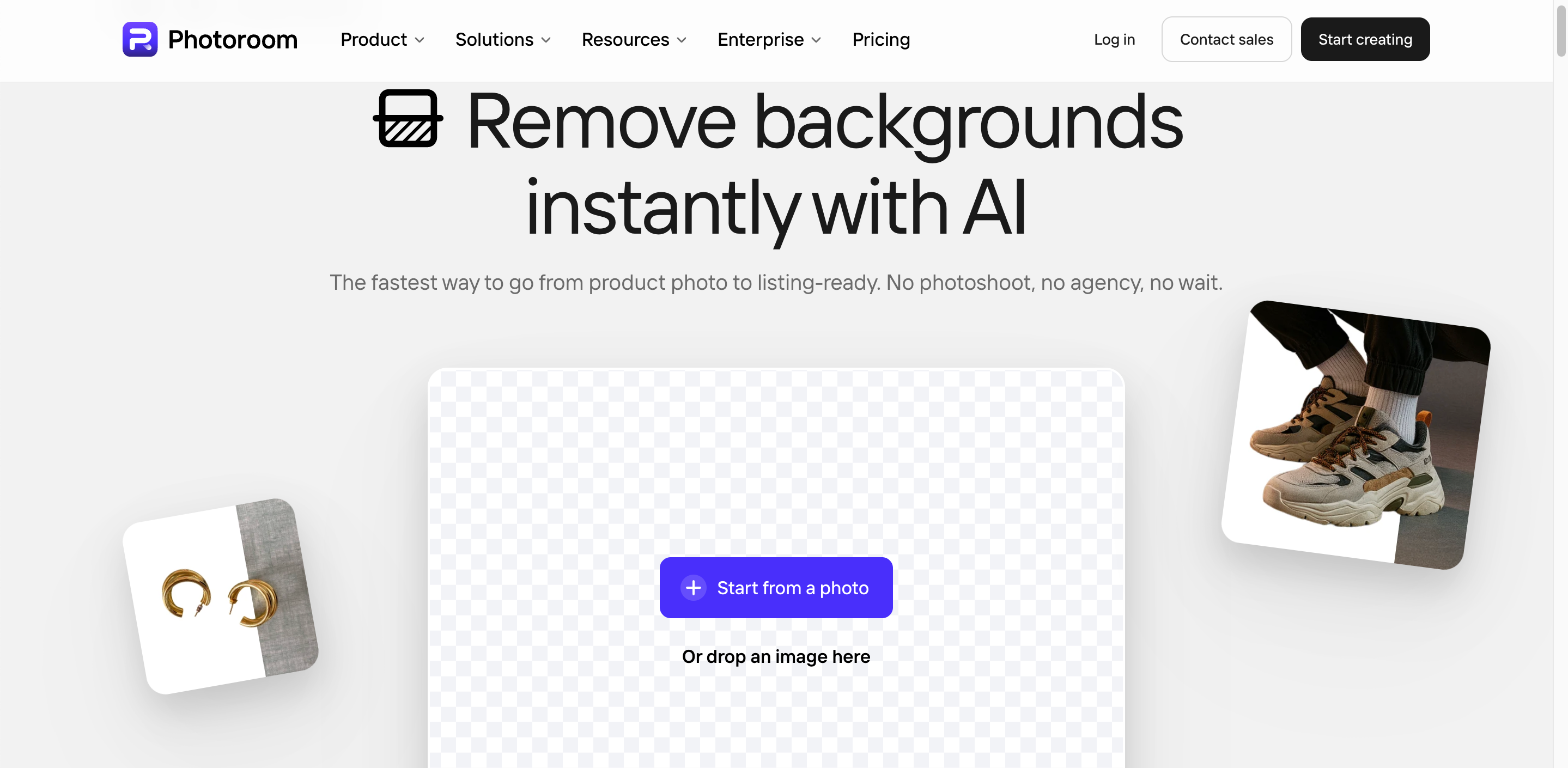
Photoroom Background Remover is an AI photo editing tool that automatically removes image backgrounds in seconds. Available on the web and mobile, it helps users create transparent PNGs, replace backgrounds, and generate product photos for ecommerce and social media.
Unlike Photoshop, which requires manual selections and masking, Photoroom uses AI to detect the subject automatically. Users can quickly remove background from image files, edit backgrounds, and export ready-to-use visuals with minimal effort.
Photoroom Background Remover Features Review
AI Background Removal
AI Background Removal is Photoroom's core feature. Simply upload an image, and the AI automatically detects the main subject and removes the background without manual editing.
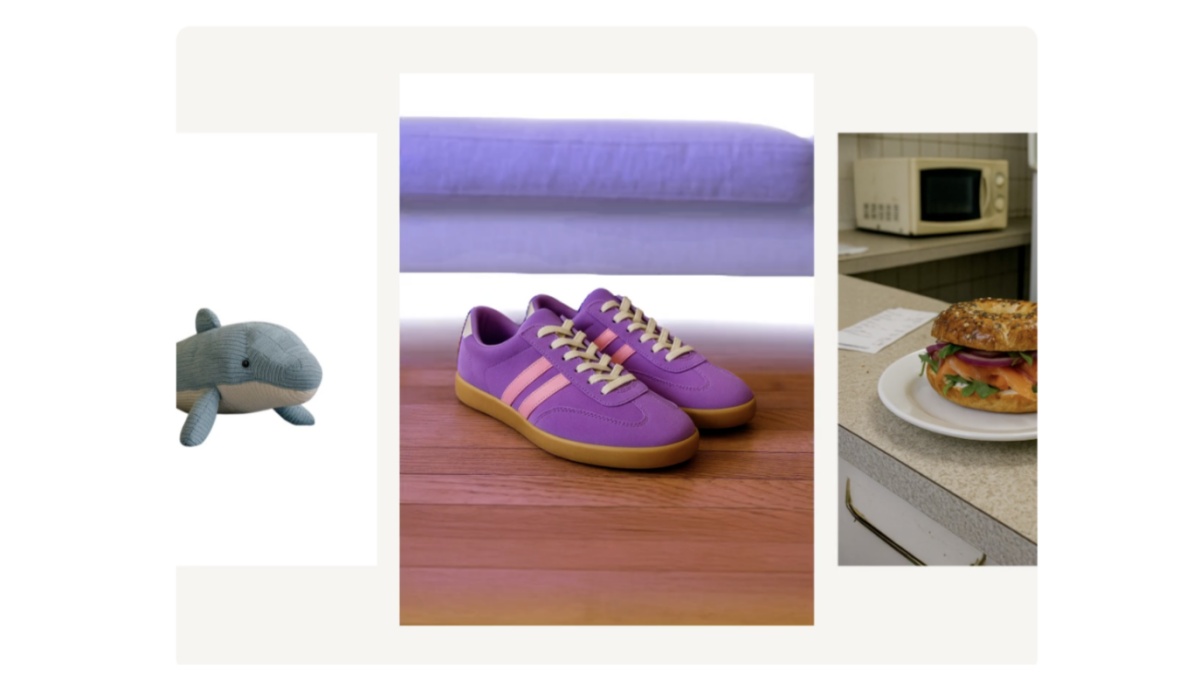
The tool produces clean cutouts for products, people, pets, and everyday objects. Edge detection is generally accurate, though fine details like hair, fur, glass, or transparent objects may occasionally need manual refinement. Shadow handling is good for simple product photos but can be inconsistent in complex scenes.
If your goal is to remove background from image files quickly, Photoroom delivers fast results for most e-commerce and content creation needs.
Batch Background Removal
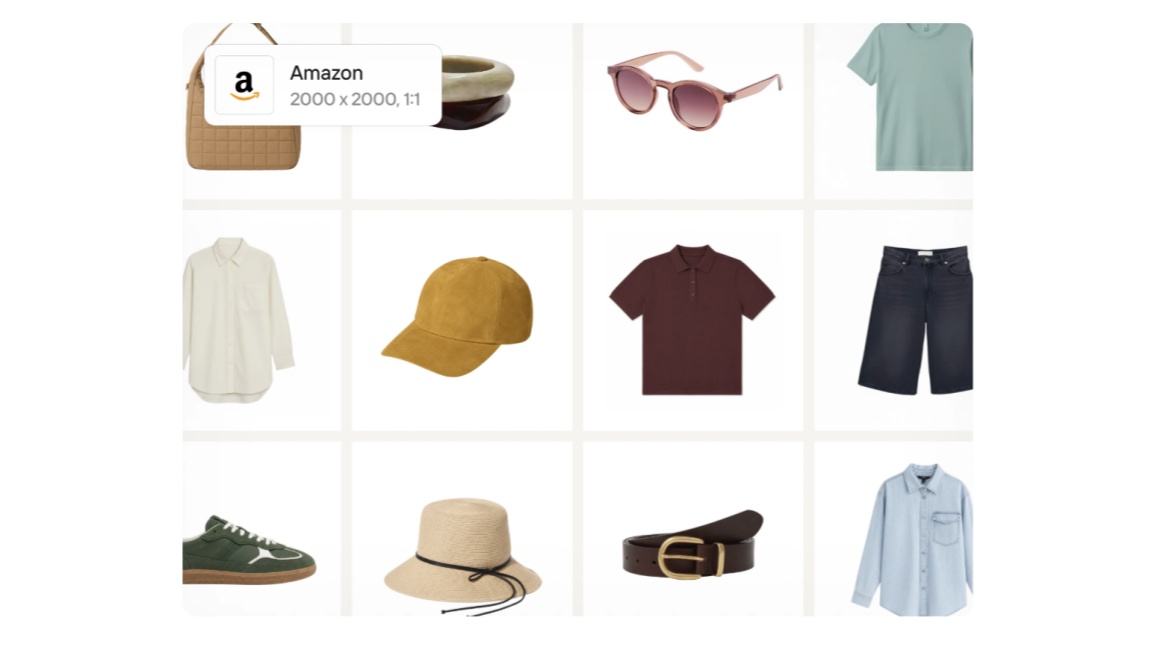
The Photoroom batch background remover lets users process multiple images in one workflow, making it useful for ecommerce catalogs and large product uploads.
Instead of editing each photo individually, users can upload several images, apply background removal, and download the results together. This saves time while maintaining a consistent look across product listings.
Batch processing availability and upload limits depend on the subscription plan. Verify the latest limits before publishing.
AI Backgrounds and Templates
After removing a background, Photoroom lets users replace it with AI-generated scenes, solid colors, or preset backgrounds. It also includes templates for product marketing, online stores, and social media posts.
The template library is suitable for creating ecommerce listings and promotional graphics quickly. However, businesses with strict branding or advanced design needs may find customization options more limited than dedicated design software.
Mobile Editing Workflow
Photoroom's mobile app offers the same core editing tools as the web version, allowing users to remove backgrounds, replace scenes, and export images directly from a smartphone.
The workflow is fast and beginner-friendly, making it ideal for ecommerce sellers, resellers, and creators editing product photos on the go. Desktop editing still provides more control for detailed adjustments, but the mobile app is faster for everyday edits.
Photoroom Background Remover Pros and Cons
Like most AI photo editors, Photoroom balances speed and simplicity with plan-based limits. It performs well for everyday background removal and product photo editing, and it also supports batch workflows, AI scene generation, and API automation on higher-tier plans.
|
Pros |
Cons |
|---|---|
|
Fast AI-powered background removal with minimal manual editing |
Advanced compositing and deep customization are more limited than professional design software |
|
Beginner-friendly interface on both web and mobile |
Batch exports, higher export volumes, and premium AI tools require paid plans and AI credits |
|
Strong mobile editing experience for quick product photo updates |
Free and lower-tier plans can feel limiting for large catalogs due to export and credit caps |
|
AI backgrounds, templates, and product staging tools for marketplace and social visuals |
Better for product photography and listing visuals than for full-scale ad creative systems |
|
Batch editing, Brand Kit, and API options that help growing catalogs stay consistent |
Marketing teams that need complex banners, campaign layouts, and multi-format brand design may still need additional tools |
|
Good fit for online sellers who need to remove backgrounds from product images quickly |
|
Photoroom Pricing Review
Free Plan
Photoroom's Free plan is designed for users who want to test the Photoroom background remover and basic AI editing tools. It works well for personal projects and occasional edits but includes feature and export limitations.
|
Included |
Limitations |
|---|---|
|
AI background removal |
Monthly export limits |
|
Basic photo editing tools |
Limited AI credits |
|
Selected templates and backgrounds |
Premium templates unavailable |
|
Web and mobile access |
Some exports may include a watermark |
|
Suitable for learning and testing |
Not intended for commercial use (check current licensing terms) |
Features and licensing may change. Verify the latest free plan details on Photoroom's official pricing page before publishing.
Paid Plans
Paid plans are designed for creators, businesses, and ecommerce sellers that need higher export limits and more advanced editing capabilities.
|
Typically Included in Paid Plans |
|---|
|
More exports and higher processing limits |
|
Premium templates and branding tools |
|
Advanced AI editing features |
|
Batch editing for multiple images |
|
HD exports and commercial-use features |
|
Faster workflows for ecommerce product photography |
Photoroom currently offers Pro, Max, Ultra, and Enterprise plans. Pricing varies by region, billing cycle, and platform, so verify the latest subscription costs and plan features on the official pricing page before adding exact prices to your article.
Is Photoroom Good for Ecommerce Product Images?
Photoroom is a strong choice for ecommerce sellers who need fast, consistent product visuals.
Its AI tools handle clean cutouts, background replacement, marketplace-ready formatting, and higher-volume workflows through Batch, Brand Kit, and API automation.
Good Fit For
-
Solo sellers and small stores that need clean product photos quickly
-
Amazon, Etsy, Shopify, and eBay sellers preparing listing-ready images
-
Teams that want a fast Photoroom background editor workflow for white backgrounds and lifestyle scenes
-
Social media creators producing product posts and promotional visuals
-
Growing catalogs that need batch editing, brand consistency, or API automation
-
Businesses testing Photoroom’s free background remover before upgrading to a paid plan
Less Suitable For
-
Marketing teams that need a full ad creative suite for banners, campaign layouts, and multi-format brand campaigns
-
Users who want unlimited advanced AI lifestyle scenes on the free or lowest-cost plans, since AI credits and export limits apply
-
Teams looking for a general design platform beyond product photography and listing visuals
Overall, Photoroom works well across small, mid-size, and large ecommerce operations. It is especially effective for product cutouts, background edits, and scalable listing visuals. Advanced scene generation and high-volume automation are available, but they typically require higher-tier plans, AI credits, or API usage as production needs grow.
Best Photoroom Alternatives
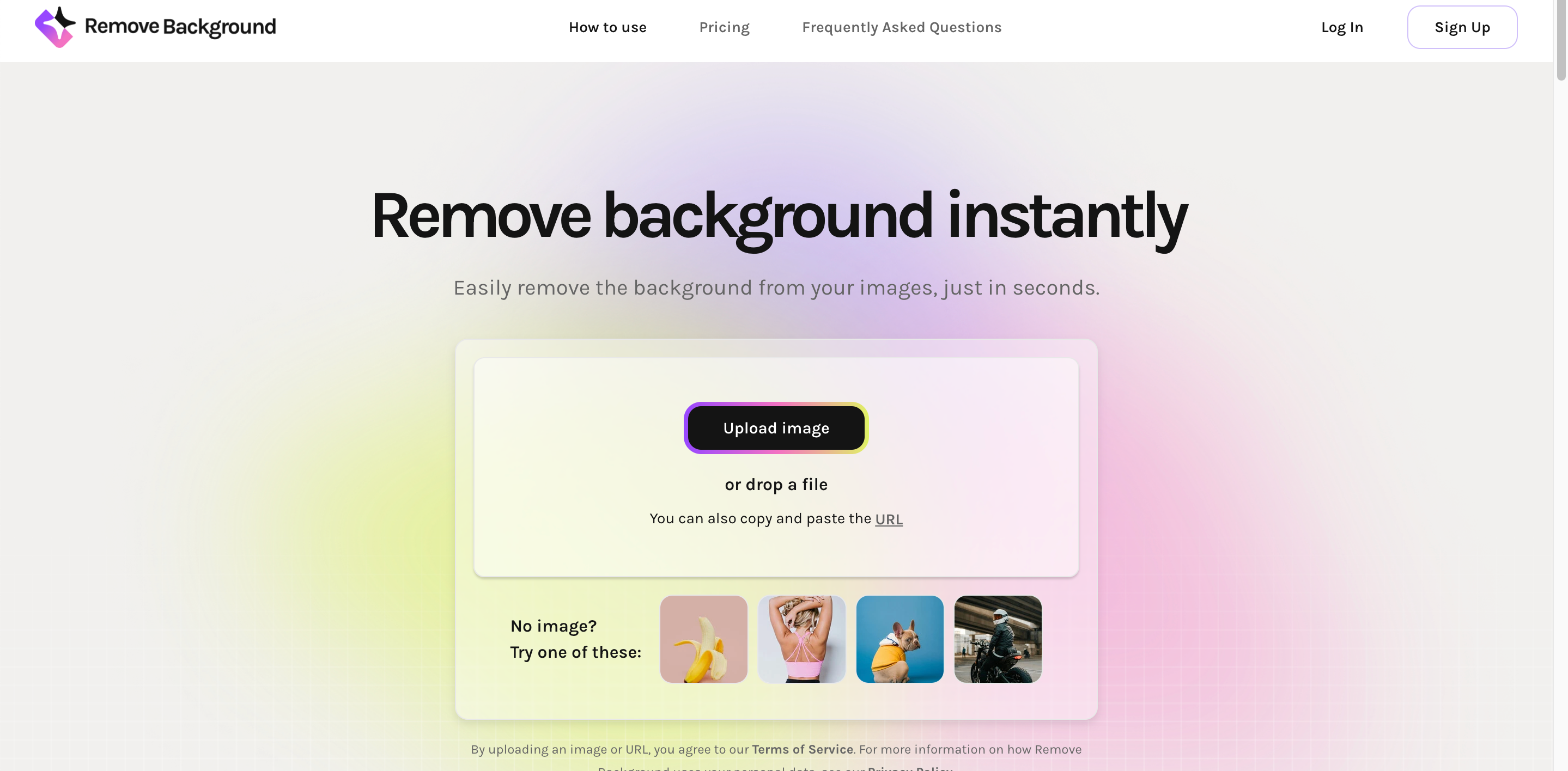
1. Remove.bg: Best for Simple Background Removal
Remove.bg focuses on one job, removing backgrounds quickly and accurately. Its one-click workflow is ideal for users who simply need a transparent image without additional editing features. If your priority is a fast free background remover, Remove.bg remains one of the simplest options.
Best for:
-
One-click background removal
-
Transparent PNG exports
-
Quick product cutouts
-
Basic ecommerce photo preparation
2. Pixelcut: Best for Mobile Product Editing
Pixelcut combines AI background removal with mobile-friendly editing tools. It includes AI-generated backgrounds, object cleanup, and product photo enhancements, making it a strong option for creators who edit directly from their smartphones.
Best for:
-
Mobile product photography
-
AI backgrounds
-
Social media content
-
Small business sellers

3. Designkit: Best for Ecommerce Visual Production
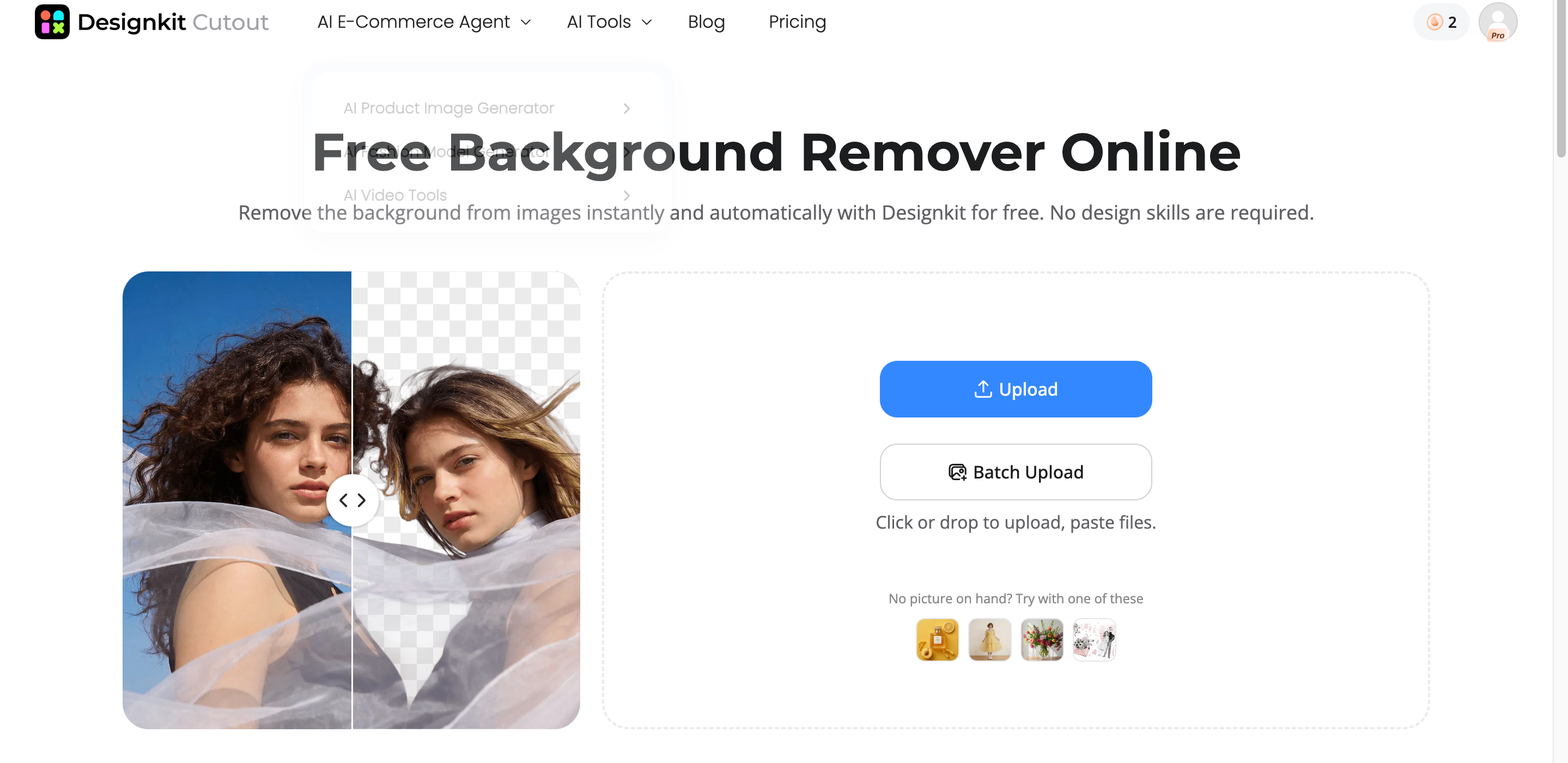
Designkit goes beyond basic background removal by offering a complete ecommerce image creation workflow. In addition to AI-powered cutouts, it provides product enhancement, AI-generated lifestyle scenes, listing image creation, and marketing creatives designed for online stores.
Businesses can remove backgrounds from image files, generate marketplace-ready product visuals, and create banners, promotional graphics, and branded content from a single platform, making it a better fit for growing ecommerce brands.
Best for:
-
AI background removal
-
Product image enhancement
-
AI lifestyle scene generation
-
Marketplace listing images
-
Ecommerce marketing creatives
Photoroom vs Designkit: Which AI Tool Fits Your Workflow?
Both tools offer AI-powered background removal, but they serve different purposes. Photoroom background remover is designed for fast photo editing and mobile workflows, while Designkit focuses on creating complete ecommerce visuals after the background has been removed.
|
Feature |
Photoroom |
Designkit |
|---|---|---|
|
Background removal |
Yes |
Yes |
|
AI backgrounds |
Yes |
Yes |
|
Batch editing |
Yes |
Yes |
|
Product image editing |
Strong templates |
Ecommerce-focused workflow |
|
Lifestyle product scenes |
Templates |
AI-generated scenes |
|
Marketing creatives |
Basic templates |
Product ads and promotional visuals |
|
Best for |
Quick edits and mobile workflows |
Full ecommerce visual production |
When Background Removal Is Only the First Step
Removing the background is only one part of creating high-converting ecommerce visuals. After using a Photoroom background editor, sellers often need additional assets for different sales channels and marketing campaigns.
These typically include:
-
Lifestyle product images
-
Marketplace listing images
-
Promotional banners
-
Multiple ad creatives for different platforms
-
Social media product visuals
For businesses with ongoing ecommerce content needs, an AI visual production platform can turn a simple product cutout into complete marketing-ready assets. While Photoroom excels at fast editing, Designkit is built for workflows that extend beyond background removal into product enhancement, AI-generated scenes, listing images, and promotional creatives.
How to Remove Image Backgrounds in 3 Steps with Designkit
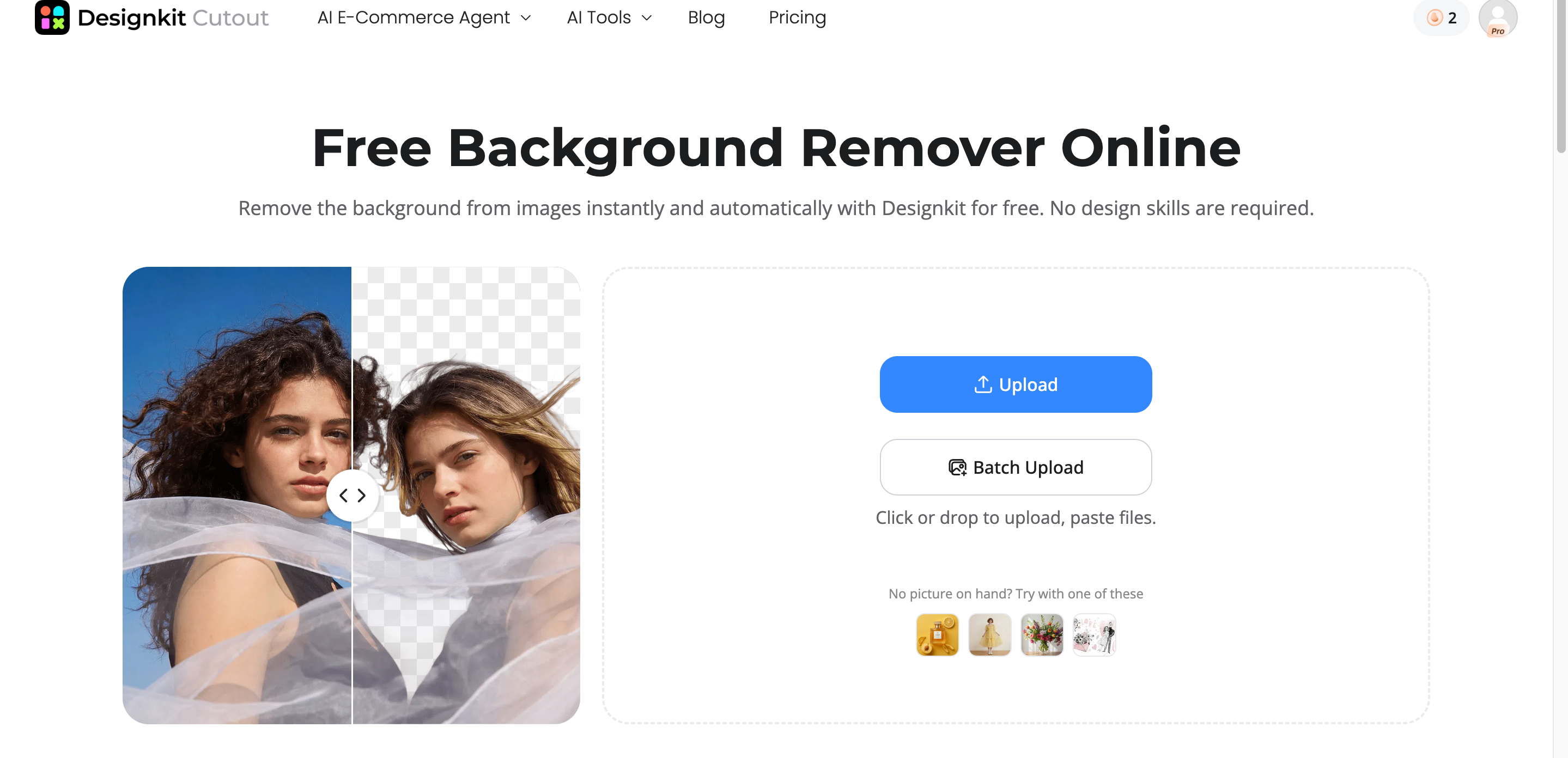
Step 1: Upload Your Product Image
Open Designkit workspace and click Background Remover to upload your product image.
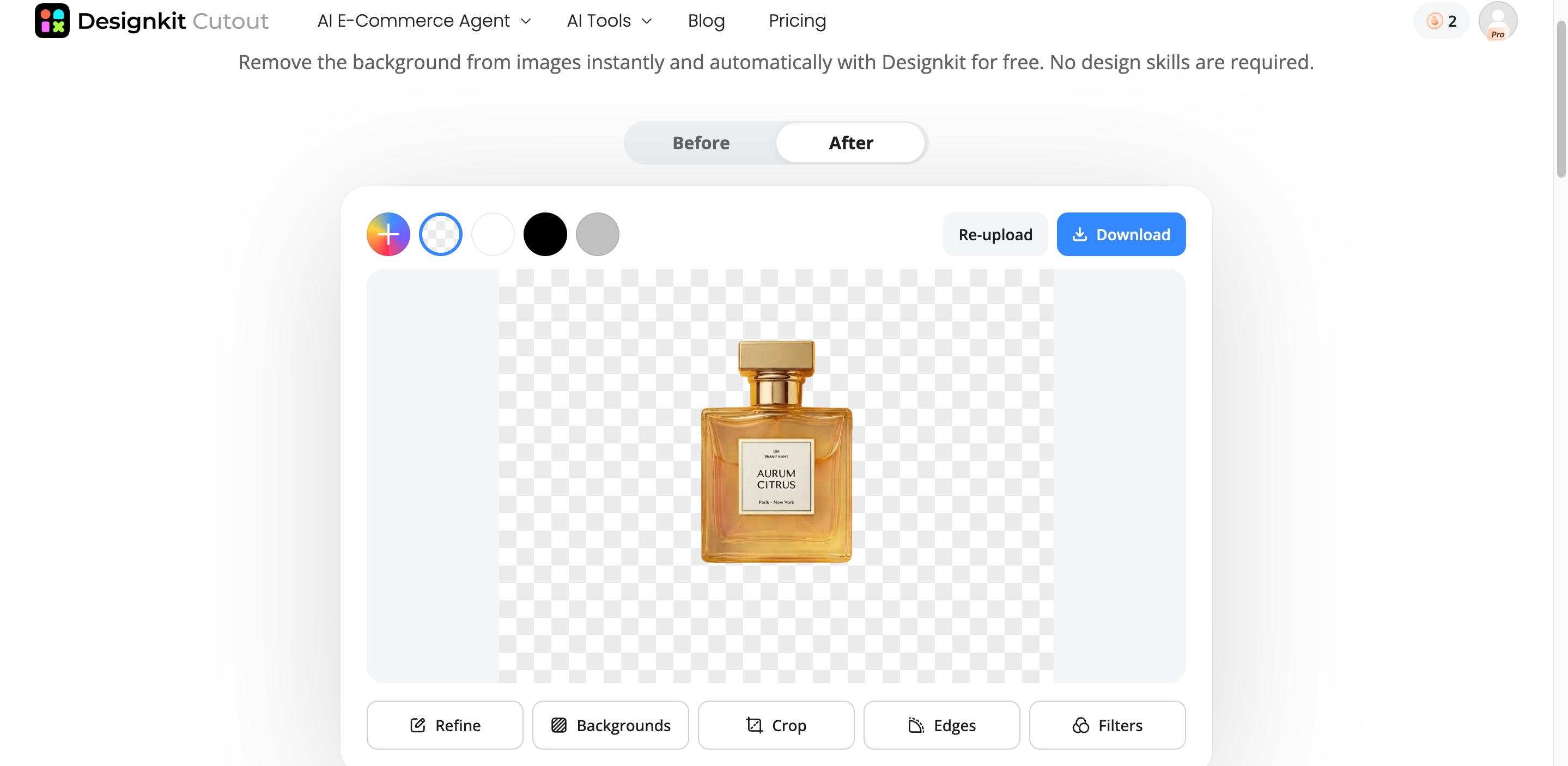
Step 2: Remove Background and Improve Image Quality
Designkit automatically detects your image details and edges and instantly removes messy backgrounds without manual editing.
Remove Backgrounds Online Free
Step 3: Generate Lifestyle or Marketing Images
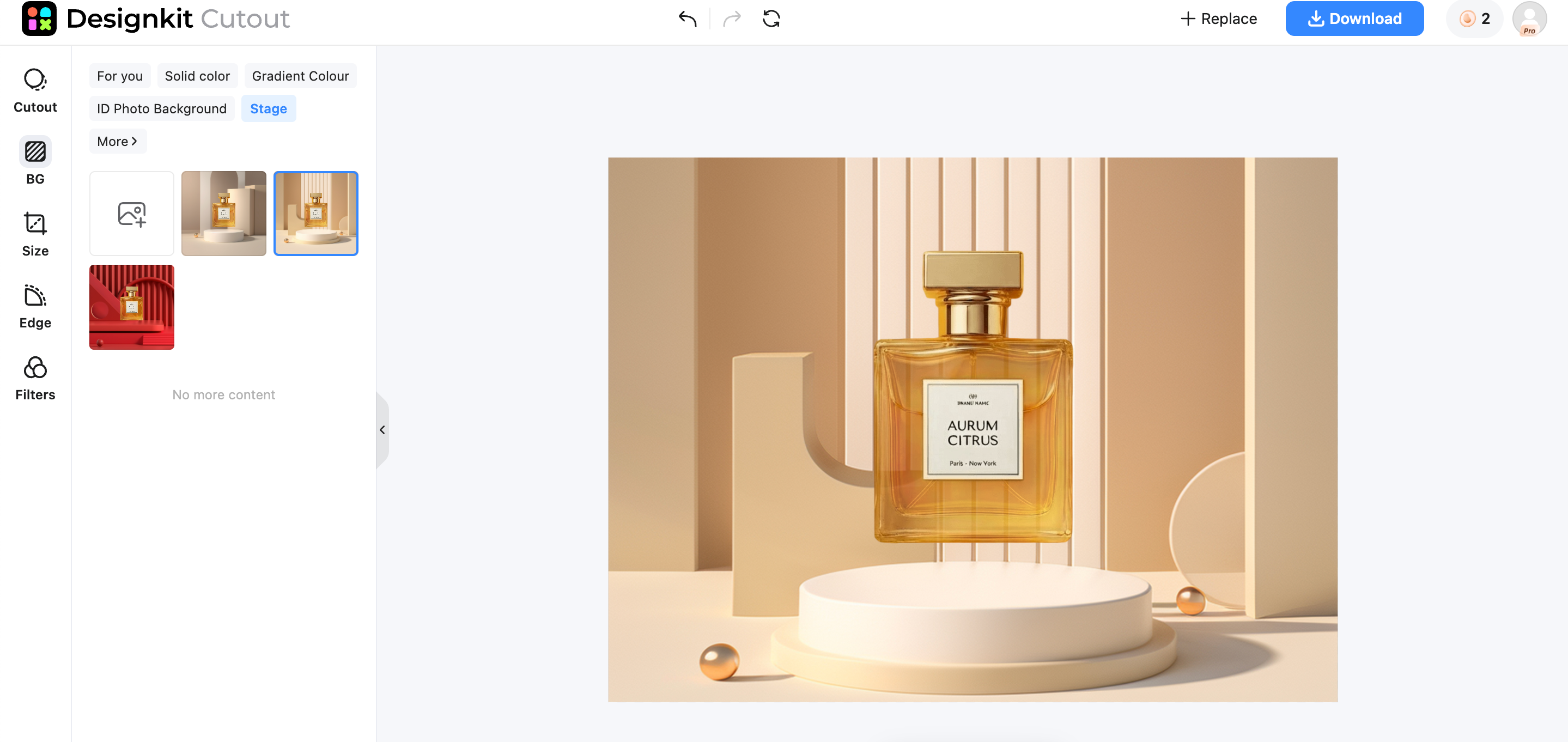
After background removing, you create different scenes, layouts, and promotional visuals for ecommerce channels.
What Designkit Adds Beyond Background Removal
Faster Product Image Preparation
Designkit streamlines the editing process by combining background removal, image enhancement, and scene generation in one workflow. This reduces the time needed to prepare product images for ecommerce listings and marketing campaigns.
AI Enhancement for Low-Quality Product Photos
Beyond removing backgrounds, Designkit improves image clarity, lighting, colors, and sharpness. These AI enhancements help low-quality product photos look more professional without requiring manual retouching.
Realistic AI Lifestyle Scenes
Instead of relying only on preset templates, Designkit generates AI lifestyle scenes that place products in realistic environments. This helps brands create engaging product visuals for marketplaces, websites, and social media.
Multiple Creative Variations for Listings and Ads
Designkit can generate multiple versions of the same product image with different backgrounds, layouts, and styles. This makes it easier to create assets for product listings, display ads, seasonal campaigns, and social media promotions.
Scalable Ecommerce Visual Production
Designed for growing ecommerce businesses, Designkit supports high-volume visual production with AI-powered editing tools for product images, listing creatives, promotional banners, and marketing assets, all from a single workflow.
Final Verdict: Is Photoroom Background Remover Worth It?
Photoroom is a solid choice for users who want fast AI-powered background removal, simple editing tools, and a smooth mobile workflow. It works well for creators, small businesses, and marketplace sellers who need clean product images with minimal effort.
However, if your workflow extends beyond basic cutouts to include AI lifestyle scenes, listing images, promotional banners, and multiple ad creatives, you'll likely need a more comprehensive solution. Choose Photoroom for quick edits, a dedicated background remover for simple cutouts, or Designkit if background removal is just the first step in your complete ecommerce visual production workflow.
Frequently Asked Questions
Is Photoroom background remover free?
Is Photoroom good for e-commerce product photos?
Yes, Photoroom is well suited for creating clean product photos for online marketplaces and social media. Its AI quickly removes backgrounds and helps sellers produce professional-looking images with minimal effort. For businesses that also need listing images, AI lifestyle scenes, promotional banners, and multiple creative variations, Designkit offers a more complete ecommerce visual production workflow.
Does Photoroom remove backgrounds automatically?
Yes. Photoroom uses AI to automatically detect the main subject and remove the background in just a few seconds. It works well for products, people, and many everyday objects, reducing the need for manual editing. Once the background is removed, Designkit can take the process further by enhancing product photos, generating realistic AI backgrounds, and creating marketplace-ready marketing assets.
Does Photoroom support batch background removal?
Yes, Photoroom supports batch background removal on eligible paid plans, allowing users to process multiple images at once. This feature is useful for ecommerce sellers updating product catalogs more efficiently. If your workflow also involves creating listing graphics, promotional images, or AI-generated product scenes at scale, Designkit extends batch editing into a complete ecommerce content creation solution.
Is Photoroom better than Photoshop?
It depends on your needs. Photoroom is faster and easier for AI-powered background removal and basic photo editing, while Photoshop offers far more advanced editing, layer controls, and creative flexibility. For ecommerce sellers who want an AI-powered workflow focused on product images rather than complex graphic design, Designkit provides additional tools for image enhancement, lifestyle scenes, and marketing creatives.
What is the best Photoroom alternative?
The best alternative depends on your workflow. Remove.bg is ideal for simple one-click background removal, while Pixelcut is a strong option for mobile product editing. If you need more than basic cutouts, Designkit stands out by combining background removal with AI product enhancement, lifestyle image generation, listing visuals, and promotional content for ecommerce businesses.
Is Designkit a good alternative to Photoroom?
Yes. Designkit is a strong alternative for businesses that need more than background removal. Along with AI cutouts, it offers product photo enhancement, AI-generated lifestyle scenes, marketplace listing images, and marketing creatives from a single workflow. This makes it particularly useful for growing ecommerce brands managing product catalogs and advertising across multiple sales channels.
Who should use Photoroom vs a broader AI ecommerce image tool?
Choose Photoroom if your priority is fast background removal, simple photo editing, and mobile-friendly workflows for everyday product images. If your business regularly creates lifestyle photos, listing graphics, promotional banners, and multiple ad variations, a broader AI ecommerce image tool like Designkit is better suited because it supports the entire visual production process instead of only the first editing step.
You May Also Like

7 Best Remove.bg Alternatives in 2026: Free & Paid Tools

Instagram Carousel: What It Is, How to Post & Create One

Nano Banana Prompts: 20+ Examples for Better AI Images

Ideogram AI Review 2026: Features, Pricing & Alternatives

Free Mac Photo Editor: 5 Tools Compared for Mac Users

How to Crop a Photo Into a Circle Online (Keep Quality)

How to Make an Image Transparent Online (AI Guide)

Pixlr Background Remover Review 2026: Features, Pricing & Alternatives

How to Fix Overexposed Photos: Recover Highlights Fast

OpenArt AI Review 2026: Features, Pricing & Alternatives

Best AI Headshot Generator: 9 Tools Compared for 2026

Best Stencil Maker Tools 2026: Turn Photos Into Stencils

Pixelbin Watermark Remover Review: Image & Video Results Tested

How to Make a Sticker on iPhone: Easy Step by Step Guide

Best AI Logo Generator in 2026: 10 Tools Compared

How to Turn a Photo Into a Cartoon: A Beginner-Friendly Guide

Landscape vs Portrait: Key Differences & Best Uses in 2026

How to Remove Watermark From Photo: AI, Photoshop & More

How to Fix Pixelated Photos: Photoshop, AI Tools & Tips

Bing Image Creator: How It Works, Features, Uses & Alternatives

How to Remove People from Photos with AI: A Step-by-Step Guide

How to Increase Image Resolution: AI, Photoshop & PPI

How to Add Text to a Photo: 8 Tips for Better Results

How to Fix Grainy Photos: Easy Ways to Clear Images

Creative Profile Picture Ideas for Every Style and Platform

Evoto AI Review 2026: Features, Pricing, Pros & Cons

Pixlr Photo Editor Review: Features, Pricing & Alternatives

Best AI Image Extender Tools in 2026: Expand Photos with AI

How to Make a Collage on iPhone: Easy Guide for 2026

How to Sharpen an Image in Photoshop (Smart Sharpen and Unsharp Mask)

Best Image Background Remover Tools in 2026: AI Tools Compared

How to Make Transparent Background in Paint: Step-by-Step Guide

How to Resize an Image: Best Methods, Tools & Quality Tips

Best AI Image Generator Tools in 2026: Top AI Platforms Compared

Remove.bg Review 2026: Features, Pricing & Is It Worth It?

Luminar Neo Photo Editor Review 2026: AI Features, Price & Pros

How to Post Multiple Photos on Instagram (2026 Guide)

25 Facebook Cover Photo Ideas for Personal & Business Pages

What Is a PFP? Meaning, Examples & How to Create One

Can You Edit an Instagram Post After Posting?

11 Best Canva Alternatives in 2026 for AI Design & Marketing

8 Best Midjourney Alternatives in 2026: Features, Pricing & Comparison

How to Restore Old Photos: AI Tools, Tips & Best Methods

Pixelcut AI Review 2026: Features, Pricing, Pros, Cons & Alternatives

How to Apply Watermark to Photos: Methods, Tips & AI Tools

How to Remove a Background in Illustrator: 4 Easy Methods

How to Change Background Color on Instagram Story (Easy Guide)

8 Best AI Poster Generators in 2026: Create Posters Faster with AI

10 Best AI Image Enhancers in 2026: Tested & Compared

10 Best AI Image Editors in 2026: Features, Pricing & Comparison

7 Best AI Background Changer in 2026: Remove & Replace Photo Backgrounds

Luminar Neo vs Lightroom: Features, Pricing & Comparison 2026

Kittl Review 2026: Is It Worth It? Features & Pricing

How to Make a Blurry Image Clear: 5 AI & Manual Ways

How to Remove Background on iPhone: 5 Easy Methods (2026)

Photoroom Background Remover Review 2026: Features & Alternatives

How to Remove Background in Canva: A Step-by-Step Guide

How to Remove Background in GIMP: Beginner-Friendly Guide

Funny Dog Memes to Try: Doge Meaning and 10 Original Ideas

Back to School Checklist 2026: Supplies, Timeline, and Planning

Recraft AI Review 2026: Features, Pricing, Pros, Cons & Alternatives

How to Make an Image Transparent in Google Slides: Opacity & Background Removal

VanceAI Photo Enhancer Review: Features, Pricing & Alternatives in 2026

What Does Emojify Mean? Text, Photos, & Emoji Art Explained

Top 8 Online Background Removers for Ecommerce Photos (2026)

How to Remove Background in Photoshop: 7 Easy Methods

6 Best AI Image Upscalers 2026: Tools Tested & Compared

Project Indigo Review: Is It Better Than iPhone Camera?

How Big Is an 8x10 Photo? Size, Pixels & Frame Guide

How Big Is a 4x6 Photo? Dimensions, Pixels & Printing Tips

Picsart AI Review: Features, Pricing, Pros, Cons & Alternatives

Lovart AI Review: AI Design Agent Features, Pricing & Alternatives

Fotor AI Image Generator Review: Features, Pricing & Alternatives

How to Add Emoji to Photo Online for Free

Emoji Wallpaper Ideas & How to Make One Online (2026)

Minimalist Poster Design: How to Make a Clean Poster (2026)

How to Make a Custom Poster That Is Ready to Print

Instagram Image Size Guide 2026: Post, Reel, Story & Carousel Specs

LinkedIn Image Size Guide: Profile, Post & Banner Dimensions

YouTube Profile Image Size: Best Dimensions & Safe Area 2026

How to Edit Amazon Product Photos That Boost Sales Fast
Create More Than Just Background-Free Images
Background removal is only the start of professional ecommerce content. Designkit helps transform product photos into polished marketing visuals and lifestyle scenes with AI.
