
How Sellers Use Amazon Vine for Early Reviews
Your listing is live but the review count is still zero. See how Amazon Vine works for sellers, when to enroll, and what to fix on the page first.

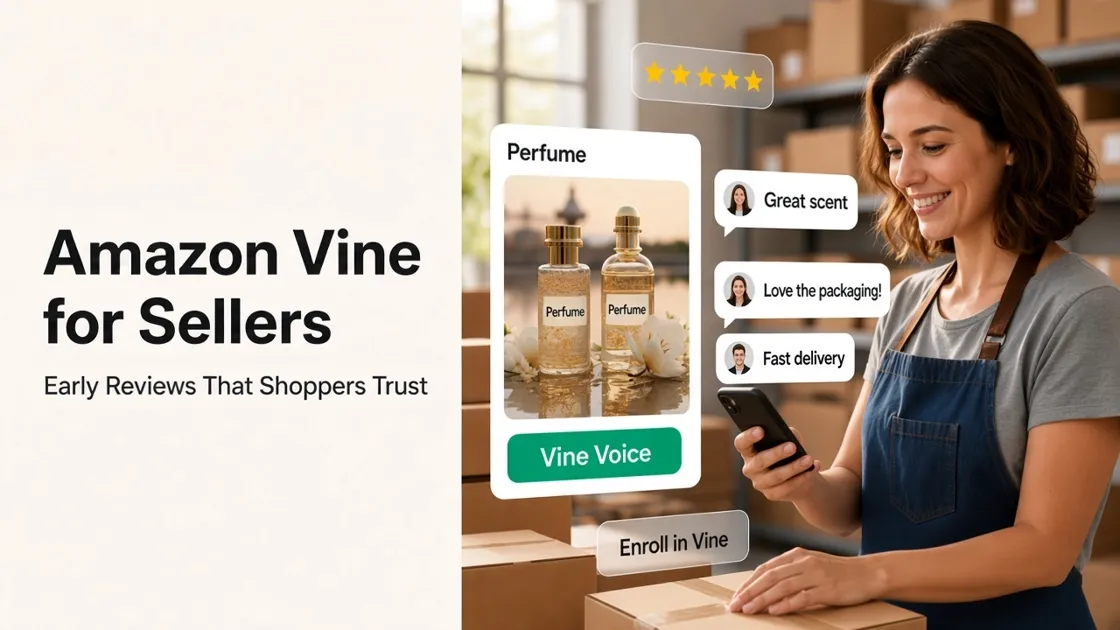
A new Amazon listing can be buyable and still look empty. Zero reviews make shoppers hesitate. The Amazon Vine program is Amazon’s official way to get early, honest product feedback onto that page, by letting trusted Vine reviewers try units you set aside.
What the Amazon Vine Program Is
Amazon Vine connects an enrolled product with Vine Voices: reviewers Amazon has invited. You choose how many units to make available, Amazon fulfills those units through FBA, and reviewers try the product. They can then leave an honest review. The rating might help you. It might also be mixed or critical.
That is the whole idea. You are paying for a chance at early, labeled feedback, not for a stack of five-star ratings. Vine reviews are usually marked so shoppers can see they came through the program. Confirm the live label rules in Seller Central when you enroll.
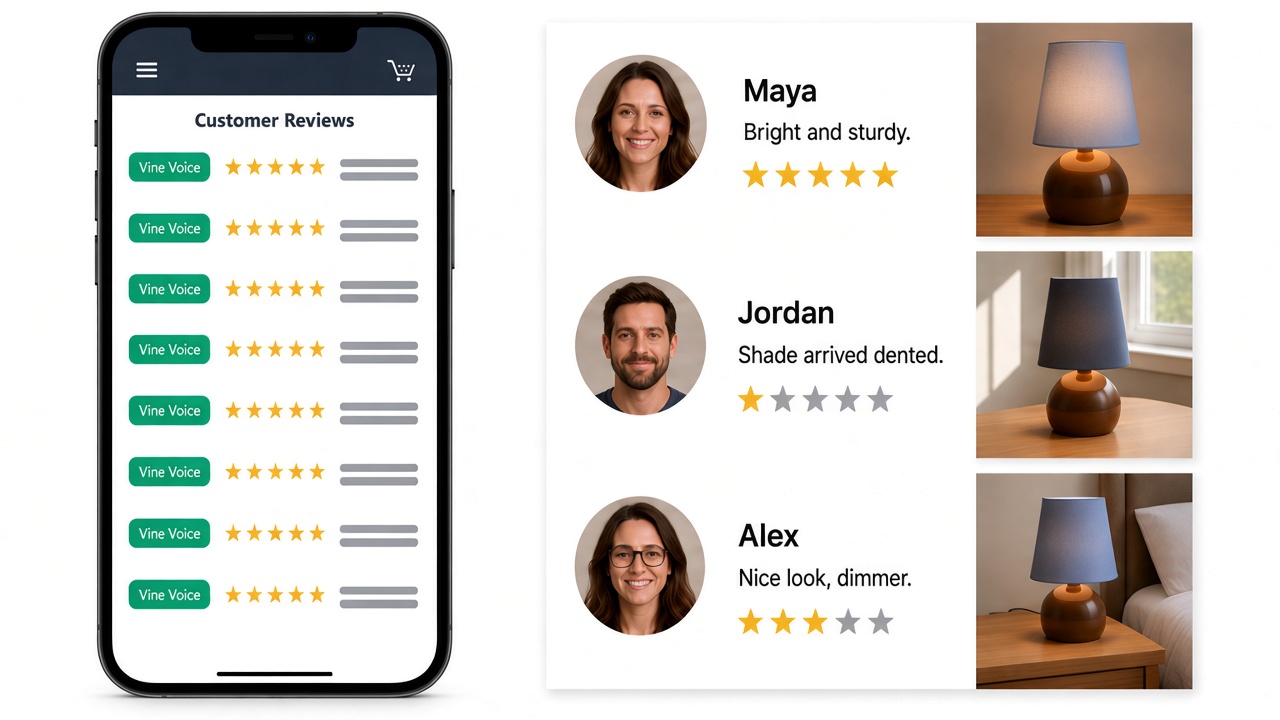
People also search “amazon vine” because they want a shopper invite. That is a different path. Brands enroll ASINs in Seller Central. Shoppers only join Vine Voice if Amazon invites them.
Where Vine Fits in Your Launch
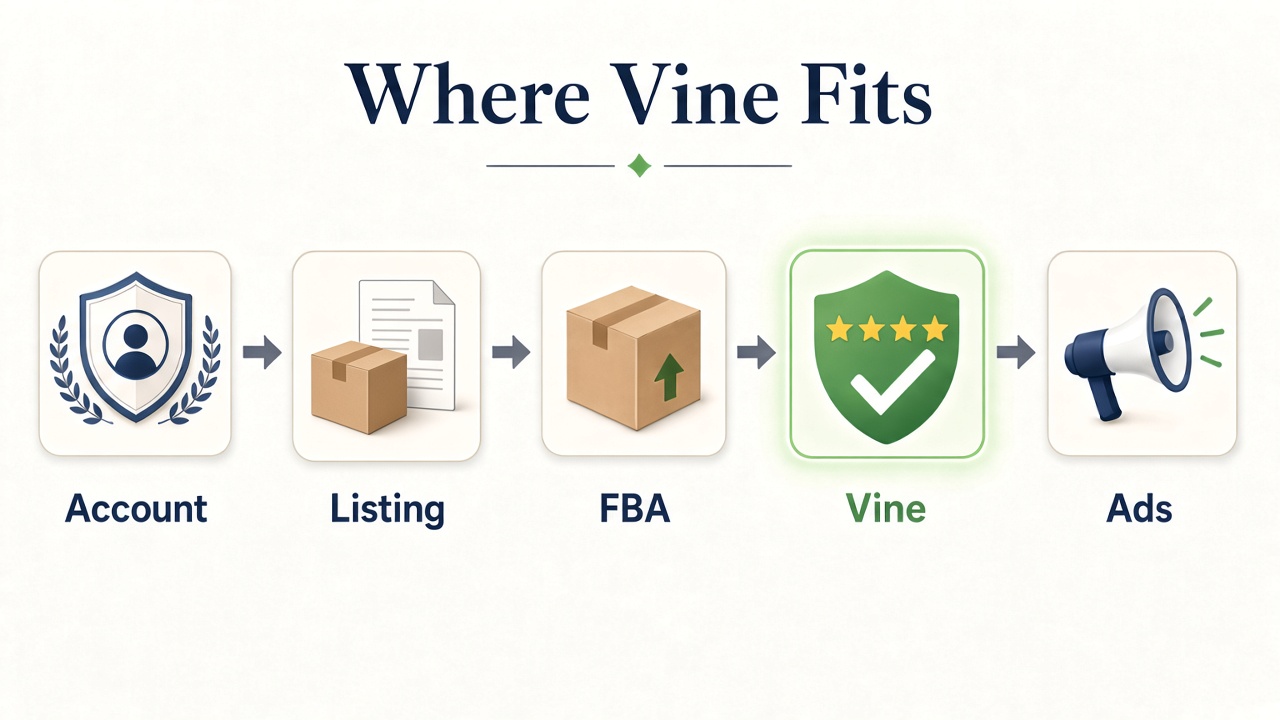
Vine is not day-one of opening an account. It sits after you can sell, when the page still needs social proof.
Here is a practical launch sequence:
- Get a Professional selling account and category access.
- Build a complete, buyable listing. Designkit’s guide on how to sell on Amazon covers that path.
- Put eligible inventory into FBA. Vine ships to reviewers through Amazon fulfillment, so merchant-fulfilled offers are not the normal fit.
- Enroll in Vine when you need early reviews and the ASIN still qualifies.
- Add ads and other traffic once the detail page can convert.
Brand Registry and A+ Content help with brand tools and richer page storytelling. Vine’s job is narrower: get real reviews onto a new or low-review ASIN. It will not fix a weak offer by itself.
Eligibility, Cost, and What You Give Away
Amazon’s public guidance can change by country. Before you budget, open Amazon’s Vine page for sellers and the Vine dashboard in Seller Central.
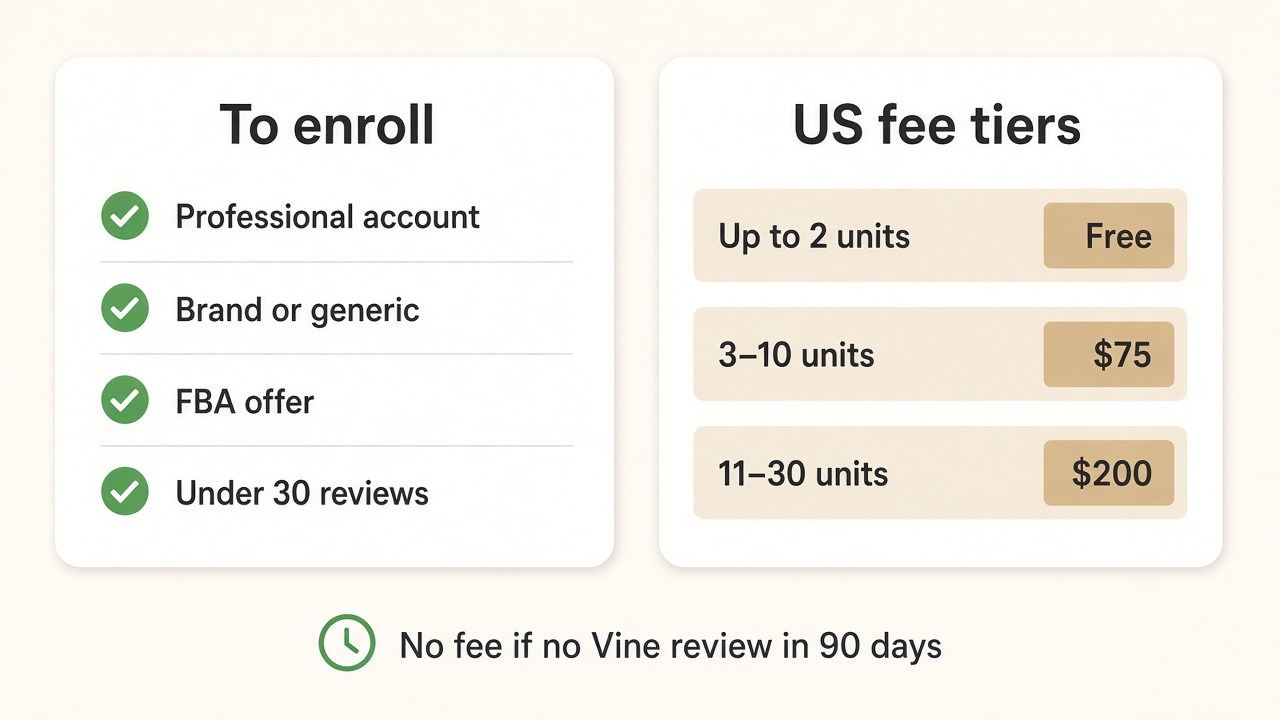
In the US, the common bar looks like this:
- Professional selling plan
- Brand Registry role on an enrolled brand, or eligible generic products
- An eligible FBA offer
- Fewer than 30 reviews on the detail page
- A listing with image and description
- Adult, digital, and bundled products are called out as ineligible on Amazon’s page
You can enroll as soon as the FBA listing is customer-ready, including before go-live, if Amazon shows the ASIN as eligible. Amazon recommends having inventory available early enough that reviewers can finish before launch.
Cost (US, as shown on Amazon’s program page): enrollment is priced per parent ASIN by how many units you offer. Recent public tiers are free for up to 2 units, $75 for 3–10 units, and $200 for 11–30 units. Other marketplaces use local currency. Recheck the fee Amazon shows at enrollment time.
Billing matters: Amazon says you are not charged until after the first Vine review publishes, and if no Vine review arrives within 90 days of enrollment, you are not charged for that enrollment fee. You still carry the product cost and normal FBA fees for units that ship.
How to Enroll a Product in Vine
Menu labels move around, but the flow is steady:
- In Seller Central, open Vine from the Advertising area.
- Pick the parent ASIN that deserves the spend. Use your clearest hero listing.
- Choose how many units to offer, up to the limit Amazon allows (commonly up to 30).
- Confirm FBA inventory can cover those units.
- Review the fee and terms, then enroll.
- Track claims and reviews on the Vine dashboard. Keep the listing stable while reviewers are receiving product.
Reviews land on Amazon’s timeline. Keep other launch work moving while you wait.
When Vine Is Worth It
Is Amazon Vine worth it? Only if the detail page can convert once someone clicks.
It is a better fit when the ASIN is live or nearly live, the gallery already makes sense on a phone, price and shipping are steady, and you can absorb the fee plus giveaway units. Skip or wait if the images are still rough, the offer keeps changing, or inventory is unreliable.
Early Vine traffic still lands on your photos. If the main image is soft or the supporting shots do not explain the product, fix that first. Designkit’s Amazon Listing Images tool can turn product photos into a clearer main image and supporting frames before you enroll.
Reviews After the Listing Can Convert
Vine is the official early-review path for brands that already have a sellable FBA listing and still need reviews on the page. Confirm eligibility and fees in Seller Central, enroll the ASIN that deserves the units, and treat every rating as real feedback. If the page cannot convert, fix the listing first, then enroll.
Frequently Asked Questions
Can I enroll in Vine before my product goes live?
Do I need Brand Registry to use Vine?
For branded catalog, Amazon’s public page expects a Brand Registry role on an enrolled brand. Eligible generic products can qualify without that path. Confirm what Seller Central shows for your ASIN.
Does Vine guarantee 5-star reviews?
No. Vine Voices leave honest feedback after trying the product, so ratings can be strong, mixed, or critical. You pay for early review opportunity, not a fixed star rating
How is Vine different from asking customers for reviews?
Vine is Amazon’s trial program for enrolled ASINs. Asking buyers for reviews still has to follow Amazon’s review policies. You cannot pay for a guaranteed positive rating.
Can I cancel a Vine enrollment?
If no units have been claimed, you can cancel and usually re-enroll later. After a claim, you can only stop further claims, and that ASIN typically cannot re-enter Vine. Check the Vine dashboard for Cancel vs Stop.
You May Also Like

Amazon Sponsored Brands: What They Are and When to Use Them

Amazon Sponsored Products: How to Launch Your First Campaign

Amazon Vine Program for Sellers: Get Early Product Reviews

Amazon A+ Content Dimensions: Module Image Sizes

Print-On-Demand Designs: Create, Prepare, and Preview Your Work

Amazon A+ Content: What It Is and What to Build First

Is Print on Demand Profitable in 2026? Products and Niches

Amazon Brand Registry Application: How to Submit and Pass Review

How to Ship to Amazon FBA: Your First Shipment

What Is Amazon FBA? Should Beginners Use It in 2026

How to Get Ungated on Amazon: Restricted Category Approval Steps

Amazon Backend Keywords: Title, Bullets & Search Terms

What Is A/B Testing? A Practical Guide to Running Better Experiments

Best Time to Post on Instagram in 2026: Data & Tips

How to Get Verified on Instagram: Complete Guide

TikTok Monetization in 2026: Requirements & Ways to Earn

Instagram Desktop Posting Guide: Upload Posts, Stories & Reels

YouTube Shorts Monetization Requirements & Rules 2026

How Much Does YouTube Pay Per View? 1K, 100K & 1M Views

How to Make Money on Snapchat: 7 Ways to Earn

How to Get More Followers on Instagram in 2026

Best Time to Post on TikTok in 2026 for More Views

How to Repost on Instagram in 2026: A Simple Guide

Multichannel Marketing Guide: Strategy, Tools & Examples

How to Create Digital Products That Sell in 2026

Cyber Monday Marketing Ideas & Strategies (2026 Guide)

Black Friday Marketing Ideas for Ecommerce Brands (2026)

Instagram Marketing Guide: Strategies, Tips & AI Tools in 2026

Influencer Marketing Guide: Strategy, Campaigns & Creator Tips

15 Best Things to Sell on Etsy in 2026 (Listing Tips Included)

WooCommerce vs Shopify 2026: Pricing, Features & Which Is Better

How to Sell on Facebook Marketplace: Beginner Guide (2026)

How to Use Pinterest for Business: Strategy, Tips & Growth Guide

How to Sell on Etsy in 2026: Setup, Listings & Growth Tips

What Is a Target Audience? Types, Examples & How to Find Yours

TikTok Marketing Guide 2026: Strategies, Ideas & AI Tools

Vibe Marketing Explained: Strategy, Examples & AI Tools

How to Sell on Depop: Beginner Guide to Getting Your First Sale

Online Advertising Guide: Types, Costs & Examples (2026)

Facebook Advertising Guide: Costs, Strategy & Tools 2026

What Are E-commerce Ads? Examples, Strategy & Tools (2026)

Where to Sell Handmade Items Online (2026): Etsy, Amazon, or Shopify?

Shopify vs Amazon (2026): Brand Store or Marketplace FBA?

Amazon Handmade vs Etsy (2026): Which Is Better for Makers?

Etsy vs eBay (2026): Handmade, Vintage, or Secondhand?

Selling on Amazon vs eBay (2026): Fees, Profit & Where to Sell

What Is Brand Awareness? Examples, Strategies & Tools 2026

10 Best Online Selling Platforms (2026): Pick by What You Sell

Shopify vs Etsy (2026): Which Is Better for Handmade Sellers?

YouTube Automation Step-by-Step AI Guide for Beginners

What Is Brand Identity? Examples, Elements & Strategy

AI Marketing Agent: How It Works, Benefits & E-Commerce Examples

What Is Personalized Advertising? Examples & How It Works

How to Build a Shopify Store That Actually Converts Visitors

Amazon Marketing Guide 2026: Strategies, Tips & Tools

Local Advertising: Strategies, Examples & Tools (2026)

What Is Branded Content? Examples, Strategy & Tools 2026

What Is Performance Marketing? Strategies & Examples 2026

Inbound Marketing: Strategies, Examples & Tools (2026)
Fix the Page Before Vine
Early Vine reviews help more when shoppers land on a clear gallery. If the main image is soft, paid trial traffic wastes the enrollment fee. Finish the listing visuals in Designkit, then enroll the ASIN.
