
How to Build a Shopify Store That Converts Visitors
Build a professional Shopify store step by step, from setup to products and payments, and learn what actually turns first-time visitors into paying customers.

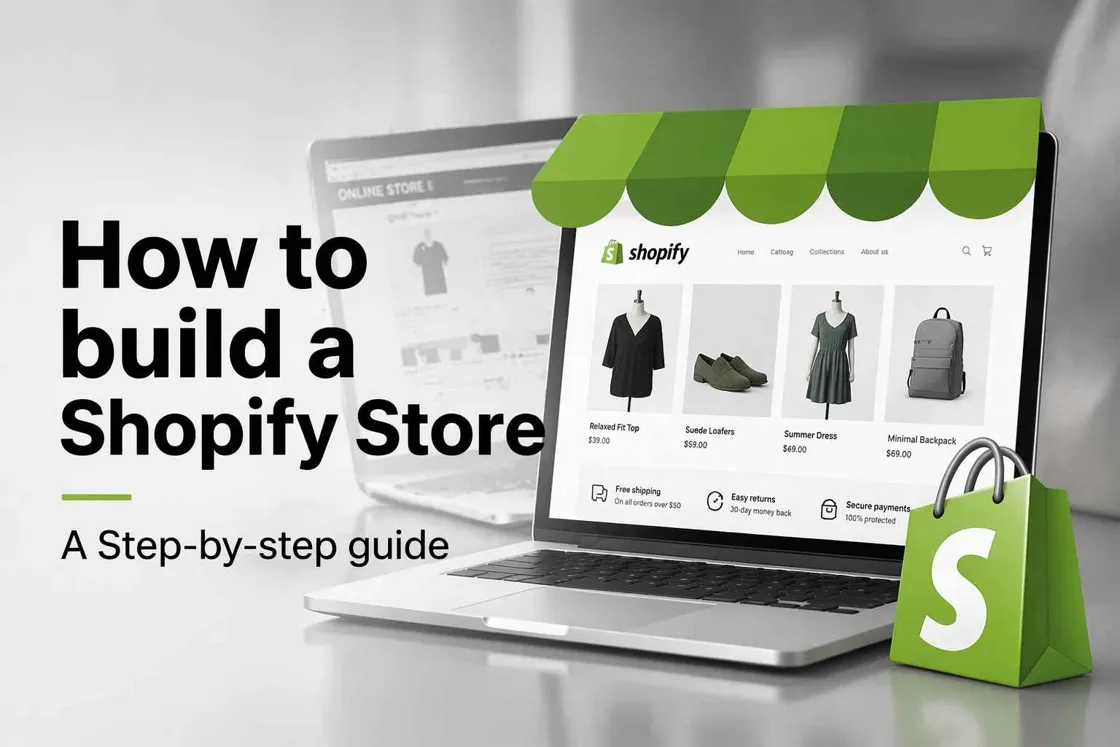
Starting a Shopify store may seem easy at first, but many new sellers quickly realize that simply launching a website is not enough to build customer trust. A store can be live while still looking incomplete or unprofessional, leading visitors to leave without buying.
This guide goes beyond basic setup tutorials — you'll learn how to build your store step by step, structure it properly, avoid common trust-killing mistakes, and understand what actually helps convert visitors into customers.
Before you start: Decide what kind of store you're building
Before building, get clear on what you're selling and who you're selling to — a single-product store, a niche catalog, or a full brand. This shapes your theme, structure, and visuals.
Two things to keep in mind from the start: generic-looking stores struggle to stand out, and customers judge trust within seconds of landing.
How to build a Shopify store step by step
Step 1: Create your Shopify account
Sign up on Shopify and enter your basic business details to access your dashboard, where you'll manage everything. Start with the free trial so you can explore themes and features before paying. Choose your store name carefully here—it becomes your default URL and brand identity.
Step 2: Choose a theme that fits your products
Select a theme that matches your catalog size and product style. Shopify's free themes work well for most beginners. Prioritize mobile responsiveness, since most traffic is mobile, and clean product-grid layouts. A simple, fast-loading theme converts better than a flashy one packed with features you won't use.
Step 3: Build your core store pages first
Before adding products, set up Home, About, Contact, and your policy pages (shipping, returns, privacy). These signals legitimacy; shoppers often check return policies before buying from an unfamiliar store. Keep your top navigation to 5–6 items, so the store stays easy to browse.
Step 4: Upload and organize products
Add products with clear titles, detailed descriptions, and high-quality images, then group them into collections so customers can browse easily. Write descriptions around how the product helps the buyer, not just specs. This improves both conversions and SEO visibility.
Step 5: Configure payments, shipping & mobile
Set up secure payment methods (Shopify Payments, PayPal) and define shipping rules that fit your model: flat rate, free over a threshold, or calculated. Optimize for mobile phones, since most traffic comes from phones, and test the full checkout flow yourself before launch to catch anything that could cost you a sale.
What makes a Shopify store look professional
Once your store is live, traffic isn't always the real problem—trust and presentation are. Many new store owners focus on products and marketing but overlook the visual experience. A professional Shopify store looks consistent, trustworthy, and easy to navigate, helping convert visitors into customers.
Consistency creates trust
A professional store maintains consistent colors, fonts, spacing, and branding across every page. This makes the store feel reliable and well-structured, increasing customer confidence. When learning how to create a Shopify store, visual consistency should be a priority because it directly affects how customers perceive your brand.
Key elements of a consistent Shopify store include:
-
Matching brand colors across pages
-
Consistent typography and font sizes
-
Uniform product image styles
-
Standardized button and banner designs
-
Clear navigation and page layouts
When every element follows the same design language, customers are more likely to trust the store and continue shopping.
Better product visuals increase buying confidence
High-quality product images play a major role in purchase decisions. Poor lighting, cluttered backgrounds, or inconsistent product photos can make even great products look less credible. A well-designed Shopify store uses clean, professional visuals to showcase products effectively.
Strong product visuals typically include:
-
High-resolution product photos
-
Clean and distraction-free backgrounds
-
Multiple product angles
-
Consistent image dimensions
-
Zoom functionality for details
-
Lifestyle images showing products in use
When you set up a Shopify store with professional product images, customers can better evaluate what they're buying, which often leads to higher conversion rates and fewer abandoned carts.
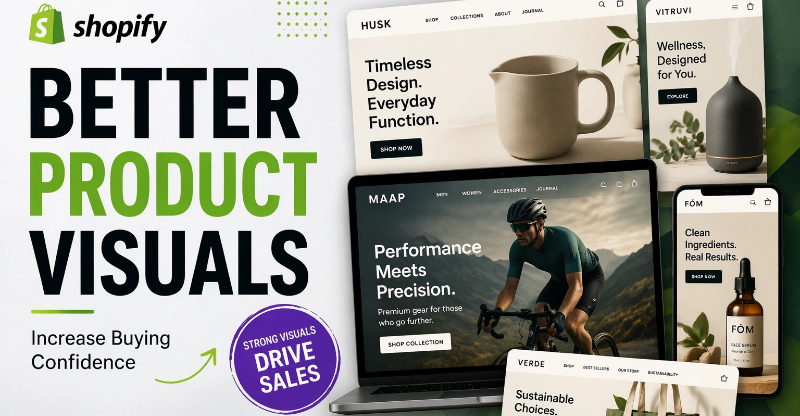
How Designkit helps Shopify sellers after the store is built
Once your store structure is in place, the next challenge is filling it with visuals that look polished and on-brand — and producing them consistently. Designkit helps with this part: it turns basic product photos into store-ready visuals, sale graphics, and ad variations, so your store looks professional and stays consistent without hiring a designer. It doesn't build your store for you. It makes what's in it look ready to sell.
It also helps you quickly create new campaign creatives whenever you run promotions or seasonal sales. This keeps your store active and visually updated without extra effort. You can generate multiple design variations for testing different ad ideas and product angles. This improves marketing performance and helps you find what converts best. Overall, it reduces the time and cost needed to maintain a high-quality Shopify store presence.
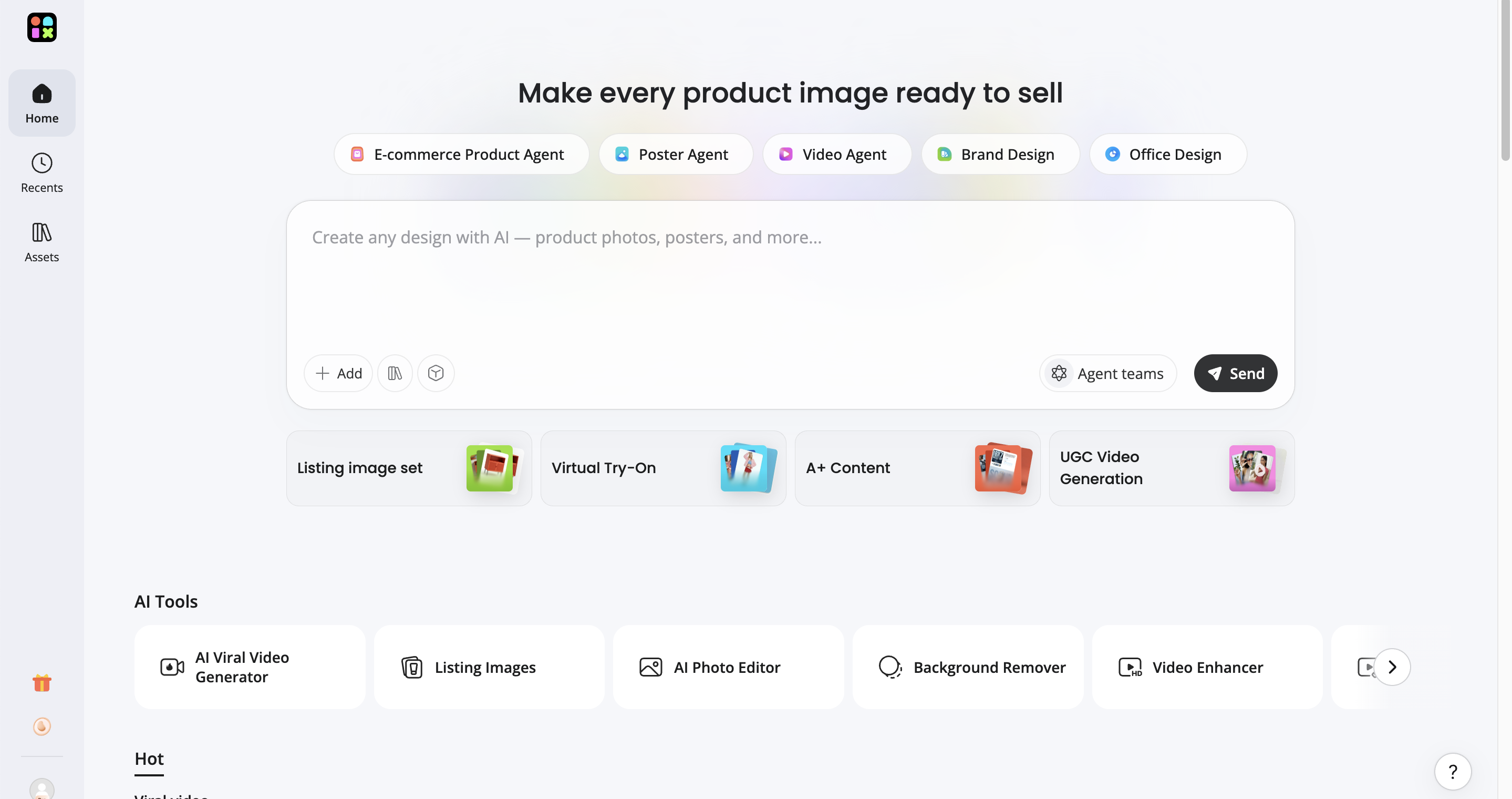
Key features of Designkit for Shopify sellers
Turn basic product photos into better store content
Strong product visuals are essential for conversions. Designkit upgrades simple product photos into clean, professional-looking images by improving layout, background, and presentation, so your product pages look polished and trustworthy without expensive photoshoots or editing skills.
Create sale graphics for campaigns faster
Generate banners, promo visuals, and homepage graphics for discounts, launches, and seasonal sales directly from your product images. Instead of designing each campaign from scratch, you can produce on-theme creatives in minutes and launch promotions faster.
Produce more ad variations for testing
Driving traffic matters once your store is live. Designkit generates multiple ad variations for Facebook, Instagram, and Google Ads, so you can test different designs and messages to see what earns more clicks, and bring more qualified visitors to your store.
Produce visuals for every channel from one product image
From a single product photo, Designkit generates the formats you need across your store, social feeds, and ads: square, vertical, and banner sizes. Working from the same source keeps your visuals cohesive without rebuilding each one by hand.
How to create high-converting product visuals with Designkit in 3 steps
Step 1: Upload your product image
Upload your existing product photo into Designkit, no studio shoot or designer needed, just the image you already have.
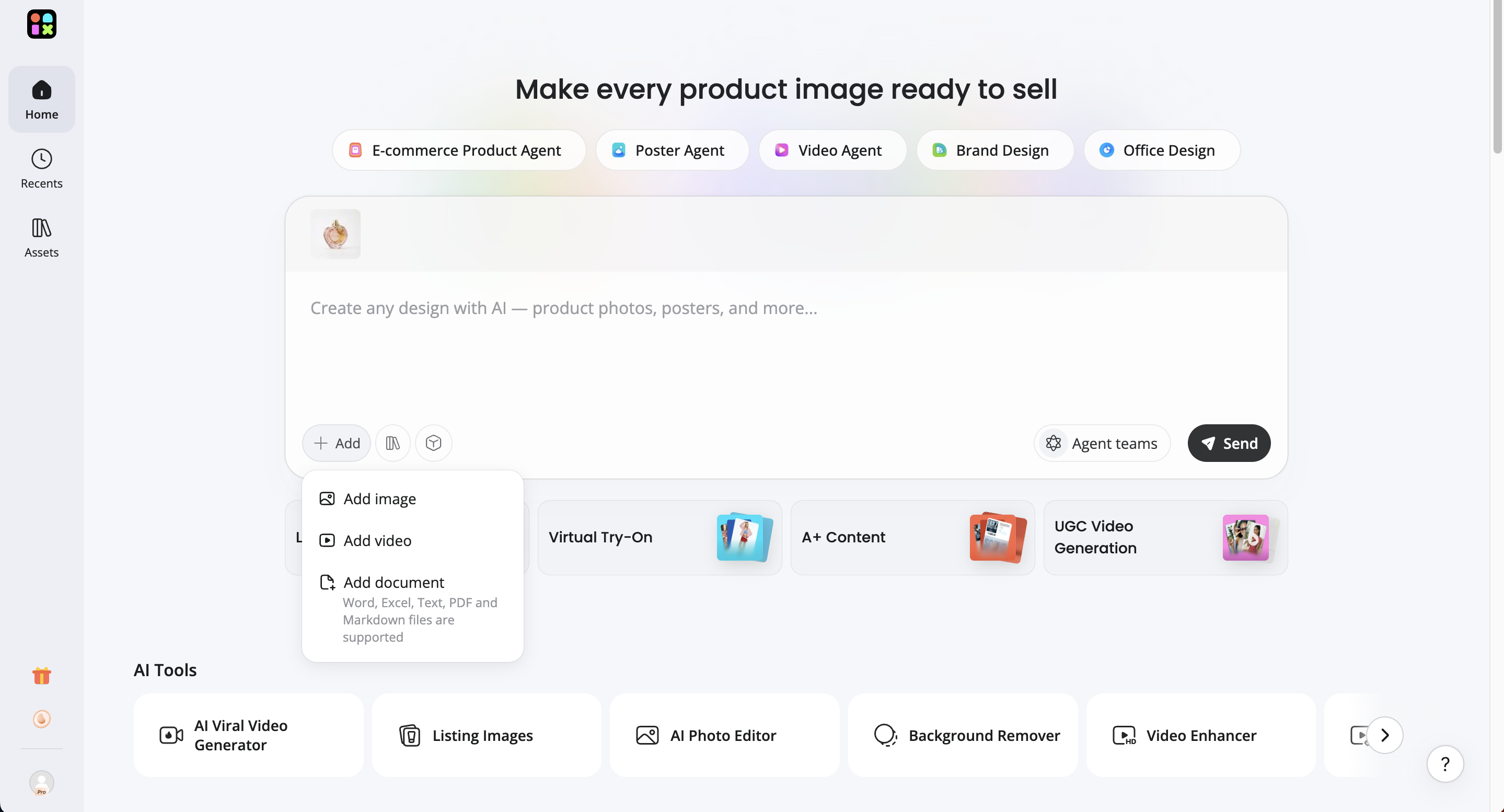
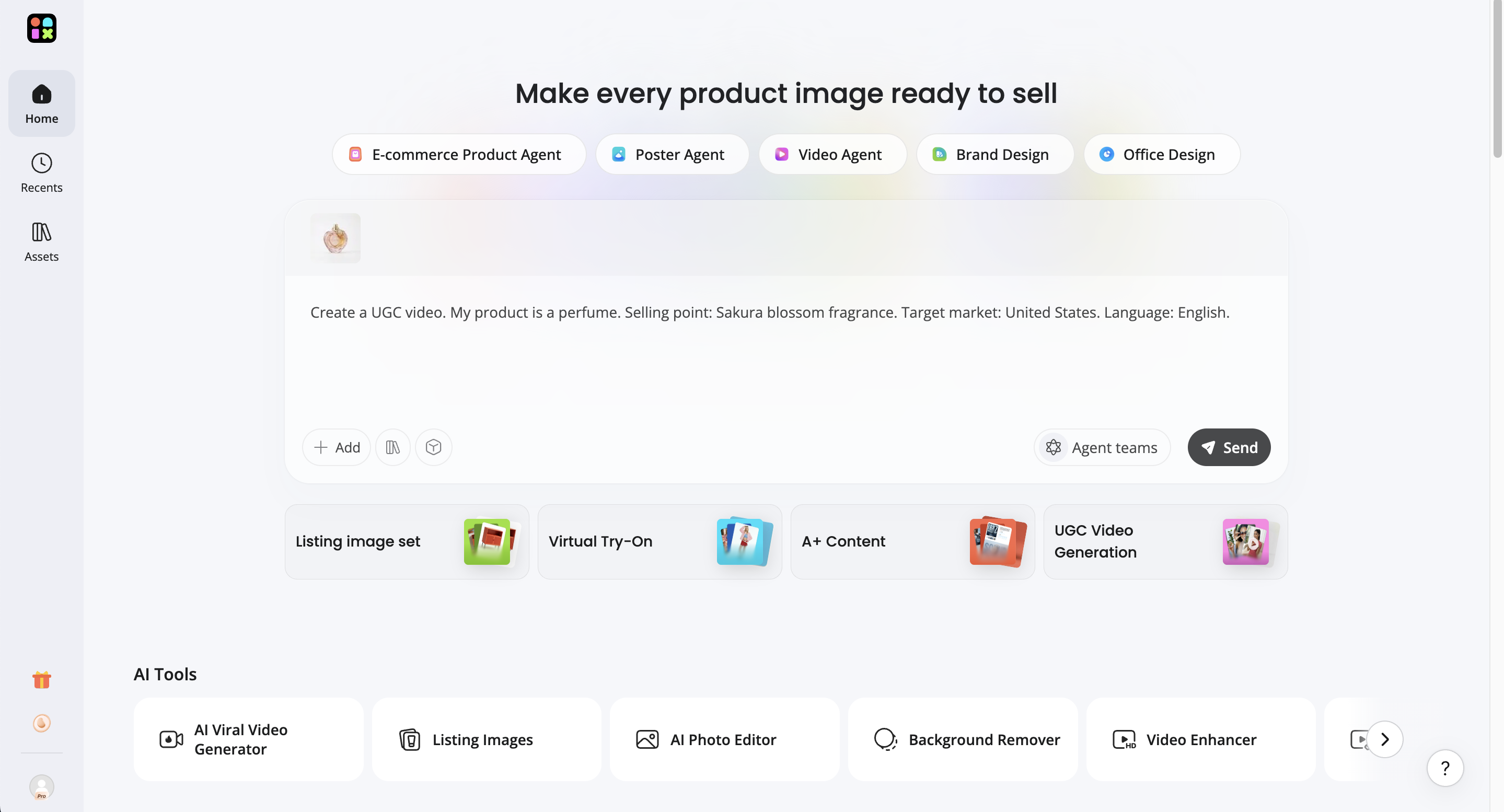
Step 2: Generate your store visuals or videos
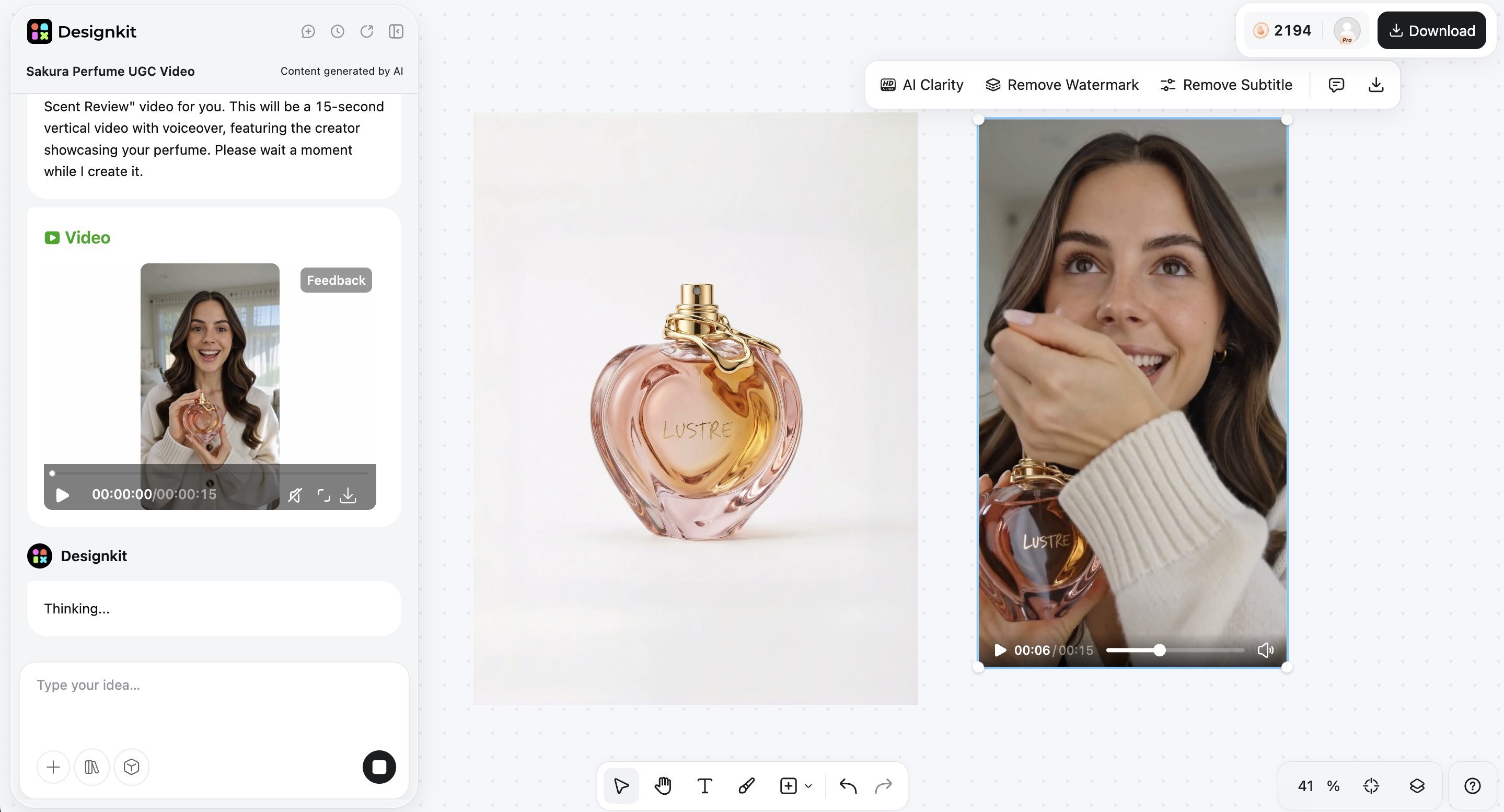
Choose your format and let Designkit's AI create product images, store visuals, or videos ready for your Shopify pages. Test different styles, layouts, and backgrounds without starting over each time.
Step 3: Export your product visuals
Preview, make quick adjustments, then export store-ready visuals sized for Shopify product pages, banners, and ads. This makes it easier to keep your branding consistent across your website, social media, and marketing campaigns.
Common Shopify mistakes that quietly hurt sales
Launching before the store feels finished
Many beginners rush to launch their store without properly refining design, pages, and product presentation. This creates a poor first impression and reduces customer trust immediately. When learning how to create a Shopify store, it's important to ensure your store feels complete, polished, and professional before going live, as early impressions strongly impact conversion rates and long-term success.
Using supplier images without optimization
Using raw supplier images without editing, branding, or consistency makes a Shopify store look unoriginal and low-quality. Customers often lose trust when visuals feel generic or copied. To build a store on Shopify that converts well, it's important to enhance product images, improve lighting or backgrounds, and align visuals with your brand identity for a more professional shopping experience.
Making every promotion look different
When every sale banner, ad, or campaign uses different styles, colors, and layouts, your brand becomes inconsistent and harder to recognize. This weakens trust and confuses returning customers. A strong Shopify online store setup ensures all promotional content follows a unified visual style, so your store feels cohesive, professional, and memorable across all marketing channels.
Ignoring content production until too late
Many store owners focus only on launching and forgetting ongoing content needs like ads, creatives, and social media posts. This leads to rushed, low-quality marketing that hurts performance. Planning content early as part of how to build a store on Shopify ensures consistent branding, better campaigns, and smoother scaling when your store starts getting traffic and sales.
Conclusion
Building a Shopify store isn't just picking a theme and uploading products. It's creating something that feels trustworthy and ready to sell from the first visit. Strong visuals, consistent branding, smooth navigation, and mobile optimization do as much for conversions as the products themselves.
Tools like Designkit help close the gap by turning basic product photos into polished store visuals and campaign graphics, so your store looks reliable without a large budget or design team.
Frequently Asked Questions
How much does it cost to build a Shopify store for beginners?
Can I build a Shopify store without coding skills?
Yes. Shopify is designed for beginners and allows you to build a store using pre-built themes, drag-and-drop customization, and built-in settings. No coding is required for most setups. If you need advanced customization later, you can edit the theme code or work with a developer, but it's not necessary to get started.
Why do many Shopify stores look unprofessional even after setup?
Most stores don't fail because of setup—they fail because of inconsistent branding, low-quality product images, and cluttered layouts. Even with a working store, weak visuals can reduce trust quickly. Improving image quality and maintaining consistent design across pages often has a bigger impact than technical setup alone.
What makes customers trust a Shopify store faster?
Customers tend to trust stores that feel clean, consistent, and easy to navigate. High-quality product images, clear branding, visible policies, and a well-structured layout all help build credibility. Social proof such as reviews, ratings, and trust badges at checkout also plays a major role in reducing hesitation.
How important are product images for Shopify conversion rates?
Product images are one of the most important factors in conversion because customers rely heavily on visuals before making a purchase decision. Poor-quality or inconsistent photos can reduce perceived value and lower trust. Improving visuals often leads to noticeable improvements in engagement and sales performance.
What are the most common mistakes new Shopify sellers make?
Common mistakes include launching too early before the store looks complete, using unedited supplier images, inconsistent branding across pages, and delaying content creation until after launch. These issues may seem minor individually but together they can significantly reduce customer trust.
Do I need professional product photography for Shopify?
Not necessarily. While professional photography can improve conversion rates, it's not required to start selling. What matters more is having clean, consistent, and professional-looking visuals. Many beginners improve results by enhancing existing product images rather than investing in full studio shoots.
How can I make my Shopify store look more premium?
A premium-looking store usually comes from consistency rather than complexity. Unified branding, high-quality visuals, clean spacing, and well-designed banners all contribute to a more professional appearance. Small improvements in visual consistency often have a strong impact on perceived trust.
Why is mobile optimization important for Shopify stores?
Most ecommerce traffic now comes from mobile devices, so your store needs to load quickly and display correctly on smaller screens. Poor mobile experiences—such as slow images, broken layouts, or hard-to-click buttons—often lead directly to lost sales. Testing your store on mobile before launch is essential.
Can AI-generated visuals work for Shopify stores?
Yes. AI-generated visuals are widely used in ecommerce when they match brand style and maintain product accuracy. They help speed up the creation of product images, banners, and ads while reducing production costs. This is especially useful for maintaining consistency across product pages and marketing channels.
You May Also Like

Shopify Image Size 2026: Complete Guide and Tips for Better Product Display

Shopify Product Photography Guide with Tips & Setup

10 High-Converting Lifestyle Product Images for Amazon Listings

AI Product Photography: Create Ecommerce Images Without a Photoshoot

Best AI Product Image Generator 2026: Top Tools for Amazon Sales

Studio Product Photography vs AI Product Photography in 2026
Your Shopify Store Should Feel Trustworthy Before Customers Read a Single Word
Whether you're launching your first product or scaling a growing catalog, Designkit helps stores look more credible, memorable, and conversion-focused.
