
WooCommerce vs Shopify 2026: Which Ecommerce Platform Is Better?
WooCommerce vs Shopify in 2026: Compare pricing, SEO, customization, features, scalability, and ease of use to choose the right ecommerce platform.

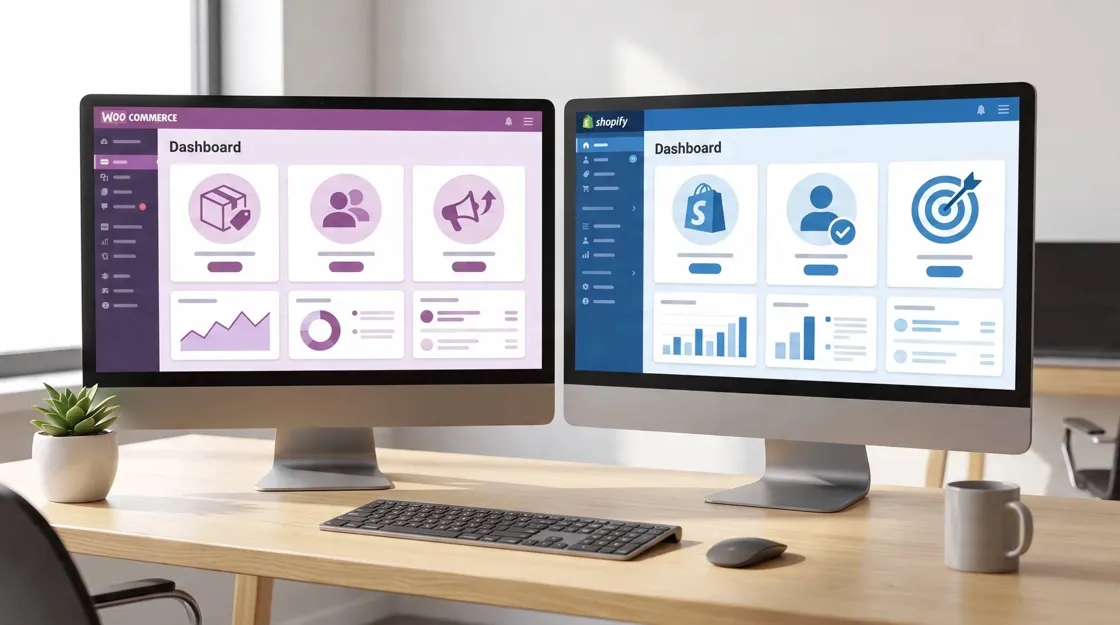
Choosing between WooCommerce and Shopify is a critical decision when building an online store. Shopify offers an all-in-one hosted ecommerce solution with simpler setup and maintenance, while WooCommerce provides deeper customization, flexibility, and ownership through WordPress.
In 2026, the better choice depends on more than upfront pricing. Factors like total cost of ownership, SEO flexibility, customization needs, technical resources, and long-term scalability all play a role.
This guide compares WooCommerce vs Shopify across pricing, features, ease of use, SEO performance, customization, scalability, and business use cases to help you choose the ecommerce platform that best fits your goals.
WooCommerce vs Shopify: Quick Comparison
Before you choose a platform, this table gives you a quick side-by-side look at the key differences between WooCommerce and Shopify, including setup, hosting, customization, maintenance, SEO, and scalability.
|
|
WooCommerce |
Shopify |
|---|---|---|
|
Type |
WordPress ecommerce plugin |
Hosted ecommerce platform |
|
Best for |
Custom stores |
Fast-growing brands wanting less ops |
|
Setup |
More technical |
Beginner-friendly |
|
Hosting |
Self-managed |
Included |
|
Customization |
Excellent |
Moderate |
|
Maintenance |
Higher |
Lower |
|
SEO control |
Excellent |
Good |
|
Scalability |
Depends on hosting |
Built-in platform scaling |
|
Best strength |
Flexibility |
Simplicity |
What Is WooCommerce?
WooCommerce is a free, open-source ecommerce plugin built for WordPress that transforms a standard website into a fully functional online store. Unlike hosted platforms, WooCommerce gives merchants complete ownership of their website, data, and hosting environment. This flexibility is one of the biggest reasons it remains a popular option in the Shopify vs WooCommerce comparison 2026, especially for businesses that want greater control over every aspect of their store.
WooCommerce Overview
WooCommerce is designed for businesses that want a customizable ecommerce solution without being locked into a single platform. Because it's open source, you can modify nearly every part of your store—from the storefront design to the checkout experience and backend functionality.
Key characteristics include:
-
Free, open-source WordPress ecommerce plugin
-
Full ownership of your website and customer data
-
Self-hosted, allowing you to choose your own hosting provider
-
Thousands of themes, plugins, and developer integrations
-
Suitable for businesses of all sizes, from small shops to enterprise stores
WooCommerce Advantages
WooCommerce's biggest strength is flexibility. If your business requires custom features, advanced SEO, or unique customer experiences, WooCommerce offers significantly more freedom than most hosted ecommerce platforms.
Complete Customization
WooCommerce gives you complete control over your online store's appearance and functionality.
You can customize:
-
Store themes and layouts
-
Product pages and category pages
-
Shopping cart and checkout experience
-
Payment methods and shipping options
-
Thousands of WordPress plugins and WooCommerce extensions
-
Custom features built specifically for your business
Whether you're creating a simple online shop or a highly customized ecommerce website, WooCommerce can be tailored to almost any business model.
Strong SEO Foundation
One of WooCommerce's biggest advantages is its integration with WordPress, which is widely recognized for content publishing and SEO.
With WooCommerce, you benefit from:
-
Complete control over URLs and site structure
-
Powerful blogging for content marketing
-
Advanced metadata customization
-
Schema markup through SEO plugins
-
Internal linking strategies
-
Technical SEO improvements such as redirects, XML sitemaps, and canonical tags
For businesses focused on organic traffic, this level of SEO flexibility is often a deciding factor in the difference between WooCommerce and Shopify.
Flexible Ecommerce Management
WooCommerce supports much more than traditional physical products.
You can sell and manage:
-
Physical products
-
Digital downloads
-
Subscription products
-
Membership programs
-
Online courses
-
Bookings and appointments
-
Wholesale catalogs
-
Custom product workflows
Its extensive extension ecosystem makes WooCommerce suitable for businesses with specialized ecommerce requirements that extend beyond standard online retail.
WooCommerce Limitations
Greater flexibility also comes with greater responsibility.
Store owners are responsible for:
-
Purchasing and managing web hosting
-
Installing WordPress and WooCommerce updates
-
Maintaining website security
-
Performing backups
-
Monitoring website performance
-
Resolving plugin compatibility issues
Although many hosting providers simplify these tasks, WooCommerce generally requires more technical involvement than fully hosted ecommerce platforms.
What Is Shopify?
Shopify is a Software-as-a-Service (SaaS) ecommerce platform that provides everything needed to build, manage, and grow an online store in one hosted solution. Instead of handling hosting, security, updates, and server management yourself, Shopify manages the technical infrastructure so merchants can focus on selling products.
For businesses prioritizing simplicity, Shopify consistently ranks among the best e-commerce platforms 2026 WooCommerce vs Shopify comparisons because of its ease of use and reliable hosted environment.
Shopify Overview
Shopify offers an all-in-one ecommerce platform with built-in hosting and integrated commerce tools.
Its hosted infrastructure includes:
-
Secure web hosting
-
Automatic software updates
-
SSL certificates
-
Security monitoring
-
Website performance optimization
-
Payment processing integration
-
Store management dashboard
This allows beginners to launch an online store without installing software or managing servers.
Shopify Advantages
Shopify focuses on reducing technical complexity while providing powerful ecommerce capabilities out of the box.
Faster Store Launch
Most users can launch a Shopify store within hours rather than days.
The platform provides:
-
Guided store setup
-
Professionally designed themes
-
Built-in product management
-
Integrated checkout
-
Ready-to-use payment gateways
-
Simple domain connection
This shorter learning curve is one reason many first-time entrepreneurs consider Shopify when deciding which is better, Shopify or WooCommerce.
Lower Technical Maintenance
Shopify handles nearly all technical maintenance automatically.
This includes:
-
Hosting management
-
Platform updates
-
Security patches
-
Server monitoring
-
Performance optimization
-
PCI compliance
-
Website uptime
Merchants can spend more time growing their business instead of maintaining infrastructure.
Strong Ecommerce Ecosystem
Shopify includes a mature ecosystem that helps businesses expand as they grow.
Available tools include:
-
Thousands of apps
-
Shopify Payments
-
Multiple third-party payment gateways
-
Point-of-sale (POS) system
-
Inventory management
-
Marketing integrations
-
Analytics and reporting
-
Shipping and fulfillment tools
These built-in services reduce the need for complex custom development while supporting businesses at different growth stages.
Shopify Limitations
Despite its convenience, Shopify has some trade-offs compared to WooCommerce.
Common limitations include:
-
Ongoing monthly subscription fees
-
Additional costs for premium apps and themes
-
Some advanced features depend on third-party apps
-
Less flexibility than open-source platforms
-
Certain checkout and backend customizations are restricted unless using higher-tier plans
These considerations often become important when evaluating the WooCommerce vs Shopify pricing comparison 2026, especially for businesses expecting significant long-term growth or highly customized ecommerce requirements.
Both WooCommerce and Shopify can power successful online stores, but they take very different approaches. WooCommerce offers maximum flexibility and ownership through WordPress, while Shopify delivers a streamlined, fully hosted ecommerce experience. This WooCommerce vs Shopify comparison 2026 breaks down the biggest differences in pricing, usability, customization, and SEO to help you determine which platform better fits your business.
WooCommerce vs Shopify Pricing Comparison 2026
The cheapest platform isn't always the most affordable over time. Your total cost of ownership depends on several factors, including hosting, premium themes, apps, maintenance, developer support, and transaction fees. Looking beyond the advertised monthly price provides a more accurate WooCommerce vs Shopify pricing comparison 2026.

WooCommerce Pricing
|
Cost |
Typical Expense |
|---|---|
|
Plugin |
Free |
|
Hosting |
Often, about $5–$100+ per month depending on provider and traffic |
|
Domain |
Annual registration fee |
|
Premium Themes |
Optional one-time or annual purchase |
|
Plugins |
Optional paid extensions |
|
Developer Support |
Optional initially, but commonly needed as stores become more complex |
Shopify Pricing
|
Cost |
Typical Expense |
|---|---|
|
Subscription |
Monthly plan |
|
Hosting |
Included |
|
Themes |
Free and paid options |
|
Premium Themes |
Optional purchase |
|
Apps |
Often require monthly subscriptions |
|
Transaction Fees |
May apply depending on payment gateway and plan |
Which Is Cheaper in the Long Term?
The answer depends on your business size and technical requirements rather than the platform alone.
-
Small stores: Shopify often offers more predictable monthly costs because hosting, security, and maintenance are included. WooCommerce can cost less for simple stores, but expenses vary depending on hosting and premium plugins.
-
Growing brands: As businesses expand, both platforms typically require additional investment. Shopify users may spend more on apps and higher-tier plans, while WooCommerce owners may invest in better hosting, premium extensions, and occasional developer support.
-
Enterprise businesses: Large organizations should evaluate total ownership rather than subscription pricing. WooCommerce provides greater flexibility for highly customized solutions, while Shopify offers enterprise-grade infrastructure through Shopify Plus, reducing operational overhead for many growing brands.
Ease of Use: Shopify vs WooCommerce
Ease of use is one of the biggest differences between WooCommerce and Shopify. Shopify minimizes technical work, while WooCommerce provides greater flexibility at the cost of a steeper learning curve.
Shopify
Shopify is designed for users who want to launch an online store quickly without managing technical infrastructure.
Best for:
-
Beginners
-
Entrepreneurs
-
Small business owners
-
Teams without web development experience
Its guided setup, built-in hosting, automatic updates, and intuitive dashboard make everyday store management straightforward.
WooCommerce
WooCommerce requires more setup because it runs on WordPress, but it rewards users with greater control over their website.
Best for:
-
Existing WordPress users
-
Technical teams
-
Developers
-
Businesses needing advanced customization
Although there is a learning curve, experienced users gain significantly more flexibility over design and functionality.
Customization and Design Flexibility
Customization is one of the clearest areas where Shopify and WooCommerce differ.
WooCommerce
WooCommerce is the strongest choice for businesses that want complete creative and technical freedom.
Winner for:
-
Fully customized storefronts
-
Unique customer experiences
-
Advanced checkout customization
-
Custom integrations
-
Specialized ecommerce workflows
Because the platform is open source, nearly every aspect of the store can be modified.
Shopify
Shopify prioritizes simplicity while still offering attractive, responsive themes and a growing app ecosystem.
Winner for:
-
Easy design customization
-
Reliable professionally designed themes
-
Faster implementation
-
Lower maintenance
For many merchants, Shopify provides enough flexibility without requiring extensive development work.
SEO Comparison: WooCommerce vs Shopify
SEO remains an important consideration when deciding which is better, Shopify or WooCommerce, particularly for businesses that rely heavily on organic traffic.
|
SEO Feature |
WooCommerce |
Shopify |
|---|---|---|
|
Blog |
Excellent |
Good |
|
URL Control |
Excellent |
More limited |
|
Technical SEO |
Advanced manual control |
Mostly automated |
|
Plugins & SEO Apps |
Extensive plugin ecosystem |
Extensive app ecosystem |
WooCommerce offers deeper control over technical SEO, URL structures, metadata, and content optimization through WordPress. Shopify simplifies many SEO tasks with built-in features and automated optimization, making it easier for non-technical users while sacrificing some advanced customization.
Both platforms are excellent, but they excel in different scenarios. Businesses that prioritize blogging, content marketing, and advanced SEO customization often benefit more from WooCommerce and WordPress. Companies focused primarily on selling products with minimal technical management typically find Shopify to be the faster and more efficient solution. Rather than asking which platform is universally better, the right choice depends on your business model, technical resources, and long-term growth strategy.
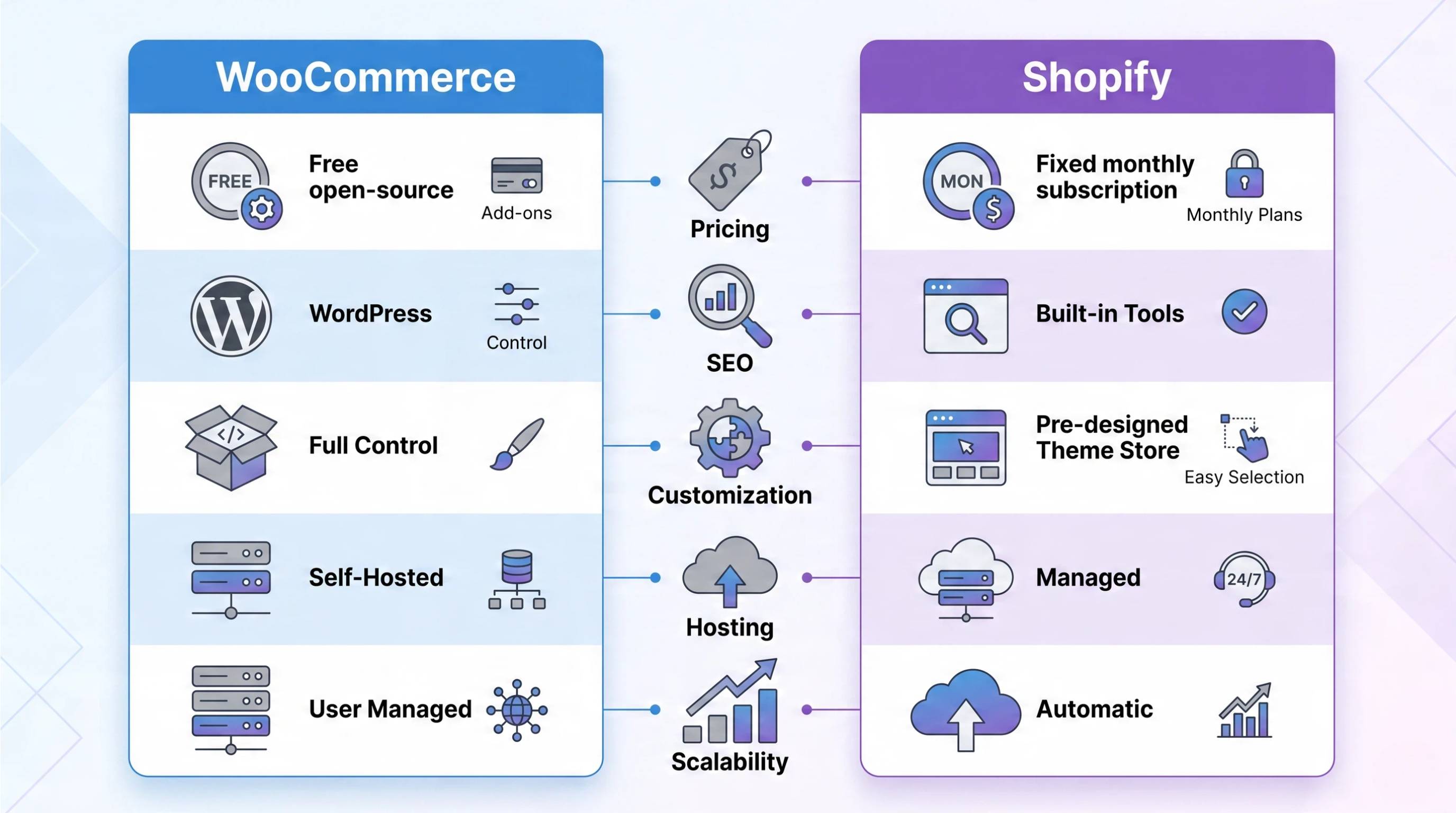
How to choose WooCommerce or Shopify for different businesses
There is no one-size-fits-all answer in the Shopify vs WooCommerce comparison 2026. The right platform depends on your business model, growth plans, technical expertise, and the level of customization you need. Below are the types of businesses. Each platform typically serves best.
|
Business type |
Lean toward |
|---|---|
|
Small business |
Shopify |
|
Content-driven brand |
WooCommerce |
|
Ecommerce startup needing speed |
Shopify |
|
Highly custom commerce logic |
WooCommerce |
|
Enterprise |
Shopify Plus vs well-architected Woo (depends on team) |
Small Business
Lean toward: Shopify
Shopify is an excellent choice for small businesses that want to launch an online store quickly with minimal technical work. Since hosting, security, updates, and maintenance are included, business owners can focus on products, marketing, and customer service instead of managing website infrastructure.
Content-Driven Brand
Lean toward: WooCommerce
If your business relies heavily on blogging, SEO, and content marketing, WooCommerce is often the better option. Built on WordPress, it provides greater control over website structure, publishing, and technical SEO, making it easier to grow organic traffic while managing an online store.
Ecommerce Startup Needing Speed
Lean toward: Shopify
For startups looking to sell products as quickly as possible, Shopify offers the fastest path to launch. Its guided setup, built-in hosting, integrated payment processing, and professionally designed themes allow entrepreneurs to open a store without dealing with servers or software installation.
Highly Custom Commerce Logic
Lean toward: WooCommerce
Businesses that need custom product configurations, advanced checkout experiences, memberships, subscriptions, wholesale functionality, or unique business workflows will benefit from WooCommerce's open-source flexibility. Its extensive plugin ecosystem and developer-friendly architecture make advanced customization much easier.
Enterprise Business
Lean toward: It Depends on Your Team
For enterprise businesses, the choice isn't always straightforward. Many organizations choose Shopify Plus because it provides managed infrastructure, enterprise-grade security, and reduced operational overhead. Others prefer a well-architected WooCommerce solution when they have an experienced development team and require complete control, complex integrations, or highly customized ecommerce functionality.
When deciding which is better, Shopify or WooCommerce, focus on your business goals rather than looking for a universal winner. Shopify is ideal for businesses that value simplicity, fast deployment, and low maintenance. WooCommerce is better suited to companies that prioritize flexibility, ownership, advanced customization, and content-driven growth. Choosing the platform that aligns with your long-term strategy will deliver the best results.
Common mistakes when choosing between WooCommerce and Shopify
Choosing an ecommerce platform is a long-term decision, so it's important to evaluate more than just the initial setup. Avoiding these common mistakes can help you select the platform that best supports your business as it grows.
Choosing Based Only on Price
Monthly subscription fees or free software don't tell the whole story. Consider the total cost of ownership, including hosting, premium themes, apps, plugins, maintenance, developer support, and transaction fees. A platform that appears cheaper upfront may cost more as your business expands.
Ignoring Future Growth
Think about where your business will be in two or three years, not just where it is today. If you expect to add more products, sell internationally, or introduce subscriptions and memberships, choose a platform that can support those plans without major limitations.
Underestimating Maintenance
WooCommerce gives you greater flexibility, but you're responsible for hosting, updates, backups, and security. Shopify handles most of these technical tasks automatically. Be realistic about the amount of time and technical resources your team can dedicate to ongoing maintenance.
Forgetting Content Production Needs
An online store needs more than product listings to attract customers. Blogs, buying guides, landing pages, and educational content all contribute to SEO and long-term traffic. If content marketing is central to your strategy, consider how each platform supports publishing and search optimization.
Migrating Without Planning
Switching ecommerce platforms can affect SEO rankings, customer data, URLs, and integrations if not handled carefully. Before migrating, create a detailed plan for redirects, product data, content, and testing to minimize disruption and preserve search visibility.
Build Better Store Content with AI Tool
Shopify and WooCommerce provide the foundation for running an online store, but great visuals often determine whether visitors become customers. Professional product images, banners, and promotional creatives help increase engagement, build trust, and improve conversion rates.
Designkit helps ecommerce brands create polished store visuals without expensive photo shoots or advanced design skills. Whether you're selling on Shopify or WooCommerce, it simplifies the process of producing consistent, high-quality creative assets for your storefront.
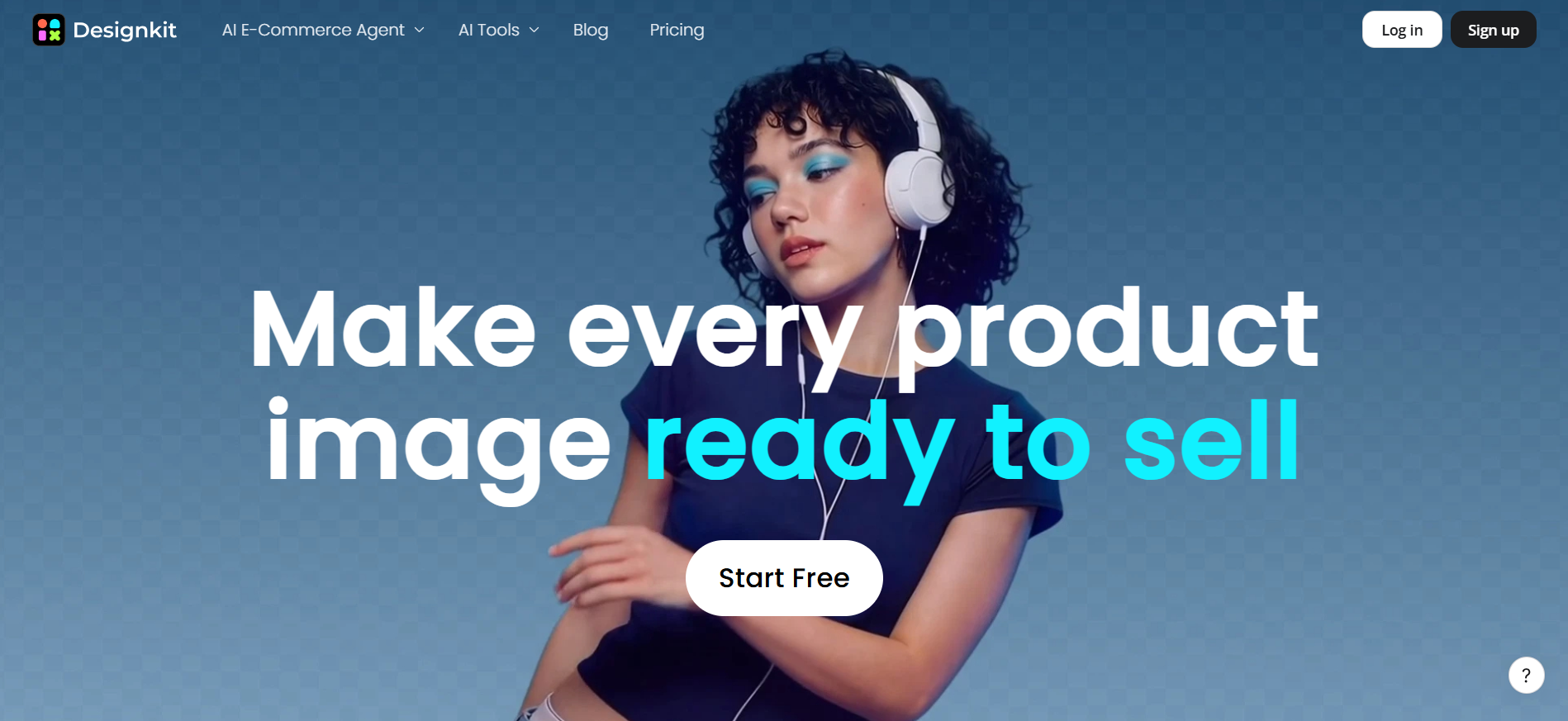
Create Ecommerce Visuals with Designkit in 3 Steps
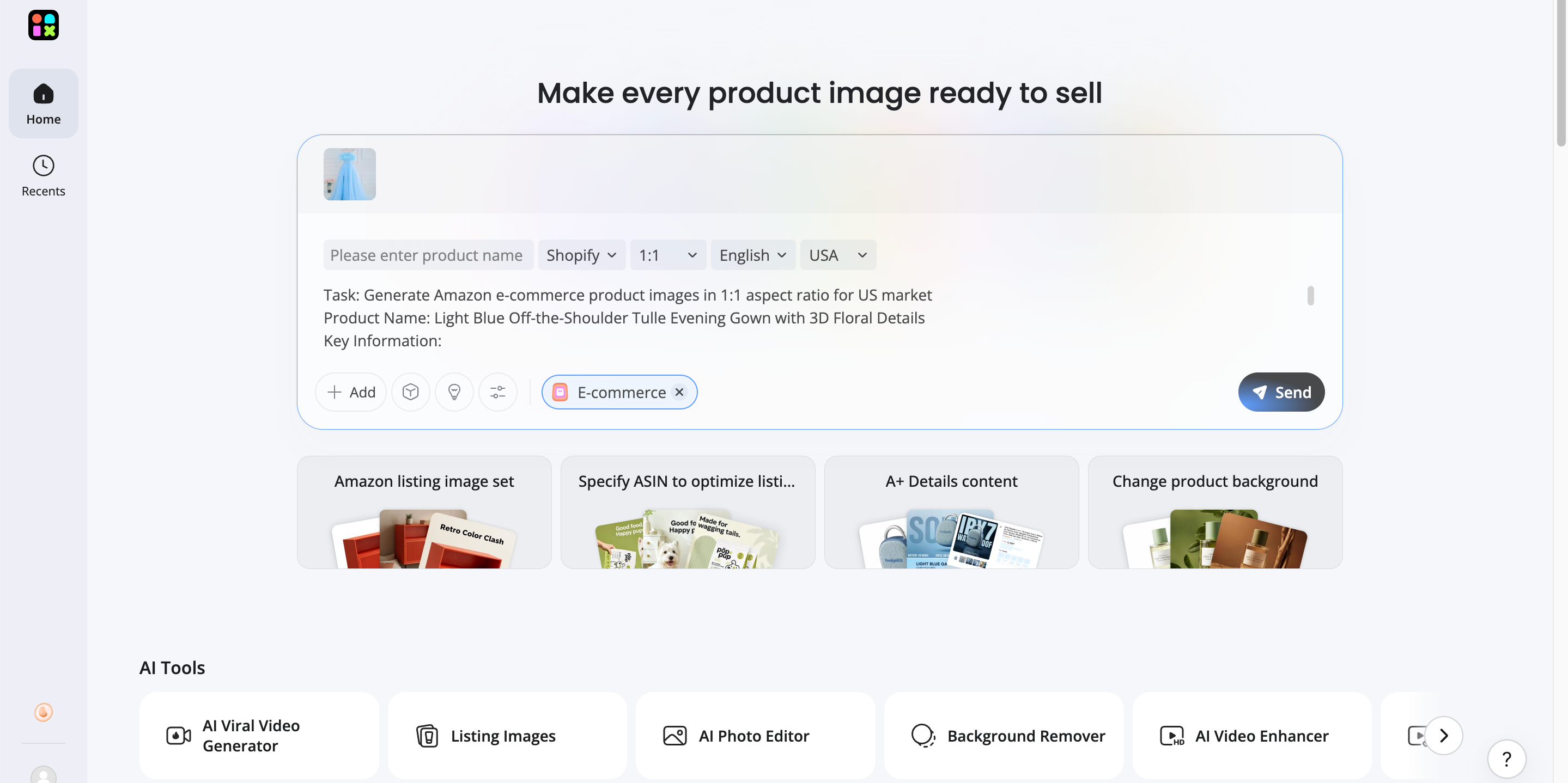
Step 1: Upload Your Product Images
Upload the product photos you already have. Designkit uses them as the starting point for creating professional ecommerce visuals.
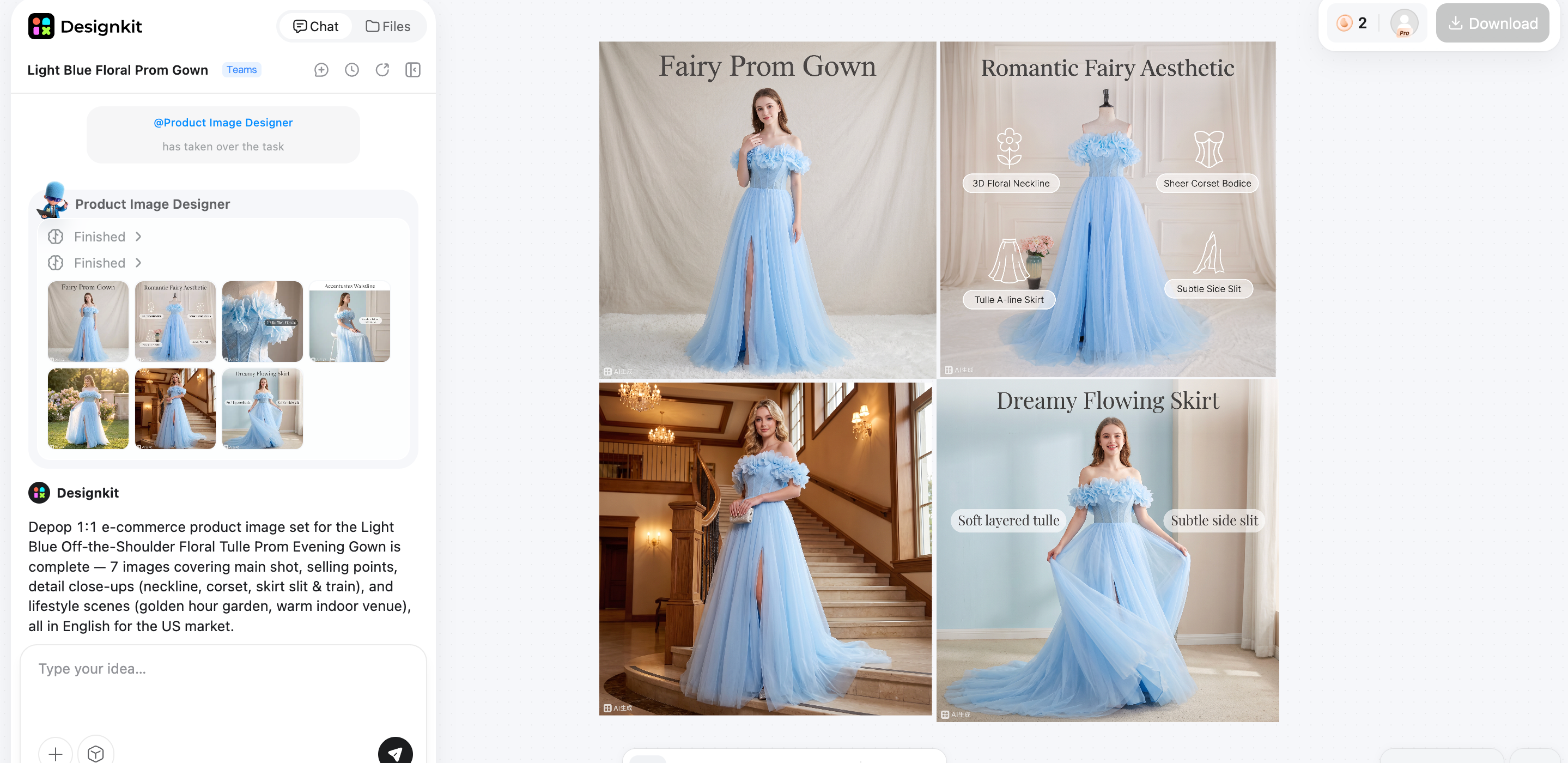
Step 2: Generate Store-Ready Creatives
Use AI tools to enhance product photos, replace backgrounds, and generate banners and marketing images optimized for your ecommerce platform.
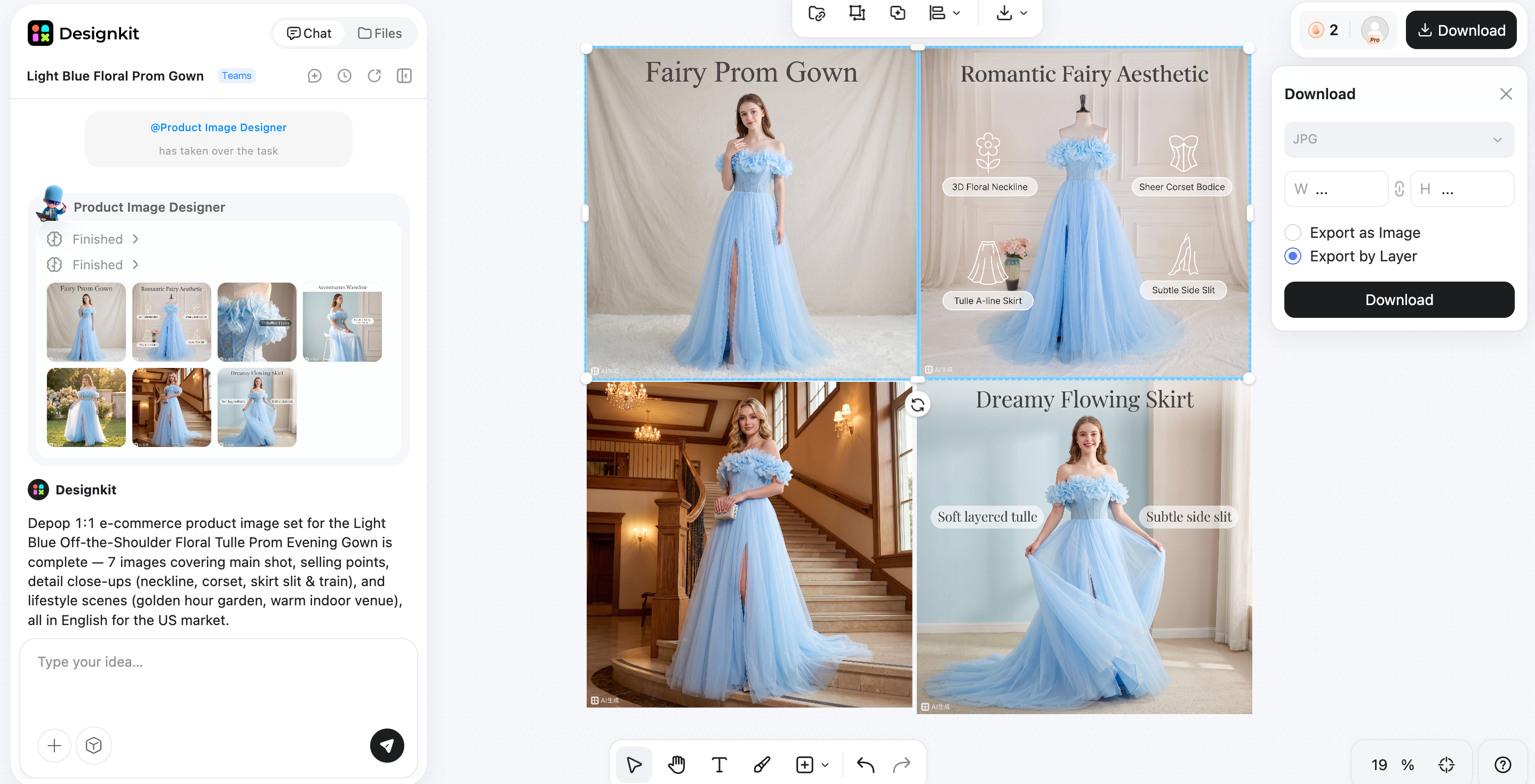
Step 3: Export and Publish
Preview your finished visuals, then export them in the appropriate formats and upload them directly to your Shopify or WooCommerce store.
Designkit Features for Ecommerce Brands
AI Product Photography
Turn ordinary product shots into polished ecommerce visuals with cleaner framing, balanced lighting, and a studio-style look. Designkit's AI product photography generator helps you present products more professionally using the images you already have, so your listings look consistent, credible, and ready to convert across your store and marketing channels.
AI Background Generation
Replace plain, cluttered, or inconsistent backgrounds with the AI background generator that match your brand and product story. Create lifestyle, seasonal, or premium settings that make items feel more appealing and easier to imagine in use, helping your product pages stand out and support stronger customer engagement and sales.
Product Image Enhancement
Improve the quality of existing product photos by sharpening details, correcting lighting, refining colors, and reducing visual noise. The image enhancer helps make images look clearer and more professional, which can strengthen trust, improve presentation, and give your product listings a more polished finish across every page.
Bulk Creative Variations
Generate multiple versions of product images and promotional creatives in less time, making it easier to support launches, campaigns, seasonal offers, and collection updates. Instead of designing each asset from scratch, you can quickly produce fresh variations that keep your store marketing active and consistent.
Multi-Platform Resizing
Resize creative assets for Shopify, WooCommerce, marketplaces, ads, and social media without manually editing each file. Designkit helps you adapt visuals to different formats and placements quickly, so your product content stays sharp, consistent, and ready to publish wherever your audience shops.
WooCommerce vs Shopify: Final verdict
Both WooCommerce and Shopify rank among the best ecommerce platforms in 2026, but each excels in different situations.
|
If you need |
Better fit |
|---|---|
|
Fast setup |
Shopify |
|
Full control |
WooCommerce |
|
Beginner friendly |
Shopify |
|
SEO flexibility |
WooCommerce |
|
Less maintenance |
Shopify |
|
Custom ecommerce experience |
WooCommerce |
-
Need fast setup? Choose Shopify for its all-in-one hosted platform and beginner-friendly experience.
-
Need full control? Choose WooCommerce if customization, ownership, and flexibility are your priorities.
-
New to ecommerce? Shopify offers the easiest learning curve with minimal technical maintenance.
-
Rely on SEO and content marketing? WooCommerce provides greater control over technical SEO and WordPress publishing.
-
Want less ongoing maintenance? Shopify manages hosting, security, and software updates for you.
-
Building a highly customized ecommerce experience? WooCommerce is the strongest choice thanks to its open-source architecture and extensive customization options.
Ultimately, the better platform isn't the one with the longest feature list—it's the one that aligns with your business goals, technical resources, and long-term growth strategy.
Conclusion
Choosing between WooCommerce and Shopify comes down to your priorities. If you value complete control, advanced customization, and SEO flexibility, WooCommerce is the stronger choice. If you prefer a beginner-friendly platform with built-in hosting and minimal maintenance, Shopify is the better fit. Review the final verdict above to see which platform aligns with your business goals.
Once you've made your choice, focus on creating high-quality product visuals that build trust and increase conversions. Designkit helps Shopify and WooCommerce merchants enhance product photos, generate professional banners, and create consistent ecommerce creatives ready for every storefront.
Frequently Asked Questions
What is the main difference between WooCommerce and Shopify?
Which is better, Shopify or WooCommerce for beginners?
Shopify is generally better for beginners because it includes hosting, security, payments, and an easy setup process on one platform. WooCommerce has a steeper learning curve since you manage your own hosting and WordPress site. After launching your store, Designkit helps you quickly create polished product photos, banners, and marketing visuals without advanced design skills.
Is WooCommerce cheaper than Shopify?
Not always. WooCommerce is free to install, but you'll still pay for hosting, a domain, premium plugins, and maintenance. Shopify has predictable monthly pricing with hosting included, although apps and premium themes can increase costs. Compare total ownership costs rather than the starting price. Designkit helps maximize your investment by creating high-quality ecommerce visuals from existing product photos.
Which platform is better for SEO?
WooCommerce generally offers greater SEO flexibility because it runs on WordPress, giving you more control over URLs, content, metadata, and technical optimization. Shopify includes strong built-in SEO features but offers less customization. Regardless of your platform, Designkit helps improve product presentation with professional images that enhance user experience and support better conversions.
Can WooCommerce handle large ecommerce stores?
Yes. WooCommerce can support large ecommerce stores when paired with reliable hosting, performance optimization, and well-planned website architecture. Many high-traffic businesses use WooCommerce successfully with the right infrastructure. As your catalog grows, Designkit helps maintain consistent, high-quality product images and marketing creatives across your entire store.
Can I migrate from WooCommerce to Shopify?
Yes. You can migrate products, customers, and order data from WooCommerce to Shopify using migration tools or professional services. Careful planning helps preserve SEO rankings, redirects, and store functionality during the transition. After migration, Designkit makes it easy to refresh product photos and create consistent visuals that match your new storefront.
Which platform is better for ecommerce marketing?
Both platforms support ecommerce marketing, but they excel in different areas. WooCommerce is ideal for content marketing and SEO through WordPress, while Shopify offers built-in sales tools and a large app ecosystem for advertising and automation. No matter which platform you choose, Designkit helps you create eye-catching product images and promotional banners that strengthen marketing campaigns.
How can I create better product images for Shopify and WooCommerce?
Start with clear, high-resolution product photos, use clean backgrounds, and keep lighting consistent to build customer trust. Optimized visuals can improve clicks and conversions across your store. Designkit simplifies the process with AI-powered product enhancement, background generation, bulk creative variations, and multi-platform resizing, helping you create professional ecommerce images without expensive photo shoots.
You May Also Like

Amazon A+ Content Dimensions: Module Image Sizes

Print-On-Demand Designs: Create, Prepare, and Preview Your Work

Amazon A+ Content: What It Is and What to Build First

Is Print on Demand Profitable in 2026? Products and Niches

Amazon Brand Registry Application: How to Submit and Pass Review

How to Ship to Amazon FBA: Your First Shipment

What Is Amazon FBA? Should Beginners Use It in 2026

How to Get Ungated on Amazon: Restricted Category Approval Steps

Amazon Backend Keywords: Title, Bullets & Search Terms

What Is A/B Testing? A Practical Guide to Running Better Experiments

Best Time to Post on Instagram in 2026: Data & Tips

How to Get Verified on Instagram: Complete Guide

TikTok Monetization in 2026: Requirements & Ways to Earn

Instagram Desktop Posting Guide: Upload Posts, Stories & Reels

YouTube Shorts Monetization Requirements & Rules 2026

How Much Does YouTube Pay Per View? 1K, 100K & 1M Views

How to Make Money on Snapchat: 7 Ways to Earn

How to Get More Followers on Instagram in 2026

Best Time to Post on TikTok in 2026 for More Views

How to Repost on Instagram in 2026: A Simple Guide

Multichannel Marketing Guide: Strategy, Tools & Examples

How to Create Digital Products That Sell in 2026

Cyber Monday Marketing Ideas & Strategies (2026 Guide)

Black Friday Marketing Ideas for Ecommerce Brands (2026)

Instagram Marketing Guide: Strategies, Tips & AI Tools in 2026

Influencer Marketing Guide: Strategy, Campaigns & Creator Tips

15 Best Things to Sell on Etsy in 2026 (Listing Tips Included)

WooCommerce vs Shopify 2026: Pricing, Features & Which Is Better

How to Sell on Facebook Marketplace: Beginner Guide (2026)

How to Use Pinterest for Business: Strategy, Tips & Growth Guide

How to Sell on Etsy in 2026: Setup, Listings & Growth Tips

What Is a Target Audience? Types, Examples & How to Find Yours

TikTok Marketing Guide 2026: Strategies, Ideas & AI Tools

Vibe Marketing Explained: Strategy, Examples & AI Tools

How to Sell on Depop: Beginner Guide to Getting Your First Sale

Online Advertising Guide: Types, Costs & Examples (2026)

Facebook Advertising Guide: Costs, Strategy & Tools 2026

What Are E-commerce Ads? Examples, Strategy & Tools (2026)

Where to Sell Handmade Items Online (2026): Etsy, Amazon, or Shopify?

Shopify vs Amazon (2026): Brand Store or Marketplace FBA?

Amazon Handmade vs Etsy (2026): Which Is Better for Makers?

Etsy vs eBay (2026): Handmade, Vintage, or Secondhand?

Selling on Amazon vs eBay (2026): Fees, Profit & Where to Sell

What Is Brand Awareness? Examples, Strategies & Tools 2026

10 Best Online Selling Platforms (2026): Pick by What You Sell

Shopify vs Etsy (2026): Which Is Better for Handmade Sellers?

YouTube Automation Step-by-Step AI Guide for Beginners

What Is Brand Identity? Examples, Elements & Strategy

AI Marketing Agent: How It Works, Benefits & E-Commerce Examples

What Is Personalized Advertising? Examples & How It Works

How to Build a Shopify Store That Actually Converts Visitors

Amazon Marketing Guide 2026: Strategies, Tips & Tools

Local Advertising: Strategies, Examples & Tools (2026)

What Is Branded Content? Examples, Strategy & Tools 2026

What Is Performance Marketing? Strategies & Examples 2026

Inbound Marketing: Strategies, Examples & Tools (2026)
Build Better Ecommerce Content After Choosing Your Platform
Generate AI-powered product images, banners, and marketing creatives for Shopify or WooCommerce in minutes.
