
How to Create High-Converting Amazon Spring Sale Listing Images (2026 Guide)
Amazon Spring Sale 2026: Boost Sales with Seasonal Visuals


Shoppers are now looking for fresh starts as the warmer weather approaches. Most sellers only drop their prices when the Amazon Spring Sale 2026 begins (March 10-16). However, smart brands know that professional photos actually drive the most sales.
You must update your gallery to match the bright mood of the season. Moreover, your product needs to look perfect in a sunny and natural setting. Therefore, this guide will show you how to refresh your images without expensive shoots. Learn to use simple tools to create high-converting visuals quickly and efficiently.
Part 1. Why Amazon Spring Sale 2026 Demands a Different Visual Strategy
Most sellers mistakenly believe that lower prices are the only way to win. However, true market leaders use this time to refresh their entire brand identity. To stay ahead, you must understand why a new visual approach is required:
The Massive Surge in Traffic and Competition
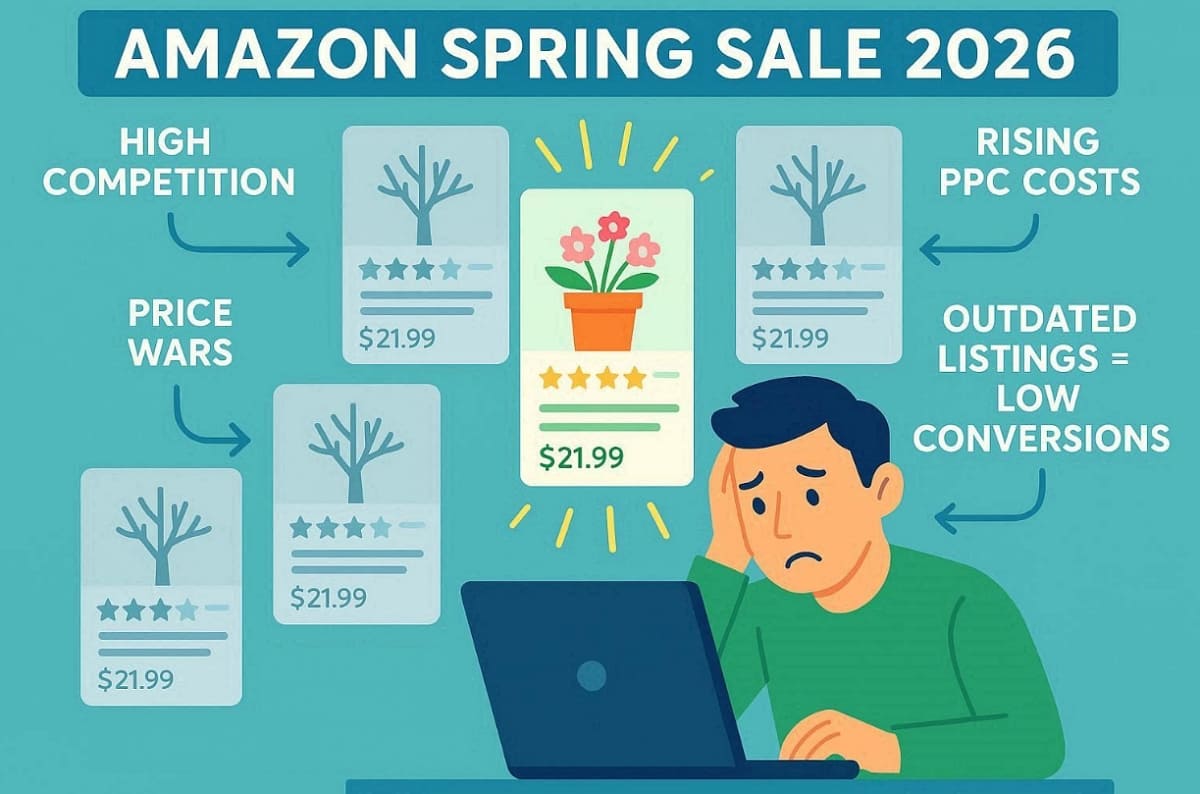
Large traffic volumes during major sales events do not always translate into higher conversions. One Ground News report states that the Amazon Spring Sale 2026 generates up to 40% discounts across categories. Besides, Statista reports that global ecommerce sales continue to grow annually, increasing marketplace competition. The price of advertising keeps increasing as additional brands enter the platform:
1. Visual Homogeneity: Most search results appear similar, making individual product listings difficult to notice.
2. Rising PPC Costs: You cannot risk spending money on clicks that are not converting.
3. Price Wars: Competitive prices alone kill your profit and brand value in the long run.
4. Conversion Gap: Shoppers ignore listings that feel outdated or stuck in the winter.
Understanding the 2026 Seasonal Consumer Psychology
Spring represents a major shift in how people think and spend their money. Your Amazon listing images optimization strategy must reflect these specific emotional triggers:
|
Consumer Motivation |
Visual Translation in Your Listing |
|---|---|
|
Fresh Starts and Renewal |
Use clean and bright backgrounds with a very sharp product focus. |
|
Spring Cleaning |
Show products helping to organize or declutter a messy home. |
|
Outdoor Living |
Place items in sunny gardens or on bright wooden patios. |
|
Energy and Lightness |
Switch from heavy dark tones to soft and airy pastels. |
The "Seasonality Gap" Marketing Error
However, one of the most common marketing mistakes sellers make is keeping the same images throughout the entire year, which leads to several problems such as:
1. Static Content: Using winter-themed photos in April makes your brand look inactive.
2. Lack of Urgency: Seasonal visuals signal that your sale is a special event.
3. Mental Simulation: Shoppers need to see the product in a warm-weather setting.
4. Professionalism: Updated images prove that you are a quality and attentive seller.
Strategic Note: In 2026, the brands that win are those that look the part. You must transition your creative assets to match the energy of the season.
Part 2. What Makes Amazon Spring Sale Listing Images High-Converting?
Quality visuals are essential for creating the most effective spring product images today. According to Can Davarcı's report, quality product images can increase conversion rates by up to 67%, while poor quality visuals lead to trust loss. You should follow these specific guidelines to improve your overall sales results quickly:
Seasonal Lighting & Color Psychology
Color psychology is a powerful tool that directly impacts your click-through rates and perceived freshness. Using the right tones helps your Amazon listing images optimization efforts succeed by making products feel modern and relevant:
1. High-Key Natural Lighting: Dark and heavy shadows should be removed with bright and even light.
2. Bright, Airy Compositions: Keep the frame open to create a stronger feeling of freedom and visual space.
3. Fresh Tones: You should focus on soft green and warm yellow for a seasonal feel.
4. Avoid Winter Palettes: Remove deep browns or dark navy blues that feel heavy and cold.
According to Baymard Institute’s ecommerce UX research, 56% of online shoppers say product images are more important than product descriptions.

The following examples show how these visual rules apply to different popular product categories:
|
Category |
Spring Visual Application |
|---|---|
|
Garden and Home |
Utilizes soft green backgrounds to suggest new growth. |
|
Kitchen |
Set products on bright, sunlit countertops with natural morning light. |
|
Outdoor Gear |
Feature items on fresh grass under clear and sunny blue skies. |
|
Beauty |
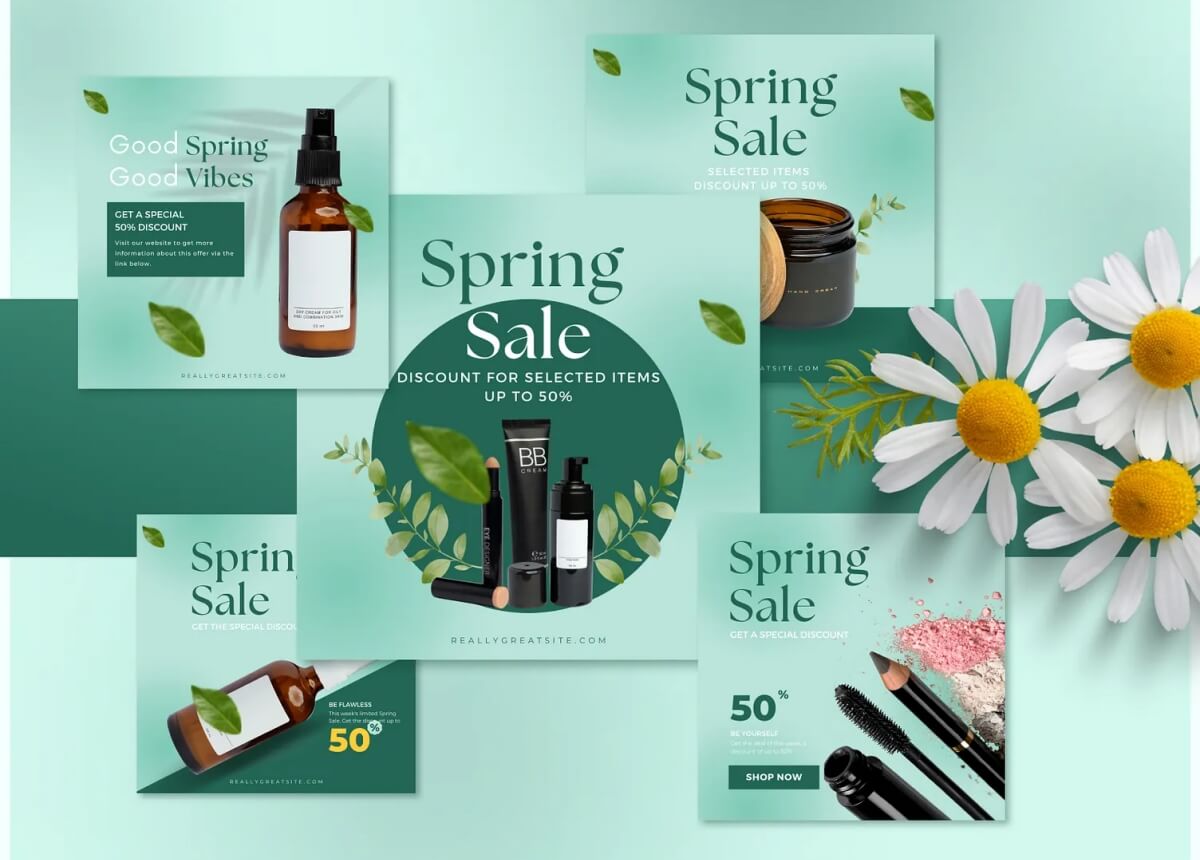
Combine clean white surfaces with very soft pastel floral accents. |
Contextual Lifestyle Scenes That Match Spring Behavior
Shoppers in 2026 buy products that help them achieve their seasonal goals and activities. You must provide Amazon image conversion tips through scenes that allow customers to mentally simulate ownership.
1. Behavioral Shifts: Highlight outdoor activities, home decluttering, and new social gatherings.
2. Main Image Compliance: Keep your primary photo on a pure white background for Amazon.
3. Emotional Secondary Images: Use lifestyle shots to build a deep connection with the buyer.
4. Seasonal Alignment: Matching the seasonal mood often matters more than the specific product category.
A Few Visual Examples:
● Fitness: A morning run in a park with blooming trees and bright sun.
● Storage: A clean closet being organized during a deep spring cleaning session.
Promotional Visual Signals Without Looking Cheap
Adding sale elements should make your listing look like a premium opportunity, not a bargain bin. Your Amazon listing images optimization must balance promotional urgency with high-end brand positioning.
1. Professional Badging: Add a "Spring Sale 2026" badge using clean and modern fonts.
2. Mobile-First Design: Ensure all promotional text is large enough to read on small screens.
3. A+ Content Updates: Refresh your modules to reflect the same spring theme as the images.
4. Value Preservation: Avoid neon colors or messy layouts that reduce the perceived product value.

Part 3. AI Workflow 2026 — How to Create Spring Sale Images
Creating professional visuals for the Amazon Spring Sale 2026 no longer requires expensive shoots. You can transform your catalog in just a few hours using a smart workflow. This section uses a garden storage box to demonstrate the entire design process:
4-Step to Create Spring Sale Images (Example with Home & Garden Products)
Step 1. Start with Your Existing White Background Image
Every successful Amazon product photography project begins with a quality-based asset. Most professional sellers already have a standard product shot on a pure white background:
1. Current State: You have a clean, compliant image, but it lacks seasonal emotion.
2. Visual Problem: Standard studio shots often look very cold during a spring promotion.
3. Opportunity: There is no need for you to employ a photographer just to have a new appearance.
4. Strategy: Use your current assets as the foundation for an advanced transformation powered by AI.
Step 2. Generate a Spring Lifestyle Scene Instantly
You can now place your product in a realistic environment using an AI Product Photography Generator. This technology creates a sunny backyard setting without requiring a physical location or rental:
1. Bulk Background Remover: Designkit automatically remove old backgrounds to prep your product for a fresh scene.
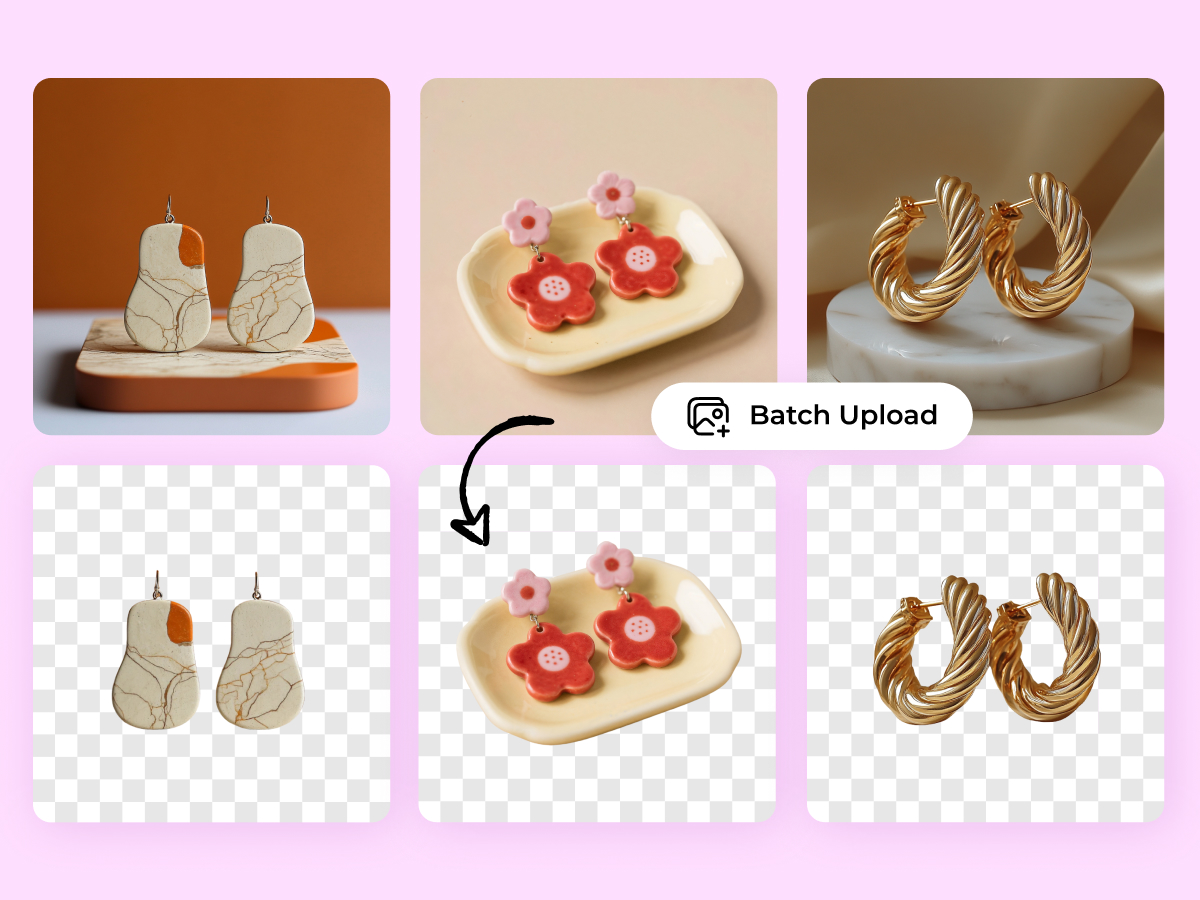
2. Spring Scene Generation: Instantly place your item in a sunny garden, patio, or bright balcony.
3. Lighting Integration: The tool adjusts shadows, so the product looks natural in soft daylight.
4. Efficiency Gains: Skip the weather delays and high costs of traditional ecommerce product photography sessions.

According to an Ecomclips, optimized images improve conversion rates by 15-40% without increasing ad spend.
Step 3. Add Spring Sale Conversion Elements
The next step is to make your listing look promotional while maintaining a premium feel. Use the Amazon Listing Images Generator by Designkit to overlay important text and badges for customers:
1. Promotional Badging: Include a clean "Spring Sale 2026" badge to signal a temporary deal.
2. Fast Infographic Creation: Highlight key benefits like weather resistance or easy assembly using clear icons.
3. A+ Module Generation: Quickly create beautiful images that fit perfectly within your Amazon brand story.
4. Category Expansion: This specific method works perfectly for Amazon Home product photography and beyond.

Step 4. Enhance with Seasonal Micro-Details
Small visual touches significantly increase the perceived quality and realism of your marketing images. Using the AI Image Generator or AI Product Photo Generator allows you to add fine atmospheric details very easily:
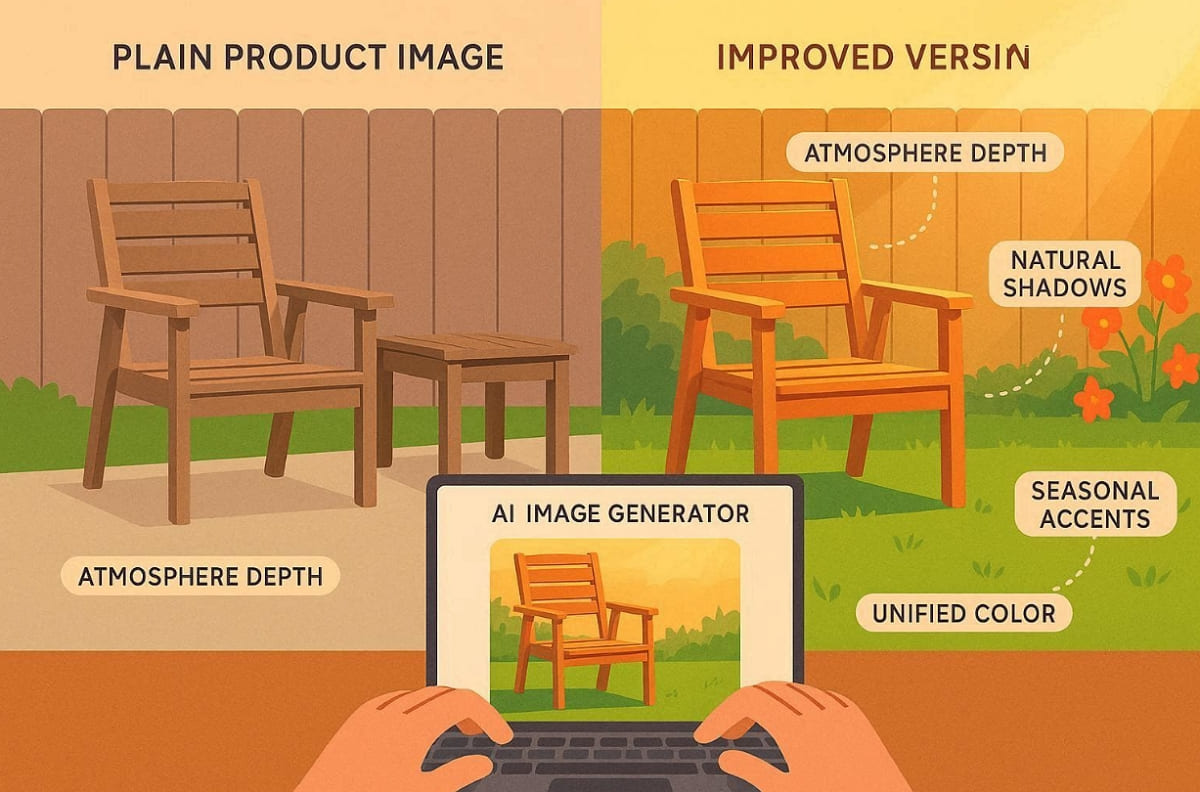
1. Atmosphere Depth: Add subtle sunlight flares to create a warm and inviting backyard atmosphere.
2. Natural Shadow Generation: Create soft, directional shadows that anchor the product into the new scene.
3. Seasonal Accents: Use the tool to add flowers or lawn textures for better realism.
4. Color Grading: Apply a unified bright filter to ensure all images feel consistent and fresh.
Final Transformation: Before vs After Comparison
Seeing the difference between a basic shot and a seasonal lifestyle image is quite powerful. This workflow helps you bridge the gap between a generic listing and a high-converting store:
|
Feature |
Original White Background Image |
New AI-Generated Spring Visual |
|---|---|---|
|
Atmosphere |
Neutral and sterile studio look |
Warm, sunny, and inviting garden |
|
Context |
No environmental cues provided |
Clear demonstration of outdoor product use |
|
Sales Signal |
Standard everyday pricing feels |
Urgent and professional spring sale badge |
|
Engagement |
Low emotional connection |
High mental simulation for the shopper |
Part 4. 2026 Amazon Spring Sale Listing Images Optimization Checklist
Success during the busy spring season requires a very detailed and structured final review. You must ensure that every single image in your gallery serves a specific purpose. So, follow these simple steps to verify that your listing is ready for massive traffic:
Spring Visual Audit Checklist
Run your current assets through this audit to ensure maximum Amazon listing images optimization results. These points apply to every category from fitness gear to modern kitchen supplies:
1. Main Image Compliance: Ensure your primary hero shot is high-resolution and on a pure white background.
Note: Amazon 2026 rules require pure white backgrounds (RGB 255,255,255) and a minimum width of 1600px for zoom features.
2. Seasonal Scene Replacement: Replace old winter-style visuals with bright and airy spring scenes for better engagement.
3. Color Tone Consistency: Use fresh pastel colors and warm natural lighting in every single product shot.
4. Mobile-First Readability: Confirm that all promotional text and benefit callouts are easy to read on phones.
5. Professional Sale Badging: Add the official Spring Sale badge without cluttering the main and secondary designs.
6. A+ Content Refresh: Update your enhanced brand content to match the new seasonal and visual style.
7. Gallery Harmony: Maintain a consistent and professional look across all 7 of your listing images.

4-Step Optimization Framework
Use this structured framework to provide consistent Amazon image conversion tips for your design team. Building your listing in layers ensures that you meet both Amazon and customer needs:
|
Layer |
Optimization Focus |
Goal of the Visual |
|---|---|---|
|
Compliance Layer |
Perfect white background hero |
Meet Amazon requirements and drive the initial click. |
|
Seasonal Scene Layer |
Spring lifestyle integration |
Help the customer mentally simulate using the product outdoors. |
|
Promotion Layer |
Add clear sale signals |
Create a sense of urgency without looking at a discount. |
|
Conversion Layer |
Strengthen infographic visuals |
Explain key benefits quickly to turn viewers into happy buyers. |
Pro Tip: This framework works perfectly whether you are selling garden tools or beauty products. Always prioritize clarity and emotional connection to beat your competitors during the spring event.
Conclusion
In summary, your brand must look fresh and relevant during the Amazon Spring Sale 2026. Buyers want to see products that match the bright energy of the current warm season. You can use modern AI tools to refresh your entire gallery in just minutes. In addition, brands should consider using Designkit to update their visuals very quickly without a photoshoot. This professional tool helps you create high-converting spring images effortlessly.
FAQs About Amazon Spring Sale Listing Images
Q1. When should I update my listing images for the Amazon Spring Sale 2026? Amazon Spring Sale 2026 runs March 10-16 with epic savings up to 40%, so update photos 2 weeks prior.
Q2. Do I need new photos for the Spring Sale?
You do not need to hire a professional photographer for a brand new shoot. Simply use quality AI tools like Designkit to refresh your current white background product assets. Moreover, adding seasonal backgrounds to existing photos is a very cheap and fast strategy.
Q3. What colors work best for spring product images?
Focus on using bright pastel tones like soft mint green and very light yellow. These specific colors help your listing feel fresh and relevant to the warm weather. Furthermore, avoid dark and heavy winter shades that might make your product look quite outdated.
Q4. Can AI replace traditional ecommerce product photography?
Modern AI technology now generates realistic lifestyle scenes that look just like real photos. You can save a lot of money by skipping expensive studio rentals and equipment. They handle background removal and seasonal scene building automatically.
You May Also Like

Best AI Ad Generators in 2026: Tools for Creating Better Ads

T-Shirt Design Size Guide: Placement, Dimensions, & DPI

How to Sell on Poshmark: A Complete Beginner's Guide

Zeely Reviews 2026: Features, Pricing, Pros, Cons & Alternatives

Create TikTok Ads From One Photo: An AI Product Launch Kit

Depop vs Poshmark: Which Is Better for Selling in 2026?

How to Create an Amazon Storefront: 4-Step Guide for New Sellers

How to Sell Books on Amazon in 2026: Beginner Guide

How to Sell on Amazon in 2026: A Complete Seller Guide

AI Product Photography: 7 Best Tools for Ecommerce in 2026

What Is a Hero Image? Definition, Examples & Design Tips

Pippit AI Review 2026: Features, Pricing, Pros & Cons

Back to School Ad: 7 Creative Ideas for Better Campaign Results

Top 7 Back-to-School Sales Ideas to Boost Retail Sales (2026)

How to Create a Complete World Cup Product Listing Image Set

How to Create Amazon Summer Sale Posters and Banners with AI

Amazon Summer Sale 2026: Listing Design Trends & Product Image Ideas

Ecommerce Video Ads: 7 Strategies That Drive Higher Conversions

How to Photograph Shoes for Your Ecommerce Store in 2026

Product Photography Ideas: Creative Tips & Techniques for Better Shots

Product Photography Pricing 2026: Full Cost Guide by Type

White Background Product Photography Guide & Tips 2026

Product Photography Starter Package: Gear Checklist 2026

Shopify Product Photography Guide with Tips & Setup

Amazon Main Image Requirements: Size, Guidelines & Tips

Shopify Image Size 2026: Complete Guide and Tips for Better Product Display

Studio Product Photography vs AI Product Photography in 2026

7 Product Photography Mistakes That Hurt Ecommerce Sales

Change Outfit Colors Online for Outfit Preview with AI Clothes Color Changer

How to Create Amazon Infographics: Boost Sales with Compelling Visuals

How to Create Outdoor Product Scenes Without a Photoshoot Using AI

Optimize Etsy Images for Mobile: Listing Photos That Convert

Amazon 7-Image Listing Strategy: Boost Sales by Optimizing Every Image

Etsy Thumbnail Optimization: Keep Your Product Fully Visible

The Etsy Thumbnail Formula That Drives More Clicks and Sales

How to Create Pro Amazon Listing Photos Without a Studio

10 High-Converting Lifestyle Product Images for Amazon Listings

How to Automate Your E-commerce Visuals with OpenClaw Workflow

Top 5 AI Tools to Generate Amazon Product Listing Images in 2026

How to Turn One Photo into 10 Etsy Listing Images Fast: Batch Workflow

Etsy Listing Photo Size Guide (2026): Mobile, Desktop & Shop View Specs

Turn White Background Images into Lifestyle Amazon Listings

Fix Etsy Image Cropping: Optimize Listing Photos for Every Device

Amazon Listing Images: Essential Shot List & Optimization Guide

How to Create Lifestyle Product Images Without a Studio

Lifestyle Product Photography Trends 2026: Authentic Looks at Scale

How to Master Lifestyle Product Photography in 2026

Amazon Listing Images Guide 2026: 7-Slot Strategy & Requirements

360 Product Photography Guide 2026: Setup, Shoot and Workflow

Beginner's Guide to Generate Product Photos from Different Angles

AI Product Photography: Create Ecommerce Images Without a Photoshoot

How to Create Realistic AI Product Photos: Step-by-Step Pro Guide

Keep AI Product Images Consistent Across SKUs: Lighting, Color, Background

How to Scale E-commerce with a Product Image Generator

How to Use AI for Spring Product Photography: 2026 Amazon Guide

How to Create a Budget Home Product Photography Setup with AI

How to Achieve Professional Product Photography Standards in 2026

How to Take Product Photos with Phone: Pro Guide for Amazon & AI

6 Best AI Product Image Generators in 2026

Amazon Photography Service vs. AI Generator: Best Choice for Sales

What Is Product Photography? Angles, Lighting & Editing Guide

Amazon Spring Sale 2026: Create High-Converting Listing Images (Guide)

AI Agents Transform Amazon Product Photography in 2026

Amazon Photoshoot in 2026: Do You Still Need a Studio?

11 Must-Have Tools for Amazon Product Photography in 2026

2026 Amazon Image Trends Shaping Seller Success and Conversions

Amazon Product Photography Requirements & Best Practices 2026
Make every product image ready to sell
Designkit is an all-in-one AI platform for ecommerce visuals. Create product photos, AI videos, virtual try-ons, and Amazon listing images in seconds. Generate HD backgrounds, batch edit photos, and scale your brand with studio-quality content.


