
New to Amazon? Write Better Titles, Bullets and Search Terms for Your First Listing
Your first listing has three keyword fields. Learn how to split one research list across title, bullets, and backend search terms without wasting space or repeating yourself.

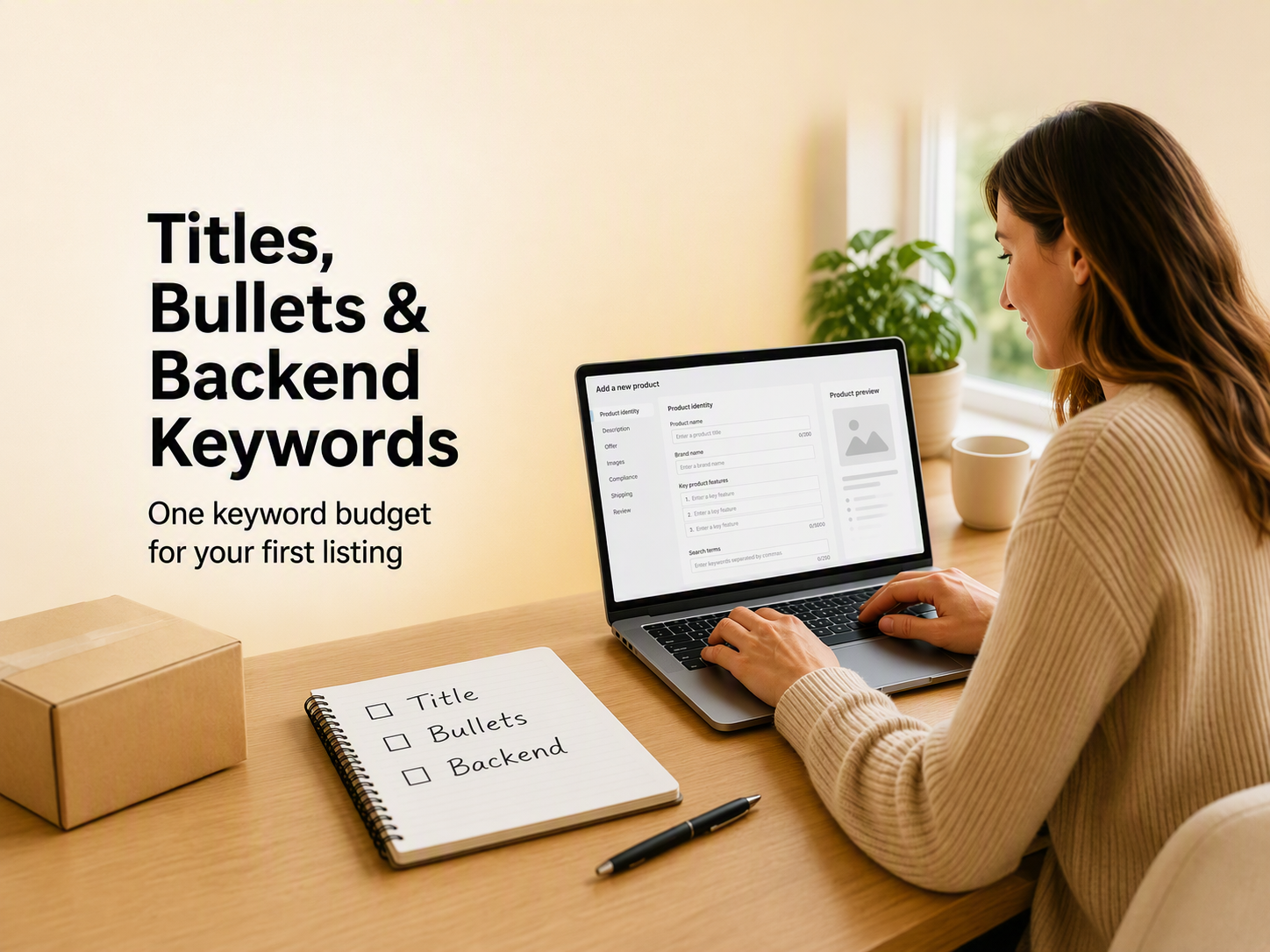
You open Seller Central to create your first listing and get three keyword fields: the title, five amazon bullet points, and a hidden search terms box. Seller Central may label that last field amazon backend keywords or amazon generic keywords. Same field, different labels by marketplace.
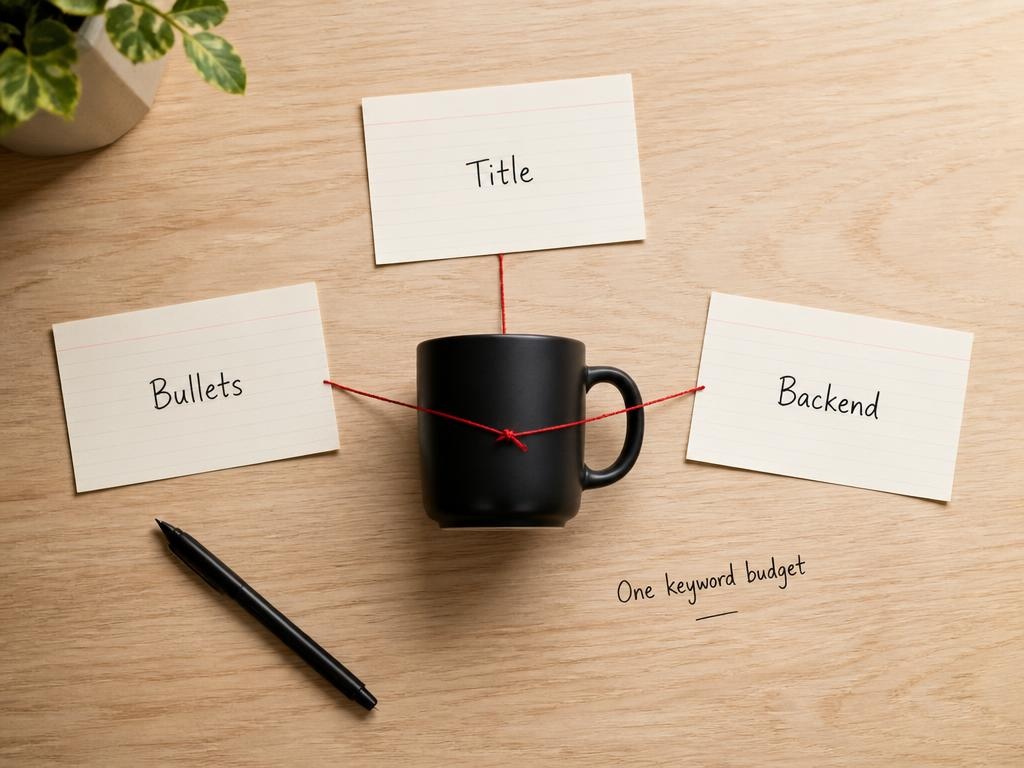
Those three boxes share one keyword budget. Repeat a phrase in the title and again in the backend, and you spend space twice for one index hit. Save synonyms and alternate product names for the field shoppers never see. This guide shows where each phrase belongs, how to stay inside the amazon title character limit and amazon bullet point character limit, and a simple map you can reuse on every new ASIN.
Where Backend Search Terms Fit
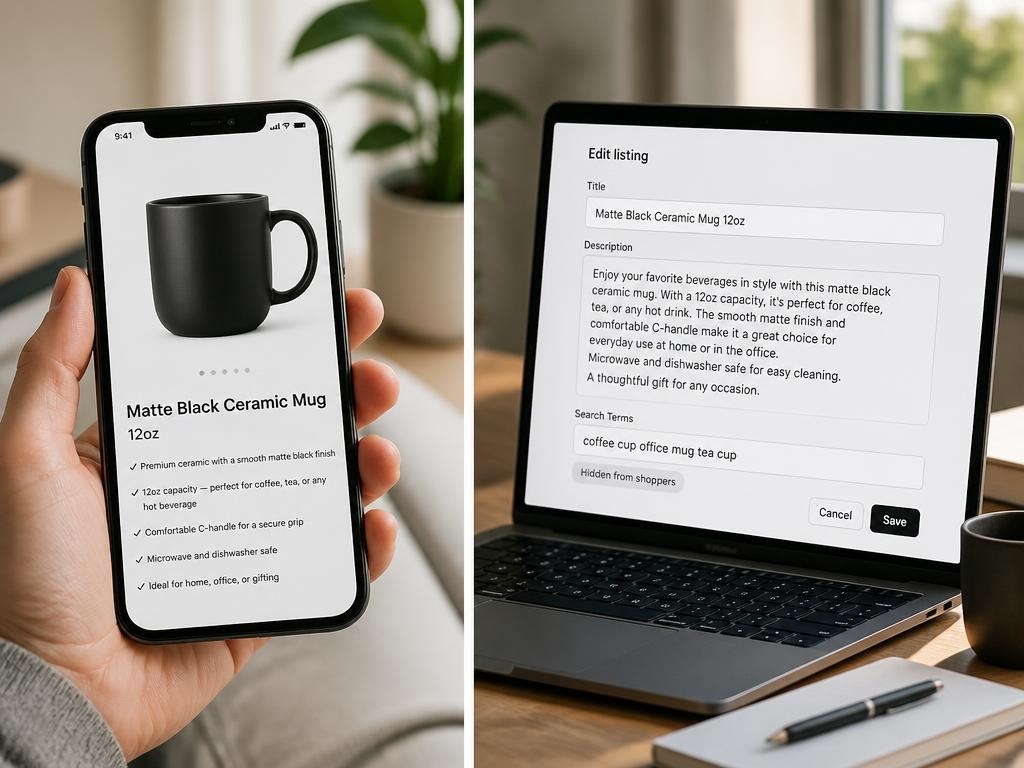
Amazon backend keywords are the search terms you type in Seller Central that do not show on the product page. Amazon can still use them for indexing.
You will also hear the field called amazon generic keywords. Wording changes by marketplace and listing form. The job is the same: cover relevant queries that did not fit naturally in your title or amazon bullet points.
What this field does not do:
-
It does not replace a clear title. Shoppers still buy from what they can read.
-
It does not fix a weak offer. Indexing without conversion still stalls rank.
-
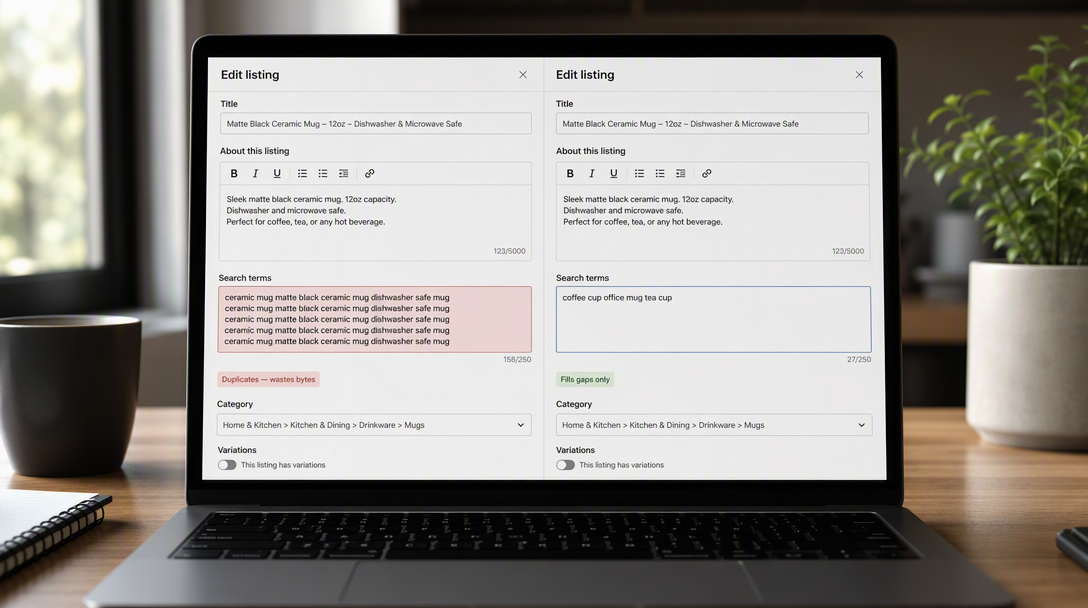
It does not reward stuffing. Words already in visible fields usually waste byte space if you paste them again.
Write the visible listing first. Then add backend terms only for gaps: synonyms, alternate material names, and use-case phrases you skipped in the title.
In Seller Central, the path is usually Inventory, edit the listing, then the Keywords tab (Search Terms or Generic Keywords). Paste space-separated terms. Skip decorative commas. Keep the list readable for your own edits later.
Byte limit (US): Most US sellers plan around a 249-byte cap in this field, not a Word character count. A free byte counter helps before you save. If you exceed the limit, Amazon may ignore part or all of the entry, so verify the current rule in Seller Central Help before you publish.
Writing a Short Title That Still Converts
Your title is the first line shoppers and the algorithm both read. Before you draft, open the product title requirements for your category in Seller Central. Caps tighten over time. Many non-media categories now use a much shorter limit than the old keyword-stuffing era. Treat any number in a blog as a planning hint, not the rule on your form.
A simple title order for a first listing:
-
Brand, if you have one
-
Product type in plain shopper language
-
One or two must-see attributes (size, material, pack count, or core use)
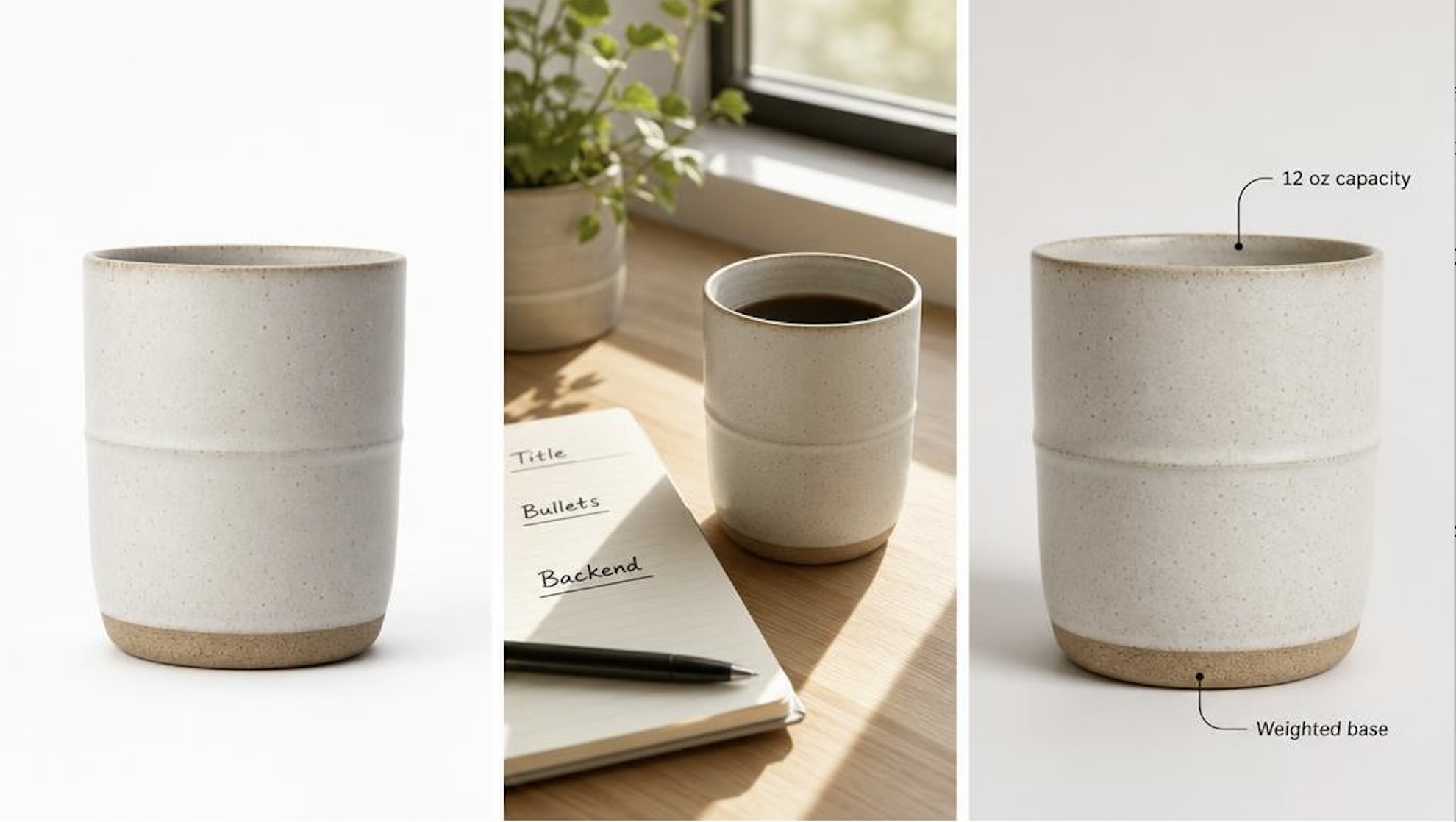
Example shape (illustrative only): BrandName Ceramic Mug 12oz, Matte Black, Dishwasher Safe. Lead with what the product is. Save filler for bullets or backend.
Leave out of the title:
-
Promo language such as "best," "sale," or "free shipping"
-
Special characters your category style guide flags
-
Every synonym from research. Move extras to bullets or backend.
Mobile tip: Phones often cut the title short. Put product type and the main click reason in the first words.
If a strong phrase does not fit, move it to a bullet or to backend search terms instead of forcing it into the title.
Using All Five Bullet Points
Amazon bullet points sit under the title. They persuade the buyer and carry secondary phrases that deserve indexing without bloating the title.
Check the amazon bullet point character limit for your category in Seller Central. Limits vary by browse node. Keep the first part of each line easy to scan on mobile.
Give each bullet one job:
-
Core spec or pack: size, capacity, or what is in the box
-
Material or build: what it is made of and why that matters
-
Use scenario: where or how people use it
-
Compatibility or care: fit, wash, or install notes
-
Differentiator: why pick this over a generic option
Lead with the buyer outcome, then support it with a concrete detail. Use numerals ("12 oz," "5-pack") where they help. Start with a capital letter. Skip emoji, HTML, and shouty punctuation.
Common mistake: Rewriting the title five times. If the title already says "stainless steel water bottle," bullets should cover leakproof design, insulation hours, lid type, and cleaning, not repeat "stainless steel" in every line.
Once the five lines are stable, match your gallery to the same promises. DesignKit Amazon Listing Images Generator can turn those benefit lines into supporting frames so copy and images tell one story.
What Belongs in Backend Search Terms
With title and bullets locked, open amazon backend keywords again. Ask one question: What do buyers still search for that is not already in visible copy?
Rules that still matter:
-
Budget is limited. Plan in bytes, not characters. Confirm the current cap in Seller Central Help.
-
Separate terms with spaces. Punctuation burns bytes without helping search.
-
Do not repeat words from the title or bullets. Amazon indexes visible copy already. Duplicates waste backend space.
-
Skip competitor brands, ASINs, and subjective claims. They add risk, not honest discovery.
-
Skip needless plural or stem duplicates when the singular is already covered, unless research shows a distinct query worth the bytes.
Build the list in three steps:
-
Write every unique word from your title and bullets on a "used words" list.
-
From your research list, remove anything already used.
-
Fill the remaining terms in order of relevance until you hit the byte cap.
Good fits: alternate product-type names, material aliases, room or season phrases, legitimate spelling variants.
Poor fits: "best quality cheap," rival trademarks, promo slogans, or the same primary phrase already in the title.
A Simple Keyword Map for One SKU
Use this order so a first listing does not turn into keyword soup:
-
List buyer language: product type, a few attributes, then synonyms or scenarios from research.
-
Title: brand, product type, and one or two must-see attributes inside the amazon title character limit.
-
Bullets: five lines, each with one job, inside the amazon bullet point character limit.
-
Backend: only terms still missing from visible copy.
-
Save and spot-check: search a few target phrases on Amazon in a private window and see if your ASIN appears for queries you care about. Results vary by account, marketplace, and indexing lag.
Mini example (fictional home SKU):
-
Title: brand, ceramic mug, 12 oz, matte black
-
Bullets: capacity, glaze, desk use, dishwasher care, weighted base
-
Backend: coffee cup, office mug, tea cup (only if those words are not already on the front)
Copy stable? Finish the visual layer. DesignKit Amazon Listing Images Generator can produce a white-background main image plus lifestyle and feature frames sized for Amazon, so the listing is not keyword-ready but visually empty.
Before you publish:
-
Title reads cleanly under your category rules, with no promo spam
-
All five amazon bullet points used, each with one clear job
-
Amazon backend keywords only fill gaps left by title and bullets
-
Images match the claims in your bullets
Draft your keyword map, lock the copy, then generate a compliant image set with DesignKit Amazon Listing Images Generator. For next steps, see How to Sell on Amazon or the Amazon Listing Images Guide.
Conclusion
Fill the fields in order, not three times over. For a first listing, treat the title, five bullets, and amazon backend keywords as one inventory. Spend visible characters on phrases shoppers must see. Spend backend space on search language that did not fit up front. Save, spot-check indexing, then finish images so the listing is complete. Clear fields beat duplicated keywords.
Frequently Asked Questions
What are Amazon backend keywords?
What are Amazon generic keywords?
In many Seller Central views, “generic keywords” refers to the same backend search-term field used for indexing. Label names can differ by marketplace or listing form; the job is the same: hidden, relevant search language that fills gaps left by your front-facing copy.
What is the Amazon title character limit?
Follow the current Product title requirements in Seller Central for your category. Many non-media categories moved toward a much shorter cap (commonly discussed as 75 characters including spaces). Media and other exceptions may differ. Always re-check the help page before you publish.
What is the Amazon bullet point character limit?
Limits can vary by category. Open Amazon’s Feature Bullets / product bullet point help in Seller Central for your ASIN type and stay inside that guidance. Do not assume one global number for every category—and keep the first part of each line scannable on mobile.
Should I repeat title keywords in Amazon backend keywords?
Usually no. Words already in the title, bullets, or description are typically indexed from those fields. Use backend space for relevant synonyms and use-case terms that never appear on the front.
You May Also Like
Amazon Individual vs Professional Selling Plan
Amazon Brand Registry Requirements: Trademark, Account & Cost
How to Create an Amazon Seller Account: Requirements and Steps
Amazon Product Video Requirements: Specs & Upload

Amazon Global Selling: How to Open Multiple Marketplaces

Amazon Vine Program for Sellers: Get Early Product Reviews

Amazon Sponsored Products: How to Launch Your First Campaign

Amazon Sponsored Brands: What They Are and When to Use Them

Is Print on Demand Profitable in 2026? Products and Niches

Print-On-Demand Designs: Create, Prepare, and Preview Your Work

Local Business Marketing: Ideas, Priorities and Ways to Get Local Customers

Social Media Audit: How to Review Performance and Find What Works

How to Build a Personal Brand: A Strategic Guide
How to Create a YouTube Channel for Your Business in 2026
Social Media Content Planner: Plan & Schedule Posts

Amazon A+ Content Dimensions: Module Image Sizes

Amazon A+ Content: What It Is and What to Build First

Amazon Brand Registry Application: How to Submit and Pass Review

How to Ship to Amazon FBA: Your First Shipment

What Is Amazon FBA? Should Beginners Use It in 2026

How to Get Ungated on Amazon: Restricted Category Approval Steps

Amazon Backend Keywords: Title, Bullets & Search Terms

What Is A/B Testing? A Practical Guide to Running Better Experiments

Best Time to Post on Instagram in 2026: Data & Tips

How to Get Verified on Instagram: Complete Guide

TikTok Monetization in 2026: Requirements & Ways to Earn

YouTube Shorts Monetization Requirements & Rules 2026

How to Make an Event on Facebook: Complete Setup Guide (2026)

Instagram Desktop Posting Guide: Upload Posts, Stories & Reels

How Much Does YouTube Pay Per View? 1K, 100K & 1M Views

How to Make Money on Snapchat: 7 Ways to Earn

How to Get More Followers on Instagram in 2026

Best Time to Post on TikTok in 2026 for More Views

How to Repost on Instagram in 2026: A Simple Guide

How to Create Digital Products That Sell in 2026

Cyber Monday Marketing Ideas & Strategies (2026 Guide)

Black Friday Marketing Ideas for Ecommerce Brands (2026)

Instagram Marketing Guide: Strategies, Tips & AI Tools in 2026

Influencer Marketing Guide: Strategy, Campaigns & Creator Tips

How to Sell on Facebook Marketplace: Beginner Guide (2026)

How to Use Pinterest for Business: Strategy, Tips & Growth Guide

How to Sell on Etsy in 2026: Setup, Listings & Growth Tips

WooCommerce vs Shopify 2026: Pricing, Features & Which Is Better

What Is a Target Audience? Types, Examples & How to Find Yours

Multichannel Marketing Guide: Strategy, Tools & Examples

TikTok Marketing Guide 2026: Strategies, Ideas & AI Tools

Vibe Marketing Explained: Strategy, Examples & AI Tools

15 Best Things to Sell on Etsy in 2026 (Listing Tips Included)

How to Sell on Depop: Beginner Guide to Getting Your First Sale

Where to Sell Handmade Items Online (2026): Etsy, Amazon, or Shopify?

Shopify vs Amazon (2026): Brand Store or Marketplace FBA?

Amazon Handmade vs Etsy (2026): Which Is Better for Makers?

Online Advertising Guide: Types, Costs & Examples (2026)

Facebook Advertising Guide: Costs, Strategy & Tools 2026

Etsy vs eBay (2026): Handmade, Vintage, or Secondhand?

Selling on Amazon vs eBay (2026): Fees, Profit & Where to Sell

10 Best Online Selling Platforms (2026): Pick by What You Sell

Shopify vs Etsy (2026): Which Is Better for Handmade Sellers?

What Are E-commerce Ads? Examples, Strategy & Tools (2026)

What Is Brand Awareness? Examples, Strategies & Tools 2026

What Is Brand Identity? Examples, Elements & Strategy
YouTube Automation Step-by-Step AI Guide for Beginners

AI Marketing Agent: How It Works, Benefits & E-Commerce Examples

What Is Personalized Advertising? Examples & How It Works

How to Build a Shopify Store That Actually Converts Visitors

Amazon Marketing Guide 2026: Strategies, Tips & Tools

Local Advertising: Strategies, Examples & Tools (2026)

What Is Branded Content? Examples, Strategy & Tools 2026

What Is Performance Marketing? Strategies & Examples 2026

Inbound Marketing: Strategies, Examples & Tools (2026)
Generate Your Amazon Listing Images Now
Designkit is an all-in-one AI platform for ecommerce visuals. Create product photos, AI videos, virtual try-ons, and Amazon listing images in seconds.


