
Free AI Fashion Model Generators That Actually Work for Ecommerce

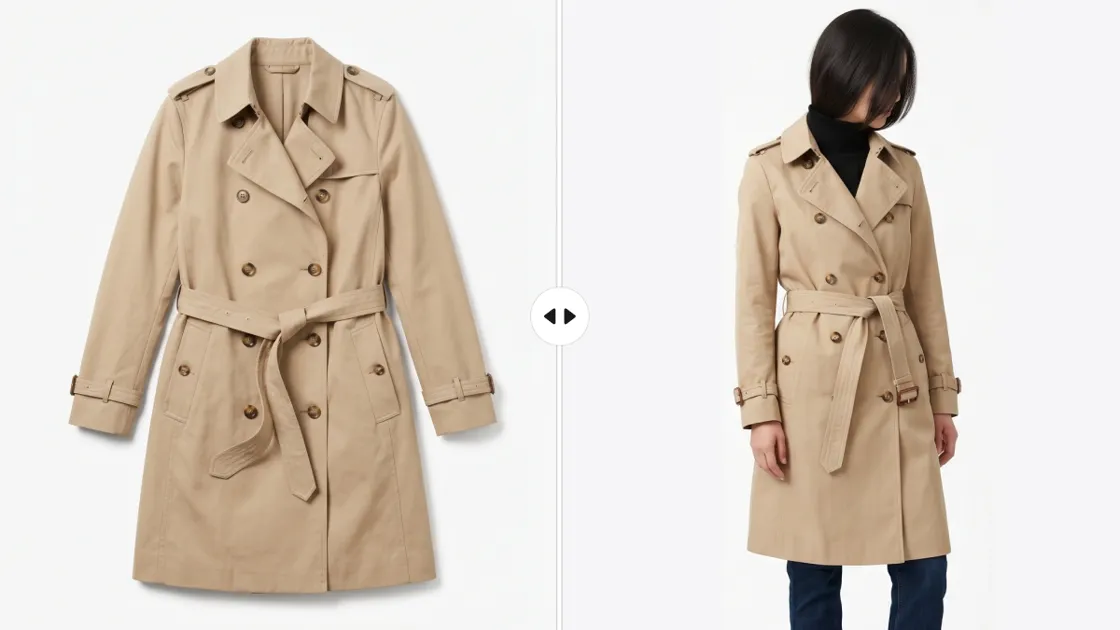
Fashion sellers on a budget are increasingly turning to AI fashion models to produce professional-looking product images without the expense of hiring models, studios, and photographers. The major issue though is that while many "free" tools lure with their promises of beautiful results, very few are transparent about what you will be getting after uploading a real product photo.
This guide will help you with that.
To move beyond the marketing hype, we examined six free-tier AI fashion model tools with the same product image so it would be a fair comparison.
No cherry-picking. No pre-decided winner. Just a simple, factual look at how these tools behave when tested in real-world situations so that you can decide what is worth your time (and what isn't). To sum up, this article will show which free AI fashion model tools can indeed generate listing-ready results, and which ones are still lacking.
Part 1: What Free AI Fashion Model Tools Actually Offer
Before comparing different tools, it is essential to reset expectations about AI fashion models, particularly when using the free versions. Most tools seem very impressive in their demo versions, but the user experience changes drastically once one starts working with actual product images.
Free plans do not fully substitute photoshoots. Their main purpose is to introduce you to the tool and provide you with a small enough level of exposure to test the outcomes. If you are aware of these restrictions in advance, you will not waste hours by trying different platforms visually similar but still sometimes deficient in various aspects.
1.1: Common Limitations of Free AI Fashion Model Generators
In pretty much every AI fashion model, free tiers usually follow a pattern of limitations that can be guessed. Once you understand these "limitations, " you can assess the tools realistically and stop chasing "perfect" free results.
1. Limit the number of images
Most platforms give you a certain number of images, sometimes daily or monthly. When you go beyond that, you must either wait for the platform to refresh your quota or get a paid plan. Therefore, doing a lot of product listing using the free version is not possible.
2. Limitation on Resolution
Free outputs are normally very limited in terms of size or DPI (often just low-resolution exports). Although they may seem fine on the screen, they might not be up to the standards of certain marketplaces like Shopify, Amazon, or Etsy.
3. Watermarks on results
Several tools artistically place their logos or brand names on the generated images. Usually, you must pay to have them taken out, so essentially these "free" images are not ready for commercial use.
4. Features unavailable in free tier
Major features, like selecting kinds of model, changing poses, backgrounds, or batch-generating images, are generally payable only. Free users have very little control over their creativity.
5. Commercial usage restrictions
Some of the platforms do not allow images generated in free tier for commercial purposes. This means that no matter how well the image looks, you still cannot legally use it for product sales.
Key Takeaway:
What you really pay for with free AI fashion models is not money, it is time. Time you spend trying out different tools, understanding their limitations, and changing platforms when one doesn't fulfill your requirements.
1.2: How we tested six tools with the same product photo
To withhold from bias and deliver a valuable tool comparison, we decided to test six AI models fashion tools in the exact same conditions.
Test setup:
- A single flat-lay product photo with white background (a top that is medium in complexity, having folds and texture)
- Uploaded to all six tools without pre-editing
- Only default or free-tier settings were used (no paid upgrades or hidden features)
Evaluation criteria (applied to every tool):
- Free quota: How many images can you create daily or monthly?
- Output resolution: Can the output be used for real product listings?
- Watermarked images: Is the output clean or does it have a brand image?
- Customization extent: For instance, free control over the model`s appearance, pose, or background?
- Result quality: For example, if the garment holds its original details or if the model looks very real or completely artificial?
We have not resorted to any retouching, enhancements, or post-editing at all with the images used in this comparison.
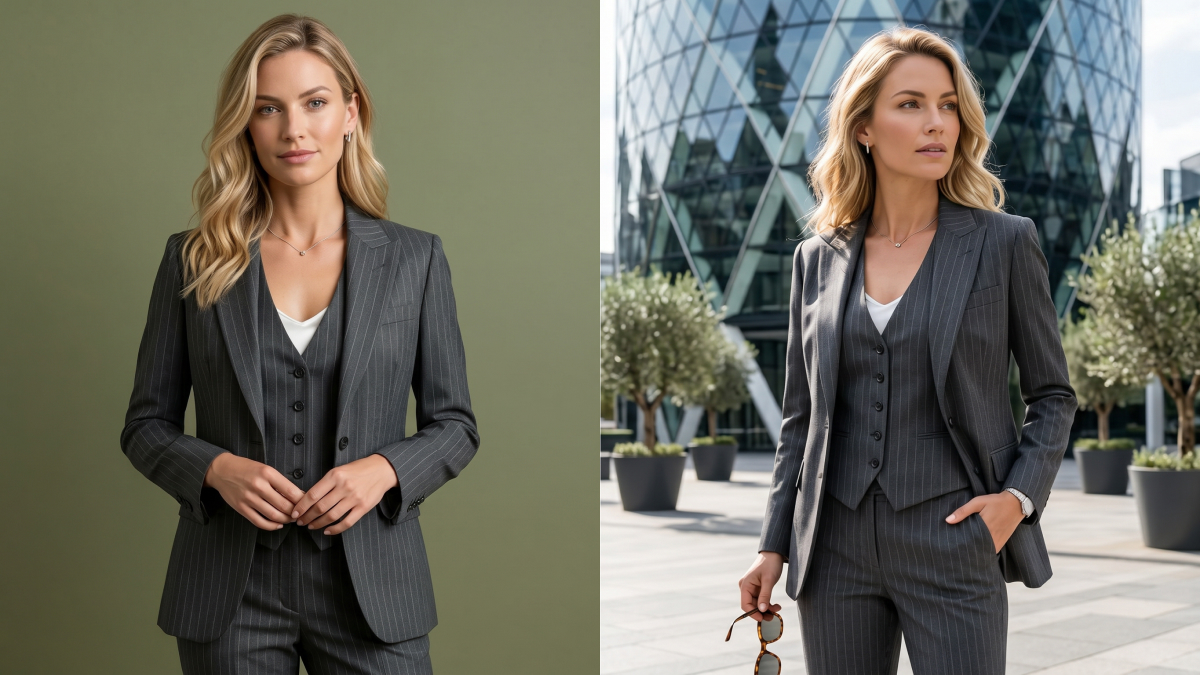
Part 2: Six Free AI Fashion Model Tools Tested Side by Side
Since it is now clear what is expected of AI fashion models, it is a good moment to shift focus from just theorizing to obtaining results.
In this section, we put six free-tier tools through the same controlled test—using one identical product image and evaluating each across the five key dimensions outlined earlier. The goal isn’t to crown a winner, but to show how differently these tools perform under real constraints, and where each one fits (or fails) in a practical workflow.
2.1 Uwear.ai
Free Quota: 15 starter credits (approx. 5 images). While generous for initial testing, the "request-for-access" model for additional credits makes it less scalable for high-volume free trials.
Score: ⭐⭐⭐☆☆ (Flexible but restricted)
Image Resolution: Delivers standard-definition outputs by default. While 4K upscaling is available, it is locked behind the premium tier, meaning free exports may require external enhancement for professional listings.
Score: ⭐⭐⭐☆☆ (Functional but requires a paid upgrade)
Watermark: Offers a clean, professional export experience with no visible watermarks on most generated outputs—a significant plus for free users.
Score: ⭐⭐⭐⭐☆ (Clean export experience)
Customization & Control: Features robust tools for model consistency, camera angles, and background swap. However, the most powerful batch-processing features are credit-gated.
Score: ⭐⭐⭐⭐☆ (High precision, though paywalled)
Output Realism: Exceptional garment detail retention. By leveraging advanced models like Gemini, Seedream, and Drape, it maintains high-fidelity textures and realistic fashion aesthetics.
Score: ⭐⭐⭐⭐⭐ (Top-tier visual realism)
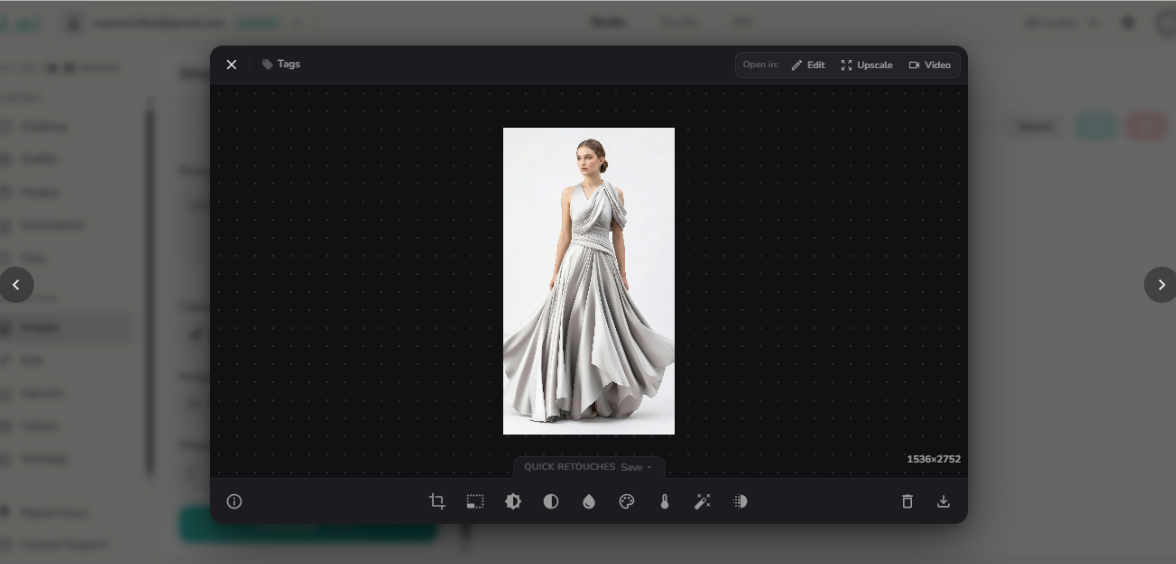
Summary:
One of the most comprehensive AI fashion model platforms is Uwear.ai, which offers advanced features such as multi-angle generation, consistent model creation, and even the production of videos from a single product image. Nevertheless, the credit-based free access system restricts the number of repeated tests and therefore large-scale evaluation is only possible after upgrading. Consequently, it is excellent for generating quality eCommerce mockups and lifelike brand visuals at the highest level.
2.2 Fashion Diffusion
Free Quota: Provides 5 starter credits (1 credit per image). While it offers a structured entry point, the lack of recurring free generation means users must quickly transition to paid tiers, such as the Starter Plan (50 images/month), for ongoing projects.
Score: ⭐⭐⭐☆☆ (Structured credit system with limited trial access)
Image Resolution: Delivers high-definition outputs with impressive fabric textures and realistic fit. The clarity is generally high enough to be considered professional-grade and "listing-ready" for major eCommerce platforms.
Score: ⭐⭐⭐⭐☆ (High-quality, platform-ready imagery)
Watermark: Ensures a clean visual presentation with no explicit watermarks on exported images, allowing for seamless integration into marketing materials.
Score: ⭐⭐⭐⭐☆ (Professional, clean exports)
Customization & Control: Offers industry-leading flexibility, including precise model selection, diverse body types, styling options, and face-swap capabilities. It is exceptionally well-suited for complex AI fashion model workflows.
Score: ⭐⭐⭐⭐⭐ (Excellent versatility for professional styling)
Output Quality: Demonstrates high realism in garment drape and try-on accuracy, particularly for complex items like dresses. While nearly perfect, occasional minor inconsistencies in edge blending may occur in intricate poses.
Score: ⭐⭐⭐⭐☆ (Superior drape accuracy with minor edge artifacts)
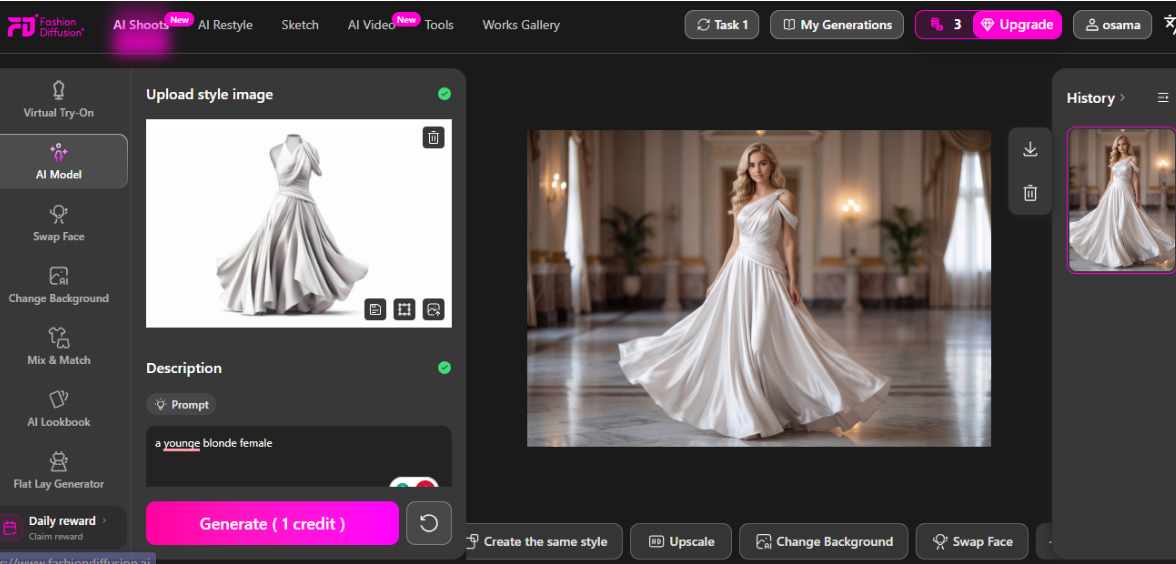
Summary:
Fashion Diffusion is an amazing AI platform that is completely dedicated to fashion models. The main focus of the platform is virtual try-on and fashion design workflows. Garment rendering is made extremely realistic while offering a big variety of options such as different body types, backgrounds, and styling variations. However, it does not have a real free tier.
Rather, it relies on a well-organized credit-based pricing system with low monthly image limits at first. If you want to see professional-quality visuals with models and are up for some fashion experimentation, then this one is a good choice for you.
2.3 FASHN App
Free Quota: Free accounts are granted 10 initial credits usable across the entire suite, including Try-On and Model Swap. While it offers full tool access, the credit limit is tight for users testing high-volume workflows.
Score: ⭐⭐⭐☆☆ (Full tool access but limited volume)
Image Resolution: Delivers high-quality commercial visuals by default. Paid tiers unlock professional 4K generation and advanced upscaling, ensuring images are ready for large-scale marketing assets.
Score: ⭐⭐⭐⭐☆ (Strong commercial-grade output)
Watermark: Provides a professional, watermark-free experience for most generated outputs, allowing for immediate use in clean eCommerce layouts.
Score: ⭐⭐⭐⭐☆ (Clean export experience)
Customization & Control: An extremely advanced ecosystem featuring AI model creation, pose editing, and video generation. It is a comprehensive professional toolkit for AI fashion models.
Score: ⭐⭐⭐⭐⭐ (Industry-leading feature suite)
Output Realism: Exceptional realism with high-fidelity garment preservation and consistent studio-style lighting. The rendering is specifically optimized for high-end eCommerce and brand campaigns.
Score: ⭐⭐⭐⭐⭐ (Excellent for brand-level assets)
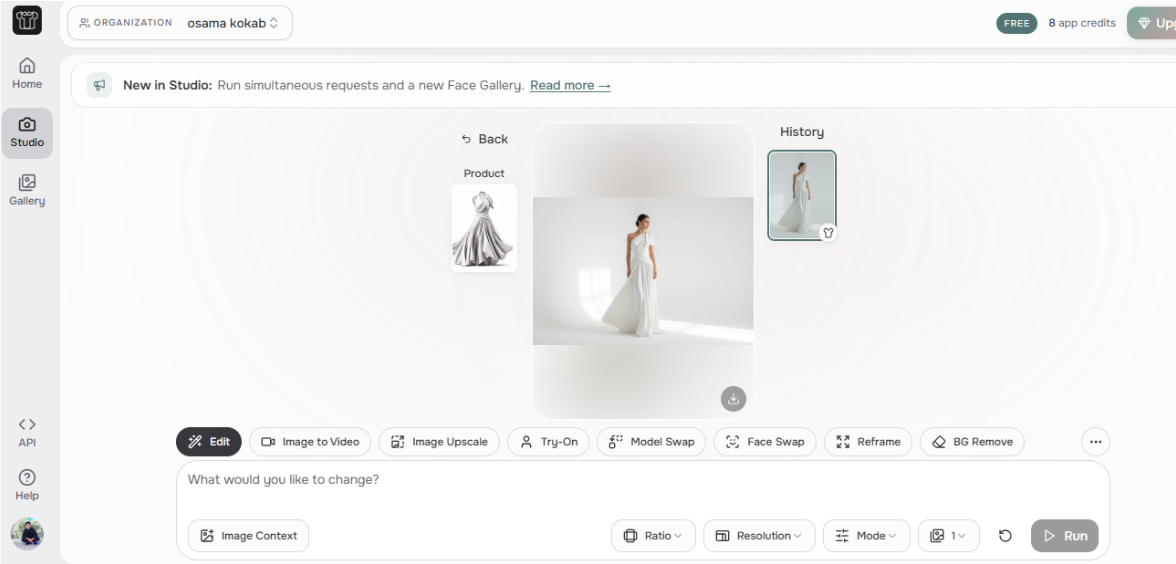
Summary:
FASHN App is an advanced platform for AI fashion models that provides the entire production chain of fashion image creation, such as creating fashion models from products, virtual try-ons, model exchanges, and AI editing instruments. It produces very lifelike, studio-level photos fit for professional eCommerce and marketing usages with excellent control over consistency and customization.
2.4 Designkit
Free Quota: Provides 20 instant credits upon sign-up, plus a daily login bonus of 10 credits. A standout feature is its efficiency: each generation run produces 5 model images per upload, offering high volume for free users.
Score: ⭐⭐⭐⭐☆ (Excellent daily incentives and high output volume)
Image Resolution: Delivers high-quality, export-ready images specifically optimized for eCommerce listings, ensuring professional clarity across devices.
Score: ⭐⭐⭐⭐☆ (Consistent and marketplace-ready)
Watermark: Offers a seamless experience with no watermarks on generated outputs, allowing for immediate professional use in catalogs or social media.
Score: ⭐⭐⭐⭐☆ (Clean visuals for direct implementation)
Customization & Control: Features versatile controls over model ethnicity, aspect ratios, and scene presets. The inclusion of pose variations and built-in editing tools makes it a practical choice for AI fashion model workflows.
Score: ⭐⭐⭐⭐☆ (Balanced and user-friendly controls)
Output quality: Maintains impressive consistency with clean lighting and cohesive backgrounds. It excels at generating multiple poses that feel part of the same professional photoshoot.
Score: ⭐⭐⭐⭐☆ (Reliable for catalog-level visual storytelling)
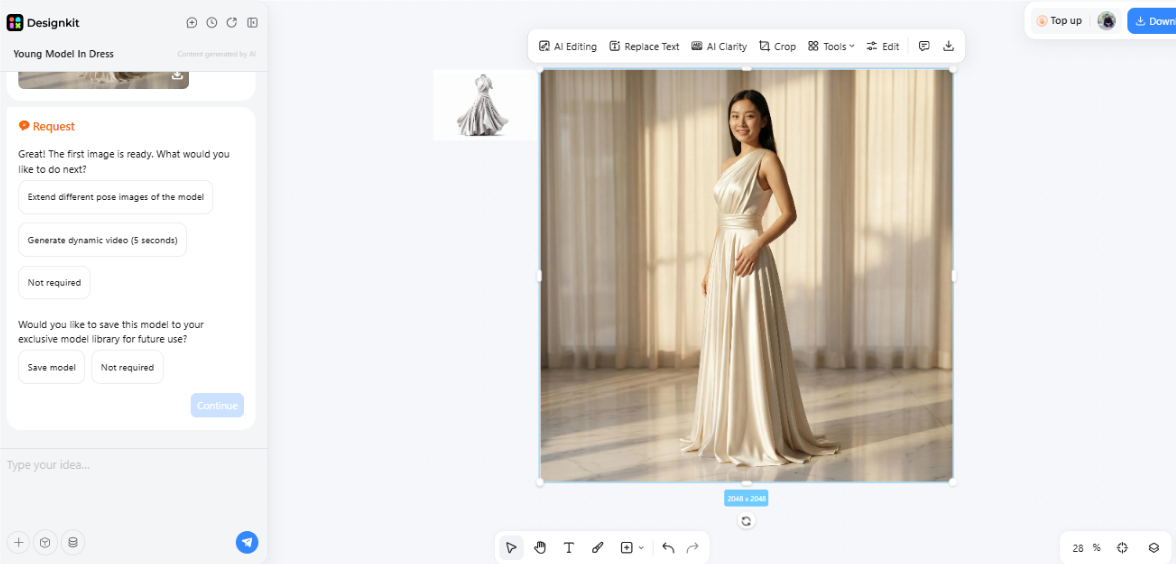
Create AI Fashion Models in Seconds
Summary:
Designkit is a super handy AI fashion models tool specifically developed for eCommerce sellers who want quick, reliable product visuals on a scale. Its main feature is the ability to produce five fully usable model photos from one single upload plus there are ready-made scene presets, pose changes, and editing tools all combined in one workflow. In fact, it is the most suitable for sellers who must deal with catalogs and require speed and consistency but less appropriate for users who want deep creative control and clearly defined unlimited free usage.
2.5 Pic Copilot
Free Quota: The free tier provides 25 Pcoins, applicable across various tasks. In practice, this covers roughly 5 marketing images, 10 background generations, or 5 virtual try-on outputs. While a solid starter kit, it becomes restrictive for continuous, high-volume production.
Score: ⭐⭐⭐☆☆ (Decent trial tier but limited for scale)
Image Resolution: Delivers high-quality, eCommerce-optimized outputs. The visuals are generally listing-ready, maintaining strong clarity and professional commercial presentation across different task types.
Score: ⭐⭐⭐⭐☆ (Strong commercial-grade clarity)
Watermark: Offers a professional, watermark-free experience for most exported assets, ensuring that free-tier users can utilize the generated content directly for marketing purposes.
Score: ⭐⭐⭐⭐☆ (Clean, professional exports)
Customization & Control: Boasts an extremely broad toolkit, ranging from AI fashion models and virtual try-on to style cloning and automated marketing workflows. It serves as a comprehensive, full-stack AI fashion models ecosystem.
Score: ⭐⭐⭐⭐⭐ (Industry-leading feature diversity)
Output Realism: Focused on commercial conversion, the outputs feature high realism optimized for ad creatives, global marketplaces, and social media content, ensuring products look their best for potential buyers.
Score: ⭐⭐⭐⭐☆ (High conversion-focused quality)
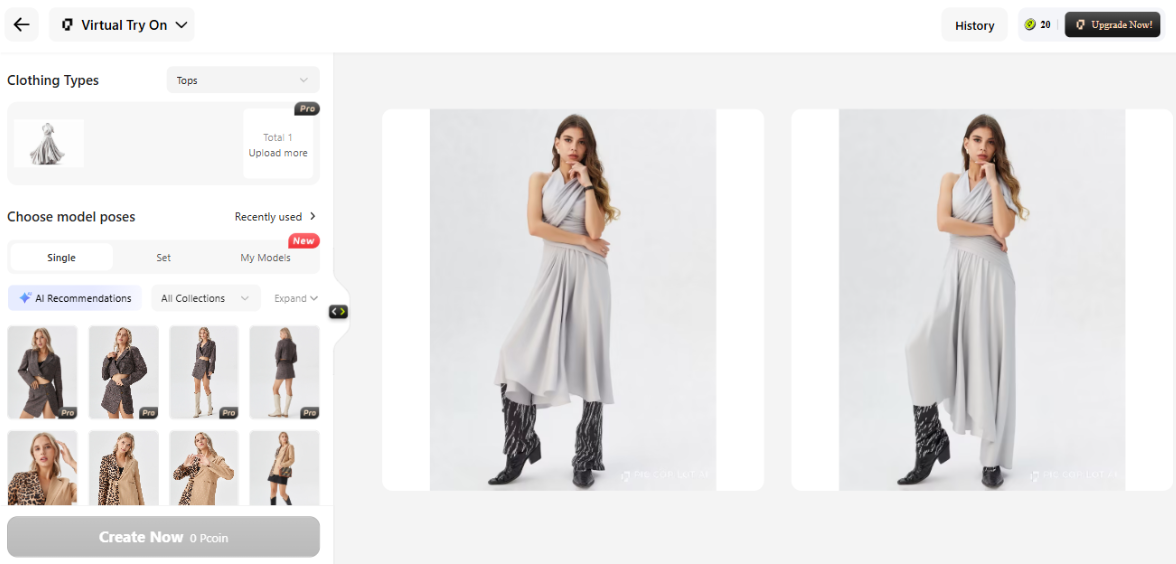
Summary:
Pic Copilot is an all-in-one AI-driven platform for generating fashion models and eCommerce content that helps transform product images into highly effective marketing visuals. The free plan from Pic Copilot is the one that allows you to get 25 Pcoins, so you can have a limited but functional test of the main features that include virtual try-on, model generation, and background creation. However, the credit-based system limits frequent use, so it will be more appropriate for the initial experimentation stage rather than the consistent production.
2.6 Botika
Free Quota: 8 starter credits (1 credit per image). Access is primarily demo-based or sales-led, with full usage typically unlocked after a scheduled onboarding or through premium plans.
Score: ⭐⭐☆☆☆ (Limited accessibility for casual testing)
Image Resolution: Delivers high-end, studio-quality outputs specifically engineered for premium fashion brands and editorial spreads.
Score: ⭐⭐⭐⭐⭐ (Campaign-grade and professional listing-ready)
Watermark: Offers a fully professional experience with no watermarks on outputs, ensuring visuals are production-ready immediately after generation.
Score: ⭐⭐⭐⭐⭐ (Production-ready visuals)
Customization & Control: Exceptional focus on model diversity, ethnic styling, and editorial aesthetics. While it maintains high brand consistency, the workflow is more structured and less "self-serve" than entry-level tools.
Score: ⭐⭐⭐⭐☆ (Premium control with guided workflows)
Output Quality: Provides meticulously retouched results with industry-leading garment accuracy. It stands as a top-tier contender among AI fashion model platforms for high-fidelity textures.
Score: ⭐⭐⭐⭐⭐ (Elite visual fidelity)
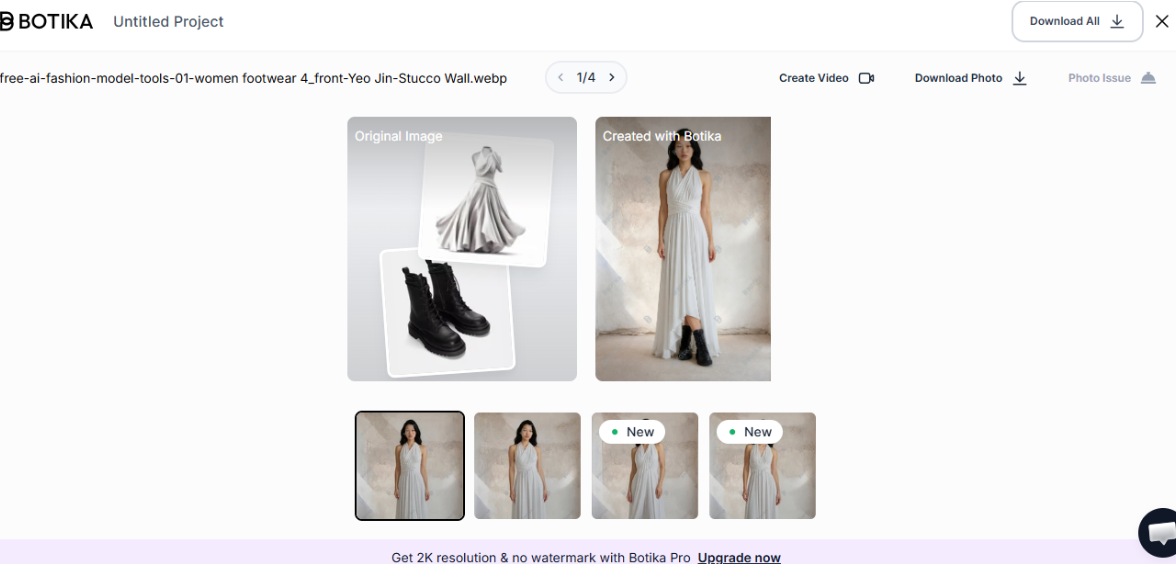
Summary:
Botika, a high-end AI fashion models platform specifically designed for big fashion brands and creative teams. It produces very refined, studio-quality images with enhanced realism, diversity, and editorial level output. The drawback, however, is that it doesn't have a real free tier and works more like a sales-led or demo-based solution, which makes it difficult for independent users to try the product without buying.
Part 3: Free Tier Comparison and How Far a Zero Budget Goes
Trying these AI fashion model applications in similar settings showed that the most important thing is straightforward: "free" does exist, but you must accept certain compromises. Certain applications will provide you with more pictures, some will offer you the highest level of quality, and a small minority will completely prohibit commercial use. The main point is to figure out how far you can go before you start encountering these limitations.
3.1: Side-by-Side Free Tier Comparison Table
|
Tool Name |
Free Images/Month |
Output Resolution |
Watermark |
Customization Rating |
Quality Rating |
Commercial Use Allowed |
|---|---|---|---|---|---|---|
|
Uwear.ai |
15 credits (3 credits/image) |
Medium (4K paid) |
No |
⭐⭐⭐⭐ ☆ |
⭐⭐⭐⭐ ☆ |
Yes |
|
Fashion Diffusion |
5 credits (1 credit/image) |
High |
No |
⭐⭐⭐⭐⭐ |
⭐⭐⭐⭐ ☆ |
Yes |
|
FASHN App |
10 credits (1 credit/image |
High (up to 4K paid) |
No |
⭐⭐⭐⭐⭐ |
⭐⭐⭐⭐⭐ |
Yes |
|
Designkit |
20 free credits instantly upon sign-up. Plus, you can claim 10 free credits every day just by logging in |
High (listing-ready) |
No |
⭐⭐⭐⭐ ☆ |
⭐⭐⭐⭐ ☆ |
Yes |
|
Pic Copilot |
25 credits (5 credit/image) |
High |
No |
⭐⭐⭐⭐⭐ |
⭐⭐⭐⭐ ☆ |
Yes |
|
Botika |
8 credits (1 credit/image) |
Very High |
No |
⭐⭐⭐⭐ ☆ |
⭐⭐⭐⭐⭐ |
Yes |
3.2: How Far Free AI Fashion Model Tools Can Take Your Store
What free tiers can do:
They are very good for validation and setting up the initial stage. You can check if AI-generated models are suitable for your product range, create listing images for a small number of SKUs (usually 3, 5), and play around with different model styles, backgrounds, and positioning.
What free tiers cannot do:
They are not intended for coverage or ongoing operations. Creating images for 50+ SKUs, keeping output consistent across an entire catalog, or getting advanced customization (like exact model control, batch generation, or high-resolution exports) most probably will require going beyond free limits.
Practical takeaway:
After you see that AI-generated model images suit your products, it becomes a simpler choice, either continuing with limited free usage for small catalogs.
Conclusion
This six-tool test proves that AI fashion models on free tiers can produce actual, usable outcomes, however each tool compromises between image quality, quota, and control. Free plans do not mean a dead end; on the contrary, they are humble yet practical starting points for small sellers to test their workflows and confirm whether the AI-generated visuals are a good fit for their products.
So, essentially: opt for flexible-credit tools for the very first test, use listing-ready outputs if you require the images that you can use right away, and if you want the utmost realism (with limited free access), consider the high-end platforms. The next step is quite straightforward, choose the free tier that suits your use case, upload the photos of your own products, and after you have seen the results, decide whether it is worth upgrading.
Frequently Asked Questions
Is the output of free AI fashion models good enough for product listings?
Are watermarks added to images generated by free AI model tools?
It depends on the AI models fashion tool. Some are watermark-free, while others place the logo, unless the user has an upgraded version. Check the watermark column of the comparison table for details.
What if free AI fashion model credits are all used up?
Many tools simply block generation until the credits reset, while a few offer the possibility of paying for each image. So it's best to schedule your AI fashion models usage around the main SKUs rather than just using the tool randomly.
How do you know when to move from a free tier to a paid AI model tool?
You should consider upgrading if the free tools validate your workflow but you require additional volume (5, 10+ images), higher quality, or batch features. This is in line with the feasibility-testing methodology that was introduced in Part 3.2.
You May Also Like

How to Match Makeup by Undertone: Virtual Lipstick and Foundation Try-On

Wedding Dress Styles for Every Body Type: A Practical Guide for 2026

7 Best AI Virtual Makeup Try-On Tools for Realistic Results in 2026

AI Virtual Makeup Try-On: Boost Beauty E-Commerce Sales in 2026

Free Online Glasses Try-On Tools: See Yourself in Glasses Instantly

Top Virtual Ring Try-On Tools for Engagement and Wedding Rings in 2026

How to Try Shoes On Virtually: A Step-by-Step Guide

Best Virtual Shoe Try-On Tools for Ecommerce: 2026 Guide

How to Try On Wigs and Bangs Virtually to Find Your Perfect Style

Create Model Outfit Photos Instantly With AI Outfit Generator

Best AI Virtual Try-On Clothes Tools for Any Body Type

How to Try On Clothes Online with AI for Better Fit & Style

Virtual Nose Ring Try On Online Before Your Piercing

How to Try Makeup Online with AI and Virtual Makeup Try-On Apps (2026)

How to Use Virtual Earring Try-On for a Flattering Look in 2026

How to Try On Engagement Rings Online with AI in 2026

Scale Your Jewelry Brand with Virtual Jewelry Try-On Solutions

How to Try Hairstyles on Your Face Online (Step-by-Step Guide)

Best Virtual Hairstyle Try-On Tools Online for Realistic Previews 2026

How to Use a Free AI Hairstyle Generator to Find Your Perfect Look

Virtual Hair Color Try-On Guide for Every Skin Tone (2026)

Virtual Wedding Dress Try-On Online for Brides in 2026

How to Choose the Right Sunglasses for Your Face Shape Online

How Accurate Is Virtual Glasses Try-On? AI vs AR Compared

Best Virtual Try-On Glasses Apps in 2026 (Free & Paid Tools)

How AI Virtual Try-On Is Transforming Eyewear Ecommerce

5 Best Virtual Try-On Glasses Tools for Ecommerce and Consumers 2026

How to Try On Glasses Online with AI in 2026 (Easy Guide)

How to Create Jewelry Photos with AI Models That Drive Sales in 2026

AI-Generated Fashion Models: Technology, Brand Adoption & Trends

How to Batch Generate 100+ AI Clothing Model Photos Fast

7 Best AI Fashion Model Generators for Ecommerce in 2026

AI Clothing Model Photos for E-Commerce: Platform Rules & Best Practices

How AI Virtual Try-On Helps Fashion Brands Boost Sales & Reduce Returns

AI Fashion Models vs Real Models: Which Is Better for Brands?

Best Free AI Fashion Model Generators for Real Product Photos

Virtual Outfit Try-On Guide: Plan Outfits Before You Buy

What Is an AI Clothing Model Generator? Full Guide for Sellers

Virtual Try-On Technology in 2026: How It Works & Key Trends

10 Best Virtual Try-On Apps & Tools for Online Shopping in 2026

How to Create AI Fashion Models: Complete Step-by-Step Guide

How to Use AI Fashion Models for E-Commerce Product Photos: A Complete 2026 Guide

How to Virtually Try On Clothes Online: A Complete Guide
Make every product image ready to sell
Designkit is an all-in-one AI platform for ecommerce visuals. Create product photos, AI videos, virtual try-ons, and Amazon listing images in seconds. Generate HD backgrounds, batch edit photos, and scale your brand with studio-quality content.
