
How Big Is a 4x6 Photo? Complete Size, Pixels & Print Guide
Wondering how big a 4x6 photo really is? This guide covers size in inches, millimetres, and pixels, the 2:3 aspect ratio, and tips for print-ready files.

A 4x6 photo is one of the most common print sizes for family photos, travel memories, postcards, and photo gifts. To achieve sharp, high-quality prints, it's important to use the correct dimensions, pixel size, resolution, and aspect ratio. If you're wondering how big a 4x6 photo is, this guide covers its size in inches, millimetres, and pixels, explains the 2:3 aspect ratio, and shares tips for preparing print-ready images.
Quick Answer: How big is a 4x6 photo?
|
Measurement |
Size |
|---|---|
|
Inches |
4 × 6 inches |
|
Centimeters |
10.16 × 15.24 cm |
|
Millimeters |
101.6 × 152.4 mm |
|
Pixels (300 DPI) |
1200 × 1800 px |
|
Aspect ratio |
2:3 (also described as 3:2) |
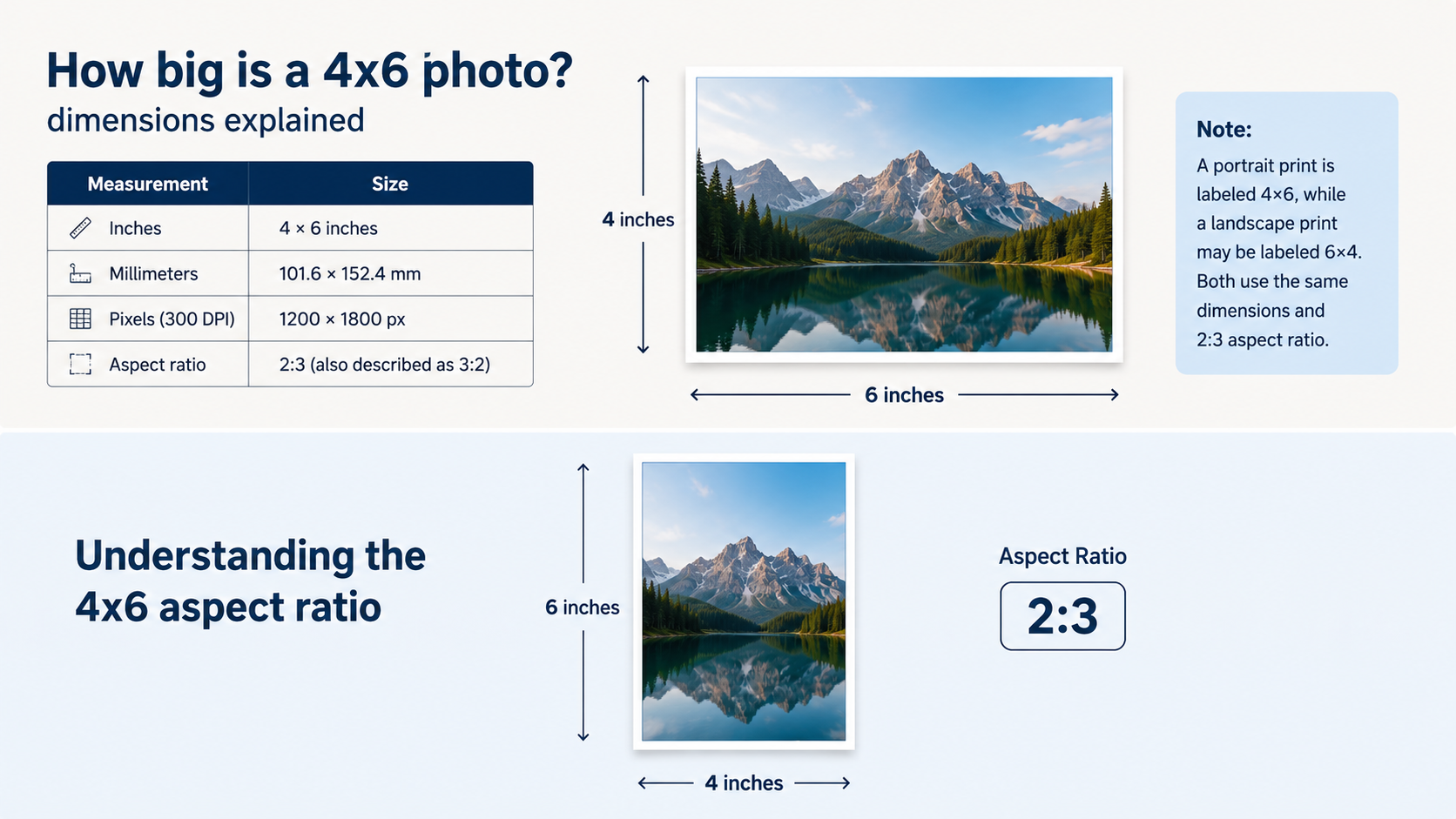
Whether a photo is labeled 4×6 or 6×4 simply depends on its orientation. A 4×6 photo is typically printed in portrait orientation, while 6×4 refers to the same dimensions in landscape orientation.
How big is a 4x6 photo? dimensions explained
The standard size for printed pictures is 4x6. It is a good compromise between image quality, cost, and compatibility with albums and frames. If you're printing pictures from your vacation or making postcards for a promotion, knowing the exact size will help you get your files ready properly and avoid unwanted cropping.
4x6 photo dimensions at a glance
It is useful to have all the measurements associated with this format before you prepare an image for printing. If you're editing for a web-based editor or checking printer settings, these dimensions are standard for most printing services.
|
Unit |
Dimension |
|---|---|
|
Inches |
4 × 6 inches |
|
Millimeters |
101.6 × 152.4 mm |
|
Centimeters |
10.16 × 15.24 cm |
|
Aspect Ratio |
2:3 |
The 4x6 photo size is the standard photo size 4x6 used by most photo labs and printing services. If you're wondering how big is a photo 4x6 or what size is 4x6 photo is, it measures 4x6 inches or 101.6 × 152.4 mm (4x6 in mm). Using these dimensions helps ensure accurate, well-proportioned prints.
What is a 4x6 photo size in pixels?
Physical dimensions tell you how big the print will be, and digital images are measured in pixels. To get a 4x6 in pixels, you will need to know the print resolution you would like, generally in DPI (dots per inch). The higher the DPI, the sharper the print, as more pixels are packed into the same area of the page.
Recommended pixel dimensions
Selecting the best pixel size makes sure your prints will be detailed without creating unnecessarily large file sizes. For most personal and commercial printing, 300 DPI is good quality.
|
Print Quality |
Pixel Size |
|---|---|
|
150 DPI |
600 × 900 px |
|
300 DPI |
1200 × 1800 px |
|
600 DPI |
2400 × 3600 px |
For most home printers and professional photo labs, 1200 × 1800 pixels at 300 DPI provides sharp, high-quality prints. When people search for the 4x6 inch photo size in pixels, this is the recommended resolution.
Using the correct 4x6 in pixel size helps prevent blurry prints. While lower resolutions are suitable for digital sharing, a 1200 × 1800 pixel (300 DPI) 4x6 image size is ideal for framing, greeting cards, and other printed materials.
Understanding the 4x6 aspect ratio
The size of a 4x6 photo is not simply the size. The aspect ratio is the ratio of width to height, making sure your image stays in its original proportions. Knowing this ratio helps to avoid unwanted cropping, stretching, or blank borders when preparing photos for print.
What is the 2:3 aspect ratio?
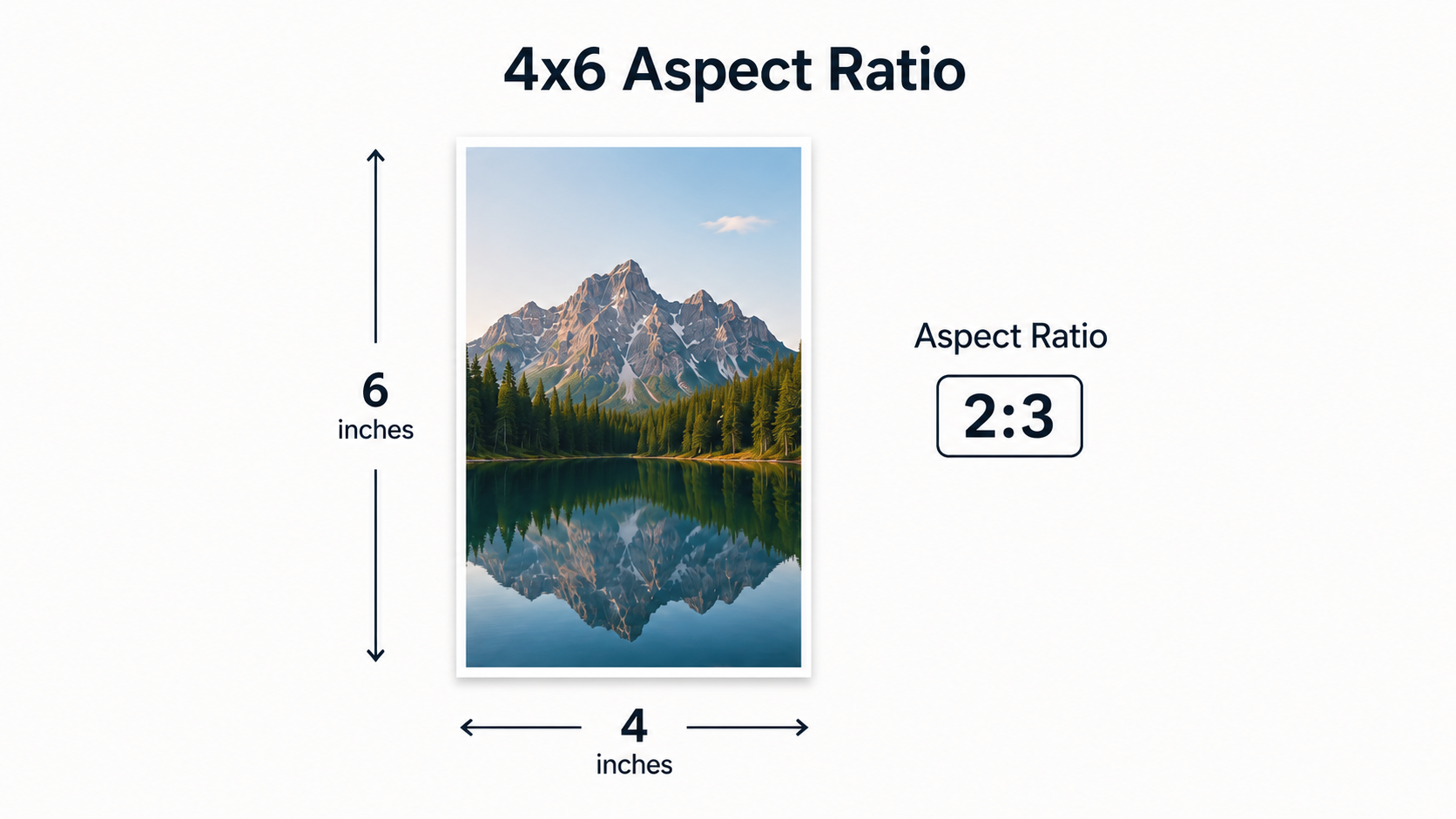
The 4x6 photo has a 2:3 aspect ratio (sometimes written as 3:2 depending on orientation). So the longer side is always 1.5 times the shorter side, and it doesn't matter if the image is printed in portrait or landscape. Many DSLRs and mirrorless cameras are naturally designed for 4x6 prints because they take pictures in the 2:3 ratio. These photos usually need very little cropping before printing since the proportions are already correct.
Why do smartphone photos often need cropping?
Many dedicated cameras use a 2:3 aspect ratio, but smartphones frequently shoot images in other formats like 4:3 or 16:9 . So, you may need to resize these photos to fit a 4x6 print. Before printing, it's a good idea to crop your image to a 2:3 ratio. So you can control what parts of the photo are visible, and what the composition is, instead of leaving cropping decisions up to the printer. Pausing to reframe also helps to keep important subjects centered in the final print.
What happens if your photo has the wrong ratio?
A wrong aspect ratio affects the composition and look of a printed image. Depending on the printing process, your photo may be automatically cropped or stretched to fit the paper. Or it may be printed with white borders. This can cause important subjects close to the edges to be cut off, images to be distorted by stretching, white borders (letterboxing), or an unbalanced composition that alters the look of the photo from what was intended. Check and set the aspect ratio before printing to ensure that the quality of your image is maintained and your 4x6 photos come out exactly the way you want.
Common practical uses for a 4x6 photo size
The 4x6 photo size remains one of the most versatile print formats because it works well for both personal keepsakes and professional materials. Its compact dimensions make it easy to display, share, mail, and store while still providing enough detail for high-quality prints.
Personal printing
The 4x6 size is ideal for everyday memories and special occasions alike. Common size fits most photo albums and frames, and is a popular choice for personal printing.
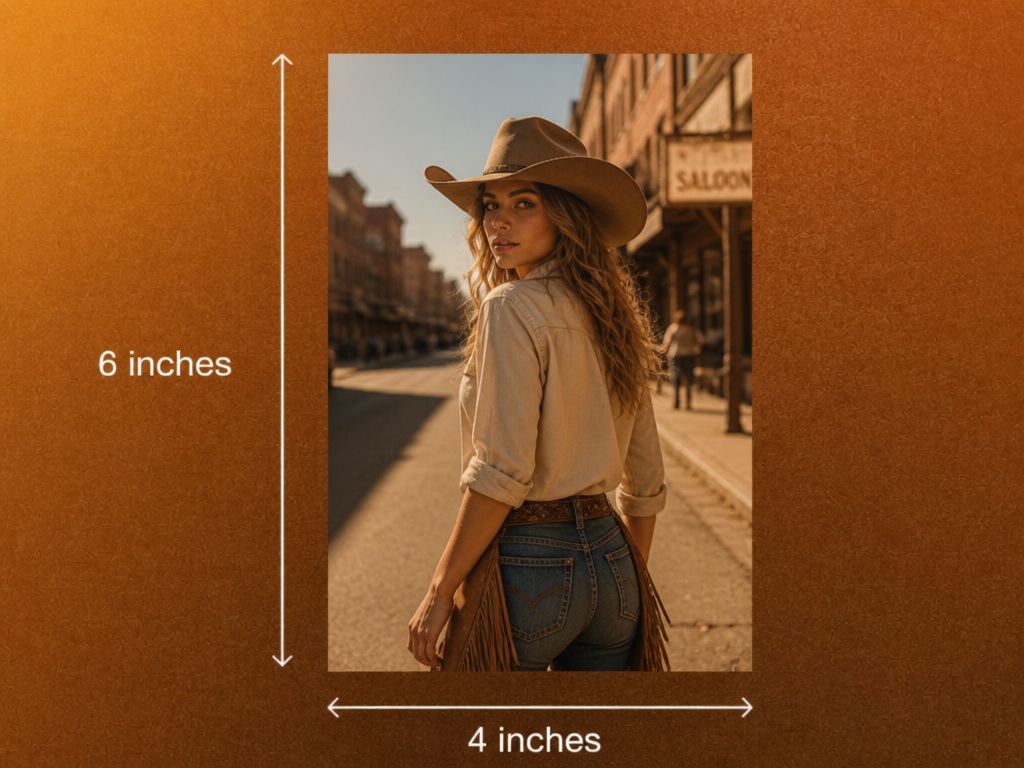
Common personal uses include:
-
Family photo albums
-
Travel and vacation pictures
-
Wedding and engagement photos
-
Graduation memories
-
Holiday snapshots
-
Picture frames and scrapbook projects
Most cameras capture images that are easy to crop or print in the 4x6 format.
Small business & marketing printing
The 4x6 size is also a popular choice for cheap business printing. It offers enough room for images and important information, but it is simple to print and share.
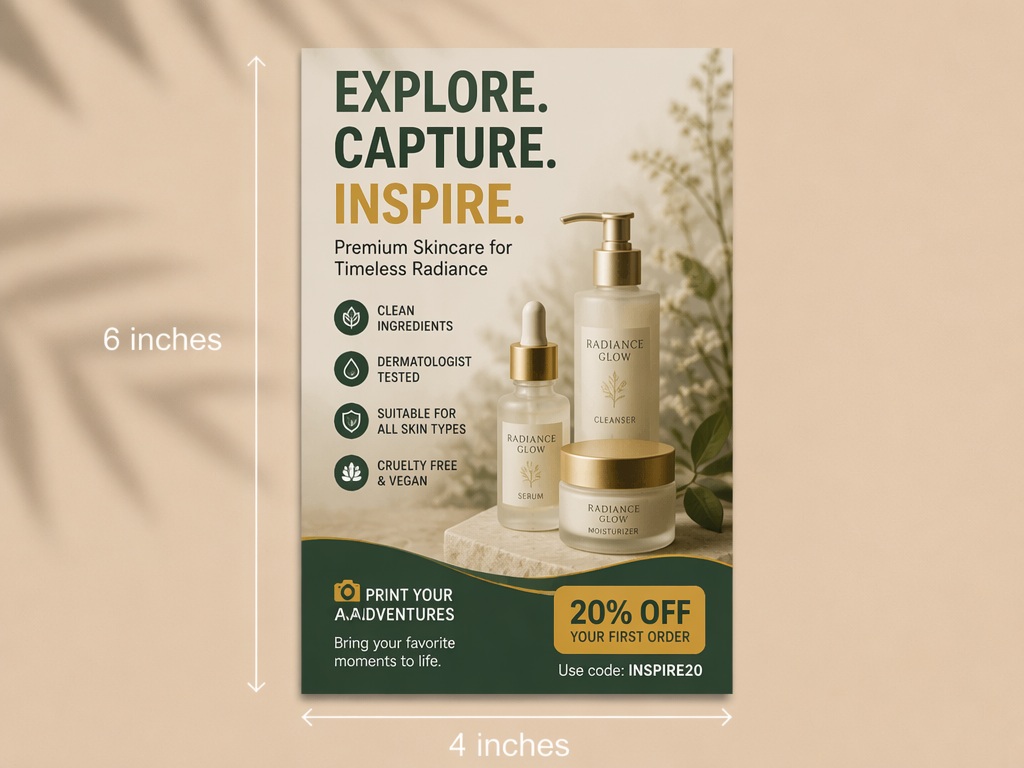
Popular business applications include:
-
Promotional postcards
-
Thank-you cards
-
Product inserts
-
Event handouts
-
Loyalty cards
-
Small promotional mailers
For the best results, crop your image correctly and export it at the recommended resolution. Tools like Designkit can help you resize, enhance, and prepare photos for professional-quality printing.
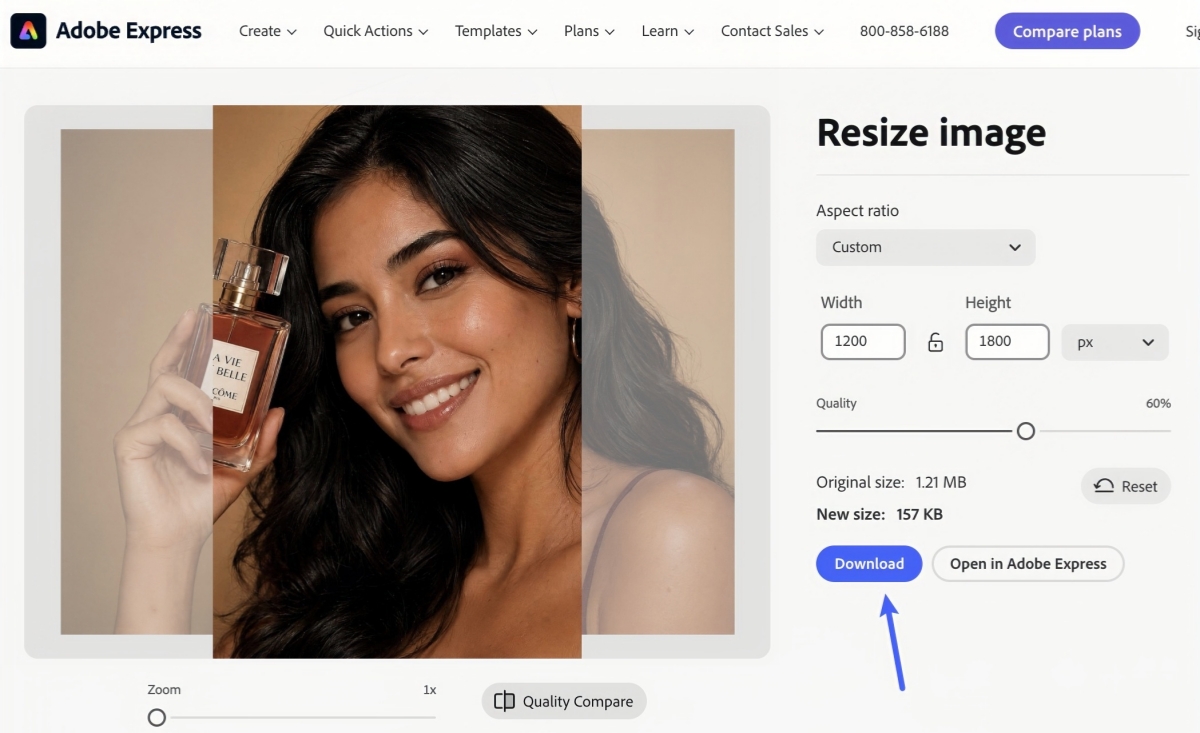
How to resize a photo to 4x6 using Adobe Express
Adobe Express is a speedy and simple solution for prepping images for 4x6s. It has built-in cropping and resizing tools to adjust your aspect ratio, set the proper dimensions, and export a high-quality image ready for home or professional printing.
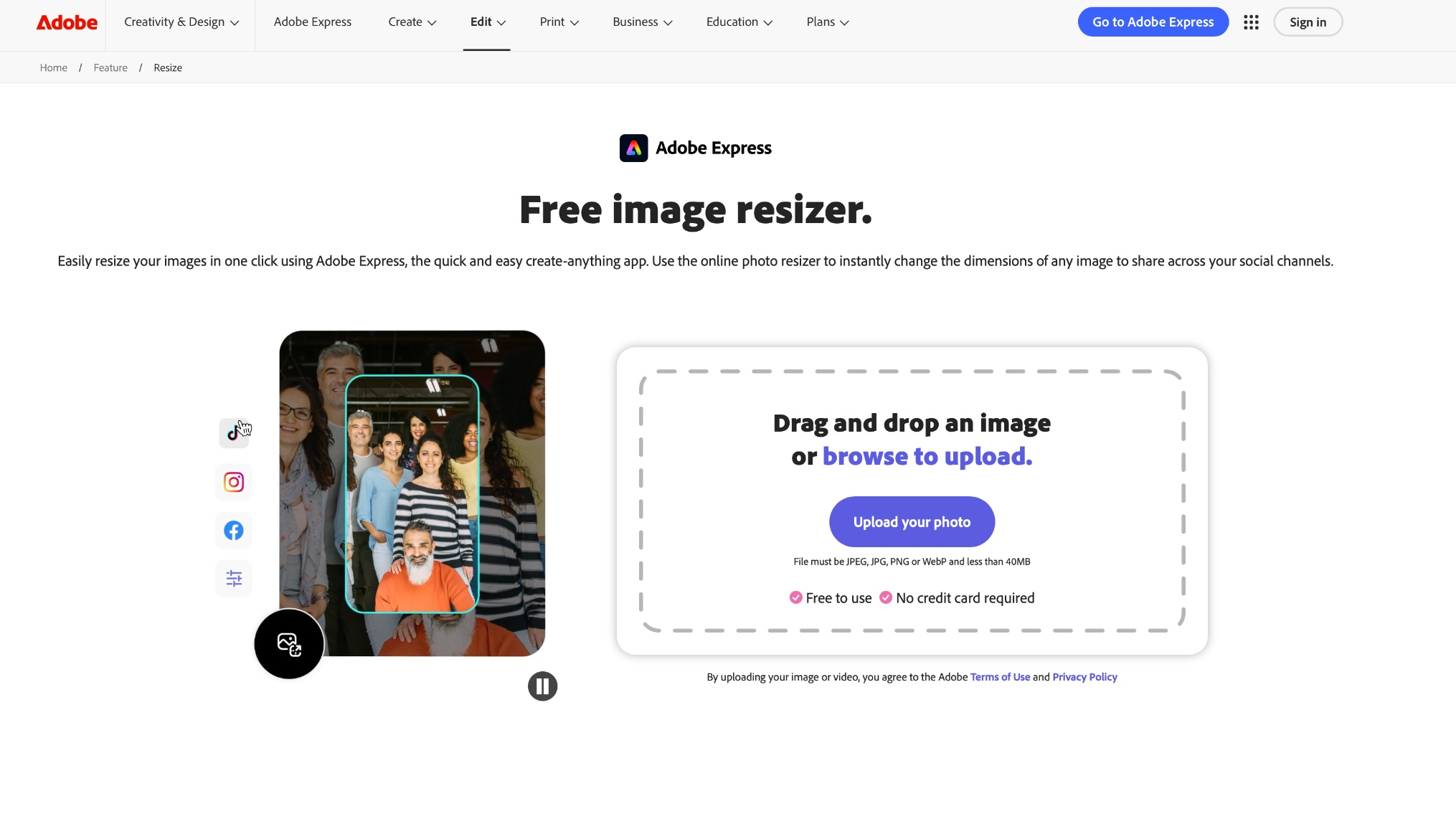
Step 1: Upload and crop to a 2:3 aspect ratio
Upload your photo to Adobe Express and use the crop tool to select a 2:3 aspect ratio. Adjust the framing so important subjects remain centered and nothing essential is cropped out.
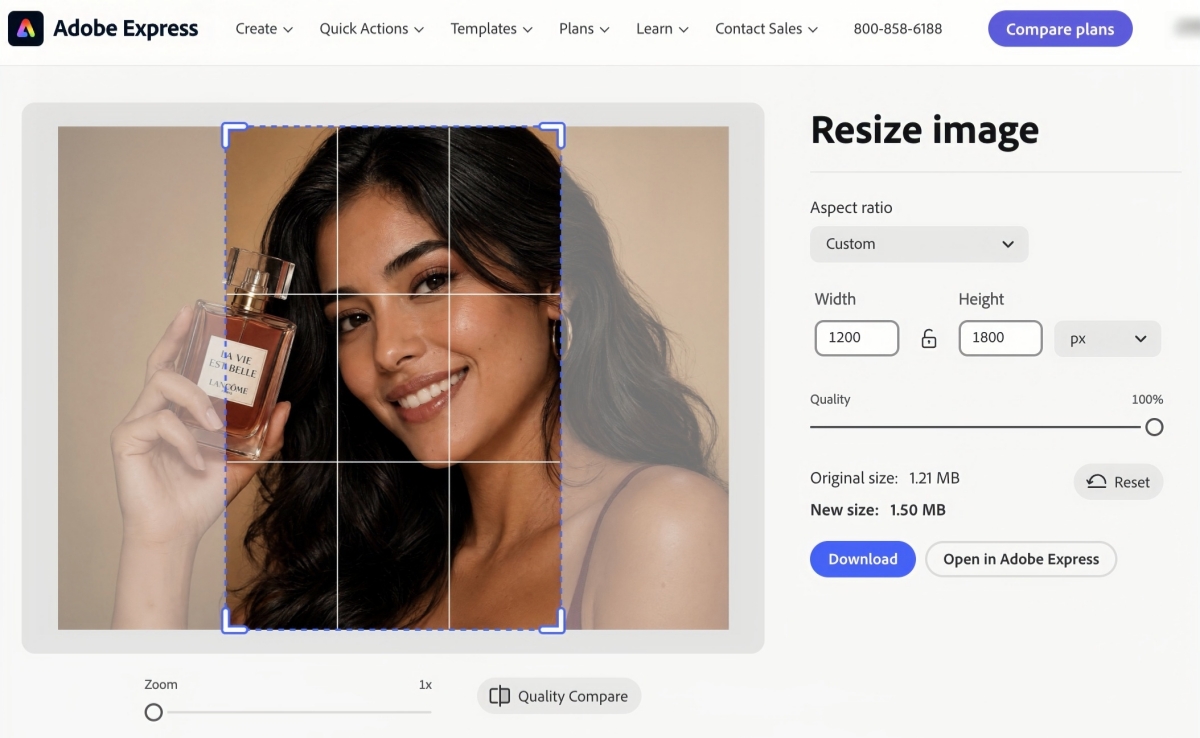
Step 2: Resize to 1200 × 1800 pixels
Set the image dimensions to 1200 × 1800 pixels, which is the recommended size for printing a 4x6 photo at 300 DPI. This helps produce sharp, high-quality prints with accurate proportions.
Step 3: Download the image
Save your resized photo as a JPEG or PNG file with high-quality settings. To get the best print quality and clear images, avoid heavy compression.
How to resize and prepare a 4x6 photo online with Designkit
Even when your image is in the right dimensions, you might want to tweak its quality before printing. Designkit crops, resizes, enhances and retouches your photos for print. Its AI-powered tools help you create clean, print-ready images with little effort.
Resize and edit your photo in three steps
Preparing a 4x6 photo with Designkit is straightforward. Upload your image, adjust it to the correct proportions, and export a high-quality file that's ready for printing or sharing.
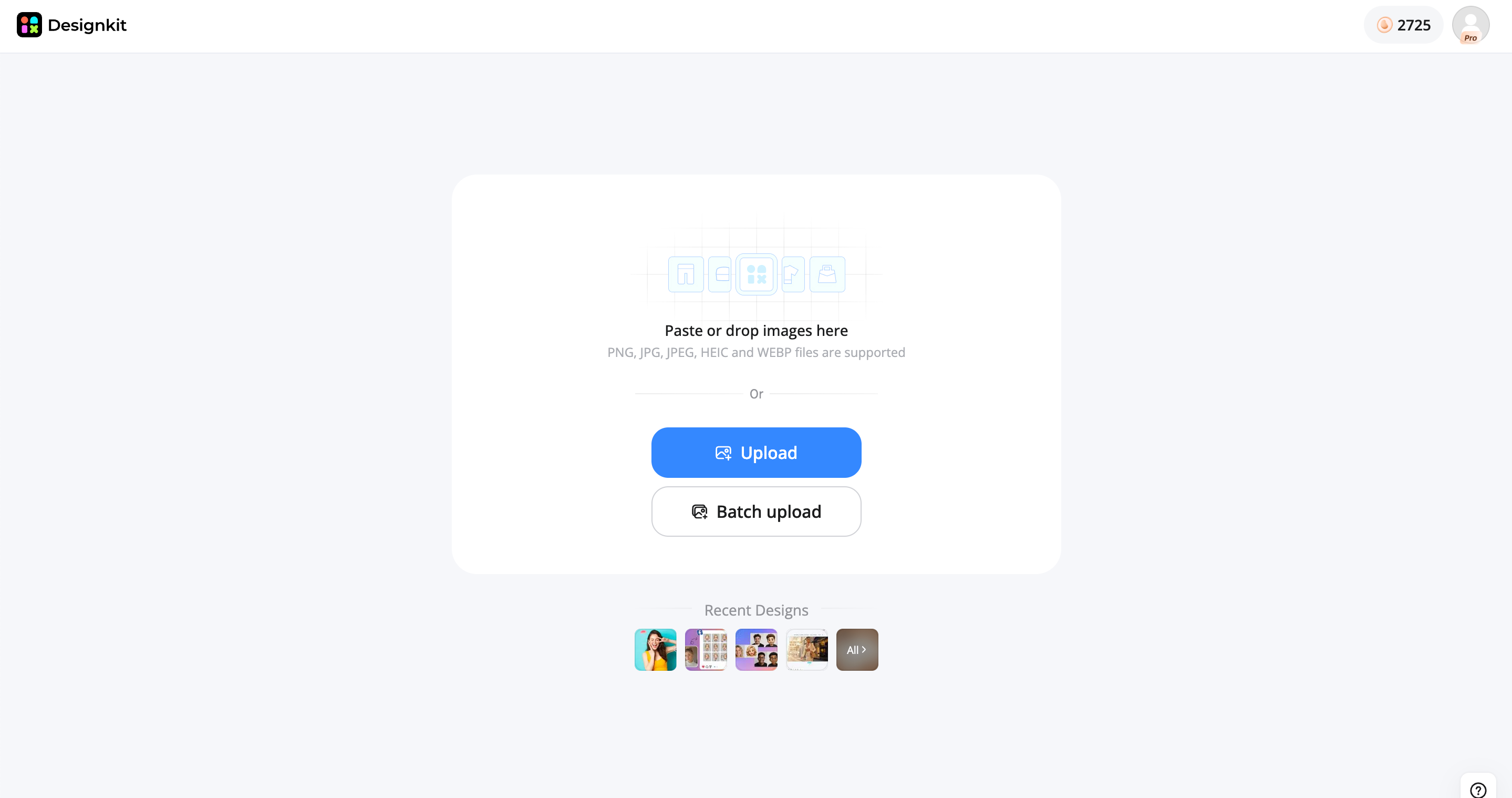
Step 1: Upload your original image
Upload the photo you want to print. Designkit supports common image formats, allowing you to start editing without complicated setup or conversions.
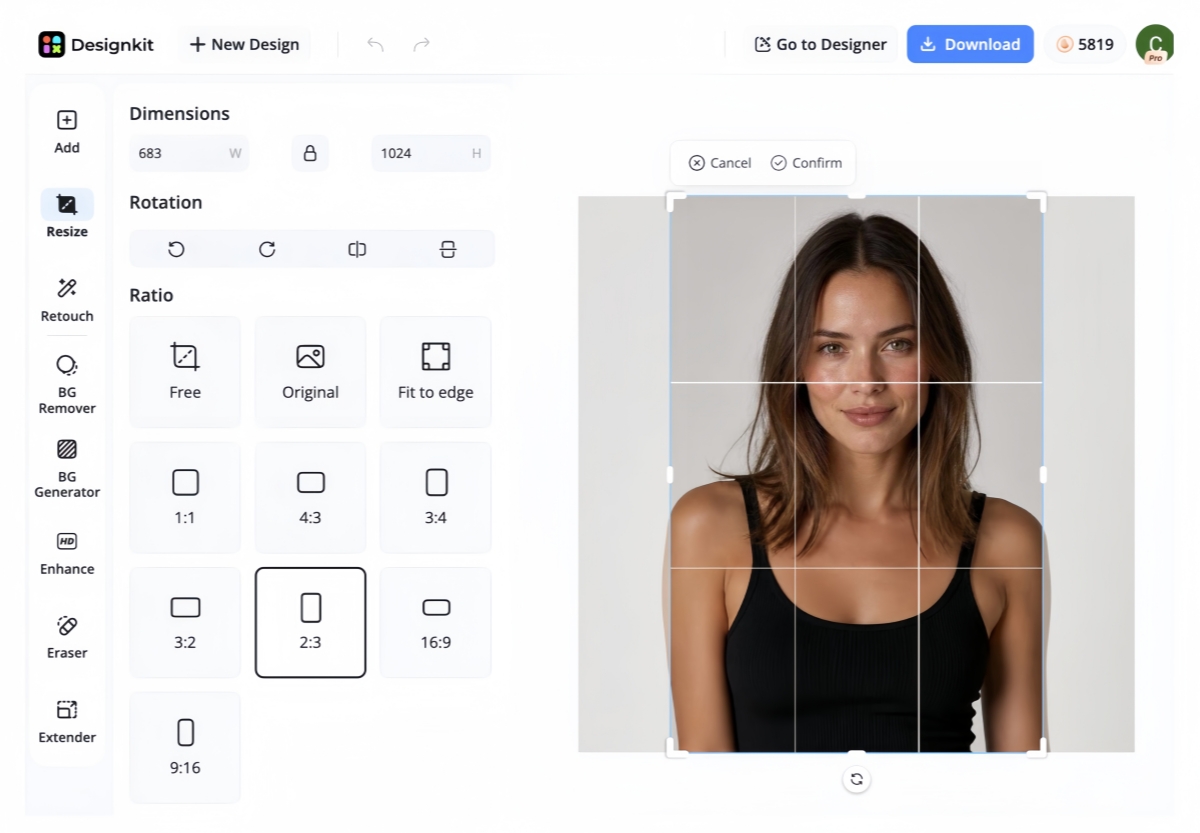
Step 2: Adjust composition for 4x6/2:3
Crop your image to a 2:3 aspect ratio and fine-tune the composition. If important details are close to the edges, you can use AI-powered editing tools to improve framing before exporting.
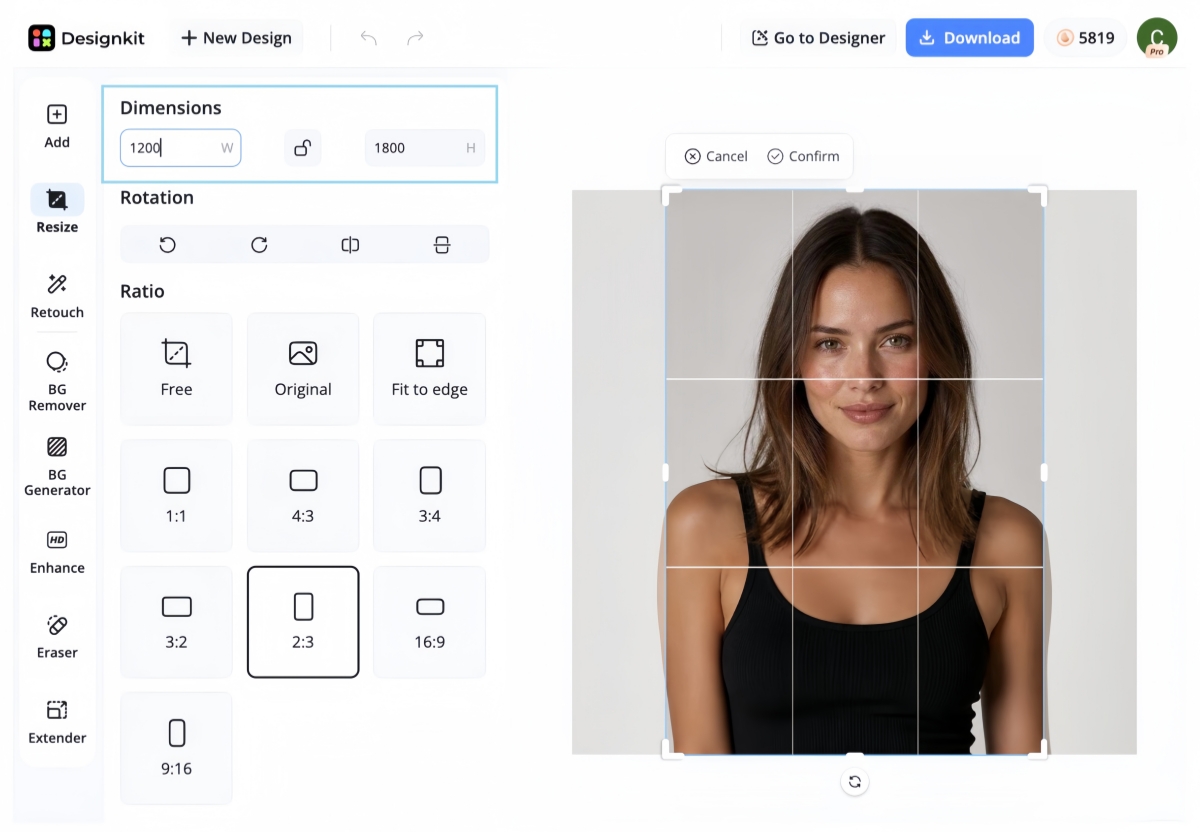
Alternatively, enter custom dimensions of 1200 × 1800 px into the size field at the top.
Step 3: Export print-ready images (target 1200 × 1800 px)
Download your edited image as a high-quality JPEG or PNG. For the best print results, export it at 1200 × 1800 pixels, which matches the recommended resolution for a standard 4x6 photo.
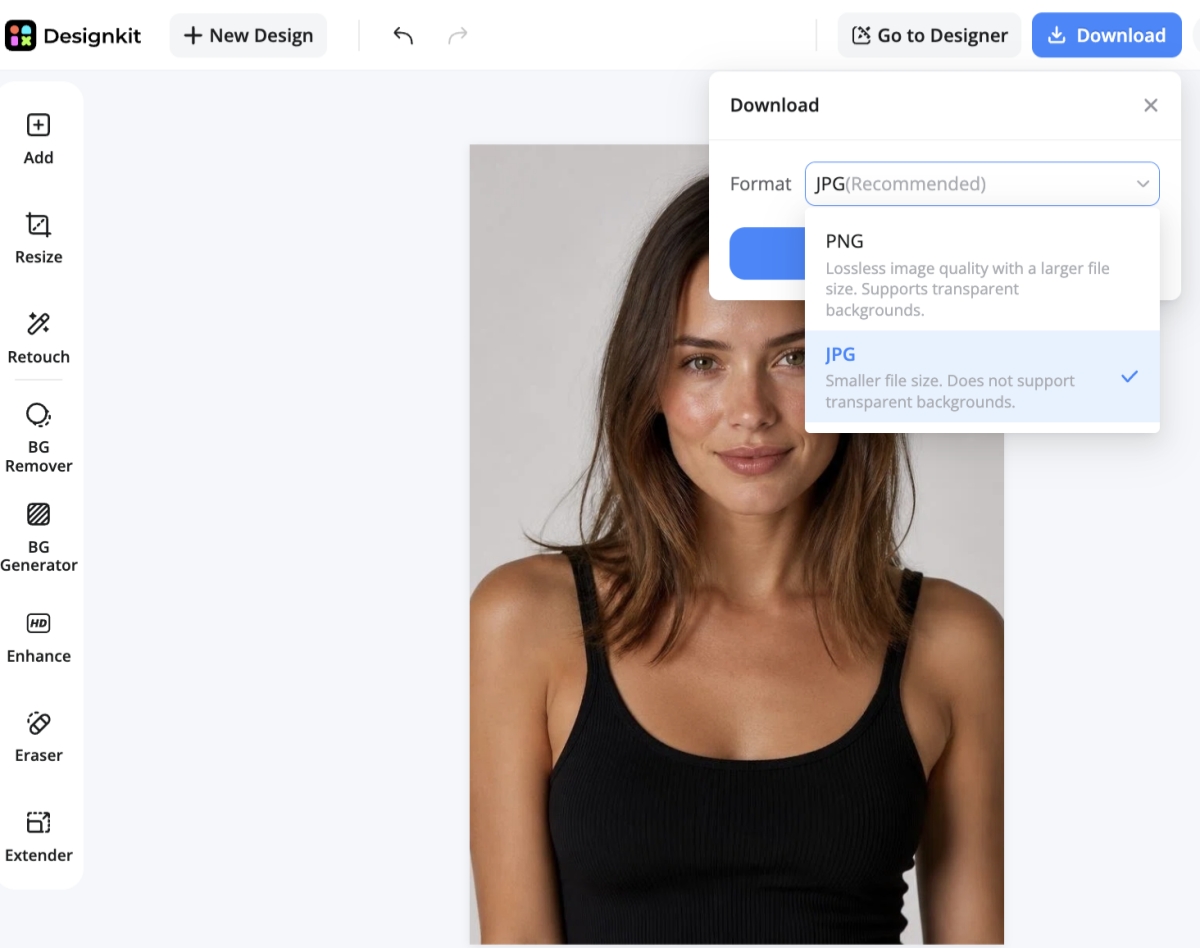
Helpful Designkit tools for 4x6 prep
Getting a photo ready for print often involves more than just resizing. Designkit has a few AI-based tools to enhance the quality of the image while retaining the right size and composition.
-
Resize image: Adjust image dimensions while maintaining the correct proportions for a 4x6 print.
-
AI image extender: Expand the canvas using AI when you need to fit a 2:3 aspect ratio without cropping important subjects.
-
AI image enhancer: Improve sharpness, clarity, and overall image quality before printing.
-
AI retouch: Remove minor distractions, blemishes, or unwanted objects to provide you with a cleaner final image.
-
Background tools: Replace, remove, or refine backgrounds to better suit portraits, product images, or creative projects.
4x6 photo size vs other common print sizes
Although the 4x6 format is the most widely used photo print size, other dimensions may be better suited for framing, gifts, or larger displays. Understanding the differences makes it easier to choose the right format for your project without unnecessary cropping or resizing.
|
Size |
Aspect (approx.) |
Best Use |
|---|---|---|
|
4x6 |
2:3 |
Standard photo prints |
|
5x7 |
~5:7 |
Frames and gifts |
|
8x10 |
4:5 |
Posters and displays |
For everyday photography, family memories, postcards, and small business materials, the standard 4x6 print continues to provide the best balance between size, quality, and affordability.
Final thoughts
Knowing the size of a 4x6 photo will help you create sharp, well-proportioned prints. By using the correct dimensions, 2:3 aspect ratio, and suggested pixel dimensions, you will be able to achieve consistent print quality. If you need more than just basic resizing of your image, Designkit offers AI-powered tools to crop, enhance, retouch, and prepare photos for professional-looking, print-ready results with minimal effort.
Frequently Asked Questions
How big is a 4x6 photo in inches?
What is a 4x6 photo in millimetres? A 4x6 photo is 101.6 × 152.4 mm. These sizes will be recognized by most home printers and professional photo labs and will print your photo at the expected size.
What is the best 4x6 inch photo size in pixels?
For high-quality printing, the recommended 4x6 inch photo size in pixels is 1200 × 1800 pixels at 300 DPI. If your image doesn't meet these dimensions, Designkit can resize and enhance it while maintaining good print quality.
Is 4x6 the standard photo print size?
Yes. The standard photo size, 4x6, is one of the most widely used print formats for family photos, travel pictures, postcards, invitations, and small business marketing materials.
Can I print a phone photo as a 4x6?
Yes. Most smartphone photos can be printed as a 4x6 image, although they may need to be cropped because many phones capture photos in 4:3 or 16:9 aspect ratios. Designkit can help you adjust the composition while preparing the image for printing.
How do I resize a photo to 4x6 without losing quality?
Crop the image to a 2:3 aspect ratio. Resize to 1200 × 1800 pixels and export as a high-quality JPEG or PNG. Additionally, an AI-powered editor like Designkit can help improve the sharpness and quality of the image before printing.
What resolution is best for printing a 4x6 photo?
For 4x6 photo prints, 300 DPI is recommended for most prints to get clear and detailed results. You can further improve the final print quality by using the right resolution and image enhancement tools.
Can I make a 4x6 photo online?
Yes. Most online editors will allow you to crop and resize images to 4x6 dimensions. Designkit offers AI-powered tools to make it easier if you want to improve details, fix imperfections, or extend the canvas.
What tool can resize an image to 4x6?
Tools that can resize images to 4x6 include Adobe Express, Canva, Pixlr, and Designkit. If you want to do more than simple resizing, Designkit also offers AI tools for enhancement, retouching, background editing and canvas extension before you export a print-ready file.
You May Also Like
Remove.bg Shutting Down Dec 1, 2026: What Users Are Saying

7 Best Remove.bg Alternatives in 2026: Free & Paid Tools

Instagram Carousel: What It Is, How to Post & Create One

Nano Banana Prompts: 20+ Examples for Better AI Images

Ideogram AI Review 2026: Features, Pricing & Alternatives

Free Mac Photo Editor: 5 Tools Compared for Mac Users

How to Crop a Photo Into a Circle Online (Keep Quality)

How to Make an Image Transparent Online (AI Guide)

Pixlr Background Remover Review 2026: Features, Pricing & Alternatives

How to Fix Overexposed Photos: Recover Highlights Fast

OpenArt AI Review 2026: Features, Pricing & Alternatives

Best AI Headshot Generator: 9 Tools Compared for 2026

Best Stencil Maker Tools 2026: Turn Photos Into Stencils

Pixelbin Watermark Remover Review: Image & Video Results Tested

How to Make a Sticker on iPhone: Easy Step by Step Guide

Best AI Logo Generator in 2026: 10 Tools Compared

How to Turn a Photo Into a Cartoon: A Beginner-Friendly Guide

Landscape vs Portrait: Key Differences & Best Uses in 2026

How to Remove Watermark From Photo: AI, Photoshop & More

How to Fix Pixelated Photos: Photoshop, AI Tools & Tips

Bing Image Creator: How It Works, Features, Uses & Alternatives

How to Remove People from Photos with AI: A Step-by-Step Guide

How to Increase Image Resolution: AI, Photoshop & PPI

How to Add Text to a Photo: 8 Tips for Better Results

How to Fix Grainy Photos: Easy Ways to Clear Images

Creative Profile Picture Ideas for Every Style and Platform

Evoto AI Review 2026: Features, Pricing, Pros & Cons

Pixlr Photo Editor Review: Features, Pricing & Alternatives

Best AI Image Extender Tools in 2026: Expand Photos with AI

How to Make a Collage on iPhone: Easy Guide for 2026

How to Sharpen an Image in Photoshop (Smart Sharpen and Unsharp Mask)

Best Image Background Remover Tools in 2026: AI Tools Compared

How to Make Transparent Background in Paint: Step-by-Step Guide

How to Resize an Image: Best Methods, Tools & Quality Tips

Best AI Image Generator Tools in 2026: Top AI Platforms Compared

Remove.bg Review 2026: Features, Pricing & Is It Worth It?

Luminar Neo Photo Editor Review 2026: AI Features, Price & Pros

How to Post Multiple Photos on Instagram (2026 Guide)

25 Facebook Cover Photo Ideas for Personal & Business Pages

What Is a PFP? Meaning, Examples & How to Create One

Can You Edit an Instagram Post After Posting?

11 Best Canva Alternatives in 2026 for AI Design & Marketing

8 Best Midjourney Alternatives in 2026: Features, Pricing & Comparison

How to Restore Old Photos: AI Tools, Tips & Best Methods

Pixelcut AI Review 2026: Features, Pricing, Pros, Cons & Alternatives

How to Apply Watermark to Photos: Methods, Tips & AI Tools

How to Remove a Background in Illustrator: 4 Easy Methods

How to Change Background Color on Instagram Story (Easy Guide)

8 Best AI Poster Generators in 2026: Create Posters Faster with AI

10 Best AI Image Enhancers in 2026: Tested & Compared

10 Best AI Image Editors in 2026: Features, Pricing & Comparison

7 Best AI Background Changer in 2026: Remove & Replace Photo Backgrounds

Luminar Neo vs Lightroom: Features, Pricing & Comparison 2026

Kittl Review 2026: Is It Worth It? Features & Pricing

How to Make a Blurry Image Clear: 5 AI & Manual Ways

How to Remove Background on iPhone: 5 Easy Methods (2026)

Photoroom Background Remover Review 2026: Features & Alternatives

How to Remove Background in Canva: A Step-by-Step Guide

How to Remove Background in GIMP: Beginner-Friendly Guide

Funny Dog Memes to Try: Doge Meaning and 10 Original Ideas

Back to School Checklist 2026: Supplies, Timeline, and Planning

Recraft AI Review 2026: Features, Pricing, Pros, Cons & Alternatives

How to Make an Image Transparent in Google Slides: Opacity & Background Removal

VanceAI Photo Enhancer Review: Features, Pricing & Alternatives in 2026

What Does Emojify Mean? Text, Photos, & Emoji Art Explained

Top 8 Online Background Removers for Ecommerce Photos (2026)

How to Remove Background in Photoshop: 7 Easy Methods

6 Best AI Image Upscalers 2026: Tools Tested & Compared

Project Indigo Review: Is It Better Than iPhone Camera?

How Big Is an 8x10 Photo? Size, Pixels & Frame Guide

How Big Is a 4x6 Photo? Dimensions, Pixels & Printing Tips

Picsart AI Review: Features, Pricing, Pros, Cons & Alternatives

Lovart AI Review: AI Design Agent Features, Pricing & Alternatives

Fotor AI Image Generator Review: Features, Pricing & Alternatives

How to Add Emoji to Photo Online for Free

Emoji Wallpaper Ideas & How to Make One Online (2026)

Minimalist Poster Design: How to Make a Clean Poster (2026)

How to Make a Custom Poster That Is Ready to Print

Instagram Image Size Guide 2026: Post, Reel, Story & Carousel Specs

LinkedIn Image Size Guide: Profile, Post & Banner Dimensions

YouTube Profile Image Size: Best Dimensions & Safe Area 2026

How to Edit Amazon Product Photos That Boost Sales Fast
Prepare Print-Ready 4x6 Photos With the Right Specs
Knowing the correct 4x6 dimensions, aspect ratio, and pixel size is essential for producing sharp, well-proportioned prints. When you need to crop, enhance, resize, and export images before printing, Designkit's AI image tools make it easy to prepare professional-quality, print-ready photos in just a few steps.


