
Try Before You Style: How to Virtually Try On Wigs and Bangs
Skip the guesswork—upload your photo and preview wigs, bangs, colors, and lengths on your own face before you buy or cut.

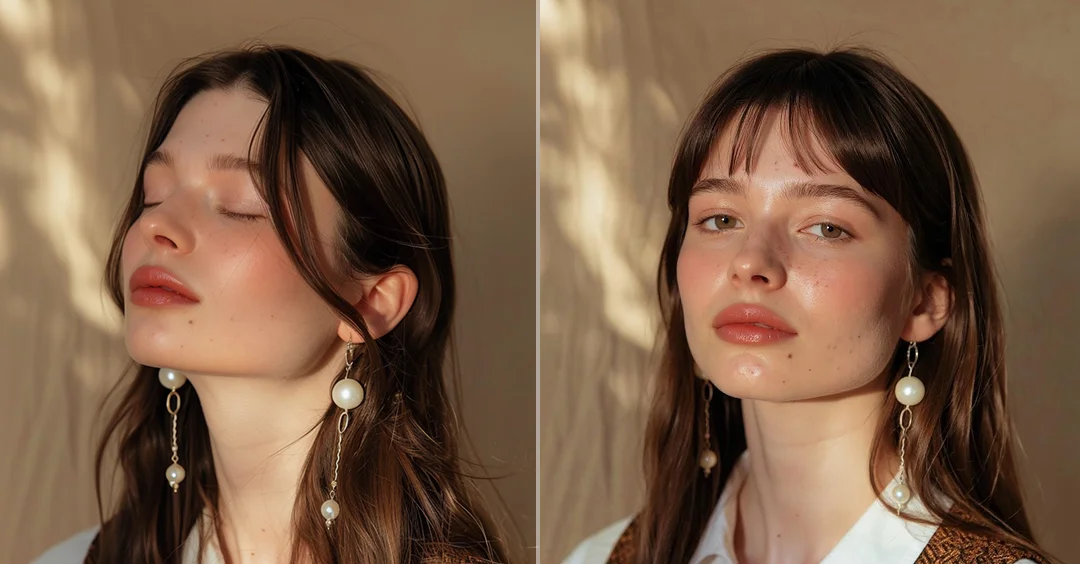
If you buy a wig online or decide to have bangs, one big problem comes with the decision: uncertainty. Photos of products, pictures of models, and even reviews can only get you so far. What looks great on someone else may seem totally different on you. The outcome? Buying the wrong stuff, wasting money, or even having a hairstyle that you instantly hate. With clothing, you can simply "return" a hairstyle, not so hair therapy.
Virtual wig try on and virtual bangs try on are the tools of the beauty world that are driving the revolutionary changes in the way we make beauty choice decisions. Instead of making a guess, you can upload your picture or use a real-time camera to see how different styles, colors, and lengths look on your face. It changes your trial-and-error into a very smart, low-risk process. With this guide, you will know how to digitally preview hairstyles, how to compare different options with complete confidence, and how to choose a hairstyle that will really suit you, way before the purchase or haircut.
Why Virtual Try-On Matters Before Buying Wigs or Bangs
Picking a new hairstyle is not simply a question of style; it is about fit, proportion, and boosting one's self-esteem. When looking for products online, many customers struggle with the same issues: wigs that seem different when worn, colors that disappoint, or styles that do not really flatter one's face. It is quite expensive or bothersome to return (especially for wigs), and even when the refund is granted, the time and the hassle of it all add to the customer's irritation. Besides, the situation is riskier if you decide to have bangs there is no quick way back once you have cut them.
Virtual wig try on and virtual bangs try on apps can perfectly bridge the divide between the offline and the online world. These apps are far more than an entertaining feature; they serve as an effective layer of risk mitigation. Besides letting you see a preview of the styles on your own face, such apps allow you to identify early the ones that don't suit you, perform quick try-ons of different looks, and make your choices with fewer doubts.
How to Try On Wigs Virtually: Methods, Tools, and Style Matching
Usually, the process of trying on wigs virtually with most of these tools is quite straightforward. A typical virtual wig try on experience allows you to switch between lengths, colors, and textures in seconds, making side-by-side comparison easy.
Generally, there are three different choices, i.e. mobile-based wig try-ons apps, web browser tools, and AI editors offering extensive customization. The trick is to experiment with diverse hairdos over different platforms to find the one that looks most natural and consistent. By doing this, you ensure that the purchase decision is the result of a thorough evaluation instead of just one virtual representation.
Step-by-Step Guide to Trying On Wigs Virtually
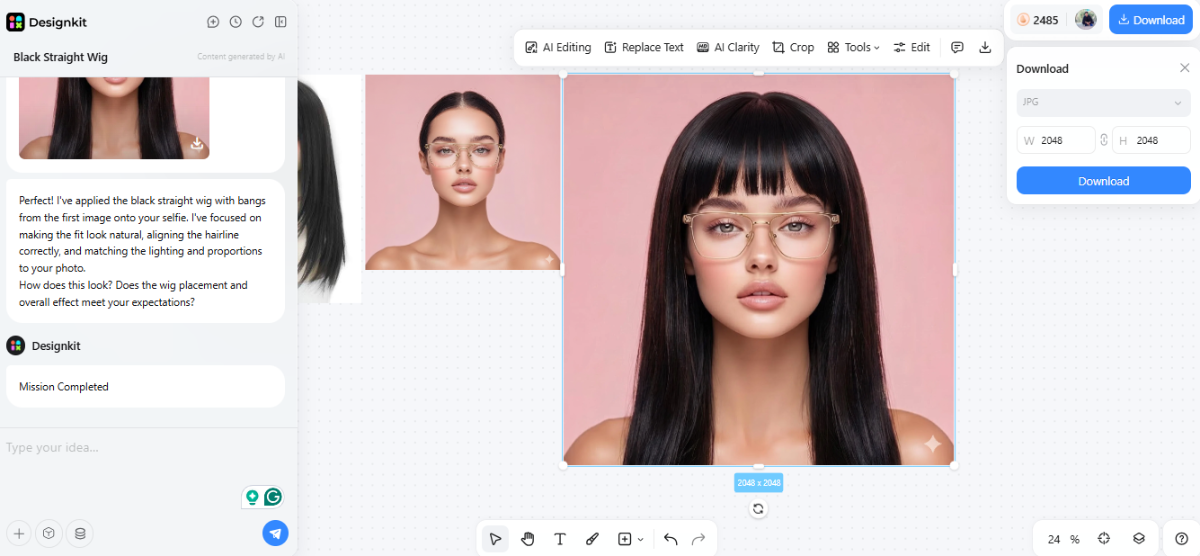
If you want to get reliable outcomes from a virtual wig try on, it is critical to follow the right procedure. Here is a straightforward step-by-step guide for Designkit Virtual Try On that can help you to experiment with different styles before purchase.
Step 1 — Upload a clear face photo
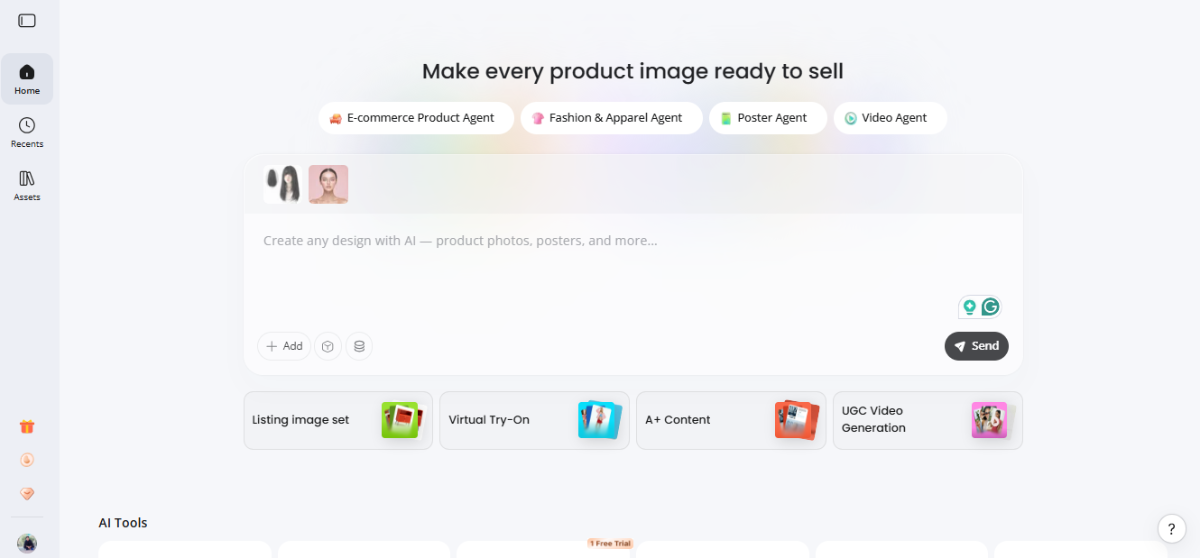
Press the "+" symbol in the main window and choose "Image" from the list. Choose a clear, front-facing photo and the wig and upload it.
Once the file is uploaded, tap on "Send". The platform will effortlessly look at your picture and determine your hairline, face shape and relative positioning of the features on your face. This is done to make sure that the wig will sit well and convincingly on your head.
Step 2 — Write a prompt to apply the wig
Go to the prompt input section and enter a clear instruction telling the AI to place the uploaded wig onto your face.
Example: "Apply the uploaded wig onto my face from the selfie. Adjust the wig to fit naturally with correct hairline, lighting, and proportions."
The AI will then align the wig image with your facial features and generate a realistic virtual wig try on result.
Step 3 — Preview results and download
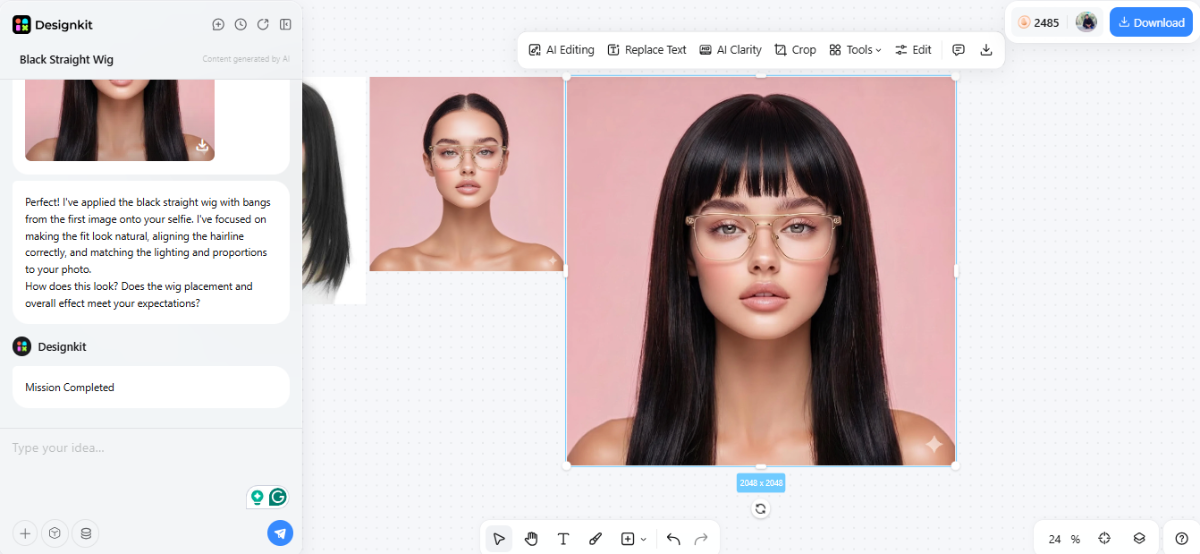
Once the result is generated, carefully review how the wig looks—check alignment, volume, and overall suitability. This is where you try on wigs virtually and compare styles.
If satisfied, click "Download," select your preferred format (JPG, PNG, or SVG), adjust size if needed, and click "Download" again to save the image for later comparison or purchase decisions.
Best Wig Styles for Different Face Shapes
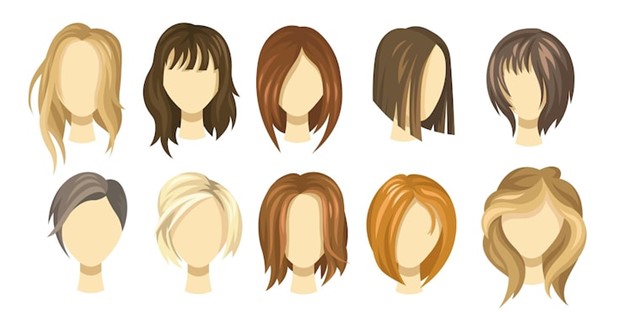
Typically, identifying the perfect wig for one's face structure begins with broad suggestions; however, it should not be limited to that. Rules about facial shapes can serve as a guide, but what truly matters is the appearance of a certain hairstyle on you. Hence, the most intelligent method is using these hints together with a virtual wig try-on.
- Round face: Longer wigs with layers, soft waves, or volume at the crown are the perfect options. These will help to lengthen your face and not increase the width of your cheeks.
- Oval face: This shape is quite versatile; you are open to wearing any difference hairstyle, even from short bobs to long curls.
- Square face: Opt for styles that are wave-like or with layers in a way that they soften the jawline shape, and at the same time, reduce the highlight of the angles.
These rules give you a good place to start but they won't always hit the mark for everyone. Trying on wigs virtually and seeing what different looks do to your face is the best way to make a final call on what suits you.
How to Try On Bangs Online Free Before You Commit
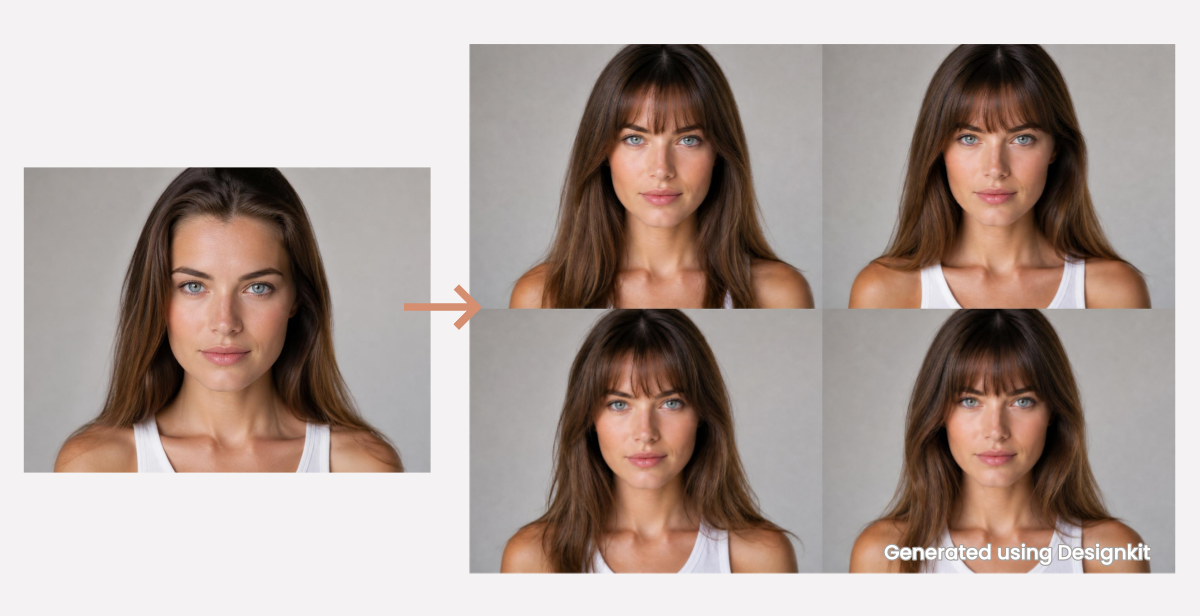
Bangs, without a doubt, are one of the riskiest hairstyle decisions one could make. Wigs can still be taken off or returned, bang cuts are totally and irrevocably done and will take weeks or even months to grow. That's a big reason why so many people freeze at the last moment.
This, indeed, is the point where virtual bangs try on tools to become a game changer. Rather than us having to rely on our imagination or printouts for inspiration, now you have a chance to 'try bangs on' virtually for free using the camera and face. No matter if you are looking through soft, airy curtain bangs or a super edgy blunt cut, virtual previews offer you a well-rounded idea of how each style highlights your features.
Best Ways to Preview Bangs Virtually
You can explore various online options to see how you look with bangs. Among them, each method has its pros and cons:
- Social media filters: With Instagram and Snapchat, you get the convenience of very quick bangs filters. They're super user-friendly and fantastic for a quick change-up of your look. However, they might be a bit off in terms of realistic texture and hairline blending.
- AI hairstyle tools: Tools such as Designkit allow you to create quite detailed and personalized images of yourself with different types of bangs. Seeing how these align with your facial features can be a very pleasant experience. These computerized representations are more lifelike, yet you might have to invest a bit more time to take full advantage of them.
- E-commerce try-on tools: The beauty or wig shopping sites might have features for you to try on bangs virtually. They are very handy at the time of purchase decision making; however, the variety of styles available is often rather limited, and customization is minimal.
Bangs That Are Perfect for Every Face Shape
Since different types of bangs don't always suit every face shape equally, there are some bang styles that are versatile and can nicely complement various shapes.
Virtual bangs try on let you virtually test these options:
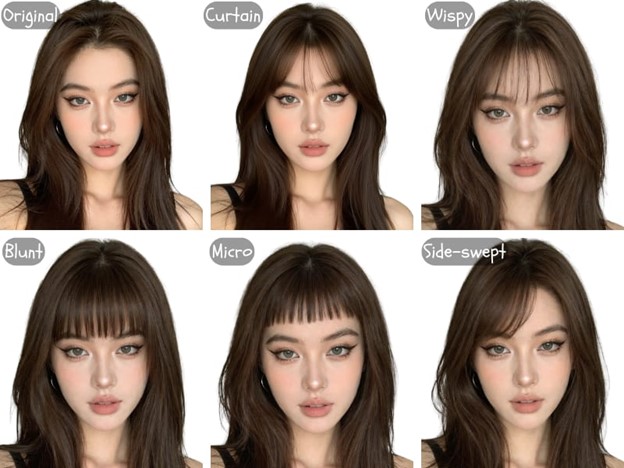
- Curtain bangs: These are delicate, softly parted right in the middle, and quite adaptable. In fact, they can enhance round, oval, and heart-shaped faces.
- Blunt bangs: They are cut straight across and very striking. Therefore, they are great for an oval face or anyone wanting a powerful look. However, they might overwhelm smaller or round faces.
- Wispy bangs: They are airy, feathery, and very fine. These are great for beginners who want a little transformation and a trace of change without going too far.
- Side-swept bangs: These are inclined, and to tell the truth, you can wear them with almost any face shape. On top of that, they are especially good for square or heart-shaped faces as they soften the sharp lines.
How to Get the Most Realistic Virtual Try-On Results
Virtual hairstyle try-on experiences heavily rely on the input you give them. AI-powered tools can produce very good results; however, the accuracy of the image you get depends on photo quality, lighting conditions, and the system's ability to accurately recognize your facial features. If these factors are not right, even the top tools can come up with inaccurate previews thus you run the risk of making wrong decisions rather than better ones.
If you aim to get trustworthy results, consider virtual try on as a precise procedure instead of just a quick test. Slight enhancements like better lighting or a sharper photo can make a wig or bangs look so natural that you can barely tell it is not you. This also has a big role in how comfortable you feel when you decide on style, color, or length.
Photo and Lighting Tips for Accurate Virtual Previews
All wig try-on apps will work best when you do the following:
- Use a front-facing photo: The camera should face your face straight on no tilting or angling.
- Choose natural lighting: Soft daylight is preferable. Do not use harsh shadows or dim indoor lights.
- Tie your hair back: This is a good way for AI to differentiate your hairline and face shape clearly.
- Keep a neutral background: Simple walls are ideal and they prevent distraction.
- Avoid filters and makeup-heavy edits: These can change your skin tone and the shapes of your face.
Common mistakes to avoid
If you use selfies with heavy shadows, side angles, sunglasses, or busy backgrounds, then you will confuse the AI. The AI is likely to produce misaligned wigs or unrealistic blends of the face, which completely goes against the purpose of the virtual try-on.
How to Preview Wig Colors Before You Buy
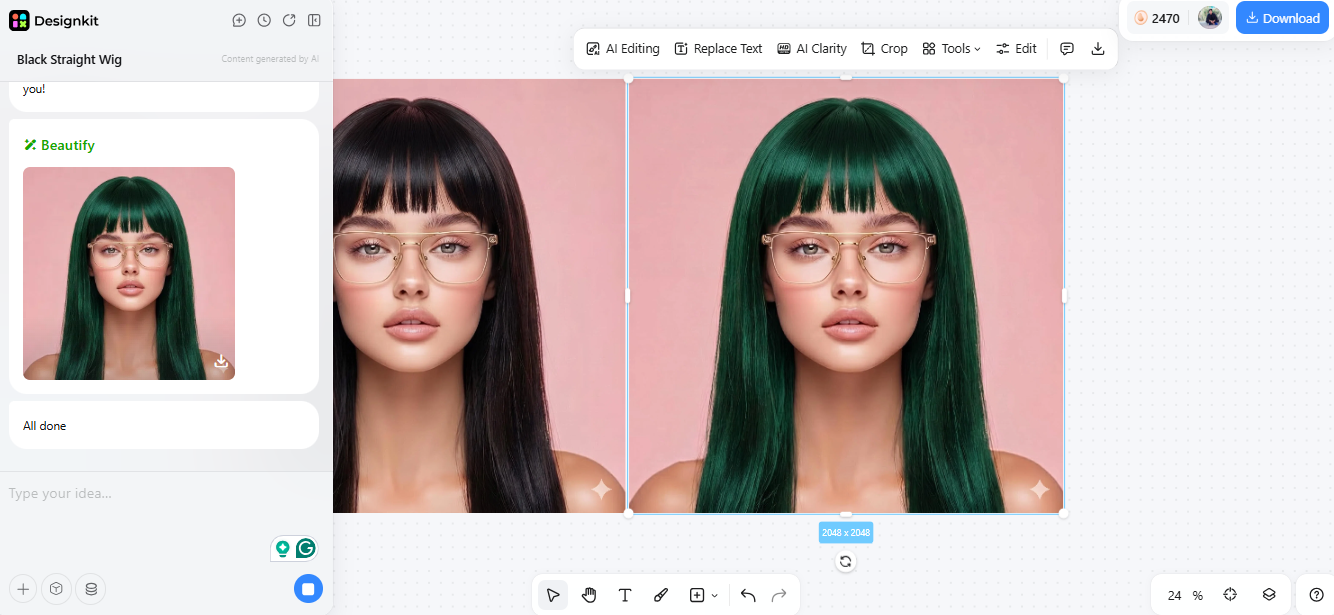
The color is often the most neglected aspect of a wig when people are deciding. A style may be perfect, but the wrong color may totally alter how it fits your face. That is why playing with different colors is equally important to trying out different styles in a virtual wig try-on.
Rather than flipping through various listings for individual colors, a more intelligent way is to begin with a decent preview and subsequently delve into the variations. Using tools like Designkit AI Color Changer allows you to alter the wig colors on the very same image, making the process quite comfortable for you.
Conclusion: Choosing Wigs and Bangs with Confidence Using Virtual Try-On
Changing a hairstyle doesn't have to be scary anymore. If you are planning to buy a wig or planning to cut bangs, virtual wig try on and virtual bangs try on are the tools that can help you make a decision based on facts rather than guessing. Instead of depending on model photos or making assumptions, you can see what different styles, lengths and colors look like on your own face.
The main benefit is quite simple: less regret. By having a trial of the options beforehand, you can steer clear of costly returns, disappointing purchases or haircuts you might not like. Besides that, it allows you to pick up the styles which will suit your face more, making the result give a look which is more natural and flattering.
Frequently Asked Questions
Is virtual wig try-on free?
How accurate are virtual bangs previews?
When using a good-quality photo and proper lighting, virtual bangs try on results can be quite realistic. However, accuracy depends on the tool and input image.
Can virtual try-on match real hair texture?
Modern AI tools can simulate textures like straight, wavy, or curly hair fairly well. Still, exact replication of density and movement may vary. It's best to treat it as a close approximation rather than a perfect match.
You May Also Like

Best Virtual Hairstyle Try-On Tools Online for Realistic Previews 2026

How to Use a Free AI Hairstyle Generator to Find Your Perfect Look

How to Try Hairstyles on Your Face Online (Step-by-Step Guide)

Virtual Hair Color Try-On Guide for Every Skin Tone (2026)

How to Choose the Right Sunglasses for Your Face Shape Online

How to Use Virtual Earring Try-On for a Flattering Look in 2026

How AI Virtual Try-On Is Transforming Eyewear Ecommerce

How to Try Makeup Online with AI and Virtual Makeup Try-On Apps (2026)
See Your Next Hairstyle Before You Commit
No more buying wigs that don't suit you or regretting a fresh set of bangs. Upload your photo to Designkit and instantly preview different styles, colors, and lengths on your own face—so you choose with confidence, not guesswork.


