
20+ Nano Banana Prompt Examples for Images, Editing & Design
Explore 20+ Nano Banana prompts for creative images, photo editing, logos, and product visuals. Learn how to write better prompts and create more consistent AI-generated results.

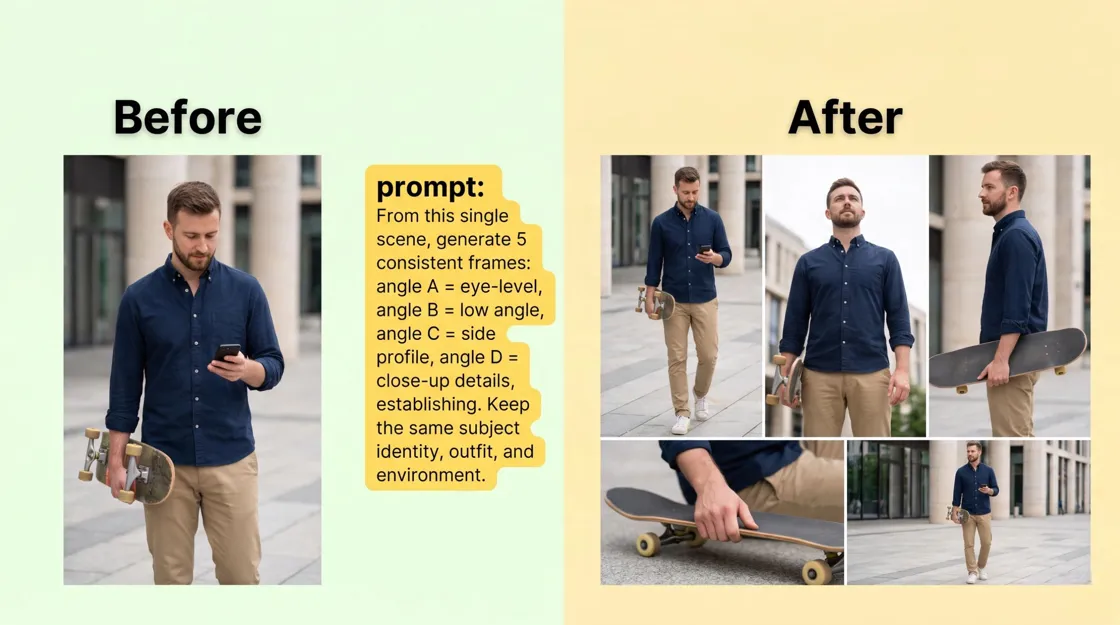
Nano Banana has made AI image creation and editing easier, but the quality of the output often depends on how clearly you describe your idea. A detailed prompt helps control important elements such as the subject, lighting, composition, style, and overall visual direction.
In this guide, you'll find ready-to-use Nano Banana prompts for creative scenes, photo editing, face swaps, logos, and commercial visuals. You'll also learn how to structure prompts effectively and explore how AI platforms can combine image generation with broader creative workflows.
Key Takeaways
-
Detailed Nano Banana prompts help control image style, composition, lighting, and subject details.
-
Different prompt structures work better for image creation, photo editing, and identity-based edits.
-
Nano Banana Pro prompts can deliver more refined results when users provide clear visual instructions.
-
Reference images combined with specific editing directions can improve consistency.
-
Testing different AI models can help you find the best style for your creative goals.
What Is a Nano Banana Prompt?
Think of your prompt as a creative brief for a digital photographer. A solid instruction combines several different elements to paint a complete picture. The AI engine reads these details to understand what the main subject is, the mood you want to convey, and the final format required.
|
Prompt Element |
What It Controls |
Example |
|---|---|---|
|
Subject |
Main person, object, or focus |
"A luxury perfume bottle" |
|
Action |
What is happening |
"Floating above water droplets" |
|
Environment |
Background and setting |
"Modern luxury bathroom interior" |
|
Style |
Visual direction |
"Editorial product photography" |
|
Lighting |
Mood and realism |
"Soft studio lighting" |
|
Composition |
Camera angle and framing |
"85mm lens, close-up portrait" |
|
Format |
Image size and usage |
"4:5 vertical composition" |
A Simple Formula for Better Results
Want to write the best prompts for Nano Banana without overthinking it? Stick to a logical order. Stacking your requirements ensures the AI processes the most important details first.
Try this formula: "Subject + Details + Environment + Lighting + Style + Composition + Aspect Ratio."
20+ Best AI Prompts You Can Try Today
Prompts for Creative Images
If you need original photography for your social media calendar or a blog post, these prompts for Nano Banana will help you skip the generic stock photo look.
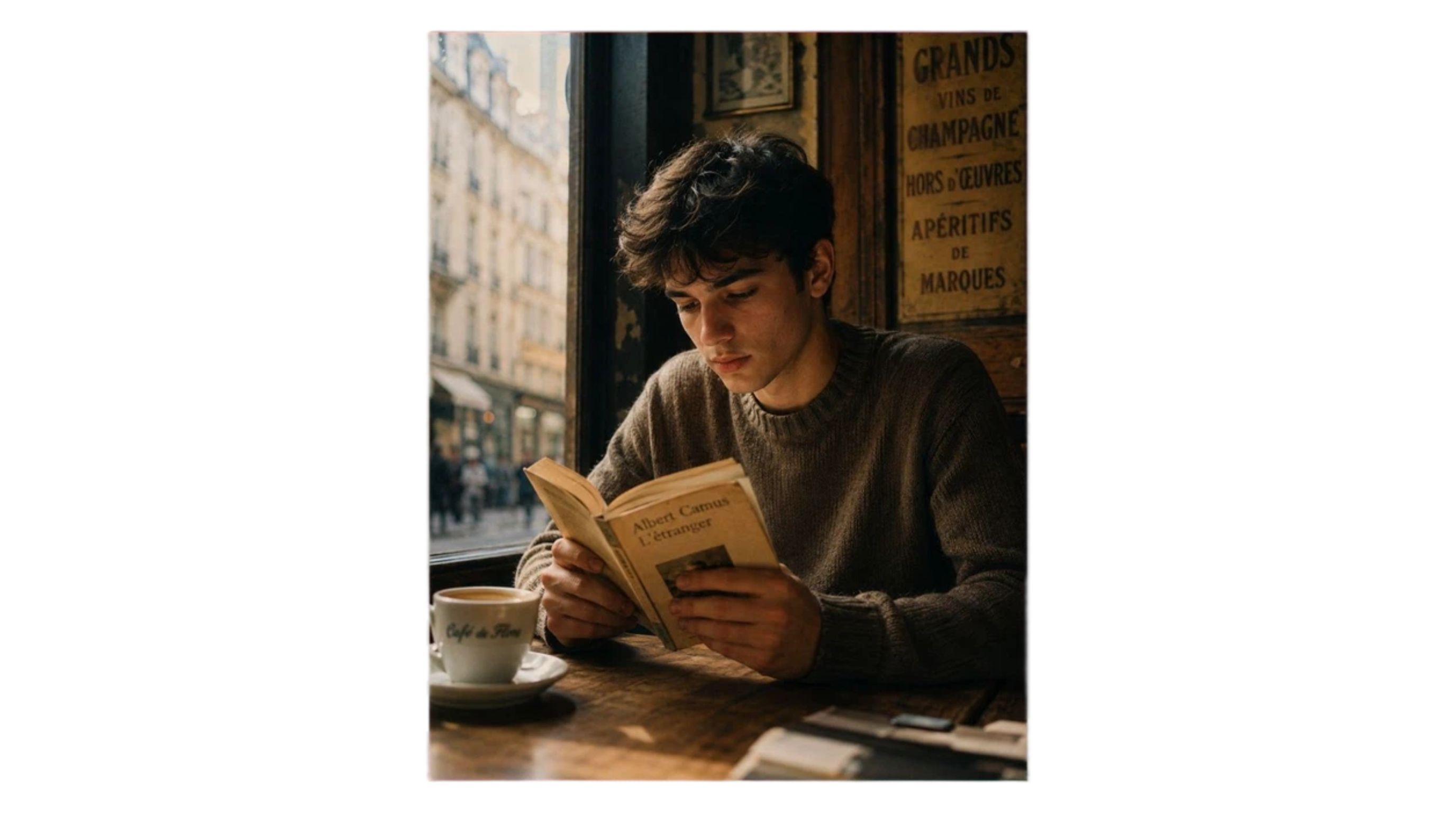
Cinematic Cafe Portrait
-
Use case: Lifestyle portraits and social media content.
-
Prompt: "Moody portrait of a young guy reading a worn paperback in an old European cafe. Warm afternoon sun hitting the window. Real skin texture, shallow depth of field, natural film grain, pro photography, 4:5."
High-Contrast Black and White Portrait
-
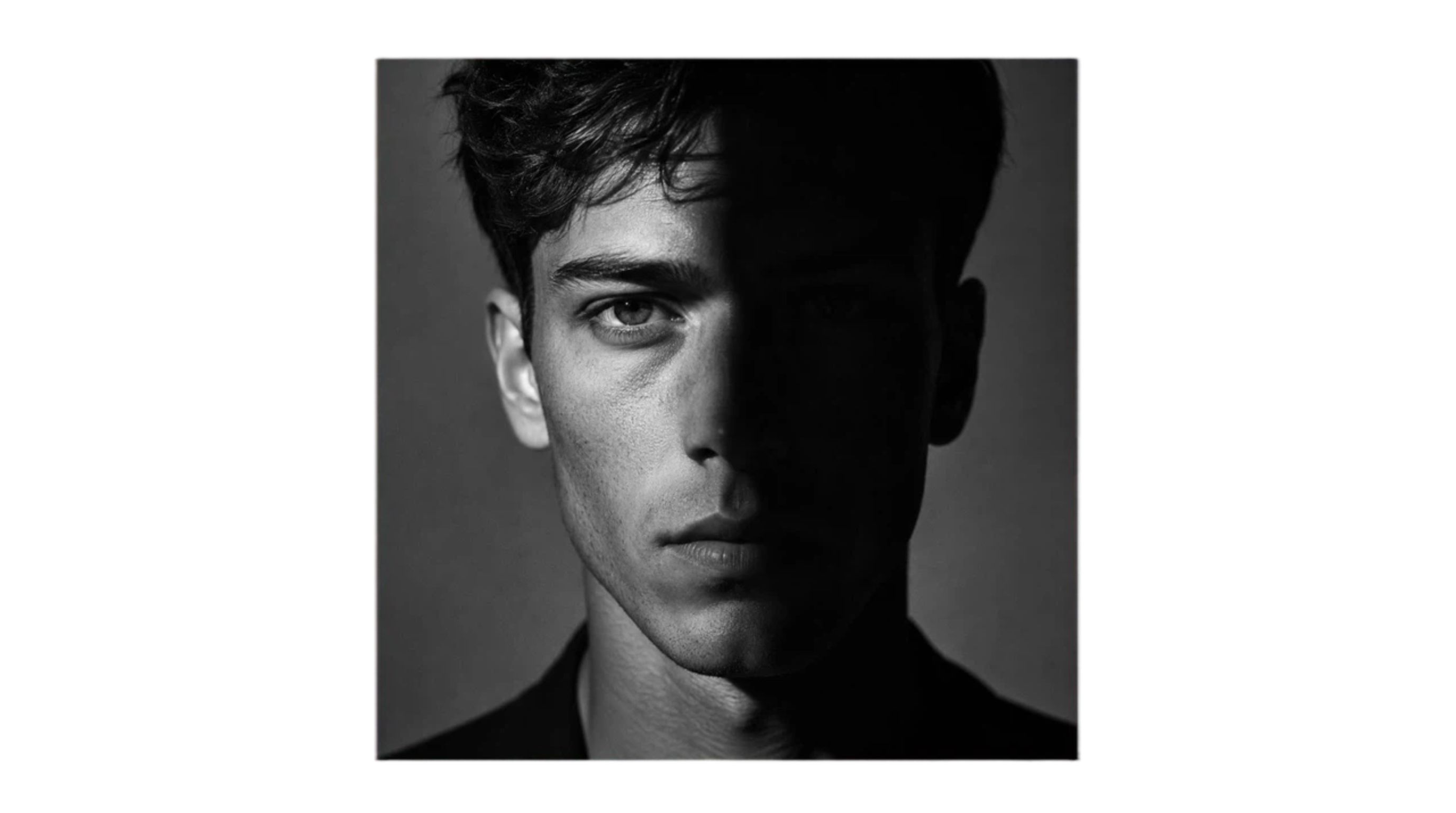
Use case: Great for editorial magazine layouts or moody artistic shots.
-
Prompt: "Ultra-realistic black and white portrait. Face split perfectly by light and dark shadows. Harsh dramatic lighting, visible skin pores, heavy contrast. Classic monochrome photography, sharp focus, 1:1."
Professional Headshot
-
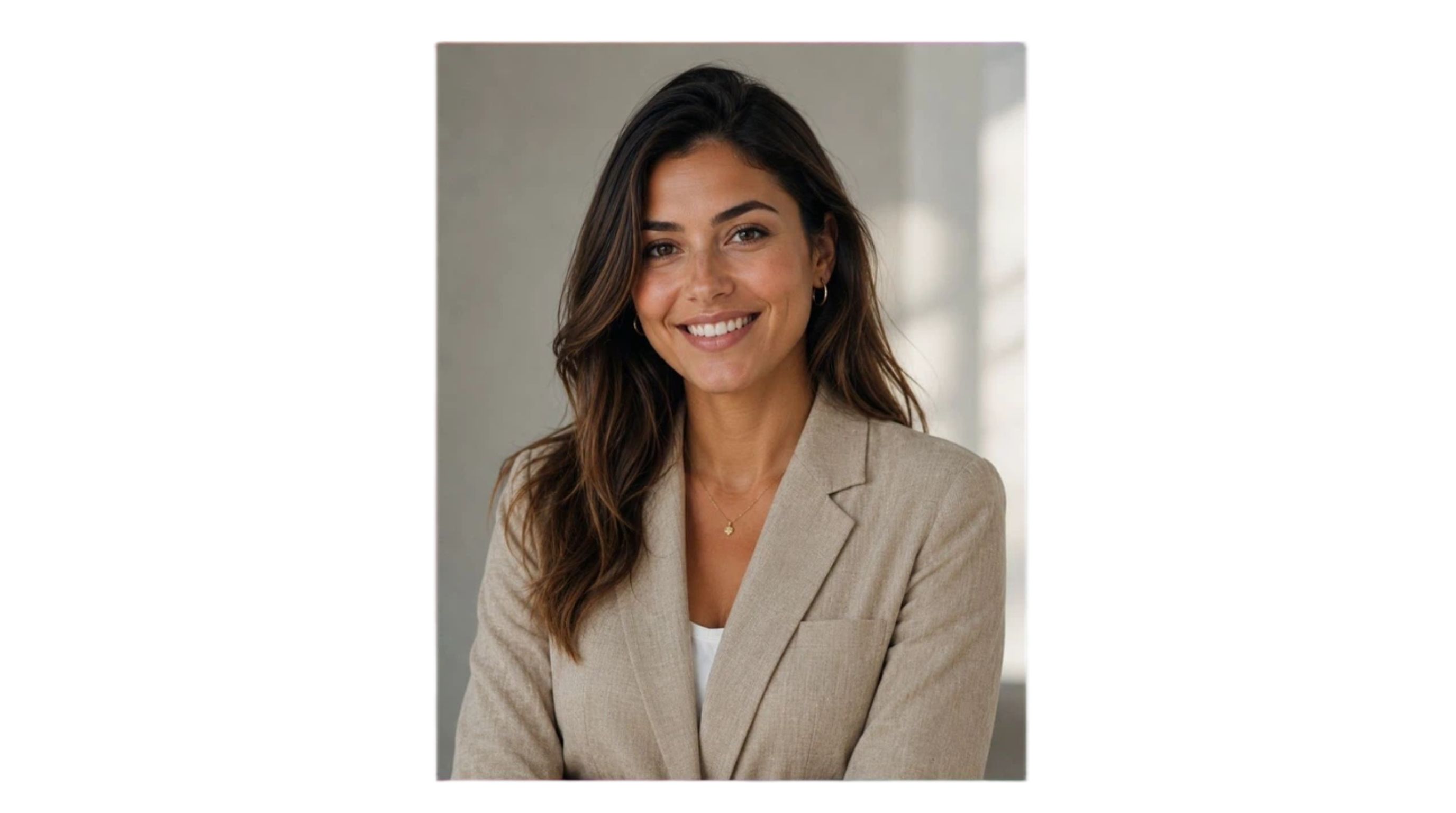
Use case: Perfect for updating LinkedIn profiles or company team pages.
-
Prompt: "Lifelike corporate headshot of a woman in a beige linen blazer. Warm natural smile, clean studio backdrop, soft window light. Highly detailed face, 85mm lens, premium business photography, 4:5."
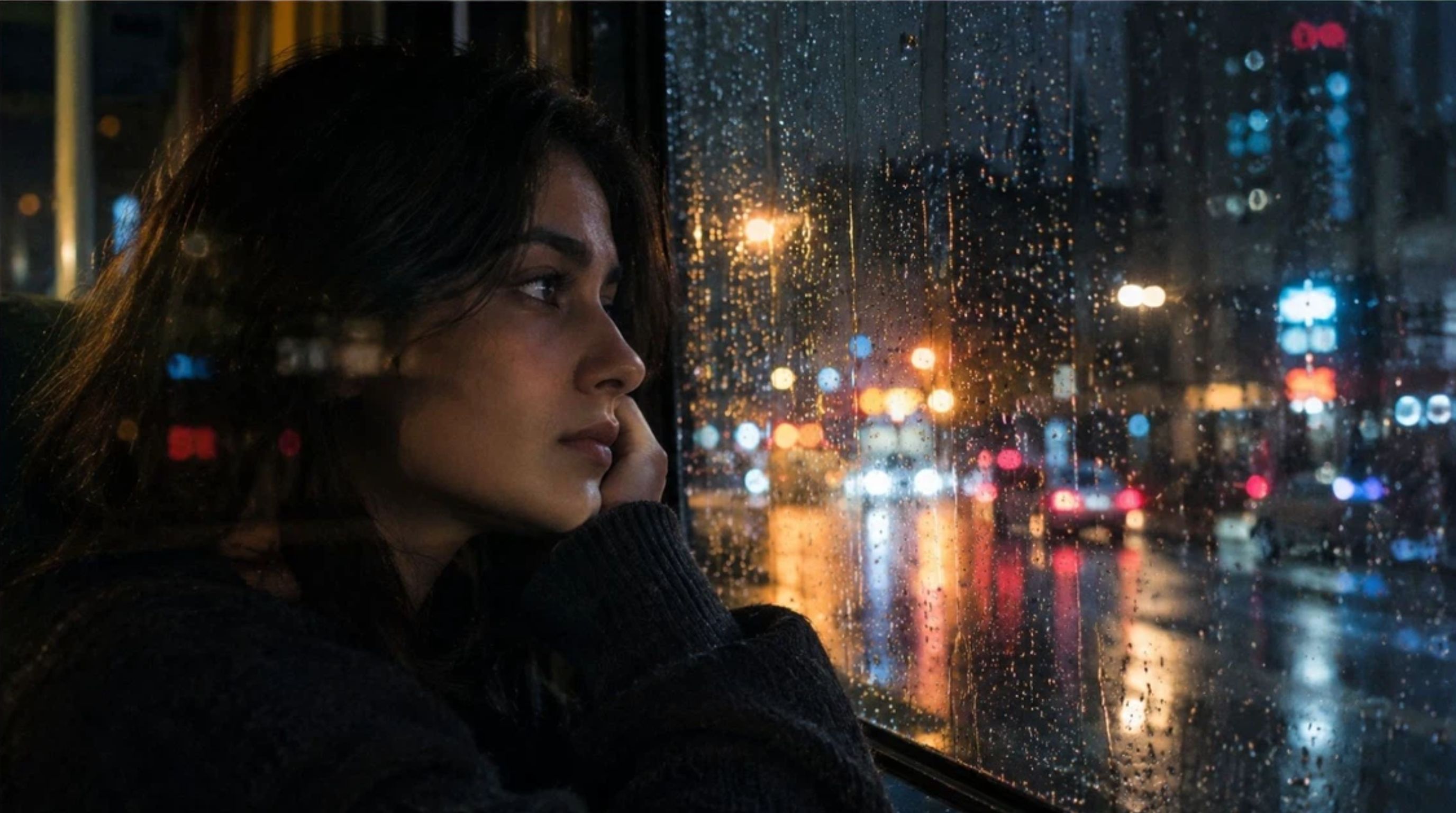
Rainy Window Portrait
-
Use case: Building mood boards or creating cinematic visual assets.
-
Prompt: "Moody shot of a woman staring out a rain-streaked window at night. Sharp focus on the glass droplets, blurred city lights behind her. True-to-life glass reflections, organic film grain, 16:9."
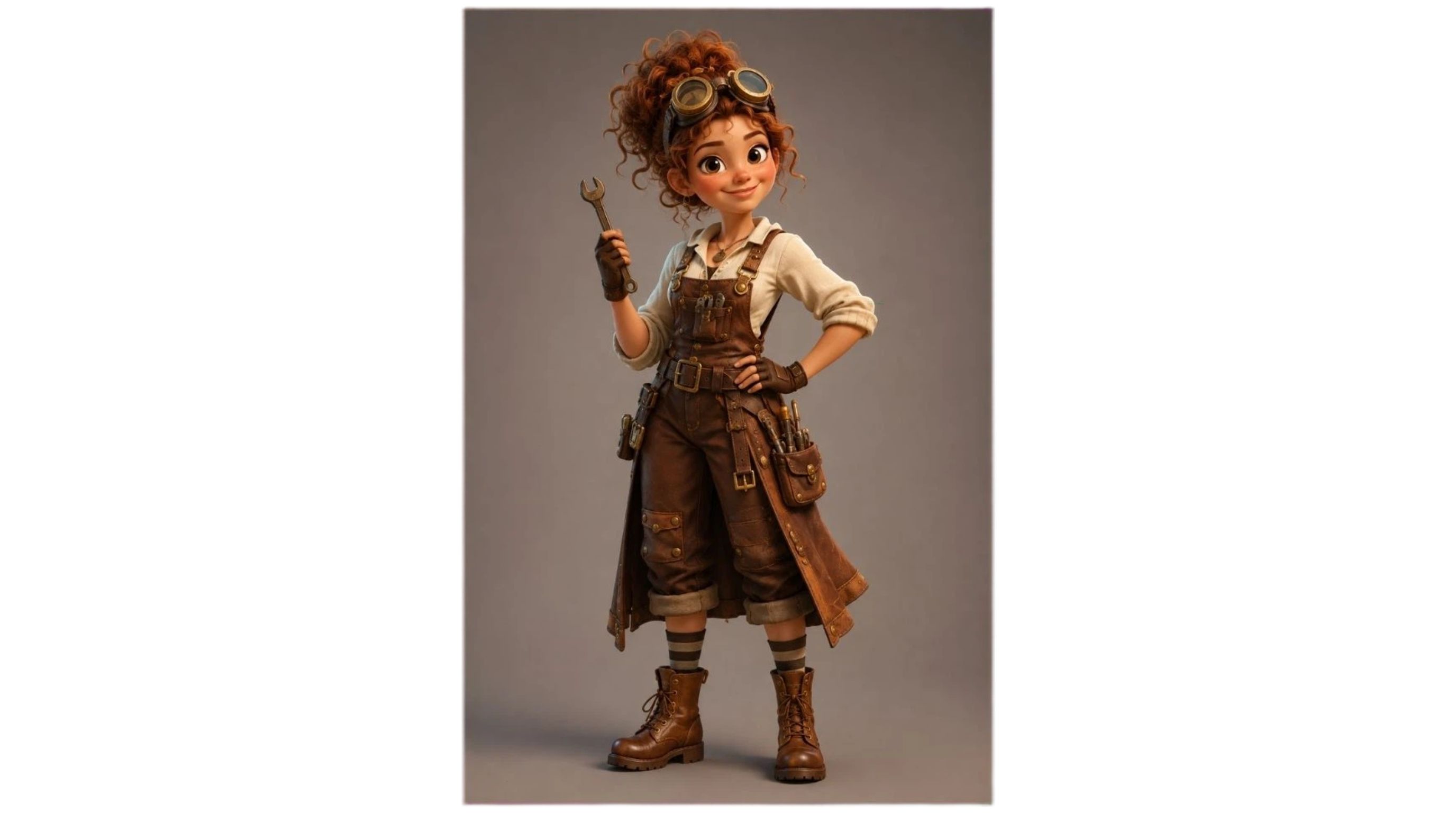
3D Character Design
-
Use case: Designing creative concepts or building game assets.
-
Prompt: "Pixar-style 3D character design. Friendly young female inventor, curly auburn hair, steampunk goggles. Full body shot, highly detailed clothes, solid studio background, premium 3D render, 2:3."
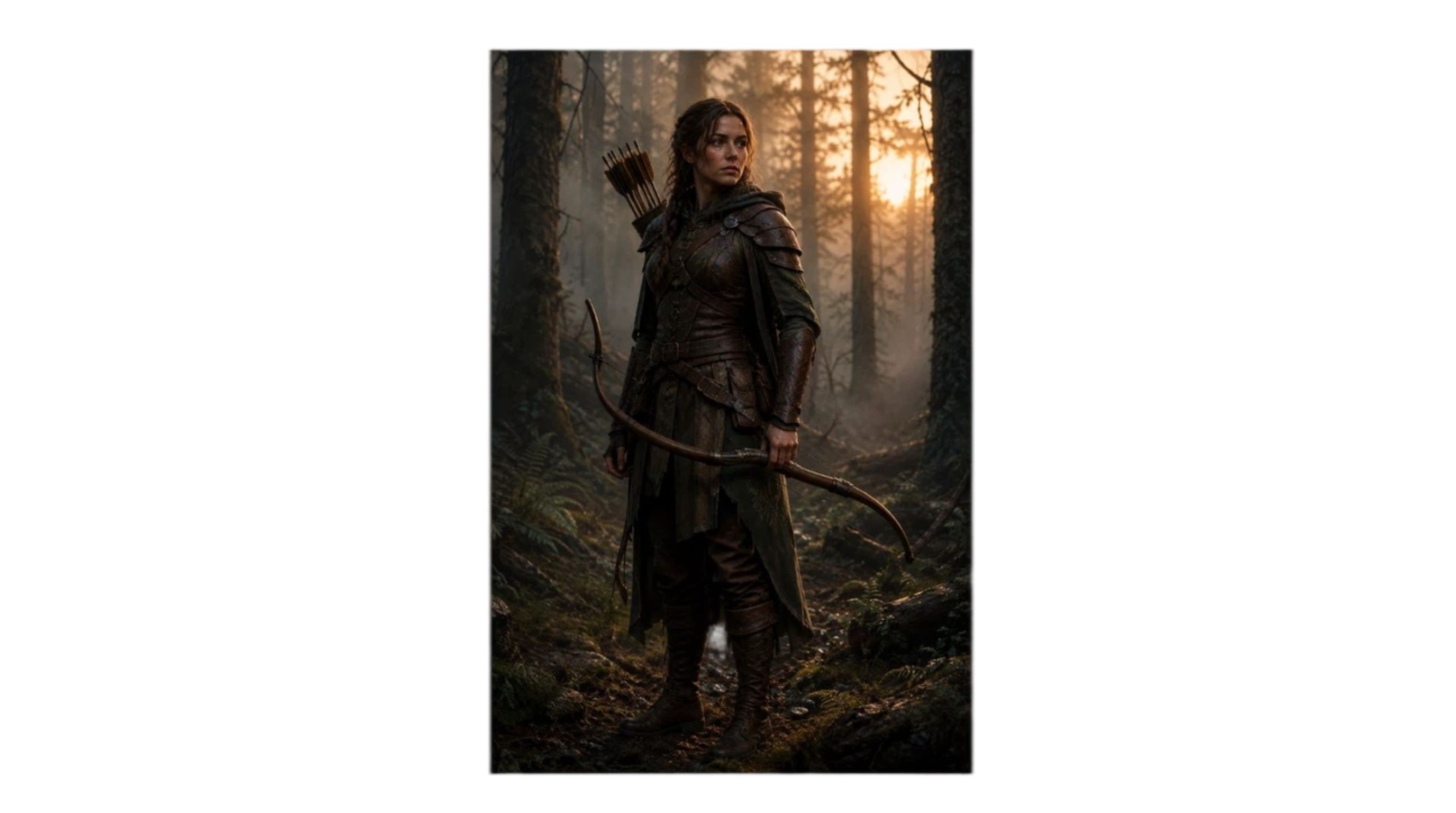
Fantasy Character Concept
-
Use case: Creating storytelling graphics and concept artwork.
-
Prompt: "Semi-realistic forest ranger in intricate leather armor holding a wooden bow. Standing in a foggy woods during sunrise. Cinematic lighting, rich material textures, classic fantasy concept art, 2:3."
Prompts for Photo Editing
Generative AI is not just for making things from thin air. You can use it to fix or alter photos you already have. For a professional workflow, these Nano Banana prompts for photo editing are built to change specific parts of an image while preserving the core details. Using a dedicated AI photo editor makes this process incredibly smooth.
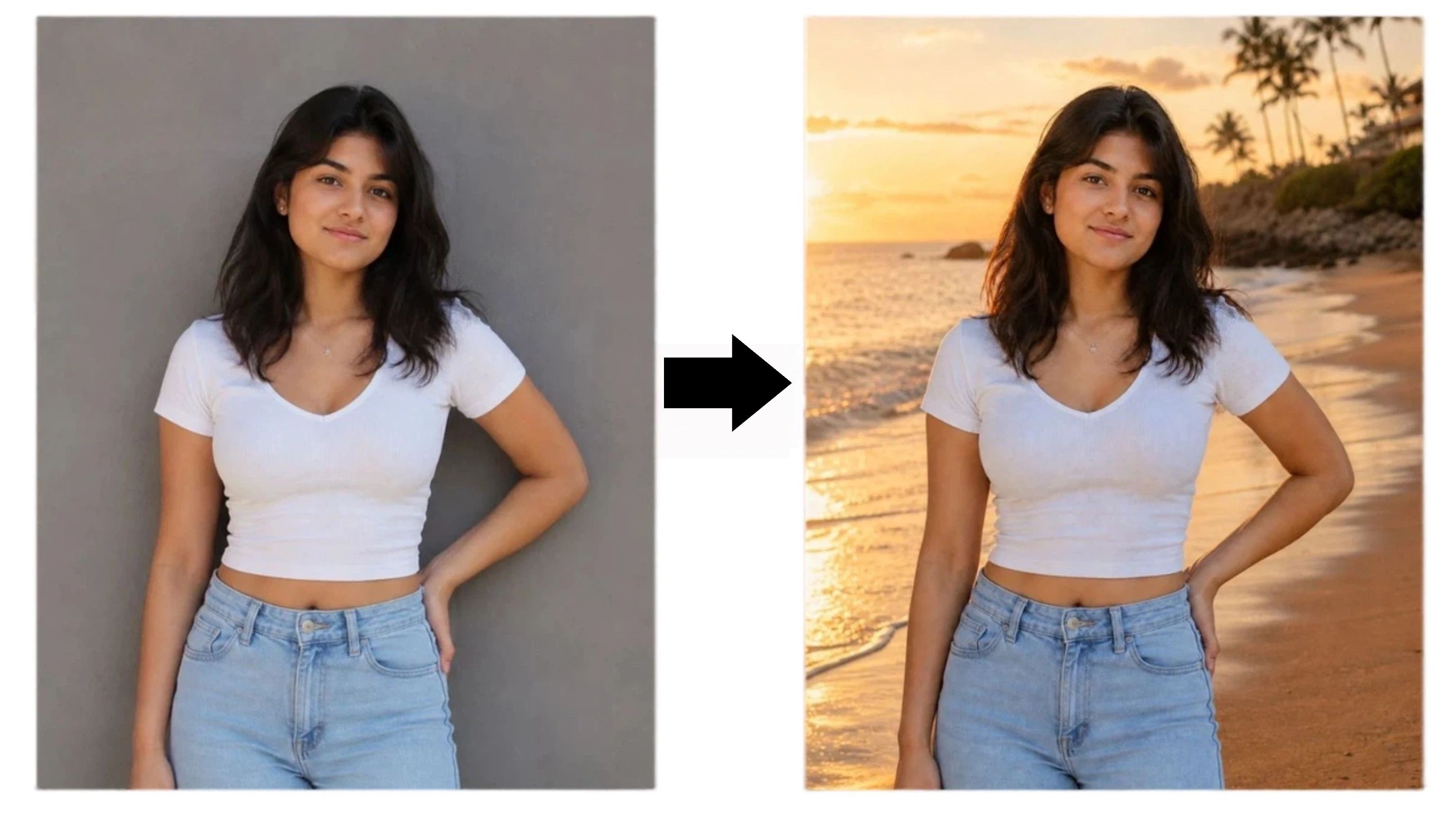
Golden Hour Background Replacement
-
Use case: Travel content and lifestyle updates.
-
Prompt: "Edit this photo by replacing the background with a beautiful beach scene during golden hour. Keep the person, clothing, pose, and facial features unchanged. Match the new lighting with the original subject and create a realistic photography result."
Object Removal and Image Cleanup
-
Use case: Erasing distractions from product shots.
-
Prompt: "Edit this image by removing the unwanted objects in the background. Keep the main subject unchanged, preserve natural shadows and textures, and make the edited area blend naturally with the surrounding environment."
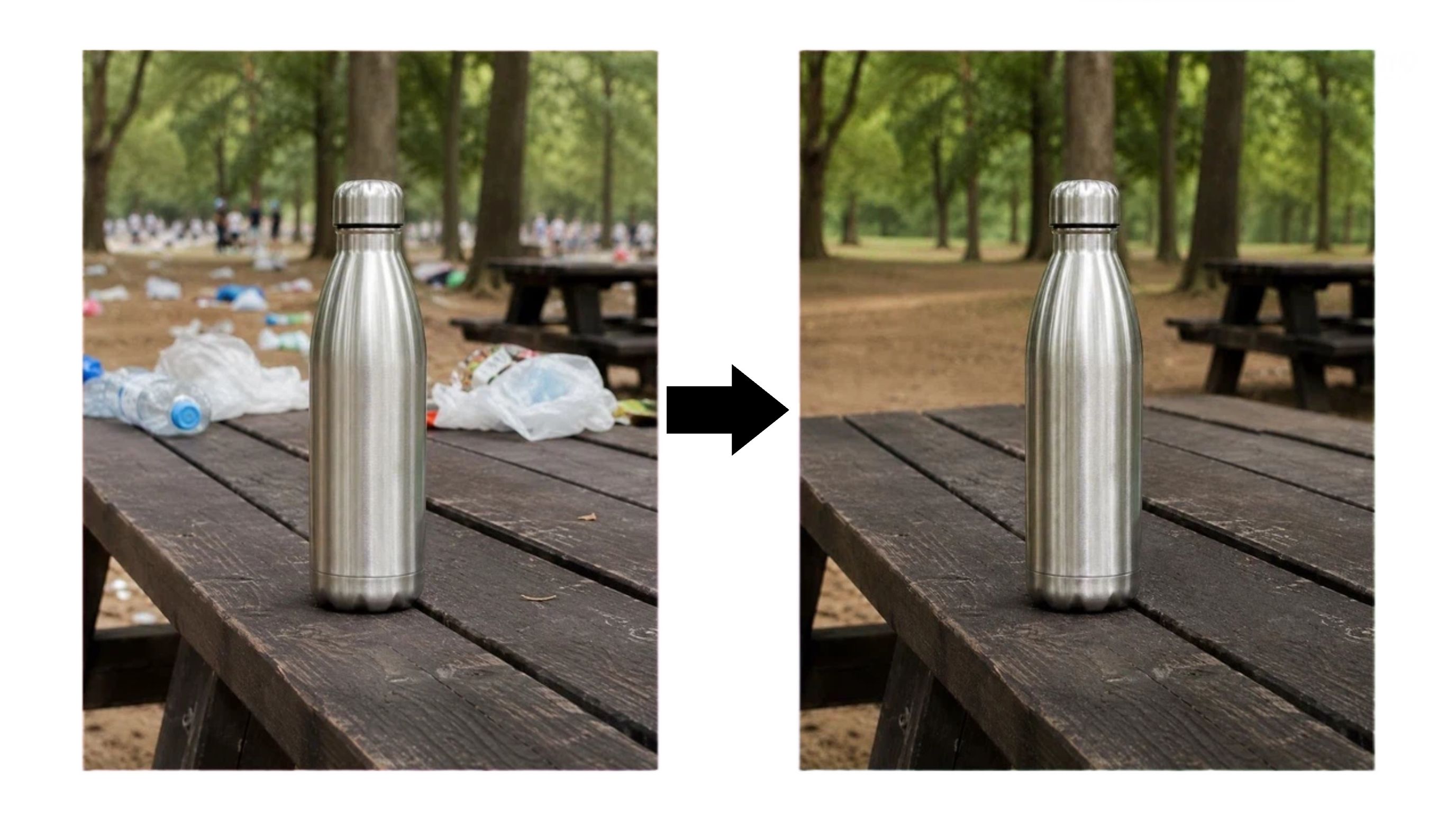
Old Photo Restoration
-
Use case: Fixing damaged archives.
-
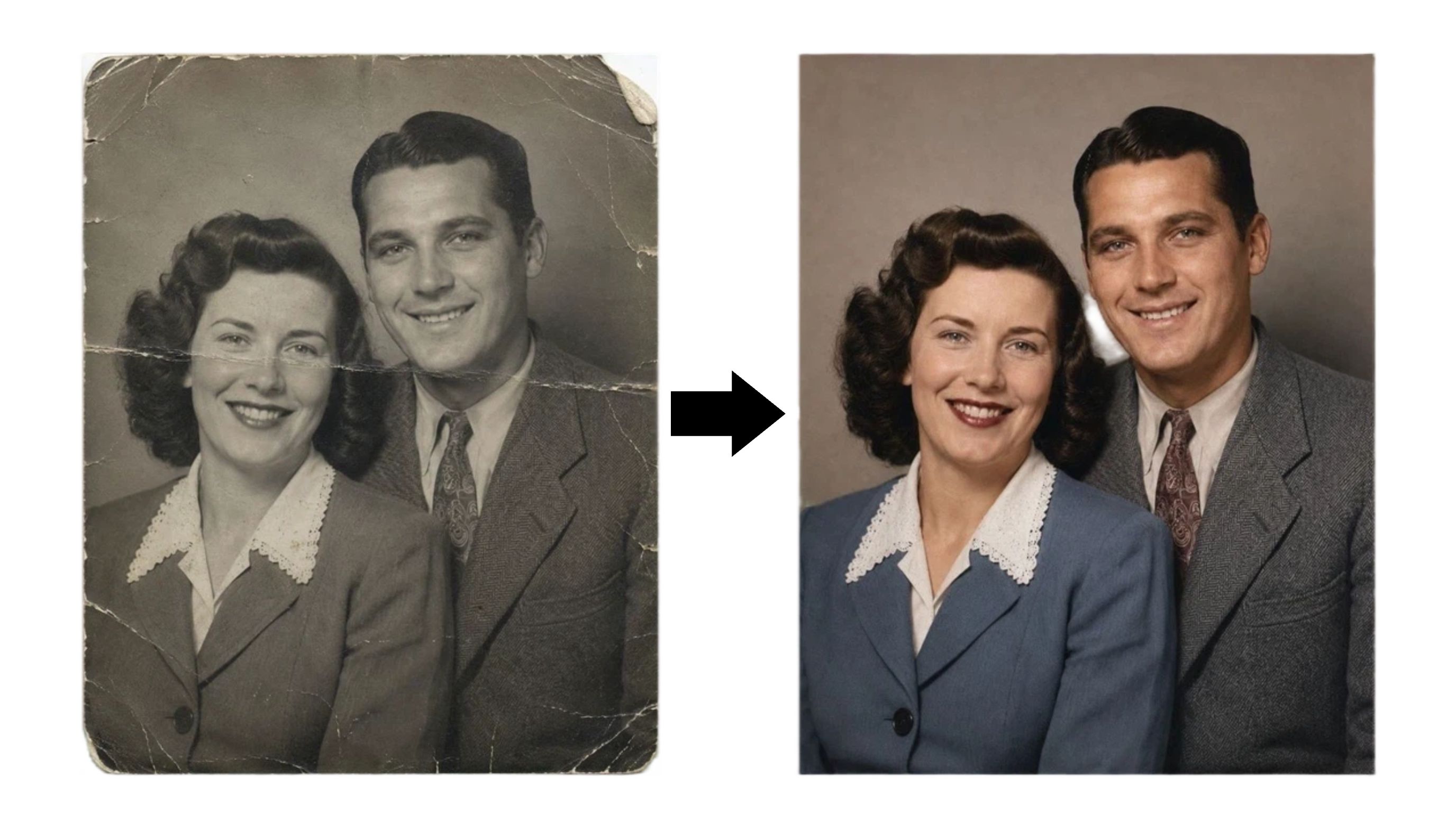
Prompt: "Restore this old damaged photo by removing scratches, repairing faded areas, improving sharpness, and adding natural colors. Preserve the original faces, expressions, and historical details while keeping the image realistic."
Outfit Change Prompt
-
Use case: Updating professional portraits.
-
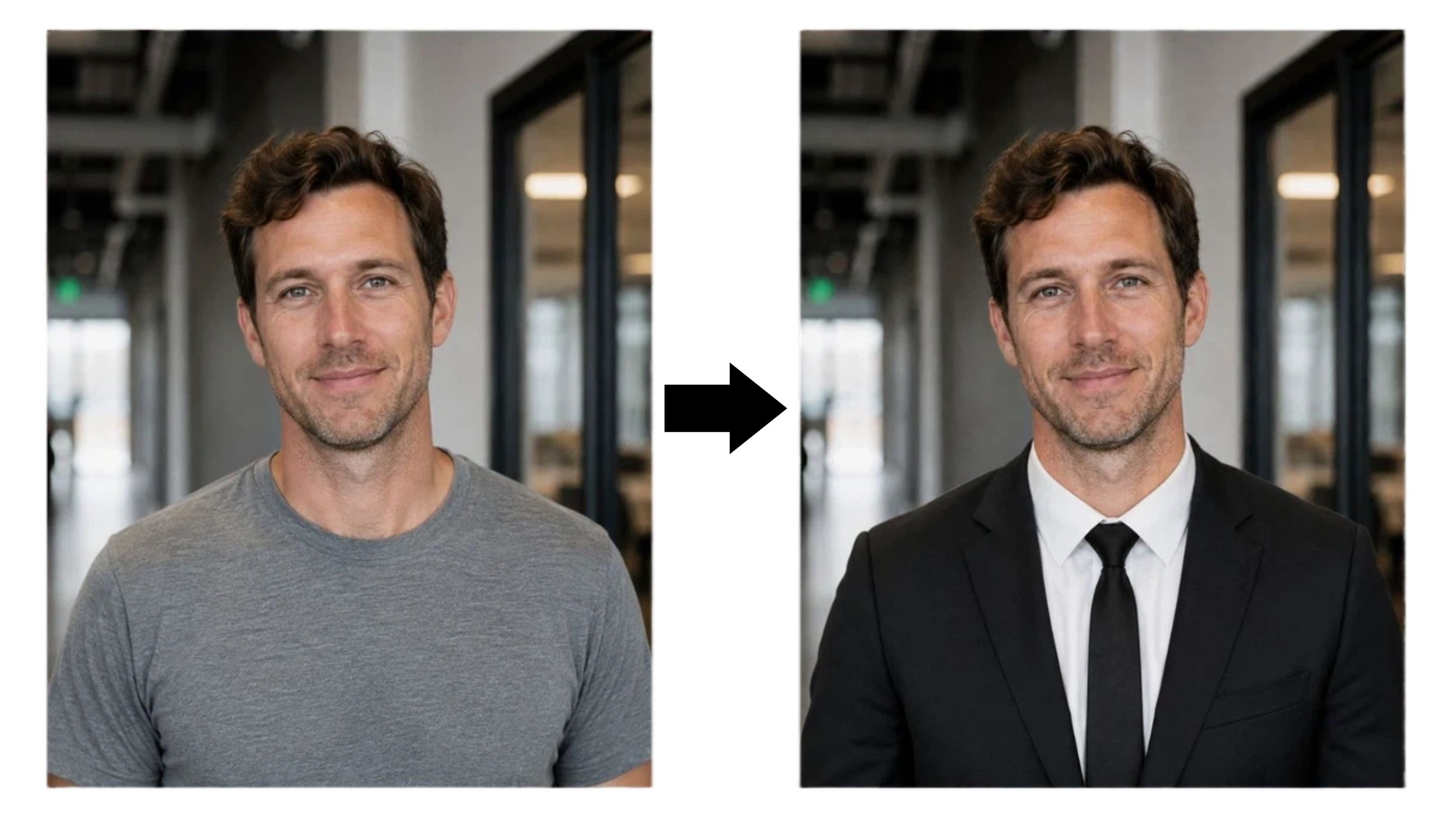
Prompt: "Edit this photo by changing the outfit into a professional black suit. Keep the person's face, hairstyle, body position, and background unchanged. Maintain realistic fabric texture, natural shadows, and matching lighting."
Lighting Enhancement Prompt
-
Use case: Fixing dull photos.
-
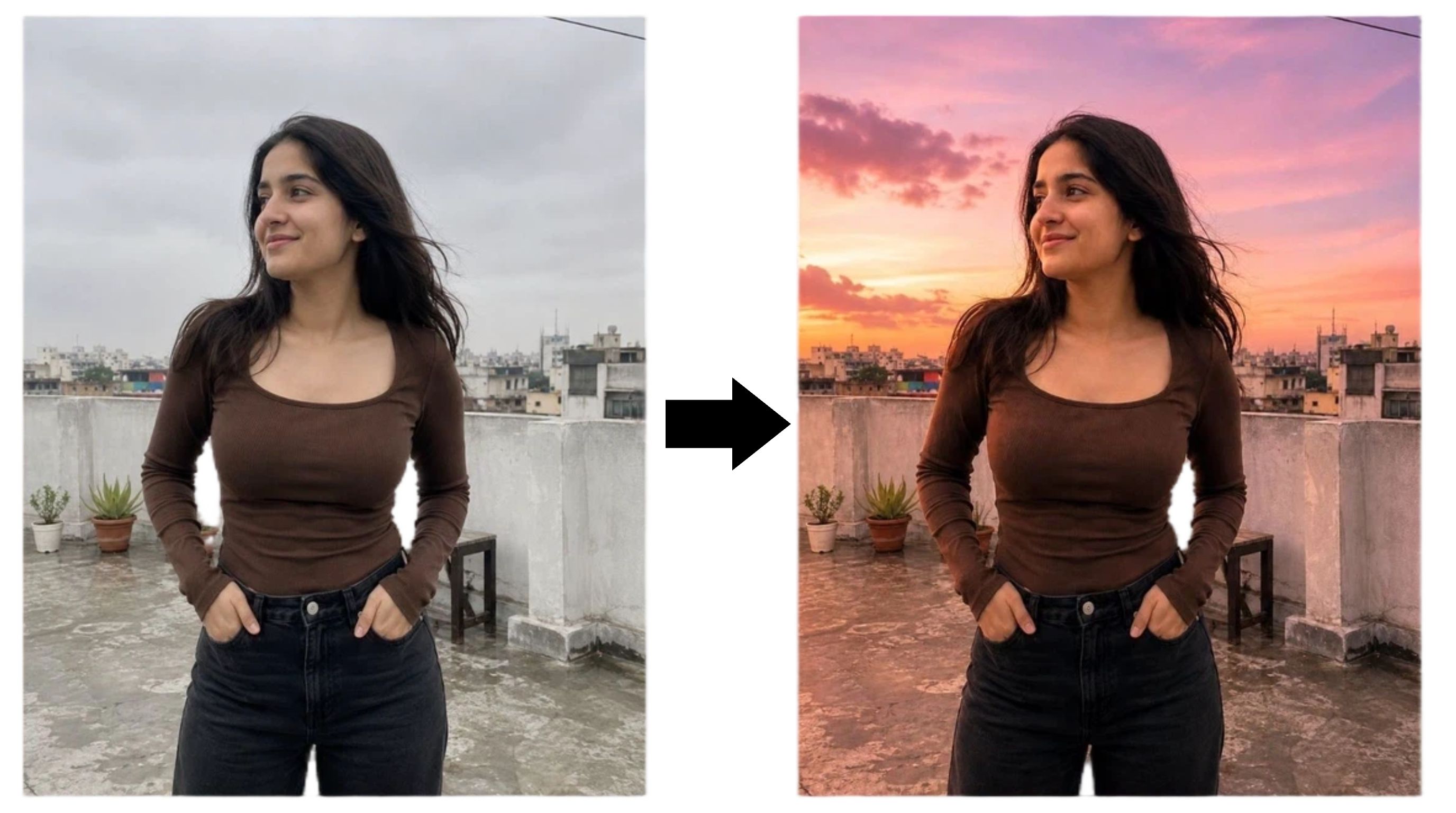
Prompt: "Edit this photo by creating a warm sunset atmosphere with soft pink and purple tones. Improve the lighting while keeping the subject, composition, and original details unchanged. Make the result look like professional photography."
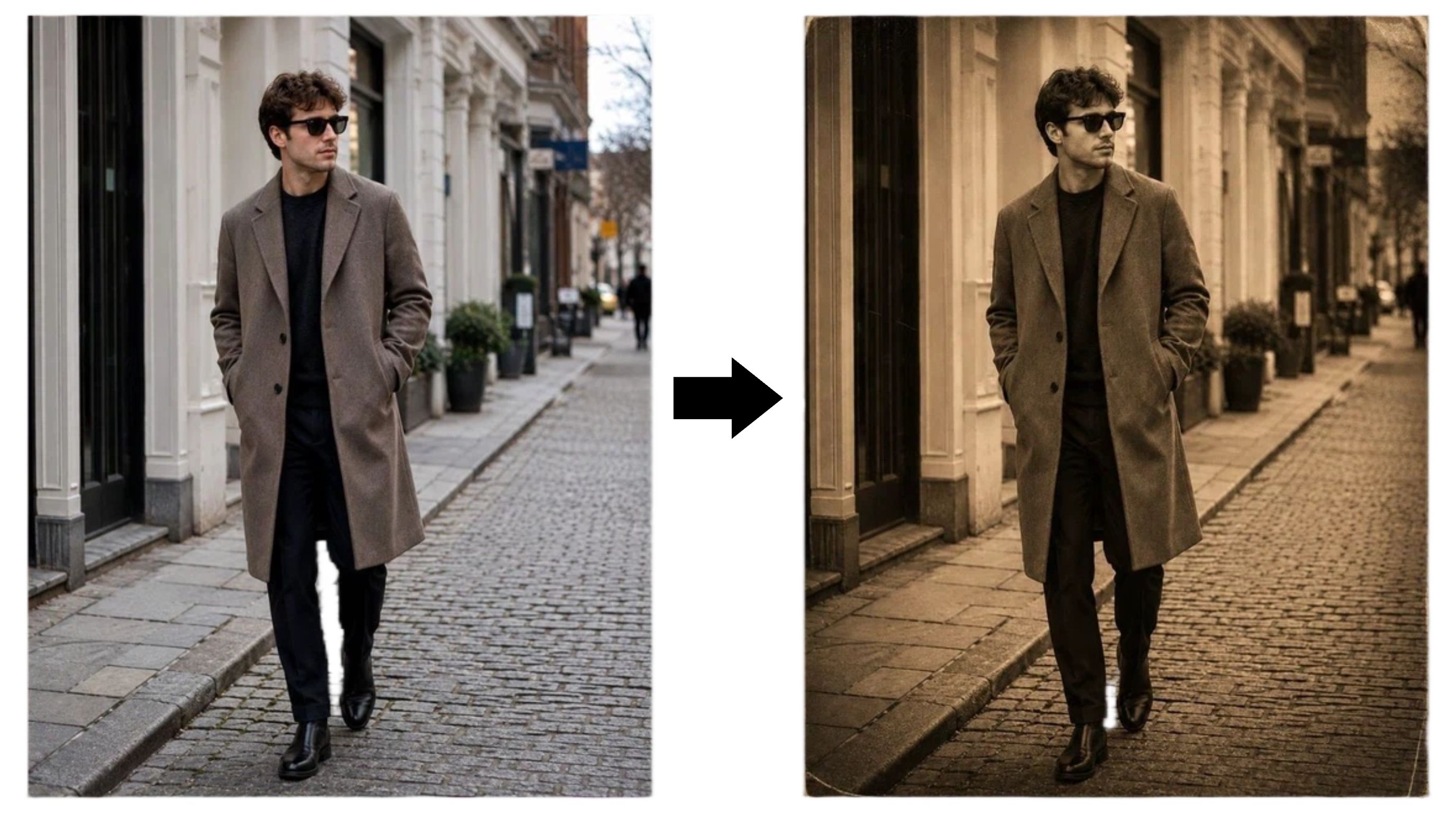
Vintage Photo Style Transformation
-
Use case: Creating retro social campaigns.
-
Prompt: "Transform this image into a vintage 1920s photography style with warm sepia tones, subtle film grain, and authentic old-camera effects. Preserve the original composition and important details."
Face Swap Prompts
Swapping identities is a powerful trick for localized marketing or testing different model demographics. A good Nano Banana face swap prompt guarantees the facial structure maps correctly onto the new body.
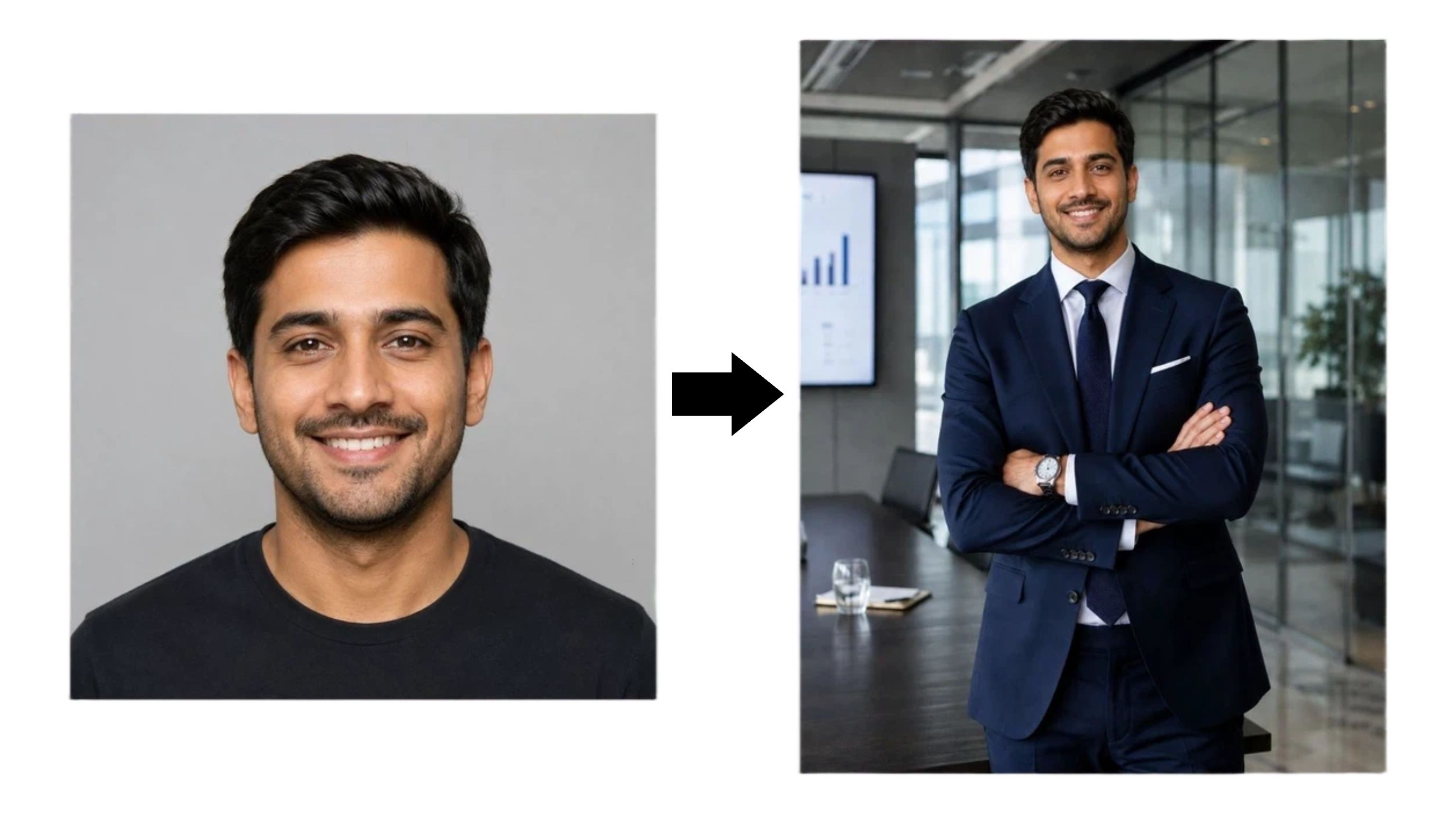
Professional Identity Transfer
-
Use case: Updating team directories without a new photoshoot.
-
Prompt: "Use the face from Image 1 and place it onto the person in Image 2. Preserve the original facial features, eye shape, skin texture, and identity. Adjust lighting, shadows, and color tones to create a realistic professional portrait."
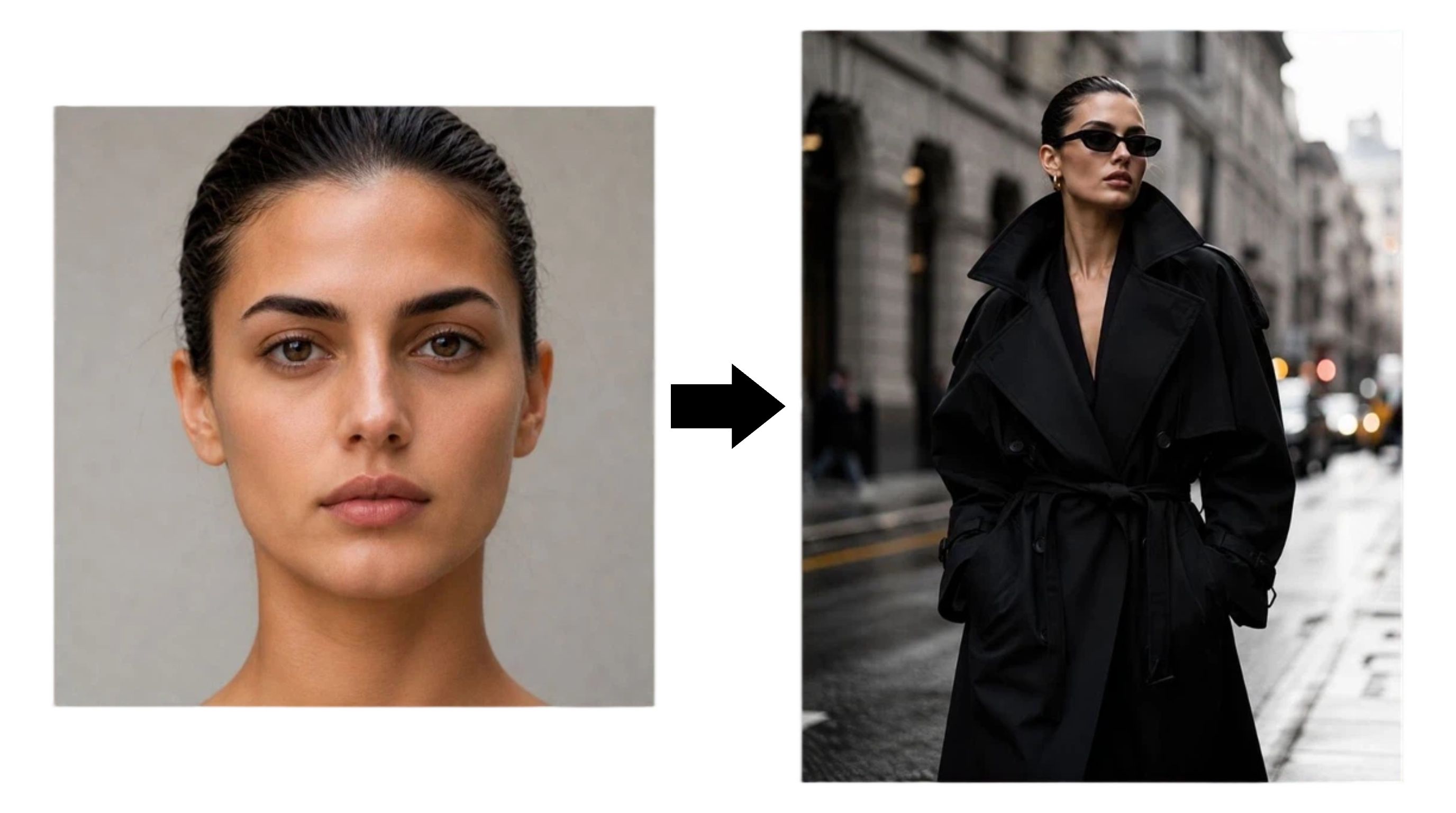
Editorial Fashion Face Swap
-
Use case: Testing fashion concepts.
-
Prompt: "Transfer the facial identity from Image 1 onto a fashion model wearing a modern designer outfit. Keep the person's recognizable facial features, natural skin texture, and realistic proportions. Create a high-end editorial fashion photograph."
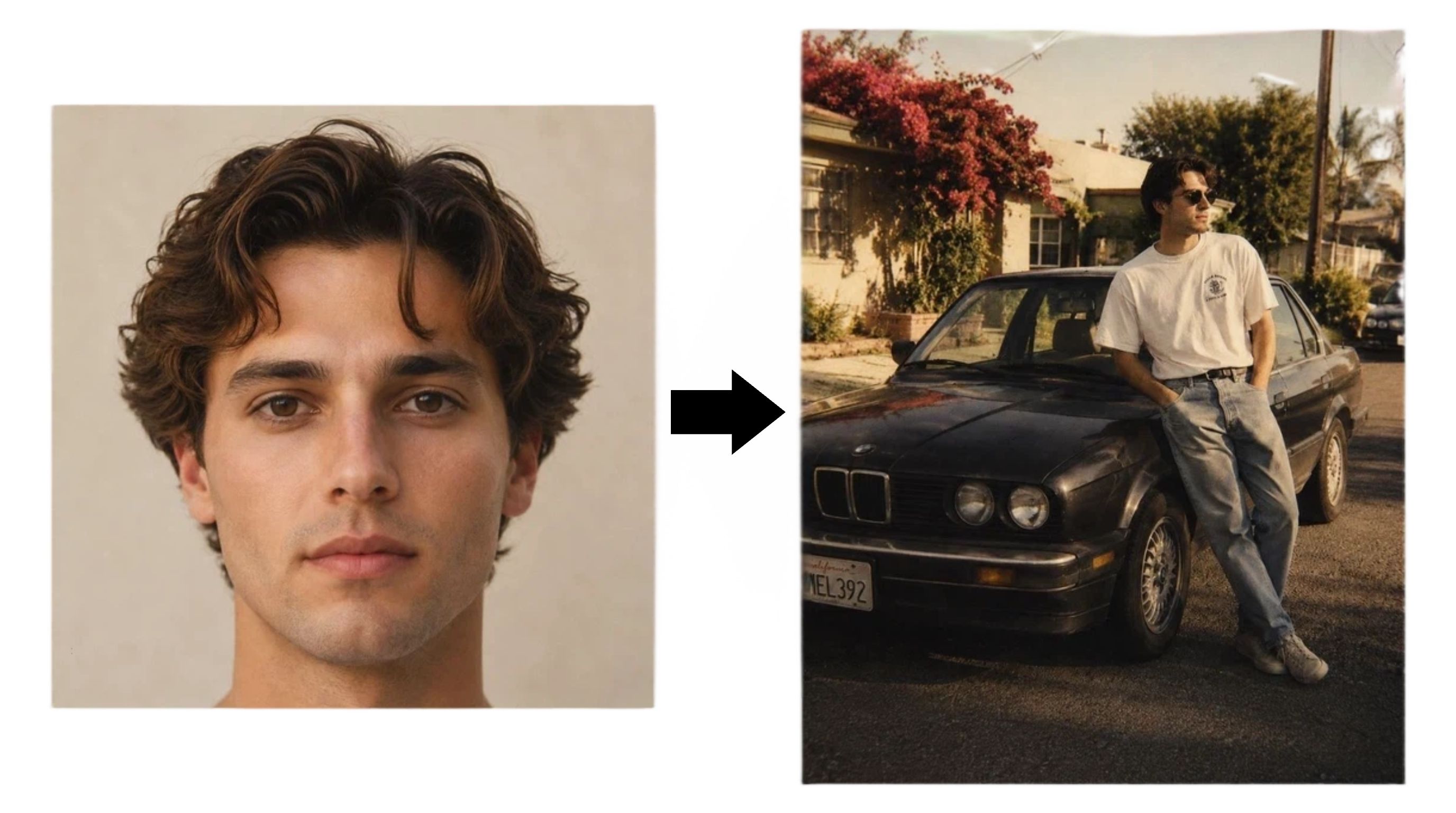
Vintage Polaroid Face Swap
-
Use case: Engaging social media trends.
-
Prompt: "Place the face from Image 1 into a vintage 1990s Polaroid-style photo. Keep the facial identity accurate, add realistic film grain, slightly faded colors, and authentic retro photography details."
Logo Design Prompts
While an AI will not replace a senior brand designer, it is amazing for rapid concept generation. A reliable Nano Banana logo prompt focuses on basic geometry and clean lines, so the output is usable as a vector starting point.
Minimal Lettermark Logo
-
Use case: Rapid brand identity testing.
-
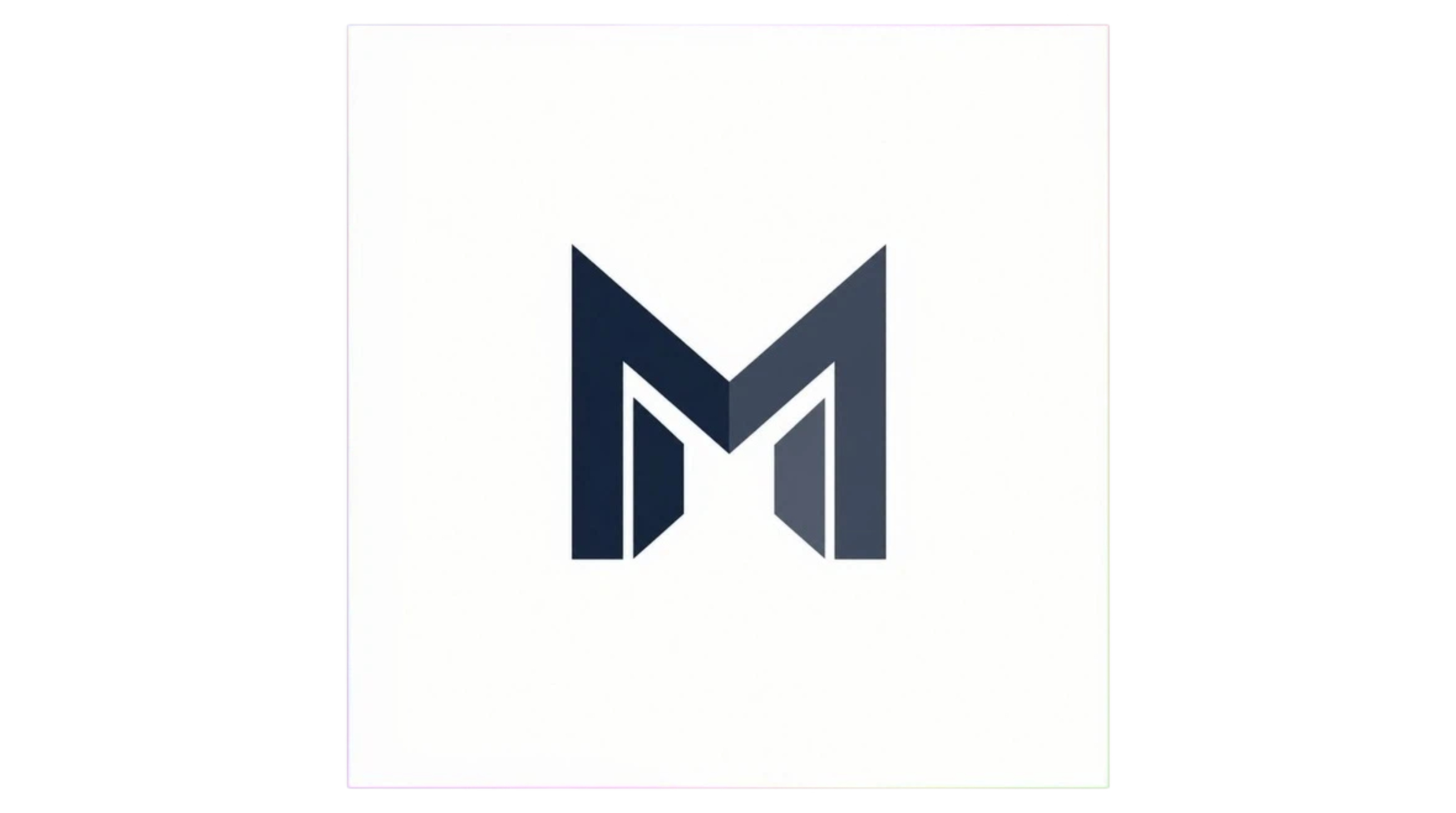
Prompt: "Create a minimalist letter M logo using geometric shapes and clean lines. Modern brand identity style, balanced proportions, scalable vector appearance, white background, simple and professional design."
Modern Tech Logo
-
Use case: Startup visuals.
-
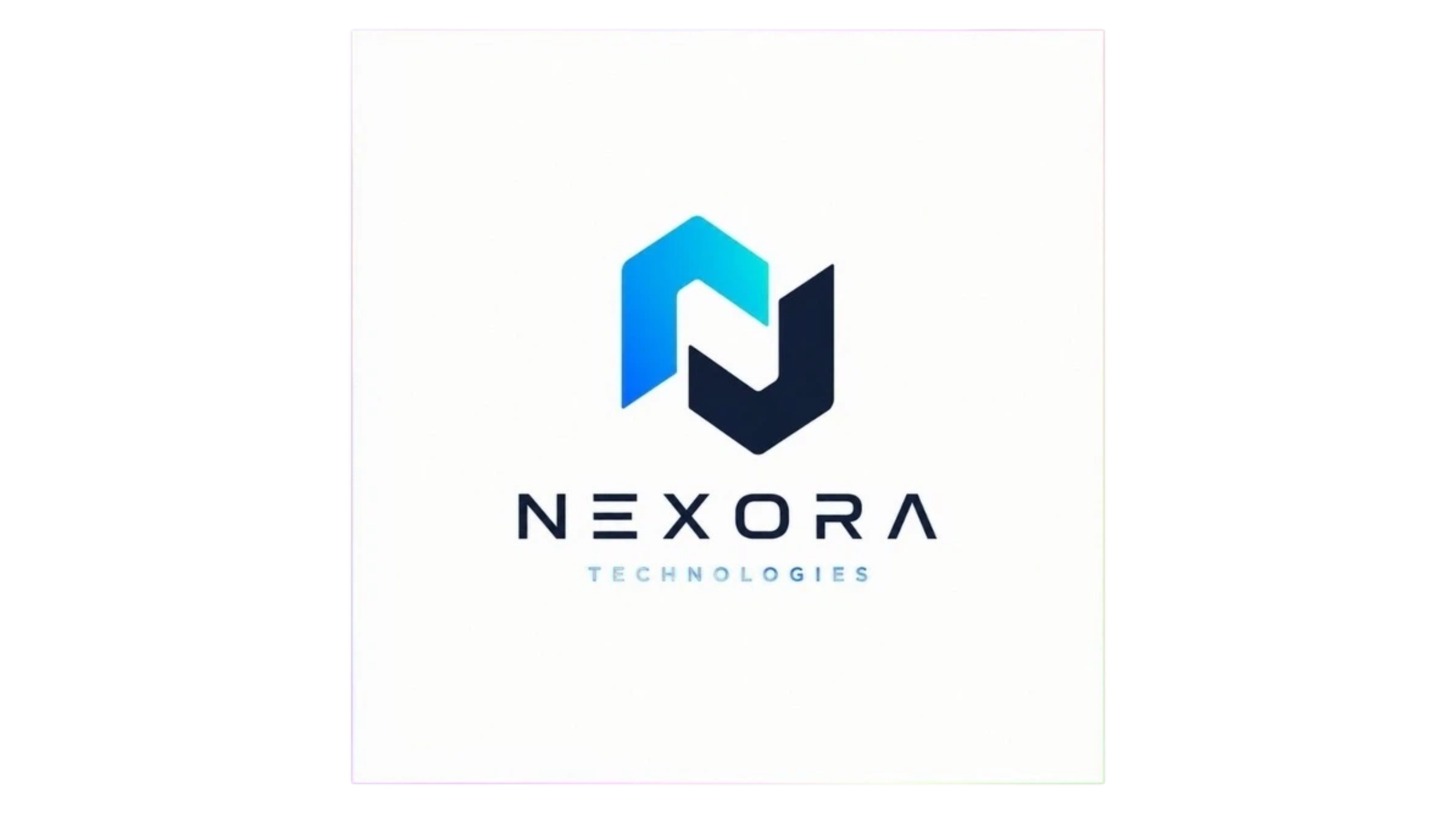
Prompt: "Design a modern technology company logo featuring a simple abstract symbol, clean geometric structure, futuristic but professional style, balanced spacing, flat vector design, white background."
Mascot Logo Design
-
Use case: Community or app branding.
-
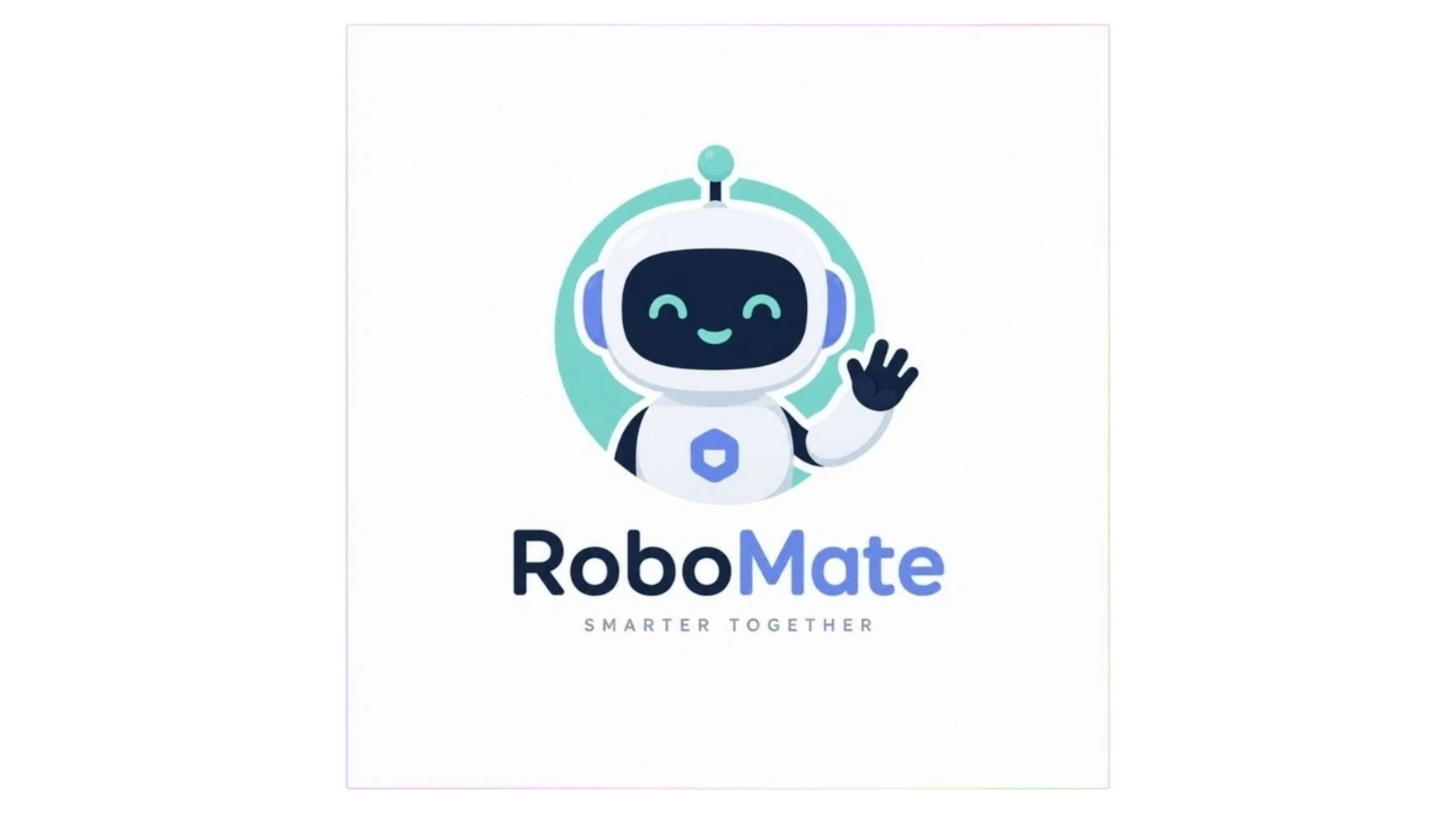
Prompt: "Create a friendly robot mascot logo with rounded shapes, simple facial features, pastel colors, clean vector illustration style, suitable for a modern technology brand."
Product Image Prompts
If you want your e-commerce assets to actually convert, the secret is in the details. Producing flawless nano banana pro images requires telling the engine exactly how light hits the product and what the surrounding environment looks like. Using a product photography generator alongside these prompts allows you to build hundreds of listing variants in minutes.
Luxury Skincare Product Photography
-
Use case: Beauty labels and cosmetic store listings.
-
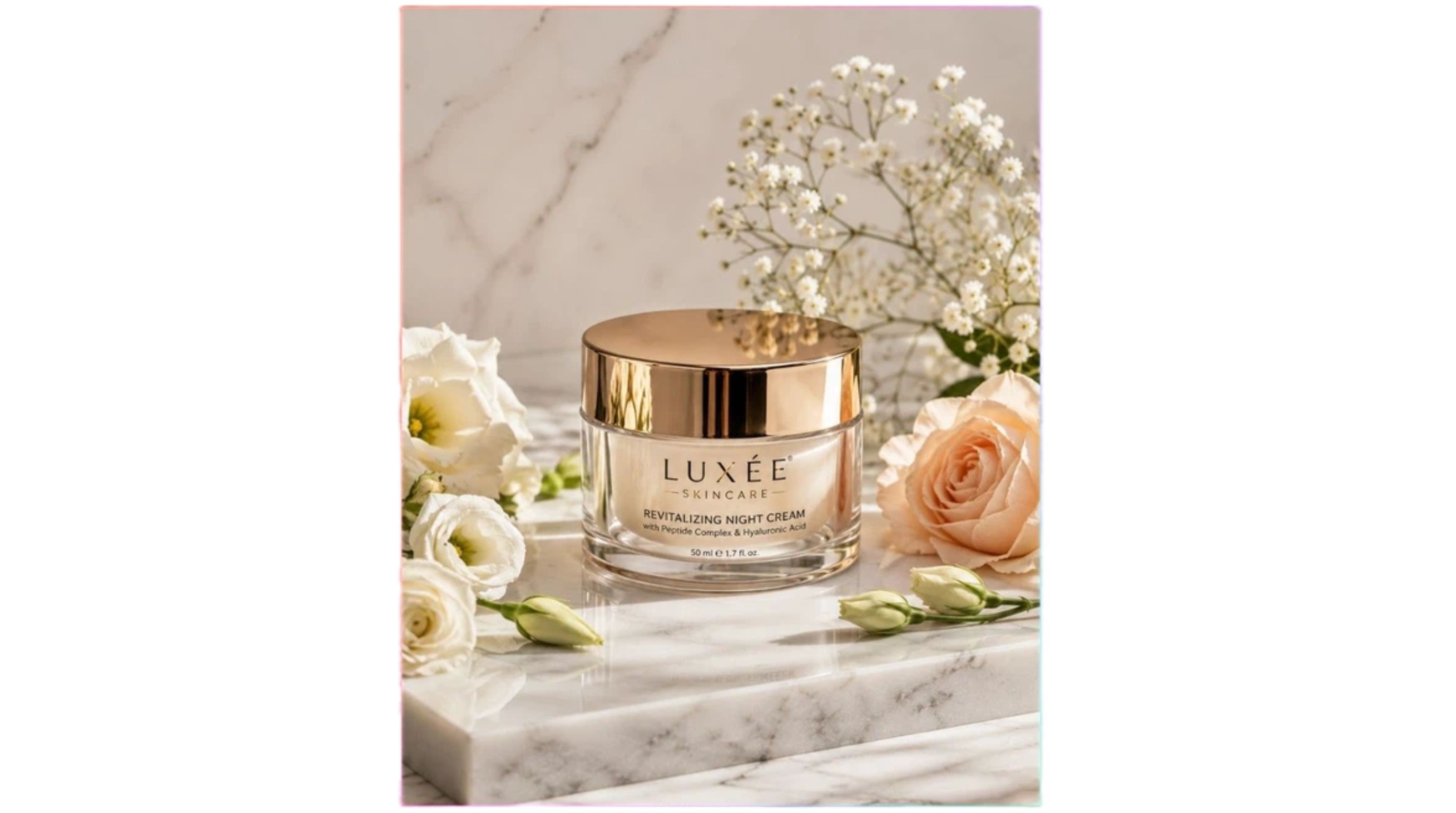
Prompt: "A high-end skincare jar resting on a polished marble slab. Place soft natural flowers around the item. Use premium beauty product photography and elegant studio lighting. Include realistic glass reflections against a clean background in a high-end commercial style, 4:5."
Coffee Product Advertisement
-
Use case: Food and beverage marketing campaigns.
-
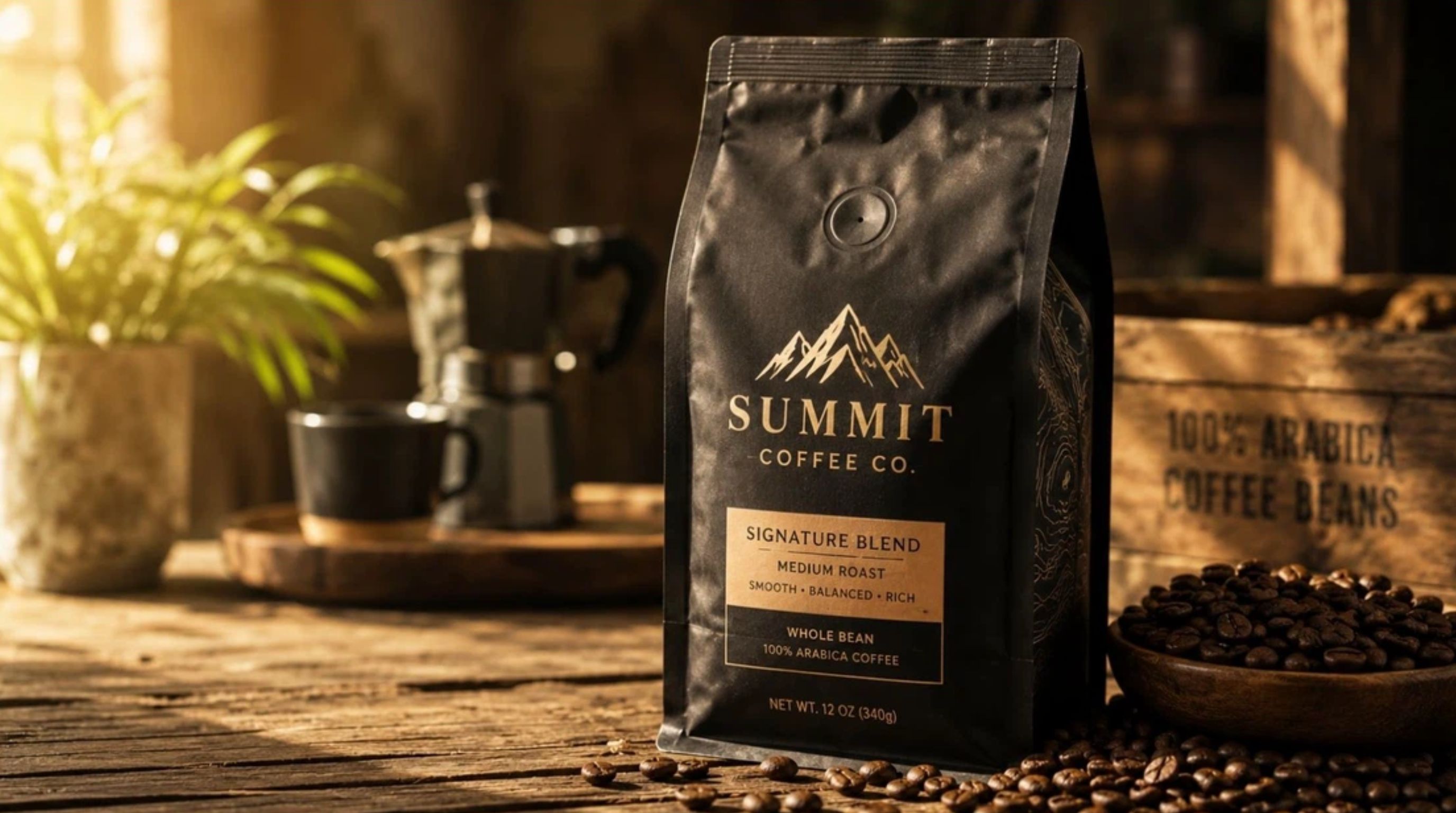
Prompt: "A premium bag of coffee sitting on a rustic wooden table, scattered roasted coffee beans nearby. Apply warm morning sunlight to create a cozy lifestyle vibe. Realistic product photography focusing on detailed packaging textures, commercial ad style, 16:9."
Outdoor Apparel Product Scene
-
Use case: Activewear catalogs and outdoor gear promos.
-
Prompt: "A rugged pair of hiking boots resting on a mountain dirt trail at sunrise. Use realistic outdoor photography to highlight detailed leather textures under natural light. Shoot in an adventure lifestyle advertising style using a wide-angle lens, 16:9."
Jewelry Product Photography
-
Use case: Luxury jewelry marketing materials.
-
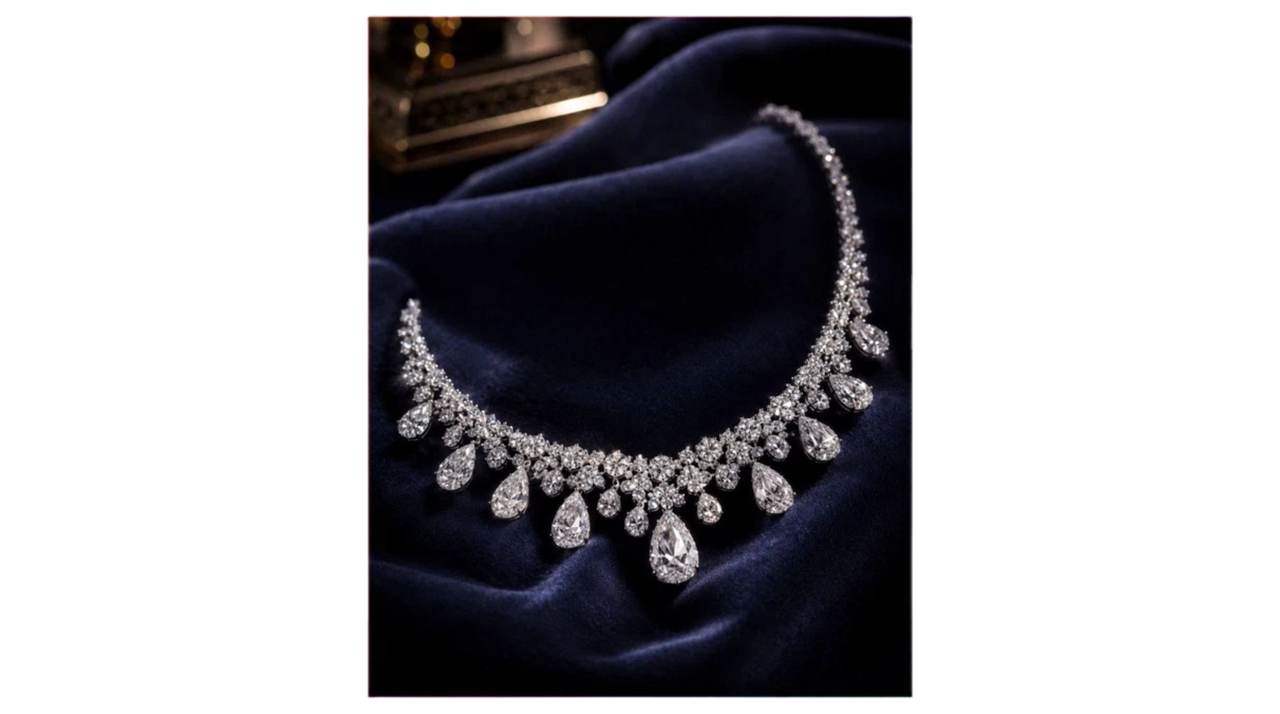
Prompt: "A sparkling diamond necklace laid out on dark velvet. Apply elegant studio lighting to capture realistic gemstone reflections. Shoot this like luxury jewelry advertisement photography with a shallow depth of field and a premium editorial finish, 4:5."
How to Get More Consistent Results
Even experienced marketers struggle with AI hallucinations. If you are writing a Nano Banana 2 prompt, try these formatting tweaks to force the model to behave.
Describe the Main Subject First
Always drop the most critical element at the start of your sentence. If you are selling a water bottle, write about the bottle before you describe the gym background.
Explain What Should Stay the Same in Editing Tasks
You have to set boundaries. Tell the AI exactly what features must remain identical so it does not accidentally change your product's logo or shape during an edit.
Use Specific Visual Descriptions
Words like "stunning" or "beautiful" are useless to a machine. Swap them out for concrete photography terms like "macro lens," "volumetric lighting," or "matte finish."
Include the Final Image Format
Put the aspect ratio at the very end of your text. Adding "16:9" or "4:5" helps the AI plan the spatial layout properly before it starts drawing.
Generate Images in Your E-Commerce Workflow
Your Nano Banana image prompts are only as good as the workflow they live inside. Generating a single image is cool, but real e-commerce work requires turning that single concept into a complete, multi-size ad set.
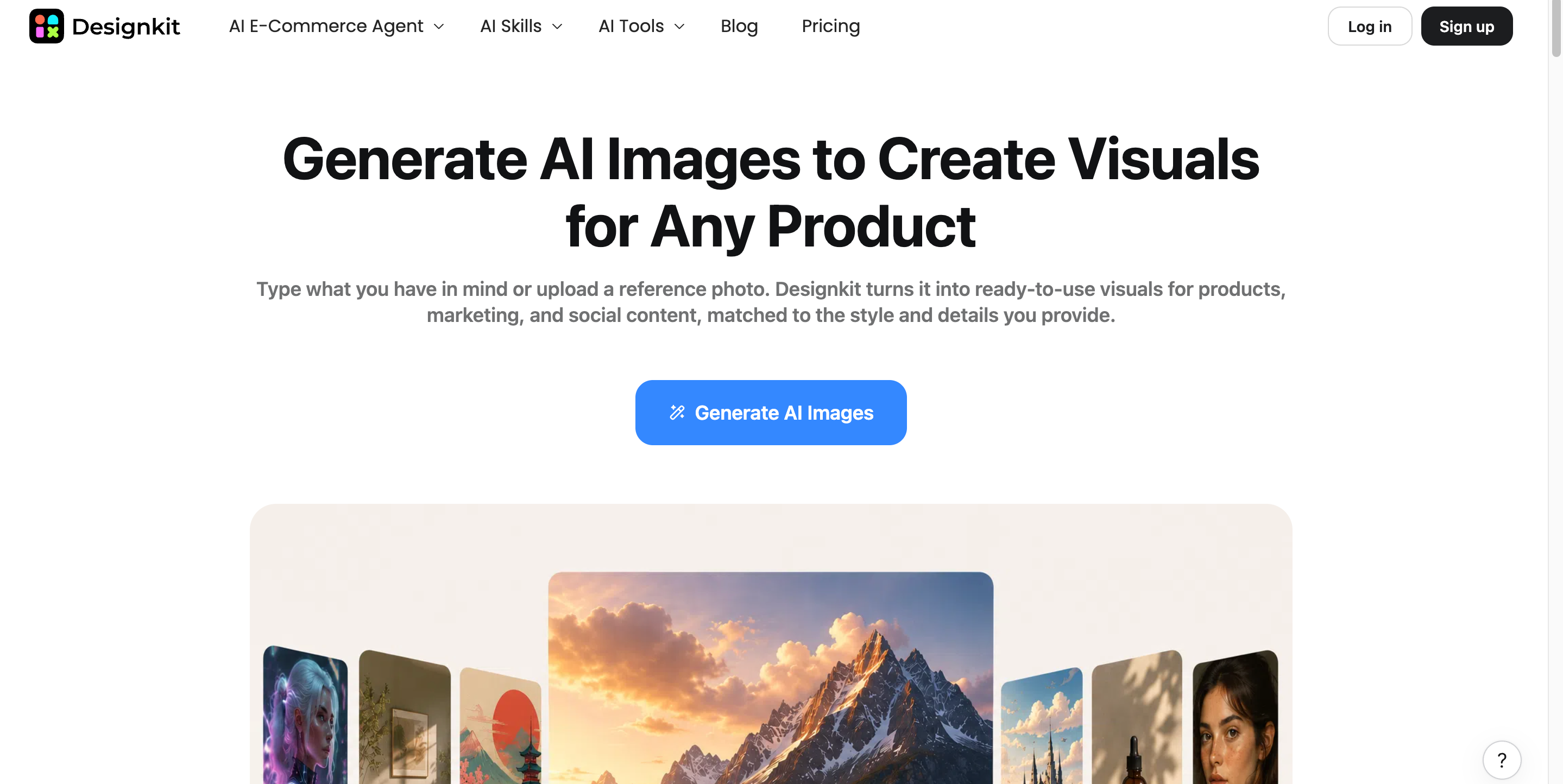
Designkit connects top-tier AI models directly to your marketing pipeline. It allows you to take these prompts and scale them. Whether you are spinning up fresh lifestyle scenes or editing existing photos, plugging into an AI image generator helps turn your descriptions into ready-to-publish assets.
How to Create AI Visuals With Designkit
Follow this workflow to turn a simple product shot into a multi-size ad set.
Step 1: Choose Nano Banana Model and Add Your Prompt
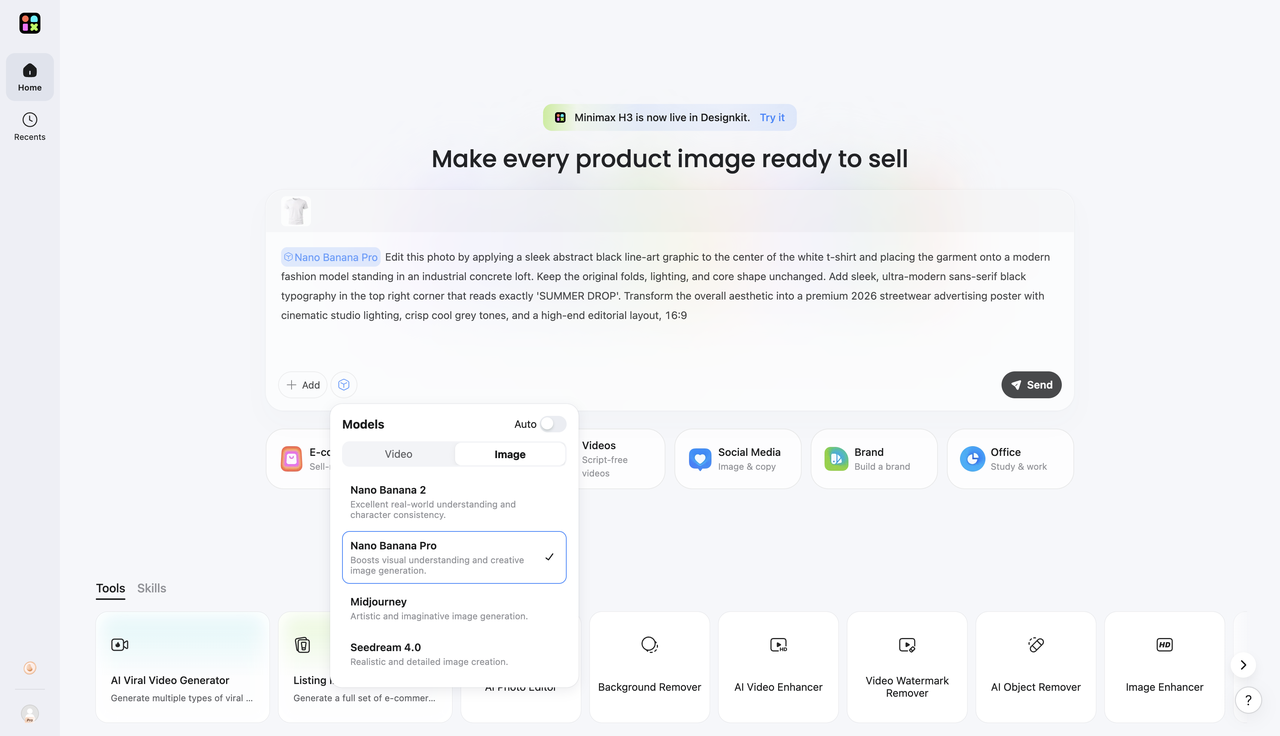
From the main dashboard, click + Add inside the prompt box to upload your product photo. Next, click the model selection icon to open the Models menu, select the Image tab, and choose Nano Banana Pro or Nano Banana 2. Type your detailed instructions into the text area, then click Send to generate your visuals.
Step 2: Generate and Refine Your AI Image
After submitting, the agent automatically takes over the task. The AI processes your specific image constraints and visual requirements to generate a custom visual perfectly tailored to your specifications.
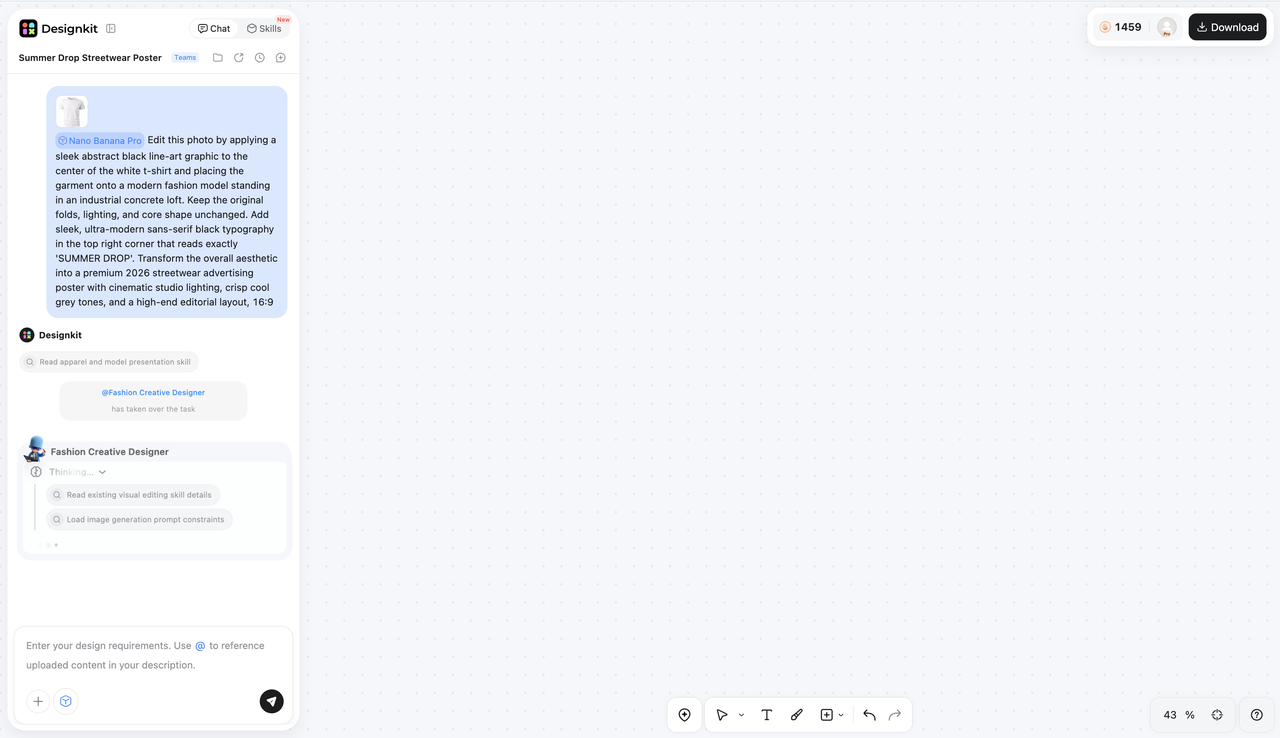
Step 3: Download or Continue Creating
Preview your generated assets directly on the interface. Once you are happy with the results, select the layouts you need for different platforms and click the Download button at the top right. You will instantly get high-quality, channel-ready files perfectly sized for your e-commerce stores, marketplaces, and ad campaigns.
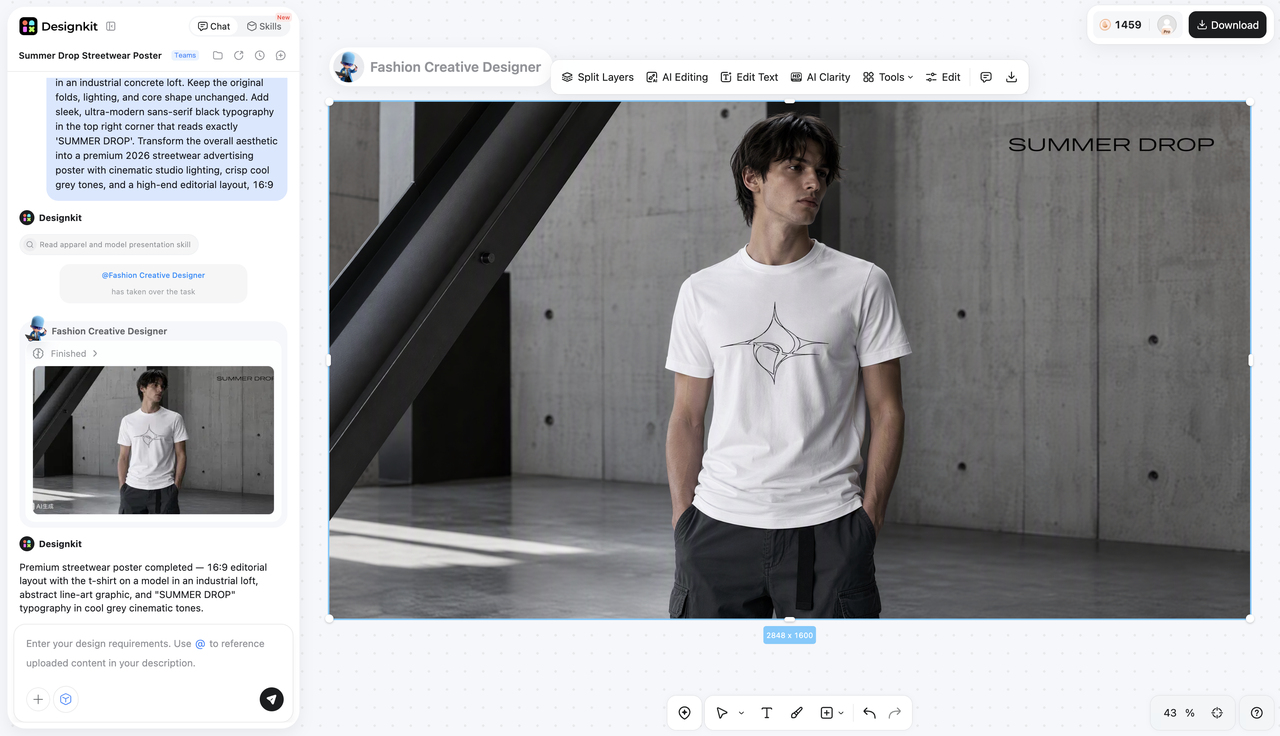
Explore Alternative AI Models for Your Workflow
While Nano Banana 2 and Nano Banana Pro are powerful choices for many image generation tasks, different AI models have different strengths. Designkit puts multiple AI models in one workspace, letting you quickly compare outputs and run A/B tests to find the perfect look.
Seedream 5.0 Pro
This high-end model excels at rendering high-definition commercial photography with lifelike textures and studio lighting. It is ideal for e-commerce hero shots and detailed listing images where absolute sharpness is essential.
GPT Image 2 High
Engineered for deep contextual understanding, this engine follows intricate prompt directions with exceptional accuracy. It is the perfect choice for exacting compositions, specific object placements, or integrating legible typography into your layout.
Midjourney
Known for unmatched artistic flair, this model produces striking, cinematic visuals with rich atmospheric depth. It works best for top-of-funnel brand campaigns and conceptual mood boards that require a bold, stylized look.
Seedream 4.0
This fast, reliable image generator perfectly balances production speed with clean visual quality. It is highly suited for high-volume variant testing and daily social media posts where quick turnarounds matter most.
SeedEdit 3.0
This dedicated image-to-image editing model is built specifically for precise touch-ups and targeted modifications. It allows you to swap backgrounds or update outfits without altering the core structure of your original product asset.
Common Mistakes That Hurt Visual Quality
I see people making the same structural errors all the time. Avoid these habits to keep your outputs looking professional.
Using Vague Adjectives
The AI does not understand subjective opinions. Drop words like "awesome quality." Replace them with "8k resolution" or "sharp focus."
Neglecting Target Aspect Ratios
If you do not specify a ratio, you get a square. Cropping a square into a vertical format for TikTok later usually means chopping off half your product. Define the size upfront.
Contradictory Styles
Asking for a "vintage film polaroid with hyper-realistic 3D graphics" confuses the engine. Pick one distinct visual lane per prompt.
Omitting Lighting Details
Without lighting instructions, the AI guesses. This usually results in flat, plastic-looking images. Always specify where the light is coming from.
Final Thoughts
Writing effective Nano Banana prompts is all about clarity. When you provide exact details about the subject, style, composition, and visual goal, you get usable marketing assets with way fewer revisions.
For operators who want to move faster, bringing these prompts into a unified workspace like Designkit makes a massive difference. It allows you to explore different AI models, edit your images in bulk, and scale your winning creatives across all your e-commerce channels without breaking a sweat.
Frequently Asked Questions
How do I write a good Nano Banana prompt?
Can Nano Banana edit existing photos?
Yes, it can perform highly specific edits like background replacements or outfit changes. You can easily execute these edits by uploading your raw photos into the Designkit dashboard and typing what you want to change.
What is the difference between Nano Banana 2 and Nano Banana Pro?
The Pro version handles complex text rendering and hyper-realistic details better than the base model. Designkit gives you access to multiple advanced models, so you can test which one fits your brand aesthetic best.
Can I turn Nano Banana images into videos?
Yes, you can easily animate generated visuals. Once you create your ideal image inside Designkit, you can seamlessly push it to video generation tools to create dynamic social media clips.
Can I use the same Nano Banana prompt in Midjourney or other AI models?
You can, but the results will vary based on how each engine interprets language. Because Designkit houses multiple models in one place, you can paste your prompt once and generate variants across different engines to find the absolute best result.
You May Also Like
Remove.bg Shutting Down Dec 1, 2026: What Users Are Saying

7 Best Remove.bg Alternatives in 2026: Free & Paid Tools

Instagram Carousel: What It Is, How to Post & Create One

Nano Banana Prompts: 20+ Examples for Better AI Images

Ideogram AI Review 2026: Features, Pricing & Alternatives

Free Mac Photo Editor: 5 Tools Compared for Mac Users

How to Crop a Photo Into a Circle Online (Keep Quality)

How to Make an Image Transparent Online (AI Guide)

Pixlr Background Remover Review 2026: Features, Pricing & Alternatives

How to Fix Overexposed Photos: Recover Highlights Fast

OpenArt AI Review 2026: Features, Pricing & Alternatives

Best AI Headshot Generator: 9 Tools Compared for 2026

Best Stencil Maker Tools 2026: Turn Photos Into Stencils

Pixelbin Watermark Remover Review: Image & Video Results Tested

How to Make a Sticker on iPhone: Easy Step by Step Guide

Best AI Logo Generator in 2026: 10 Tools Compared

How to Turn a Photo Into a Cartoon: A Beginner-Friendly Guide

Landscape vs Portrait: Key Differences & Best Uses in 2026

How to Remove Watermark From Photo: AI, Photoshop & More

How to Fix Pixelated Photos: Photoshop, AI Tools & Tips

Bing Image Creator: How It Works, Features, Uses & Alternatives

How to Remove People from Photos with AI: A Step-by-Step Guide

How to Increase Image Resolution: AI, Photoshop & PPI

How to Add Text to a Photo: 8 Tips for Better Results

How to Fix Grainy Photos: Easy Ways to Clear Images

Creative Profile Picture Ideas for Every Style and Platform

Evoto AI Review 2026: Features, Pricing, Pros & Cons

Pixlr Photo Editor Review: Features, Pricing & Alternatives

Best AI Image Extender Tools in 2026: Expand Photos with AI

How to Make a Collage on iPhone: Easy Guide for 2026

How to Sharpen an Image in Photoshop (Smart Sharpen and Unsharp Mask)

Best Image Background Remover Tools in 2026: AI Tools Compared

How to Make Transparent Background in Paint: Step-by-Step Guide

How to Resize an Image: Best Methods, Tools & Quality Tips

Best AI Image Generator Tools in 2026: Top AI Platforms Compared

Remove.bg Review 2026: Features, Pricing & Is It Worth It?

Luminar Neo Photo Editor Review 2026: AI Features, Price & Pros

How to Post Multiple Photos on Instagram (2026 Guide)

25 Facebook Cover Photo Ideas for Personal & Business Pages

What Is a PFP? Meaning, Examples & How to Create One

Can You Edit an Instagram Post After Posting?

11 Best Canva Alternatives in 2026 for AI Design & Marketing

8 Best Midjourney Alternatives in 2026: Features, Pricing & Comparison

How to Restore Old Photos: AI Tools, Tips & Best Methods

Pixelcut AI Review 2026: Features, Pricing, Pros, Cons & Alternatives

How to Apply Watermark to Photos: Methods, Tips & AI Tools

How to Remove a Background in Illustrator: 4 Easy Methods

How to Change Background Color on Instagram Story (Easy Guide)

8 Best AI Poster Generators in 2026: Create Posters Faster with AI

10 Best AI Image Enhancers in 2026: Tested & Compared

10 Best AI Image Editors in 2026: Features, Pricing & Comparison

7 Best AI Background Changer in 2026: Remove & Replace Photo Backgrounds

Luminar Neo vs Lightroom: Features, Pricing & Comparison 2026

Kittl Review 2026: Is It Worth It? Features & Pricing

How to Make a Blurry Image Clear: 5 AI & Manual Ways

How to Remove Background on iPhone: 5 Easy Methods (2026)

Photoroom Background Remover Review 2026: Features & Alternatives

How to Remove Background in Canva: A Step-by-Step Guide

How to Remove Background in GIMP: Beginner-Friendly Guide

Funny Dog Memes to Try: Doge Meaning and 10 Original Ideas

Back to School Checklist 2026: Supplies, Timeline, and Planning

Recraft AI Review 2026: Features, Pricing, Pros, Cons & Alternatives

How to Make an Image Transparent in Google Slides: Opacity & Background Removal

VanceAI Photo Enhancer Review: Features, Pricing & Alternatives in 2026

What Does Emojify Mean? Text, Photos, & Emoji Art Explained

Top 8 Online Background Removers for Ecommerce Photos (2026)

How to Remove Background in Photoshop: 7 Easy Methods

6 Best AI Image Upscalers 2026: Tools Tested & Compared

Project Indigo Review: Is It Better Than iPhone Camera?

How Big Is an 8x10 Photo? Size, Pixels & Frame Guide

How Big Is a 4x6 Photo? Dimensions, Pixels & Printing Tips

Picsart AI Review: Features, Pricing, Pros, Cons & Alternatives

Lovart AI Review: AI Design Agent Features, Pricing & Alternatives

Fotor AI Image Generator Review: Features, Pricing & Alternatives

How to Add Emoji to Photo Online for Free

Emoji Wallpaper Ideas & How to Make One Online (2026)

Minimalist Poster Design: How to Make a Clean Poster (2026)

How to Make a Custom Poster That Is Ready to Print

Instagram Image Size Guide 2026: Post, Reel, Story & Carousel Specs

LinkedIn Image Size Guide: Profile, Post & Banner Dimensions

YouTube Profile Image Size: Best Dimensions & Safe Area 2026

How to Edit Amazon Product Photos That Boost Sales Fast
Create More With Your Nano Banana Prompts
Turn your favorite Nano Banana prompts into images, explore different AI models, and transform generated visuals into videos with Designkit


