
Best AI Image Generator: Top AI Image Generation Tools Compared in 2026
Create realistic images, product visuals, marketing graphics, and creative artwork with the best AI image generators. Compare leading AI tools by quality, features, pricing, and use cases in 2026.

Creating professional-quality visuals no longer requires advanced design skills. The best AI image generator platforms today can create realistic photos, digital art, illustrations, marketing graphics, logos, and social media content from simple text prompts in seconds. In this guide, we compare the best AI image generation tools in terms of image quality, customization, ease of use, pricing, and creative features to help you find the right platform for your needs.
Quick Picks: Best AI Image Generators in 2026
-
Best Overall AI Image Generator: ChatGPT Images
-
Best AI Art Generator: Midjourney
-
Best AI Image Generator for Professionals: Adobe Firefly
-
Best AI Image Generator for Realistic Photos: FLUX
-
Best AI Image Generator for Ecommerce: Designkit
-
Best Free AI Image Generator: Canva AI
-
Best AI Generator for Text in Images: Ideogram
-
Best AI Tool for Creative Assets: Leonardo AI
What Is an AI Image Generator?
AI image generators use advanced machine learning models to convert written descriptions into original images. Instead of creating graphics manually, users simply describe what they want, and the AI produces multiple visual variations that can be refined for different creative or commercial purposes.
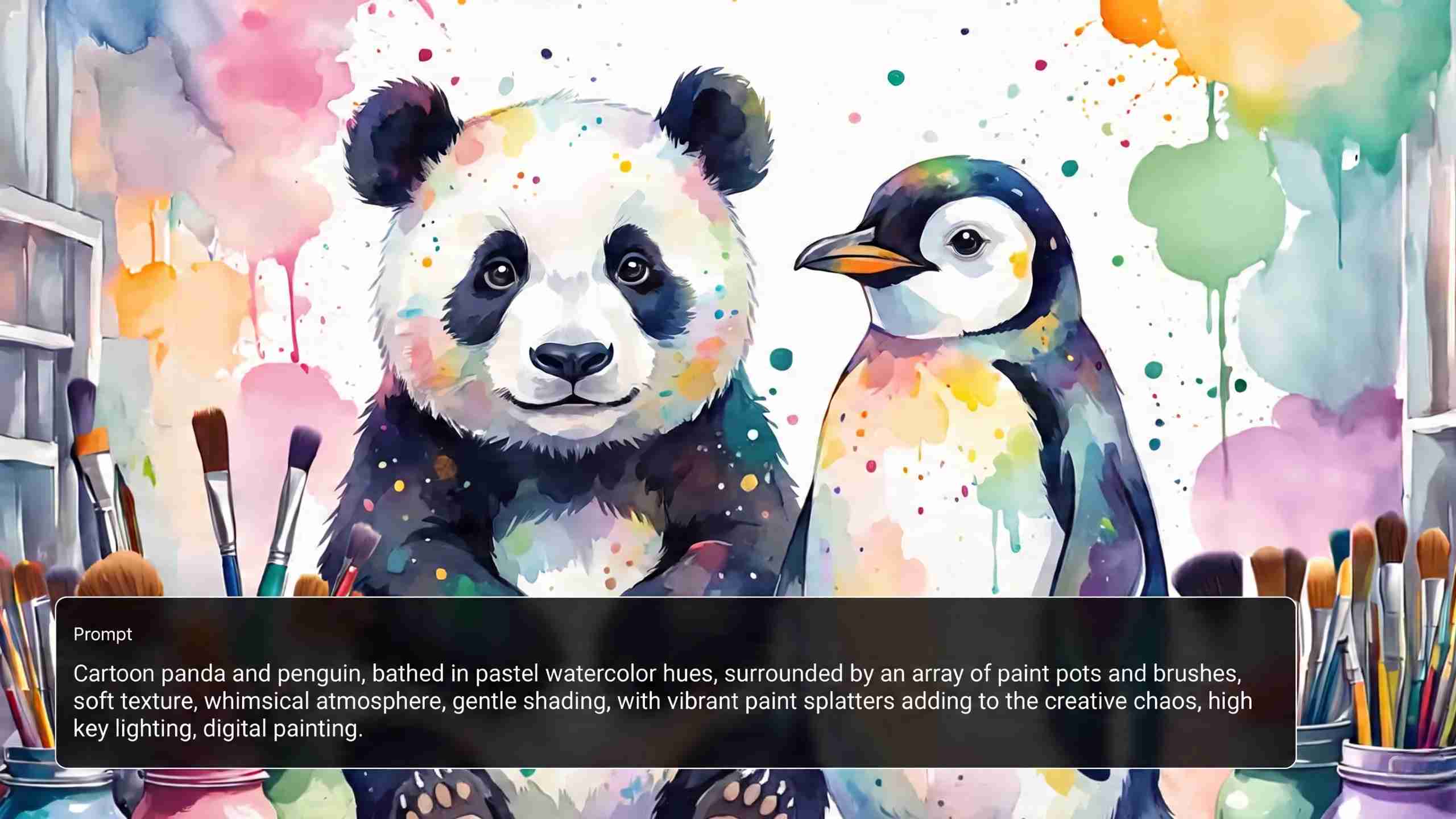
How AI Image Generation Works
AI image generation is simple and opens up professional image creation to anyone, regardless of your design experience. A prompt and a few tweaks are all you need to make visuals for personal, creative, or commercial use.
Step 1: Enter a Prompt
Describe the subject, style, colors, lighting, composition, or mood you want. The more specific your prompt, the more accurate the generated image will be.
Step 2: AI Generates Image Variations
The AI processes your prompt and generates various images with advanced generative models. Each variation provides a different creative angle.
Step 3: Refine and Customize
Edit the prompt, change styles, upload reference images, or regenerate results until the image matches your vision.
Step 4: Export the Final Image
Download your preferred image in the available resolution and use it for marketing, ecommerce, social media, presentations, or creative projects.
Benefits of AI Image Generators and Who They Are for
The best AI image generation platforms assist users in creating professional visuals in less time while at the same time reducing creative costs. They also simplify the design process, allowing anyone and any business to create high-quality images.
Benefits
-
Faster visual content production
-
Lower creative costs
-
Generate multiple image variations quickly
-
Maintain brand-consistent visuals
Who it's for
-
Designers
-
Marketers
-
Ecommerce sellers
-
Content creators
-
Agencies
-
Small businesses
Best AI Image Generators in 2026
This AI image generator list compares leading platforms based on image quality, editing features, pricing, ease of use, and commercial capabilities to help you find the right solution. These tools all excel at different creative needs, so the best AI image generator really depends on your workflow and what type of images you want to make.
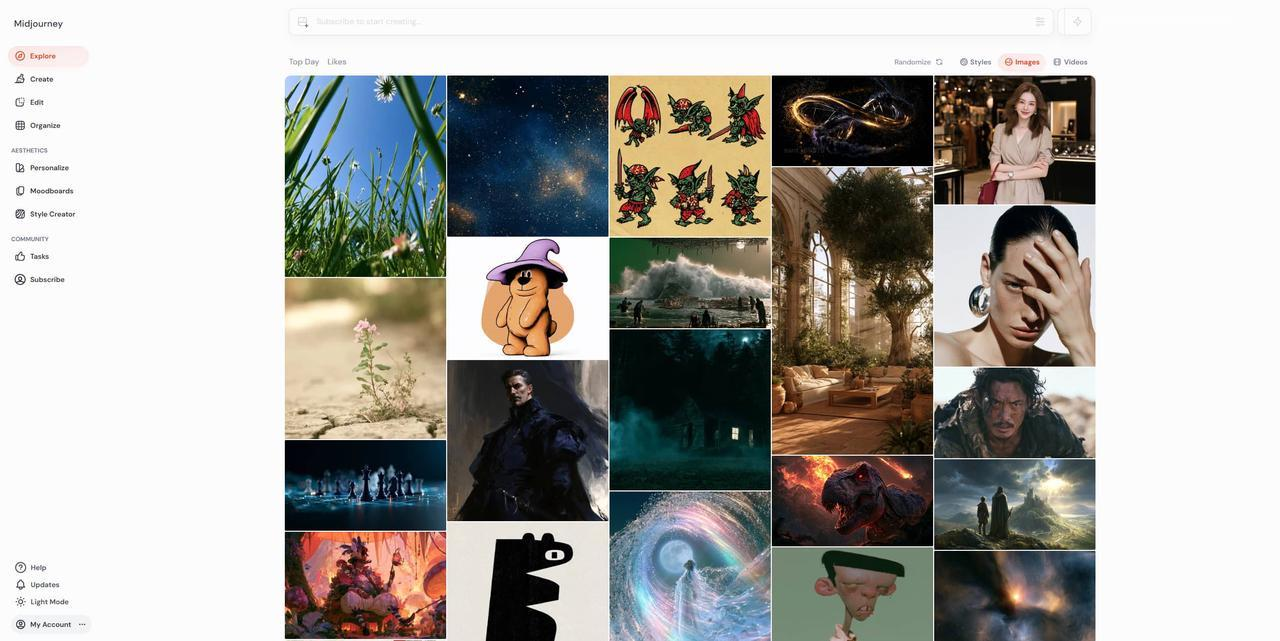
Midjourney: Best for AI Art Creation
Midjourney is known for producing artistic images that are very detailed and have good lighting and composition. It's still a go-to for illustrators, concept artists, and creative pros.
Key Features
-
High-quality artistic image generation
-
Excellent prompt interpretation
-
Multiple artistic styles
-
Image upscaling
-
Community gallery for inspiration
Pros & Cons
|
Pros |
Cons |
|---|---|
|
Produces exceptional artistic and cinematic images |
Requires a paid subscription |
|
Excellent prompt interpretation |
Can take time for beginners to master prompting |
|
Wide range of artistic styles |
Limited built-in image editing features |
Pricing
|
Plan |
Price |
Best For |
|---|---|---|
|
Basic |
$8 / mo ($96/yr) |
Hobbyists & beginners doing light testing |
|
Standard |
$24 / mo ($288/yr) |
Freelancers & creators needing high volume |
|
Pro |
$48 / mo ($576/yr) |
Agencies & commercial artists needing privacy |
|
Mega |
$96 / mo ($1,152/yr) |
Enterprise production studios & heavy pipelines |
ChatGPT Images: Best Overall AI Image Generator
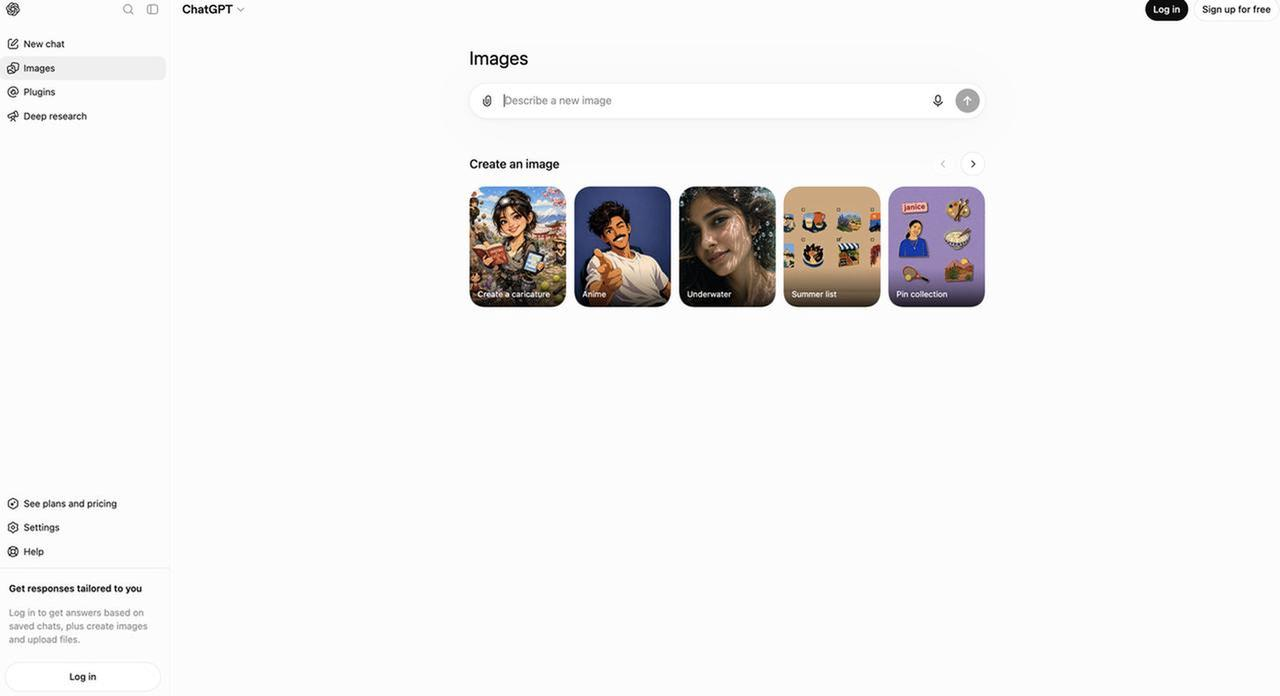
ChatGPT Images combines conversational prompting with advanced image generation, making it one of the most versatile AI image generation platforms available for everyday creative work.
Key Features
-
Natural language prompting
-
Image editing capabilities
-
Reference image support
-
Fast image generation
-
Multiple visual styles
Pros & Cons
|
Pros |
Cons |
|---|---|
|
Easy conversational prompting |
Advanced features may require a paid plan |
|
Strong image editing and refinement capabilities |
Fewer style-specific controls than some dedicated AI art tools |
|
Supports reference images for better consistency |
Image generation limits depend on the plan |
Pricing
|
Plan |
Pricing |
Best for |
|---|---|---|
|
Free |
Free (limited image generation) |
Casual users who want to try AI image generation. |
|
Plus |
$20/month |
Individuals who need higher image generation limits, faster responses, and access to the latest GPT models. |
|
Pro |
$200/month |
Power users, professionals, and businesses requiring the highest usage limits and priority access to advanced features. |
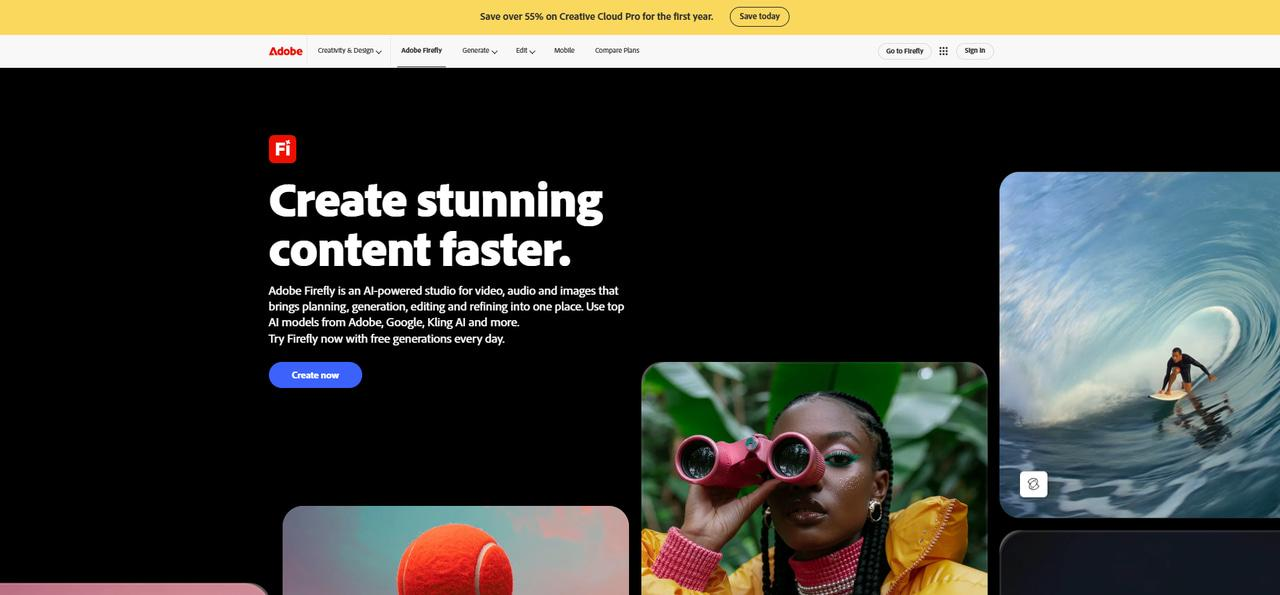
Adobe Firefly: Best for Professional Design Workflows
Adobe Firefly is built for professional designers who already use Adobe Creative Cloud. It combines AI-powered image generation with industry-leading editing tools.
Key Features
-
Commercially safe AI-generated content
-
Photoshop integration
-
Generative Fill
-
Text effects
-
Advanced style controls
Pros & Cons
|
Pros |
Cons |
|---|---|
|
Seamlessly integrates with Adobe Creative Cloud |
Best experience requires Adobe subscriptions |
|
Commercially friendly AI-generated content |
Fewer artistic styles than some competitors |
|
Powerful editing features such as Generative Fill |
Can be overwhelming for casual users |
Pricing
|
Plan |
Pricing |
Best for |
|---|---|---|
|
Firefly Standard |
$9.99 / month |
Creators need a moderate amount of AI generation (2,000 generative credits/month) for images, video, and audio. |
|
Firefly Pro |
$19.99 / month |
Regular creators who need higher credit volume (4,000 credits/month) along with access to Adobe Express Premium and Photoshop on web/mobile. |
|
Firefly Pro Plus |
$49.99 / month |
Advanced users need substantial credit limits (10,000 credits/month) and extended video/audio generation capabilities. |
|
Firefly Premium |
$199.99 / month |
High-volume content creators, professionals, and agencies needing large-scale AI creation (50,000 credits/month). |
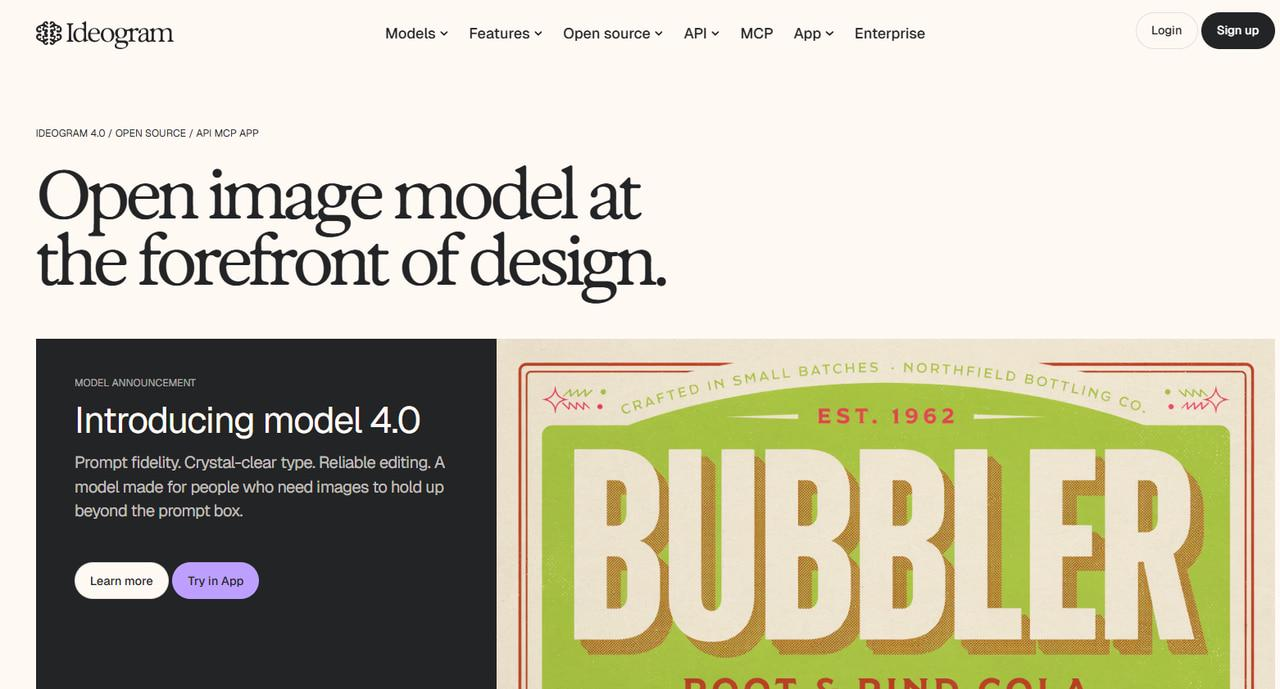
Ideogram: Best for Text-Based Images and Posters
Ideogram stands out among AI image generation tools because it accurately generates readable text inside images, making it ideal for posters, advertisements, presentations, and branding materials.
Key Features
-
Excellent text rendering
-
Poster generation
-
Logo creation
-
Multiple artistic styles
Pros & Cons
|
Pros |
Cons |
|---|---|
|
Excellent at generating readable text within images |
Editing features are more limited than some competitors |
|
Ideal for posters, ads, and branding |
Smaller feature set than full creative suites |
|
Simple and intuitive interface |
Advanced customization options are limited |
Pricing
|
Plan |
Price (Annual Billing) |
Best For |
|---|---|---|
|
Free |
$0/mo |
Hobbyists wanting casual/light testing |
|
Plus |
$15/mo |
Creators & freelancers needing standard private workflows |
|
Pro |
$42/mo |
High-volume users & professional designers |
|
Team |
$20/user/mo |
Small teams requiring centralized management |
|
Enterprise |
Custom pricing |
Large organizations & custom integrations |
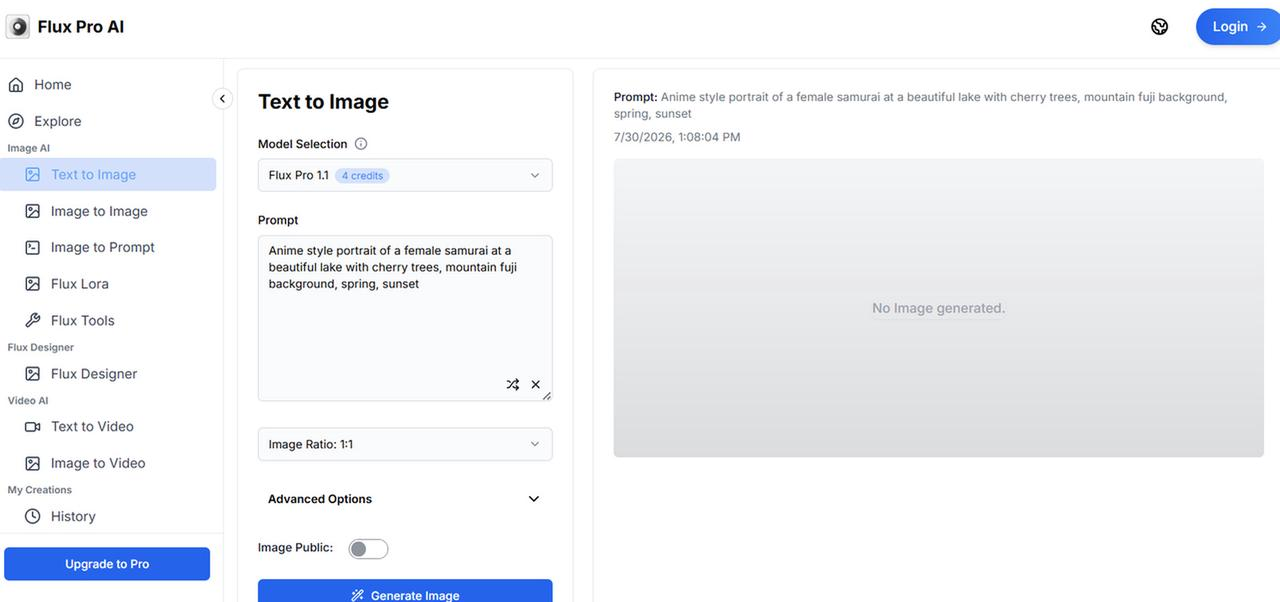
FLUX: Best for Photorealistic AI Images
FLUX has become one of the best AI tools for image generation thanks to its realistic rendering, accurate lighting, and detailed textures, making it suitable for commercial projects.
Key Features
-
Photorealistic image generation
-
High-resolution outputs
-
Excellent prompt accuracy
-
Multiple generation options
Pros & Cons
|
Pros |
Cons |
|---|---|
|
Produces highly realistic images |
Availability depends on the platform hosting the model |
|
Excellent lighting, textures, and prompt accuracy |
Performance can vary between implementations |
|
Suitable for commercial-quality visuals |
Some platforms charge separately for access |
Pricing
|
Plan |
Pricing |
Best for |
|---|---|---|
|
Starter |
$20 / month (or $16 / month billed annually) |
Individual designers starting with PCB design tools, AI chat, and up to 50 private projects (includes 10 ACUs/month) |
|
Pro |
$142 / month per editor (or $112 / month billed annually) |
Professional engineers and designers needing unlimited private projects, advanced library imports, and a higher AI quota (100 ACUs/month/editor) |
|
Teams |
$158 / month per editor (or $120 / month billed annually) |
Organizations requiring shared workspaces, centralized billing, pooled Agent Compute Units (ACUs), and all Pro features |
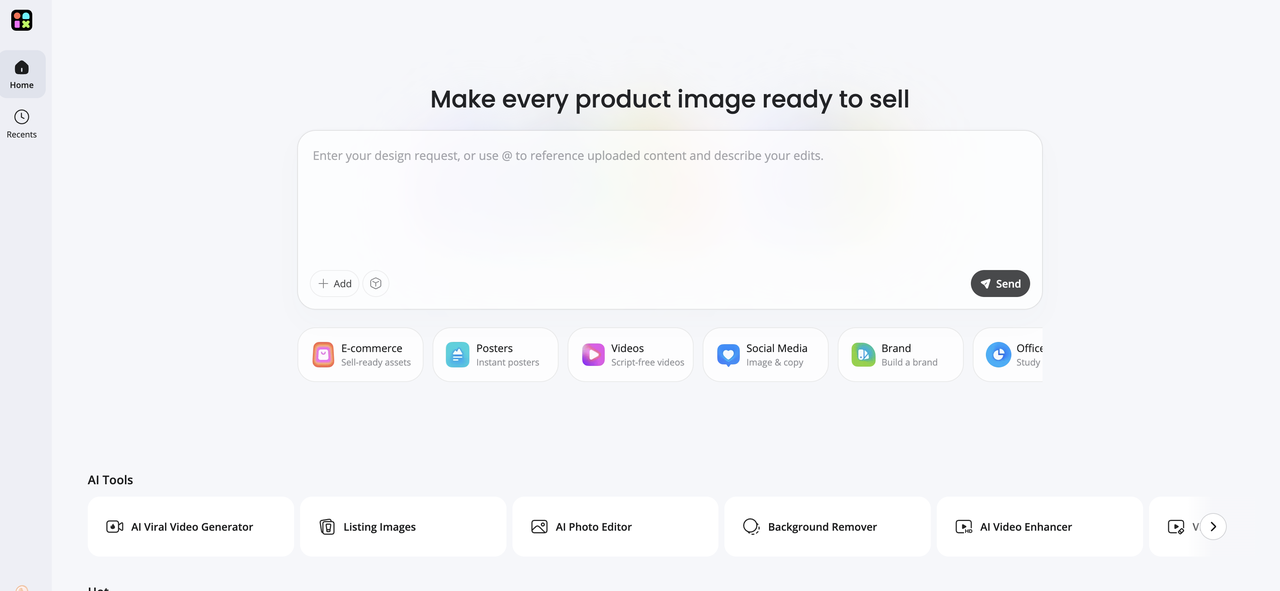
Designkit: Best AI Image Generator for Ecommerce & Marketing
Designkit is an AI-powered platform for creating marketing graphics, product images, social media visuals, and branded content. It supports multiple AI models, text prompts, and reference images and has built-in AI editing tools to help users quickly generate and refine professional-quality visuals without the need for advanced design experience.
Key Features
-
Text-to-image generation: Create original images from simple text prompts for marketing campaigns, social media posts, presentations, product visuals, and creative projects.
-
Reference image support: Upload reference images to guide the AI, helping maintain consistent styles, compositions, characters, or product appearances across multiple generations.
-
Multiple AI image models: Choose from a range of AI models to generate photorealistic images, illustrations, digital art, anime, and other creative styles based on your project needs.
-
Customizable generation settings: Adjust image size, aspect ratio, style, and prompt details to produce visuals optimized for websites, ecommerce listings, advertisements, or print.
-
Built-in AI image editing: Enhance generated images with AI tools such as background removal, image enhancement, object removal, and image expansion, all within the same platform.
-
High-resolution downloads: Export high-quality images suitable for commercial use, including marketing materials, online stores, social media, presentations, and branding assets.
Pros & Cons
|
Pros |
Cons |
|---|---|
|
Beginner-friendly interface |
Some premium features require paid credits |
|
Multiple AI models and generation styles |
Advanced editing options are more limited than professional design software |
|
Well-suited for ecommerce, marketing, and social media content |
Pricing
|
Plan |
Pricing |
Best for |
|---|---|---|
|
Free Tier |
5 free credits every week (no sign-up required) |
First-time users and occasional image generation |
|
Starter Package |
$3.99 for 50 credits ($0.08/credit) |
Individuals and casual creators needing extra credits |
|
Pro Package |
$12.99 for 200 credits ($0.06/credit) |
Regular creators, marketers, and small businesses seeking the best value |
|
Business Package |
$31.99 for 600 credits ($0.05/credit) |
Teams, agencies, and businesses generating AI images at scale |
How to Generate AI Images with Designkit
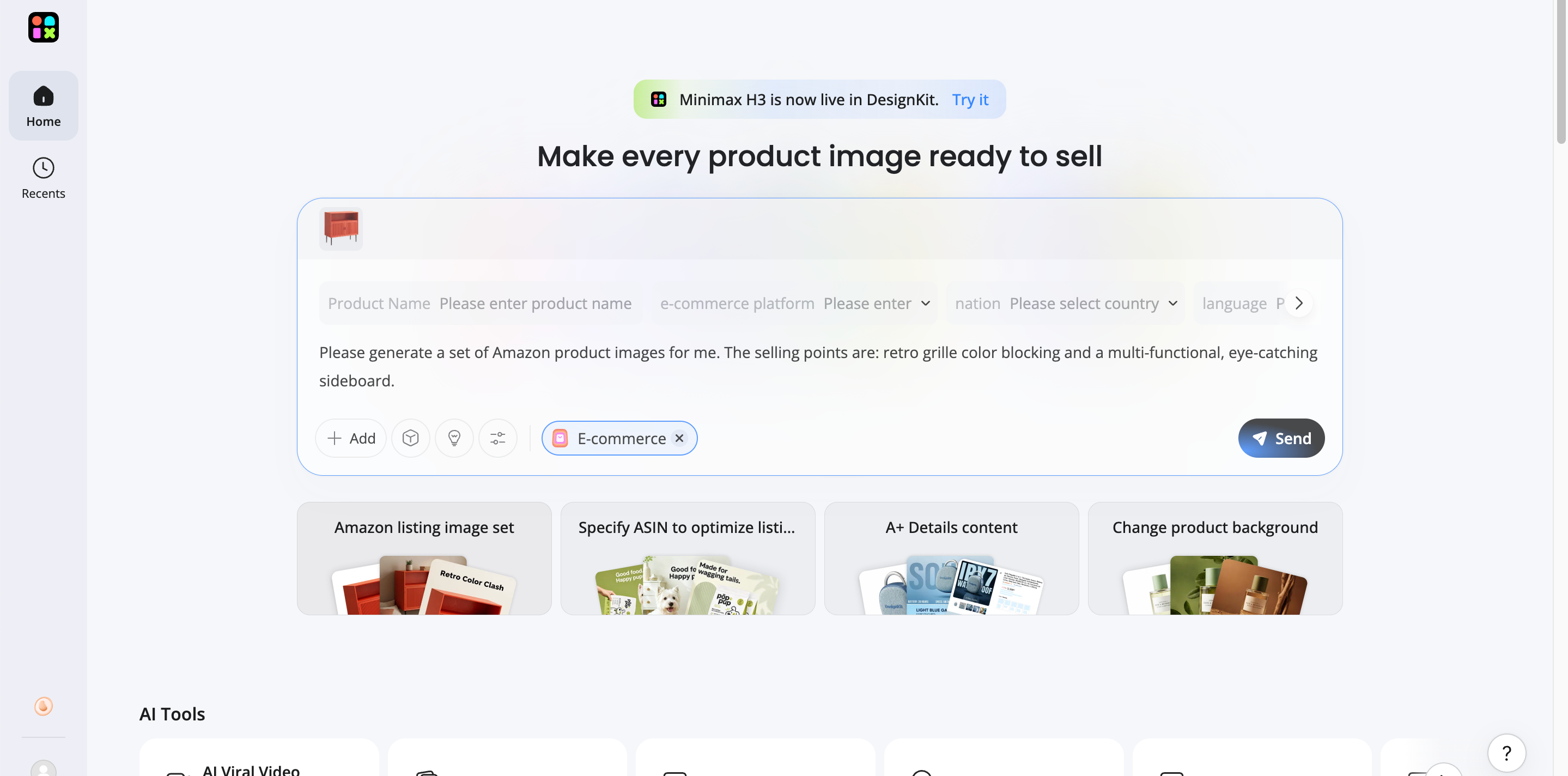
Step 1: Enter Your Text Prompt or Upload a Reference Image
Describe your idea or upload a reference image to guide AI. Detailed prompts generally produce more accurate and consistent results.
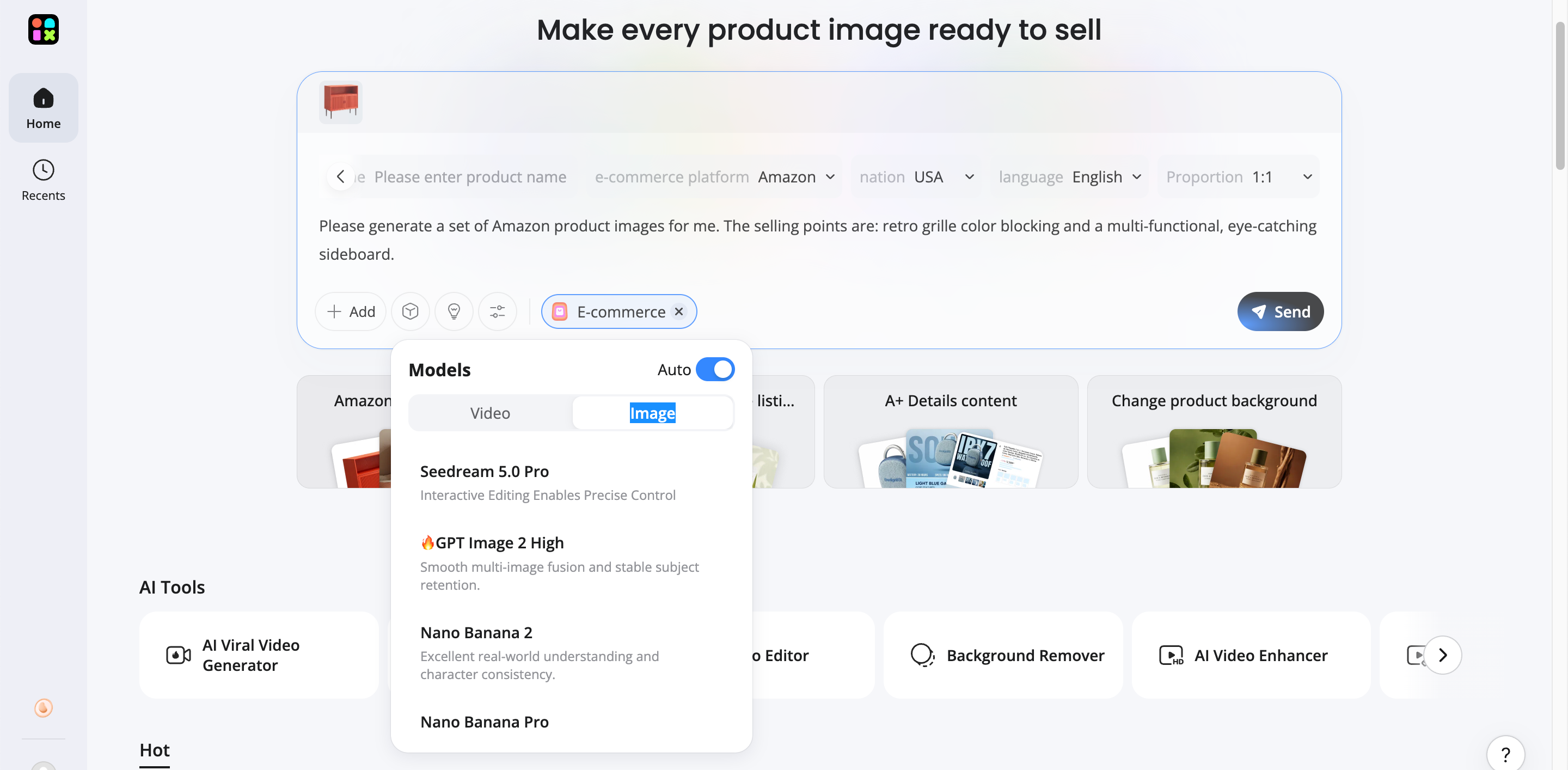
Step 2: Select an AI Model, Platform, and Image Size
Choose the AI model, preferred platform, and aspect ratio that best fits your project requirements.
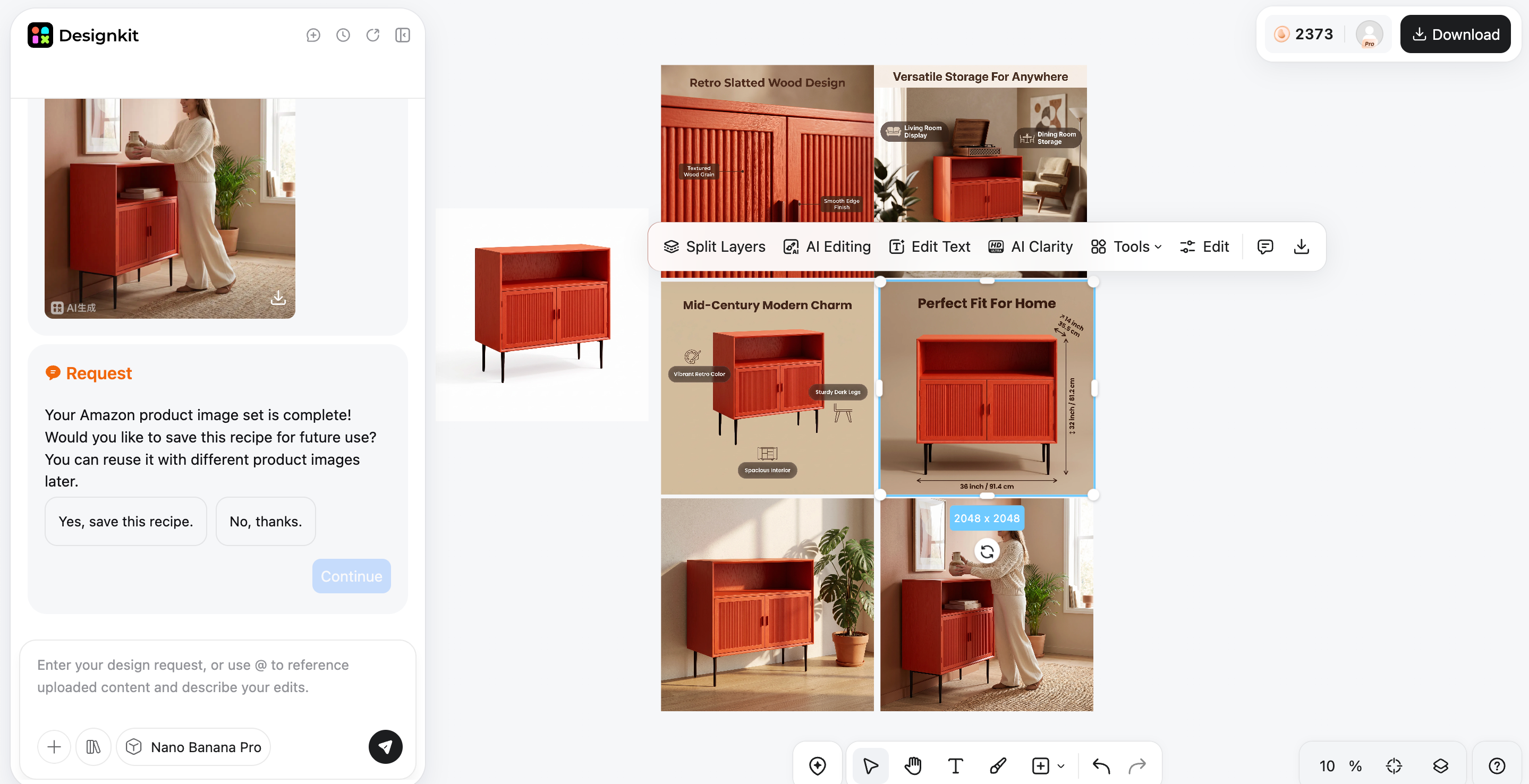
Step 3: Generate, Refine, and Download Your Image
Review the generated images, refine the prompt if needed, and download the final image for commercial or personal use.
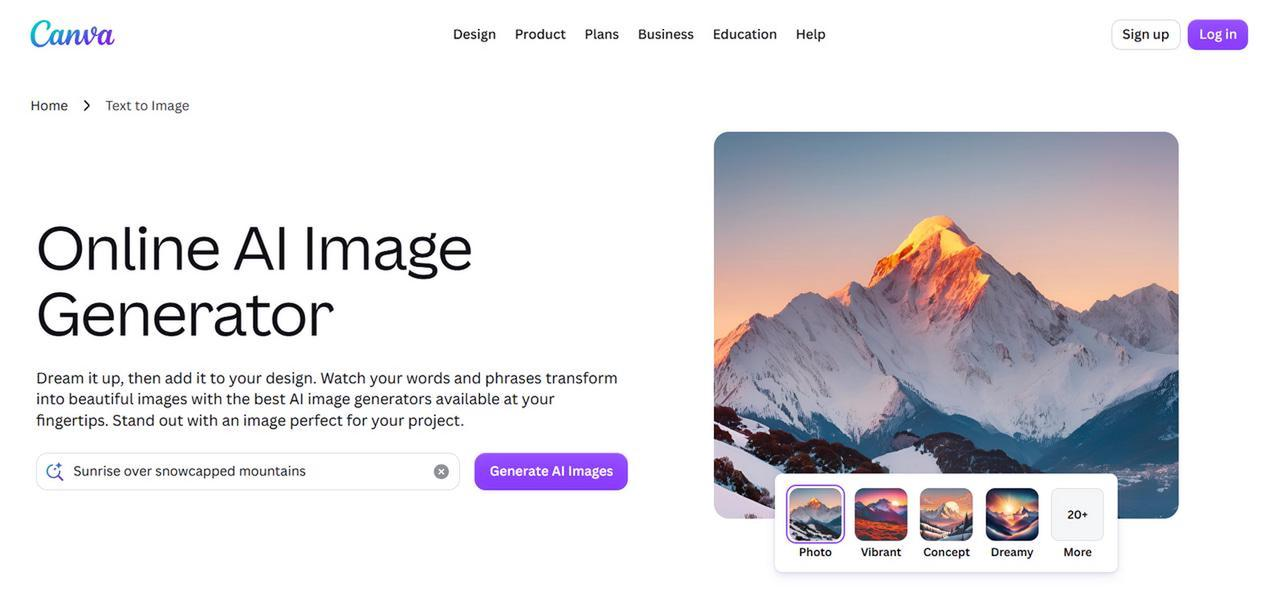
Canva AI: Best Free AI Image Generator for Social Design
Canva AI combines image generation with its popular online design platform, making it easy to create social media graphics, presentations, and promotional materials.
Key Features
-
AI image generation
-
Drag-and-drop editor
-
Thousands of templates
-
Team collaboration
Pros & Cons
|
Pros |
Cons |
|---|---|
|
Easy to use with a familiar design editor |
Less creative control than dedicated AI image generators |
|
Includes thousands of ready-made templates |
AI generation credits are limited to the free plan |
|
Great for collaborative design projects |
Best features require Canva Pro |
Pricing
|
Plan |
Pricing |
Best for |
|---|---|---|
|
Canva Free |
Free / $0 |
Beginners and occasional users |
|
Canva Pro |
$15/month or $120/year ($10/mo billed annually) |
Content creators, marketers, and professionals |
|
Canva Teams / Business |
$10/user/month billed annually ($100/user/yr) or $13–$15/user/month (min. 3 seats) |
Businesses and collaborative design teams |
Leonardo AI: Best for Creative Assets
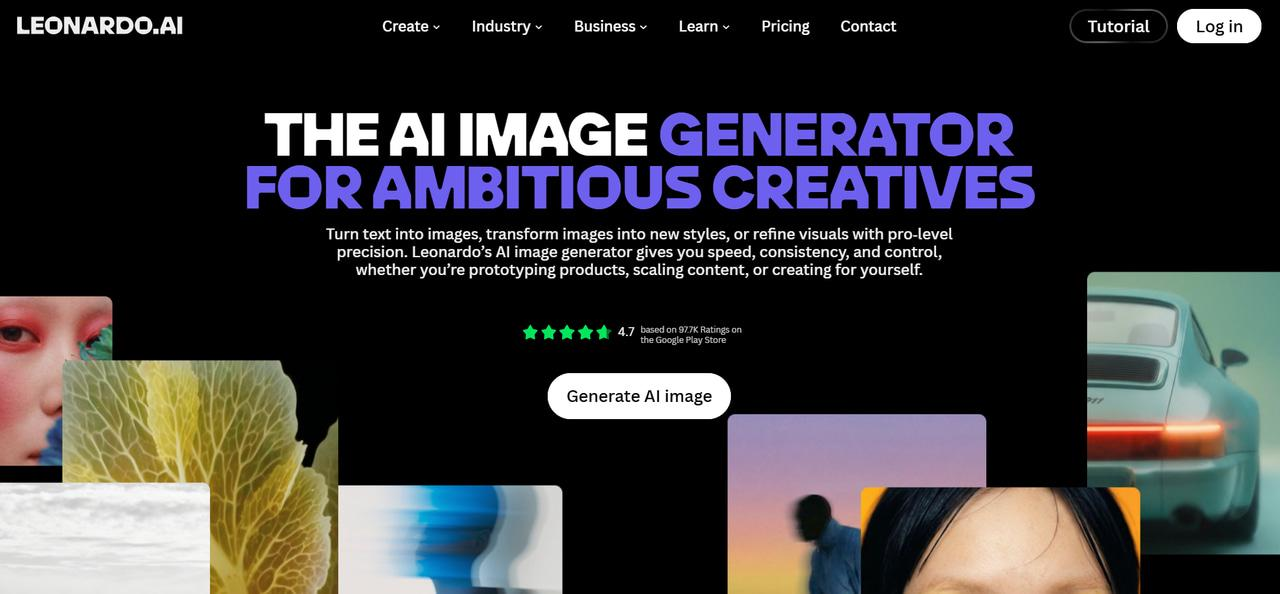
Leonardo AI is a favorite among game developers and digital artists because it produces high-quality concept art, character designs, textures, and creative assets.
Key Features
-
Character generation
-
Asset creation
-
Custom AI models
-
Prompt assistance
Pros & Cons
|
Pros |
Cons |
|---|---|
|
Excellent concept art and game assets |
Advanced features have a learning curve |
|
Supports custom models and creative workflows |
Free credits are limited each day |
|
Generates high-quality illustrations and characters |
Some premium capabilities require a subscription |
Pricing
|
Plan |
Pricing |
Best for |
|---|---|---|
|
Free |
$0 / month |
Casual creators and beginners wanting to explore AI art with basic daily tokens (150/day) |
|
Essential |
$12 / month |
Daily hobbyists and enthusiasts needing private creations and a higher token allowance (8,500 credits/month) |
|
Premium |
$30 / month |
Professional creators and power users requiring high token volume (25,000 credits/month) and unlimited relaxed image generation |
|
Ultimate |
$60 / month |
High-volume studios, agencies, and pros needing maximum tokens (60,000 credits/month) alongside unlimited relaxed image and video generation |
How to Choose the Best AI Image Generator
Your best AI image generator will depend on your creative needs, budget, and workflow preferences. Some AI image generators are designed to generate realistic photos; others are more designed to generate illustrations, marketing visuals, or design projects. By comparing the following features, you will be able to select the right tool.
Image Quality and Prompt Accuracy
The first thing to look at is the quality of the image. Choose a platform that is really good at understanding prompts and gives you rich visuals with realistic lighting, colors, textures, and composition. A better understanding of prompts also means fewer rounds of editing and refinement.
Editing and Customization Features
Top AI image generation tools go beyond text-to-image generation. You can tune your images to get results that are more in tune with your creative vision through inpainting, outpainting, background removal, support for reference images, and style controls.
AI Models and Creative Styles
Different creative tasks are optimized for different AI models. Some are great at photorealistic images, some are good at illustrations, anime, concept art, or product photography. "Look for a platform that has a wide range of models and styles for more creative options.
Ease of Use and Workflow
The intuitive user interface helps speed up the creative process. The best image generator should offer simple controls, fast image generation, prompt suggestions, and easy customization so you can create, refine, and download visuals with minimal effort
Pricing and Commercial Usage
Compare subscription plans, image credits, export quality, and licensing before choosing a platform. If you're creating images for business or client projects, make sure the tool allows commercial use and offers enough features to justify its pricing.
AI Image Generators vs Traditional Design
Both AI image generators and traditional graphic design have a role in contemporary creative workflows. Traditional design gives you complete creative control and accuracy, while AI makes the creation process a lot quicker. Knowing what separates them will help you to choose the best one for your project.
|
Traditional design |
AI image generation |
|---|---|
|
Manual creation |
Prompt-based generation |
|
Requires design expertise |
Beginner-friendly |
|
Hours or days to complete |
Seconds or minutes |
|
Expensive software |
Affordable subscriptions |
|
Limited concepts |
Unlimited variations |
|
Manual revisions |
Instant regeneration |
|
Best for custom branding |
Best for rapid content creation |
Common Mistakes When Using AI Image Generators
Even the best AI image generator cannot produce perfect results without thoughtful prompts and proper settings. Avoiding these common mistakes will help you generate more accurate, professional-looking images while making the most of modern image generation platforms.
Writing Vague or Incomplete Prompts
Short or unclear prompts often lead to generic results. Include details about the subject, style, lighting, colors, camera angle, composition, and mood to help the AI generate images that closely match your expectations.
Ignoring Image Licensing and Commercial Rights
Not all platforms offer the same commercial usage rights. If you're using the platform's AI to generate visuals for advertisements, products, or client work, check the licensing terms to make sure you can legally use the images you create.
Using Low-Resolution Outputs for Professional Projects
If you create lower resolution images, they might look blurry when printed or displayed on large screens. Export at the highest resolution available, when possible, especially for marketing materials, presentations, and ecommerce product listings.
Choosing the Wrong AI Model for Your Creative Style
Different AI models are trained for different reasons. Some are good at photorealistic images, others at illustrations, anime, concept art, or product visuals. Selecting the correct model may improve the quality of the image and lessen the need for repeated generations.
Skipping Prompt Refinement and Iteration
The first generated image is rarely the final version. Experiment with different prompts, styles, and settings to improve composition, lighting, colors, and overall quality. A few small refinements can often produce significantly better results.
Final thoughts
This list of AI image generators highlights that every platform has unique strengths, whether you need photorealistic images, illustrations, marketing graphics, or ecommerce visuals. Compare their features, pricing, and creative capabilities before choosing the tool that best fits your workflow. If you pick the tool that works for your workflow, you can create quality visuals in a timely manner and save yourself some money on creative costs.
Frequently Asked Questions
What is the best AI image generator?
Which AI image generator is free?
Several AI image generators offer free plans or trial credits, such as Canva AI, ChatGPT Images, Adobe Firefly, Leonardo AI, and Ideogram. If you're just doing a one-off project, free versions are fine, but paid plans tend to have more image credits, premium models, and other editing features.
What is the best AI for image generation?
There is no single platform that works best for every project. The right choice depends on whether you need realistic photos, illustrations, marketing graphics, or concept art. Designkit is a good option for users who want multiple AI models and tools for creating a wide range of visual content.
Which AI creates the most realistic images?
FLUX is famous for producing highly realistic images with detailed textures and natural lighting. ChatGPT Images and Adobe Firefly also produce great photorealistic results. Designkit has AI models that can generate realistic images for product images and marketing materials.
Can AI image generators be used commercially?
Yes, many AI image generators permit commercial use. Licensing differs from one provider to another. If you intend to use AI-generated images in ads, products, or for clients, review the platform's commercial use policy to ensure it fits your needs.
What is the best AI photo generator for marketing?
Marketing teams often need tools to quickly create social media graphics, advertisements and product visuals. Designkit is designed for these workflows, with text-to-image generation, multiple AI models and built-in editing tools to make it easy to generate content.
Are AI-generated images copyright-free?
Copyright rules differ depending on the AI platform and local regulations. While many providers grant commercial usage rights, ownership policies are not the same across all services. Always check the licensing terms before publishing or selling AI-generated images.
Which AI image generator is best for beginners?
Beginners should choose an AI image generator with an intuitive interface and a simple workflow. Canva AI and ChatGPT Images are popular starting points, while Designkit also makes it easy to generate and edit professional-quality images without requiring design experience.
You May Also Like

7 Best Remove.bg Alternatives in 2026: Free & Paid Tools

Instagram Carousel: What It Is, How to Post & Create One

Nano Banana Prompts: 20+ Examples for Better AI Images

Ideogram AI Review 2026: Features, Pricing & Alternatives

Free Mac Photo Editor: 5 Tools Compared for Mac Users

How to Crop a Photo Into a Circle Online (Keep Quality)

How to Make an Image Transparent Online (AI Guide)

Pixlr Background Remover Review 2026: Features, Pricing & Alternatives

How to Fix Overexposed Photos: Recover Highlights Fast

OpenArt AI Review 2026: Features, Pricing & Alternatives

Best AI Headshot Generator: 9 Tools Compared for 2026

Best Stencil Maker Tools 2026: Turn Photos Into Stencils

Pixelbin Watermark Remover Review: Image & Video Results Tested

How to Make a Sticker on iPhone: Easy Step by Step Guide

Best AI Logo Generator in 2026: 10 Tools Compared

How to Turn a Photo Into a Cartoon: A Beginner-Friendly Guide

Landscape vs Portrait: Key Differences & Best Uses in 2026

How to Remove Watermark From Photo: AI, Photoshop & More

How to Fix Pixelated Photos: Photoshop, AI Tools & Tips

Bing Image Creator: How It Works, Features, Uses & Alternatives

How to Remove People from Photos with AI: A Step-by-Step Guide

How to Increase Image Resolution: AI, Photoshop & PPI

How to Add Text to a Photo: 8 Tips for Better Results

How to Fix Grainy Photos: Easy Ways to Clear Images

Creative Profile Picture Ideas for Every Style and Platform

Evoto AI Review 2026: Features, Pricing, Pros & Cons

Pixlr Photo Editor Review: Features, Pricing & Alternatives

Best AI Image Extender Tools in 2026: Expand Photos with AI

How to Make a Collage on iPhone: Easy Guide for 2026

How to Sharpen an Image in Photoshop (Smart Sharpen and Unsharp Mask)

Best Image Background Remover Tools in 2026: AI Tools Compared

How to Make Transparent Background in Paint: Step-by-Step Guide

How to Resize an Image: Best Methods, Tools & Quality Tips

Best AI Image Generator Tools in 2026: Top AI Platforms Compared

Remove.bg Review 2026: Features, Pricing & Is It Worth It?

Luminar Neo Photo Editor Review 2026: AI Features, Price & Pros

How to Post Multiple Photos on Instagram (2026 Guide)

25 Facebook Cover Photo Ideas for Personal & Business Pages

What Is a PFP? Meaning, Examples & How to Create One

Can You Edit an Instagram Post After Posting?

11 Best Canva Alternatives in 2026 for AI Design & Marketing

8 Best Midjourney Alternatives in 2026: Features, Pricing & Comparison

How to Restore Old Photos: AI Tools, Tips & Best Methods

Pixelcut AI Review 2026: Features, Pricing, Pros, Cons & Alternatives

How to Apply Watermark to Photos: Methods, Tips & AI Tools

How to Remove a Background in Illustrator: 4 Easy Methods

How to Change Background Color on Instagram Story (Easy Guide)

8 Best AI Poster Generators in 2026: Create Posters Faster with AI

10 Best AI Image Enhancers in 2026: Tested & Compared

10 Best AI Image Editors in 2026: Features, Pricing & Comparison

7 Best AI Background Changer in 2026: Remove & Replace Photo Backgrounds

Luminar Neo vs Lightroom: Features, Pricing & Comparison 2026

Kittl Review 2026: Is It Worth It? Features & Pricing

How to Make a Blurry Image Clear: 5 AI & Manual Ways

How to Remove Background on iPhone: 5 Easy Methods (2026)

Photoroom Background Remover Review 2026: Features & Alternatives

How to Remove Background in Canva: A Step-by-Step Guide

How to Remove Background in GIMP: Beginner-Friendly Guide

Funny Dog Memes to Try: Doge Meaning and 10 Original Ideas

Back to School Checklist 2026: Supplies, Timeline, and Planning

Recraft AI Review 2026: Features, Pricing, Pros, Cons & Alternatives

How to Make an Image Transparent in Google Slides: Opacity & Background Removal

VanceAI Photo Enhancer Review: Features, Pricing & Alternatives in 2026

What Does Emojify Mean? Text, Photos, & Emoji Art Explained

Top 8 Online Background Removers for Ecommerce Photos (2026)

How to Remove Background in Photoshop: 7 Easy Methods

6 Best AI Image Upscalers 2026: Tools Tested & Compared

Project Indigo Review: Is It Better Than iPhone Camera?

How Big Is an 8x10 Photo? Size, Pixels & Frame Guide

How Big Is a 4x6 Photo? Dimensions, Pixels & Printing Tips

Picsart AI Review: Features, Pricing, Pros, Cons & Alternatives

Lovart AI Review: AI Design Agent Features, Pricing & Alternatives

Fotor AI Image Generator Review: Features, Pricing & Alternatives

How to Add Emoji to Photo Online for Free

Emoji Wallpaper Ideas & How to Make One Online (2026)

Minimalist Poster Design: How to Make a Clean Poster (2026)

How to Make a Custom Poster That Is Ready to Print

Instagram Image Size Guide 2026: Post, Reel, Story & Carousel Specs

LinkedIn Image Size Guide: Profile, Post & Banner Dimensions

YouTube Profile Image Size: Best Dimensions & Safe Area 2026

How to Edit Amazon Product Photos That Boost Sales Fast
Turn Your Ideas Into AI-Generated Images
Explore multiple AI image models in Designkit to create realistic product photos, marketing visuals, social content, and creative artwork from simple prompts. Generate, refine, and export your visuals in one workflow.
