
Complete Guide to White Background Product Photography
Master white background product photography with easy setup tips, lighting techniques, and step-by-step guidance. Learn how to create clean, professional product images that enhance clarity, consistency, and visual appeal for any product in 2026.


White background product photography helps boost sales by presenting products in a clean, professional, and distraction-free way. It highlights key details clearly, builds customer trust, and improves product appeal. This visual consistency makes it easier for shoppers to make quick buying decisions, leading to higher conversions and better performance across e-commerce platforms.
Part 1. Why White Background Product Photography Increases Ecommerce Conversions
White background product photography is essential to master, enabling you to create professional shots with a clean, undistracted background to boost your e-commerce performance. It provides product consistency and clarity so that customers can view product features with ease.
High contrast for clarity
Products stand out against white backgrounds, reducing distractions. This enhances the product's shape, color, and features to help consumers get a quick glimpse of products in listings.
Builds trust and quality perception
White backgrounds create a neat appearance. It indicates authenticity and enhances consumer trust, particularly in online shopping, where visuals play a major role.
Meets platform listing standards
A white background is usually required for main images. A white background for product photography ensures compliance and prevents listings from being refused or hidden.
Focus on product details
A simple white background reduces distractions and keeps focus on the product. This enables better assessment of features, texture, and style.
Improves CTR and ad performance
Advertisements and product listings stand out more when using a white background. This boosts ad campaign click-through rates (CTR) when the image is noticed at smaller sizes.
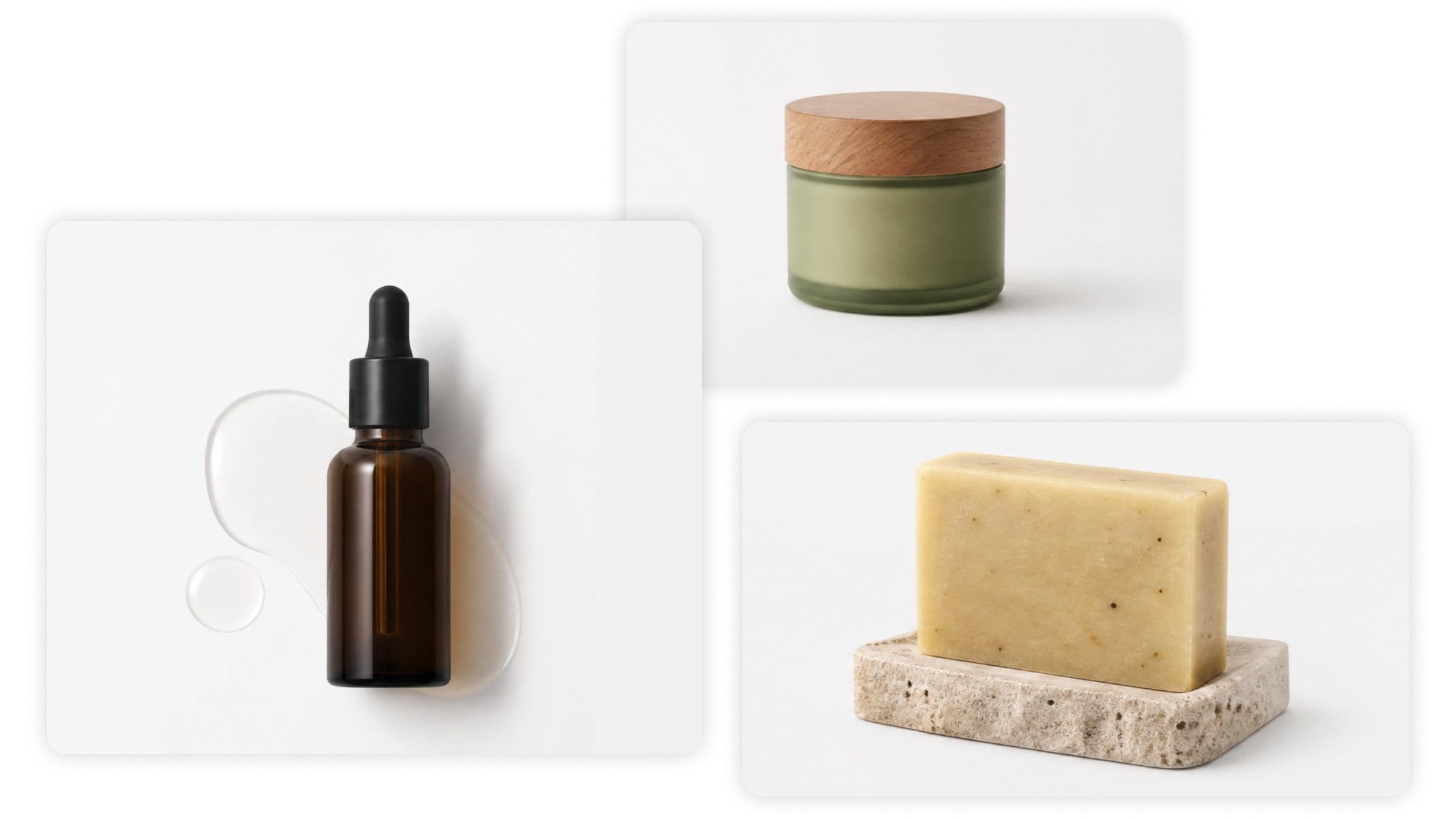
Part 2. Best Uses for White Background Product Photography in Ecommerce
2.1 Amazon Product Listings (Main Image Compliance)
Amazon uses white background product images as the main product images on search and product pages.
Why It Is Used:
-
Conforms to Amazon's image requirements
-
Provides a uniform presentation in grid view
-
Increases search result click-through rate (CTR)
-
Performs better in crowded categories
Technical Requirement:
-
Pure white background (RGB 255,255,255)
-
High resolution (preferably 1000px+)
-
Product takes up a large proportion of the image (~85%)
-
No text, props, or watermarks
2.2 Shopify Product Pages (Conversion Optimization)
White-background product images are commonly used on Shopify product pages and collections.
Why It Is Used:
-
Highlights products for customers
-
Minimizes visual noise in storefronts
-
Enhances brand credibility with minimalism
-
Complements mobile users' needs
Conversion Impact: Images with a white background allow users to quickly see:
-
Product shape
-
Color accuracy
-
Material texture
2.3 Paid Advertising (Google Ads & Social Commerce)
White product images are heavily featured in performance marketing.
Platforms:
-
Google Shopping Ads
-
Meta (Facebook/Instagram) Ads
-
TikTok product ads
Why It Is Used:
-
Better visual quality in small ad spaces
-
Higher CTR with a clear message
-
Simpler testing of product variants
-
More relevant product feeds
2.4 E-commerce Catalogs & Product Feeds
Images with a white background are crucial for product data feeds in:
-
Google Merchant Center
-
Affiliate platforms
-
Marketplace integrations
Why It Is Used:
-
Standardized product representation
-
Improved automatic cataloging
-
Higher feed acceptance rates
-
Consistent multi-channel distribution
Part 3. White Background Product Photography Standards for Ecommerce Brands
3.1 How Professional White Background Product Photography Is Created
White background product photography production workflows involve studio-based, DIY, and AI-based approaches to generate clean, scalable images that help sellers create the best white background for product photography for various platforms.
Professional Studio Photography
This involves studio setups:
-
White seamless backdrop
-
Softbox lighting
-
Professional camera setup
-
Controlled environment
The challenge is to light the product and background uniformly so that the background turns white without affecting the product information.
It is a great technique, but it takes time, equipment, and money.
DIY Photography Setup
Low-cost sellers may use:
-
Light from a window
-
White wall or paper background
-
Smartphone or basic camera
This is an economical method, but it requires consistent, good lighting.
AI-Based White Background Generation
Today's e-commerce processes use AI to make this easier.
Sellers need not take photos of the products, but can:
-
Upload product images
-
Create cut-out studio images
-
Produce multiple variations of listing images
This method is cost-effective, efficient, and enables bulk processing of many products.
3.2 Technical Requirements for High-Quality White Background Product Images
The Technical Requirements for High-Quality White Background Images (based on the e-commerce photography "high-key lighting" methodology) document the imaging specifications needed to ensure exposure control and illumination, color reproduction accuracy, and product isolation in e-commerce photography. These standards provide a compliant white product photography background result for optimal retail display and conversion to e-marketplaces.
High-Key Lighting and Exposure Control
Results in a brightly lit, even environment without shadows, and the product stands out from the background. This helps maintain a white product photography background.
Accurate White Color (RGB 255,255,255)
Ensures genuine white background colors (no grey or tints) are used to meet marketplace white background requirements. This helps maintain a consistent background across all screens and platforms.
Resolution and Sharpness of Images
Ensures the product is photographed in high resolution and at a focused point, so product details can be discerned when zoomed in. This enhances the product's detail and texture.
Sharpness of Background Removal and Clean Up
Eliminates any remaining shadows or background elements behind the product, leaving it isolated on a white background and presenting it as a professionally edited, e-commerce-ready product.
Part 4. How to Create Professional White Background Product Photos
Designkit is positioned around improving real e-commerce performance outcomes through better product visuals. In the context of white background product photography, it focuses on how clean, compliant, and consistent images help sellers improve listing visibility, increase click-through rates on Amazon and Shopify, and ultimately drive more sales. The emphasis is on faster product launches, lower production effort, and the ability to generate large volumes of product images efficiently. This approach turns white background photography into a practical driver of conversion and revenue growth for online sellers.

4.1 How to Create White Background Product Photos with Designkit
Product images on a white background are crucial for achieving a professional product display. It eliminates clutter, draws attention to the product, and complies with marketplace requirements for retailers such as Amazon and Shopify.
Step 1: Upload your product image
Visit the Designkit workspace and click "Background Remover" to get started. Choose to upload a single product image or batch upload multiple product images based on your needs.

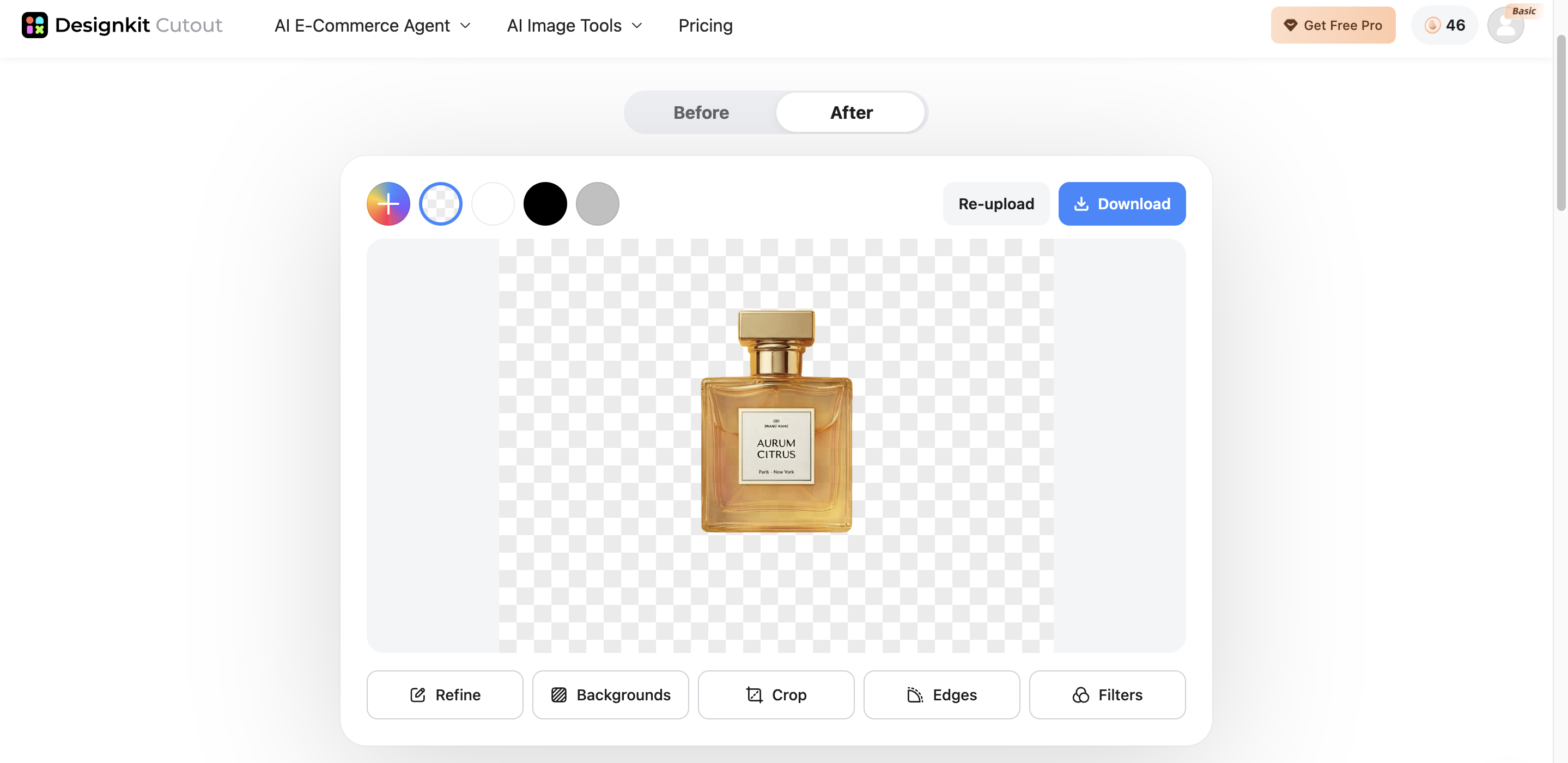
Step 2: Create white backgrounds
Designkit detects and automatically removes the original background of the uploaded product image. Switch to a white background and preview before-and-after results.
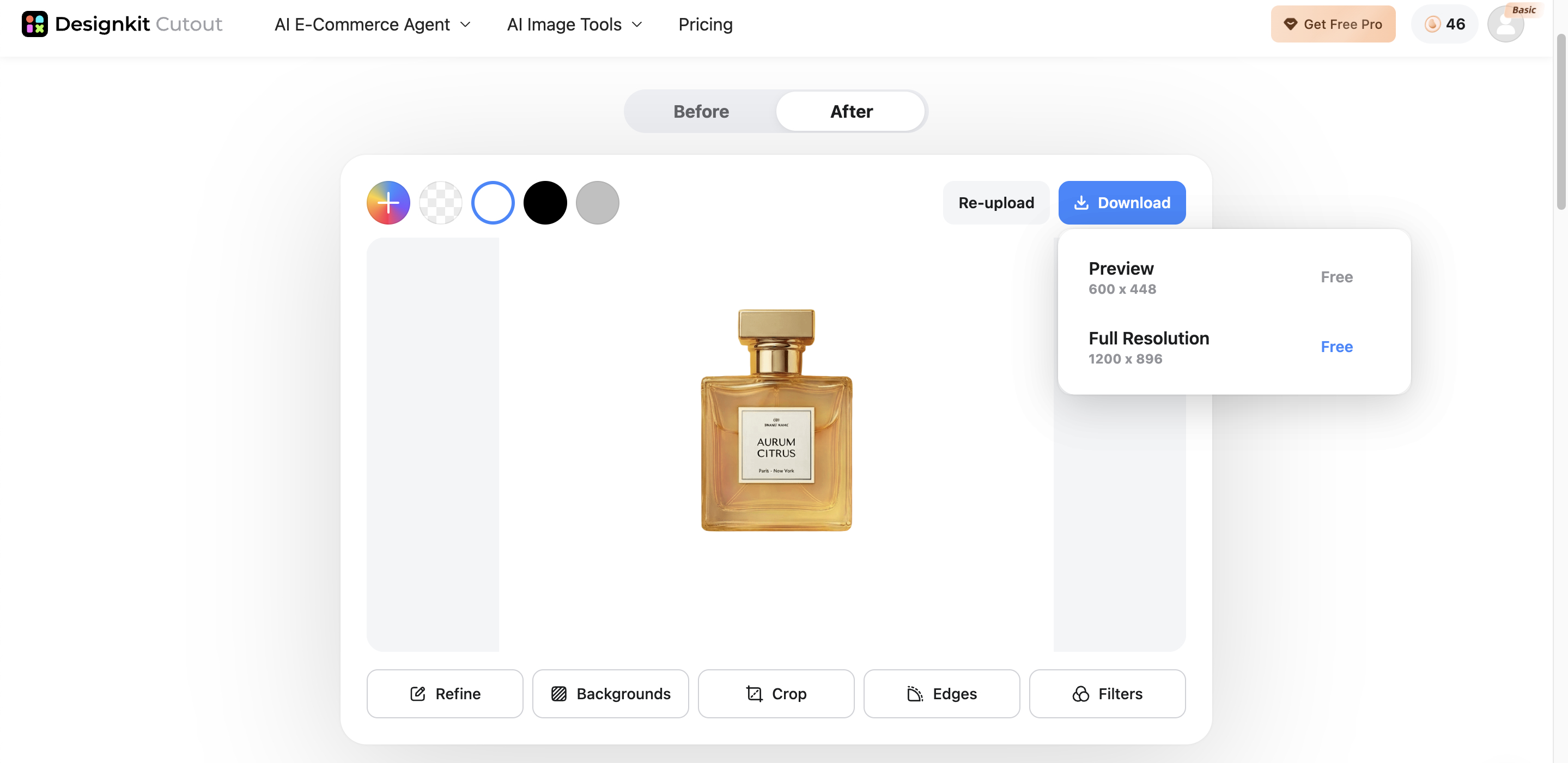
Step 3: Export your image
Once satisfied, click "Download" to export your final image for use across your e-commerce listings and marketing channels.
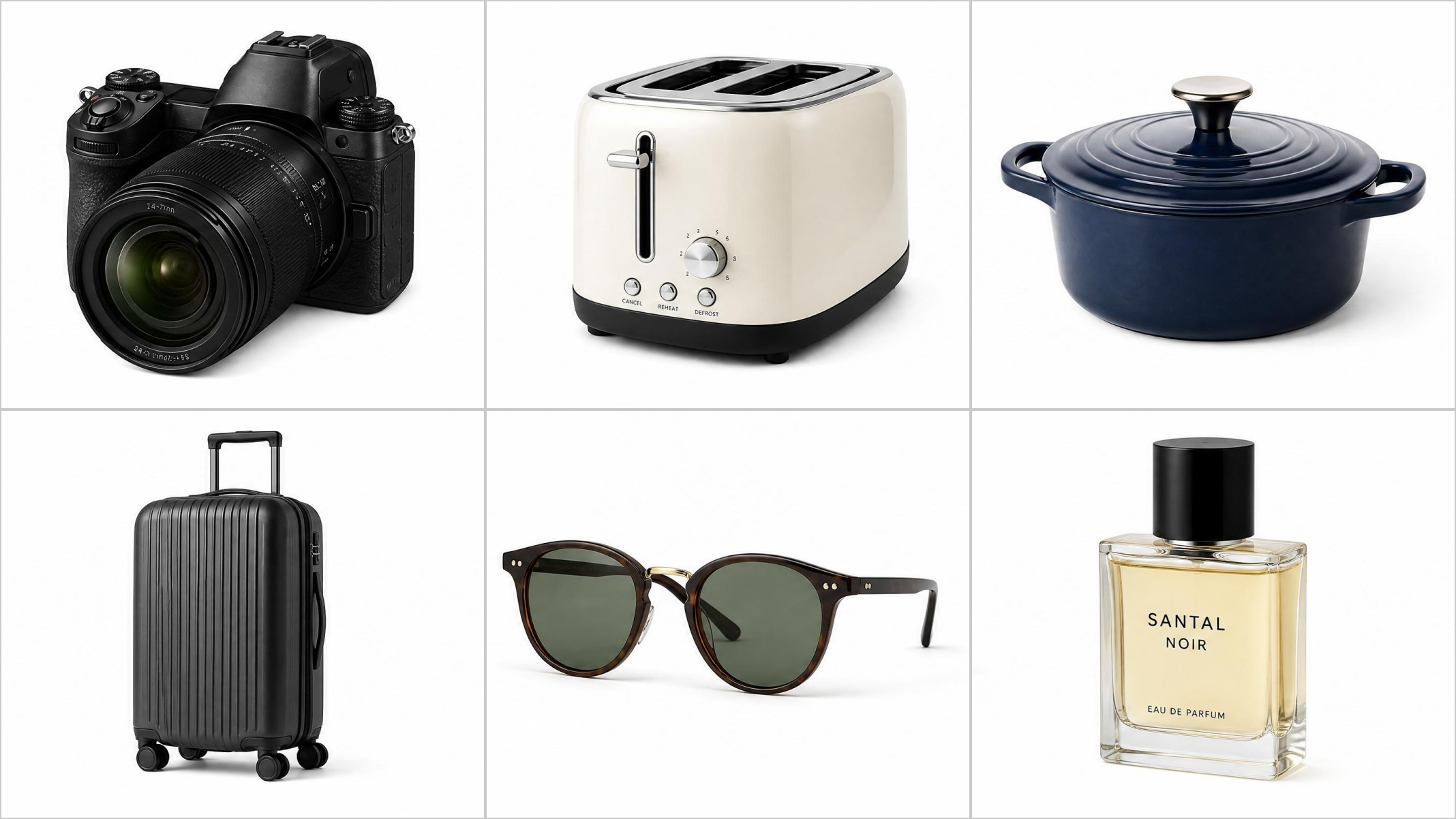
4.2 Designkit Features for White Background Product Photography
Get professional white backgrounds with photoshoots
Just upload your product image and get a professional white background with Designkit's AI product photography generator—no photoshoots and editing skills needed. Perfect for e-commerce sellers lacking photography experience to create product images with white backgrounds ready for Amazon, Shopify, eBay, and more.
Bulk white background creation for large product catalogs
Designkit's bulk background generator stands out as a powerful AI editing tool to help online sellers create white backgrounds for large product catalogs. You can just simply upload multiple product images. Designkit will automatically remove the original backgrounds and create a new white background for all the uploaded product images instantly.
100% compliant for eCommerce platforms
Designkit ensures that each product image has a pure white background (RGB 255,255,255), and meanwhile lets you correct product positioning by centering and filling the frame. Selectable export in JPG or PNG formats to meet the strict standards of Amazon, Shopify, eBay, and more.
Part 5. Common White Background Product Photography Mistakes
5.1 Lighting Exposure and Shadow Control Errors
Mistake: Wrong lighting causes deep shadows or dark products, making your product images blurry. It's also difficult to obtain a white background during product photography.
Solution: This can be resolved by using multiple sources of diffuse light to expose the product and background properly. This ensures the correct exposure is achieved, that shadows are avoided, and that a product photo can be taken on a white background.
5.2 White Balance and Color Calibration Failures
Mistake: White balance errors cause a shift in product color, tone, and hue, making the background grey, yellow, or blue, and altering the product's color. This can result in lower product accuracy and trust.
Solution: Set the manual white balance or adjust the lighting conditions. This ensures a white background (RGB 255,255,255) and accurate product colors for online product images.
5.3 Focus Accuracy and Resolution Degradation Issues
Mistake: Product clarity and detail are reduced when inspected up close, suggesting poor quality.
Solution: Manually focus and capture images at high resolution (1000px+). Sharp images maintain product clarity, regardless of context and viewing device, and improve the white background product photography experience.
5.4 Edge Detection and Background Segmentation Errors
Mistake: Insufficient background removal or edge artifacts result in jagged edges, halos, or shadows, which hamper the white product photography background.
Solution: Use edge detection and background segmentation to segment the product correctly. This creates a white background for product photography.
Conlusion
The white background product photography is essential to eCommerce since it provides clean, distraction-free images that help to highlight the product details, build trust, and improve conversions on sites such as Amazon and Shopify. The production of these images may, however, be a challenge because of poor lighting, inconsistent shadows, and the need to edit images at scale. Designkit solves this by instantly generating clean white backgrounds, removing distractions, and enhancing product visuals automatically. It allows online sellers to create professional, consistent, and high-converting product images in seconds, and save time in the process, improving overall listing results and sales effectiveness.
Frequently Asked Questions
Why is white background product photography important for e-commerce sales?
How does product photography white background improve listing performance?
White background product images improve the appearance of the product in search results and especially in the preview image (thumbnails). This translates to more clicks and interaction. Designkit elevates this practice by weighing composition, focus, and cropping to ensure product photography is prepped for high impact on busy e-commerce sites.
Why is white background for product photography essential for Amazon listings?
Primary product images in Amazon listing images need to be on a white background (RGB 255,255,255). If not, your images may be rejected. This is done using white product photo backgrounds. Designkit answers this question by providing compliant images, avoiding errors, and proper ad placement.
Why do sellers prefer white product photography backgrounds for advertising?
White product photography backgrounds make ads stand out by eliminating backgrounds and focusing on products, even when they appear small. This increases click-through and ad click efficiency. Designkit delivers this by offering high-contract images with few distractions, suitable for advertising in different media.
What is the best white background for product photography to increase conversions?
The best white background for product photography is white (RGB 255,255,255), with even light, no shadows, and accurate colors. This ensures a clean, professional, and credible look for your products. Designkit does this by using studio lighting with uniform lighting and a uniform background.
How can beginners set up DIY white backgrounds for product photography effectively?
Beginner photographers can use window lights, a white wall (or paper), and a tripod to photograph products. However, it might not be consistent. With Designkit, you can digitally produce white-background product photos, no setup required, no chance of mistakes.
How to get a perfect white background in product photography result?
To achieve a perfect white background, set the lighting, exposure, and white balance correctly, and post-process the background to eliminate shadows and tints. These can be quite lengthy. Designkit does all this automatically, and generates product photographs with white backgrounds.
How to make white background for product photography easily?
To create a white background for product photography, one must master lighting, shooting, and post-processing. While this can be learned, it may take time. Designkit makes this process quicker for users by allowing them to edit product photos with a few clicks (within 5 seconds), with no learning curve.
You May Also Like

How to Create Outdoor Product Scenes Without a Photoshoot Using AI

What Is Product Photography? Angles, Lighting & Editing Guide

11 Must-Have Tools for Amazon Product Photography in 2026

How to Take Product Photos with Phone: Pro Guide for Amazon & AI

How to Create Lifestyle Product Images Without a Studio

Studio Product Photography vs AI Product Photography in 2026
Make every product image ready to sell
Designkit is an all-in-one AI platform for ecommerce visuals. Create product photos, AI videos, virtual try-ons, and Amazon listing images in seconds. Generate HD backgrounds, batch edit photos, and scale your brand with studio-quality content.


