
Best AI Product Image Generators for Ecommerce in 2026
Compare the best AI product image generators for ecommerce in 2026. Explore features, pricing, and tools for listing images and lifestyle photography.


Looking for the best AI product image generator in 2026? This guide compares six tools sellers use for AI product photography, Amazon listing images, white background product photography, and product callout workflows.
The comparison is based on published features, pricing, and ecommerce workflow fit. It does not claim that every tool completed an identical lab test with published scores. Pick two finalists, test them on your own SKUs, and check official links again before you buy.
This guide is for Amazon and marketplace sellers, Shopify/DTC brands, and catalog teams that need consistent product visuals without booking a studio for every SKU.
Best AI Product Image Generators in 2026 at a Glance
Use this section for a quick first pass. The table compares workflow focus and published capabilities, not measured output quality.
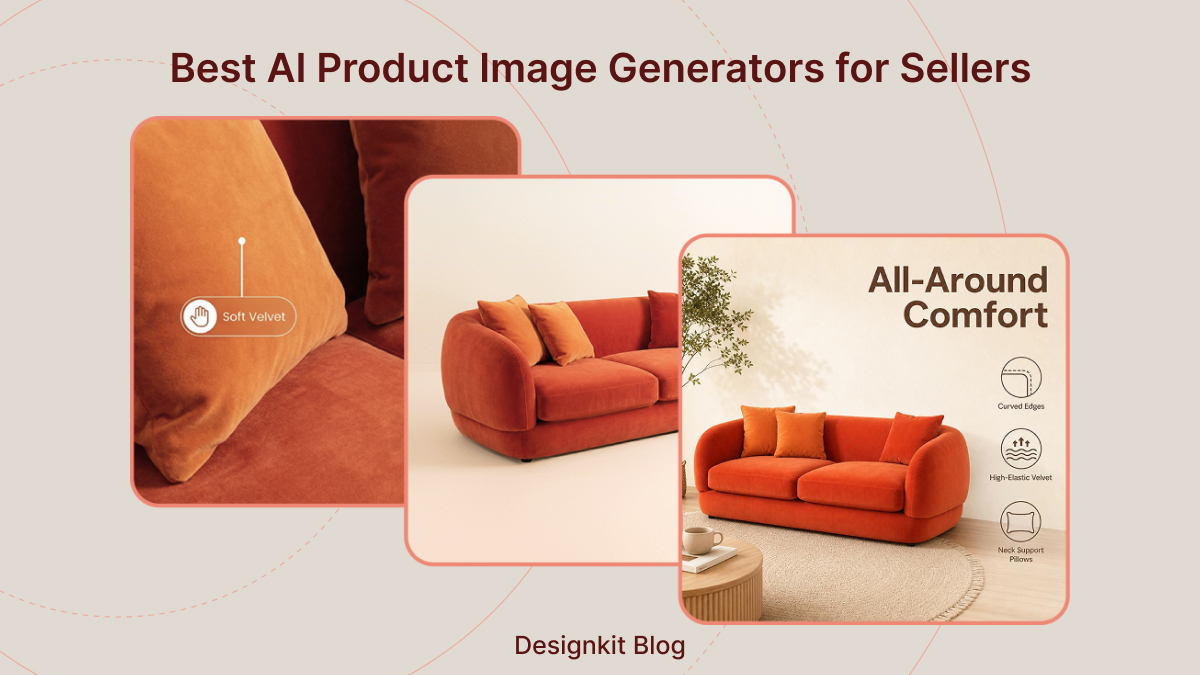
Quick Comparison of the Top 6 Tools
|
Tool |
One-line fit |
White Background Workflow |
Lifestyle Workflow |
Infographics & Text |
Batch & API |
Listed Starting Price |
Official source |
|---|---|---|---|---|---|---|---|
|
Catalog enhancement + API automation |
Packshot / cleanup workflow |
AI Photoshoot workflow |
Usually external for complex layouts |
Batch on higher Web plans; separate API credits |
Confirm current Web/API pricing at checkout |
https://claid.ai/pricing |
|
|
Model-led lifestyle + listed A+/infographic tools |
Packshot tools available |
Model-led scene workflow |
Listed on paid plans |
API on Scale |
Starter $39/mo (monthly billing) |
https://www.caspa.ai/pricing |
|
|
Fast lifestyle backgrounds for smaller catalogs |
Packshot tools available |
Scene-generation workflow |
Limited native layouts |
Bulk on paid plans |
Free tier; paid from $19/mo |
https://pebblely.com/faq/ |
|
|
Wholesale / décor lifestyle catalogs |
Silo / packshot workflow |
Room / setting workflow |
Line drawings; text-heavy frames often external |
Bulk-oriented credit plans |
From $49/mo on published plans; verify credits |
https://wizcommerce.com/ai-product-photo-generator-pricing/ |
|
|
Ecommerce listing sets with product callouts |
Listing packshot workflow |
Scene-generation workflow |
Native listing layouts / callout workflows |
Listing batch workflows |
Confirm checkout; credit + tool-specific caps |
https://www.designkit.com/pricing |
|
|
Quick creative edits and social visuals |
Background-remover workflow |
Prompt-based scene workflow |
Limited native layouts |
Select bulk tools |
Free: 40 gens; Pro priced at checkout |
https://magicstudio.com/pricing/ |
These labels describe workflows. They reflect published positioning and typical ecommerce use, not side-by-side generation grades.
*Listed Starting Price reflects public pages checked in October 2026. Caspa figures are monthly plan prices. Claid Web and API pricing are separate and can change with the billing toggle, confirm on the live pricing page. Designkit tool-specific caps can be lower than general image caps.
Quick pick tip
If you only need a starting shortlist: listing sets with product callouts to Designkit; API / high-SKU automation to Claid.ai; model-led lifestyle to Caspa AI; simple lifestyle backgrounds to Pebblely; wholesale room scenes to WizStudio; quick social edits to Magic Studio. For decision criteria, use How to Choose. For the closing summary, use Final Verdict.
How to Evaluate AI Product Image Generators
Choosing an AI product image generator takes more than comparing feature lists. Score each tool against the same criteria: product preservation, white-background accuracy, lifestyle realism, text and layout control, batch workflow, pricing transparency, and commercial-use terms. Use the framework below to compare your finalists with your own product images.
Product Types Worth Using in Your Pilot
- Reflective / transparent items (for example, glass bottles): edge accuracy, refraction, halo artifacts, label integrity.
- Soft goods (fabric or apparel-like surfaces): texture realism, wrinkle behavior, shadow quality.
- Detailed packaging: small print, logo edges, color consistency, and whether the AI rewrites or blurs packaging text.
Run the same four tasks where available: white-background packshot, lifestyle scene, callout/layout draft (if your channel allows text graphics), and a small batch across product variants.
Criteria Checklist
- White background: purity, edges, contact shadows, marketplace main-image readiness.
- Lifestyle scenes: lighting, perspective, prop realism, product identity preserved.
- Product preservation: shape, color, label, and brand details.
- Callouts / text: readability and layout control when your channel permits text graphics.
- Batch workflow: multi-SKU consistency, naming, API options.
- Editing effort: How much manual correction do you need before an image is ready to publish?
- Pricing clarity: entry price, credits, free/trial allowance, billing cycle, and tool-specific caps.
- Commercial use: plan-level rights for storefronts and ads.
Use this section as your trial method. Common failure patterns after you start producing at scale are covered later under Common Mistakes.
What This Guide Covers and Leaves Out
- Does: help you narrow tools using published capabilities and pricing sources.
- Does: give a reusable trial method and an Amazon workflow template.
- Does not: present completed multi-tool visual scores for every vendor in this article.
- Does not: certify Amazon compliance.
Detailed Reviews of the 6 Best AI Product Image Generators
Each review covers fit, published strengths, limits, pricing notes, and official links. Capability comments describe workflow focus, not unpublished lab rankings.
1. Claid.ai
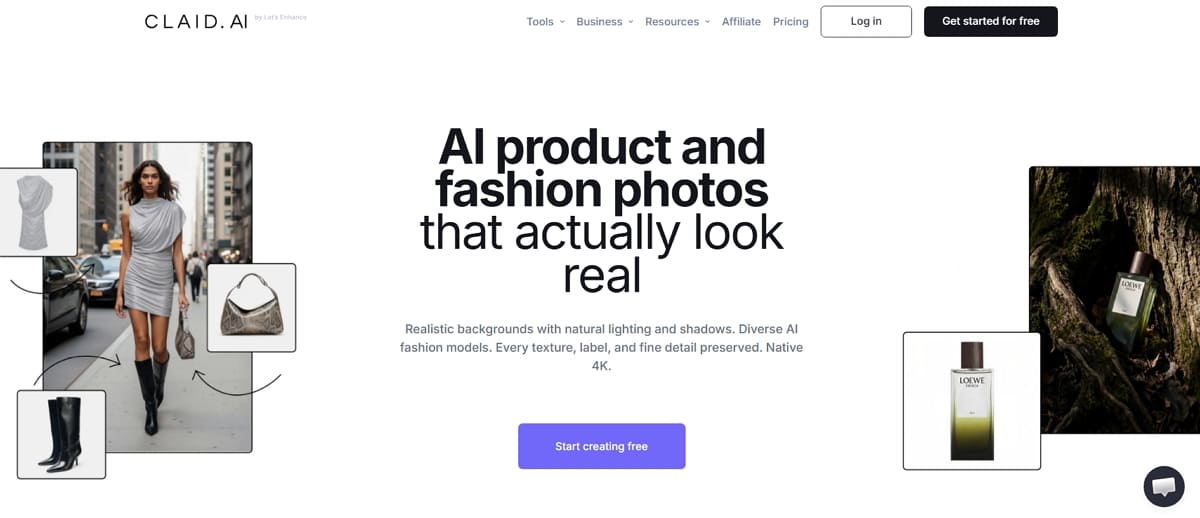
Tool homepage / pricing: Claid.ai
Fit: Catalog teams that need enhancement, AI product photography scenes, and API-driven automation.
Strengths listed by the vendor
- Background removal and packshot cleanup for white background product photography.
- AI Photoshoot workflows for lifestyle placement.
- Separate Web and API offerings; Pro/Business Web materials list batch processing, priority queue, and brand kits.
Limits to know before you buy
- Complex listing callouts often still need a design/listing tool.
- Web-plan credits and API credits are different pools. Do not assume they are interchangeable.
- More than you need if you only remove backgrounds now and then.
Pricing: Confirm current monthly billing, yearly billing, and API pricing directly on Claid’s pricing page before publishing comparisons. The page uses a billing toggle and separates Web plans from API packs. Claid’s pricing FAQ states images generated using Claid are not subject to Claid copyright, still confirm full commercial terms for ads and marketplaces.
- Official pricing: https://claid.ai/pricing
Look at another tool if your main gap is listing callout sets (Designkit) or simple lifestyle backgrounds only (Pebblely).
2. Caspa AI
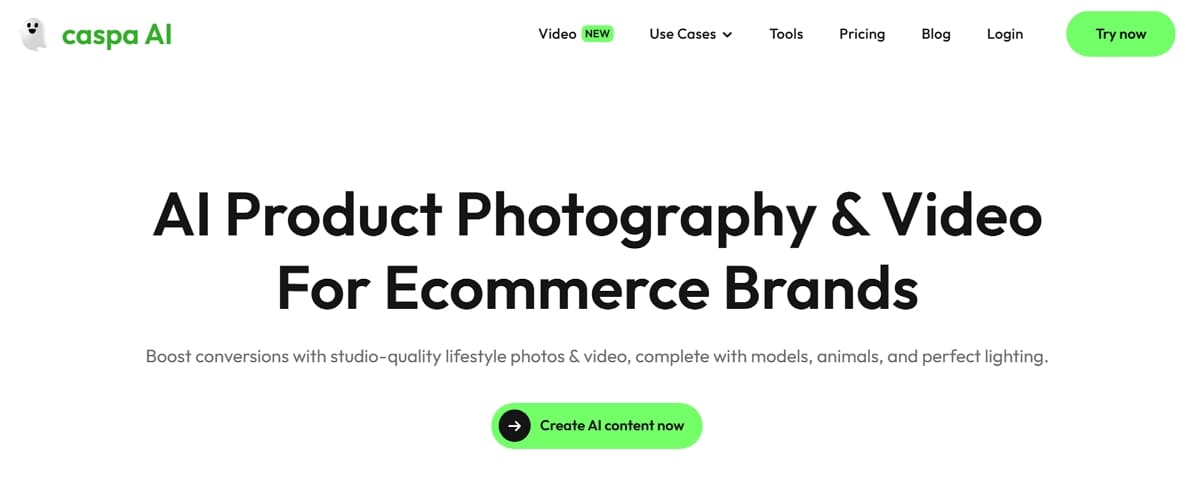
Tool homepage / pricing: Caspa AI
Fit: Brands that want lifestyle scenes with models, animals, or detailed props.
Strengths listed by the vendor
- Model-led lifestyle generation for PDP and marketing scenes.
- Starter plan lists infographics, A+ Content, AI editing, 4K upscaling, and a commercial use license.
- Scale plan lists multi-user access, custom integrations, and API access.
Limits to know before you buy
- No full free plan; every new account starts with 10 free credits.
- Credit-to-finished-image conversion is not fully transparent on the public page, so estimate your real volume.
- Reflective edges may still need manual cleanup.
Pricing (monthly billing shown on caspa.ai/pricing; checked again in October 2026):
- Starter: $39/month, 500 credits; images only; commercial use license listed
- Growth: $66/month, 1,000 credits; image and video generation
- Scale: $166/month, 2,500 credits; up to 3 users; API access
These are monthly prices. The page also offers yearly billing with a savings toggle. Confirm whether a quoted figure is monthly billing or a yearly-discounted monthly equivalent.
- Official pricing: https://www.caspa.ai/pricing
- FAQ: https://www.caspa.ai/faq
Look at another tool if you only need white backgrounds at the lowest cost, or API-first catalog ops without model scenes (Claid.ai).
3. Pebblely
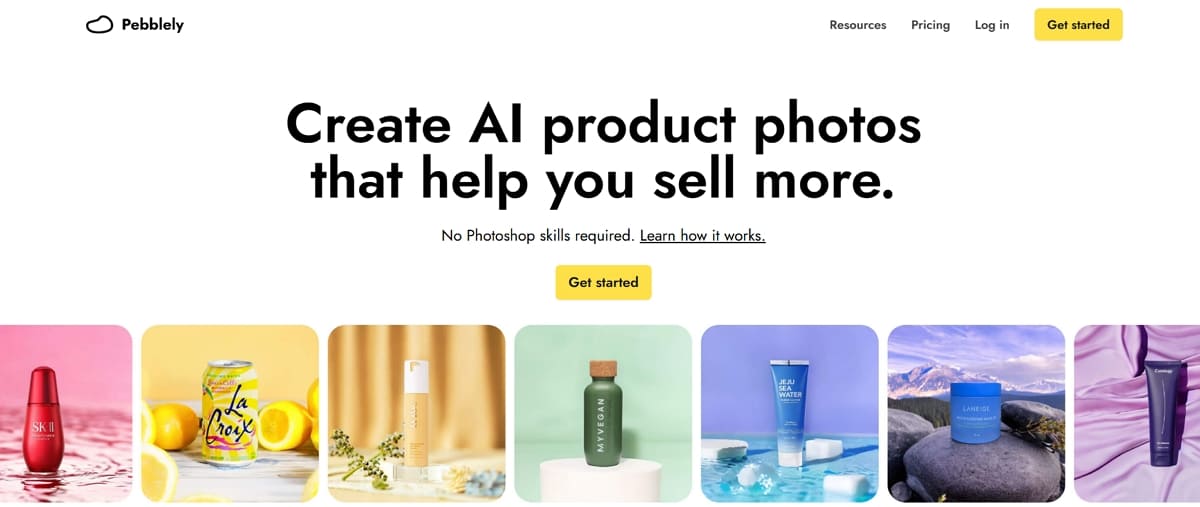
Tool FAQ / pricing: Pebblely
Fit: Small businesses that need fast lifestyle backgrounds and a short learning curve.
Strengths listed by the vendor
- Quick background removal and scene generation from one product photo.
- Paid plans include bulk generation for multiple products.
- FAQ states you own the images you generate (confirm in terms).
Limits to know before you buy
- Structured listing callouts and product infographic generator workflows are not the core product.
- Deep automation for large catalogs is limited compared with API-first suites.
Pricing (pebblely.com/faq): $19/month for up to 200 images, or Pro at $39/month for up to 500 images. Annual plans listed at $179/year and $379/year. Free tier available for light testing.
- Official FAQ / pricing details: https://pebblely.com/faq/
Look at another tool if weekly callouts and listing structure are required, or API automation becomes the bottleneck.
4. WizStudio by WizCommerce
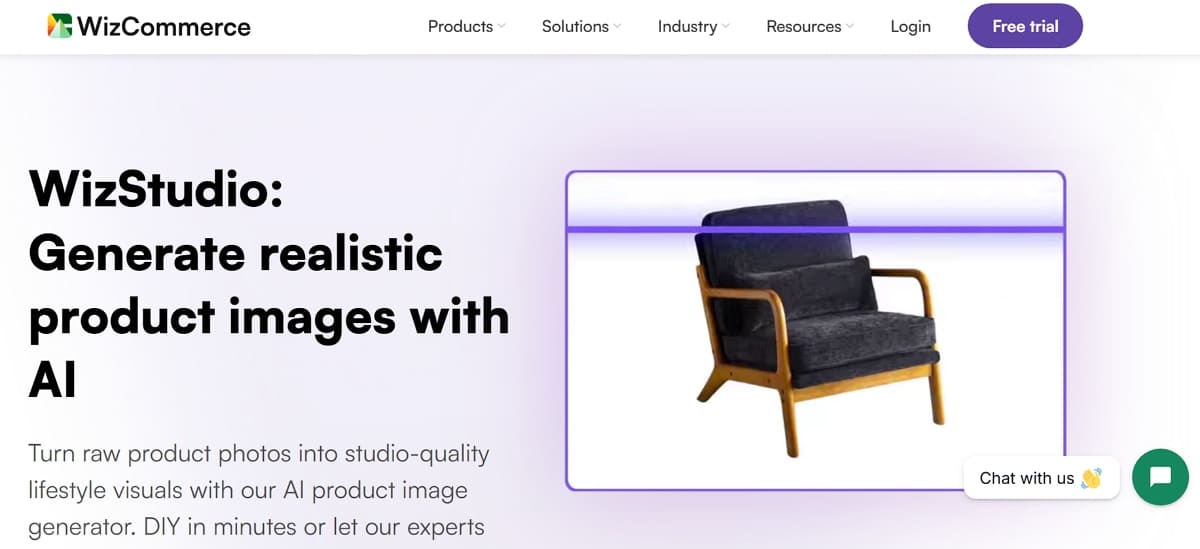
Product page: WizStudio · Pricing: WizStudio
Fit: Home décor, furniture, and textile catalogs that need styled room scenes and production at catalog scale.
Strengths listed by the vendor (per WizStudio product materials)
- AI lifestyle image generation for styled room / setting scenes.
- Silo shot, variant, line-drawing, and related catalog tools.
- Bulk upload and credit-based plans aimed at larger assortments.
Limits to know before you buy
- Text-heavy Amazon-style callout frames may still need an external design step and checks against category rules.
- Credit costs vary by output type and resolution, so estimate real monthly downloads, not just plan names.
Pricing: WizStudio publishes credit-based plans on its pricing page (Basic listed from $49/month on the public plans page checked for this guide). Confirm current credits, what each generation costs, and whether charges apply on generation or download before budgeting.
- Product page: https://wizcommerce.com/product/ai-product-photo-generator/
- Pricing page: https://wizcommerce.com/ai-product-photo-generator-pricing/
- Knowledge base: https://knowledge.wizcommerce.com/wizstudio
Look at another tool if model photography is the main gap (Caspa AI) or Amazon-style listing callout workflows are the main gap (Designkit).
5. Designkit
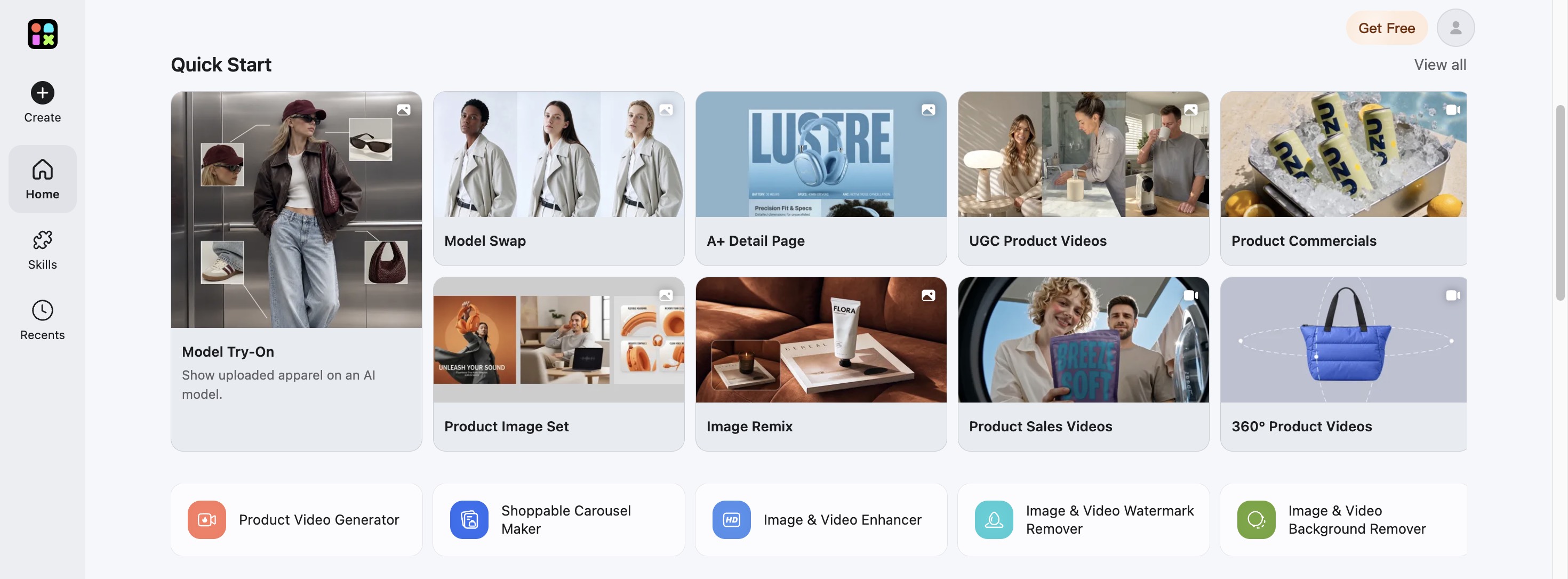
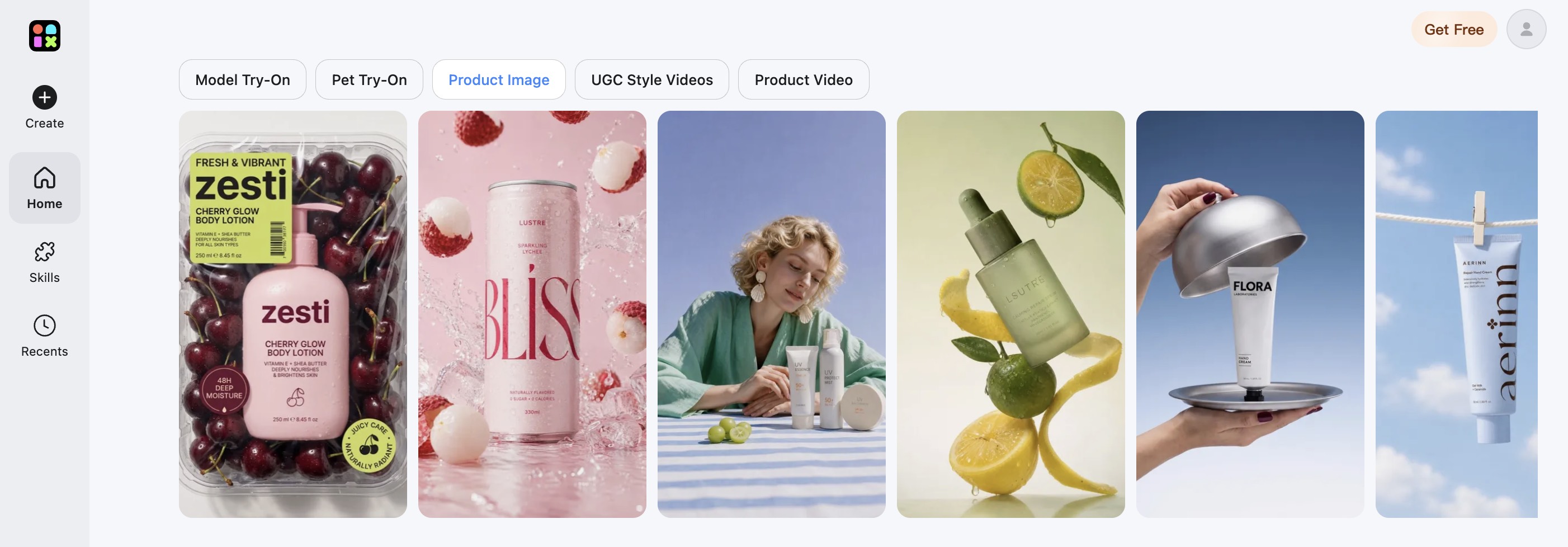
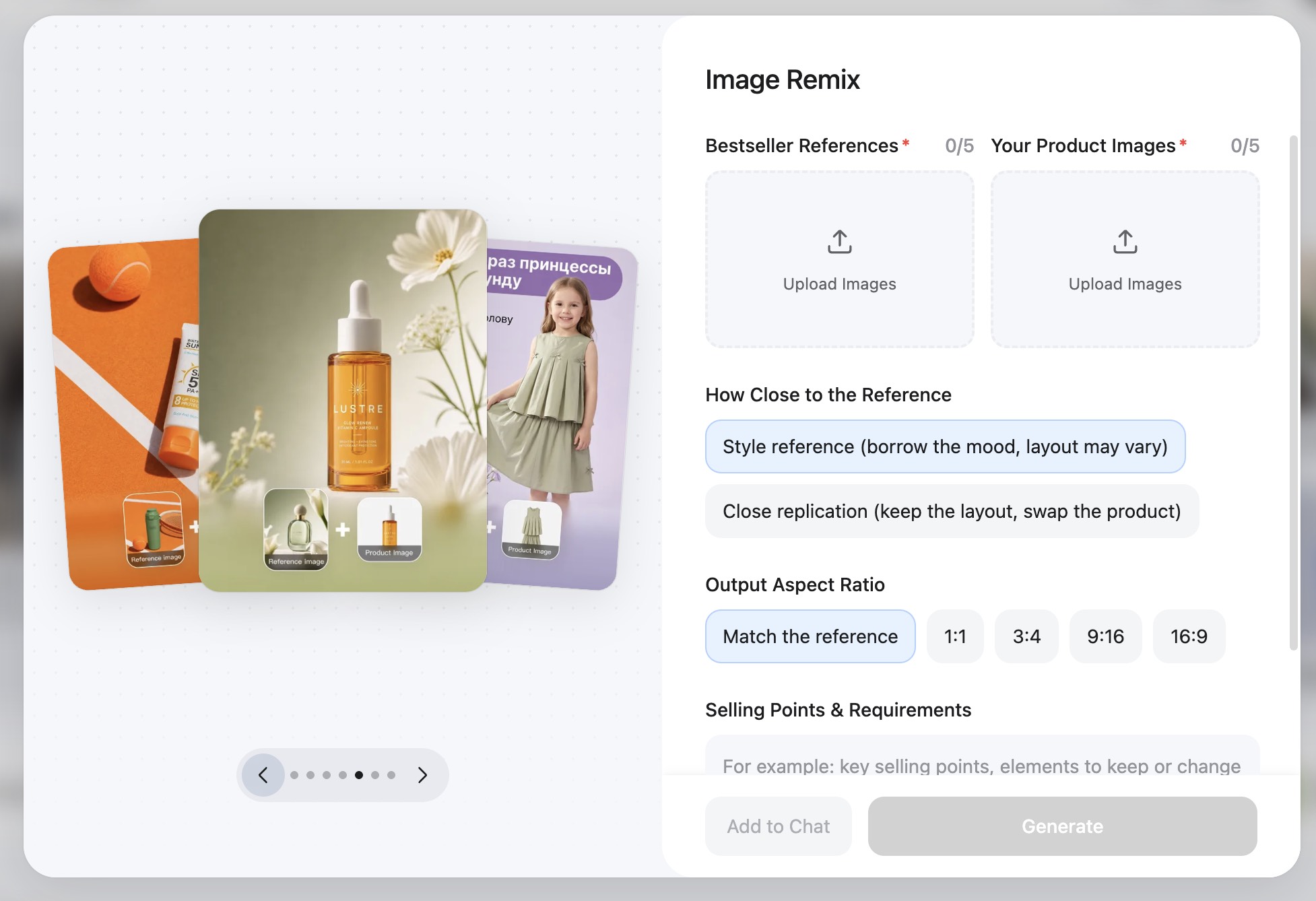
Designkit workflows: Amazon Listing Images Generator, AI Product Photography Generator, AI Product Listing Images Generator, AI product photo generator, AI Image Generator, Image Remix / ecommerce workflows.
Fit: Sellers who want ecommerce listing sets that combine main images, lifestyle variants, and product callout / product infographic generator workflows in one place.
Strengths listed by the vendor
- Listing-oriented image workflows for ecommerce and social, including Amazon listing images generators.
- AI product photography scenes for secondary images.
- Native support for labels, feature callouts, and listing-style layouts where your channel allows text graphics.
- Batch-friendly listing production for multiple SKUs and variants.
- Image Remix and templates for matching reference styles while swapping in your product.
Limits to know before you buy
- Not the first pick for deep API pipelines across very large catalogs. Look at Claid.ai for that job.
- Not the first pick when model photography is the core brief. Look at Caspa AI for that job.
- Small text still needs human spellcheck; reflective items may need a second pass.
- Text-heavy frames must still meet Amazon’s current image rules and category guidance before upload.
- If you only need one-click background removal, a simpler editor may be enough.
Pricing: Designkit’s pricing page lists 500 credits/month on Basic and 1,500 credits/month on Pro, with general image-generation caps of up to 500 and 1,500 images, respectively. Specific tools, including ecommerce image generation, may have lower limits (the plan comparison currently lists ecommerce image generation at up to 100 images/month on Basic and up to 300 images/month on Pro). Check the current plan comparison and checkout details before estimating production volume. Confirm commercial-use terms before ad spend or team rollout.
- Pricing: https://www.designkit.com/pricing
- Amazon listing images: https://www.designkit.com/amazon-listing-images-generator
- Product listing image sets: https://www.designkit.com/product-listing-generator
- AI product photography: https://www.designkit.com/product-photography-generator
- Ecommerce workflows / Image Remix: https://www.designkit.com/ecom-product
Look at another tool if API automation is the bottleneck (Claid.ai), model-led lifestyle is the bottleneck (Caspa AI), or you only need simple scene backgrounds (Pebblely).
6. Magic Studio
Tool pricing: Magic Studio
Fit: Creators and beginners who need quick creative edits and social-ready visuals.
Strengths listed by the vendor
- Background remover and related editing utilities.
- Prompt-based creative transformations for social content.
- Free tier for light testing.
Limits to know before you buy
- Not built as a deep SKU/API catalog system.
- Structured listing callouts are limited.
- Pro pricing varies by platform and region. Do not assume App Store and web prices match.
Pricing (magicstudio.com/pricing): Free is listed at $0/month with 40 AI generations, limited-resolution downloads, watermark, and one image at a time. Pro lists unlimited AI generations, high-resolution downloads, no watermark, and bulk editing for select tools. Confirm the current Pro dollar amount at checkout. Some third-party roundups mention a separate Product Photos product at a different price; confirm the exact product name before comparing.
- Official pricing: https://magicstudio.com/pricing/
Look at another tool if you need clearer ecommerce monthly image caps (Pebblely) or full listing-set structure (Designkit).
How to Choose an AI Product Image Generator
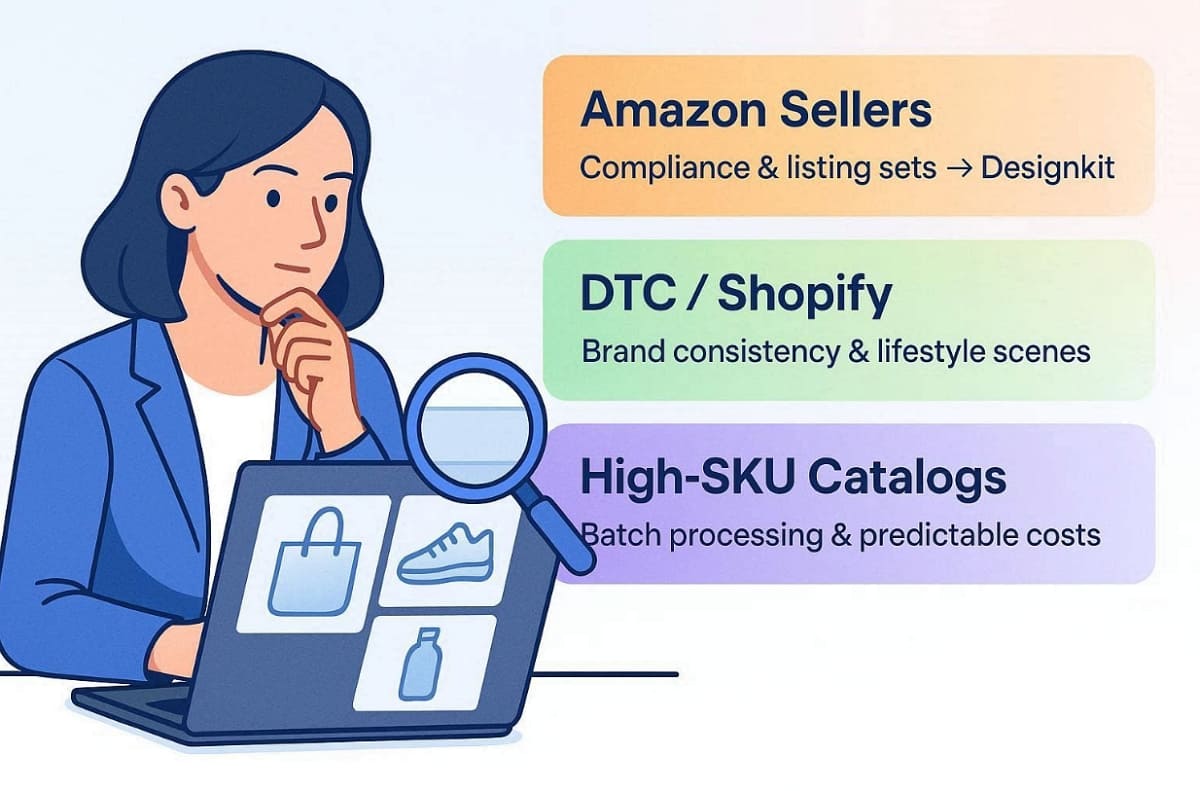
This section covers decision criteria only. For the shortlist, use At a Glance. For the closing summary, use Final Verdict.
By Image Type
- Main / white-background images: prioritize product preservation and background purity.
- Lifestyle images: prioritize lighting match, prop realism, and whether models are required.
- Callouts and product infographic generator needs: prioritize readable text and layout control, then confirm the destination channel allows text graphics.
By Product Category and SKU Volume
- Reflective or transparent products: plan extra QC time for edges and labels.
- Soft goods and home textiles: prioritize scene control and material realism in your trials.
- Low SKU count: optimize for speed and learning curve.
- High SKU count: optimize for batch workflow, predictable credits, and API options.
By Budget and Operating Model
- Testing budget: stay on free credits or the lowest paid tier until one SKU passes QC.
- Growing retail workflow: minimize handoffs between mains, lifestyle frames, and callouts.
- Automation-first workflow: prioritize API and batch pipelines, and confirm whether API credits are separate.
- Marketplace-first workflow: prioritize white-background accuracy and product fidelity against current Seller Central rules.
- Brand-site workflow: prioritize reusable style control and lifestyle consistency.
Decision rule: keep the tool that wins your trial QC checklist with the least editing effort.
How to Create Amazon Listing Images with AI
Amazon listing images have two jobs. The main image must clearly present the product for sale. Secondary images can support discovery with additional views and context, but every image still has to follow Amazon’s current rules. AI can speed production; it does not certify compliance.
Key Amazon Main Image Requirements
Official source: Amazon Seller Central, Product image requirements (G1881)
Amazon’s requirements can vary by product category. Verify the current Seller Central guidance and applicable category style guide before publishing.
Main-image requirements commonly documented in Amazon’s Product image requirements materials include:
- Pure white background with RGB values 255, 255, 255.
- Show the product as 85% of the image.
- Accurately represent the actual product as a realistic, professional-quality image (not a placeholder).
- Show the entire product in frame; do not cut off parts of the item.
- Do not add prohibited overlays on the main image where Amazon disallows them (for example, text, logos, borders, watermarks, or graphics covering the product or background).
Technical image size and zoom guidance documented in Seller Central materials includes:
- Accepted longest-side range: 500 to 10,000 pixels.
- Images with at least 1,000 pixels on the longest side can enable zoom.
- Preferred format is commonly JPEG; TIFF, PNG, and non-animated GIF are also listed in technical requirements.
Category style guides may add stricter framing, model, or resolution preferences. Always check the live requirements for your marketplace and ASIN category.
Secondary Images and Text Graphics
Secondary images may show lifestyle context, alternate angles, and product details, but they must follow Amazon’s current image requirements and applicable category guidance. Before adding text, feature callouts, or promotional graphics, check that the intended format is permitted for the specific marketplace and product category.
Workflow Template: Glass Dropper Bottle (Skincare SKU)
This section is a reusable operations template for your own trials. It is not a completed multi-tool visual benchmark. Before you publish formally, replace the placeholders with at least one real set: source photo, AI main image, AI lifestyle image, plus detail and edge crops. If those assets are not ready, keep the template labels and do not present them as comparative test results.
- Source file: front-facing packshot on a plain background, label text readable, no heavy props.
- Image 1 (main): pure white background; full bottle in frame; no text overlays; no lifestyle props; follow Amazon main-image framing rules.
- Image 2 (lifestyle): restrained bathroom-shelf context; product remains the hero.
- Image 3 (detail): label and dropper close-up.
- Image 4 (feature detail, subject to current image rules): use only formats currently permitted for your marketplace and category. Do not assume text-heavy infographics are always allowed in Amazon image slots.
Assets to attach before publish:
- [WORKFLOW EXAMPLE, Source photo] Original product photo.
- [WORKFLOW EXAMPLE, Main candidate] AI white-background main image.
- [WORKFLOW EXAMPLE, Lifestyle candidate] AI secondary lifestyle image.
- [WORKFLOW EXAMPLE, Detail crop] Label text close-up.
- [WORKFLOW EXAMPLE, Edge crop] Glass edge / dropper tip close-up.
Create a Main Product Image
- Start with a sharp product photo on a simple background.
- Generate a pure white-background packshot. Check edges, shadows, and label accuracy.
- Check framing against Amazon’s current main-image requirements and your category style guide.
- Export at a resolution that meets current technical and zoom guidance (at least 1,000 pixels on the longest side if you need zoom), then compare the file with the physical product.
Generate Lifestyle and Detail Images
- Create lifestyle scenes that show use context without hiding the product.
- Generate detail or alternate-angle frames for texture and packaging.
- If you draft feature graphics, check that the format is allowed for your marketplace and category before upload.
- Keep lighting, color temperature, and crop logic consistent across the set.
Review Image Accuracy Against Official Requirements
- Does every image show the same product customers will receive?
- Does the main image meet current white-background and framing rules from G1881 / category guides?
- If an image includes text or graphics, is that format currently permitted for this ASIN category?
- Did AI alter packaging text, color, or shape?
- Do file dimensions meet the accepted range, and is zoom eligibility satisfied when needed?
Common AI Product Image Generation Mistakes
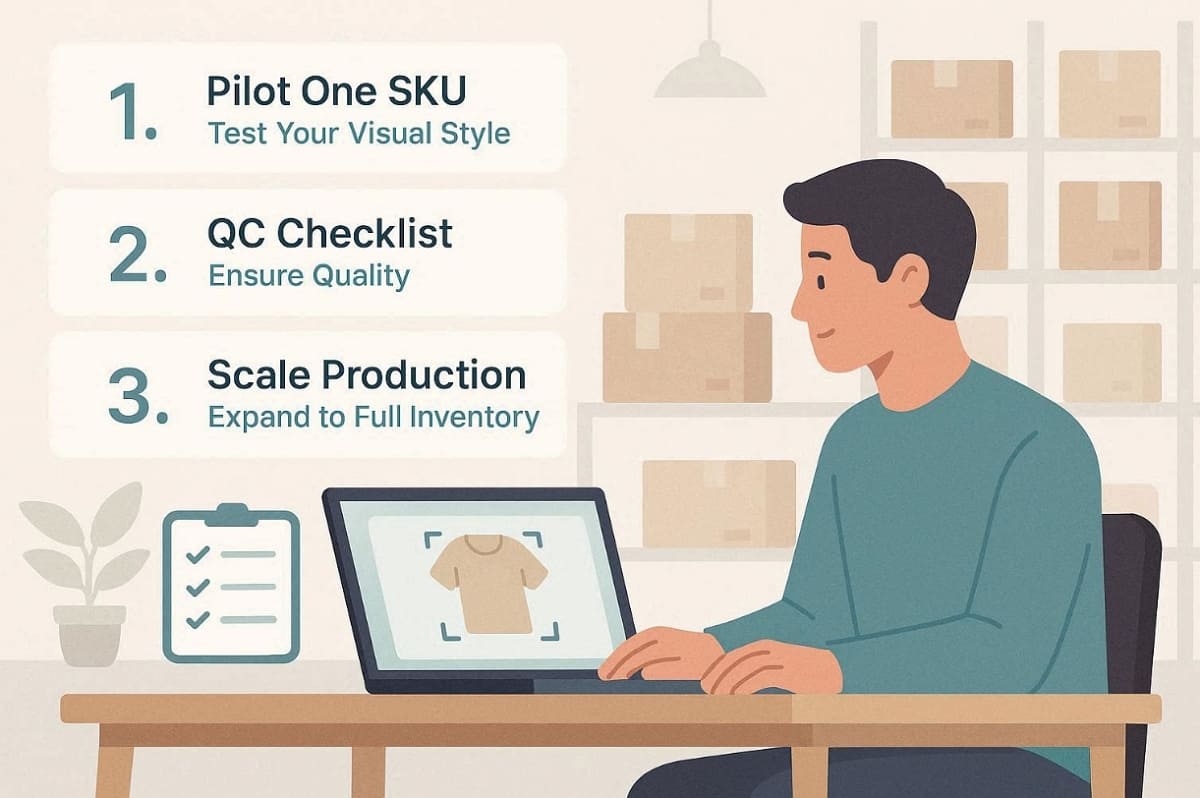
These are common production errors after teams move past the trial stage. For the evaluation method itself, use How to Evaluate.
- Treating a strong lifestyle render as a main image without checking main-image rules.
- Uploading text-heavy feature graphics to Amazon image slots without checking current category permissions.
- Skipping product-preservation checks on labels, colors, and proportions.
- Publishing callout text without a human spellcheck and claim review when text graphics are allowed.
- Estimating monthly capacity from a general image cap while ignoring tool-specific ecommerce limits.
- Comparing tools only on sticker price, without counting editing effort and rework.
- Scaling before locking a style guide and QC checklist on a trial SKU.
Final Verdict

The right AI product image generator depends on your product types, image requirements, and production volume. Claid.ai is worth a closer look for API-driven catalog workflows, Caspa AI for model-led lifestyle scenes, Pebblely for straightforward lifestyle images, WizStudio for wholesale and home décor catalogs, Magic Studio for quick creative edits, and Designkit for ecommerce listing sets with product callouts.
Before committing to a paid plan, test your finalists on the same SKU, compare how much manual correction you still need, and confirm the current pricing and commercial-use terms.
Frequently Asked Questions
What is the best AI product image generator for Amazon sellers in 2026?
Can AI product photography replace a traditional photoshoot?
Not always. AI can support parts of the workflow, especially background cleanup, scene expansion, and catalog variants, when you already have accurate product source photos. Whether it can replace a real shoot depends on product-truth requirements, source-asset quality, and whether the images are for everyday catalog updates or a high-stakes brand launch.
How much does an AI product image generator cost?
Examples from October 2026 public pages: Caspa Starter $39/month; Pebblely from $19/month; WizStudio plans listed from $49/month; Magic Studio Free includes 40 generations; Designkit and Claid require live checkout confirmation because caps and billing toggles vary. Always check billing cycle, credits, and tool-specific limits before comparing.
Is there a free AI product image generator worth testing?
For trials, yes. Pebblely and Magic Studio offer free allowances; Designkit offers free first-login credits; Caspa offers 10 free credits without a full free plan. Use free credits to check product preservation and editing effort, not to publish an entire catalog without QC.
What should I check before uploading AI-generated Amazon listing images?
Check product accuracy, main-image rules, whether any text graphics are allowed for your category, and that AI did not alter labels or materials. See How to Create Amazon Listing Images with AI above, and check Seller Central: https://sellercentral.amazon.com/help/hub/reference/external/G1881
Which tool should I evaluate for lifestyle product photography with models?
Start with Caspa AI when models and props are central. For room-style décor scenes, look at WizStudio. For listing sets that mix lifestyle and callouts, look at Designkit. Choose based on your trial results.
Which tools support a product infographic generator workflow?
If you need native listing-style callouts and feature layouts, look at Designkit and review whether Caspa’s listed infographic / A+ tools fit your brief. For Amazon uploads, check that the final format is permitted for your marketplace and category before publishing.
More AI Product Image Guides for Ecommerce Sellers

10 High-Converting Lifestyle Product Images for Amazon Listings

Amazon Listing Images Guide 2026: 7-Slot Strategy & Requirements

Amazon Product Photography Requirements & Best Practices 2026
Amazon Product Video Requirements: Specs & Upload

How to Create Lifestyle Product Images Without a Studio

Create TikTok Ads From One Photo: An AI Product Launch Kit

AI Product Photography: Create Ecommerce Images Without a Photoshoot

How to Edit Amazon Product Photos That Boost Sales Fast

How to Scale E-commerce with a Product Image Generator

White Background Product Photography Guide & Tips 2026
Make every product image ready to sell
Turn product photos into polished listing images, lifestyle visuals, and infographics with Designkit AI. Simplify your ecommerce workflow.


