
How to Make a Custom Poster That Is Ready to Print
Learn how to plan your poster content, edit the image, build the layout, and prepare the final file for sharing or print.

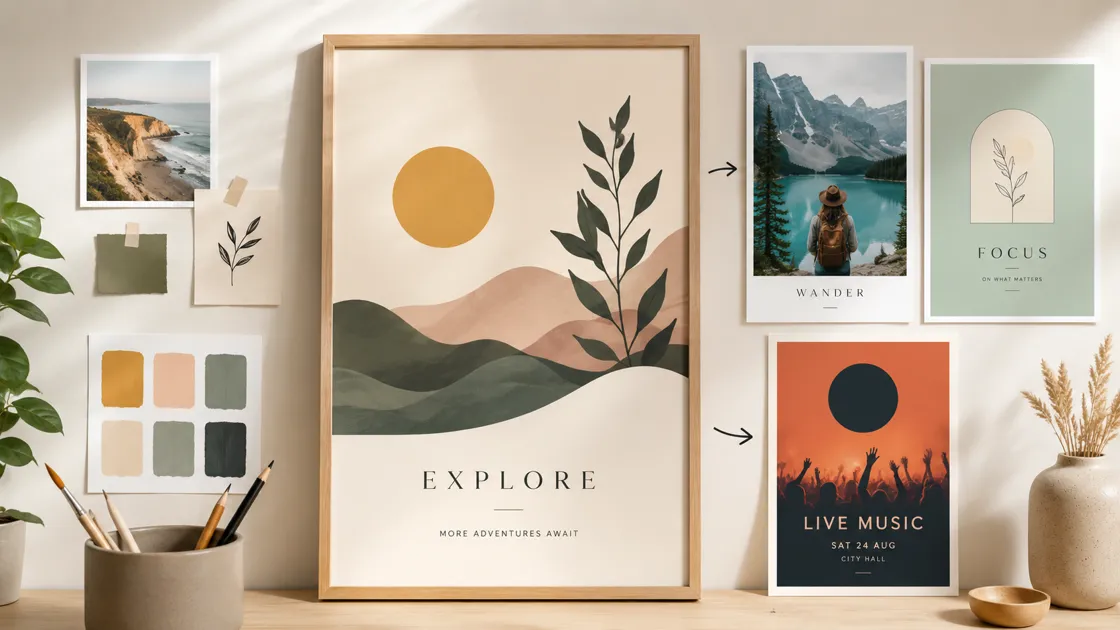
A custom poster is a one-off design built around a specific message and intended use. Instead of placing content into a preset layout, you start with the result you need, whether that is a wall piece, an announcement, or a promotional graphic, and shape the composition around that purpose. The goal is not to add more elements, but to make the poster feel like it was made for that use.
That final use matters because a poster rarely stays inside the editor. It may end up on a wall, handed out as a print, or shared as a finished file. Screen previews can hide small spacing issues or weak image details, and those problems often become more obvious once the design is enlarged. Keeping the final output in mind helps the poster stay balanced outside the workspace, where size and viewing distance can change how it feels.
This guide follows a practical workflow for making a custom poster with AI tool. You will prepare the content, improve the source image when needed, create the first layout, edit the message, resize the poster, and check the final file before sharing or printing. Each step brings the design closer to a usable poster, not just a good-looking draft.
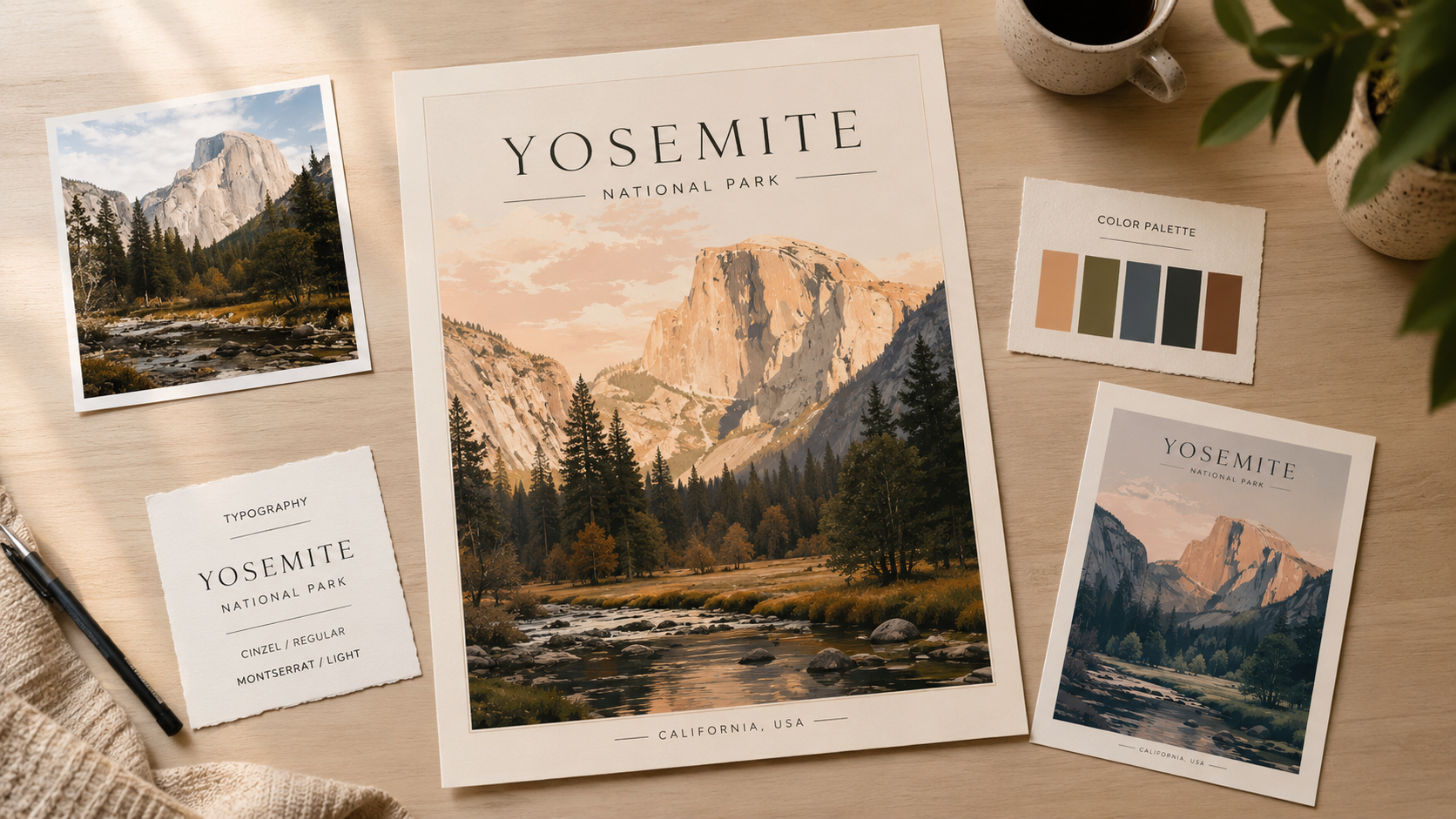
Where You Can Use a Custom Poster
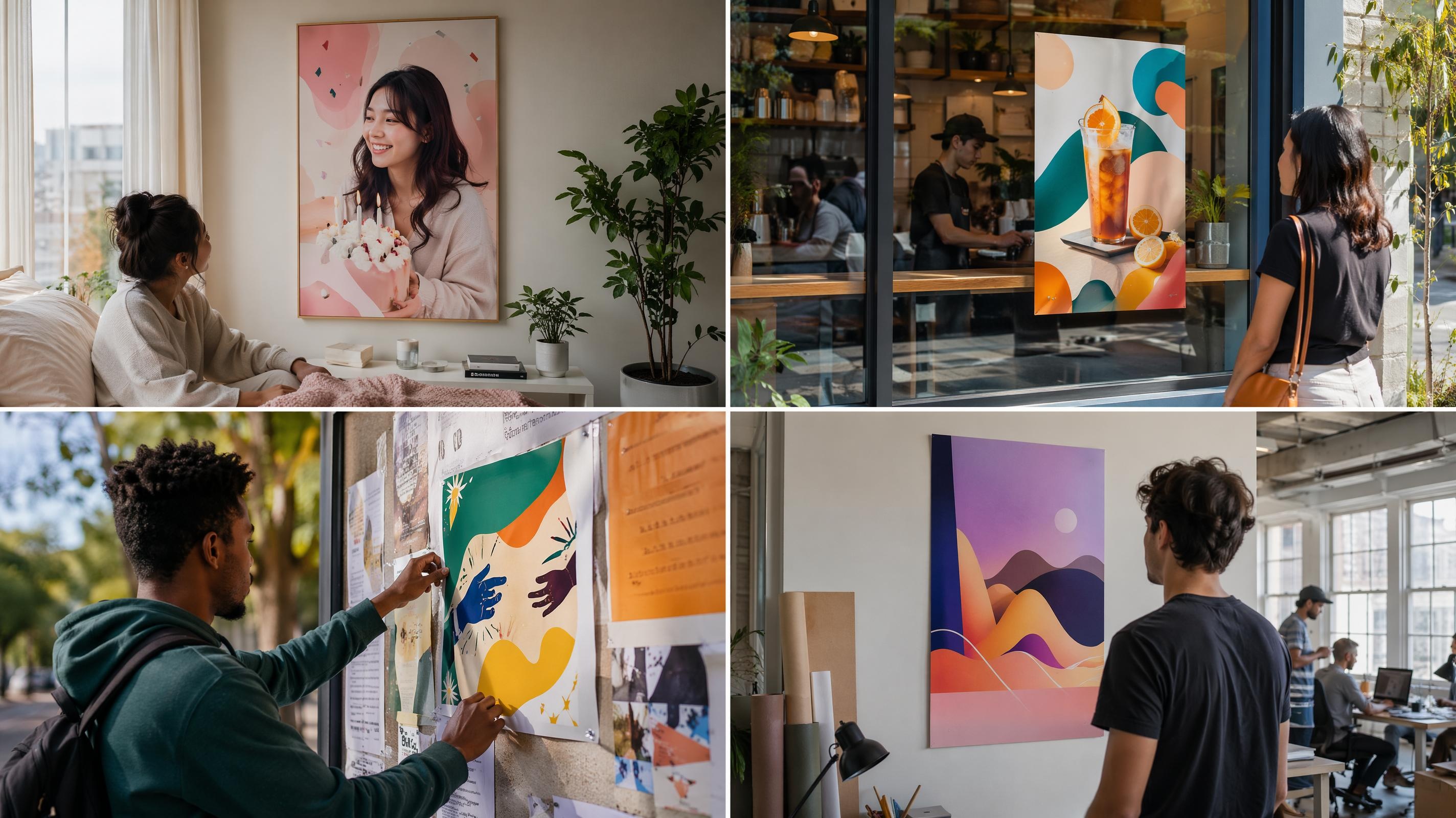
A custom poster fits almost anywhere you need a message to stand out. Some people design one for a personal project, like a birthday photo poster or a print for their own wall. Others need something more public-facing, such as a flyer for a local event or a promotional piece for a small business. Schools, community groups, and creative studios often rely on custom posters too, since a single design can be reused across different occasions with just a few edits.
What ties these use cases together is not the setting but the flexibility. Because you control the layout from the start, a custom poster can shift from a casual home print to a polished piece for a storefront window, without starting the design over. This is part of why the format has stayed popular even as templates have become easier to find. Sometimes a message just needs a design built around it, not the other way around.
The size and style you choose usually depends on where the poster will be seen. A poster meant for a bedroom wall can stay small and personal, while one going up in a shop window or a community board often needs to hold attention from farther away. Even the message itself tends to shift with the purpose, since an announcement calls for a clear headline while a decorative piece can lean more on the image. None of this changes how you build the poster, but it does explain why the same basic process can lead to such different results depending on who ends up seeing it.
How to Make a Custom Poster with AI Tool
A good custom poster usually starts with a clear decision about what the viewer should notice first. Once that main idea is clear, the design choices become easier to judge: the image needs to support the message, the text needs to stay readable, and the final size should match where the poster will be used.
Designkit helps turn that direction into an editable poster file. It is free to use, and the export stays sharp enough to hold up in print. The workflow below moves from content preparation to layout generation, then into editing and resizing, so each step builds on the last instead of treating the poster as a one-click image.
Step 1: Prepare Your Poster Content
Start by deciding what the poster needs to say. This does not mean writing every detail at once. It means choosing the main point first, then adding only the information that supports it. A poster with one clear message is usually easier to read than one that tries to explain everything.
If your poster is based on a photo, choose the original file before you begin designing. The overall result depends heavily on the quality of that source image, since weak details become more noticeable when the poster is enlarged. For a custom photo poster, avoid screenshots or compressed social media copies that only look sharp on a small screen.
This first step matters because the poster will only be as strong as the material you give it. When the main image, headline, and supporting details are already clear, the design process becomes less about fixing problems and more about shaping the final layout.
Make a Custom Photo Poster from a Clear Image
A custom photo poster should be built around an image that can still hold attention at poster size. Before you move into the layout, check whether the subject remains clear when enlarged and whether the background gives the design enough space to breathe. For custom photo poster printing, this early check helps prevent a small-screen image from becoming a weak printed focal point.
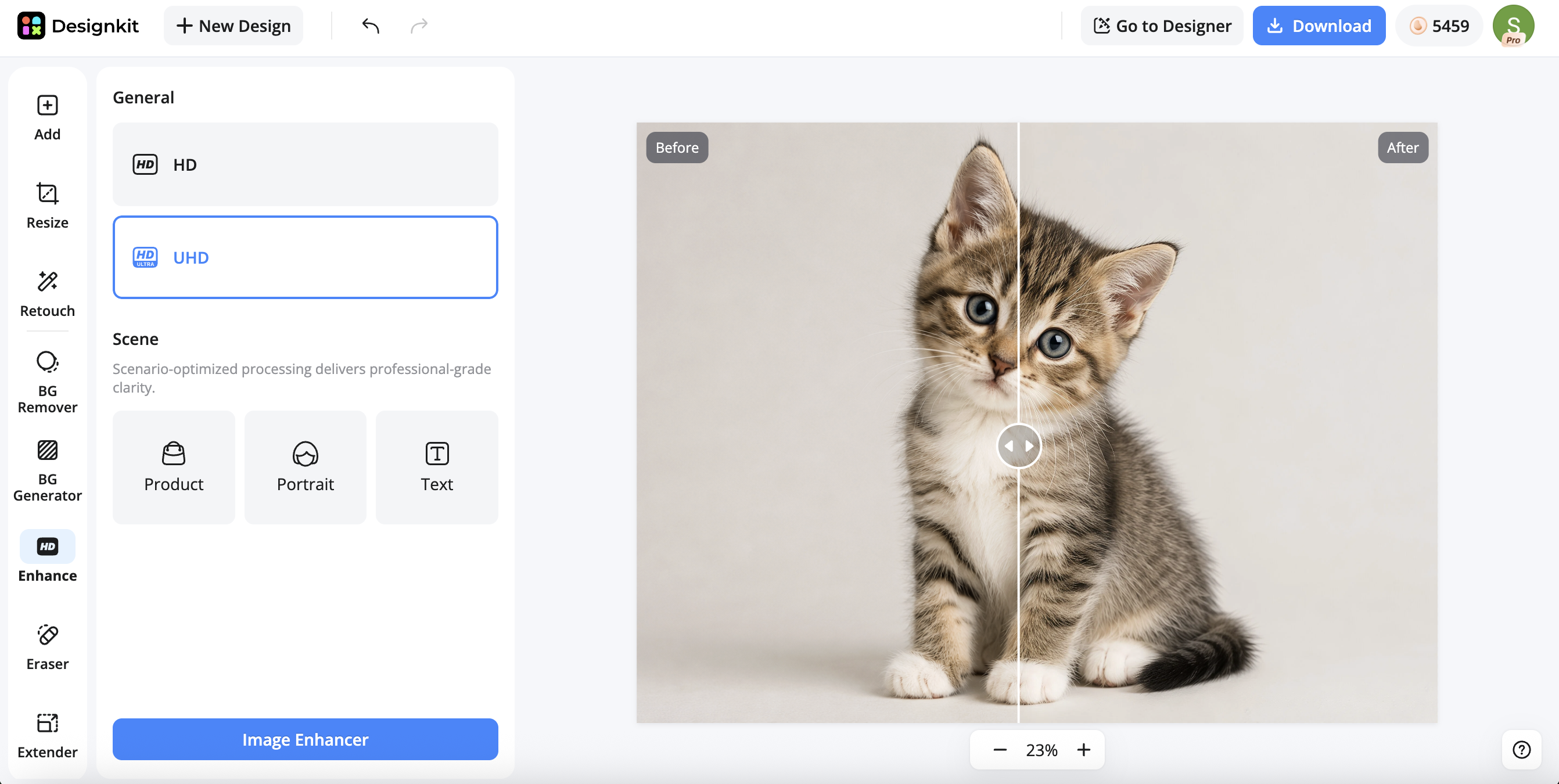
Designkit’s Image Enhancer can help improve the photo before it becomes part of the poster, especially when the image needs more clarity or detail. If the original photo does not give the poster enough visual atmosphere, Designkit’s AI Image Generator can help create a stronger background or image direction for the final layout.
Step 2: Create Your Custom Poster
Once the content is ready, create the first version of the poster. At this stage, you do not need to finalize every detail. Focus on building a strong starting layout so you can see how the main message, image, and text work together.
With Designkit’s AI Poster Generator, you can create a custom poster from your idea, main text, and visual direction instead of starting from a blank canvas. For example, you can enter the purpose of the poster, the main text, and the style you want the design to follow. The tool can then generate a first layout that gives you a structure to edit.
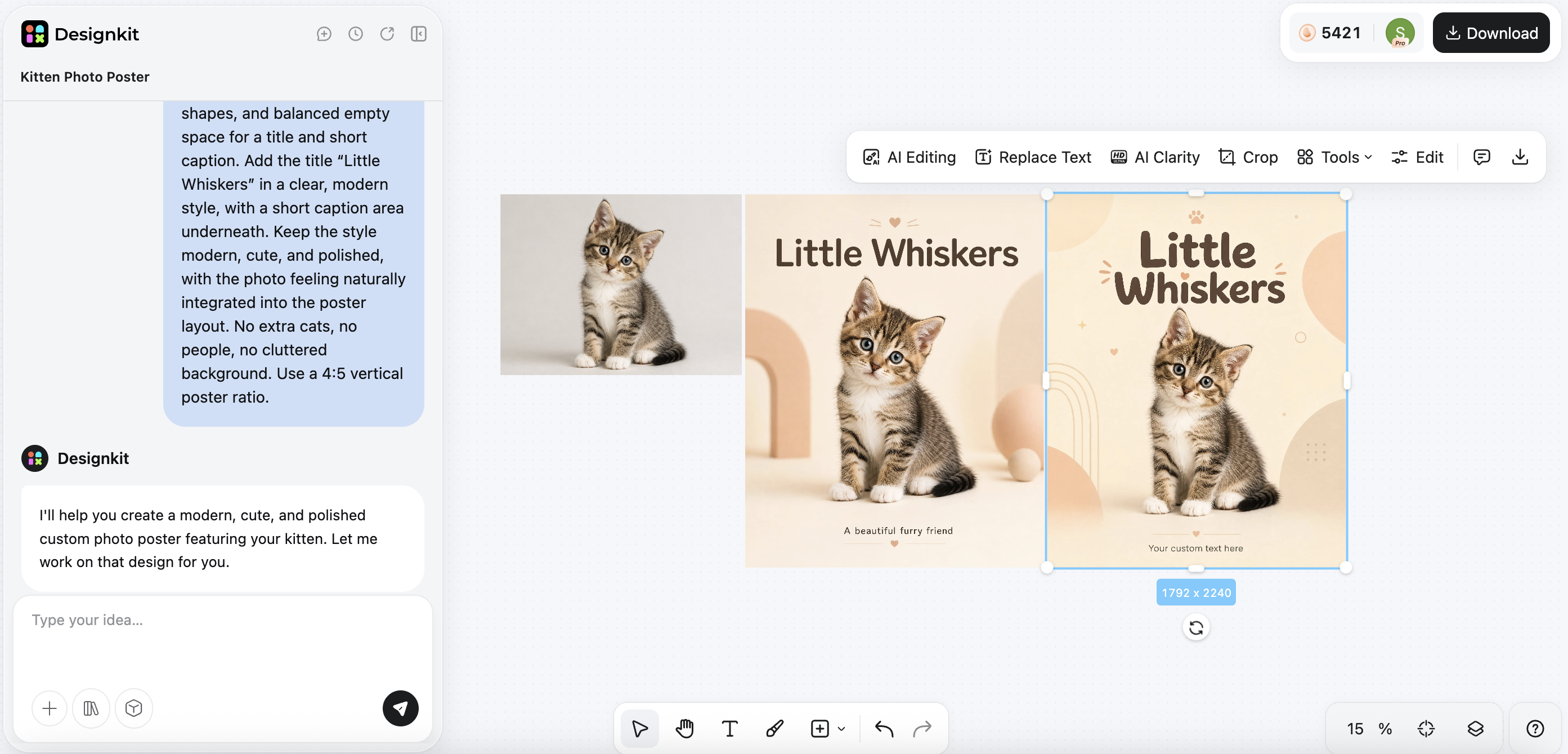
This matters since many custom posters break down at the structure stage before details ever come into play. When the main image feels too small, the title is hard to spot, or supporting text competes with the headline, the entire design becomes unclear even if the colors look good. Creating a first draft gives you a base you can quickly evaluate.
When reviewing the first version, look at the poster from a distance on your screen. If the title, image, and main action are clear at a glance, the layout is probably moving in the right direction. If your eye jumps around the page and you cannot tell what matters first, the design needs editing before you resize or export it.
Step 3: Edit Your Poster
After you create the first layout, start adjusting the poster to match your message. This is the point where it really becomes custom, since you are no longer sticking with the initial version. You decide what stays, what needs to change, and what should go.
If your poster starts from a photo or graphic background, Designkit’s Add Text to Image tool can help you place a title, date, short message, or sticker directly on the image. The important part is not just adding elements, but making sure they have enough contrast, spacing, and visual purpose.
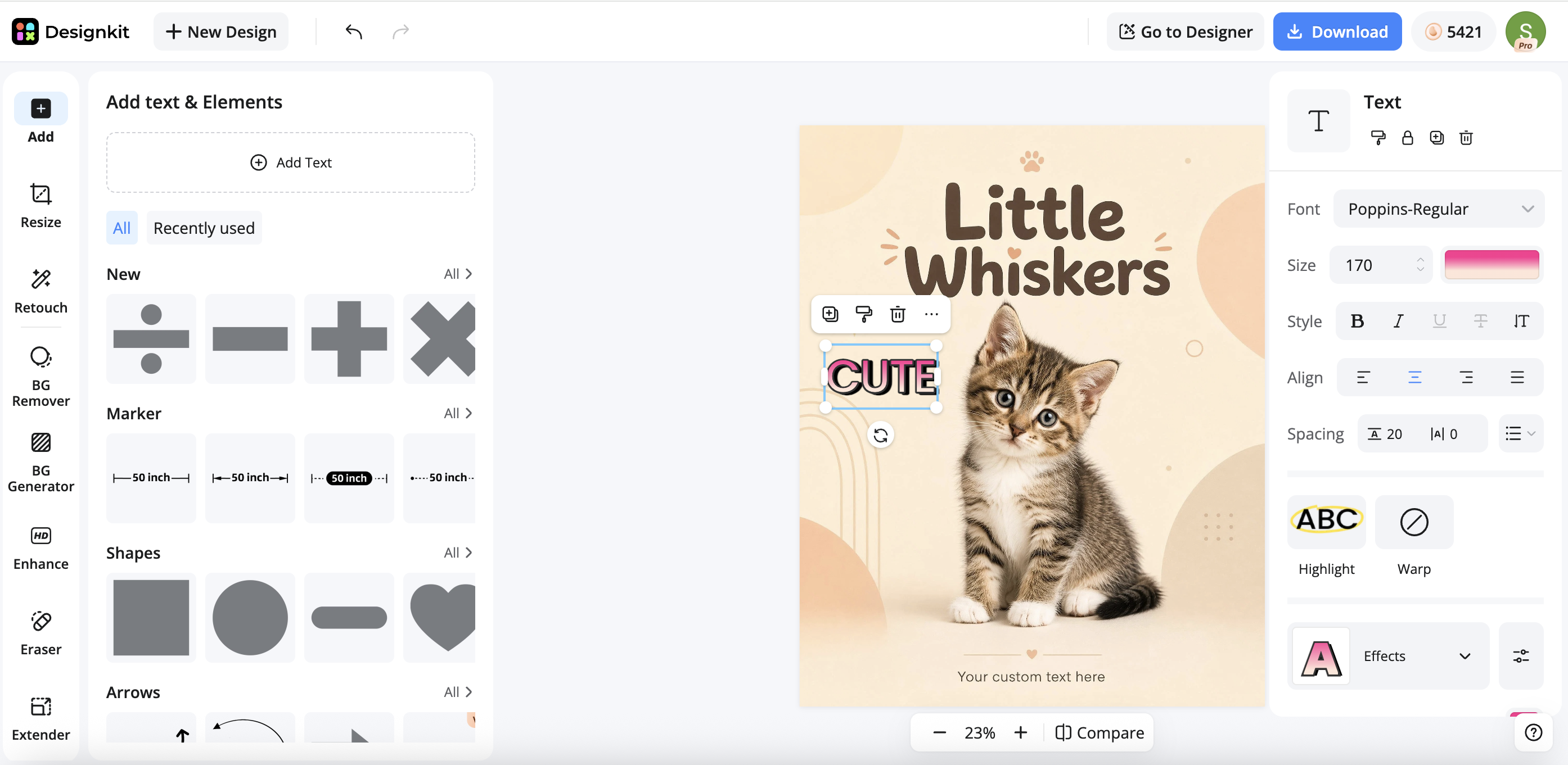
Before exporting, read the poster once as a viewer rather than as the person who made it. The message should be easy to follow, the spacing should feel intentional, and no key visual should look accidentally cut off. This final check helps catch small layout problems before they become more obvious in the exported file.
Step 4: Resize Your Poster
Once the poster layout feels right, set the final size before export. A design that works in one ratio may feel cramped or unbalanced in another, so resizing should be treated as part of the design process rather than a last-minute technical step.
|
Poster Size |
Best For |
|---|---|
|
8×10 in |
Small photo posters or framed prints |
|
11×17 in |
Everyday notices and light promotion |
|
18×24 in |
Wall decor and standard poster printing |
|
24×36 in |
Large displays or statement prints |
Custom Size Poster Printing
Custom size poster printing is useful when the poster needs to fit a specific space rather than a standard format. Before export, decide whether the design needs to match a frame, wall area, or display requirement.
Designkit’s Image Resizer can help set the poster to the size you plan to print. After resizing, review the layout once more so the poster feels made for that format rather than stretched into it.
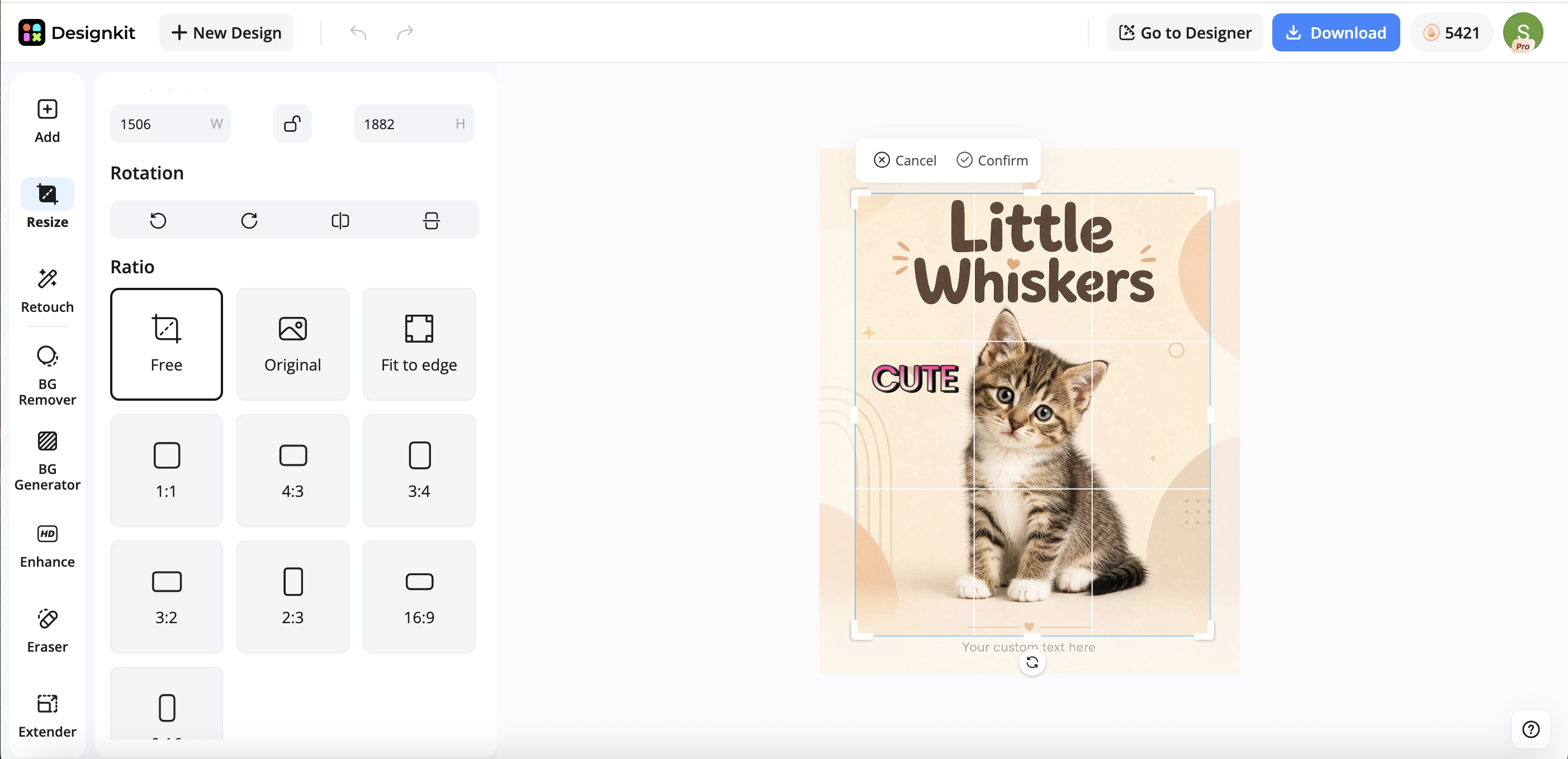
Once the poster fits the size you plan to use, export it in a format that matches the next step. A design for online sharing may only need an image file, while a printed poster should follow the file requirements from your print provider.
Final Checks Before You Print
Before you print a custom poster, review the exported file at the size you plan to use. If the poster depends on a photo, check whether the image still holds enough detail when enlarged. A stronger source image will always give you a better result, so image enhancement should support the design rather than rescue a poor-quality file.
Next, confirm the file format with your print provider. PDF is usually a strong choice because it helps preserve the layout and text placement, while PNG or JPG can work for image-heavy designs when the provider accepts them. This check is small, but it can save you from editing the poster again after upload.
Finally, choose the printing option that fits the poster size and quality you need. Custom poster printing services are useful for larger sizes, paper choices, or delivered copies, while a home printer is usually better for smaller prints. The phrase “custom poster printers” can also refer to physical machines, but most users do not need to buy one unless they print large posters regularly.
Conclusion
A custom poster works best when every design choice supports its final use. Keep the content clear, use a strong image, and shape the layout so everything works together before preparing it for export. Before printing, check your provider’s requirements to make sure the final result matches your expectations for size and quality. With Designkit, you can go from idea to an editable poster in a single workflow, then export it for sharing or print.
Frequently Asked Questions
How do I make a custom poster?
What size should a custom poster be?
Common poster sizes include 8×10, 11×17, and 18×24 inches. Use a custom size when you need to match a frame, wall space, or display format.
What file format is best to print a custom poster?
PDF is usually a strong choice for printing because it preserves layout. PNG or JPG can also work, but you should check the printing service’s file requirements first.
Can I make a custom photo poster?
Yes. Start with a clear original image, preview it at poster size, and avoid cropping important parts of the subject before you export the final design.
Do I need a custom poster frame?
Not always. Many posters fit standard frames, but a custom size poster may need a custom poster frame or careful measuring before you buy one.
You May Also Like

Aesthetic Poster Ideas: Find Your Style and Create Printable Art
How to Create Amazon Summer Sale Posters and Banners with AI

Father's Day Gift Ideas: Personalized Card, Poster and Video

Father's Day Card Ideas: Messages, Printable and Personalized Cards
How to Use AI for Spring Product Photography: 2026 Amazon Guide
Product Photography Ideas: Creative Tips & Techniques for Better Shots

20 FIFA World Cup Merchandise Ideas That Fans Actually Buy
Make Your Custom Poster with Designkit
Start with your poster idea, prepare the image, generate a layout, add text, resize the design, and export a finished file for sharing or print.


