


Launching various product items online usually requires a lot of expensive professional photography. Every single color or size change often needs its own separate studio photo session. These traditional methods take too much time and cost a very large amount. You need a faster way to create quality visuals for your online store.
Therefore, using a smart product image generator allows you to create many variations instantly. This modern technology helps you maintain a professional look across all your different listings. You can now save money while still showing customers exactly what they want. This guide will explain how to use these new tools for your growing business.
Part 1. Why a Basic Product Image Generator Isn't Enough
Standard tools often fail when you need to handle hundreds of different product variations. On the other hand, traditional studio photography requires a massive budget and many hours of very hard work. Moreover, most basic software cannot handle the complex needs of modern online e-commerce stores.

Thus, you need advanced AI product images to stay ahead of all your digital competitors. This guide uses 5 years of design experience to help you grow very quickly. To understand these challenges better, we must examine the high costs of traditional methods:
1.1 The Hidden Costs of Traditional Photography for Multiple SKUs
Managing many items requires a better way to create product image variations without expensive reshoots. Traditional setups involve high fees for lighting, studio space, and professional camera equipment rental. The following table compares old photography costs against modern and efficient digital solutions:
|
Factor |
Traditional Photography |
AI Product Photography |
|
Setup Costs |
Requires studio space, lighting equipment, and professional camera gear. |
Uses one high-quality base image to generate multiple product variations. |
|
Model Fees |
Models are paid for each new shoot or variation. |
A single model photo can generate many visual variations digitally. |
|
Turnaround Time |
Shooting and editing usually take several days or weeks. |
New product images can be generated within minutes. |
|
Scalability |
Producing many variations requires repeated shoots and editing. |
Large numbers of variations can be generated quickly in batches. |
|
Human Error |
Lighting, angles, and positioning may vary between shoots. |
AI keeps lighting, angles, and composition consistent across variations. |
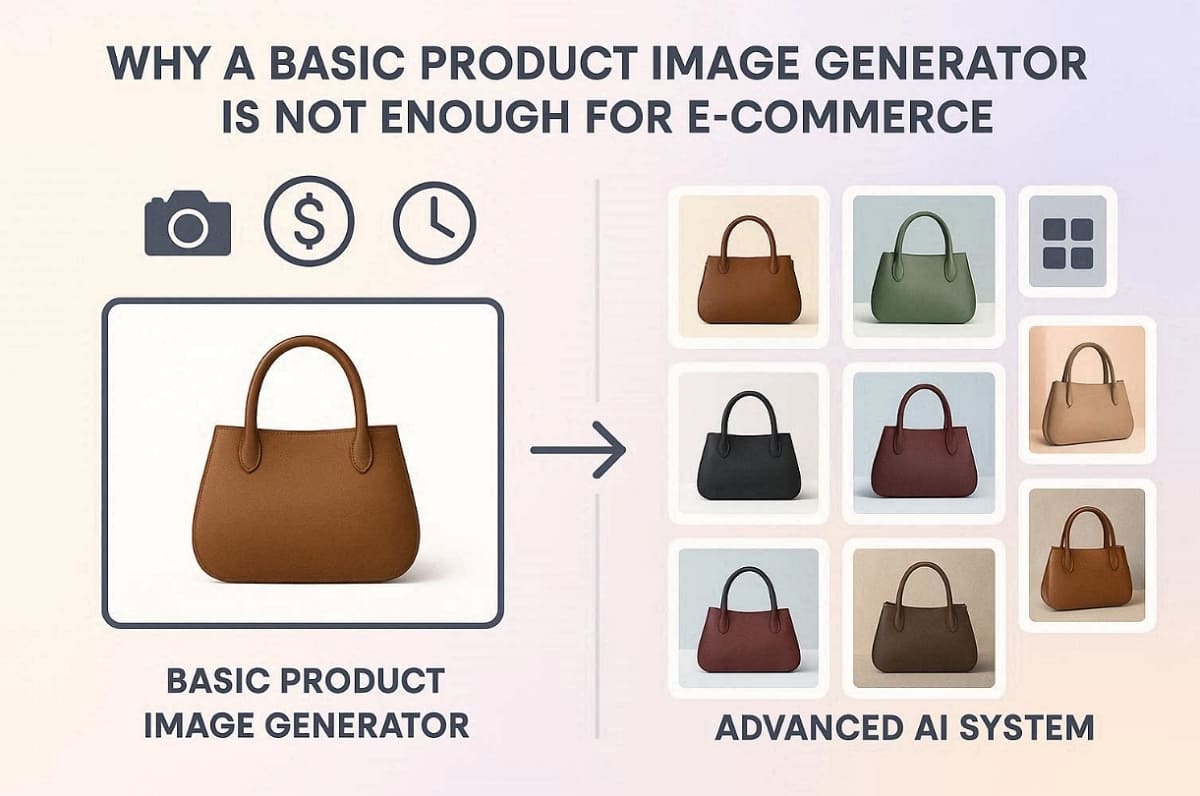
Beyond saving money, maintaining a uniform visual style is essential for building a strong and recognizable online brand. Consistent product images also help customers compare variations easily and create a more professional shopping experience across your listings.
1.2 The Conversion Power of Absolute Visual Consistency
Shoppers trust your brand more when every e-commerce image looks perfectly uniform and professional. Using AI product images ensures that your lighting and camera angles never ever change. Below are some key benefits of keeping your product visuals identical across all listings:
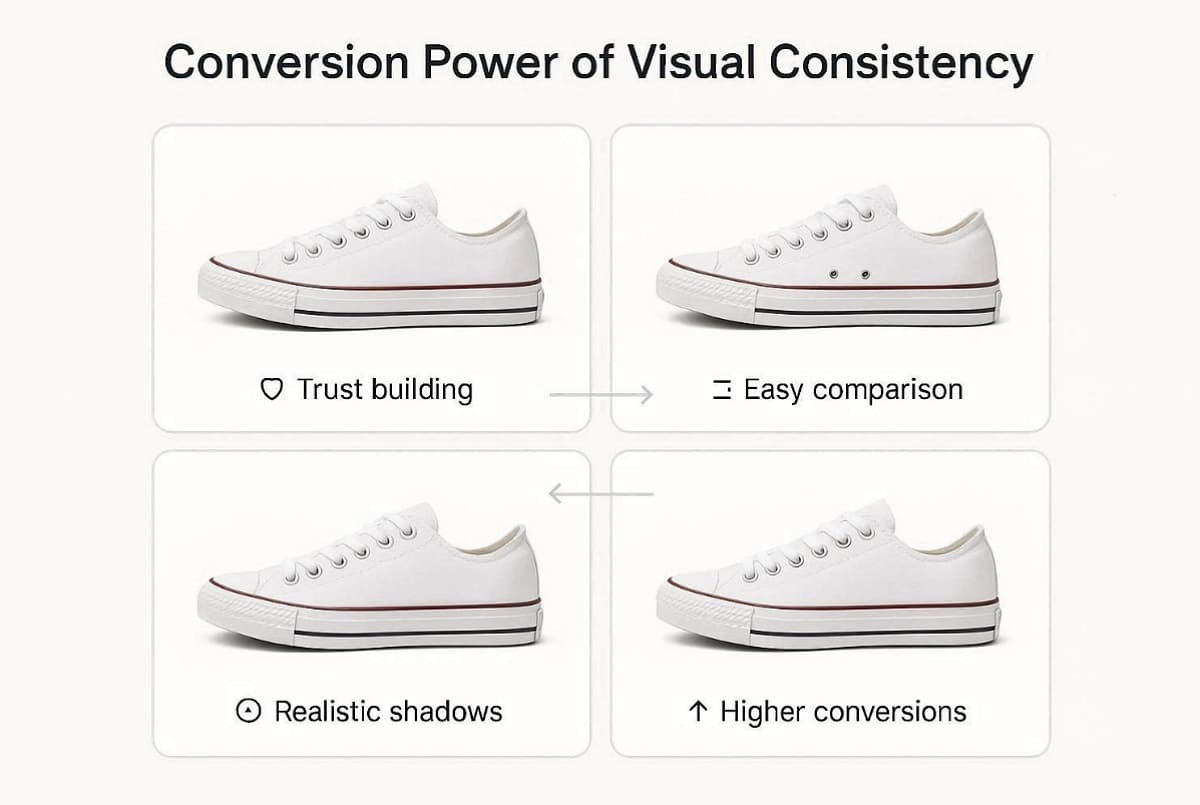
1. Trust Building: Consistent visuals prevent buyer confusion by showing exact details across all listings.
2. Easy Comparison: Uniform backgrounds help customers compare different colors or sizes with total clarity.
3. Realistic Shadows: Smart algorithms lock the shadow structures to maintain a very high-quality look.
4. Higher Conversions: Professional consistency leads to better sales for your growing online retail store.
5. Stronger Brand Identity: Consistent product images create a recognizable visual style that makes your store look more professional and trustworthy to shoppers.
According to Blend, a survey from Shopify states that quality product photos deliver a 33% higher conversion rate than low-quality images.
Part 2. How to Create Product Image Variations at Scale
Smart sellers now use a special workflow to create product image variations very quickly. This method transforms a single quality photo into many different professional listing assets. You can save hours of manual work by using this efficient and modern strategy. To begin this process, you must first select the most effective starting photograph:
2.1 The "Base Image" Strategy for Bulk Generation
Choosing the right base photo is the first step for successful bulk product image generation. You should pick a clear image with even lighting and very sharp product details. At this particular time, Designkit makes it very easy to upload and pre-process your chosen professional base images. It helps you prepare these files perfectly by offering these specific and helpful features:
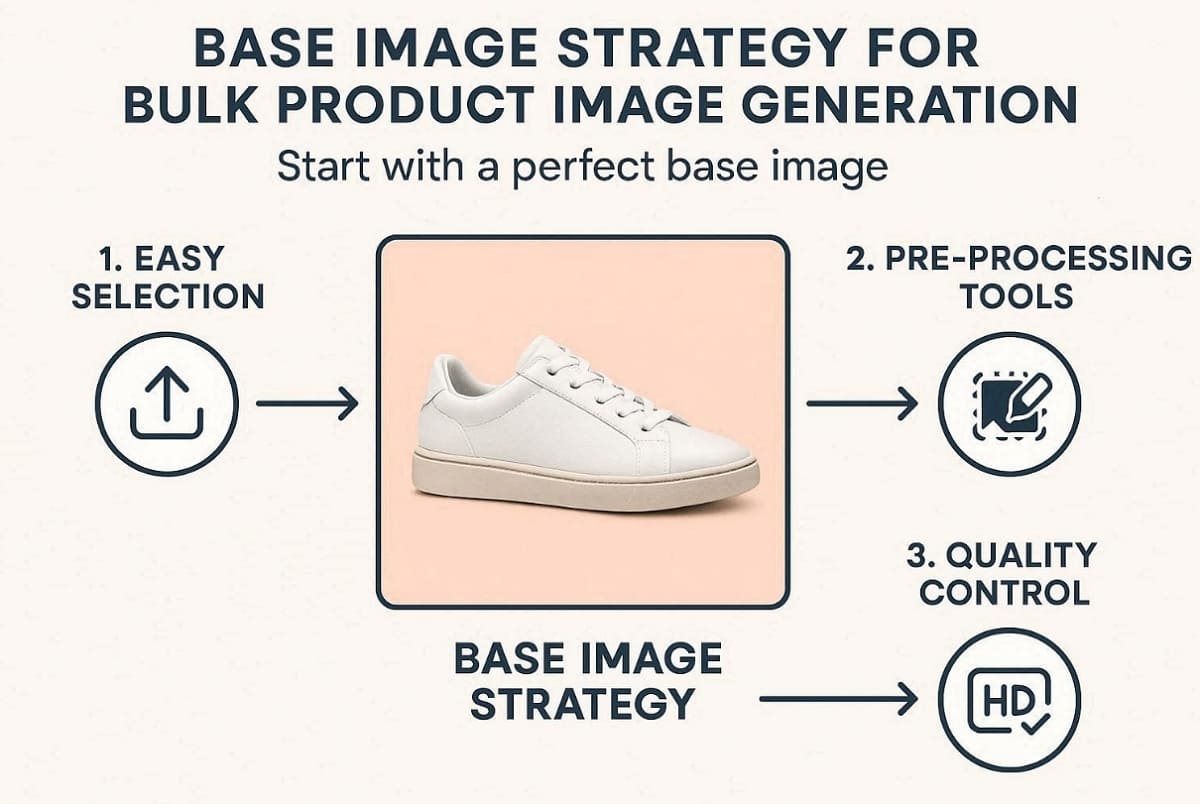
1. Easy Selection: Quickly upload your best shot to serve as the master file for editing.
2. Pre-Processing Tools: Automatically clean up the background to ensure a very professional look.
3. Quality Control: Maintain high resolution across all your variations to keep the customers happy.
4. Consistent Framing: Ensure the product is centered and evenly lit so all generated variations maintain the same composition and professional presentation.
Once your base photo is ready, you can start modifying the specific product details. This step allows you to quickly create multiple visual variations without repeating the entire photography process.
2.2 Flawless Color & Texture Swaps Without Losing Realism
Advanced AI tools allow you to change product color while keeping all the natural shadows. You can easily perform complex product photo editing tasks without any prior graphic design skills. Designkit uses a smart AI Product Generator to swap colors on your many products. The table below shows how Designkit handles these changes compared to older editing methods:
|
Feature
|
Manual Photo Editing
|
Designkit AI Color Swap
|
|
Shadow Retention
|
Shadows may appear flat or inconsistent after manual color adjustments. |
AI preserves natural shadows, highlights, and folds for a realistic appearance. |
|
Editing Speed
|
Changing multiple colors requires significant manual editing time. |
Multiple color variations can be generated within seconds. |
|
Texture Detail
|
Material textures may fade or distort during manual recoloring. |
AI maintains original fabric, surface, and material textures while changing colors. |
After mastering colors, you must also consider how to present different product sizes visually. Clear size representation helps customers understand proportions and reduces confusion when choosing the right product option.
2.3 Simulating Size Variations and Proportions Visually
Sellers often need to generate product image versions that show different scales to customers. You can use AI image resizing for e-commerce to create accurate and clear proportions. So, the list given below explains the best ways to display different sizes using smart technology:
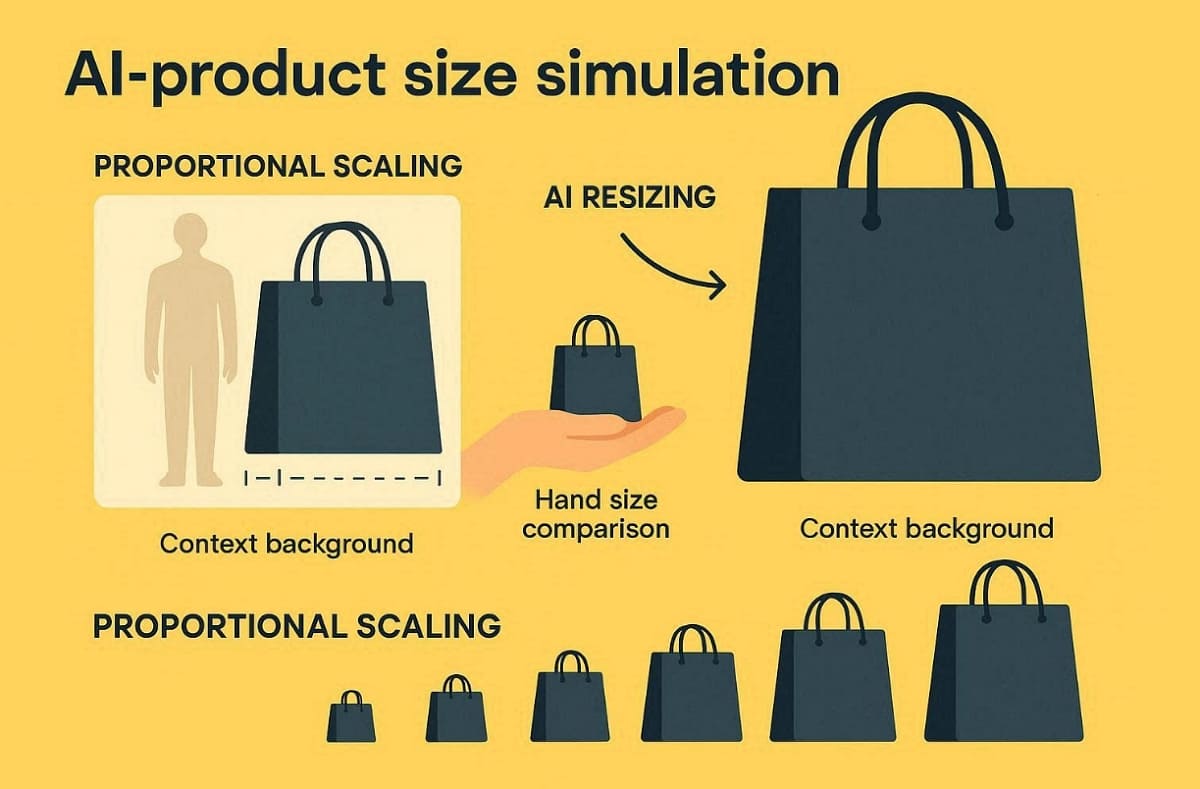
1. Proportional Scaling: Resize the product body accurately to match different size options in your inventory.
2. Contextual Swapping: Change backgrounds to show a large bag next to a human model's body.
3. Hand Comparison: Place smaller items near a hand to show the true scale to shoppers.
4. Visual Psychology: Use clear size markers to reduce customer confusion and prevent many product returns.
5. Reference Objects: Place familiar items like a phone, book, or bottle next to the product to give shoppers a clearer sense of its real-world size.
By merging size simulation and automation, sellers can instantly produce hundreds of variations that appear carefully photographed.
Part 3. Advanced Merchandising: Generate Product Image Bundles & Automate Layouts
Once your single-SKU visuals are stable, the next step is smarter merchandising at scale. Advanced workflows let you generate product image sets that include multipacks and structured layouts for every variation. Using Designkit, you can build complete e-commerce image packages that feel consistent and conversion-focused across your entire catalog. This section explains how to design bundle visuals and keep marketplace rules in check without repeating manual design work:
3.1 Assembling High-Converting Multipacks and Bundles
Creating virtual bundles allows you to bundle product photos without ever touching a camera. You can combine multiple items onto a single digital canvas to create product image sets. It is vital to use global shadow unification to make the group look real. The following list explains how to create perfect digital bundles for your retail brand:
1. Bundle Clarity: Arrange products so each piece shows clearly, creating bundle product photos that communicate quantity.
2. Shadow Unification: Apply a single light source to make every bundled item look naturally placed.
3. Offer Highlight: Add simple visual hints, like “3-pack,” to reinforce value without cluttered text overlays.
4. Proportion Accuracy: Use Designkit’s smart canvas tools to duplicate layouts for similar bundle product photos.
5. Balanced Spacing: Keep equal spacing between items so each product remains visible and the bundle layout looks organized and visually appealing.
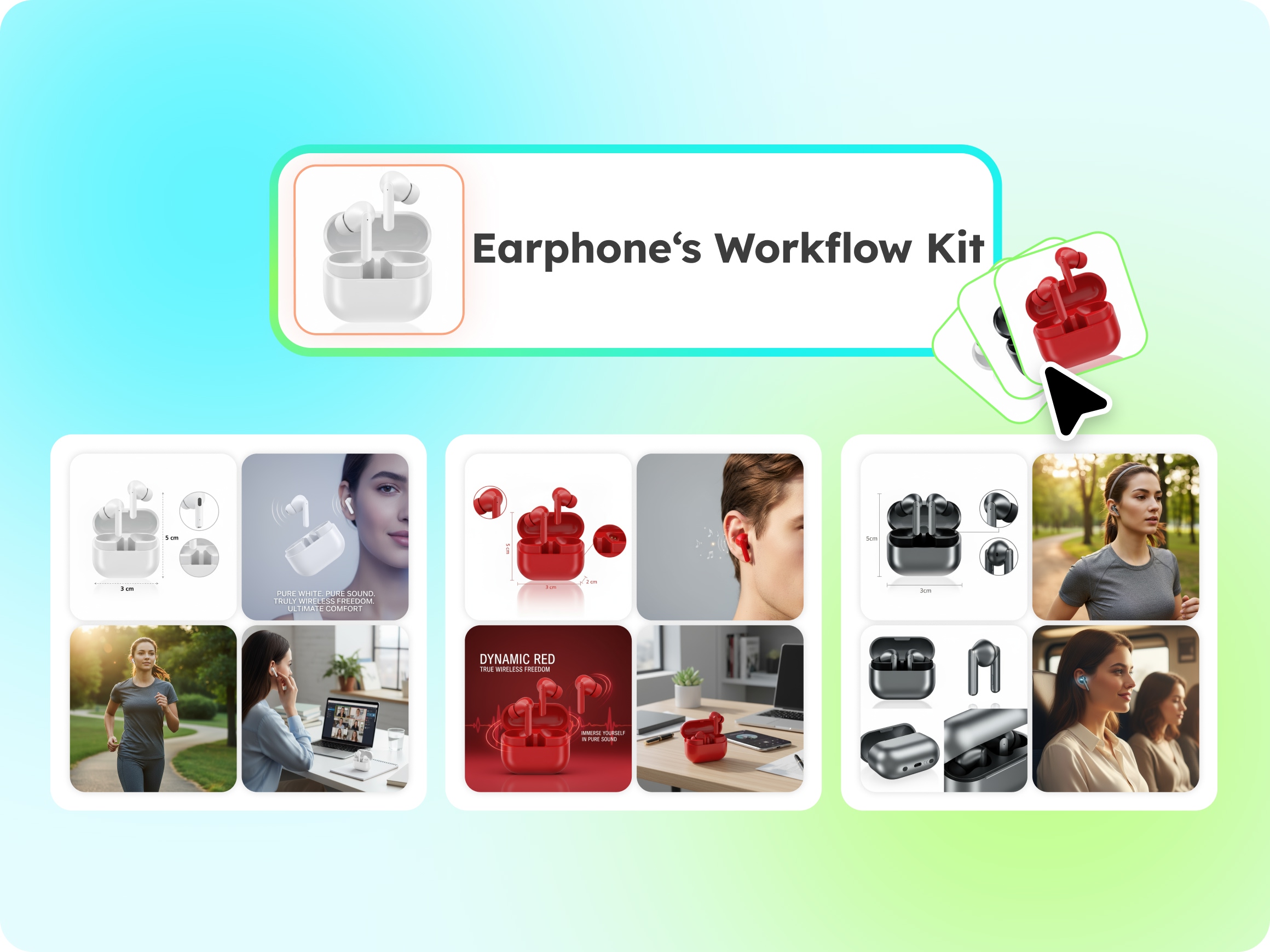
These steps help each multipack feel premium while saving hours normally spent building every composite from scratch.
3.2 The "Master Template" Workflow for Listing Images
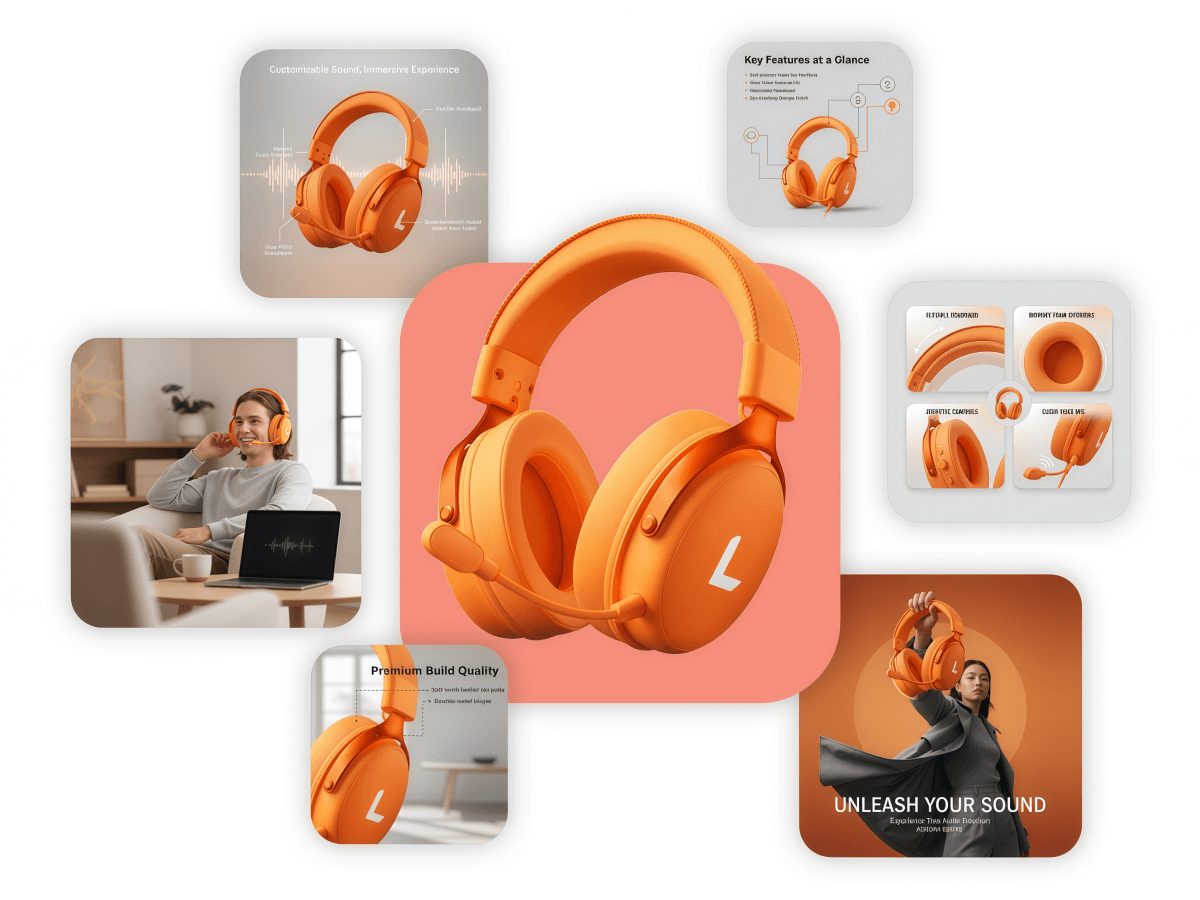
Once your bundle style is ready, a reusable layout makes scaling effortless for larger catalogs. A master layout lets you create product image variations where only colors, sizes, or text blocks change. With Designkit’s AI Product Listing Images Generator, this layout becomes a repeatable recipe applied in a few clicks. The table below compares manual layout work against the automated Designkit template system:
|
Layout Task
|
Manual Graphic Design
|
Designkit Master Template
|
|
Adding Copy
|
Text added manually to every variation image. |
Apply text across multiple images automatically using one template. |
|
Size Markers
|
Lines and labels were drawn for each size image. |
Templates automatically adjust size markers based on product dimensions. |
|
Logo Branding
|
The logo is placed manually on every file. |
Add logos or watermarks to all catalog images in one step. |
This approach keeps every product card on-brand while removing the need to redesign layouts for each new launch.
3.3 Foolproof Compliance for Amazon Variation Families
Finally, strong visuals must still follow marketplace rules to avoid listing suspensions or suppressed pages. Amazon, in particular, enforces strict standards on backgrounds, image sizes, and variation relationships. Using Designkit’s Amazon Listing Images Generator, you can align each e-commerce image with these rules automatically. You can review the given points to explore a few key tips:
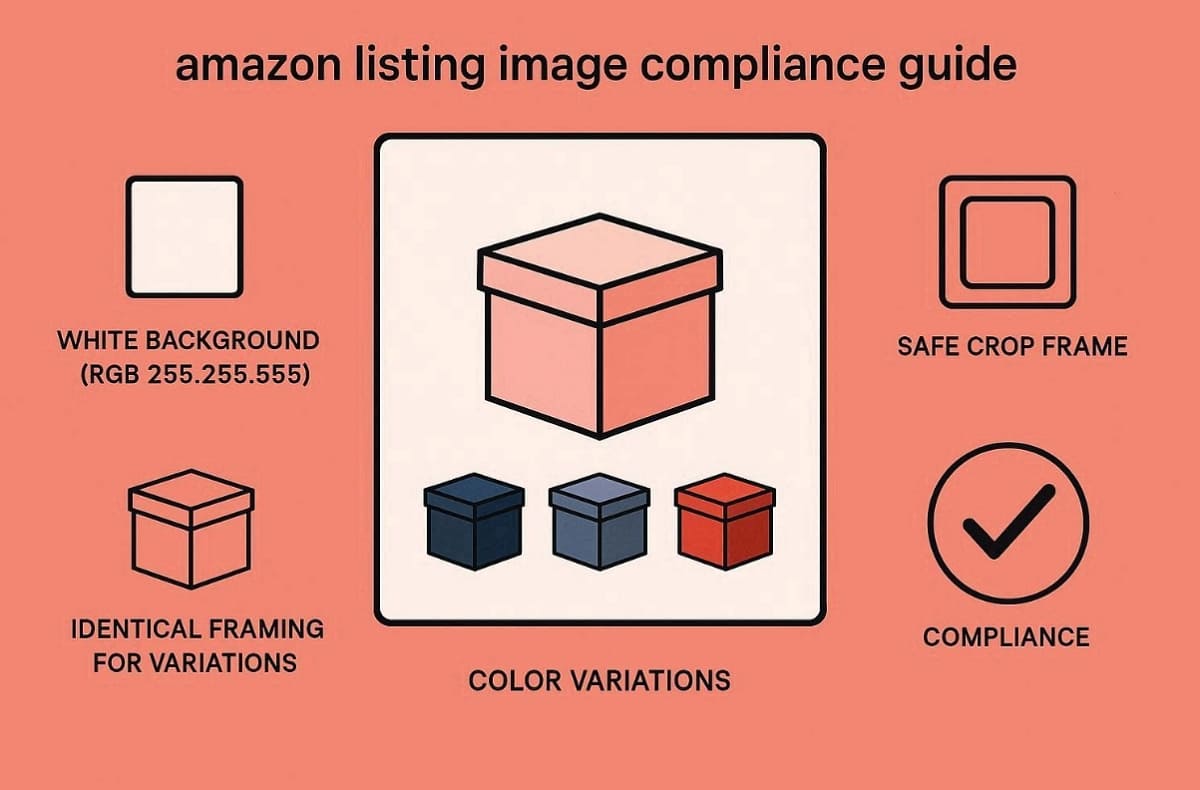
1. White Backgrounds: Ensure the main image uses a pure white background (RGB 255,255,255) while you generate product image sets.
2. Safe Cropping: Keep the product centered and large enough to follow Amazon's image sizing guidelines.
3. Variation Alignment: Use identical framing across parent and child items to support clean variation, families.
4. Automated Checks: Let Amazon Listing Images Generator review layouts so AI product images remain compliant at scale.
5. Product Coverage: Ensure the product fills at least 85% of the image frame, as Amazon recommends, so the item is clearly visible and meets marketplace listing standards.
With compliance handled inside your design flow, you can focus on creative merchandising while keeping every listing safe. Moreover, Amazon reports that high-resolution images with zoom capability can increase sales by up to 10% for compliant listings.
Conclusion
To conclude, stop paying high fees for expensive studio reshoots by using a modern digital workflow. By using a smart product image generator, you can quickly create product image variations for every color, size, and bundle.
This workflow reduces costs while keeping your listings fully marketplace compliant. You can now create product image variations that attract many customers. Start using these AI tools today to grow your e-commerce business much faster.
Frequently Asked Questions About AI Product Images
Q1: Can an AI product image generator accurately match my specific brand colors?
Q2: Does this workflow apply to complex bundles and multipacks?
Yes, you can virtually group multiple individual items into one single quality digital image set. The smart software automatically balances shadows and lighting to make the entire bundle look realistic. This efficient method allows you to showcase various product combinations without ever hiring a photographer.
Q3: Are there limitations to AI-generated product images?
Extremely complex textures or reflective surfaces might still require some light manual touch-ups for perfection. Most standard e-commerce items work perfectly with these automated tools for high-speed content creation. Moreover, always review your final exports to ensure every small detail meets your professional brand standards.
You May Also Like

T-Shirt Design Size Guide: Placement, Dimensions, & DPI

How to Sell on Poshmark: A Complete Beginner's Guide

Zeely Reviews 2026: Features, Pricing, Pros, Cons & Alternatives

Create TikTok Ads From One Photo: An AI Product Launch Kit

Depop vs Poshmark: Which Is Better for Selling in 2026?

How to Create an Amazon Storefront: 4-Step Guide for New Sellers

How to Sell Books on Amazon in 2026: Beginner Guide

How to Sell on Amazon in 2026: A Complete Seller Guide

AI Product Photography: 7 Best Tools for Ecommerce in 2026

What Is a Hero Image? Definition, Examples & Design Tips

Pippit AI Review 2026: Features, Pricing, Pros & Cons

Back to School Ad: 7 Creative Ideas for Better Campaign Results

Top 7 Back-to-School Sales Ideas to Boost Retail Sales (2026)

How to Create a Complete World Cup Product Listing Image Set

How to Create Amazon Summer Sale Posters and Banners with AI

Amazon Summer Sale 2026: Listing Design Trends & Product Image Ideas

Ecommerce Video Ads: 7 Strategies That Drive Higher Conversions

How to Photograph Shoes for Your Ecommerce Store in 2026

Product Photography Ideas: Creative Tips & Techniques for Better Shots

Product Photography Pricing 2026: Full Cost Guide by Type

White Background Product Photography Guide & Tips 2026

Product Photography Starter Package: Gear Checklist 2026

Shopify Product Photography Guide with Tips & Setup

Amazon Main Image Requirements: Size, Guidelines & Tips

Shopify Image Size 2026: Complete Guide and Tips for Better Product Display

Studio Product Photography vs AI Product Photography in 2026

7 Product Photography Mistakes That Hurt Ecommerce Sales

Change Outfit Colors Online for Outfit Preview with AI Clothes Color Changer

How to Create Amazon Infographics: Boost Sales with Compelling Visuals

How to Create Outdoor Product Scenes Without a Photoshoot Using AI

Optimize Etsy Images for Mobile: Listing Photos That Convert

Amazon 7-Image Listing Strategy: Boost Sales by Optimizing Every Image

Etsy Thumbnail Optimization: Keep Your Product Fully Visible

The Etsy Thumbnail Formula That Drives More Clicks and Sales

How to Create Pro Amazon Listing Photos Without a Studio

10 High-Converting Lifestyle Product Images for Amazon Listings

How to Automate Your E-commerce Visuals with OpenClaw Workflow

Top 5 AI Tools to Generate Amazon Product Listing Images in 2026

How to Turn One Photo into 10 Etsy Listing Images Fast: Batch Workflow

Etsy Listing Photo Size Guide (2026): Mobile, Desktop & Shop View Specs

Turn White Background Images into Lifestyle Amazon Listings

Fix Etsy Image Cropping: Optimize Listing Photos for Every Device

Amazon Listing Images: Essential Shot List & Optimization Guide

How to Create Lifestyle Product Images Without a Studio

Lifestyle Product Photography Trends 2026: Authentic Looks at Scale

How to Master Lifestyle Product Photography in 2026

Amazon Listing Images Guide 2026: 7-Slot Strategy & Requirements

360 Product Photography Guide 2026: Setup, Shoot and Workflow

Beginner's Guide to Generate Product Photos from Different Angles

AI Product Photography: Create Ecommerce Images Without a Photoshoot

How to Create Realistic AI Product Photos: Step-by-Step Pro Guide

Keep AI Product Images Consistent Across SKUs: Lighting, Color, Background

How to Scale E-commerce with a Product Image Generator

How to Use AI for Spring Product Photography: 2026 Amazon Guide

How to Create a Budget Home Product Photography Setup with AI

How to Achieve Professional Product Photography Standards in 2026

How to Take Product Photos with Phone: Pro Guide for Amazon & AI
Best AI Product Image Generator 2026: Top Tools for Amazon Sales

Amazon Photography Service vs. AI Generator: Best Choice for Sales

What Is Product Photography? Angles, Lighting & Editing Guide

Amazon Spring Sale 2026: Create High-Converting Listing Images (Guide)

AI Agents Transform Amazon Product Photography in 2026

Amazon Photoshoot in 2026: Do You Still Need a Studio?

11 Must-Have Tools for Amazon Product Photography in 2026

2026 Amazon Image Trends Shaping Seller Success and Conversions

Amazon Product Photography Requirements & Best Practices 2026
Make every product image ready to sell
Designkit is an all-in-one AI platform for ecommerce visuals. Create product photos, AI videos, virtual try-ons, and Amazon listing images in seconds. Generate HD backgrounds, batch edit photos, and scale your brand with studio-quality content.
